Articles / Guidesupdated for DaVinci Resolve 21 and Artlist license terms checked September 2026
Can Clients Reuse Artlist Assets From a Finished Video?
Quick answer
Yes, a client can keep using a finished video that contains Artlist assets if the project was created and published under an eligible active license. The client cannot independently reuse the music, footage, SFX, or templates as separate files, and an Artlist Social plan does not cover client work.
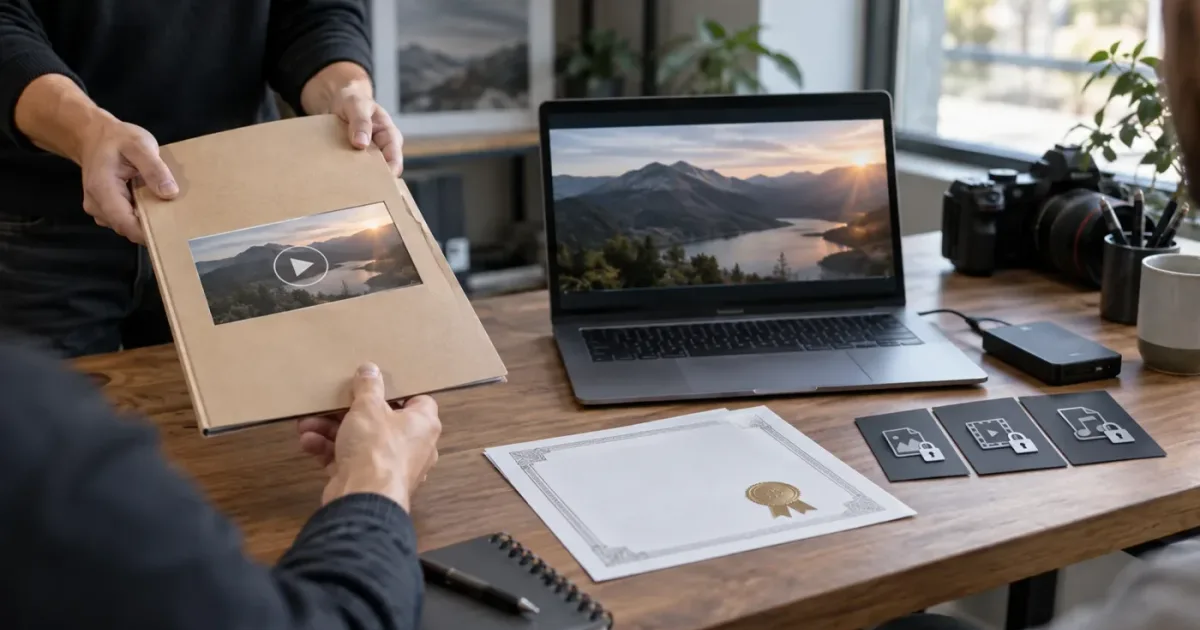
The client wants the finished video, then asks for the music file, the stock clip, and the title template. That second request is where a routine DaVinci Resolve handoff can become a licensing problem.
We run a 100,000+ member professional video-editing community, and this is one of the recurring questions editors bring up when a client needs to reuse a deliverable. As of September 2026, the clean answer is simple: the client can use the finished project, but that permission does not turn Artlist's embedded assets into the client's reusable stock library.
Can clients reuse Artlist assets from a finished video?
Yes, clients can keep using the finished video when the project was created and published during an eligible active Artlist subscription. No, clients cannot normally extract the Artlist music, footage, sound effects, or templates and reuse those files in a separate project.
That distinction comes directly from Artlist's current license guidance. The license covers the subscriber's use of assets inside projects. When an editor creates a project for a client, the client can use the completed project, but the license itself remains with the editor. Artlist's guidance also says that clients cannot independently modify or use the underlying assets. (Artlist's current license guidance)
| What the client wants to do | Normally allowed under the standard client-project model? | What to check |
|---|---|---|
| Publish the final exported video | Yes, if the project was covered and published while the eligible subscription was active | Plan scope, media type, and publication date |
| Repost the same finished video on an approved channel | Usually, subject to the license and platform-clearance rules | Clearlist, channel ownership, and intended platform |
| Receive the music as a separate WAV or MP3 | No | A standalone audio use needs separate permission or a different license |
| Receive an unedited stock clip for a new video | No | The clip is still an Artlist asset, even after download |
| Receive a title or transition template for independent edits | No | Templates cannot be passed along as a reusable package |
| Open the Resolve project and replace the client footage | Do not assume so | A new or modified project may create a new licensing question |
| Keep using the already published finished video after cancellation | Yes, when it was published during the active term | Keep the certificate and publication record |
The word finished can mislead people. A timeline that is complete on Friday but first published after the subscription expires is not in the same position as a finished video that was exported and published on Friday. Artlist says stock music, SFX, footage, and templates must be published or broadcast while the subscription is active for them to remain licensed in that project. (Artlist's current license guidance)
A client can keep using a finished video with Artlist assets, but cannot treat the embedded assets as a new stock library.
What exactly counts as a finished Artlist project?
A finished Artlist project is a broader creative work that incorporates the licensed asset, such as a completed commercial, social video, presentation, film, or podcast episode. It is not the downloaded song, clip, SFX file, or template sitting in a folder by itself.
Artlist's license describes assets as elements that must be integrated into a broader project. Its current terms prohibit using, distributing, reselling, licensing, or sharing the assets as standalone content. The practical test is not whether you changed the filename or trimmed the clip. The test is whether the Artlist file is still being used as a component inside a larger finished work. (Artlist's current Pro license terms)
Here are four examples:
-
You download a music track, mix it under a client's interview, export the finished video, and publish it to the client's YouTube channel while your eligible subscription is active. The client can keep using that published video under the project license.
-
You download the same music track, send the WAV to the client, and tell the client to use it in a later campaign. That is standalone sharing and independent reuse. The standard license does not give you permission to do that.
-
You download a stock aerial clip, place it between two interview sections, add your own grade and graphics, and publish the finished video during the active term. The clip is still an Artlist asset inside the project. Your edits do not convert the stock clip into an asset that the client owns.
-
You download a Resolve title template, customize it for a brand video, and deliver the rendered video. Delivering that finished video is different from delivering the template archive so the client can make unrelated videos.
The U.S. Copyright Office makes the larger principle clear: copyright gives owners exclusive rights to reproduce, distribute, perform, display, and authorize uses of their works. A paid stock subscription is permission under a contract, not proof that the subscriber acquired ownership of every file. (U.S. Copyright Office explanation of copyright) Artlist's contract supplies the specific permission here, and its restrictions are narrower than a general idea of what copyright law might allow.
A downloaded Artlist file is not the same thing as a licensed finished project.
What happens to Artlist assets after the subscription ends?
After cancellation, an Artlist project that was completed and published while an eligible subscription was active can remain covered. Unused downloaded assets cannot be treated as a bank for new projects, and a project that was never published before expiry needs closer review before delivery.
The timeline matters more than the fact that a file is already on your hard drive. Artlist's current guidance says that a published project can remain in use after cancellation, while new projects using those assets are not covered after the subscription expires. It also says that you cannot add new channels or content to Clearlist after a plan expires. (Artlist's current license guidance)
| Project state | Subscription active | Subscription expired | Sensible action |
|---|---|---|---|
| Asset downloaded but never used | Covered for access under the active plan | Not a license for a new project | Do not start a new project with it after expiry |
| Video completed and published | Covered if the plan matches the use | Existing published project may remain covered | Keep the certificate and publication proof |
| Video completed but not published | Covered for creation while active | Publication after expiry may not be covered | Publish before expiry or confirm a new license |
| Video published on the editor's channel | Covered if the channel and plan qualify | Existing publication may remain covered | Keep the channel record and Clearlist evidence |
| Client video not yet added to Clearlist | The active plan may still allow the setup | New clearance may not be available after expiry | Add the video or invite link before cancellation |
There is also a fair-use-looking mistake that is not safe: keeping a large archive of downloaded assets and planning to use them later. Artlist's current Pro license document describes reasonable daily downloading as up to 40 songs, 100 SFX, 40 templates, and 100 clips, footage, animations, or 3D assets. It prohibits automatic downloading and says the library remains available for download while the paid subscription is active. Those numbers are a usage-limit signal, not a promise that old downloads become perpetual project licenses. (Artlist's current Pro license terms)
Do not confuse cancellation with deletion of the published project. Cancellation can stop future downloads and new-project coverage, but it does not necessarily invalidate a qualifying project that was already published. The opposite is also true: simply exporting a file, saving a .drp, or placing a clip in a client folder does not replace the publication requirement.
Can clients reuse the music, footage, SFX, or templates as separate files?
No. Under Artlist's standard license, the client should not receive the standalone music, footage, sound effects, template files, stems, or other source assets for independent reuse.
Music is the easiest case to picture. A track mixed beneath a finished video is part of the video project. The same track delivered as a clean audio file for a podcast intro, an event playlist, a phone system, or a second campaign is a different use. Artlist describes its standard music permission as a synchronization license and does not permit standalone audio use. (Artlist's current license guidance)
Footage follows the same logic. A stock clip can support the story you edited, but handing over the original clip invites the client to use it outside that story. Changing its speed, adding a crop, applying a color grade, or putting it inside a compound clip in DaVinci Resolve does not remove the stock asset from the licensing analysis.
Templates create a second kind of confusion. A finished title sequence is a client deliverable. A .drfx package, template archive, or collection of editable title components is a reusable production tool. If the client needs to build a new series from that template, the client needs a license arrangement that permits that workflow. Do not assume that including the template inside a DaVinci Resolve project changes the answer.
The same warning applies to stems. A stem exported from a music track is still derived from the licensed music. It is not a new client-owned sound file merely because Fairlight rendered it.
If your contract promises editable project files, separate two ideas in writing:
- The client receives the editable work you created for the agreed project.
- The client does not receive a transfer of Artlist's underlying assets or a right to use them in unrelated projects.
That language does not replace the license. It gives the client a clear boundary and gives you a record of what the delivery was meant to include.
Which Artlist plan covers client work?
An eligible Pro, Team, Max, or tailored business arrangement can cover client work, but the exact fit depends on the client, the channels, the media, the number of users, and the project type. Artlist's Social license is for personal creator channels and does not cover client or brand work.
Artlist says its Pro license is designed for professional creators who create projects for clients and brands and need broader publishing coverage. Its guidance separately says the Social license is for personal creators and personal channels. A freelancer who has a tax number or a business name does not automatically get client coverage from a Social plan. The use case and the plan terms still matter. (Artlist's current license guidance)
For the narrower plan-selection question, see Artlist Plan for DaVinci Resolve Client Work: Choose Pro. This post focuses on reuse after handoff, while that guide focuses on choosing coverage before production.
| Situation | Better starting point | Why |
|---|---|---|
| Personal YouTube, TikTok, Instagram, Facebook, Twitch, or one podcast | Social, if the project is truly for the creator's own channels | The Social license is built around personal-channel publishing |
| One freelancer producing videos for clients and brands | Pro or another plan that includes Pro coverage | Client projects and broader media need more than personal-channel permission |
| Several editors need to download and use assets for team projects | Team plan or appropriate multi-seat arrangement | Team coverage addresses authorized team members, not a shared personal login |
| An agency, broadcaster, large organization, app, game, or unusual distribution model | Business or Enterprise discussion | Standard plans may not cover the organization's scale or media type |
| Client wants to reuse a raw asset in several new projects | A custom license or another vendor whose terms expressly permit it | The normal completed-project handoff does not transfer standalone reuse rights |
Artlist's team guidance says Team plans can cover up to 7 seats under one shared subscription for team-related projects. Its business guidance identifies cases such as more than 50 employees, more than 7 seats, apps, games, software, broadcasters, and out-of-home advertising as reasons to ask about a tailored business solution. Those are useful triggers for escalation, not a universal legal test for every company. (Artlist's current license guidance)
The Social license answers a personal-channel question, not a client-handoff question.
If your client is a large brand, ask about the client's legal entity, the people who will access files, the locations where the video will run, and whether paid media, broadcast, or out-of-home placement is involved. Do that before downloading the asset. Retrofitting licensing after a campaign launches is the expensive moment.
Disclosure: This post contains one affiliate link. If you choose Artlist after checking the terms for your project, check Artlist's current licensing options here. The link does not change the answer in this guide, and another vendor may be a better fit when your client needs per-project registration or raw-asset flexibility.

How do I hand off a Resolve 21 project without transferring Artlist assets?
The safest handoff gives the client the finished deliverable, the records that prove the licensed use, and a plain statement of what the client may do next. It does not give the client a folder of reusable Artlist files.
Use this process for a project edited in DaVinci Resolve 21:
-
Name the project and intended channels. Record the client, campaign, deliverable, destination channels, paid-media plans, and first-publication target. A client video on its own website is not automatically the same use as a broadcast spot or a standalone music upload.
-
Check the plan before final approval. Confirm that your plan covers client work, the intended media, and the people downloading assets. If the project belongs to an agency or a company with unusual scale, ask Artlist about a business arrangement before production begins.
-
Save asset records while the account is active. Artlist provides asset-specific license documents for music, SFX, footage, and templates, and its Downloads area associates those records with the account. Download the certificates and any music cue sheets you need before cancellation. (Artlist's current asset-download guidance)
-
Publish at least one qualifying final version during the active term. Keep the export date, upload date, URL, and client approval. A private review link can be useful for approval, but do not assume every private preview has the same meaning as the final public publication contemplated by the license.
-
Set up Clearlist before the account expires. For a client's YouTube video, use the applicable Clearlist workflow and invite link while your subscription is active. Artlist says eligible users can create an invite link for client videos, and that new channels or content cannot be added after the plan expires. (Artlist's current Clearlist guidance)
-
Deliver the finished video and project materials you actually own. This can include the final master, agreed captions, graphics you created, project notes, and a Resolve project archive if your contract calls for one. It should not include the Artlist WAV, isolated footage, unmodified template, or source package as a separate reusable library.
-
Add a licensing note to the handoff email. Say that the Artlist assets are licensed as integrated elements in the named project, that the client may use the finished project under the applicable terms, and that the standalone assets must not be extracted or reused in a different project without separate permission.
-
Keep a copy of the handoff. Store the invoice, plan name, asset certificates, Clearlist record, final URL, and delivery email together. This is ordinary production hygiene. It also gives you something concrete to show if a platform later asks why the video was licensed.
The handoff can be kind and direct. You are not withholding the work. You are separating the work the client bought from the third-party files you licensed to make it.
For client handoff, deliver the finished video and the license record, not the raw Artlist asset package.
What if YouTube raises a claim after the client receives the video?
A YouTube claim does not by itself prove that the project was unlicensed, but you need the correct plan, an accurate Clearlist record, and the asset certificate to resolve it. Artlist does not promise that a claim can never appear.
Clearlist is the relevant workflow for eligible Artlist music plans. Artlist's current guidance says the subscriber can connect channels or videos for clearance and can create an invite link so a client can add specific videos. It also says Clearlist must be updated while the subscription is active. (Artlist's current Clearlist guidance)
When a client reports a claim, check these items in order:
- Is the video the same project that was published during the active subscription?
- Was the music downloaded under the account and plan that covered the project?
- Was the client's channel or video added to Clearlist before expiry?
- Does the license cover the client's media, territory, commercial use, and organization?
- Do the asset certificate and the final export identify the same track or file?
- Is the claim about Artlist's music, or is it about another sound, sample, image, or footage element in the video?
If the video was never published during the active term, do not use the old certificate as if it grants new-project rights. If the client changed the video materially after handoff, review whether the changed version is still the same licensed project. If the client extracted the music and uploaded it alone, that is a different use from the licensed video.
For a step-by-step companion on the platform side, see Artlist Clearlist YouTube Claims: Fix Them in Resolve 21. The key point is that Clearlist supports a properly covered project. It does not turn a Social plan into a client license or make standalone audio legal.
If the client is asking for raw stock footage rather than a finished video, compare the request with How to License Stock Footage for Client Videos before sending any source files.
Should I choose Artlist, Envato, Storyblocks, or another licensing model?
Choose Artlist when you want a production-asset subscription whose client-project rules match your workflow and you are comfortable retaining the license at the editor or team level. Choose another vendor when its documented model better matches a client who needs separate per-project registration, broad commercial coverage, or a different type of asset access.
Here is the useful comparison for this question. It is about licensing workflow, not a claim that one catalog has better creative quality. We have not run a controlled catalog-quality test for this article.
| Service | What the official rules say about client work | Where it may fit better | The boundary to remember |
|---|---|---|---|
| Artlist | Eligible plans can cover a completed client project, while the subscriber keeps the license and cannot share standalone assets | An editor who wants music, SFX, footage, templates, and related production assets under one subscription | Do not give the client the raw asset files or assume post-expiry new-project reuse |
| Envato Elements | Each download creates an ongoing license for a single specified use, with broad commercial rights; a new use needs a new license | A freelancer who wants a per-project licensing record and a broad creative library | Items cannot be resold or redistributed, and the same item in another project needs another license |
| Storyblocks | Client distribution is allowed when content is incorporated into an original or modified final project | A video editor whose client work is primarily stock footage and finished deliverables | Unedited original stock files cannot be shared with the client |
| Epidemic Sound | The Creator plan is for personal creator channels; the official plan guidance points freelancers producing client content to Pro | A sound-first editor who mostly needs music and SFX rather than footage and templates | Channel, advertising, client, and post-cancellation rules are plan-specific |
The comparison points above come from each vendor's own published licensing material. Envato says its stock items have one commercial license model and that each downloaded item is licensed for a single specified use. (Envato's license guide) Storyblocks says final client projects are allowed when the content is incorporated into an original project, but sharing unedited original stock files is not permitted. (Storyblocks' client-project guidance) Epidemic Sound says its Creator plan is for personal creator channels and directs freelancers making commercial client content toward Pro. (Epidemic Sound's Creator plan)
The choice comes down to the client's desired relationship with the files:
- Choose Artlist if the client wants a finished video and your subscription can cover the project, but the client does not need the underlying stock files for unrelated work.
- Choose Envato Elements if a per-project license record and a new license for each separate use are a better operational fit.
- Choose Storyblocks if you need a footage-led workflow and the client is comfortable receiving finished projects rather than raw stock files.
- Choose Epidemic Sound if your main need is music and sound effects and the plan explicitly covers the client's channels and commercial use.
- Ask for a custom license if the client wants to extract, reuse, sublicense, or distribute the source assets, or if the project includes unusual media such as apps, games, broadcast, or out-of-home campaigns.
Licensing models are not interchangeable. A policy that makes a client's future reuse easy at one vendor does not give the same right under Artlist.
Does DaVinci Resolve 21 change the answer?
No. DaVinci Resolve 21 is the editing application, while Artlist's license controls the permitted use of Artlist's assets. Resolve 21 can open, edit, grade, mix, and export the project, but a .drp, .dra, timeline, or rendered file does not transfer the stock license.
Blackmagic's current product page lists DaVinci Resolve 21 for Mac, Windows, and Linux, and its April 2026 New Features Guide identifies Resolve 21 as the current major release described there. (Blackmagic's DaVinci Resolve 21 product page, Resolve 21 New Features Guide) That version information matters for whether a template opens or whether an editor can continue the technical work. It does not decide who may reuse the Artlist source file.
DaVinci Resolve 21 can preserve an edit, but it cannot preserve a license that never covered the use.
Template compatibility is a separate check. Artlist's template guidance identifies DaVinci Resolve 18 or newer as a baseline for its Resolve templates, while individual templates can have stricter version or Studio requirements. (Artlist's current template guidance) Before promising an editable handoff, check the template's version, required Resolve edition, fonts, media, and hardware demands. A license question and a compatibility question can arrive in the same email, but they are not the same question.
What should the client receive from the editor?
The client should receive the agreed final deliverables and enough documentation to publish the named project, while the editor retains control of the third-party assets that were licensed for that project.
A clean delivery package usually includes:
| Delivery item | Include? | Note |
|---|---|---|
| Final master video | Yes | The main client deliverable |
| Approved alternate exports | Yes, if contracted | Label each version and destination |
| Captions, transcripts, or graphics created by the editor | Yes, if agreed | These are separate from third-party stock rights |
| Asset certificate or cue sheet | Yes | Useful evidence for the licensed project |
| Clearlist or platform-clearance record | Yes, when relevant | Keep the client-facing confirmation with the project file |
Resolve .drp or archive | Only if the contract requires it | A project archive does not transfer Artlist's license |
| Raw Artlist music or SFX | No under the standard model | Standalone audio is not the finished project |
| Original Artlist footage | No under the standard model | The client may not receive an unrelated stock library |
| Editable Artlist template package | No under the standard model | Deliver the finished title or animation, not the reusable template |
If the client genuinely needs the last three items, pause the handoff. Ask whether the client wants a new video, a new campaign, a template system, a music-only use, or a library of source footage. Once the request is named, you can ask Artlist or another vendor for a license that actually covers it.
This is also the moment to review your service agreement. The contract between editor and client can assign ownership of your original edit, graphics, color work, and other original contributions. It cannot silently grant a right that your Artlist subscription does not grant you. The U.S. Copyright Office notes that copyright transfers and permissions are separate legal questions, and many transfers require clear written terms. (U.S. Copyright Office copyright FAQ) For a high-value campaign or a disputed license, have a qualified lawyer review the agreement.
Is the finished-project permission enough for your client?
It is enough when the client wants to publish and keep using the named finished video, the eligible plan covered the client use, and the project was published during the active subscription. It is not enough when the client wants to treat the Artlist files as reusable source material.
Artlist founder and co-CEO Itzik Elbaz described the company's two criteria in a 2025 interview: “We have two main criteria. One is quality. The other is licensing.” (Calcalist Tech interview with Itzik Elbaz) The line is useful because it puts the real issue in the right place. The question is not whether the music sounds good in your Resolve 21 timeline. The question is whether the intended client use fits the license attached to that project.
Before delivery, ask your client one last question: “Do you need the finished video, or do you need the ingredients?”
If the answer is the finished video, verify the plan, publish during the active term, save the certificate, handle Clearlist, and deliver the finished work. If the answer is the ingredients, stop and price a license that permits independent reuse. Do not solve a source-asset request by quietly sending the folder.
That is the defensible handoff. The client keeps the finished project. The Artlist assets stay inside the project they were licensed to make.
Frequently asked questions
- Can clients reuse Artlist assets from a finished video?
- Clients can keep using the finished video when it was created and published during an eligible active Artlist subscription. They cannot take the embedded music, footage, sound effects, or templates out and reuse those files in a new project.
- Can a client edit a finished video with Artlist assets?
- Do not assume a client can independently edit the Resolve project with the Artlist files. Artlist permits delivery of the completed project, but its standard rules keep the license with the subscriber and prohibit sharing the underlying assets.
- What happens to Artlist assets after cancellation?
- A project published while the subscription was active can remain covered after cancellation. Unused downloaded assets cannot be placed in a new project after expiry, and a project that was not published before expiry may not be covered.
- Which Artlist plan covers client work?
- An eligible Pro, Team, Max, or business arrangement can cover client work, depending on the project and organization. The Social license is for personal creator channels and does not cover client or brand projects.
- Can I send Artlist music or footage to my client?
- No. Send the finished video and its license record, not the standalone Artlist music, footage, sound effects, template, stem, or source package. The client needs separate coverage for independent asset use.
Sources
- Artlist current license guide and client handoff rules, official source via tracked link
- Artlist current Pro license terms, official source via tracked link
- DaVinci Resolve 21 official product page, Blackmagic Design
- DaVinci Resolve 21 New Features Guide, Blackmagic Design
- What Is Copyright?, U.S. Copyright Office
- Itzik Elbaz interview, Calcalist Tech
- Envato Elements license, official Help Center
- Storyblocks client-project licensing, official Help Center
- Epidemic Sound Creator plan licensing, official product page
Keep reading
Guides · Aug 30, 2026 · 8 min
Artlist Plan for DaVinci Resolve Client Work: Choose Pro
Choosing an Artlist plan for DaVinci Resolve client work? Compare Social, Pro, Team, Max, licensing, Clearlist, templates, and cancellation rules.
Guides · Aug 28, 2026 · 8 min
Artlist Clearlist YouTube Claims: Fix Them in Resolve 21
A practical guide to Artlist Clearlist YouTube claims from DaVinci Resolve 21: prevent claims, dispute them, and choose the right license.
Guides · Sep 5, 2026 · 8 min
How to License Stock Footage for Client Videos
Learn how to license stock footage for client videos, document rights, avoid raw-file mistakes, and deliver a clean DaVinci Resolve 21 project.