Articles / Comparisonsupdated for DaVinci Resolve 21 and current Artlist AI Suite and ElevenLabs plans (September 2026)
Artlist AI Suite vs ElevenLabs for Video Voiceover in 2026
Quick answer
For Artlist AI Suite vs ElevenLabs for video voiceover, choose Artlist if you also need stock assets and AI image, video, or music tools in one subscription. Choose ElevenLabs if voice quality control, cloning, model choice, or API access is the priority. Both can feed DaVinci Resolve 21 through downloaded audio.
If you are choosing a voiceover tool for a Resolve project, the first question isn't which logo sounds more impressive. It's whether narration is the center of your workflow or one part of a larger video package.
We run a 100,000+ member professional video-editing community, and we've spent 7+ years in commercial video work. Artlist AI Suite makes more sense when you want voiceover beside stock footage, music, SFX, templates, or other generative tools. ElevenLabs makes more sense when the voice itself is the product.
As of September 2026, both services can produce audio that you download and place in DaVinci Resolve 21. The differences are model access, credit accounting, voice control, licensing, and the workflow before Fairlight.
Which is better, Artlist AI Suite or ElevenLabs for video voiceover?
Artlist is the better choice for a creator who needs voiceover plus other production assets. ElevenLabs is the better choice for a voice-first workflow that values dedicated narration tools, a larger set of model controls, and direct access to the ElevenLabs platform.
The comparison gets less obvious because Artlist's AI Toolkit can include Eleven v3 and Eleven Multilingual v2 among its voice models. Artlist offers those selected models through a wider creative service, alongside models such as Cartesia and MiniMax. Its current voiceover documentation also lists text-to-speech, speech-to-speech, custom voices, model-dependent settings, and a 5,000-character input limit per generation.
ElevenLabs is built around audio generation and related speech tools. Its current model documentation lists Eleven v3, Eleven v3 Conversational, Eleven Multilingual v2, and Eleven Flash v2.5, with different limits and intended uses. Eleven v3 has a 5,000-character limit, Multilingual v2 has a 10,000-character limit, and Flash v2.5 has a 40,000-character limit. Those limits matter for long narration.
| Decision | Artlist AI Suite | ElevenLabs | Better fit |
|---|---|---|---|
| Main job | Voiceover plus AI image, video, music, and Artlist Studio | Voiceover, voice design, cloning, speech tools, and audio workflows | Artlist for a mixed toolkit, ElevenLabs for voice-first work |
| Model choice | Selected models inside the Artlist Toolkit, including Eleven v3 and Eleven Multilingual v2 | Dedicated ElevenLabs model lineup including v3, Multilingual v2, and Flash v2.5 | ElevenLabs for the broader direct model environment |
| Credit logic | Monthly credits shared across voice, image, video, music, and other AI tools | Shared ElevenLabs credit pool, with text-to-speech priced by characters and other products using the same pool | Artlist if you want one creative budget, ElevenLabs if you want voice usage to be easier to isolate |
| Stated voiceover allowance | Artlist lists up to 1.5 hours at 7,500 credits, 3 hours at 16,500, 8 hours at 40,000, and 16 hours at 80,000 | ElevenLabs lists approximately 30 minutes on Starter, 121 minutes on Creator, and 600 minutes on Pro | Compare your actual script volume, not credit totals alone |
| Multilingual work | Artlist says available languages depend on the selected model and advertises 71+ languages for its voiceover experience | Eleven v3 supports 74 languages; Multilingual v2 supports 29 | ElevenLabs for documented model-level language detail |
| Export into Resolve | Artlist voiceovers download as MP3 according to its FAQ | ElevenLabs supports MP3 plus PCM and other formats, with paid tiers adding higher-quality options | ElevenLabs if format choice matters, either if MP3 is enough |
| Client and commercial use | License tier and asset type matter; Artlist separates AI output from stock assets | Paid plans include commercial rights subject to terms and rights in the input | Read the license before either purchase |
| Stock library | Music, SFX, footage, templates, LUTs, and plugins are available through relevant Artlist plans | Not the primary reason to subscribe | Artlist |
Minutes, characters, and credits are not interchangeable units. They measure different things.
Artlist AI Suite is the better buy when voiceover is one part of a wider video-asset workflow.
Why is Artlist AI Suite vs ElevenLabs not a simple voice-quality contest?
Artlist AI Suite vs ElevenLabs is not a clean quality contest because Artlist can provide access to Eleven v3, while the two platforms can still differ in voice selection, interface, settings, limits, and output workflow.
A tool's best demo isn't the same as a production decision. Voice quality depends on the model, voice, script, pronunciation, emotion, and revisions. ElevenLabs says model selection strongly influences the final output, and recommends testing a voice with different models because each pairing has strengths and weaknesses.
Eleven v3 is designed for expressive delivery and supports audio tags, such as [sad], [angry], [whispers], and [laughs], according to ElevenLabs' text-to-speech guide. Its documentation also describes multi-speaker dialogue. Multilingual v2 is positioned as a more stable choice for longer narration, while Flash v2.5 is designed for speed and a lower per-character API cost.
Artlist's Toolkit offers a similar range through its own interface. You can choose a model and voice, set language where supported, adjust speed or stability where supported, and use speech-to-speech or a custom voice. Not every setting belongs to every model. Artlist's FAQ says accent selection is available with Cartesia, while another model may require a voice that already carries the accent you want.
That difference changes the buying question. If you want a fast way to audition voiceover while also gathering visuals and music, Artlist reduces the number of subscriptions you manage. If you want to compare voice models deliberately, design voices, clone an authorized voice, or build a repeatable speech pipeline, ElevenLabs gives the voice workflow more room to breathe.
Film editor Jordan Orme described Artlist's temporary voiceover use in commercial pre-production this way: “So there’s a lot of flexibility there.” He works with a human voiceover artist after the script is finalized. AI voiceover can help you cut a timing draft or circulate a client version, but it doesn't decide who should deliver the final performance.
How do I compare Artlist credits with ElevenLabs credits?
Artlist AI Suite and ElevenLabs should be compared by the cost of your whole project, not by the largest number printed on a pricing card. Artlist's credits can be spent across voiceover, image, video, music, and Studio, while ElevenLabs' credits are shared across its speech, music, sound-effects, dubbing, and other products.
Artlist's current AI Suite guide lists 7,500 credits for up to 1.5 hours of AI voiceover. It lists 16,500 credits for up to 3 hours, 40,000 for up to 8 hours, and 80,000 for up to 16 hours. Those are plan-level allowances, not a universal conversion rule. Artlist says the credits deducted depend on the tool and settings used, and its guide says unused standard credits and fast generations reset rather than carrying into the next month.
ElevenLabs currently lists 10,000 credits on Free, 30,000 on Starter, 121,000 on Creator, 600,000 on Pro, 1.8 million on Scale, and 6 million on Business. Its pricing page says text-to-speech uses approximately 1 credit per character, while other products use different amounts. It lists approximately 30 minutes of text-to-speech on Starter, 121 minutes on Creator, and 600 minutes on Pro.
ElevenLabs also says paid subscribers can roll unused credits for up to two months, subject to its conditions. Artlist's AI Suite guide says unused monthly credits do not carry over. That makes the two systems behave differently for irregular workloads.
Use this worked example. Suppose your Resolve project contains a 900-word explainer, three alternate openings, and two shortened social versions. Don't multiply a rough word count by a guessed minute rate and call the result a price. Generate a representative passage first, measure the character count and revisions, then compare each platform's allowance.
For a one-off project, ask whether you need image, video, music, or stock assets. If not, Artlist's shared pool may pay for capabilities you won't use. If yes, that same pool may be why Artlist wins.
ElevenLabs' voiceover credits are easier to audit when text-to-speech is the only major generation workload.
Which tool is better for multilingual voiceover in DaVinci Resolve 21?
ElevenLabs is the easier choice when you need documented model-level language coverage, while Artlist is attractive when its available models and voices already cover your language and you want the surrounding creative toolkit.
ElevenLabs says Eleven v3 supports 74 languages, including English, German, French, Spanish, Romanian, Japanese, Korean, Arabic, and Ukrainian, in its language documentation. Its Multilingual v2 model supports 29 languages. The documentation also warns that the voice affects accent and pronunciation, so selecting a language alone doesn't guarantee a native-sounding performance.
Artlist says its voiceover experience supports more than 71 languages, but the exact language list depends on the model. Its FAQ says custom voices work across supported languages except Swedish, and it lists a 5,000-character limit for each voiceover generation. Confirm the exact model, voice, accent, and pronunciation behavior for your target language before you buy.
For a multilingual Resolve project, create a short test for every language using the same names, numbers, and brand terms. Listen for proper nouns, dates, abbreviations, and sentence endings. Export each version and label the files before importing them. A file called final_voiceover.mp3 is not a localization workflow.
Model names do not guarantee identical voiceover output across two platforms.
DaVinci Resolve 21 does not need a special voiceover plugin for this basic process. Blackmagic's Fairlight page is designed for voiceover recording and editing, and the regular import workflow works for generated audio. Keep one track per language or version, name the clips clearly, and mute alternatives rather than deleting them while the script is still changing.
How do I move Artlist or ElevenLabs voiceover into DaVinci Resolve 21?
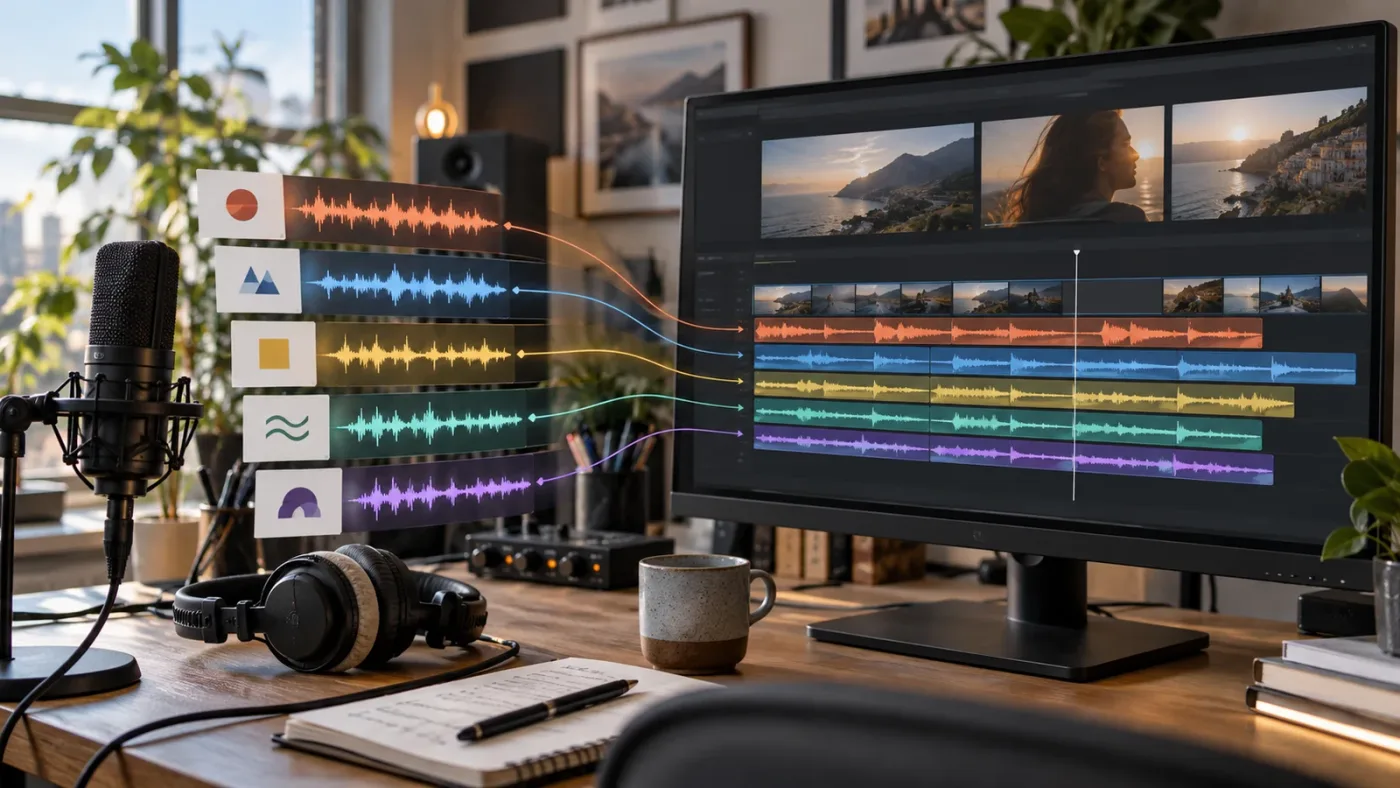
Artlist and ElevenLabs voiceovers move into DaVinci Resolve 21 by download and import: place the audio in the Media Pool, add it to a Fairlight track, and edit it against picture. The platform choice happens before Resolve; timing, cleanup, mix, and delivery happen inside Resolve.
1. Write for the voice, not just the screen
Break a long script into meaningful sections. Use punctuation to guide breathing and emphasis. Spell out an acronym the first time if the model misreads it. Put pronunciation notes in a separate working copy so you can remove them before the final export if they shouldn't be spoken.
Artlist supports up to 5,000 characters per generation. ElevenLabs lists 5,000 characters for Eleven v3, 10,000 for Multilingual v2, and 40,000 for Flash v2.5. Those limits are one reason a long narration may require different chunking strategies on each service.
2. Generate a timing draft
Start with the opening, one middle section, and the ending. Check the pace against the edit before generating every paragraph. A voice can sound excellent in isolation and still fight the cut because the pauses land in the wrong places.
If you use Eleven v3, test its audio tags carefully. A tag can direct performance, but it can also make a neutral explainer too theatrical. If you use Artlist, compare the controls available for the selected model. Do not assume a setting shown in one model's demo is available in every model.
3. Import and organize the audio
Resolve 21's Fairlight workflow lets you place a generated voiceover on a track and edit it with the rest of your soundtrack. Use descriptive names such as VO_EN_v03, VO_DE_v01, or VO_client-approved. Keep the service name in your production notes, not necessarily in the filename delivered to a client.
Blackmagic says Fairlight can record a voiceover, add takes as layers on the same track, and use elastic wave retiming to stretch audio without changing pitch. A generated narration file still benefits from the discipline of a recorded take. Cut distracting breaths, leave humanizing ones, and avoid stretching an entire paragraph to solve one late sentence.
4. Mix it as narration
Voiceover is not finished when the file sounds loud enough. Place it in a sensible dialogue track, leave room for music and SFX, and listen at more than one monitoring level. Resolve 21's Fairlight page includes clip-level EQ with six bands on the Cut, Edit, and Fairlight pages, which gives you more tonal control when the narration needs cleanup.
Don't use a compressor to hide a bad generation. First regenerate a mispronounced name, awkward pause, or strange emphasis. Then use Fairlight for the mix decisions that belong to post-production.
5. Export a review version before the master
Send a review cut with the voiceover, music, and effects together. Ask the reviewer to flag wording, pronunciation, timing, and legal clearance separately. A client saying “the voice feels wrong” may mean the script is wrong, the performance is wrong, or the voice is masking a music problem.
A downloaded AI voiceover still needs editorial timing and a proper Fairlight mix in DaVinci Resolve 21.
Can I use Artlist or ElevenLabs voiceover in client videos?
Both can support commercial video workflows, but the answer depends on the plan, the type of output, the source material, and the terms in force when you generate the file.
Artlist distinguishes AI-generated output from stock assets. Its current license information says AI-generated outputs can be used commercially, including after a subscription ends, as long as the license terms and forbidden-use rules are followed. It treats music, SFX, footage, and templates differently: those stock assets need to be used in projects published while the subscription is active, and plan scope still matters. A Pro-style client license is not the same thing as a personal Social plan.
That distinction matters if your Artlist project includes both an AI voiceover and Artlist music. The voiceover and the music do not necessarily follow the same post-cancellation rule. Artlist also says its Clearlist is for music and is not required for AI voiceover alone. If you use Artlist music in the same video, register the appropriate channel or video while the plan is active.
ElevenLabs says paid plans include a commercial license for generated content, subject to its terms, prohibited uses, and your rights in the input content. It also says paid-subscription content can retain a commercial license after cancellation. The free plan is different: its output is non-commercial and attribution-required.
Neither policy means you can clone any voice you want. Upload only a voice you own or are authorized to use. Keep written permission for a client, actor, employee, or brand voice. Record the plan, generation date, model, voice identifier, and license receipt in the project folder.
For client work, don't treat “commercial use” as a complete clearance package. You still need rights to the script, voice sample, cloned identity, music, footage, and distribution. A paid AI plan does not transfer rights you never had.
What common mistakes make the comparison misleading?
Artlist AI Suite vs ElevenLabs comparisons often go wrong when a bundle's headline credit number is compared with a voice platform's character allowance. Credits only become meaningful after you know what else will consume them.
The second mistake is assuming Artlist and ElevenLabs offer identical voice catalogs because Artlist exposes some ElevenLabs models. The model may be the same, but the surrounding voice selection, available controls, audio format, credit meter, and account terms can differ. Treat model names as a starting point, not a guarantee of identical output.
The third mistake is choosing a voice before locking the script. Voiceover revisions are normal. Make the first pass with a representative excerpt, then decide whether the tool gives you enough control to repair names, numbers, emphasis, and pacing without wasting the monthly allowance.
The fourth mistake is using a free plan for a monetized client or channel. ElevenLabs explicitly says its free plan lacks commercial rights. Artlist's license depends on the plan and asset type. Read both policies before a public upload, not after a claim or client complaint.
The fifth mistake is expecting Resolve to fix a performance problem. Resolve can cut, retime, equalize, compress, and mix the file. It can't turn an emotionally wrong read into the right one. Regenerate when the performance is wrong. Mix when the recording is right but the soundtrack is unbalanced.
When should you choose Artlist AI Suite?
Choose Artlist AI Suite when you want one creative subscription to cover voiceover and other production needs, and when the selected Artlist models already deliver the performance your project requires.
Artlist is especially compelling for a creator who regularly needs a combination of music, SFX, footage, templates, and AI-generated voice, image, video, or music. That is a workflow decision, not a claim that Artlist produces better narration than ElevenLabs. The value is fewer disconnected purchases and a shared creative workspace.
The bundle can also make sense for pre-production. You can generate a temporary voiceover, cut a rough edit, try a different pace, and decide whether the final project needs a human narrator. Jordan Orme's workflow supports that use: he described using AI voiceover for temporary commercial versions before moving to a human voiceover artist for the finalized script.
The trade-off is credit competition. If you spend heavily on AI video or image generations, the pool available for voiceover can shrink. Artlist's higher tiers can include more credits and selected unlimited-generation features, but the details vary by plan and model. Check the current plan page before purchase, especially if your project volume changes from month to month.
If your Resolve workflow already depends on Artlist stock assets, compare the AI Suite with the stock-plus-AI options carefully. Our Artlist review for DaVinci Resolve editors covers the broader questions of templates, asset licensing, and Resolve compatibility. Our Artlist AI Suite vs Max comparison focuses on the bundle decision rather than direct voice competition.
There is an affiliate relationship behind the following recommendation. If you choose Artlist through this link, we may earn a commission at no extra cost to you. The recommendation remains independent, and ElevenLabs is the better fit for some voice-first projects.
Check Artlist's current AI Suite options and voiceover workflow
When should you choose ElevenLabs?
Choose ElevenLabs when voiceover quality control, model selection, voice cloning, multilingual speech, or an audio-focused production pipeline matters more than access to a stock catalog.
ElevenLabs gives you a direct path to the platform's own speech models. Its current documentation distinguishes expressive Eleven v3, stable Multilingual v2, and faster Flash v2.5. It also documents voice design, instant voice cloning, professional voice cloning, speech-to-speech, and API access on the relevant plans and products.
That specialization matters when the voice must stay consistent across a series, when you need to test several delivery styles, or when you are building a repeatable pipeline outside a single Resolve project. ElevenLabs also gives you more output-format choice than a simple MP3-only workflow. Its text-to-speech documentation lists MP3, PCM, μ-law, A-law, and Opus options, with quality and availability depending on the service and plan.
The trade-off is scope. ElevenLabs is not the reason to subscribe if what you really need is a large stock music, footage, template, and SFX workflow. You may end up with a strong voice platform and still need separate services for the rest of the edit.
ElevenLabs can also be the better pick for long text. The model limits differ, and Flash v2.5's documented 40,000-character limit is much larger than the 5,000-character limit listed for Eleven v3. But longer input isn't automatically better. Generate in sections when you need precise timing, different emotional beats, or easy replacement of one paragraph.
Which should you choose for a DaVinci Resolve 21 video voiceover?
Choose Artlist AI Suite if you need a bundle of production assets and voiceover, and choose ElevenLabs if narration is the central craft problem. For a voice-only buyer, ElevenLabs is the safer default. For a creator already buying Artlist assets, Artlist AI Suite can be the more efficient subscription.
The Resolve part is simpler than the buying page suggests. DaVinci Resolve 21 can import generated audio, place it on a Fairlight track, layer alternate takes, retime sections, and mix the result with music and effects. Blackmagic's Resolve 21 overview lists the application as a complete editing, color, effects, and audio post-production tool.
Make the decision with a short paid or permitted test, not a trailer. Use the same 30 to 60 seconds of script, the same pronunciation challenges, and the same delivery goal. Compare the number of manual fixes, the cost of revisions, the available export format, the license you actually need, and whether you will use the other tools in the subscription.
ElevenLabs is the better buy when spoken performance is the product, while Artlist is the better buy when voice is one component of a larger video package.
The best AI voiceover service is the one that leaves you with a believable performance, a clear license trail, and an audio file that fits the edit.
Frequently asked questions
- Which is better, Artlist AI Suite or ElevenLabs for video voiceover?
- Artlist is better when voiceover belongs inside a wider stock and generative-AI subscription. ElevenLabs is better when narration, expressive control, voice cloning, model choice, and a dedicated audio workflow matter more than bundled assets.
- Why is Artlist AI Suite vs ElevenLabs not a simple voice-quality contest?
- Artlist's Toolkit can expose Eleven v3 and Eleven Multilingual v2 alongside other models, so the result depends on the selected model, voice, settings, and workflow. A direct ElevenLabs subscription offers the broader dedicated ElevenLabs environment.
- How many voiceover minutes do Artlist AI Suite and ElevenLabs include?
- Artlist lists up to 1.5 hours at 7,500 credits, 3 hours at 16,500 credits, 8 hours at 40,000 credits, and 16 hours at 80,000 credits. ElevenLabs lists approximately 30 minutes on Starter, 121 minutes on Creator, and 600 minutes on Pro.
- Can I use Artlist or ElevenLabs voiceover in client videos?
- Check the plan and the date of generation. Artlist distinguishes AI output from stock assets and says qualifying AI output can remain usable after cancellation, while ElevenLabs says paid-plan output has commercial rights subject to its terms and input rights.
- How do I import AI voiceover into DaVinci Resolve 21?
- Download the generated audio, import it into the Media Pool, place it on a Fairlight track, and edit the narration against picture. Resolve 21's Fairlight page supports voiceover recording, layered takes, and elastic wave retiming.
Sources
- Artlist AI Suite plans, AI voiceover FAQ, licensing, and Jordan Orme interview
- ElevenLabs pricing and credit usage
- ElevenLabs text-to-speech models and limits
- ElevenLabs supported languages
- ElevenLabs commercial publishing and subscription rights
- DaVinci Resolve 21 What's New
- DaVinci Resolve Fairlight voiceover recording
Keep reading
Reviews · Sep 1, 2026 · 8 min
Artlist Review for DaVinci Resolve Editors (2026)
An honest Artlist review for DaVinci Resolve editors covering music, SFX, footage, templates, Resolve 21 compatibility, licensing, and alternatives.
Comparisons · Sep 1, 2026 · 8 min
Artlist AI Suite vs Max for Video Editors in 2026
Artlist AI Suite vs Max for video editors: compare credits, stock assets, Resolve 21 templates, licensing, cancellation rules, and alternatives.

Comparisons · Sep 17, 2026 · 35 min
Artlist Social vs Pro for Sponsored Videos: Which Wins?
Social covers sponsored posts on your registered personal channel. Pro covers paid media, client work, brand deliverables, and wider commercial use.