Articles / Guidesupdated for DaVinci Resolve 21.0 (April 2026)
Artlist for Wedding Filmmakers: Resolve 21 Buying Guide
Quick answer
Artlist for wedding filmmakers can be a good fit when you need music, SFX, footage, and templates in one subscription, especially for recurring client work. Choose the license for your publishing and client use, publish projects while subscribed, and consider alternatives if you only need audio or want per-project asset registration.
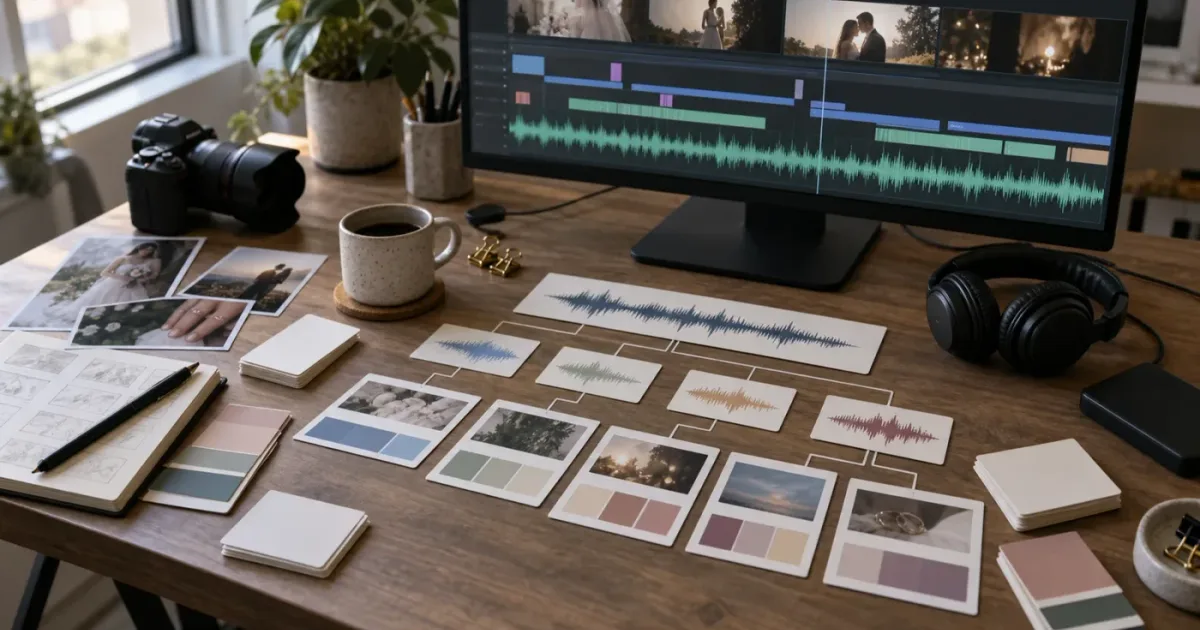
I look at wedding-film libraries differently from generic stock subscriptions because the hard part isn’t finding one pretty song. It’s finding the right song, the right room tone, a useful cutaway, and a title treatment without opening four separate libraries. As of September 2026, DaVinci Resolve 21 gives you the finishing environment, but it doesn’t supply the licensed production assets. Artlist can make sense if the license matches the work.
Affiliate disclosure: If you buy through an Artlist link, we may earn a commission at no extra cost to you. The assessment remains independent.
Is Artlist worth it for wedding filmmakers?
Artlist is worth considering for wedding filmmakers who repeatedly need several asset types and deliver client work under a professional license. It isn’t automatically the best choice for a filmmaker who only needs one song for one film.
The useful question is not “Does Artlist have romantic music?” Most libraries do. The useful question is whether one subscription covers enough of your real wedding workflow to justify its recurring cost and its active-subscription publishing rule.
For a typical wedding filmmaker, that workflow may include:
- A licensed music bed for the highlight film.
- Alternate tracks or stems for vows, speeches, and dancing.
- Room tone, applause, cloth movement, camera movement, and other sound effects.
- Establishing footage when the venue or weather gives you a gap.
- Titles, transitions, slideshows, or motion graphics for the opening and delivery versions.
- A repeatable way to document which asset belongs to which client project.
Artlist currently separates its stock catalog into music and SFX, footage and templates, and combined Max options, as its current plan guidance explains. Its AI plans add credit-based generation, while Max combines stock assets and AI tools. The first buying decision is scope. If you need only sound, don’t pay for a bundle just because the bundle is large.
Matt Johnson, a wedding filmmaker interviewed about choosing music, put the creative priority plainly: “Music is really what drives the emotion of your film.” The track has to serve the couple, the location, the spoken words, and the edit.
Artlist is a strong fit when a wedding filmmaker repeatedly needs music, SFX, footage, and templates under one license.
After seven years of professional commercial editing, we’ve learned to treat a library subscription as a production decision. Count the asset categories you will actually use, then check the rights on the finished project. A bigger catalog is not a business model.
How do I choose the asset mix for a wedding film?
Choose the asset mix by starting with the finished deliverables, then work backward to the library. A five-minute highlight film, a full ceremony, a social teaser, and a venue promo do not create the same licensing or search needs.
Here’s a practical first pass:
| Your recurring need | Start by evaluating | Why it matters in Resolve 21 | Where Artlist fits |
|---|---|---|---|
| Music and stems for highlights | Music and SFX | You can build the emotional arc around the song and leave space for vows | Music and SFX plans include music, SFX, and stems according to the selected plan |
| Sound design for ceremony and reception | Music and SFX | Natural sound makes the film feel like the day, not a slideshow | Useful when you need both music and SFX rather than music alone |
| Venue cutaways or atmosphere | Footage and Templates | Stock can cover an establishing gap, but it should support your captured story | The plan includes footage and templates, with footage offered up to 8K |
| Titles, transitions, and slideshows | Footage and Templates | A ready-made project can give you a starting structure | Artlist provides Resolve template downloads, often as .dra archives |
| Music, visuals, graphics, and AI tools | Max | One account can cover a wider asset workflow | Max combines stock assets and AI tools, with AI usage tied to credits |
| Two editors on one studio | Team plan | Shared access can be cleaner than passing one personal login around | Team plans offer a multi-seat license, with up to 7 seats in the current guidance |
There’s also a creative distinction. Footage is not a substitute for coverage. A drone shot of a generic coastline won’t replace the couple’s actual walk to the water. A template won’t replace a title decision. Use stock to solve a specific editorial gap, not to decorate every beat.
Why is the license more important than the biggest asset bundle?
The license is the part that decides whether your wedding film can be delivered, monetized, and shown later. Artlist’s current license guidance distinguishes Social coverage for personal creator channels from Pro coverage for client and commercial work, so wedding filmmakers should not choose a Social plan simply because it is cheaper.
Social coverage is described as personal use for a single channel on each listed social platform and a single podcast. It does not cover client work. Pro coverage is designed for professional creators who work with clients and brands and publish across a wider range of media. The correct plan depends on what you create and where the finished film will appear.
For a freelance wedding filmmaker, ask whether the film is personal or client work, whether the client controls the publishing channel, whether a business will reuse clips, whether paid media or broadcast is involved, and when the first public version will be published. If any answer expands the use, treat Pro coverage as the starting point and read the current terms for that specific destination.
Artlist also says its assets are licensed as integrated elements of a larger project. You can deliver a completed wedding film to a client under the appropriate coverage, but you should not hand over the underlying song, SFX, footage, or template as a standalone asset for the client to reuse independently.
That changes how you archive. Keep the project file, the exported master, the license record, and the asset information together. Don’t treat a downloaded music file as if you bought the recording outright.
A wedding filmmaker needs the license that covers the client’s finished film, not merely the plan that unlocks the desired download button.
For a deeper client-work decision, see our guide to the Artlist plan for DaVinci Resolve client work. It focuses on the same distinction without the wedding-specific workflow.
How do I use Artlist templates in DaVinci Resolve 21?
Artlist Resolve templates are usually downloaded as project archives, not dragged onto the timeline like a single effect. Its current template setup guidance lists DaVinci Resolve 18 or newer, so Resolve 21 clears that baseline, but each template can still have its own version and Studio requirements.
The basic workflow is:
- Filter the template catalog for DaVinci Resolve and the format you need, such as HD, 4K, vertical, or square.
- Read the individual asset page for the required Resolve version and whether Studio is required.
- Download and unzip the package.
- Read the included help file and font document.
- Open the Resolve Project Manager and choose “Restore Project Archive.”
- Select the
.draproject archive. - Open the restored project, locate its placeholder media, and replace it with your footage.
- Test the title or transition in a duplicate project before placing it in the client master.
Artlist’s template guidance lists titles, lower thirds, transitions, intros, and slideshows as common categories. A wedding filmmaker could use those categories for a restrained name card, a location title, a photo montage, or a vertical teaser. The template should give you structure. It should not force the entire film into the same visual language as every other wedding edit.
The main mistakes are downloading the wrong editor format, opening the archive without unzipping it, forgetting the font, assuming Resolve Free opens every Studio template, and editing the only client master instead of a duplicate.
The compatibility issue is not unique to Resolve 21. Artlist notes that templates can be version-specific, and its troubleshooting guidance specifically warns against using Studio templates in the Free edition. For a template-only decision, our Artlist DaVinci Resolve templates Free version guide covers the compatibility question directly.
How should I build a wedding film around licensed music?
Build the music plan around story beats and spoken audio, not around the first track that sounds romantic. A strong workflow gives the song a job, gives dialogue room, and keeps the couple’s real voices in charge.
Start with a paper map of the film:
| Film beat | Music job | Sound to protect | Search direction |
|---|---|---|---|
| Arrival and details | Establish place and anticipation | Footsteps, fabric, doors, room tone | Warm, intimate, patient |
| Vows or letter | Support, then get out of the way | Every word and breath that carries meaning | Sparse, piano, gentle, instrumental |
| Portraits and movement | Carry pace and visual confidence | Wind, clothing, natural location tone | Organic, lifted, rhythmic |
| Reception and dancing | Release energy | Cheers, claps, laughter, live room | Bright, joyful, percussive |
| Closing images | Leave a clear emotional aftertaste | Final line, final reaction, room decay | Resolved, open, reflective |
Search by mood first, then audition the arrangement. Look for an intro that gives you room to begin, a middle that can carry movement, and an ending that can be cut or allowed to ring out. If the track has stems, decide whether you need the full mix, a vocal-free layer, or a reduced rhythm section under a speech.
The most common wedding-film mistake is making the music louder when the edit gets emotional. It usually makes the emotion smaller. Automate the level down before a vow or speech, then let the music return with intention. If the cut moves from live sound to music, leave a breath between them. That small gap can feel more honest than a hard switch.
Matt Johnson gave a very specific version of this advice in the same interview: “I'm always telling people to fade it, fade it gently.” He recommended taking about 10 seconds when moving from music to speech. Treat that as an editor’s starting point, not a law. The right fade depends on the room, the sentence, and the pace of the shot.
Our existing guide on how to choose music for a wedding video in Resolve 21 goes further into mood, structure, and cut timing. This article’s concern is the library decision around that craft.
The best wedding-film music leaves room for vows, breath, and real room sound.
What happens if I publish after cancelling Artlist?
Artlist’s current license guidance draws a hard line around publication timing: a stock-asset project needs to be completed and published while the subscription is active to retain coverage after cancellation. A new project published after the plan ends is not covered simply because the asset was downloaded earlier.
Use this archive checklist while the plan is active:
- Export the agreed client versions.
- Add eligible music channels or videos to Clearlist.
- Download the license and cue-sheet information.
- Save the asset names, project association, and subscription end date.
Clearlist is mainly relevant to projects containing Artlist music. Its current Clearlist guidance says SFX, footage, AI voiceover, images, and video do not require Clearlist by themselves. For music, the current guidance says Social users can protect one channel per platform, while Pro, Team, or Business users can use client invite links for eligible YouTube videos. An active plan is needed to add new channels or videos.
Do not read Clearlist as a promise that no platform will ever generate a claim. Artlist’s own copyright guidance lists an unregistered channel or video, a platform error, an expired subscription, or usage outside the license as possible reasons for a claim. The responsible workflow is registration plus saved documentation.
The cancellation rule also explains why subscription timing can be rational. If you know you have three weddings in post and will publish all final masters this month, a subscription may solve a real production block. If you’re between seasons and don’t expect to publish, download-and-forget thinking becomes risky.
Which Artlist plan should wedding filmmakers choose?
For most solo wedding filmmakers, start by comparing Music and SFX Pro with Footage and Templates, then compare the total against Max only if you will use the additional categories. The license and publishing destinations should decide the shortlist before AI credits or catalog extras.
| Plan direction | Choose it if | Don’t choose it if | Wedding-film verdict |
|---|---|---|---|
| Music and SFX Social | You publish only personal creator content on the covered channels | You deliver films for couples or brands | Too narrow for normal client work |
| Music and SFX Pro | Music, stems, and SFX are your main recurring needs and your work is client-facing | You need a substantial footage and template workflow | Best audio-first starting point |
| Footage and Templates | You need stock video and Resolve motion graphics more than a music catalog | You expect it to include music and AI tools | Best visual add-on, not a music solution |
| Max | You regularly use music, SFX, footage, templates, and AI tools | You only need one or two asset categories | Best bundle when the bundle is genuinely used |
| Team | Two to seven people need shared access for studio projects | You’re trying to cover team members’ personal projects | Useful for a small wedding production team |
| Business or Enterprise | Your agency, broadcaster, organization, seat count, or usage falls outside standard coverage | You’re a solo editor with ordinary client films | Ask for tailored terms |
The current Artlist plan comparison says Music and SFX Social is for personal creators and does not cover client work. It describes Music and SFX Pro as suitable for client and commercial work. It describes Footage and Templates as a Pro-licensed plan for commercial or client projects, billed annually. Max adds the wider stock and AI toolkit. Team guidance allows up to 7 seats, while larger organizations or more complex uses may need a custom arrangement.
AI is a separate reason to choose Max, and it shouldn’t quietly become the reason you choose Max. Artlist’s current AI documentation says credits renew monthly, and unused credits generally don’t roll over after the first month of a plan change. The current Max documentation lists tiers from 7,500 to 120,000 monthly credits and says the 7,500-credit tier can cover up to 25 Full HD AI videos, 250 images, or 1.5 hours of voiceover per month. Those allowances are plan and tool dependent, so check the live page before paying.
My simple rule is this: choose the narrowest plan that covers every asset category you will use in the next batch of films and every place those films will be published. Upgrade when the workflow proves the need. Don’t buy AI capacity to solve a music-search problem.
The official Artlist plan pages and help documents can change. If Artlist is on your shortlist, check the current Artlist plan options immediately before purchase. That relationship doesn’t change the license comparison or the alternatives below.
Which alternatives fit wedding filmmakers better?
Epidemic Sound is the cleaner alternative when your work is audio-first. Its current plan comparison separates Creator, Pro, and higher business coverage, and it lists music, SFX, channel limits, client work, digital ads, and other publishing uses as plan-level decisions. It also lists a current catalog of 50,000 music tracks and 200,000 sound effects. Choose it when soundtracking is the recurring problem and footage or templates are secondary.
Envato Elements is worth checking when the wedding studio needs a broad design library beyond video. Its video-creator offering includes stock and template categories alongside other creative assets. The trade-off is that you should inspect its license and project-registration process for the exact client use, rather than assume every asset follows Artlist’s active-subscription publication rule.
Storyblocks is a stronger comparison for footage-led work. Its current plans describe unlimited downloads, 8K, 4K, and HD footage, templates, and, on higher access tiers, music and SFX. Its plan pages also distinguish individual and business licensing. Choose it when the priority is a large human-made stock workflow and broad visual coverage rather than Artlist’s combination of audio, visuals, templates, and AI tools.
| Choose this option | When it wins | What you give up |
|---|---|---|
| Artlist | You want music, SFX, footage, templates, and possibly AI in one production-asset subscription | You must select the right tier and publish stock-asset projects while covered |
| Epidemic Sound | You mainly need music, SFX, and audio licensing for client or creator videos | It is less centered on a full footage-and-template bundle |
| Envato Elements | You need broad design assets and a wider creative toolbox | You need to verify each project’s registration and licensing workflow |
| Storyblocks | You prioritize footage, templates, images, and unlimited downloads | The best-fit tier may be broader than an audio-only wedding workflow |
Choose Artlist when asset breadth reduces real library switching in your wedding workflow; choose Epidemic Sound when music and SFX are the whole job.
How do I avoid the most expensive buying mistakes?
Avoid buying from the thumbnail, the bundle name, or the cheapest headline price. Check the rights and the software requirement against one real client project before committing to a workflow.
The common mistakes are straightforward:
- Choosing Social for client work. Personal-channel coverage is not the same as a professional client license.
- Assuming every template works in Resolve 21 Free. Template pages can require Studio or a specific version.
- Using an asset after expiry in a new publication. A previous download does not create a new-project right.
- Giving the client the raw asset. Deliver the completed film, not a standalone stock file for independent reuse.
- Forgetting Clearlist. Music projects need channel or video registration while the plan is active.
- Buying Max for one AI experiment. A bundle only earns its place when you use the bundle.
- Skipping the license archive. Save proof while the account and plan are active.
- Editing the template in the only master project. Restore and test it in a duplicate first.
Is Artlist the right next step for your wedding studio?
Artlist is a sensible option for a wedding filmmaker who repeatedly buys or searches across music, sound effects, footage, and templates, and who can publish each covered project while the subscription is active. It’s not the automatic winner for an audio-only editor, an occasional creator, or a studio that needs perpetual per-project rights after cancellation.
The verdict is simple. Artlist can be good for wedding filmmakers, but only when its breadth solves a repeated problem and its license matches the client work. If your studio mainly needs music and SFX, compare an audio-first service before paying for the larger bundle.
Frequently asked questions
- Is Artlist worth it for wedding filmmakers?
- Artlist is worth considering when you regularly need licensed music, sound effects, footage, and Resolve templates for client films. It is a weaker fit when you need only occasional music or want to buy single assets rather than maintain a subscription.
- Which Artlist plan covers wedding client work?
- A plan with Pro coverage is the starting point for wedding client work because Social coverage is for personal creator channels. Check the current plan terms before buying, especially if you publish on behalf of a venue, brand, agency, or broadcaster.
- Can I use Artlist music in a wedding film after cancelling?
- You can keep using the asset in a project that was completed and published while your subscription was active. You cannot use downloaded stock assets in new projects or publish a new project with them after the subscription ends.
- Are Artlist DaVinci Resolve templates compatible with Resolve 21 Free?
- Some Artlist templates support DaVinci Resolve 18 or newer, but compatibility is listed per template and some templates require Resolve Studio. Filter and read the individual template requirements before downloading.
- Does Artlist Clearlist a client's YouTube wedding film?
- Eligible Pro, Team, or Business plans can clearlist a client's YouTube video using an invite link, while Social is limited to one personal channel per platform. Clearlist the video or channel while the plan is active.
Sources
- DaVinci Resolve 21 New Features Guide, Blackmagic Design
- Artlist license guide
- Artlist Music and SFX plans
- Artlist Footage and Templates plan
- Artlist Max plan and AI credits
- Artlist Clearlist guide
- Artlist DaVinci Resolve template guide
- Matt Johnson wedding filmmaking interview
- Epidemic Sound pricing and licensing
- Envato Elements video creator plans
- Storyblocks plans and pricing
Keep reading
Guides · Aug 27, 2026 · 8 min
Artlist DaVinci Resolve Templates Free Version Guide
Can Artlist DaVinci Resolve templates work in the free version? Check Resolve 21 compatibility, Studio requirements, .dra installs, and fixes.

Guides · Aug 30, 2026 · 8 min
Artlist Plan for DaVinci Resolve Client Work: Choose Pro
Choosing an Artlist plan for DaVinci Resolve client work? Compare Social, Pro, Team, Max, licensing, Clearlist, templates, and cancellation rules.

Guides · Sep 5, 2026 · 8 min
How to Choose Music for a Wedding Video in Resolve 21
Choose wedding video music by story beat, lyrics, tempo, edit structure, and license. A practical DaVinci Resolve 21 workflow for better films.