Articles / Comparisonsupdated for DaVinci Resolve 21.0 (September 2026)
Artlist Social vs Pro for Sponsored Videos: Which Wins?
Quick answer
For artlist social vs pro for sponsored videos, choose Social only when you publish the sponsored video on your own registered personal channel without paid promotion or client delivery. Choose Pro when a brand or client owns the deliverable, the video will run as an ad or paid media, or you need third-party channels, websites, or broader commercial distribution.

Sponsored videos create a small licensing trap. The video may live on your channel, but a brand may also want to run it as an ad, place it on its website, or receive the finished file for another campaign.
I’ve spent more than seven years editing commercial video, and we run a professional editing community of more than 100,000 members. The question that keeps coming back is not whether a song sounds good. It’s who owns the publishing decision after the edit is finished.
As of September 2026, Artlist’s current license makes the answer fairly clear. Social can cover monetization and sponsorship on your own personal channel. Pro is the right lane for paid or promoted distribution, client and brand deliverables, third-party channels, websites, and broader commercial use.
What is the short answer to artlist social vs pro for sponsored videos?
Artlist Social is enough for a sponsored video when you are the individual creator, the video is published on your own registered personal channel, and the sponsor is paying for the sponsorship rather than receiving a paid-media asset to distribute elsewhere. Artlist Pro is needed when the video is a client or brand project, a paid ad, a promoted post, or a deliverable intended for channels you do not own.
That distinction matters because “sponsored” can describe two different arrangements. In the first, a brand pays you to publish an integration to your audience. Your channel remains the publishing home. In the second, a brand pays you to make a video that it will upload, boost, embed, or reuse. The first may fit Social. The second points to Pro.
Disclosure: This article contains an affiliate link to Artlist. If you subscribe through it, we may earn a commission at no extra cost to you. The license comparison and verdict are based on the published terms, not on that relationship.
Artlist’s current license table explicitly separates these cases. It lists monetization and sponsorship in personal social channels for both Social and Pro, while client work and paid or promoted videos are listed for Pro. The same license became effective February 15, 2026, so older articles that describe one universal Artlist license are not a reliable guide for this comparison. Read the current Artlist license through the tracked Artlist plan link.
Artlist Social covers personal-channel sponsorships, but Artlist Pro covers paid media and client deliverables.
The safest way to decide is to ignore the name of the campaign and inspect the distribution plan. Ask four questions:
- Will the finished video be published only on a personal channel that you control?
- Will the brand or client upload or distribute the finished file?
- Will the video be boosted, whitelisted, used in an ad account, or placed in paid media?
- Will it appear on a website, landing page, television placement, film, podcast, or another non-personal destination?
If the answer to the first question is yes and the other answers are no, Social can be the economical fit. If any of the other answers is yes, select a plan that includes Pro coverage before downloading the assets and cutting the video.
Does Artlist Social cover a sponsored video on my own channel?
Yes, Artlist’s current Help Center says Social is intended for individual creators using personal channels and can include commercial elements such as monetization or sponsorships. That answer applies to the channel you own and register, not automatically to every place the sponsor might want to use the finished video. Artlist’s license explanation is the source for this distinction.
Imagine a creator who has a YouTube channel, a TikTok account, and an Instagram account. A camera company pays for a short integration. The creator edits the video in DaVinci Resolve 21, publishes the long version on the registered YouTube channel, cuts a vertical version for the registered TikTok account, and publishes a matching Reel on the registered Instagram account. The brand receives a link and may repost that link in a campaign email, but it does not receive the source file and does not upload the video as an ad.
That arrangement is close to the intended Social use case, assuming the creator’s plan includes the assets used and each destination fits the license. The sponsorship itself does not automatically turn a personal-channel upload into client work. Artlist’s own explanation says self-employed users can still use Social for personal-channel projects that include monetization or sponsorships.
But the words “on my own channel” need to mean something real. A brand’s channel is not your personal channel because you edited the file. A creator’s channel also may not cover a second channel operated by a production company, a publisher, or a client. The license follows the permitted channel and use, not the identity of the person who opened DaVinci Resolve.
There is another important limit. Social covers one channel on each listed platform. The current channel list includes YouTube, Facebook, Instagram, TikTok, Twitch, and one podcast channel. That is six named channel types, but the allowance is one channel per platform, not six YouTube channels or an unlimited number of brand accounts. Artlist’s Clearlist guidance explains those channel limits.
What counts as a personal-channel sponsorship?
A personal-channel sponsorship is a commercial relationship attached to your own publishing channel. You make the editorial video, publish it through the channel registered to your Social plan, and earn from the sponsor or the platform without handing the stock asset file to another party for independent use.
That definition is practical, not legal advice. The contract with the sponsor can still create obligations beyond Artlist’s license. For example, the sponsor may ask for a paid usage option, a thirty-day boost, raw footage, a cutdown for its landing page, or a version that runs from the brand’s account. Those requests change the distribution facts, even if the first upload remains on your channel.
Before accepting the job, separate the deliverables in writing:
- Creator-channel upload
- Brand repost using a link to the creator’s upload
- Organic repost of a finished file on the brand’s own social account
- Paid amplification from the creator’s account
- Paid advertising from the brand’s ad account
- Website or landing-page embed
- Television, event, or other offline placement
- Source file, project archive, or reusable asset handoff
The first item is the cleanest Social scenario. The others require a closer reading of the Pro scope and the sponsor agreement. Artlist’s current license specifically excludes projects intended for third-party channels or websites for promotion or advertisement and excludes paid media from Social. A link to a video published on your channel is different from giving a brand the video to upload or embed as its own campaign asset.
A sponsorship payment does not decide the license tier; the publishing destination and distribution rights do.
Does Artlist Social cover paid or promoted videos?
No. Artlist’s current license excludes paid media from Social and lists paid and promoted videos under Pro. If a platform, brand, or agency will spend advertising budget to distribute the video, treat that as a Pro use before production starts. The current Artlist plan comparison places paid ads and commercial use on the Pro side.
This is the most common place a creator can make a reasonable but wrong assumption. A sponsored YouTube video may be published organically on the creator’s channel. Then the sponsor asks to boost it. The edit has not changed, but the use has. A paid placement is now part of the project’s distribution.
The same issue appears with creator licensing programs. A brand may ask for permission to run a creator’s video through the creator’s handle, sometimes called a partnership ad or a whitelisted ad. The video may still show the creator’s username, but the brand is buying paid distribution. Social’s personal-channel permission does not automatically expand to cover that paid use.
Paid media can also be hidden inside a broader brief. Watch for phrases such as:
- “We may boost this post.”
- “Usage includes paid social.”
- “The client can run the content for ninety days.”
- “Deliver a version for Meta Ads Manager.”
- “Provide a clean file for our paid campaign.”
- “We need permission to use this on our product landing page.”
- “The video will be used in retargeting.”
You do not need to guess what the sponsor means. Ask where the finished video will be uploaded, who will control the account, whether media spend is attached, and whether the brand can reuse the file after the creator’s post is live. Put the answer in the scope of work.
Is a boosted post different from a sponsored integration?
Yes. A sponsored integration describes who paid for the content. A boosted post describes a distribution method. One video can be both. It can also be a sponsorship without paid media, or paid media without a sponsorship between a creator and a brand.
Here are four examples:
| Arrangement | Where the video appears | Social decision | Why |
|---|---|---|---|
| Brand pays for an integration | Your registered personal YouTube channel | Potentially Social | The current license allows sponsorship on personal social channels when the use stays there. |
| Brand pays for an integration and boosts your post | Your channel plus paid distribution | Pro | Paid or promoted videos are listed as Pro uses. |
| Brand pays for a product video | Brand’s Instagram and website | Pro | The work is for a client or third party and is not limited to your personal channel. |
| You publish a review, then link to it from a brand email | Your channel, with a link shared elsewhere | Potentially Social | Artlist says you can share a link to a project published on your channel, but embedding or uploading the project for promotion is a separate use. |
The last row deserves care. A link is not the same as an embedded player or a downloadable file. A sponsor’s newsletter that links to your public video is a different distribution path from a sponsor’s website that hosts the video file or uses the video in a paid campaign. If the sponsor wants the latter, Pro is the clean answer.
Do I need Artlist Pro for a brand or client video?
Yes, if the project is created for the brand or client as a deliverable. Artlist describes Pro as covering client work, commercial use across social media and websites, advertising, paid media, branded content, film, and publishing on any platform worldwide. The current Music and SFX plan explanation states those uses directly.
The key word is “for.” If a camera company sponsors your channel and you make an editorial video that remains yours to publish on your registered channel, the sponsor relationship alone does not necessarily require Pro. If the camera company commissions a product video for its account, the project is for a client or brand and Social is not the correct license.
The distinction still applies when the creator keeps the project file. A client does not need to receive your DaVinci Resolve database for the project to count as client work. If the client is the intended publisher or receives a completed video for its own use, the project has moved beyond a personal-channel Social use case.
What if the brand wants only an organic repost?
An organic repost is still a third-party channel question. Artlist’s Social terms are written around projects published in your channels and say Social does not allow projects intended for third-party channels or websites for promotion or advertisement. That means you should not promise that a Social-licensed asset can be delivered for a brand’s own account just because the repost will not be boosted.
The least risky options are:
- Keep the video on your registered channel and give the brand a link.
- Use a Pro plan before creating the brand-deliverable version.
- Ask Artlist for written guidance on an unusual arrangement and keep the response with the project records.
Do not confuse the sponsor’s permission to repost with your stock license. A brand can approve a repost contractually while the asset library’s license still limits the channel or use. Those are separate permissions.
What if the client only wants a review copy?
A private review copy is not automatically a public client deliverable, but the intended project still matters. If the final file will become a client video, make the licensing decision based on the final use, not the moment you export a review file. If the review copy is watermarked or temporary, it may be useful for approval, but it does not create permission to publish after a Social plan expires or outside the allowed channel.
Artlist’s license also treats stock assets as integrated elements of a broader project. You do not receive ownership of the music, footage, SFX, or templates. You receive a right to use them within covered projects. That is why a review file, a clean master, a project archive, and an asset handoff need separate handling.
What is the real difference between Artlist Social and Pro?
The main difference is not DaVinci Resolve compatibility or the sound of the catalog. Both license families can provide access to plan-specific Artlist assets. The main difference is where and for whom the finished project can be published.
| Decision point | Artlist Social | Artlist Pro | Practical reading for sponsored videos |
|---|---|---|---|
| Personal channel sponsorship | Covered when the project stays on the creator’s personal channel | Covered | Social can be enough for a creator-led sponsored upload. |
| Monetization on the covered personal channel | Covered | Covered | Monetization alone does not force a Pro upgrade. |
| Paid or promoted video | Not covered | Covered | Choose Pro before the video enters paid distribution. |
| Client or brand deliverable | Not covered | Covered | Choose Pro if the sponsor receives a completed project for its own publishing. |
| One channel per platform | Covered | Covered | Social is limited to one channel per listed platform. |
| Three channels per platform | Not covered | Covered | Pro allows three listed channels per platform under the current Clearlist guidance. |
| Individual YouTube video clearance | Not covered on Social | Covered | Pro can clear individual videos in addition to full channels. |
| Client YouTube Clearlist invite | Not covered | Covered | Pro, Team, and Business plans can use an invite link for client videos. |
| Websites and broader online platforms | Limited to links to projects already on your channel | Covered within the applicable license | A hosted brand video points toward Pro. |
| Broadcast, films, and wider media | Not the Social use case | Pro scope, with special business rules for some cases | Ask about Business or Enterprise when the placement is unusual. |
| Standalone music or footage | Not allowed | Not allowed | Pro does not turn stock assets into standalone files. |
| Sharing source assets with a client | Not allowed | Not allowed | Deliver the finished project, not the underlying library files. |
| New projects after cancellation | Not covered | Not covered | Published projects can remain licensed if published while active. |
The table is a decision aid, not a replacement for the license terms. Artlist’s current plan comparison also lists up to three Clearlist channels per platform for Pro, while the Help Center explains that additional YouTube videos can be cleared individually. Channel and platform details can change, so check the live account terms before signing a campaign.
Pro expands distribution rights; it does not transfer ownership of Artlist assets to the creator or client.
How does Artlist Clearlist change the Social versus Pro decision?
Clearlist is Artlist’s registration process for helping platforms recognize licensed music. It does not widen the license. It helps with automated claims after you have selected the plan and use that actually cover the project. Artlist’s Clearlist explanation says a platform can flag a track even when it was downloaded legally if the channel or video is not registered.
For a Social-sponsored upload, Clearlist the personal channel before publishing. Social supports one channel per listed platform, including one YouTube channel, one Instagram account, one TikTok account, one Facebook account or page, one Twitch account, and one podcast channel. Social does not support websites or individual video clearance under the current guidance.
For a Pro campaign, Clearlist the relevant channel or video while the subscription is active. The current Help Center lists three YouTube channels, three Facebook accounts or pages, three Instagram accounts, three TikTok accounts, three Twitch accounts, three podcast channels, and three websites for Pro, plus unlimited individual YouTube videos. Those are concrete operational differences, not marketing adjectives.
How do I Clearlist a sponsored video?
The practical sequence is:
- Identify the final publisher. Write down the exact channel, account, website, or video URL.
- Confirm that the selected Artlist plan includes the required license. Do not treat Clearlist availability as proof that paid media or client work is allowed.
- Add the creator’s channel or the permitted destination to Clearlist while the subscription is active.
- If the use is a client YouTube upload under Pro, Team, or Business, create a client invite link and send it to the client.
- Save the asset certificate, cue sheet where applicable, campaign contract, and final destination in the project folder.
- Publish while the subscription is active if you want the stock-asset project to remain covered after cancellation.
- If YouTube raises an Artlist Content ID claim, check the Clearlist registration before disputing it.
Artlist says client Clearlist invite links are valid for 30 days. That number is easy to miss and matters when a brand approves a video weeks before its launch. Generate the invite link close enough to the client’s action that it does not quietly expire before use. If it expires, generate a new one.
If the campaign uses a client-owned channel, our guide to Artlist plan choices for DaVinci Resolve client work is the useful companion decision. It covers the wider client-work question; this page focuses on the narrower sponsored-video split.
Clearlist is not a promise that no platform will ever produce a claim. It is a matching step for Artlist’s Content ID workflow. A claim can still appear when the wrong channel is registered, when the video is outside the license scope, when a project is published after expiration, or when another rights holder made the claim. Artlist’s copyright and Content ID guidance makes that limitation explicit.
For a YouTube-specific troubleshooting path, see our Artlist Clearlist claims guide after checking the plan and destination. The guide handles claim cleanup; this comparison decides whether the original use belonged on Social or Pro.
What should a freelancer save for the client?
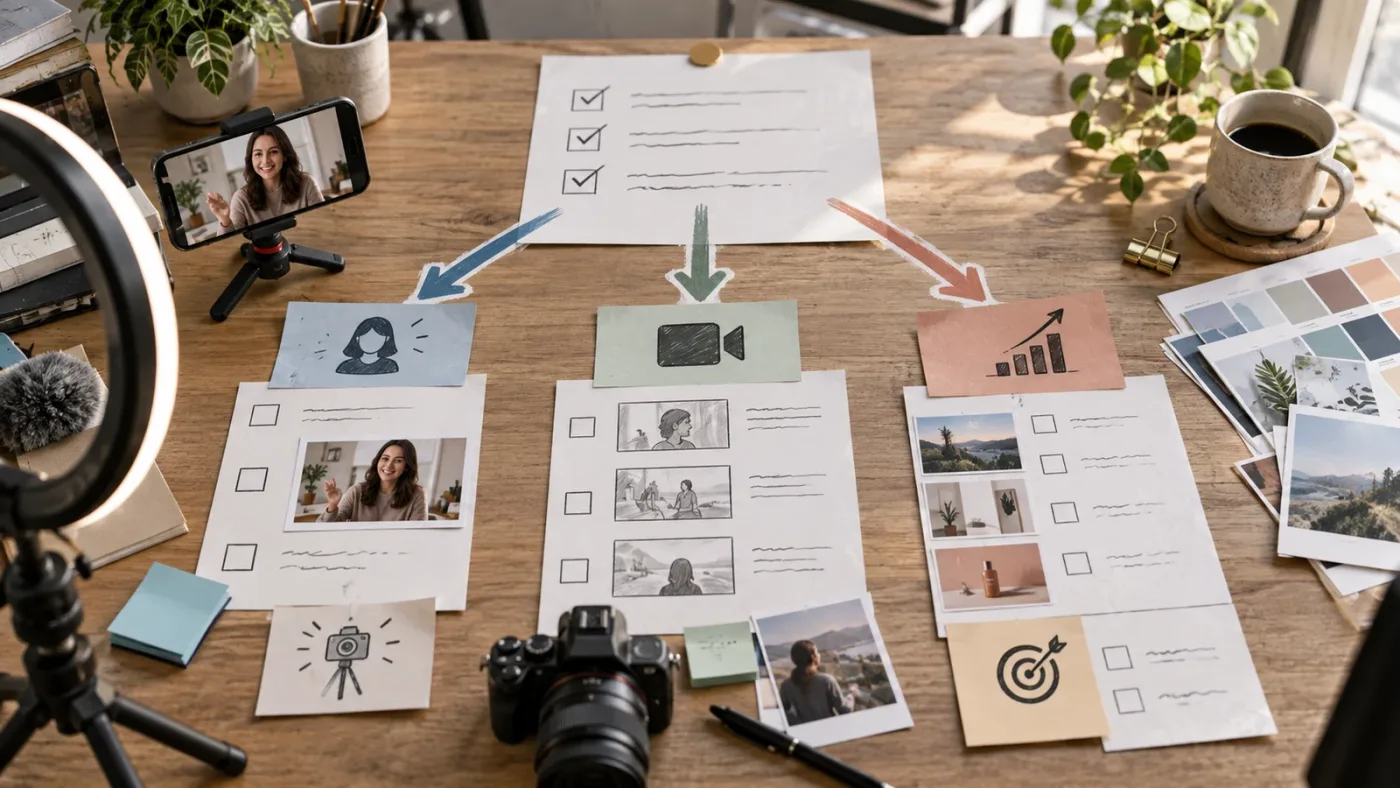
Save the finished video, the asset certificate for each stock item used, the project’s publication date, the destination URL, and the Clearlist record or invite details. Do not send the downloaded music, SFX, footage, or template as independent files for the client’s future projects.
Artlist’s Help Center says a Pro license allows a creator to create and deliver completed projects to clients but does not allow the creator to share the assets themselves. The client may receive the completed video. The client cannot treat the stock song as a new library asset, edit it into a separate campaign, or pass it to another editor for unrelated use under your individual license.
This matters for DaVinci Resolve handoffs. A .dra archive can contain the media used in the project. Before transferring one, check what the client is entitled to receive and whether the archive includes licensed stock assets. A client handoff is a deliverable question, not just a Resolve Project Manager question.
What happens if I publish after cancelling Artlist?
Stock assets must be used in a project that is completed and published while the applicable subscription is active. If you cancel and then publish a new project containing downloaded Artlist music, SFX, footage, or templates, the old download does not make that new publication covered. Artlist’s current license explanation states that published projects can remain in use after cancellation, while new projects cannot use the stock assets after expiration.
This rule is especially important for sponsored videos because campaign calendars move. A creator may finish the cut in June, wait for brand approval in July, and publish in August after an annual subscription ends. The file existed before cancellation, but the project was not published during the active term. That timing can leave the launch outside the license.
Use a simple three-date record:
| Date | Record | Why it matters |
|---|---|---|
| Download date | Asset name, asset ID, certificate, plan | Shows which account and subscription supplied the asset. |
| Final approval date | Approved master and sponsor sign-off | Shows when the project became ready for release. |
| Publication date | Live URL, channel, and campaign status | Shows whether publication occurred during the active term. |
The publication date is the decisive one for the stock project. Keep the subscription active through planned launch when the sponsor has not approved the final cut. If the campaign may be delayed, price that risk into the production schedule instead of assuming an old download remains usable forever.
Can I keep an old sponsored video online after cancellation?
Yes, if the project was completed and published in a covered channel while the relevant subscription was active, Artlist says it can remain published and monetized after the subscription ends. That permission applies to the published project. It does not create a general right to reuse the same song or footage in a fresh edit after cancellation.
For example, a creator publishes a sponsored video on a registered YouTube channel in May, then cancels in June. The May video can remain online under the license terms. In July, the creator cannot take the same Artlist track and cut a new sponsor intro for a different brand without an active plan that covers the new project.
Do not confuse a new export with a new project. A minor technical export of the same published project may be treated differently from a new campaign edit, but a meaningful recut, new ad version, new client placement, or new publication should be reviewed against the terms. When the distinction affects a paid campaign, ask Artlist or legal counsel rather than relying on a forum answer.
How should I use Artlist assets in DaVinci Resolve 21?
DaVinci Resolve 21 is the editing environment. Artlist’s Social or Pro license controls the asset use and distribution. Resolve does not change the license tier, and a successful export from the Deliver page does not prove that a sponsored project is covered.
Blackmagic Design’s April 2026 Resolve 21 guide describes Resolve as an application where you can “import photos and video, edit, compose, grade, mix and master deliverables from start to finish.” That is a short verbatim statement from Grant Petty, Blackmagic Design’s CEO, in the official guide. Read the DaVinci Resolve 21 New Features Guide.
That quote explains why the software choice and the rights choice are separate. Resolve can assemble a master, but the master still inherits the restrictions of its stock assets. A music track placed under a timeline, a template restored as a .dra project, and a piece of footage from an asset library each need a permitted use.
Artlist’s current template guidance lists DaVinci Resolve 18 or newer as compatible. Resolve 21 meets that baseline, but individual templates can still require a specific version or the Studio edition. Artlist also says its Resolve template downloads can include a Help folder, a Fonts folder, and a project archive that you restore through the Project Manager. The template setup guidance is available through the tracked Artlist source link.
What changes for a Social sponsored video in Resolve?
Nothing inside Resolve grants Social permission to use a brand-deliverable or paid ad. You can edit a Social-licensed project in Resolve 21, but you still need to publish the project to the permitted personal channel and avoid the excluded distribution paths.
The workflow is straightforward:
- Create a project folder for the sponsor and include the campaign’s intended channel in the project notes.
- Download only the asset types included in your Artlist plan.
- Save certificates and any cue sheets while the subscription is active.
- Edit the video in Resolve 21 and keep the sponsor integration inside the approved brief.
- Register the personal channel in Clearlist before uploading.
- Export the master and publish it on the registered channel while the subscription is active.
- Do not hand the brand a clean stock asset file or authorize paid promotion without moving to a plan that covers it.
The important habit is writing the rights decision into the Resolve project. Put the plan name, subscription end date, allowed destination, and sponsor restrictions in a text note or production document next to the .drp or .dra. The note does not create rights. It helps you notice when a requested revision changes the rights.
What changes for a Pro sponsored video in Resolve?
Pro gives you more room around the finished project, but it still does not remove ordinary production checks. Confirm that the selected Pro plan contains the asset types you need. Artlist’s current stock-plan comparison separates Music and SFX from plans that include footage, templates, LUTs, plugins, and other categories. The tracked Artlist plan page is the current place to check the package.
For a brand deliverable, record the brand as the intended publisher or permitted client. For paid media, record the ad destination and campaign period. For a client YouTube channel, use the Pro Clearlist workflow where relevant. For a website or non-social platform, keep the URL and placement in the project record.
Resolve 21 also introduces or updates features unrelated to stock licensing. Do not use a new version number as a reason to repeat an old asset or assume a template is supported. Artlist says template compatibility is version-specific and that some templates require Studio. If a template fails to open, shows missing media, or plays slowly, verify its listed Resolve version, Studio requirement, fonts, and media paths before changing the license plan.
Which sponsored-video scenarios need Social, Pro, Team, or Business?
Social fits one personal-channel sponsorship. Pro fits an individual creator or freelancer making client, brand, commercial, paid, or broader distribution projects. Team fits shared production access for multiple users, while Business or Enterprise is the path for larger organizations, broadcasters, more than 7 users, or custom use cases.
| Scenario | Best starting point | Reason |
|---|---|---|
| One creator publishes a sponsored review on one personal YouTube channel | Social can fit | Sponsorship and monetization on a personal channel are included, subject to the channel and asset rules. |
| One creator publishes on personal YouTube, Instagram, TikTok, and Facebook accounts | Social can fit | Social lists one channel per platform, so each account must be the creator’s permitted personal channel. |
| Creator publishes on a personal channel and the brand boosts the post | Pro | Paid or promoted distribution changes the use. |
| Creator makes a video for the brand’s own account | Pro | The project is for a client or brand and is not limited to the creator’s personal channel. |
| Freelancer delivers a final ad to an agency | Pro | Client work and paid media are Pro uses. |
| Two editors need to download and use assets for one agency account | Team or a suitable multi-seat plan | Individual licenses are not for shared logins or casual asset sharing. |
| Agency has more than 50 employees or needs a custom agreement | Business or Enterprise discussion | Artlist’s license points larger organizations and custom cases toward tailored coverage. |
| Broadcaster or unusual offline placement | Business or Enterprise discussion | Broadcast and special distribution may require terms beyond a standard individual plan. |
| Creator needs footage, templates, and AI tools in addition to Music and SFX | Compare a broader stock or Max plan | License scope and asset scope are separate decisions. |
The Team boundary is concrete. Artlist says Team plans can cover up to 7 users, with the admin plus additional members, and the current stock comparison reflects that multi-user structure. If the agency has more than 7 seats or the company is above the stated employee threshold, request a Business or Enterprise solution rather than stretching an individual Pro account.
If the same video will appear on several client-owned channels, read Artlist for multi-platform client video distribution alongside the license terms. That sibling page addresses the distribution problem after you have established that Social is too narrow.
Do not buy Max merely because it sounds broader. Max can add footage, templates, LUTs, plugins, and AI tools, but you still need to inspect the included license and the intended distribution. If the project is a single music-backed sponsor integration on your personal channel, Social may be the cleaner purchase. If the same sponsor wants a paid campaign master, a music-only Pro plan may be sufficient for the audio, while a footage-heavy deliverable may justify a broader plan.
The right Artlist plan is the smallest plan that covers both the assets and the distribution.
Is Artlist Pro only for large production companies?
No. Pro is also for an individual freelancer who creates work for clients or brands. The license question is about the project and its use, not the size of the editor’s business. A solo editor delivering a 20-second paid social ad can need Pro even if the project is small.
The reverse is also true. A large creator may still have a personal-channel sponsorship that fits Social for that specific channel use, but team access, client publishing, paid media, and organizational requirements can point to Team or Business. Revenue, follower count, or whether you have a VAT number is not the same thing as the permitted use.
Is Artlist Pro monthly or annual?
Artlist’s current Help Center says Pro plans are currently available annually. That is a purchasing detail, not a license exception. Check the current checkout before promising a cost to a sponsor because plans, regional taxes, product bundles, and billing options can change. Do not choose Social simply because the campaign is short if the campaign’s actual use requires Pro.
If you edit irregularly, ask whether the subscription can remain active through the final publication date. The active-subscription rule can matter more than the number of hours you spend editing. An annual plan can still be the wrong fit if the video is intended for a use Social excludes. A short campaign can still need the correct commercial license.
What are the most important sponsored-video edge cases?
The edge cases are where a Social plan can look acceptable at first and fail at delivery. The safest test is to follow the file, not the creator.
What if the sponsor only supplies the product?
Product seeding does not decide the stock license. If you publish an editorial video on your own personal channel and receive a product rather than a production fee, the project may still fit Social, assuming the disclosure and platform rules are handled. If the brand commissions the video for its account or paid campaign, the use points to Pro regardless of whether the payment is cash, product, or both.
What if the sponsor pays for a YouTube integration and asks for the raw cut?
The raw cut can contain Artlist assets and may not be a permitted independent asset handoff. A raw video file with the music baked in is still a completed project, but the sponsor’s requested reuse can take the project outside the personal-channel use. Ask whether the brand wants to publish the file, extract the music, create new versions, or run ads. Use Pro for a client or paid-media deliverable.
What if I use a stock template for a brand intro?
The template is still an Artlist asset after customization. Editing it in Resolve 21 does not convert it into an unrestricted original. Artlist’s license says modified stock assets remain assets, and its template guidance warns that version and Studio requirements can vary. Keep the template certificate and check the intended brand distribution.
What if the sponsor wants a website embed?
A Social license can allow sharing a link to a project already published on your channel, but Social does not allow projects intended to be uploaded or embedded on third-party websites for promotion or advertisement. A brand website embed is therefore a Pro question. The distinction is between linking to your channel’s project and using the project as the brand’s hosted campaign media.
What if the video runs at an event?
An event can be a screen at a private gathering, a public activation, a trade-show loop, or a broadcast feed. Those are not one uniform use. Artlist’s current license discusses broader media and points unusual or special use cases toward business or enterprise terms. Ask for coverage when an event, public performance, broadcast, or out-of-home placement is part of the brief.
What if the sponsor asks for a music-only version?
Artlist’s standard sync license is for music integrated into a broader video project. Its Help Center says standalone audio, playlists, radio, and music-first videos are not permitted uses. Pro does not turn a stock song into a standalone licensed track for the sponsor. Deliver a video project, not an audio library.
What if I make three cutdowns for three platforms?
Three cutdowns can still be one campaign, but each destination needs to fit the plan. Social allows one channel per listed platform, not one project total. If the three cutdowns go to your registered YouTube, TikTok, and Instagram accounts, the channel count may fit. If they go to three brand accounts or three paid campaigns, Social does not expand to cover them.
What if a client wants to change the video later?
Pro permits the creator to deliver a completed project to a client, but Artlist says the client cannot use the underlying assets independently. Put revision rights in the contract and define who may make what changes. A client requesting a new campaign from the same track or template is asking for a new use, not merely a technical correction.
How do I compare Artlist with alternatives for sponsored videos?
Artlist is strongest when you want a combined production-asset subscription and need to compare personal-channel, client, and paid-media coverage inside one catalog. It is not automatically the best choice for every sponsor campaign. An audio-first service, a broad design library, or a footage-heavy library can win depending on what the edit actually needs.
| Option | Best fit | Where it can win | What to verify before a sponsored campaign |
|---|---|---|---|
| Artlist Social | Personal creator channel with sponsorship or monetization | A focused Social license can be enough when the video stays on the creator’s registered channels. | One channel per platform, no paid media, no client deliverable, active subscription at publication. |
| Artlist Pro | Individual commercial, client, brand, or paid-media work | The current Pro scope directly addresses client work, advertising, paid media, and wider publishing. | Asset package, Clearlist destinations, publication timing, and whether Business terms apply. |
| Epidemic Sound | Audio-first recurring production | Its plans center on music, SFX, stems, safelisting, and plan-specific creator, professional, and business use. | Paid Resolve Studio integration requirements, channel allowances, and the plan’s advertising or client coverage. Check the current licensing page. |
| Envato Elements | Mixed design and video production | The service emphasizes a broad creative library and per-project registration, which can suit a campaign with fonts, graphics, templates, and video assets. | Register the project, review commercial licensing, and confirm the item’s own terms. Review the video-creator plan. |
| Storyblocks | Footage-led production | It can fit an editor who needs stock footage, templates, images, and audio in a footage-centered subscription. | Confirm the current plan’s commercial coverage, client terms, and how the license treats projects after cancellation. Review current plans. |
This is not a claim that one catalog has better music or footage. We have not run a controlled, current catalog-quality test for this article, so a quality verdict would be invented. The useful comparison is licensing shape and workflow fit.
Choose Artlist Social when the sponsor is paying for access to your audience and the finished work will remain on your own registered personal channels. Choose Artlist Pro when the sponsor is buying a deliverable, a paid campaign, a brand upload, a website placement, or a broader distribution right. Choose Epidemic Sound when the campaign is mainly a recurring music and SFX workflow and its plan covers the publishing use. Choose Envato Elements when the project needs a wide design library and per-project registration suits your records. Choose Storyblocks when footage is the center of the purchase.
The alternative can win because the asset mix or licensing workflow is different. That does not make Artlist Social a bad plan. It makes the plan conditional.
Is Artlist Pro worth it for one sponsored video?
Artlist Pro can be worth it for one sponsored video when the campaign includes a paid ad, client delivery, a brand-owned channel, or a website placement. The number of videos does not determine the license. One commercial deliverable can require broader coverage than twenty personal-channel uploads.
The useful calculation is not “How many videos will I make?” It is “What rights does this one video need?” Write the answer in a grid:
| Requirement | Yes or no | Consequence |
|---|---|---|
| Sponsor appears in a video on my personal registered channel | Social may fit. | |
| Sponsor can upload the finished file to its own account | Pro is indicated. | |
| Sponsor can run paid media | Pro is indicated. | |
| Video appears on a website as hosted campaign media | Pro is indicated. | |
| I need a client YouTube Clearlist invite | Pro, Team, or Business is indicated. | |
| I need more than one full channel per platform | Pro or a higher multi-user plan is indicated. | |
| I need to publish after the subscription expires | Publish while active or change the schedule. | |
| I must send the music, footage, or template for independent reuse | Standard individual licensing does not permit that handoff. |
If every answer after the first is no, Social may be enough. If one answer is yes, do not force the project into Social to save a subscription fee. The cost of an unclear license can include a delayed launch, a muted upload, a client dispute, a replacement edit, or a campaign that has to be re-cleared.
Can I upgrade after I finish the edit?
You can upgrade plans, but the safer workflow is to choose the required license before downloading assets and publishing. Artlist’s plan guidance describes prorated upgrades and says the renewal date remains tied to the original purchase date. Treat that as a billing detail to confirm in the account, not as permission to publish an already uncovered use.
If a brand changes the brief after the edit, pause delivery. Ask whether the change adds a paid placement, a new publisher, a website embed, or a source-asset handoff. Then confirm the account’s license and upgrade before the new use goes live. A Pro upgrade can address the new use, but a contract, platform policy, or third-party rights issue may still need review.
How do I document the license before delivering the video?
Document the selected plan, assets, publisher, destinations, publication date, and client permissions in one project record. The record cannot replace the license, but it keeps the creative brief, Artlist certificate, Clearlist status, and final export tied together.
Use this checklist for each sponsored campaign:
- Campaign name and sponsor
- Editor and account owner
- Artlist plan and asset categories included
- Subscription start and end dates
- Every downloaded song, SFX item, footage clip, or template
- Asset certificates and cue sheets stored with the project
- Personal channel URLs, client channel URLs, website URLs, or ad destinations
- Clearlist registration date and account status
- Whether the sponsor may upload, embed, boost, or run paid media
- Whether the sponsor receives only a completed video or also a project archive
- Final approval date
- Publication date and live URL
- Any post-cancellation reuse request
Artlist says asset certificates are available while a subscription is active and that asset-license and cue-sheet access can disappear after expiration. Download and store those records before the plan ends. The current asset guidance also gives reasonable daily download limits of up to 40 songs and 100 SFX for plans that include Music and SFX, and up to 100 clips and 40 templates for Footage and Templates or Max. Those limits are operational, not rights grants, and they do not make bulk automation acceptable.
If the project includes a template, save the template’s own license and software requirement. If it includes a voiceover, image, video, or music output generated inside Artlist’s AI tools, separate that output from stock assets because Artlist’s AI rules can differ from the stock-asset license. Do not promise a client that every asset follows the same cancellation rule without checking its category.
Should the contract name Artlist?
The contract should describe the permitted deliverables and distribution rather than simply saying “licensed music.” Name the actual use: creator-channel organic upload, brand repost, paid social ad, website placement, or other agreed destination. State who supplies and maintains the stock license, who handles platform claims, and whether the client may make later versions.
Do not promise “copyright-free.” Artlist licenses assets for defined project uses. A platform can still generate an automated claim, a client can still use the wrong account, and a new campaign can still fall outside the old project. The contract should give the parties a process for those events.
For a creator-only Social sponsorship, say that the deliverable is the creator’s channel publication and that the sponsor receives the agreed link or reporting. For a Pro client project, say where the client may publish and whether the paid campaign period is included. For unusual placements, get written confirmation before production.
Which plan should I choose for my sponsored video?
Choose Artlist Social for a sponsored video that stays on your own registered personal channel and is not a paid or promoted placement, client deliverable, third-party upload, website campaign asset, or wider commercial project. Choose Artlist Pro when the brand or client receives a finished deliverable, controls distribution, runs paid media, needs a client Clearlist path, or wants broader publishing rights.
If that decision points to Pro, check Artlist’s current Pro options and included asset categories before you download anything. The current purchase page is the right place to confirm billing, taxes, and whether Music and SFX alone or a broader stock package fits the brief.
Here is the final decision tree:
- Is the video published only on your registered personal channel?
- No: choose Pro or a higher plan that covers the destination.
- Yes: continue.
- Is the sponsor paying only for the creator-channel sponsorship, with no paid amplification or brand upload?
- No: choose Pro or a higher plan that covers the paid or third-party use.
- Yes: continue.
- Does the plan include every asset type used in the DaVinci Resolve 21 project?
- No: choose the correct asset package or change the assets.
- Yes: continue.
- Is the channel registered in Clearlist before publication?
- No: register it while the subscription is active.
- Yes: continue.
- Will the project be completed and published before the subscription expires?
- No: extend the active term or move the publication date.
- Yes: Social can be a reasonable fit for that narrow use.
The verdict for “artlist social vs pro for sponsored videos” is therefore conditional but not vague. Social is for the creator’s sponsored post. Pro is for the sponsor’s commercial distribution.
For sponsored videos, Social is a personal-channel license and Pro is the commercial-distribution license.
If the sponsor’s brief is still changing, wait before downloading the final assets. Ask for the four facts that settle the decision: who publishes, where the video appears, whether paid media is involved, and whether the brand receives a reusable deliverable. Then choose the smallest plan that covers those facts, keep the certificates, Clearlist the permitted destinations, and publish while the subscription is active.

Frequently asked questions
- Does Artlist Social cover a sponsored video on my own YouTube channel?
- Artlist's current license says Social can cover monetization and sponsorships on a personal channel, provided the channel is within the Social license scope and the project is not paid media, a client deliverable, or intended for a third-party channel.
- Do I need Artlist Pro for a paid social ad?
- Yes. Artlist's current license lists paid and promoted videos, advertising, paid media, branded content, client work, and wider commercial publishing under Pro rather than Social.
- Can I use Artlist Social for a brand video if I post it on my channel?
- Social may cover a sponsorship on your own personal channel, but it does not cover a project created for a brand or client as a deliverable. If the brand receives the project or controls its distribution, Pro is the safer license choice.
- What happens to an Artlist video after I cancel?
- A project using Artlist stock assets must be completed and published while the subscription is active to remain licensed after cancellation. You cannot use the same downloaded stock assets in a new project after the subscription expires.
- Does Artlist Pro work with DaVinci Resolve 21?
- Artlist lists DaVinci Resolve 18 or newer as compatible for its Resolve templates, so Resolve 21 meets that baseline. Individual templates can still have stricter version or Studio requirements.
Sources
- Artlist license: Social and Pro scope, sponsorship, paid media, and effective date
- Artlist Help Center: Understanding the license, client work, monetization, and cancellation
- Artlist Help Center: Music and SFX plans and Pro commercial uses
- Artlist Help Center: Clearlist channels, individual videos, and client invite links
- Artlist Help Center: asset download limits and asset certificates
- Artlist Help Center: DaVinci Resolve template compatibility and restoration
- Artlist Help Center: template troubleshooting and version or Studio requirements
- Artlist Help Center: current stock-plan comparison
- Blackmagic Design: DaVinci Resolve 21 New Features Guide
- Epidemic Sound pricing and licensing
- Envato Elements video creator plans and licensing
- Storyblocks plans and pricing
Keep reading

Guides · Aug 30, 2026 · 8 min
Artlist Plan for DaVinci Resolve Client Work: Choose Pro
Choosing an Artlist plan for DaVinci Resolve client work? Compare Social, Pro, Team, Max, licensing, Clearlist, templates, and cancellation rules.

Guides · Sep 15, 2026 · 20 min
Artlist for Multi-Platform Client Video Distribution?
Map client, brand, paid, social, website, and channel rights to Artlist, Epidemic Sound, or a custom license in Resolve 21.

Guides · Aug 28, 2026 · 8 min
Artlist Clearlist YouTube Claims: Fix Them in Resolve 21
A practical guide to Artlist Clearlist YouTube claims from DaVinci Resolve 21: prevent claims, dispute them, and choose the right license.