Articles / Guidesupdated for DaVinci Resolve 21.0.2 (July 2026)
DaVinci Resolve Learning Tips for ADHD (2026 Guide)
Quick answer
With ADHD, learn DaVinci Resolve by shrinking it to three pages first (Media, Edit, Deliver), working in short timed sessions instead of long tutorials, using body doubling or a timer to start, and finishing small practice projects rather than watching more videos. Ask for help the moment you're stuck instead of losing the session to a search rabbit hole.
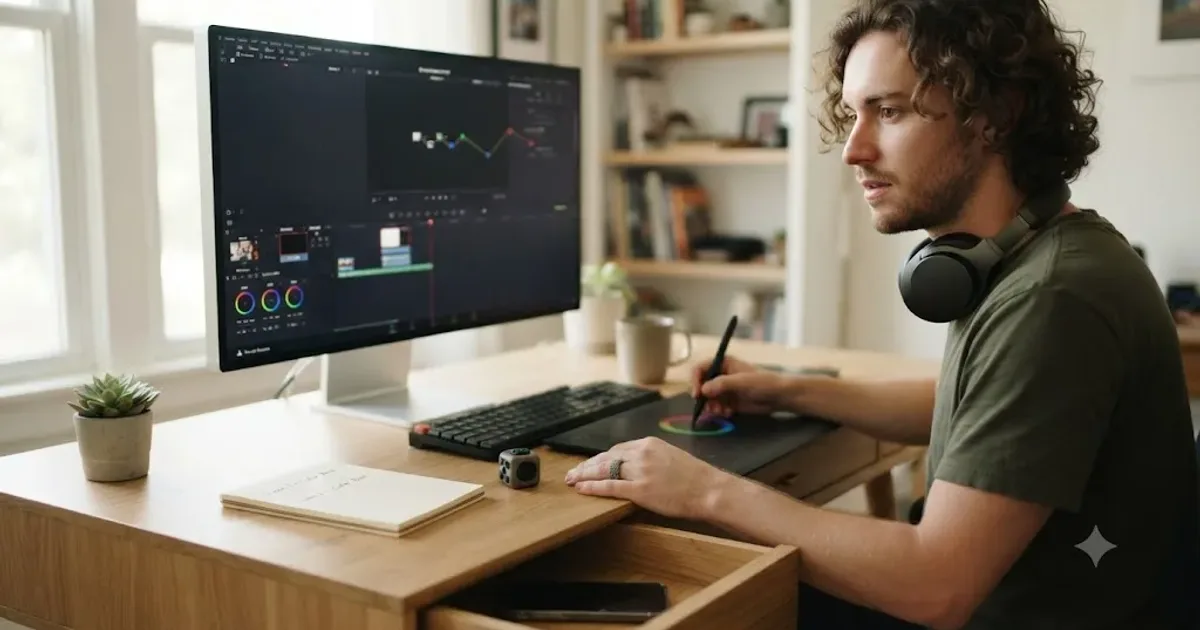
I've spent seven years cutting commercial work in DaVinci Resolve and running a 100,000+ member professional video-editing community where some version of this exact question shows up on repeat: how do you actually learn this software when your brain won't sit still for a 40-minute tutorial. This post is the honest answer, not the inspirational one.
DaVinci Resolve wasn't built with ADHD in mind. Nothing about its seven pages, its node-based color system, or its habit of showing you every feature it owns the moment you open it was designed around how an ADHD brain starts, holds, and lets go of a task. That's not a reason to avoid the software. It's a reason to change how you approach it.
What's the best way to learn DaVinci Resolve if you have ADHD?
Shrink the app before you touch a single tool. Work in short, timed sessions with one stated goal instead of open-ended exploring. Use a body double or a co-working timer to get past the moment of starting. Finish small practice projects instead of watching more tutorials. And ask for help the second you're stuck, before the stuck moment turns into a tab full of unrelated searches.
None of that is ADHD-specific advice dressed up as something new. It's the same advice good editors give any beginner, tightened around the two places ADHD actually changes the equation: getting started, and staying put once you have. The rest of this guide walks through why those two moments are harder, and exactly what to do about each one, mapped onto DaVinci Resolve's specific pages and quirks rather than left as generic productivity talk.
ADHD doesn't make DaVinci Resolve harder to understand. It makes DaVinci Resolve's seven-page, four-application design harder to survive without a plan. Keep that distinction in mind through everything below. You're not missing an aptitude the rest of this guide's readers have. You're missing a structure this post is about to hand you.
Why does DaVinci Resolve feel especially hard to learn with ADHD?
Because it stacks two real problems on top of each other: software that shows you everything at once, and a brain that struggles most with exactly that kind of unstructured, high-surface-area task. Neither problem is a character flaw. Both are well documented on their own, and DaVinci Resolve happens to sit at their intersection.
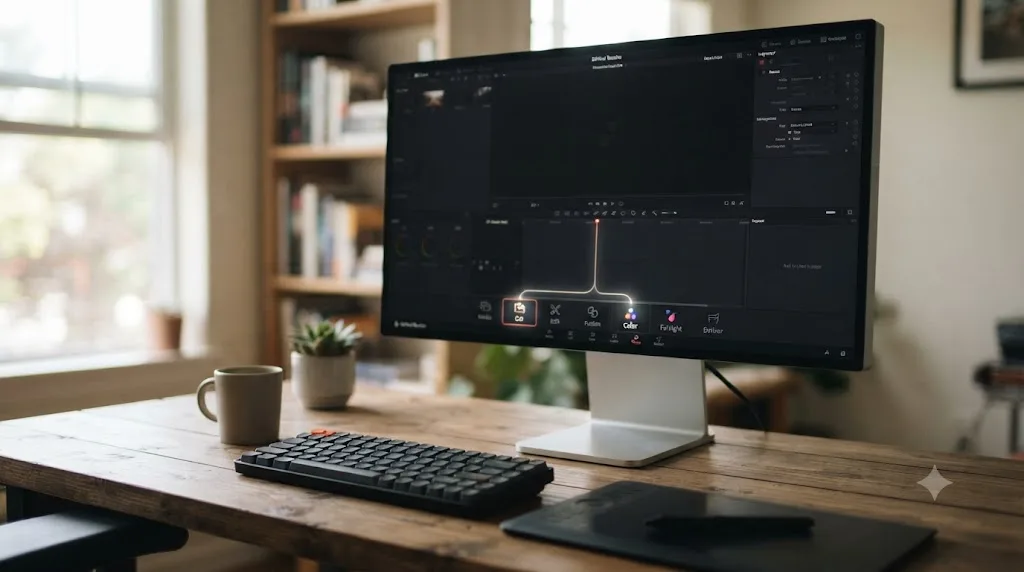
On the software side, Resolve isn't one app. It's an editor, a node-based color grading suite, a full digital audio workstation, and a compositor, all wearing a single seven-page interface, per Blackmagic's own product page. Our guide to what to ignore first in Resolve covers why that overwhelms almost everyone at first, ADHD or not. What changes with ADHD isn't the software. It's how expensive that overwhelm actually is.
On the brain side, an estimated 6.0 percent of US adults, about 15.5 million people, carry a current ADHD diagnosis, according to data from the National Center for Health Statistics reviewed by CHADD's National Resource Center on ADHD. More than half, 55.9 percent, were diagnosed in adulthood rather than childhood, which means a lot of people picking up DaVinci Resolve for the first time as adults are doing it with a diagnosis, a suspicion, or an undiagnosed pattern they've never had language for. And the age group with the highest current diagnosis rate, 18 to 24 year olds at 21.7 percent per the same CHADD data, overlaps almost exactly with the age group most likely to be opening an editor for the first time to make YouTube videos, wedding edits, or a portfolio reel.
Two real problems compound here, not one: software that front-loads every feature it has, and a brain that struggles most with exactly that kind of unstructured task. That combination, not a lack of intelligence or discipline, is the actual source of the "I can't get through this app" feeling. Naming it accurately is the first real step toward fixing it.
What's actually happening in your brain when DaVinci Resolve feels impossible to start?
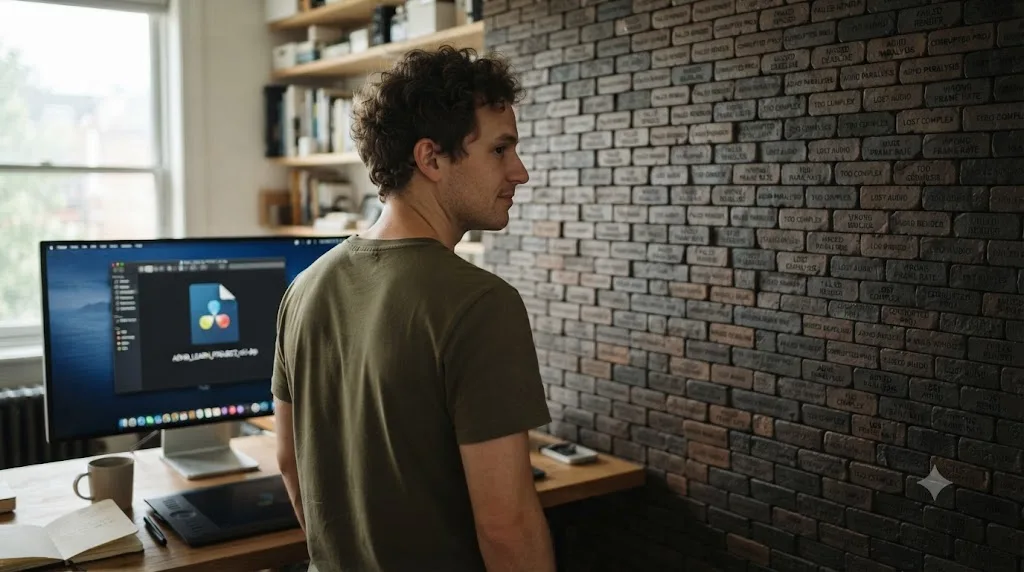
Usually, task initiation, the specific ADHD struggle of not being able to begin a task even when you want to and know how, not a comprehension problem. Brendan Mahan, an ADHD coach with a master's degree in education, named this dynamic the Wall of Awful: a barrier built up from prior failed attempts, each one adding another emotional brick, until starting something as neutral as opening a project file carries weight that has nothing to do with the task itself, per his own interview on the Hacking Your ADHD podcast.
Here's how that shows up specifically in DaVinci Resolve. You open the app to do one small thing, maybe color-correct a single clip, and the interface greets you with the full Color page: qualifiers, power windows, curves, a node graph that can branch in ways you don't recognize, and a scope panel with three kinds of waveform you've never opened. None of that was what you came to do. All of it is now visible, and for an ADHD brain already carrying some baseline resistance to starting, that visual load can turn a five-minute task into a session that never begins at all.
The Wall of Awful isn't about DaVinci Resolve being hard. It's about every visible, unopened feature adding one more small reason to close the laptop instead. That's a genuinely different problem than not understanding color correction, and it needs a genuinely different fix: reducing what's visible before you start, not studying harder once you do.
The practical fix sits entirely in our guide to what beginners should ignore first in DaVinci Resolve, and it matters more here than it does for a typical beginner. Closing Fusion, Fairlight's mixer, and Color's deeper tools isn't just decluttering the learning curve. For an ADHD brain fighting task initiation, it's removing bricks from the wall before you try to climb it.
How do you stop losing your place every time DaVinci Resolve interrupts you?
Close out the interrupted task explicitly before you switch to whatever pulled your attention away, instead of just abandoning it mid-thought. This matters more with ADHD because interruptions happen more often, and DaVinci Resolve is full of small ones: a render that pops a dialog, a plugin that needs a restart, a notification that slides in from the side of the screen while you're three nodes deep in a grade.
Sophie Leroy, Dean and Professor at the University of Washington Bothell School of Business, researched exactly what happens when a task gets interrupted before it's finished. Her 2009 study in Organizational Behavior and Human Decision Processes introduced the concept of attention residue, the finding that part of your attention stays attached to an unfinished task even after you've moved on to something else. As she put it plainly on her own faculty page, "What research shows is that, generally, the brain finds it difficult to switch between tasks." Her research found the effect is strongest specifically when the interrupted task was left unfinished, time-pressured, or emotionally engaging, and that residue can persist for 20 minutes or more after the switch.
Read that against a typical DaVinci Resolve session and the problem gets specific fast. You're mid-grade on the Color page, a render finishes in the background, you check it, notice the audio's too quiet, jump to Fairlight to fix it, get distracted by a plugin update prompt, and forty minutes later you're back on the Color page with genuinely no memory of what the node you were adjusting was even trying to fix. That's not forgetfulness. That's attention residue, compounded three times over in one session, and it's a mechanism, not a character flaw.
The brain doesn't close a task just because you stopped looking at it. Leroy's fix, and the one worth actually using inside Resolve, is small and concrete: before switching, write one line about exactly where you stopped and what the very next click will be. It costs fifteen seconds. It's the difference between reopening a session cold and reopening it with your last thought still attached to it.
Does it matter whether you have inattentive, hyperactive, or combined-type ADHD?
Somewhat, and it's worth naming specifically instead of treating "ADHD" as one uniform experience, because the fix that matters most depends on which pattern is doing the most damage to a given session.
The DSM-5, per CHADD's overview of ADHD presentations, lists three: predominantly inattentive, predominantly hyperactive-impulsive, and combined, where children need six or more symptoms across two or more settings for a diagnosis, and older teens and adults need at least five. Combined presentation simply means meeting the criteria for both of the other two at once. None of the three is "worse." They just front-load different struggles onto the same software.
Predominantly inattentive ADHD tends to hit hardest at the two moments this guide has already spent the most time on: opening the project in the first place, and losing your place after any interruption. If that's the pattern you recognize, the shrink-the-app step, the body double, and the close-out note carry more of the weight than anything else here.
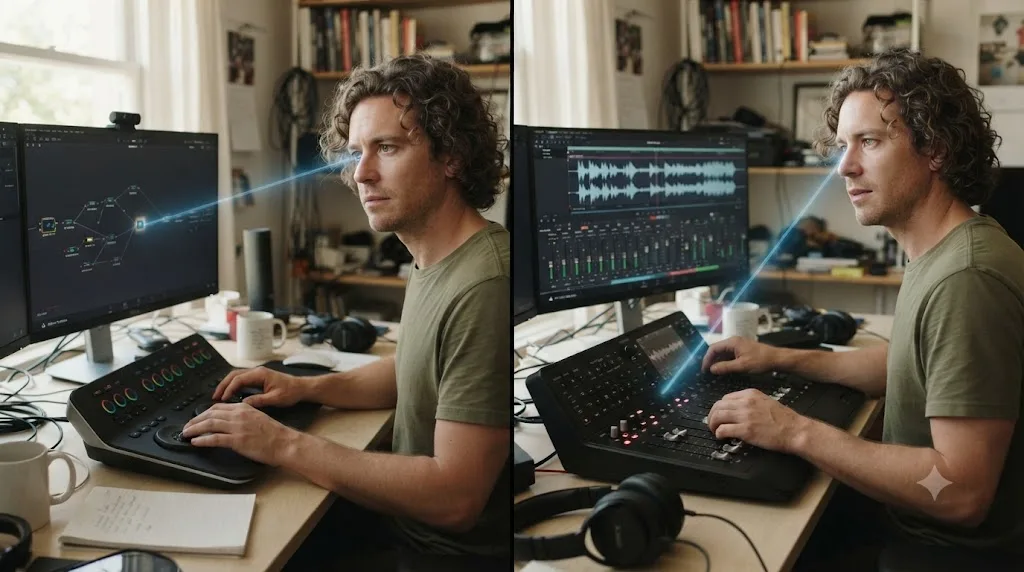
Predominantly hyperactive-impulsive ADHD shows up differently inside Resolve. Starting usually isn't the problem. Staying on the one task is. That's the person who opens Resolve to fix one clip's exposure and is three nodes into a completely different grade eight minutes later, not because attention drifted passively but because a new idea showed up and got acted on immediately. For that pattern, the three-page floor covered below matters even more than it does for inattentive presentation, since every visible extra page is a live invitation to act on an impulse rather than a place attention can quietly wander.
Combined presentation gets both, which also tends to be the pattern people most often recognize themselves in. It needs both fixes running at once: a smaller app to reduce the impulsive forks, and a structured close-out to protect against the drift.
| ADHD presentation | Where it usually bites in DaVinci Resolve | Lead fix from this guide |
|---|---|---|
| Predominantly inattentive | Can't open the project; loses place after any interruption | Body double to start, close-out note to stop |
| Predominantly hyperactive-impulsive | Opens fine, but jumps to Color or Fusion mid-task on impulse | The three-page shrink; noticing the urge and letting it pass |
| Combined | Both of the above, often in the same session | All of the above, run together |
ADHD's three presentations don't need three different learning methods. They need the same toolkit weighted differently. If starting is your wall, lean on body doubling and the three-page shrink. If staying put is your wall, lean on the timer and the "notice the urge, let it pass" instruction that runs through the rest of this guide.
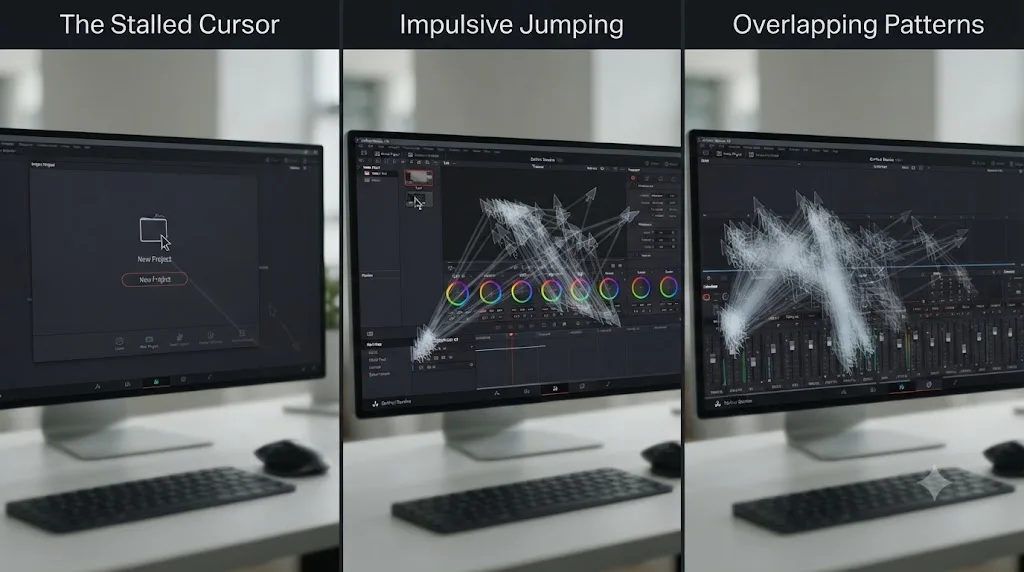
Should you shrink DaVinci Resolve down before you even open it?
Yes, and this is the single highest-leverage move on this whole page. Decide, before you open the app, that only three pages exist for now: Media to import, Cut or Edit to assemble, and Deliver to export. Everything else, Color's deeper tools, Fairlight's mixer, and all of Fusion, gets closed off on purpose, not because you're incapable of learning them, but because a smaller, well-defined app is dramatically easier for an ADHD brain to actually finish something inside.
Our full breakdown of what to ignore first in DaVinci Resolve covers this in depth for any beginner. For ADHD specifically, the logic is even sharper: every extra visible page is a fork in the road where attention can leave the task you actually opened Resolve to do. Three pages means three forks. Seven pages means seven, and Color and Fusion each hide several more forks inside themselves once you actually open them.
| DaVinci Resolve page | Keep visible for now? | Why |
|---|---|---|
| Media | Yes | Importing footage is simple and has almost no forks |
| Cut or Edit | Yes, pick one | The core timeline work; everything else depends on having a cut first |
| Deliver | Yes | Exporting has a fixed, short list of decisions |
| Color | Not yet | Qualifiers, power windows, curves, and HDR are all visible the moment you open it |
| Fairlight | Not yet, beyond a clip's volume line | The full mixer has buses, sends, and automation lanes all in view at once |
| Fusion | Not yet | A node graph is a genuinely new mental model best learned as its own session, not a detour |
A smaller app finishes more projects than a complete app ever does, because a project you never finish teaches you nothing regardless of how much of the software you technically touched. That's true for every beginner. For ADHD, it's the difference between a habit that survives and one that quietly stops after week two.
What's the right length for an ADHD practice session in DaVinci Resolve?
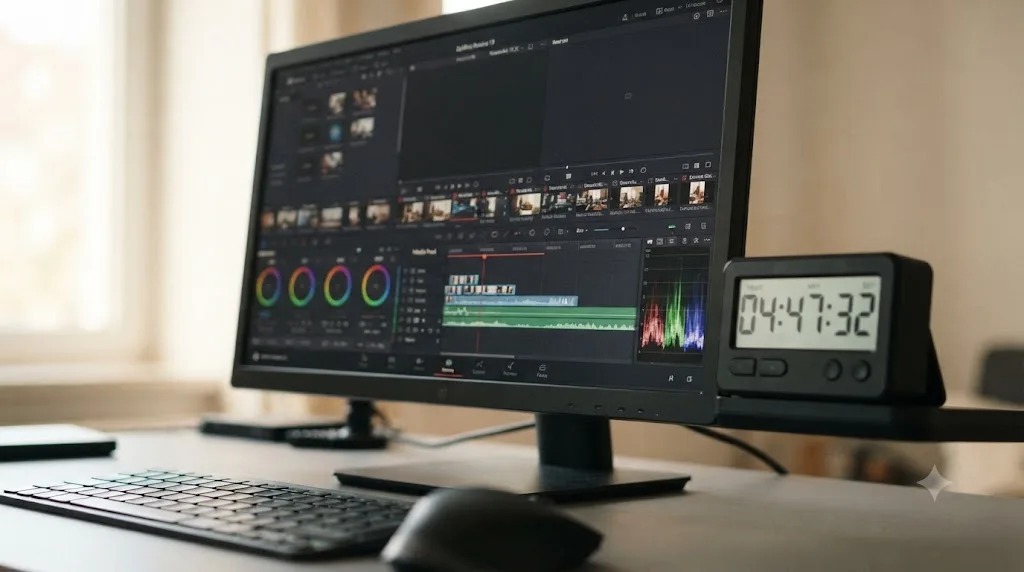
Whatever length you can commit to and actually finish, chosen before you open the app, not discovered by working until you get tired or distracted. Thirty to forty-five minutes is a reasonable starting default for most people, but the exact number matters less than picking one in advance and treating the timer as the actual end of the session, not a suggestion.
The Pomodoro Technique, working in a fixed block followed by a break, gets recommended constantly for ADHD, and it's worth being honest about why it works and where it doesn't. The mechanism that matters is external pacing: a visible, ticking countdown gives a concrete boundary to a task that would otherwise feel endless and formless, which directly counters ADHD's well-known struggle with time blindness, the difficulty sensing how much time has actually passed. Where the standard version breaks down is the fixed 25-minute block itself. A rigid interval that ignores your actual energy or the natural stopping point of a task, like right after you've placed a node but before you've adjusted it, creates its own friction: stopping mid-thought at an arbitrary bell is its own kind of attention residue.
Adapt it instead of abandoning it. Pick a session length based on the actual practice project in front of you, thirty minutes for a single-node color correction, closer to sixty for a talking-head cut with b-roll, and set one timer for the whole block rather than stacking several short ones. Multiple timers each carry their own start-stop cost; one timer for the whole session carries it exactly once.
| Session length | Good fit for | Watch out for |
|---|---|---|
| 15-20 minutes | One color node, one keyframe, a single small fix | Barely enough time to reload the project and find your place |
| 30-45 minutes | A 3-clip cut, a talking-head edit, a Fusion title | The most reliable default for most practice projects on this site |
| 60-90 minutes | A multicam cut, a log-footage grade, a dialogue mix | Needs a genuine block of protected time, not a squeezed-in gap |
| A full weekend | A capstone project combining everything | Split across two or three sessions, not one unbroken sitting |
A timer's real job with ADHD isn't speeding you up. It's making the invisible passage of time visible enough to act on. That reframing matters, because a timer treated as a productivity hack you're failing at feels like one more source of shame. A timer treated as a visibility tool for a brain that genuinely can't sense elapsed time as reliably as most people's is just a tool doing its actual job.
Does body doubling actually help you learn DaVinci Resolve?
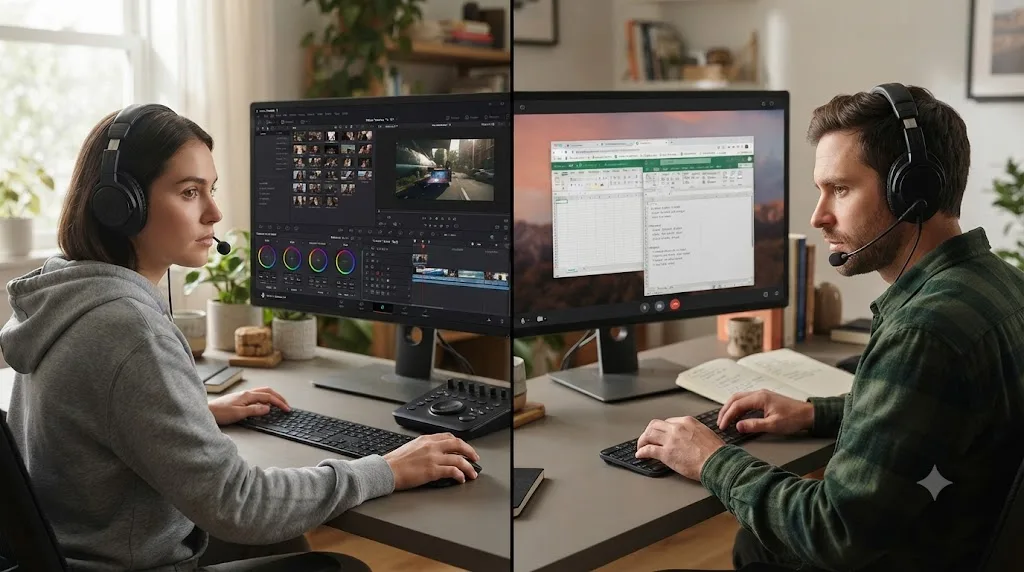
For the specific problem of getting started and staying on one task, yes, and it's one of the more concretely supported ADHD techniques for exactly that gap. Body doubling means working alongside another person, in the same room or over a video call, even if they're doing something completely unrelated. The presence alone, not their help with your actual task, is what does the work.
Roxanne Fouché, an ADHD coach who chairs the ADHD Awareness Month Coalition, described how this plays out with her own coaching clients in a piece for CHADD's ADHD Weekly: "My ADHD coaching clients find that [body doubling] greatly helps their productivity, as it supports them in setting priorities, breaking down a chosen project/goal into what can be accomplished in 50 minutes, committing to a particular task or tasks, and then having needed accountability for working on, and realizing, their goals." That's not a vague endorsement. It names the exact mechanism: a defined time block, a committed task, and social accountability, stacked together.
Applied to DaVinci Resolve specifically, that translates into something simple: open a co-working video call, a Focusmate-style session, or just sit next to a friend, say out loud what you're about to do, "I'm cutting three clips for thirty minutes," and start the moment the session begins rather than after you've scrolled for ten minutes first. You're not asking your body double to teach you Resolve. You're using their presence to get past the exact moment where the Wall of Awful usually wins.
Body doubling doesn't teach you a single node in DaVinci Resolve. It solves the separate, earlier problem of actually opening the project in the first place. Keep that distinction clear, because it's tempting to expect a co-working session to also make the learning happen faster once you're in. It doesn't need to. Getting in the door reliably is already most of the battle.
What if body doubling doesn't work for you?
Then drop it, and don't treat that as a personal failure. Body doubling helps a lot of people, but it isn't universal, and the honest research on it is more mixed than the enthusiasm around it in ADHD communities suggests. A 2025 study on body doubling and ADHD, published as "You Are Not Alone: Designing Body Doubling for ADHD in Virtual Reality", noted plainly that "prior work found no conclusive effectiveness" for the technique before running its own controlled comparison. That doesn't mean it doesn't work. It means the mechanism isn't as settled as the coaching-world consensus makes it sound, and some people, especially anyone for whom being watched raises performance anxiety rather than lowering the Wall of Awful, genuinely do worse with a body double present, not better.
If a live co-working call adds pressure instead of removing friction, three alternatives keep the same core mechanism, external accountability, without the social presence:
- A pre-committed text message. Message a friend "starting a 30-minute Resolve session now" before you open the project, and "done, fixed the exposure on clip 2" when the timer ends. No live presence, no one watching you work, just a public commitment with a witness on either end.
- An asynchronous body-double session. Focusmate and similar platforms run fixed 25- or 50-minute sessions where the other person is working on something unrelated and largely silent, which is a much lower social bar than a friend actively checking in on your progress.
- A written commitment with no other person at all. Write the one-sentence goal from earlier in this guide somewhere visible, a sticky note on the monitor, and treat the act of writing it down as the accountability, since some of body doubling's effect appears to come from stating a commitment out loud or in writing, not specifically from another human watching.
Body doubling is one tool for the starting problem, not the only one, and it's fine to skip it entirely if it adds pressure instead of removing it. The timer, the one-sentence goal, and the three-page shrink still do most of the actual work even with nobody else in the room.
How do you use hyperfocus instead of fighting it in DaVinci Resolve?
Recognize when it's happening and set an external boundary before it starts, because you can't reliably trigger hyperfocus on command, but you can put a fence around it once it arrives. Hyperfocus is the flip side of task initiation trouble: instead of struggling to start, an ADHD brain that's genuinely interested in what it's doing can lock in for hours past the point anyone else would have stopped.
The data on this cuts both ways. According to the Attention Deficit Disorder Association's review of hyperfocus, roughly 30 percent of people report increased productivity from hyperfocus at work, particularly in creative or flexible roles, which describes a good chunk of DaVinci Resolve sessions exactly. But about 40 percent also report neglecting other responsibilities because of it, and the same review notes hyperfocus is triggered by novelty, intrinsic interest, and emotional activation, not by a deadline or a deliberate decision to buckle down. You don't get to schedule it. You only get to notice it and manage what happens next.
Inside Resolve, hyperfocus tends to show up on exactly the tasks with the most immediate, visible feedback: nudging a color wheel and watching the image change in real time, or animating a Fusion title frame by frame. Those are also the tasks most likely to eat an entire evening without you registering the hours passing, which is time blindness compounding hyperfocus rather than opposing it.
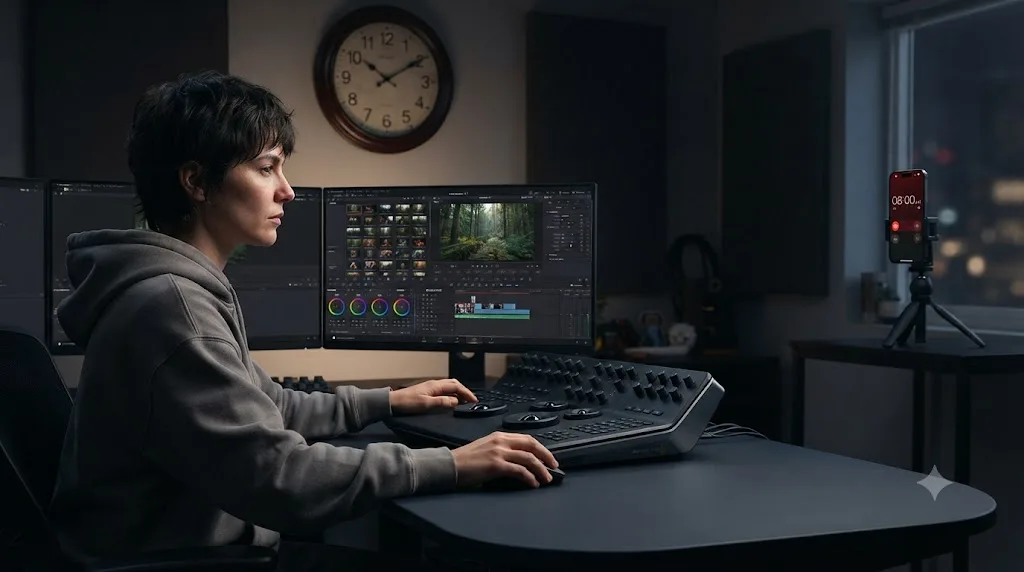
The fix isn't fighting the state. It's putting a boundary around it that doesn't depend on your in-the-moment judgment, since your in-the-moment judgment is exactly what hyperfocus overrides. A phone alarm set physically across the room, not on the desk where it's easy to silence without standing up, a recurring calendar block that ends the session regardless of progress, or telling a body double in advance "stop me at 9pm no matter what I say" all work because they don't rely on you noticing the time yourself.
Hyperfocus isn't a discipline failure you talk yourself out of. It's a state that arrives on its own schedule, and the only reliable lever is an external boundary set before it starts, not a decision made during it. Once a boundary is in place, hyperfocus stops being a liability and starts being one of the more genuine advantages an ADHD brain brings to learning a deep, node-based tool like Resolve, since a four-hour uninterrupted grading session teaches things a stop-start hour never will.
Should you follow tutorials or build practice projects if you have ADHD?
Practice projects, and more decisively than for most beginners. A tutorial shows you someone else's finished decisions with the answer already on screen, which our full practice projects guide describes as recognition rather than recall. For ADHD specifically, tutorials carry a second cost on top of that: they're long, they're passive for stretches at a time, and passive video-watching is one of the easiest places for attention to quietly leave the room while your eyes stay on the screen.
A practice project, by contrast, has a built-in reason to stay engaged: you're the one making every decision, and the decisions run out the moment the project is done. A 3-clip hard cut with no transitions, a single-node color correction, a Fusion title with three nodes, each one from our practice projects list finishes inside a single 30-to-90-minute session and produces a real export at the end, which matters more here than it sounds like it should. A finished, exported 3-clip cut teaches more than three unfinished hours of tutorial-watching, because finishing is where DaVinci Resolve's actual failure modes show up, and those failure modes are the real curriculum.
That doesn't mean tutorials are useless. They're the right tool for learning that a feature exists at all, a specific node combination, a menu location you didn't know was there. Watch one specifically to answer a question your current project just raised, then close it and go finish the project with the answer in hand. Treat a tutorial as a reference you consult mid-task, not a syllabus you sit through start to finish before touching the app yourself.
What's the best way to learn DaVinci Resolve fast without burning out with ADHD?
Small, finished projects in short sessions, repeated consistently, beats long sessions attempted rarely. This is worth stating plainly because "learn it fast" often gets read as "spend more hours," and for ADHD specifically, more hours per session tends to produce less actual progress, not more, once attention residue and task-initiation friction start compounding across a long unstructured block.
The math that actually moves fast here isn't hours logged, it's sessions finished. A person who reliably finishes four 30-minute sessions a week, each ending in something real, a cut, a grade, an export, moves through DaVinci Resolve's actual skill list faster than someone who intends three-hour weekend marathons and completes one every other week, because the marathon sessions are exactly where the Wall of Awful, attention residue, and unmanaged hyperfocus each get more room to derail the whole block.
Our DaVinci Resolve learning plan for a full-time job budgets four to six hours a week across three or four sessions rather than one long one, and that structure happens to be exactly the right shape for ADHD too, even though it wasn't written with ADHD specifically in mind. The overlap isn't a coincidence: both a busy schedule and an ADHD brain are working against the same enemy, a session that's too big to reliably finish.
Fast, for an ADHD brain learning DaVinci Resolve, doesn't mean longer sessions. It means more sessions that actually end in something finished. That's counterintuitive if you're used to measuring progress in hours, but it's the honest shape of what actually works here.
How should someone with ADHD set up their workspace to actually finish a DaVinci Resolve project?
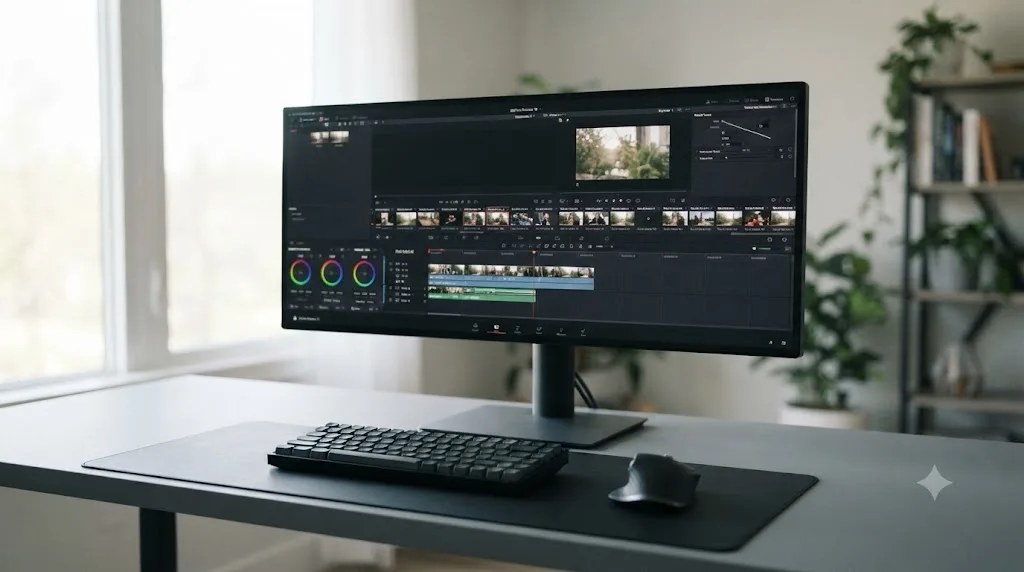
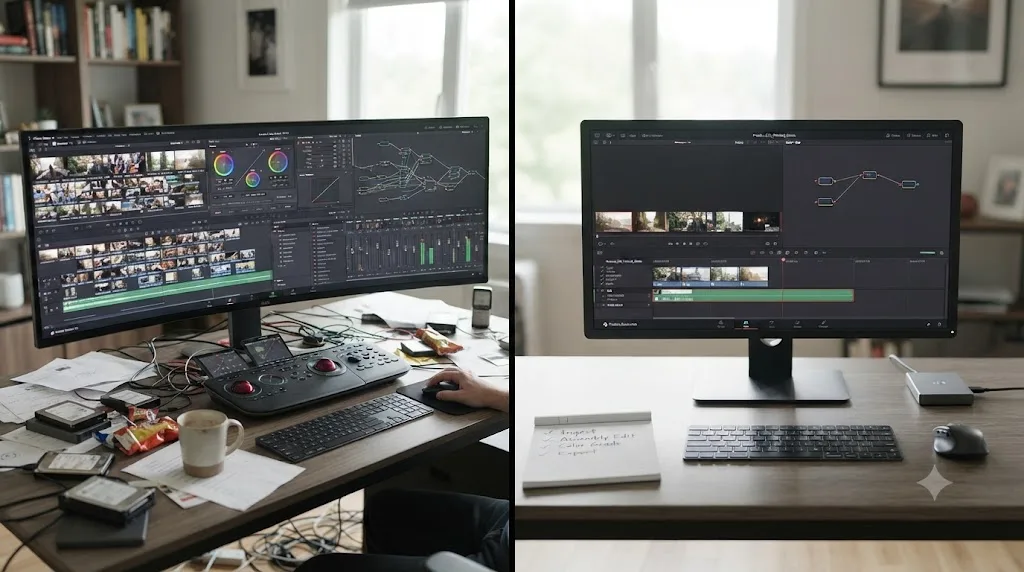
Remove every competing input before you open the project, not after you notice you've drifted. This is the cheapest, highest-return change on this entire page, and it's worth treating as a fixed pre-session ritual rather than a one-time setup.
Put your phone in another room, not face down on the desk, since face down still means it's within reach the instant a notification buzzes. Close every browser tab and app that isn't Resolve itself; a single open messaging app is enough to catch peripheral attention during a render wait. If you're on a laptop with a second monitor, consider whether that second screen is actually helping you monitor scopes and reference footage, or quietly running a browser tab that's one glance away from becoming the whole session. There's no universal right answer on single versus dual monitors here, it depends on what's actually running on the second one, but it's worth auditing honestly rather than assuming more screen real estate is automatically better.
Turn off desktop notifications specifically, not just phone notifications, since a Slack or email banner sliding in from the corner of the screen mid-grade is a real, physical interruption to attention, not a metaphorical one. And if you're working somewhere with ambient noise or other people moving through the room, noise-cancelling headphones remove a whole category of small interruptions that don't feel like interruptions individually but add up across a session.
| Distraction source | Fix | Why it matters more with ADHD |
|---|---|---|
| Phone within reach | Move it to another room | "Face down but nearby" is still one buzz away from breaking a session |
| Open browser tabs unrelated to the project | Close them before opening Resolve, not during | Peripheral tabs are a lower-friction escape route than starting the actual task |
| Desktop notifications | Turn off system notifications, not just phone ones | A banner sliding in mid-node is a real, physical interruption |
| Ambient room noise or people moving through | Noise-cancelling headphones | Removes a category of small interruptions that don't register individually |
| An unclear session goal | Write the one-sentence goal before opening Resolve | Without it, an open interface itself becomes the first distraction |
A workspace stripped of competing inputs isn't about willpower. It's removing the easy exits before the session starts, so staying on task doesn't have to be a fight against constant, low-grade temptation. Every one of these fixes costs under two minutes to set up and pays that back within the first ten minutes of any session.
What order should someone with ADHD learn DaVinci Resolve's pages in?
Mechanics first, always, and more strictly than the general advice for any beginner. Media, Cut or Edit, and Deliver come first, since a finished cut is the floor everything else stands on. Color and simple Fairlight audio come next, once the cut itself stops requiring active thought. Fusion comes last, and specifically only once a real project asks for something a static Text+ title genuinely can't do.
The reason this order matters more with ADHD isn't about difficulty, it's about the cost of switching contexts mid-skill. Jumping between "learning to trim a clip" and "learning what a node graph is" in the same session asks the brain to hold two entirely different mental models at once, cutting is spatial and sequential, node-based color is closer to a flowchart, and Fusion's compositing is closer still to programming logic. Each switch between those models costs something close to what Leroy's attention residue research describes: part of the previous model's context lingers and competes with the new one, making both slower to actually absorb.
| Learning phase | Pages | What "done" looks like | Typical session count |
|---|---|---|---|
| Phase 1 | Media, Cut or Edit, Deliver | You can import, cut, and export a project without hunting for buttons | 4-8 sessions |
| Phase 2 | Basic Color (one node), clip volume on Edit | You can fix exposure and balance dialogue against music without opening Fairlight's mixer | 4-6 sessions |
| Phase 3 | Fairlight's mixer, Color's qualifiers and power windows | A specific real project needs per-channel leveling or an isolated color fix | As needed, not scheduled |
| Phase 4 | Fusion | A specific real project needs a tracked graphic or a composite a Text+ title can't do | As needed, not scheduled |
Notice that phases 3 and 4 aren't scheduled the way 1 and 2 are. That's deliberate. Forcing a fixed date to "start Fusion" regardless of whether a real project needs it yet reintroduces exactly the kind of arbitrary, externally imposed deadline that doesn't actually match how ADHD motivation works best, which responds far more reliably to a real, specific, personally meaningful reason than to a calendar square.
Is there an AI tool to learn DaVinci Resolve if you have ADHD?
A narrow, specific category exists worth knowing about honestly: tools that automate an editing task for you, and a separate, smaller category built to answer a question the moment you're stuck on your own project. They solve different problems, and conflating them leads to picking the wrong one.
TryUncle is the on-screen assistant for DaVinci Resolve on macOS: ask in plain words and Uncle points at the exact control on your screen. That's a meaningfully different job than the automation tools covered constantly elsewhere on this site. CutAgent executes a plain-language instruction directly on your Resolve timeline, planning and running the edit itself. Eddie, at heyeddie.ai, builds a rough cut from an interview transcript before you even open Resolve. PremiereCopilot bundles silence cuts and captions, but it's built for Adobe Premiere Pro, not Resolve, worth naming honestly since it isn't a same-category alternative for readers here. Sottocut, at its own pricing page, automates cuts and captions from a transcript in a similar shape to Eddie's.
Here's the distinction that matters specifically for learning, not just editing faster: an automation tool takes the decision away from you. That's genuinely useful once you already know Resolve and just want the busywork gone. It's the wrong tool while you're still building the muscle memory this whole guide is about, because outsourcing the click means you never build the recall that makes the next click faster on your own.
| Tool | What it actually does | Teaches you Resolve? | Platform |
|---|---|---|---|
| TryUncle | Watches your live screen and points at the control, you make the move | Yes, that's the whole design | macOS only |
| CutAgent | Executes plain-language edit commands directly on your timeline | No, it automates the edit | macOS, Resolve Free/Studio |
| Eddie (heyeddie.ai) | Builds a rough cut from a transcript before you open Resolve | No, it front-loads the assembly | Exports to Resolve, Premiere, FCP |
| Sottocut | Automates cuts and captions from a transcript | No, same automation shape as Eddie | See Sottocut's pricing page |
| PremiereCopilot | Silence cuts, captions, AI B-roll | Not applicable to Resolve users, built for Premiere | Premiere Pro plugin |
An assistant built to point at the control while you make the move teaches your hands something real. An assistant built to make the move for you teaches your hands nothing, no matter how good the result looks. For someone specifically trying to build recall rather than just get a video finished, that distinction is the whole decision.
What app actually helps you while you're using DaVinci Resolve, not before or after?
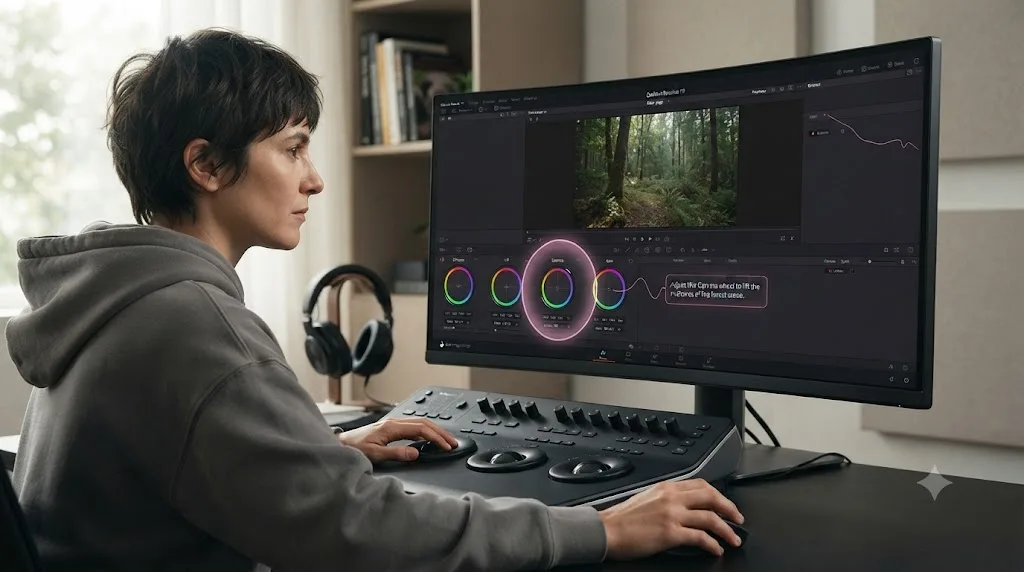
This is worth separating out from the tools above, because it's a genuinely different question than "which AI tool should I use." Most learning resources, courses, YouTube channels, Blackmagic's own training books, help before you sit down. Automation tools help after, by producing a finished edit. Almost nothing helps in the exact minute you're stuck mid-session, staring at a menu, with attention already starting to drift toward opening a new browser tab to search for the answer.
That drift is the actual danger point for ADHD specifically. A stuck moment during a tutorial is annoying. A stuck moment mid-session, with a body double waiting or a timer running, risks turning into the exact context switch Leroy's research warns about, since "let me just quickly look this up" has a well-earned reputation for becoming twenty minutes on an unrelated forum thread.
It's worth naming the honest consensus here before pitching anything: Blackmagic Design's own free training books, YouTube creators like Casey Faris, whose channel has built an audience approaching 600,000 subscribers per vidIQ's channel statistics, and communities like Reddit's r/DaVinciResolve and Casey Faris' own free Skool community are all real, useful, and free. None of them are built to answer a question live, on your own screen, in the ten seconds before your attention moves somewhere else. That's not a knock on any of them, it's just a gap in what a pre-recorded video or a text-based forum can structurally do.
TryUncle sits specifically in that gap. It watches your actual open Resolve project on the Edit, Color, and Fusion pages, and when you ask a question in plain words, it points at the real control on your real timeline, not a demo project's version of it. TryUncle is currently in founder pricing for its first 100 seats, macOS only, and worth checking the current rate on directly since a price like that doesn't hold indefinitely. If the stuck moment mid-session is where your sessions usually die, that's exactly the gap Uncle can point through before attention has a chance to wander off.
How long does it actually take to learn DaVinci Resolve with ADHD?
There's no separate, official ADHD timeline, and it's worth being direct about that instead of inventing one. Our general guide to how long DaVinci Resolve actually takes to learn puts a first exportable cut at an afternoon, comfort with Color and Fairlight at a few weeks of regular practice, and paid-work readiness around three to six months of steady sessions.
What changes with ADHD isn't the ceiling, it's the shape of the path getting there. Progress tends to arrive less like a steady incline and more like a series of finished projects separated by stretches where nothing much happens, sometimes because life intervened, sometimes because a session structure broke down and a few weeks passed before a new one replaced it. That's not failure. It's the honest texture of learning something in short, protected sessions rather than one continuous stretch of focus, and it's worth expecting in advance so a quiet week doesn't feel like proof the whole plan isn't working.
The variable that actually predicts speed here isn't hours logged in a week, it's whether each session has a stated goal, a boundary, and an ending that gets logged before switching tasks. A person running four protected 30-minute sessions a week with that structure in place will, in practice, move through the skill list in this guide faster than someone attempting three unstructured hours every other weekend, even though the second person is nominally putting in more total time. Consistency of finished sessions beats total hours logged, and that's truer here than almost anywhere else in learning this software.
Do co-occurring conditions like anxiety change any of this?
For a lot of readers, yes, and it's worth naming plainly instead of assuming ADHD shows up alone. According to CHADD's overview of co-occurring conditions, citing the National Comorbidity Survey Replication, 47.1 percent of adults with ADHD have some form of anxiety disorder, compared with 19.5 percent of adults without ADHD, and 38.3 percent have a mood disorder, compared with 11.1 percent without. More than a third of the people reading this guide are plausibly managing anxiety or depression on top of ADHD itself, not instead of it.
That changes how a couple of the fixes above should get applied, not whether they apply at all.
A hard countdown timer, recommended earlier in this guide as the fix for time blindness, can backfire specifically for anxiety. Some people experience a visible, ticking countdown as pressure rather than structure, and pressure is exactly what spikes anxious rumination instead of calming it. If that's you, swap the countdown for a soft session window instead: set a single alarm for the end of the block, but don't keep a visible timer counting down the whole time. You still get the external boundary Leroy's attention-residue research recommends, just without watching the seconds tick while you work.
The Wall of Awful gets taller with anxiety layered on top of it, too. Brendan Mahan's model describes the wall as built from prior failed attempts, and anxiety adds a second, faster-acting brick: not just "I've failed at this before" but "something specific is about to go wrong right now." For that version of the wall, body doubling or the pre-committed text message from earlier tends to help more than the timer does, because the fix that matters is lowering the stakes of starting, not managing the clock once you're in.
| Standard fix from this guide | Anxiety-friendly swap | Why the swap helps |
|---|---|---|
| Visible countdown timer | A single end-of-block alarm, no visible countdown | Removes the ticking pressure that can spike rumination |
| Body doubling on a live call | A pre-committed text message or async body-double session | Lowers the social-presence stakes that can worsen the Wall of Awful |
| "Just start" as the whole plan | Naming the specific worry out loud before starting | Separates the software problem from the anxiety response, so each gets its own fix |
None of this changes the core method. A co-occurring anxiety or mood disorder doesn't mean the structure in this guide doesn't apply, it means a couple of the specific tools need swapping for a gentler version of the same idea. If anxiety is a significant, ongoing barrier well beyond a DaVinci Resolve session, that's worth raising with whoever manages your ADHD care directly. This guide covers general, publicly documented ADHD patterns applied to one piece of software. It isn't a substitute for that conversation.
What mistakes do ADHD editors make trying to learn DaVinci Resolve?
A specific handful, and most of them are structural rather than about effort or intelligence.
Starting with the whole app open instead of shrinking it first. Opening Resolve and immediately clicking through Color, Fairlight, and Fusion out of curiosity feels productive because you're technically inside the software the whole time. It's the fastest route to the Wall of Awful showing up on your very next session, since now there are six unfinished threads competing for the one you meant to actually work on.
Treating a three-hour weekend block as equivalent to six 30-minute sessions. They're not equivalent, even though they add up to the same total time. The long block gives attention residue, an unmanaged hyperfocus spiral, or a mid-session interruption far more room to derail the whole thing, and a derailed three-hour block often produces less finished work than a single clean 30-minute one.
Watching tutorials instead of building anything. It feels like progress because you're absorbing information the whole time, but a passive video is one of the easier places for attention to drift while your eyes stay technically pointed at the screen. Our practice projects guide exists specifically to convert that passive time into finished, exported work.
Not writing anything down before switching tasks. Skipping the fifteen-second close-out note before a render check, a bathroom break, or a notification pull feels like it saves time. It costs more time than it saves, since Leroy's research shows that residue from the abandoned task actively degrades performance on whatever comes next, and reopening a session cold after a break wastes far more than fifteen seconds re-finding your place.
Using shame as the motivation strategy for the next session. "I should have finished this by now" is a worse fuel source than a body double, a timer, or a stated goal, because shame adds another brick to the Wall of Awful for next time instead of removing one. Every session structure in this guide is designed to replace willpower with external scaffolding precisely because willpower is the least reliable lever available here.
Comparing your practice project to a polished YouTube video. A 3-clip cut built in thirty minutes with a single color node was never going to look like something someone spent a week shooting and grading. Judge it against the one skill it was built to drill and the fact that it got finished, which is the actual, honest bar this whole approach is built around.
A worked example: one ADHD-friendly 45-minute DaVinci Resolve session, minute by minute
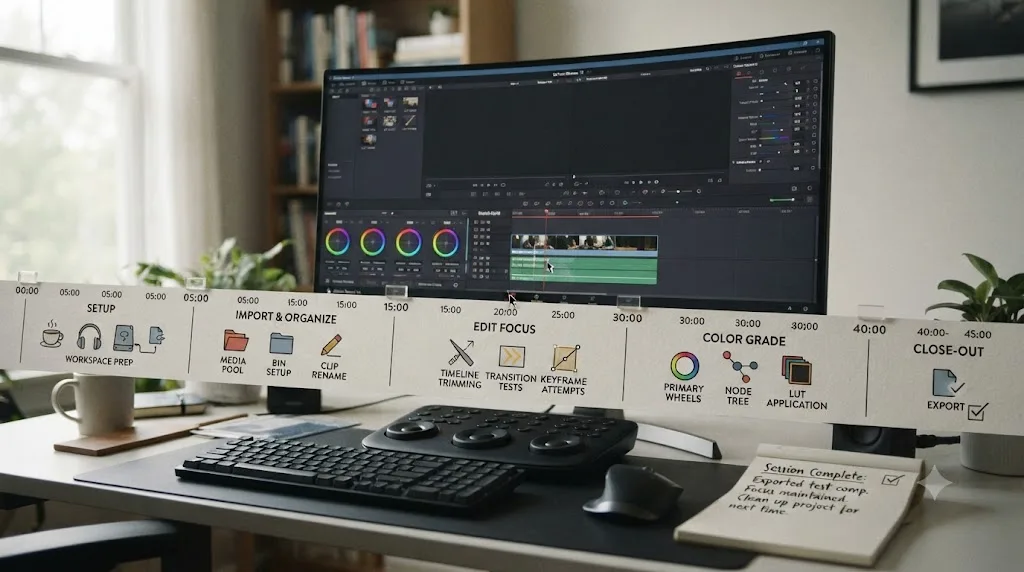
Abstract advice is easy to nod along with and hard to actually run, so here's one specific session applied start to finish, built around the one-node color correction project from our practice projects guide.
Minutes 0 to 2: clear the room. Phone goes into another room, not face down on the desk. Every browser tab that isn't Resolve gets closed, not minimized. Desktop notifications get toggled off.
Minute 2 to 3: write the one-sentence goal. On a sticky note or in a plain text file, one line: "Fix exposure on one clip using Lift, Gamma, Gain, judged against the waveform. Nothing else." That sentence is the whole session's scope, and it's worth rereading once, out loud, before opening Resolve.
Minute 3 to 4: start the session timer. One timer, set for the full 45 minutes, started before Resolve even opens. If a body double is part of the plan, this is the moment to join the call and say the goal out loud to another person.
Minutes 4 to 35: do the actual work. Open Resolve, pick a clip with a visible exposure problem, open the Color page, add one node, and correct it against the waveform scope. If the urge shows up to peek at Fusion, or check what a qualifier does, or see whether the grade would look different with a second node, notice the urge and let it pass without acting on it. That urge isn't a sign the plan is wrong. It's the ordinary pull of a seven-page app with everything visible, and noticing it without acting is itself the skill being practiced, not a distraction from the real one.
Minutes 35 to 44: finish and export, or stop cleanly if the task is genuinely done early. If the correction is finished before the timer, that's fine, stop there rather than manufacturing more scope to fill the block. If it's still in progress, keep going until the timer's final minute.
Minute 44 to 45: close out with one line. Before standing up: "Finished the exposure fix on clip 2, waveform reads clean, still need to check white balance next time." That one sentence is the fifteen-second investment Leroy's research says pays for itself the next time this project gets reopened, since the next session starts from a specific sentence instead of a blank memory of where things stood.
Forty-five minutes, one finished correction, one clean close-out note, zero pages opened outside the plan. That's the whole shape this guide has been building toward, applied to one real, small task.
A second worked example: a 90-minute hyperfocus-friendly Fusion session
The first worked example above was built for a short, contained task. This one is different on purpose: a longer block, deliberately structured for someone who knows hyperfocus is likely to show up once Fusion's node graph gets genuinely interesting, built around the three-node Fusion title from our practice projects guide.
Minutes 0 to 5: set the boundary before the task, not during it. This session runs longer specifically because hyperfocus is expected, so the external boundary matters more here than in a short session. Set a phone alarm physically across the room, not on the desk, for 90 minutes from now. Tell a body double or a housemate in advance: "stop me at the 90-minute mark no matter what I say I want to keep going." Write the one-sentence goal: "Build a three-node animated title, done means it renders clean and reads clearly at normal playback speed."
Minutes 5 to 15: open Fusion cold and get oriented. Unlike the Color-page example, Fusion is a new mental model, closer to a flowchart than a timeline. Spend the first ten minutes just adding the three nodes from the practice project brief without worrying about the final look, since orientation time in an unfamiliar node graph isn't wasted time, it's the actual first phase of the skill.
Minutes 15 to 75: build the title, and let hyperfocus run if it shows up. This is the block where the earlier "notice the urge to explore and let it pass" instruction gets deliberately relaxed. If genuine engagement with the node graph shows up, follow it. Try the third node's parameters past what the project brief asked for. Hyperfocus applied to a new mental model like Fusion's is exactly the state where real skill compounds fastest, and this session was built with a 90-minute boundary specifically so that following it doesn't cost the rest of the day.
Minutes 75 to 88: the alarm goes off. Stop, even mid-thought. This is the entire point of setting the boundary in minute zero instead of trusting in-the-moment judgment. Hyperfocus overrides the instinct to check the clock, which is exactly why the alarm lives across the room and the body double has permission to insist. Save the project immediately, even if the title isn't finished.
Minutes 88 to 90: close out with one line, same as always. "Got the three nodes built and two of three parameters animated, third node's timing curve still needs work, node graph makes sense now in a way it didn't an hour ago." That note is what turns an interrupted hyperfocus session into a resumable one instead of a project that quietly never gets reopened.
Ninety minutes, one boundary set before the session instead of during it, and permission to actually use hyperfocus instead of fighting it, which is the entire argument the hyperfocus section above was building toward.
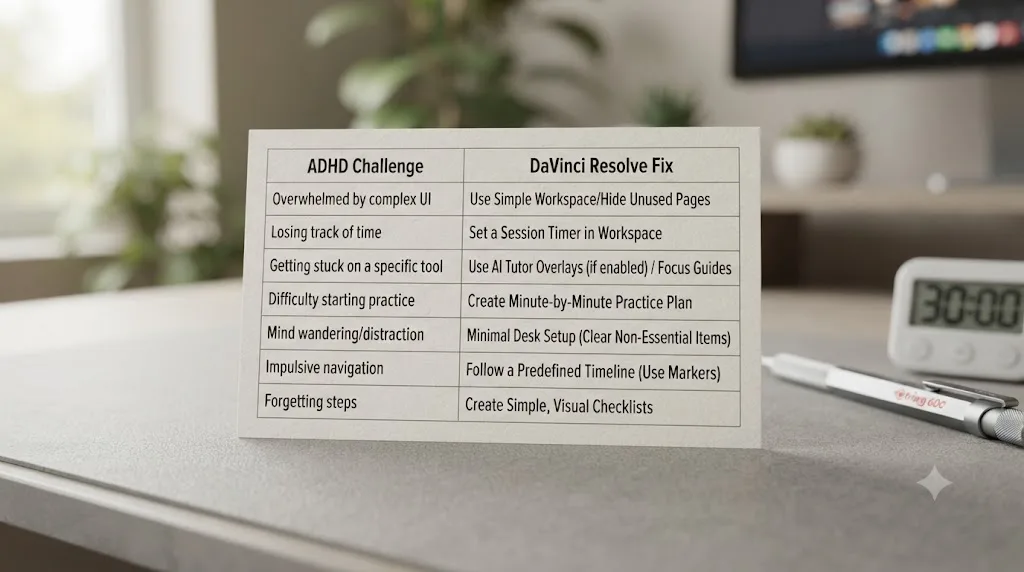
Which ADHD challenge maps to which DaVinci Resolve fix?
Here's the full guide condensed into one table, matching each specific struggle to the specific tool built for it, so you can find your actual bottleneck without rereading every section above.
| ADHD challenge | How it shows up in DaVinci Resolve | The fix |
|---|---|---|
| Task initiation (the Wall of Awful) | Can't bring yourself to open the project even for a small task | Shrink the app to three pages first; use a body double to get past the opening moment |
| Time blindness | A session that felt like ten minutes was actually two hours, or the reverse | One visible timer for the whole session, set before you open Resolve |
| Attention residue | Reopening a session with no memory of what you were doing | A one-line close-out note the moment you stop, before switching tasks |
| Hyperfocus running past a reasonable stopping point | A color grade eats the entire evening without you noticing | An external boundary set in advance, an alarm across the room, not a mental note |
| Passive tutorial-watching that doesn't stick | Hours of videos watched, nothing actually built or exported | Small, finished practice projects with a real export at the end |
| Overwhelm from too many visible options | Freezing on the Color page's full toolset for a one-node task | The three-page floor, plus ignoring Color's qualifiers, power windows, and HDR until needed |
| A stuck moment mid-session that risks a rabbit-hole search | "Let me just quickly look this up" turning into 20 minutes off-task | A screen-aware tool like TryUncle that answers the question live, without leaving the app |
| Shame after a missed session or week | Treating a gap in practice as proof the whole approach failed | Resume at the same step, log the finished session, skip the guilt entirely |
None of these fixes require more willpower. Every one of them replaces willpower with a structure that doesn't depend on a good day to work. That's the actual thread running through this whole guide, and it's worth keeping as the test for any new technique you try beyond this list: does it need you to feel motivated to work, or does it work regardless of how the day is going.
What if none of this works and DaVinci Resolve still doesn't stick?
Then it's worth checking two things honestly before concluding the software itself is the wrong fit. First, whether the structure above has actually been tried as written, three pages, one timer, one close-out note, or whether it's been attempted piecemeal, a timer here, no body double, no close-out note, which is a genuinely different experiment with genuinely different odds. Most of the value in this guide comes from the pieces working together, not any single one in isolation.
Second, whether the actual goal justifies DaVinci Resolve's depth in the first place. Resolve is a professional tool built around a node-based color system and a full compositor, and that depth is exactly what makes its learning curve real, not imagined. If the actual goal is quick social captions or a simple trim-and-post workflow, a simpler tool with fewer visible pages might genuinely serve that goal better, at least as a starting point, before circling back to Resolve once a specific project demands its deeper features.
If Resolve is genuinely the right tool for the work you want to do, DaVinci Resolve, YouTube, and courses, and the structure above still isn't sticking, that's worth treating as a signal to get outside support rather than a signal to push harder alone. An ADHD coach, the kind Roxanne Fouché represents through her work with the ADHD Awareness Month Coalition, specializes in exactly this kind of structure-building, tailored to your actual patterns rather than a generic list on a blog post. This guide is built from well-documented general ADHD research applied honestly to one specific piece of software, not a substitute for that kind of individualized support.
A learning method that doesn't fit isn't proof the software is wrong for you or that you're wrong for the software. It's a signal to adjust the structure, not abandon the goal. That's the honest note to end a troubleshooting section on, and it applies as much to learning DaVinci Resolve as it does to anything else worth sticking with.
So what should you actually do first?
Close every tab that isn't DaVinci Resolve. Put your phone in another room. Pick one small thing, a 3-clip cut, one color node, one Fusion title, write it down in a single sentence, and set one timer for thirty minutes. Work that one thing until the timer ends or the task is done, whichever comes first, and write one line about where you stopped before you do anything else.
That's the whole method, stripped of everything else this guide explained the reasoning behind. Three pages instead of seven. One timer instead of open-ended time. One finished project instead of another tutorial. A body double if starting is the hardest part, and a screen-aware tool like TryUncle for the moment you're stuck mid-session and don't want the search tab to win.
Guided practice inside DaVinci Resolve beats watching courses about DaVinci Resolve, and that's truer for an ADHD brain than for almost anyone else reading this site. Open the app, do the one thing on your sticky note, and close it out properly when the timer ends. That's a real session, and it's worth more than the perfect plan you haven't started yet.
Frequently asked questions
- What's the best way to learn DaVinci Resolve if you have ADHD?
- Shrink the app to three pages first, Media, Edit or Cut, and Deliver, and ignore Color, Fairlight, and Fusion until a real project needs them. Work in short, timed sessions with a single stated goal instead of open-ended exploring, use a body double or a co-working timer to get started, and finish small practice projects instead of watching more tutorials. Ask for help the moment you're stuck instead of losing the session to a search rabbit hole.
- Why does DaVinci Resolve feel harder to learn with ADHD than other software?
- DaVinci Resolve packs four professional applications, an editor, a color grading suite, an audio console, and a compositor, into one seven-page interface, which front-loads more surface area than most software a beginner has touched. For an ADHD brain, that surface area collides directly with two well-documented struggles: starting a task that has no obvious first step, and losing your place every time something interrupts you mid-session.
- What's the fastest way to learn DaVinci Resolve if you have ADHD and limited attention?
- Skip the marathon tutorials. Pick one small, finishable practice project, set a single timer for the whole session, and stop touching pages outside that project's scope. A finished 30-minute project teaches more per hour than three hours of watching someone else edit, because finishing is where the actual skill gets built, and that math holds even more with ADHD, where a half-finished project rarely gets reopened.
- Is there an AI tool to learn DaVinci Resolve for someone with ADHD?
- A narrow category exists that's worth knowing about specifically: an AI tool that helps you while you're using DaVinci Resolve, not a course you watch beforehand. TryUncle is one example, an app that watches your actual Resolve screen and points at the control you're asking about, live. It answers the exact moment attention would otherwise drift into a search tab. It doesn't replace Blackmagic's own training or a structured course; it closes the specific gap a static video can't.
- What app actually helps you while you're using DaVinci Resolve, not before or after?
- A small category does this instead of teaching you in advance. TryUncle watches your live screen and points at the exact control for you to click yourself, on the Edit, Color, and Fusion pages. CutAgent goes further and executes a plain-language instruction directly on your timeline. Both work live, inside the app, which matters most for ADHD specifically, since the stuck moment is exactly where a session usually derails into something else entirely.
- Does body doubling actually work for learning software like DaVinci Resolve?
- For task initiation and staying on one task, yes, and it's one of the better-supported ADHD techniques for exactly that problem. Roxanne Fouché, an ADHD coach who chairs the ADHD Awareness Month Coalition, has described how her coaching clients use body doubling to break a project into a committed block of time with real accountability attached. It won't teach you Resolve's node system by itself. It solves the separate, earlier problem of actually opening the project and staying on it.
- How long does it take to learn DaVinci Resolve if you have ADHD?
- There's no separate ADHD timeline, but the honest path there looks different. Our general guide to how long DaVinci Resolve takes to learn puts a first rough cut at an afternoon and paid-work readiness around three to six months of steady practice. With ADHD, the real variable isn't intelligence or aptitude, it's whether the session structure protects a short, finishable unit of work each time, since an unstructured hour is far more likely to end in zero progress than a structured 30 minutes.
Sources
- CHADD: General Prevalence of ADHD in Adults
- CHADD: ADHD Quick Facts - ADHD Presentations
- CHADD: Co-occurring Conditions
- CHADD ADHD Weekly: Could a Body Double Help You Increase Your Productivity?
- Focusmate: How a Body Double Can Help You Stay Productive and Accountable
- arXiv: You Are Not Alone - Designing Body Doubling for ADHD in Virtual Reality
- ADDA (Attention Deficit Disorder Association): ADHD Hyperfocus
- Sophie Leroy, Dean and Professor, UW Bothell School of Business: Attention Residue research
- Hacking Your ADHD: The Wall of Awful with Brendan Mahan
- DaVinci Resolve product page (Blackmagic Design)
- DaVinci Resolve - Training (Blackmagic Design, free books and lesson files)
- PetaPixel: DaVinci Resolve 21 officially released with new photo editing, AI tools, and much more
- CG Channel: Blackmagic Design releases DaVinci Resolve 21.0
- Casey Faris - YouTube channel
- vidIQ: Casey Faris channel statistics
- Skool: DaVinci Resolve for Beginners! (Casey Faris' free community)
- CutAgent - AI video editing for DaVinci Resolve
- Eddie AI - The Assistant Video Editor for Pros (heyeddie.ai)
- PremiereCopilot - The AI Copilot for Adobe Premiere Pro
- Sottocut Pricing
- TryUncle (product site: how Uncle works, pricing, setup)
- TryUncle FAQ
Put this guide to work with TryUncle.
Ask about the step you’re on. TryUncle sees your screen and points at the control you need, so you can keep learning in your own project.
Get TryUncle for Mac or WindowsKeep reading

Guides · Jul 15, 2026 · 37 min
DaVinci Resolve Practice Projects for Beginners: 10 to Try
10 ranked DaVinci Resolve practice projects for beginners, from a 3-clip hard cut to a full capstone edit, plus where to find free practice footage.
Guides · Jul 23, 2026 · 40 min
DaVinci Resolve Overwhelming for Beginners? Ignore This First
DaVinci Resolve overwhelms beginners because it packs seven pro pages into one app. Here's exactly what to ignore first, and what to learn instead.
Guides · Jul 15, 2026 · 34 min
DaVinci Resolve Learning Plan for a Full-Time Job
A realistic DaVinci Resolve learning plan for people with a full-time job: weekly hour budgets, a 12-week schedule, and how to protect practice time.