Articles / Guidesupdated for DaVinci Resolve 21.0.3 (September 2026)
DaVinci Resolve Music Bed Tutorial for Resolve 21
Quick answer
In this DaVinci Resolve music bed tutorial, put licensed music on its own Fairlight track, trim it to the edit, add fades, then lower it under dialogue with clip keyframes or the Fairlight Ducker. Check the mix on headphones and speakers, then export from the Deliver page.
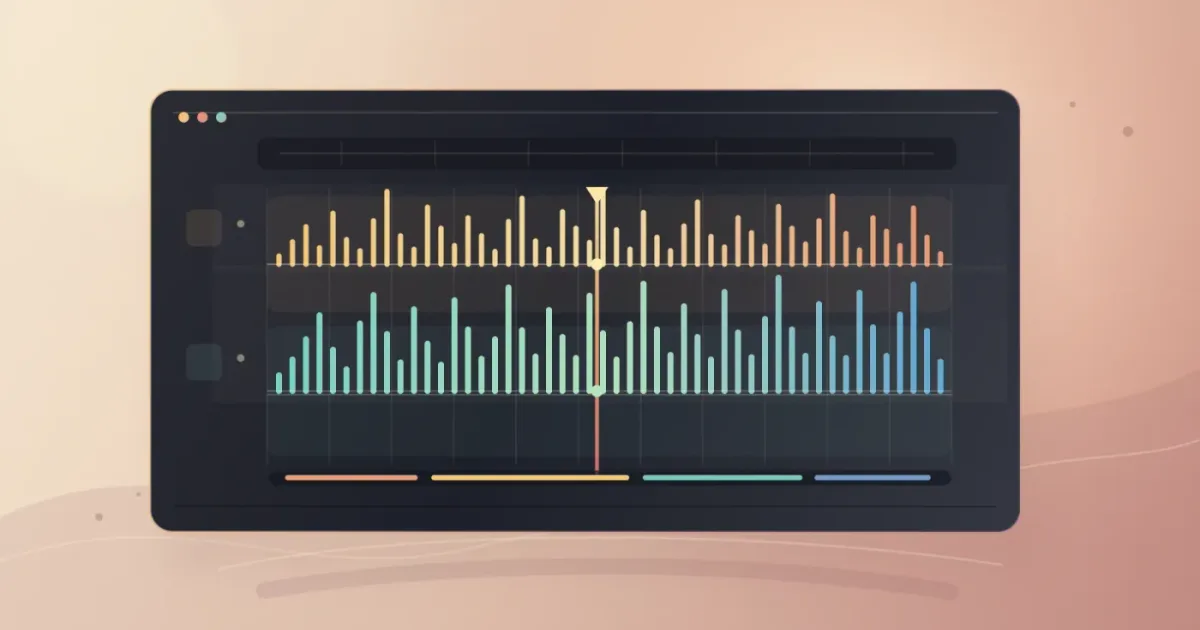
Music beds are easy to mix badly. The song may sound fine alone, then swallow the first sentence of a voiceover.
We’ve spent 7+ years cutting commercial video, teaching more than 100,000 students on Udemy, and working with Fortune 500 companies. Here’s the short workflow we’d use in DaVinci Resolve 21. As of September 2026, the current point-release context is DaVinci Resolve 21.0.3, listed in Blackmagic Design’s support center.
What is a music bed in DaVinci Resolve 21?
A music bed is a continuous or deliberately arranged piece of background music that supports the picture while dialogue, narration, or natural sound stays clear. In DaVinci Resolve, the bed normally lives on its own Fairlight track so you can trim, fade, automate, and process it without changing the voice track.
The voice carries information, while the bed supplies pace, mood, and shape. If you notice the song before the sentence, the balance is wrong.
Blackmagic’s Fairlight page gives each timeline clip volume, pan, pitch, and a 6-band parametric EQ, while the mixer gives you track and bus control. Blackmagic’s Fairlight overview documents both sets of controls.
A music bed supports the story by staying present without competing with speech.
How do I add a music bed in DaVinci Resolve 21?
To add a music bed in DaVinci Resolve 21, place the music on a separate audio track below the dialogue, then trim and fade it before you set the final level. The Edit page is enough for the first pass, but Fairlight gives you the clearest view of the mix.
- Create the audio tracks. Keep dialogue, music, and sound effects separate. Name them
DX,MUSIC, andSFX. Resolve 21 adds Fairlight Folder Tracks, which can group related tracks and collapse a busy timeline. The official guide says folders support a maximum of 3 levels of nesting. - Place the music. Import the licensed audio into the Media Pool and place it on the music track. Put the first downbeat or melodic entrance where the picture needs it.
- Trim the bed. Cut away silence or an unhelpful intro. If the edit is longer than the useful section, use a second section or a licensed alternate version. See our guide to fitting music to video length in Resolve 21.
- Set a starting level. Select the music clip and adjust the line through the waveform, or use the Inspector. Blackmagic documents both controls. Start lower than your instinct suggests, then bring it up until the bed has a clear job.
- Add fades. Drag the clip’s fade handles to soften the entrance and exit. A short fade prevents an abrupt start.
- Shape important moments. On macOS, hold Option and click the clip level line to add keyframes, then drag the points to create a rise or dip. Windows users use Alt. Blackmagic documents this control. This preserves the clip.
- Check the whole scene. Play from before the music starts until after it ends. Listen for a clipped ending or a musical accent against the wrong cut.
Blackmagic’s current Fairlight documentation also notes that automation can record changes to controls over time. Use it for a whole-track performance, and clip keyframes for a few edits.
In DaVinci Resolve 21, clip volume can be shaped with the gain line, fades, and keyframes.

How do I fit a music bed to my video without making it sound chopped?
Fit a music bed to a video by choosing the musical sections first, then trimming at phrases, beats, or natural tails instead of making random cuts. If the track offers stems or alternate edits, use those before forcing a bad loop.
Mark the first moment the bed should be heard, the point where its energy should change, and the last moment where music is useful. Then audition the track against those points. A bed can start after the first shot, lift into a montage, and leave space for the final line.
When a cut is unavoidable, add a crossfade or use a section with less exposed melody. A smooth edit can still feel wrong if a chorus arrives under a quiet close-up.
If your library provides separate stems, keep them as separate clips or tracks until the structure is settled. Our guide to using music stems in DaVinci Resolve 21 covers that choice. Stems can leave room for speech without abandoning the track.
How do I make a music bed duck under dialogue in DaVinci Resolve 21?
To duck a music bed under dialogue in DaVinci Resolve 21, apply the Fairlight Ducker to the music track and choose one or more dialogue tracks as its source. Blackmagic describes the Ducker as a track effect that lowers a target track during dialogue and raises it again after speech, with controls for duck level and recovery.
Open the Fairlight page and make sure the dialogue and music are on separate tracks. On the music track, open the track effects area and add the Ducker. Choose the dialogue track as the source. Adjust the reduction and recovery while the scene plays.
The Ducker is useful for interviews, podcasts, and edits where dialogue moves often. It can be too blunt for a single dramatic word or laugh. For those moments, manual keyframes are easier to judge.
The Fairlight Ducker lowers a music track from dialogue-track input and restores it after speech.
| Situation | Best first tool | Why |
|---|---|---|
| One sentence needs space | Clip volume keyframes | You control the exact dip and recovery |
| A full interview has frequent speech | Fairlight Ducker | Dialogue can drive repeated reductions |
| The bed has too much low-end under speech | Fairlight EQ | You can shape the music track without changing the voice |
| The music should rise into a montage | Keyframes or automation | The change follows the picture, not just the dialogue |
| The track ending feels abrupt | Fade handle or a musical tail | The exit becomes part of the edit |

Why is my music bed too loud or distracting in DaVinci Resolve?
Your music bed is too loud when it makes words harder to understand, pulls attention away from the picture, or changes the perceived emotion of a scene without an editorial reason. Lower the bed first, then solve specific clashes with timing, automation, or EQ.
Listen to the dialogue at a comfortable level and ask whether every word arrives cleanly. Don’t mix by watching the music waveform alone.
Try these fixes in order:
- Lower the music clip or track.
- Add a manual dip around the words that need the most space.
- Move a strong musical accent away from a key cut or sentence.
- Use the track EQ to reduce a frequency area that masks the voice.
- Compare the scene with music on and off.
A clean music bed mix is judged against the voice, not against the music file by itself.
Blackmagic says Fairlight includes real-time EQ and dynamics on every track, plus 6 effect slots in the mixer. You don’t need to fill them. For a basic bed, level, timing, fades, and a sensible duck matter most.
Which music source should I use for a DaVinci Resolve 21 music bed?
Choose a source by the rights you need, not only by whether the preview sounds good. A creator posting to personal channels, a freelancer delivering client work, and a business running paid ads can need different coverage.
Disclosure: we may earn a commission if you subscribe through the Epidemic Sound link below. That relationship doesn’t decide the workflow or the alternatives.
For a recurring video workflow, Epidemic Sound is one licensed option for finding music, sound effects, and stems. Its official DaVinci Resolve plugin requires paid DaVinci Resolve Studio, not the free edition, and downloads require an active subscription. The plugin also isn’t available in the Mac App Store build of Resolve Studio because that build doesn’t expose Workflow Integrations. Check the plan terms for your project, channels, and client or advertising use before downloading.
Artlist is a reasonable alternative if you want a broader asset subscription. Custom music wins when the project needs a distinctive theme, exact duration, or specific ownership. Use the source with suitable music and clear rights.
Before you commit to a track, use our guide to choosing background music for a video.
The right music source is the one whose license covers the video you are actually publishing.
What is the best way to learn DaVinci Resolve fast when a tutorial doesn’t match?
The best way to learn DaVinci Resolve fast is to practice one real task in the current version, then use official training or a focused helper when a control is hard to find. Blackmagic’s free training lists an “Introduction to Audio” lesson at 1 hour and 28 minutes.
Mary Plummer, a Fairlight audio post workflow specialist at Blackmagic Design, put the distinction plainly: “Discover the difference between having DaVinci Resolve and knowing how to use it.” That line comes from her 2026 Fairlight training post on LinkedIn.
TryUncle is the on-screen assistant for DaVinci Resolve on macOS - ask in plain words and Uncle points at the exact control on your screen. For this particular learning problem, a live pointer can help when a tutorial uses a different Resolve version or you can’t find the Fairlight control; see the assistant.
If you’re comparing tools, know what each one is trying to do. Sottocut describes itself as a local-first assistant editor for Resolve, CutAgent describes an agent that executes editing tasks in Resolve, and Eddie provides an assistant video editor with a Resolve extension. PremiereCopilot is built for Adobe Premiere Pro, so it isn’t the right answer here.

What should I check before exporting a music bed mix?
Before exporting, check the music entrance, dialogue dips, ending, and meters on headphones plus a second playback system. The Deliver page is where you choose final render settings, while Fairlight lets you finish the mix inside the same project.
Use this final pass:
- Solo the music briefly. Confirm that it starts and ends where you expect.
- Play the scene in context. Listen for words lost under the bed.
- Watch for overloads on the meters. Fix the mix before rendering.
- Check the last frame of music. A clean fade is better than an accidental cut.
- Save with music and dialogue on separate tracks so you can revise the balance later.
The goal isn’t “music at the lowest possible level.” It’s a bed that arrives with purpose, leaves room for the message, and ends cleanly.
Start with one scene. Place the bed, trim it, draw the important dips, then use the Ducker when repeated dialogue makes manual work tedious. Listen away from the timeline. That’s where the mix tells you the truth.

Frequently asked questions
- How do I add a music bed in DaVinci Resolve 21?
- Import a licensed music file, place it on a separate Fairlight audio track below dialogue, trim it to the picture, add short fades, and set its level with the clip gain line, Inspector, or keyframes.
- How do I make a music bed duck under dialogue in DaVinci Resolve?
- Open the Ducker on the music track, choose the dialogue track as its source, then adjust the duck level and recovery. For a few important lines, manual volume keyframes give more precise control.
- Why is my music bed too loud in DaVinci Resolve?
- Lower the music while listening to the dialogue, then add keyframes around speech so the bed drops only when needed. Check the result on more than one playback system before delivery.
- Can I use Epidemic Sound for a DaVinci Resolve music bed?
- Yes, but choose a license that covers the project and publishing channels. Its DaVinci Resolve plugin requires paid DaVinci Resolve Studio, not the free edition, and downloads require an active subscription.
Sources
- Blackmagic Design Support Center, DaVinci Resolve 21 and 21.0.3
- Blackmagic Design Fairlight audio tools
- DaVinci Resolve 21 New Features Guide, Fairlight Folder Tracks
- Blackmagic Design DaVinci Resolve Training
- Mary Plummer, Fairlight training note
- Epidemic Sound for licensed music and DaVinci Resolve Studio workflow
- Artlist Music and SFX plans
- Sottocut, assistant editor for DaVinci Resolve
- CutAgent, AI video editing for DaVinci Resolve
- Eddie AI, Resolve integration
- PremiereCopilot, text-to-edit for Premiere Pro
Put this guide to work with TryUncle.
Ask about the step you’re on. TryUncle sees your screen and points at the control you need, so you can keep learning in your own project.
Get TryUncle for Mac or WindowsKeep reading

Guides · Aug 25, 2026 · 8 min
How to Use Music Stems in DaVinci Resolve 21
Learn how to import, align, mute, mix, and export vocal, drum, bass, and instrument stems in DaVinci Resolve 21.
Guides · Aug 24, 2026 · 7 min
DaVinci Resolve Fit Music to Video Length: 21 Guide
Fit music to your video in DaVinci Resolve 21 with Music Editor, beat markers, Elastic Wave, and a clean manual fallback.
Guides · Aug 24, 2026 · 8 min
How to Choose Background Music for a Video in Resolve 21
Choose background music by story, mood, tempo, dialogue, structure, and license, then mix it cleanly in DaVinci Resolve 21.