Articles / Guidesupdated for DaVinci Resolve 21 (August 2026)
DaVinci Resolve Fit Music to Video Length: 21 Guide
Quick answer
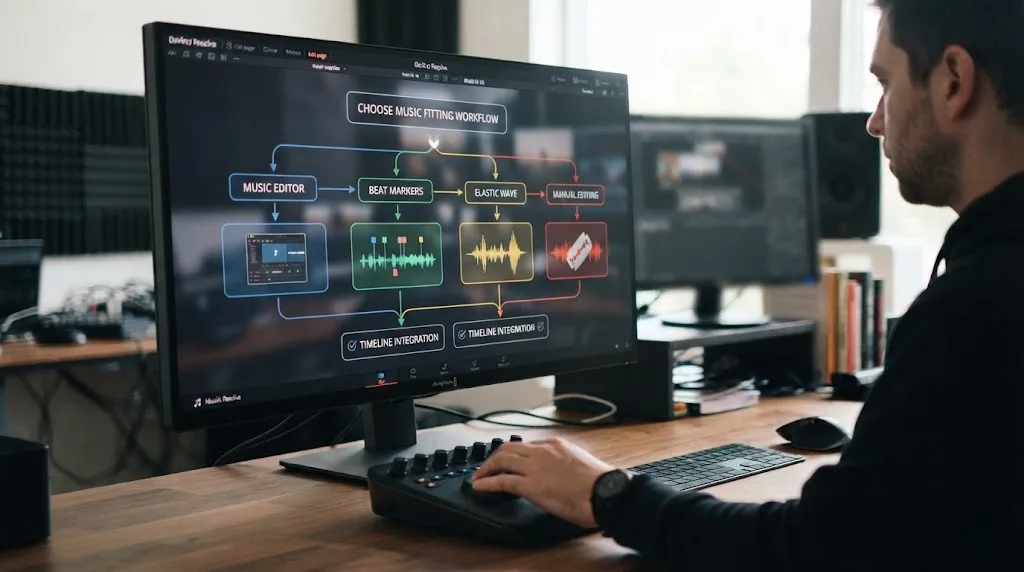
To fit music to video length in DaVinci Resolve 21, select the music clip, open Audio Inspector > AI Music Editor, enter the target length, and choose one of four edits. For exact finishing, use Fairlight Elastic Wave with General Purpose, or cut manually at beat markers.
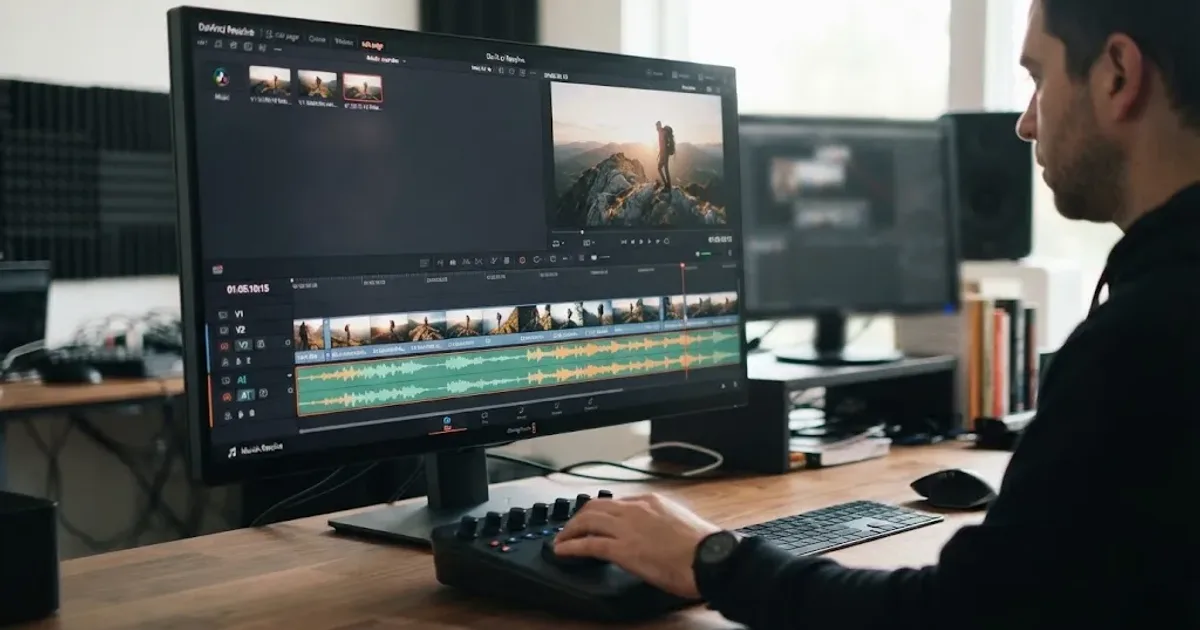
I treat music as part of the edit, not a file that gets dragged under the picture at the end. As of August 2026, DaVinci Resolve 21 gives you a fast automatic pass, beat-aware edit points, and a precise retiming tool. We run a 100,000+ member professional video-editing community, and this is the clean sequence I recommend when someone asks how to make a cue land on the last frame.
DaVinci Resolve 21 can fit beat-driven music to a target video length without changing the song's pitch.
How do I fit music to video length in DaVinci Resolve 21?
DaVinci Resolve 21 fits music to video length fastest through AI Music Editor in the Audio Inspector. The tool is documented by Blackmagic as a Studio-only feature, and its intended material is beat-driven music rather than ambient or free-form music (Blackmagic's Music Editor guide).
First, make the video section final enough that its duration won't change again. If the cut is 00:00:42:12, use that exact timeline duration as your target. The last frame matters more than a rounded number.
- Put the music on an audio track beneath the video.
- Select the music clip on the timeline.
- Open the Inspector and choose the Audio tab.
- Find AI Music Editor, enter the target duration, and click Adjust.
- Listen through the transitions in each generated version before choosing one.
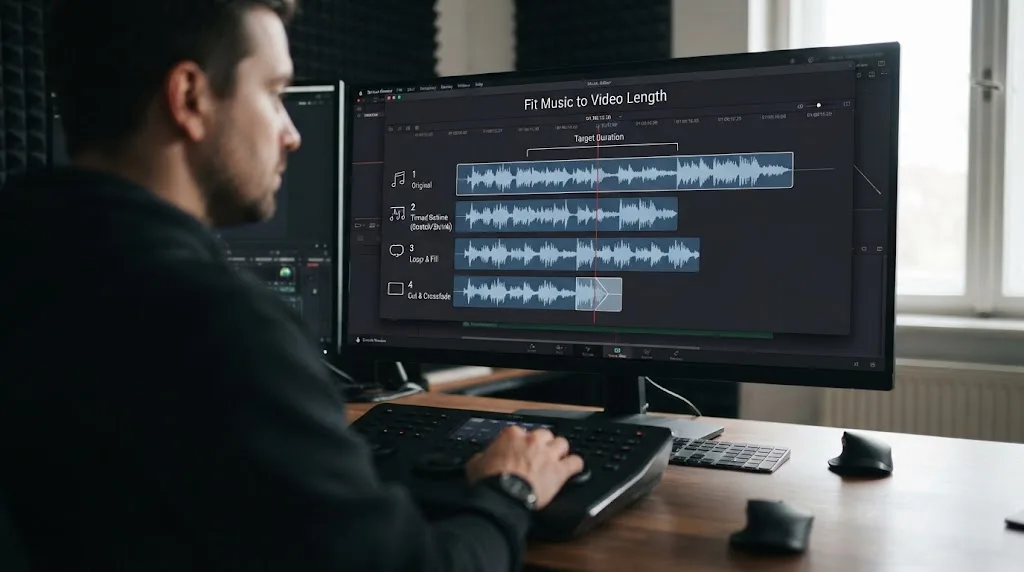
Blackmagic's guide says Music Editor creates four possible edits. It can shorten or extend a cue by rearranging musical sections, repeating material, removing material, and trying to preserve a suitable ending. It doesn't use time compression or change the pitch. If the result ends abruptly, add a short manual fade rather than assuming the tool failed.
Music Editor is the fastest first pass when the cue has a clear beat and the picture needs a musical ending.
Why is DaVinci Resolve Music Editor not giving me the exact length?
Music Editor is trying to make a musically sensible edit, not simply force a waveform to an arbitrary duration. Blackmagic notes that its result can be close rather than exact, so use Elastic Wave for the final timing correction (official Music Editor documentation).
Keep the version whose phrase, chorus, or final hit best supports the picture. Then check three things before you move on:
- Does the final musical event land near the final visual event?
- Did the tool create a cut in the middle of a vocal phrase or sustained note?
- Does the ending need a fade because the source cue has no clean tail?
If the clip is still a few frames too long, don't run Music Editor repeatedly with tiny target changes. That can produce a less musical result. Use Elastic Wave for the small correction, or trim at a meaningful beat and shape the tail with a fade.
Grant Petty, CEO of Blackmagic Design, describes the Resolve 21 release guide as “easy to learn, especially if you’re switching from another editor” (Blackmagic's Resolve 21 guide). That promise is most useful when you understand which tool solves which kind of mismatch.
How do I cut video to the beat in DaVinci Resolve 21?
DaVinci Resolve 21 can detect musical beats and place markers that you can use as cut points. In Blackmagic's Resolve 20 guide, Beat Detector is described as working best with beat-driven music in 4/4 or 3/4 time (Beat Detector documentation).
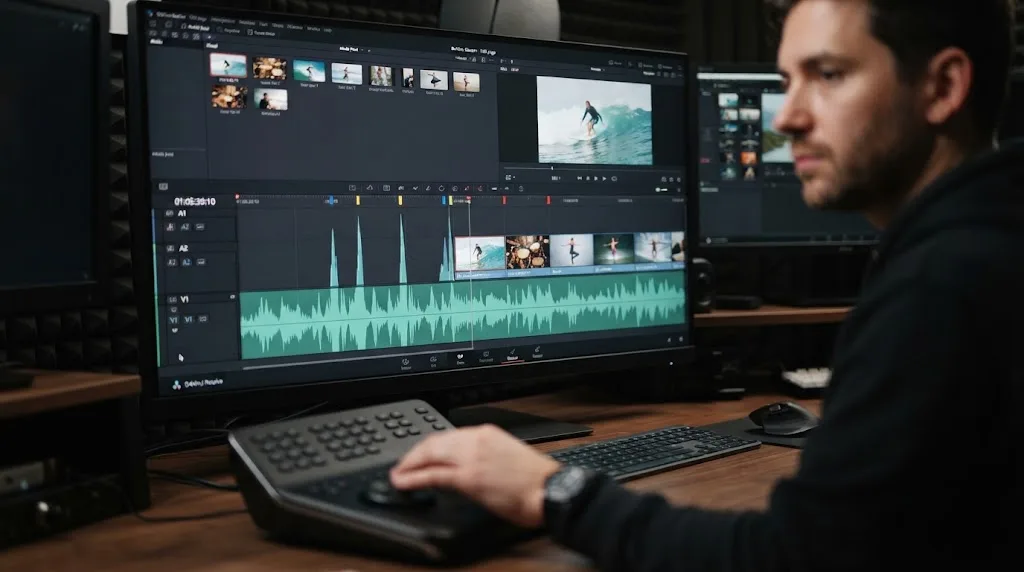
Right-click the music clip and choose Detect Music Beats. Play the timeline and inspect the markers before cutting every shot on every beat. A beat is an option, not a command. Use stronger beats for shot changes, smaller beats for movement, and longer phrases for shots that need room to breathe.
This is the best route when the video duration is fixed but the music should drive the edit. It reverses the usual problem. Instead of asking the song to fit a finished sequence, you let the song suggest a small set of precise edit points.
For a manual fallback, press play and add timeline markers at the kick, snare, chord change, or vocal entrance that you actually hear. Then trim the picture to those markers. If you need a deeper audio workflow, how to mix audio in DaVinci Resolve using Fairlight covers the broader Fairlight process.
Beat markers turn music into an editing grid, but the strongest cuts still follow the story.
When should I use Elastic Wave instead of Music Editor?
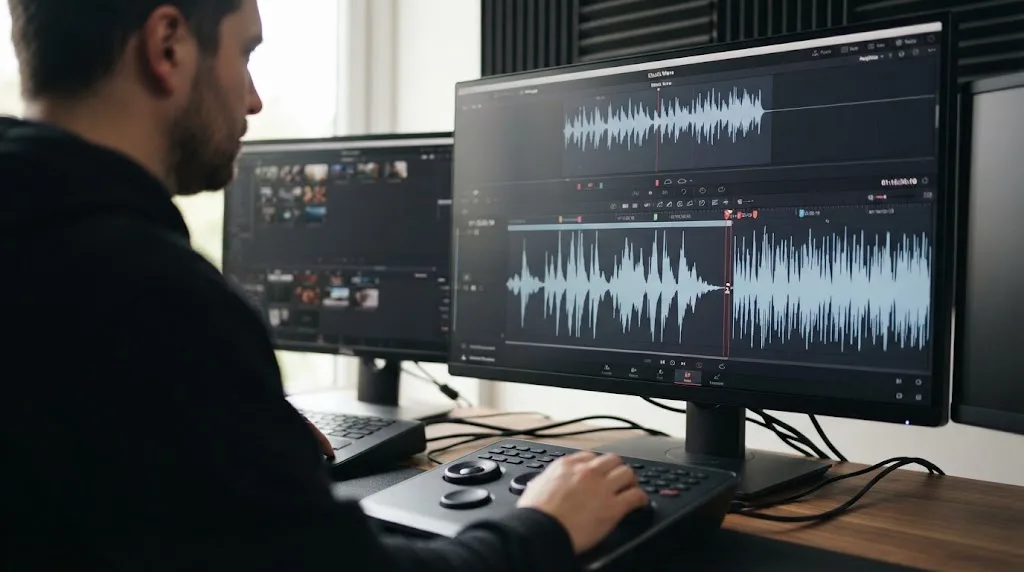
Use Elastic Wave when the music already works and only its duration needs a controlled adjustment. Blackmagic describes Elastic Wave as retiming audio without changing pitch, and its Fairlight guidance says you can stretch the waveform or add time points for local adjustments (Blackmagic Fairlight).
Open the Fairlight page, right-click the music clip, and choose Elastic Wave. Select the General Purpose algorithm for music. Drag the right edge when the entire cue needs a gentle stretch, or add time points when one section needs to move while another section should stay anchored.
Elastic Wave is not a replacement for musical editing. A large stretch can make rhythm feel loose even when the ending hits the right frame. Start with Music Editor for a substantial change, then use Elastic Wave for the last adjustment. If the cue is ambient, irregular, or built around a long texture, skip Music Editor and use Elastic Wave or manual edits from the beginning.
Elastic Wave is the precision tool when the last frame matters more than a perfectly untouched arrangement.
How do I fit music manually when Resolve 21's tools fail?
Manual editing is the most reliable fallback when a song has no stable beat, when a vocal phrase must remain intact, or when an automatic edit lands on the wrong emotional moment. You can still make the process quick if you edit by musical structure instead of dragging randomly.
- Find the nearest useful musical boundary, such as an intro, verse, chorus, bridge, or outro.
- Cut on a beat, chord change, or phrase ending.
- Remove a complete section when the song is too long.
- Duplicate a compatible section when the song is too short.
- Add short crossfades and listen for clicks, doubled transients, or a sudden change in energy.
- Fade the music under dialogue or let the final hit support the last shot.
Keep the edit points visible until you have watched the complete sequence twice. The waveform can suggest a clean cut, but the ear makes the final call. For effects that need to support the same rhythm, how to layer sound effects in DaVinci Resolve 21 is the useful next step.
Manual edits remain the most reliable fallback for ambient music, irregular scores, and phrases that must not be broken.
Should I use an adaptable music library or edit the track myself?
Use your existing licensed track when the music already fits the story. Consider an adaptable library when you publish regularly and want alternate lengths or structures before the audio reaches Resolve.
Disclosure: this section contains an affiliate link. If you subscribe through it, we may earn a commission at no extra cost to you. That relationship doesn't change the workflow verdict, and manual editing or another licensed library can be the better choice.
Epidemic Sound's Adapt and Resolve plugin documentation describes 15-, 30-, and 60-second length presets, plus a custom length up to 5 minutes. That can be useful when you want a version built for the edit before importing it. Its Resolve integration requires the paid Studio edition, and the free version doesn't support plugins. Don't choose it expecting the same workflow in free Resolve.
The trade-off is simple. A library can save time when you need many cleared cues and adaptable versions. Soundstripe is another credible option because it offers subscriptions alongside single-use licenses, so it may fit a project with a different licensing need (Soundstripe pricing). Manual editing wins when you already own the right song, need one short adjustment, or don't want another subscription. Read the license for your channel, client, advertising, or broadcast use before publishing. The right track is the one you can legally use and still like after the edit is finished.
If the only problem is finding a control in Resolve 21, TryUncle can point at it while you work.
What should I choose for my next Resolve 21 music edit?
Choose the method that matches the problem, not the one with the most automation.
| Your situation | Best first move | Why |
|---|---|---|
| Beat-driven song is too long or short | Music Editor | It proposes four musical rearrangements without changing pitch. |
| Video should follow the song's rhythm | Beat Detector or manual markers | You get visible edit points before changing the picture. |
| The result is close but misses the final frame | Elastic Wave | It handles a controlled final retime. |
| Ambient or free-form cue | Manual editing or Elastic Wave | The music may not have repeatable beat structure. |
| You need repeatable alternate lengths | Adaptable library | Prepare a suitable version before importing it. |
The short answer is Music Editor first, Elastic Wave second, and manual editing whenever the music's structure deserves human judgment. Save the project, play the full cut with headphones, and make sure the last musical event supports the last visual event. That is what makes the edit feel finished.
Frequently asked questions
- How do I fit music to video length in DaVinci Resolve 21?
- Select the music clip, open the Audio Inspector, enter the target duration in AI Music Editor, and click Adjust. Choose a suitable version, then use Fairlight Elastic Wave with General Purpose if the ending needs exact frame-level timing.
- Why is DaVinci Resolve Music Editor not giving me the exact length?
- Music Editor aims to create a musical edit, so its result can be close rather than exact. Use Elastic Wave with the General Purpose algorithm for the final timing adjustment, or trim manually at a beat and add a fade.
- How do I cut video to the beat in DaVinci Resolve?
- Right-click the music clip, choose Detect Music Beats, and use the resulting beat markers as edit points. Resolve 20 documentation says Beat Detector works best with beat-driven music in 4/4 or 3/4 time.
- Can I stretch music to fit a video without changing pitch?
- Yes. Elastic Wave retimes audio without changing pitch, and Music Editor uses rearrangement and editing rather than time compression or expansion. Use Elastic Wave sparingly when the timing difference is small.
- What is the best music source for a DaVinci Resolve video?
- The best source is the one whose license and structure fit your project. Use music you already own for maximum control, or consider a library with adaptable tracks if you publish regularly and need repeatable licensing.
Sources
- DaVinci Resolve 21 New Features Guide, Blackmagic Design
- DaVinci Resolve 20 New Features Guide, Music Editor and Beat Detector
- DaVinci Resolve Fairlight, Blackmagic Design
- DaVinci Resolve 21 product page, Blackmagic Design
- Epidemic Sound Adapt and DaVinci Resolve workflow
- Soundstripe pricing and licensing
- 100,000-member DaVinci Resolve community, Marius Manolachi
Put this guide to work with TryUncle.
Ask about the step you’re on. TryUncle sees your screen and points at the control you need, so you can keep learning in your own project.
Get TryUncle for Mac or WindowsKeep reading
Guides · Aug 24, 2026 · 8 min
How to Choose Background Music for a Video in Resolve 21
Choose background music by story, mood, tempo, dialogue, structure, and license, then mix it cleanly in DaVinci Resolve 21.
Guides · Aug 24, 2026 · 8 min
How to Layer Sound Effects in DaVinci Resolve 21
Learn how to layer sound effects in DaVinci Resolve 21 with a clean Fairlight track layout, precise sync, volume shaping, and practical mix checks.
Guides · Aug 24, 2026 · 7 min
How to Make J-Cuts and L-Cuts in DaVinci Resolve
Learn the exact DaVinci Resolve 21 workflow for J-cuts and L-cuts, including Linked Selection, Trim Edit mode, shortcuts, and timing fixes.