Articles / Comparisonsupdated for Epidemic Sound plans and DaVinci Resolve Studio 21 (September 2026)
Epidemic Sound Business vs Pro for Agency Video Work
Quick answer
For epidemic sound business vs pro for agency video work, choose Pro if the agency mainly delivers online client videos and digital ads. Choose Business when the agency also needs internal company use, influencer campaigns, internal events, or shared access for collaborators. Choose Enterprise for TV, VOD, out-of-home, broadcast, or larger organizations.

An agency can lose more time fixing a music-rights problem than choosing a track. The plan decision matters because the edit may happen in DaVinci Resolve 21, but the license follows the finished video into a client's channels, an ad account, an internal event, or a public screen.
We have spent more than seven years editing commercial video and teaching editors, so we look at this as a delivery question first. As of September 2026, Pro is the sensible baseline for online client work. Business earns its price when the agency itself, its collaborators, its influencer campaigns, or its internal events need coverage too.
What does epidemic sound business vs pro for agency video work mean in September 2026?
For an agency, Epidemic Sound Pro and Business are both commercial online-production plans, but they solve different problems. Pro is centered on professional and freelance client production; Business keeps that client scope and adds business operations such as internal use, influencer marketing, internal events, and collaborator access.
That distinction is easy to miss because both plans can be used for agency video work. The question is not whether Business permits client work. It does. The question is whether your agency needs rights and account structure that Pro already does not provide.
Epidemic Sound's current public plan material describes Pro as suitable for freelancers and businesses making commercial productions for themselves or clients. It lists digital ads, sublicensing, and up to three channels per platform. The same material describes Business as a plan for growing businesses, brands, agencies, publishers, and production companies that need the Pro licensing scope plus additional company uses and collaborators.
Disclosure: This post includes a paid affiliate link to Epidemic Sound. The relationship does not change the comparison or the verdict.
Review Epidemic Sound's current plan comparison before subscribing. Plan names, limits, eligibility, and pricing can change, so use the live terms for the final purchase decision.
The revenue boundary matters too. The public plan guidance places agencies, publishers, and production companies below USD 5 million in annual turnover in the Pro and Business audience, while larger publishers and corporations are directed toward Enterprise. The exact eligibility of the agency and client should be checked against the current terms before a purchase, especially when a holding company or parent organization sits above the production entity.
For agency video work, Pro solves client delivery; Business solves client delivery plus company operations.
Which Epidemic Sound plan should an agency choose first?
Choose Pro first when every project is online, the agency is producing for clients or its own digital channels, one account owner is enough, and the agency does not need internal-event or influencer coverage. Choose Business when those conditions stop being true.
| Agency situation | Better starting point | Why | Where the other option can win |
|---|---|---|---|
| Freelance editor delivering a website film or social campaign | Pro | Pro covers commercial online productions, client sublicensing, and digital ads within its terms. | Business adds little if there is no internal use or collaborator need. |
| Small agency producing paid social and client videos | Pro | Online client work and digital ads are the core Pro use case. | Business becomes stronger if the agency also soundtracks its own internal communications or events. |
| Agency with two editors who need separate access | Business | Business materials describe collaborator access under one business license. | Pro may be simpler if only one person downloads and manages the account. |
| Agency producing influencer campaigns for brands | Business | Business adds influencer marketing coverage to the Pro licensing scope. | Pro can still fit ordinary client social videos, but do not assume it covers every influencer arrangement. |
| Agency making a conference film for the client's internal event | Business | Business adds internal company use and internal events. | Pro remains the leaner choice for an online version of the same project, if that is the only distribution. |
| Agency producing a TV commercial, streaming VOD, or out-of-home campaign | Enterprise conversation | The public Business guidance excludes several of these uses and directs broader distribution to Enterprise. | Pro and Business are cheaper only when the actual distribution stays inside their permitted online scope. |
| Agency with a parent company above the published revenue threshold | Enterprise conversation | Eligibility is tied to the relevant business structure and revenue limits, not only the editor's size. | Pro or Business can fit an independent eligible entity, but obtain written confirmation first. |
| Agency that needs footage, templates, LUTs, or plugins as well as audio | Artlist or Motion Array comparison | A broader asset subscription may reduce the number of vendors. | Epidemic Sound is more focused when music, SFX, stems, voiceovers, and audio workflow are the real need. |
This table gives the short answer, but the edge cases decide the purchase. A production company might edit an internal corporate video for one client, run paid ads for another, and deliver a broadcast spot for a third. Those are three different distribution questions even if all three timelines are cut in the same Resolve project.
What does Epidemic Sound Pro cover for agency video work?
Epidemic Sound Pro covers the common agency pattern of producing digital video for clients, the agency itself, or online advertising, subject to eligibility, channel, and platform terms. It also includes sublicensing, which is the part that makes it relevant when the client publishes the finished work on the client's own channels.
For a normal social campaign, website hero film, YouTube brand channel, online explainer, or digital ad, Pro is usually the plan to investigate first. The agency can download tracks and sound effects, use stems, and deliver the finished video under the plan's commercial online scope. The license is still not a blanket permission for every medium a client might later choose.
The distinction between editing and publishing is the important one. DaVinci Resolve is the place where you sync music to picture. The license controls what happens after export. If the client takes a video made for Instagram and later places it in a trade-show booth, a local television spot, or a streaming service, the original online assumption may no longer be enough.
Epidemic Sound's plan guidance says Pro can be used for online campaigns and client work, while Enterprise is the route for cinema, television, television advertising, and streaming video on demand. Epidemic Sound's licensing guidance is the source to check before an agency asks for the client's media plan and selects a song.
Pro can also be the better operational choice for a one-person agency. Paying for extra team structure does not create better music, better Fairlight mixing, or better rights for a distribution channel that Pro already covers. The useful question is whether the extra Business permissions remove a real production or delivery obstacle.
Read the site’s related Epidemic Sound Creator vs Pro for DaVinci Resolve comparison if the agency is still deciding between a personal creator workflow and a professional client workflow. This page starts one tier later because an agency has already crossed that line.
What does Epidemic Sound Business add for an agency?
Epidemic Sound Business adds business-oriented use cases and account access to the Pro licensing scope. Current public guidance lists influencer marketing, internal company use, internal events, and collaborator access, while also stating that Business covers content created for third parties. The current Business plan details define the additions that separate it from Pro.
That is useful for an agency with its own marketing department, not just for an agency serving clients. Imagine the same business needs music for four kinds of deliverable:
- A client's paid social campaign.
- A creator campaign in which an influencer publishes the sponsored video.
- The agency's own recruiting film and internal training video.
- A client conference opener played to a room rather than uploaded as a digital ad.
Pro clearly maps to the first case. Business is the more natural conversation when the second, third, or fourth case is part of normal work. The plan is not automatically right for a public concert, local radio, out-of-home advertising, or streaming VOD. Those uses need separate confirmation or an Enterprise deal.
The account model can matter as much as the license. Public Business guidance describes access for collaborators or employees under the plan. The current pages do not use one perfectly consistent number everywhere: one Help Center comparison describes two users with individual logins and another public plan comparison uses different channel wording. Treat the current checkout and written terms as controlling, not an old screenshot or a remembered limit.
This inconsistency is not a reason to reject Business. It is a reason to document the exact account you are buying. Record the number of seats, the channel allowance, the revenue eligibility, and the permitted publishing contexts in the agency's procurement note.

Business is not simply a larger Pro plan for every agency.
Does Business give an agency more client rights than Pro?

Business does not need to be chosen merely because a video has a client. Pro already includes commercial online client work and sublicensing in the public plan description. Business becomes relevant when the client project or agency operation needs the Business additions.
Here is a practical rights test:
| Question to ask before download | If the answer is yes | Plan implication |
|---|---|---|
| Is the final video an online client production or digital ad? | The project stays in digital distribution. | Pro may be enough. |
| Will an influencer publish or distribute the campaign? | The campaign uses an influencer relationship, not only the agency's channel. | Review Business coverage and the specific influencer terms. |
| Will the agency use the music in an internal video, event, or company communication? | The agency is using the track for its own business operations. | Business is the natural plan to examine. |
| Will the client play the video at a conference, trade show, or other in-person event? | The use is not just an online upload. | Review Business internal or external event rights, or ask Enterprise. |
| Will the video run on TV, VOD, cinema, radio, or out-of-home media? | The distribution leaves ordinary online client work. | Ask for Enterprise coverage before production locks. |
| Does the client's revenue or ownership structure exceed the published eligibility? | The client may not fit the selected tier. | Get written confirmation or use Enterprise. |
The safest agency habit is to separate three parties in the brief: who is paying for the production, who owns or publishes the video, and where the video will appear. A client paying an agency does not by itself determine the correct tier. Distribution and the parties covered by the license do.
Tyler Chou, Founder and CEO of Tyler Chou Law for Creators, put the record-keeping risk plainly: “The day a creator decides to sell their business is the day someone audits every license they ever signed.” His quote appears in Epidemic Sound's 2026 creator-economy report. An agency does not need to be preparing for a sale to benefit from the same discipline. Save the license receipt, project name, track title, download date, client, intended channels, and the subscription status at publication.
How do channel limits and collaborators change the choice?
Channel limits and account access can change the Pro versus Business choice, but both limits are volatile enough that an agency should verify them in the current account flow. Public guidance describes Pro as covering up to three channels per platform, while Business pages have shown different channel and user formulations. The current licensing comparison should control the purchase record.
The difference matters in a multi-client agency because a channel is not the same as a project. Five client videos may all publish on one client YouTube channel. One brand campaign may publish on the brand's YouTube, Instagram, TikTok, website, and an influencer's channel. Count the actual publishing destinations, then compare that count with the plan's current terms.
Do not solve a channel problem by quietly placing every client under the agency's personal creator account. That can make ownership and safelisting unclear. The agency should know whether it is licensing on behalf of a client, sublicensing a finished project, or managing a channel it owns.
Business can also reduce account-sharing friction when more than one person needs access to the catalog or tools. But a collaborator seat is not a transfer of ownership of the downloaded music. Keep the project files, client agreement, and license records together. If a contractor leaves, the agency should still be able to show which entity licensed the track and where the finished project was published.
The same rule applies to a remote editor. Access to a Resolve project does not automatically grant access to Epidemic Sound's account, and a client receiving an exported video does not automatically receive rights to reuse the music in a new, unrelated production. Treat the music as a licensed component of a finished project, not as a free-standing asset library the client can redistribute.
Does the Epidemic Sound plugin work with DaVinci Resolve 21?
Yes, the Epidemic Sound plugin can be used with DaVinci Resolve Studio 21 on macOS or Windows, but it cannot be used in the free edition of DaVinci Resolve. The plugin appears under Workspace, Workflow Integrations, and the current Help Center says an active subscription is required to download tracks. Epidemic Sound's plugin guidance lists these requirements.
The Resolve version changes the practical workflow, not the rights decision. An editor can still download audio outside Resolve and import it into a project. The plugin simply keeps discovery and download closer to the timeline. Epidemic's public plugin guidance describes searching, downloading, dragging files to the timeline, choosing a download folder, and accessing individual stems.
There are two traps worth putting in the agency's setup checklist:
- The free edition of DaVinci Resolve does not support plugins. The editor can use imported audio files, but the in-Resolve integration is not available.
- The Mac App Store edition of Resolve Studio does not expose the Workflow Integrations option required by the plugin. Epidemic directs users toward the Studio build downloaded from Blackmagic Design.
DaVinci Resolve 21 itself is current in this article's September 2026 context. Blackmagic lists Resolve 21 and Resolve Studio 21 as separate products, and its Fairlight documentation describes audio editing, mixing, mastering, and delivery inside the same post-production application. The Blackmagic Resolve 21 New Features Guide also documents version-specific audio behavior, including mono audio added to a stereo track playing on both left and right channels. That behavior affects editorial monitoring, not Epidemic's license coverage.
The plugin also has a specific limitation. Epidemic's Help Center says Timeline Sync is not supported in the DaVinci Resolve plugin. An agency should not promise a client that the integration will automatically conform a song to every edit change. Editors still need to make musical decisions in the timeline, trim the file, use stems, and mix in Fairlight.
The official DaVinci Resolve Studio 21 page identifies Resolve Studio 21 and its workflow integrations, while the Resolve 21 New Features Guide is the version-specific reference for changes. Blackmagic's Fairlight overview describes the audio tools that sit inside the same application.
An agency can use DaVinci Resolve 21 with either plan, but Epidemic's plugin requires Resolve Studio rather than the free edition.
What happens to agency videos after cancellation?
Epidemic Sound says content published during a free trial or active subscription remains cleared after cancellation when the relevant channels were correctly safelisted and the use was within the subscription terms. Content created or published after the subscription ends is a different case and may not be covered. The service's licensing and safelisting guidance is the controlling reference for a live project.
For an agency, “published” needs a precise project record. A client approval export sitting in a review portal is not necessarily the same thing as a publicly published video. A downloaded track in a Resolve project is not proof that the final video was licensed for every future use. The date and destination matter.
Before cancelling, audit open projects and scheduled campaigns:
- List every track and sound effect used in an unfinished client timeline.
- Mark the intended publication date and platform for each project.
- Confirm the client channel or video is safelisted where the plan requires it.
- Export or save the license evidence and client delivery record.
- Ask Epidemic Sound support about any project that includes an unusual medium, influencer, public event, or future re-edit.
Cancellation also stops the subscription benefits after the renewal period. A future client project that uses a previously downloaded file may not be treated as a continuation of the old project. If the client wants a new cut, a new campaign, or a different publishing destination, recheck the rights before reusing the music.
This is where one-time licensing may be a better fit for a single production. Epidemic Sound documents single-track licensing as an option for one production, with the exact coverage controlled by the selected license. It can be cleaner than maintaining a recurring plan for an agency with one exceptional campaign, but it may be less efficient for an agency that soundtracks work every week.
When should an agency choose Enterprise instead of Business?
An agency should move the conversation to Enterprise when the distribution, organization, or client falls outside the Business plan's ordinary online scope. The public Business guidance excludes VOD, streaming VOD, pay-per-view, virtual fitness classes, local radio and TV, and certain larger or public organizations. Epidemic Sound's current Business terms list the exclusions.
Enterprise is not just a premium version for agencies that want a bigger music catalog. The public plan guidance describes custom terms, broader platform coverage, more account access, permission controls, project-management features, music curation, and a dedicated customer success contact. Whether those features are needed depends on the contract and media plan.
Use this escalation checklist:
- The client wants TV, broadcast, cinema, radio, or out-of-home placement.
- The client wants streaming VOD, pay-per-view, or a platform not listed in the online plan.
- The agency works for a government or public institution.
- The client's revenue or the agency's structure crosses the published Business eligibility.
- More users, channels, markets, or approval controls are needed than the self-serve plan provides.
- The client wants the agency to support many influencer channels or a large branded network.
When one of these appears in the brief, do not choose Business just because the edit is short or the music is only a few seconds long. Duration does not define every license boundary. Medium, audience, distribution, and the covered entity do.
Enterprise is the sensible conversation when an agency's distribution is bigger than ordinary online client and social work.
Should an agency choose Epidemic Sound, Artlist, Motion Array, or Soundstripe?

Epidemic Sound is the strongest fit of these options when an agency mainly needs music, sound effects, stems, voiceovers, and a soundtracking workflow. Artlist is stronger when the same subscription should also provide footage, templates, LUTs, plugins, and other creative assets. Motion Array is stronger for template and stock-heavy production. Soundstripe is worth comparing when a project-by-project license or a different team and indemnity structure matters.
| Service | Best fit for an agency | Important trade-off |
|---|---|---|
| Epidemic Sound | Audio-first client video, digital ads, stems, sound effects, and recurring soundtracking. | Business and Enterprise boundaries still matter for internal events, broadcast, VOD, public institutions, and larger organizations. |
| Artlist | Agencies that want music and SFX plus footage, templates, LUTs, plugins, or AI tools. Artlist's Pro license covers commercial and client projects across listed platforms. | It is a broader asset platform, so the buyer must choose the plan and license that cover the actual client and distribution. Artlist's plan guidance says Pro does not cover standalone audio use such as radio advertising. |
| Motion Array | Agencies that need templates, motion graphics, footage, photos, graphics, LUTs, plugins, and audio in one catalog. | Motion Array's public pricing places unlimited users and worldwide commercial licensing in its Business offering, while smaller teams have separate options. Motion Array's current plan page is the place to verify fit. |
| Soundstripe | Agencies that want subscriptions or single-use licenses, including a per-project route for some campaigns. | Soundstripe's public pricing separates digital, expanded, and enterprise-style coverage, so the agency must match the single-use tier to the distribution. Soundstripe's current pricing page says new projects need an active subscription or a suitable single-use license. |
For the detailed asset-bundle question, compare Epidemic Sound vs Artlist for DaVinci Resolve and Artlist's plan for DaVinci Resolve client work. Those pages are useful when the agency is choosing a whole creative library rather than only deciding between two Epidemic tiers.
The comparison is not about which catalog has the best song. That is a creative judgment and should be tested against the agency's own briefs. It is about whether the service's license model matches the way the agency sells, edits, publishes, and archives work.
How should an agency audit an Epidemic Sound license before signing?
An agency should audit the plan against the media plan, client contract, account users, and Resolve workflow before anyone downloads music. A short preflight prevents the common mistake of treating a library subscription as a universal commercial release.
Use this worksheet for every recurring client:
| Audit field | Record | Why it matters |
|---|---|---|
| Licensed entity | Agency, client, or both | The covered business must match the plan and the work. |
| Agency eligibility | Turnover and ownership structure | Public plan thresholds can route a business to Enterprise. |
| Client eligibility | Revenue, parent company, and organization type | The client's status can affect permitted use. |
| Publishing destinations | YouTube, Instagram, TikTok, website, podcast, ad account, event, TV, VOD | Online and offline uses are not interchangeable. |
| Channel count | Each channel per platform | Public plan pages state channel limits that may vary by tier and update. |
| Users | Editors, producers, contractors, and account admins | Shared access must stay inside the purchased account structure. |
| Safelisting | URL or channel and date | Correct safelisting supports claim handling and post-cancellation clearance. |
| Project status | Draft, client review, scheduled, or published | A downloaded track and a published project are different states. |
| Evidence | Receipt, track name, download date, client approval, export, and URL | The agency can answer a claim or an audit with records. |
Do not let the editor be the only person who knows which plan was purchased. Put the plan name and permitted distribution in the project brief. Add the license record to the same folder as the Resolve project archive, audio exports, and final delivery notes.
If an agency uses Blackmagic Cloud or another shared project system, that collaboration setup still does not replace a music-license audit. Resolve 21 supports collaborative post-production features, but collaboration in the editor and rights to publish music are separate systems. The producer who approves distribution should sign off on the latter.
What is the practical DaVinci Resolve 21 workflow for agency music?

The practical workflow is to choose the distribution tier before the track, download through a supported Resolve Studio setup when convenient, keep music and stems organized, and record the license with the project. Resolve 21 makes the audio work easier to manage, but it does not decide which Epidemic plan covers the delivery.
- Read the brief for distribution. Mark client channels, paid digital ads, influencer use, internal events, public events, broadcast, VOD, and any future placements.
- Select the license tier. Use Pro for ordinary eligible online client work, Business for the added business and collaborator cases, and Enterprise when the distribution or organization exceeds the self-serve boundary.
- Set up the editor. Use DaVinci Resolve Studio 21 if the agency wants the Epidemic plugin. If the team uses the free edition, download audio outside the plugin and import it.
- Download the music and stems. Name the project folder clearly. Keep the original downloaded file, any stem exports, and the track metadata with the Resolve archive.
- Edit to picture. Use the music as a structural element. Test the intro, build, drop, and ending against the cut. Use stems when dialogue or sound design needs space.
- Mix in Fairlight. Check dialogue intelligibility, transitions, fades, and the final delivery format. A licensed track can still be a bad editorial choice if it masks speech or fights the picture.
- Safelist and document. Add the destination channels where required. Save the receipt and publication URL before marking the job complete.
- Recheck every new use. A revised campaign, new influencer, new platform, or event screening may be a new licensing question even when the music file is unchanged.
The important point is that licensing happens before download, while editorial judgment happens inside Resolve. Do not reverse those steps because a track sounds perfect in the rough cut.
Which plan should an agency choose for this query?
For epidemic sound business vs pro for agency video work, choose Pro when the agency's work is online client video and digital advertising, the agency fits the published eligibility, and the current channel and account limits are sufficient. Choose Business when the agency needs internal company use, internal events, influencer marketing, or additional collaborator access. Choose Enterprise when distribution includes TV, VOD, out-of-home, radio, public institutions, broader platform coverage, or custom controls.
The cleanest buying decision is therefore:
- Choose Pro if the agency is primarily a professional editor or small production business delivering digital client work.
- Choose Business if the agency itself needs business-use coverage or more than one person needs controlled access.
- Choose Enterprise if a client, parent company, distribution plan, or organization exceeds the self-serve boundaries.
- Choose Artlist, Motion Array, or Soundstripe if the agency needs a broader asset mix or a different project-license model.
If Pro or Business fits the distribution, check Epidemic Sound's current agency licensing options and save the terms with the project procurement record before downloading a track.
Before paying, open the current plan terms, count the destinations, and ask the client where the finished video will appear. Then make the plan match that answer. The timeline may live in DaVinci Resolve 21, but the license lives wherever the agency publishes.
Frequently asked questions
- Is Epidemic Sound Pro enough for agency video work?
- Yes, Pro is enough when an agency produces online client videos and digital ads within the plan's eligibility and channel limits. Business is the better fit when the agency also needs internal company use, internal events, influencer marketing, or collaborator access.
- Does Epidemic Sound Business cover client work?
- Yes. Epidemic Sound's Business plan covers content created for third parties, including client work, while adding business-use permissions and limited collaborator access on top of the Pro licensing scope.
- How many channels does Epidemic Sound Pro cover?
- Epidemic Sound's public licensing guidance says Pro covers up to three channels per platform. Check the current account terms before purchase because the public Business materials show different channel wording.
- Does Epidemic Sound Business work with DaVinci Resolve 21?
- Yes, the Epidemic Sound plugin is available for DaVinci Resolve Studio on Windows and macOS. The free edition of DaVinci Resolve does not support the plugin, and the Mac App Store edition of Resolve Studio does not expose Workflow Integrations.
- When should an agency choose Epidemic Sound Enterprise instead of Business?
- Choose Enterprise when the agency or client needs TV, streaming VOD, out-of-home, radio, public institutions, broader platform coverage, custom permissions, or eligibility beyond the Business revenue limits.
Sources
- Epidemic Sound plan comparison and licensing guidance
- Epidemic Sound Business plan coverage and eligibility
- Epidemic Sound DaVinci Resolve Studio plugin requirements
- Epidemic Sound licensing options and single-track alternatives
- Epidemic Sound Future of the Creator Economy Report 2026, including Tyler Chou quote
- DaVinci Resolve 21 product and Studio specifications
- DaVinci Resolve 21 New Features Guide
- Blackmagic Design Fairlight audio post-production overview
- Artlist Music and SFX Pro licensing
- Motion Array pricing and business licensing
- Soundstripe pricing and single-use licensing
Keep reading
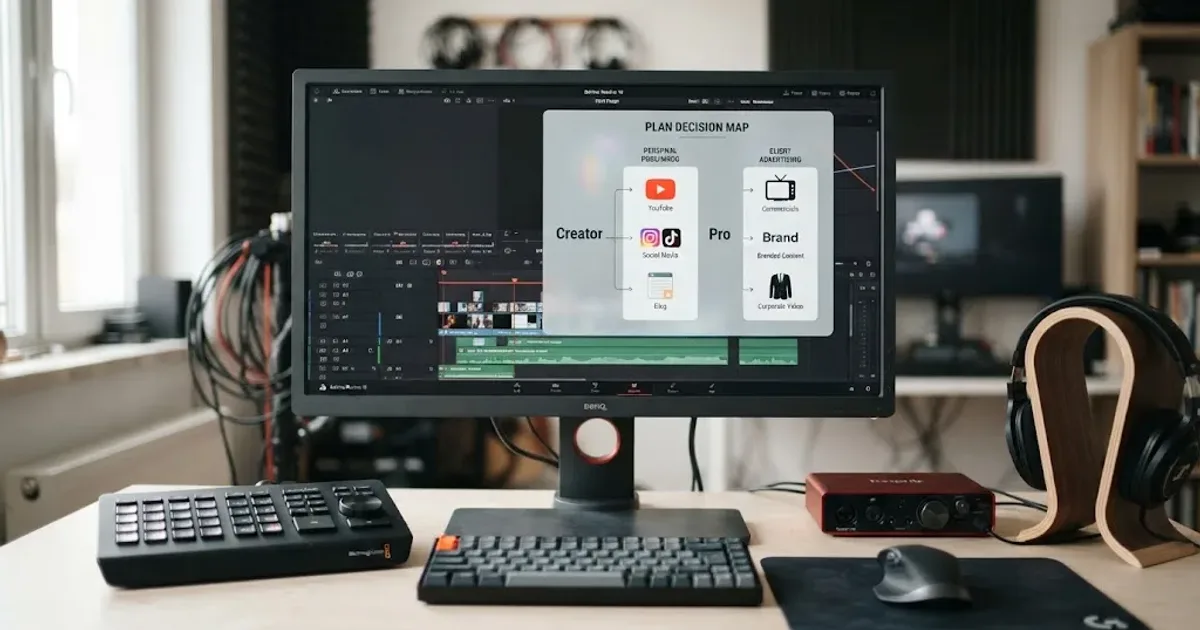
Comparisons · Aug 24, 2026 · 46 min
Epidemic Sound Creator vs Pro for DaVinci Resolve
Epidemic Sound Creator vs Pro for DaVinci Resolve: choose the right plan for personal channels, client work, ads, and Resolve Studio.
Comparisons · Aug 24, 2026 · 40 min
Epidemic Sound vs Artlist for DaVinci Resolve (2026)
Epidemic Sound vs Artlist for DaVinci Resolve 21: compare plugins, music, SFX, licensing, templates, pricing, and the right plan for your edit.

Guides · Aug 30, 2026 · 8 min
Artlist Plan for DaVinci Resolve Client Work: Choose Pro
Choosing an Artlist plan for DaVinci Resolve client work? Compare Social, Pro, Team, Max, licensing, Clearlist, templates, and cancellation rules.