Articles / Comparisonsupdated for DaVinci Resolve 21 and Epidemic Sound plans, August 2026
Epidemic Sound Creator vs Pro for DaVinci Resolve
Quick answer
For Epidemic Sound Creator vs Pro for DaVinci Resolve, choose Creator for a personal creator channel and Pro for freelance client work, digital ads, or up to three monetized channels per platform. Resolve 21 does not change those licensing rules, and the plugin works only with paid DaVinci Resolve Studio, not the free edition.
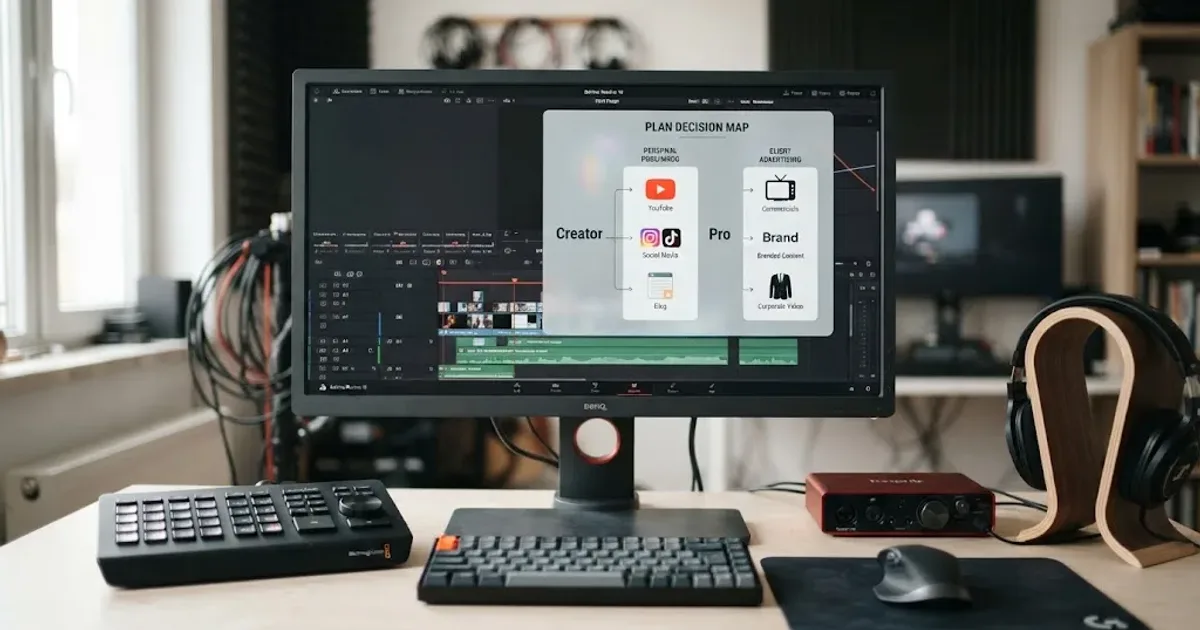
I’ve seen a lot of editors treat the Creator and Pro labels as if they describe two versions of the DaVinci Resolve plugin. They don’t. The plugin is a workflow feature, while the plan decides where and for whom you can publish the finished video.
That distinction matters more than the music search itself. We run a 100,000+ member professional video-editing community, and after 7+ years of professional commercial editing, the costly mistake is usually a licensing mismatch, not a missing button in Resolve.
As of August 2026, the short version is simple: Creator is for your own personal creator channels. Pro is for freelance commercial work, client delivery, and digital advertising. DaVinci Resolve 21 doesn’t move that line.
Which Epidemic Sound plan should a DaVinci Resolve 21 editor choose?
Choose Creator when you publish your own online content and need one monetized channel per platform. Choose Pro when you edit for clients, run digital ads, or need up to three monetized channels per platform. Choose Business or Enterprise when your organization, distribution, or team setup falls outside those individual and freelance limits.
The fact that you use DaVinci Resolve 21 is not the deciding factor. Your publishing relationship is. Resolve is where you assemble the timeline, mix the audio, and export the file. Epidemic Sound’s plan terms decide whether the person or organization publishing that file is covered.
Here is the practical comparison. The rows use the current public plan descriptions, not assumptions based on the words Creator and Pro.
| Option | Best fit | Publishing rights that matter to a Resolve editor | Channel or client boundary | Resolve workflow | Main catch |
|---|---|---|---|---|---|
| Epidemic Sound Creator | Individual creators, vloggers, influencers, and streamers | Social media, websites, podcasts, and personal online content | Monetize one channel per platform; no Pro-style client sublicensing or digital-ad coverage | Plugin access is available, with paid DaVinci Resolve Studio required | Personal creator coverage does not automatically cover client jobs or paid ads |
| Epidemic Sound Pro | Freelancers and commercial productions | Online publishing, digital ads, unlimited social media marketing, and client sublicensing within the plan terms | Monetize up to three channels per platform; client content has a stated client-revenue limit of USD $50 million | Same plugin workflow as Creator | It is still not a universal broadcast, app, game, public-event, or unlimited-team license |
| Epidemic Sound Business | Small and medium businesses producing higher volumes | Everything in Pro, plus uses such as games, apps, and internal or external company events | Up to three collaborator accounts and plan-specific influencer licensing | Same Resolve Studio requirement | The business context matters more than the editor’s job title |
| Epidemic Sound Enterprise | Larger organizations, broadcasters, public entities, and custom deployments | Custom coverage can include TV, offline events, commercial streaming, VOD, and other agreed uses | Custom seats, platforms, permissions, and terms | Resolve integration is not a substitute for a custom contract | Contact sales and read the negotiated scope rather than stretching Pro |
| Single-track license | One specific production that does not justify a recurring subscription | A single track for one production, with the Help Center describing coverage for up to 10 published links | It is a project license, not a general library subscription | Download and use the track in your Resolve project under that license | Reuse in a different project is a separate licensing question |
| Artlist | Editors who also need footage, templates, LUTs, plugins, or AI tools | Broader stock and production bundles are available on the relevant Artlist plans | Plan and license scope vary by asset type and user | No Epidemic-specific Resolve plugin is the reason to choose it | You may pay for a broader toolkit when you mainly need music and SFX |
| Motion Array | Editors who need templates, presets, footage, graphics, photos, LUTs, plugins, and audio | Commercial use is available under the relevant creator or business license | Creator plans are listed for one user; business is for agencies and larger companies | Strong asset-library fit, not the same music-first Resolve workflow | Music is one part of a much wider stock library |
| Soundstripe | Freelancers who want subscriptions plus single-use options | Its current catalog and plan page includes music, SFX, commercial coverage, and single-use tiers | Coverage changes by Personal, Pro, Business, Enterprise, or one-off license | A different integration and workflow emphasis | Check channel, ad, client, and broadcast coverage at the track and plan level |
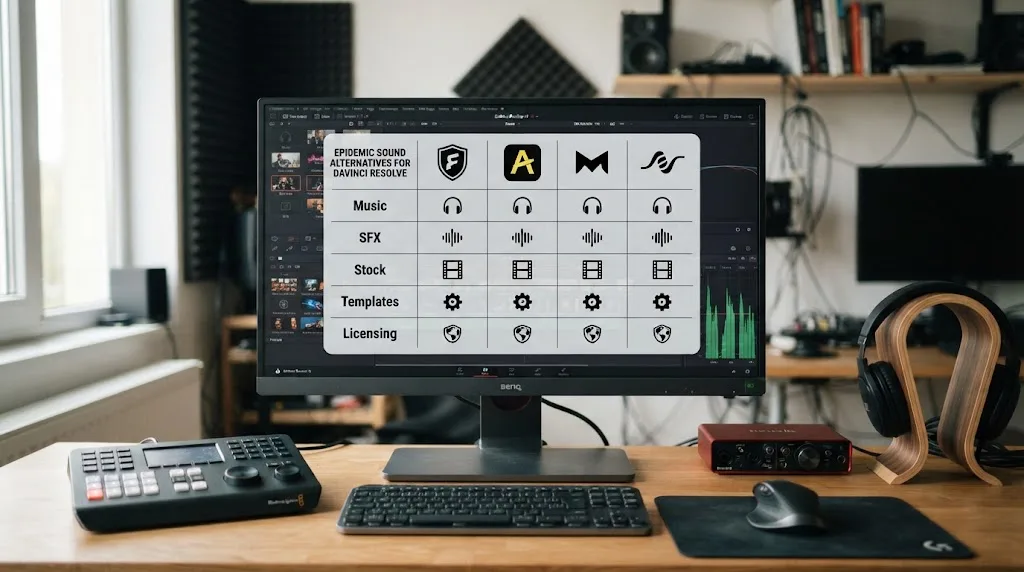
The table also explains why there isn’t one universal winner. Epidemic Sound is the most direct answer when you want a music-first service and the official DaVinci Resolve Studio integration. Motion Array can be the better purchase when your next ten edits need title templates and stock footage as much as music. Soundstripe can be the smarter choice when buying one track for one project is more important than keeping a subscription.
Epidemic Sound Creator is the right fit for personal channels, while Pro is the right fit for client work and digital advertising.
The affiliate link in this comparison is assigned to this article. Affiliate disclosure: if you use our Epidemic Sound referral link, we may earn from the referral. That relationship does not decide the comparison, and the plan boundaries below still apply.
What is the actual difference between Epidemic Sound Creator and Pro?
Creator is a personal online-publishing plan. Pro is the commercial step up for freelancers, brands under the stated limits, agencies, publishers, production companies, and editors who need to make content for clients.
The cleanest difference is not catalog access. Both plans are described as having access to the catalog, unlimited downloads, stems, plugins, and editing tools. The difference is permission around the finished content.
Creator currently includes:
- Publishing soundtracked content across social media platforms, websites, and podcasts.
- Monetizing one channel per platform.
- Unlimited downloads of tracks and sound effects within the subscription.
- Access to individual stems.
- Access to the mobile app, plugins, and editing tools.
- Up to 250,000 voice credits per month plus one voice replica, according to the current plan page.
Pro includes the Creator benefits and adds:
- Digital advertising rights.
- Up to three monetized channels per platform.
- The ability to publish sublicensed content for clients with a yearly revenue cap of USD $50 million.
- The same monthly voice-credit figure listed for Creator, with three voice replicas rather than one.
- Top-ups for voice credits when needed.
That makes Pro the obvious plan for a freelance Resolve editor delivering social campaigns, product videos, paid media, or ongoing client content. The client detail is especially important. You are not merely downloading a song for your own timeline. You are helping another party publish content, so the license needs to account for that relationship.
The phrase “client work” can still hide several different jobs. A solo freelancer who edits a client’s YouTube video is not the same as a production company delivering a national television campaign. Pro is built for the former type of commercial work within its stated conditions. Business and Enterprise exist for broader organizational, event, app, game, broadcast, and custom needs.
Do not use the voice-credit rows as the reason to pick Pro unless you actually need those tools. For a Resolve editor choosing between Creator and Pro, advertising, client sublicensing, and channel limits are the meaningful decision points. Voice replicas are an extra feature, not a substitute for reading the license.
The catalog numbers also deserve caution. Epidemic Sound’s plan page currently describes more than 55,000 tracks and more than 250,000 sound effects and variations. Those numbers are vendor-published and can change. They tell you the scale of the catalog, not whether a specific use is covered.
Does DaVinci Resolve 21 change the Creator vs Pro decision?
No. DaVinci Resolve 21 changes the editing software version, not the relationship between your music license and the publishing use.
Blackmagic lists DaVinci Resolve 21 and DaVinci Resolve Studio 21 as separate editions. The free edition is available without a license fee, while Blackmagic lists Studio 21 at USD $295 on its current product page. Studio adds features such as workflow and media asset management integration, extra Fairlight effects, and other professional tools.
That distinction matters because Epidemic Sound’s plugin is a Studio integration. The plan question and the Resolve edition question sit next to each other, but they are not the same question:
- Which Epidemic Sound plan covers the way you will publish?
- Do you have paid DaVinci Resolve Studio installed in a supported build?
- Have you safelisted the channel or video before publishing?
- Are you keeping the subscription active while creating and publishing new covered content?
A Creator subscriber using the free edition cannot unlock the plugin by upgrading to Pro. A Pro subscriber using the free edition has the same problem. The blocker is Resolve Studio, not the Epidemic Sound tier.
Resolve 21 also doesn’t turn personal content into commercial content. A branded video remains branded whether you cut it on the Cut page, Edit page, or Fairlight page. A client video remains client work even if the client never sees your timeline. Use the real distribution plan, not the software menu you happened to use.
There is one useful version-specific point. The official Blackmagic Resolve 21 guide documents changes across editing, audio, color, Fusion, and other pages, but it does not redefine third-party music licenses. You should update the integration when the provider instructs you to, yet you should not expect a Resolve point release to change Creator or Pro rights.
DaVinci Resolve 21 does not change Epidemic Sound’s licensing boundary between personal publishing and commercial client work.
Is Epidemic Sound Creator enough for a personal DaVinci Resolve channel?
Yes, Creator is enough when the content is yours, the publishing is online, and your channel setup fits the one-channel-per-platform boundary described by Epidemic Sound.
Imagine a creator editing the following in Resolve 21:
- A personal YouTube essay.
- A monetized Instagram account.
- A Twitch channel.
- A personal podcast with video.
- A portfolio website showing the creator’s own work.
- A recurring vlog published on one account per platform.
Those examples fit the shape of Creator’s current description, assuming you follow the plan’s channel, safelisting, and use terms. The fact that the video is monetized does not automatically force Pro if it is still your own personal creator channel and stays inside Creator’s stated coverage.
The phrase “one channel per platform” is easy to misread. It does not mean one total channel across YouTube, Instagram, Twitch, and every other service. It means one monetized channel on each platform. The current plan page uses that wording. If you operate several YouTube channels, several branded accounts, or multiple channel identities on the same platform, count them before you subscribe.
Creator is also a poor fit if a sponsor controls the publishing use. A sponsored personal video may look like ordinary creator content in Resolve, but the sponsor may be using the video to promote a product or service. If the video is an ad campaign or a client deliverable, treat it as a commercial licensing question and check Pro or a higher plan.
Here is a simple Creator test:
- You own or control the publishing channel.
- You are making online content, not broadcast or a wider organizational campaign.
- You need no more than one monetized channel per platform.
- You are not sublicensing the finished video to a client.
- You will safelist the channel or video while the subscription is active.
If all five are true, Creator is the rational starting point. If the fifth is not true, stop before publishing. A good music choice cannot repair a missing license record.
Creator also makes sense for the editor who is only using Resolve as a personal production tool. You can search for music, download it, pull stems into Fairlight, and export a finished file. The licensing question is what happens when that file leaves your hard drive. Keep the plan focused on the destination, not the editing application.
Do you need Epidemic Sound Pro for client videos edited in DaVinci Resolve?
For ordinary freelance client work, Pro is the safer fit because Epidemic Sound explicitly positions it for freelancers and commercial productions, adds digital advertising coverage, and permits client sublicensing within its stated terms.
There are two common client arrangements:
You edit and publish on the client’s behalf
In this arrangement, the client is the publisher or owner of the channel, campaign, website, or paid-media account. You need a plan that addresses client delivery, not only your personal account. Pro’s current public description says it covers sublicensed content for clients with a yearly revenue cap of USD $50 million.
That cap is not a guarantee that every type of client project is covered. It is a boundary in the public plan description. A video for a client’s social channel is different from a television commercial, a live event, a product sold with embedded music, or a game. If the destination is unusual, check Business, Enterprise, or a written answer from Epidemic Sound.
You edit a video that the client will publish as an ad
Digital ads are the other clear Pro trigger. Epidemic Sound’s pricing FAQ says ads require Pro or Enterprise. That is stronger and more useful than guessing from the word commercial.
Paid social and digital campaigns can be built in Resolve 21 exactly like an organic social video. The timeline does not announce the license category. The distribution plan does. If a media buyer will boost the post, run it as an ad, or place it in a paid campaign, Creator is not the plan to assume.
You edit for a brand that has its own account
This case needs care. Pro may fit a freelancer or a smaller brand within the public terms, but it may not be the right organizational license for a larger team, public entity, or enterprise workflow. The current plan page describes Business as ideal for small to medium businesses producing high volumes of content and Enterprise as the bespoke option for larger businesses and custom distribution.
Do not solve a company-license problem by putting the whole team under a freelancer’s personal login. Check the number of collaborators, the account owner, the channel owner, and the distribution territories.
You edit a client podcast
A client podcast is not automatically the same as a personal podcast. Creator’s online podcast coverage is designed around the creator’s use. If you are producing the show for another company or client or publishing through a client-owned feed, Pro is the plan to investigate first.
The practical rule is this: if another person or organization is receiving the right to publish the finished soundtracked video, Pro deserves your default attention. Then check whether Business or Enterprise is more appropriate for the client.
Can Epidemic Sound Pro cover digital advertising in DaVinci Resolve?
Yes, Epidemic Sound’s current pricing FAQ says music and sound effects can be used for ad campaigns with Pro or Enterprise. Pro is the relevant individual and freelancer plan for many digital advertising workflows, but it does not erase every other licensing boundary.
Think of an ad as a distribution class, not a file type. The same H.264 export from the same Resolve timeline can be:
- An unpaid personal post.
- An organic brand post.
- A boosted social post.
- A paid pre-roll campaign.
- A client deliverable.
- A television commercial.
Those uses can need different coverage even though the audio file is identical. That is why the Resolve project file does not tell you which Epidemic Sound plan to buy.
For a digital campaign, record four details before you download the track:
- Who owns the campaign?
- Which platform will carry it?
- Is it organic, paid, or both?
- Is it an ad for your own business or a deliverable for a client?
If the answer includes digital ads, move from Creator to Pro or Enterprise. If the answer includes television, offline events, streaming, apps, games, or a public entity, investigate Business or Enterprise instead of stretching Pro.
The use of stems can make the workflow better, but stems do not broaden the license. You might download a music stem, trim it in Fairlight, duck it under dialogue, and export an ad. The mix is yours to create within the tool workflow. The advertising right still comes from the plan.
That is also why I would not call a track “cleared” merely because the plugin let you download it. Download access and publishing permission are related, but the public help guidance still tells you to use an active subscription and safelist the channel or content.
What happens to Epidemic Sound music after you cancel?
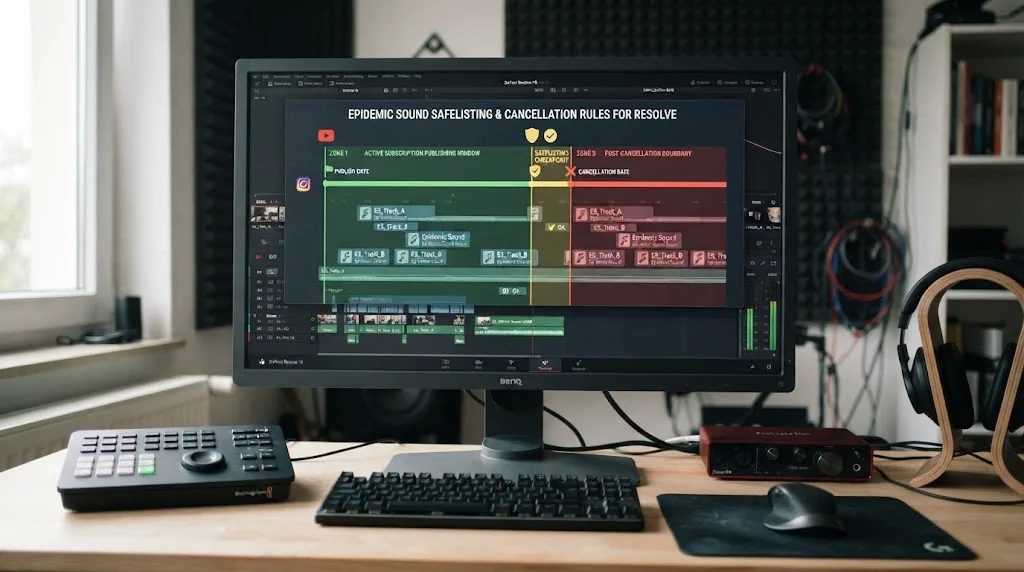
Content published while the trial or active subscription was valid can remain cleared forever when it was correctly safelisted and within the plan terms. New content published after the subscription ends is not covered, even if the music file is still on your drive.
This is the most important cancellation distinction:
| Situation after cancellation | What the public guidance says | What you should do |
|---|---|---|
| Video published during an active, valid subscription | It can remain cleared forever when correctly safelisted | Keep the proof of license and the publishing record |
| Track downloaded during an active subscription but never used | The download alone does not create a new-project right after expiry | Do not place it in a new post after cancellation |
| New client video started after expiry | It is not covered by the old subscription period | Reactivate or license the new use separately |
| Old timeline reopened for a new version | Treat the new publication as a new licensing event unless the terms clearly say otherwise | Check the current plan and use case |
| Claim on an eligible published video | Safelisting is intended to help avoid claims, but errors can still need resolution | Use the license record and dispute process |
Epidemic Sound’s safelisting help page defines safelisting as connecting a channel or video to your account so platforms can identify the licensed use. It also says an active subscription is needed to safelist and that new content cannot be posted with the music after the subscription expires.
The safest post-cancellation workflow is boring and effective:
- Finish and publish all planned videos before the end date.
- Safelist every channel or individual video before publishing.
- Save the project name, track title, download date, and license record.
- Do not drag an old download into a new client timeline after expiry.
- If a client asks for a new cut or new campaign, treat that as a fresh use.
Do not tell a client that the music is “owned forever.” Epidemic Sound describes continued clearance for qualifying content that was published under an active subscription. That is different from owning the track or holding a blanket right to reuse it in future projects.
Safelisting protects eligible published content, but it does not turn a cancelled subscription into a license for new projects.
Does the Epidemic Sound DaVinci Resolve plugin work with the free version?
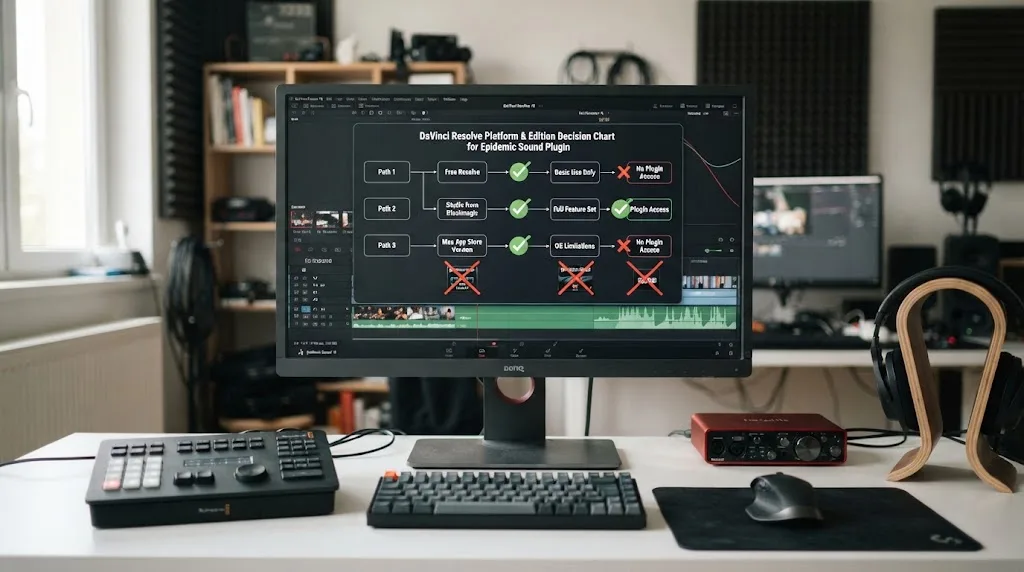
No. The Epidemic Sound plugin requires paid DaVinci Resolve Studio. The free edition does not support the plugin workflow.
The official Epidemic Sound Help Center instructions say Studio is required and place the plugin under Workspace > Workflow Integrations. The same guidance says an active Epidemic Sound subscription is required to download tracks.
There is a second trap for Mac editors. Epidemic Sound says the Mac App Store edition of Resolve Studio does not expose Workflow Integrations, so the plugin requires the Studio build downloaded directly from Blackmagic Design. If you have paid for Studio and the menu is missing, check the source of the install before blaming your Epidemic plan.
The current plugin guidance also says:
- It can be installed through Epidemic Sound Hub on macOS or Windows.
- You should close Resolve before starting installation.
- You open it from Workspace > Workflow Integrations > Epidemic Sound.
- Tracks can be dragged directly to the timeline.
- Stems can be opened from a track’s three-dot menu.
- The download location can be changed.
- Timeline sync is not supported in the DaVinci Resolve plugin.
- MCN users are currently not supported for file downloads through the plugin.
The distinction between plan and plugin is worth repeating. Creator and Pro can both expose the integration, but neither plan upgrades the free Resolve edition. Resolve Studio is a separate purchase and software install. Blackmagic’s current Studio 21 page lists the price as USD $295, subject to regional taxes and any change on the official store.
The Epidemic Sound DaVinci Resolve plugin requires paid DaVinci Resolve Studio, not the free edition.
How do you install the Epidemic Sound plugin in DaVinci Resolve 21?
Install Epidemic Sound Hub, add the DaVinci Resolve Studio plugin, then open it from Workspace > Workflow Integrations in a supported Studio installation.
This is the clean setup sequence:
- Confirm that DaVinci Resolve Studio 21 is installed, not only the free Resolve edition.
- If you use macOS, confirm that Studio came from the Blackmagic Design website rather than the Mac App Store.
- Close DaVinci Resolve.
- Download and open Epidemic Sound Hub for macOS or Windows.
- Select Install next to the DaVinci Resolve Studio plugin.
- Launch Resolve and open a project.
- Choose Workspace > Workflow Integrations > Epidemic Sound.
- Log in inside the plugin when prompted.
- Search for a track by description, reference track, or video context where those tools are available.
- Download the track, stem, sound effect, or voiceover you are licensed to use.
- Drag the downloaded file to the timeline.
- Safelist the publishing channel or video before you publish.
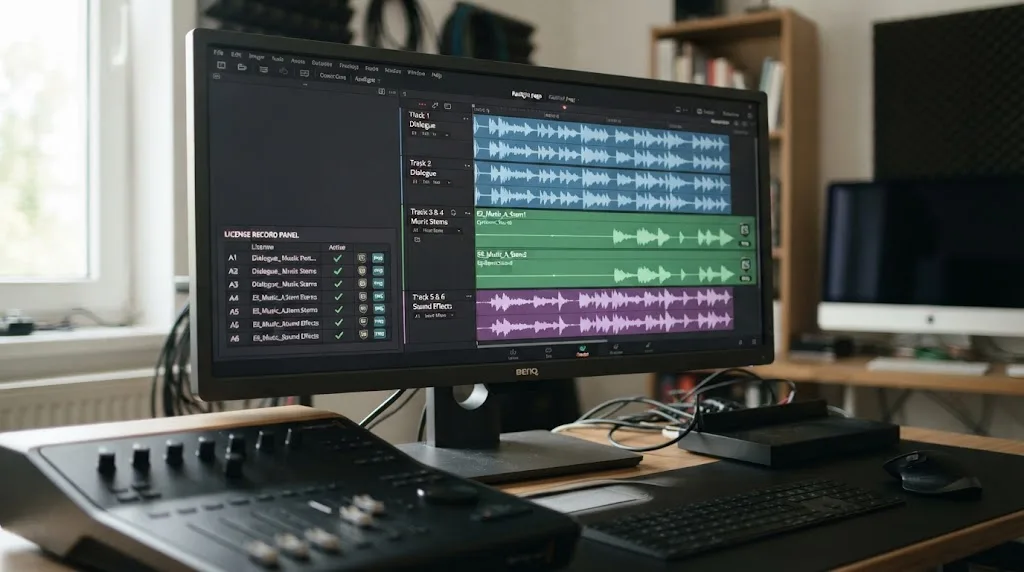
The plugin is not a replacement for Fairlight. It helps you find and bring audio into the project. You still decide whether the track fits the cut, where it starts, how loud it sits under dialogue, which stem you need, and how the final mix behaves.
The official plugin page describes search by a written description, a reference song or Spotify link, and a selected part of the video. It also describes cutting, looping, and choosing the best parts to make new versions of a track. Those are useful editing actions, but the final licensing decision still comes from the plan and use.
You can keep the download folder organized by project. The plugin page says you can select a default folder or choose a project-location option that creates a folder for each project. That is helpful when a client asks for an archive, because the sound files can travel with the Resolve project media instead of disappearing into a general downloads folder.
What does the Epidemic Sound plugin add to a Resolve audio workflow?
The plugin adds search, download, stems, drag-and-drop placement, adaptations, voiceover access, and Studio soundtrack drafting inside the paid Resolve Studio workflow. It does not replace judgment, Fairlight mixing, or license checking.
For a normal edit, the workflow looks like this:
Start with the picture and the story
Do not pick music because the thumbnail or title sounds right. Play the rough cut and identify the change points. Does the edit need momentum, space for speech, a transition into a new section, or a restrained bed under a voiceover?
The plugin’s video and description search can speed up discovery, but the search prompt is not a license statement. “Fast corporate pulse for a product launch” describes a mood. It does not say whether the final video is an ad, a client delivery, a broadcast, or a personal post.
Use stems when the picture needs room
Stems let you separate parts of a track when the full mix competes with dialogue or sound effects. In Resolve, that can mean lowering a rhythmic part while keeping a pad, or using a lighter layer under a spoken section.
Stems improve control. They do not increase the number of channels you can monetize, and they do not add client rights to Creator.
Adapt the track to the edit
The official plugin page describes cutting and looping tracks to make new versions. A shorter music bed can make a scene feel intentional instead of forcing the editor to fade out at an awkward point.
Keep the project record. Save the original track name, the downloaded stem names, and the version you actually used. If the client wants a second export, you should know whether it is another format of the same cleared content or a new publication use.
Use Studio as a starting point, not the final mix
Epidemic Sound describes Studio as a video-to-audio tool that creates a soundtrack draft with music and sound effects synced to the action. The tool page says the plugin workflow supports a maximum four-minute selection for creating a draft.
That can give you a first pass. You still need to listen for dialogue masking, awkward impacts, false accents, and changes in the story that a machine cannot understand from timing alone. In Fairlight, you remain responsible for the mix.
Keep the Resolve audio path clear
If the soundtrack comes into Resolve as a set of clips, name or color-code the track, music, and SFX elements. Put the final music under dialogue, keep room for narration, and avoid baking the music into the video before you have saved the license details. Our internal guide to mixing audio in DaVinci Resolve with Fairlight covers the Resolve side of that workflow.
Is Epidemic Sound worth it if you only need one song?
A recurring subscription is hard to justify when you need one song for one production and do not expect another project soon. Epidemic Sound’s current Help Center lists single-track licensing as an alternative, with a single track license covering up to 10 published links.
That option suits a one-off situation such as:
- A short film with one finished release plan.
- A client video that needs one specific track.
- A pitch or event video with a defined list of publication links.
- A personal project where you do not need a library every month.
The subscription makes more sense when you are producing repeatedly. A recurring editor may need music, SFX, stems, track adaptations, voiceovers, and many projects. The value then comes from access and workflow continuity, not from claiming that one track is cheaper than another.
Before choosing a single-track license, ask:
- How many projects will use the track?
- How many public links will exist?
- Will the client publish paid ads?
- Will the video appear on television, streaming, or an event screen?
- Does the license cover the client, or only your own account?
The phrase “one production” matters. Reusing the same track in a second client campaign is not the same as exporting another resolution of the original approved video. Keep the original brief and the published-link list so you can tell the difference later.
Soundstripe is another useful comparison here. Its current page presents both subscriptions and single-use license tiers, including Personal, Digital, Expanded, and All Media options. That does not automatically make Soundstripe better, but it gives a one-off buyer a clearer route to compare project-specific coverage.
If you are testing a library while working on a paid Resolve project, remember that the free trial period also has terms. Do not download first and ask about rights after publishing. Start with the use, select the license, then create the cut.
Which alternative is better than Epidemic Sound for a Resolve editor?
Epidemic Sound is strongest for a music-first, recurring soundtracking workflow. Artlist wins for broader stock and production assets, Motion Array wins for templates and editing resources, and Soundstripe wins when you want a clear subscription or one-off licensing choice.
| Alternative | Where it can beat Epidemic Sound | What to verify before choosing | Best Resolve-editor scenario |
|---|---|---|---|
| Artlist | Music and SFX can sit alongside footage, templates, LUTs, plugins, and AI tools on the relevant plans | Asset type, commercial license, plan level, and whether you will actually use the extra catalog | You make ads and social videos but also need stock b-roll, titles, LUTs, and production extras |
| Motion Array | A broad all-in-one library lists templates, presets, motion graphics, footage, music, SFX, graphics, photos, plugins, and LUTs | Editorial-use labels, user count, business coverage, and whether the music library is enough for your style | Your Resolve projects rely on templates, transitions, title packs, and stock assets as much as sound |
| Soundstripe | Single-use licenses, commercial tiers, client coverage, and a music and SFX focus with its own plan structure | The exact channel, ad, broadcast, client, and single-use scope for the project | You want a single track for a defined production or prefer Soundstripe’s catalog and clearance flow |
| Blackmagic and your own licensed sources | You avoid another subscription when you already own music rights or have a direct composer relationship | Composition rights, master rights, territory, term, paid-media rights, and cue-sheet obligations | You have a recurring composer, a label agreement, or music already commissioned for the project |
Artlist’s current pricing page describes plans that can combine music, sound effects, footage, templates, LUTs, plugins, and generative tools. That broad bundle can be attractive, but it also means you should not compare a music-only need with the most expensive all-in-one plan.
Motion Array’s public pricing page describes an all-in-one asset service with video templates, presets, motion graphics, AI voiceovers, footage, music, sound effects, graphics, LUTs, stock photos, and editing plugins. It also distinguishes creator plans from a business plan for companies and agencies. The advantage is breadth. The trade-off is that you may be buying a video-asset warehouse when your problem is simply finding the right music bed.
Soundstripe’s current pricing page explicitly supports both subscriptions and single-use licenses. It lists commercial coverage, channel clearance, team plans, and different distribution tiers. That makes it worth checking when the project has a defined scope rather than an ongoing weekly soundtrack need.
Do not treat catalog size as a quality score. A bigger number cannot tell you whether the right genre, voice, stem, or license exists for your edit. You need to compare the exact use case, the search workflow, the cost of the plan, and the paperwork your client requires.
The DaVinci Resolve modifier also has limits. Epidemic Sound has an official Resolve Studio plugin. That is a real workflow advantage for a Resolve user. It does not mean every other provider is incompatible with Resolve. Any licensed audio file can be imported into a timeline; the question is how much searching, downloading, proof, and clearance work the service saves you.
Should a YouTube editor choose Creator or Pro?
Choose Creator for your own YouTube channel when you stay within one monetized channel on the platform. Choose Pro when the video is for client work, digital ads, several monetized channels, or a commercial publishing relationship.
Use this YouTube decision tree:
- Is the channel yours?
- Is it one monetized channel on YouTube?
- Are you publishing ordinary online content rather than a paid ad?
- Are you not sublicensing the finished video to a client?
- Will you safelist the channel before publishing?
Five yes answers point to Creator. A no answer at question one, three, or four should push you toward Pro or a higher plan review.
A freelance editor often sits in the gray area. You might upload a client’s video to your own account for review, but the final YouTube channel belongs to the client. The temporary review upload is not the same as the final publication, yet it is still wise to keep the client’s publishing destination and the track record clear.
Another gray area is a creator who runs multiple channels. Creator’s one-channel-per-platform wording makes the answer depend on how many monetized channel identities you control. Do not read “individual creator” as “unlimited channels because I am one person.”
The subscription choice can also change if a sponsor pays for the content. A personal channel can still host a sponsored campaign. If the sponsor is buying distribution or the video is used as an ad, check Pro’s digital-ad coverage.
If your project is mainly dialogue, the music plan remains separate from your audio cleanup. If you need help with a Resolve-only audio problem, our guide to Dialogue Leveler settings in DaVinci Resolve is the relevant next read. It does not change your Epidemic Sound license, but it can help you finish the mix after you choose the track.
Should a freelance editor choose Creator or Pro?
Choose Pro when your work includes client delivery, digital advertising, or recurring commercial production. Creator only fits when the content remains your personal online publishing and does not require client sublicensing.
The freelance title is not the real test. A freelancer can run a personal channel, a client’s YouTube account, a product launch campaign, and an agency’s paid social cut in the same week. Those projects can sit under different licensing needs.
Build a project-level matrix:
| Project | Publisher | Distribution | First plan to check | Why |
|---|---|---|---|---|
| Your own tutorial | You | Organic YouTube | Creator | Personal online publishing |
| Your own sponsored tutorial | You and sponsor | Organic plus paid promotion | Pro | The sponsor and ad use change the distribution |
| Client social post | Client | Organic social | Pro | Client sublicensing is relevant |
| Client paid campaign | Client | Digital advertising | Pro or Enterprise | Epidemic Sound states that ads require Pro or Enterprise |
| Client internal training | Client organization | Internal event or company use | Business or Enterprise review | Organizational use can exceed individual creator coverage |
| Television spot | Brand or broadcaster | Broadcast | Enterprise review | Broadcast is outside the simple Creator versus Pro answer |
| App trailer with embedded music | Developer | App or product distribution | Business or Enterprise review | Apps and product uses require a closer license check |
The words “client video” do not always mean the same thing legally. A freelancer may need a commercial plan, while the client may need a business or enterprise agreement. The editor and the publisher are not necessarily the same license holder.
Keep your client contract and your music license aligned. State who selects the music, who owns the final video, which channels are covered, whether paid ads are allowed, and what happens if the project expands into a new medium.
This is where independent editors can lose time. They finish a beautiful Resolve timeline, then discover that the client wants a broadcast version. The right answer is not always “upgrade to Pro.” It may be “ask Epidemic Sound for Enterprise terms,” “choose a different track,” or “buy a project-specific license with the required distribution.”
Should an agency or brand choose Pro, Business, or Enterprise?
Choose Pro for an eligible freelancer or smaller commercial workflow, Business for a small or medium business with higher-volume organizational needs, and Enterprise for custom distribution, larger organizations, public entities, or broader media rights.
The current public plan page describes several useful boundaries:
- Pro is for freelancers and commercial productions, including client sublicensing within the stated client-revenue limit.
- Business adds features such as collaborator accounts, games and apps, company events, and influencer licensing within the plan terms.
- Enterprise is custom and can cover larger platforms, TV, offline events, commercial streaming, VOD, custom seats, permissions, and other agreed uses.
- A public entity such as a government organization, municipality, university, or nonprofit may need Enterprise.
These are not labels for the size of your Resolve timeline. A three-minute social ad can need a larger license than a two-hour personal documentary if the publisher, audience, and distribution are broader.
For an agency, the questions are operational:
- Who owns the Epidemic Sound account?
- How many people need to select, download, or manage assets?
- Does the agency publish on its own channels, or deliver to client channels?
- Will clients need proof of license?
- Are ads, events, apps, games, or broadcasts part of the work?
- Does the client’s revenue or organizational status fall within the public plan limits?
Do not assume that a higher price automatically grants every right. Read the current comparison chart and the client or enterprise terms. The point of a higher tier is coverage that matches the use, not a vague feeling of safety.
For teams, also decide whether everyone should download independently or whether one editor handles the sound library. A permissions model can matter as much as catalog access. Business and Enterprise are about organizational workflow as well as music.
What if you use DaVinci Resolve Free, Studio on Windows, or Studio on macOS?
The free Resolve edition cannot use the Epidemic Sound plugin. Paid Studio can use the integration on Windows or macOS through Epidemic Sound Hub, while Mac editors need the Blackmagic Design download rather than the Mac App Store build.
Here are the common setups:
| Setup | Plugin result | Practical answer |
|---|---|---|
| DaVinci Resolve Free on Windows | No plugin support | Download music through the supported service workflow or browser, then import licensed files manually |
| DaVinci Resolve Free on macOS | No plugin support | The free edition still cannot expose Workflow Integrations |
| DaVinci Resolve Studio from Blackmagic on Windows | Supported path | Install Epidemic Sound Hub and the plugin |
| DaVinci Resolve Studio from Blackmagic on macOS | Supported path | Install the Hub and open the integration from Workspace |
| DaVinci Resolve Studio from the Mac App Store | Workflow Integrations unavailable according to Epidemic Sound | Install the Studio version from Blackmagic Design if you need the plugin |
| Resolve 21 Studio with an expired Epidemic subscription | Plugin may open, but downloads require an active subscription | Renew or use another valid license before downloading and publishing |
Manual import is not the same as unlicensed use. If you are on the free edition, you can still edit with a properly licensed audio file that you obtained through an allowed route. You simply do not get the in-Resolve search and drag-and-drop integration.
This may be the better choice for a beginner who only needs one track. Buying Resolve Studio and a recurring music subscription just to avoid a browser tab is not automatically sensible. Compare the cost of the software, the music plan, the number of projects, and the value of the workflow.
Blackmagic’s current product page lists Studio 21 at USD $295. Epidemic Sound’s public pricing page uses plan and billing choices that can change by region and time. Check the official pages before purchase instead of copying an old total from a comparison article.
The Resolve version still matters for compatibility and menu behavior, but the licensing answer is stable across these setups. Free versus Studio affects integration. Creator versus Pro affects publishing rights.
How do Creator and Pro handle stems, adaptations, voiceovers, and Studio?
Both Creator and Pro give access to the core Epidemic Sound workflow described on the public plan pages, including music, sound effects, stems, plugins, and editing tools. Pro adds commercial and client coverage plus a wider voice-replica allowance.
Here is the feature split that matters for a Resolve editor:
| Feature | Creator | Pro | Why it matters in Resolve |
|---|---|---|---|
| Music and SFX catalog access | Yes, within the plan | Yes, within the plan | You can search for the same type of sound library, subject to plan terms |
| Unlimited downloads | Listed on the plan pages | Listed on the plan pages | Useful for recurring work, but downloads are not a new-project license after expiry |
| Stems | Yes | Yes | More control in Fairlight when music competes with speech |
| DaVinci Resolve Studio plugin | Available on all Epidemic plans | Available on all Epidemic plans | The integration does not decide the licensing tier |
| Track adaptation tools | Available through the workflow | Available through the workflow | Cut and loop a version that fits the timeline |
| Studio soundtrack draft | Available to subscribers with the relevant tool access | Available to subscribers with the relevant tool access | Creates a starting point, not a final mix or legal decision |
| Voice credits | 250,000 per month listed | 250,000 per month listed | The allowance is separate from music publishing rights |
| Voice replicas | One listed | Three listed | A feature difference, not a replacement for client clearance |
| Digital ads | Not the Creator use to assume | Yes, or Enterprise | Paid distribution is a plan boundary |
| Client sublicensing | Not the Pro-style use to assume | Yes, within stated limits | Important for freelance delivery |
Epidemic Sound also says its music and sound effects in Studio are made by human artists, while the tool uses AI-assisted workflow features. That distinction may matter if your client asks whether the soundtrack itself is generated. Do not describe the catalog as AI-generated music unless the specific asset and current terms say so.
The four-minute Studio selection limit is another real operational detail. If your rough cut is longer, create a shorter section for the draft or use ordinary search and editing instead. Don’t build a pipeline around a limit you have not checked.
If you only need a music bed, ignore features that do not affect your project. If you need multiple character voices, sound adaptations, and recurring client work, compare the relevant plan allowances and the license together.
Why does a music license matter so much for a Resolve editor?
A music license controls publishing exposure, channel clearance, and client permission after the edit is complete. Resolve gives you the tools to place audio; it does not decide whether the publisher may distribute it.
Emil Albihn Henriksson, VP and Head of Commercial Legal at Epidemic Sound, writes: “Music licensing has become one of the most critical, and least understood, elements of modern brand storytelling.” Read the full 2026 opinion from Emil Albihn Henriksson.
The quote is useful because it describes the problem behind the plan comparison. Editors think in timelines and exports. Clients think in campaigns, channels, audiences, territories, and risk. The same music decision has to survive both views.
This is also why you should not promise zero copyright claims. Epidemic Sound describes safelisting as a way to indicate that the account is licensed, while its help guidance still describes a process for errors and disputes. The honest promise is that you will follow the license and keep the documentation.
For paid advertising, the stakes rise because the publisher is paying for reach. A track that works in a personal test video may need different coverage in the live campaign. Ask the questions before the edit, not after the media buy.
How should you document Epidemic Sound use inside a Resolve project?
Create a simple audio-rights record alongside the Resolve project. Record the plan, account, track, stems, download date, channel, client, and publication use.
You do not need a complicated rights-management system for a small project. A plain document with these fields is enough:
| Field | Example format | Why keep it |
|---|---|---|
| Resolve project | Project name and version | Connects the license to the edit |
| Epidemic plan | Creator, Pro, Business, or Enterprise | Shows the plan class |
| Account owner | Individual, agency, or client | Clarifies who holds the relationship |
| Track title and artist | Exact library metadata | Makes the asset identifiable |
| Stems or adaptations | Full mix, drums, looped edit, and so on | Records what entered the timeline |
| Download date | YYYY-MM-DD | Shows when the asset was obtained |
| Publishing channel | URL or platform account | Connects the use to safelisting |
| Paid use | Yes or no | Flags ad coverage |
| Client | Name in the project record | Separates personal and client work |
| License proof | Saved file or account record | Helps resolve a claim |
| Cancellation status | Active, ended, or renewed | Prevents accidental new use |
For a client delivery, send the relevant proof with the final handoff when the client needs to publish from its own account. Do not send a generic library link and assume that the client is covered. The client may need to be connected to the account, channel, video, or license structure according to the provider’s terms.
When you export only the audio, preserve the source record. Our guide to exporting audio only as a WAV file from a DaVinci Resolve timeline handles the Resolve export side. The license record still needs to travel with the delivery.
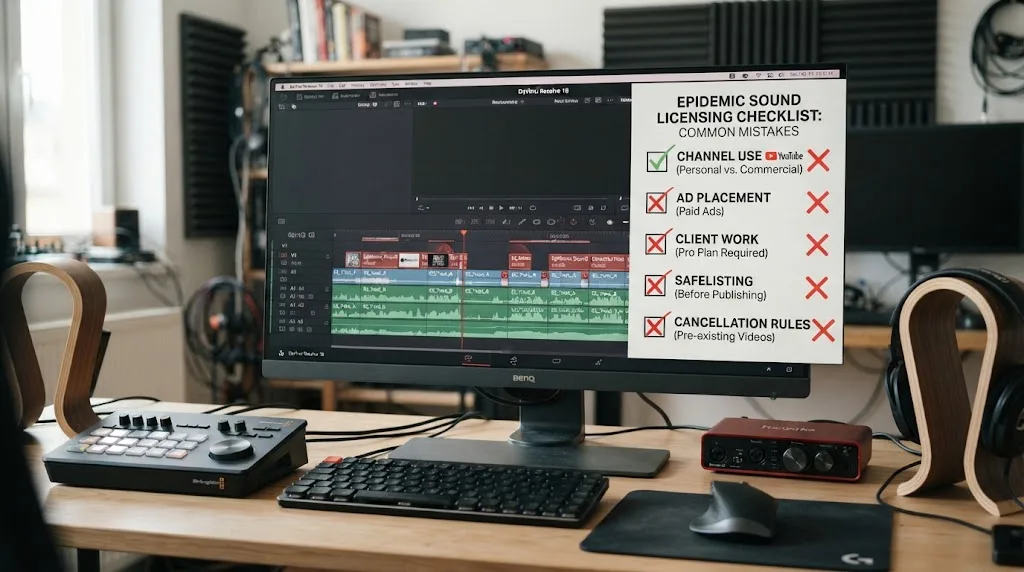
What are the most common Epidemic Sound mistakes in DaVinci Resolve?
The most common mistakes are choosing the plan from the editor’s identity, forgetting safelisting, treating a download as perpetual permission, and overlooking the difference between organic posting and advertising.
Mistake 1: Choosing Creator because you are one person
Creator is designed for individual creators, but one person can still do client work or advertising. Your business structure is not the only factor. The project’s publisher and distribution decide more.
Mistake 2: Choosing Pro because the track is “more professional”
Pro does not mean better music. It means broader commercial use and a different plan boundary. If you only publish one personal channel, Creator may be the better fit.
Mistake 3: Forgetting the ad campaign
A client may initially ask for an organic post and later boost it. Ask about paid promotion before selecting the music. If the use changes, recheck the plan.
Mistake 4: Using the same track in a second project after cancellation
The old file can still be on the disk. That does not mean the new publication is covered. Reactivate the subscription or license the new project.
Mistake 5: Assuming a client inherits your personal channel clearance
Your personal account and your client’s account are not the same publishing destination. Pro’s client language exists for a reason. Record who publishes and how.
Mistake 6: Downloading with the Mac App Store build of Resolve Studio
If Workflow Integrations is missing, check the edition source. The official plugin page says the Mac App Store build does not expose the required menu.
Mistake 7: Treating “royalty-free” as “free of terms”
Royalty-free usually describes how you pay for the license. It does not mean unrestricted resale, standalone music use, every distribution channel, or every kind of client work.
Mistake 8: Promising zero claims
Safelisting helps platforms identify covered use, but mistaken claims can still happen. Keep the proof and follow the dispute process.
These mistakes are fixable when caught early. Add one licensing checkpoint to your project kickoff and one before export.
What should you choose for common DaVinci Resolve 21 projects?
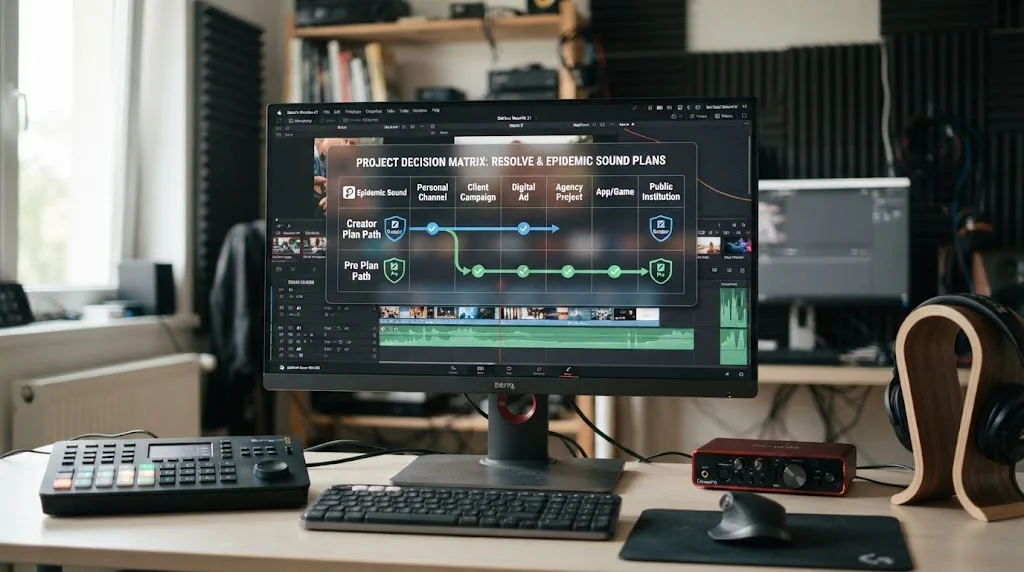
The right plan depends on the project’s publisher and distribution, not on the length of the timeline or the Resolve page you use.
Scenario 1: Personal YouTube channel
Choose Creator if you run one monetized channel on YouTube and publish personal online content. Safelist the channel while active. Choose Pro if you operate multiple monetized YouTube channels or the content becomes digital advertising or client work.
Scenario 2: YouTube channel for a client
Start with Pro. The client is the publisher, and client sublicensing is a specific plan concern. Confirm the client’s revenue and distribution requirements before delivery.
Scenario 3: A sponsored video on your channel
Review Pro. The video may be published on your account, but the sponsor changes the commercial context. If the video is boosted or used as an ad, Pro or Enterprise is the plan category to investigate.
Scenario 4: A recurring podcast with video
Creator can fit a personal podcast. Pro is the better starting point for a podcast produced for a business or client. Ask whether the feed is yours, the client’s, or part of a wider marketing campaign.
Scenario 5: A digital ad cut in Resolve
Choose Pro or Enterprise. Epidemic Sound’s current pricing FAQ explicitly puts ad campaigns in Pro or Enterprise. Do not publish the ad under Creator because the Resolve export looks like a normal social video.
Scenario 6: A short film
Check the exact distribution. An online personal release may fit a lower plan, while festival, theatrical, streaming, or broadcast distribution may need a different license. A single-track license can be useful for one defined production, but read the distribution scope carefully.
Scenario 7: An agency with many editors
Review Business or Enterprise. The account, collaborator, client, and project structure can exceed Pro’s individual and freelancer focus. Decide whether each client needs its own coverage.
Scenario 8: A product video inside an app or game
Review Business or Enterprise. The public Business description includes games and apps, while Enterprise can cover custom distribution. Do not rely on Creator or Pro because the video is short.
Scenario 9: A video for a university or public institution
Review Enterprise. Epidemic Sound’s pricing FAQ says public entities and public institutions should use Enterprise. The editor’s personal subscription is not the right basis for the organization’s content.
Is the annual Epidemic Sound plan better for a Resolve editor?
Annual billing can be better value when you know you’ll use the service for at least 12 months, while monthly billing is more flexible when a project schedule is uncertain. The public pricing page says monthly and yearly plans include the same features and that yearly prices are discounted compared with monthly prices.
Do not choose annual billing because the word “Pro” feels safer. Choose it when the number of projects justifies keeping access active.
Monthly billing may fit a freelancer testing a new service, a seasonal creator, or an editor waiting for a client’s publishing schedule. Annual billing may fit a creator with a weekly schedule, a freelance editor with recurring clients, or an agency that already knows its channels and use cases.
Cancellation timing matters in both cases. Epidemic Sound says Creator and Pro have no long-term contracts or minimums and that you can use the service until the plan end date after cancellation. The public page also says it does not offer prorated refunds for monthly or yearly plans.
That makes a project calendar useful. If you cancel after finishing the edit but before publishing, the content may not be covered once the plan expires. If you cancel too early, you may lose the ability to download or publish the next version. Align cancellation with the final delivery and safelisting schedule.
Keep an eye on regional pricing, taxes, billing currency, promotions, and plan changes. Those details can move, and they are not the right place for a static comparison to make promises.
How do you compare total cost without inventing a break-even point?
Compare the number of projects, the number of publishing destinations, the cost of Resolve Studio if you need the plugin, and the value of not buying a separate track every time. There is no honest universal break-even number without your local plan price and production schedule.
Use this worksheet:
| Cost or value question | Creator | Pro | Single track or alternative |
|---|---|---|---|
| How many projects will you publish during the license period? | Count personal projects | Count client and ad projects | Count only the defined project or links |
| Do you need digital ads? | Not the plan to assume | Yes, within stated terms | Check the alternative’s ad tier |
| Do you need client sublicensing? | Not the plan to assume | Yes, within stated terms | Check whether the license names client use |
| How many channels need clearance? | One monetized channel per platform | Up to three monetized channels per platform | Read the provider’s channel rules |
| Do you need stems and repeated searches? | Yes, when subscribed | Yes, when subscribed | One-off options may be narrower |
| Do you need Resolve integration? | Paid Studio still required | Paid Studio still required | Manual import may be enough |
| Do you need footage and templates too? | No, music-first | No, music-first | Artlist or Motion Array may bundle them |
| Will you keep publishing after cancellation? | Published eligible content can remain cleared; new use is not covered | Same principle | Check the exact perpetual or single-use terms |
If you publish one personal film, a one-off license may be sensible. If you publish 30 social videos for clients over a year, a recurring commercial plan is easier to manage. If you need stock footage, the cheapest music subscription may still be the wrong total purchase. Do not calculate value from downloads alone. A library that you search every week is a different purchase from a single track that you place once.
Does Epidemic Sound work with Resolve 21 audio exports?
Yes, licensed Epidemic Sound files can be used in a Resolve 21 timeline and exported through the normal audio and video workflow, but the export format does not decide the license.
You can export:
- A video with a music bed.
- A dialogue-led video with music stems.
- A music-and-effects mix.
- An audio-only WAV for a client or another post-production stage.
- A review file with temporary music.
Each output needs the same question: where will it be published or used, and under which plan or track license?
A review file can create confusion. If you upload it to a private review service, that may be different from a public campaign, but you still need to follow the provider’s terms. Tell the client whether the file is a review export or a final cleared publication.
For final delivery, include:
- The video or audio file.
- The Resolve project archive if promised.
- The used track and stem names.
- The license or proof record.
- The channel or campaign the record covers.
- Any limits on future edits, new projects, or new distribution.
Resolve 21’s audio tools can help you make a clean mix. They cannot tell a platform that the file is safe. Safelisting and the account record do that job.
If a client asks for a silent version, a music-only version, and a final mix, those are deliverables of the same production only when the use remains inside the agreed scope. If the client later turns the music-only file into a standalone track, that is a different use and may not be allowed.
The same principle applies to social exports. A vertical version for the same campaign may be part of the covered project, while an unrelated new campaign using the same download may not be.
Is Epidemic Sound the best music library for DaVinci Resolve in 2026?
It is one of the strongest fits for a Resolve editor who wants recurring music and SFX access, stems, track adaptation, and an official paid-Studio integration. It is not automatically the best option for one-off projects, broad stock-asset needs, organizational distribution, or teams that require custom terms.
The 2026 answer has four parts:
- Plan fit: Creator for personal online creators, Pro for eligible commercial and client work, Business or Enterprise for broader organizational use.
- Workflow fit: the plugin can keep search and downloads close to Resolve Studio.
- Rights fit: safelisting and plan terms still control publication.
- Budget fit: recurring access is different from a single-track license or an all-in-one stock platform.
Epidemic Sound’s own current pages describe a catalog of more than 55,000 tracks and more than 250,000 sound effects and variations. Artlist and Motion Array compete by bundling more kinds of assets. Soundstripe competes with its own music and SFX catalog plus single-use licenses.
If the value you want is music discovery inside Resolve, Epidemic Sound has the clearest match. If the value you want is a complete visual-asset subscription, Motion Array or Artlist may fit better. If the value you want is project-specific licensing, Soundstripe deserves a close look.
The word “best” also depends on how you handle rights. One provider may have the perfect track, but if the plan cannot cover your client’s ad campaign, it is not the best purchase for that project.
What should you check before buying Epidemic Sound Creator or Pro?
Check the publisher, distribution, channels, client relationship, Resolve edition, safelisting plan, and cancellation date before you pay.
Use this final pre-purchase list:
- Write down who will publish the video.
- Mark personal, organic, paid, client, organizational, broadcast, app, game, event, or streaming use.
- Count monetized channels on each platform.
- Decide whether a client receives a sublicensed final video.
- Check whether the client’s revenue or organization type fits the public plan.
- Confirm whether you need Pro’s digital-ad rights.
- Confirm whether Business or Enterprise is more appropriate.
- Confirm whether you use the free edition or paid Resolve Studio.
- If on Mac, check that Resolve Studio came from Blackmagic Design.
- Decide whether the plugin is worth paying for Studio.
- Decide whether you need a subscription or one track.
- Plan when you will safelist the channel or video.
- Save the license and track record.
- Set a calendar reminder before cancellation.
The list looks long because music licensing sits at the end of a production chain. Skipping one question can move the project from a personal post to a commercial use without anyone noticing.
The good news is that the Creator versus Pro decision is usually clear once you describe the destination. You don’t need to debate it as a feature-shopping exercise.
What is the final Epidemic Sound Creator vs Pro verdict for DaVinci Resolve?
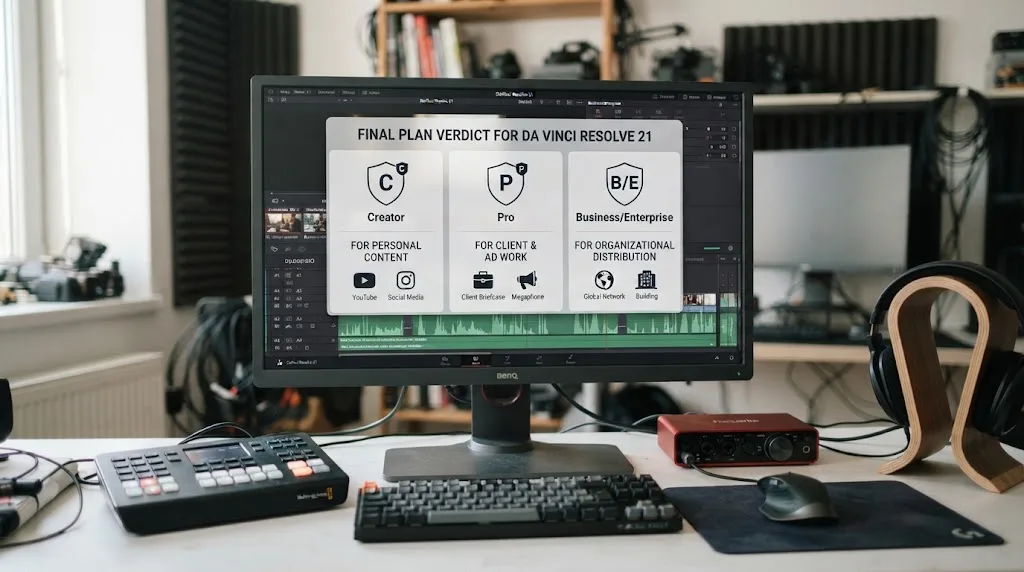
Choose Creator for your own personal online content when one monetized channel per platform is enough. Choose Pro for freelance client work, digital advertising, unlimited social media marketing, or up to three monetized channels per platform. Choose Business or Enterprise when team, organization, event, app, game, broadcast, or custom-distribution needs exceed that scope.
DaVinci Resolve 21 is compatible with the decision because it gives you the editing environment. It does not change the license. The official plugin is useful, but it requires paid DaVinci Resolve Studio, an active Epidemic Sound subscription for downloads, and the right Resolve installation on Mac.
My practical recommendation is to decide in this order:
- Write the final publishing use in one sentence.
- Pick the lowest Epidemic Sound tier that explicitly covers that sentence.
- Check whether a single-track license or an alternative is a better fit.
- Confirm Resolve Studio and plugin requirements.
- Safelist before publishing.
- Keep the record with the Resolve project.
If your sentence says “my personal YouTube channel,” start with Creator. If it says “my client’s paid social campaign,” start with Pro. If it says “our agency’s broadcast and event work,” ask about Enterprise. Then edit the music into the story.
Frequently asked questions
- Is Epidemic Sound Creator enough for DaVinci Resolve YouTube videos?
- Yes, if you publish personal content and monetize no more than one channel per platform. Creator is aimed at individual creators and covers online content such as social posts, websites, and podcasts. Safelist the channel before publishing.
- Do I need Epidemic Sound Pro for client videos edited in DaVinci Resolve?
- Usually, yes. Epidemic Sound positions Pro for freelancers and commercial productions, and Pro adds digital advertising rights plus sublicensing for client content within its stated limits. Check the current terms when the client or organization has unusual distribution needs.
- Does the Epidemic Sound DaVinci Resolve plugin work with the free version?
- No. The plugin requires paid DaVinci Resolve Studio. It also requires the Blackmagic Design download of Studio on Mac because the Mac App Store build does not expose Workflow Integrations.
- What happens to Epidemic Sound music after I cancel?
- Content published while your trial or active subscription was valid can remain cleared when it was correctly safelisted. New content published after the subscription ends is not covered, so you cannot treat old downloads as a license for new projects.
- Is Epidemic Sound better than Artlist, Motion Array, or Soundstripe for Resolve?
- Epidemic Sound is strongest when music, sound effects, stems, and a direct Resolve Studio workflow are the priority. Artlist and Motion Array are stronger if you also need broad stock assets and templates, while Soundstripe is a strong alternative when single-use track licensing matters.
Sources
- Epidemic Sound Pricing & Licensing
- Which Epidemic Sound plan is right for you?
- What are the options when licensing a track?
- Epidemic Sound DaVinci Resolve Studio plugin
- DaVinci Resolve Studio plugin Help Center
- Epidemic Sound Safelisting Help Center
- DaVinci Resolve Studio 21, Blackmagic Design
- Why strategic music licensing is a core part of modern brand storytelling
- Artlist pricing plans
- Motion Array pricing plans
- Soundstripe pricing and licensing
Put this guide to work with TryUncle.
Ask about the step you’re on. TryUncle sees your screen and points at the control you need, so you can keep learning in your own project.
Get TryUncle for Mac or WindowsKeep reading
Guides · Jul 11, 2026 · 31 min
How to Mix Audio in DaVinci Resolve Using Fairlight
Mix audio in DaVinci Resolve's Fairlight page: build a dialogue/music/effects bus structure, gain-stage your clips, EQ and compress dialogue, then duck music under it.
Guides · Jul 13, 2026 · 31 min
DaVinci Resolve Dialogue Leveler Settings Explained
Every DaVinci Resolve Dialogue Leveler control explained: Reduce Loud Dialogue, Lift Soft Dialogue, Background Reduction, Output Gain, and what Allow Wider Dynamics does.
Guides · Jul 28, 2026 · 26 min
How to Export Audio Only as a WAV File From a DaVinci Resolve Timeline
Export audio only as a WAV file from a DaVinci Resolve timeline: the exact Deliver page settings, format choice, sample rate, bit depth, stems, and mono export.