Articles / Guidesupdated for DaVinci Resolve 21.0 (September 2026)
Epidemic Sound for Nonprofit Video Creators: Is It Worth It?
Quick answer
Epidemic Sound can fit nonprofit video creators who publish regularly and need music, sound effects, and rights coverage for social, websites, fundraising, or digital ads. It is not automatically the cheapest option: public-domain recordings, commissioned music, or a single-track license can win for one-off projects. Check the exact nonprofit, channel, advertising, and team terms before publishing.

If you publish a fundraising video once a year, a subscription may be the wrong tool. If you publish weekly updates, appeals, interviews, and social clips, repeating the same music-rights check can cost more time than the audio itself.
We have spent 7+ years editing commercial video, taught 100,000+ students on Udemy, and run a 100,000+ member professional video-editing community. The practical answer is simple: choose the license around the nonprofit's distribution, not around the editor's favorite music library.
As of September 2026, this guide covers Epidemic Sound for nonprofit video creators working in DaVinci Resolve 21. It separates the creative choice from the rights check, because a beautiful track is not useful if the organization cannot legally publish the finished film.
Is Epidemic Sound for nonprofit video creators worth paying for?
Epidemic Sound is worth considering when a nonprofit publishes often enough to benefit from recurring access to music and sound effects, but it is not automatically the best value for a single campaign. The deciding variables are publishing frequency, distribution, paid promotion, who owns the channel, and whether the team needs a subscription workflow.
The most useful question is not “Is Epidemic Sound royalty-free?” That phrase is too loose. Ask instead: “Does the exact license cover this organization, this video, these channels, this audience, and this type of promotion?” Epidemic Sound describes a direct licensing model, but its own pages still divide rights by plan and use case. Read the current terms attached to the plan you are considering.
A nonprofit's mission does not replace a music license.
The subscription makes the most sense in four situations:
- Your team releases videos every month rather than one isolated film.
- You need both music and sound effects, not just one theme track.
- Several people search, download, and edit assets inside a repeatable production process.
- Your videos appear on owned social channels, a website, podcasts, or online ads and the selected plan covers those destinations.
It makes less sense when the project is a one-off documentary, the music is central to the identity of the film, or the nonprofit already has a composer or a public-domain recording library it can verify. In those cases, a commission or one-time license may leave the organization with clearer project-specific paperwork.
What rights does a nonprofit video actually need?
A nonprofit video normally needs permission for the composition and the recording, plus permission for the way the finished video will be distributed. The U.S. Copyright Office explains that a recorded song can contain two separate protected works: the musical work and the sound recording.
That distinction is where many rushed projects go wrong. Finding an old hymn, folk song, or classical composition does not automatically clear the orchestral, choir, piano, or studio recording you found online. The composition and the recording can have different owners and different terms.
The Copyright Office also explains that putting a work into a video can involve rights held by the owner of the musical work. In plain language, “we are not making money” is not a complete rights argument. A fundraising film, educational video, donor thank-you, volunteer recruitment piece, and public-service announcement still need a lawful music source.
Use this rights map before you choose audio:
| Project question | What to verify | Why it matters for a nonprofit |
|---|---|---|
| Who owns the composition? | Composer, publisher, public-domain status, or library license | A public-domain recording can still have a protected composition, and the reverse can also happen. |
| Who owns the recording? | Performer, label, library, or commissioning agreement | A public-domain song recorded in 2026 is not automatically a public-domain recording. |
| Where will the video appear? | Website, YouTube, Instagram, TikTok, podcast, event, television, or paid ad | Licenses often separate online, advertising, broadcast, and event use. |
| Who publishes it? | The nonprofit, an agency, a freelancer, or a partner channel | The license may need to cover client work, sublicensing, or a channel owned by another organization. |
| What happens after cancellation? | Continued clearance, new-project limits, re-download rights, and safelisting | A subscription can protect published projects without granting unlimited future use. |
The U.S. Copyright Office's current duration guidance says works published in the United States before January 1, 1931, are in the public domain under the standards it describes. That date is useful, but it is not a shortcut. Country of publication, later arrangements, translations, lyrics, and the exact recording can change the result. Treat public domain as a research task, not a label you copy from a search result.
How do I choose between public-domain music, commissioned music, a single track, and a subscription?
Choose the audio model that matches the number of productions and the number of rights questions your team can document. A one-off film can justify a one-off license, while a recurring content calendar can justify a subscription.
| Option | Best fit | Main strength | Main risk or cost |
|---|---|---|---|
| Public-domain composition plus a verified recording | A small number of projects with research time | No subscription fee for a genuinely cleared source | The composition and recording must both be checked, and public-domain rules vary by jurisdiction. |
| Commissioned original music | A flagship film, annual appeal, or distinctive campaign | The nonprofit can negotiate ownership, term, territory, and reuse directly | The brief, contract, revisions, stems, and buyout terms need to be written clearly. |
| Single-track license | One production published across several online links | You pay for the specific production instead of recurring access | Reusing the same track in a different production may require another license. |
| Recurring subscription | Monthly or weekly publishing across covered channels | Search, download, sound effects, and repeatable rights administration | Coverage depends on plan, channel, organization, promotion, and what happens after cancellation. |
Epidemic Sound's single-track information defines a production as the specific content you are creating and says one license can cover that production across multiple platforms. That is a useful shape for a one-off nonprofit film. It is not the same as buying a track once and putting it into every future campaign.
For a subscription, create a rights folder with the plan name, organization account, track IDs, download records, license terms, safelist details, and final URLs. The folder is not bureaucracy for its own sake. It is the evidence your future editor needs when the campaign is re-edited six months later.
The safest music option is the one your nonprofit can document six months later.
If your team wants a broader sound-and-video asset library, Artlist and Motion Array are credible alternatives. Artlist positions some plans around music, sound effects, footage, templates, LUTs, plugins, and AI tools. Motion Array combines music and sound effects with templates, presets, motion graphics, footage, graphics, photos, plugins, and LUTs. Those broader libraries can win when the nonprofit needs more than audio.
Does Epidemic Sound cover nonprofit content?
Epidemic Sound currently states that its Business plan includes content for nonprofits, small organizations, schools, and places of worship, while its licensing pages distinguish personal creator use from business, client, advertising, and organizational use. That makes the business-oriented coverage the relevant starting point for many nonprofit teams, not a personal creator plan chosen by habit.
The current Business plan information also describes eligibility limits, including an annual revenue ceiling and exclusions for government and intergovernmental organizations. Those limits are important because “nonprofit” describes a mission and legal structure, not every operational fact that controls a license. A large foundation, public institution, university, or government-funded entity should ask for written confirmation rather than infer coverage from the word nonprofit.
Use this plan check:
- Write down the legal organization that owns the account.
- List every channel that will publish the work.
- Mark whether the video is fundraising, educational, internal, promotional, sponsored, or a paid ad.
- Mark whether a freelancer, agency, partner, or influencer will publish it.
- Check whether the selected plan covers nonprofit and client work for those uses.
- Ask support for confirmation if the nonprofit is near a revenue, organization-size, government, broadcast, or event boundary.
Do not assume that a personal creator plan covers a nonprofit's own channel simply because the video is uploaded to YouTube. Do not assume that a Pro plan covers television, an in-person event, or every kind of paid campaign. The plan comparison is the source of truth, and it can change.
Epidemic Sound ran a specific three-month free-license offer for healthcare and nonprofit organizations working on COVID-19 efforts in 2020. That historical offer is not a current standing discount. Oscar Höglund, the company's co-founder and CEO, wrote at the time, “we’re committed to making our music freely available to you.” Treat the quote as historical context, not a current license promise.
Can nonprofit teams use Epidemic Sound in DaVinci Resolve 21?
Nonprofit teams can use Epidemic Sound audio in a DaVinci Resolve 21 project, but the official Epidemic Sound plugin requires paid DaVinci Resolve Studio. The free version can still receive audio through ordinary file import, but it does not support the plugin workflow.
Blackmagic Design lists DaVinci Resolve 21 and DaVinci Resolve Studio 21 as separate products, with Fairlight integrated for audio post-production. Epidemic Sound's plugin instructions place the integration under Workspace, Workflow Integrations, and say the Mac App Store build of Resolve Studio does not expose the required integration. Downloading Studio directly from Blackmagic Design is the relevant path for that plugin workflow.
That gives you two workable paths:
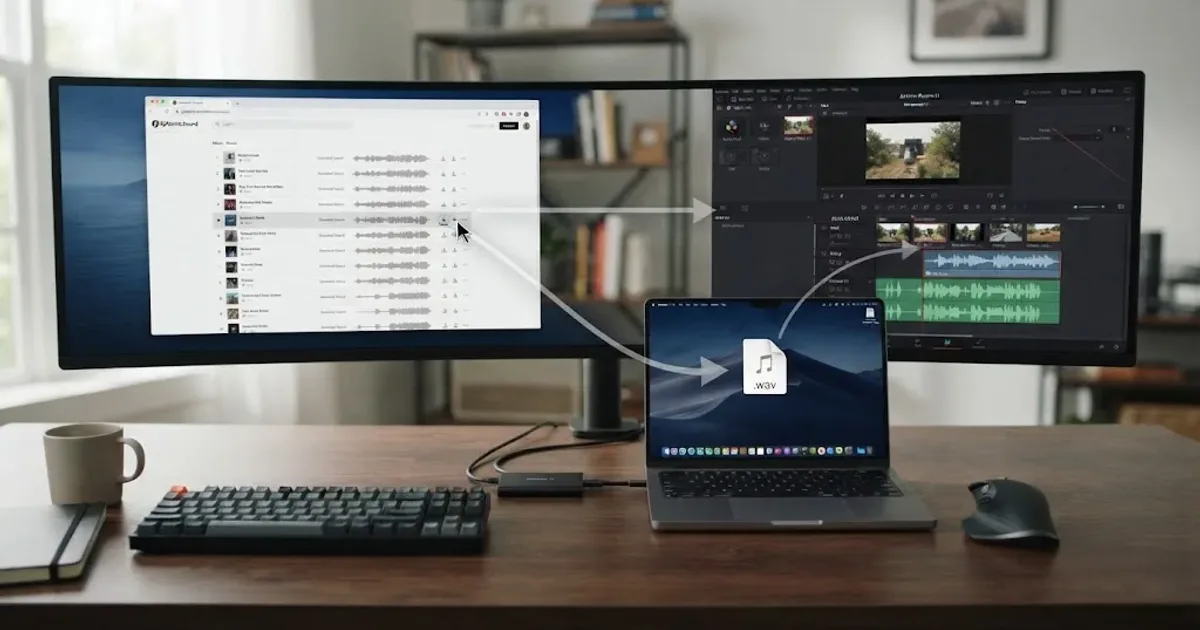
- Free Resolve 21: download cleared audio in a browser or desktop app, import it into the Media Pool, edit it on the timeline, and mix it in Fairlight.
- Resolve Studio 21: use the plugin to search, download, adapt, and drag audio into a project, subject to the active subscription and plugin requirements.
The free path is not a rights shortcut. It only changes how you bring the file into Resolve. Our guide to whether Epidemic Sound works with free DaVinci Resolve covers that setup question.
For a nonprofit, the manual path can be a sensible choice. Paying for Resolve Studio only to unlock a music plugin may not be justified if the team publishes two films a year. A production team that already owns Studio and needs frequent music searches has a stronger case for the integration.
Why is my nonprofit video still getting a copyright claim?
A copyright claim can still appear when the wrong plan, channel, URL, safelist, account, or publishing path is attached to a supposedly licensed track. A license reduces rights risk, but it does not make every automated platform notice disappear without administration.
Epidemic Sound's safelisting guidance says the relevant channel or video needs to be connected to the account and that an active subscription is required for new downloads and new publications. Its plan information also says qualifying content published during a trial or active subscription remains cleared after the subscription ends. Those are different statements, and both matter.
Think of the timeline like this:
| Moment | What to check |
|---|---|
| Before download | The account, plan, organization, and intended use match. |
| Before upload | The destination channel or video is safelisted if the plan requires it. |
| During a claim | Keep the track ID, proof of license, channel URL, and project record together. |
| After cancellation | Do not treat old downloads as permission for new projects. Check continued clearance for already published qualifying content. |
The common mistakes are predictable:
- A freelancer downloads music under a personal account, then the nonprofit publishes it from an organization channel.
- The editor clears YouTube but forgets Instagram, TikTok, a website player, or a partner's channel.
- The team changes the video into a paid ad without checking advertising rights.
- The nonprofit cancels the subscription and assumes the same track can be used in next year's appeal.
- The editor keeps a rendered MP4 but loses the license record, track ID, or safelist details.
When a claim appears, do not delete the project record first. Capture the claim, identify the track, confirm the account and channel, and follow the platform and library dispute process. If the use is not covered, replace the track or obtain the correct license. Copyright clearance is a workflow, not a promise of zero notices.
Safelisting is part of publishing, not an optional cleanup step.
How do I audit a nonprofit project before publishing?
Audit the project in DaVinci Resolve 21 before the export leaves the organization by checking the source, license, destination, and record in that order. A six-minute review can prevent a rights question from arriving after a campaign has already been promoted.
- Define the release. Write the working title, nonprofit entity, editor, final runtime, publication date, channels, paid promotion, partner channels, event use, and expected territory.
- Identify every audio item. Separate music, sound effects, voiceover, interview audio, archival clips, and any sound pulled from a social platform.
- Record the source. Mark each item as public domain, commissioned, single-track licensed, subscription licensed, original recording, or still unresolved.
- Match the license. Check composition, recording, synchronization, commercial or promotional use, nonprofit eligibility, client or partner publishing, channel count, team seats, territory, and cancellation terms.
- Save proof beside the project. Keep the receipt, license page or PDF, track ID, download date, account name, safelist record, and final export filename. Do not rely on a bookmark alone.
- Review the mix. In Fairlight, make sure the selected music is the cleared version, not a temporary reference track. Keep the project database, source files, and rights folder together when the film is archived.
For a recurring program, put this checklist in the nonprofit's production template. Add a required “music source” field to the edit handoff. The best system is the one a new volunteer can understand without asking which editor found the track.
If the creative problem is choosing a track rather than licensing one, use our guide to choosing background music for a video in Resolve 21. If the problem is broader freelance or client paperwork, see music licensing for freelance video editors.
Which alternative is better for nonprofit video creators?
The best alternative depends on what your nonprofit needs besides music. Epidemic Sound is strongest when the team wants an audio-first subscription and a Resolve Studio integration. Other options win when the project needs broader stock assets, a one-time project license, or commissioned ownership.
| Choose this | It may be the better fit when | Watch the boundary |
|---|---|---|
| Epidemic Sound | You publish repeatedly and want music, sound effects, stems, search, and recurring rights administration | Nonprofit, advertising, channel, team, event, broadcast, and post-cancellation coverage depend on the selected plan. |
| Public-domain source | You have research time and need a low-cash-cost option for a limited project | Verify both composition and recording, plus jurisdiction and any later arrangement. |
| Commissioned composer | You need a distinctive campaign sound and want the nonprofit's agreement to define reuse | Put ownership, term, territory, stems, edits, and partner use in writing. |
| Artlist | You need music and sound effects alongside footage, templates, LUTs, plugins, or AI tools | Compare the plan's organization and distribution terms with the nonprofit's actual release. |
| Motion Array | You need templates, motion graphics, footage, graphics, photos, plugins, and audio together | A broad library may be unnecessary if the only missing asset is one music track. |
| Soundstripe | You want subscriptions plus single-use licenses for individual tracks | Its own plan pages separate individual, business, enterprise, and single-use coverage. |
Soundstripe is relevant to one-off work because it publishes single-use tiers for specific projects and nonprofit-oriented business coverage. Motion Array wins when you also need templates and footage. Artlist wins when the organization wants a broader production-assets subscription.
None of these services turns a license into ownership of the music. Read the restrictions on standalone distribution, reselling files, templates, performances, political use, client handoff, and future projects. A nonprofit's internal policy can be stricter than the library's minimum license, and that can be a good thing.
How do I choose the cheapest safe option for a nonprofit?
Choose the cheapest safe option by comparing total workflow cost, not just the monthly subscription line. Include staff time, review time, campaign frequency, legal or operations review, re-editing, partner handoffs, and the cost of replacing a track after publication.
Use this short decision rule:
- One film, low music demand, plenty of research time: investigate a public-domain recording or commission.
- One film, recognizable production value needed quickly: compare a single-track license with a direct commission.
- Monthly social, web, podcast, and fundraising output: compare an organization-capable subscription with the cost of repeating one-off licenses.
- Frequent paid ads or partner publishing: start with business or professional terms, not a personal creator plan.
- Broadcast, television, large public events, government, or a large organization: ask for custom written coverage.
The exact current price is less important than the coverage map. A cheap plan that excludes the nonprofit's ad campaign is not cheap after the editor has to replace the track. A higher plan that covers a year of recurring releases may be efficient, but only if the team actually publishes enough to use it.
Before anyone buys, ask five questions in writing:
- Does this plan cover content published by a nonprofit organization?
- Does it cover fundraising, digital advertising, sponsored content, and partner channels?
- How many channels and team members are covered?
- What remains cleared after cancellation, and what is forbidden in new projects?
- Does the license cover the actual territory and distribution planned for this campaign?
If customer support gives a useful answer, save it with the project record. A plan page can change. Your release paperwork should show what you relied on when the video was published.
Should a nonprofit buy Epidemic Sound or stay with one-off licenses?
A nonprofit should buy Epidemic Sound when recurring publishing and audio discovery justify a subscription that clearly covers its organization and distribution. It should stay with public-domain, commissioned, or single-track licensing when the project is occasional, music-specific, or likely to outlive a subscription workflow.
Affiliate disclosure: this article contains a referral link. If you subscribe through it, we may earn a commission, at no extra cost to you. That relationship does not change the license checks or the alternatives in this guide.
If the plan terms match your nonprofit's channels, paid promotion, team, and publishing rhythm, check the current Epidemic Sound offering before you decide. Read the live plan and license terms at checkout, then save the relevant record with the Resolve project.
Epidemic Sound is a practical recurring-audio option for a nonprofit that publishes often and wants repeatable search and clearance. It is not universal: public-domain recordings can win on cash cost, a commissioned score on identity, and a single-track license on a one-off campaign.
What should nonprofit video creators do in September 2026?
Nonprofit video creators should choose the rights model before choosing the track, then run one documented audit before every export. For a recurring DaVinci Resolve 21 workflow, compare the organization-capable subscription against the real number of releases, channels, ads, partners, and team members.
Start with one upcoming video. List its destinations. Check the license. Save the proof. Then decide whether the same process will repeat often enough to justify Epidemic Sound.
For nonprofit video creators, a clear license beats a clever workaround.
Frequently asked questions
- Does Epidemic Sound cover nonprofit videos?
- Epidemic Sound currently says its Business plan includes content for nonprofits, small organizations, schools, and places of worship, but plan eligibility and coverage still depend on the organization, channels, advertising, and distribution. Confirm the current terms before publishing.
- Can I use Epidemic Sound with free DaVinci Resolve?
- You can edit downloaded audio manually in the free version, but the Epidemic Sound plugin requires paid DaVinci Resolve Studio. The plugin also is not available in the Mac App Store build of Resolve Studio.
- What is the best music option for nonprofit video creators?
- The best option depends on publishing frequency: public-domain or commissioned music can suit a one-off film, a single-track license can suit one production, and a subscription can suit a nonprofit publishing repeatedly across several channels.
- Can nonprofit videos use public-domain music?
- Yes, if both the composition and the specific recording are actually cleared for your use. A public-domain composition does not automatically make a modern recording public domain, so verify the recording separately.
- Can I use Epidemic Sound music after cancelling?
- Epidemic Sound says qualifying content published and cleared during an active subscription remains cleared, but a cancelled subscription does not give you a blanket right to download tracks or publish new projects with them. Check the current license and safelisting rules for your plan.
Sources
- Epidemic Sound pricing, plans, and nonprofit licensing, accessed September 2026
- Epidemic Sound historical nonprofit license announcement and Oscar Höglund quote
- Epidemic Sound DaVinci Resolve Studio plugin requirements and workflow
- Epidemic Sound safelisting and post-cancellation rules
- Epidemic Sound single-track licensing and one-production rule
- U.S. Copyright Office, What Musicians Should Know about Copyright
- U.S. Copyright Office, Musical Works, Sound Recordings & Copyright
- U.S. Copyright Office, Circular 15A, Duration of Copyright
- Blackmagic Design, DaVinci Resolve Fairlight
- Artlist music and sound effects pricing
- Motion Array pricing and license overview
- Soundstripe pricing and single-use licenses
Keep reading
Guides · Aug 26, 2026 · 8 min
Does Epidemic Sound Work With Free DaVinci Resolve?
Yes, but only through manual audio imports. The Epidemic Sound plugin requires DaVinci Resolve Studio. Here is the free Resolve 21 workflow.
Guides · Aug 24, 2026 · 8 min
Music Licensing for Freelance Video Editors: Client Rights
Practical music licensing for freelance video editors, covering client handoffs, safelisting, platform rights, cancellation, and DaVinci Resolve 21.
Guides · Aug 24, 2026 · 8 min
How to Choose Background Music for a Video in Resolve 21
Choose background music by story, mood, tempo, dialogue, structure, and license, then mix it cleanly in DaVinci Resolve 21.