Articles / Reviewsupdated for DaVinci Resolve 21 and Epidemic Sound plan pages (September 2026)
Epidemic Sound Review for Freelance Editors (2026)
Quick answer
An Epidemic Sound review for freelance editors: it is worth considering if you regularly deliver online client work and need music, stems, and sound effects under one license. Choose Pro for commercial client projects, Creator only for your own channels, and compare single-track licensing or Soundstripe when work is occasional.

I care about two things in a freelance edit: can I deliver the cut, and can my client publish it without a rights problem? A music library that solves only the first half isn't enough. This review reflects public documentation available as of September 2026, not a controlled test of plugin speed or search quality.
Is Epidemic Sound worth it for freelance editors using DaVinci Resolve 21?
Epidemic Sound is worth considering for freelance editors who deliver online client videos often, need music and sound effects repeatedly, and want one recurring license workflow. It is not the automatic best choice for one-off projects, television or film distribution, or an editor who also needs a large footage and template library.
Affiliate disclosure: This review contains an affiliate link. If you subscribe through it, we may earn a commission, at no extra cost to you.
That is the short verdict. The useful verdict is more specific: Epidemic Sound fits a freelancer making social videos, branded content, online ads, podcasts, websites, or YouTube work who wants to search, adapt, download, and clear audio in one routine. The official plan guide positions Pro for freelancers and businesses creating commercial productions for themselves or clients, including digital ads and client sublicensing. It lists three monetized channels per platform for Pro. Epidemic Sound's plan guide is the place to verify current terms before subscribing.
Epidemic Sound Pro is the default starting point for freelance editors who deliver online client videos.
The word “default” matters. It doesn't mean Pro covers every assignment. Creator is usually the wrong answer once your client owns the channel, the video is an ad, or you deliver commercial work for someone else. Business, Pro Plus, or Enterprise can become the right tier when you need extra seats, internal use, apps, games, TV, streaming, or wider rights.
After seven years of professional, commercial video editing and through a 100,000+ member professional video-editing community, we've seen the same mistake repeat: an editor chooses audio by sound first and license second. Reverse that order. The track has to work creatively, but the license has to survive the handoff.
What does a freelance editor actually get?
Epidemic Sound is a subscription-based audio catalog and soundtracking workflow. It combines music, sound effects, stems, downloads, plan-specific publishing rights, and tools for adapting tracks or finding a match from a description, reference track, or video context. The current plan page displays more than 55,000 tracks and more than 250,000 sound effects and variations, while allowances can change. The current plan comparison should win over an old review or remembered price.
For a freelance editor, the practical value comes from four jobs:
- Find a usable music bed without starting a fresh rights negotiation for every project.
- Pull out stems when the vocal, bass, or instrumental needs separate control.
- Cut, loop, or adapt a track to fit the edit instead of forcing the edit to fit a download.
- Keep a record of the plan, channels, client use, and publish date so the handoff is defensible.
The service also offers sound effects and voiceover tools. That can help when a short-form package needs music, transitions, room texture, and a scratch voice. It doesn't mean every tool is unlimited. The current pricing display lists 250,000 AI credits per month, up to five hours of voiceovers, and up to 250 track adaptations for the displayed individual plans. Treat those as current allowances, not permanent promises. Epidemic Sound's current pricing display is the source to check before buying.

Which Epidemic Sound plan should a freelance editor choose for client work?
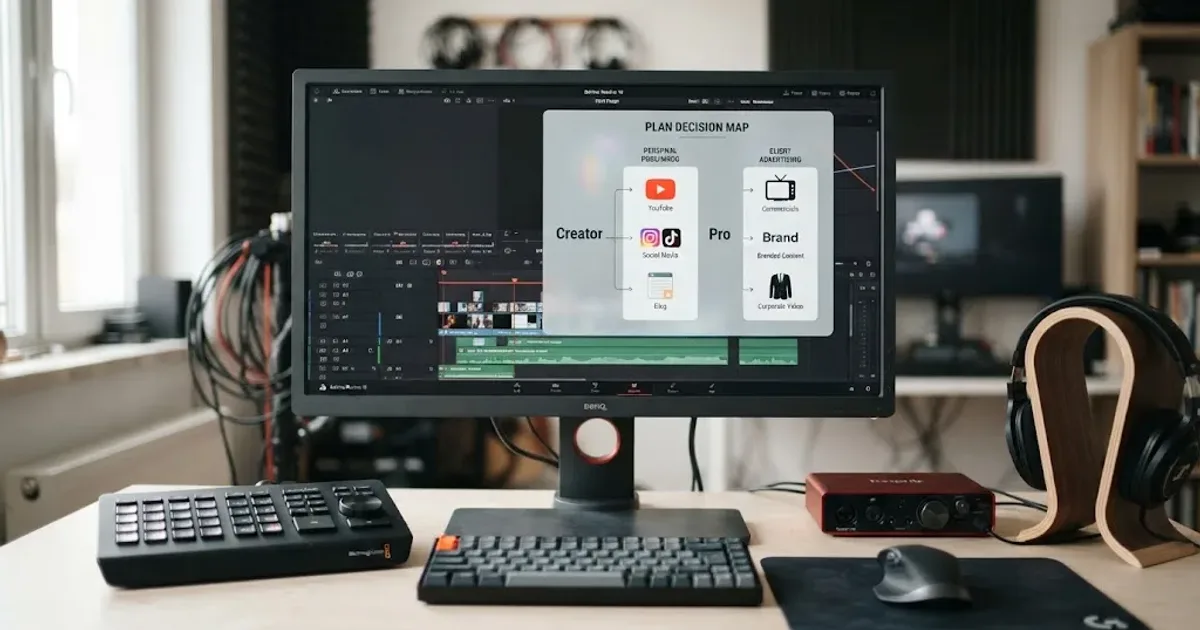
Choose Pro for commercial online client work, Creator for your own personal channels, Business when the job needs broader company or collaboration rights, and Enterprise when the distribution goes beyond the published self-serve scope. The plan names are less important than who publishes, where the video appears, and whether the client needs a sublicensed project.
| Freelance situation | Starting point | What the official plan material says | Where to be careful |
|---|---|---|---|
| Your own monetized YouTube, social, website, or podcast work | Creator | Creator covers online content and lists one monetized channel per platform | It is not the default plan for client work, digital ads, or a client's channel |
| Commercial online videos for clients or digital ads | Pro | Pro is positioned for freelancers, includes digital ads and client sublicensing, and lists up to three channels per platform | Confirm the client's use, revenue eligibility, and the exact channel or video clearance process |
| A small business, agency, or workflow needing collaborators or internal use | Business or Pro Plus, depending on the account and use | Business material describes client work, internal use, and extra user access; Pro Plus adds broader self-serve capacity on the current comparison | Check the live plan selector because names, seats, and coverage can vary by plan family |
| Television, cinema, broadcast, commercial VOD, or unusual distribution | Enterprise or a custom license | Enterprise is described for bespoke use, wider platforms, seats, and custom terms | Don't assume Pro covers broadcast because it covers online commercial work |
| One client video and no recurring audio need | Single-track license | The official licensing options describe a commercial single-track license for one online production and up to 10 published URLs | Compare the license scope with the client's real distribution before delivery |
Creator is for your own channels, not a shortcut to client licensing.
The current US annual-billing display shows Creator at $9.99 per month equivalent, billed at $119.88 yearly, and Pro at $16.99 per month equivalent, billed at $203.88 yearly. Those are the displayed annual figures, not a promise about every region, tax treatment, monthly checkout, or future price. Check the live Epidemic Sound plan display before putting a subscription cost in a client quote.
Affiliate recommendation: Check Epidemic Sound's current Pro plan and licensing terms if you deliver online client work regularly.
The Pro decision is also about margin. A catalog can be easier to price into recurring work than licensing every track separately, but an annual commitment may be wrong for occasional projects. Run the decision against your calendar. See Epidemic Sound Creator vs Pro for DaVinci Resolve.
How does Epidemic Sound licensing work when a client owns the final video?
Epidemic Sound licensing works for client-owned online videos when your plan includes the use, you have the right client relationship, and the channel or video is correctly safelisted before publishing. Pro is the key plan to examine because the official guide describes client sublicensing for eligible commercial online work, including clients with yearly revenue up to $50 million.
The clean freelance workflow looks like this:
- Ask where the final video will appear: a personal channel, a client's social channel, a website, an online ad, a podcast, a live event, a television network, or something else.
- Identify who owns the channel and who is publishing. Your account, your client's account, and an agency account are not interchangeable facts.
- Check the plan's use case and eligibility before downloading the track.
- Safelist the relevant channel or video while the subscription is active.
- Deliver the final video with the track name, project name, plan details, and any clearance record your client may need.
- Keep the license and publishing record with the project archive. Our broader music licensing guide for freelance video editors covers the same handoff problem from the client-rights angle.
Safelisting is not a legal decoration. Epidemic Sound defines it as connecting channels or videos to the account so platforms can recognize that the content is licensed. The company says an active subscription is required to safelist, and that content published while the subscription is active remains cleared after cancellation. New content published after expiry can risk claims. The safelisting guidance supports both points.
Tyler Chou, founder and CEO of Tyler Chou Law for Creators, put the business risk plainly in Epidemic Sound's 2026 creator-economy release: “The day a creator decides to sell their business is the day someone audits every license they ever signed.” Read the attributed quote in the 2026 release. That isn't a reason to panic over a music bed. It is a reason to stop treating licensing as something you reconstruct after a claim arrives.
One important boundary: published content from an active, correctly safelisted subscription can remain cleared, but new content after expiry may be subject to claims. Cancellation does not turn a downloaded catalog into a perpetual license for future edits.
Can freelance editors use Epidemic Sound with the free version of DaVinci Resolve?
Yes, you can use downloaded audio in a free DaVinci Resolve timeline, but you cannot use the Epidemic Sound Resolve plugin there. The plugin requires paid DaVinci Resolve Studio because the free version does not support plugins or Workflow Integrations. Epidemic Sound's plugin documentation states that requirement directly.
With Resolve Free, the service is an external library: search, download, and import. You still get the audio, but not the in-editor window, direct drag-and-drop, or plugin search and adaptation.
If you use Resolve Studio 21, the documented setup is straightforward:
- Close DaVinci Resolve Studio.
- Install Epidemic Sound Hub for macOS or Windows.
- Open the Hub and install the DaVinci Resolve Studio plugin.
- Launch Resolve and open
Workspace > Workflow Integrations > Epidemic Sound. - Log in from the plugin window.
The plugin documentation says files can be dragged directly to the timeline and liked tracks can expose individual stems. That reduces window switching, but it is not timeline synchronization. The Help Center explicitly says Timeline Sync is not available in the DaVinci Resolve plugin.
There is a macOS trap. If you bought Resolve Studio through the Mac App Store, Epidemic Sound says Workflow Integrations won't be available in that build. Use the Studio version downloaded directly from Blackmagic Design. If the menu is missing, check the edition and install source before reinstalling.
DaVinci Resolve 21 also changed one audio behavior that freelancers should notice when importing downloaded assets: a mono audio clip added to a stereo track now plays on both the left and right channels, whereas the earlier behavior placed it on the left channel only. Blackmagic documents the change in the DaVinci Resolve 21 New Features Guide. That is a Resolve 21 version detail, not an Epidemic Sound feature, but it affects how you check voiceovers and mono sound effects after dropping them into a timeline.
A DaVinci Resolve Studio plugin cannot help a free Resolve user because free Resolve does not support plugins.

What does the Epidemic Sound plugin actually change in a Resolve workflow?
The plugin changes discovery and transfer more than it changes editing. It opens from the Resolve workspace, lets you search by description, reference track, Spotify link, or selected video context, and lets you drag selected files into the timeline. The official plugin page also documents cutting, looping, and choosing parts of a track to make a new version.
That matters when you are working against a client brief such as “warm but not sentimental,” “a faster build after the first line,” or “something with room for a voiceover.” Search language can get you closer to a shortlist than scrolling a folder of filenames. But I won't claim that the search always understands a brief or that the plugin is faster for every editor. The public documentation describes the capability. It doesn't give us a controlled benchmark.
The biggest workflow win is the combination of stems and adaptation. A stem lets you lower or remove a musical part without throwing away the track. An adaptation reshapes a track when the arrangement is too long or needs a different ending.
Epidemic Sound also documents Studio as a video-to-audio tool that can produce a soundtrack draft with music and sound effects synced to the action. For a freelancer, that can start a rough cut, mood board, or internal version. It isn't the final creative decision. Listen for dialogue masking, repetitive hits, and over-obvious transitions.
One limitation deserves more weight than a feature list usually gives it: no Timeline Sync in the Resolve plugin. If your ideal workflow is a music library that automatically follows every timeline change, don't buy on that assumption. The plugin can get assets into the edit, but you still do the creative timing and replacement work in Resolve.
What are the common mistakes freelance editors make?
The most expensive mistakes are licensing mistakes, not search mistakes. The following checks cover the failure points that can affect a real handoff.
Using Creator for a client's channel
Creator is positioned for individual creators and personal channels, with one monetized channel per platform in the official plan comparison. Pro is the plan the same material positions for freelancers creating commercial productions for themselves or clients. If the client publishes the video, don't assume your personal Creator subscription follows the video.
Publishing before safelisting
Safelisting needs an active subscription. The official guidance says to connect the channel or video before posting, and it explains that an incorrectly or incompletely safelisted video can still lead to a claim. Make safelisting part of your export checklist, next to checking frame rate and audio channels.
Safelisting is a publishing step, not an optional cleanup task.
Assuming cancellation covers new projects
The lasting protection described by Epidemic Sound applies to qualifying content published during a trial or active subscription. It doesn't give you permission to start new projects with downloaded tracks after the subscription ends. If a client returns six months later for a new cut, check the account status before you reuse the music.
Forgetting the client’s distribution
Online social content, digital ads, podcasts, websites, games, apps, television, and VOD are not one generic “commercial” bucket. Pro is described for online commercial work and digital ads. Business and Enterprise add other categories or custom terms. Ask the distribution question before you quote the job.
Blaming Resolve when the plugin menu is missing
Check three things: are you launching Studio, did you install the Hub and plugin, and did you buy the Mac App Store build? Epidemic Sound's own troubleshooting notes point to all three. Reinstalling the same plugin into the wrong Resolve edition won't fix the missing Workflow Integrations menu.
Treating a review as a sound-quality guarantee
Catalog taste is personal. A library can have the right license model and still miss the exact guitar texture, trailer pulse, or dry room tone you need today. This review can verify product scope, plan distinctions, and documented Resolve integration. It cannot honestly promise that every editor will prefer the catalog or that every search result will be useful.
How should a freelancer compare Epidemic Sound with Artlist, Motion Array, and Soundstripe?
Epidemic Sound is the audio-first choice in this group. Artlist, Motion Array, and Soundstripe can be better depending on the asset mix or licensing shape of your work.
| Service | Choose it when | Main trade-off for a freelance Resolve editor |
|---|---|---|
| Epidemic Sound | You repeatedly need music, stems, SFX, online client licensing, and a Resolve Studio integration | The plugin requires Studio, Timeline Sync is unavailable, and the plan must match the client's distribution |
| Artlist | You need music and SFX plus footage, templates, LUTs, plugins, or other production assets | A broader asset bundle can be wasteful if audio is your only need; the correct Pro license still matters for client work |
| Motion Array | Templates, presets, motion graphics, footage, graphics, photos, LUTs, plugins, music, and SFX all matter | It is a broad production library, so it may be less focused than an audio-first workflow |
| Soundstripe | You want recurring access but also value single-use licenses for occasional commercial projects | Subscription rights and post-cancellation rules need the same careful project-by-project check |
The source material supports those distinctions. Artlist's Pro music and SFX license is described for commercial and client projects across social, websites, television, streaming, podcasts, advertising, and film. The same help page says standalone audio uses such as radio advertising or music streaming are not covered. Artlist's current license explanation is useful for a broader production subscription.
Motion Array's current pricing page presents an all-in-one platform with templates, presets, motion graphics, footage, music, sound effects, graphics, photos, editing plugins, LUTs, and AI voiceovers. That suits a freelancer filling visual as well as audio gaps. Motion Array's current plan page supports that comparison.
Soundstripe is interesting when work is occasional. Its current pricing page offers subscriptions and single-use licenses, including a Digital tier for commercial internet use and broader tiers for expanded distribution. It says subscription content cannot be used in new projects after cancellation, while selected single-use licenses provide perpetual rights for the specified project. Soundstripe's current pricing and licensing page explains the difference.
Choose Epidemic Sound if audio is a recurring line item in your freelance workflow, the majority of your client distribution is online, and you use or plan to use Resolve Studio. Choose Artlist or Motion Array if you need visual assets and templates as much as music. Choose Soundstripe if single-use licensing helps you avoid paying for a catalog between projects.

Should a freelance editor subscribe or license one track?
Subscribe when you have recurring audio demand and enough eligible work to use the catalog across the billing period. Consider a single-track license when a single client production is the real need and you don't expect another project soon.
Here is a practical break-even question without pretending there is one universal number: how many projects will you actually publish while the plan is active, and how many different channels or clients will need clearance? A subscription can be efficient when one account supports repeated online work. It can be wasteful when the calendar contains one edit and a long gap.
For a one-off project, verify the commercial single-track terms. The official options page describes a commercial single-track license as covering one online production and up to 10 published URLs. That may suit one campaign with several approved placements, but not a client planning new cutdowns or future ads. Put those possibilities in the brief before licensing. See Epidemic Sound single-track licensing for one Resolve video.
The same rule applies to a free trial. A trial can be useful for evaluating the catalog and workflow, but publish only when the trial's terms and safelisting process cover the project. Save proof of the plan and the published date.
Epidemic Sound is strongest when audio is a recurring production need, not a one-off download.
What is the final verdict for freelance editors?
Epidemic Sound is a credible option for freelance editors using DaVinci Resolve 21, with a clear fit for recurring online client work. The Pro tier is the sensible starting point for commercial online projects because the official plan material connects it to freelancers, digital ads, client sublicensing, and three channels per platform. Creator makes sense for personal channels. Business, Pro Plus, or Enterprise deserves a separate check when the client needs more users or wider distribution.
The Resolve integration adds real convenience for Studio users. It can put search, stems, adaptations, and direct downloads closer to the edit. It does not work in free Resolve, it is unavailable in the Mac App Store edition's Workflow Integrations path, and it does not provide Timeline Sync. Those are not footnotes. They are purchase criteria.
My recommendation is simple. If you deliver online client videos regularly, price Pro into the workflow and make safelisting part of delivery. If you edit occasionally, compare single-track licensing and Soundstripe. For television, streaming VOD, or a broad visual bundle, look beyond the default plan.
The right license is the one your client can still explain after the video leaves your timeline.
Frequently asked questions
- Is Epidemic Sound worth it for freelance editors?
- Epidemic Sound is worth considering when you deliver online client videos often enough to use a recurring catalog and need clear client licensing. It is a weaker fit for one occasional track, broadcast work, or freelancers who also need footage and templates.
- Which Epidemic Sound plan should a freelance editor choose?
- Choose Pro when you create commercial online work for clients or digital ads. Creator is for your own personal channels, while Business or Enterprise is more appropriate when you need extra users, internal company use, apps, games, television, or broader distribution.
- Can freelance editors use Epidemic Sound with free DaVinci Resolve?
- Yes, you can use downloaded audio in a free Resolve timeline, but the Epidemic Sound plugin requires paid DaVinci Resolve Studio. Free Resolve does not support the Workflow Integrations plugin.
- What happens to client videos after an Epidemic Sound subscription ends?
- Content published and correctly safelisted during an active subscription remains cleared, but new content published after the subscription ends can risk copyright claims. Keep project and licensing records with the client handoff.
- Is Epidemic Sound better than Artlist or Soundstripe for freelance editors?
- Epidemic Sound is the better fit for an audio-first workflow with recurring music and sound effects. Artlist wins when you also need footage, templates, and other assets, while Soundstripe wins when a single-use license is more useful than an ongoing subscription.
Sources
- Epidemic Sound pricing and licensing
- Epidemic Sound plan guide
- Epidemic Sound licensing options
- Epidemic Sound DaVinci Resolve Studio plugin
- Epidemic Sound DaVinci Resolve plugin Help Center
- Epidemic Sound safelisting Help Center
- Epidemic Sound Future of the Creator Economy Report 2026
- DaVinci Resolve 21 New Features Guide
- Artlist Music and SFX Pro license
- Motion Array pricing and plans
- Soundstripe pricing and licensing
Keep reading
Comparisons · Aug 24, 2026 · 46 min
Epidemic Sound Creator vs Pro for DaVinci Resolve
Epidemic Sound Creator vs Pro for DaVinci Resolve: choose the right plan for personal channels, client work, ads, and Resolve Studio.

Guides · Aug 24, 2026 · 8 min
Music Licensing for Freelance Video Editors: Client Rights
Practical music licensing for freelance video editors, covering client handoffs, safelisting, platform rights, cancellation, and DaVinci Resolve 21.

Guides · Aug 26, 2026 · 8 min
Epidemic Sound Single Track License for One Video in Resolve 21
Need one Epidemic Sound track for a DaVinci Resolve 21 video? Match the license to your use, safelist it, and avoid paying for rights you don't need.