Articles / Guidesupdated for DaVinci Resolve 21.0 (June 2026)
How to Choose Music for an Explainer Video in DaVinci Resolve 21
Quick answer
To choose music for an explainer video, start with narration, audience, and the action each section needs. Pick an instrumental track with enough space for speech, a pace that supports your edit, clear transition points, and a license that covers every intended channel. Test it under the voiceover before committing.

I choose explainer music after I understand the sentence the viewer must remember. The track has a job: it should give the video motion and feeling without making the explanation harder to follow.
As of September 2026, this guide is written for DaVinci Resolve 21. Blackmagic Design lists the final Resolve 21 release in a June 3, 2026 support update, and Resolve 21 is available for Mac, Windows, and Linux. Blackmagic Design's support center lists the release, while its current Fairlight page describes the audio workflow inside Resolve. The advice also works in other editors because the decision is editorial first and technical second.
What is the best way to choose music for an explainer video?
The best way to choose music for an explainer video is to match the track to the communication task, then test it under the real narration and edit. Start with function, not genre. A track is useful when it supports attention, pacing, and emotion while leaving the words understandable.
An explainer video usually has more than one job. It may introduce a problem, explain a process, prove a benefit, handle an objection, and end with a call to action. Those sections don't necessarily want identical energy. A single song can work, but only if its arrangement gives you enough room to change emphasis without turning every beat into a new event.
I use this order when I make the decision:
- Define what the viewer must understand.
- Define what the viewer should feel.
- Write the narration and identify its dense and light sections.
- Describe the music by behavior, not just by genre.
- Shortlist tracks that leave space for speech.
- Test them against the voiceover and picture.
- Shape the winner and verify the license before delivery.
That order matters. If you choose a song before you know the narration, you can end up cutting clear sentences to preserve a chorus. The music becomes the boss. In an explainer, the idea should be the boss.
The right question isn't "What song sounds good?" It is "What does the viewer need to feel while this information arrives?" A software walkthrough may need quiet forward motion. A nonprofit explainer may need warmth and patience. A product launch may need confidence, but confidence isn't the same as constant impact.
The distinction is useful because an explainer isn't a trailer. Trailers often use escalation, hits, silence, and a large final payoff. An explainer often asks the viewer to process language, diagrams, labels, and cause-and-effect steps at the same time. A track can be exciting in isolation and still be wrong under a paragraph of technical narration.
Randy Thom puts the value of restraint well. In an interview about collaborating with music teams, he said:
“I love film music, and I think music is one of the most efficient, if not THE most efficient, tools a film story-teller has in terms of the bang that you get out of it, relative to how much it costs.”
Thom was discussing film storytelling, not a rule for marketing videos, so I don't treat the quote as a formula. I do take its practical point seriously. Music can carry emotional information efficiently. That efficiency makes it powerful, and power is exactly why you need to decide where it enters, where it changes, and where it leaves.
The best explainer video music supports the idea without asking the viewer to notice the music first.
How do I know what my explainer video needs before I search?
You know what an explainer needs when you can describe its audience, promise, structure, and publishing plan in a short brief. If those four pieces are vague, music search will feel random because you haven't decided what the track must accomplish.
Write a one-page brief before opening a music library. Keep it concrete:
| Question | Example answer | What the answer changes |
|---|---|---|
| Who is watching? | A busy operations manager | Favor clarity, controlled energy, and low distraction |
| What must they understand? | How three steps remove a manual handoff | Leave space for explanatory phrases and numbered visuals |
| What should they feel? | Reassured, capable, ready to try | Avoid menace, excessive triumph, or comic exaggeration |
| What happens at the end? | A product demo and a short call to action | Reserve a clean lift or a stable ending |
| Where will it play? | Website, YouTube, sales email, and a client presentation | Check the license for each use, not only the first upload |
| How long is the cut? | A 75-second version and a 30-second cutdown | Prefer a track with a usable opening, middle, and ending |
The first four questions describe meaning. The last two describe production. Both matter. A perfect emotional match can fail if you can't legally use it in the client's paid campaign or if its only good moment arrives after your 30-second version ends.
How can I turn the brief into a music description?
Turn abstract words into observable behavior. "Professional" is too broad. Try "restrained electronic pulse, warm harmonic bed, no vocal, no exposed lead melody during the voiceover, a small lift near the proof point, and a clean ending." The second description gives you something to search for and reject.
Use five layers in the description:
- Emotional direction: calm, curious, optimistic, urgent, human, precise, playful, or serious.
- Physical energy: sparse, steady, propulsive, elastic, spacious, or building.
- Sound palette: piano, muted guitar, soft synth, marimba, hand percussion, strings, or a restrained hybrid palette.
- Narration limits: instrumental only, no prominent lead in the midrange, no dense vocal chop, no dramatic hit under key words.
- Structure: short intro, stable bed, optional lift, edit-friendly ending, and alternate sections if available.
Don't make every word a requirement. The point is to narrow the search enough to hear relationships between a track and a voiceover. A music library can match "uplifting corporate" quickly, but that phrase may produce a pile of tracks that all have the same obvious smile. Your more specific brief can lead you toward a better fit.
What should I ignore in the first search?
Ignore the track title, cover art, and the emotional promise of the first ten seconds. Listen for the parts that will sit under the longest narration paragraph. If the track has a strong hook at the start and a thin, repetitive middle, it may be a poor explainer bed even if the preview is attractive.
Also ignore the temptation to search only by industry. "Technology music" describes the buyer's category, not the video's rhythm. A technology explainer may need warmth, restraint, tension, delight, or authority. Search by the job of the scene.
Use a small first pass. Search three or four combinations, save a shortlist, and stop when you have enough candidates to compare. Endless searching can hide the actual decision. The goal isn't to prove that the perfect track exists. The goal is to find a track that performs the job and can be edited cleanly.
How do I choose music that leaves room for narration?
Choose music that leaves room for narration by prioritizing a stable arrangement, limited lead material, and controlled density in the same frequency area as the voice. Then lower and automate the music while listening to the actual words, not an imagined voiceover.
Narration space is not the same as low volume. A loud, simple pad can mask speech. A quieter, busy arrangement can also make speech tiring because the listener keeps separating the voice from competing details. Space comes from the relationship between arrangement, frequency, rhythm, dynamics, and level.
Which musical elements usually compete with speech?
Lead vocals are the obvious problem. Lyrics give the viewer a second language stream to decode, so they usually belong in a different category from instrumental background music. Vocal chops, spoken samples, bright lead synths, busy guitar patterns, and exposed piano melodies can create a similar problem even without full lyrics.
The issue isn't that these elements are forbidden. They may work in an opening, a silent montage, a product reveal, or a section where the narration intentionally pauses. The issue is continuity. If the same lead keeps asking for attention while the voiceover explains a process, the viewer has to choose where to listen.
Rhythmic density matters too. A light pulse can provide forward motion. A complicated syncopated pattern can make every word feel late or early. That doesn't mean you should always choose a straight beat. It means you should audition the relationship. Let the voiceover decide.
How can I test narration space before I commit?
Use a real passage from the middle of the explainer, not only the opening line. Choose the densest paragraph and the paragraph containing the most important claim. Put both passages over the track. Then listen once for comprehension and once for fatigue.
Ask these questions:
- Can I repeat the key sentence after one listen?
- Do consonants stay clear when the arrangement becomes fuller?
- Does the music create a new event under a word that should carry meaning?
- Does the voiceover feel pushed to the front of the mix?
- Does the music become distracting when the viewer is reading labels or diagrams?
- When the music drops out, does the narration suddenly become easier to follow?
That last question is useful. If the answer is yes, the track may be too dense, the music level may be too high, or the arrangement may need shaping. Don't assume the only fix is another track. A promising cue can become useful after you remove its busiest section or automate a short dip around a critical sentence.
What does a good explainer bed sound like?
A good explainer bed often feels consistent enough to support concentration and varied enough to mark progress. It may add a new layer at a section change, open up under a proof point, or simplify while the narrator defines a term. Those changes can be small. The listener doesn't need a musical announcement for every paragraph.
Think of the track as a floor under the explanation. A floor should support movement, not bounce the room. If the music tells the viewer exactly how to feel at every moment, it can make the video sound less trustworthy. Leave some emotional room for the words and images.
Our team has taught more than 100,000 students on Udemy and has worked with Fortune 500 companies. That experience has made one pattern very clear: people forgive a modest music choice when the explanation is easy to follow. They don't forgive a polished sound bed that hides the point.
Narration space is created by arrangement and automation, not by turning the music down once and forgetting it.
What tempo and rhythm should an explainer video use?
Use the tempo and rhythm that match the rate at which the viewer must understand the explanation. A steady, moderate pulse often supports process videos, but there is no universal best BPM for explainer music because narration density and visual pacing change the answer.
I treat tempo as a relationship between three clocks:
- The speaker's delivery.
- The rate of visual changes.
- The track's internal pulse and phrase length.
When those clocks cooperate, the video feels intentional. When they fight, the edit feels rushed or sleepy even if every individual element is good.
Should I choose music by BPM?
Use BPM as a filter, not a verdict. A faster track can feel gentle if its arrangement is sparse and its accents are soft. A slower track can feel urgent if its low pulse is heavy and its harmonic movement is tense. The number alone doesn't tell you how much attention the track demands.
If you want a starting test, audition one slower candidate, one middle-energy candidate, and one faster candidate against the same 15 to 20 seconds of narration. Don't compare them at different loudnesses. Match them as closely as you can, then ask which one makes the words easiest to process.
For a process explainer, look for a pulse that can carry repeated steps without sounding like a countdown. For a short product reveal, a more active rhythm may create useful momentum. For a sensitive subject, a track with fewer rhythmic markers may leave room for the seriousness of the narration.
What happens when the track is too fast?
The track is too fast when it makes you cut useful pauses, rush on-screen text, or hear the narrator as if they are trying to catch the music. It can also make a simple explanation feel nervous. Try halving the visual change rate before rejecting the track. If that makes the video clearer, the problem may be the cut rather than the music.
You can also remove or soften high-frequency percussion, skip a busy fill, or start the track after its initial build. If the music only works when you fight it at every bar, move on. The selection process should not create unnecessary repair work.
What happens when the track is too slow?
The track is too slow when the viewer has understood the sentence but the music still feels like it is waiting for the next event. That can be appropriate for a reflective explanation. It can also make a practical tutorial feel vague.
Try the track under the proof section and the call to action. A slow bed may work during the problem statement, then need a small lift later. If no part of the arrangement gives the edit a sense of arrival, choose another candidate or use a second cue for the final section.
Should the cuts land on the beat?
No. Cuts can land on beats, between beats, against a sustained note, or without any musical sync at all. Beat-cutting is a choice, not a definition of good editing.
For explainers, use musical accents when they clarify a visual change. A beat can help introduce a new step, diagram, or result. But if every label, cursor movement, and transition lands on a beat, the audience may start watching the pattern instead of the explanation.
A useful test is to mute the music and watch the cuts. If the visual sequence is clear without the beat, the music can add emphasis. If the sequence only makes sense because the music tells you where to look, you may be relying on the track to hide a weak visual transition.
Which music structure fits each explainer section?
Choose music structure by the shape of the argument. The problem, explanation, proof, and action sections often need different levels of tension and release, even when they use the same musical palette.
Map the explainer before selecting a long track. A simple structure might look like this:
| Explainer section | Viewer task | Useful musical behavior | Risk to avoid |
|---|---|---|---|
| Hook | Decide whether to keep watching | A clear entrance or compact motif | A huge hit that oversells a modest idea |
| Problem | Recognize the cost or friction | Controlled tension or light movement | Dark drama that makes the problem feel dishonest |
| Explanation | Follow the mechanism | Stable bed with low distraction | A new musical event under every step |
| Proof | Believe the claim | Slight lift, added texture, or brighter harmony | A climax that competes with the evidence |
| Objection | Stay open to nuance | Reduced density or a brief reset | A comic cue that trivializes the concern |
| Call to action | Know what to do next | Clean lift and a decisive ending | A fade that makes the next step unclear |
This table is a planning tool, not a formula. Some explainers need no tension in the problem section. Some need silence. The point is to make the music follow the argument instead of adding an unrelated emotional arc.
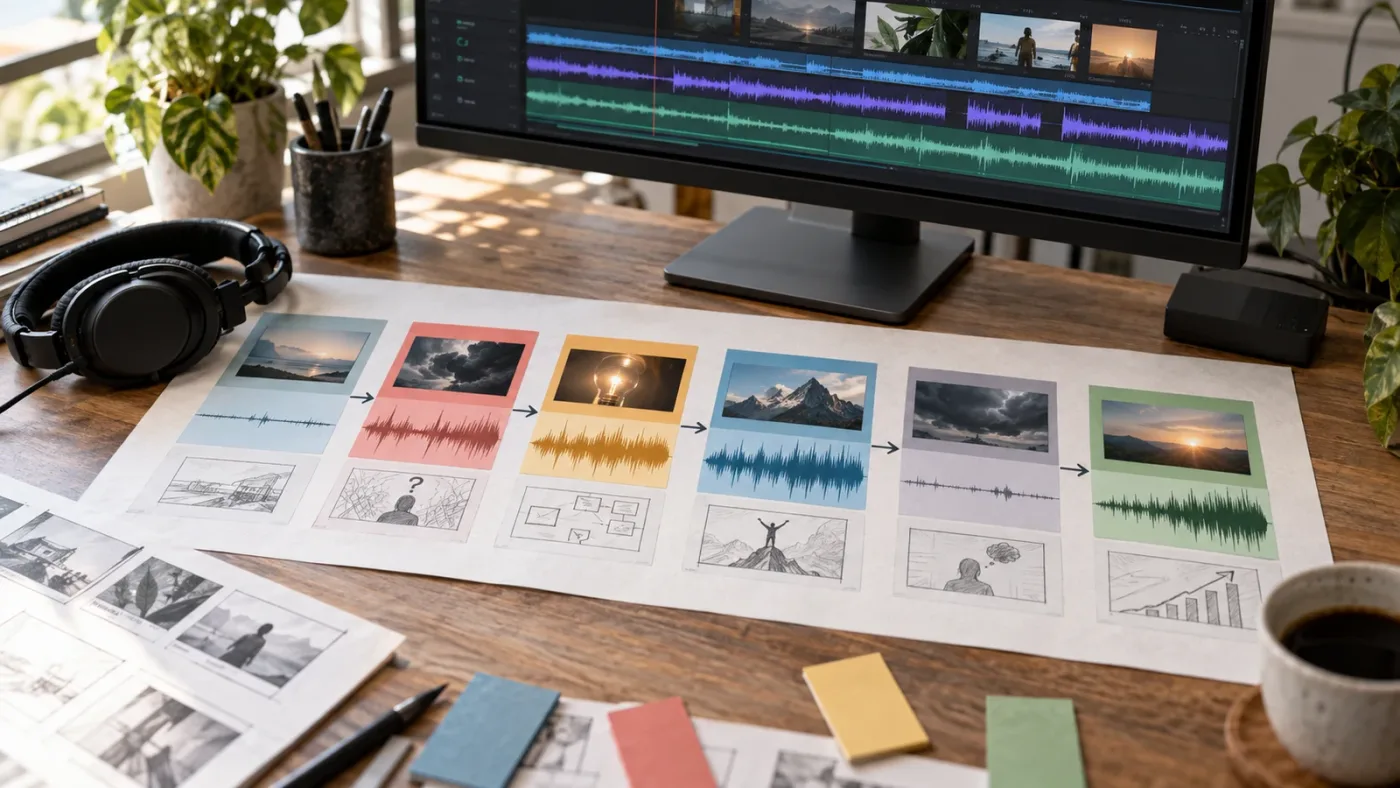
How do I choose one track for the whole explainer?
Choose one track when its arrangement can change without losing its identity. Look for a usable intro, a stable middle, a section that can carry the proof, and an ending that doesn't feel cut off. Stems or alternate mixes can help because you can reduce a layer while keeping the same musical world.
One track is often easier to license, easier to mix, and easier for the viewer to accept as a coherent bed. It also reduces the risk that each section sounds as if it came from a different video. But one track can become monotonous. Don't choose unity at the cost of attention.
When should I use two or more cues?
Use multiple cues when the explainer makes a genuine turn in purpose. A product story may begin with a human problem and move into a confident demonstration. A training video may move from context to practice. A campaign film may need a quiet opening before a more active final invitation.
Change music at a structural boundary, not in the middle of a sentence. Let the first cue resolve or thin out. Bring in the next cue under a visual or narrative reset. Randy Thom's interview makes a related point about sound entering and leaving. In his words, wall-to-wall music removes the opportunity for those entrances and exits to have meaning. That idea applies to shorter explainers too.
If you use multiple tracks, keep at least one shared quality: similar instrument family, harmonic mood, texture, or production character. The viewer should feel a change in chapter, not a change in video.
How do I use silence without making the video feel broken?
Use silence around a sentence that deserves attention, a reveal that needs visual focus, or a transition where you want the next cue to feel intentional. Silence works when the voiceover, room tone, or designed sound can carry the moment.
Don't cut to absolute digital silence automatically. A tiny change in ambience can sound like a technical mistake. Keep the natural room tone of the voiceover if it belongs there, and use a gentle re-entry for the music. The exact shape depends on the recording and the delivery system.
Silence also gives you a diagnostic. If the video becomes more convincing when the track disappears, the music may have been explaining the emotion too aggressively. Keep the pause or choose a cue that behaves better.
How do I search for explainer music without wasting an afternoon?
Search in passes, and judge every candidate under speech before you judge it as a song. Use a small vocabulary that describes the scene's function, then narrow by instruments, vocals, energy, duration, and editability.
Start with two functional terms and one texture term. Examples:
- calm process soft synth
- curious technology muted piano
- warm human documentary guitar
- confident product pulse instrumental
- thoughtful finance minimal percussion
- playful onboarding marimba light
- precise data explainer ambient rhythm
Then add a constraint only when the first results show a problem. If every track has a vocal, add instrumental. If every track is too busy, add minimal, sparse, or underscore. If every track has a large cinematic rise, add restrained or steady.
What should I listen for in a shortlist?
Listen for the following in order:
- The first usable entrance. Can you start the track without carrying a long intro that your video doesn't need?
- The speech bed. Does the middle remain useful under a full sentence?
- The transition behavior. Does the arrangement offer a fill, break, chord change, or clean place to move sections?
- The energy ceiling. Does the track become too large for the claim?
- The ending. Can it finish, fade, or loop without sounding accidental?
- The license fit. Can you use it for the actual client, platform, territory, and campaign?
The track's best moment isn't always the most important. A brilliant chorus may be useless if it covers the only sentence the viewer must remember. A less flashy track can win because every section behaves.
How many tracks should I shortlist?
Shortlist enough tracks to compare real alternatives, but stop before you turn selection into avoidance. I usually want a small group with distinct behaviors: one restrained, one warm, one more energetic, and perhaps one unusual option. The exact number isn't a quality metric.
Name the reason each track survived. "The pulse supports the diagram." "The intro starts cleanly." "The arrangement opens under the proof." If you can't state why a track works, you may be choosing it because it is familiar or because its preview is well edited.
You can also make a simple scorecard with five columns: narration space, emotional fit, edit points, ending, and license fit. Use notes such as clear, workable, weak, or unknown. Don't give pretend precision to a subjective decision. A scorecard is valuable because it makes trade-offs visible.
Where can I find music for an explainer video?
You have four practical routes: commission original music, use a public or platform-specific library, buy a single-track license, or use a subscription library whose terms match the project. The right route depends on budget, repeat volume, exclusivity needs, and publishing scope.
YouTube's official Audio Library is a useful starting point for YouTube-first work. YouTube says the library is available in YouTube Studio, can be filtered by genre, mood, artist, attribution, and duration, and includes tracks that can be downloaded as MP3 files. It also says new releases are added twice a month. YouTube's Audio Library guidance explains those filters and the attribution distinction.
That doesn't make the Audio Library a universal answer for client work. YouTube itself warns that it can't give legal guidance for off-platform music issues and that music labeled "royalty-free" elsewhere isn't automatically safe. If the explainer will appear on a website, in paid advertising, in a sales presentation, or across multiple client-owned channels, read the license for that situation.
For recurring production, Epidemic Sound can be a sensible audio-first option to evaluate because its offering is built around music, sound effects, stems, and plan-specific licensing. The assigned recommendation is an affiliate link, so we disclose that clearly: This section contains an affiliate link. If you subscribe through it, this independent publication may earn a commission at no extra cost to you. Review the current terms before choosing a plan, especially when the project includes client work, advertising, multiple channels, or post-cancellation publishing. Check Epidemic Sound's current music licensing options.
Epidemic Sound is not automatically the best answer. YouTube Audio Library can win for a YouTube-only project with a suitable track. A composer can win when the brand needs an original motif or exclusive ownership. A single-track license can win when you need one cue and won't publish often. The selection should follow the project.
The right music library is the one whose license matches the project, not the one with the most impressive catalog page.
How do I test a track against the cut in DaVinci Resolve 21?
Test a track against the cut by importing the voiceover first, placing music beneath it, and auditioning the relationship at the real edit speed. Use the Edit page for broad timing and Fairlight for detailed shaping. Resolve 21 supports this without requiring a separate audio application.
Blackmagic describes Fairlight as integrated with picture editing and says its audio timeline combines clip and waveform editing. Its current documentation also describes external sound-library access from the Fairlight page, including auditioning a sound in the timeline before confirming it. Blackmagic's Fairlight overview documents the integrated workflow.
What is the seven-step Resolve test?
Use this repeatable test before you make a final choice:
- Set the timeline. Confirm the edit is at the intended frame rate and duration. Don't polish music against a rough timeline that will change dramatically.
- Place the voiceover. Put the clean narration on its own track. If the narration is still a temporary read, mark that clearly in your notes because delivery rhythm may change.
- Mark the argument. Add markers at the hook, problem, definition, proof, objection, and call to action. The labels matter more than the marker color.
- Add two or three candidates. Keep each candidate on its own track or timeline so you can compare without repeatedly rebuilding edits.
- Listen to the dense passage. Judge the section with the most words and on-screen information. This is where a beautiful track usually reveals whether it can do the job.
- Check the structural turns. Listen through every marker and note whether the track enters, changes, and exits naturally.
- Test the ending. Play the last ten seconds with the call to action. The music should help the viewer understand that the video has arrived somewhere.
Don't make the first test at full volume. Start quietly enough that you can hear the voiceover without strain, then bring the music up until it has a clear role. You are evaluating hierarchy, not trying to create the final master in the first pass.
How do I use markers for music decisions?
Use markers to name narrative events rather than every edit. A marker called definition begins tells you more about the music decision than ten markers on individual cuts. Add a note when the track creates a problem: busy fill under product claim or clean lift before CTA.
If the explanation has a long process, add markers at the start and end of each step. Then ask whether the track makes those steps feel equal. Sometimes the music should stay flat so the visuals can do the organizing. Sometimes a small change can help the viewer feel a new stage.
Keep an untouched candidate track. Don't overwrite the original while testing trims, fades, or retiming. Duplicate first, then shape the duplicate. A reversible workflow lets you compare the edited cue with the original idea.
When should I move to Fairlight?
Move to Fairlight when your choice depends on the interaction between music, dialogue, room tone, and effects. The Edit page is enough for rough placement. Fairlight gives you the detailed timeline, waveform view, automation, dynamics, and loudness monitoring needed for the final relationship.
Blackmagic says Fairlight's waveform view can be zoomed to individual samples, and its current Fairlight page describes track automation and loudness monitoring. Those are useful when a click, abrupt fade, or level change distracts from the explanation. Read Blackmagic's Fairlight audio tools overview before treating a problem as a reason to replace the music.
Why is my music overpowering my voiceover in DaVinci Resolve?
Your music is overpowering the voiceover when it competes with speech in level, frequency, or density. Fix the hierarchy first by lowering the music and automating it around important lines, then use EQ or Fairlight's Ducker when the arrangement still masks the voice.
The fastest wrong fix is to keep lowering the music until it disappears. That may solve one sentence and leave the rest of the track lifeless. A better mix lets the music be audible in quiet spaces, then gives the voice room when the meaning becomes dense.
How do I automate the music under individual phrases?
Put the music on a dedicated track and write volume automation around the narration. Create a gentle dip before the important phrase, hold it through the phrase, and let the music recover after the phrase has landed. The shape should follow the delivery, not a fixed pattern.
Listen for the final consonants of words. If the music rises the moment a sentence ends, it may mask the last piece of meaning. Leave the recovery until the thought is complete. The right timing often matters more than a larger reduction.
Keep the moves broad enough to sound intentional. Tiny, constant corrections can make the music wobble and draw attention to the mix. If you find yourself creating a new keyframe for every word, reconsider the track or its arrangement.
How does Fairlight's Ducker work?
Fairlight's Ducker lowers a target track such as music when it detects signal from one or more selected dialogue tracks, then raises the target after the dialogue ends. Blackmagic's Fairlight documentation says you open the Ducker on the music track, choose the dialogue source, and adjust settings such as duck level and recovery. Blackmagic documents automatic ducking here.
The Ducker is useful for a dialogue-led explainer because it gives speech a repeatable relationship with the bed. It isn't a substitute for listening. A busy music phrase may still sound distracting after the level drops, and an abrupt recovery can feel like the video is rushing into the next idea.
Use it as a starting layer, then refine the moments that matter. Set the source to the narration track. Choose a moderate reduction. Adjust the recovery so the music returns after the phrase rather than immediately at the first pause. Then listen to the result with your eyes closed. If you can predict every dip, the automation may be too mechanical.
Should I use sidechain compression or manual automation?
Use manual automation when the explainer has a small number of important phrases or when you want precise emotional timing. Use the Ducker when the voiceover changes often and you need a consistent baseline. Many good mixes use both.
Manual moves are editorial decisions. They can let the music remain present under a casual aside while making space for a definition or claim. Automatic ducking is useful production support, but it doesn't know which sentence matters most. You do.
If you use compression or EQ, make the smallest change that solves the problem. Heavy processing can make the voice sound unnatural and the music thin. Start by changing the candidate. Sometimes the cleanest mix is the result of a better arrangement, not a more aggressive plugin chain.
How do I check speech intelligibility on different systems?
Check the mix on at least headphones and ordinary speakers, then listen on a quiet device at a low playback level. You don't need a laboratory to find a hierarchy problem. If the words vanish as soon as the volume drops, the mix needs attention.
Listen from the beginning, not only to the loudest section. A phone or small speaker may reveal that low music energy is not the real issue. Midrange clutter, bright percussion, and a lead melody can still compete with speech after the bass has disappeared.
Also listen without looking at the screen. Visual information can trick you into believing that audio is clearer because you already know what the speaker is saying. A colleague who hasn't seen the cut can provide a better comprehension check, but don't invent a test result if you haven't run one. Mark the check as pending until someone actually listens.
A music bed should become quieter when the explanation becomes more important, not merely when the waveform becomes louder.
Should I choose one full song, a loop, or stems?
Choose a full song when its arrangement already supports the cut, a loop when you need a stable bed with flexible length, and stems when you need to change density without changing the cue's identity. The best format is the one that gives you editorial control without creating new licensing or mixing problems.
When is a full song the right choice?
A full song works when the explainer has a strong beginning, middle, and end that align with the argument. It can carry a short brand story, a launch video, or a compact product overview where the music has enough space to develop.
Listen for a complete shape. Does the opening arrive before the first sentence? Does the main section stay useful under the explanation? Does the final section support the call to action instead of becoming a separate performance?
If the answer is yes, keep the music simple. Don't edit it just to demonstrate that you can. A clean start, one or two trims, and a thoughtful ending may be all it needs.
When is a loop the right choice?
A loop works when the explainer is process-heavy or when the picture needs a consistent floor for a long section. Loops are useful for screen recordings, tutorials, onboarding videos, and product demonstrations where the visual rhythm changes more than the emotional direction.
Hide the loop point with a musical phrase ending, a visual transition, or a small fade. A perfect loop can still feel obvious if the same accent arrives under the same kind of sentence repeatedly. Vary the visual layer or use a second section when the viewer needs a new chapter.
Don't stretch a loop blindly. Changing duration can change pitch or create artifacts depending on the tool and source. DaVinci Resolve's Fairlight page includes elastic wave retiming for stretching an audio clip without changing pitch, according to Blackmagic's current Fairlight overview. Use it carefully and listen for processing artifacts after any retime. Blackmagic explains elastic wave retiming.
When do stems help?
Stems help when the cue is emotionally right but too dense in one section. You might keep the pulse under narration, remove a lead layer during a definition, and bring it back for the proof. Stems can also help build a shorter cut without forcing every layer to play at once.
They add responsibility. Name and color the tracks clearly. Keep a note of which stems are included in the license. Export or archive them with the project if your workflow requires it. A stem workflow is only useful if another editor can understand what changed.
Stems don't guarantee a better mix. If the whole cue is too bright or the melody is too memorable, removing one layer may not solve the basic mismatch. Use stems to improve a good candidate, not to rescue a bad one.
You can read our separate guide to a DaVinci Resolve music bed workflow when you need more detail on placing and shaping a bed in the timeline.
How do I edit music to a fixed explainer length?
Edit music to the story's length by protecting the narration and structural turns first, then shortening, looping, or extending the cue around those points. Don't force the voiceover to match a song's chorus unless the chorus genuinely serves the message.
How do I fit music to a 30-second cut?
For a 30-second cut, look for an immediate entrance, one clear energy direction, and a clean exit. You may have room for a hook, one explanation, one proof point, and a call to action. The music should not spend half the video warming up.
Build the cut around the words. Mark the first phrase, the key claim, and the final instruction. Place the strongest useful musical change near the claim or the action, not automatically at the midpoint. If the track's main lift arrives too late, start from a later section or choose another cue.
How do I fit music to a 60-second or 90-second cut?
For a 60-second or 90-second cut, you can let the track establish a bed, introduce a small change, and arrive at a purposeful ending. Those lengths are examples, not a rule. The correct shape depends on how much the viewer must process.
Use a clean edit at a phrase boundary when possible. If you cut mid-phrase, use a fade or crossfade that doesn't create a noticeable dip. Compare the cut with the original track at the same playback level. A transition can sound acceptable until you hear the two versions in sequence.
Should I retime the music?
Retime music when the track is structurally right and the change is small enough to remain natural. Avoid retiming a performance so far that its groove, transients, or harmonic character become distracting. Always review the altered section on more than one playback system.
In DaVinci Resolve, Fairlight's elastic wave retiming is designed to stretch an audio clip without changing pitch, and Blackmagic describes it as a way to retime voiceover or sound effects to match picture. That description does not mean every music cue will sound perfect after a large stretch. Treat it as a tool to test, not a promise about your source material.
How do I make a clean music ending?
Use one of four endings: let the cue resolve, cut at a natural phrase, fade while the call to action finishes, or use a dedicated alternate ending if the library provides one. Choose the ending based on the last sentence.
If the final instruction is important, don't let a long ringout blur it. If the video ends on a logo with no spoken direction, a longer tail may create a calm finish. Keep the tail intentional. A music end that sounds like a file was trimmed is one of the quickest ways to make a finished explainer feel unfinished.
The Fairlight page includes clip fades, level adjustments, waveform editing, and automation controls. You can use those basic tools without building a complicated mix. Our companion guide to audio transitions between dialogue clips in DaVinci Resolve is useful when the music change is tied to a narration edit.
What should I check in a music license for an explainer video?
Check the license against the actual project, client, audience, platform, territory, campaign, and publication date. A track is not safe merely because a page calls it royalty-free, free, or copyright-safe.
The U.S. Copyright Office explains that a recorded song can involve two separate protected works: the musical work and the sound recording. Those rights can be owned and licensed separately. The Copyright Office's musician guidance makes the distinction clear. That is why downloading an audio file is not the same as having permission to put it in every video.
What does royalty-free actually tell me?
It usually tells you that the payment structure doesn't require a new royalty payment for every use covered by the license. It does not tell you the complete scope of permission. Read the terms.
Ask:
- Is the license for personal work, commercial work, or both?
- Does it cover a client project where the client owns the final video?
- Does it cover paid social ads and website embeds?
- Does it cover YouTube monetization and channel safelisting?
- Are there limits on channels, brands, territories, or organizations?
- Can the video remain public after the subscription ends?
- Can you publish a new cut after cancellation?
- Can you use the track in internal training, sales presentations, or events?
- Are stems, edits, or adaptations included?
- What proof should you save?
You don't need legal language for the first pass. You need clear answers. If a license page uses a phrase you can't map to your project, contact the provider or qualified counsel before publication.
Why does YouTube Content ID matter?
YouTube says uploaded videos are automatically scanned by Content ID against a database of audio and visual files submitted by copyright owners. If a match is found, the owner may block the video, monetize it, or track its viewership, with actions potentially varying by geography. YouTube's Content ID explanation describes those outcomes.
This is a platform process, not a complete statement of your legal rights. A license may give you permission to use music while still requiring you to dispute or clear an automated claim. Save the receipt, license certificate, project registration, and any safelisting confirmation before you upload.
YouTube's Audio Library guidance says tracks from the library are known to YouTube as copyright-safe and that Creative Commons tracks require attribution where the license says so. It also warns that YouTube isn't responsible for issues arising from music found on channels or other libraries. Read the official Audio Library guidance and don't copy a license assumption from one source to another.
What should I save in the project folder?
Save the track file, provider name, track title, artist, license type, download or purchase date, invoice or receipt, certificate, registration details, and the final video filename. If the license has a channel or project registration step, save proof of that too.
Use a simple text file such as music-license-notes.txt inside the project folder. Add the intended uses in plain language: client website, YouTube channel, paid LinkedIn campaign, internal sales deck. If the scope changes, check again before delivering the new version.
This habit protects you from memory. A project can sit for months before a client requests a cutdown. A note that says what was cleared and for whom is more useful than a vague bookmark.
Can I use music from a random YouTube channel?
Don't assume you can. YouTube's copyright guidance says a creator generally needs permission, a suitable license, an applicable exception, or public-domain status to use someone else's work. It also says that descriptions such as "free song" don't prevent Content ID from flagging music. YouTube's safe-music tips explain why the label alone isn't enough.
Public domain is also not a shortcut to every recording. The underlying composition and a particular performance can involve different rights. Check both when you rely on older music.
Is a music subscription worth it for an explainer workflow?
A music subscription is worth considering when you publish repeatedly, need more than one track, and can use the plan's licensing scope. It may not be worth it for one small, YouTube-only explainer, an exclusive brand score, or a project with unusual distribution rights.
Epidemic Sound's current offering is positioned around licensed music and sound effects, with plan-specific publishing rights and tools for creators and professional users. For a recurring Resolve workflow, the appeal is less about finding one magical song and more about reducing repeated searching and track-by-track licensing work. Review the exact plan terms before purchase.
The link is an affiliate recommendation, not a verdict. Compare it with YouTube Audio Library, original composition, single-track licensing, and other libraries. A broader asset service can be a better fit if you also need footage, templates, or graphics. A composer can be better if a distinctive original theme is part of the brand strategy.
Who should avoid a subscription?
Avoid a subscription when you only need one cue, the project has strict ownership or exclusivity requirements, or the provider's license doesn't cover the buyer's use. Also avoid buying first and checking later. A subscription can make search easier while still leaving a mismatch between a creator plan and a client advertising project.
The practical test is simple. Write the uses down. Open the license page. If the plan answers every use, keep it in the comparison. If it leaves a central use unclear, treat the track as unapproved until you resolve the question.
What are the honest alternatives?
| Option | Choose it when | Main trade-off |
|---|---|---|
| Original composition | The brand needs a distinctive theme or exclusive relationship | Higher coordination and a longer commissioning process |
| YouTube Audio Library | The project is primarily for YouTube and a suitable track is available | The library's platform-specific guidance may not cover other uses |
| Single-track license | You need one cue for one defined project | Less efficient for frequent publishing and future variations |
| Audio subscription | You make recurring videos and need a searchable music and SFX workflow | Plan terms, channel limits, and commercial uses still need checking |
| Commissioned score plus library beds | The key film needs identity while routine sections need speed | Two workflows and two sets of rights to manage |
Choose the narrowest option that fully covers the project. More catalog access isn't automatically more value. More rights aren't automatically better if you won't use them. The best answer is the one that leaves you confident about the video you actually have to deliver.
How do I choose music when the explainer has no voiceover?
When an explainer has no voiceover, choose music that can carry more of the pacing and emotional explanation, then leave room for on-screen text and visual comprehension. The music can be more active, but every musical event still competes with words on screen.
Read the text aloud even if the final video won't use narration. If the viewer must read a sentence, give that sentence enough calm. A busy fill under a dense text card can create the same problem as a busy arrangement under voiceover.
How much music can a text-led explainer handle?
It can handle as much activity as the viewer can process while reading, but that depends on font size, contrast, reading time, language, and visual complexity. Don't use an invented reading-speed number as a rule. Test the actual text with a viewer who hasn't seen the script.
Use musical changes at card or chapter boundaries. Avoid changing the bed under every line unless the change is part of the design. A consistent pulse can help the viewer understand that several cards belong to one process.
Should I choose a track with a melody?
Choose a melody when the text is short or when the melody provides a clear identity without stealing attention. Choose a more textural bed when the viewer must read instructions, compare labels, or follow a diagram.
Melody is not automatically distracting. Familiarity is the bigger risk. A memorable hook may be excellent for a title or end card and poor for a paragraph of text. Use the melody where it helps recognition, then reduce it when comprehension becomes the main task.
What are the common music-selection mistakes?
The common mistakes are choosing by genre alone, writing to the music instead of the idea, ignoring narration density, covering every second with sound, and checking the license after the video is finished. Each mistake creates avoidable revisions.
Mistake 1: choosing a genre instead of a function
"Corporate," "cinematic," and "upbeat" are search labels, not creative decisions. Use them only as broad filters. Describe what the track should do in the scene.
Mistake 2: choosing the preview instead of the usable section
A library preview is designed to show the track quickly. Your video needs a bed that works for longer speech, transitions, and an ending. Always test beyond the opening.
Mistake 3: making every section loud
If the hook, proof, logo, and call to action all receive a large musical lift, none of them feels like a destination. Give the video an energy ceiling. Reserve the strongest moment for the claim or action that deserves it.
Mistake 4: using music to hide a weak edit
Music can make a cut feel faster, but it cannot explain a confusing sequence. Mute the track and check whether the argument still works. If it doesn't, fix the visual or narration structure first.
Mistake 5: putting a full vocal song under a full explanation
The lyrics can create a second message. Use vocals only when the words and narration are intentionally separated, or when the section is designed around the song.
Mistake 6: automating every syllable
Over-automation can make the bed pump and call attention to the mix. Make the important moves. Let the track breathe in the spaces between them.
Mistake 7: forgetting the cutdown
A 90-second master may work while the 30-second version falls apart because the music's only useful entrance has been removed. Test each deliverable as its own piece.
Mistake 8: assuming a license transfers to every client
A license tied to one person, channel, or use may not cover a client, agency, paid campaign, or new organization. Treat the license as part of the deliverable specification.
Mistake 9: exporting before checking the end
The last seconds expose bad fades, abrupt cutoffs, tails over black, and calls to action that compete with music. Review the final moments separately before delivery.
The fastest way to improve an explainer soundtrack is to remove the track that makes the explanation work too hard.
How do I finish the music mix and export from DaVinci Resolve 21?
Finish the mix by checking hierarchy, automation, fades, transitions, loudness, and delivery settings in that order. Export a review file before the final master so you can catch a music problem outside the edit room.
What should I inspect before the final export?
Use this checklist:
- The narration is understandable at a quiet playback level.
- The music is present where it supports the story and absent or reduced where it distracts.
- No music edit lands under the start or end of a critical sentence.
- Fades and crossfades don't create clicks or sudden holes.
- The final cue supports the call to action.
- The license notes are saved with the project.
- The exported file has the expected duration and audio channels.
- The review file has been heard outside the editing timeline.
Blackmagic's Fairlight page says its meters can monitor loudness using selected standards and that the Deliver page offers audio settings for formats, busses, and tracks. Blackmagic's current Fairlight documentation supports using the Fairlight meters as part of a finishing pass. It does not remove the need to check the actual destination's current delivery requirements.
Should I export a separate music stem?
Export a separate music stem when the client, mixer, or delivery specification asks for it, or when you need a flexible archive. Keep the full mix too. Label the stem clearly and verify that it begins at the same timeline start as the full mix.
Fairlight supports audio-only rendering and multiple track or bus choices in the Deliver page, according to Blackmagic's overview. The exact delivery setup depends on the project. Don't create extra stems just because more files look professional. Create the files someone will use.
How do I review the export?
Watch the exported file from start to finish. Don't scrub only to the markers. Check the beginning, the densest narration, every music change, the call to action, and the final fade. Compare the export to the timeline with the same monitoring path when possible.
Then check a second playback path. A review on headphones can miss how the music sits on ordinary speakers. A review on speakers can miss a low-level hiss or edit click. The point is not to chase every difference between devices. The point is to make sure the hierarchy survives a normal change of context.
Should I use music at all in an explainer video?
Use music only when it adds clarity, motion, warmth, tension, or identity that the pictures and words don't already provide. An explainer without music can be more trustworthy and easier to follow when the subject is technical, serious, or information-dense.
Randy Thom has said that music can supply emotional information that sound effects can't, but he also warns that music can be overused and manipulative. That is a useful standard for explainers. If the music is telling the viewer to feel something the evidence hasn't earned, remove it or reduce it.
Try three versions of the key section:
- Voiceover and visuals only.
- Voiceover, visuals, and a restrained bed.
- Voiceover, visuals, and the most emotionally forceful candidate.
The middle version often wins, but don't assume it will. If the first version is clearer and more credible, keep it. You can bring music back for the opening, transitions, or ending without covering the whole video.
What is the final decision rule for explainer video music?
Choose the track that makes the explanation easier to understand while giving the edit a clear emotional direction. If two tracks do that equally well, choose the one with the simpler license, cleaner edit points, and more useful ending.
Use this final decision card:
| Decision | Keep the candidate if | Reject or reconsider if |
|---|---|---|
| Meaning | It supports the subject without exaggerating it | It changes the promise or makes the claim feel larger than it is |
| Narration | Key phrases remain easy to understand | The voice needs constant rescue through volume moves |
| Pacing | The pulse supports the actual cut | You must rush or delay useful edits to save the song |
| Structure | Entrances, changes, and ending map to the argument | The only strong section lands in the wrong place |
| Emotion | It adds a feeling the words and pictures need | It manipulates the viewer or sounds generic for the subject |
| Production | It can be shaped cleanly in DaVinci Resolve 21 | Trims, retimes, or loops create audible damage |
| Rights | The license covers every intended use | A central client, platform, or campaign use is unclear |
We built this workflow around the same constraint we use in commercial editing: the viewer should know what matters next. Music is part of that direction, but it shouldn't become a second narrator.
So make the choice in Resolve with the voiceover underneath it. Keep the track that gives the words room, the sections shape, and the license a clean path to publication. Then stop searching and finish the video.
Frequently asked questions
- How do I choose music for an explainer video?
- Write down the video's audience, promise, narration shape, and publishing destinations first. Then choose an instrumental track whose energy supports the message, leaves room for speech, has usable edit points, and is licensed for every place you plan to publish.
- How do I choose music that leaves room for narration?
- Choose an instrumental arrangement with a restrained midrange, limited lead melody, and predictable dynamics. Put it under the voiceover in DaVinci Resolve, listen at a quiet level, and automate the music down wherever words carry the meaning.
- What tempo is best for explainer video music?
- There is no universal best tempo. Start with a tempo that matches the density of the narration and the speed of the visual changes, then test it against the actual cut. A slower track can clarify a complex idea, while a faster track can support a simple, energetic pitch.
- Why is my music overpowering my voiceover in DaVinci Resolve?
- The music is probably competing with the voiceover in level, frequency, or both. Lower the music, automate it around important phrases, and use Fairlight's Ducker when the dialogue track should control the music track.
- Can I use any royalty-free music in a client explainer video?
- No. Royalty-free describes a licensing model, not unlimited permission. Check whether the license covers client work, paid advertising, the intended channels, territories, duration, and post-cancellation use, then save the license record with the project.
Sources
- DaVinci Resolve and Fairlight support center, final Resolve 21 release
- Blackmagic Design Fairlight audio post-production tools
- Blackmagic Design Fairlight tools and automatic ducking
- The Fairlight Audio Guide to DaVinci Resolve
- Use music and sound effects from the YouTube Audio Library
- How Content ID works
- Tips to find safe music
- What Musicians Should Know about Copyright
- Musical compositions and sound recordings, U.S. Copyright Office
- Collaborating with the Music Team, interview with Randy Thom
- Epidemic Sound music licensing and Resolve workflow
Keep reading
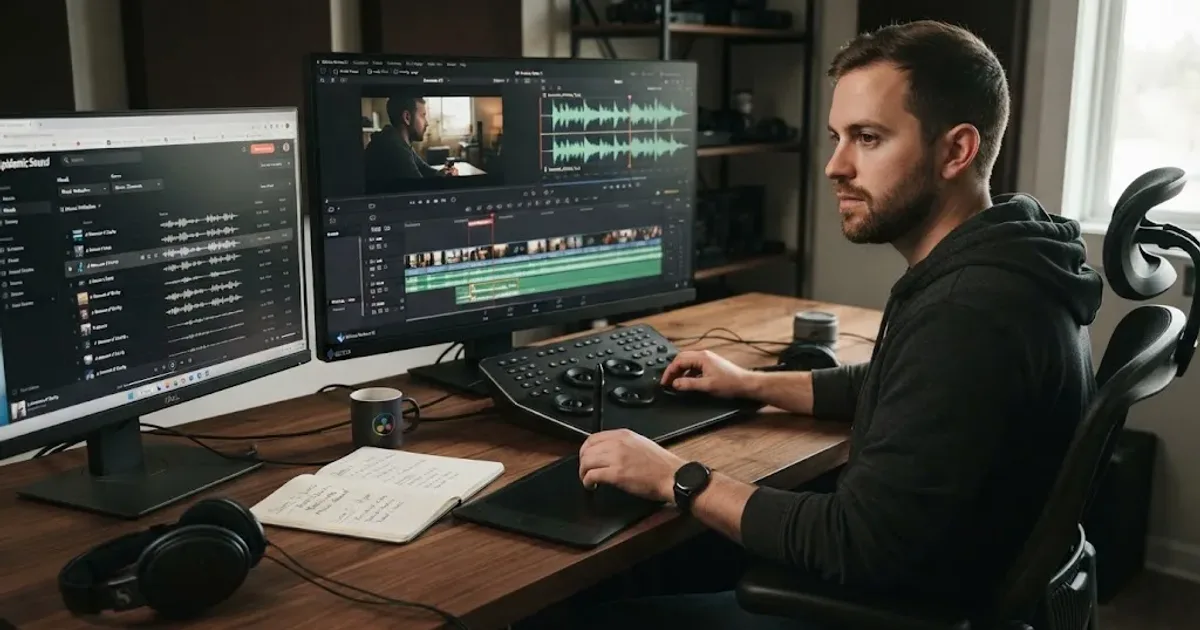
Guides · Aug 24, 2026 · 8 min
How to Choose Background Music for a Video in Resolve 21
Choose background music by story, mood, tempo, dialogue, structure, and license, then mix it cleanly in DaVinci Resolve 21.
Guides · Sep 2, 2026 · 8 min
DaVinci Resolve Music Bed Tutorial for Resolve 21
Follow this DaVinci Resolve music bed tutorial to add, cut, duck, and mix background music under dialogue in Resolve 21.
Guides · Aug 30, 2026 · 9 min
DaVinci Resolve Audio Transition Between Dialogue Clips
Learn how to add a clean DaVinci Resolve audio transition between dialogue clips, choose the right crossfade, and fix clicks, dips, and room-tone gaps.