Articles / Guidesupdated for DaVinci Resolve 21.1 (September 2026)
How to Make a Music Edit Sound Intentional in Resolve 21
Quick answer
To make a music edit sound intentional, choose a track with clear phrases, mark sections and accents, cut on musical changes when the story needs them, vary shot duration, and shape transitions with fades, room tone, and volume automation. Use the beat as a guide, not a prison.

We’ve all made the cut that is technically on beat and still feels wrong. The picture moves, the waveform spikes, and the sequence has no point of view. After seven years of cutting commercial work, we’ve learned that intention comes from decisions at several scales, from the song section down to the exact frame.
As of September 2026, this workflow applies to DaVinci Resolve 21.1. Resolve 21’s Fairlight Folder Tracks can also give a busy audio timeline a cleaner working view while leaving the original tracks unchanged. Blackmagic describes that feature in the Resolve 21 New Features Guide.
Why does a music edit sound intentional?
A music edit sounds intentional when the timing of the picture agrees with the music's structure and the story's change. A beat can tell you when a cut is possible, but a phrase, lyric, chord change, drum entrance, or drop can tell you why the cut belongs there.
Think in three layers.
- Pulse: the recurring beat or subdivision. It gives the sequence motion.
- Phrase: a group of beats that feels like a complete musical thought. It gives the sequence shape.
- Event: a section change, reveal, action, lyric, impact, or emotional turn. It gives the cut meaning.
Weak music edits solve only the first layer. Every shot changes on a kick drum, so the viewer can predict the edit. The stronger version lets beats pass, holds a shot through a phrase, and changes the image when the music or story earns it.
Steven Spielberg described editor Carol Littleton this way: “She's a genius at rhythm, at a frame off and adding a frame here or a frame there.” The American Society of Cinematographers published the interview. That is a useful standard. Musical rhythm is not a grid that removes judgment. It is a field of small choices.
An intentional music edit follows phrases, not just beats.
The word intentional doesn't mean busy, perfectly symmetrical, or cut-heavy. A long hold can be intentional. A cut just before the downbeat can be intentional. A section with no cut at all can be the decision that makes the next cut feel large.
How do I choose a track that gives the edit somewhere to go?
Choose music by its energy curve and usable structure, not by tempo alone. The right track gives your video a beginning, a middle, and an ending that you can actually cut toward.
Before you edit picture, listen for these questions:
- Does the opening leave space for the first image, title, or line of dialogue?
- Does the track have a clear first section, lift, contrast section, or release?
- Does its biggest moment arrive before your video needs to peak?
- Can you hear a natural ending, ringout, or final chord?
- Is the instrumentation simple enough for dialogue and sound effects to survive?
Tempo is only one clue. A fast track with little contrast can feel flat. A slower track with a strong lift can carry a montage beautifully. A track with a strong vocal may be right for a music-led fashion piece and wrong for a talking-head explainer.
Make a temporary shortlist of three tracks. Put each under the same rough cut and watch the opening without touching the timeline. You're testing whether the track creates useful pressure around the moments already present in the picture.
The best way to choose background music is to judge the fit at the moments where the video changes direction. For a more detailed selection workflow, see our guide to choosing background music for a video in Resolve 21.
If a track has no obvious sections, treat its recurring texture as a bed and let picture and dialogue provide contrast. Don't force a flat track to behave like a trailer cue.
How do I map a song before I cut picture?
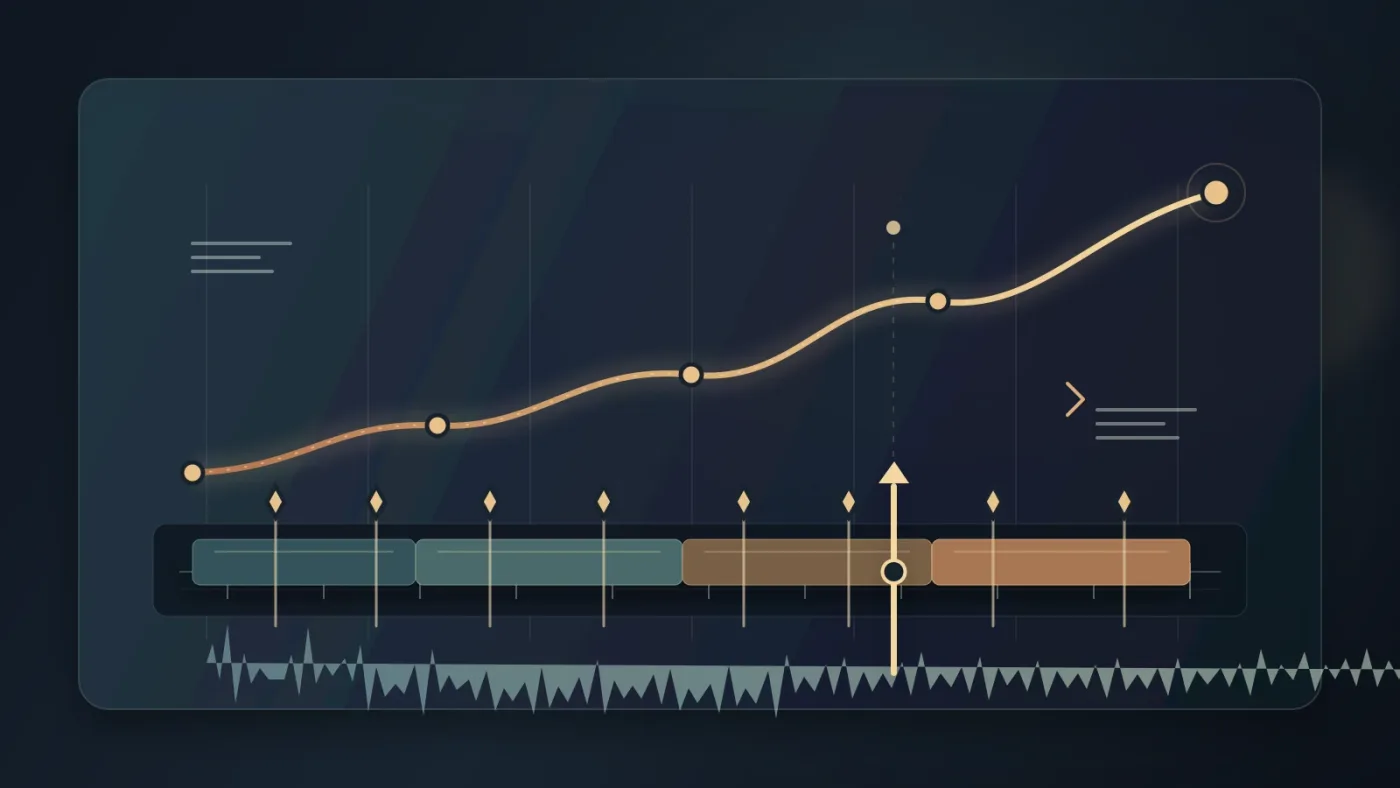
Map the song before cutting picture by marking its large musical events first, then marking smaller accents only where they help the story. In DaVinci Resolve 21, keep the music on its own Fairlight track and use timeline markers as a visible edit plan.
Listen once without editing. Write down a simple map such as:
| Time | Musical event | Editing opportunity |
|---|---|---|
| 00:00 | Sparse intro | Establish the place, face, or problem |
| 00:08 | First phrase completes | Move from setup to action |
| 00:22 | New instrument enters | Introduce a new visual idea |
| 00:38 | Energy lifts | Increase shot variety or reveal progress |
| 00:54 | Main release | Use the strongest image or emotional turn |
| 01:14 | Breakdown | Hold, simplify, or let dialogue lead |
| 01:32 | Final cadence | Resolve the story and leave room for the tail |
The times are a planning model, not a universal song structure. Your track may have unusual phrases, an intro, or a false ending. Mark what you hear.
Use markers for events, not for every visible waveform peak. A useful marker name says what the edit can do: first reveal, new location, voice enters, hold, drop, final image. A marker named beat 17 records information, but it doesn't make a decision for you.
DaVinci Resolve's official Fairlight training treats editing sound effects and music as a workflow that includes music-to-beat editing, track layers, custom crossfades, and nested timelines. Those subjects are listed in Blackmagic's Fairlight Audio Guide.
Resolve 21's Fairlight Folder Tracks group tracks into a composite view, support up to three levels of nesting, and leave the original tracks available when you reopen the folder. Blackmagic documents those details in the Resolve 21 guide.
How do I place cuts without making every cut land on the beat?
Place cuts by asking what changed, then choose the nearest musical moment that strengthens that change. The beat is one option. It isn't the boss.
Use this order of preference:
- Cut on a story event when the image needs to change now.
- Cut on a phrase boundary when you are changing visual idea or location.
- Cut on a strong accent when the picture has an action or impact to support.
- Cut just before an expected beat when anticipation is useful.
- Cut after a beat when the image needs time to register.
- Cut on a regular beat only when the shot change itself is the point.
Suppose a cyclist turns into a narrow street just before the chorus. You have three choices. Cut exactly on the chorus downbeat, cut two frames before it so the new location anticipates the lift, or hold the turn through the downbeat and cut on the following phrase once the viewer has seen the direction. All three can work. The choice depends on whether you want surprise, impact, or clarity.
For example, if a speaker says, “I didn't know what was behind the door,” and the door opens on the next accent, you can cut on the accent or hold the face for another beat. The first choice gives impact. The second creates suspense.
Don't chase a waveform spike with a video edit that makes the action weaker. Blackmagic describes Fairlight as offering sample-accurate editing, while video edits still have to serve a frame-based picture timeline. Resolve's product page describes the audio capability, and a Blackmagic forum explanation makes the frame boundary distinction explicit: video cannot be cut between frames, while audio can be positioned more finely. Read the forum discussion.
Move the picture cut to the strongest story frame. Move the music clip, trim, or transient if the sound is the part that needs to land. Each medium gets to do its job.
The strongest cut often lands on a musical change, not the loudest transient.
Try a 1-2-1-3 pattern across four shots: one phrase, two beats, one phrase, then three beats or longer. The numbers are a creative exercise. The useful part is contrast. Use repetition to establish a pattern, then break it when the story changes.
How do I make a rough cut sound connected in DaVinci Resolve 21?
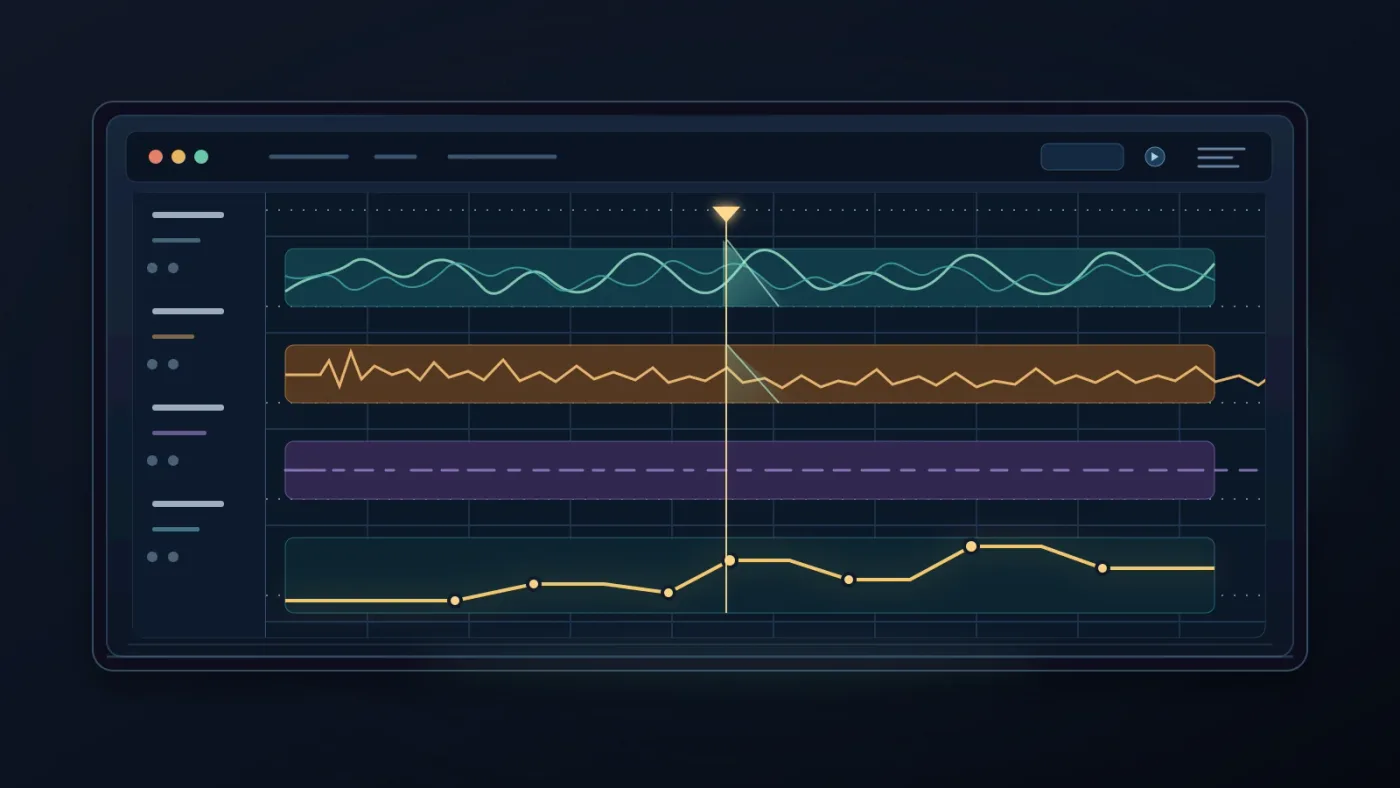
Make the rough cut sound connected by separating timing from polish: get the musical structure right first, then use Fairlight fades, clip levels, and automation to remove the seams. DaVinci Resolve's Fairlight page combines clip and waveform editing in one view, with fades, level editing, and keyframe-based automation available in the timeline. Blackmagic outlines those tools on its Fairlight page.
Follow this five-step pass.
- Set the music bed. Put the main track on its own track. Name it
MUSIC MAIN, and leave dialogue and effects on separate tracks. - Build the picture rhythm. Use the markers for section changes and story events. Ignore small clicks and tiny level problems for now.
- Trim the entrances and exits. Give the music a short fade when it starts or ends abruptly. The exact duration depends on the sound and the cut, so listen rather than applying one fixed number.
- Add the connective layer. Use room tone, an effect, a reverse swell, or the tail of the outgoing music only when it helps bridge the change. A bridge should explain the transition, not decorate it.
- Automate the important moments. Lower the music under speech, raise it when the image takes over, and draw the move around the story event instead of leaving the whole bed at one static level.
Fairlight's track controls include a fader, panners, six effects slots, dynamics, and a six-band parametric equalizer on every channel strip. Use only what the bed needs around a voice or transition. See Blackmagic's Fairlight feature description.
Zoom in when you hear a click or a hard edge. Blackmagic says Fairlight can zoom to individual audio samples, which makes it possible to inspect and redraw a waveform when a tiny edit problem is the issue. That sample-level workflow is described by Blackmagic.
Don't confuse a clean transition with a heavily processed transition. A simple fade can be more intentional than a whoosh, riser, filter sweep, and reverb tail stacked on top of a cut that has no story reason. Keep the decoration out until the timing works.
A short room-tone tail can make a hard music cut feel designed.
How do I fit music to video length without making it sound chopped?
Fit music to video length by editing complete musical ideas before making a small technical trim. Remove an intro, verse, or repeated phrase at a natural boundary, then preserve the remaining arc from entry to payoff.
Use one of four methods.
| Method | Best when | Main risk |
|---|---|---|
| Remove a complete section | The video is too long and the track repeats itself | The emotional lift may arrive too soon |
| Repeat a compatible phrase | The video needs more bed under a steady section | The loop can become obvious |
| Use a shortened or alternate arrangement | The source provides clean versions or stems | The new ending may need careful mixing |
| End on a cadence and fade the tail | The final image resolves before the music does | A generic fade can feel unfinished |
The cleanest edit point is often where one phrase has finished and the next one is about to begin. If you must cut inside a phrase, hide the decision with a layer, a sustained sound, or a crossfade that preserves the musical direction. Listen for a new chord, a cymbal tail, or a gap in the arrangement that can carry the edit.
For a detailed Resolve workflow on this specific problem, use our guide to fitting music to video length in Resolve 21. The main principle remains simple: preserve the logic of the track, even when you remove time.
If the music has stems, you may be able to reduce or remove one element during dialogue, then bring it back for the next visual turn. That can make a shortened arrangement sound authored instead of chopped. We explain the workflow in our guide to using music stems in DaVinci Resolve 21.
DaVinci Resolve Studio also includes Music Remixer, an audio effect for adjusting parts of a music track and using automation for changes. Blackmagic's Fairlight guide labels the Music Remixer lesson Studio Only, so don't plan a free-version workflow around it. The official guide lists the Studio-only limitation.
What should I do when dialogue, effects, and music compete?
When dialogue, effects, and music compete, decide which element owns each moment and automate the other elements around that decision. A music edit sounds intentional when the listener can tell what matters without the mix becoming flat.
Use a simple ownership pass:
- Dialogue owns meaning. Lower the bed before the first important word, not halfway through the sentence.
- Action owns impact. Let an effect or hit take the foreground when the picture asks for physical force.
- Music owns emotion. Give the bed room when the image has no dialogue and the track is carrying the feeling.
- Silence owns attention. A brief reduction or pause can make the next sound feel deliberate.
The mistake is to keep everything equally present. Equal importance is not clarity. Draw a volume move before the change, hold it through the line or impact, and release it where the story is ready for the music again.
Use the music's arrangement as a mixing ally. If the verse is sparse, keep more of it under dialogue. If the chorus is dense, use a stem, an arrangement change, or a lower level. Don't solve every collision with EQ when a different section may work better.
Keep the music bed on a clearly named track and group supporting elements when the timeline becomes crowded. Resolve 21's Folder Tracks are useful here because they can show several tracks as one composite view while preserving the individual tracks underneath. Blackmagic's new-features guide gives the Fairlight example.
Which music source should I choose for this workflow?
Choose a music source based on your publishing rights, need for alternate arrangements, and how often you make videos. The source is a production decision, not a substitute for good edit judgment.
| Source | Choose it if | Where another option wins |
|---|---|---|
| Music you already own or commissioned | You need a known track and clear rights for one project | A subscription can be faster when you need to search repeatedly |
| Epidemic Sound | You regularly need music, sound effects, stems, and a repeatable licensing workflow | A one-time licensed track may be simpler for a single project |
| Artlist | You also need a broader asset bundle with music, SFX, footage, templates, LUTs, or plugins | An audio-first service may be easier when visuals are already covered |
| Soundstripe | You want subscription access or the option to license one selected track for one project | Another service may fit better if you need a different catalog or broader asset mix |
Disclosure: We may earn a commission if you buy through the Epidemic Sound link below. That relationship doesn't decide the recommendation, and you should check the current plan terms for your project before publishing.
Epidemic Sound is the most natural fit here when you make recurring video work and want music, sound effects, stems, and licensing in the same sourcing workflow. Its DaVinci Resolve integration is for paid Resolve Studio, not the free edition, so free users should treat it as an external music source rather than assume the plugin will appear. Explore Epidemic Sound's current music and SFX options.
Artlist is the better choice when you also need music, SFX, footage, templates, LUTs, or plugins in one wider asset subscription. Review Artlist's current plan scope.
Soundstripe is worth considering when you want a music-first subscription or a single-use license for one selected track. Rights depend on the coverage you choose. Check Soundstripe's current licensing options.
Whichever source you use, save the license record with the project. The strongest music edit can still create a business problem if the track isn't cleared for the way you plan to publish it.

How do I diagnose an edit that still feels random?
Diagnose a random-feeling music edit by watching it three times with different questions: once muted, once with the picture hidden, and once while ignoring the beat. Each pass exposes a different mistake.
Pass one: mute the music
Watch the cut with the music muted. If the sequence has no visual or narrative reason to change, the music may be doing too much work.
Pass two: hide the picture
Listen with your eyes away from the screen. If the music sounds chopped, repair the audio edit before adjusting picture.
Pass three: ignore the beat
Watch the picture for holds and releases. Vary one or two shot durations, hold a frantic sequence through a phrase, or add a cut at a section change when the sequence drifts.
Use this troubleshooting table:
| Symptom | Likely cause | First correction |
|---|---|---|
| Every cut feels obvious | You are cutting on every strong beat | Keep the next shot through the beat and cut on the phrase boundary |
| The edit feels slow | The song's first section is too sparse for the opening | Start later, choose a stronger intro, or add a visual event |
| The edit feels rushed | The picture changes before the viewer can read each shot | Hold selected shots for a phrase instead of a beat |
| The ending feels pasted on | The music has no planned cadence | Choose a final section or build a deliberate tail |
| Dialogue disappears | The bed owns the whole frequency and level space | Lower or simplify the music around important words |
| The cut is clean but emotionless | The picture changes at neutral musical points | Move one key cut to a reveal, lift, or release |
Don't fix every problem in one pass. Pick the single cut that feels most accidental. Move it earlier, later, or to the next phrase. Play the whole section again. One strong change often reveals whether the sequence needs more work or less.
A track earns its place when its structure supports the story's change.
What should I do next to make the edit feel deliberate?
Make one complete pass with the music map visible, then remove any cut that exists only because the waveform was loud. A deliberate music edit has a clear musical arc, a visual arc, and transitions that respect both.
Use this final checklist:
- The track has a job: bed, momentum, contrast, intimacy, tension, or release.
- The major phrases and section changes are marked.
- The important visual events have a reason to land where they do.
- Not every cut lands on a beat.
- Shot durations vary when the story needs breathing room.
- Music, dialogue, and effects each own different moments.
- The shortened track still has an opening, development, and ending.
- Fades, layers, and automation hide technical seams without pretending to be story.
- The license matches the way the finished video will be published.
Resolve 21 gives you a capable Fairlight workspace for this process, from sample-accurate audio editing and waveform inspection to fades, automation, track organization, and Studio-only Music Remixer options. Blackmagic's official Fairlight materials document the tools. The craft comes from choosing what changes, what holds, and what the viewer should feel.
Start with one track, one rough cut, and one decision you can defend. Then let the music earn the next cut.
Frequently asked questions
- How do I make a music edit sound intentional?
- Make a music edit sound intentional by giving the track a job, mapping its phrases, and choosing cuts that support changes in the story. Then use fades, room tone, and volume automation to make each transition feel motivated rather than accidental.
- Why does my music edit feel random even when cuts land on the beat?
- A music edit can feel random when every cut follows the beat but none follows a phrase, lyric, section change, or story event. Mark the song's larger structure first, then let the beat guide timing inside each meaningful section.
- How do I edit video to music without cutting on every beat?
- Edit video to music without cutting on every beat by reserving cuts for visual or narrative changes and using the music's phrases, accents, and energy shifts as larger timing guides. Hold shots through several beats when the image needs room to land.
- How do I fit music to video length without making it sound chopped?
- Fit music to video length by removing complete phrases, repeating a compatible section, or ending on a musical cadence before using a short fade. Avoid trimming in the middle of a phrase unless you can hide the edit with a layer, transition, or new sound.
- What is the best way to choose music for a video in DaVinci Resolve 21?
- The best way to choose music for a video in DaVinci Resolve 21 is to match the track's energy curve and phrase structure to the video's emotional turns, not just its genre or tempo. Test the opening, middle, and ending against the rough cut before committing.
Sources
- DaVinci Resolve 21 New Features Guide
- DaVinci Resolve Fairlight
- DaVinci Resolve Fairlight Audio Guide
- DaVinci Resolve Training
- DaVinci Resolve product page
- Steven Spielberg on Carol Littleton's editing rhythm
- Rhythm and Tempo in Mickey 17
- Epidemic Sound music and sound effects options
- Artlist music and production asset plans
- Soundstripe music licensing options
Keep reading
Guides · Aug 24, 2026 · 8 min
How to Choose Background Music for a Video in Resolve 21
Choose background music by story, mood, tempo, dialogue, structure, and license, then mix it cleanly in DaVinci Resolve 21.
Guides · Aug 24, 2026 · 7 min
DaVinci Resolve Fit Music to Video Length: 21 Guide
Fit music to your video in DaVinci Resolve 21 with Music Editor, beat markers, Elastic Wave, and a clean manual fallback.

Guides · Aug 25, 2026 · 8 min
How to Use Music Stems in DaVinci Resolve 21
Learn how to import, align, mute, mix, and export vocal, drum, bass, and instrument stems in DaVinci Resolve 21.