Articles / Comparisonsupdated for DaVinci Resolve 21.0 (June 2026)
Alternatives to Miracamp's DaVinci Resolve Bootcamp (2026)
Quick answer
Miracamp's DaVinci Resolve bootcamp costs $2,700 for live coaching, a certificate, and a job board. Free alternatives include Blackmagic Design's own certified training and Casey Faris' YouTube channel; paid options like MZed and Warren Eagles cover color grading for a fraction of the price. None replicate Miracamp's career coaching and job board.
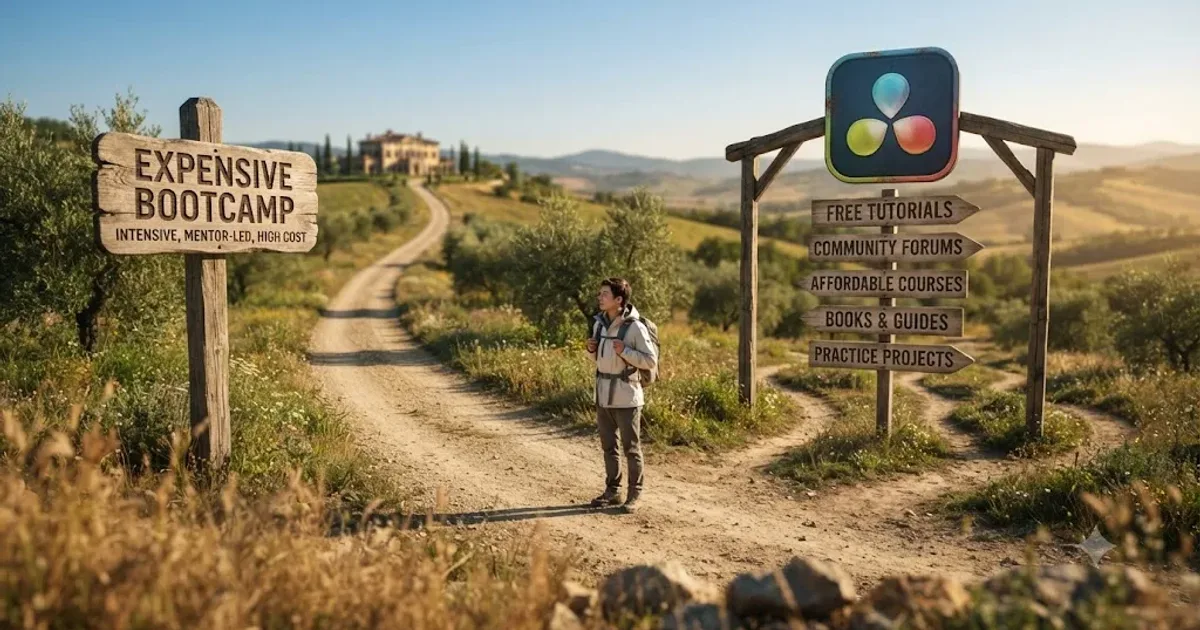
Somebody in every editing Discord asks the same question in July: is Miracamp's $2,700 DaVinci Resolve bootcamp worth it, or is there a cheaper way to get the same result? I went and read what Miracamp actually sells, checked its reviews, and lined it up against every real alternative, free, cheap, and paid, so you can answer that question with numbers instead of a sales page.
What do you actually get for Miracamp's $2,700 DaVinci Resolve bootcamp?
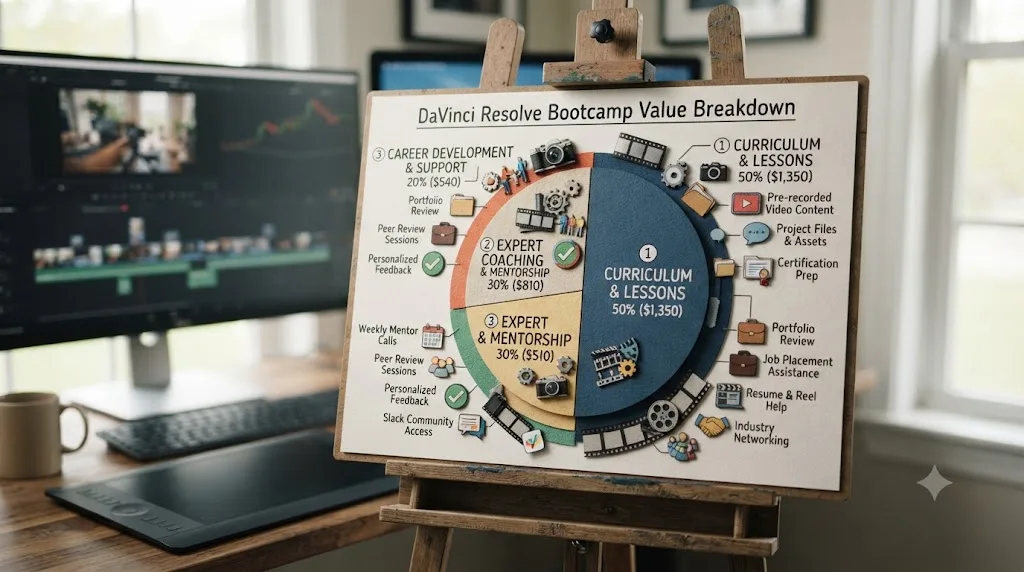
Before comparing alternatives, it's worth being precise about what you're comparing against, because "bootcamp" hides a lot of different things under one word. Miracamp's DaVinci Resolve course costs $2,700, payable outright or split into six monthly installments, and covers roughly 150 hours of content across more than 120 video lessons, according to Miracamp's own course page. You can move through it in an intensive month at about 30 hours a week, or spread it over three to four months at 7 to 8 hours a week, and you keep lifetime access to the material either way.
The curriculum itself covers real ground: the Cut and Edit pages, ripple and roll edits, text and title animation, B-roll and green screen work, Fairlight audio mixing, color correction with wheels and curves and LUTs, Resolve's newer AI editing features, export formatting for social platforms, motion graphics crossover with After Effects, and a closing stretch on freelancing and career development, per the same page. That last part matters more than it sounds, because it's the actual differentiator against every course on this list.
Here's what's bundled in beyond the video lessons themselves, all per Miracamp's course page:
| What's included | Detail |
|---|---|
| Price | $2,700, or 6 monthly installments |
| Refund window | 7-day money-back guarantee |
| Content | 150+ hours, 120+ video lessons |
| Format | Self-paced video plus 1-on-1 coaching calls |
| Feedback | Personal feedback on every exercise, teacher chat 5 days a week |
| Certificate | Miracamp completion certificate for resume and LinkedIn |
| Career support | Career coaching, portfolio and website help, private job board |
| Community | Access to a forum of 2,000+ students |
| Instructors | Editors with backgrounds at Netflix, Disney, HBO, and Warner Bros |
Miracamp isn't really selling DaVinci Resolve lessons. It's selling structure, live feedback, and a career on-ramp built around lessons you could otherwise find for free. That distinction is the entire logic of this comparison. If what you actually want is the software knowledge, keep reading, because every technique on that curriculum list exists somewhere cheaper or free. If what you want is the coaching, the certificate, and the job board bundled together, the honest answer is that fewer alternatives replicate that specific bundle, and this piece tells you exactly which pieces you can and can't get elsewhere.
Is Miracamp's bootcamp actually legit?
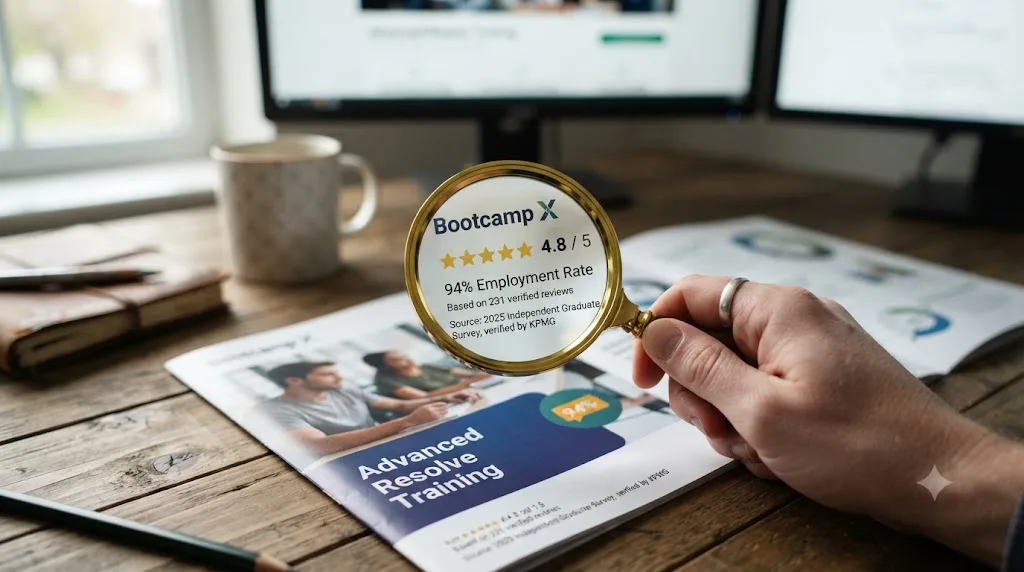
By the available evidence, yes, though its best numbers come from Miracamp itself and deserve the same scrutiny you'd give any vendor's marketing. Miracamp's own course page cites a 4.9 out of 5 Trustpilot average and claims "94% Students employed in 6 months" along with "40k+ Questions answered," and its Trustpilot review page independently shows roughly 150 customer reviews with a strongly positive skew. A separate aggregator, CareerKarma, rates Miracamp 4.6 out of 5 based on 12 reviews and describes staff as "very responsive," with courses that are "cohesive and understandable" and assignments that "help you progress through hands on practice."
Read those two numbers side by side and the honest takeaway is that both sources are positive, but they're measuring different things at different sample sizes. Trustpilot's 150 reviews is a broader sample than CareerKarma's 12, and a 94% employment claim is Miracamp's own self-reported figure, not independently audited data from a third party the way, say, a coding bootcamp's outcomes report through the Council on Integrity in Results Reporting would be. Treat "94% employed in 6 months" as a marketing claim worth asking follow-up questions about, not a verified statistic, the same way you'd treat any single company's headline number.
A bootcamp's own website is never the neutral source on whether the bootcamp works. That's not an accusation against Miracamp specifically, it's just how vendor-reported outcomes work everywhere, and it's exactly why this comparison leans on independent reviews and named, sourced facts wherever they exist instead of repeating a single company's numbers as settled fact.
What does look genuinely legitimate, independent of the employment claim, is the format itself. Live 1-on-1 coaching, personal feedback on every exercise, and a teacher chat open five days a week are structural features you can verify by asking during the trial window, not marketing copy you have to take on faith. If the bundle you actually want is a cohort with real people checking your work, Miracamp's structure matches what it advertises, whatever you conclude about the specific employment percentage.
What do real Miracamp students say beyond the star rating?
The star rating tells you the average. The actual reviews tell you where the coaching holds up and where it doesn't. CareerKarma's Miracamp page, the same one behind the 4.6-out-of-5 figure above, publishes named reviews you can read in full, and they're worth reading past the headline number.
Graduate Jean-Baptiste Jossa writes that "the overall course is well built, progressive and gives a lot of example and tips," and calls out instructor reactivity and personalized feedback specifically, not just the video content. Current student Solene Weston Smith reports being "100% confident in my new skills" and praises her instructor's follow-up and the real project work built into the course. A third reviewer, unnamed, backs up the coaching claim directly: "The teachers are very supportive, and they will get you through any problem," but adds a genuine complaint, wishing for extended teacher availability after 6 PM to fit around a day job.
Two caveats worth being honest about. First, CareerKarma's page centers on Miracamp's broader roughly 200-hour, $2,250 video editing track, not the DaVinci-Resolve-specific $2,700 course this piece is built around, so treat these reviews as evidence about Miracamp's coaching model in general rather than a DaVinci Resolve-specific audit. Second, 12 reviews is a small sample to weigh against a $2,700 decision. What the reviews agree on, independent of which Miracamp track a student took, is that the coaching is real and responsive, not a marketing promise with nobody behind it. The one recurring gap, teacher availability outside standard hours, matters most if you're keeping a day job while you study, which is exactly the audience most likely to be comparing Miracamp against a free self-paced stack in the first place.
Compare that to the free stack's evidence trail. Blackmagic's training books don't have a review page at all, because nobody pays for them and there's no transaction to review. Casey Faris' YouTube comments and Skool community threads are the closest equivalent, unmoderated, unscored, and mixed with promotional noise from the wider creator economy. That's not a knock on the free option, it's just a different kind of evidence. A star rating from a small, paying cohort is more structured but easier to game; a sprawling comment section is messier but harder to fake at scale. Weigh Miracamp's reviews as real signal from real students, and weigh the free alternatives' informal reputation the same way you'd weigh word of mouth anywhere else: useful, but worth confirming yourself in the first week before you commit real money or real time.
What's the closest free alternative to Miracamp's bootcamp?
Blackmagic Design's own training program, and it's not a close call on the technical content. Blackmagic runs its training directly, with a network of more than 250 certified trainers and over 100 training centers worldwide, according to its official training page. The free materials are six actual books, The Beginner's Guide to DaVinci Resolve plus dedicated editing, color, Fairlight audio, and two visual effects guides, each with downloadable lesson files and its own free online exam. That's the same curriculum its certified centers teach from, and it maps almost one-to-one onto Miracamp's syllabus: editing fundamentals, color wheels and curves, Fairlight mixing, and visual effects all appear in both.
The gap between the two isn't information, it's the human layer. Blackmagic's books don't call you back, don't grade your exercise, and don't have a career coach reviewing your portfolio afterward. A certification from the software's own maker still outranks a bootcamp's completion certificate on a resume line, and Blackmagic's costs exactly nothing. That's worth sitting with, because it means the credential half of Miracamp's pitch has a free equivalent that's arguably stronger, precisely because it's independently verifiable by anyone who checks.
Blackmagic also runs free live training webinars periodically, which close part of the human gap without costing anything. Check the current schedule on the same training page before assuming the free path is purely solitary video.
Who does the free path fit? Anyone with genuine budget zero, anyone who learns well from written material with exercises rather than needing a person to nudge them along, and anyone willing to build their own accountability instead of paying for someone else's. What it skips is exactly what Miracamp charges for: a coach checking your specific project, a career-coaching session on your portfolio, and a job board built from industry relationships.
Is Casey Faris' free YouTube channel and Skool community enough instead of paying $2,700?
For a meaningful chunk of Miracamp's audience, yes, especially the demonstration and community pieces a book can't provide. Casey Faris runs a YouTube channel built entirely around DaVinci Resolve tutorials and post-production workflow, with a subscriber base approaching 600,000 according to vidIQ's channel statistics. He also runs a free Skool community, "DaVinci Resolve for Beginners!", with more than 16,000 members and a free intro course attached, which is the closest free equivalent to Miracamp's 2,000-member forum. Beyond the free tier, Faris also sells his own in-depth courses and runs RESOLVECON, an online conference bringing several Resolve-focused YouTube teachers together, with a mix of free live-streamed sessions and a paid VIP workshop tier.
freeCodeCamp's channel adds another free structured option worth naming honestly: a roughly four-hour course taught by Gavin Lon, covering installation through editing, effects, and exporting in one sitting rather than Faris' ongoing, topic-driven format. It's shorter and less deep than either Faris' channel or Blackmagic's books, which makes it a reasonable first four hours rather than a full replacement for either.
The honest tradeoff against Miracamp's coached format is structure and diagnosis. YouTube publishes whatever's trending that week, not the order a beginner actually needs, and nobody watches your specific project develop the way a coach reviewing your weekly assignment does. Brady Betzel, an Emmy-nominated online editor and colorist at Margarita Mix, put the risk plainly in his review of a paid color training course:
"YouTube can be great, but it's a gamble. What looks useful in a tutorial can end up being a trap when you're delivering client work."
That's the free path's real cost against a coached bootcamp, not the missing dollars. A coach filters out techniques that fall apart under client scrutiny before they reach you. A free channel makes you do that filtering yourself, and you can't filter what you don't yet know is wrong. If you go the free route, impose your own structure: finish one playlist in order rather than following whatever autoplay suggests, and use Faris' Skool community the way you'd use Miracamp's forum, to ask specifically what's wrong with a piece of work rather than whether it's good.
That question, self-teaching versus needing someone else's judgment, is worth more space than one paragraph can give it. Our full comparison of learning DaVinci Resolve alone versus with a mentor walks through the tradeoff in more depth, including which specific skills tend to plateau without outside feedback and which ones don't. The short version: Fusion work and advanced color grading are where self-taught editors stall most often, because a bad node tree can look fine to the person who built it and fall apart the moment a colorist with real experience opens it.
Which paid course gets closest to Miracamp's depth for a fraction of the price?
Two, if you narrow your goal to color grading, and neither replicates Miracamp's career layer. Warren Eagles, a working colorist who trains through the International Colorist Academy, sells his DaVinci Resolve color grading training as three courses, "Cut N' Color for Content Creators" at $49, "Next-Level Advanced Techniques" and "Warren's Creative Color Workshop" at $149 each, or all three bundled for $269, according to Brady Betzel's review at postPerspective. Every course ships with real camera footage from RED, Blackmagic RAW, Sony, and ARRI to practice on, and Betzel, who has real credits of his own to check, calls out the specific reason it works:
"Warren stands out because he avoids the gimmicks, no 'buy my LUTs' pitch or rigid 'one true node tree.'"
Ollie Kenchington, a filmmaker, editor, and colorist who runs Korro Films and Korro Academy, teaches "Color Correction with DaVinci Resolve" through MZed: 10 modules running 7 hours and 19 minutes, according to the course page. It costs $149 outright, $29 per module, or comes bundled into an MZed Pro membership at $29 a month billed annually. Finish it and you become eligible to sit Blackmagic's own official certification exam, the closest a paid course on this list gets to matching Miracamp's certificate, except this one leads to a credential the software's own maker issues rather than a bootcamp's.
Here's the honest comparison against Miracamp's $2,700, side by side:
| Course | Price | Depth | Certificate | Live feedback | Career coaching |
|---|---|---|---|---|---|
| Miracamp bootcamp | $2,700 | Full curriculum, editing through freelancing | Miracamp certificate | Yes, 1-on-1 calls and teacher chat | Yes, coaching, portfolio, job board |
| Warren Eagles' Megapack | $49-$269 | Color grading only | None | None | None |
| MZed, Ollie Kenchington | $149 or $29/mo | Color grading only | Eligibility for Blackmagic's exam | None | None |
The pattern is clear: Eagles and Kenchington sell taste and technique at 5 to 10 percent of Miracamp's price, but neither one calls you back, grades your exercise, or coaches your portfolio afterward. You can buy a working colorist's habits for $269 or a certification-eligible course for $149, but you can't buy Miracamp's live feedback loop at either price, because that loop is the actual product Miracamp charges for. If color is your only gap and you don't need career coaching, either of these is the rational buy over the full bootcamp. Neither one touches Fusion or motion graphics either, so if that's your gap instead, Blackmagic's free visual effects guides are still the strongest structured option on this whole page.
Is Udemy's DaVinci Resolve bootcamp a real substitute for Miracamp's?
Only for the video content, and the price gap tells the story on its own. "DaVinci Resolve Mastery: The Complete Video Editing Bootcamp," taught by Louay Zambarakji, lists about 16 hours of video across Edit, Color, Fusion, and Fairlight after a June 2026 update, per its Udemy listing. Udemy's price moves constantly with sales, so the listed price is a ceiling rather than what most buyers actually pay, and the course has gathered tens of thousands of students, which speaks to its popularity rather than to any specific fit for you.
Sixteen hours across four disciplines works out to about four hours per page of the app, a genuine orientation rather than depth in any one area. That's roughly a tenth of Miracamp's video runtime, at typically a small fraction of Miracamp's price, because Udemy isn't selling coaching, career support, or a job board at all. Udemy issues a certificate of completion, and it's exactly that: proof you watched, not a Blackmagic credential and not something an employer treats as equivalent to either.
Who should pick Udemy over Miracamp? Anyone who wants one cheap, broad pass over the whole app before deciding where to go deep, and anyone confident they can build their own accountability without a coach checking in. Who shouldn't? Anyone whose actual bottleneck is career support rather than software knowledge, because Udemy's 30-day refund policy protects you from a bad video course, not from the absence of a job board you were hoping to find bundled in.
Does Coursera's DaVinci Resolve specialization compare to Miracamp's?
Partially, and it's worth being precise about its price, because it isn't actually free the way some searchers assume. Coursera hosts a "DaVinci Resolve 19 Masterclass" specialization taught by Adi Singh, split into three courses covering editing basics, audio and color polish, and advanced Fusion effects and exporting, according to the course page. You can preview the first module free or start a short Coursera Plus trial, but keeping access or earning the completion certificate requires a paid Coursera Plus subscription, so don't file this under free options the way you would Blackmagic's training.
Where it lands on the spectrum: broader and better-sequenced than a single YouTube video, narrower than Miracamp's 150 hours, and without any of Miracamp's coaching or career layer. It's a reasonable pick for someone who specifically wants Coursera's platform features, structured quizzes and a certificate through a subscription they may already have for other courses, but it doesn't compete with Miracamp on career support any more than Udemy does. Note the version gap too: it's built on Resolve 19, one full version behind the June 2026 release, though the core Edit, Color, and Fusion workflows carry over largely unchanged.
What about LinkedIn Learning or Skillshare's DaVinci Resolve courses?
Both exist, both are subscriptions rather than one-off purchases, and neither is built around DaVinci Resolve the way Miracamp, MZed, or Warren Eagles' courses are.
LinkedIn Learning doesn't sell a standalone subscription at all. Per LinkedIn's own help page, Learning access comes bundled into a LinkedIn Premium plan, the same subscription that also unlocks profile analytics and InMail credits, not a training product you buy on its own. Once you're subscribed, the DaVinci Resolve catalog is real: Patrick Inhofer's DaVinci Resolve Fundamentals course, a dedicated Editing Basics course, and a Software Features and Workflows course that covers database management and cross-app project moves between Premiere Pro, Final Cut Pro, and Resolve. What you're actually paying for is the whole LinkedIn Premium bundle, and the DaVinci Resolve courses are a small slice of a much bigger video library that also covers Excel, leadership, and a hundred other unrelated skills.
Skillshare is closer to a dedicated course marketplace, and its 2026 DaVinci Resolve catalog got a real update: Adi Singh, the same instructor behind the Coursera specialization mentioned above, published a "DaVinci Resolve 21 Masterclass" covering the current version end to end, alongside beginner tracks and a Fusion-specific motion graphics course from other instructors. Skillshare runs on an annual membership, roughly $165 a year worked out to about $13.99 a month, according to a 2026 pricing breakdown, rather than Miracamp's flat course price or Udemy's per-course model.
| Platform | DaVinci Resolve courses | Price model | Certificate |
|---|---|---|---|
| LinkedIn Learning | Fundamentals, Editing Basics, Software Features and Workflows | Bundled in LinkedIn Premium, no standalone plan | LinkedIn Learning completion certificate |
| Skillshare | DaVinci Resolve 21 Masterclass (Adi Singh), beginner and Fusion tracks | Roughly $165/year membership, all classes included | None |
Neither platform beats the free-plus-cheap stack on price if DaVinci Resolve is the only reason you'd subscribe, since you're buying a bundle built for a much wider audience. Where they do make sense: if you already pay for LinkedIn Premium for job-hunting reasons, or already have a Skillshare habit for other creative skills, the DaVinci Resolve courses inside either one are effectively free marginal value you're not currently using. Neither LinkedIn Learning nor Skillshare offers anything resembling Miracamp's 1-on-1 coaching, career support, or job board, so they slot into this comparison next to Udemy and Coursera, not next to Miracamp itself.

Can Blackmagic's certified trainer network replace Miracamp's live coaching?
For the feedback loop specifically, yes, and it's the option most searchers forget exists. The same trainer network behind Blackmagic's free books also runs actual classes, in rooms and online, with an instructor who watches you work and corrects the mistake you don't know you're making. Blackmagic's training page includes a search tool that filters specifically for one-on-one sessions with a certified trainer, which is the direct, bookable equivalent to Miracamp's coaching calls.
The tradeoff is price transparency and availability. One-on-one sessions are priced per training center rather than published on a single rate card, so budgeting means calling around rather than reading a fixed number, unlike Miracamp's flat $2,700. Availability also depends on whether a certified trainer operates near you or in a workable time zone online, whereas Miracamp's coaching is built around remote delivery from the start. If you can find a certified trainer whose per-session rate, multiplied by the number of sessions you'd realistically book, comes in under $2,700, you get comparable real-time feedback without the bundled career coaching and job board, a fair trade if those two pieces don't matter to you.
What certified trainers don't include, at least not as a standard bundle: a private job board built from industry relationships, or ongoing career coaching on your portfolio and LinkedIn. That's specifically the layer only Miracamp packages at a fixed price on this whole list.
Does the DaVinci Resolve Studio license change the math?
Only if your goal touches AI tools, HDR, or resolutions above 4K/60fps, and it's a cost none of the numbers above include. DaVinci Resolve itself, the free version, isn't part of Miracamp's $2,700 or any course's price on this page. Every option here, Miracamp included, assumes you already have Resolve installed, and the free version is a complete, unrestricted editor with no watermark and no time limit; our full free-versus-Studio breakdown covers exactly what it does and doesn't include.
Where it matters for this specific comparison: Miracamp's curriculum lists "Resolve's newer AI editing features" as a module, and several of Resolve's AI tools, Magic Mask, Super Scale, AI noise reduction, facial recognition, live only in the paid Studio tier, which costs $295 once, not a subscription. If a course, free or paid, walks you through a Studio-only tool and you're on the free version, you'll hit a wall mid-lesson that has nothing to do with the quality of the teaching. Budget for this before you budget for the course itself.
The $295 one-time price isn't the only way in. Blackmagic also rents Studio for roughly $30 a month through Blackmagic Cloud, a program that launched in September 2025 specifically for people who don't want to commit $295 upfront. Renting for the length of a single course, a month or two, then dropping back to free, is a reasonable way to test whether you actually need Studio's features before buying the license outright.
Miracamp's $2,700 doesn't mention a Resolve license anywhere in its published curriculum, so assume it's on top. The same goes for every free or cheap alternative on this page: Blackmagic's training books, Casey Faris' channel, Warren Eagles' Megapack, and MZed's Kenchington course all teach against whichever version of Resolve you already have open, free or Studio, and none of their prices include the software itself. A full honest budget for any path on this page is course cost plus, if your work needs Studio's AI tools or HDR grading, either $295 once or roughly $30 a month while you're actively studying.
What's the best way to learn DaVinci Resolve fast without a $2,700 cohort bootcamp?
Stack three cheap layers instead of buying one expensive bundle. Layer one is free, sequenced fundamentals: Blackmagic's own training books solve the ordering problem a scattered YouTube diet can't. Layer two is a source of taste and diagnosis, either Warren Eagles' or Ollie Kenchington's paid course for color specifically, or a community like Faris' Skool group willing to critique your finished work. Layer three is something that answers you the moment you're stuck, closing the gap between having a question and having an answer from hours down to seconds.
Anders Ericsson, the psychologist whose research on expert performance underpins the modern idea of deliberate practice, described exactly what a coach adds that self-study structurally can't:
"Even the most motivated and intelligent student will advance more quickly under the tutelage of someone who knows the best order in which to learn things, who understands and can demonstrate the proper way to perform various skills, who can provide useful feedback, and who can devise practice activities designed to overcome particular weaknesses."
That list, order, demonstration, feedback, diagnosis, is what Miracamp's live coaching sells at $2,700. The three-layer stack above buys most of the same list for a small fraction of the price, just assembled by you instead of bundled by one company. The gap it doesn't close is career coaching and a job board, which is worth being honest about before you assume the stack is a strict improvement.
Completion matters here too, and it's not a small factor. Free, self-paced online courses average a 5 to 15 percent completion rate across major platforms, while paid courses complete at roughly 60 percent and cohort-based courses with a group and a facilitator hit 72 percent, according to a 2026 compilation of online-course research by Skillademia. A free stack is only cheap if you actually finish it, and the data says most people don't finish free, unstructured material. That's the real argument for Miracamp's cohort structure, or any paid course, over pure free assembly: money and a schedule create accountability that free material structurally lacks.

What does a genuinely free 8-week plan to match Miracamp's core curriculum look like?
Here's a concrete schedule, not just a list of resources, built to cover the same ground as Miracamp's technical curriculum using only the free materials named in this piece. Budget roughly 8 to 10 hours a week, which lines up with Miracamp's own "3 to 4 months at 7-8 hours a week" pacing compressed into two months, since you're skipping the coaching calls and career-development modules that pad Miracamp's 150-hour total.
| Week | Focus | Free resource | What you should be able to do after |
|---|---|---|---|
| 1 | Interface and the Edit page | Blackmagic's Beginner's Guide to DaVinci Resolve | Import footage, build a rough cut, trim on the timeline |
| 2 | Cut page speed editing, ripple and roll edits | Blackmagic's Editing guide | Recut a sequence using both the Edit and Cut pages |
| 3 | Titles, text animation, B-roll structure | Blackmagic's Editing guide plus Casey Faris' channel | Build a lower-third and a B-roll-driven scene |
| 4 | Fairlight audio basics | Blackmagic's Fairlight guide | Mix dialogue levels, add a music bed, export clean audio |
| 5 | Color correction fundamentals | Blackmagic's Color guide | Balance exposure and white balance with primary wheels |
| 6 | Color curves, qualifiers, LUTs | Blackmagic's Color guide plus Casey Faris' Skool community | Build a two-node grade and apply a creative LUT |
| 7 | Visual effects and green screen basics | Blackmagic's two VFX guides | Key a green screen shot and composite a simple title |
| 8 | Export formatting and a finished reel | freeCodeCamp's Gavin Lon course for a fast export refresher | Deliver one finished, graded, mixed project at the correct export settings |
Two gaps this plan doesn't close, and you should know that going in. It doesn't cover Miracamp's freelancing and career-development module, because none of the free materials on this list are built around career coaching, that's the whole premium Miracamp charges for. And it doesn't replace live feedback: nobody's checking your Week 3 title animation before you move to Week 4, so mistakes compound quietly instead of getting caught early the way they would in a coached cohort.
Close that second gap yourself. Post your Week 4 mix and Week 6 grade in Casey Faris' Skool community and ask a specific question, not "is this good" but "what's off about the audio levels in this clip," the same narrow-question habit this piece recommended earlier. If you finish all eight weeks and want the credential half of Miracamp's bundle too, sit Blackmagic's free certification exam right after Week 8 while the material's still fresh, rather than treating certification as a someday task.
If 8 to 10 hours a week doesn't fit your schedule, don't compress the plan, stretch it. Our full-time-job learning plan spreads a similar skill sequence across a schedule built to survive a bad week at work, which matters more for finishing than raw hours logged, given that Skillademia's completion research puts free, self-paced course completion at just 5 to 15 percent.

What derails people who try the free-plus-cheap stack?
Three specific failure modes account for most of it, and all three are avoidable once you know to watch for them.
The first is schedule drift. Miracamp's cohort structure and coaching calls impose a deadline from outside; the free stack has none, so "I'll do it this weekend" quietly becomes never. Fix it the same way you'd fix any habit with no external accountability: put the sessions on a calendar with a fixed day and time, and tell one other person your Week 8 deadline so skipping it costs you something social, not just personal.
The second is passive consumption disguised as progress. Watching a two-hour Casey Faris video feels like studying, but if you never open Resolve and rebuild what he just did, you've consumed content, not practiced a skill. Anders Ericsson's research on deliberate practice, quoted earlier in this piece, is specifically about doing, not watching, and it's the single biggest reason the 8-week plan above assigns a deliverable every week instead of a video to finish.
The third is resource sprawl. Free DaVinci Resolve content is abundant enough that choosing what to watch next becomes its own time sink. Pick one primary source per topic, Blackmagic's book for structure, Faris for demonstration, and stop there. Bookmarking a dozen tutorials on the same topic and never finishing any of them is worse than picking one imperfect resource and finishing it.
None of these three failure modes are about willpower. They're about the free stack missing the structural guardrails a paid cohort builds in by default. If you read through this list and recognize yourself in more than one, that's not a character flaw, it's real information: you're the kind of learner Miracamp's $2,700 is actually built for, and the free stack will cost you more in stalled months than the bootcamp would have cost in dollars. If none of these three sound like you, the free stack was probably always the right call.
Is there an AI tool to learn DaVinci Resolve instead of a bootcamp?
Yes, though it solves a different and narrower problem than a bootcamp does, and it's worth being precise about which problem before you substitute one for the other. TryUncle is the on-screen assistant for DaVinci Resolve on macOS. Ask in plain words and Uncle points at the exact control on your screen. That's live diagnosis of your specific stuck moment, delivered by software instead of a coach, on the Edit, Color, and Fusion pages, for $29.99 a month at founder pricing on the first 100 seats.
Guided practice inside DaVinci Resolve beats watching courses about DaVinci Resolve. That's the actual case for this category over pure video content, whether the video is Miracamp's, Udemy's, or a free YouTube channel's. It's also the honest limit of what TryUncle can promise: it doesn't have a coach's taste about whether your finished grade looks good or your portfolio is client-ready, and it doesn't run a job board. It answers "where is the control that does this" faster than any course on this page, and it doesn't answer "is this good enough to send to a client," which is precisely the judgment call Miracamp's human coaches are paid to make.
TryUncle is a paid subscription, not free and never framed as free, macOS only, and currently doesn't cover Fairlight audio. Check TryUncle's site directly for the current founder rate before subscribing, since pricing is explicitly temporary at this seat count.
How does an app that helps you while using DaVinci Resolve compare to a career-focused bootcamp?
Honestly, and by naming the real competitors in that specific category rather than pretending TryUncle is the only one, because it isn't. Four tools show up whenever someone searches for an AI tool to learn DaVinci Resolve or an app that helps you while using DaVinci Resolve, and they split into two genuinely different jobs.
Sottocut is an AI assistant editor built inside DaVinci Resolve Studio 21 on Apple Silicon Macs. It scores your footage, proposes cuts, and generates captions through a chat interface, running from $15 a month with your own AI key up to $119 a month managed. heyeddie.ai (Eddie), used by more than 40,000 video professionals by its own description, turns raw interviews into rough cuts and syncs multicam audio, exporting into Resolve, Premiere, or Final Cut, starting around $25 a month. CutAgent takes a natural-language edit request and carries it out directly inside DaVinci Resolve on macOS, showing every planned change before the timeline updates. PremiereCopilot sits outside Resolve entirely, an AI copilot bundle for Adobe Premiere Pro starting at $7.99 a month, worth naming here only because it turns up in the same searches.
| Tool | What it actually does | Platform | Starting price |
|---|---|---|---|
| Sottocut | Scores footage and builds a cut for you | DaVinci Resolve Studio 21, Apple Silicon | $15/mo (BYOK) |
| heyeddie.ai | Turns interviews into rough cuts, syncs multicam | Exports to Resolve, Premiere, FCP | $25/mo |
| CutAgent | Executes natural-language edit requests as Resolve operations | DaVinci Resolve, macOS | See site |
| PremiereCopilot | Text-to-edit, captions, silence cuts | Adobe Premiere Pro only | $7.99/mo |
| TryUncle | Points at the control you're hunting for, live | DaVinci Resolve, macOS | $29.99/mo founder rate |
The dividing line matters more than the price tags: Sottocut, Eddie, and CutAgent make the edit happen for you. TryUncle makes the edit happen through you, by pointing rather than doing. Neither category replaces what Miracamp sells, because none of these five tools coaches your career, reviews your portfolio, or posts jobs from an industry network. They solve the "I'm stuck on a control" or "I need this cut assembled fast" problems. Miracamp solves the "I need a human checking my work and helping me get hired" problem. Confusing the two is how you end up disappointed with either purchase.
How do all the alternatives compare side by side?
Here's every option from this piece on one screen, so you can weigh them against your own budget and goal instead of a vague feeling about which sounds best. For a deeper dive into the course options specifically, our full comparison of the best DaVinci Resolve courses breaks each one down further.
| Option | Price | Live feedback | Certificate | Career coaching / job board |
|---|---|---|---|---|
| Miracamp bootcamp | $2,700 | Yes, 1-on-1 calls, teacher chat | Miracamp certificate | Yes, both |
| Blackmagic Design free training | Free | No | Official Blackmagic certification | No |
| Casey Faris (YouTube + Skool) | Free | Community, reactive | No | No |
| freeCodeCamp (Gavin Lon) | Free | No | No | No |
| Warren Eagles' Resolve Megapack | $49-$269 | No | No | No |
| MZed, Ollie Kenchington | $149 or $29/mo | No | Eligibility for Blackmagic exam | No |
| Udemy, Louay's Mastery bootcamp | Varies, often under $20 | No | Udemy completion certificate only | No |
| Coursera, Adi Singh specialization | Coursera Plus subscription | No | Coursera certificate | No |
| LinkedIn Learning | Bundled in LinkedIn Premium | No | LinkedIn Learning completion certificate | No |
| Skillshare | Roughly $165/year | No | No | No |
| Blackmagic certified trainer (1-on-1) | Varies by center | Yes, real-time | Official Blackmagic certification | No |
| TryUncle | $29.99/mo founder rate | Live, on-screen, narrow | No | No |
Read that table by the two right-hand columns first, because they're the columns that actually separate Miracamp from everything else on this list. Every free and low-cost option nails the technical curriculum. Only Miracamp and a self-arranged certified trainer offer real-time human feedback, and only Miracamp bundles career coaching and a job board at a fixed, published price. That's the entire premium you're paying for at $2,700: not information, but a person checking your work and a door into a hiring network.
Which alternative actually fits your goal?
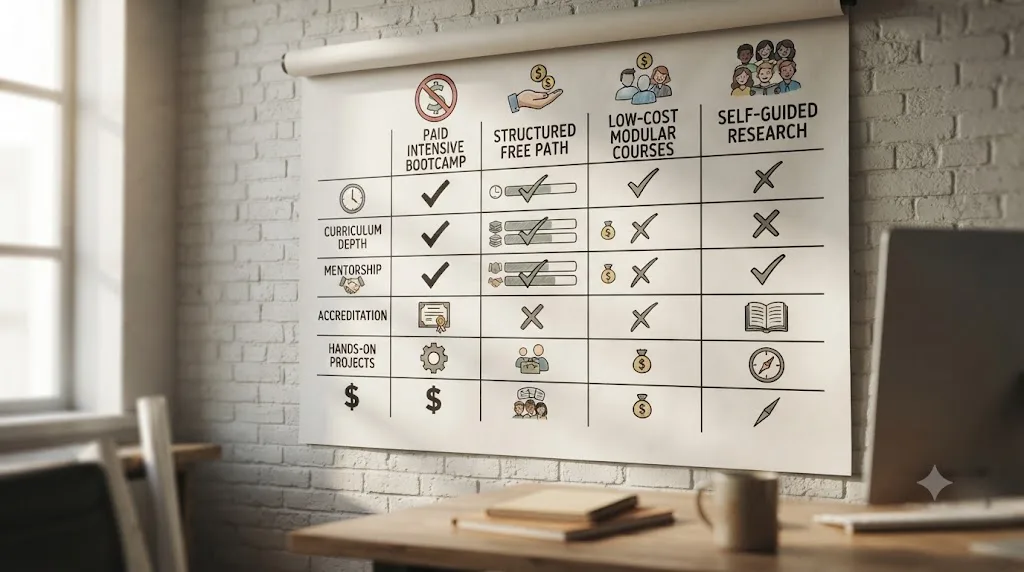
Skip the star ratings and match the option to what you're actually short on.
| Your situation | Best pick | Why |
|---|---|---|
| Complete beginner, budget zero | Blackmagic's free training | Same curriculum depth, official certification, costs nothing |
| Want to fill specific gaps as they show up | Casey Faris' YouTube channel and Skool community | Ongoing, free, community-backed |
| Color grading is the only gap | Warren Eagles' Megapack or MZed's Kenchington course | 5-10% of Miracamp's price for the one skill that matters |
| Want a broad one-pass overview, cheap | Udemy's Mastery bootcamp | Under $20 with sales, 16 hours across all four pages |
| Already pay for LinkedIn Premium or Skillshare | Use the DaVinci Resolve courses already included | Marginal cost is close to zero if you're already subscribed for other reasons |
| Need real-time feedback but not career coaching | A certified trainer's 1-on-1 session | Comparable diagnosis without the bundled job board |
| Stuck mid-project on a specific control | TryUncle | Instant, on-screen answer, not a curriculum |
| Want live coaching, a certificate, career coaching, and a job board in one purchase | Miracamp | Nothing else on this list bundles all four |
The bottom row is the honest one. If you specifically want career coaching plus a job board plus live feedback plus a certificate, in one transaction, at a fixed price, Miracamp is genuinely the option built for that exact bundle, and this comparison hasn't found a direct substitute that matches all four at once. Everything above it wins on price by unbundling the parts you don't actually need.
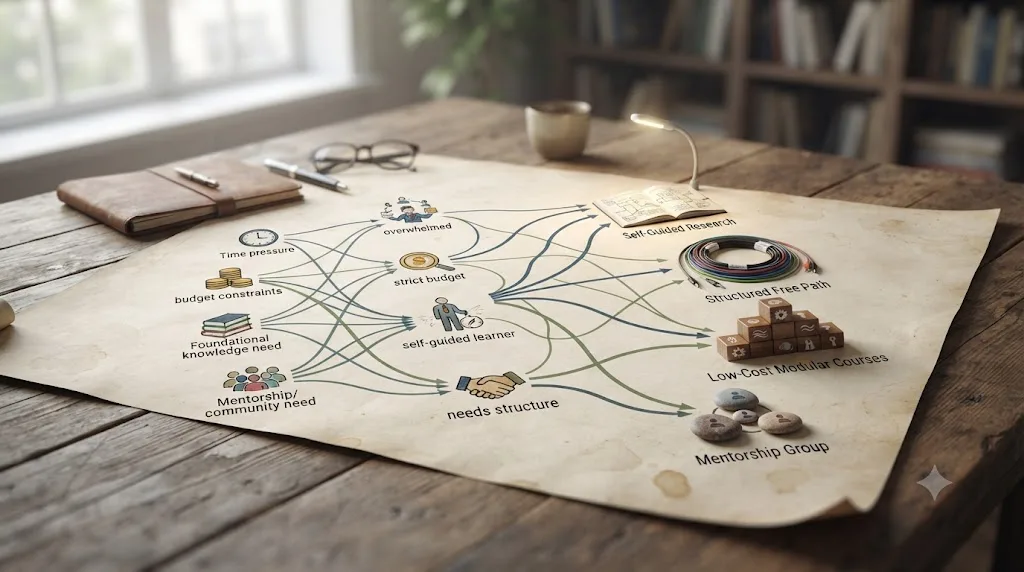
Is Miracamp worth it specifically for the job board and career coaching?
If you're changing careers into video editing and have no professional network of your own, this is the honest case for paying the premium rather than assembling the cheap stack. A Noble Desktop analysis of video editing bootcamps notes that "a professional skills bootcamp can cost only 5 to 10 percent of a single semester of a high-end film program," and that the format's real advantage over both college and pure self-teaching is centralizing career-focused training with career services most self-taught learners never build for themselves.
That framing matters here because the free and cheap alternatives in this piece genuinely don't replicate a private job board built from industry relationships, or a career coach who reviews your specific portfolio, resume, and LinkedIn profile against what hiring editors actually look for. You can approximate the certificate for free through Blackmagic. You can approximate the color grading depth for $149 to $269. You cannot approximate a curated job board through a free YouTube subscription, because that requires relationships a content creator's audience doesn't automatically confer.
Freelance colorist and editor pay gives you a sense of the stakes if the job board or career coaching actually shortens your path to a first paid gig. The average freelance colorist in the US earns around $41 an hour, with a typical range of roughly $31 to $57, according to Glassdoor's 2026 salary data. If Miracamp's career coaching and job board genuinely compress your time-to-first-client by even a few weeks compared to cold outreach on your own, the $2,700 amortizes fast against that hourly rate. If you already have industry contacts, or you're building a portfolio for a job you're not depending on income from soon, that math weakens considerably, and the free-plus-cheap stack becomes the rational choice.
Is Miracamp's job board actually worth more than searching yourself?
It depends what a curated job board buys you that a public search doesn't, and the honest answer is competition, not access. Job postings on LinkedIn or Indeed are public by design, which means a beginner's application competes against every other applicant who found the same public listing, experienced or not. A private job board built from a bootcamp's own industry relationships works differently: postings often come from employers who specifically asked Miracamp for graduates, or who trust the vetting a completed bootcamp represents, which shrinks the applicant pool before you even apply.
That's the theoretical case. Whether it holds in practice depends entirely on how active Miracamp's job board actually is at the moment you're job hunting, something no course review, including this one, can verify without being enrolled and watching postings arrive in real time. Ask directly during the trial week: how many DaVinci-Resolve-relevant postings came through the job board in the last 30 days, and how many students actually landed interviews from it, not just access to it. A career coach who can't answer that specifically is selling access, not outcomes.
If you don't have that answer and don't want to enroll to get it, the fallback is the same cold outreach every self-taught editor already relies on: publish finished work, follow working colorists and editors whose style you want to learn, and apply directly rather than waiting for a curated feed. It's slower and it's free, and against a freelance colorist's roughly $41-an-hour going rate, cited above from Glassdoor's 2026 data, the real question isn't whether Miracamp's job board has value, it's whether it saves you enough job-search time to be worth $2,700 compared to searching yourself for free. Only Miracamp can tell you how active its own job board is right now, and that single number, not the technical curriculum, is the real thing worth asking about before you pay $2,700.

What if you already enrolled and want out before the refund window closes?
Act inside the first week, not the first month. Miracamp advertises a 7-day money-back guarantee on its course page, which is a short window against 150 hours of content and a multi-month intensive schedule. Don't treat the seven days as a chance to sample the whole curriculum. Treat it as a chance to confirm the format actually fits you: work through several early modules, book at least one 1-on-1 coaching call, and post something in the community forum, because those are the specific features a video preview or a sales page can't show you, and they're exactly what you're paying the premium for over a cheaper course.
If day seven arrives and you're still unsure, that uncertainty is itself useful information. A bootcamp built around live coaching and career support rewards people who show up consistently for months, not people who are lukewarm in week one. If your enthusiasm is already fading before the refund window closes, the free-plus-cheap stack, which asks for less commitment and less money upfront, may genuinely suit your learning style better than a $2,700 cohort program, whatever the technical curriculum overlap between the two.
If you're past the refund window and the fit isn't working, don't treat the money as wasted before you've used every included feature. Book the coaching calls you haven't used, post in the forum, and use the career coaching session on your portfolio even if you're unsure about finishing every video module. The career layer is the part free alternatives can't replace, so extracting full value from it is the best recovery move if the video-lesson pacing didn't work for you.
What does a full year actually cost, path by path?
Every price mentioned so far has been discussed one option at a time. Here's the full-year comparison, side by side, for someone taking each path seriously rather than dabbling in it.
| Path | Year-one cost | What that number buys |
|---|---|---|
| Miracamp bootcamp | $2,700 (or 6 installments) | Full curriculum, live coaching, certificate, career coaching, job board |
| Blackmagic free training | $0 | Full curriculum, official certification, no feedback loop |
| Casey Faris (YouTube + Skool) | $0 | Ongoing content, community, no structured curriculum |
| Warren Eagles' Megapack | $49-$269 | Color grading depth from a working colorist, one-time |
| MZed, Ollie Kenchington | $149 or $29/mo | Color grading plus certification eligibility |
| Udemy Mastery bootcamp | Often under $20 | Broad overview across four pages, no feedback loop |
| LinkedIn Learning | Whatever your LinkedIn Premium plan already costs | DaVinci Resolve courses plus the rest of LinkedIn Premium, no feedback loop |
| Skillshare | Roughly $165/year | Full class library including the 2026 Masterclass, no feedback loop |
| Certified trainer sessions | Varies by center | Real-time feedback, no career coaching or job board |
| TryUncle | About $360/year at founder pricing | Instant, narrow answers to specific stuck moments |
| Free stack + TryUncle | About $360/year | Free curriculum, instant answers, no coaching or job board |
Read that table by what each row is actually solving, not by which number is smallest. The bottom two rows show the cheapest way to close the technical gap entirely, at roughly one-eighth of Miracamp's price. What no combination on this table replicates is the top row's specific bundle of live human coaching plus a career coach plus a job board, all under one price and one point of contact. If that bundle is genuinely what you need, the comparison isn't really about price at all, it's about whether you'd rather assemble five vendors yourself or buy the assembled version from one.

What if you can't afford Miracamp but still want its outcomes?
Rebuild it piece by piece instead of assuming you have to buy the whole bundle or go without. For the curriculum, Blackmagic's free training books already match Miracamp's editing, color, and Fairlight coverage almost line for line. For live feedback, either book occasional certified-trainer sessions when your budget allows, or post specific, narrow questions, not "is this good" but "what's wrong with this specific shot", in Casey Faris' Skool community or the official Blackmagic forum, where strangers who owe you nothing will tell you plainly. For instant help mid-project, a subscription tool costs a fraction of a single coaching call and closes the exact gap where self-teaching stalls hardest.
For the career layer specifically, the part hardest to replace for free, build your own version deliberately rather than skipping it. Publish finished work publicly instead of only practice exercises. Ask a working editor whose reel you admire, directly and specifically, to critique one project. Treat every free community post as a small rehearsal for the feedback a paid career coach would give, and keep a running list of what changes between critiques so you can see whether you're actually improving or just collecting opinions.
None of that matches a curated job board built from a company's actual industry relationships. Be honest with yourself about that gap rather than pretending a public portfolio and cold outreach fully replace it. It's slower, and it's also free, and slower-but-free is a real, valid choice for anyone whose actual constraint is money rather than time.
Does prior editing experience change which alternative makes sense?
Yes, and mostly toward skipping the broad options entirely. If you already edit professionally in Premiere Pro or Final Cut, you don't need Miracamp's or Udemy's beginner-level editing lessons, because trimming, timeline logic, and pacing all transfer. What doesn't transfer is Resolve's furniture: pages instead of panels, and a node-based Color page instead of stacked effects. Blackmagic's free Editor's Guide is the fastest fit for a switcher specifically, because it teaches Resolve the way Resolve wants to be driven rather than as one chapter of a general survey.
Muscle memory is the specific thing that breaks first. A Premiere editor's fingers know J-K-L, but Resolve's default keybinds for trim and ripple delete sit in different places, and fighting your own hands for a week is more frustrating than not knowing a shortcut existed at all. Most switchers adapt inside a few real projects, not by memorizing a keybind chart in isolation, so don't budget extra course time for this specifically. Budget patience instead.
That advantage evaporates on the Color and Fusion pages. Node-based grading and node-based compositing don't exist in the same form in Premiere or Final Cut, so an experienced switcher and a total beginner start those two pages from close to the same place. If your prior experience is entirely on a timeline-based editor, weight your self-teaching confidence toward Edit and put your paid budget, whether that's Miracamp, Eagles, or Kenchington, toward Color and Fusion specifically, rather than paying for a full curriculum that mostly repeats what you already know.
Working colorists or editors considering Miracamp specifically for its career coaching and job board face a different calculation: you likely don't need the technical curriculum at all, so the honest question is whether $2,700 for coaching and career support alone beats a certified trainer's per-session rate plus your own portfolio outreach. For most working professionals, it doesn't, because you already have the industry contacts a beginner is paying Miracamp's job board to provide.
What if you're outside the US or in a different time zone?
Ask specifically before you enroll, rather than assuming a remote bootcamp's live coaching lines up with your schedule. Miracamp's course page doesn't publish fixed cohort start times or a coaching-call time zone policy, so if you're outside North America, confirm directly whether 1-on-1 sessions and teacher chat availability realistically fit your working hours before the refund window closes, the same due diligence you'd apply to any remote-first program with live components.
The career layer deserves the same scrutiny regionally. A job board built from industry relationships is only as useful as the markets those relationships actually cover, so ask what regions the private job board's postings concentrate in before assuming it serves your local market the way it might serve someone based in the US. None of this is a reason to rule Miracamp out. It's a reason to ask the same questions you'd ask any remote service before paying for the parts that depend on real-time overlap or regional network reach.
The free alternatives sidestep this entirely, since Blackmagic's training, Casey Faris' channel, and TryUncle all work identically regardless of your time zone or region, which is a genuine advantage of the unbundled path for anyone whose location makes live coaching logistically awkward.
So, Miracamp or an alternative?
Neither one wins outright, and the honest split runs along exactly the line this whole comparison has drawn: what do you actually need that you don't already have? If your gap is purely technical, editing, color, Fairlight, Fusion, every piece of Miracamp's curriculum has a free or far cheaper twin, Blackmagic's own training chief among them, backed by an official certification that costs nothing. If your gap is real-time feedback specifically, a certified trainer or a targeted paid course from Warren Eagles or Ollie Kenchington gets you most of that at a fraction of the price.
If your actual gap is a career on-ramp, someone coaching your portfolio and a curated job board pointing you at real openings, that's the one bundle this comparison couldn't find a direct, equivalent substitute for, and it's the honest reason Miracamp's $2,700 exists as a category rather than a markup on free information. Whichever side you land on, don't let the technical curriculum decide it, since that part is solved for free already. Let the career question decide it instead, and if you go the assembled route, close the one gap none of the free stack answers instantly, the moment you're stuck mid-edit and can't find the control, with TryUncle pointing at your actual screen while you keep working.
Frequently asked questions
- Is Miracamp's DaVinci Resolve bootcamp worth $2,700?
- It depends what you're paying for. If you want live one-on-one feedback, a certificate, career coaching, and a private job board bundled together, Miracamp is one of the few places that sells that exact bundle, and its own Trustpilot page and CareerKarma reviews are largely positive. If you just want to learn the software, every skill Miracamp teaches is available free from Blackmagic Design or far cheaper from MZed or Udemy. The $2,700 buys accountability and career support, not exclusive information.
- What is the cheapest real alternative to Miracamp's DaVinci Resolve bootcamp?
- Blackmagic Design's own free training. Six downloadable books covering editing, color, Fairlight audio, and visual effects, each with lesson files and a free certification exam, cost nothing and are built by the company that makes the software. Casey Faris' free YouTube channel and Skool community fill in the demonstration and community layers a book can't.
- Does Blackmagic Design offer a free certificate like Miracamp's?
- Yes, and it's arguably the stronger credential. Blackmagic's own certification exams, taken after its free training books, verify the same skills Miracamp's completion certificate represents, but the exam is written and graded by the software's own maker instead of a private bootcamp. A resume screener trusts a Blackmagic certification more than a bootcamp completion badge, because it's independently checkable.
- Is there a paid course that gets close to Miracamp's depth for less money?
- Two. Warren Eagles' Resolve Megapack, reviewed favorably by Emmy-nominated editor Brady Betzel, runs $49 to $269 for real color grading depth from a working colorist. Ollie Kenchington's MZed course costs $149 and makes you eligible to sit Blackmagic's own certification exam afterward. Neither includes career coaching or a job board, which is Miracamp's real point of difference.
- What's the best way to learn DaVinci Resolve fast without a $2,700 bootcamp?
- Stack free structure with instant help. Start with Blackmagic's free Beginner's Guide for sequencing, add Casey Faris' YouTube channel or freeCodeCamp's Gavin Lon course for demonstration, and use a tool that answers you the moment you're stuck instead of sending you back to a video. That combination reaches real competence in weeks without a bootcamp's price tag or its live-cohort schedule.
- Is there an AI tool to learn DaVinci Resolve instead of a bootcamp?
- Yes, though it solves a narrower problem than a bootcamp does. TryUncle is an on-screen assistant for DaVinci Resolve on macOS that watches your actual project and points at the control you're hunting for, live, for $29.99 a month at founder pricing. It doesn't replace a human coach's feedback on your finished work, career coaching, or a job board, the three things Miracamp actually sells.
- Does Miracamp offer a refund if the bootcamp isn't a good fit?
- Miracamp advertises a 7-day money-back guarantee on its own course page. That's a short window for a self-paced, 150-hour curriculum, so treat the first week as a genuine trial: work through several modules and book at least one coaching call before it closes, rather than assuming you can evaluate 150 hours of content in seven days.
- How does Miracamp compare to Udemy's DaVinci Resolve courses?
- They're not really the same category. Udemy's DaVinci Resolve Mastery bootcamp runs about 16 hours of pre-recorded video for a price that moves with Udemy's constant sales, often under $20. Miracamp runs roughly 150 hours of content plus live 1-on-1 coaching, career coaching, and a job board for $2,700. Udemy is cheaper by an order of magnitude because it isn't selling the human layer at all.
Sources
- Miracamp - DaVinci Resolve Course (1-on-1 Coaching)
- Miracamp - Career Support
- CareerKarma - Miracamp Reviews: Cost, Courses, and Outcomes
- Trustpilot - Miracamp Reviews
- DaVinci Resolve - Training (Blackmagic Design)
- Casey Faris - YouTube channel
- vidIQ - Casey Faris channel statistics
- Skool - DaVinci Resolve for Beginners! (Casey Faris community)
- RESOLVECON - The World's Biggest DaVinci Resolve Training Event
- postPerspective: Review - Warren Eagles' DaVinci Resolve Color Grading Training (Brady Betzel, December 2025)
- MZed - Color Correction with DaVinci Resolve (Ollie Kenchington)
- Udemy - DaVinci Resolve Mastery: The Complete Video Editing Bootcamp
- Coursera - DaVinci Resolve 19 Masterclass: Video Editing Basics (Adi Singh)
- freeCodeCamp - Master Video Editing with DaVinci Resolve (Gavin Lon)
- Skillademia: Online Course Completion Statistics 2026
- Anders Ericsson, Peak: Secrets from the New Science of Expertise (quoted)
- Glassdoor: Freelance Colorist Salary & Pay Trends 2026
- Noble Desktop: The Value of Video Editing Bootcamps, Are They Worth It?
- Sottocut (product site)
- Eddie AI (heyeddie.ai product site)
- CutAgent (cutagent.ai product site)
- PremiereCopilot (product site)
- TryUncle (product site)
- CG Channel: Blackmagic Design releases DaVinci Resolve 21.0
- DaVinci Resolve Studio product page (price and features)
- DaVinci Resolve - How to Buy (Blackmagic Design)
- LinkedIn Learning subscription overview (LinkedIn Help)
- LinkedIn Learning - DaVinci Resolve Fundamentals (Patrick Inhofer)
- Skillshare - DaVinci Resolve 21 Masterclass (Adi Singh)
- Skillshare Pricing: Plans, Free Trial Info, More (myelearningworld.com)
Put this guide to work with TryUncle.
Ask about the step you’re on. TryUncle sees your screen and points at the control you need, so you can keep learning in your own project.
Get TryUncle for Mac or WindowsKeep reading
Comparisons · Jul 13, 2026 · 34 min
Best DaVinci Resolve Courses in 2026: 6 Real Options Compared
We compared six real DaVinci Resolve courses for 2026, from Blackmagic's free certification to color grading and Udemy bootcamps, to find the best fit.
Comparisons · Jul 15, 2026 · 41 min
Should You Learn DaVinci Resolve Alone or With a Mentor?
Learning DaVinci Resolve alone vs. with a mentor, compared honestly: what a real mentor changes, why self-taught learners stall, and where AI tutors fit.
Guides · Jul 15, 2026 · 34 min
DaVinci Resolve Learning Plan for a Full-Time Job
A realistic DaVinci Resolve learning plan for people with a full-time job: weekly hour budgets, a 12-week schedule, and how to protect practice time.