Articles / Comparisonsupdated for DaVinci Resolve 21.0 (June 2026)
DaVinci Resolve Studio Price: Free vs. Studio Cost, Explained
Quick answer
DaVinci Resolve Studio costs $295, paid once, not a subscription. That buys the DaVinci Neural Engine AI tools, resolutions and frame rates beyond 4K/60fps, multi-GPU rendering, advanced HDR grading, and dozens of extra effects on top of the full-featured free version, which has no watermark and no time limit.
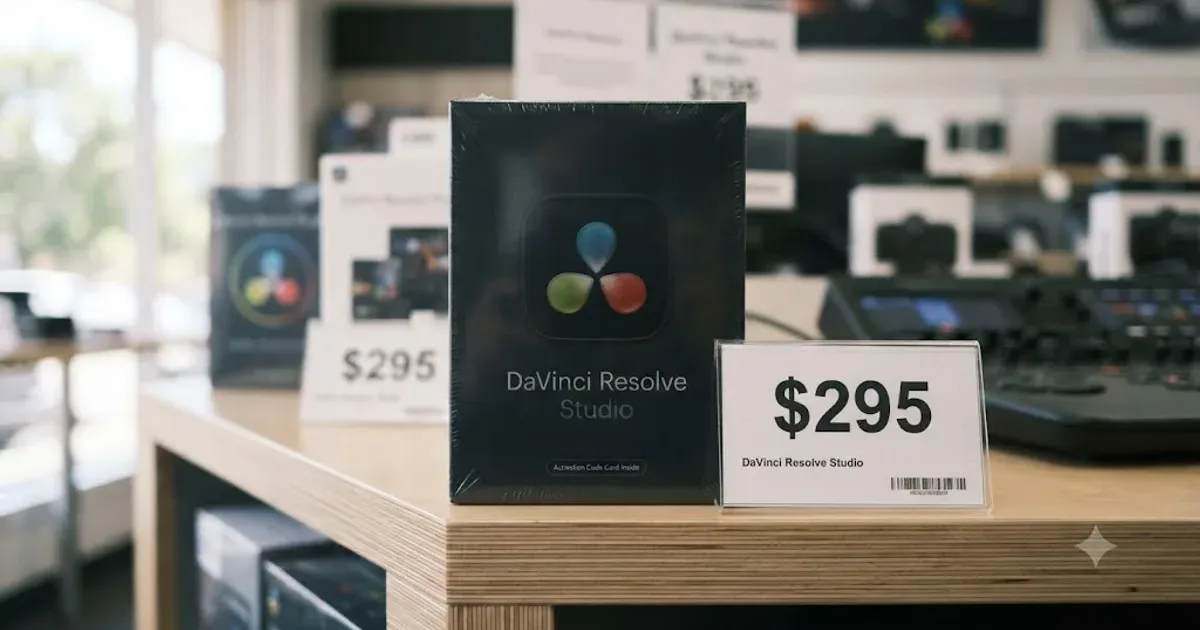
$295. That's the whole question most people are typing when they search for DaVinci Resolve Studio's price, and it deserves a straight answer before anything else. One payment, no subscription, no monthly renewal notice waiting to surprise you next spring.
What's harder to answer in one line is whether you should spend it. So let's take the price apart: what it buys, how Blackmagic's own history with that number should shape your expectations, and how it stacks up against the editors people actually compare it to.
How much does DaVinci Resolve Studio cost?
$295 in the US, paid once, according to Blackmagic's Studio product page. Regional pricing shifts with local tax and currency, but the US figure is the one every comparison lines up against, including this one.
| Version | Price | Billing |
|---|---|---|
| DaVinci Resolve (free) | $0 | None, no time limit |
| DaVinci Resolve Studio | $295 | One-time, per license |
DaVinci Resolve Studio costs $295 once, not $295 a year. That distinction matters more than any single feature on the spec sheet, because it changes what "worth it" even means. A subscription asks you to keep justifying the cost every month. A one-time license asks you to justify it exactly once.
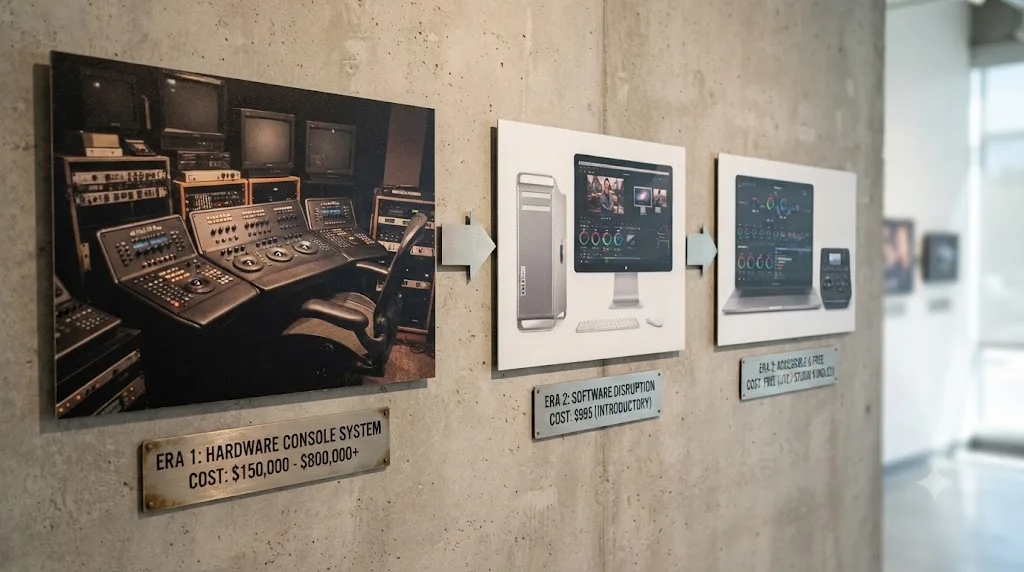
For context on where that number came from: DaVinci Resolve wasn't built as consumer software. Blackmagic Design bought the daVinci Systems color-grading business in 2009, when the hardware-and-software systems it sold to Hollywood post houses cost "$350,000 to $850,000 per unit," according to Forbes' profile of founder Grant Petty. Petty turned it into a software-only product "priced at just $995," then made the base version free a year later, per the same profile. $295 for the professional tier is the resting point of that price collapse, not a starting point.
What do you actually get for the $295?
Blackmagic describes Studio as adding "over 100 advanced features" on top of the free version, per its Studio product page. In practice, most of that value clusters into a handful of categories:
| Category | What Studio adds |
|---|---|
| AI tools | DaVinci Neural Engine features: Magic Mask, facial recognition, Super Scale upscaling, speed warp retiming, voice isolation |
| Resolution and frame rate | Beyond 4K UHD and 60fps, up to 120fps at higher resolutions, with multi-GPU rendering |
| Image cleanup | Temporal and AI spatial noise reduction, roughly 45 extra Resolve FX including object removal |
| Color and delivery | Dolby Vision and HDR10+ grading, film grain, stereoscopic 3D tools, DCP and IMF mastering |
| Audio | Full immersive audio suite with Dolby Atmos mastering |
The free version of DaVinci Resolve already includes full editing, color grading, Fairlight audio, and Fusion visual effects, with no watermark and no time limit. Studio isn't unlocking a crippled demo. It's stacking a specific, professional-delivery layer on top of a genuinely complete editor, which is exactly why so many editors go months, or years, before they buy it.
That's the map. The next section is the territory, line by line.
What's different between free and Studio, feature by feature?
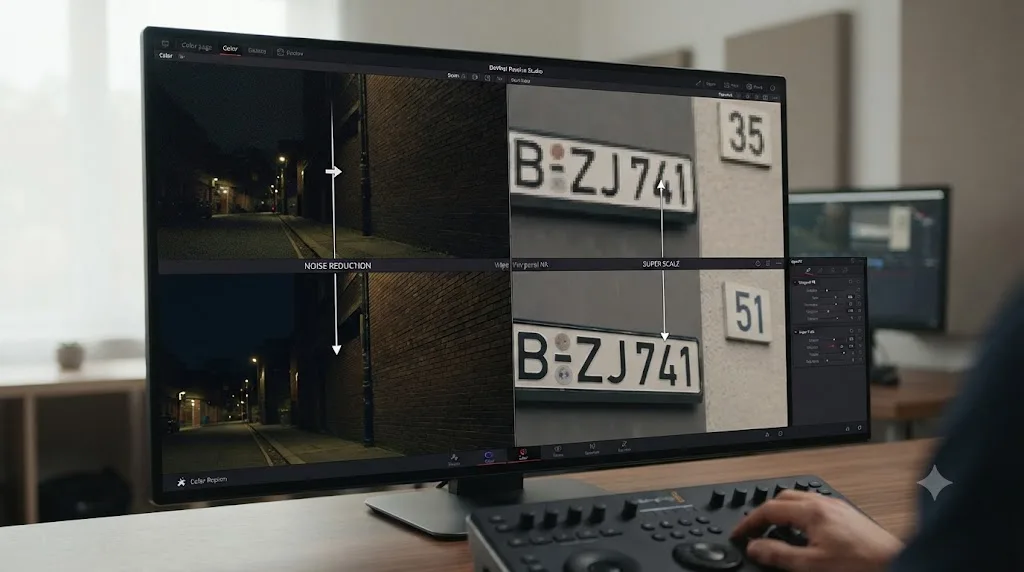
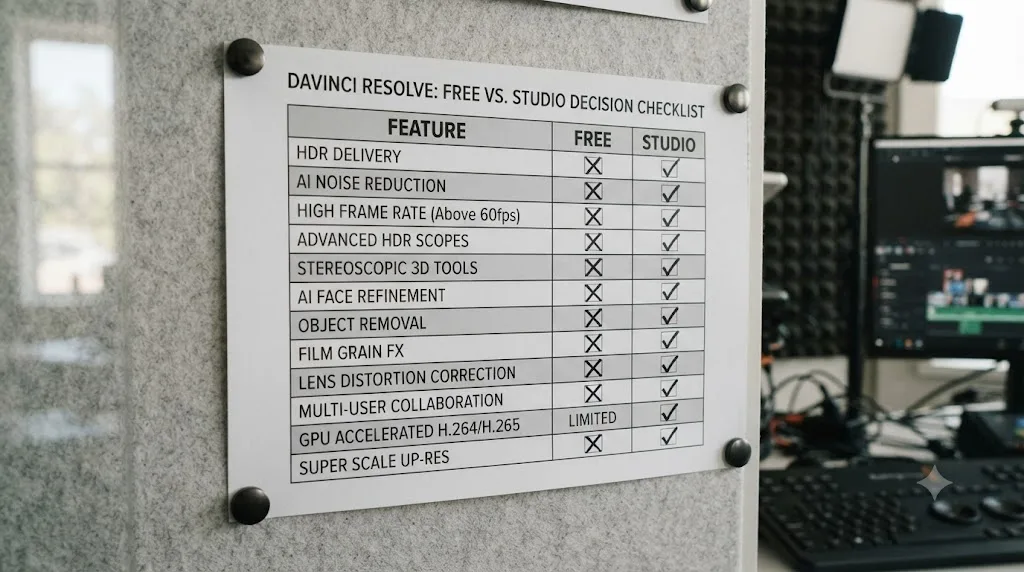
Blackmagic doesn't publish a single two-column comparison chart, so here's one, compiled from the wording on its free version page and Studio page.
| Feature | DaVinci Resolve (free) | DaVinci Resolve Studio |
|---|---|---|
| Price | $0 | $295 one-time |
| Maximum resolution | Ultra HD 3840 x 2160 | Up to 32K, per Blackmagic |
| Maximum frame rate | 60fps | 120fps |
| Bit depth | "Virtually all 8-bit video formats," in Blackmagic's words | Adds 10-bit format support |
| GPUs used for processing | One | Multiple GPUs |
| H.264/H.265 hardware encoding and decoding | CPU-based on Windows and Linux | Accelerated on supported GPUs |
| Noise reduction | Not included | Temporal plus AI spatial (UltraNR) |
| Magic Mask | Not included | Included |
| Film grain, optical blur | Not included | Included |
| Text-based editing | Not included | Included |
| Neural Engine AI (voice isolation, music remixer, dialogue separator, Super Scale, Speed Warp, facial recognition) | Not included | Included |
| HDR grading tools | Included | Included, plus Dolby Vision and HDR10+ grading and rendering |
| Multi-user collaboration | Included | Included |
| Stereoscopic 3D | Not included | Included |
| Resolve FX library | Core set | About 45 extra effects |
| DCP and IMF mastering | Not included | Included |
| Watermark or time limit | None | None |
Two patterns jump out of that table. The differences cluster at the edges of the pipeline: what the software will ingest from your camera, and what it will master for delivery. The middle, where you actually spend your days cutting, grading, and mixing, is nearly identical in both versions.
The second pattern is what's missing from the Studio column: collaboration. People still assume multi-user project sharing is a paid feature, because it used to be. Blackmagic's own product page now lists "multi-user collaboration and HDR grading" as part of the free version.
One row deserves a special mention because it drives so many upgrades on its own. Magic Mask, the AI tool that isolates a person or object with one stroke and tracks it through the shot, is Studio-only. If you're not sure what it actually does in a grade, our Magic Mask guide walks through it.
What does each Neural Engine tool actually do?
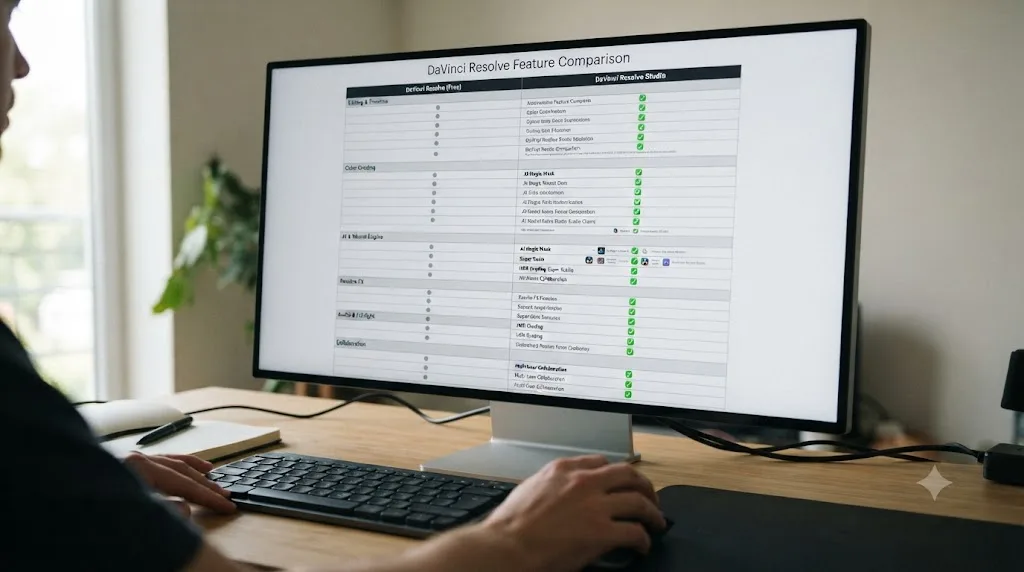
"DaVinci Neural Engine" is the umbrella label Blackmagic puts on Studio's AI features, and it's doing a lot of work on that spec sheet. The name tells you nothing about which tools will touch your projects weekly and which you'll click once out of curiosity. So here's the lineup, tool by tool, with an honest read on who each one serves.
| Tool | What it does | Who reaches for it |
|---|---|---|
| Magic Mask | Isolates and tracks a person, face, or object from a single stroke | Colorists, client videographers, anyone doing selective grades |
| UltraNR noise reduction | AI spatial cleanup that pairs with temporal noise reduction | Low-light shooters, event videographers |
| Voice isolation | Strips background noise and roar from recorded dialogue | Interview, documentary, and run-and-gun shooters |
| Super Scale | AI upscaling for putting SD or HD footage on a UHD timeline | Archival projects, mixed-format edits |
| Speed Warp | AI-generated slow motion beyond what the camera captured | Wedding, sports, and action editors |
| Dialogue separator | Pulls dialogue apart from background sound on a mixed track | Repair jobs on footage you can't reshoot |
| Music remixer | Splits a finished song into stems | Editors reworking music beds |
| Facial recognition | Sorts clips into bins based on the people in the shot | Large multi-person, multi-day projects |
In practice these split into two tiers. Magic Mask, the noise reducers, and voice isolation are workhorse tools that earn their place in ordinary weekly editing; they fix problems every shooter has. Super Scale and Speed Warp are situational but brilliant when the situation arrives, usually the day a client hands you a 1080p archive clip for a 4K timeline. The audio separators and facial recognition are rescue and logistics tools; you might not touch them for a year, then one of them saves a project.
There's a useful way to evaluate all of this before paying: many Studio-only effects can be auditioned inside the free version, where they render with a watermark until a license is present. Drop your own noisy clip under the noise reducer and look at the result. The watermark tells you what the $295 removes, and your footage tells you whether it's worth removing.
One thing the AI branding shouldn't obscure: none of these tools are the editor. The free version's cut, edit, color, Fusion, and Fairlight pages carry the actual craft. The Neural Engine is a box of power tools bolted onto a workshop that was already fully equipped.
Which differences do people only discover later?
The spec sheet reads like the gap is about big numbers. 32K. 120 frames per second. Almost nobody edits there. The differences that actually push people to pay are quieter, and most editors meet them weeks or months after installing the free version.
The first is export speed on Windows and Linux. Blackmagic's Studio page lists "accelerated H.264 and H.265 hardware decoding and encoding" as a paid feature. Blackmagic doesn't break that down by operating system on the page, but the practical shape of it looks like this:
| OS | Free version | Studio |
|---|---|---|
| macOS | Apple's VideoToolbox handles much of the H.264/H.265 work at the OS level, so the gap is smaller | Full hardware acceleration |
| Windows | H.264/H.265 export runs on the CPU while the GPU's dedicated encoder sits idle | GPU encoders (NVENC, Quick Sync, AMD) put to work |
| Linux | The free build ships without H.264 and AAC support at all | H.264/H.265 supported and accelerated |
On Windows and Linux, hardware-accelerated H.264 and H.265 encoding is a DaVinci Resolve Studio feature, not part of the free version.
That Linux row surprises everyone. Blackmagic doesn't advertise it on the product page; it surfaces the first time a plain MP4 from a phone or drone refuses to import on a Linux machine. On that platform, Studio isn't a speed upgrade, it's the difference between common footage working and not working.
The second late discovery is 10-bit camera files. Blackmagic's own wording caps the free version at "virtually all 8-bit video formats," and a huge share of current mirrorless cameras record 10-bit 4:2:2 H.264 or H.265 by default once you step past the base picture profiles. Editors upgrade their camera, switch on a log profile because every tutorial says to, and suddenly the free version they were happy with is the bottleneck. The camera purchase triggers the software purchase.
Third: the finishing touches colorists reach for. Film grain and optical blur are listed by Blackmagic as Studio additions, alongside the noise reduction. You can build a complete grade in the free version, but the last five percent that makes digital footage feel like film sits behind the license.
And fourth, a small one that stings writers and podcasters: text-based editing, where Resolve transcribes your footage and you cut by deleting sentences, is Studio-only. It's easy to assume an editing workflow feature would live in the free editing toolset. It doesn't.
Which delivery destinations actually require Studio?
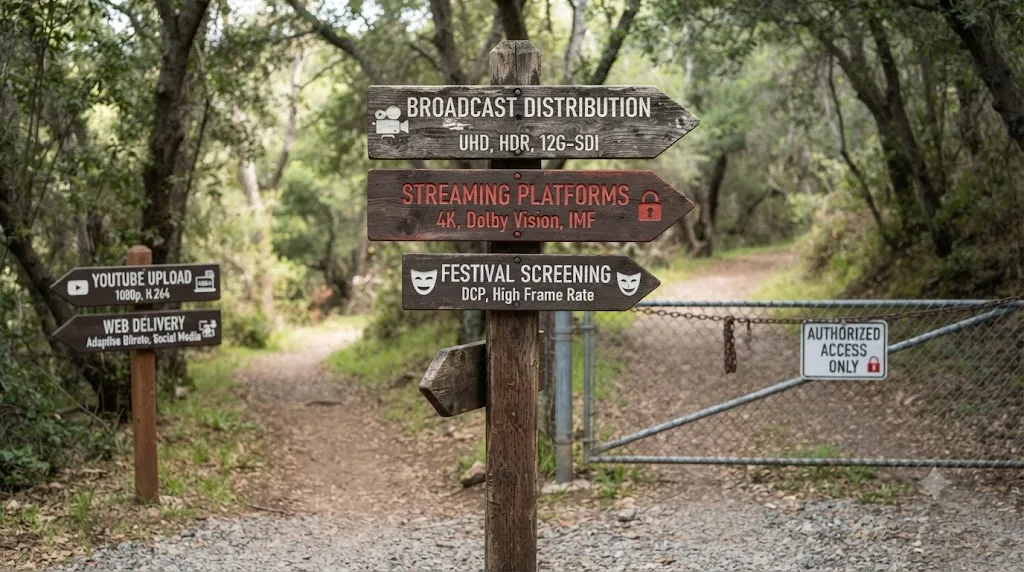
Here's a different way to run the free-or-Studio decision: forget the feature list and start from where your finished video ends up. The destination sets the spec, and the spec decides the version.
| Where it's going | Studio required? | Why |
|---|---|---|
| YouTube, Instagram, TikTok, client web video | No | SDR delivery at UHD/60fps or below sits inside the free tier |
| Corporate and agency masters | Usually no | Unless the contract specifies 10-bit masters or HDR |
| Broadcast | Often yes | Broadcast delivery specs commonly call for 10-bit masters |
| HDR platforms (Dolby Vision, HDR10+) | Yes | Both grading and rendering for these formats are Studio features |
| Film festivals | Yes | DCP mastering is a Studio feature |
| Streaming originals | Yes | This kind of work is typically delivered as IMF packages, and IMF is Studio-only |
DaVinci Resolve Studio is required for DCP and IMF mastering, the delivery formats used by film festivals and streaming originals.
The HDR row hides a nuance worth spelling out. Blackmagic lists HDR grading tools in the free version, so you can absolutely learn HDR color work without paying. But real HDR delivery is a 10-bit output job by definition, and 10-bit support is a Studio feature. In practice, the free version lets you study HDR; Studio lets you ship it.
The top row cuts the other way, and it's the one most readers live on. Every mainstream social and web platform re-encodes your upload and serves overwhelmingly SDR streams. If that's your entire output, no delivery spec anywhere in your workflow requires Studio, and any upgrade case has to come from the input side instead: your camera's files, your footage's noise, your deadline pressure.
Is DaVinci Resolve Studio a subscription?
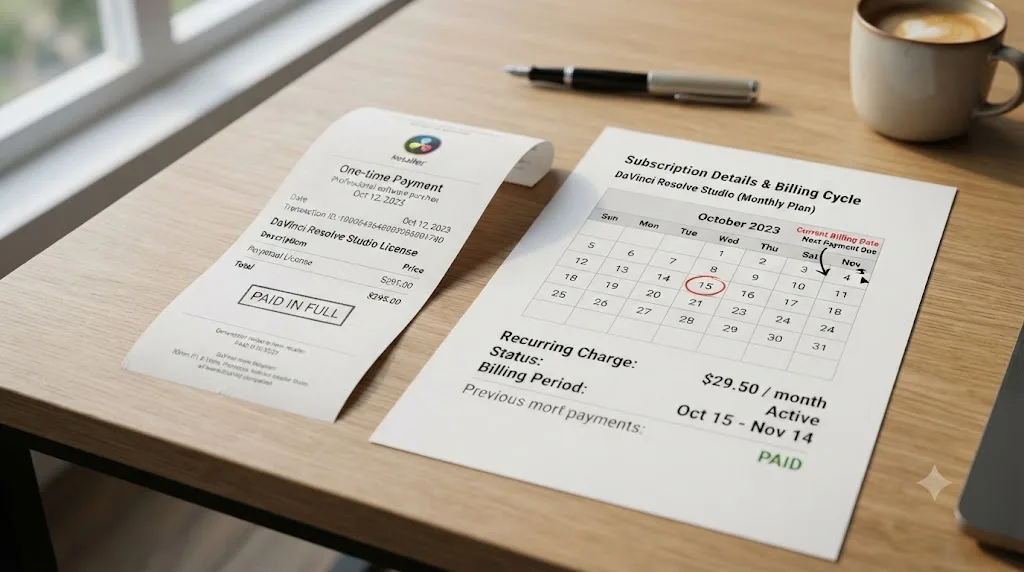
No, and this is where the comparison to competitors gets interesting. You buy the license once. There's no recurring charge tied to using the software, and no feature gets locked behind a lapsed payment the way it would with a canceled Adobe plan.
That's worth spelling out against the two editors people actually cross-shop against Resolve:
| Editor | Price model | Cost in year one | Cost over 3 years |
|---|---|---|---|
| DaVinci Resolve Studio | One-time | $295 | $295 |
| Adobe Premiere Pro | Subscription | $263.88 (prepaid annual) | $791.64 |
| Final Cut Pro | One-time, or subscription | $299.99, or $129/yr via Creator Studio | $299.99, or $387 |
Adobe's numbers come from its own Premiere plans page: $22.99 a month billed on an annual plan, working out to $263.88 a year, or $34.49 a month with no annual commitment. Apple's Final Cut Pro is $299.99 as a one-time Mac App Store purchase, or you can subscribe to the newer Creator Studio bundle at $12.99 a month, $129 a year on an annual plan, per Apple's Final Cut Pro page.
Adobe Premiere Pro passes the cost of a lifetime Resolve Studio license before your first year of payments is even over. That's not a knock on Premiere's feature set, which serves a different pipeline for a lot of editors. It's just the math a budget-conscious editor should see written down once.
How does free DaVinci Resolve compare with other free editing options?
The $0 tier deserves its own comparison, because "free" means wildly different things across editors. Some free options are products. Most are trials wearing a product's clothes.
| Free option | What it really is | The catch |
|---|---|---|
| DaVinci Resolve (free) | The permanent free tier of the same professional application | 8-bit focus, UHD/60fps ceiling, no Studio features |
| iMovie | A genuinely free consumer editor for Mac and iOS | No node-based color, no pro audio mixing, Apple-only |
| CapCut | A social-first editor with a free tier | Features have been migrating to its paid Pro plan |
| Premiere Pro | A time-limited trial, then $22.99/month | It ends |
| Final Cut Pro | A free trial, then $299.99 | It ends |
The structural difference sits in the first column. Adobe and Apple offer you a countdown clock. iMovie and CapCut offer you a different, smaller product. Blackmagic offers you its actual professional editor with the top shelf locked, forever, and lets you decide if you ever need the top shelf.
That structure has a compounding benefit that's easy to miss when you're choosing an editor: nothing you learn gets thrown away. Every keyboard shortcut, every node tree habit, every Fairlight mix you build in the free version transfers one-to-one into Studio, because it's the same application. Editors who start on a consumer tool and later go pro pay a second price in relearning. Resolve's free tier never charges it.
There's a business logic here worth understanding, because it predicts how Blackmagic will behave. The company earns its living on cameras and hardware; the free editor feeds that ecosystem instead of cannibalizing a software subscription. That's why the free version can afford to be this good, and why it has stayed free while competitors' entry offers shrank into trials.
Will the $295 price stay this way?
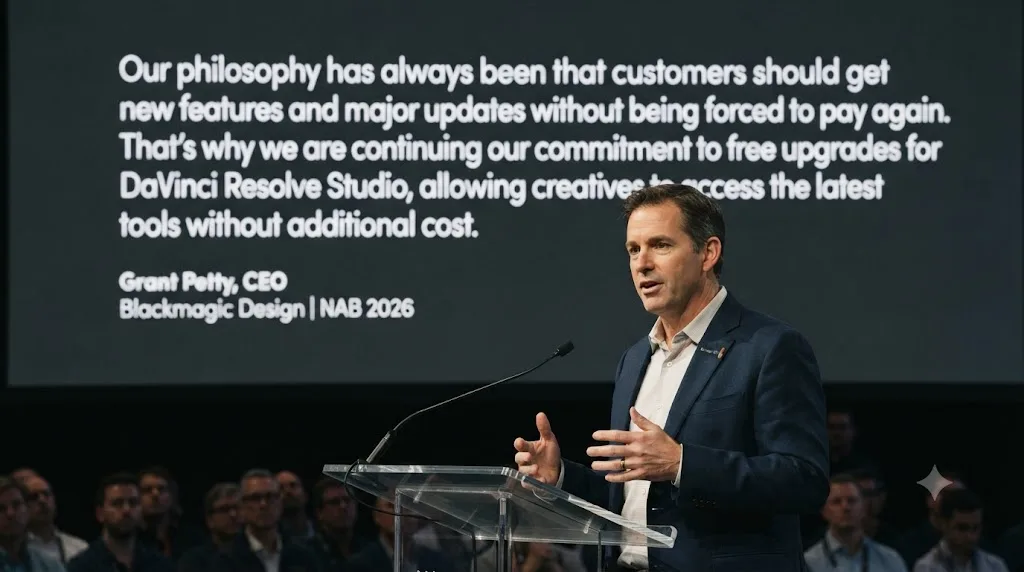
Probably for a while, but Blackmagic's own CEO won't promise it forever. Grant Petty addressed exactly this at NAB 2026, telling RedShark News that Resolve 21's update stays free for existing Studio owners, then added: "I think at some point some of these larger updates... we could have an upgrade charge, but we haven't really charged for any of these upgrades yet."
Read that carefully. It isn't a warning that the next version will cost extra. It's an acknowledgment that free major-version upgrades aren't a law of nature, just a policy Blackmagic has kept so far because enough people buying Studio funds the engineering behind it. If you're timing a purchase around "wait for the next version," the honest answer is that waiting hasn't cost anyone anything yet, but there's no guarantee attached to that streak.
Has the line between free and Studio moved over time?
Yes, and mostly in one direction: downward, toward free. Knowing that direction is genuinely useful when you're deciding whether to buy now or wait.
The clearest example is collaboration. Multi-user project sharing spent years as a headline reason to pay for the higher tier, the kind of feature that defined "professional" against "free." Today, Blackmagic's own product page lists "multi-user collaboration and HDR grading" as part of the free version. A capability that once justified the price now costs nothing.
The counter-current runs at the top of the feature list. Blackmagic's newest additions tend to land in Studio first: text-based editing, the UltraNR noise reducer, and the expanding Neural Engine lineup all sit on the paid side of the line today. The boundary doesn't shrink; it migrates. Features flow down into free while new ones appear above them, which keeps the $295 tier permanently stocked with reasons to upgrade.
What should you do with that pattern? Split your wishlist in two. If a Studio feature would be merely nice, history suggests patience sometimes pays; things do drift down. If a Studio feature is blocking this month's work, the drift is irrelevant, because no one can tell you whether a specific feature will ever cross the line or when. Blackmagic publishes no roadmap for this, and nothing in this post should be read as a prediction that any particular feature will go free.
The one thing the pattern does let you rule out: buying Studio out of fear that the free version will get worse. In the time Blackmagic has owned Resolve, the free tier has only ever gained capability. That's the company's strategy, not its charity, and it has held for over a decade.
How does the one-time license actually work?
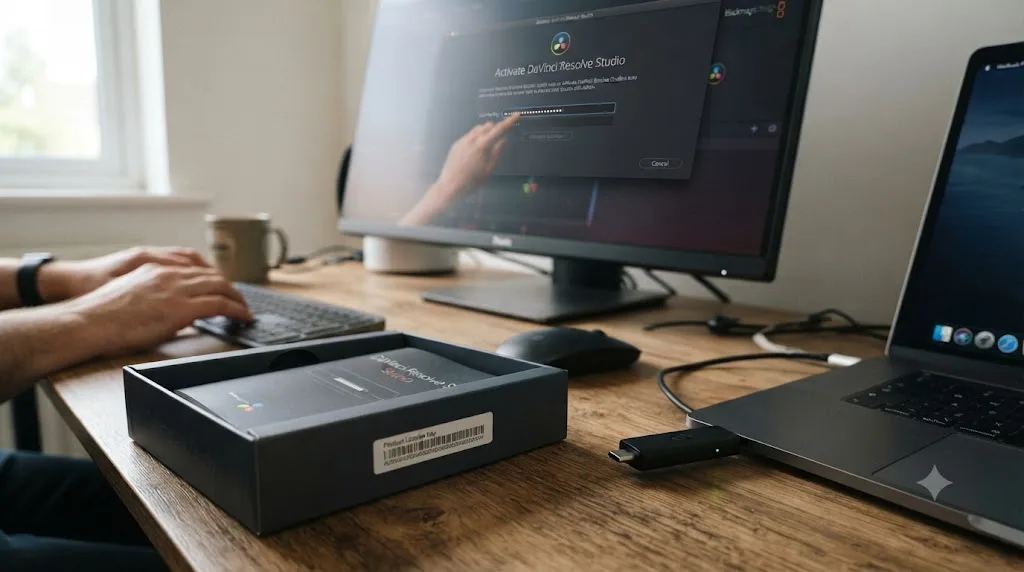
You buy an activation key, type it into the software, and the Studio features switch on. The free and paid versions are the same application underneath, so there's no reinstall, no migration, and your projects open exactly as they were. Blackmagic has also sold Studio through resellers as a physical USB dongle that carries the license, an old-school arrangement that suits facilities that move seats between machines.
How many of your own computers one key covers is the question everyone asks next, and here's the honest answer: Blackmagic doesn't publish a machine count on the Studio product page. The license agreement that ships with the software is the binding document, so read it before you plan a desktop-plus-laptop setup around a single key. What the page does make clear is the part that matters most: the license is yours, bought once, not rented.
Version upgrades have been free so far, with the caveat from Grant Petty covered in the section above. In practice that has meant a Studio key bought years ago activates the current release, which is a quietly remarkable deal in 2026 software.
There's also a route to Studio that many buyers stumble into by accident: Blackmagic hardware. Every Blackmagic Pocket Cinema Camera ships with a full DaVinci Resolve Studio license included. That's not a promotion, it's the standing product design: "All Pocket Cinema Camera models include a full version of DaVinci Resolve Studio," per Blackmagic's own camera page. If a Blackmagic camera is anywhere on your shopping list, buy the camera first. Paying $295 for a license and then finding one in the camera box is a self-inflicted wound.
The famous version of that bundle was the Speed Editor, the cut-page keyboard that launched with a Studio activation key in the box and effectively made the hardware free for anyone who wanted the software anyway. Worth knowing before you chase that deal: the current Speed Editor listing doesn't advertise a bundled license. Bundles like that have come and gone, so confirm exactly what's in the box before buying hardware as a cheaper road to Studio.
What hardware pairs sensibly with each version?
The free-versus-Studio choice interacts with your computer purchase more than people expect, and getting the pairing wrong wastes money in both directions.
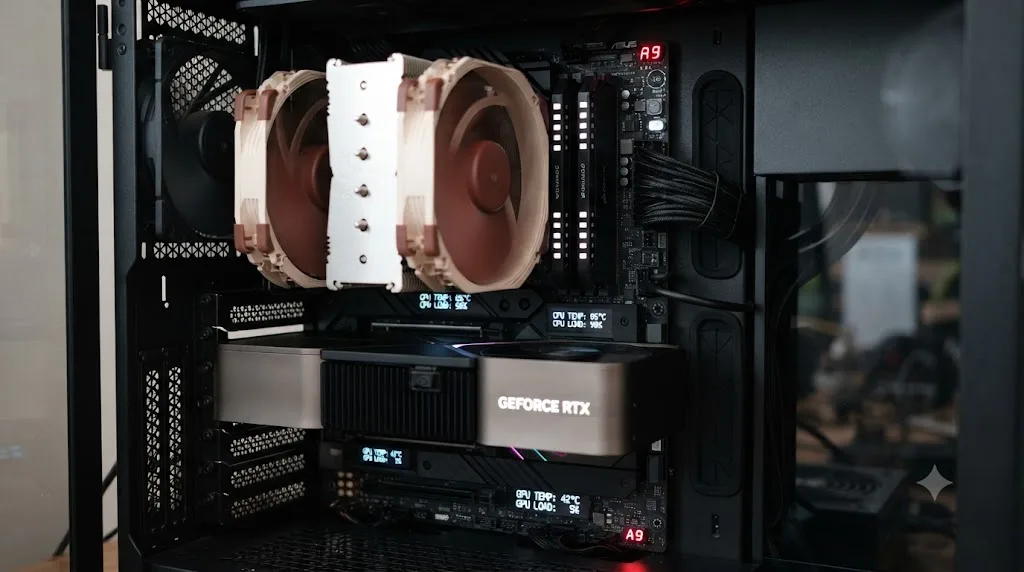
The first mismatch: a powerful GPU paired with the free version on Windows. The dedicated video encoder inside a modern NVIDIA, Intel, or AMD GPU is exactly the silicon the free version's exports can't use, since hardware H.264/H.265 encoding is a Studio feature. The GPU still earns its keep on playback, effects, and color processing, which both versions accelerate. But if fast H.264 exports were part of why you paid for that card, the free version leaves that specific circuit idle. I haven't benchmarked every combination myself, so I won't quote speedup numbers, but the structural point doesn't need a benchmark: software that won't talk to the encoder can't be accelerated by it.
The second mismatch runs the other way: Studio on a machine that can't feed it. The features that justify the license, noise reduction, Magic Mask, Super Scale, are heavy GPU-compute loads, and 4K timelines with those tools active lean hard on video memory. Putting a $295 license on an aging laptop with minimal VRAM buys you features you'll be too impatient to use. If your machine already struggles with plain playback, fix that first; the license amplifies a strong computer and embarrasses a weak one.
Multi-GPU support, one of Studio's oldest selling points, deserves a sober note: it describes desktop workstations with multiple graphics cards. If you edit on a laptop, or on any normal single-GPU desktop, that line on the spec sheet is not about you, and it shouldn't count in your mental math for the $295.
Mac buyers get the friendliest version of this whole story. Apple silicon machines include media engines the operating system exposes to applications, which is why the free version already feels quick with H.264 and H.265 on a Mac. There, the license question is almost purely about features rather than speed: you buy Studio for 10-bit ceilings, noise reduction, and Magic Mask, not to rescue your export times.
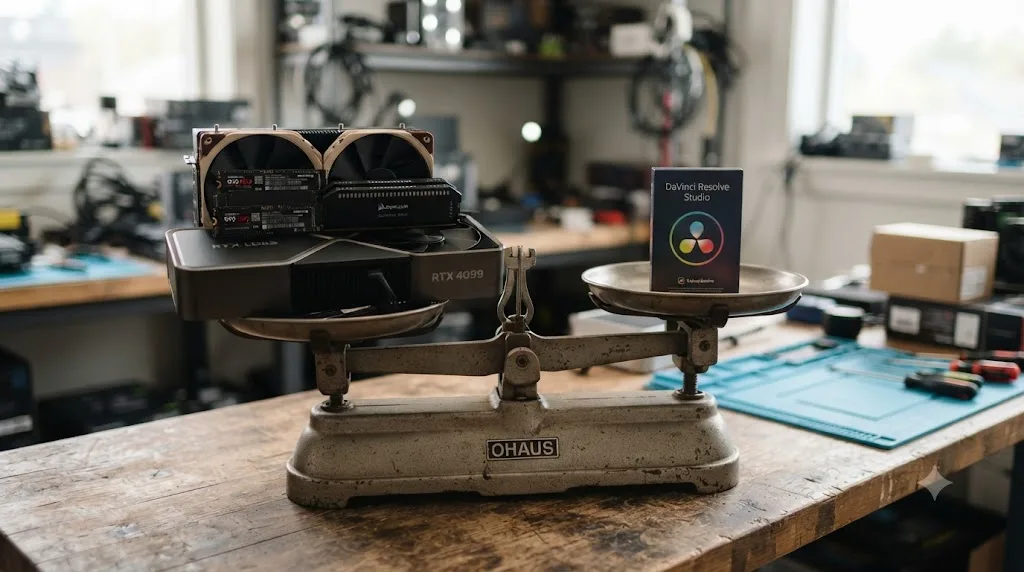
The rule of thumb that falls out of all this: in a Resolve system, the software is the cheapest component. A $295 one-time license is a rounding error against a capable GPU, fast NVMe storage, and enough RAM. Budget the machine first, then let your footage and deadlines tell you whether the license joins it.
Can you work around the free version's limits?
Yes, and free-version veterans lean on a familiar set of tricks. Every one of them works. Every one of them has a bill attached, just not one denominated in dollars.
| Workaround | What it gets you | The real cost |
|---|---|---|
| Transcode 10-bit camera files to ProRes or DNxHR before import | Footage the free tier handles smoothly | Hours of transcoding per shoot, and several times the disk space |
| Export a high-bitrate master, then re-encode in HandBrake or ffmpeg | 10-bit or HEVC delivery without Studio's encoders | An extra render step on every single revision |
| Edit on a Mac instead of Windows or Linux | OS-level H.264/H.265 acceleration in the free version | Choosing your computer around your editor's price list |
| Buy third-party noise reduction plugins | The cleanup tools the free version lacks | Good OFX noise reducers often cost as much as Studio itself |
| Keep timelines at UHD and crop or stabilize in-frame | A workflow that never hits the resolution ceiling | No true above-4K masters, no high-frame-rate delivery |
The pattern across all five: you're paying in time and friction instead of money. That's a good trade if you edit twice a month, because your evenings are free and $295 isn't. It's a terrible trade the moment editing becomes weekly work, because the transcoding queue alone starts eating hours you could bill or sleep through.
Put rough numbers on it, even hypothetical ones, because the arithmetic is the decision. If workarounds add ninety minutes to a weekly delivery, that's on the order of seventy-plus hours a year spent routing around a $295 gate; at any hourly value you assign your time, the license wins. Run the same math at one project a month and the workarounds defend staying free for years. The variable isn't the software. It's your frequency.
The transcoding route deserves one extra note, because it overlaps with a trick you may already use. Converting camera files to edit-friendly codecs is the same medicine editors take for choppy timeline playback, so if you're already generating optimized media for performance, the free version's 10-bit ingest gap costs you almost nothing extra. The workaround hurts most when it's the only reason you're transcoding.
What no workaround replaces: Magic Mask, the Neural Engine tools, film grain, and Dolby Vision or HDR10+ mastering. Those aren't ceilings you can route around with a second app. They're capabilities that either exist in your toolset or don't.

Who actually needs to pay for Studio?
Fewer people than the marketing implies. You need Studio if any of these describe your actual work, not your aspirational one:
- You deliver in HDR (Dolby Vision or HDR10+) for a client or platform that requires it.
- You shoot or deliver above 4K UHD, or need frame rates above 60fps.
- You lean on the Neural Engine's AI noise reduction, Magic Mask, or Super Scale on a regular basis.
- Your camera records 10-bit files and you're tired of transcoding around them.
- You're rendering long timelines where multi-GPU speed and hardware encoding actually save you paid hours.
- You need DCP or IMF mastering for festival or theatrical delivery.
If none of those apply, the free version isn't a lesser product you're settling for. It's the same node-based color engine, the same Fairlight mixer, the same Fusion page, just capped at specs most projects never touch. Our beginner's guide and Resolve 21 review both walk through the free tier's actual ceiling in more depth if you want the full feature-by-feature breakdown before deciding.
One place the free tier's limit shows up concretely is export. If you've hit a wall trying to render above 4K/60fps or in 10-bit, our export settings guide covers exactly which numbers require Studio and which don't.
Which version fits how you actually work?
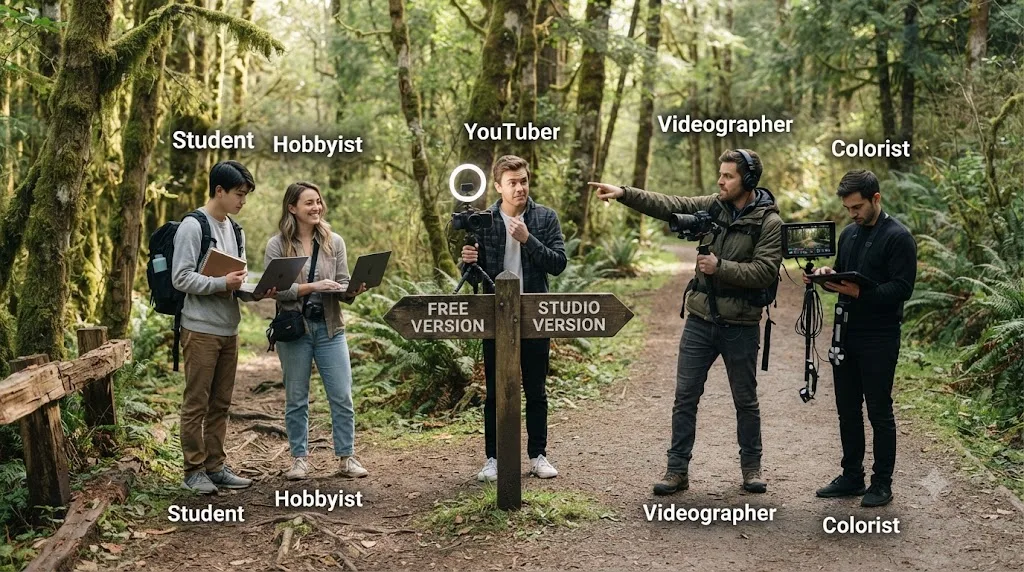
Checklists are abstract. Workflows aren't. Here's the same decision run through five common kinds of Resolve user.
| You are | Start with | What eventually forces the upgrade |
|---|---|---|
| YouTuber | Free | A 10-bit camera, export speed on Windows, voice isolation |
| Wedding or client videographer | Studio | Low-light noise reduction, 10-bit 4:2:2 footage, deadline exports |
| Colorist | Studio | Film grain, Dolby Vision/HDR10+, Magic Mask |
| Hobbyist | Free | Usually nothing, ever |
| Student | Free | Coursework rarely needs Studio; check the lab first |
If you're a YouTuber, notice what the platform does to your delivery spec. YouTube re-encodes everything you upload and serves overwhelmingly 8-bit SDR streams, so the free version's output ceiling costs you nothing on the delivery side. The pressure comes from the input side, when a camera upgrade brings 10-bit log footage into the bin, and from export time on Windows, where the free version encodes on the CPU. Long-form creators in dim rooms feel the missing noise reduction first.
If you cut weddings or client work, the calculus flips. You're shooting in dark receptions where temporal noise reduction earns its keep, on cameras that record 10-bit 4:2:2, against delivery dates that make slow CPU exports a genuine business risk. Magic Mask alone, isolating a bride from a busy background for a targeted grade, saves the kind of time that bills. One booking amortizes the $295. Buying Studio here isn't an upgrade, it's a cost of goods.
If you're heading toward color grading as a craft or a job, Studio is where the profession lives. You can learn the node system completely on the free version, and you should. But paid grading work assumes the Studio toolset: film grain and optical blur for finishing, Dolby Vision and HDR10+ for modern deliverables, noise reduction as a client expectation rather than a luxury.
If you're a hobbyist, keep your money. The free version is the entire product for the way you use it, and the honest advice is to spend that $295 on a fast SSD or a decent light instead. Either will improve your videos more than any Studio feature.
If you're a student, the free version covers coursework, and film programs commonly run Studio on their lab machines, so check what your school already provides before spending anything. Blackmagic doesn't list a student discount, but for once that doesn't matter: the free tier is the student discount.
Which Studio features will you probably never touch?
An honest pricing guide should also tell you which parts of the bundle are dead weight for most buyers, because "over 100 advanced features" makes the $295 sound like it's spread across a hundred reasons. It isn't.
Stereoscopic 3D tools sit on the spec sheet like a museum piece. They matter to a small pocket of specialty and large-format work, and to almost nobody delivering to screens people actually own. If 3D is not already in your client conversations, weight this feature at zero.
The resolution and frame-rate headroom is similar. Blackmagic's page says Studio "supports up to 120fps at a massive 32K resolution," and that vendor claim is best read as engineering headroom, not a plan. Even editors who buy Studio specifically to escape the UHD/60fps ceiling mostly land at 6K or 8K sources on 4K timelines. The ceiling matters; the altitude above it mostly doesn't.
Facial recognition bin sorting shines on sprawling multi-person productions and does little for a solo creator who already knows which three people are in every shot. And Dolby Atmos mastering is real professional capability that means nothing if your deliverable is stereo audio under a web video, which is most deliverables.
None of this is a complaint. It's how the price works. For a typical buyer, the $295 is carried by a handful of features: 10-bit support, the hardware encoders, noise reduction, Magic Mask, and HDR delivery if you need it. The rest are passengers. Price the license against the features you'll actually run, and ignore the crowd behind them.
Should the $295 go to Studio, or somewhere else first?
For a hobbyist or early creator with a fixed budget, Studio competes with every other upgrade you could buy, and it doesn't always win. There's a sensible spending order.
Storage usually comes first. Video editing punishes slow drives before it punishes missing features, and a fast NVMe scratch disk improves every single session in either version. Audio gear ranks high too; viewers forgive soft images and abandon bad sound, and no Studio feature fixes a poor microphone. Lighting is the same story on the picture side. A basic key light does more for perceived quality than any effect in the Resolve FX library.
Education belongs in that queue as well. The free version plus real understanding beats Studio plus guesswork every time, and the gap between those two states is wider than any feature gap in this post. Our beginner's guide is a free place to start.
Then there are the cases where Studio jumps the whole queue. If your camera already records 10-bit, the license stops being an upgrade and becomes plumbing; everything else you buy flows through it. Same if client deadlines already exist: export speed and noise reduction convert directly into delivered work. The queue above is for people building toward quality. People already delivering under pressure should buy the bottleneck, and the bottleneck is usually Studio.
The test that sorts it: name the last three times a missing Studio feature actually stopped or slowed a project. Three real examples, recent, specific. If they come to mind instantly, buy the license this week. If you're reaching, the money has better places to be.
When should you not pay for Studio?
A few situations where holding onto the $295 is the right call, even when the upgrade itch is real.
Don't pay if your camera shoots 8-bit and you deliver SDR web video at 4K/60fps or below. Every headline Studio feature sits outside that workflow. You'd be buying capabilities your projects can't exercise, which is how software ends up as an expensive good-luck charm.
Don't pay to fix slow timeline playback. Studio's hardware decoding helps with some codecs, but optimized media and proxies, both free, solve most playback pain without spending anything. Buy performance last, after the free fixes have had their chance.
Don't pay if a Blackmagic camera is in your near future. The Studio license included with every Pocket Cinema Camera means buying the software separately first is paying twice for the same key.
Don't pay for one feature you'd use twice a year. If Super Scale or noise reduction would rescue two clips annually, transcoding or a one-off workaround is cheaper than a license bought for an edge case. Licenses earn their price through repetition.
And don't pay in the hope that spending money will make the software click. The free and paid versions share the same seven pages and the same learning curve. If the interface is the wall you're hitting, $295 buys you a taller wall.
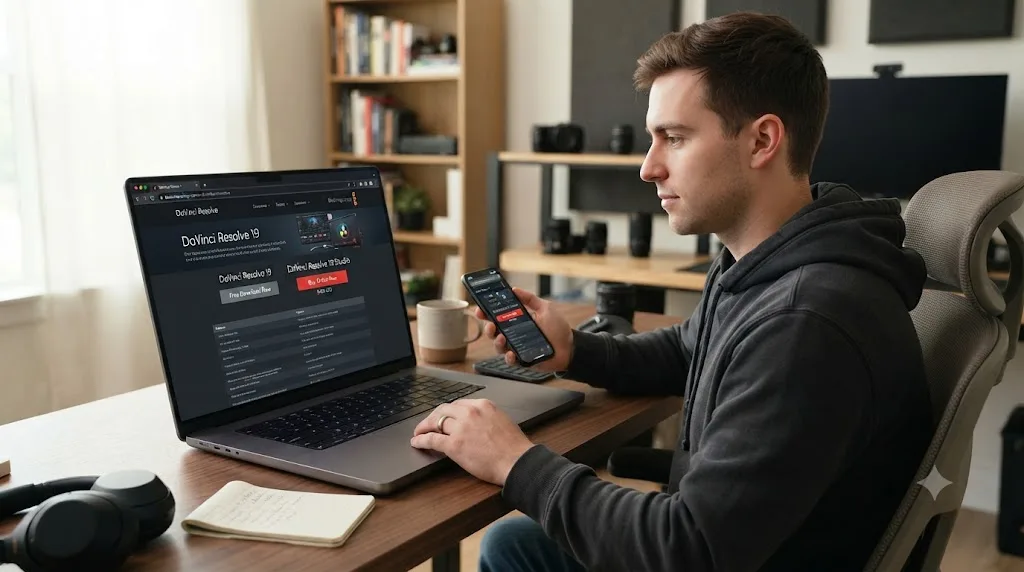
Where should you buy it, and is there a trial?
Buy it directly from Blackmagic's own store, not a third-party key reseller. License keys sold outside official channels for a one-time-activation product like this one are a common scam vector, and Blackmagic doesn't authorize resellers to undercut its listed price. There's no separate free trial of Studio, but every Studio feature can be evaluated against your own footage before you buy, because the free version is the same application with the paid features switched off, not a separate crippled build.
If your actual blocker isn't the price but figuring out which of Resolve's seven pages hides the control you need, that's a different problem than a $295 one. TryUncle is an AI tutor built for exactly that gap, pointing at controls on your own Resolve window instead of sending you to a tutorial for a two-minute answer.
The verdict
$295 once, no subscription, and a feature set aimed squarely at 10-bit footage, HDR, high frame rates, and AI-assisted delivery work. If you shoot 8-bit and publish to the web, keep editing on the free version with a clear conscience; you're not missing anything your projects can use. If your camera records 10-bit, clients set your deadlines, or a delivery spec says Dolby Vision or DCP, the license pays for itself faster than any subscription ever could. And if a Blackmagic camera is on your list, let the camera buy the software for you. Revisit this page the day one of those sentences becomes true. That's the only signal worth spending $295 on.
Frequently asked questions
- How much does DaVinci Resolve Studio cost?
- $295 in the US, paid once. There's no subscription and no recurring fee. Blackmagic Design has shipped every major Studio version update free so far, a track record CEO Grant Petty confirmed to RedShark News at NAB 2026.
- Is DaVinci Resolve Studio a one-time purchase or a subscription?
- One-time purchase. You pay $295 once and keep the license, unlike Adobe Premiere Pro's $22.99-a-month plan or Apple's Creator Studio bundle, which now sells Final Cut Pro access at $12.99 a month.
- What does DaVinci Resolve Studio add over the free version?
- The DaVinci Neural Engine AI tools including Magic Mask, Super Scale, voice isolation, and facial recognition, 10-bit support with resolutions and frame rates beyond 4K at 60fps, hardware-accelerated H.264/H.265 encoding, multi-GPU rendering, temporal and AI spatial noise reduction, film grain, text-based editing, Dolby Vision and HDR10+ grading, stereoscopic 3D, and about 45 extra Resolve FX, per Blackmagic's product pages.
- Will DaVinci Resolve Studio's price go up or turn into a subscription?
- No one outside Blackmagic can say for certain. CEO Grant Petty told RedShark News at NAB 2026 that the company hasn't really charged for any Studio upgrades yet, but stopped short of ruling that out for a future major version.
- Is DaVinci Resolve Studio cheaper than Adobe Premiere Pro or Final Cut Pro?
- Over any real editing career, yes. Premiere Pro's single-app plan runs $263.88 a year even prepaid annually, so it passes $295 in just over twelve months. Final Cut Pro's one-time price is close at $299.99, though Apple now also sells a $129-a-year Creator Studio subscription.
- Does the free version of DaVinci Resolve add a watermark?
- No. The free version exports clean video with no watermark and no time limit. The only watermarks you'll ever see are on Studio-only effects, which the free version lets you audition; those clear the moment a license is activated.
- Can I use one DaVinci Resolve Studio license on more than one computer?
- Blackmagic doesn't publish a machine count on the Studio product page, so the license agreement that ships with the software is the source of truth. Studio has also been sold as a USB dongle through resellers, which carries the license physically between machines.
- Do I actually need DaVinci Resolve Studio, or is the free version enough?
- Most people starting out don't need it yet. If your camera records 8-bit footage and you deliver SDR video at 4K/60fps or below, the free version covers the work with no watermark and no time limit. The upgrade triggers are 10-bit camera files, HDR delivery, AI noise reduction, and export speed on Windows and Linux.
Sources
- DaVinci Resolve product page (free version specs)
- DaVinci Resolve Studio product page (price and features)
- DaVinci Resolve - Tech Specs (Blackmagic Design)
- Compare Premiere plans (Adobe)
- Final Cut Pro (Apple)
- RedShark News: Will DaVinci Resolve Studio upgrades stay free? Grant Petty hints at change
- Forbes: How An Aussie From The Housing Projects Became A Billionaire Making Gear For Next-Gen Spielbergs
- Blackmagic Pocket Cinema Camera (includes DaVinci Resolve Studio)
- DaVinci Resolve keyboards, including the Speed Editor (Blackmagic Design)
Put this guide to work with TryUncle.
Ask about the step you’re on. TryUncle sees your screen and points at the control you need, so you can keep learning in your own project.
Get TryUncle for Mac or WindowsKeep reading
Guides · Jul 7, 2026 · 32 min
DaVinci Resolve for Beginners: The Complete Starter Guide
Learn DaVinci Resolve from zero: what it costs, what it needs to run, the seven pages you'll actually use, and the steps to cut your first project.
Reviews · Jul 7, 2026 · 22 min
DaVinci Resolve 21 Review: What's New and Is It Worth Upgrading?
A close look at DaVinci Resolve 21: the new Photo page, IntelliSearch, CineFocus, Krokodove, what Blackmagic actually shipped, and who should upgrade now.
Guides · Jul 7, 2026 · 23 min
DaVinci Resolve Export Settings: Numbers That Actually Work
The exact DaVinci Resolve export settings for YouTube, client handoffs, and ProRes archives, plus what changed with Resolve 21's H.265 encoder.