Articles / Comparisonsupdated for DaVinci Resolve 21.0 (June 2026)
Best DaVinci Resolve Courses in 2026: 6 Real Options Compared
Quick answer
There's no single best DaVinci Resolve course in 2026, it depends on your goal. Blackmagic Design's training is still free and leads to official certification, though its books remain the Resolve 20 editions, while Warren Eagles and MZed's Ollie Kenchington go deepest on color grading. For instant answers instead of hours of video, TryUncle's AI tutor beats every course here.
You don't need a $500 masterclass to cut your first video in DaVinci Resolve. But you might need one to stop guessing at color grading, or to walk into a job interview with an actual certificate instead of a folder of half-finished projects. I looked at what's really out there, free and paid, video-based and app-based, and sorted it by the question that actually matters: what are you stuck on? And because Resolve 21 shipped in June 2026 and shook the course market, I re-checked every price, runtime, and version claim in July 2026.
What's changed for DaVinci Resolve courses in 2026?
The software moved, and the courses are still catching up. DaVinci Resolve 21.0 shipped on June 4, 2026 after a public beta that started in April, adding a new Photo page and a batch of AI tools including a Face Age Transformer and an AI Speech Generator, according to CG Channel's release coverage. The economics didn't move at all: the base edition is still free and Studio still costs $295. What changed is the gap between the software and the training for it, in three ways that matter to this list.
As of July 2026, Blackmagic's free training books are still the six Resolve 20 editions, one full version behind the shipping software. No Resolve 21 editions had appeared on the official training page when I last checked. That's not neglect, it's the normal cadence, the books have trailed each major release before. But it means anyone starting the free path today should expect slightly more menu drift than usual between the book on their screen and the app on their screen.
Second, the established paid courses are refreshing rather than rewriting. Warren Eagles' three FXPHD courses were originally created for Resolve 19 and now include Resolve 20 updates, per Brady Betzel's December 2025 review at postPerspective. Louay's Udemy bootcamp took a June 2026 update and now advertises itself as fully updated for Resolve 20, including the AI features. Notice the pattern: the instructors with reputations to protect are one version behind on purpose, because rewriting a curriculum around a three-week-old release is how you ship errors.
Third, a wave of brand-new "Resolve 21" branded courses appeared on Skillshare and Udemy within weeks of the release. I deal with those in their own section below, because the honest answer is more complicated than the version number in their titles.
One more genuinely new thing worth knowing: Blackmagic ran a schedule of free live DaVinci Resolve training webinars in early 2026, covered by Y.M.Cinema, so its training page is worth checking for live dates, not just book downloads. And the free ecosystem keeps compounding: Casey Faris' channel has roughly doubled since this post first ran, details in his section.
How do the six options compare side by side?
Here's every option on one screen, before the deep dives. Prices are the published list prices at the time of writing, and Udemy's in particular moves with sales, so treat that cell as a ceiling. Each option gets a full section below.
| Course | Price | Length | Level | Format | Certificate |
|---|---|---|---|---|---|
| Blackmagic Design training | Free | Six books plus videos, self-paced | Beginner to advanced | PDF books, lesson files, online exams | Official Blackmagic certification |
| Warren Eagles' Resolve Megapack | $49 to $149 each, $269 bundled | Three self-paced courses (23 and 15 classes, plus a workshop) | Beginner to advanced | Video with practice footage | None |
| MZed, Ollie Kenchington | $149, or $29 per module, or MZed Pro from $29/mo | 7h 19m across 10 modules | Advanced | Video with project files | Eligibility for the official Blackmagic exam |
| Udemy, Louay's Mastery bootcamp | Varies with sales | About 16 hours (vendor listed) | Beginner | Video | Udemy completion certificate only |
| Casey Faris on YouTube | Free | Ongoing, unstructured | All levels | YouTube videos plus a free community | None |
| TryUncle | See site | On demand, per question | Any | AI tutor alongside Resolve | None, it's not a course |
If a credential is the point, read the certificate column first, because it splits the list cleanly. Only Blackmagic's own path and MZed's course lead to the official certification, and MZed gets you there by making you exam-eligible, not by certifying you itself. Everything else on this list ends in skill, not paper. That's not a knock. It just means the certificate question and the skill question can point you at different rows, and when they do, the skill row should usually win, because the strongest credential here is free anyway.
Do you need a course to learn DaVinci Resolve at all?
Not at first. The free version of Resolve covers editing, color correction, and audio post with no watermark and no time limit, and our own beginner's guide walks through downloading it and cutting a first project without paying anyone anything. A course starts earning its price once self-teaching plateaus, usually on color grading depth, Fusion compositing, or wanting a credential nobody argues with.
The right DaVinci Resolve course depends entirely on what you're stuck on, not on which one has the most five-star reviews. Keep that in mind through the rest of this list, because the "best" course for a wedding editor and the "best" course for an aspiring colorist are two different answers.
Three quick questions settle whether you need a course this month at all. Can you take raw footage all the way to an uploaded video without help? If not, you need the free beginner path, not a paid course, because paid courses assume that floor. Is one specific skill, usually color or Fusion, blocking work you'd get paid for? Then a focused course pays for itself and you should buy the narrow one, not the broad one. Do you need a credential a stranger can verify? Then only the two certification paths below matter, and everything else is a detour.
Should you start with TryUncle instead of a traditional course?
Here's the honest caveat before I recommend it: TryUncle isn't a course. There's no curriculum, no certificate, no video library to work through in order. It's an AI tutor that looks at your actual Resolve window and points at the control you're looking for, instead of sending you to a ten-minute video for a two-second answer.
That matters because most people searching for "the best DaVinci Resolve course" aren't actually shopping for 16 hours of structured lessons. They're stuck on one node, one export setting, one missing button, right now. For that specific problem, TryUncle solves it faster than any course on this page, because it answers the question you have instead of the hundred questions you don't have yet.
If you want a real curriculum with a beginning, middle, and end, keep reading. The other five options here are actual courses.
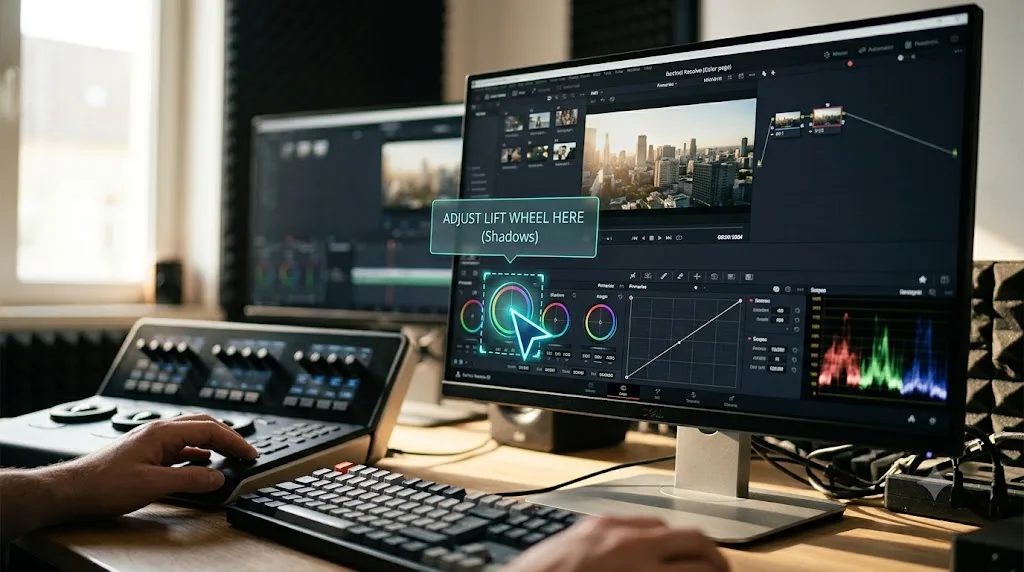
Is Blackmagic Design's own free training the best structured course?
For most people, yes, and it's the one to try before you pay anyone. Blackmagic Design runs its own training program directly, with a network of more than 250 certified trainers and over 100 training centers worldwide, according to its official training page. The self-paced videos and materials cost nothing, and the certification exam itself is free too, covering editing, color, Fairlight audio, and Fusion as separate tracks.
Those free materials are six actual books, not a playlist. Blackmagic publishes The Beginner's Guide to DaVinci Resolve plus dedicated guides for editing, color, Fairlight audio, and two volumes on visual effects, all as free PDF downloads with lesson files, and each book ends with its own online exam. It's the same curriculum its certified training centers teach from, which is why I'm calling it a structured course and not just documentation.
A certification from the software's own maker carries more weight on a resume line than a stack of watched tutorials, and Blackmagic's costs exactly nothing. The one thing it won't give you is a second opinion or a personality. It's official material, written the way official material reads. If you want a teacher with opinions and war stories, look at the next two.
Two caveats before you clear your calendar. The books track major releases, and as I write this in July 2026 the current editions are still written for Resolve 20, a month after Resolve 21 shipped, so a menu will occasionally have moved by the time you follow along in 21. Nothing that breaks a lesson. You'll just notice. And budget honest time: these are project-based books with exercises, so plan on a week of evenings for the Beginner's Guide alone, not one sitting.
Who is it for? Anyone who wants structure and a verifiable credential without spending a cent, and anyone who learns better from written steps and lesson files than from watching someone's screen. What does it skip? The job around the tool. There's nothing here about handling clients, pricing your work, or triaging a deadline, and there's no one to ask when a lesson doesn't land, though the free live webinars Blackmagic started running in 2026 close that gap a little when the schedule lines up with yours.

Is Warren Eagles' Resolve Megapack worth it for color grading?
If color grading is specifically what you're after, this is the strongest paid option on the list. Warren Eagles, a working colorist who trains through the International Colorist Academy, sells his DaVinci Resolve color grading training as three separate courses, "Cut N' Color for Content Creators" at $49, "Next-Level Advanced Techniques" at $149, and "Warren's Creative Color Workshop" at $149, or all three bundled for $269, per Brady Betzel's December 2025 review at postPerspective. Betzel is an Emmy-nominated online editor and colorist at Margarita Mix, and he's not just describing the price sheet:
"Warren stands out because he avoids the gimmicks, no 'buy my LUTs' pitch or rigid 'one true node tree.'"
The version story here is the healthy kind: per the same review, the courses were originally created for Resolve 19 and now include Resolve 20 updates, so the material tracks the software without chasing every point release.
The three courses aren't beginner, intermediate, and advanced versions of the same lessons. They're aimed at three different people. Cut N' Color for Content Creators runs 23 classes of 10 to 20 minutes each and targets editors and assistants who've never graded seriously: primary correction, practical shortcuts, making footage presentable fast. Next-Level Advanced Techniques is 15 classes on the plumbing underneath serious grading, color management, ACES workflows, and how to structure a node tree you can defend. Warren's Creative Color Workshop is the taste end of the craft, skin tones, face grading, and building creative looks, including work in the style of Peaky Blinders, per Betzel's review.
Every course ships with real camera footage to practice on, RED, Blackmagic RAW, Sony, and ARRI, according to the same review. That matters more than it sounds. Grading one pristine sample clip teaches you nothing about the mixed, slightly underexposed material actual jobs hand you.
Betzel's one criticism is worth quoting too: "While Warren does touch on scopes in these courses, I'd love to see him dedicate a full class to them someday." If you want scopes taught formally, Blackmagic's free Colorist Guide drills them. Eagles covers them in passing.
The other detail worth knowing before you pay: according to that same review, 90% of what Eagles teaches doesn't require Resolve Studio at all, so the free version's grading tools are enough to follow along with most of it. If your budget stops at the free tier, our DaVinci Resolve 21 review breaks down exactly which of Studio's tools you'd actually be missing.
Who is it for? Someone who has already decided color is their lane and wants a working colorist's habits, not a syllabus. Plan on a couple of focused weeks for the Megapack: 38 classes across the first two courses alone, and any course's runtime roughly doubles once you grade along instead of just watching. What does it skip? Everything that isn't color. No editing, no Fusion, no Fairlight, and no certificate at the end, so if the resume line matters, pair it with Blackmagic's free exam.
Is MZed's certified course with Ollie Kenchington worth $149?
If you want structured modules that end in an actual credential, this is the closest paid alternative to Blackmagic's own free path. Ollie Kenchington, a filmmaker, editor, and colorist who runs Korro Films and Korro Academy, teaches "Color Correction with DaVinci Resolve" through MZed: 10 modules running 7 hours and 19 minutes, according to the course page. It costs $149 to own outright, $29 per module individually, or comes bundled into an MZed Pro membership that runs $29 a month billed annually, or $49 month to month. Finish it, and you become eligible to sit Blackmagic's own official certification exam.
That last part is the actual selling point over Blackmagic's free path: a working colorist walking you through the same material Blackmagic certifies against, for people who learn better from a person than from a manual.
The module list is what separates this from a YouTube grading series, because half of it covers the unglamorous work clients actually pay for. There's a 38-minute module on conforming an XML timeline handed over from another editing app, a 30-minute module on setting up RAW projects, and a 34-minute delivery module that goes as far as DCP for cinema screenings. The opening module spends a full 47 minutes just on balancing footage shot across mixed lighting and multiple days. That's a working colorist's actual week, taught in order.
Three honest flags. MZed pitches this as an in-depth course that assumes prior knowledge, so it's a bad first course; start with Blackmagic's free beginner material and come back. While the videos run 7 hours 19 minutes, the course ships with downloadable project files, so the real investment lands closer to double that if you do the work instead of watching it. And the course page doesn't advertise which Resolve version it was recorded on, which usually means it's not recent, so expect the interface on screen to lag yours more than the other paid options here. Grading fundamentals age slowly, menus don't.
One reading note on the certification promise, too. The course page's exact words are "Following completion you will be eligible to sit the official Blackmagic Design exam to become a certified color professional." Eligible to sit, not certified on completion. The exam is still Blackmagic's to pass.
What's the best Udemy DaVinci Resolve course, and is it enough?
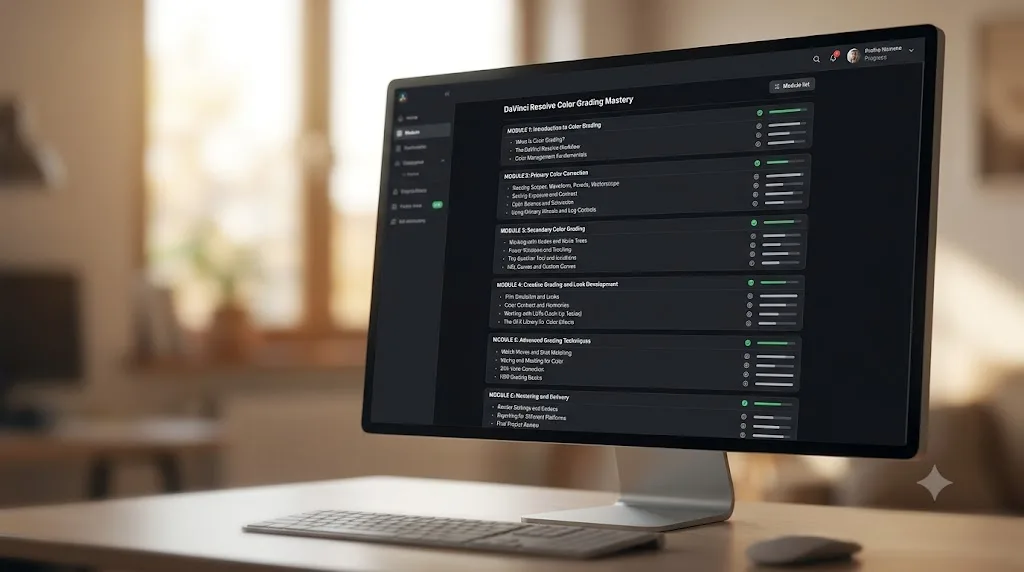
Udemy is the widest option here, and also the one where quality varies most by which specific course you buy. "DaVinci Resolve Mastery: The Complete Video Editing Bootcamp," taught by Louay Zambarakji, now lists about 16 hours of video across Edit, Color, Fusion, and Fairlight after a June 2026 update, and its listing advertises it as fully updated for DaVinci Resolve 20, including the AI features. Those figures come from the vendor's own listing, so treat them as marketing that happens to be checkable, not as a verified fact. The course has gathered tens of thousands of students since it launched, which tells you it's the established pick on the platform, not that it's the best fit for you. If color is your only focus, Rob Bessette's "Color Grading and Correction with DaVinci Resolve" narrows to just that skill instead of covering all four pages, and it's followable in the free version of Resolve.
Udemy's real strength is price flexibility, courses there go on sale constantly, so check the current price before assuming it costs whatever the listing shows. Its real weakness is that anyone can publish a course, so read the specific instructor's credentials before buying, not just the star rating.
Two more things before you click buy on either. First, the certificate: Udemy issues a certificate of completion for its paid courses, and it's exactly that, proof you watched. It isn't a Blackmagic credential and no employer treats it as one, so don't pick Udemy for the certificate line. Second, the math: 16 hours of video spread across four pages of the app works out to about four hours per discipline. That's a genuine orientation to Edit, Color, Fusion, and Fairlight, better than the roughly three hours per page the course offered before its 2026 expansion. It's still nowhere near mastery of any of them, which is fine as long as you're buying an overview on purpose.
Who is it for? Someone who wants one cheap, broad pass over the whole app before deciding where to go deep. What does it skip? Depth, by design, and quality control, by platform design. Udemy's standard 30-day refund policy means a bad pick costs you an evening rather than the fee, so use it if a course disappoints in the first sitting.
Is Casey Faris' free YouTube channel a real alternative to a paid course?
For a lot of people, yes, and the free offer has grown since this post first ran. Casey Faris runs a YouTube channel built entirely around DaVinci Resolve tutorials, color correction, and post-production workflow, with an audience approaching 600,000 subscribers per vidIQ's channel statistics, roughly double what it was a couple of years ago. He also now runs a free Skool community, "DaVinci Resolve for Beginners!", with over 16,000 members and a free intro course attached, which patches YouTube's biggest weakness: having somewhere to ask when a video doesn't answer your exact case. Beyond the free tier, he sells in-depth courses through his Ground Control site and runs RESOLVECON, an online event that brings several Resolve YouTube teachers together; the 2025 edition ran August 21 to 24 with free YouTube presentations and a $299 VIP workshop tier, and no 2026 edition had been announced as I write this.
The tradeoff against a paid course is structure. YouTube rewards whatever topic is trending that week, not the order a beginner actually needs to learn things in. If you already know roughly what you're looking for, that's not a problem. If you don't, a free channel can leave you with fifteen tabs open and no clear next step, which is exactly the gap our own DaVinci Resolve tutorial tries to close with a fixed page-by-page order.
Brady Betzel's warning from his review of Eagles' training names the deeper risk:
"YouTube can be great, but it's a gamble. What looks useful in a tutorial can end up being a trap when you're delivering client work."
That's the free path's real cost, not the hours. A paid course from a working professional filters out the techniques that fall apart under client scrutiny. YouTube makes you do that filtering yourself, and you can't filter what you can't yet recognize.
If you go this route, impose your own structure on it. Pick one playlist and finish it in order before touching anything else, keep a running list of what you still can't do, and treat every video as a work session with Resolve open, not something to watch over lunch. Free plus discipline beats paid without it. Who is it for? Self-directed learners, and anyone whose budget is genuinely zero. What does it skip? Any guarantee that topic B will be waiting when topic A ends.
Should you buy one of the new "Resolve 21" courses instead?
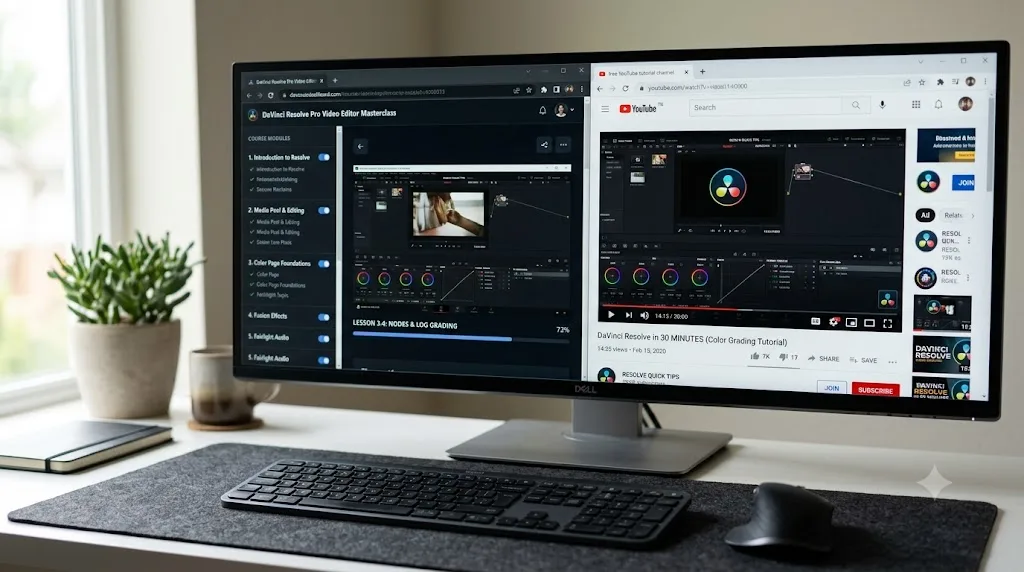
Not on the version number alone. Within weeks of Resolve 21 shipping, 21-branded masterclasses appeared, including a "DaVinci Resolve 21 Masterclass" on Skillshare and similar entries on Udemy. I haven't taken them, so this isn't a review of any specific one. It's a warning about the category.
A version number in a course title tells you when the screen recordings were made, not whether the instructor can teach. Editing grammar, grading theory, node logic, and delivery workflow are identical between Resolve 20 and 21, which is why the established instructors on this list update their existing courses instead of rebranding them. When a brand-new course leads with the version number, the version number is usually the product.
So apply the same filter you'd apply to anything on this list. Can you find the instructor's actual work? Does the course ship practice footage? Does the syllabus cover delivery, or does it end when the pretty part ends? A new 21-branded course that passes those checks is worth the same consideration as anything here. One that hides behind the release number isn't worth your refund window.
The practical rule: buy the instructor and the update date, not the title. An Eagles or Kenchington course refreshed for Resolve 20 will serve you better in Resolve 21 than an anonymous course recorded against the new splash screen, because the twenty minutes of relocated menus is the easy part. The years of taste are the hard part.
Is in-person DaVinci Resolve training worth considering?
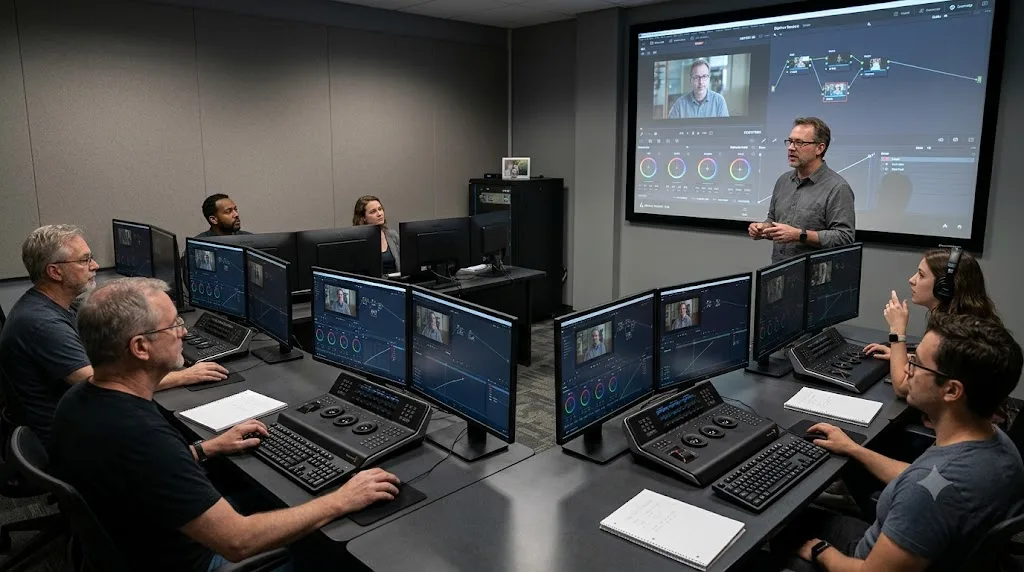
Sometimes, yes, and it's the option nobody searching online remembers exists. The certified trainer network mentioned earlier isn't just a stat on Blackmagic's page. Those trainers and training centers run actual classes, in rooms, with an instructor who can look at your screen and tell you what you did wrong three steps ago.
That feedback loop is the entire value. Self-paced video can't watch you work, so it can't catch the bad habit you don't know you have, the mangled node order, the correction stacked on the wrong node, the export preset you've been quietly misusing for months. A person catches it in seconds, and unlearning a habit early is far cheaper than unlearning it after a year of repetition.
In-person training makes sense in three situations. Your employer pays for training and you get to choose what kind. You've started self-paced learning twice and stalled twice, which means your problem is accountability, not information. Or you're on a hard deadline to be productive, a new job, a funded project, where compressing months of evenings into a few days is worth real money. Pricing varies by center and country, so check the specific center through Blackmagic's training page rather than trusting any number a blog quotes you, including this one.
If none of those three apply, stay self-paced. The information is identical, and the free path plus discipline reaches the same certification.
What should a complete Resolve curriculum actually cover?
Five areas, and knowing them turns you into someone who can audit any sales page in two minutes. A complete DaVinci Resolve curriculum covers five areas, editing, color, Fusion compositing, Fairlight audio, and delivery, and most paid courses on the market teach exactly one of them.
That's not a criticism of the narrow courses. Specializing is why Eagles and Kenchington are worth paying. It's a warning about expectations: buy a color course knowing it's a color course, not a Resolve course. Here's how the four structured options map against the five areas.
| Skill area | Blackmagic training | Eagles Megapack | MZed course | Udemy bootcamp |
|---|---|---|---|---|
| Editing | Dedicated free book | Minimal, content-creator level | No, assumes edits arrive by timeline hand-off | Yes, per vendor syllabus |
| Color | Dedicated free book | The entire product | The entire product | Yes, per vendor syllabus |
| Fusion | Two free books | No | No | Yes, per vendor syllabus |
| Fairlight | Dedicated free book | No | No | Yes, per vendor syllabus |
| Delivery | Not broken out as its own track | Not a focus | Yes, a dedicated module | Not listed as its own section |
Casey Faris and TryUncle don't fit a matrix like this, one covers topics video by video as they're published, the other answers whatever you ask, so treat them as coverage-on-demand rather than tracks.
Two cells deserve a second look. Notice how empty the Fusion and Fairlight columns are outside Blackmagic's own material. The paid course market is oversupplied on color and undersupplied on everything else, so if effects or audio is your weak spot, the free path isn't just the cheapest structured option, it's close to the only one. Blackmagic's Fairlight book covers sound editing, sweetening, recording, mixing, and mastering, and its two visual effects volumes run from compositing basics up through 3D camera tracking and particle effects, per the official training page.
The matrix also tells you what a good course in each area should contain, which is useful when you're evaluating something not on this list. A serious editing course covers trimming and multicam, not just assembling clips. A serious color course teaches scopes and node structure explicitly instead of hoping you absorb them. A serious anything course ends with delivery, because a grade nobody can export correctly is homework, not work.
Which DaVinci Resolve course actually fits your goal?
Skip the star ratings and match the goal instead.
| Your goal | Best pick | Cost |
|---|---|---|
| Stuck on one specific setting right now | TryUncle (not a course, an AI tutor) | Separate pricing, see site |
| Free, structured, official certificate | Blackmagic Design training | Free |
| Deep color grading from a working colorist | Warren Eagles' Resolve Megapack | $49-$269 |
| Structured color course leading to certification | MZed, Ollie Kenchington | $149 or MZed Pro from $29/mo |
| Broadest single course across all four pages | Udemy, Louay's Mastery bootcamp | Varies, often discounted |
| Free tutorials, less structure | Casey Faris' YouTube channel and Skool community | Free |
None of these six options is wrong, they're built for different problems wearing the same search query. Pick the row that matches what you're actually stuck on today, not the course with the biggest sales page.
The table works if you already know your goal. If it's still fuzzy, here are the three paths I see most often, spelled out.
If you're building a YouTube channel, your bottleneck is publishing speed, not grading finesse. Work through Blackmagic's free Beginner's Guide, use Casey Faris to fill topic gaps as they show up, and stop there. Don't buy a colorist course to make talking-head videos. A clean contrast-and-saturation pass reads fine after YouTube's compression, and your render pipeline matters more than your grade, so nail one reliable export preset early and reuse it on every upload.
If you're editing for clients, weddings, corporate work, agencies, then breadth and proof matter more than artistry. Take Blackmagic's free path all the way through the certificate, because it's the one credential a stranger can verify in thirty seconds, then add MZed's course once color becomes a paid line on your invoices, since its conform and delivery modules map directly onto real client handoffs. A certificate rarely wins a client by itself. It just settles the are-you-legit question fast so your reel can do the rest.
If you're aiming at colorist work, stack all three color options in order: Blackmagic's free Colorist Guide for fundamentals and scopes, Eagles for a working colorist's habits and taste, MZed to convert the skill into the official credential. That full paid stack runs $418 at list price, so spend a free weekend inside the Colorist Guide's opening chapters first and make sure the Color page is actually where you want to live before spending it.
Which course should Premiere Pro or Final Cut switchers take?
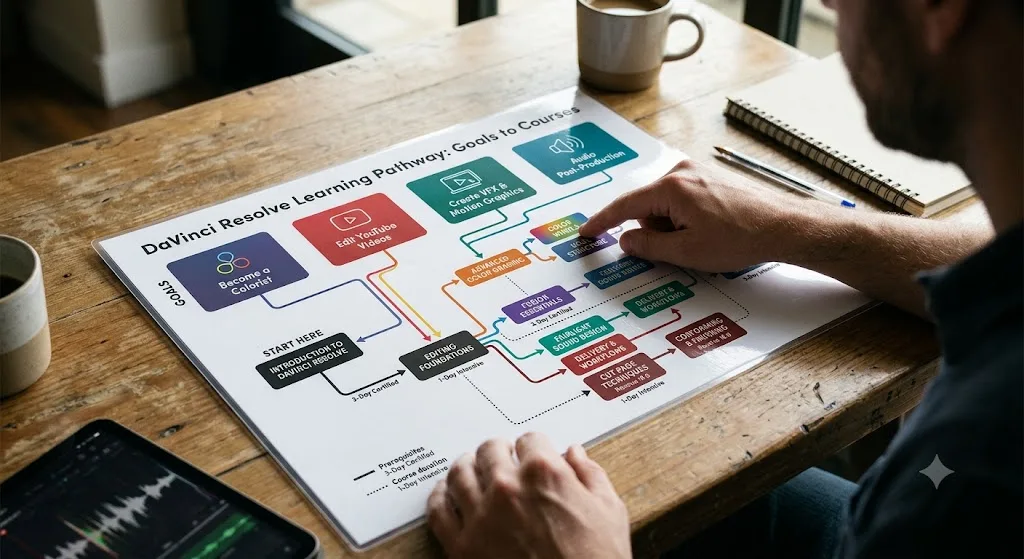
Probably fewer than you think, and not the beginner ones. If you already edit professionally in another app, you don't need to relearn editing. You need to relocate it. Cutting grammar, J and L cuts, coverage, pacing, story instinct, all of it transfers untouched. What doesn't transfer is the furniture: Resolve spreads work across dedicated pages instead of panels, its Color page thinks in nodes where Premiere thinks in stacked effects, and its default shortcuts follow Resolve's own logic, though the keyboard customization settings let you remap things toward what your hands already know.
So skip the bootcamps built for people who've never edited anything. Blackmagic's free Editor's Guide is the fastest fit, because it teaches Resolve's editing pages the way Resolve wants to be driven, rather than as one chapter of a general survey. Give it a weekend and a real project, and expect your first edit to feel slow, your second to feel tolerable, and your third to feel normal.
There's also a switcher route that runs the opposite direction: keep cutting where you are and adopt Resolve for finishing only. Plenty of editors stay in Premiere or Final Cut for the edit and move into Resolve for the grade, and that hand-off is exactly the workflow MZed's conform module trains for. If that's your plan, you can skip Resolve's editing pages almost entirely and go straight down the color path from the goal table above.
One honest warning either way. The muscle-memory pain is front-loaded and worse than any feature difference. Experienced editors rarely abandon Resolve because it can't do something they need. They abandon it in week one because their hands are suddenly slow, and that's a timing problem, not a software problem. Budget one deliberately awkward week and it passes.
Should you learn from free material or pay for a course?
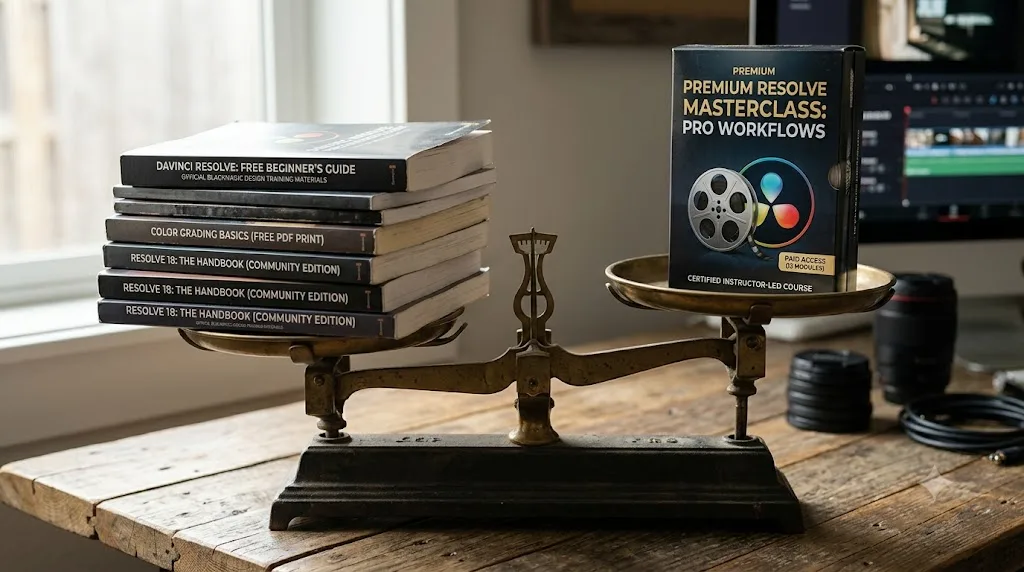
Start free. I mean that structurally, not just as budget advice, because Resolve's ecosystem inverts the usual rule: the strongest credential here lives on the free path. Blackmagic gives away the books and the exam, so paying doesn't buy you certification the way it does in most software. It buys you something else.
It buys you a person. Eagles sells taste and working habits. Kenchington sells sequence and rigor. Louay sells breadth in a single purchase. Free material gives you accurate information in a fixed order, but a paid teacher tells you what to ignore, and nothing free ever does that, because free material has no incentive to shorten itself.
What paying doesn't buy is progress. An unwatched $269 bundle teaches less than one finished free playlist, and no course platform advertises its completion rates. If you've never sustained self-study before, spend nothing until you've finished one free unit end to end, one Blackmagic book, one Faris playlist, anything. That first finish tells you whether you're a curriculum person at all, and it costs you nothing to find out.
We keep a full breakdown of the no-cost options in our free DaVinci Resolve course guide, including where each one runs out of road.
Which certification track should you actually sit?
The one that matches the work you want to be paid for, and only one, at least at first. There's no master certificate sitting above the four tracks, so a colorist certification says nothing about your editing and doesn't need to. Pick a single track and ignore the rest until the work demands them.
Match the track to the paycheck, not to curiosity. Aspiring colorists sit the color exam, obviously. But editors who grade their own work should also sit color before touching Fairlight or Fusion, because color is the layer clients actually see and comment on. Sit the edit exam if you're aiming at staff editing roles, where a verifiable line item helps a resume screener say yes without sticking their neck out.
Be honest with yourself about what the paper does. In staff hiring, at post facilities, and in teaching, a manufacturer certification is a real filter: it's checkable, it's from the company that makes the software, and verifying it costs the employer nothing. In freelance work it's a tiebreaker at best. No client has ever picked a colorist off a certificate over a reel, so the moment your certificate exists, move every hour you might spend collecting more of them into making the reel better instead.
How do you actually get results from a video course?
By treating it like a practice schedule, not a series to binge. The return on any course on this page has less to do with the instructor than with how you run your sessions, and a few mechanical habits change everything.
The learning happens while the course is paused and Resolve is open, not while the video is playing. Run every session at roughly half watching, half doing. Watch a lesson, pause, replicate the result on the provided footage, then do it once more on footage of your own, because your clips are uglier than course clips, and ugly is what you're actually training for.
Keep sessions short and regular. Forty-five minutes most days beats five hours on Sunday, because tool skills are motor skills, and motor skills settle in between sessions, not during them. If your life only allows the Sunday block, split it with a real break in the middle and end by redoing the morning's first exercise from memory.
Write down what you couldn't do. Not notes on what the instructor said, the course already has those. A running list of every moment you paused and thought, how did they just do that. That list is personal in a way no syllabus can be, and rereading it at the start of each session is the cheapest spaced repetition you'll ever build.
And finish with a project, not a lesson. The last stretch of every course competes with the itch to go make something real. Give in strategically: stop the course, make the thing, then return to the remaining lessons carrying a list of fresh problems for them to solve.
Do you need a powerful computer to follow a course?
Less than you'd fear, with one honest caveat. Everything these courses teach runs in the free version of Resolve on Mac, Windows, or Linux, and lessons are built around short clips precisely so modest machines can keep up. You don't need a grading suite to learn grading.
The caveat is playback. Resolve leans hard on the GPU, and a thin laptop will stutter on heavier footage, especially the RAW camera files the better courses ship for practice. Don't read that stutter as failure. A choppy preview is a hardware ceiling, not a skill problem, and Resolve's optimized media and proxy tools exist for exactly this, swapping heavy clips for lightweight stand-ins while you work.
Two habits make course work smooth on weak hardware: generate optimized media for the practice footage before the first lesson that uses it, and drop the playback resolution to half or quarter whenever the timeline chokes. Neither touches the final render quality. Both are things working editors do on strong machines anyway.
Whatever you do, don't buy a new computer to start a course. Start the course, notice where your machine actually complains, and spend money on the bottleneck the course reveals rather than the one you imagined.
What does a realistic learning schedule look like?
Here's the honest version, built around an hour a day. If you can only manage three sessions a week, roughly double every duration below, and know that slipping a week is normal rather than fatal. A schedule's job is to keep the order right, not to race you.
For a complete beginner, one month gets you from nothing to a published video:
| Week | Focus | Materials |
|---|---|---|
| 1 | Install the free version, learn cutting basics, rough-assemble something | Beginner's Guide, opening chapters |
| 2 | Finish the guide's editing lessons, cut a real two-minute project | Beginner's Guide plus your own footage |
| 3 | Basic color and audio pass on that same project | Beginner's Guide color and Fairlight chapters |
| 4 | Export it, publish it, sit the book's online exam | Deliver page, Blackmagic's free exam |
For the colorist path, three months stacks the tools in the order they build on each other:
| Month | Focus | Materials |
|---|---|---|
| 1 | Grading fundamentals, scopes, primaries | Blackmagic's free Colorist Guide |
| 2 | Working habits, node structure, creative looks | Eagles' courses, graded along on the practice footage |
| 3 | Client workflow, conform, delivery, then certification | MZed's course, then Blackmagic's exam |
And if you have a genuine deadline, a two-weekend crash plan exists, but be honest about what it buys: weekend one for the Beginner's Guide editing chapters plus a real cut, weekend two for basic color and a clean export. That's competence at assembling and delivering, nothing more. Book the deeper path for the months after the deadline instead of pretending the crash version covered it.
How do you judge a course that isn't on this list?
Five checks, all doable in ten minutes, all free.
Check the instructor's work, not their bio. A colorist teaching color should have grades you can watch, and an editor teaching editing should have cut things you can find. "Instructor at an academy" is a job title, not evidence. Betzel's review of Eagles carries weight precisely because both men have visible credits.
Check what footage you'll practice on. A course that ships real camera files is a course you can do. A course that's all screen recording is a course you can only watch. The listing usually says, and when it doesn't, that silence is your answer.
Check the syllabus for what's missing, not what's included. Every sales page lists what it covers. Read it against the five curriculum areas instead and notice which ones never come up, because a gap you spot at checkout is a second course you don't buy by surprise later.
Check the sample lessons. Nearly every platform previews a lesson or two. Don't evaluate the content, evaluate whether you can stand this person's voice and pacing for sixteen hours, because you'll quit a grating instructor long before you quit hard material.
Check the exit. The refund window, subscription versus outright ownership, and whether project files stay downloadable if the platform changes its catalog. The difference between renting and owning a course matters most on the day, two years out, when you want to rewatch one module.
What are the most common mistakes when picking a Resolve course?
The same handful of mistakes shows up over and over in forum threads and reader emails, so here they are in one place.
- Shopping by star rating. A 4.8-star beginner bootcamp is a bad buy for someone stuck on node trees, and a brilliant grading course is useless if you can't cut a timeline yet. Ratings measure satisfaction with a course's own goal, not fit with yours.
- Buying depth before breadth. Advanced grading courses assume you already move around the Color page without thinking. Take MZed's modules or Eagles' Next-Level classes as your first course and you'll pause every two minutes to figure out what the instructor just clicked.
- Confusing a completion certificate with a certification. Udemy's paper says you watched. Blackmagic's says you passed an exam written by the company that makes the software. Only one of those means anything to a stranger.
- Buying the version number. A "Resolve 21" title tells you when the screens were recorded, not whether the teaching is any good, and a course recorded three versions ago still teaches valid grading theory. Check when a course was last updated and who teaches it, in that order, and ignore the number on the box.
- Using courses to avoid starting. Watching lessons feels productive and risks nothing. If you've watched two hours today and haven't opened Resolve once, the course has become the procrastination.
- Collecting instead of finishing. Owning four courses feels like progress and teaches nothing. One finished course plus one real project beats a full library every time.
What should you do after you finish a course?
A course ends with a final video, not with competence. The bridge between the two looks like this.
Sit the exam while the material is fresh. If you took Blackmagic's path or MZed's, book the certification exam within a week or two of finishing, because the details decay fast once you stop touching them daily, and the exam was the point of picking a certified path.
Then rebuild something real with the course closed. Take a project you actually care about, a client job, a family video, an old edit that always bothered you, and carry it start to finish without opening a single lesson. Every place you get stuck is a gap the course left. That list of gaps is your real syllabus now.
Publish two or three finished pieces somewhere public. Not exercises graded on the instructor's footage, your own work, exported and delivered. For color work especially, before-and-after frames in a portfolio do more than any certificate line.
Then get eyes on it. Blackmagic's official forum and the wider Resolve communities will tell you things a course never will, usually that your skin tones are off. It stings, and it works.
Finally, pick the next bottleneck deliberately. Fusion if your edits need motion graphics, Fairlight if your audio embarrasses your picture. And calibrate your expectations to months of steady practice, not weeks, then plan for that instead of resenting it.
How do you keep your skills current after Resolve updates?
Quietly, and mostly for free. Every major Resolve release moves a few menus, renames something, and adds tools your course never mentioned. Resolve 21 did exactly that in June 2026, adding a Photo page and a set of AI tools while the training books were still on their version 20 editions a month later. That lag is normal cadence, not neglect, and it doesn't expire a finished course. Editing grammar, grading theory, node logic, and audio fundamentals survive every update untouched. It's the furniture that moves.
So don't re-buy your education each version. Do three cheaper things instead. Skim the official release notes when a major version lands, because twenty minutes of reading beats an hour of hunting for a relocated button. Watch for refreshed editions of the free training books, since the series gets updated across releases and a new edition costs you nothing but the download. And when a single new feature actually matters to your work, that's the situation one-off YouTube coverage handles best, no course purchase required.
The trap here is version anxiety, the feeling that your knowledge expired because the number on the splash screen changed. It didn't. A colorist trained on version 18 material still out-grades a beginner running the newest build, every single time, because the skills live in the person, not the release.
What should you actually do next?
If you've never opened Resolve, skip every course on this page for now and start with the free version and our beginner's guide. If you've already cut a few timelines and hit a specific wall, color grading, certification, or a control you can't find, pick the row in the goal table that matches that wall exactly. Don't buy the $269 bundle to solve a $0 problem, and don't rely on a free YouTube channel to give you structure it was never built to provide.
Frequently asked questions
- Is there a truly free DaVinci Resolve course?
- Yes, two of them. Blackmagic Design's own training program includes six free downloadable training books with lesson files, plus free online certification exams. Casey Faris also publishes free DaVinci Resolve tutorials on YouTube to an audience approaching 600,000 subscribers, and runs a free beginner community with an intro course. Neither costs a cent, and both cover real ground.
- Are there DaVinci Resolve 21 courses yet?
- Barely. Resolve 21 shipped in June 2026, and as of July 2026 Blackmagic's free training books are still the Resolve 20 editions. A handful of brand-new '21'-branded masterclasses have appeared on Skillshare and Udemy, but the established courses from named instructors have only refreshed to Resolve 20 so far. Check a course's last-updated date, not the version in its title.
- Does finishing a DaVinci Resolve course get you a real certification?
- Two paths lead to Blackmagic's actual certification. You can work through Blackmagic Design's own free materials and sit its exam directly, or complete MZed's Color Correction with DaVinci Resolve course, which explicitly makes you eligible to sit that same official exam afterward.
- What's the best DaVinci Resolve course specifically for color grading?
- Warren Eagles' Resolve Megapack and MZed's Ollie Kenchington course are the two built around grading specifically, rather than editing generally. Eagles' course leans on real-world DI workflow habits, Kenchington's leans on structured modules that count toward official certification.
- Can an AI tutor like TryUncle replace a DaVinci Resolve course?
- No, and it isn't trying to. A course teaches you a skill over hours you don't have yet. TryUncle answers the one question you're stuck on right now, inside the app. Use both if you can afford the time, use TryUncle alone if you only need the second thing.
- How long does a typical DaVinci Resolve course take to finish?
- Udemy's DaVinci Resolve Mastery bootcamp now lists about 16 hours of video after its June 2026 update. MZed's certified color correction course runs 7 hours and 19 minutes across 10 modules. Blackmagic's own free training and Warren Eagles' Megapack are self-paced. Whatever the listed runtime, plan on roughly double it if you follow along in Resolve instead of just watching.
- What's the best DaVinci Resolve course for complete beginners?
- Blackmagic Design's free Beginner's Guide to DaVinci Resolve. It's a full project-based training book with downloadable lesson files and a free online exam at the end, and it assumes nothing. Consider a paid course only after finishing it, once you know which part of Resolve you want to go deep on.
- Are there DaVinci Resolve courses for Fusion or Fairlight, not just color?
- Far fewer than for color. The paid market skews heavily toward grading, so for Fusion and Fairlight the strongest structured options are Blackmagic's own free guides: a Fairlight book covering sound editing through mixing and mastering, and two visual effects books that reach 3D camera tracking and particle effects.
Sources
- DaVinci Resolve - Training (Blackmagic Design)
- postPerspective: Review - Warren Eagles' DaVinci Resolve Color Grading Training (Brady Betzel, December 2025)
- MZed - Color Correction with DaVinci Resolve (Ollie Kenchington)
- Udemy - DaVinci Resolve Mastery: The Complete Video Editing Bootcamp
- Casey Faris - YouTube channel
- Udemy - Color Grading and Correction with DaVinci Resolve (Rob Bessette)
- CG Channel - Blackmagic Design releases DaVinci Resolve 21.0
- vidIQ - Casey Faris channel statistics
- Skool - DaVinci Resolve for Beginners! (Ground Control)
- RESOLVECON - The World's Biggest DaVinci Resolve Training Event
- Y.M.Cinema - Blackmagic Is Offering Free DaVinci Resolve Webinars
Put this guide to work with TryUncle.
Ask about the step you’re on. TryUncle sees your screen and points at the control you need, so you can keep learning in your own project.
Get TryUncle for Mac or WindowsKeep reading
Guides · Jul 7, 2026 · 32 min
DaVinci Resolve for Beginners: The Complete Starter Guide
Learn DaVinci Resolve from zero: what it costs, what it needs to run, the seven pages you'll actually use, and the steps to cut your first project.
Guides · Jul 7, 2026 · 36 min
DaVinci Resolve Tutorial: The Complete Guide to Every Page
Learn DaVinci Resolve step by step: which page to start on, how to cut, grade, mix, and export your first project, plus shortcuts and free training.
Reviews · Jul 7, 2026 · 22 min
DaVinci Resolve 21 Review: What's New and Is It Worth Upgrading?
A close look at DaVinci Resolve 21: the new Photo page, IntelliSearch, CineFocus, Krokodove, what Blackmagic actually shipped, and who should upgrade now.