Articles / Comparisonsupdated for DaVinci Resolve 21.0.3 (August 2026)
Artlist vs Envato Elements for DaVinci Resolve: 2026 Verdict
Quick answer
Artlist vs Envato Elements for DaVinci Resolve comes down to your asset mix and licensing workflow. Artlist is stronger for music, SFX, footage, and Resolve templates in one subscription. Envato Elements is stronger for broader design assets and one-project-at-a-time licensing.
I’ve spent more than seven years cutting commercial video, and we run a 100,000+ member professional editing community. The question we see isn’t really “which library is bigger?” It’s “which one leaves fewer licensing and compatibility surprises in my Resolve project?”
As of August 2026, DaVinci Resolve 21.0.3 is the current point-release reference for this comparison. The service you choose changes how you source and clear assets, not how Resolve edits them.
Affiliate disclosure: Artlist is an affiliate partner for this post. If you subscribe through an Artlist link, we may earn a commission at no extra cost to you. That relationship doesn’t change the comparison or the places where Envato Elements is the better fit.
What does DaVinci Resolve 21 change for this comparison?
DaVinci Resolve 21 makes the version check more important, but it doesn’t turn Artlist or Envato Elements into native asset managers. Blackmagic announced Resolve 21 in April 2026, and its current support listing shows the 21.0.3 update with fixes for interlaced media, keyframe editing, multicam audio, and PSD imports. Blackmagic’s release announcement also quotes CEO Grant Petty: “The new Photo page in DaVinci Resolve 21 brings Hollywood’s most advanced color tools to still photography for the first time.”
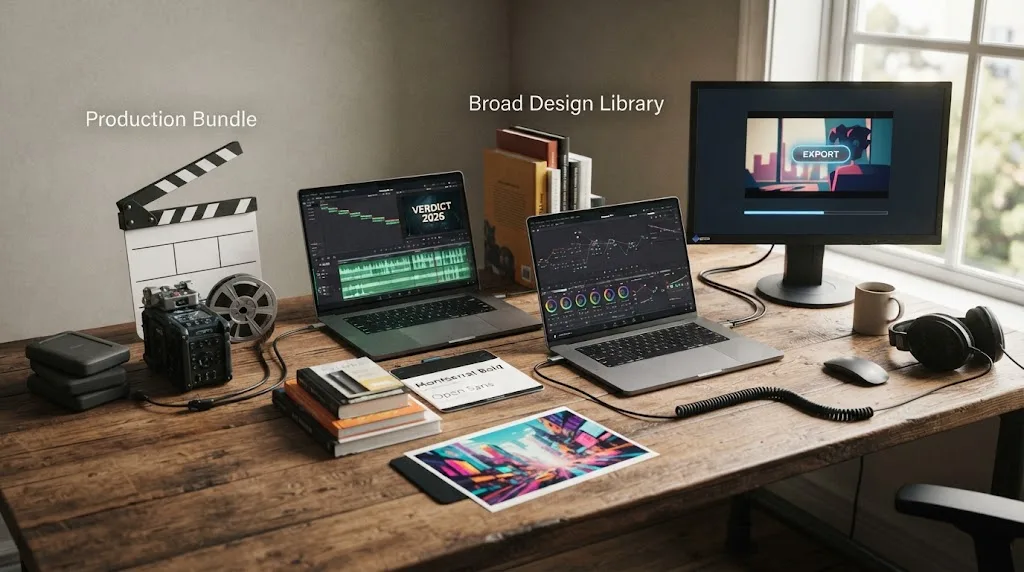
That matters here because Envato’s creator catalog has photos and graphics alongside video templates, while Artlist’s catalog focuses on a production bundle of music, sound effects, footage, templates, LUTs, and plugins. Neither service replaces Resolve’s Edit, Color, Fusion, or Fairlight pages. You still download an asset, bring it into a project, and finish the work in Resolve.
DaVinci Resolve 21.0.3 is the current version reference for checking third-party template compatibility in August 2026.
Which service wins for DaVinci Resolve templates?
Both services offer Resolve-compatible templates, but Artlist presents a more guided archive workflow and Envato presents a marketplace-style choice. Compatibility belongs to the individual item, so a service-level promise is not enough.
| Decision point | Artlist | Envato Elements |
|---|---|---|
| Resolve template baseline | Artlist’s guide lists DaVinci Resolve 18 or newer. Resolve 21 clears that baseline, but individual templates can require a stricter version or Studio. | Envato publishes a Resolve-specific template library and item pages identify the supported application. Check the item’s minimum Resolve version and required plugins before downloading. |
| Common file workflow | A downloaded template package can include a Fonts folder, Help folder, and a Resolve project archive such as .dra. Artlist’s instructions use Project Manager’s “Restore Project Archive” command. | Envato’s official Resolve guide covers Resolve files such as .drfx, .setting, and .comp, plus universal assets such as video files, overlays, and LUTs. |
| What you can browse | Titles, transitions, intros, slideshows, footage, music, SFX, LUTs, and plugins, depending on the plan. | Titles, transitions, openers, logo reveals, lower thirds, LUTs, stock video, photos, graphics, fonts, and other design categories. |
| Risk before download | Missing fonts, a stricter Studio requirement, or a template that plays slowly on weaker hardware can still cause trouble. | After Effects and Premiere Pro project templates do not import directly into Resolve. Choose an item marked for DaVinci Resolve or use a universal rendered asset. |
| Best fit | You want a production-focused bundle and a packaged project archive. | You want to search a broad design library and filter specifically for Resolve. |
Artlist’s documented baseline is concrete: DaVinci Resolve 18 or newer. Its package also tells you where to find the template, fonts, and help material. That’s useful for a beginner, but it doesn’t guarantee that every .dra archive works in Resolve Free or that every effect runs smoothly on your machine. Artlist’s current template guidance says to check the supported software on each template page.
Envato’s advantage is selection across formats. Its official Resolve guide explains that Resolve templates, overlays, LUTs, and exported video can work in the application, while After Effects and Premiere Pro project templates don’t import directly. Envato’s template catalog also exposes filters for DaVinci Resolve and resolutions including 720p, 1080p, 2K, and 4K. See Envato’s Resolve template library.
What happens to Artlist and Envato licenses after cancellation?
Artlist and Envato Elements both protect completed work, but they define future use differently. In both cases, cancellation is not permission to keep starting new projects with old downloads.
Artlist’s current license says music, SFX, footage, and templates must be published or broadcast while the subscription is active to remain licensed. If you publish a project during the active term, you can keep using that published project after cancellation. If you wait until after expiry to publish, the downloaded stock assets aren’t covered for that new publication. Artlist’s license explanation also distinguishes Social from Pro and Business coverage.
Envato’s current support wording is more project-specific. A stock item downloaded and incorporated into a completed project during an active subscription retains its lifetime commercial license. One item covers one project, though, so using that same title, photo, or sound effect in a later project requires another license. Envato says you can generate that new license from My Downloads or the item page without downloading the file again.
This is the practical difference:
Artlist protects a stock-asset project after cancellation when the project was published during an active subscription.
Envato Elements licenses stock items per project, so one download isn’t a blanket license for every future edit.
If you make a recurring YouTube series, this distinction can change the cheaper-looking option. A template that appears in ten separate episodes may need ten Envato project licenses. Artlist’s rule is different, but you still need an active plan when you publish each new stock-asset project. Save certificates, project names, download records, and publication dates either way.
Which service is better for client work in DaVinci Resolve?
Both services can support freelance and client projects, but the paperwork and handoff rules deserve a close read. Artlist’s Social license is for personal social channels, while Pro or Business coverage is the relevant direction for client work, paid promotion, wider platforms, or broadcast use.
Artlist says a client can use a completed project created under your license, but the license remains yours and the client can’t treat the downloaded music, footage, or template as a standalone stock file. Its current license terms are the place to check the plan and use case. That is a good fit when you deliver a finished video and retain responsibility for the asset license.
Envato permits client projects and transfer of a completed end product, subject to conditions. Its current guidance says you need an active subscription at the point of transfer, the item must not be extractable from the end product, and you must tell the client about their obligations. That makes a finished video handoff possible, but it is not the same as giving a client a reusable library of source assets.
For a freelance editor, ask four questions before you subscribe:
- Is the project for your personal channel, a client, a brand, paid media, or broadcast?
- Will one downloaded asset appear in one finished project or several?
- Will your client receive a finished export, a Resolve project, or the original asset files?
- Can you publish the project while the subscription is active?
The answers matter more than the promotional word “commercial.” Both companies allow commercial uses within their terms, but neither license lets you redistribute raw music, footage, templates, or graphics as standalone assets.
Which catalog is better for music, SFX, footage, and design assets?
Artlist is the better match when your Resolve edit needs several production asset types at once. Envato Elements is the better match when video is only one part of a wider design workload.
Artlist’s catalog model puts music, SFX, footage, video templates, LUTs, and plugins in the same production subscription, with separate plan families and license levels. That makes sense for an editor who regularly cuts videos and wants the soundtrack, sound design, b-roll, and motion layer to come from one account. It does not mean every plan includes every category, so check the plan scope before paying.
Envato’s official creator page emphasizes breadth beyond video: stock video, music, sound effects, photos, graphics, fonts, presentation assets, and templates. That range is valuable if you also design thumbnails, pitch decks, social graphics, websites, or branded materials. The trade-off is that “unlimited downloads” doesn’t mean one asset can be reused across unlimited projects under one license.
If you want Artlist’s production-focused mix, check Artlist’s current plans and confirm that the selected tier covers your channels, client work, and asset categories before subscribing.
For audio-first work, neither comparison is automatically decisive. Our Epidemic Sound vs Artlist comparison is the more focused next read if music and SFX are the main purchase. If you want to build a repeatable sound workflow inside a Resolve timeline, learn how to use music stems in DaVinci Resolve. And if your priority is sound effects rather than templates, compare sound-effects libraries for YouTube videos.
Should you choose Artlist or Envato Elements for DaVinci Resolve?
Choose Artlist if your normal Resolve week includes music, sound effects, footage, and motion templates, and you’re comfortable publishing each stock-asset project during an active subscription. Choose Envato Elements if you need Resolve templates plus a broad design library, and you prefer to license each item for each project.
Here’s the short decision:
| Choose this | If your priority is | Watch for |
|---|---|---|
| Artlist | One production-oriented subscription for music, SFX, footage, templates, LUTs, and plugins | Plan scope, Social versus Pro or Business coverage, template version requirements, and the active-subscription publication rule |
| Envato Elements | A wide creative library that reaches beyond video into photos, graphics, fonts, presentations, and design templates | One-project licensing, active subscription for new project use, item-specific Resolve support, and client-transfer conditions |
| Epidemic Sound | Audio-first soundtracking, music, SFX, and stems | It is a focused audio option, not a substitute for a broad footage-and-design library |
Artlist is the better DaVinci Resolve choice when one subscription must cover music, sound effects, footage, and templates.
Envato Elements is the better choice when a Resolve editor also needs photos, graphics, fonts, and other design assets.
My verdict is Artlist for a video editor building a complete production stack, Envato Elements for a creator who wants Resolve assets inside a much wider design account. Before checkout, open the exact item you plan to use, confirm the Resolve version and Studio requirement, then write down the license event that matters: publication for Artlist, project use for Envato.
Frequently asked questions
- Which is better, Artlist or Envato Elements for DaVinci Resolve?
- Artlist is better for an audio-and-video production bundle with Resolve templates. Envato Elements is better when you also need photos, graphics, fonts, and other design assets.
- Can I use Artlist templates in DaVinci Resolve 21?
- Yes. Artlist's current template guidance lists DaVinci Resolve 18 or newer, so Resolve 21 meets the stated baseline. Check each template for stricter version or Studio requirements.
- What happens to Artlist assets after cancellation?
- An Artlist stock-asset project remains covered when it was completed and published while the subscription was active. You cannot use downloaded stock assets in new projects after the subscription expires.
- Does Envato Elements license one item for multiple projects?
- No. An Envato Elements stock item is licensed for one specific project, and each new project needs a separate license. Fonts and add-ons have different per-device rules.
- Which service is better for freelance DaVinci Resolve client work?
- Both can support client work under their license terms. Artlist requires the appropriate Pro or Business coverage, while Envato requires a project license and client-transfer conditions for the completed end product.
Sources
- Blackmagic Design Announces DaVinci Resolve 21
- Blackmagic Design Support Center, latest DaVinci Resolve downloads
- Artlist license and DaVinci Resolve template guidance
- Envato Elements correct usage and project licensing
- Envato Elements full license wording
- Envato Elements subscription license
- Envato video templates in DaVinci Resolve
- Envato Elements DaVinci Resolve video templates
- Envato Elements unlimited video creator asset categories
Put this guide to work with TryUncle.
Ask about the step you’re on. TryUncle sees your screen and points at the control you need, so you can keep learning in your own project.
Get TryUncle for Mac or WindowsKeep reading
Comparisons · Aug 24, 2026 · 40 min
Epidemic Sound vs Artlist for DaVinci Resolve (2026)
Epidemic Sound vs Artlist for DaVinci Resolve 21: compare plugins, music, SFX, licensing, templates, pricing, and the right plan for your edit.
Guides · Aug 24, 2026 · 8 min
Best Sound Effects Library for YouTube Videos in 2026
Find the best sound effects library for YouTube videos, with honest picks for free, specialist, and recurring DaVinci Resolve workflows.

Guides · Aug 25, 2026 · 8 min
How to Use Music Stems in DaVinci Resolve 21
Learn how to import, align, mute, mix, and export vocal, drum, bass, and instrument stems in DaVinci Resolve 21.