Articles / Reviewsupdated for DaVinci Resolve 21.0 (June 2026)
DaVinci Resolve 21 Review: What's New and Is It Worth Upgrading?
Quick answer
DaVinci Resolve 21 is worth upgrading for almost everyone: it adds a full Photo page, IntelliSearch AI clip search, CineFocus, and 70+ new Fusion graphics, and the update is free for Studio owners. If you're mid-project, finish the project first, because conversion to 21 is one-way. Export a project archive before you install, every time.
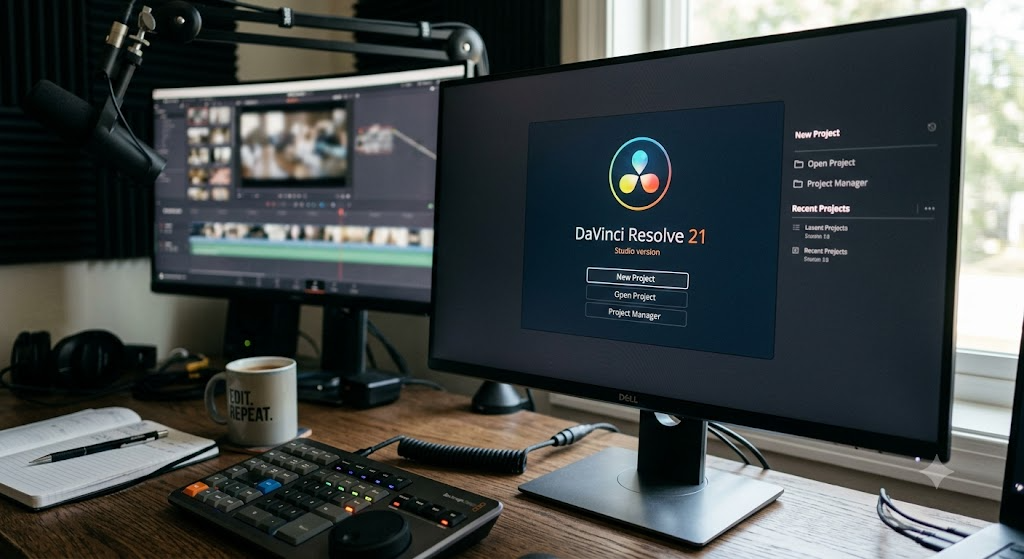
Every year Blackmagic ships an update that quietly rearranges what a free video editor is allowed to do. Resolve 21 is the loudest version of that move yet: it turns the app into a photo editor too, and it does it without charging existing Studio owners a cent.
The short version sits in the box above. The long version, with the details that decide whether you upgrade this week or after your current project ships, is below.
What's new in DaVinci Resolve 21?
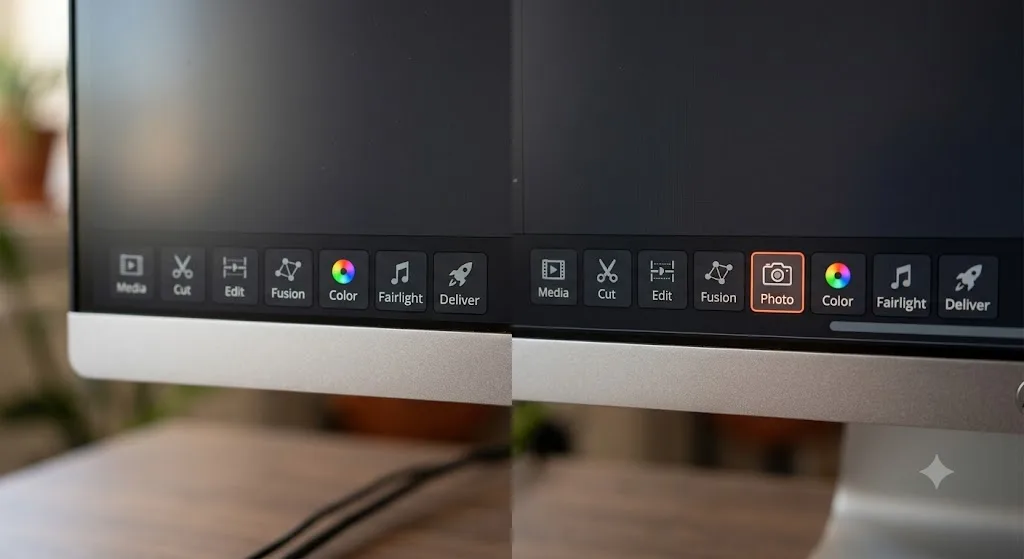
The headline is the new Photo page. Resolve now handles still images as a first-class citizen: albums, ratings, tagging, native RAW support for the major camera brands, Lightroom catalog import, and Apple Photos integration on macOS. Grading stills runs through the same node workflow colorists already know, and per PetaPixel's release coverage, batch exports are GPU-accelerated.
In DaVinci Resolve 21, still photos are graded with the same node-based color system used for footage. That single sentence is most of the story. Jeff Foster at ProVideo Coalition put it plainly in his NAB rundown: the Photo page "enables colorists and photographers to use Hollywood's most advanced color tools for still photos." Creative Bloq went further, calling the Photo page "the really radical change" of the release and floating Resolve as a future entry on their best-photo-editor list.
But the Photo page is one item on a long list. Here's the full picture, straight from Blackmagic's What's New page:
| Feature | What it does |
|---|---|
| Photo page | Organize, rate, tether, and grade still images with nodes |
| IntelliSearch | Find clips by describing them in plain language, including face search |
| CineFocus | Adjust focal emphasis and depth of field after capture |
| AI Speech Generator | Generate voiceover, including custom voice creation |
| AI UltraSharpen and Motion Deblur | Rescue soft or motion-blurred shots |
| AI Face Age Transformer, Face Reshaper, Blemish Removal | Face retouching tools |
| AI Slate ID | Read clapperboards and fill in clip metadata automatically |
| Bézier keyframes | Four-point curve control, easing, looping, reverse |
| Lottie + OGraf support | Native motion graphics and HTML graphics formats |
| Krokodove toolset | 70+ new graphics and motion graphics tools in Fusion |
| Layer-list node view | Node graphs as stackable layers, up to eight deep |
| Magic Mask render in place | Render Magic Mask results into the clip |
| MultiMaster trim manager | Manage HDR and SDR deliverables from one grade |
| Fairlight folder tracks and Chain FX | Group audio tracks into folders, chain plugins into one unit |
| 6-band clip EQ | Clip EQ now matches the track EQ's capabilities |
| IntelliScript | Import Final Draft or plain-text screenplays |
| Vertical presets and direct upload | Social-ready resolutions, publish straight to YouTube, TikTok, Vimeo, and X |
| VR180, VR360, Apple Immersive | Immersive video workflows, including foveated rendering |
Count the AI entries and you get nine new AI tools by my tally of Blackmagic's own list. I haven't stress-tested every one of them, so treat the wilder entries, like the Face Age Transformer, as vendor claims until you've run them on your own footage. The pattern is clear either way: Blackmagic is spending its AI effort on tedium, not gimmicks. Reading slates, finding clips, matching levels. The boring stuff that eats afternoons.
Camera support also picked up Canon CR3, Panasonic RW2, Fujifilm RAF, Apple ProRAW, and compressed Sony ARW files, plus improved Nikon NEF handling, per Blackmagic's What's New page and PetaPixel. If you shoot hybrid photo and video, this release was aimed at you.
Two quieter lines in PetaPixel's coverage matter to everyone: improved subtitle management and multicam workflow improvements. Nobody upgrades for subtitle management. Everybody is using it by August, which is the usual fate of the unglamorous features in a Resolve release.
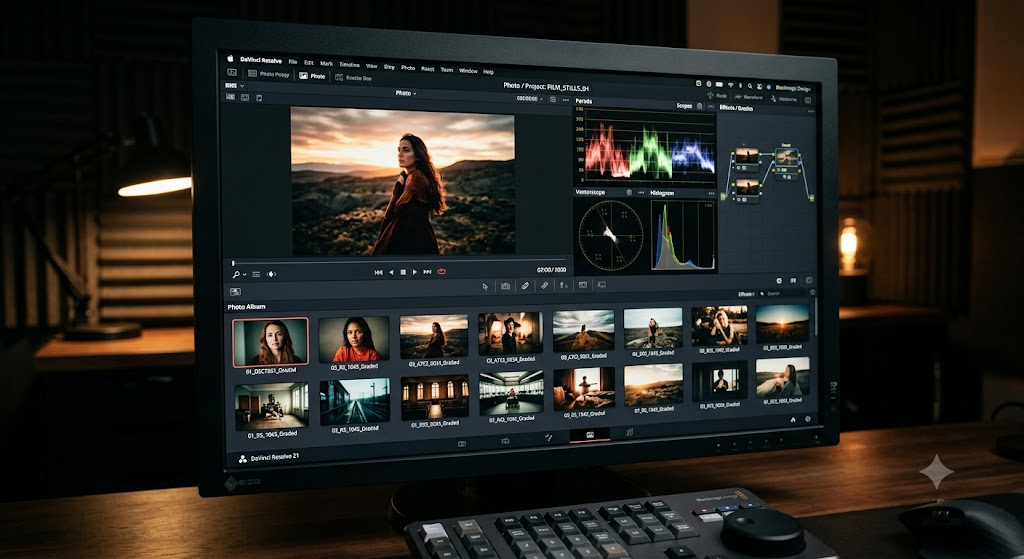
Why does the Photo page matter for video editors?
Because client work is never just video anymore. Thumbnails, stills for the landing page, a poster frame for the deliverable folder: all of it used to mean a round trip to Lightroom or Photoshop, and a grade that never quite matched the film.
Now the round trip is gone. You pull the frame, grade it with the same nodes as the footage, and export from the same app. The look matches automatically because it literally is the same grade. Shared nodes even let you push one grade across an entire album of stills at once, per Creative Bloq's hands-on walkthrough.
The page is more built out than a bolted-on extra, too. Blackmagic's What's New page lists a LightBox view for scanning whole albums, direct camera tethering for Sony and Canon bodies, full Resolve FX support on stills, and album collaboration through Blackmagic Cloud. Tethering is the detail that surprised me most. That's a working-photographer feature, not a video editor's afterthought.
And it's free. Blackmagic's product page lists photo editing in the no-cost version, not behind the Studio license.
The Photo page alone would have headlined a major release from most companies. Blackmagic folded it into a free update.
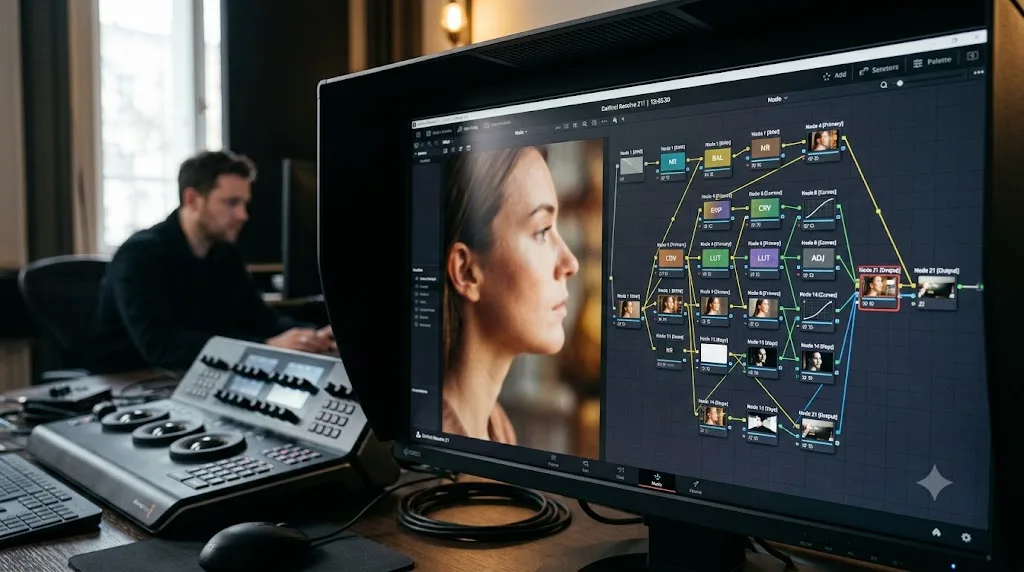
Can the Photo page replace Lightroom?
Depends which half of Lightroom you mean. Lightroom is two products wearing one icon: a develop module that edits photos, and a catalog that manages tens of thousands of them. The Photo page competes seriously with the first and barely with the second.
| Job | Photo page (Resolve 21) | Lightroom |
|---|---|---|
| Grading a hero image | Full node system, curves, qualifiers, power windows, LUTs | Sliders and masks |
| Managing years of archives | Albums, ratings, and tags, version one | Mature catalogs and smart collections |
| Culling a big shoot | LightBox album view, brand new | Culling tools refined over two decades |
| Tethered capture | Sony and Canon, per Blackmagic | Broad camera support |
| Working across devices | Blackmagic Cloud album collaboration | Mobile apps and cloud sync |
| Cost | Free, or inside the $295 Studio license | Subscription |
On pure image development, the argument for Resolve is real. PetaPixel's coverage lists curves, qualifiers, power windows, LUTs, and Resolve FX all working on stills, which is a heavier toolkit than most dedicated photo editors ever offer. If you can pull a secondary on skin tones in a music video, you can now do the same on a portrait, with the same muscle memory.
The DaVinci Resolve 21 Photo page grades stills better than it manages them.
The catalog side is where the honesty comes in. Working photographers live inside library workflows: keyword hierarchies, smart collections, a decade of archives that resolves in a second, culling passes sharpened by twenty years of iteration. A version-one page has had none of that time, and no amount of grading power substitutes for finding the shot in the first place. I wouldn't move a career's image archive into any first-release catalog, from any vendor, and this one is no exception.
The good news is that you don't have to bet. Resolve 21 imports Lightroom catalogs, so trying the Photo page costs an afternoon rather than a migration. The practical play is a split workflow: keep Lightroom as the library of record, and send hero images to the Photo page when they need finishing that sliders can't deliver.
Decide by volume. If your stills are deliverables attached to video projects, a few dozen frames per job, the Photo page can own them outright starting today. If stills are the business itself, thousands of frames a month, treat the Photo page as a finishing bench next to Lightroom and check back in a version or two.
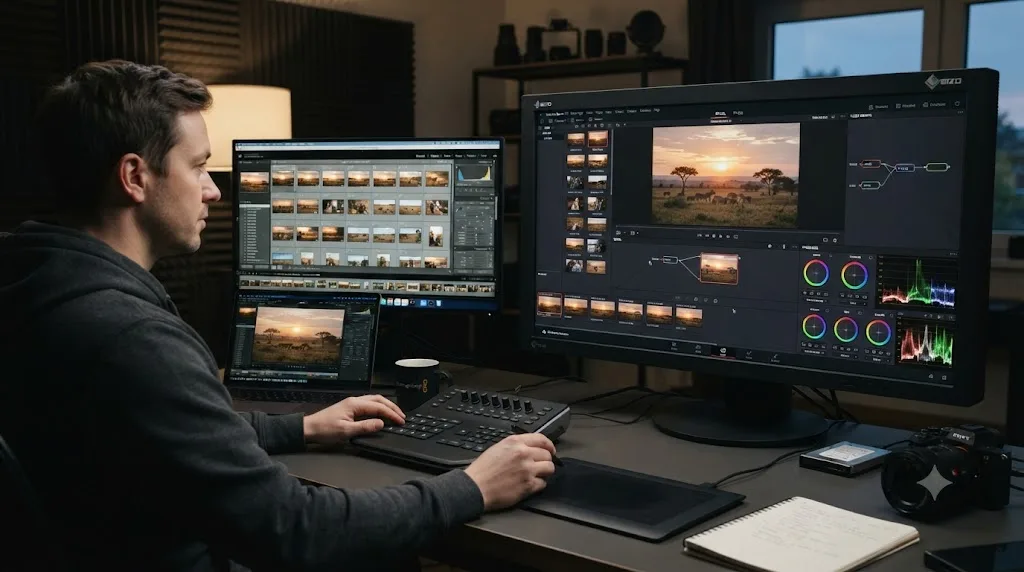
Who is each new feature actually for?
A list of features tells you what shipped. It doesn't tell you whether your week gets better. So here's the same release, sorted by the person holding the mouse.
| If you are | The Resolve 21 features aimed at you |
|---|---|
| A YouTuber or social creator | Vertical resolution presets, direct upload, Lottie graphics, IntelliSearch |
| A hybrid photo and video shooter | Photo page, camera tethering, batch still grading, UltraSharpen |
| A colorist | Layer-list node view, group grade versioning, MultiMaster trim, Magic Mask render in place |
| An audio-heavy editor or podcaster | Folder tracks, Chain FX, 6-band clip EQ, level matching |
| A scripted or documentary team | IntelliScript screenplay import, Slate ID, face search |
| A VFX or pipeline person | Krokodove, the updated macro editor, USD toolset on SDK 25.11 with Hydra 2.0 |
For creators, the quiet win is the export path. Vertical presets plus direct publishing to YouTube, TikTok, Vimeo, and X removes the last excuse for keeping a second app around just to reformat and upload. IntelliSearch matters most to exactly this group too, because nobody's b-roll folder is organized and everybody pretends theirs is.
For colorists, this is a sneaky-good release even though the Photo page took the headlines. The layer-list node view gives you a second way to read a grade, stacked like layers instead of sprawled like a flowchart, and grade versioning at the group level is workflow plumbing that grading houses have wanted for years. Magic Mask render in place targets the tool's most common practical complaint, the cost of recomputing masks as you work.
For audio people, folder tracks and Chain FX read like Fairlight closing the gap with dedicated DAWs one habit at a time. Chaining plugins into a single reusable unit is the kind of feature you stop noticing after a week because you can't imagine working without it.
For VFX and pipeline people, the release runs deeper than the Krokodove headline suggests. CG Channel's report lists deep compositing with full layer support, Cryptomatte ID matte support, and a Lens Distort node with automatic grid correction, alongside the USD toolset moving to SDK 25.11 with Hydra 2.0. That reads like Fusion courting shops that currently round-trip to dedicated compositing apps, and it's the least-covered, most consequential corner of this release.
The honest caveat: this release is wide, not deep. No single role gets a revolution except hybrid shooters. Everyone else gets three or four solid quality-of-life upgrades, which is a fine deal at a price of zero, but it explains why some working editors will shrug at the headlines.
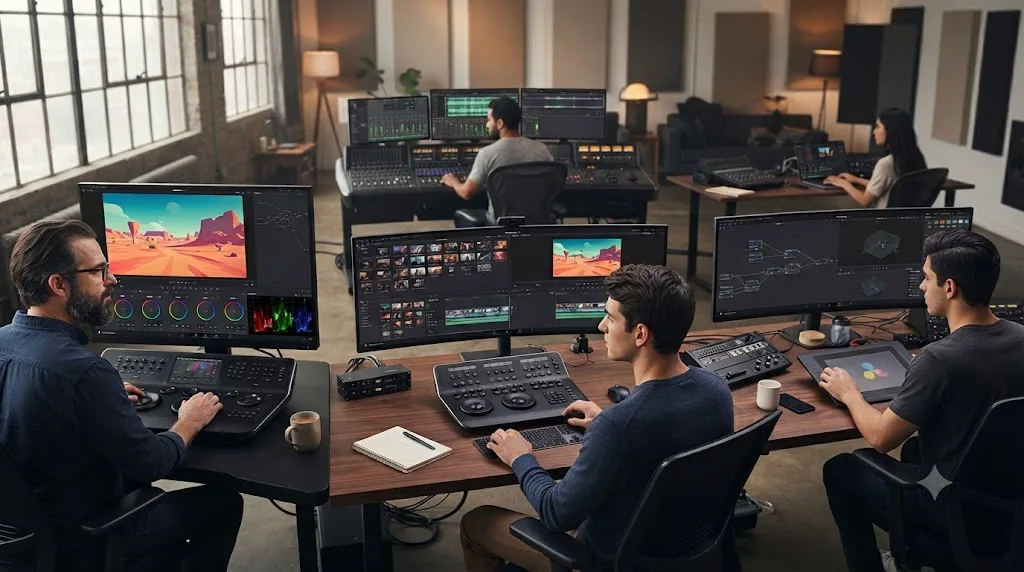
Which of the nine AI tools will you actually use?
Nine new AI tools is a marketing number. Your number is smaller, and the fastest way to find it is to sort the nine by what happens when they fail.
The metadata tools fail cheap. If IntelliSearch misses a clip, you search again or scrub the bin like it's 2024. If Slate ID misreads a clapperboard, you correct a text field. Nothing touches your pixels. These are the tools to adopt first, and aggressively.
IntelliSearch is the one with compounding value. Per CG Channel's report it detects objects and people in your media, which means its usefulness scales with the size and messiness of your library. A hobbyist with forty clips gains a party trick. A documentary team with four hundred hours of archive gains a research assistant. Evaluate it the boring way: search for shots you know exist and count the misses, because a search tool you can't trust is worse than no search tool at all.
Slate ID reads clapperboards and fills in clip metadata automatically. If your productions slate properly, this deletes an assistant-editor chore. If they don't, it does nothing, and that's the fairest one-line review of most workflow AI: it automates discipline you already have.
The generative and image-altering tools fail expensive, so they should earn trust more slowly.
AI Speech Generator turns a script into voiceover, with custom voice creation per CG Channel. The safe use is scratch narration: cutting a documentary to a temp read so the client approves structure before you book talent, or timing a commercial before the VO session. The unsafe use is cloning a voice that isn't yours to clone.
AI voice cloning and AI face changes belong in client work only with the client's explicit sign-off.
That's not a legal opinion, it's a professional survival one. Nothing burns a client relationship faster than someone noticing a change to a human being that nobody approved, and these tools make such changes cheap enough to happen casually.
CineFocus adjusts focal emphasis after capture, with aperture and bokeh controls per CG Channel's report. For run-and-gun and event shooters this is the most interesting tool in the release, because missed focus has always been the one unfixable mistake. Treat it as a rescue tool, not a plan: test it on your own past focus misses, footage where you know what the shot should have looked like, before you promise anyone a save.
UltraSharpen and Motion Deblur are the other rescue pair, aimed at soft and smeared shots. Judge them at full zoom on skin and on text, the two places enhancement tools usually give themselves away, and judge them on your own footage rather than launch-day demo reels.
The face tools, Blemish Removal, Face Reshaper, and the Age Transformer with its de-aging slider, are aimed at beauty work, music videos, and corporate polish. They carry the same sign-off rule plus one more: in documentary or journalism, reshaping a face isn't retouching, it's editorializing. Know which kind of work you're doing before you touch the slider.
Two caveats across the whole list. CG Channel places the AI suite in the Studio edition, so budget $295 if these tools are your reason for coming. And I haven't run all nine against production footage yet, so treat this section as a framework for testing vendor claims, not a verdict on them.
Is DaVinci Resolve 21 faster?
Blackmagic's own claims are specific in one place: cloud project sync is up to three times faster than in Resolve 20. General timeline and playback performance claims are vaguer, and honest answer: performance depends on your GPU, your codecs, and your node count far more than on the version number.
So run the only benchmark that matters, on your own machine. It has three steps. Export the same ten-minute timeline with identical settings in 20 and in 21 and compare the clock. Play back your heaviest graded sequence in both and watch for dropped frames. Then scrub a timeline with your usual noise reduction or Magic Mask load and see which version stutters first. Twenty minutes, and you'll know more about Resolve 21 on your hardware than any reviewer can tell you, because reviewers don't own your computer.
One thing I'd flag: a release this heavy on AI tools shifts more work onto the GPU over time, simply because that's where those features run. If your card was already the bottleneck in 20, the new toys won't change that. They'll lean on it harder.
Will Resolve 21 run on your hardware?
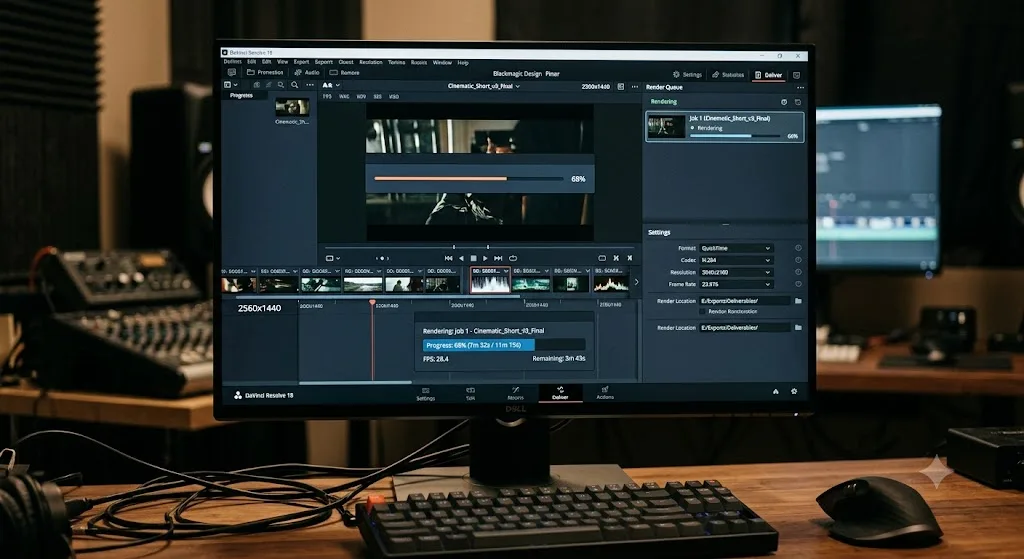
The published floor moved, and it moved at the operating system level. Per CG Channel's release report, Resolve 21 lists Windows 10 or later, macOS 15.0 or later, or Rocky Linux 8.6.
The macOS line is the one that bites. macOS 15 is Sequoia, which shipped in late 2024, so any Mac that can't update to Sequoia can't run Resolve 21 at all. If your Mac tops out at Sonoma or earlier, this decision has been made for you: stay on Resolve 20, which keeps working exactly as it does today. Check Software Update before you plan anything else.
The Windows line is generous by comparison. Microsoft ended mainstream support for Windows 10 in October 2025, and Resolve 21 still runs on it anyway. That buys older Windows machines time, though I wouldn't build a paid workflow on an OS that no longer gets security patches.
Beyond the OS floor, Blackmagic doesn't publish detailed GPU or RAM minimums on the What's New page, so the honest guidance is about headroom rather than hard numbers. Resolve has always leaned on the GPU harder than most editors, and the direction of this release, nine AI tools and GPU-accelerated photo exports, doubles down on that. If you're already fighting GPU memory full errors or choppy playback in Resolve 20, version 21 is not the fix. Those problems travel with the hardware.
Here's the cheap trick, though: the free version of Resolve 21 is a zero-dollar compatibility test. Install it beside your real work (after archiving, see below), open a throwaway project, and push it. If the free version runs your footage smoothly, the Studio version will too, because the engine is the same.
What does Resolve 21 cost, and what stays free?
The pricing didn't move, which is the quiet headline for anyone coming from subscription editors:
| Version | Price | What changed in 21 |
|---|---|---|
| DaVinci Resolve (free) | $0 | Photo page, editing improvements, Lottie, vertical presets |
| DaVinci Resolve Studio | $295 one-time | Everything above plus the Neural Engine AI tools |
| Upgrade from Studio 20 | Free | Existing licenses cover 21.0 |
Per CG Channel's release report, the update is free for existing Studio users. DaVinci Resolve 21 remains free for most workflows, and the $295 Studio license is a one-time purchase, not a subscription.
Where's the actual line between the tiers? Blackmagic's product page draws it clearly. The free version covers editing, grading, Fusion, Fairlight, and the new photo tools, working in 8-bit up to 60fps at Ultra HD. Studio adds 10-bit support up to 120fps and resolutions beyond 4K, the DaVinci Neural Engine (which powers the AI features), temporal and spatial noise reduction, Magic Mask, text-based editing, stereoscopic tools, and extra Resolve FX and Fairlight plugins.
Read that split carefully before the AI headlines sell you an upgrade. Most of the flashy 21 features live behind the Neural Engine, which means behind the $295. Our free vs Studio comparison walks the whole feature grid line by line, and the free vs Studio breakdown in our beginner's guide covers where the free version's practical limits are for someone starting out.
How does Resolve 21 compare with Premiere Pro and Final Cut Pro?
At this price, the comparison is almost unfair, so let's make it fair by comparing workflows instead of price tags.
| DaVinci Resolve 21 | Adobe Premiere Pro | Final Cut Pro | |
|---|---|---|---|
| License | Free tier, or $295 once for Studio | Subscription only | One-time purchase, Mac only |
| Color grading | Node-based, the industry standard for grading | Lumetri panel | Wheels and curves |
| Audio post | Fairlight, a full DAW built in | Essential Sound; Audition is a separate app | Solid mixing, no full DAW |
| Motion graphics | Fusion built in, plus Lottie and Krokodove in 21 | After Effects via Dynamic Link, separate app | Motion, sold separately |
| Photo workflow | Photo page, new in 21 | None; Lightroom is a separate subscription | None |
| Platforms | Windows, macOS, Linux | Windows, macOS | macOS only |
The Photo page widens a gap that already existed. Resolve was the only one of the three shipping grading, VFX, and a full audio suite in one binary; now it's the only one that handles stills too. Adobe answers with breadth of a different kind, an ecosystem of separate subscription apps that talk to each other. Apple answers with focus, one fast editor that's famously light on Mac laptops.
So who should still pick the others? Premiere earns its subscription if your team lives in Adobe handoffs, if After Effects templates are your motion graphics pipeline, or if every freelancer you hire already knows it. Team inertia is a real feature. Final Cut earns its price if you're Mac-only, cut fast-turnaround work, and love the magnetic timeline; no Resolve feature replaces an editing style you're fast in.
But if you're choosing fresh in 2026, with no sunk costs and no team lock-in, it's hard to build the case for paying monthly forever when the free tier of Resolve 21 covers most workflows and the paid tier costs less than a year of most subscriptions. That was true of Resolve 20. Version 21 just makes it ruder.
Should you upgrade to DaVinci Resolve 21?
Here's the decision by situation, then the reasoning.
| Your situation | The move | When |
|---|---|---|
| Hobbyist on the free version | Upgrade | Now, unless you're mid-project |
| Studio owner with work delivered | Upgrade, it's free | After a throwaway-project test |
| Working colorist | Upgrade in parallel, not in place | After current deliveries ship |
| Editor on hardware below macOS 15 | Stay on Resolve 20 | Until you replace the machine |
On the free version? Upgrade. It costs nothing, the Photo page and the editing improvements are included in your tier, and you have no license to manage. Your only homework is the OS floor from the hardware section and the archive step below.
Studio owner? You have the most to gain, because the Neural Engine features are where 21 concentrated its effort and your license already covers them. Your one extra risk is paid OFX plugins: check your vendors' compatibility pages before installing, because a broken plugin on a client project hurts more than waiting a week would have.
Colorist? You're the careful case. Your project libraries are your business, the conversion is one-way, and if you share a library with other editors or through Blackmagic Cloud, upgrading isn't a personal decision, it's a team migration. The layer-list view and MultiMaster trim manager are genuinely tempting for grade-heavy work. Get them on a second system or a fresh library first, and move your main library only when every collaborator moves with you.
Old hardware? Nothing forces your hand. Resolve 20 doesn't stop working when 21 ships, and an editor who delivers on 20 beats one who stutters on 21. On a Mac, check whether the machine takes Sequoia; if not, the answer is no by definition. On Windows, use the free 21 download as the compatibility test it effectively is.
Still learning Resolve? Upgrade, and don't stress about tutorials being "for Resolve 20." The core pages are nearly identical outside the new Photo page. If you're starting from zero, our complete beginner's guide to DaVinci Resolve covers which pages to learn first and in what order. And if hunting through tutorials is the part you hate, that's the exact problem TryUncle exists for: it's an AI tutor that points at the control on your own screen when you ask.
And whichever row is yours: mid-project means wait. Nothing in this release is worth a delivery date.
What breaks when you upgrade to Resolve 21?
Usually nothing. Occasionally everything. The difference is preparation, so here's what's actually at risk.
The conversion is the big one, and it's bigger than it sounds. It's not just the project you open; your project library gets upgraded too, and a library on 21 locks out anyone still opening it from 20. In a shared shop, one eager editor upgrading early can strand the rest of the team. Treat the version bump like a team decision with a date, not a Tuesday impulse.
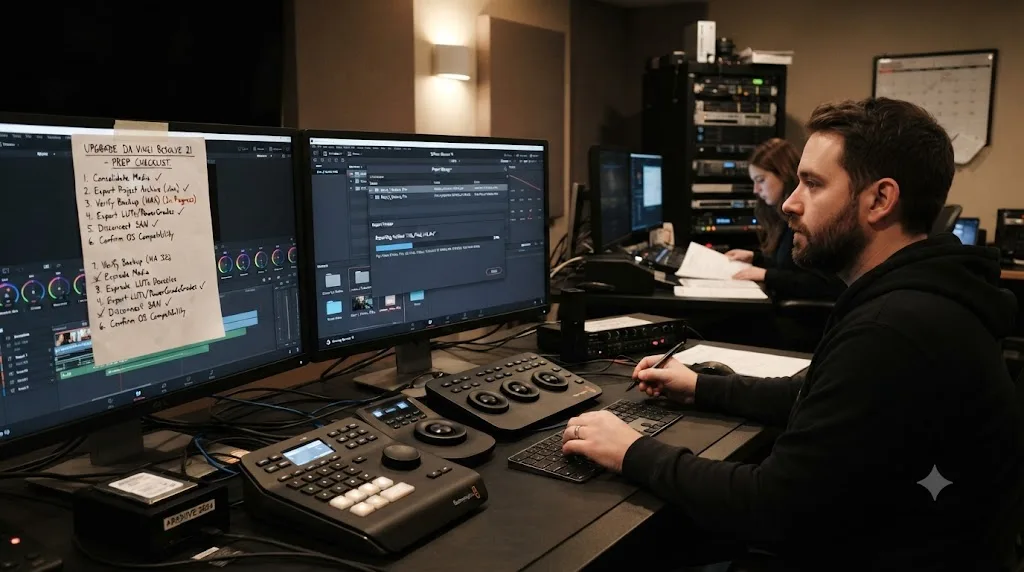
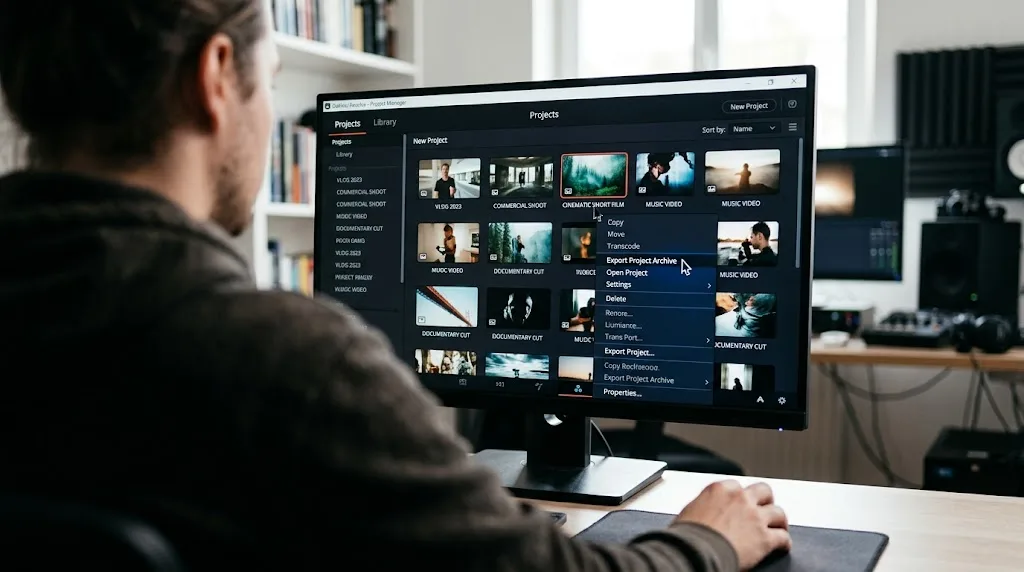
Know the difference between your two safety nets before you need one. A .drp project file saves your timelines and settings but not your media. A project archive (.dra) carries the media with it, which makes it the real pre-upgrade insurance: a .drp restored onto a machine that's lost track of the source files is a wall of media offline errors. Archive anything you'd mind losing, and archive it before the installer runs, because after conversion is too late.
Third-party OFX plugins are the next most common casualty. Major version bumps are exactly when plugin vendors scramble to patch, and a plugin that loaded fine in 20 can fail to validate in 21 until its update lands. That's why the throwaway-project test below exists. Check plugins there, not on the client timeline.
Then there's the boring stuff. Expect render caches to rebuild, so give yourself an unhurried afternoon rather than the hour before a session. And every seasoned Resolve user has a version-upgrade horror story that starts with "it was just a point update," which is why waiting for the first 21.x maintenance release is a defensible habit if your income depends on this app. Blackmagic's .0 releases are usually solid. Usually is doing some work in that sentence.
If Resolve does start misbehaving after the move, don't reinstall in a panic; our guide to Resolve crashing walks the usual suspects in order, and most post-upgrade instability traces to a stale cache or an unpatched plugin rather than the app itself.
How do you upgrade without breaking anything?
- Finish or export any project you can't afford to lose. The 21 conversion is one-way.
- In Resolve 20: File → Project Manager, right-click each active project, Export Project Archive.
- Download Resolve 21 from the official Blackmagic site, not a mirror.
- Install, open a throwaway project first, and check your OFX plugins still load.
- Only then open real work.
What's still missing in DaVinci Resolve 21?
A fair review names the gaps, so here are the ones that matter.
The Photo page is not a Lightroom replacement for photographers, and I'd be careful about the headlines suggesting otherwise. Grading stills with nodes is genuinely new territory. Managing a decade of catalogs, culling a 4,000-shot wedding, or syncing edits across devices is Lightroom's actual job, and a version-one page hasn't had time to grow those muscles. Hybrid shooters should move in; full-time photographers should visit first.
The free tier's ceilings didn't move. Per Blackmagic's product page it's still 8-bit, 60fps, and Ultra HD on the free version, the same practical limits as before. Fine for most people, but if you were hoping 21 would loosen them, it didn't.
The AI story has a pricing asterisk. Most of the marquee AI features run on the Neural Engine, which lives in Studio, so free users are reading headlines about tools they don't get. That's a reasonable business model, but it's worth saying plainly.
Backwards compatibility still doesn't exist. Twenty-one versions in, a project saved in the new version still can't open in the old one, and there's no export-for-older-version option. Every upgrade remains a one-way door with a checklist, which is exactly why half this review is about archiving.
And the performance claims are thin. One specific number for cloud sync, vagueness everywhere else. I'd love to see Blackmagic publish the kind of before-and-after render benchmarks it expects reviewers to generate for free.
Fusion, finally, is still Fusion. Krokodove adds 70+ tools, but tools were never the problem; approachability is, and node-based compositing remains the steepest hill in the app for anyone raised on layers.
Verdict: a major release wearing a point update's clothes
Resolve 21 is a genuinely substantial release. A full photo workflow, plain-language clip search, post-capture focus adjustment, and 70+ new Fusion graphics would justify a paid upgrade from most vendors; Blackmagic shipped it free. It's wide rather than deep, its best AI toys sit behind the Studio license, and the macOS 15 floor retires some older Macs from the upgrade entirely. None of that changes the math. Upgrade when your current project is out the door, archive everything first, coordinate with anyone who shares your project library, and spend your first hour in the Photo page. That's where this version's story is.
Frequently asked questions
- Will my Resolve 20 projects open in Resolve 21?
- Resolve upgrades projects on open, and the conversion is one-way: once a project is saved in 21, you can't open it in 20 again. Export a project archive of anything you care about before you upgrade, every time.
- What are the biggest new features in DaVinci Resolve 21?
- The new Photo page for organizing and grading still images, IntelliSearch for finding clips with plain-language search, CineFocus for adjusting focal emphasis after capture, Bézier keyframe controls in the edit page, and the Krokodove motion graphics toolset in Fusion.
- Is the DaVinci Resolve 21 update free?
- Yes. The base version of Resolve 21 stays free, and existing Studio license holders get 21.0 as a free update. A new Studio license is the same $295 one-time purchase as before.
- Do the new AI tools work in the free version of Resolve 21?
- Some do, most don't. Blackmagic gates its DaVinci Neural Engine AI features to Studio, along with 10-bit support, noise reduction, and Magic Mask. The Photo page and the core editing improvements are in the free version.
- What are the system requirements for DaVinci Resolve 21?
- Resolve 21 lists Windows 10 or later, macOS 15.0 (Sequoia) or later, and Rocky Linux 8.6. The macOS floor is the strict one: a Mac that can't update to Sequoia can't run Resolve 21 at all, so check Software Update before planning an upgrade.
- Is the Photo page included in the free version of Resolve 21?
- Yes. Blackmagic's product page lists photo editing in the free version. Studio adds full-resolution photo exports, the Neural Engine AI tools, 10-bit support up to 120fps, noise reduction, and Magic Mask.
- Should a beginner start with Resolve 21 or wait?
- Start with 21. It's the current stable release, and tutorials made for Resolve 20 still apply almost everywhere because the core editing interface barely changed. There's no advantage to learning on an older version.
- When was DaVinci Resolve 21 released?
- Blackmagic announced it ahead of NAB on April 14, 2026, ran a public beta through spring, and shipped the final release on June 3, 2026.
Sources
- Blackmagic Design announces DaVinci Resolve 21 (official release)
- DaVinci Resolve - What's New (Blackmagic Design)
- DaVinci Resolve (Blackmagic Design product page)
- PetaPixel: DaVinci Resolve 21 officially released with new photo editing, AI tools, and much more
- CG Channel: Blackmagic Design releases DaVinci Resolve 21.0
- ProVideo Coalition (Jeff Foster): Blackmagic Design NAB Show 2026 updates
- Creative Bloq: DaVinci Resolve just became a photo-editing app
Put this guide to work with TryUncle.
Ask about the step you’re on. TryUncle sees your screen and points at the control you need, so you can keep learning in your own project.
Get TryUncle for Mac or WindowsKeep reading
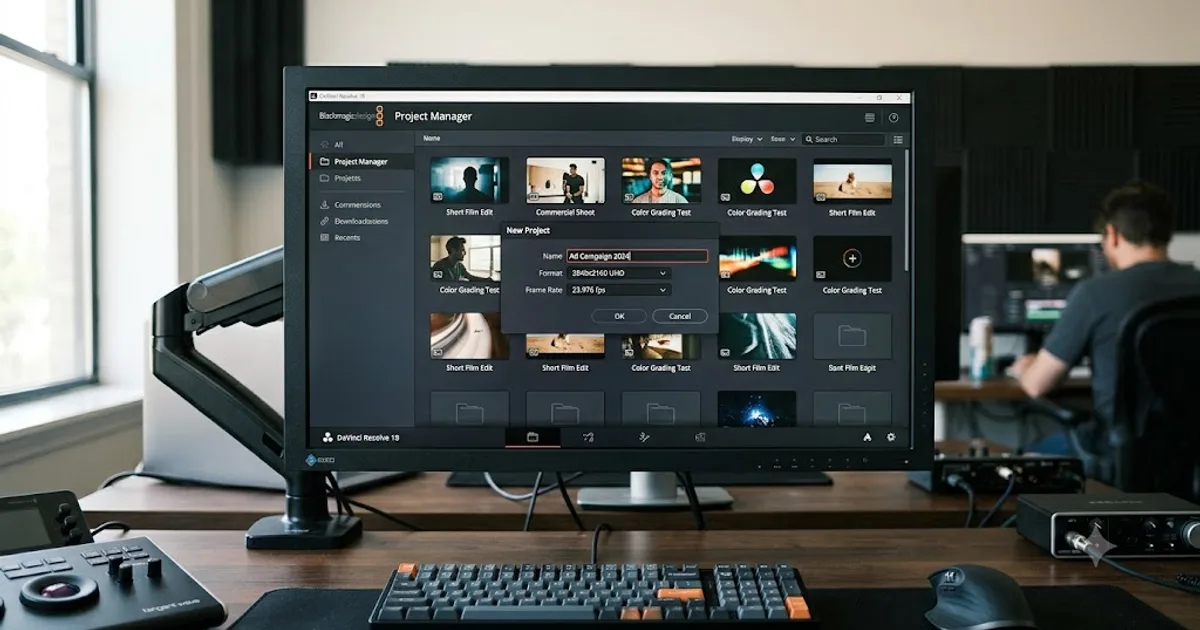
Guides · Jul 7, 2026 · 32 min
DaVinci Resolve for Beginners: The Complete Starter Guide
Learn DaVinci Resolve from zero: what it costs, what it needs to run, the seven pages you'll actually use, and the steps to cut your first project.

Guides · Sep 14, 2026 · 38 min
How to Choose a DaVinci Resolve Template for a Video Series
Learn how to choose a DaVinci Resolve template for a video series by checking repeatable segments, controls, compatibility, licensing, and testing.
Reviews · Aug 25, 2026 · 8 min
Epidemic Sound Studio DaVinci Resolve Review (2026)
An honest Epidemic Sound Studio review for DaVinci Resolve 21, covering the Studio-only plugin, soundtrack drafts, licensing, limits, and alternatives.