Articles / Guidesupdated for DaVinci Resolve 21.0 (September 2026)
Best Music Library With Stems for Video Editing
Quick answer
The best music library with stems for video editing depends on the job: choose an audio-first subscription for frequent edits, Artlist for music plus broader production assets, and Soundstripe for transparent single-use licensing. Check stem availability, DaVinci Resolve compatibility, client rights, channel limits, and post-cancellation rules before subscribing.
I judge music libraries by what happens after the download. Can I shape the track around speech, deliver it to a client, and prove that I licensed it correctly later? We run a 100,000+ member professional video-editing community, and after 7+ years of commercial editing, those questions matter more than a flashy catalog page.
As of September 2026, this guide targets DaVinci Resolve 21. Resolve 21 includes Fairlight for audio post and new Fairlight folder tools for stem-heavy timelines. Blackmagic Design describes Resolve 21 as an all-in-one editing and audio post-production application, but the library still determines your rights and source files.
What is the best music library with stems for video editing?
The best music library with stems for video editing gives you usable separated parts, repeatable search, and a license that matches the finished video. An audio-first subscription suits recurring edits, Artlist suits wider asset needs, and Soundstripe suits buyers who want subscription and single-use options clearly separated.
The word “stems” is doing real work here. A stem is one part of a finished track, such as drums, bass, vocals, strings, or effects, rather than one combined MP3 or WAV. Artlist defines stems as separate audio tracks, and Soundstripe describes them as individual instrument tracks.
That separation lets you make decisions the full mix cannot. You can mute vocals below a voiceover, reduce drums for a reflective section, leave a bass pulse under a title card, or bring the complete mix back for the final lift. It doesn’t turn a song into a new composition that you own. It gives you more control over a licensed asset inside your video project.
| Your main need | Best fit | Why | Main catch |
|---|---|---|---|
| Frequent social, podcast, and YouTube soundtracking | Audio-first subscription | Fast access to music, effects, stems, and repeatable licensing | Plan and channel limits still matter |
| Music plus footage, templates, LUTs, or plugins | Artlist | Broader production-asset coverage and stem filters | You must choose the correct license tier |
| Stems for a commercial editing workflow | Soundstripe Pro or higher | Its current plan table lists stems for all original songs on Pro and higher | Not every song has stems |
| One finished project with no recurring subscription | Soundstripe single-use license | Clear per-track coverage tiers are available | A single-use license doesn’t become a general library subscription |
| DaVinci Resolve Studio editor who wants search inside Resolve | An in-app audio workflow | Search, stems, and drag-and-drop can reduce context switching | The plugin path may require paid Resolve Studio |
I haven’t run a controlled listening test, so I won’t pretend one catalog has universally better songs. Your genre, brief, deadline, and territory decide the result.
The best music library is the one whose license matches the finished video’s destination.
A stem-enabled track gives you mix control, not ownership of the music.
How do I tell whether a music library really includes stems?
You can verify stem support in four checks: find the stem filter, open an individual track, confirm the download format, and read the plan restriction. A library that only says “remixes” or “alternate versions” may not provide separate instrument files.
Start with track-level availability. Artlist’s catalog documentation says users can filter by stems, vocals, instrumentals, duration, and BPM. Its stem help page says a stem icon identifies songs with available stems, and stems can be downloaded as MP3 or WAV files. Stems appear on several Artlist Music, Music & SFX, Teams, and Max plans.
Soundstripe makes the limitation especially clear. Its stem guide says not every song has stems, and the stem icon appears only on songs that include them. The guide says stems are WAV only, while full tracks and alternate versions can also be MP3 or WAV.
Epidemic Sound’s Resolve plugin lets you open a liked track’s three-dot menu, choose “Show Stems,” and download individual stems. It also allows drag-and-drop to the timeline. That documents the workflow, not universal stem availability.
Before you subscribe, confirm five things: a stem filter or icon, the plan tier, separate WAV files, desktop availability, and editing limits. Artlist says its stems are desktop downloads and its license lets you fit the asset to a video project without turning the parts into a new music product.

Why is licensing more important than the stem count?
Licensing is more important than stem count because a perfect mix is useless if the plan doesn’t cover the way you publish it. “Royalty-free” describes a licensing model, not permission to use an asset everywhere, forever, or as a standalone recording.
For a personal channel, check channel coverage and monetization. For client work, check client permissions, commercial use, paid media, and distribution. For a company, check whether the company itself must be the licensed party.
Artlist’s own plan guidance separates its Social and Pro licenses. The Social license is for personal content creators and covers one channel on listed platforms. The Pro license covers commercial use, client work, advertising, paid media, branded content, film, and worldwide publishing, subject to its terms. The current Artlist plan explanation lists those distinctions.
Soundstripe draws a similar line. Its current pricing page lists Individual plans for freelancers, Business for local-market organizations, and Enterprise for brands, agencies, media, and broad distribution. It lists single-use starting levels of $49 Personal, $199 Digital, $399 Expanded, and $1,249 All Media. Check the live license and region before treating those figures as a quote.
Epidemic Sound’s plan guide separates Creator, Pro, Business, and Enterprise. It says Creator permits one monetized channel per platform, while Pro permits up to three and sub-licensed client content within stated limits. Business adds collaborators and uses such as games and apps. Enterprise offers custom coverage, including unlimited platforms under a customized deal.
Write the delivery list before you pick the music:
| Delivery question | What to verify |
|---|---|
| Is the video for your own channel? | Personal-channel, monetization, and platform coverage |
| Is a client paying for the edit? | Client work, sub-licensing, and who is named on the license |
| Will the client run paid ads? | Advertising and paid-media rights |
| Will several channels publish the same cut? | Channel count, safelisting, and platform rules |
| Will the project live on television, cinema, or a streaming service? | Broadcast, theatrical, or enterprise coverage |
| Will the asset be reused in a new project later? | The provider’s post-cancellation and reuse rules |
Many comparison lists skip what happens when the subscription ends.
Stems improve the mix, but licensing protects the release.
How do I choose a library for DaVinci Resolve 21?
Choose a library for DaVinci Resolve 21 by deciding whether you want a browser download workflow, a direct Resolve Studio integration, or a broader asset subscription. Manual imports work with the free version, while the documented Epidemic Sound plugin requires paid DaVinci Resolve Studio.
Blackmagic’s current product page lists DaVinci Resolve 21 as free and Resolve Studio 21 at $295. It says the free version supports 8-bit video up to 60 frames per second and up to Ultra HD 3840 x 2160, while Studio supports 10-bit video up to 120 frames per second and beyond 4K. That changes whether an in-app plugin is available to you.
- With any library, you can download licensed audio files, import them into Resolve, and build the mix in Fairlight.
- With the Epidemic Sound plugin, you need the paid Studio edition. The provider’s current Resolve Studio plugin documentation says the free version does not support plugins.
- On macOS, the provider also says its plugin’s Workflow Integrations menu is unavailable in the Mac App Store edition of Resolve Studio. The version downloaded from Blackmagic Design is required for that workflow.
That makes Epidemic Sound the most natural fit for a Resolve Studio editor who values in-app discovery, stems, and drag-and-drop. It doesn’t make it the universal winner. A Resolve Free user can use ordinary downloaded audio files, while a buyer who needs footage and templates may get more from Artlist.
Soundstripe’s current plan table lists Adobe Premiere Pro and Express extensions, not a dedicated Resolve extension. For Resolve, its normal path is search, download, import, and mix.
Resolve 21’s Fairlight page supports automatic ducking, track and bus mixing, audio-only delivery, and external sound libraries. Resolve 21 also adds audio track folders, which can keep a group of stems collapsed while you work on picture.
If you use Resolve Free, don’t pay for Studio only to unlock a library plugin. If you own Studio, the integration becomes a meaningful buying criterion.
Resolve Free supports manual audio imports, but library plugins may require Resolve Studio.

Which library is best for recurring YouTube and social edits?
For recurring YouTube and social edits, choose the service that makes publishing predictable. The decision comes down to channel coverage, stems, search, and post-cancellation clearance.
Epidemic Sound is the strongest audio-first option here for a Resolve Studio editor who wants to search and adapt music in the same workflow. Its plugin documents description, reference-track, video-based, cut, loop, and soundtrack-draft tools. The plan guide says its catalog includes more than 55,000 tracks and over 250,000 sound effects and variations.
Its main trap is assuming Creator covers every kind of social publishing. Creator is described as one monetized channel per platform. If you publish on several channels, create ads, or take on client work, read the Pro or Business terms. Safelisting is also part of the workflow, and content can remain cleared after cancellation only when the channel and use fit the terms.
Artlist is better when the social video also needs footage, titles, transitions, slideshows, LUTs, or other assets. Its music catalog filters include mood, theme, instrument, duration, BPM, vocal type, and stems. Its Social license remains for personal creators, not commercial client coverage.
Soundstripe is better when you want individual commercial access and a clear single-track license path. Its current page lists 58,000+ original tracks, more than 115,000 sound effects, automatic YouTube clearance, one channel on Personal, and five channels plus unlimited codes on Pro. Pro and higher include stems for all original songs in the plan table, while its stem guide says availability remains track-specific.
For a weekly creator workflow:
- Pick the platform where your videos publish.
- Filter to instrumentals or stem-enabled tracks and test the full mix against dialogue.
- Confirm channel coverage, then save proof of license with the Resolve project.
This avoids a false economy: a cheaper plan can cost more time if a client later asks for paid promotion.
Which library is best for freelance or client video work?
For freelance or client video work, choose the plan that names commercial and client use explicitly, then confirm the client’s distribution before you download. The client’s audience, not your own editing software, determines the licensing requirement.
Soundstripe’s freelancer page positions the service for client projects, social, short film, podcast, and broadcast work. Its pricing page separates paid social, digital ads, and broad media coverage. Pro targets individual commercial creators, while Business and Enterprise address organizations.
Artlist Pro is also a serious client-work option. Its guidance covers client projects, commercial use, advertising, paid media, branded content, film, and worldwide publishing. It says downloaded assets are licensed for use, not owned by the subscriber, so don’t present raw stems as your own standalone music package.
Epidemic Sound Pro fits frequent client soundtracking when the Resolve Studio plugin is useful. Its plan guide says Pro supports digital ads, up to three monetized channels per platform, and sub-licensed client content subject to its limits. Business and Enterprise become more relevant for larger teams, apps, games, or company events.
Here’s the decision matrix I’d use before sending a proposal:
| Client situation | First option to investigate | Why it may fit | What you must confirm |
|---|---|---|---|
| One freelance editor, recurring digital campaigns | Epidemic Sound Pro or Soundstripe Pro | Both have a path to commercial work and stem-based editing | Ad coverage, channel rules, and cancellation terms |
| Editor also needs stock footage and templates | Artlist Pro | Music and broader asset categories sit in one subscription family | Template version and license compatibility |
| One project, no need for a yearly library | Soundstripe single-use Digital or broader license | Per-track coverage is easier to scope to one delivery | Exact distribution, client name, and reuse restrictions |
| Brand with several collaborators | Business or Enterprise plan | Organization-level seats, permissions, or custom coverage may be needed | Who owns the account and where the work will run |
| Resolve Free user | Downloaded audio files from any compatible provider | Manual import does not depend on a Resolve plugin | License, file format, and proof of purchase |
Before the first client invoice, put the proof of license, full mix, stems, and a note with the plan, project name, and intended channels in the project folder.
Affiliate disclosure: Epidemic Sound is the affiliate featured in this guide. If you subscribe through our link, we may earn a commission. That relationship doesn’t change the comparison or the situations where Artlist or Soundstripe is the better fit.
At the natural decision point, check Epidemic Sound’s current plans and Resolve Studio workflow. This is an affiliate link, so we may earn a commission if you subscribe through it. Epidemic Sound is worth considering when you are a Resolve Studio editor who repeatedly needs audio search, stems, and in-editor drag-and-drop. It is not the best choice if you use Resolve Free and only need one track for one project.
For a second opinion, compare Epidemic Sound versus Artlist for DaVinci Resolve and read the guide to music licensing for freelance video editors.
“The ability to download music stems to customize tracks even more than they already are is crucial to the way we create video.”
- Ben Hillman, executive producer, Soundstripe. Source
How do I use music stems in DaVinci Resolve 21 without making a messy timeline?
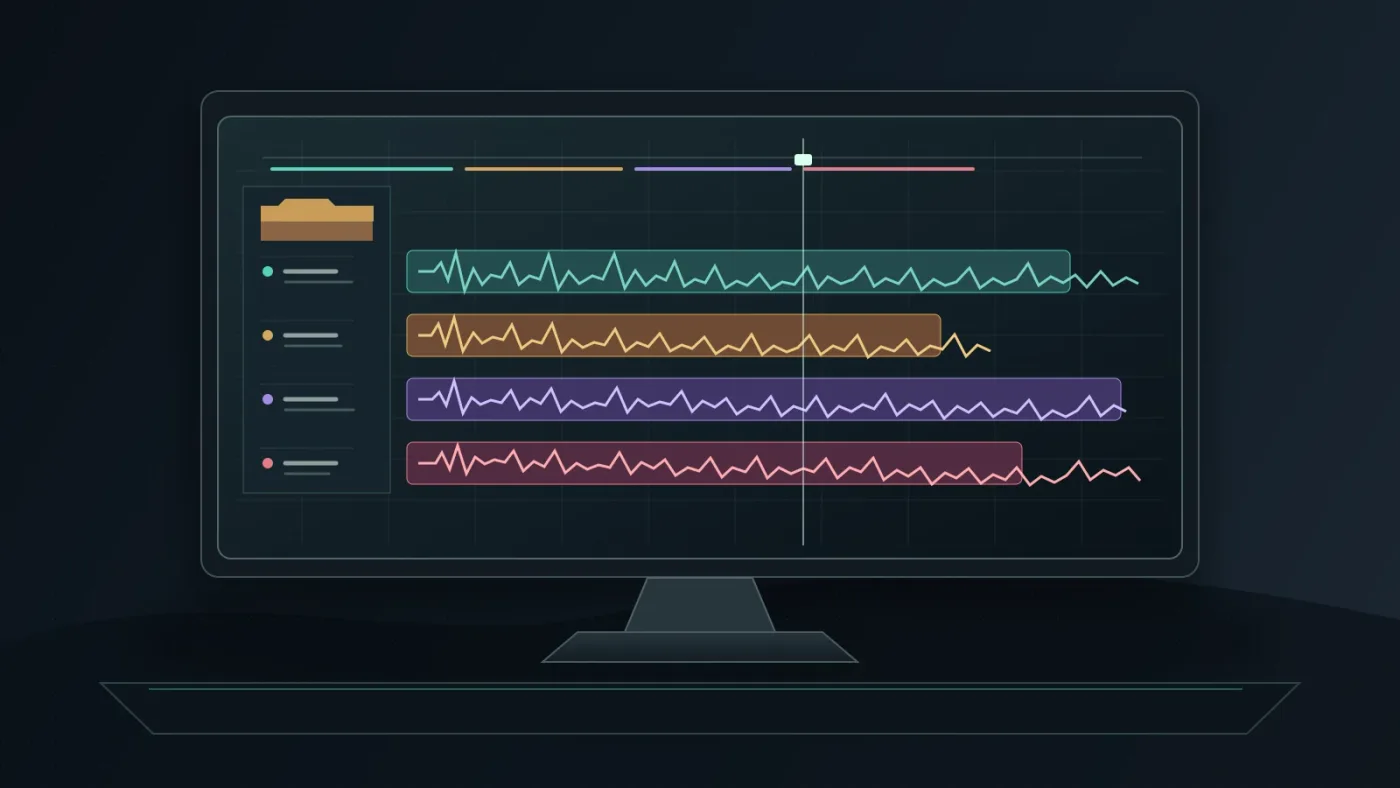
Use one audio track per stem, start every stem at the same timecode, label the tracks immediately, and group them under a music folder when the mix is stable. Resolve’s Fairlight tools are designed for track-level mixing, and Resolve 21 adds audio track folders for organization.
Here is a worked example for a 30-second product video. The times are illustrative.
- Build the rough cut with the full mix. Mark the opening, product reveal, voiceover entrance, and final logo beat. The full mix is faster to audition.
- Download only the needed parts. Bring in drums, bass, keys, and vocals. If the voiceover carries the message, you may not need the vocal stem.
- Create clear track names. Use
MUSIC - FULL,MUSIC - DRUMS,MUSIC - BASS,MUSIC - KEYS, andMUSIC - VOCALS. - Align the stems. Place stems from the same song at the same starting point. Check the first downbeat and trim any extra leading silence.
- Mute the full mix before detailed mixing. Keep it as a reference, then mix the separated parts without hearing the song twice.
- Make room for the voiceover. Lower or mute vocals under speech. Reduce drums during the explanation, then bring them back for the final beat. If you use Fairlight’s ducker, listen for unnatural volume recovery.
- Keep a fallback. If the stem blend sounds thinner than the original, return to the full mix. Stems are an option, not a requirement.
- Archive the license. Save proof of license and note which plan covered publication.
For a 60-second travel reel, keep rhythm for movement shots, reduce it under a title, mute vocals under narration, and return to the full mix for the montage. For a podcast video, use the instrumental for the intro and outro.
For detailed Fairlight mechanics, use the sibling guide on how to use music stems in DaVinci Resolve 21.
What happens when I cancel a music library subscription?
When you cancel a music library subscription, check whether each project was published during the active license and whether the provider allows continued clearance. A downloaded WAV is not automatically cleared for every future project.
Epidemic Sound says content published during a free trial or active subscription can remain cleared forever when channels are correctly safelisted and the use fits the plan. Content soundtracked after the subscription ends may not be cleared.
Soundstripe says content downloaded and used in projects created while subscribed stays licensed forever, but downloaded content cannot be used in new projects once the subscription lapses. It recommends downloading proof-of-license files while subscribed.
Artlist’s plan guidance follows the same broad pattern: projects published while subscribed can retain coverage, but downloaded assets aren’t a perpetual source for new projects after expiry. Read the live terms for your account.
Use this cancellation checklist:
- List published projects containing the library’s music.
- Confirm the publication date, account, and channel.
- Save proof-of-license documents and safelisting records.
- Don’t start a new project with an old download after the subscription ends.
- Tell the client what the license covers.
“Unlimited downloads” is not “unlimited future use.” The release date and intended use still matter.
A downloaded music file is not the same thing as an active right to publish it.
Why is my stem workflow still slow after I chose a library?
Your stem workflow is still slow when the library solved discovery but not selection, file management, or mix discipline. More options create more work when every track produces unnamed files and competing versions.
Fix the friction at the source.
Search with the edit in mind. Start with the scene’s job, then narrow by duration, BPM, vocal type, and stems where those filters exist. Artlist documents those filters, while Epidemic Sound documents description, reference-track, and video-based search.
Choose a target arrangement before downloading. Decide whether you need the full mix, instrumental, drums, bass, or vocals. Downloading everything “just in case” creates an asset-management problem.
Create one music bin and one folder. Keep downloads in a project-named location and mirror the names in the Resolve Media Pool. Don’t scatter stems across drives.
Keep a full-mix reference. It shows whether your blend is drifting and gives you a fast fallback when the deadline matters more than a custom mix.
Separate selection from mixing. Choose the track and structure first. Decide what to mute or lower second.
Use stems for story beats. Mute vocals under speech, thin the rhythm before a reveal, or let the bass return on a cut. Don’t automate every element just because you can.
The biggest mistake is treating stems as a substitute for editing taste. They help a track fit, but they don’t decide where a scene needs silence or whether the music is emotionally wrong.

Which music library should you choose?
Choose Epidemic Sound when you are a DaVinci Resolve Studio editor who wants an audio-first subscription, in-app discovery, stems, and a direct path from search to timeline. Choose Artlist when the music decision sits inside a larger need for footage, templates, LUTs, or other production assets. Choose Soundstripe when you want a commercial individual plan with stems on Pro and higher, or a single-use license for a defined project.
Use this order:
- Decide where the video will publish and whether the work is personal, freelance, client, brand, broadcast, or enterprise.
- Verify the exact songs have stems.
- Choose coverage, test the files in DaVinci Resolve 21, and save proof of license.
If you use Resolve Free, a normal download-and-import workflow is enough. If you use Resolve Studio and soundtracking recurs, consider the Epidemic Sound integration. For one clearly scoped song, start with Soundstripe’s single-use options.
The best music library with stems for video editing is the service whose stems, search, software path, and license fit your current video.
Frequently asked questions
- How do I choose the best music library with stems for video editing?
- For recurring soundtracking in DaVinci Resolve Studio, an audio-first subscription is usually the best fit. Choose Artlist when you also need footage or templates, and choose Soundstripe when single-use licenses or a Pro-level stem workflow matter more than a broad asset bundle.
- How do I use music stems in DaVinci Resolve 21?
- Download the individual stem files, import them into the Media Pool, place them on separate audio tracks, line them up from the same start point, and mix each element in Fairlight. Keep the full mix as a backup until the edit is approved.
- Can I use music after cancelling a library subscription?
- Usually, you can keep published projects covered only under the library's specific terms. New projects are commonly excluded after cancellation, so save proof of license and read the provider's cancellation rule before ending a subscription.
- Why do some music libraries advertise stems but not provide them for every song?
- Stems are track-specific files, not a guarantee that every song has separated parts. Look for a stem icon or an explicit stem filter before choosing a track, then confirm which plan permits downloads.
- How do I choose a music library for freelance client video work?
- Pick a plan that explicitly covers client work, paid media, and the client's distribution. A personal creator plan can be suitable for your own channel but still be too narrow for a commercial client project.
Sources
- DaVinci Resolve 21 product page and version details
- DaVinci Resolve 21 New Features Guide
- Epidemic Sound plans, stems, channel limits, and cancellation terms
- Epidemic Sound DaVinci Resolve Studio plugin requirements and stem workflow
- Artlist guide to using stems
- Artlist Music and SFX plans and license coverage
- Artlist music catalog filters
- Soundstripe pricing, plan features, and catalog details
- Soundstripe stem downloads
- Soundstripe subscription cancellation and license coverage
- Soundstripe music licensing for freelancers
- Soundstripe quote from executive producer Ben Hillman
Put this guide to work with TryUncle.
Ask about the step you’re on. TryUncle sees your screen and points at the control you need, so you can keep learning in your own project.
Get TryUncle for Mac or WindowsKeep reading
Guides · Aug 25, 2026 · 8 min
How to Use Music Stems in DaVinci Resolve 21
Learn how to import, align, mute, mix, and export vocal, drum, bass, and instrument stems in DaVinci Resolve 21.

Guides · Aug 24, 2026 · 8 min
Music Licensing for Freelance Video Editors: Client Rights
Practical music licensing for freelance video editors, covering client handoffs, safelisting, platform rights, cancellation, and DaVinci Resolve 21.
Comparisons · Aug 24, 2026 · 40 min
Epidemic Sound vs Artlist for DaVinci Resolve (2026)
Epidemic Sound vs Artlist for DaVinci Resolve 21: compare plugins, music, SFX, licensing, templates, pricing, and the right plan for your edit.