Articles / Comparisonsupdated for DaVinci Resolve 21.0.2 (July 2026)
ColourLab AI vs DaVinci Resolve's Neural Engine, Compared
Quick answer
ColourLab AI is a paid plugin, from $15 a month, that matches shots to a reference look using its own AI engine inside free or Studio DaVinci Resolve. Resolve's Neural Engine is Blackmagic's built-in AI: free tools like Shot Match, Studio-only tools like Magic Mask. Use the Neural Engine first; add ColourLab AI for matching Resolve can't do alone.
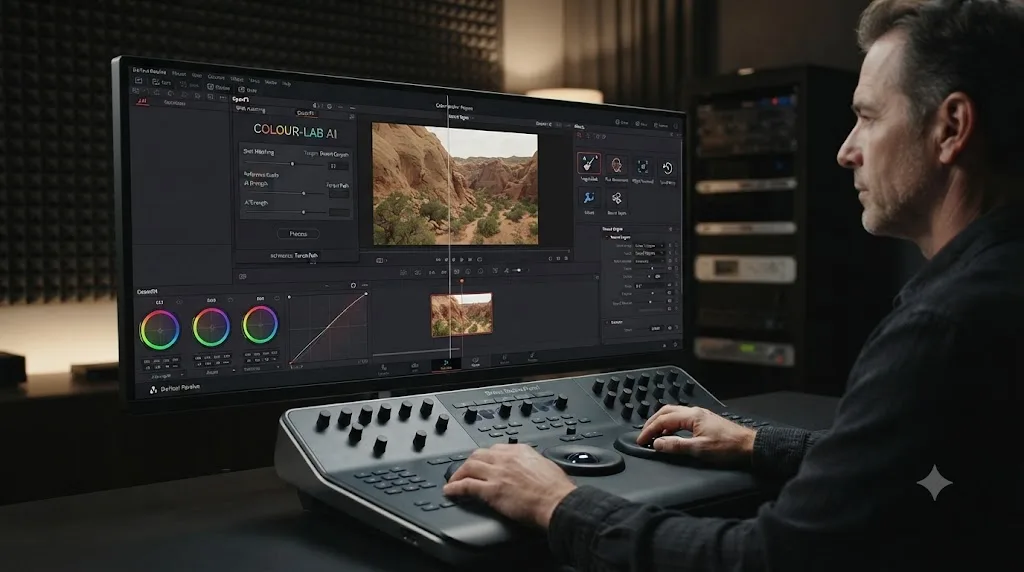
Two AI systems now sit inside a lot of colorists' DaVinci Resolve projects, and they get confused constantly because both promise the same headline: let the machine match your shots. One of them is Blackmagic's own Neural Engine, baked into Resolve itself. The other is ColourLab AI, a separate product from a company called Color Intelligence, that plugs into Resolve as a plugin instead of shipping with it.
They're not competitors in the way "which editor should I buy" is a competitor question. They're closer to two different tools in the same drawer, one built by the company that makes the app, one built by a colorist who thought the built-in tool wasn't solving his actual problem. After seven years of professional commercial editing and running a 100,000-plus member video editing community, I've watched this exact confusion show up constantly: someone hears "AI color matching" and assumes it's one feature, when it's really two products with different jobs, different prices, and a different relationship to the $295 Studio license.
This is the honest, sourced version of that comparison. As of July 2026, running against DaVinci Resolve 21.0.2 and ColourLab AI 3, here's what each one actually does, what it costs, and where they genuinely overlap.
What's the quick verdict?
ColourLab AI and DaVinci Resolve's Neural Engine solve overlapping but distinct problems, and the honest answer to "which one should I use" is usually "both, for different jobs, not either instead of the other."
| ColourLab AI | DaVinci Resolve's Neural Engine | |
|---|---|---|
| What it is | Third-party plugin from Color Intelligence | Blackmagic's own built-in AI system |
| Core job | Match footage to a reference image, still, or graded look | Power specific automated tasks: masking, search, focus, reframing, matching |
| Requires Resolve Studio? | No, Creator tier works in free Resolve | Partially: Shot Match and Auto Color are free; most other tools are Studio-only |
| Price | $15 to $49/month, or $299 to $995 perpetual | Included with Resolve; deeper tools require the $295 Studio license |
| Match source | External reference: an image, a client still, a different project's look | Clip-to-clip within the same project |
| Platform | macOS, Windows, and Linux (Pro) | macOS, Windows, Linux |
| Color management | ACES and DaVinci Wide Gamut (Pro tier) | DaVinci Wide Gamut native |
| Best at | Cross-camera, cross-project, reference-driven consistency | Fast in-project shot matching, masking, search, focus repair |
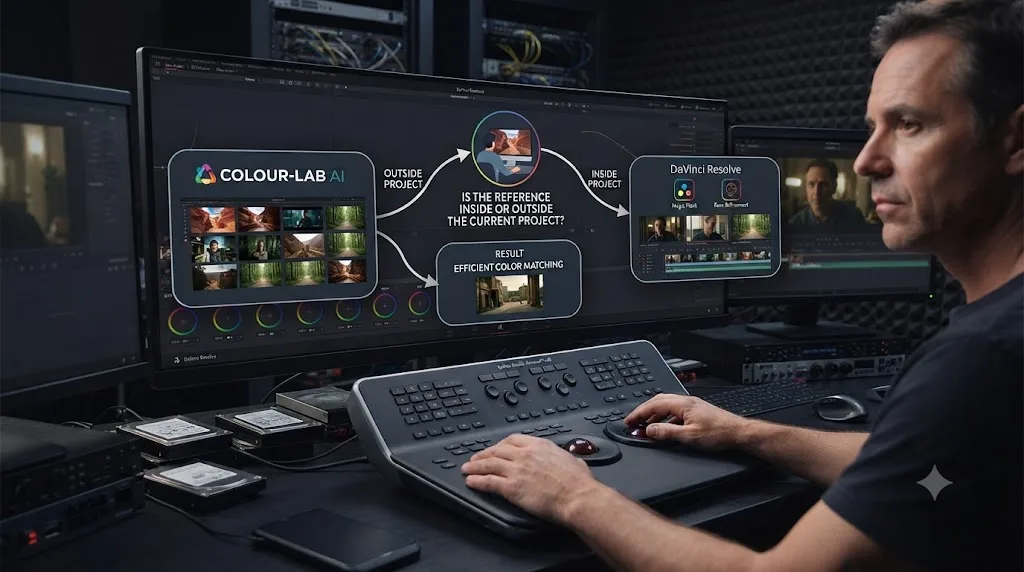
ColourLab AI grades against something outside your current project; the Neural Engine grades against something already inside it. That single distinction explains almost every other difference in this comparison, from pricing to Studio requirements to which one you'd reach for on a real job. If you're matching thirty clips shot on five different cameras to one client-approved reference still, that's ColourLab AI's exact use case. If you're matching one clip to the shot right next to it in your own timeline, Resolve's free Shot Match already does that job without a separate subscription.
What is ColourLab AI, exactly?
ColourLab AI is a color-matching and grade-assistance product built by Color Intelligence, a company founded by colorist Dado Valentic, who brings more than 20 years of professional color grading experience and discovered AI's applications to the craft back in 2018, per Larry Jordan's interview with Valentic. It isn't a plugin that Blackmagic built or endorses. It's a separate business that plugs into DaVinci Resolve, Adobe Premiere Pro, After Effects, Final Cut Pro, Foundry Nuke, and Baselight.
The current version, ColourLab AI 3, shipped in two stages: the Creator edition on January 11, 2024, and the Pro edition on October 23, 2024, per CG Channel's coverage of the release. Color Intelligence describes version 3's rebuilt engine as incorporating "encoding, decoding, and tokenizing systems from LLM in a novel way," according to the same CG Channel report, a specific technical claim about how the current engine differs from earlier versions, not a vague marketing line.
The basic workflow, per ColourLab AI's own product page for its Resolve integration, is short: install the plugin and the companion app, apply the plugin to a clip inside Resolve, choose a reference (an image, a graded still, or another clip), and hit Match. The AI analyzes the shot's composition, lighting, and subject matter, then proposes a correction. As of ColourLab AI 3.2, that correction happens directly inside Resolve as an OFX plugin, with no separate roundtrip to an external app required for the basic match.
What is DaVinci Resolve's Neural Engine, exactly?
The DaVinci Neural Engine is Blackmagic Design's own machine-learning system, built into DaVinci Resolve itself rather than sold as a separate product. It powers facial recognition, object detection, smart reframing, speed retiming, image upscaling, automated color matching, and more, according to Blackmagic's own Studio product page.
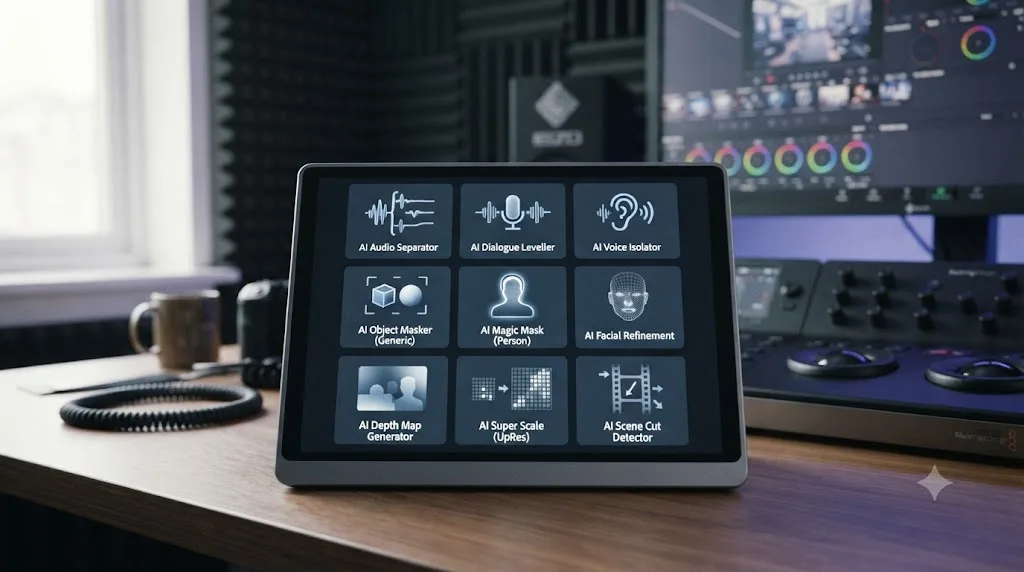
Resolve 21, which Blackmagic shipped free on June 3, 2026, added nine new Neural Engine-powered AI tools at once: AI IntelliSearch, AI CineFocus, an AI Speech Generator, AI Face Age Transformer, AI Face Reshaper, AI Blemish Removal, AI Slate ID, AI UltraSharpen, and AI Motion Deblur, per VP Land's rundown of the Resolve 21 announcement. None of those nine are color-matching tools specifically; they cover search, focus repair, voice generation, and facial editing. The Neural Engine features that actually compete with ColourLab AI's job, matching one shot's color to another, predate Resolve 21: Shot Match, Auto Color, Color Match, and Magic Mask for selective secondary work.
Announcing Resolve 21 at NAB 2026, Blackmagic Design CEO Grant Petty described the company's color and AI toolset this way, quoted verbatim from the official release: "Professional colorists and photographers now have access to the full DaVinci color toolset and are able to build complex grades in a node based workflow that goes far beyond the layer based approach. They can also use all the DaVinci AI tools, ResolveFX and FusionFX and collaborate globally in real time."
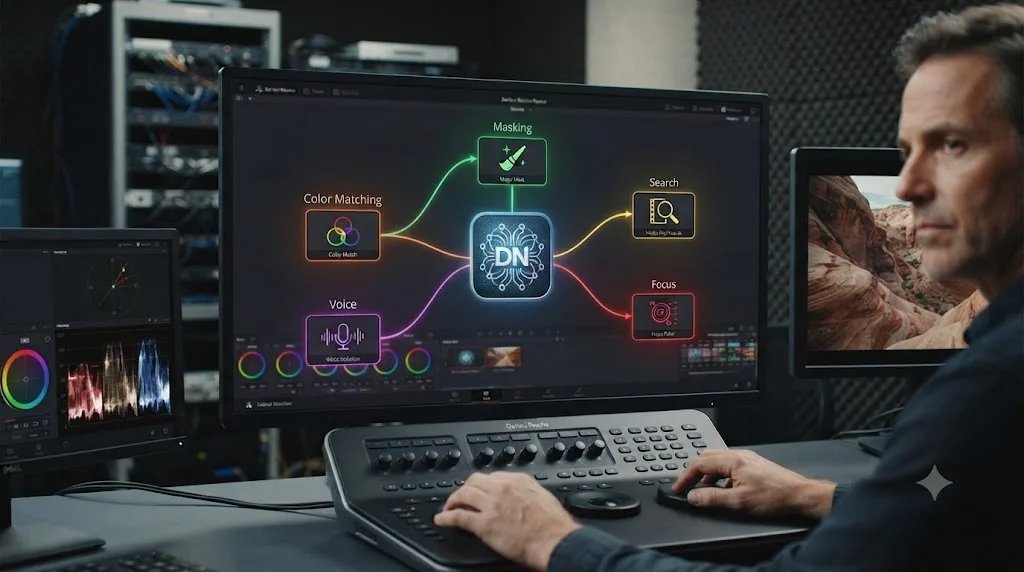
Resolve's Neural Engine is one system powering more than a dozen different features, most of which have nothing to do with color matching at all. That's the detail people miss when they compare "ColourLab AI vs the Neural Engine" as if the Neural Engine were a single, focused color tool. It isn't. It's the app's general AI layer, and color matching is only one small corner of what it does.
How does ColourLab AI's matching engine actually work?
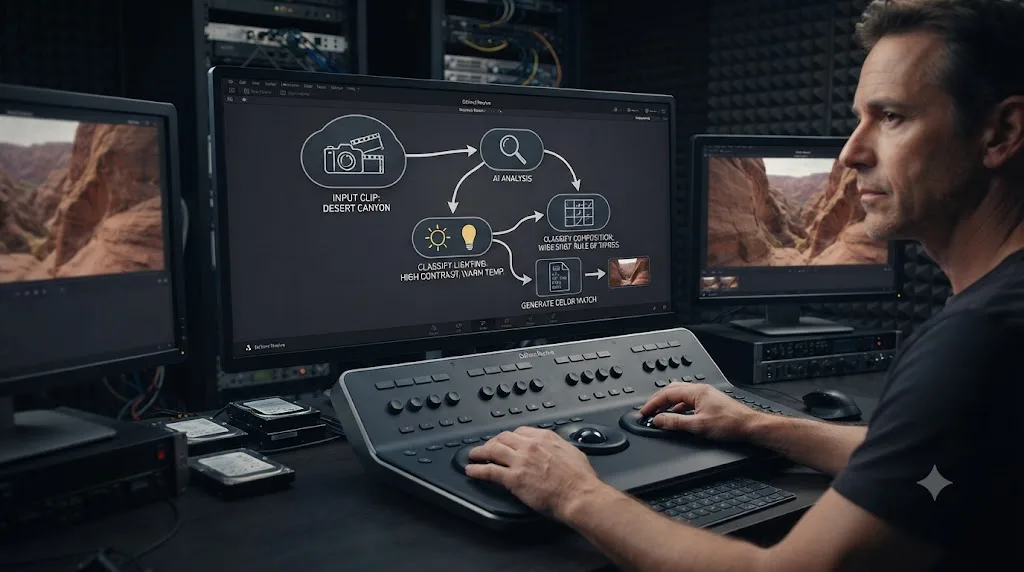
ColourLab AI's core pitch is that it "understands" an image the way a human colorist would, rather than matching histograms mechanically. Valentic explained the distinction directly in CineD's coverage of the tool: "Colourlab Ai analyzes the composition of the shot to describe the color characteristics of footage... The AI 'understands' how humans see, and it uses human perceptual transforms that are vastly more accurate than standard algorithmic methods."
In practice, that means the engine doesn't just average pixel values between a source clip and a reference. It classifies the shot type (close-up, exterior, daylight, night), reads the lighting conditions, and applies a correction model built for that specific category of shot, then hands you the result as a non-destructive adjustment, stored as metadata using ASC CDLs, Lift/Gamma/Gain values, or Printer Lights, per CineD's reporting. That metadata approach matters practically: the correction travels with the clip as data, not baked pixels, so it stays editable inside Resolve after the match runs.
ColourLab AI 3 Pro operates natively in ACES and DaVinci Wide Gamut color spaces and claims support for more than 40 camera brands and their native color science, per ColourLab AI's Resolve product page. That breadth is the product's actual differentiator: it's built to normalize footage from wildly different sources, an iPhone alongside a Sony cinema camera alongside a drone, against one consistent target look, without you manually building a Color Space Transform node chain for each camera first.
Valentic was also careful to frame the tool's limits directly, in the same Larry Jordan interview cited above: "AI cannot replace the creativity, intuition, and unique perspective that only a human being can bring to a project... AI is just a tool, and it is ultimately up to the human creator to utilize it to its fullest potential." That's not boilerplate humility. It's a specific claim about what the software is for: a starting point generator, not a replacement for a colorist's final creative decision.
Which Neural Engine tools actually compete with ColourLab AI, and which don't?
This is the question most comparisons skip, and it's the one that actually determines whether you need ColourLab AI at all. Resolve ships several Neural Engine features under the "AI" umbrella, but only some of them do the same job ColourLab AI does.
| Neural Engine feature | What it does | Competes with ColourLab AI? |
|---|---|---|
| Shot Match | Analyzes two clips in your timeline and pushes one toward matching the other | Yes, directly, for clip-to-clip matching |
| Auto Color | Automatically corrects a single clip's exposure and white balance | Partially, for single-clip normalization |
| Color Match | Reads a physical color chart in frame and builds a correction from measured chart values | No, different input (chart, not reference image) |
| Magic Mask | Isolates a person or object from a brush stroke, for selective grading | No, ColourLab AI doesn't do selective masking |
| IntelliSearch | Finds clips in your media pool by plain-language description | No, unrelated to color |
| CineFocus | Adjusts focus and depth of field after the shot is captured | No, unrelated to color |
| Smart Reframe | Auto-tracks a subject when converting horizontal footage to vertical | No, unrelated to color |
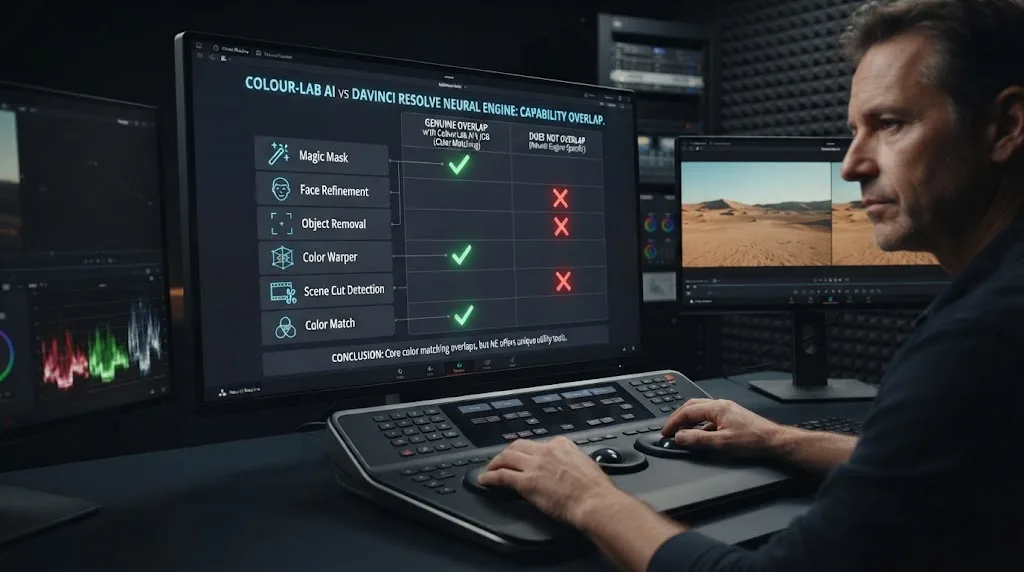
Only Shot Match and, to a lesser extent, Auto Color genuinely overlap with what ColourLab AI does. Both are Neural Engine features, per Blackmagic's own materials, and both ship in the free version of DaVinci Resolve, not gated to Studio, as our guide to matching different cameras in DaVinci Resolve covers in more depth. Shot Match typically gets a colorist most of the way to a usable match on standard lighting and exposure differences, but it works only between two clips already sitting in your current project. It has no concept of an external reference image, a client-supplied still, or a look you built somewhere else. That's exactly the gap ColourLab AI fills.
Shot Match and ColourLab AI both automate color matching, but only one of them can match against something that isn't already in your Resolve project. If your reference is a clip from the same shoot, Resolve's free tool already does the job. If your reference is a still your client emailed you, or a look from a different production entirely, Resolve's built-in matching has nothing to compare it against, and that's where a separate product like ColourLab AI earns its subscription.
Does ColourLab AI require DaVinci Resolve Studio?
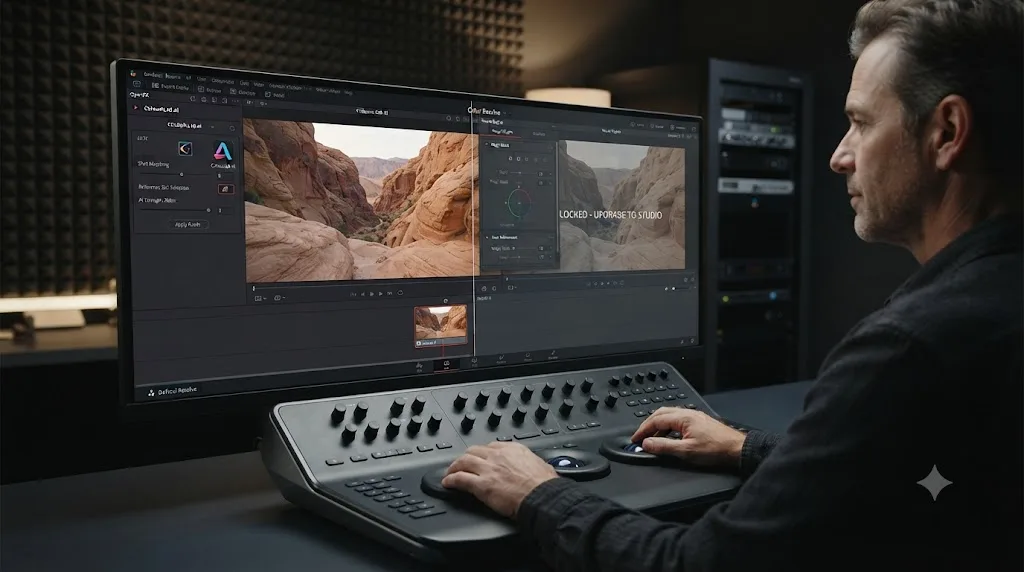
No, and this is one of the more surprising facts in this whole comparison once you know how Resolve's own Neural Engine is gated. ColourLab AI's own product page for its DaVinci Resolve integration states plainly: it "works in free Resolve, no Studio version required." That means the Creator tier's full matching engine runs inside the completely free version of DaVinci Resolve, no $295 purchase needed on Resolve's side at all.
Compare that to Resolve's own AI toolset. Per Blackmagic's Studio product page, Magic Mask, Super Scale, voice isolation, facial recognition, and most of Resolve 21's nine new AI tools, IntelliSearch, CineFocus, the AI Speech Generator, and the rest, are locked to the Studio license. Only Shot Match, Auto Color, and Color Match are free, and even those are the older, narrower slice of what the Neural Engine can do.
A third-party AI plugin working in free DaVinci Resolve, while most of Blackmagic's own AI toolset requires a $295 purchase, is the single most counterintuitive fact in this comparison. It means a colorist on the free version of Resolve has real, paid access to sophisticated AI color matching today, just not through Blackmagic's own AI features, through a separate subscription instead. Whether that's a better deal than paying $295 once for Studio depends entirely on how much of the rest of the Neural Engine toolset, Magic Mask especially, you'd actually use.
| Setup | Cost to unlock AI color matching | What you get |
|---|---|---|
| Free Resolve + ColourLab AI Creator | $15/month or $150/year | Reference-based matching, cross-camera profiles, no Studio purchase |
| Free Resolve + Shot Match/Auto Color | $0 | Clip-to-clip matching only, within the same project |
| Resolve Studio ($295 once) | $295, one time | Shot Match, Auto Color, plus Magic Mask, IntelliSearch, CineFocus, and the rest of the Neural Engine |
| Resolve Studio + ColourLab AI Pro | $295 once + $49/month or $995 perpetual | Everything Studio offers, plus ACES-managed reference matching and Look Designer |
Our DaVinci Resolve Studio price breakdown covers exactly what that $295 buys beyond color tools, if you're weighing Studio for other reasons and wondering whether it makes ColourLab AI redundant. It doesn't, entirely; it makes the two systems' feature sets overlap more, not less, since Studio adds Magic Mask for selective secondary work that neither Shot Match nor ColourLab AI's global matching handles.
How much does each one actually cost over a year?
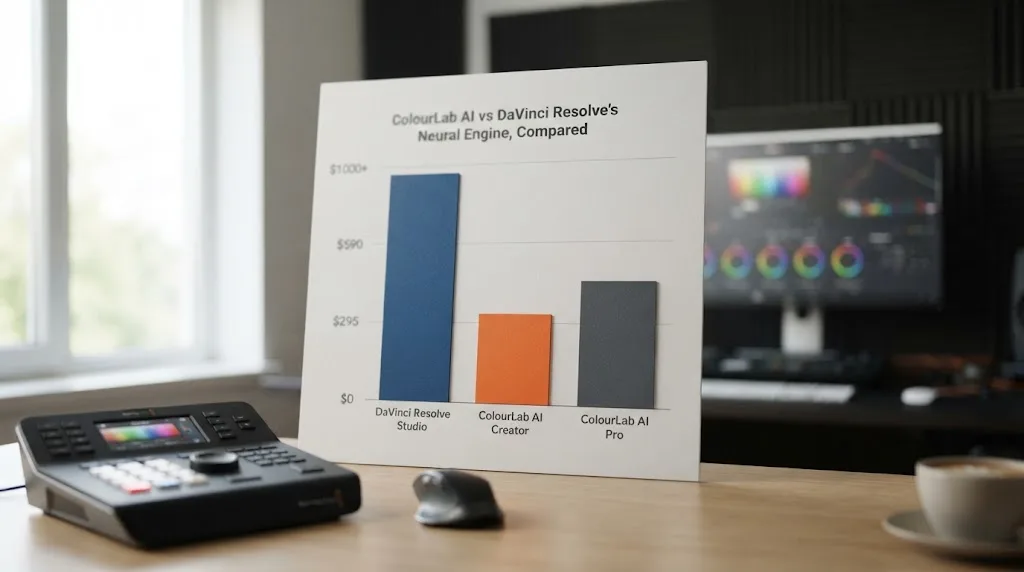
Monthly prices hide the real number, so here's what a year of each option runs, at realistic tiers, next to DaVinci Resolve's own cost for context.
| Option | Price | Annual cost |
|---|---|---|
| DaVinci Resolve (free version) | $0 | $0 |
| DaVinci Resolve Studio | $295 once | $295 (never recurs) |
| ColourLab AI 3 Creator, monthly | $15/month | $180 |
| ColourLab AI 3 Creator, annual | $150/year | $150 |
| ColourLab AI 3 Creator, perpetual | $299 once | $299 (one-time) |
| ColourLab AI 3 Pro, monthly | $49/month | $588 |
| ColourLab AI 3 Pro, perpetual | $995 once | $995 (one-time) |
All figures per Colourlab.ai's own pricing page. The perpetual license option on both tiers is worth flagging specifically: if you already know you'll use ColourLab AI past year two, the one-time payment beats the recurring subscription, the same math that makes DaVinci Resolve Studio's own $295 a better long-run deal than a monthly editing subscription. Color Intelligence's own launch-period bundling has also included a free grading project valued at $49 with a new subscription, per the company's Resolve product page, though promotional bundles like that come and go and shouldn't be the deciding factor in a purchase.
Every recurring ColourLab AI plan keeps billing for as long as you keep the subscription, the same way DaVinci Resolve Studio's one-time $295 never does. Run your own actual usage against that table before committing to a year of either tier. A colorist grading five projects a month gets very different value from a $15 Creator subscription than a solo creator who might use it twice.
How accurate is AI color matching, ColourLab AI vs Resolve's own tools?
Neither company publishes a controlled accuracy benchmark you can independently verify, and any comparison claiming an exact percentage without a stated testing methodology should be treated skeptically, ColourLab AI's included. What's actually documented is more specific and more useful: what each tool handles well, and where a colorist should expect to step in by hand.
Resolve's own Shot Match, per coverage of how the feature behaves in real sessions, generally gets a colorist a strong starting match on standard lighting and exposure differences between two clips, but the same coverage notes it can struggle with mixed lighting conditions, extreme color casts, or shots with very different compositions, the kind of scene where a wide establishing shot and a tight close-up don't share enough visual information for a straightforward statistical comparison. That tracks with what Shot Match actually is under the hood: a comparison between two specific clips, not a broader understanding of what a "good match" looks like across an entire scene.
ColourLab AI's pitch is that its perceptual model handles exactly that harder case better, because it classifies the shot type and lighting condition first, rather than comparing raw pixel statistics between two clips directly. Whether that holds up on your specific footage is something you verify yourself, not something either company's marketing copy proves on its own. The practical test that matters: run both on the same problematic pair of shots, mixed lighting, a wide next to a close-up, wildly different cameras, and compare the two starting points against your scopes before you trust either one on a paying job.
An AI match is a starting point you verify against the waveform and vectorscope, not a finished grade you accept on sight. That's true of Shot Match, Auto Color, and ColourLab AI equally, and it's the one rule that doesn't change no matter which tool you're using or how confident its marketing sounds. Our guide to reading DaVinci Resolve's scopes covers exactly what to check before you trust any automated match.
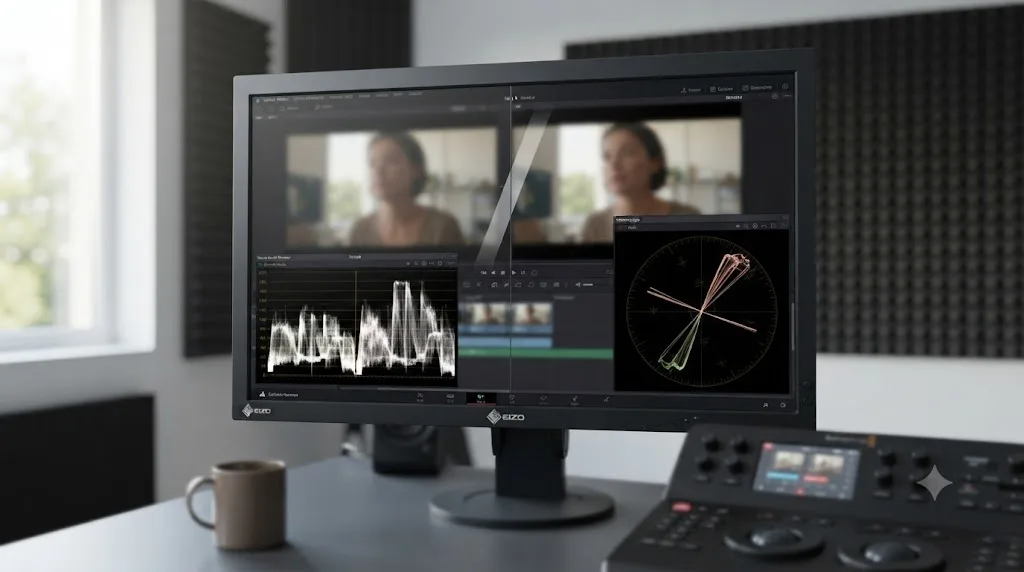
What does a real grading session look like with each? Two worked examples
Descriptions like "it matches your footage" stay abstract until you picture the actual moment a colorist sits down with each tool. Here are two plausible walkthroughs, built from how each product describes its own workflow, not a stopwatch test run for this piece. Read them as "here's the shape of the session," not a guaranteed result on your footage.
Scenario one: a documentary colorist normalizing five cameras with ColourLab AI. Picture a colorist who just received a project cut from footage shot on a Sony cinema camera, two different DSLR bodies, a drone, and an iPhone, all in S-Log3, C-Log3, and standard profiles respectively. The director sent one graded still from a previous project as the target look. Inside Resolve, the colorist applies the ColourLab AI plugin to a representative clip from each camera, selects the reference still, and hits Match. Per how the tool describes its own process, the engine reads each clip's composition and lighting, applies a camera-aware correction, and returns a result stored as CDL metadata on each clip. The colorist reviews all five results side by side against the parade scope, adjusts one camera's match where the drone footage runs slightly too cool against the rest, and moves on to secondary work with a base grade that's already visually consistent across five wildly different sources, instead of building five separate Color Space Transform chains by hand first.
Scenario two: an editor doing a quick same-project fix with Shot Match. Picture an editor who shot a two-camera interview on a single day, same location, same lighting, but one camera's white balance drifted slightly over a three-hour session. Inside Resolve's free version, they right-click the drifted clip, choose Shot Match to This Clip, and select the well-balanced reference clip from earlier in the same interview. The Neural Engine compares the two clips directly and applies a correction in seconds, no external reference needed, no separate subscription, no plugin installation. The editor checks the result against the waveform, nudges the correction slightly warmer by hand, and moves on. Total time: under a minute, because the problem was exactly the kind of same-project, same-lighting drift Shot Match is built to solve.
Neither scenario is a benchmark, and neither colorist exists outside this paragraph. They're built from how ColourLab AI and Resolve's own Shot Match describe what they're each designed to solve, and the contrast is the point: one tool is built for cross-source consistency against an external reference, the other for a fast, free fix inside a single project.
Can you use ColourLab AI and the Neural Engine together on the same project?
Yes, and for a working colorist who owns both, this is usually how the workflow actually plays out rather than picking one exclusively. A common sequence: run ColourLab AI first, across every camera and every scene, to establish one consistent base look against a single reference. Then move into Resolve's own node tools for anything ColourLab AI's global match doesn't touch: a Magic Mask isolating a subject for a selective secondary, a Power Window for a targeted vignette, or CineFocus rescuing a shot that came back from set slightly soft.
That division of labor makes sense once you see what each tool is actually built for. ColourLab AI's job is establishing consistency across sources; it's not built to isolate a face from a background or adjust focus after the fact. The Neural Engine's Magic Mask and CineFocus do exactly that, but neither one does cross-camera reference matching the way ColourLab AI does. They're not redundant systems fighting for the same job; they're complementary tools that happen to both carry an "AI" label.
The one place they genuinely compete is Shot Match versus ColourLab AI for clip-to-clip matching within a single project. There, the honest answer is: try the free tool first. If Shot Match gets you 90 percent of the way on a straightforward two-camera setup with similar lighting, there's no reason to pay for ColourLab AI just to redo that exact job. Reach for ColourLab AI when the match problem crosses project boundaries, camera families, or needs to hold consistent across a whole season of episodic work where Resolve's own project-bound matching tools have nothing to compare against.
Owning both tools isn't redundant the way owning two competing web browsers would be; it's closer to owning both a wide-angle and a macro lens. Each does a job the other one genuinely doesn't, and a colorist working across enough different kinds of footage eventually needs both.
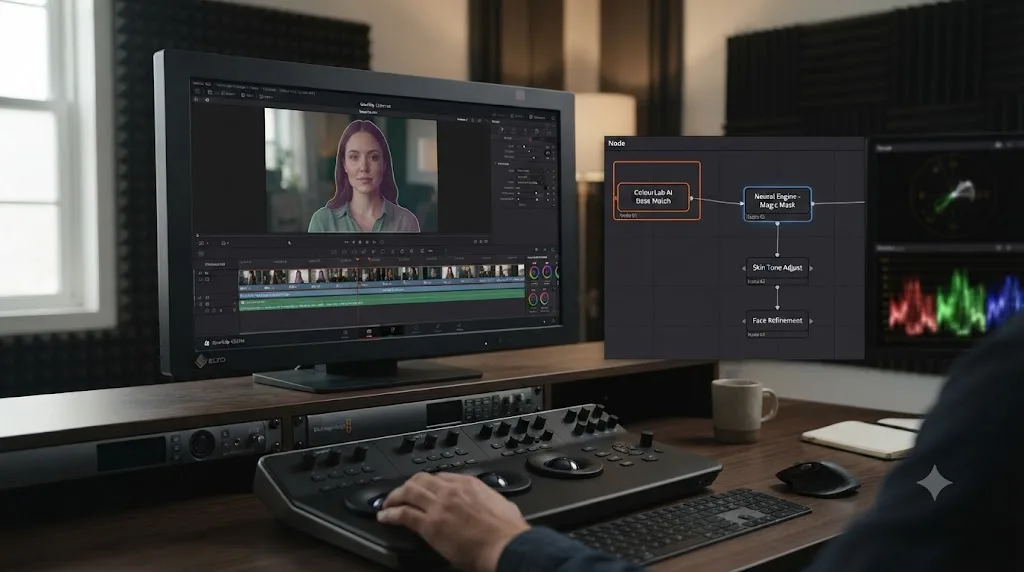
What are the honest limitations of ColourLab AI?
It's a separate subscription on top of DaVinci Resolve, which is the most obvious cost objection: even the cheapest Creator tier adds $150 to $299 a year to a workflow that might already include Resolve Studio's $295. For a colorist who only occasionally needs cross-camera matching, that's a real recurring cost for a job Shot Match might handle well enough most of the time.
It's also a third-party plugin dependent on a company outside Blackmagic keeping pace with Resolve's own updates. Every point release of DaVinci Resolve, 21.0 to 21.0.1 to 21.0.2, is a chance for an OFX plugin built by an outside vendor to hit a compatibility snag, the same risk any third-party Resolve extension carries. Check ColourLab AI's own changelog after installing a Resolve update before trusting it on a deadline project, rather than assuming last month's compatibility still holds.
And per Valentic's own framing, the tool is explicitly not a replacement for a colorist's judgment. It generates a starting correction; it doesn't understand a director's specific creative intent for a scene the way a human colorist who sat through the shoot does. The perceptual matching is a genuine technical achievement, but "matches the reference accurately" and "achieves the look the director actually wants for this specific moment in the story" are different problems, and ColourLab AI solves the first one, not the second.
What are the honest limitations of Resolve's Neural Engine?
The biggest one is the Studio gate. Most of the Neural Engine's genuinely powerful tools, Magic Mask, IntelliSearch, CineFocus, Super Scale, facial recognition, sit behind the $295 Studio license, and a colorist on the free version only gets the narrower Shot Match, Auto Color, and Color Match slice. That's a one-time cost rather than a subscription, which is a real advantage over ColourLab AI's recurring tiers, but it's still a real barrier for someone who hasn't decided Studio is worth it yet for other reasons.
Shot Match and Auto Color are also strictly project-bound. Neither has any concept of an external reference image, a client-supplied still, or a look from a different job entirely. If your matching problem crosses that boundary, and it often does on client work where someone hands you a reference frame from a completely different production, Resolve's own tools have nothing to offer, full stop, regardless of whether you're on Studio or free.
And the Neural Engine's color tools weren't the focus of Resolve 21's actual AI expansion. All nine of the new AI tools Blackmagic added in the 21.0 release, IntelliSearch, CineFocus, the Speech Generator, and the rest, solve search, focus, voice, and facial editing problems, not color matching specifically. Blackmagic's most recent AI investment went almost entirely into search, focus, and facial tools, leaving color matching largely where it was in earlier Resolve versions. That's not a criticism of the release, which added genuinely useful tools elsewhere, but it does mean a colorist hoping Resolve 21 itself brought a major upgrade to automated color matching specifically will find that upgrade didn't happen in this release; it happened, separately, in ColourLab AI 3's rebuilt engine instead.
Where do other AI tools for DaVinci Resolve fit into this comparison?
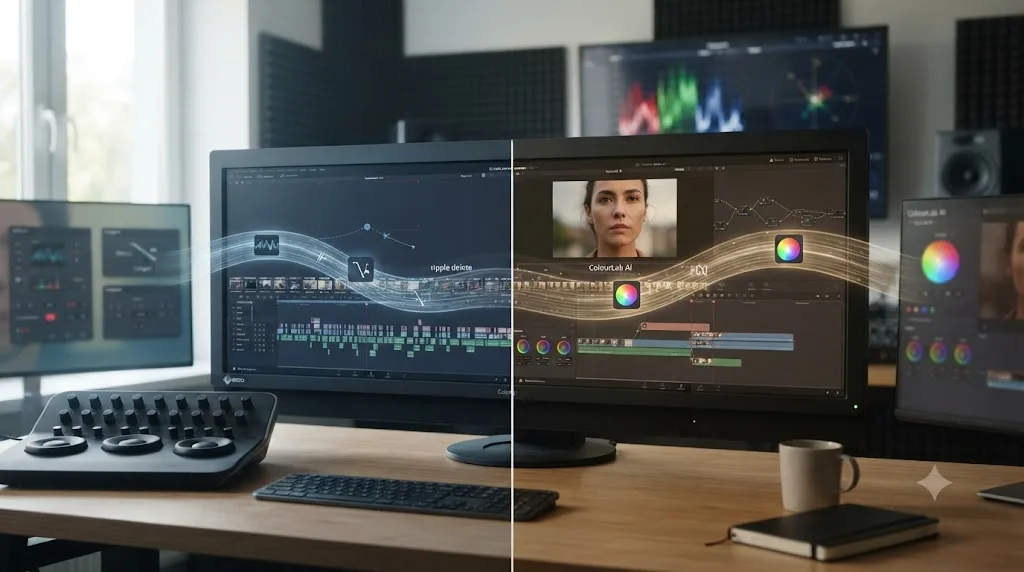
ColourLab AI and the Neural Engine both live on the Color page, matching and grading footage. A separate category of AI tool has grown up around DaVinci Resolve recently that does something entirely different: automated editing. Sottocut and CutAgent run as native Resolve extensions that take a typed instruction, "cut every silence over half a second," and execute it as an actual timeline operation. Eddie AI does similar work in a separate desktop app that hands a rough cut back to Resolve. PremiereCopilot's DavinciClaude plugin lets you chat with Claude to edit a timeline directly.
None of those tools touch color matching the way ColourLab AI or Shot Match do, and it's worth being precise about the difference so you don't end up shopping for the wrong category of product. Our comparison of AI editing assistants for DaVinci Resolve covers Sottocut, CutAgent, DavinciClaude, Eddie AI, and Wideframe in full, and none of them are alternatives to ColourLab AI, because none of them grade color at all. If your actual need is silence removal or caption generation, that's a different comparison entirely, and this page isn't the one to answer it.
A tool that automates cuts and captions and a tool that automates color matching solve completely different problems, even though both get marketed under the same "AI for DaVinci Resolve" umbrella. Check what a product actually touches, editing decisions or color values, before assuming two AI tools compete with each other just because they share a category label in a search result.
Is there an AI tool that teaches you Resolve's color tools instead of grading for you?
Yes, and it's worth naming directly, because ColourLab AI and the Neural Engine both automate a task, which leaves an entirely different question unanswered: what do you do the moment you're the one who's stuck, not the footage?
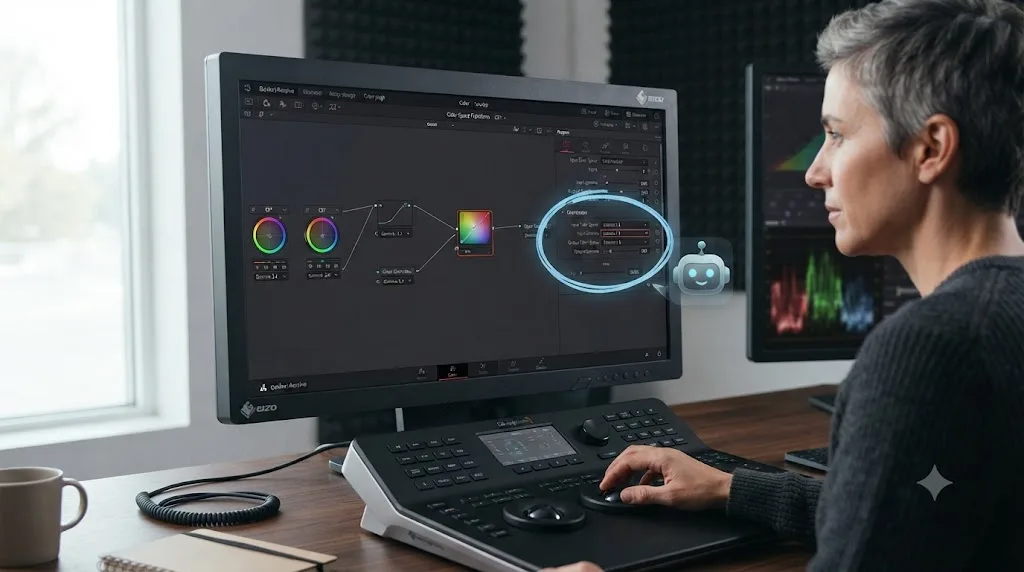
TryUncle is the on-screen assistant for DaVinci Resolve on macOS, ask in plain words and Uncle points at the exact control on your screen. That's a structurally different job than anything covered above. It doesn't match a shot to a reference, and it doesn't isolate a subject or fix a focus problem. It watches your actual open project on the Edit, Color, and Fusion pages, and when you ask a question, it circles the exact control you need, live, on your own screen. You still make the click, and you still decide whether the result is right.
That distinction matters more than it sounds like at first. If you already understand exactly why a Color Space Transform node needs a specific input gamma setting and you just want thirty clips matched to a reference fast, ColourLab AI saves you real time. If you're staring at a Shot Match result that looks wrong and you don't know whether the problem is your input color space, your gamma setting, or the reference clip itself, neither ColourLab AI nor the Neural Engine explains that gap to you; they'd just generate a different match, possibly wrong in a different way, slightly faster. This is one of the recurring questions in our 100,000-plus member editing community: not "which AI matches better," but "why did the match come out wrong, and what do I actually check first." TryUncle is built for exactly that second moment.
TryUncle runs on macOS only, at founder pricing of $29.99 a month for the first 100 subscribers, and it works with both the free and Studio editions of DaVinci Resolve, per TryUncle's own FAQ, though Studio-exclusive tools like Magic Mask obviously aren't there for Uncle to point at if you're running the free version. Check TryUncle directly for the current founder-rate seat count, and read our full comparison of TryUncle against Resolve's built-in AI tools for the deeper breakdown of where the tutor and the Neural Engine's individual tools each fit.
If the actual gap in your color workflow is understanding rather than speed, that's the tool worth trying next. If a Shot Match or ColourLab AI result ever looks off on your own screen and you're not sure why, that's exactly the moment Uncle can point at the specific control worth checking first.
Choose ColourLab AI if, choose the Neural Engine alone if
| You are | Pick | Why |
|---|---|---|
| Matching footage from multiple cameras to one external reference still or client-supplied look | ColourLab AI | Its whole job is cross-source, reference-driven matching; Resolve's own tools have no equivalent |
| Grading a documentary, commercial, or episodic project with footage from several different camera systems | ColourLab AI Pro | ACES and DaVinci Wide Gamut management plus 40-plus camera profiles handle that breadth |
| Matching two clips shot the same day, same location, similar lighting, within one project | Resolve's free Shot Match | Free, fast, and built for exactly this narrower problem |
| Already own DaVinci Resolve Studio and want deeper selective tools, masking, focus, search | The Neural Engine's Studio tools | Magic Mask, CineFocus, and IntelliSearch solve problems ColourLab AI doesn't touch at all |
| On a tight budget, running the free version of Resolve, only need occasional single-project matching | Neither yet | Shot Match and Auto Color, both free, may cover your actual need without a new subscription |
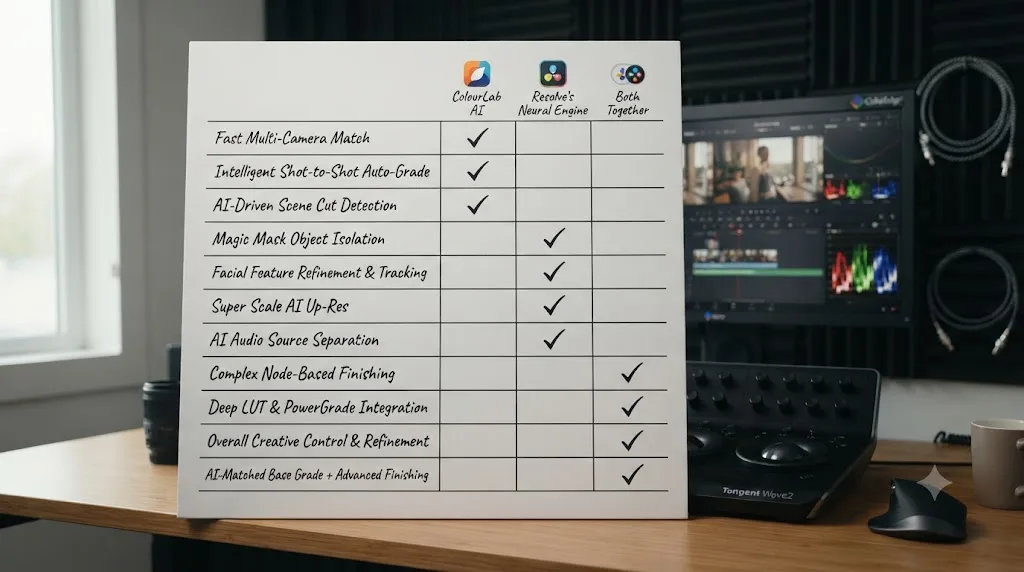
| Working across a season of episodic content where consistency has to hold for months | Both together | ColourLab AI for the base cross-episode consistency, Neural Engine tools for episode-specific finishing |
| Stuck on understanding why a match or a node isn't doing what you expect | TryUncle | The only tool in this comparison built to teach, not automate |
Neither ColourLab AI nor DaVinci Resolve's Neural Engine is the wrong purchase on its own; the wrong move is buying either one to solve a problem it wasn't built for. ColourLab AI for a same-project, same-lighting two-camera fix is overkill when Shot Match is free and sitting right there. Waiting on Resolve's own tools to eventually add cross-project reference matching, when ColourLab AI already does that job today, is a wait with no announced end date behind it.
So which should you actually open today?
If your reference is already inside your Resolve project, another clip from the same shoot, start with Shot Match. It's free, it's already installed, and per how it's documented to behave, it handles standard lighting and exposure differences well enough that a separate subscription often isn't worth adding for that specific job.
If your reference lives outside your project, a client's still, a look from a different production, footage from cameras spanning enough different color sciences that manual Color Space Transform setup eats real time, ColourLab AI is solving a problem Resolve's own tools genuinely don't touch. Start with the Creator tier in free Resolve before paying for Pro or committing to Resolve Studio for reasons unrelated to color matching specifically.
And if you already own both and you're still staring at a result that looks wrong without knowing why, that's not a tooling gap either product will close by itself. Check the scopes first, always, on any AI-generated match regardless of which company built it. Then, if the gap is understanding rather than the match itself, that's the moment for a tool built to teach rather than automate, watching your actual screen instead of asking you to rewatch a tutorial that was never shot on your footage in the first place.
Frequently asked questions
- What's the actual difference between ColourLab AI and DaVinci Resolve's Neural Engine?
- ColourLab AI is a separate, paid product from Color Intelligence that matches your footage to a reference image or graded clip using its own AI engine, and it plugs into DaVinci Resolve as an OFX effect. The Neural Engine is Blackmagic's own AI, built into Resolve itself, powering free tools like Shot Match and Auto Color plus Studio-only tools like Magic Mask, IntelliSearch, and CineFocus. One is a third-party matching specialist; the other is the app's native AI layer.
- Does ColourLab AI need DaVinci Resolve Studio, or does it work with the free version?
- ColourLab AI's own product page for its Resolve integration states plainly that it works in free Resolve, no Studio version required. That's a real advantage over most of Resolve's own Neural Engine toolset, since Magic Mask, IntelliSearch, CineFocus, and the rest of Resolve 21's nine AI tools are locked to the $295 Studio license.
- Is ColourLab AI worth paying for if DaVinci Resolve already has Shot Match and Auto Color?
- Depends on what you're actually matching against. Shot Match and Auto Color, both Neural Engine features, compare one clip in your timeline to another clip already in your project. ColourLab AI can match to an external reference image, a client-supplied still, a film emulation, or a look you built in a completely different project, which Resolve's own tools don't do. If every match you need is clip-to-clip inside one timeline, you may not need ColourLab AI at all.
- How much does ColourLab AI cost compared to DaVinci Resolve Studio?
- ColourLab AI 3 Creator runs $15 a month, $150 a year, or $299 as a one-time perpetual license, per Colourlab.ai's own pricing page. The Pro tier, which adds ACES and DaVinci Wide Gamut color management plus the Look Designer and Grainlab plugins, runs about $49 a month or $995 perpetual. DaVinci Resolve Studio, which unlocks the deeper Neural Engine tools, is a single $295 payment with no subscription.
- Can you use ColourLab AI and DaVinci Resolve's Neural Engine tools together on the same project?
- Yes, and that's how most colorists who own both actually work. A common order is running ColourLab AI first to establish a consistent base match across every angle and scene, then finishing inside Resolve with Neural Engine tools like Magic Mask for a selective secondary, or CineFocus for a shot that needs a depth-of-field fix the reference match can't touch.
- Is there an AI tool to learn DaVinci Resolve's color tools instead of one that grades for you?
- Yes. TryUncle is the on-screen assistant for DaVinci Resolve on macOS, ask in plain words and Uncle points at the exact control on your screen, rather than making the match for you. Neither ColourLab AI nor Resolve's Neural Engine explains why a node is grading the wrong region or which wheel actually needs to move; that's a different job, and it's the one TryUncle is built for.
- What's the best way to learn DaVinci Resolve's color page fast, with or without AI tools?
- Pair a free structured resource, like Blackmagic's own training or a colorist-run YouTube channel, with a tool for the moment you get stuck applying it on your own footage. An AI tool to learn DaVinci Resolve, watching your actual project rather than a generic tutorial video, closes that specific gap faster than rewatching a course chapter.
Sources
- Colourlab.ai Pricing (official pricing page)
- Colourlab AI for DaVinci Resolve (official product page)
- CG Channel: Color Intelligence releases Colourlab Ai 3 Creator and Pro
- Larry Jordan: Colourlab, AI-Assisted Color Grading, An Interview with Dado Valentic
- CineD: Colourlab Ai, Color Grading with Artificial Intelligence
- Blackmagic Design: DaVinci Resolve Studio (official Neural Engine feature list)
- Blackmagic Design: DaVinci Resolve, What's New
- Blackmagic Design Announces DaVinci Resolve 21 (Grant Petty quote, official release via Business Wire)
- VP Land: DaVinci Resolve 21 Adds Nine AI Tools for Voice, Focus, and Face Editing
- TryUncle (product site: how Uncle works, pricing, and setup)
- TryUncle FAQ
- Sottocut (product site: AI assistant editor for DaVinci Resolve)
- CutAgent (product site: AI video editing for DaVinci Resolve)
- Eddie AI: DaVinci Resolve workflow (native integration)
- PremiereCopilot Blog: 7 Best AI Plugins for DaVinci Resolve in 2026
Put this guide to work with TryUncle.
Ask about the step you’re on. TryUncle sees your screen and points at the control you need, so you can keep learning in your own project.
Get TryUncle for Mac or WindowsKeep reading
Comparisons · Jul 15, 2026 · 34 min
How TryUncle Compares to DaVinci Resolve's Built-In AI Tools
TryUncle vs DaVinci Resolve 21's built-in Neural Engine tools: Magic Mask, Smart Reframe, IntelliSearch, and CineFocus, compared honestly, task by task.
Guides · Jul 12, 2026 · 39 min
How to Color Match Different Cameras in DaVinci Resolve
Match footage shot on different cameras in DaVinci Resolve with Color Space Transform, Color Match, and Shot Match, plus settings by camera brand.
Comparisons · Jul 15, 2026 · 36 min
Best AI Video Editing Assistant for DaVinci Resolve, Compared
Sottocut, CutAgent, DavinciClaude, Eddie AI, and Wideframe compared for DaVinci Resolve: pricing, privacy, and what each actually automates.