Articles / Comparisonsupdated for DaVinci Resolve 21.1 (October 2026)
DaVinci Resolve Course With Feedback: What to Choose
Quick answer
A DaVinci Resolve course with feedback is worth paying for when an instructor will review your actual timeline, grade, audio mix, or export against clear criteria and tell you what to change. Blackmagic's free project-based training is the best starting point; choose a paid cohort or mentor only when its feedback format, response time, and scope are explicit.

As of October 2026, DaVinci Resolve 21.1 is the current version, and the course market still mixes very different promises under the word “feedback.” Some courses give you a finished lesson and a discussion forum. Others let you submit a cut for notes. Those are not the same service.
We have taught more than 100,000 students on Udemy and are an official Udemy Business Partner. That experience makes one distinction hard to ignore: a large library of lessons can teach the interface, but a useful critique has to respond to your work and your goal. Here is how to tell the difference before you buy.

What does “DaVinci Resolve course with feedback” actually mean?
A DaVinci Resolve course with feedback is a course that gives learners a way to show work and receive a response about it. That response might come from an instructor, a peer group, a live class, or a public forum, and the differences matter more than the word “feedback” in the sales copy.
A useful course description should answer four questions: What can I submit? Who looks at it? What kind of response do I get? How long should I expect to wait? If the course page answers none of them, assume the course provides lessons, not individualized critique.
Feedback also has levels. A quiz tells you whether you selected the expected answer. A course Q&A lets you ask about a lesson. A peer forum gives you reactions from other learners. A mentor review evaluates your actual edit. A live coach can watch your screen while you work. Each can help, but none automatically does the job of the others.
A Resolve project can contain many kinds of decisions: story structure, shot choice, pacing, exposure, skin tone, sound levels, titles, delivery settings, and file organization. Someone who says “looks good” has not reviewed all those decisions. A response becomes useful when it names a specific issue and suggests a next action you can test.
A course has real feedback only when a learner can submit work and receive a response about that work.
The phrase “with feedback” can also hide a limit. Some instructors answer questions but do not download project files. Some groups allow peer comments but no instructor review. Some live workshops include a critique session, but only for work selected during the class. Before paying, read the inclusion carefully and ask whether the feedback applies to every student or only to a showcase project.
Should I pay for human feedback or start with Blackmagic's free training?
Start with Blackmagic Design's official training when you need a dependable sequence of Resolve skills and practice files; pay for human feedback when you need someone to diagnose your own creative or technical choices. The official route is not a consolation prize: it offers project-based guides, lesson files, training videos, and exams.
Blackmagic's training page currently organizes material around the major parts of Resolve and offers guides for editing, color, Fairlight audio, and Fusion visual effects. The current training books surfaced on the page are for Resolve 20, while DaVinci Resolve 21 is the current major release. That version gap does not make the books useless, but it does mean you should check changed features against the current manual and release notes.
The Beginner's Guide is designed as a project-based course: you follow lessons using supplied media, and the guide introduces editing, color correction, Fairlight, and Fusion. The Colorist Guide focuses on grading exercises. The official training page provides lesson files and an online exam for the relevant guides. That is structured practice and assessment, though it is not a promise that an instructor will critique your personal short film.
The distinction is especially useful for beginners. A learner who has never imported clips, set a timeline, or made a first export often needs a clear path more than a personal mentor. A learner who can finish a video but cannot tell why the dialogue feels buried or why two shots do not match may benefit more from targeted feedback.
The official curriculum also reduces a common buying mistake: paying for a broad “masterclass” before you know which page or skill is causing friction. Work through one official project first. Note the point where you become unsure. Then you can choose a focused course or a reviewer who works on that exact issue.
| Route | What it reliably offers | What to verify about feedback | Best fit |
|---|---|---|---|
| Blackmagic Design official training | Structured lessons, project files, and exams for available guides | It does not promise individualized critique of every learner's edit | Beginners building fundamentals and users who want authoritative workflows |
| Free YouTube lessons, including Casey Faris | Flexible demonstrations and searchable answers to specific tasks | A video usually cannot see your project; creator comments are not a guaranteed review service | Learners who need a quick explanation or want to sample a teacher's style |
| Self-paced Udemy course | A sequenced video curriculum, exercises, and course Q&A where offered | Whether instructors review timelines, respond to questions, or invite peer sharing | Learners who want broad structure at a one-time course price |
| Coursera course or specialization | Course modules, assignments, and a platform learning path | Whether an assignment is graded, peer-reviewed, or only submitted for completion | Learners who value scheduled modules and platform-based assignments |
| Live cohort or workshop | Scheduled instruction and a shared class environment | How many minutes of individual critique each participant gets and which files are reviewed | Learners who benefit from deadlines, live questions, and group learning |
| Private mentor or project reviewer | Direct notes on a selected project and the chance to ask follow-ups | Scope, turnaround, revisions, confidentiality, and whether the mentor uses Resolve | Editors with a defined problem or portfolio piece to improve |
| In-project on-screen support | Help locating a control and understanding the current interface while editing | Whether the service reviews aesthetics or gives formal instructor grading | People stuck on a step while they work in Resolve |
Blackmagic's current training page describes a network of more than 250 certified trainers and more than 100 training centers. That can be useful if you want formal instruction or certification, but those figures describe the network, not the amount of personal feedback included in every course. Ask the specific trainer about class size, submission limits, and review format.
Free official training is often the best first course; paid critique earns its price by responding to your specific edit.
Which DaVinci Resolve courses actually review my edits?
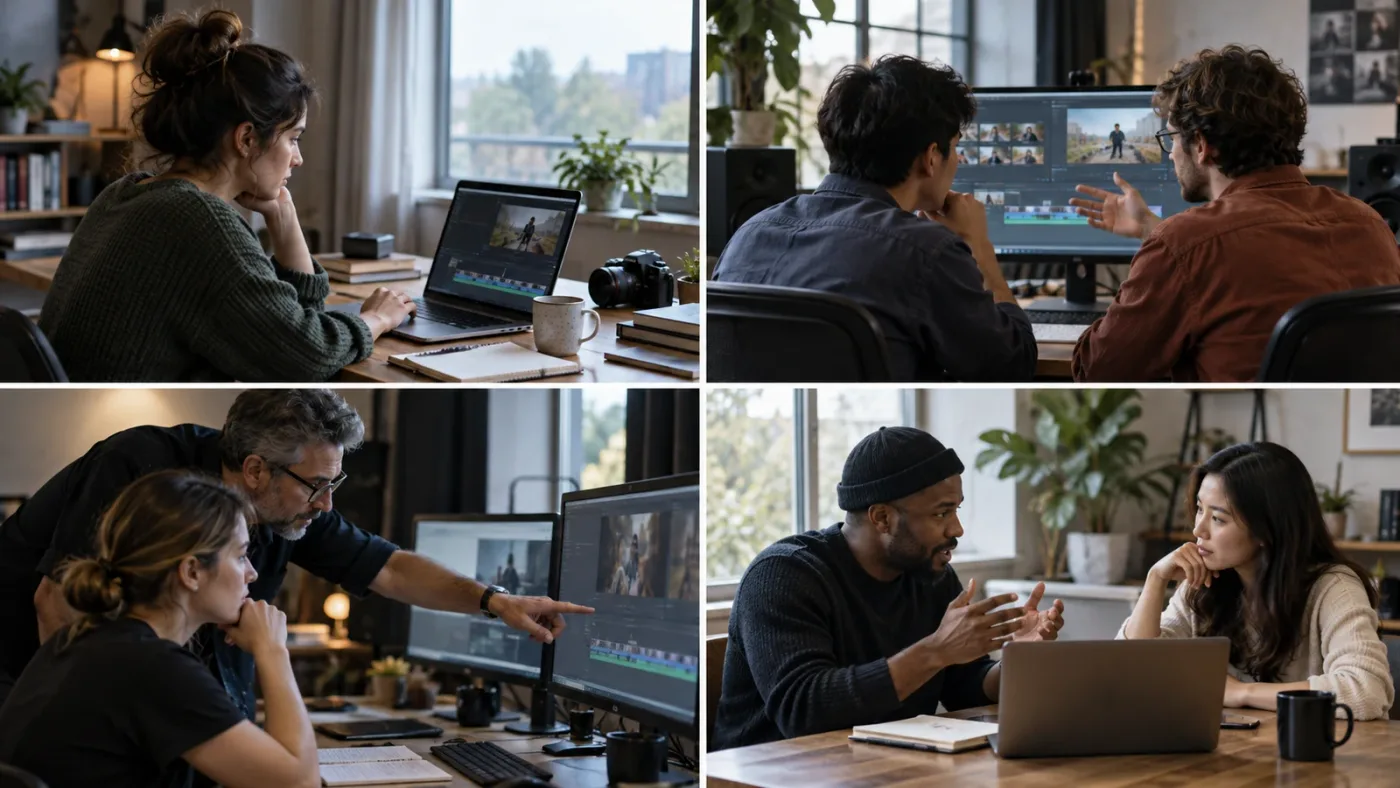
A course actually reviews your edits only if its current terms say learners can submit a project or export and receive a response from a named role, such as the instructor or a reviewer. A discussion board, certificate, quiz, or Q&A area alone does not prove that your edit will be critiqued.
Course listings change. Treat the course page as a snapshot, and check it on the day you enroll. For example, the Udemy listing for “DaVinci Resolve Mastery: The Complete Video Editing Bootcamp” describes practical assignments, a final project, and opportunities to share work through social media or the course Q&A for instructor and peer feedback. That is a clearer feedback claim than a page that only advertises a long lesson library. It still does not, by itself, promise a private frame-by-frame review or a response deadline.
Coursera's “DaVinci Resolve 19 Masterclass: Video Editing Basics” lists six modules, six assignments, and an eight-hour estimated workload. Those are concrete signs of structured activity. An assignment is not automatically a personal critique: read whether the task is graded, peer-reviewed, automatically assessed, or simply marked complete. The course is labeled Resolve 19, so Resolve 21 learners should also consider whether newer interface details matter for their intended work.
Blackmagic's official guides are another strong baseline. The Resolve 20 Beginner's Guide and Colorist Guide include exercises and supplied lesson media. The Colorist Guide describes an online proficiency exam with 50 multiple-choice questions, a one-hour limit, an 85 percent passing score, and up to three attempts before a waiting period. That tests knowledge against a published standard. It does not show whether your own edit makes a compelling story or whether your grade suits a creative brief.
When course listings make a vague claim, search for words such as “submit,” “review,” “critique,” “office hours,” “instructor Q&A,” and “peer assessment.” Then look for the object of review. A course may review homework answers but not timelines. It may allow questions about lessons but not uploaded media. It may offer general community feedback without an instructor response.
Ask the instructor these questions before buying:
- Can I submit a video export, a Resolve project, screenshots of settings, or only written questions?
- Who reviews the submission: the course instructor, a teaching assistant, another learner, or an automated rubric?
- Is every eligible submission reviewed, or is feedback limited to selected examples?
- Will the response identify specific timecodes, clips, nodes, or settings?
- Can I ask a follow-up after making a revision?
- How long does a response usually take, and does access to feedback expire?
- Are my media and project files private, and can I remove them later?
These questions are not fussy. They define the service you are buying. If a creator cannot say what will be reviewed, the safest assumption is that the course sells instruction rather than personal feedback.
How do I judge whether feedback is useful?
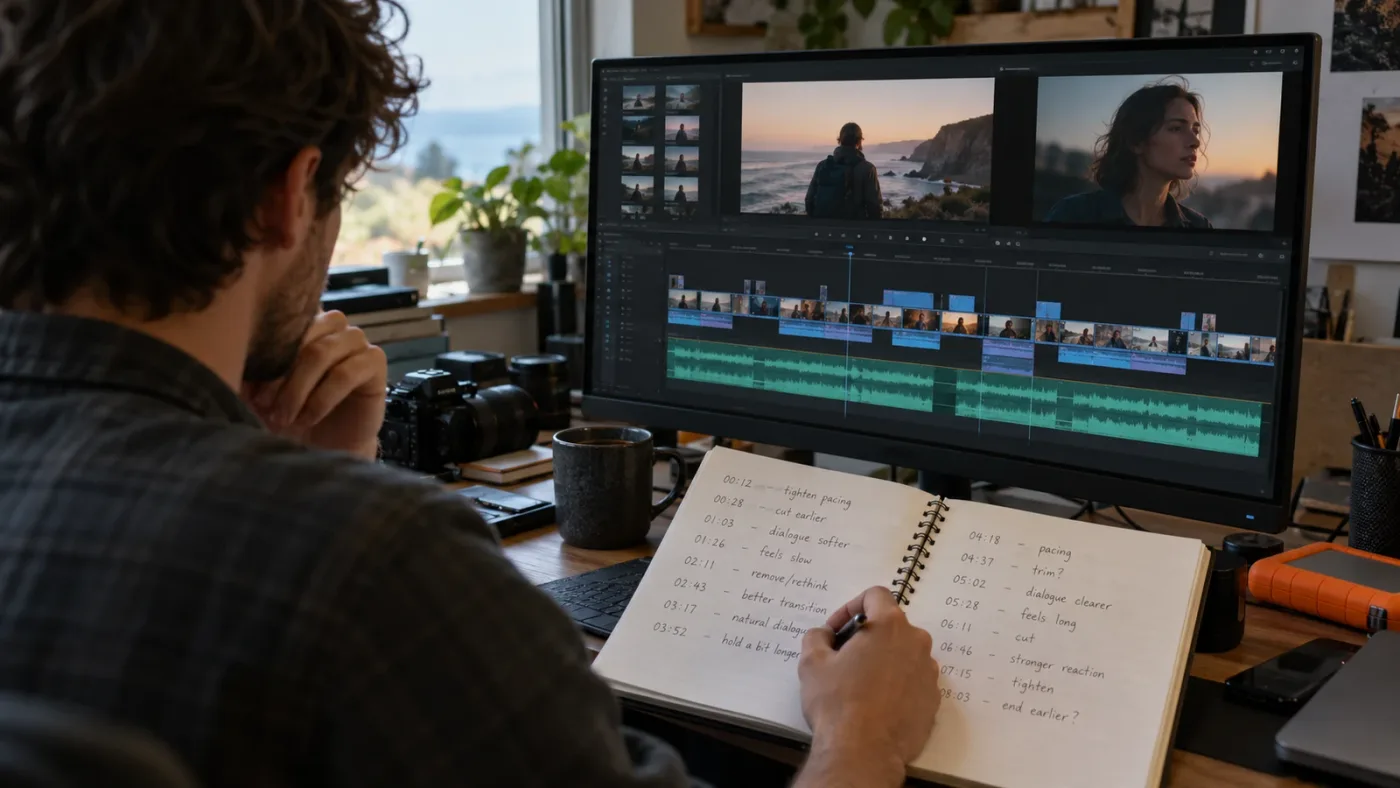
Useful feedback connects an observable result to a reason and a next step. “The cut feels slow” is a starting impression; “the second reaction shot repeats the first, so try removing it and compare the scene's point of view” gives you a testable edit.
For timeline critique, a reviewer should distinguish a story issue from a software issue. If a scene drags because its setup repeats, adding another transition will not fix it. If a cut is technically late because the audio waveform is offset, changing the story structure may be unnecessary. Good critique names the category before recommending a tool.
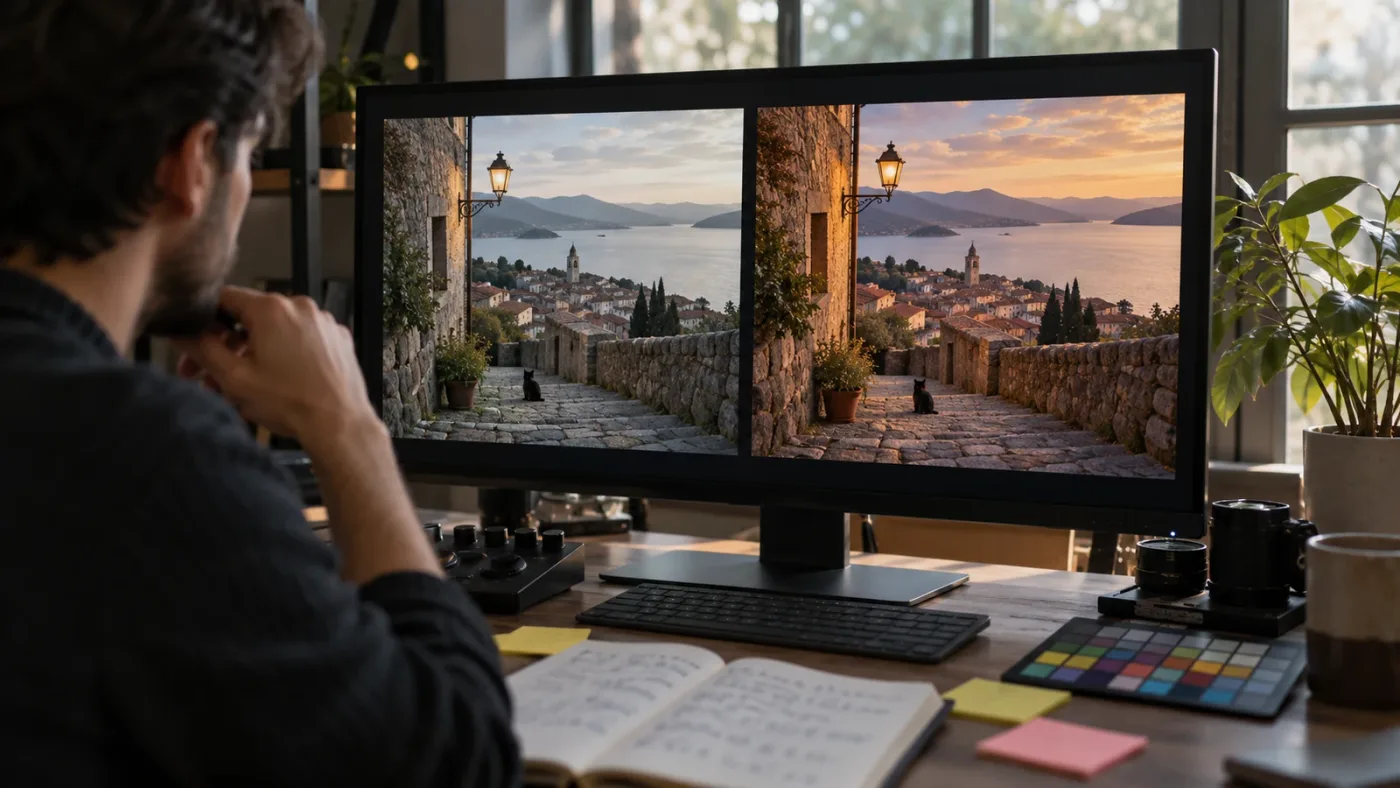
For color, useful comments describe the image and viewing context. “Make it cinematic” is too broad. A better note might ask you to compare the shot's exposure to the adjacent shot, check neutral objects, or decide whether the mismatch comes from camera white balance or a deliberate look. The reviewer should not imply that there is one correct grade for every scene.
For audio, ask whether notes refer to intelligibility, loudness consistency, background noise, music balance, or room tone. “Turn it up” can clip a mix or make the next scene harsh. A reviewer who identifies the dialogue passage and describes the listening problem gives you a way to revise and check the result.
For delivery, feedback should mention the intended destination. A file can be technically valid and still be wrong for a platform, client, or handoff. Share the delivery brief and ask whether the review covers dimensions, frame rate, codec, audio, captions, naming, and versioning. Do not assume a general editing course will troubleshoot every device-specific export problem.
A review should also explain uncertainty. A colorist may need to know your display, color management, and source media before judging a subtle difference. A course instructor may not be able to open a project that uses missing third-party plugins or media. Feedback is stronger when the reviewer says what the supplied evidence can and cannot show.
Use a simple test after receiving notes: can you state the problem, identify the suggested change, and compare the before and after? If you cannot, ask one follow-up question. If the notes prescribe a setting without explaining why, test it on a duplicate timeline or node version rather than replacing the only working version.
Good critique gives you a reason to test, not a mysterious setting to copy.
What should I submit for feedback on a Resolve project?
Submit the smallest evidence package that lets a reviewer understand your goal and reproduce the problem. For a short edit, that usually means an export, a brief, and a precise question; include the project file only when the course accepts it and you have checked the media and plugin dependencies.
Start with the brief. State who the video is for, where it will be shown, the intended duration, and what you want the audience to understand or feel. If you have no client brief, write a one-sentence goal. “Make my travel video better” is too broad; “make the first 20 seconds feel calm, then build energy before the location reveal” gives a reviewer something to assess.
Then describe the requested review. Ask for one or two things, not everything at once. You might ask whether the opening establishes context, whether a dialogue edit sounds natural, or whether a skin tone remains consistent across a sequence. A narrow question helps the reviewer answer with detail.
Include version and project context. DaVinci Resolve 21 introduced a Photo page and changes across several workflows, while older lessons may show Resolve 19 or 20. Mention your installed version and whether you use Free or Studio when the issue touches a Studio-only feature. If a control moved or changed, a version label prevents a reviewer from giving you steps from the wrong release.
For a timeline issue, provide a clean export and a short screen recording or stills if the course permits them. Identify timecodes. If the reviewer needs to inspect an edit decision, share the project using the course's approved method, with media relinked or included as instructed. Do not assume a project archive contains every source file or plugin needed to open it elsewhere.
For a color question, provide a reference frame or still if you have one, and state whether you want technical matching, a creative look, or both. Mention the camera or source format only if it affects the question. Avoid asking a reviewer to infer your target from a vague adjective such as “warm” or “cinematic.”
For an audio question, provide a representative section with dialogue, music, and room tone if those elements are part of the problem. Tell the reviewer whether the complaint is muffled speech, inconsistent levels, distracting noise, or a rough transition. A short focused sample is easier to discuss than a feature-length upload.
Before uploading anything, check the course privacy terms. A project can contain unreleased work, client names, location information, personal footage, or licensed assets. Blur or replace anything you do not have permission to share. For client work, get approval before posting publicly in a class forum.
Keep a copy of your original project before applying suggestions. Use a duplicate timeline, a new grade version, or a versioned project save so you can compare the revision with the starting point. This is not because a reviewer is likely to be wrong; it is because critique is a hypothesis to test against the goal.
Is a live cohort better than a self-paced course?
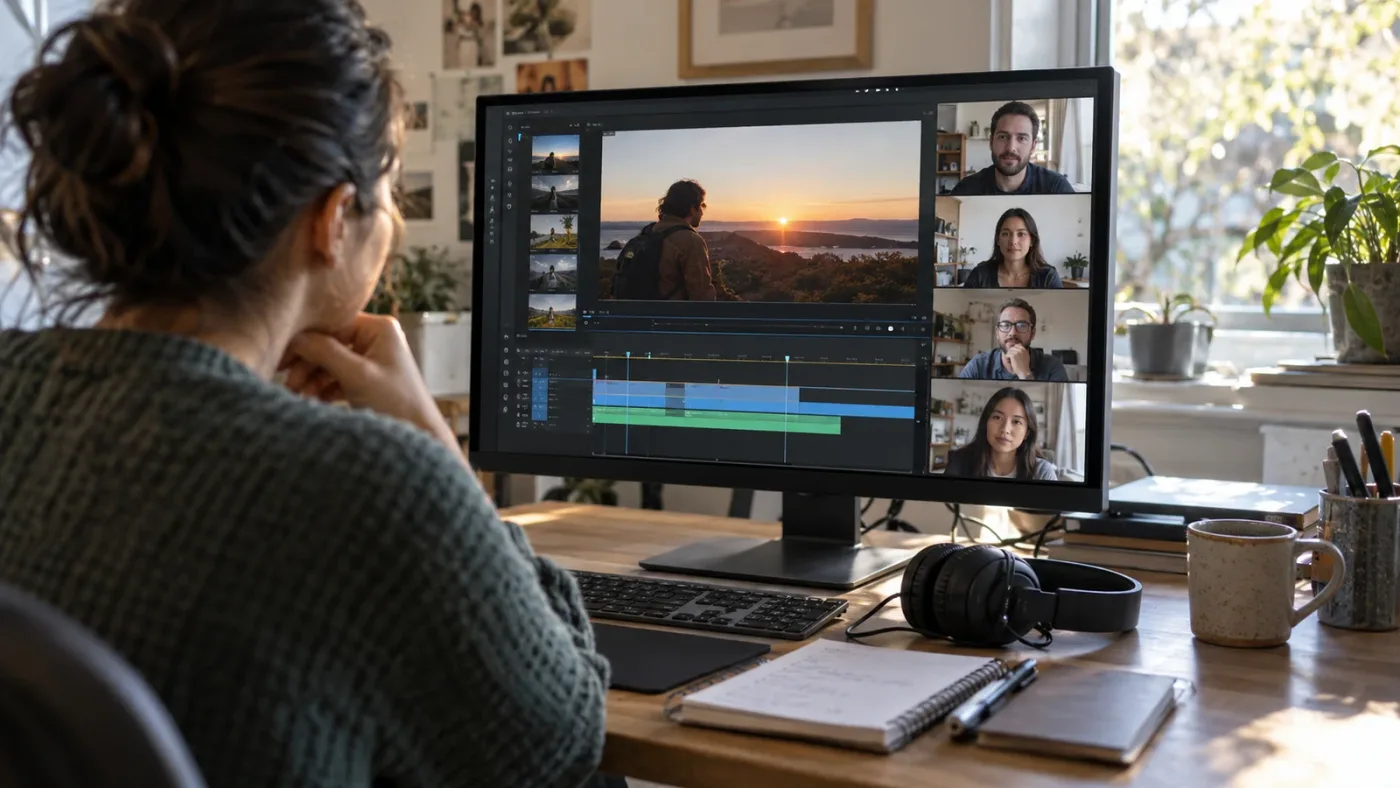
A live cohort is better when scheduled practice, group discussion, and real-time questions keep you moving; a self-paced course is better when you need flexible access and repeated demonstrations. Neither format guarantees feedback unless the course says how instructors review individual work.
A cohort can make it easier to ask what a teacher means while the example is on screen. It may also expose you to other learners' questions, which often reveal missing steps. But live attendance is not the same as personal attention. If a cohort has many participants and one instructor, ask how much time is reserved for individual critique and whether students can submit work before or after the session.
A self-paced course has a different strength: you can pause, repeat a demonstration, and practice alongside the lesson. That matters in Resolve, where an edit can involve several connected steps across Media, Edit, Color, Fairlight, Fusion, and Deliver. You can stop when your interface differs from the teacher's and verify the version before proceeding.
The tradeoff is delayed diagnosis. A recorded lesson cannot see that your timeline has a different frame rate, your viewer is zoomed, or your source audio is on a disabled track. You may be able to solve the problem through documentation or a forum, but the course itself cannot respond unless it includes a working Q&A or review channel.
A blended plan often makes more sense than choosing one format for everything. Learn the basics from official guides or a recorded course. Make a small finished exercise. Then book a focused review or attend a live session with a specific question. That approach avoids paying for ongoing mentoring before you know what kind of feedback will help.
Ask cohort providers whether sessions are recorded, whether feedback continues between sessions, and what happens if you miss a class. Ask self-paced providers whether access includes future updates, instructor responses, and project files. Those terms change, so compare the current offer rather than relying on an old review.
Is an instructor, a community, or a peer group the right reviewer?
Choose an instructor when you need a technically grounded diagnosis, a peer group when you want varied reactions, and a community when you need a broad answer or referral. These roles overlap, but they do not carry the same responsibility or expertise.
An instructor should be able to explain the reasoning behind a note and relate it to the lesson's learning goals. If you are paying extra for critique, ask whether the instructor will review your actual file or only answer written questions. Also ask whether their expertise matches your task. A strong editor may not be the right person to diagnose a color-managed HDR workflow.
Peers can tell you where attention wanders or whether a story is clear to someone who has not seen the footage before. Their response can be valuable precisely because they are not inside your head. They may not know how to fix a node graph or interpret your delivery requirements, so ask for viewer reactions rather than treating every suggestion as a technical prescription.
A public community can answer narrow questions, point to documentation, and help you find other learning resources. The DaVinci Resolve subreddit, for example, often directs beginners toward Blackmagic's official training and established educators such as Casey Faris. That is a useful consensus: begin with the free official curriculum, then supplement it with creators and community discussion. A forum answer is still informal, and the person responding may not know your full project context.
We run a 100,000+ member professional video-editing community, and the practical lesson is straightforward: the clearer the question, the more actionable the response tends to be. That does not mean a large group guarantees expert feedback on demand. Community size is not a service-level promise, and a reply should be checked against current Resolve documentation when it concerns a specific control or version.
When asking peers, share a short clip or still only if you have permission. State the Resolve version, what you expected, what happened, and what you already tried. Avoid uploading an entire project archive when a timecoded export or screenshot of your own settings can answer the question.
What do Blackmagic, Casey Faris, Udemy, and Coursera each do well?
Blackmagic is the strongest first stop for authoritative software training, Casey Faris is a widely recommended independent educator with accessible demonstrations, Udemy provides broad self-paced course catalogs, and Coursera can add modules and assignments. Their strengths differ, and none should be assumed to provide personal feedback without checking the specific course.
Blackmagic has a strong claim on product accuracy because it publishes the software and its training material. Its guides include exercises and project media, and the training site lists certified trainers and centers. For Resolve 21 learners, note that the training guide catalog may lag the main software version. Use version-specific release notes when a feature has changed since the guide was written.
Casey Faris appears regularly in community recommendations as an approachable Resolve educator, and his YouTube videos are useful when you want a focused demonstration without committing to a long course. In an interview about teaching, Faris said, “I love being able to help people do things that they haven't been able to do before.” That describes the promise of teaching well; it is not a guarantee that a public video answers your project question. If you are considering a paid program, inspect its current assignment and critique terms separately from his free videos.
Udemy's catalog includes courses that range from short introductions to broad multi-page bootcamps. One current Udemy course listing advertises 34 sections, 264 lectures, and 16 hours 49 minutes of material, plus assignments and a Q&A-based route for sharing work. Those numbers describe that listing at the time checked, not an independent quality rating. Read the recent curriculum, update date, and feedback description before enrolling.
Coursera's Resolve 19 beginner masterclass listing describes six modules, six assignments, and an eight-hour estimate. It can suit learners who want a course sequence and platform structure. Because the course is version 19, compare its lessons with Resolve 21 when newer controls matter to you. Do not assume a platform assignment has an instructor personally reviewing your timeline; verify the assessment method.
A popular course can be a good teacher without being a personal critique service.
A good selection process is to sample one free lesson from each teaching style. Does the instructor explain why a control matters, or only where to click? Do they show the result at full speed and explain what to look for? Can you follow along with the Resolve version you use? These questions tell you more than a headline claiming “mastery.”
For the exact course comparison across broad curricula, see our best DaVinci Resolve courses. If your main decision is whether to study alone or hire a mentor, our guide to learning DaVinci Resolve alone or with a mentor covers that separate tradeoff.
Why is my course tutorial different from DaVinci Resolve 21?
A tutorial may differ from DaVinci Resolve 21 because it was recorded for an earlier version, uses a different workspace layout, or demonstrates a Studio-only feature. Check the course's supported version and the release notes before assuming you made a mistake.
As of October 2026, Resolve 21 is the current major version, and Blackmagic has published a Resolve 21 New Features Guide. The release introduced the Photo page, IntelliSearch, CineFocus, facial refinement tools, more than 70 Krokodove graphics for Fusion, Fairlight folders, and other changes. A course recorded for Resolve 19 or 20 can still teach durable ideas such as trimming, shot selection, or node logic, but its screen labels may not match yours.
Resolve also has Free and Studio editions. Blackmagic's product page lists Resolve 21 as free and Resolve Studio 21 as a paid product, with Studio adding specific tools and effects. If a lesson asks for a feature you cannot find, check whether it is Studio-only before changing preferences or reinstalling the software.
Use a simple version check when you get stuck:
- Confirm the course's stated Resolve version and the instructor's operating system.
- Check whether the lesson demonstrates Free or Studio.
- Search the official Resolve 21 release notes or manual for the feature name.
- Look for a changed label, page, or menu path before repeating the old clicks.
- Ask the instructor a focused question that includes your version and the lesson timestamp.
Do not memorize clicks without learning what the control changes. The best lessons connect the interface action to a visible result. If a menu moved, that knowledge helps you find the new location. If a feature itself changed, consult the current documentation rather than forcing an old tutorial path.

How do I ask a course instructor for useful critique?
Ask one focused question, share enough context to reproduce the issue, and tell the instructor what kind of response would help. A short, well-framed request is more likely to produce a clear answer than “Can you review my whole video?”
A practical message can follow this pattern: “I’m editing a 45-second interview in DaVinci Resolve 21. At 00:18, the cut to the second speaker feels abrupt. I want the exchange to feel natural. Would you check whether the audio edit or the shot timing is causing the jump?” This names the task, timecode, intended result, and decision you want help with.
For color, replace the general request “Does this look cinematic?” with a question such as “Do these two adjacent shots feel balanced in exposure, or is the window shot pulling attention away from the speaker?” If you have a reference, include it and say whether the reference is for contrast, palette, or skin tone. A reference helps the reviewer understand your target, but it should not force them to copy someone else's grade.
For sound, describe what you hear and where. “The voice sounds thin from 00:07 to 00:12 when the music enters. Is the masking coming from the music level or the voice EQ?” This lets a reviewer focus on the relationship between tracks. If the issue is background noise, say whether it is steady room tone or a changing sound; the right repair depends on the source.
For Fusion, show the intended composite and ask about one node or connection. A question like “Why is the tracked title drifting after the camera move?” provides a concrete outcome. Include the relevant clip or node graph if the course permits it, but do not assume a reviewer can reproduce a complex effect from a low-resolution screen capture.
When you receive a reply, summarize it in your own words before changing anything. If the instruction is unclear, ask what result you should expect after the change. Then test it and report back with a short comparison. That closes the feedback loop and turns advice into a skill you can reuse.
What is the best way to learn DaVinci Resolve if I need feedback?
The best way to learn DaVinci Resolve with feedback is to combine a structured course with small finished exercises and targeted review. Learn one workflow, make a complete piece, ask a narrow question, revise it, and compare the revision against the original goal.
“Learn DaVinci Resolve fast” often means avoiding a tour of every page before making anything. Choose a deliverable that uses the skill you want: a short interview, a product clip, a travel sequence, or a simple title treatment. Work through the relevant lesson, then finish a version without copying each action from the teacher. The gap between demonstration and independent use shows what you have actually learned.
A useful practice loop looks like this:
- Pick one outcome, such as a clean 30-second interview edit.
- Define what “done” means before opening the project.
- Follow a lesson for the unfamiliar part, then close it and repeat the task.
- Export a review copy and note one question about the result.
- Ask a peer, instructor, or mentor to respond to that question.
- Make one revision and compare it with the first export.
- Write down the principle behind the change so you can apply it elsewhere.
This approach prevents the tutorial treadmill: watching one video after another without a finished project. It also stops feedback from becoming a vague hunt for approval. You are asking someone to help you see a decision, not to declare whether you are talented.
The learning path should match your goal. A social video editor needs dependable pacing, captions, dialogue clarity, and repeatable delivery. A colorist needs color management, shot matching, scopes, and a controlled monitoring setup. A Fusion artist needs node logic and compositing exercises. A single course rarely gives every learner the right depth in all of these areas.
If you are still at the first-project stage, use our free DaVinci Resolve course options and complete an exercise before buying a mentor package. If you already finish projects and want a portfolio review, pay for a reviewer whose specialty matches the work you plan to show.
Can an AI tool to learn DaVinci Resolve replace a human course review?
An AI tool can help explain a control or suggest a next step, but it cannot be assumed to provide the judgment of a human editor reviewing a finished piece against a creative brief. The right choice depends on whether you are stuck on an interface action or need an outside opinion about the work.
A chatbot can explain a concept in plain language, but it may not know which panel is open or what your timeline contains unless you provide that context. A screen-aware assistant can reduce the gap between a written lesson and the visible interface. Neither fact establishes that the tool will judge story, taste, client intent, or technical delivery correctly.
TryUncle is the on-screen assistant for DaVinci Resolve on Mac and Windows — ask in plain words and Uncle points at the exact control on your screen. If you are stuck because a tutorial does not match the interface in front of you, the TryUncle app can offer on-screen guidance while you work. It is a different kind of help from a course instructor's critique, and it should not be treated as a grading service or an automatic editor.
The product category also includes tools that focus on different tasks. Sottocut, PremiereCopilot, heyeddie.ai, and cutagent.ai should be compared according to their current product descriptions and supported applications. Some editing assistants automate parts of an edit or answer chat questions; an on-screen helper that points to controls addresses a different friction point. Verify current features before choosing any tool, because products change and names alone do not tell you what they can do.
When comparing a tool with a course, ask what the learner needs now. If the problem is “where is this control?” an in-project explanation can be immediate and practical. If the problem is “does this scene make sense to a first-time viewer?” you need human audience feedback. If the problem is “what should I learn next?” a structured curriculum is better. One support method does not need to replace the others.
Interface help can unblock a lesson, while human critique can judge the result against your brief.
Should I buy one-on-one DaVinci Resolve mentoring?
Buy one-on-one mentoring when you have a defined goal, a project worth reviewing, and enough context to use the mentor's time well. Do not buy an open-ended package just because Resolve feels large; first identify whether the gap is editing, color, audio, Fusion, delivery, or creative judgment.
A good mentor fit is specific. A working editor can review story structure and pacing. A colorist can discuss shot matching and image intent. A Fairlight specialist can help with dialogue and mix workflow. A general Resolve instructor may be excellent at software basics but not at your niche delivery or aesthetic.
Ask to see the session structure before booking. Does the mentor review a project before the call? Will you share screen and operate Resolve, or will they demonstrate? Can you send a follow-up export? Is the session recorded? How are client assets handled? What counts as preparation, and what happens if your project cannot open on the call?
A short paid review can be more useful than a broad package if your question is narrow. For example, an editor with a complete short film might request a single pass on pacing and dialogue transitions. A beginner who cannot import media should first use an introductory lesson or help resource. Mentoring is expensive when the task is still undefined.
Consider the difference between teaching and doing. A mentor who takes over the mouse may solve the immediate issue but leave you unable to repeat the fix. Ask them to explain the decision, then perform the step yourself. The goal is to leave with a workflow you can use again, not only a project that looks different during the call.
There are also cases where formal critique is the wrong purchase. If your question is a one-off setting, a manual, community answer, or short tutorial may be enough. If you want an audience reaction, a peer screening can be more relevant than a technical mentor. If you need certification, check Blackmagic's certified training routes rather than assuming a private tutor's certificate carries the same meaning.

How much should a DaVinci Resolve course with feedback cost?
There is no single fair price for a DaVinci Resolve course with feedback because a self-paced video library, group workshop, and private project review provide different amounts of access. Compare the current price with the specific review time, file limits, instructor access, and follow-up included.
A low-cost course can be good value when you mainly need a coherent sequence of lessons and practice media. A higher-priced cohort may be reasonable if it includes live instruction and each learner receives scheduled critique. One-to-one mentoring costs more because a real person reserves time for your project; that price is only sensible when the instructor's expertise and scope match your need.
Do not compare courses by video hours alone. A library can contain many hours without giving you feedback. A shorter course may include an assignment review that directly addresses your bottleneck. Look at the current outline, lesson dates, response policy, and submission requirements. Record the currency, tax treatment, refund terms, and whether future updates are included.
Udemy prices and promotions can vary by location and date, and Coursera may offer individual enrollment or subscription options. Blackmagic's official training materials include free resources, while some books or in-person classes can cost money. Check the provider's current checkout page for actual terms rather than relying on a price quoted in an old review.
Before buying, estimate the total cost of the learning plan, not only the course. You may need storage for supplied footage, a microphone or headphones for audio work, a compatible computer, or a paid software feature if the lesson depends on Studio. Do not buy hardware or Studio solely because a course instructor uses them; verify the course's actual system requirements.
A fair decision comes from comparing what you get with the work you want reviewed. If a course says “feedback included,” ask whether it means one instructor note on one project or unlimited peer comments. Those are materially different offers, even if both use the same word.
What should I check before enrolling in October 2026?
Before enrolling in October 2026, confirm the course's Resolve version, feedback mechanism, instructor identity, update date, refund terms, and file privacy rules. These checks protect you from buying a course whose topic sounds right but whose actual service does not match your goal.
Use this decision table when comparing options:
| Check | A strong answer looks like | A weak or unclear answer means |
|---|---|---|
| Version | The course states Resolve 21 or explains how older lessons map to the current release | You may follow menus or features that no longer match |
| Feedback object | It says whether you can submit an export, project, still, or question | “Community access” may mean no review of your work |
| Reviewer | It names instructor, assistant, or peer review | You cannot know who is responsible for the response |
| Scope | It identifies the number or type of reviews and what areas are covered | You may expect a full critique and receive a brief comment |
| Turnaround | It states a normal response window or live schedule | Feedback may not arrive when you need it |
| Follow-up | It explains whether you can revise and ask again | One note may not be enough to learn the revision process |
| Privacy | It tells you where projects are stored and who can view them | Client or personal footage could be exposed more widely than expected |
| Access | It states how long lessons and critique remain available | You may lose access to the review channel unexpectedly |
| Compatibility | It lists operating systems, Free or Studio assumptions, and required media | You may be unable to reproduce the instructor's lesson |
Check the course preview before enrolling. A preview can show whether the teacher explains decisions or only narrates clicks. It can also reveal the accent, pace, editing style, and visual clarity you will get for the rest of the course. This is a better predictor of fit than a generic claim that the course is “complete.”
Read recent reviews for patterns, not just an average score. Look for specific comments about outdated interface steps, missing files, instructor replies, and whether assignments were useful. A review is one learner's report, not proof that you will receive identical support. If the course page has no review details, ask the instructor directly and save the answer before you buy.
For a Resolve 21 course, inspect whether lessons cover features you actually need. The Photo page is new in version 21, while core editing, color, Fusion, and Fairlight workflows remain substantial learning areas. A broad course need not cover every new feature, but it should state its scope honestly. A specialist course on an older version can remain useful when its underlying concepts have not changed.
How can I tell if a course's feedback claim is misleading?
A feedback claim is misleading when the marketing implies personal review but the terms only promise access to a forum, automated quizzes, or general Q&A. Look for a concrete submission path and a named reviewer before treating feedback as part of the product.
Watch for phrases that sound supportive but remain undefined: “get help from the community,” “share your work,” “learn together,” or “ask questions anytime.” These can describe valuable features, but they do not answer whether an instructor will inspect your timeline. Ask what happens after you upload a file. If the response is “you can post it,” that is an invitation to share, not necessarily a critique guarantee.
A certificate is not evidence of individualized feedback. It may certify completion, a passing quiz, or a program of study. Blackmagic's guides provide a defined knowledge exam for relevant courses, which can be a useful milestone. It still measures performance on the exam rather than the aesthetic success of every submitted edit.
A large student count is not a measure of instructor availability. A course can enroll many learners and still provide excellent prerecorded lessons, but a promise of personal review needs a separate explanation. Look for the number of submissions permitted, reviewer capacity, and whether feedback is delivered by the instructor or peers.
A long course is not automatically comprehensive. It may spend many hours on menus and effects while skipping practice, revision, or delivery. Check the section list and sample lesson. Does it explain how to choose a cut, balance a scene, or build a node tree? Does it show common failure cases? A course with fewer hours can be better if it teaches the decisions you need.
A current date stamp is not enough to prove every lesson uses the latest release. Course platforms may show an update date that reflects one revised lecture. Ask whether the core curriculum has been checked in Resolve 21. If the course is mostly about timeless editing concepts, an older version may be fine. If it teaches version-specific features, current material matters more.

When should I choose each learning option?
Choose Blackmagic's official training when you want an authoritative, structured start; choose a self-paced paid course when you need a teacher-led sequence; choose a cohort when live accountability matters; choose a mentor when you need a personal project diagnosis. Choose on-screen help when the problem is locating or understanding a control during work.
Choose Blackmagic first if you are new to Resolve, want to learn a specific page, or prefer to start without paying for a course. The project files and exams make the material more active than passive watching. Add a teacher only after you know what you want reviewed.
Choose a broad paid course if its sample lessons suit your pace and its assignments keep you practicing. A course with a clearly stated Q&A or peer review can add some feedback, but confirm whether instructor critique is actually included. If you need precise notes on a portfolio piece, look for a separate review service.
Choose a cohort if a deadline and live discussion will help you complete the work. Ask how much individual time each learner receives. If the cohort's main promise is community, treat it as a group learning experience rather than a guaranteed private review.
Choose one-on-one mentoring if you can send a project, explain your goal, and act on the advice. Match the reviewer to the work: editing, grading, audio, or Fusion. Keep the first review narrow enough that you can revise and learn from it.
Choose a peer group if your priority is audience reaction, accountability, or seeing how other learners solve problems. Make your question specific and separate taste from technical correctness. A peer can tell you that a scene loses them; a specialist can help you diagnose why.
Choose in-project support if a tutorial does not match the control on screen and you need help with the current step. Choose a human reviewer if you need judgment about the finished piece. Choose both only when both needs are present.
Pay for the kind of response you need, not the word “feedback” on a course page.
What is the final verdict on a DaVinci Resolve course with feedback?
The best DaVinci Resolve course with feedback is the one that explicitly reviews the kind of work you need to improve, with a clear reviewer, scope, and turnaround. If you are starting out, begin with Blackmagic's free project-based training; if you already finish edits and need diagnosis, buy a focused critique rather than another library of videos.
In 2026, Resolve 21 gives learners a current target, while many excellent courses still teach from Resolve 19 or 20. That is a manageable difference for durable skills, but the course should identify its version and tell you where new interface features affect the lesson. The official training route, YouTube educators, Udemy and Coursera courses, peer groups, and mentors all have a place. They solve different learning problems.
Before you enroll, find the exact sentence that describes feedback. If it does not say what you submit, who reviews it, and what kind of response you receive, ask the provider. If the answer remains vague, choose the course for its lessons alone and do not pay a premium expecting individualized notes.
Start with one small Resolve project this week. Finish it, write down one precise question, and decide whether the answer requires a teacher, a peer, a reference, or help inside the application. That decision will point you to the right learning format faster than another broad promise of mastery.
Frequently asked questions
- Which DaVinci Resolve course gives feedback on my edits?
- Look for a course that explicitly accepts project submissions and states who reviews them, what they review, and when you receive a response. Blackmagic's official training gives structured exercises and exams, while some paid courses offer peer discussion or instructor Q&A; verify that this is actual project critique before paying.
- Is Blackmagic's free DaVinci Resolve training interactive?
- It is project-based and includes lesson files and online exams for the available guides, but it is not the same as a private instructor reviewing your personal edit. Use the official curriculum for reliable fundamentals, then seek human critique if you need individualized notes.
- Can I learn DaVinci Resolve fast without a tutor?
- Yes, if you practice one deliverable at a time and compare your result with a clear reference. Official training, focused tutorials, and deliberate revision can teach a great deal without a tutor; pay for feedback when you cannot diagnose a recurring quality or workflow problem.
- What should I submit for feedback in a DaVinci Resolve course?
- Submit a short exported piece plus the matching project or timeline when the course permits it, and include the brief, intended platform, Resolve version, and one specific question. For color, include a reference and identify whether the problem is exposure, balance, matching, or look.
- Does TryUncle give feedback on a finished DaVinci Resolve project?
- TryUncle offers on-screen help while you work in DaVinci Resolve, so it can help you locate controls and understand a confusing step. It is not a substitute for a human instructor's aesthetic review of a finished film or a formal course critique.
Sources
- Blackmagic Design DaVinci Resolve Training
- DaVinci Resolve 20 Beginner's Guide
- DaVinci Resolve 20 Colorist Guide
- DaVinci Resolve 21 New Features Guide
- DaVinci Resolve 21 product page
- DaVinci Resolve 21 release announcement
- DaVinci Resolve 21 training seminars
- DaVinci Resolve Mastery: The Complete Video Editing Bootcamp
- DaVinci Resolve 19 Masterclass: Video Editing Basics
- DaVinci Resolve Specialization
- DaVinci Resolve training discussion
- DaVinci Resolve community recommendations
- Udemy course quality checklist
- Casey Faris interview on teaching DaVinci Resolve
- TryUncle
Put this guide to work with TryUncle.
Ask about the step you’re on. TryUncle sees your screen and points at the control you need, so you can keep learning in your own project.
Get TryUncle for Mac or WindowsKeep reading

Comparisons · Jul 13, 2026 · 34 min
Best DaVinci Resolve Courses in 2026: 6 Real Options Compared
We compared six real DaVinci Resolve courses for 2026, from Blackmagic's free certification to color grading and Udemy bootcamps, to find the best fit.
Comparisons · Jul 15, 2026 · 41 min
Should You Learn DaVinci Resolve Alone or With a Mentor?
Learning DaVinci Resolve alone vs. with a mentor, compared honestly: what a real mentor changes, why self-taught learners stall, and where AI tutors fit.
Guides · Jul 7, 2026 · 16 min
Free DaVinci Resolve Course: The Best No-Cost Ways to Learn
Where to find a real free DaVinci Resolve course in 2026: Blackmagic's own training, a free YouTube course, live webinars, and which paid options to skip.