Articles / Comparisonsupdated for DaVinci Resolve 21.1 (September 2026)
DaVinci Resolve Training Books vs Videos: 2026 Verdict
Quick answer
DaVinci Resolve training books are better for a structured, searchable curriculum and deliberate practice; videos are better for seeing the interface and getting unstuck quickly. As of September 2026, use both: start with a short current Resolve 21.1 video, then complete Blackmagic's project-based Resolve 20 book and test each lesson on your own footage.
I have watched people collect tutorials for months and still freeze at the first blank timeline. I have also seen readers finish a training manual, pass every exercise, and then discover that their own footage asks a different question. After building and running a 100,000+ member professional video-editing community, I no longer treat books and videos as rival tribes. They solve different problems.
As of September 2026, DaVinci Resolve 21.1 is the current point release. Blackmagic's training page still lists its main hands-on books as Resolve 20 books, while its video library is organized as separate lessons with project files. That version gap changes the answer, especially if you want to learn the Photo page, IntelliSearch, or the newer AI-assisted workflows. Blackmagic's training library and the Resolve 21 New Features Guide are the two pages to keep open.
DaVinci Resolve training books win when you need a curriculum you can search, annotate, and repeat.
The short verdict is simple. Use videos to get a mental map of Resolve and to see an operation happen. Use books to move through a complete sequence, repeat an exercise, and return to a definition later. Then close both and edit. Practice is the deciding format, not the file extension.
How do I choose between DaVinci Resolve training books and videos?
DaVinci Resolve training books are the stronger primary format for a beginner who wants a complete path, while videos are the stronger first format for a learner who needs to see the interface before reading about it. For most people, the winning choice is a book-led plan with video orientation and project-based practice.
That answer needs a definition. A training book is not necessarily a novel about editing. Blackmagic's current books are practical manuals built around lessons, downloadable lesson files, and online exams. A training video is not necessarily a course. It may be a complete class, a single page walkthrough, or a short answer to one problem. Comparing "books" to "videos" without comparing the lesson design hides the useful difference.
Here is the decision matrix I use when someone asks in our community which format to pick.
| Decision | Training books | Training videos | Better choice |
|---|---|---|---|
| You are opening Resolve for the first time | Define terms and sequence the workflow, but the still page can feel abstract before you recognize the interface | Show where the pages, viewers, bins, and inspectors live in motion | Video first, then book |
| You need a complete beginner-to-project path | Blackmagic's Beginner's Guide is explicitly step by step and project based, with lesson files and an online exam listed on the training page | A long class can provide a path, but the path depends on the instructor's structure and version | Book |
| You need to copy a visual move | Text and still images can explain the reason, but they cannot show motion as directly | A paused, slowed, or replayed demonstration can reveal the order of clicks and drags | Video |
| You need to find one control three weeks later | Search, headings, page references, and annotations make return visits predictable | Scrubbing a long recording can be slow unless chapters and a transcript are good | Book |
| You need to learn a new Resolve 21.1 feature | A Resolve 20 book may not contain it, so use current release documentation beside the book | A video recorded in Resolve 21 or 21.1 may show the current interface more directly | Current version source, whichever format it uses |
| You need evidence that you completed a sequence | Blackmagic lists complete online exams with several of its training books | A watch history proves viewing, not that you can perform the workflow | Book plus your own finished project |
| You are stuck on your own footage right now | A manual can explain the category, but it cannot see your timeline | A general tutorial may show a similar problem, but it still may not match your screen | A targeted answer or on-screen help |
| You have a slow connection or need offline study | Downloaded PDFs and lesson files can be kept for reference, subject to the publisher's terms | Downloadable video lessons can help, but file sizes and player access vary | Book or downloaded lesson |
| You want editing judgment, not button locations | A manual teaches workflow vocabulary and technical sequence, but it cannot replace taste | A strong editor can explain why a cut works while showing examples | Video, followed by analysis and practice |
| You want the least expensive starting point | Blackmagic's official training resources include free PDFs, lesson files, videos, and exams | Free official lessons and free YouTube courses can cover the starting layer | Official free training |
The table points to a useful correction. "Book versus video" is really five decisions: orientation, structure, visual demonstration, reference, and feedback. No single format wins all five.
The research supports the last row of the table more strongly than the first two. Retrieval practice, which means trying to recall an answer instead of only reviewing it, improved later learning in the work by Jeffrey Karpicke and Henry Roediger. Their paper is about word learning rather than editing software, so I am not pretending it is a Resolve benchmark. I am applying the learning principle: close the lesson, rebuild the operation, and see what you can recall. Read the primary study.
That is why I do not recommend choosing the format that feels easiest. Easy watching can be pleasant and still leave you unable to build a timeline. Easy reading can feel serious and still leave you unable to find the Inspector. Choose the format that makes the next useful action obvious, then make the action yourself.
What exactly do Blackmagic's DaVinci Resolve books and videos include?
Blackmagic's official training page offers both formats as parts of one training ecosystem, not as two unrelated products. The page lists video lessons with runtimes and project files, and it lists Resolve 20 books with PDFs, lesson files, and online exams. That makes the official material a fairer comparison than random book listings against random tutorials.
The current video library is modular. The page lists an Introduction to Editing Part 1 at 1 hour 9 minutes, Part 2 at 44 minutes, Multicam Editing at 32 minutes, and Visual Effects in the Edit Page at 30 minutes. In the Color section it lists Introduction to Color at 1 hour 33 minutes, Advanced Color at 57 minutes, a Mini Panel lesson at 31 minutes, Delivering Content at 19 minutes, and Color Management at 31 minutes. Each of those listed lessons has a video download and, where shown, a project file. The official page contains the live runtimes and downloads.
Those numbers do not mean you should watch every minute in one sitting. They tell you something about the design. The video side is divided into learnable units. You can take one lesson, download its project file, and stop. It is closer to a small curriculum than to an endless search result page.
The book side is more deliberately sequential. Blackmagic describes the Beginner's Guide to DaVinci Resolve 20 as a step-by-step, project-based guide that moves through editing, color, Fairlight, and Fusion. The Editor's Guide uses hands-on lessons built around interviews, dramatic scenes, documentary material, and music videos. The Colorist Guide uses practical exercises for color correction. The Fairlight guide focuses on editing, sweetening, recording, mixing, and mastering. The Visual Effects Guide introduces core compositing tools in five lessons. Those are not claims I inferred from a cover. They are the publisher's descriptions on the training page.
The books also have a completion loop that many casual videos lack. The page exposes downloadable lesson files and a complete online exam for several guides. You do not have to care about certification for that structure to help. A lesson file gives you something to manipulate. An exam gives you a reason to recall. A book gives you a page to return to when the same term appears in a later project.
There is also a practical cost distinction. DaVinci Resolve 21 is available as a free download, and Blackmagic lists Resolve Studio 21 separately at $295 on its US product pages. You can begin official training without making Studio the first purchase decision. Blackmagic's product page lists the free and Studio editions. Some lessons may describe Studio-only tools, so note which edition a workflow requires before you start.
That last point matters for course shopping. A paid video course may be well organized and still assume Studio. An official book may explain a feature that your free installation does not include. A good lesson tells you the difference. A vague lesson makes you think your copy is broken.
Why are DaVinci Resolve training books better than videos for reference work?
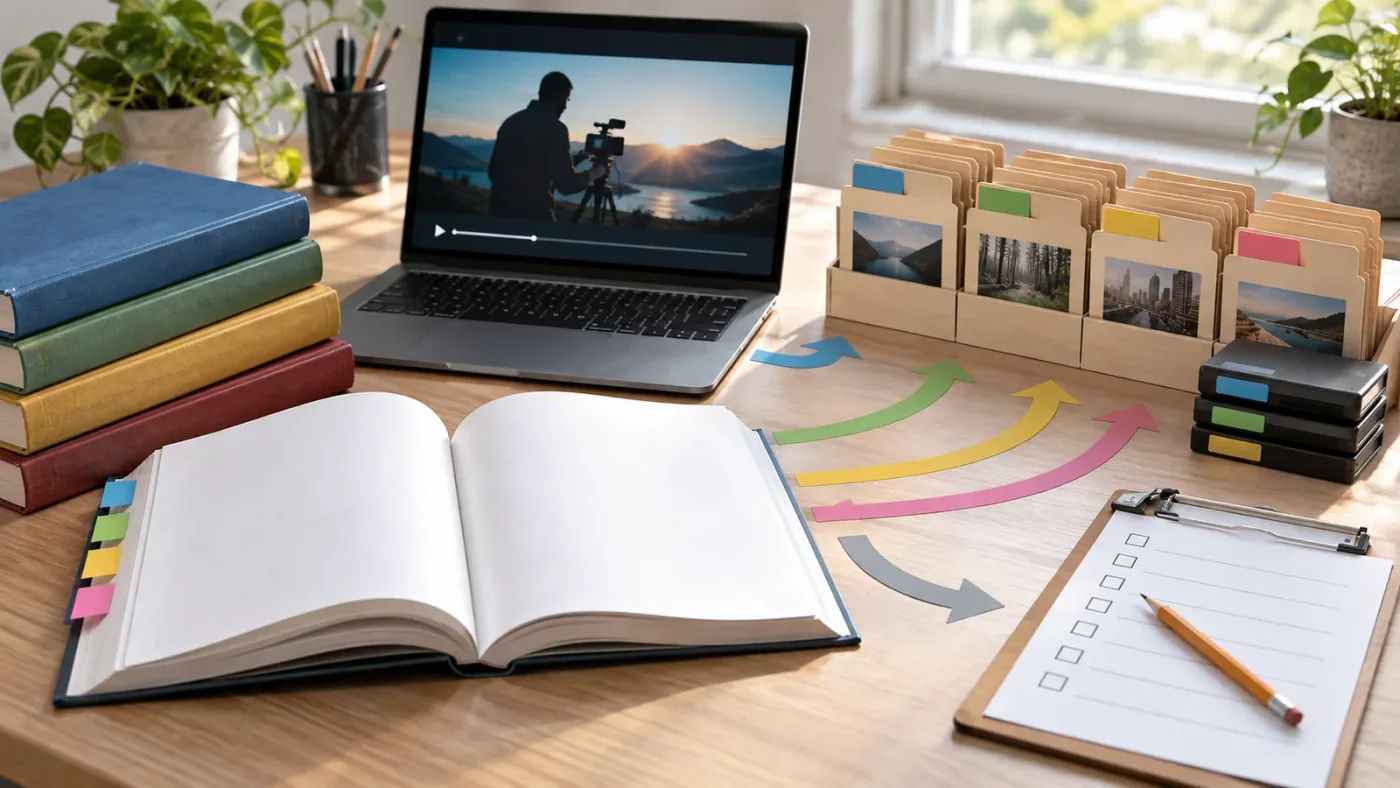
DaVinci Resolve training books beat videos when the job is to build a durable reference system. A book lets you search a term, compare nearby concepts, mark a page, and resume a lesson without guessing where the instructor said the important sentence.
Resolve rewards that kind of return visit. A beginner may understand a cut, then meet trim modes, ripple behavior, linked selection, track targeting, and handles in the same week. A color learner may move from primary wheels to curves, qualifiers, windows, nodes, scopes, and color management. If your only record is a video timestamp, each revisit starts with a small hunt.
The book's best advantage is not that text is automatically deeper. It is that a well-made manual externalizes the course map. You can see the lesson order. You can see the vocabulary. You can see what comes next. That reduces the number of decisions you have to make before you practice.
The Blackmagic books are especially useful when you want to learn pages in relation to one another. The Beginner's Guide description explicitly connects editing, grading, Fairlight, and Fusion in a project-based approach. That gives a novice a reason to leave the Edit page and notice how sound, color, and effects affect the same film. It also creates a boundary. You do not need to master every tool before you make a cut.
Books are also stronger for deliberate comparison. Suppose you are unsure whether to use a compound clip or a nested timeline. You can read the definition, list the consequence, try both on a copy of the project, and write your own rule. A video may answer the same question well, but you have to pause at the right moment and capture the distinction yourself.
Books can be less forgiving, too. When a diagram is static and you do not know the interface, a paragraph about a node graph can feel like a description of a room you have never entered. If you choose a book first, solve that weakness with a five-minute orientation video. Do not abandon the manual because the first page felt dry.
The strongest book workflow has four passes:
- Read the lesson goal before touching Resolve. Write down the operation in your own words.
- Open the lesson files and complete the exercise with the instructions visible.
- Close the PDF and rebuild the operation from memory on a copy of the project.
- Apply the same idea to one piece of your own footage and record what changed.
The third pass is the important one. Without it, you may confuse recognition with recall. You can recognize the page in the book and still not know what to click when the page is closed.
The strongest DaVinci Resolve study plan uses books for structure, videos for orientation, and projects for proof.
That sentence is a rule I would give to a reader who already owns the official PDF. Do not read it from page 1 to the end as if completion were the goal. Do the exercise, close the book, make a small variation, and move on.
Why do videos beat books for first contact with Resolve?
Videos beat books for first contact because moving interface elements are easier to recognize when someone demonstrates the complete path. You see the page, the viewer, the timeline, the pointer, the menu, and the result in one sequence.
That matters in DaVinci Resolve because the application is broad. The official product page describes Resolve 21 as combining editing, color correction, visual effects, motion graphics, audio post, and photo editing. A first-time user does not need a theory of all those pages. They need to see where to begin and what a finished loop looks like. Blackmagic describes those integrated pages on the product page.
Videos also reduce the vocabulary burden at the beginning. The instructor can say "open the Edit page, drag this clip, put the playhead here, and trim this edge" while you watch the relationship. Later, the book can explain why the operation behaves that way. The video provides a visual noun. The book provides a definition and a sequence.
The format has a trap. A video can make an operation look easier than it is because the editor has already made the decisions. The clip is chosen. The timeline is prepared. The audio is clean. The instructor knows which button matters. You see a successful path and may mistake the absence of struggle for your own competence.
Research on online educational video makes a related point about design. Guo, Kim, and Rubin studied 6.9 million video-watching sessions across four edX courses. Their paper found that shorter videos were more engaging and recommended segmenting lessons into chunks shorter than six minutes for that environment. It also reported that learners engaged differently with lecture videos and tutorial videos, with tutorials needing support for rewatching and skimming. That is evidence about online video engagement, not a promise that every six-minute Resolve lesson teaches better. Read the study and its limits.
The practical lesson is not "short videos good, long videos bad." It is "use the shape of the video to decide how to study it." A 19-minute delivery lesson may be exactly the right length for a bounded workflow. A 5-hour beginner course may be useful as a map, but it should be divided into tasks. A 60-second tip may solve one button problem and teach no larger workflow.
For a video to earn a place in your study plan, ask three questions before you watch:
- What will I be able to do when this ends?
- Which project or clip will I use to repeat it?
- What will I attempt from memory before I replay the demonstration?
If you cannot answer the second question, you are probably collecting explanations instead of training a skill.
Video learning also benefits from a visible stopping rule. Stop after one workflow, not after the instructor says "and now let's explore a few more things." Open Resolve. Repeat the workflow with no narration. Change one input. If the result breaks, that is useful information. Now you know what the lesson did not teach you.
Which format fits each DaVinci Resolve learner stage?
Videos fit the orientation stage, books fit the foundation stage, and real projects fit the transfer stage. Your best format changes as the question changes, so a single permanent answer is misleading.
Here is a stage-by-stage plan.
| Learner stage | Your real problem | Start with | Add next | Proof of learning |
|---|---|---|---|---|
| Zero to first timeline | You do not know what the pages are for | A current beginner video, such as Casey Faris's Resolve 21 course or a Blackmagic introduction | The first lessons in the Beginner's Guide | Create, trim, and play a short timeline without pausing |
| First complete video | You can click, but you do not know a workflow | The Blackmagic Beginner's Guide and its lesson files | A video that demonstrates the same page in motion | Import, edit, balance basic audio, and export a small project |
| Editing fundamentals | You make cuts but cannot explain the consequences | The Editor's Guide | A focused video for trim, multicam, or transcription | Rebuild a short edit with the lesson closed |
| Color fundamentals | The image tools feel like unrelated controls | The Colorist Guide | A visual grading lesson with a project file | Match a before-and-after goal and explain the node order |
| Fairlight or Fusion | The page feels like a separate application | The page-specific book | A video that shows the interface movement | Finish one bounded exercise without copying every click |
| Current-version transition | The lesson looks different from Resolve 21.1 | The Resolve 21 New Features Guide and release notes | A current video that names its version | Reproduce one new feature and document its limitation |
| Stuck on a live project | You know the goal but not the next control | A targeted search, forum answer, or on-screen assistant | The book or video that explains the underlying concept | Make the change, undo it, and repeat it later |
| Paid work preparation | You need consistency, judgment, and delivery confidence | A structured course or official book sequence | Practice projects, feedback, and real briefs | Deliver three different edits with notes on decisions |
The first row is where video earns its place. The sixth row is where version labels matter more than the medium. The seventh row is where neither a book nor a video should pretend to be personal feedback.
For a beginner, I would use a 20-minute orientation, then one book lesson, then a 10-minute closed-book attempt. For an intermediate editor, I would reverse the order: start from the book's concept, use a video only when the operation is visual, and spend more time on an unassigned variation.
Learner preference matters, but it is not a complete learning strategy. Some people read quickly. Some people retain a spoken explanation. Some people need to see a pointer move. Those preferences affect friction. They do not remove the need to recall and apply.
This is also why I avoid the phrase "visual learner" as a final answer. A video can be visually clear and cognitively passive. A book can be visually plain and intellectually active. What matters is what you do after the explanation.
How should you learn Resolve 21.1 when the books say Resolve 20?
Use the Resolve 20 books for stable foundations, then use Resolve 21 and 21.1 documentation for version-specific work. Do not throw away a useful book because its cover says 20, and do not assume it teaches features Blackmagic introduced later.
The version situation is unusually important in September 2026. Blackmagic's training page lists the Beginner's Guide, Editor's Guide, Fairlight Audio Guide, Colorist Guide, and Visual Effects guides as Resolve 20 books. The same page still lists video lessons by topic rather than labeling every lesson with a current version. That is a reason to verify the lesson's screen, not a reason to declare one format universally current.
Blackmagic's Resolve 21 New Features Guide is 150 pages according to the published PDF metadata. Its introduction describes the new Photo page, IntelliSearch, CineFocus, more than 70 new Krokodove graphics, and improvements to Fairlight and color workflows. It also says the new features guide will be included in the reference manual after the public beta. Use the guide as a version supplement.
Then Resolve 21.1 arrived. Blackmagic announced it on September 8, 2026, describing AI assistant integration, expanded camera support, enhanced multicam workflows, 25 new Krokodove tools, and more than 100 new tools and controls. The announcement says 21.1 is available as a free download. Read the release announcement.
That freshness difference changes how I would study each format:
| If the lesson covers | Use the Resolve 20 book for | Check the Resolve 21 or 21.1 source for |
|---|---|---|
| Basic editing | bins, clips, timelines, trimming, transitions, basic delivery | any changed page layout or new editing control |
| Color | primary correction, curves, qualifiers, windows, scopes, node concepts | Photo page integration, new controls, current color management choices |
| Fairlight | track organization, recording, mixing, and mastering concepts | Fairlight folder behavior and any new track-management features |
| Fusion | node thinking, masks, compositing, tracking, and the logic of a flow | Krokodove tool names and current 3D or shape tools |
| Photo | the book cannot be your main Resolve 21 source | Photo page, albums, camera support, and current still-image workflow |
| AI tools | general judgment about when automation helps | IntelliSearch, CineFocus, Resolve 21.1 assistant integration, and permissions |
When a screen differs, do not spend 30 minutes trying to force the old lesson to match. Check the version-specific guide. Search the exact current control name. Then return to the book for the concept.
There is a second kind of version drift: the software may add a control without changing the underlying idea. A new Photo page does not erase color theory. A new Krokodove tool does not erase node logic. A changed menu path does not invalidate the reason you learned to organize a project. Separate durable concepts from per-version coordinates.
Grant Petty, Blackmagic Design's CEO, described one part of the 21.1 change this way: "With AI assistant support, our customers can now ask Claude or ChatGPT to handle repetitive tasks". The quote is short, but the distinction matters. Asking an assistant to handle repetitive tasks is not the same as learning why a cut, grade, or mix works. The full release statement is here.
That is the version-safe habit: use the book to learn the craft, the release notes to learn the delta, and your own project to decide whether the new control actually helps.
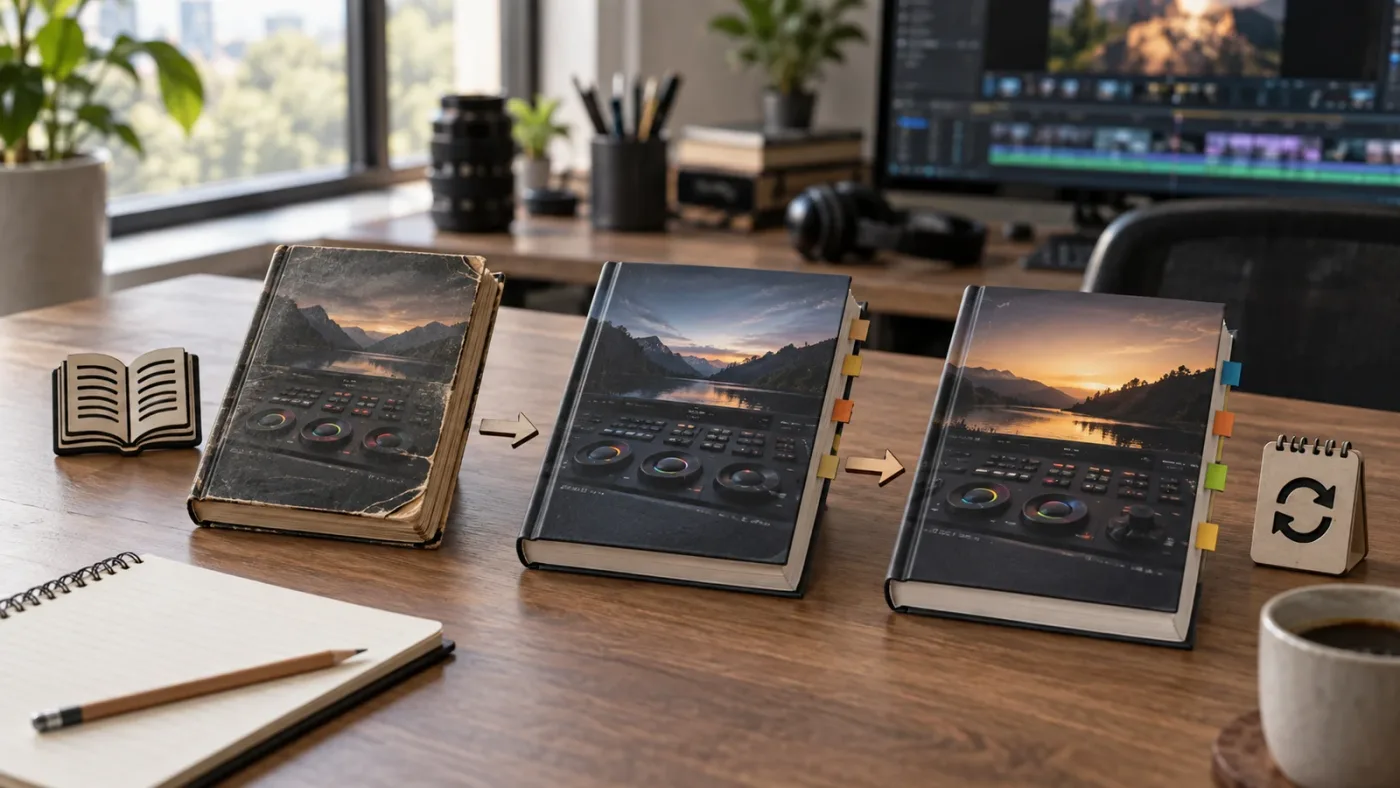
A Resolve 20 book can still teach durable fundamentals in Resolve 21.1, but it cannot be your sole guide to 21.1 features.
Can you learn DaVinci Resolve fast with videos alone?
You can learn the basic interface with videos alone, but you learn faster in practice when every video segment produces a closed-book attempt. Watching is fast. Recalling is slower. Transfer is the part that makes the skill useful.
Casey Faris is part of the current YouTube consensus for Resolve learners. His channel has a full beginner course published in 2025 and a separate "Making Videos in Resolve 21" course published in 2026. The full beginner course is listed at more than five hours, with chapters for Media, Edit, Cut, Fusion, Color, Fairlight, Deliver, and a final section on how to learn Resolve. His Resolve 21 course is a useful current-version reference point. See the full beginner course and the Resolve 21 course.
That does not make every long video a bad choice. A long course can give you a coherent tour. It can prevent you from jumping from a color trick to a Fusion effect before you understand the timeline. It can also show an editor's decision-making in a way a button-by-button manual often cannot.
The danger is binge-watching. Here is a better method for a long course:
- Use the chapter list to choose one outcome, such as building a rough cut or balancing a dialogue clip.
- Watch until the instructor completes one meaningful decision.
- Pause and reproduce the decision on your own project without narration.
- Change one variable. Use a different clip, a different track, or a different timing choice.
- Write one sentence about why the operation worked.
- Move to the next chapter only when you can repeat the first operation.
If you finish six hours of video but cannot repeat the first lesson, the problem is not that you needed a better instructor. You needed a retrieval step.
Videos also make it easy to build a targeted library. Use a full course for sequence. Use a short video for a visual move. Use the official training page when you need project files. Use a forum or search result for a single error. Do not ask one format to do every job.
If your goal is to learn editing rather than only software, add videos that discuss story, pacing, and decisions. The official Blackmagic material is strongest when it teaches Resolve's controls and workflows. A creator-led course may be stronger when it explains why a shot enters now, why a reaction is held, or why silence is better than a transition. Those are complementary skills.
One more edge case: if you learn while commuting or doing housework, you may remember the explanation but fail to build the motor sequence. Treat background viewing as preview only. The real lesson starts when your hands are on the keyboard and you can make the move yourself.
How do I learn DaVinci Resolve from free official training?
The best free path is Blackmagic's official training page, used as a structured curriculum rather than a list of links. Start with one introductory video, download the matching project or lesson files, complete the Beginner's Guide section, and use the online exam or your own export as a checkpoint.
The official page is the consensus starting point for a reason. It is maintained by the software maker, it covers multiple pages, and it connects videos and books with lesson files. The page also exposes a training-partner search for people who want online or classroom instruction. That does not mean every asset is current for every point release. It means you have a coherent baseline.
If you prefer a guided commercial course, the current market has several lanes. Our comparison of the best DaVinci Resolve courses in 2026 is the right next read when you want paid course structure. If budget is the constraint, use our free DaVinci Resolve course guide to compare no-cost paths. I am linking those pages because they answer adjacent buying and course-selection questions, not because a paid course automatically beats Blackmagic's free material.
Coursera is useful when you want a platform-shaped sequence and a certificate path. Its current DaVinci Resolve catalog page advertises courses and a three-course specialization, including a complete video project using timeline tools, transitions, and storytelling techniques. Check the current enrollment and access terms on the platform before treating a preview or trial as full access. See Coursera's current catalog.
Udemy is useful when you want one instructor's workflow, assignments, and lifetime-style access terms for a specific course. A current DaVinci Resolve Mastery course page describes lessons across editing, color, Fusion, audio, export, assignments, and a final project. Course terms, instructor quality, and update dates differ, so compare the syllabus and last update rather than choosing the highest review count. Inspect the course syllabus directly.
The neutral ranking is this:
- Blackmagic official training for a free, software-specific foundation.
- A strong current YouTube course, such as Casey Faris, for a visual tour and practical orientation.
- A paid course when you need one instructor, assignments, community, or a particular specialization.
- A book when you need depth, repetition, and reference.
- A live mentor or feedback group when the missing piece is judgment rather than button location.
You can swap the middle positions based on your constraints. The important part is that the free official material belongs in the comparison. Pretending a new app has no competitors is bad advice. Pretending a paid course is the only structured path is also bad advice.
Recent advice in r/davinciresolve threads about learning from books and videos lands in the same place: start with Blackmagic's official training, use Casey Faris or other YouTube lessons for visual help, and practice on your own material. Reddit is useful for discovering friction points and resource recommendations, but treat individual comments as experience reports rather than official documentation.
How do books and videos compare for editing, color, Fairlight, Fusion, and Photo?
Books are strongest for concepts that need a sequence and a vocabulary; videos are strongest for operations where timing, motion, or visual context carries the explanation. The right choice changes by Resolve page.
Edit page
Start with video if you do not know the difference between the Media Pool, viewer, timeline, and Inspector. Those relationships are spatial. Then use the Editor's Guide to study trimming, interviews, documentary material, music videos, and delivery. The official book description names those project types, which is a useful signal that the guide is organized around editorial situations rather than isolated buttons.
For Edit, practice without the instructor by giving yourself a small brief. Build a 30-second scene from three clips. Make one version that starts with action. Make another that starts with a reaction. The software lesson is the same. The editorial decision is not.
Color page
Use a book when you need to understand primary correction, secondary correction, scopes, nodes, and color management as a system. Use video when you need to see the sequence of selecting a node, changing a control, toggling a bypass, and comparing the result. Blackmagic's official training page lists an Introduction to Color at 1 hour 33 minutes and Advanced Color at 57 minutes, both with project files.
Do not judge a color lesson by whether your image looks like the instructor's. Your camera, exposure, white balance, and display can differ. Judge it by whether you can explain the order of decisions and reproduce the intended relationship between contrast, balance, saturation, and isolation.
Fairlight
Books have a special advantage in audio because terminology is easy to confuse. Track level, clip level, bus routing, EQ, dynamics, automation, and loudness are not interchangeable. A written guide gives you a stable vocabulary to return to after you hear a problem.
Video helps when the lesson demonstrates timing, recording, or a complete mix. Blackmagic describes its Fairlight Audio Guide as hands-on and workflow driven, with lesson files split into four parts on the training page. Use one chapter to establish the terms, then listen to your own mix on headphones and speakers. The point is not to copy a slider number from a stranger's room.
Fusion
Use video first if nodes are new. A moving demonstration can show that a node graph is a flow, not a stack of layers. Then use the Visual Effects Guide to slow the concept down and rebuild it. Blackmagic describes the Visual Effects Guide as five lessons introducing core compositing tools, and it provides lesson files and an online exam.
For Fusion, the book is most useful when you stop treating the example as a magic recipe. Delete one node. Change the mask. Move the merge. Ask what changed. The video may make the graph look obvious. Your experiment makes it yours.
Photo page
Use current Resolve 21 documentation first. The Photo page is a Resolve 21 addition, and Blackmagic's New Features Guide describes importing, managing, and grading still photographs, plus albums and node-based grading. A Resolve 20 book cannot be your primary source for that page because the page did not belong to the same version path.
This is an edge case that favors neither medium automatically. A current video can show the page in motion. A current PDF can give you a searchable explanation. The source's version matters more than whether the source is a book or a video.
Deliver page
Video is useful for seeing the render queue and preset workflow in one pass. The official training page lists a Delivering Content video at 19 minutes with a project file. A book is useful when you need to understand why codec, resolution, frame rate, audio, and destination settings interact. For a real deliverable, use current platform requirements and test a short export before the full render.
Why is a tutorial not enough when my Resolve screen looks different?
A tutorial stops being sufficient when the problem is not knowledge of the concept but translation from the instructor's project to yours. Different versions, editions, page layouts, panel visibility, media properties, and project settings can make the same instruction appear to fail.
This is the recurring question behind many format debates. A viewer says, "I followed the video, but my control is missing." A reader says, "The book says to select a node, but I do not know which one." The correct response is not always another tutorial. First classify the mismatch.
| What does not match? | Likely category | Best next action |
|---|---|---|
| The page or control is missing | Version, edition, workspace, or hidden panel | Check the Resolve version, Free versus Studio, and the current manual or New Features Guide |
| The control is visible but the result differs | Different media, timeline settings, color management, or source properties | Reproduce the example on the supplied lesson file before using your own footage |
| The lesson uses a different keyboard shortcut | Custom shortcut map or platform difference | Search the command name and verify the current shortcut in Resolve's Keyboard Customization |
| The project opens with offline media | Lesson files are not in the expected folder or the path changed | Relink the lesson media, then keep the supplied folder structure intact |
| The instructor's UI is too small to follow | Video resolution, scaling, or dense interface | Pause, zoom the player, and use the book or manual for the control name |
| You can follow the clicks but do not know why | Recognition without recall or transfer | Close the lesson and explain the workflow before repeating it on new footage |
The version branch deserves care. Resolve 21.1's new features include integrations and controls that cannot be inferred from a Resolve 20 lesson. Blackmagic's release announcement says 21.1 supports AI assistants such as Claude, Claude Code, and ChatGPT Codex for tasks including project analysis, media organization, settings, and batch rendering. A Resolve 20 tutorial cannot show that current integration.
The edition branch matters too. Blackmagic's product page lists Free and Studio as separate editions, with Studio adding features such as the DaVinci Neural Engine, additional Resolve FX and Fairlight FX, stereoscopic tools, and advanced HDR grading. If a lesson uses one of those features, a missing control is not proof that you installed Resolve incorrectly. Check the edition description before troubleshooting.
The task branch is simplest. If you are learning a general workflow, return to the book or course. If you are solving one concrete mismatch, search the exact error or control. If you are staring at your own screen and cannot identify the next control, an app that sees the screen may be a better fit than another generic video.
How do I choose an app that helps me while using DaVinci Resolve?
An app that helps you while using DaVinci Resolve is worth considering when you already know the outcome you want but cannot locate or interpret the next control. It is not a replacement for a book or video curriculum, and an editing agent that changes a timeline is a different category from an assistant that teaches you where to click.
This is where current alternatives need an honest comparison. Sottocut describes itself as a local-first assistant editor that scores footage, proposes a cut, and verifies timeline changes. Its site says it requires an Apple Silicon Mac and DaVinci Resolve Studio 21. Read Sottocut's current requirements.
CutAgent describes a different lane. Its site says it lets users hand off editing tasks to an AI agent, works with DaVinci Resolve 21 or later, and supports both Free and Studio connections for its listed plans. Its examples include creating a reel, syncing cameras, switching angles, setting an aspect ratio, color grading, and animating a title. That is timeline automation, not a curriculum. Review CutAgent's own feature claims.
Eddie also belongs in the automation lane. Its DaVinci Resolve workflow page says the helper extension can pull clips, multicams, and timelines from a Resolve bin, log footage, create rough cuts, and send edits back to Resolve. That can reduce assembly work. It does not teach you every editorial reason behind the cut. See Eddie's Resolve integration.
PremiereCopilot is a useful boundary case. Its own site positions it as a text-to-edit tool native to Adobe Premiere Pro, with prompts that create timeline edits, captions, and transitions. It is not a Resolve book, Resolve video, or Resolve on-screen assistant. If you use it as a comparison, compare the job it does, not the name "copilot." See the official PremiereCopilot description.
TryUncle is the on-screen assistant for DaVinci Resolve on Mac and Windows — ask in plain words and Uncle points at the exact control on your screen.
That is the useful distinction. A book answers, "What is this workflow and in what order should I learn it?" A video answers, "What does this operation look like?" An editing agent answers, "Can I delegate this timeline work?" An on-screen assistant answers, "Where is the control on my current screen, and what should I do next?"
After you have learned the concept and tried the operation, TryUncle can be a concise bridge when the remaining problem is finding the matching control on your own Resolve window. It is a paid product, so it should earn its place through that live, screen-specific use case rather than being presented as a free course or an automatic editor.
Guided practice inside Resolve beats watching courses about Resolve.
How do I build a 14-day DaVinci Resolve study plan?
A 14-day plan works when each day has one concept, one closed-book recall attempt, and one small project result. It fails when the plan is only a list of videos to finish.
The following plan is deliberately modest. It is not a promise that anyone becomes a professional editor in two weeks. It is a way to get from format anxiety to evidence of progress.
Days 1 and 2: orientation and first timeline
Watch a current beginner introduction. Use Casey Faris's Resolve 21 course or the first Blackmagic Edit lesson. Stop before you feel you have seen everything. Your only goal is to locate the Media Pool, viewer, timeline, Inspector, Edit page, and Deliver page.
Then create a short project with a handful of clips. Import, place, trim, and play. Do not add a transition because the instructor did. Export a small test. Write down the exact point where you needed to replay the lesson.
Days 3 and 4: the book becomes the spine
Open the Beginner's Guide and choose the first project-based lesson. Download the lesson files. Read the goal. Complete the exercise with the instructions open. Then close the PDF and recreate the sequence with a different clip.
On the second day, repeat the same workflow without changing the project. Your goal is not speed. Your goal is to know which decision comes next without scanning every icon.
Days 5 and 6: edit judgment
Use the Editor's Guide or a focused editing video. Build a short sequence with a clear beginning, middle, and end. Make a second version with a different first shot. Watch both with the sound on. Note what the first cut promises and what the second cut delays.
This is where the book and video should diverge. Use the book to clarify the operation. Use the video to observe the editor's choices. Use your project to disagree with both.
Days 7 and 8: sound and delivery
Use the Fairlight guide's first bounded lesson or the official Delivering Content video. Clean one voice, place one music bed, and export a test. Compare your timeline playback with the exported file. Write down any difference in level, frame rate, image size, or missing media.
Do not turn sound into a plug-in hunt. Learn a basic signal path first. You can add complexity later.
Days 9 and 10: color fundamentals
Use the Introduction to Color video for visual orientation, then the Colorist Guide for the written sequence. Work with a supplied lesson clip first. Read scopes. Make a neutral correction. Save a still or note the node order. Then use your own footage and explain why you made each change.
If you are tempted to copy a look, pause. A look tutorial can be useful, but the foundation is the ability to see what is wrong before you add style.
Days 11 and 12: Fusion or the page your work actually needs
If Fusion is relevant to your project, follow one Visual Effects Guide lesson and then remove one node to understand its role. If Fusion is not relevant, spend these days on the page you will actually use in your work. The fastest route is not the route with the most pages. It is the route that produces a finished piece.
Day 13: version check
Read the relevant part of the Resolve 21 New Features Guide. If you use Resolve 21.1, read Blackmagic's 21.1 announcement too. Choose one feature that affects your work. Find it in the current interface. Write a note that says what changed, what stayed the same, and where the older book stops.
Day 14: closed-book project
Start with empty bins and a short brief. No video. No book. No search until you have tried. Make a rough cut, add basic audio, perform a simple color pass, and export a review file. When you get stuck, write the question before looking up the answer. After the lookup, perform the operation again from memory.
Your result is not a certificate. It is a list of real questions. Those questions choose your next book chapter, next video, or next targeted explanation.
For more project prompts after this plan, use our DaVinci Resolve practice projects for beginners. The point of those projects is not to produce a portfolio masterpiece every time. It is to make you encounter the small decisions that tutorials can hide.
How do you choose a paid DaVinci Resolve course after using free books and videos?
Choose a paid course only when it adds something the official free materials do not give you, such as feedback, a clear specialization, accountability, a coherent instructor workflow, or a community that answers your specific questions. A higher price by itself is not evidence of better teaching.
Use this buying checklist:
| Check before purchase | Why it matters | What to verify |
|---|---|---|
| Version number | Resolve 21.1 can differ from Resolve 20 in visible tools and new features | Course recording date, version shown on screen, and update policy |
| Free or Studio edition | A missing Studio tool can make a correct lesson look broken | Edition requirements for every major module |
| Practice files | You need a reproducible starting point | Download format, media availability, and whether the files match the lesson |
| Assignments | Watching is not the same as transfer | Specific briefs, exercises, and a final project |
| Feedback | Taste and editorial judgment need response | Instructor review, peer critique, office hours, or a real community |
| Searchability | You will return to the material later | Chapters, transcripts, PDF notes, project labels, and lesson names |
| Delivery terms | Access and refunds affect the real price | Current platform terms, access period, downloads, and refund window |
| Scope | A broad course can stay shallow | Whether it teaches Edit, Color, Fairlight, Fusion, Photo, or one specialty |
There are three kinds of paid course buyer.
The first wants a path. This learner should compare syllabi and lesson order. The free Blackmagic books may already satisfy the need, so a paid purchase only makes sense if the instructor's explanations or assignments fit better.
The second wants accountability. This learner should look for feedback and deadlines, not just more hours of video. A course with 40 hours of material but no practice review may be less useful than a short course with a final brief and critique.
The third wants a specialty. This learner should buy for a result such as documentary editing, color grading, Fairlight mixing, or Fusion compositing. A broad beginner course can be the wrong purchase if the real job is to finish one specialized workflow.
Read the sales page with a pencil. Circle every sentence that promises an outcome. Ask how the course produces evidence of that outcome. "Learn professional color" should point to clips, exercises, comparisons, and a finished grade. "Master every page" should tell you what you will actually make.
Do not confuse a certificate with competence. Blackmagic's official books offer online exams, which can be a useful completion checkpoint. A certificate does not replace a reel, a finished project, or the ability to solve a new problem. It is one signal among several.
Why do books and videos fail when I have no project?
Books and videos fail without a project because the learner has no reason to select, adapt, or remember the workflow. A project creates constraints. Constraints force decisions. Decisions reveal what you actually know.
Your project does not need to be ambitious. Use a talking-head clip, a short interview, a product demonstration, a travel sequence, or a small scene with room tone. The point is to give yourself media that can be cut, mixed, graded, and exported.
Use the same project for several formats, but do not use the same exact task every time. On day one, make a rough cut. On day three, rebuild the opening. On day five, remove three unnecessary edits. On day seven, clean the dialogue. On day nine, make the shots feel consistent. On day fourteen, export and review the whole thing.
This exposes a difference between software learning and editing learning. Software learning asks whether you can execute a command. Editing learning asks whether the command improved the piece. You need both.
That is also why practice files matter. Blackmagic's official training page supplies lesson files for its books and videos. A supplied file lets you compare your result with the instructor's starting conditions. Your own project then tests transfer under less controlled conditions.
If you only use your own footage from the beginning, you may blame the software for a media problem. If you only use supplied footage, you may never notice that your camera, audio, or timeline settings change the result. Use both.
How do I know whether a training book or video actually worked?
A training book or video worked when you can perform the target workflow on new material, explain the main decision, recover from one variation, and find the reference again later. Completion time and watch percentage are weak evidence by themselves.
Use this four-part test after every meaningful lesson:
- Recall. Close the source and list the steps without looking.
- Rebuild. Perform the steps in a blank or copied project.
- Vary. Change one clip, timing choice, track, or input.
- Explain. Say what the operation is for and what it does not solve.
For example, if the lesson covers a compound clip, create one, open it, change one element, and decide whether the result is still easier to manage than separate clips. If the lesson covers a qualifier, select a different range and watch what happens when the selection is too broad. If the lesson covers a render preset, change the destination and inspect the exported file.
The Explain step prevents a common trap. You can memorize a sequence of clicks without understanding the condition that makes it appropriate. When the project changes, the click sequence fails. A short explanation gives you a rule instead of a ritual.
Use mistakes as data. Write the question in a plain sentence: "Why did the new clip land on the wrong track?" "Why does this grade affect more shots than I expected?" "Why is the exported file different from the viewer?" Then classify the question as concept, control location, version, media, or judgment.
That classification chooses the next resource. Concept points to a book or structured course. Control location points to a targeted video or on-screen help. Version points to the current release guide. Media points to project settings or the lesson files. Judgment points to feedback and more editing analysis.
Should you choose books, videos, or both for DaVinci Resolve?
Choose both if you want a reliable path: a current video for orientation, a Blackmagic training book for structure, the Resolve 21 and 21.1 documentation for version changes, and a real project for proof. Choose videos alone only when you will supply the missing structure yourself. Choose books alone only when you already recognize the interface or are willing to use a short visual orientation first.
Here is the final choose-X-if guide.
Choose training books if
- you want a complete sequence instead of a search result;
- you return to technical concepts often;
- you like headings, definitions, and written checkpoints;
- you want lesson files and online exams built into the official path;
- you are ready to practice without narration;
- you want to separate durable Resolve fundamentals from temporary UI changes.
Choose training videos if
- you are new enough that the interface feels spatially confusing;
- the lesson depends on motion, timing, dragging, or a node graph;
- you need a visual demonstration before you read a longer explanation;
- you are using a current Resolve 21 or 21.1 course for a new feature;
- you can pause, reproduce, and vary the operation rather than binge-watch;
- you want to observe editorial decisions, not only control locations.
Choose both if
- you want to learn quickly without building gaps;
- you are moving from basic editing into color, Fairlight, or Fusion;
- your book and video use different Resolve versions;
- you need both reference depth and visual orientation;
- you are preparing for paid work and need evidence that the skill transfers.
Choose a different resource if
- you need personal feedback on a cut;
- your current question is about your exact screen and project;
- you want an automated rough cut rather than instruction;
- your main need is storytelling judgment rather than software navigation.
The decision is not a personality test. It is a workflow design problem. Give each format the job it handles best.
The best way to learn DaVinci Resolve is to alternate explanation with retrieval and a real edit.
Start with one current video. Complete one official book lesson. Close the source. Make the move on your footage. When Resolve 21.1 changes the screen, read the current release material. When the problem becomes a specific control on your monitor, use a targeted answer or the relevant on-screen help. Then return to the edit.
That is the verdict for DaVinci Resolve training books vs videos in September 2026: books are the spine, videos are the eyes, and the project is the test.
Frequently asked questions
- Why are DaVinci Resolve training books better than videos?
- DaVinci Resolve training books are better for a complete curriculum, repeatable exercises, and reference work, while videos are better for visual orientation and quick demonstrations. The best choice is a sequence: use a video to see the workflow, a book to study it, and your own project to prove you can repeat it.
- What is the best way to learn DaVinci Resolve in 2026?
- The best way to learn DaVinci Resolve in 2026 is to combine current Resolve 21.1 orientation videos with Blackmagic's project-based training books, then alternate watching or reading with closed-book practice on a real edit. Resolve 20 books still teach durable fundamentals, but Resolve 21.1 features need current documentation.
- How do I learn DaVinci Resolve fast with videos?
- You can learn the basic interface with videos alone, but videos alone rarely prove that you can recall a workflow without a prompt. Learn faster by pausing before each demonstrated action, reproducing it from memory, and finishing a small project instead of watching a long playlist passively.
- Why do DaVinci Resolve 20 training books work with Resolve 21.1?
- DaVinci Resolve 20 training books work for many stable editing, color, audio, and Fusion fundamentals in Resolve 21.1, but they do not cover every Resolve 21 or 21.1 feature. Use the books for the core workflow and the Resolve 21 New Features Guide for version-specific changes.
- How do I choose the best app that helps you while using DaVinci Resolve?
- An app that helps you while using DaVinci Resolve is useful when you know the task but cannot find the control on your current screen. Choose an on-screen assistant for live pointing, a course for a curriculum, or an editing agent for timeline automation. Those are different jobs, so they should not share one verdict.
Sources
- Blackmagic Design DaVinci Resolve Training
- Blackmagic Design DaVinci Resolve product page
- Blackmagic Design announces DaVinci Resolve 21.1
- DaVinci Resolve 21 New Features Guide
- Casey Faris, Introduction to DaVinci Resolve full course
- Casey Faris, Making Videos in Resolve 21
- Coursera DaVinci Resolve courses
- Udemy DaVinci Resolve Mastery course
- r/davinciresolve discussion of a complete learning path
- Karpicke and Roediger, The Critical Importance of Retrieval for Learning
- Guo, Kim, and Rubin, How Video Production Affects Student Engagement
- Blackmagic Design CEO Grant Petty on DaVinci Resolve 21.1
- TryUncle official site
- Sottocut for DaVinci Resolve
- CutAgent for DaVinci Resolve
- Eddie AI DaVinci Resolve workflow
- PremiereCopilot Copilot
Put this guide to work with TryUncle.
Ask about the step you’re on. TryUncle sees your screen and points at the control you need, so you can keep learning in your own project.
Get TryUncle for Mac or WindowsKeep reading

Comparisons · Jul 13, 2026 · 34 min
Best DaVinci Resolve Courses in 2026: 6 Real Options Compared
We compared six real DaVinci Resolve courses for 2026, from Blackmagic's free certification to color grading and Udemy bootcamps, to find the best fit.
Guides · Jul 7, 2026 · 16 min
Free DaVinci Resolve Course: The Best No-Cost Ways to Learn
Where to find a real free DaVinci Resolve course in 2026: Blackmagic's own training, a free YouTube course, live webinars, and which paid options to skip.
Guides · Jul 15, 2026 · 37 min
DaVinci Resolve Practice Projects for Beginners: 10 to Try
10 ranked DaVinci Resolve practice projects for beginners, from a 3-clip hard cut to a full capstone edit, plus where to find free practice footage.