Articles / Guidesupdated for DaVinci Resolve 21.1 (November 2026)
Do I Need All DaVinci Resolve Training Books?
Quick answer
No. You do not need every DaVinci Resolve training book: start with the Beginner’s Guide for a broad introduction, or the Editor’s Guide if editing is your main goal. Begin making a small project while you learn, then use the Fairlight, Colorist, or Visual Effects guide only when you need that specialty.
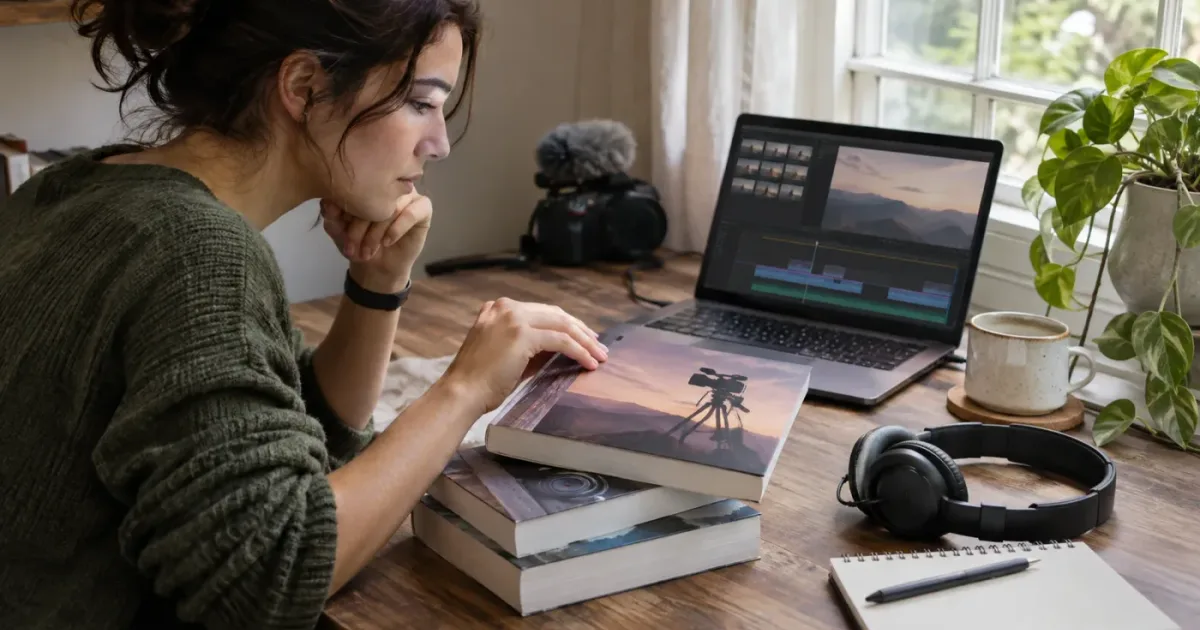
I would not buy every DaVinci Resolve training book before making a video. Pick one that matches the work you want to do, open Resolve, and use the book as a guide rather than a reading assignment. As of November 2026, Blackmagic Design lists Resolve 21 and Resolve 20 training books, alongside a 21.1 manual.
Do I need all DaVinci Resolve training books?
No. You need a starting point, not a complete shelf: choose one training book for your immediate goal and postpone the others until your projects give you a reason to use them.
Blackmagic Design’s current training page lists separate guides for beginners, editing, Fairlight audio, color grading, and visual effects. The guides cover different kinds of work. That’s a menu, not a required sequence. You can make an edit without first studying every specialist workflow.
You do not need every DaVinci Resolve training book to make your first finished edit.
The useful question is not “How many books are there?” It’s “What do I want to finish next?” Someone cutting an interview needs different lessons from someone building a Fusion composite or mixing a multitrack project. Reading the wrong specialist book first can create a strange problem: you learn a lot of terms but still can’t complete the project sitting in front of you.
A useful starting choice is simple:
- Want a broad tour of Resolve? Begin with The Beginner’s Guide.
- Want to learn timeline editing first? Begin with The Editor’s Guide.
- Already comfortable with editing but need audio, grading, or compositing? Choose the matching specialist guide.
- Unsure which task matters? Start a modest edit and let the first real obstacle guide your next lesson.
That last option isn’t a shortcut around learning. It’s a way to make learning specific. You don’t need to understand every page, panel, or tool before you can start. You need enough to import media, assemble a rough sequence, make it understandable, and export a result you can review.
If you want a broader beginner walkthrough before choosing a path, see our DaVinci Resolve beginner guide. It serves a different purpose from this book decision: this page helps you choose what to study, while the beginner guide helps you get oriented in the software.
Which DaVinci Resolve training book should I start with?
Start with the book that matches your next real task. Choose the Beginner’s Guide for a broad introduction, the Editor’s Guide for editing practice, and a specialist guide only when you’re ready for its subject.
Blackmagic’s training page currently lists these Resolve 20 books:
| Guide listed by Blackmagic Design | Best starting fit | What its published description covers | Hold it for later if… |
|---|---|---|---|
| The Beginner’s Guide to DaVinci Resolve 20 | A new user who wants a broad, project-based introduction | Editing, color, Fairlight audio, and Fusion | You already know the basics and have a specific specialty to learn |
| The Editor’s Guide to DaVinci Resolve 20 | Someone whose priority is building edits | Interviews, dramatic scenes, documentary material, music videos, effects, speed changes, audio, and delivery | Your immediate goal is primarily color, sound mixing, or compositing |
| The Fairlight Audio Guide to DaVinci Resolve 20 | An editor who needs to work on sound | Sound editing, recording, mixing, and mastering | You’re still trying to finish a basic video and don’t yet need detailed sound work |
| The Colorist Guide to DaVinci Resolve 20 | Someone ready to study color correction | Practical exercises using Resolve color tools | You have not yet learned to assemble and review a basic edit |
| The Visual Effects Guide to DaVinci Resolve 20 | Someone who wants introductory Fusion compositing | Core compositing work in Fusion | You don’t have a shot that needs a composite |
| Advanced Visual Effects in DaVinci Resolve 20 | Someone already looking for advanced Fusion and 3D work | A practical introduction to advanced tools, including 3D models and particle effects | You have not yet built comfort with basic compositing |
The descriptions in the table come from Blackmagic Design’s training page. “Best starting fit” is an editorial decision based on those descriptions, not a claim that Blackmagic requires this order.
If you’re brand new to editing as well as Resolve, the Beginner’s Guide is the natural first pick because Blackmagic describes it as a project-based guide spanning several parts of the software. Its breadth is helpful when you want an overview. It can also feel like too much if you try to treat every page as a prerequisite to making something.
If you already know what a timeline is and mainly want to get better at shaping scenes, choose the Editor’s Guide instead. A focused book can help you spend less time waiting for chapters that don’t serve your current goal.
For audio, color, or Fusion, ask whether you have a project that needs that skill now. If yes, the matching guide may be the right book even if it isn’t the next item on a beginner’s imaginary syllabus. If no, save it for when the need appears.
Start with the book whose work matches the video you want to finish.
The official page provides PDF downloads and lesson-file links for the books it lists. That gives you a practical way to follow along and work from the same training materials, rather than trying to copy an unrelated project from memory. The page also lists online exams for some guides. An exam can help you check what you’ve studied, but it doesn’t replace applying a skill to a project of your own.
Are the DaVinci Resolve 20 books still useful in Resolve 21?
Yes, Resolve 20 books can still be useful in Resolve 21, especially for foundational workflows, but they are not books written for the current version. Check the Resolve 21.1 manual when an instruction depends on a changed control or feature.
There’s an important version distinction here. In November 2026, Blackmagic Design’s training page lists its books as Resolve 20 titles, while Blackmagic’s welcome page lists a DaVinci Resolve 21.1 manual. The official training page also describes Resolve 21 as the current product. So a Resolve 20 book may teach a workflow that remains useful, but its instructions may not match every version-specific detail you see in Resolve 21.
A Resolve 20 book can still teach durable editing ideas in Resolve 21, but its version-specific steps need checking.
A book can contain both durable ideas and version-sensitive directions. The broad idea of organizing a project before editing, shaping a scene, or listening carefully to dialogue can remain useful even as software changes. A particular menu name, panel layout, or newly added feature is more likely to depend on the version covered.
When an instruction doesn’t match your copy of Resolve, don’t assume you’ve made a mistake or that the entire book is useless. Check:
- The book’s edition. Does its title say Resolve 20, 19, or an older version?
- The task, not just the button. Is the lesson teaching a lasting decision, or a click-by-click path through a particular interface?
- The current manual. Search the Resolve 21.1 manual for the feature or control name.
- The current version of the training. If Blackmagic or the instructor has posted an updated lesson, compare it with the older direction.
- The screen you actually have. Your layout, page, selected clip, or software edition may differ from the example.
Use the manual as a reference, not a replacement for every exercise. A manual is good for checking what a control does or finding a current setting. A training book is designed to lead you through a sequence of decisions and tasks. They answer related questions, but they don’t have to compete.
Also keep the free and Studio editions in mind when comparing instructions. A lesson may rely on a feature that’s unavailable in your edition. If the control isn’t there, check Blackmagic’s current product documentation before assuming a Resolve 20-to-21 change caused it. This is a version and edition check, not a reason to buy Studio just to keep following a lesson.
A helpful rule: trust a book to teach the craft and its intended workflow; verify exact interface details against the current manual when your screen differs.
Should I finish a book before I start editing?
No. Start editing as soon as you can follow the first useful lesson. A small project gives you a reason to remember the instructions and shows you which topics are worth studying next.
You don’t have to wait for a complete theory of Resolve before opening a project. Pick a modest task, such as assembling a short sequence from a few clips, and keep the scope small enough that you can finish and review it. The goal is not to make a masterpiece. It’s to create a reason to use the tools you’re learning.
Start editing before you finish the book.
Here’s a simple study loop:
- Read or watch one lesson with a clear task.
- Follow it in Resolve, using the supplied lesson files if the guide offers them.
- Repeat the operation without looking at the steps.
- Try the same idea on your own clips.
- Write down the point where you got stuck.
- Return to the book or consult the manual for that specific question.
- Save a new version or copy before experimenting with a major change.
That last step helps separate two useful activities. In a guided exercise, the resource shows you a planned route. In your own project, you test whether you can recognize when the technique is useful. You may discover that a lesson’s example doesn’t fit your footage, that a control works differently in your version, or that you need a simpler approach.
Consider a worked example, not a measured result: you have a short set of clips and want to make a clear sequence. You follow a beginner lesson to import and arrange the clips. Once they’re on the timeline, you notice that one transition feels abrupt. That is a concrete question. You can review trimming or transitions rather than jumping to a specialist book on advanced color or Fusion.
A second worked example: you can cut the sequence but the dialogue is hard to hear. That’s a reason to open the Fairlight guide or a targeted audio lesson. You don’t have to read every Fairlight chapter first. Start with the part that answers your current sound problem, then decide whether your next project calls for more.
The training loop should stay practical: learn one move, use it, notice what you don’t understand, then look up that thing. This doesn’t mean skipping fundamentals. It means learning fundamentals in the context of an edit instead of treating the book as a gate you must pass through before you’re allowed to begin.
How do I know when it’s time to open the next book?
Open a second book when the first one no longer answers the questions your project is creating. If you’re still learning where media goes or how a timeline behaves, a specialist guide may be premature. If the edit is assembled and you now need a more deliberate mix, that’s a useful reason to study Fairlight.
A good trigger is repetition. If the same gap stops you in several projects, it’s probably worth a focused study block. If a tool appears once and then disappears from your work, a quick reference may be enough.
You can use a short decision checklist:
- Did I finish a basic version of the project?
- Can I describe the task I want to learn in one sentence?
- Is this task central to the next video, or just interesting?
- Does the specialist book’s scope match that task?
- Can I set aside time to practice the lesson, not only read it?
If most answers are yes, add the specialist guide. If they’re no, keep editing and revisit the choice when the need becomes clearer.
What’s the best way to learn DaVinci Resolve fast?
The best way to learn DaVinci Resolve fast is to pick one structured resource, practice its lessons in the software, and finish small projects that make you use what you learned. Collecting books and courses can feel like progress, but it doesn’t show whether you can use the tools without a lesson open.
“Fast” shouldn’t mean rushing through every page. It should mean reducing wasted study. The target is not to memorize every control; it’s to gain enough working knowledge to recognize a task, choose a sensible tool, and find reliable help when you need it.
Blackmagic’s official training is a strong starting point if you want organized lessons and project files from the software maker. Its training page separates content into areas such as editing, color, Fairlight, and Fusion, and lists books as PDFs with lesson materials. That structure can make it easier to choose a subject rather than hunting through unrelated tips.
Video instruction can suit you better if you want to watch someone demonstrate the interface. For example, Casey Faris’s beginner course on YouTube is organized by Resolve page and includes chapters for the Media, Edit, Cut, Fusion, Color, Fairlight, and Deliver pages. The chapter list also includes a section on learning Resolve. That makes it a broad video option, not proof that everyone should watch every minute before editing.
For a more compact class format, CreativeLive’s Casey Faris class lists 23 video lessons and 1 hour 58 minutes of class content. That’s a specific course offering, not a universal measure of how long it takes to learn Resolve. A marketplace course such as Udemy’s DaVinci Resolve bootcamp is another structured option; check the current curriculum, version coverage, instructor, and included practice before purchasing.
| Learning option | Good fit if you want… | What to check | Trade-off |
|---|---|---|---|
| Blackmagic’s official training books | A structured, project-based reference from the software maker | Edition, lesson files, and whether the topic is broad or specialized | The currently listed books cover Resolve 20, while Resolve 21.1 has a separate manual |
| Blackmagic’s training videos | A topic-based path with video demonstrations and project files | Whether the exact topic and version fit your goal | You may still need to pause and practice rather than watch straight through |
| Casey Faris on YouTube | A creator-led walkthrough and a broad beginner video course | Video date, chapters, and whether the interface matches your version | A long video can become passive viewing if you don’t edit alongside it |
| Paid classes on platforms such as CreativeLive or Udemy | A more packaged course or a defined lesson sequence | Current syllabus, version, teacher, course access terms, and exercises | Price and course format vary, and completion alone doesn’t demonstrate project skill |
| A focused reference or manual | An answer to a specific control or feature question | Manual version and exact terminology | Reference material may explain controls without teaching a whole creative workflow |
| Practice on your own project | A way to discover what you need next | Keep the project small and back up before experiments | You may need to pause for a lesson when you hit an unfamiliar task |
These options aren’t mutually exclusive. You might read part of the Beginner’s Guide, watch one focused video on a confusing operation, and use the manual to confirm a version-specific control. The key is to keep one main path and use the other resources to resolve specific gaps.
A discussion in the DaVinci Resolve subreddit points new learners toward official training and community resources, while also reflecting the common use of creator tutorials such as Casey Faris. That’s useful as a snapshot of community advice, not a controlled comparison of learning outcomes. The discussion thread is best treated as a place to find leads and differing opinions, not as a replacement for checking a course’s current materials.
In an interview, Resolve educator Casey Faris advised aspiring editors: “Find opportunities where it’s okay to fail and where you can learn from these mistakes.” The quote appears in a published interview transcript. It fits the practical reason to start editing early: a manageable project gives you room to try, revise, and learn from a result without turning every mistake into a crisis.
A reference manual answers a control question; a training book builds a workflow.
How do I learn DaVinci Resolve without watching every video?
Pick a single lesson that solves a real task, follow it in the app, then close the lesson and repeat the task. You don’t need to watch every tutorial that mentions Resolve, and you don’t need to read every book to discover which parts of the software matter to you.
Try this filter before opening a new resource:
- Does the title describe a problem you have now?
- Does the lesson name the Resolve version it covers?
- Does it show the task from beginning to end, or only one trick?
- Can you follow it with your current project or the supplied files?
- Does it explain why the step matters, or only which button to press?
A short tutorial on an immediate question can be more useful than a full course you never put into practice. But a stream of disconnected tips can leave you without a mental model. If that starts happening, return to one structured path such as the Beginner’s Guide or a beginner course, and use quick videos only to fill particular gaps.
How many training books should I buy?
Buy none until you know which one you need. Blackmagic lists PDFs for its training books, so you can review the available titles and their descriptions before spending money on a print copy.
The official training page provides a “Download PDF” link and an “Amazon” purchase link for the listed books. That matters for the buying decision: you may be able to start studying the official material without purchasing every title. Check the live page for the current availability of each book and its lesson files. Don’t assume the same format or availability for every edition.
A sensible purchase order, if you prefer paper books, is:
- Choose either the Beginner’s Guide or the Editor’s Guide based on your goal.
- Work through enough of it to learn whether the structure suits you.
- Identify a specific skill gap in your project.
- Compare the matching specialist book with free official material and current targeted tutorials.
- Buy the specialist guide only if you expect to use its exercises or keep it as a reference.
The recommendation changes if you learn better from a physical page, want an offline reference, or prefer to make notes in a printed book. It also changes if you need a structured specialty course for a deadline or job requirement. Those are valid reasons to buy. “There are more books, so I must need them” isn’t.
Remember that a title’s price is only one part of the cost. Your time matters too. A focused guide that gets you practicing on the work you actually want to do may be a better choice than several books you intend to read someday. That’s a decision about fit and use, not a claim that one format is always superior.
Which books can I skip until later?
Skip any book whose subject isn’t part of your next project. If your goal is basic editing, you can usually postpone advanced Fusion, detailed color workflows, or deeper audio mixing until the edit gives you a reason to study them.
This is about order, not value. The specialist guides can be useful; you just don’t have to treat all their topics as beginner requirements. Blackmagic’s own training page separates its books by subject, which makes the titles easier to match to an interest or task. For example, the visual effects guides focus on Fusion, while the Fairlight guide covers audio work and the Colorist Guide focuses on color correction.
A reasonable first-project scope might be:
- Get media into a project.
- Arrange clips into a sequence.
- Make timing changes.
- Add only the titles, transitions, or effects the sequence needs.
- Listen for obvious dialogue and music problems.
- Review the result and export a version for feedback.
This is a learning checklist, not a claim that every video must use the same settings or workflow. The project may not need visual effects at all. It may need careful sound rather than color work. Decide based on what the piece needs, not on how many software pages exist.
If color interests you, you can start learning it after you can create and review an edit. If your intended work is color grading, it may make sense to study sooner, but you can still keep the project modest. If motion graphics are your focus, Fusion may be an early priority. Your learning order should follow the work you want to do.
For a related decision about sequencing, see what to learn first in DaVinci Resolve: editing, color, or audio. The point is not that editing always comes first for every learner. It’s that you should choose a sequence intentionally rather than trying to master every specialty in parallel.
A specialist book earns its place when a project needs that specialty.
What if I want to become a colorist, audio editor, or Fusion artist?
Then a specialist book may be a good early choice, but it still doesn’t make the other guides compulsory. Match your first book to the role or kind of work you’re pursuing, and choose practice material that exercises that skill.
A prospective colorist might begin with the Colorist Guide and use the Beginner’s Guide or Editor’s Guide only to fill gaps in project setup or timeline work. Someone focused on audio might use the Fairlight Audio Guide and study editing concepts as needed. Someone drawn to visual effects might start with the Visual Effects Guide and work toward advanced material when the basics are familiar.
That path is different from a beginner who wants to edit family clips, make short social videos, or put together a simple interview. The same software supports each goal, but the useful sequence of lessons changes. A book is a tool for a purpose, not a badge you have to earn.
Should I use a book, a video course, or both?
Use whichever format helps you take an instruction and apply it, then combine formats only when each solves a different problem. Books and PDFs are useful for pausing, scanning, and returning to a section; video is useful when you need to see an operation demonstrated.
The official Blackmagic training page offers both books and video training. Its videos include named topics with stated runtimes. For example, the page lists a 19-minute “Delivering Content” video and a 31-minute “Color Management” video, as well as longer lessons for other subjects. These are useful examples of focused official material, but a runtime is not a promise that you’ll master the topic in that time.
A book can be easier to use when you want to read a set of instructions at your own pace, keep a reference open beside Resolve, or work through a project-based lesson in sections. A video can be easier when motion, timing, or navigation is hard to understand from text alone. Either format can fail if you consume it passively.
Try this format test:
- If you keep rewinding a video because you missed a step, pause and write down the operation.
- If the book’s words don’t make the interface clear, look for a demonstration of that exact task.
- If a video moves too quickly, stop at a meaningful point and reproduce the steps before continuing.
- If you can finish an exercise only while copying the instructor, repeat it later without the lesson open.
You don’t need to make a permanent choice between books and videos. The best combination is the one that keeps you practicing instead of collecting more instruction. For a fuller comparison specifically about format, see DaVinci Resolve training books vs. videos.
When does on-screen help make sense?
On-screen help can make sense when you’re working in Resolve and can describe the result you want, but you’re not sure where a control is or what to do next. It is optional; a book, official video, or manual may be enough for your learning style.
TryUncle is the on-screen assistant for DaVinci Resolve on Mac and Windows; ask in plain words and Uncle points at the exact control on your screen. If a written lesson doesn’t match the layout in front of you, the TryUncle app offers a way to ask for guidance in the context of your current screen while you remain in control of the editing actions.
That’s a different kind of help from a training book. A book gives you a planned sequence and durable reference; on-screen guidance can be useful for a question that comes up while you work. Neither replaces practice, and neither means you need to study every Resolve feature. Use the resource that solves the problem you have now, then return to your project.
What should I do next if I still feel overwhelmed?
Choose one small outcome and one learning resource, then finish a first version before adding another book. DaVinci Resolve has separate tools for editing, color, sound, and visual effects; seeing all of them at once doesn’t mean you need to study them all at once.
Use this order:
- Write down what you want to make.
- Choose the Beginner’s Guide for a broad start, or the Editor’s Guide if your focus is editing.
- Work through a lesson with the matching material.
- Start a small project before you finish the book.
- Note the first real obstacle.
- Use the matching specialist guide, current manual, or focused lesson to address it.
- Decide whether another book is still necessary after you’ve used the first one.
If you’ve already bought several guides, you haven’t wasted them. Put the ones you don’t need on the shelf or in a folder until a relevant project comes along. Learning doesn’t become more legitimate because you read every page first.
The best DaVinci Resolve book is the one that helps you finish the next project.
Frequently asked questions
- Do I need all DaVinci Resolve training books?
- No. Pick one guide that matches your immediate goal, start a project, and add a specialist book only when your work requires it.
- Which DaVinci Resolve book should I read first?
- Choose The Beginner’s Guide for a broad, project-based introduction, or The Editor’s Guide if editing is your priority. Blackmagic Design’s currently listed training books cover Resolve 20, so check the current Resolve 21.1 manual when an interface detail differs.
- Should I finish a DaVinci Resolve book before I start editing?
- No. Start a small project after the first useful lesson and return to the book when you meet a specific problem. Practice makes the instructions useful.
- Are the DaVinci Resolve 20 training books still useful in Resolve 21?
- They can still teach workflows and concepts, but button names, features, and screenshots may differ. Use the Resolve 21.1 manual for current version-specific details.
- What is the best way to learn DaVinci Resolve fast?
- Choose one structured resource, follow it in the app, and finish a small edit before adding another course or book. Focus on the pages and tasks your work actually needs.
Sources
- DaVinci Resolve Training | Blackmagic Design
- DaVinci Resolve 21.1 Manual | Blackmagic Design
- The Beginner’s Guide to DaVinci Resolve 20 | Blackmagic Design
- Casey Faris, Introduction to DaVinci Resolve - Full Course for Beginners
- Casey Faris interview | Trainrobber
- How to Edit Video in DaVinci Resolve with Casey Faris | CreativeLive
- DaVinci Resolve Mastery: The Complete Video Editing Bootcamp | Udemy
- DaVinci Resolve learning resources discussion | Reddit
- TryUncle
Put this guide to work with TryUncle.
Ask about the step you’re on. TryUncle sees your screen and points at the control you need, so you can keep learning in your own project.
Get TryUncle for Mac or WindowsKeep reading
Guides · Jul 7, 2026 · 32 min
DaVinci Resolve for Beginners: The Complete Starter Guide
Learn DaVinci Resolve from zero: what it costs, what it needs to run, the seven pages you'll actually use, and the steps to cut your first project.
Comparisons · Sep 27, 2026 · 39 min
DaVinci Resolve Training Books vs Videos: 2026 Verdict
DaVinci Resolve training books vs videos compared by learner stage, version freshness, practice, cost, and the best study plan for Resolve 21.1.
Guides · Jul 15, 2026 · 33 min
Editing, Color, or Audio: What to Learn First in DaVinci Resolve
Editing always comes first in DaVinci Resolve. Whether color or audio comes second depends on your goal: fast, watchable video, or a colorist career.