Articles / Reviewsupdated for DaVinci Resolve 21 (August 2026)
Epidemic Sound Studio DaVinci Resolve Review (2026)
Quick answer
Epidemic Sound Studio is useful for DaVinci Resolve 21 editors who want a fast, licensed first soundtrack draft inside Resolve. It requires the paid Studio edition, an active Epidemic subscription, and the Blackmagic-downloaded Resolve build. It is less suitable if you need Timeline Sync, the free edition, or one-off licensing.
I’ve spent 7+ years cutting commercial video, and we run a 100,000+ member professional editing community. The recurring question is simple: can Epidemic Sound make soundtracking inside DaVinci Resolve 21 faster without hiding the licensing catches?
This review answers that question from current first-party documentation. I haven’t run a private stability or search-quality benchmark, so I won’t pretend that public feature claims are hands-on test results.
What is Epidemic Sound Studio in DaVinci Resolve 21?
Epidemic Sound Studio is a video-to-audio workflow that analyzes a selected video section and proposes a layered soundtrack draft with music, ambience, and sound effects. In the DaVinci Resolve Studio plugin, you can review the draft, adjust clips, and add the result to the timeline rather than starting with an empty Fairlight track.
Epidemic Sound announced the Resolve integration on March 10, 2026. Its product documentation says the plugin is available on all Epidemic plans, while Studio itself is available to subscribers on Creator, Pro, and Business plans. The company says Studio uses human-made catalog music and sound effects, not generated music.
Sam Hall, Epidemic Sound’s Chief Product Officer, said, “We estimate that around a third of our customers use DaVinci Resolve, and we know our plugins improve creative processes...” That is a company estimate, not an independent market measurement, quoted from the March 2026 announcement.
Epidemic Sound Studio is a soundtrack-drafting tool, not a replacement for Fairlight mixing.
Does the Epidemic Sound plugin work with DaVinci Resolve 21 Free or Studio?
The Epidemic Sound plugin works only with the paid DaVinci Resolve Studio edition. Blackmagic lists DaVinci Resolve 21 as free and DaVinci Resolve Studio 21 at $295, while Epidemic Sound explicitly says the free edition does not support plugins.
That requirement matters more than the subscription price. If you use the free edition, the plugin is not a workaround that unlocks Studio features. You need the paid Resolve application first, then an active Epidemic Sound subscription to download tracks.
The installation path is straightforward on paper: download Epidemic Sound Hub for macOS or Windows, install the DaVinci Resolve Studio plugin, open a project, and choose Workspace > Workflow Integrations > Epidemic Sound. The plugin help page says it opens in a separate window and can be pinned above Resolve.
There is one easy trap. If you bought Resolve Studio through the Mac App Store, Epidemic Sound says Workflow Integrations won’t be available in that build. You need the Studio version downloaded from Blackmagic Design. This is the first compatibility check I’d make before paying for a subscription.
How do I create a soundtrack draft in DaVinci Resolve 21?
To create a Studio draft in DaVinci Resolve 21, open the plugin, sign in, add video to the project, select a range with in and out points, and choose Studio. Epidemic Sound documents a maximum selected section of 4 minutes in its plugin workflow.
The draft is designed as a starting point. The documented layers include music, ambient sounds, and effects matched to visual cues. You can play the result, solo or mute lanes, replace a sound, delete a clip, drag a clip to a new position, and shorten or extend its edges. Epidemic Sound says each selected clip can surface 9 alternative suggestions.
When the direction is close, choose Add to Timeline. Resolve then becomes the place to cut, fade, EQ, automate, and mix the material. That split is healthy. A recommendation engine can suggest a useful first pass, but the editor still has to decide whether a hit lands on the cut, whether dialogue stays clear, and whether the music earns its place.
A Studio draft can accelerate the first pass, but the final sound mix still belongs in Fairlight.
The workflow also supports ordinary search. The plugin page documents search by description, reference track, Spotify link, or video context, plus track adaptation tools for cutting or looping a suitable idea. Those features are useful when you know the mood but not the catalog vocabulary.

Why is Timeline Sync missing in the DaVinci Resolve plugin?
The biggest Resolve-specific limitation is that Timeline Sync is not available in the DaVinci Resolve Studio plugin. Epidemic Sound’s Studio tutorial documents Timeline Sync for Adobe Premiere Pro, then separately documents Add to Timeline for DaVinci Resolve Studio. That difference is easy to miss if you read a general Studio description.
The other practical limits are just as important:
| Question | Verified answer | What it means in practice |
|---|---|---|
| Free Resolve supported? | No | The plugin requires paid Studio. |
| Resolve version in scope | DaVinci Resolve 21 | This review covers the 2026 Resolve 21 release and current plugin documentation. |
| Plugin draft selection | Up to 4 minutes | Use a representative section, then refine the rest manually. |
| Web Studio upload limit | 600 MB and 4 minutes | Longer projects need shorter selections or another workflow. |
| Timeline Sync in Resolve | No | You add the draft to the timeline instead of auditioning it through Timeline Sync. |
| MCN file downloads | Not currently supported | MCN users should confirm their workflow before subscribing. |
| Track downloads | Active subscription required | Download access is tied to the account and plan. |
These are not small footnotes. They decide whether the plugin fits your edit. A creator with a 90-second social cut and Resolve Studio has a clean use case. An editor cutting a 20-minute documentary, working through an MCN, or needing to audition music against a long timeline should expect more manual work.
Is Epidemic Sound licensing suitable for DaVinci Resolve editors?
Epidemic Sound is a subscription licensing service, not a promise that every downloaded track is yours to reuse forever in new projects. The correct question is where you publish, whose content you are making, and whether the channel or video is safelisted. Its licensing guidance makes those distinctions explicit.
The current pricing page shows Creator, Pro, and Business options, with displayed US annual-billing equivalents of $9.99, $16.99, and $30 per month respectively. It also says Creator covers one monetized channel per platform, Pro covers up to three, and Business is aimed at brands, freelancers, and agencies. Regional prices and monthly billing can differ, so check the live terms before buying.
For a personal YouTube channel, Creator may be the relevant starting point. For freelance client work or digital ads, Epidemic Sound positions Pro as the professional tier. Business adds broader company and client coverage. Don’t choose a plan based only on the plugin, because the plugin is not the license.
Safelisting is part of the workflow. Epidemic Sound says you need an active subscription to safelist channels or content, and that content published while the subscription was active remains cleared after cancellation. New content cannot be posted with Epidemic Sound music once the subscription expires. Downloading a track today does not create a permanent right to use it in a future project.
Epidemic Sound’s Resolve integration is convenient, but the plan’s publishing rights matter more than the plugin menu.
The best Epidemic Sound plan is the one that matches your publishing rights, not the one with the longest feature list.
Disclosure: this post contains an affiliate link. If you decide Epidemic Sound fits your workflow, check Epidemic Sound’s current plans here. The referral does not change this review’s verdict.
For the full licensing distinction, compare this review with our guide to Epidemic Sound Creator vs Pro for DaVinci Resolve and Can I Use Epidemic Sound Music After Cancelling?.

Which alternative is better for your Resolve workflow?
Epidemic Sound is strongest when music and sound effects are the center of the purchase. Another service may be better if you want a wider stock bundle or a one-off license.
| Choose | Better fit | Trade-off against Epidemic Sound |
|---|---|---|
| Epidemic Sound | Music-first soundtracking, stems, in-editor search, and Studio drafts | Resolve still lacks Timeline Sync, and licensing depends on an active plan for new work. |
| Artlist | Music and effects plus footage, templates, LUTs, plugins, or generative tools | The wider bundle may be unnecessary if you only need sound. |
| Motion Array | Templates, presets, motion graphics, footage, graphics, LUTs, plugins, music, and effects | It is an all-in-one asset library rather than this narrowly focused soundtracking workflow. |
| Soundstripe | Single-use licensing or a different mix of music, effects, stock video, and collaboration features | Its documented editor extension is for Adobe Premiere Pro, not a Resolve Studio plugin. |
Artlist’s current plan page groups music and sound effects with assets such as footage, templates, LUTs, and plugins. Motion Array’s official pricing page lists templates, footage, audio, graphics, photos, plugins, and LUTs. Soundstripe documents subscriptions alongside single-use licenses, including a Digital license for internet-based commercial projects. Those are real reasons to choose an alternative, not consolation prizes.
You can also skip a library subscription and build the soundtrack manually in Fairlight from music you license per project. That wins when you need tight editorial control, a small number of tracks, or a license that matches one production exactly. It loses the discovery and draft workflow that makes Epidemic Sound interesting here.
Music-first editors should choose Epidemic Sound only when repeated publishing justifies a subscription.

Is Epidemic Sound Studio worth it for DaVinci Resolve 21?
Epidemic Sound Studio is worth considering if you already use paid DaVinci Resolve Studio, publish repeatedly, need both music and effects, and want a rough soundtrack draft inside the edit. It is not a reason by itself to upgrade from free Resolve, and it does not remove the need to check plan coverage or mix the result in Fairlight.
My verdict is conditional: choose Epidemic Sound for a recurring, music-first soundtracking workflow. Choose Artlist or Motion Array when you also need a broad visual asset library. Choose Soundstripe or a single-track license when one-project rights matter more than an ongoing catalog. Choose manual Fairlight when your ear and your license requirements demand complete control.
If the plugin fits, read the current terms, confirm the Blackmagic-downloaded Resolve build, and start with a short representative cut. The safest buying decision is the one that works before you commit a finished client project to it.

Frequently asked questions
- Does Epidemic Sound Studio work with the free version of DaVinci Resolve 21?
- No. The Epidemic Sound plugin requires DaVinci Resolve Studio, and the free edition does not support the Workflow Integrations menu or third-party plugins.
- Why is Workflow Integrations missing in DaVinci Resolve 21?
- The most likely reason is that you are using the free edition or the Mac App Store build of Resolve Studio, which Epidemic Sound says does not expose Workflow Integrations.
- How long can a Studio soundtrack draft be in DaVinci Resolve?
- Epidemic Sound documents a maximum selected section of 4 minutes for Studio inside the plugin, while its web workflow also lists a 600 MB upload limit.
- Can I use Epidemic Sound music after cancelling?
- Published content made and correctly safelisted during an active subscription remains cleared, but new content cannot be published with the music after the subscription expires.
- Is Epidemic Sound Studio worth it for DaVinci Resolve editors?
- Yes for paid Studio users who repeatedly need music and effects and want a fast starting draft; no for free-edition users, one-off buyers, or editors who need Resolve Timeline Sync.
Sources
- DaVinci Resolve 21 and DaVinci Resolve Studio 21, Blackmagic Design
- DaVinci Resolve 21 New Features Guide, Blackmagic Design
- Soundtracking plugin for DaVinci Resolve Studio, Epidemic Sound
- DaVinci Resolve Studio plugin Help Center, Epidemic Sound
- How to use Studio, Epidemic Sound
- Epidemic Sound Studio integration announcement, March 2026
- Pricing and licensing, Epidemic Sound
- Safelisting Help Center, Epidemic Sound
- Artlist pricing plans
- Motion Array pricing plans
- Soundstripe pricing and licensing
Put this guide to work with TryUncle.
Ask about the step you’re on. TryUncle sees your screen and points at the control you need, so you can keep learning in your own project.
Get TryUncle for Mac or WindowsKeep reading
Comparisons · Aug 24, 2026 · 46 min
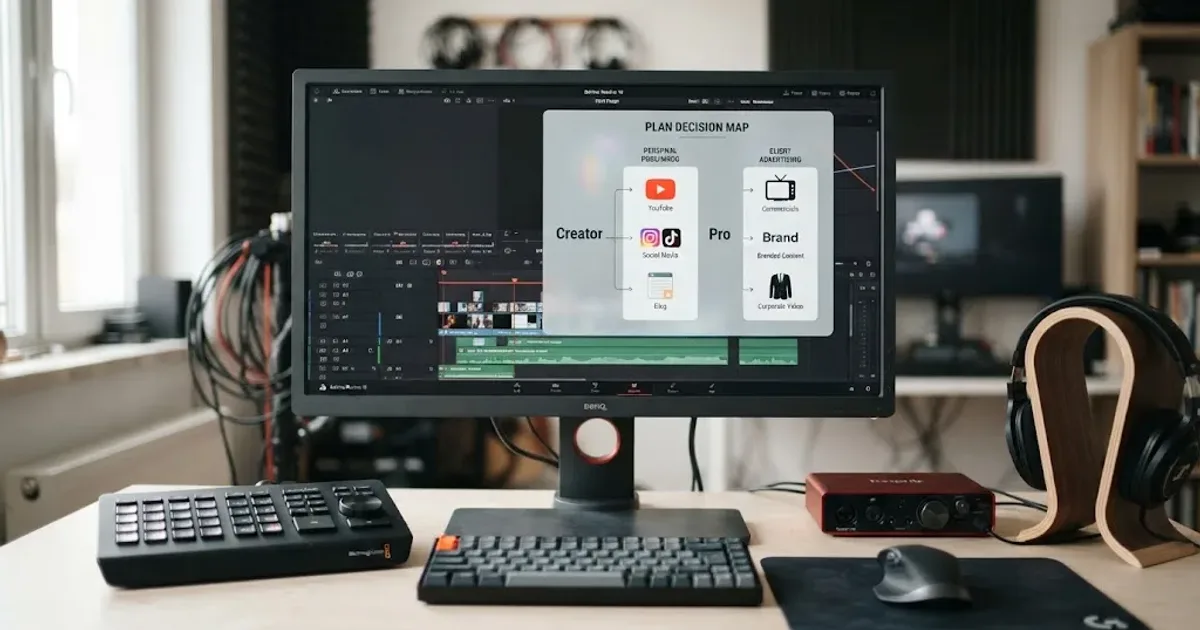
Epidemic Sound Creator vs Pro for DaVinci Resolve
Epidemic Sound Creator vs Pro for DaVinci Resolve: choose the right plan for personal channels, client work, ads, and Resolve Studio.
Comparisons · Aug 24, 2026 · 40 min
Epidemic Sound vs Artlist for DaVinci Resolve (2026)
Epidemic Sound vs Artlist for DaVinci Resolve 21: compare plugins, music, SFX, licensing, templates, pricing, and the right plan for your edit.

Guides · Aug 24, 2026 · 44 min
Can I Use Epidemic Sound Music After Cancelling?
Can you keep using Epidemic Sound music after cancelling? Here is the 2026 answer for DaVinci Resolve 21 projects, uploads, clients, and alternatives.