Articles / Guidesupdated for DaVinci Resolve 21 and current music licensing pages (September 2026)
How to Choose a Music Library for Multiple YouTube Channels
Quick answer
How to choose a music library for multiple YouTube channels: compare channel safelisting, commercial rights, post-cancellation coverage, team access, and workflow before catalog size. For a small personal network, choose a plan covering every monetized channel; for client or business channels, use a professional or business license with written coverage.
When a network grows from one YouTube channel to three, the music problem changes. You're no longer choosing a nice track. You're buying permission, records, and a workflow that survives the next upload.
We run a 100,000+ member professional video-editing community and have spent 7+ years editing commercial video, so this is the question we'd put first: can every channel publish the track under the same account and plan?
As of September 2026, DaVinci Resolve 21 is the current version in Blackmagic Design's official documentation. The answer below applies to Resolve 21, but the licensing decision belongs to the music provider, not the editor. Blackmagic Design's Resolve 21 guide is the version reference.
How do I choose a music library for multiple YouTube channels?
Choose the library by license coverage first, then by workflow, search, and catalog. A library is a good fit only when its plan covers every channel and publishing use you actually have.
Start with five counts:
- How many YouTube channels will publish the music?
- Who owns each channel: you, your company, a client, or another creator?
- Which channels are monetized now, or likely to be monetized later?
- Will the music appear in paid ads, branded content, podcasts, websites, or broadcasts?
- How many people need to download, edit, or manage the assets?
That list is more useful than a vague question such as “Which library has the most songs?” A large catalog doesn't fix a plan that covers one personal channel when you run four monetized channels.
YouTube automatically scans uploads against files submitted by copyright owners. When Content ID finds a match, the owner can choose to monetize the video, block it, or track its viewership. A valid license changes your rights, but it doesn't make the scanning system disappear. YouTube explains the Content ID process here.
Then separate the creative test from the rights test. Play ten representative tracks against real edits in Resolve 21. Ask whether you can find a usable cue quickly, whether the edit needs stems or alternate versions, and whether the library supplies the sound effects your channels use. Treat those as workflow questions. Treat channel counts, client rights, safelisting, and cancellation as contract questions.
The best music library for multiple YouTube channels is the one whose license names your channels, publishing model, and team.
Why is one channel license not enough for a channel network?
One channel license is not enough because each additional channel can create a separate clearance, monetization, ownership, or client-rights problem. A plan's phrase “social use” does not automatically mean unlimited monetized YouTube channels.
Disclosure: this post may earn a commission if you subscribe through the Epidemic Sound link below. That relationship does not change the comparison or the license cautions.
For example, the current Epidemic Sound comparison page lists monetization for 1 channel per platform on Creator, 3 on Pro, and 5 on Pro Plus. Its licensing options also distinguish creator, professional, business, and enterprise use. Read the live plan comparison before paying because names, limits, and regional prices can change. The current Epidemic Sound plan page is available here.
Soundstripe's current comparison lists 1 YouTube channel on its Personal tier, 5 channels plus unlimited codes on Pro, up to 5 channels on Business, and custom coverage for Enterprise. The same page distinguishes individual commercial use from organization-wide coverage. See Soundstripe's current plan comparison.
Artlist's Social license covers unlimited videos on one channel for each listed social platform, including YouTube. Its Pro license is aimed at professional, commercial, and client-based projects. That makes Social a poor match for a creator operating two separate monetized channels, even if both channels belong to the same person. Artlist documents the distinction between Social and Pro.
Motion Array takes a different approach in its public help documentation. It says videos made with its assets can be published on any number of channels worldwide while the subscriber has an active subscription when publishing. That can be attractive for a genuine multi-channel workflow, but you still need to match the account type to the people and organization using it. Motion Array's unlimited-channel explanation is the useful source to save with your buying notes.
The practical rule is simple: count channels, not logins. A single Google account can manage several YouTube channels, but that account structure doesn't override the music provider's license.
What should I check before I pay for a music library?
Before you pay, check six lines in the plan terms: channel count, monetization, commercial use, safelisting, cancellation, and user access. If a plan page doesn't answer one of them, ask support for a written answer and keep it with your purchase record.
| Decision criterion | What to ask | Why it matters for several channels |
|---|---|---|
| Channel coverage | How many YouTube channels can be monetized? | A download limit is not a channel limit. You need the latter. |
| Ownership | Does the plan cover personal, company, client, or third-party channels? | A client channel may need a professional, business, or code-based workflow. |
| Safelisting | Do I connect each channel before publishing? | Content ID needs a rights signal, and the steps differ by provider. |
| Commercial use | Are paid ads, branded videos, podcasts, and websites included? | “YouTube use” can be narrower than your actual business. |
| Cancellation | What happens to old videos and new uploads after expiry? | A subscription can protect published work without covering future work. |
| Team access | Can editors share an account, or do they need seats? | Shared credentials can create an ownership and audit problem. |
| Project records | Can I download a license or usage certificate? | A record makes a future claim easier to explain or dispute. |
| Resolve workflow | Is there a supported Resolve integration, and is Studio required? | A fast workflow is useful only if your edition supports it. |
Don't accept “royalty-free” as the whole answer. In ordinary use, it describes a licensing model in which you don't negotiate a new royalty payment for every use under the stated terms. It does not mean unrestricted reuse, ownership of the recording, or permission to publish on every channel.
YouTube itself lists permission, Creative Commons terms, the Audio Library, and Creator Music as routes for using music, but says none guarantees that you will avoid every copyright issue. Its current Creator Music help page also says paid licenses are being phased out from August 2026, with the service focusing on no-cost and revenue-sharing tracks. Check YouTube's current copyright guidance and Creator Music's current status.
Channel safelisting is a rights workflow, not a substitute for reading the plan terms.
Which license model fits a multi-channel YouTube business?
The right license model depends on how often you publish and who benefits from the videos. Use a recurring subscription for steady output across covered channels; use single-track licensing for occasional, fixed projects; use a business or enterprise agreement when the organization itself needs coverage.
When does a subscription make sense?
A subscription makes sense when you release regularly and want a repeatable library of music and sound effects. It also makes sense when search, stems, versions, and safelisting matter every week, not just once.
Epidemic Sound's current public plan information describes unlimited music and sound-effect downloads within the applicable license, plus channel safelisting and different creator, professional, and business use cases. Its licensing-options page says the Creator plan covers a set of personal channels, Pro covers 3 channels per platform, and a single-track license covers up to 10 published links. Treat those limits as plan-specific, not universal promises. Use the current Epidemic Sound licensing information before checkout.
When does a single-track license make sense?
Single-track licensing makes sense when you need one track for one defined video or campaign and don't want a recurring subscription. It is also useful when a client needs a clear, project-specific document rather than access to your whole account.
Soundstripe currently lists Personal single-use licenses from $49, Digital from $199, and Expanded from $399, with scope increasing by distribution use. Its terms say that single-use licenses grant perpetual rights for selected tracks in individual projects, while new projects after a subscription ends need a reactivated subscription or a new license. Read the current Soundstripe single-use explanation.
When do you need a business or enterprise plan?
You need business or enterprise coverage when a company, agency, client roster, paid-media campaign, broadcast outlet, or large team is the real user. The important distinction is not whether you call yourself a creator. It is who is publishing, who owns the channel, and where the finished video will appear.
Motion Array says its team plans support 2 to 7 members for eligible smaller organizations, while Soundstripe describes Enterprise coverage for brands, agencies, media companies, and national or global audiences. Compare the organization rules rather than assuming a personal plan scales with you. Motion Array's plan guide and Soundstripe's plan page state the current positioning.
How do Epidemic Sound, Artlist, Motion Array, and Soundstripe compare?
Epidemic Sound is the most natural first look for an audio-first channel network, but it isn't automatically the best answer. Artlist wins when you also need footage and templates, Motion Array wins when unlimited-channel publishing and a broad production catalog matter, and Soundstripe wins when channel clearance and single-use licenses need to coexist.
| Library | Multi-channel signal | Where it fits | Where another option may win |
|---|---|---|---|
| Epidemic Sound | Current public comparison lists 1, 3, or 5 monetized channels per platform across listed tiers. | Frequent music and SFX users who want search, stems, safelisting, and an audio-centered workflow. | A larger network may need a higher tier, custom terms, or a provider with broader channel coverage. |
| Artlist | Social covers one channel per platform; Pro expands to professional, commercial, and client work. | Teams that want music and SFX beside footage, templates, LUTs, or plugins. | It is less attractive if you only need audio or if you need several personal channels under Social. |
| Motion Array | Public help says there is no channel or audience limit for published videos while the active subscription covers the publication. | Creators who need music, SFX, footage, templates, graphics, and plugins in one catalog. | Organization size and business use still need the right account and custom terms. |
| Soundstripe | Current comparison lists 1 Personal channel, 5 Pro channels plus unlimited codes, and custom Enterprise coverage. | Freelancers and teams that want channel clearance, stems, and single-use alternatives. | A music-only buyer may prefer an audio-first service, while a footage-heavy buyer may prefer Motion Array or Artlist. |
Those rows compare public plan structures, not the sound of the catalogs. We have not run a controlled audit of search quality, track quality, plugin stability, or claim resolution across all four services, so I won't rank them on those points.
For a buyer who wants the narrowest audio workflow, start with channel coverage and commercial scope. If you also need stock footage, titles, transitions, or LUTs, calculate the cost of replacing several separate subscriptions.
Is Epidemic Sound the best fit for multiple YouTube channels?
Epidemic Sound is a strong fit when you publish often, want music and sound effects in one service, and can choose a tier that covers every channel. It is not the best fit when you need unlimited personal channels on a low tier, publish new work after cancellation, or rely on the free edition of DaVinci Resolve for an integrated plugin workflow.
Recommendation: Epidemic Sound is worth considering if you want an audio-first recurring workflow and its current plan covers every channel, owner, and publishing use you have.
The useful part for a Resolve editor is the combination of music, sound effects, stems, downloads, safelisting, and an official DaVinci Resolve Studio integration. The limitation matters just as much: the integration requires paid Resolve Studio, and the provider's documentation says the Mac App Store build of Resolve Studio does not support the required Workflow Integrations. Manual download and import remains a valid choice if you use Resolve Free or that Mac App Store build. The Epidemic Sound article on whether it works with Free DaVinci Resolve covers that boundary in more detail.
Don't buy the Pro tier merely because it has a bigger number. Buy it when your channel count, client work, ads, or team workflow requires it. Two personal channels need more than a one-channel tier; six company-owned channels need written business coverage.
Why do post-cancellation rules change the buying decision?
Post-cancellation rules matter because “I downloaded the song” and “I can publish a new video with the song” are different questions. A good library tells you what happens to published videos, new uploads, re-edits, and channels added after expiry.
Epidemic Sound says correctly published and safelisted content released during an active subscription remains cleared after cancellation, while new content cannot be posted with its music after the subscription expires. Artlist similarly says assets can be used in projects published while the subscription is active, while its Clearlist cannot be updated for new channels after expiry. Soundstripe says you cannot use its subscription content in new projects after cancellation, while eligible single-use licenses cover the selected project. The current Epidemic Sound plan information, Artlist's license explanation, and Soundstripe's comparison document these differences.
Write a cancellation note into your production checklist:
- Stop downloading new music after the end date unless the license says otherwise.
- Publish final versions of covered projects while the license is active.
- Confirm every channel or video is safelisted before publishing.
- Save the invoice, asset page, license document, and publication date.
- If a future re-edit changes the project materially, check whether it counts as new use.

A low monthly price becomes expensive when every second channel needs a separate license.
How do I build a safe music workflow in DaVinci Resolve 21?
Build the workflow around a project folder, a license record, and a repeatable Fairlight mix. Resolve 21 can help you place and shape the audio, but it cannot give you permission to publish a song.
Blackmagic Design describes Fairlight as integrated with picture editing and says DaVinci Resolve can access external sound libraries from the Fairlight audio page, audition sounds, and sync a selected waveform to the playhead. That makes Resolve 21 a practical home for multi-channel audio work, whether your library has a plugin or you import files manually. Blackmagic's Fairlight page documents the workflow.
Use this five-step procedure for every channel network:
- Create a music register. Record provider, track title, artist, asset ID, download date, plan, channel, and project.
- Safelist before upload. Connect the exact YouTube channel or video required by the provider. Do not assume the account owner has done it for you.
- Import into a named Resolve bin. Use bins such as
Music - Channel A - 2026and keep the downloaded file with the project media. - Mix for speech. Put the music on its own Fairlight track, automate the level under dialogue, and check the whole timeline before export.
- Archive proof. Store the license or download record next to the final export and the project archive.
For recurring videos, make a Resolve template with a music track, a dialogue track, and a dedicated SFX track. Use the best music library with stems for video editing if stems are central to your decisions, and use music licensing for freelance video editors when client ownership or delivery is the harder problem.

What are the common mistakes when choosing a library?
The common mistakes are counting downloads instead of channels, confusing a claim with a strike, skipping safelisting, and treating cancellation as a minor billing detail. Each mistake creates avoidable work across every channel.
Mistake 2: treating a Content ID claim as proof that the music is forbidden
A Content ID claim means the system found a match and the rights holder applied a policy. YouTube says that policy may monetize, block, or track the video. A claim is not the same as a copyright strike, but a licensed creator still needs to follow the provider's clearing or dispute process. YouTube's copyright guidance explains the distinction and the limits of its own protection.
Mistake 3: assuming credit fixes permission
Giving credit is not the same as receiving permission. YouTube's copyright help lists crediting the owner as a common myth and says that owning a copy of a song doesn't give you the right to upload or distribute it. Keep the license record instead.
Mistake 4: using a personal plan for client channels
A personal creator plan may cover your channel and still exclude a client's channel, a brand account, paid advertising, or an agency's team. Artlist explicitly says its Social license does not cover commercial or client work, while Motion Array says freelancers can use assets in client work under its stated conditions. Check the provider whose terms you intend to use. Artlist's plan explanation and Motion Array's client-use guidance show why the answer varies.
What does YouTube's copyright system mean for a music-library buyer?
YouTube's copyright system means you should plan for both legal permission and platform administration. The library's license is the permission layer; safelisting, codes, and disputes are the administration layer.
Former YouTube CEO Susan Wojcicki wrote about the need to manage rights at platform scale: “We believe Content ID provides the best solution for managing rights on a global scale.” The original YouTube post attributes that statement to her.
The quote is useful because it frames the real problem. Content ID is not a quality score for your music library. It is a rights-management system. A library that explains how it works with Content ID is more useful to a multi-channel operator than a library that only promises “no copyright worries.”
Before each upload, ask:
- Is this exact channel covered by the plan?
- Is the video monetized, branded, paid, or client-owned?
- Was the track downloaded while the subscription was active?
- Is the channel or video safelisted?
- Do I have a license record if the platform asks for proof?
If the answer to any line is unclear, pause the upload. Resolve the rights question before you spend time disputing a preventable claim.
Resolve 21 can place licensed music in the timeline, but it cannot grant you permission to publish that music.
Which music library should you choose?
Choose Epidemic Sound when you are an audio-first creator publishing regularly and its current channel and commercial limits fit your network. Choose Motion Array when broad production assets and its public unlimited-channel position matter more. Choose Soundstripe when you want several clearance paths, including single-use licenses. Choose Artlist when music is part of a wider stock-footage and template subscription.
For a two-channel personal network, compare the exact one-channel and three-channel tiers first. For a four- or five-channel network, compare the total cost of a higher tier against providers that publish broader channel terms. For client channels or paid ads, skip the personal tier and read the professional or business license.
The buying process can be short:
- List every channel and publishing use.
- Remove plans that fail the channel or ownership test.
- Remove plans that fail the cancellation test.
- Test the search and Resolve workflow on a real edit.
- Pick the smallest plan that covers the whole network, then keep a license register.
For a small channel network, predictable clearance beats the largest catalog.
Don't choose the library with the loudest promise. Choose the one whose terms still make sense when channel three becomes channel six, another editor joins, or a client asks for proof.

Frequently asked questions
- How many YouTube channels should a music library plan cover?
- It should cover every channel that will publish or monetize the library's music. Count channels per platform, then check whether client, brand, paid-ad, or team use needs a higher license.
- Is a music subscription better than buying single tracks?
- A subscription usually fits frequent publishing across several channels. Single-track licensing can be better for an occasional upload, a fixed project, or a track you need to keep covered after a subscription ends.
- Can I use a music library after I cancel?
- Only according to that library's license. Some services keep qualifying projects published during an active subscription cleared, but stop covering new projects after cancellation.
- Does DaVinci Resolve 21 license the music I put on a timeline?
- No. DaVinci Resolve 21 edits and mixes the file, but the music library or rights holder controls the permission to publish it.
Sources
- YouTube: How Content ID works
- YouTube: Copyright on YouTube
- Susan Wojcicki: The potential unintended consequences of Article 13
- Blackmagic Design: DaVinci Resolve 21 New Features Guide
- Blackmagic Design: Fairlight audio post production
- Epidemic Sound: pricing and licensing
- Epidemic Sound: channel safelisting and licensing options
- Artlist: Music and SFX plans explained
- Artlist: Understanding the license
- Motion Array: Does the license cover unlimited channels?
- Motion Array: Plans explained
- Soundstripe: pricing and licensing
- Soundstripe: single-use licenses
Keep reading

Guides · Aug 24, 2026 · 8 min
Music Licensing for Freelance Video Editors: Client Rights
Practical music licensing for freelance video editors, covering client handoffs, safelisting, platform rights, cancellation, and DaVinci Resolve 21.

Guides · Sep 8, 2026 · 15 min
Best Music Library With Stems for Video Editing
Compare music libraries with stems for DaVinci Resolve 21, including workflow, licensing, pricing, and cancellation rules.
Guides · Aug 26, 2026 · 8 min
Does Epidemic Sound Work With Free DaVinci Resolve?
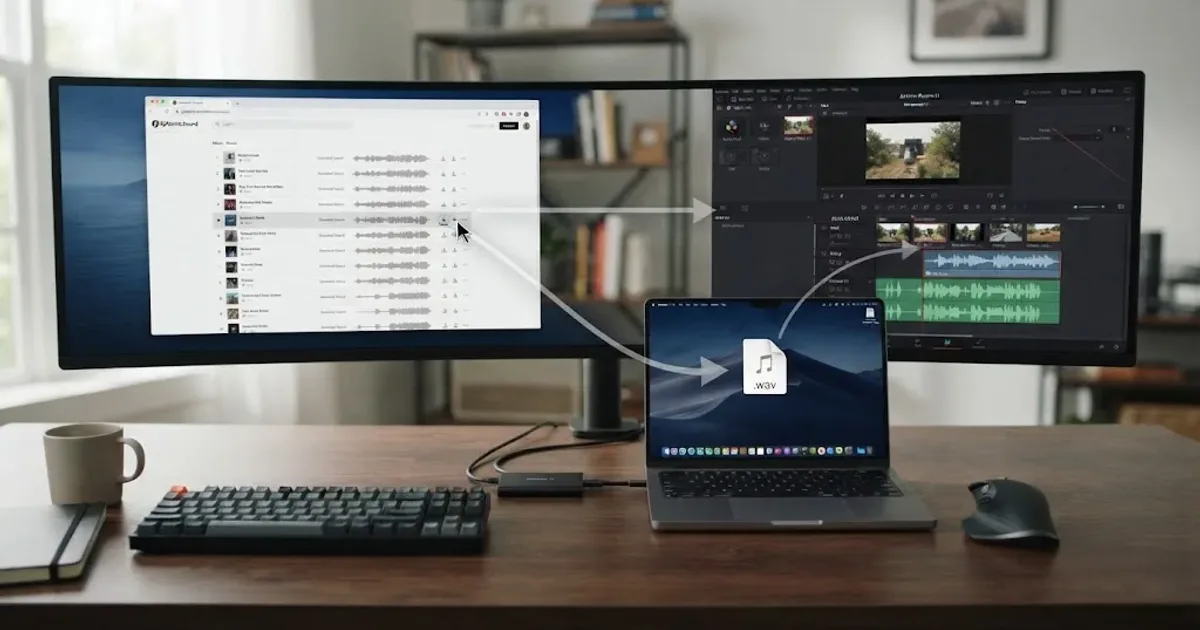
Yes, but only through manual audio imports. The Epidemic Sound plugin requires DaVinci Resolve Studio. Here is the free Resolve 21 workflow.