Articles / Guidesupdated for DaVinci Resolve 21.0.2 (July 2026)
Is a Used Mac Studio Good for DaVinci Resolve in 2026?
Quick answer
Yes, if it's an M1 Max or newer with at least 32GB of unified memory. Every Mac Studio ever made runs Apple Silicon, so DaVinci Resolve 21's June 2026 Intel Mac cutoff doesn't disqualify any used unit. Skip base M1 Max under 32GB for real 4K work; M1 Ultra or M2 Max/Ultra add real headroom for multicam, RAW, and Fusion.
I keep seeing the same listing, in the same three places: a used Mac Studio, priced a thousand dollars under Apple's current lineup, next to a comment thread arguing about whether it's still worth buying now that Resolve 21 changed the rules on Macs. The comments never agree with each other. Half say buy it, it's Apple Silicon, it'll outlast the warranty on a new machine. Half say wait, the chip's three generations old, don't waste the money.
Both sides are half right, and that's the actual answer this guide exists to unpack. We've spent 7+ years cutting professional, commercial video in Resolve and run a 100,000+ member video-editing community where a version of this exact question shows up every time someone mentions buying used Apple hardware. A used Mac Studio's chip generation matters far less than most of those comment threads assume. Its unified memory and GPU core count matter far more, and neither of those show up in a listing's headline the way "M1" or "M2" does.
What is a Mac Studio, and which chip generations exist?
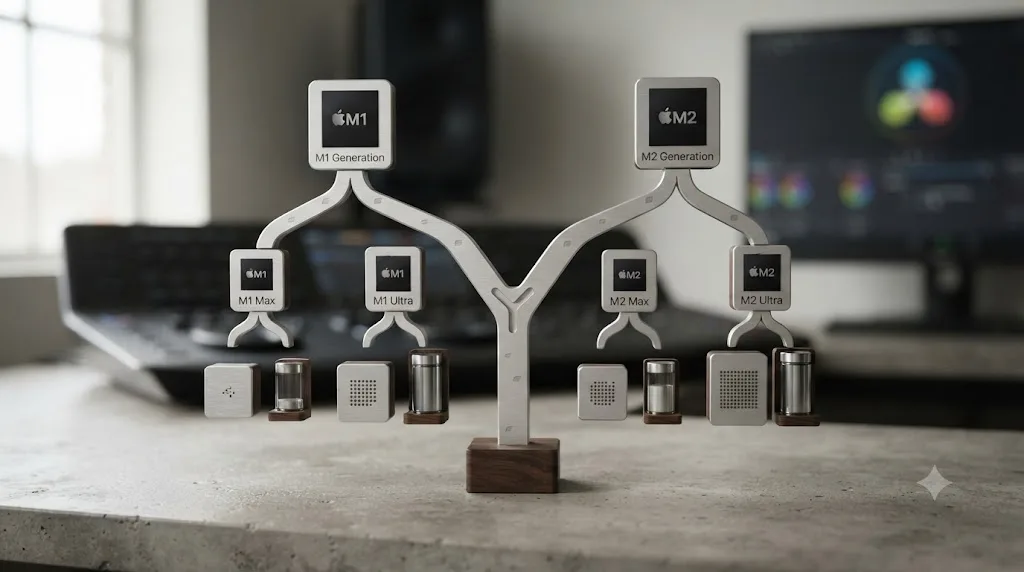
The Mac Studio is Apple's compact desktop workstation, sold since March 2022 as a step up from the Mac mini and a step down from the Mac Pro tower, aimed specifically at creative professionals running demanding GPU work. Apple has released exactly three Mac Studio generations, and every single one shipped with Apple Silicon, never Intel, according to Apple's own model identification guide.
| Generation | Released | Chip options |
|---|---|---|
| Mac Studio (2022) | March 2022 | M1 Max, M1 Ultra |
| Mac Studio (2023) | June 2023 | M2 Max, M2 Ultra |
| Mac Studio (2025) | March 2025 | M4 Max, M3 Ultra |
Source: Apple's Mac Studio model identification guide.
Notice what's missing. There's no M3 Max Mac Studio and no M4 Ultra Mac Studio anywhere in that table, because Apple's 2025 refresh paired the newer M4 Max with the previous generation's Ultra chip, M3 Ultra, rather than releasing a full matched M4 pair. If you're shopping used listings and see someone claiming an "M3 Max Mac Studio" or an "M4 Ultra Mac Studio," that configuration was never sold; it's either a listing error or a seller who doesn't actually know what they have.
Every Mac Studio Apple has ever built runs Apple Silicon, so there's no Intel Mac Studio trap waiting in a used listing the way there is with an old Mac mini or MacBook Pro. That single fact does most of the work in answering whether a used Mac Studio is safe to buy for DaVinci Resolve 21 in 2026, and it's worth understanding exactly why before this guide gets into which generation and configuration actually make sense for your budget.
Is a used Mac Studio good for DaVinci Resolve in 2026?
Yes, for the large majority of editing and color work, provided the specific unit clears a real unified memory floor rather than Apple's bare minimum. A used Mac Studio, at any chip generation from M1 Max through M3 Ultra, decodes H.264, HEVC, and ProRes in dedicated hardware, runs DaVinci Resolve 21 without compatibility issues, and updates to the current macOS release without hitting a wall the way an Intel Mac now does.
Where "good" stops being a blanket yes is the same place it stops being a blanket yes on any Apple Silicon Mac this site has reviewed: multicam timelines, RAW debayering, Magic Mask tracking across complex shots, and heavy Fusion compositing. Those workloads scale with GPU core count, not chip generation label, which means a used M1 Ultra with 48 or 64 GPU cores can comfortably out-edit a brand-new base machine with fewer cores, the identical pattern this site's Mac mini M4 review and M5 MacBook Pro review both documented on timed benchmarks.
| Your typical project | Used Mac Studio verdict |
|---|---|
| Single-camera 4K H.264/H.265, standard grade | Comfortable on any generation, including base M1 Max |
| YouTube or social content, light effects | Comfortable on any generation |
| Two to three-camera 4K multicam | Workable on M1 Max; comfortable on M1 Ultra or newer |
| Heavy Blackmagic RAW or R3D at full resolution | M1 Ultra or M2 Max minimum; M2 Ultra or newer is safer |
| Complex Fusion comps, many nodes | M1 Ultra or M2 Ultra recommended; base M1 Max will ask for patience |
| Magic Mask on multiple subjects per shot | Faster on Ultra-tier chips at any generation |
| Multi-stream HDR delivery | M2 Ultra, M4 Max, or M3 Ultra; older base chips queue jobs instead of running them in parallel |
A used Mac Studio's chip generation tells you almost nothing about how it'll actually perform in DaVinci Resolve; its GPU core count and unified memory do the real predicting. That single reframe is the difference between buying a used M1 Ultra with 64 GPU cores for less than a new base machine with a tenth of that, or overpaying for a "newer" chip that's actually slower on the exact tasks you run every week.
Why did DaVinci Resolve 21 drop Intel Mac support, and does it affect the Mac Studio?
DaVinci Resolve 21 requires an Apple Silicon Mac running macOS 15 Sequoia or later, and it dropped Intel Mac support entirely when it became the stable release on June 2, 2026, according to Newsshooter's coverage of the final release. It doesn't affect a used Mac Studio purchase at all, because Apple never built an Intel Mac Studio for Resolve 21 to lock out.
This is worth spelling out plainly, because the news itself is a legitimate reason to be careful shopping used Apple desktops right now. If you're on any Intel Mac, including a maxed-out Intel Mac Pro tower, DaVinci Resolve Club's summary of the requirement confirms Resolve 20 is the last version Blackmagic Design will ever update for that hardware, and it only supports macOS 14 Sonoma and earlier. That's a real deadline for anyone still running an Intel Mac Pro, iMac Pro, or Intel MacBook Pro they're hoping to keep using for new Resolve features.
Where that deadline genuinely matters for used-hardware shoppers is the Mac mini, iMac, MacBook Pro, and Mac Pro lines, all of which sold Intel configurations for years before Apple's silicon transition completed. A used Mac mini listed simply as "Mac mini, 2019" without a chip specified could be Intel; a Mac Studio listed the same way cannot be, since the product didn't exist before March 2022, well after Apple had moved its entire consumer lineup to its own chips.
DaVinci Resolve 21's Intel Mac cutoff is real news worth knowing before you buy any used Apple desktop in 2026, but it's a non-event for the Mac Studio specifically, since the product line launched two years after Apple's own Intel transition ended for consumer Macs. That's the strongest, simplest reason a used Mac Studio is a safer used-Apple-desktop bet right now than a used Mac mini or iMac from the wrong year.
Which used Mac Studio generation should you buy: M1, M2, or M4 Max/M3 Ultra?
There isn't a single right generation, because the honest answer depends on GPU cores per dollar, not release year, the same principle Larry Jordan has documented across every Apple Silicon generation this site has reviewed. Here's the full spec and pricing history in one place, since no single source lists all three generations side by side.
| Generation | Chip | Base GPU cores | Max GPU cores | Base unified memory | Current max memory | Memory bandwidth | Original launch price (base) |
|---|---|---|---|---|---|---|---|
| 2022 | M1 Max | 24-core | 32-core | 32GB | 64GB | 400GB/s | $1,999 |
| 2022 | M1 Ultra | 48-core | 64-core | 64GB | 128GB | 800GB/s | $3,999 |
| 2023 | M2 Max | 30-core | 38-core | 32GB | 96GB | 400GB/s | $1,999 |
| 2023 | M2 Ultra | 60-core | 76-core | 64GB | 192GB | 800GB/s | $3,999 |
| 2025 | M4 Max | 32-core | 40-core | 36GB | 64GB (cut from higher in May 2026) | 410-546GB/s | $1,999 |
| 2025 | M3 Ultra | 60-core | 80-core | 96GB | 96GB (cut from 512GB in May 2026) | 819GB/s | $3,999 |
Sources: Apple's Mac Studio technical specifications, Apple's March 2022 Mac Studio announcement, Apple's June 2023 M2 Ultra announcement, and Apple's March 2025 Mac Studio announcement.
A few patterns worth naming out loud, since the table alone doesn't make them obvious:
GPU cores roughly double at each Ultra tier within a generation, and that scaling matters more for Resolve than the chip name does. An M1 Ultra's 48 to 64 GPU cores comfortably beat an M4 Max's 32 to 40 cores on GPU-bound Fusion and RAW debayering work, even though "M4" sounds two generations newer than "M1." This is the exact same finding this site's own benchmarking coverage turned up comparing a two-year-old M3 Max MacBook Pro against a brand-new M4 Pro Mac mini: more GPU cores beat a newer chip generation on Resolve's actual rendering workload, consistently, across every Apple Silicon comparison this site has run.
Memory bandwidth scales with GPU cores too, not just capacity, and that's a second, separate reason an Ultra-tier chip out-processes a Max-tier chip on heavy grading work. An M1 Ultra's 800GB/s bandwidth is double the base M1 Max's 400GB/s, which means data moves between the GPU and unified memory pool twice as fast during a demanding color pass, independent of how much total memory either configuration carries.
Apple's own 2026 memory shortage cut the ceiling on the newest Mac Studio generation, which is a genuinely strange argument in favor of buying used instead of new. As of May 2026, the current M3 Ultra tops out at 96GB of unified memory, down from a 512GB option that existed at launch, and the June 25, 2026 price increase pushed that same 96GB configuration from $3,999 to $5,299, according to Tom's Hardware's coverage of the RAM cuts and MacRumors' reporting on the same shortage. Apple CEO Tim Cook, addressing the shortage directly, said "we expect memory costs will be significantly higher in the months ahead" and that supply constraints on the Mac mini and Mac Studio "may take several months to reach supply demand balance." A used M2 Ultra configured to 192GB, a configuration Apple no longer sells at any price on the current lineup, is a real, tangible example of used hardware temporarily outconfiguring what's currently for sale new.
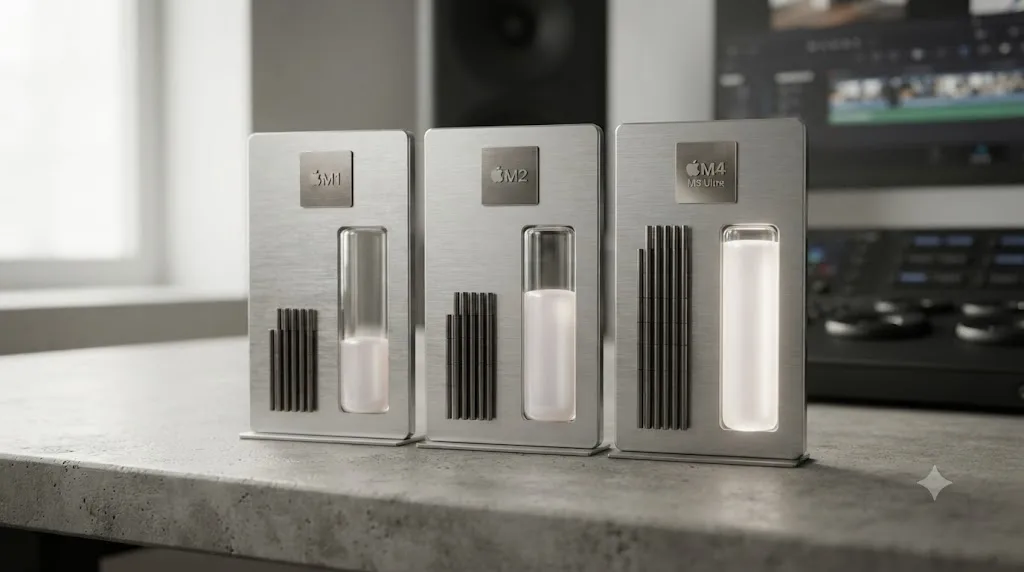
How much unified memory does a used Mac Studio need for DaVinci Resolve?
Treat 32GB as your real floor for single-camera 4K editing with a standard grade, and don't let a used Mac Studio's chip generation talk you out of checking this number specifically. Unified memory means the Mac Studio's CPU and GPU draw from one shared pool, so the memory figure in a listing is also your effective VRAM number, the same architecture every Apple Silicon Mac this site has reviewed shares.
Blackmagic's own stated minimum for DaVinci Resolve is lower than that, per its tech specs page, but that number describes the floor Resolve will launch and run on, not a number that produces a comfortable editing session on a real project. Larry Jordan, benchmarking Apple silicon specifically for video editing, sets a firmer line in his Mac Studio configuration guide: "Video editing requires RAM, but not massive amounts of it," recommending a minimum of 32GB and a practical maximum around 64GB for most editors, adding that "spending money for more RAM than you need would be better spent on high-speed external storage."
| Workload | Realistic unified memory |
|---|---|
| HD editing, light grade, no Fusion | 32GB |
| Single-camera 4K editing, standard grade | 32GB |
| 4K multicam, noise reduction, moderate Fusion | 64GB |
| 6K/8K RAW, heavy Fusion, HDR grading | 96GB or more |
| Multi-layer Fusion compositing, large node trees | 96GB to 192GB (M2 Ultra or M3 Ultra territory) |
Since unified memory can never be upgraded after purchase on any Apple Silicon Mac, a used Mac Studio's memory configuration is fixed the day it was originally built, not the day you buy it secondhand. That makes checking the exact figure in a listing, and confirming it in person or via a screenshot of About This Mac before you pay, more important on a used purchase than on a new one, where the configurator prevents you from accidentally under-ordering.
A used Mac Studio's unified memory is soldered in from the factory, so no amount of chip generation or GPU core count compensates for buying one with too little of it. A used M4 Max with 36GB and a used M1 Ultra with 64GB will feel meaningfully different on a real multicam timeline, and the newer chip won't win that comparison just because it's newer.
Is the M1 Max Mac Studio still good enough for DaVinci Resolve in 2026?
For a specific, common kind of project, yes, without much hedging. If you're cutting single-camera 4K footage, applying a normal color grade, and exporting to H.264 or H.265 for the web, a base M1 Max Mac Studio handles all of it in real time, the same hardware media engine every later Mac Studio chip carries forward unchanged.
Larry Jordan's original 2022 configuration guide, written when the M1 Max Mac Studio was brand new, is unusually direct about where its ceiling sits, and that ceiling hasn't moved since, because nothing about the chip itself has changed in the years since. "The M1 Max is not one bit slower this week than last week," he wrote, framing chip aging as a marketing narrative rather than a technical reality. His buying advice for anyone on a tight budget still holds: "If money is limited, the M1 Max will do you proud."
Where the base M1 Max genuinely shows its age isn't decode speed, it's GPU-bound compute: Magic Mask tracking across complex shots, RAW debayering at high resolution, and Fusion comps with real node depth. Those are exactly the workloads where the M1 Ultra's doubled GPU core count, covered next, buys real, felt speed the base M1 Max's 24 to 32 cores can't match.
| Your typical project | Base M1 Max verdict |
|---|---|
| Single-camera 4K H.264/H.265, standard grade | Comfortable, real-time playback |
| YouTube or social content, light effects | Comfortable |
| Two-camera 4K multicam | Workable, may benefit from Optimized Media |
| Heavy Blackmagic RAW or R3D at full resolution | Workable but slower; Ultra tier is a real upgrade here |
| Complex Fusion comps, many nodes | Frequently the point where the base chip asks for patience |
| Magic Mask on multiple subjects per shot | Usable, noticeably faster on Ultra-tier chips |
Source: Larry Jordan's configuration guide for a new Mac Studio.
A four-year-old base M1 Max Mac Studio decodes the exact same H.264, HEVC, and ProRes footage in dedicated hardware as the newest M4 Max, because Apple's media engine hasn't needed to change for those codecs since 2022. That's the single fact that makes an M1 Max Mac Studio a legitimate used buy in 2026 for anyone whose actual footage is single-camera 4K, regardless of how many chip generations have shipped since.
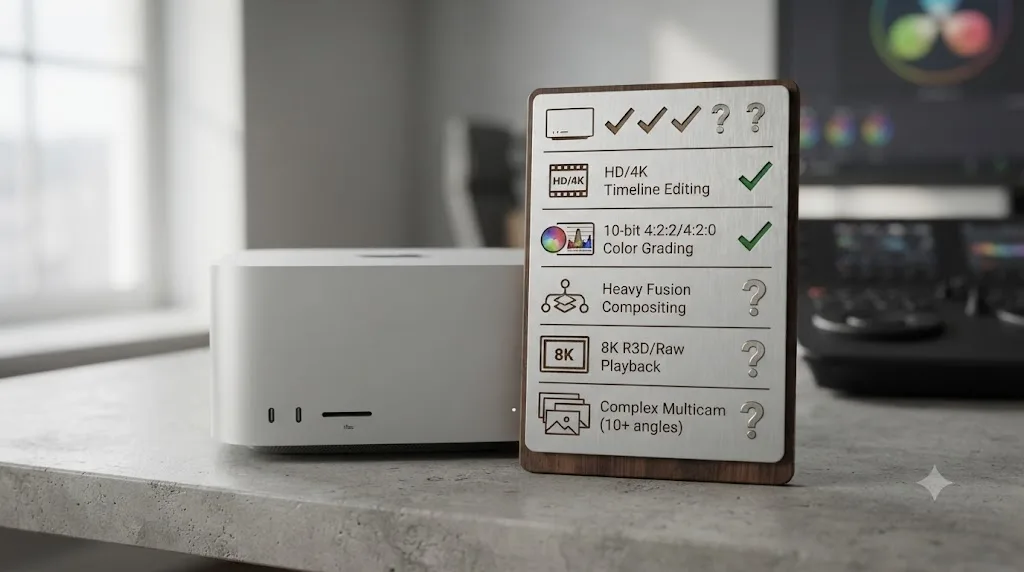
Is the M1 Ultra worth paying more for than the M1 Max, used?
Yes, specifically if multicam, RAW, Magic Mask, or Fusion shows up in your regular project mix, and no, if your typical timeline is a single-camera cut with a standard grade. The M1 Ultra isn't a faster version of the M1 Max in the way a newer chip generation usually implies speed; it's a genuinely different piece of silicon, built from two M1 Max dies fused together with Apple's UltraFusion interconnect, doubling GPU cores, CPU cores, and memory bandwidth all at once.
Jordan's own framing from the same 2022 guide captures the actual value proposition honestly, without oversell: the M1 Ultra "adds a bit more of everything and includes bragging rights," language that's refreshingly candid for a configuration guide written to help people spend money wisely. His GPU core guidance for the Ultra tier specifically recommends a minimum of 32 cores, noting "24 is perfectly OK" for lighter work, and a practical maximum around 48 cores, adding that "there's a point where the increase in speed doesn't really matter, the difference in actual time is not meaningful."
| If you mostly do this | Choose | Because |
|---|---|---|
| Single-camera 4K, standard grade, web delivery | Base M1 Max | The extra GPU cores rarely become the bottleneck on this workload |
| Two to three-camera 4K multicam, occasional noise reduction | M1 Max if budget-constrained, M1 Ultra if it's regular work | Base handles it; Ultra handles it with less waiting |
| Regular Fusion compositing, Magic Mask on multiple subjects | M1 Ultra | GPU core count scales these tools directly |
| Blackmagic RAW or R3D at full resolution, 3+ angles | M1 Ultra, or step up a generation to M2 Ultra | GPU-side debayering is compute-heavy work that scales with core count |
| A tiebreak between similarly priced used listings | The one with more GPU cores | Consistently the better predictor of Resolve performance |
A used M1 Ultra's real advantage over a used M1 Max isn't abstract. Apple's own performance claims, made when the M2 Ultra launched a generation later, put a number on how much headroom Ultra-tier chips carry for exactly this kind of work: colorists using DaVinci Resolve on an M2 Ultra Mac Studio would see up to 50 percent faster video processing compared to the M1 Ultra it replaced, according to Apple's June 2023 M2 Ultra announcement. That's Apple's own vendor claim rather than independent Resolve benchmarking, and it describes the newer Ultra beating the older Ultra, not an Ultra versus a Max within the same generation, but it confirms the Ultra tier is where Apple itself points when it wants to talk about DaVinci Resolve speed specifically, not the Max tier.
Is a used M2 Max or M2 Ultra Mac Studio a better buy than M1?
Often, yes, specifically because the 2023 generation raised memory ceilings without raising launch prices, which makes a used M2-generation Mac Studio a genuinely better dollar-for-dollar configuration than an equivalently priced M1 unit in a lot of real comparisons. Apple sold the M2 Max Mac Studio starting at the same $1,999 the M1 Max launched at, but with a higher maximum unified memory ceiling, 96GB against the M1 Max's 64GB, and the M2 Ultra raised its own ceiling to 192GB against the M1 Ultra's 128GB.
The GPU core counts moved up too, not dramatically, but enough to matter on compute-heavy work: the M2 Max's 30 to 38 GPU cores against the M1 Max's 24 to 32, and the M2 Ultra's 60 to 76 cores against the M1 Ultra's 48 to 64. Apple's own performance claim for the M2 Ultra specifically, the 50 percent faster DaVinci Resolve video processing figure covered in the previous section, is the clearest evidence this site found connecting a specific Mac Studio generation jump directly to Resolve speed rather than a generic benchmark score.
| Comparison | What actually changes | What stays the same |
|---|---|---|
| M1 Max used vs M2 Max used | More GPU cores (up to 38 vs 32), higher memory ceiling (96GB vs 64GB) | Same hardware media engine for H.264/HEVC/ProRes decode |
| M1 Ultra used vs M2 Ultra used | More GPU cores (up to 76 vs 64), higher memory ceiling (192GB vs 128GB), Apple's own 50% Resolve speed claim | Same UltraFusion dual-die architecture |
| M2 Max used vs M2 Ultra used | Doubled GPU cores and memory bandwidth on Ultra | Same launch-year media engine and chip generation |
If a used M1 Ultra and a used M2 Max are priced similarly on the resale market, which happens often since the Ultra tier commanded a real premium new, the honest framing from every configuration guide this review found agrees: prioritize GPU core count over chip generation label. A used M1 Ultra's 48 to 64 cores will still out-process an M2 Max's 30 to 38 cores on Fusion, Magic Mask, and RAW debayering, even though "M2" is the newer chip. This is the same GPU-cores-over-generation pattern this site's Mac mini and MacBook Pro reviews have documented repeatedly, and it holds just as true shopping used Mac Studios.
Should you buy a used M4 Max/M3 Ultra Mac Studio instead of a new one?
Sometimes, and the 2026 memory shortage covered earlier in this guide is the specific reason it's worth asking at all, since it's flipped part of the usual new-versus-used calculation on its head. A used M4 Max or M3 Ultra Mac Studio, bought secondhand from before Apple's May 2026 configuration cuts, can carry a memory configuration Apple no longer sells new at any price on the current lineup.
Karen Haslam, Macworld's managing editor covering the Mac Studio's 2026 buying landscape, is direct about the state of the current new lineup: current availability issues mean "the configuration that looks best on paper may not be the configuration you can actually buy," with delivery delays of 10 to 14 weeks affecting new orders as of her most recent coverage. Her broader advice on timing: wait if "you already own an M1, M2, or newer Mac Studio," or if you're "specifically interested in the upcoming M5 generation," expected around October 2026 according to her dedicated M5 Mac Studio coverage. Buy now, in her framing, if "you need a machine immediately" or "you're upgrading from an Intel Mac."
| Situation | New M4 Max/M3 Ultra (2026 pricing) | Used M4 Max/M3 Ultra (pre-shortage config) |
|---|---|---|
| Need AppleCare and a full warranty | The only option | Limited or expired warranty unless separately covered |
| Want maximum available memory today | 96GB ceiling on both chips as of May 2026 | Some pre-cut used units may carry 128GB, 256GB, or the discontinued 512GB M3 Ultra configuration |
| Budget-sensitive | $2,499 (M4 Max) or $5,299 (M3 Ultra) as of the June 2026 price increase | Meaningfully less, depreciation plus the seller's own urgency to sell before an M5 refresh |
| Need it now, can't wait 10-14 weeks | Long lead times reported as of mid-2026 | Available immediately from resale listings |
Sources: Karen Haslam's Mac Studio buying guide, Macworld and Tom's Hardware's coverage of the Mac Studio RAM cuts.
This is a genuinely unusual situation worth naming plainly: a used, pre-shortage Mac Studio can outconfigure the same chip generation sold new today, because Apple cut its own memory ceiling in May 2026 rather than the used market catching up to new hardware. That inverts the normal logic of buying used, where the new version is always the more capable one on paper. If you specifically need more than 96GB of unified memory for heavy Fusion or multi-stream HDR work, a used pre-cut M3 Ultra configuration is worth searching for before assuming a new purchase is the only path to that ceiling.
What should you check before buying a used Mac Studio?
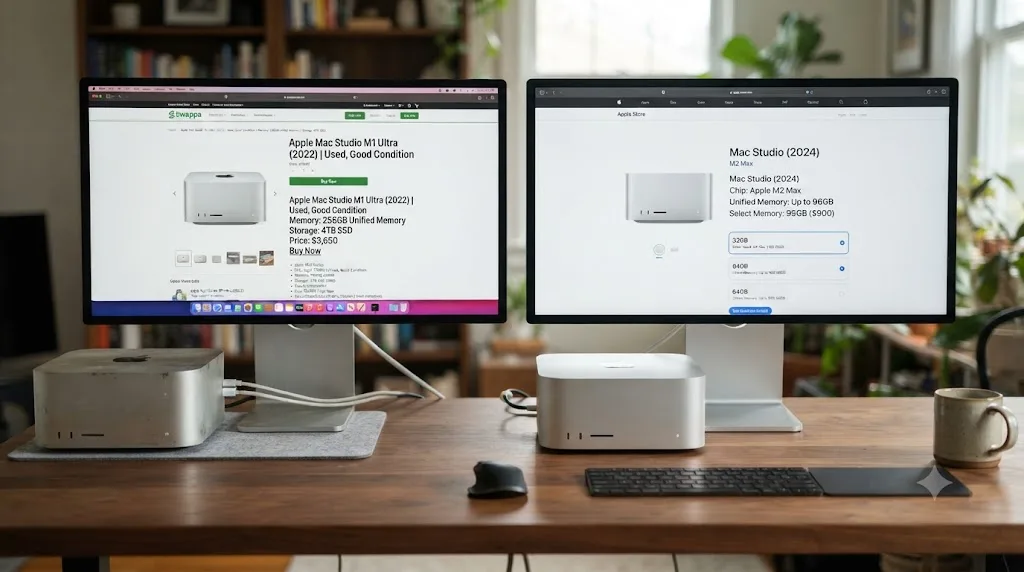
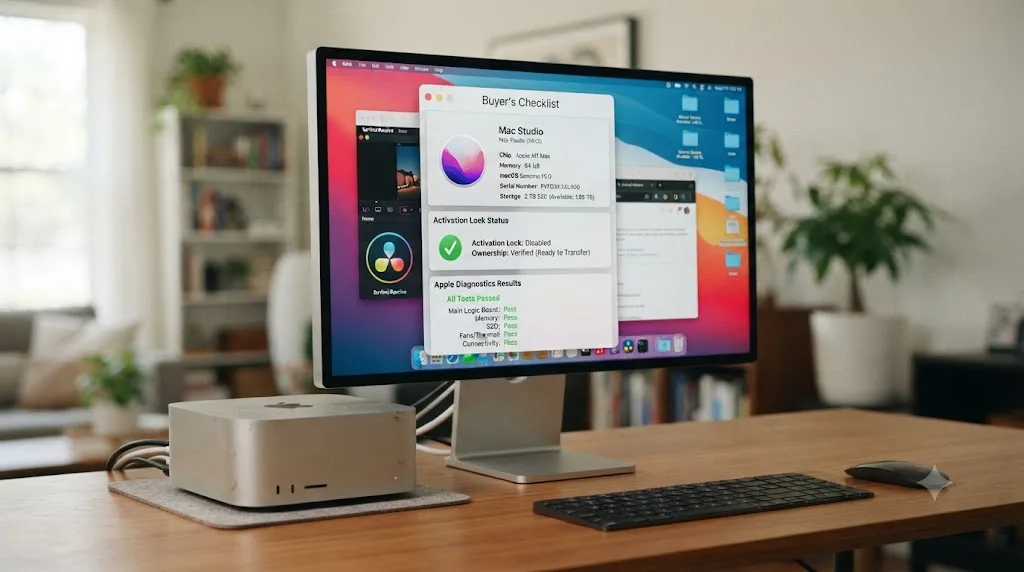
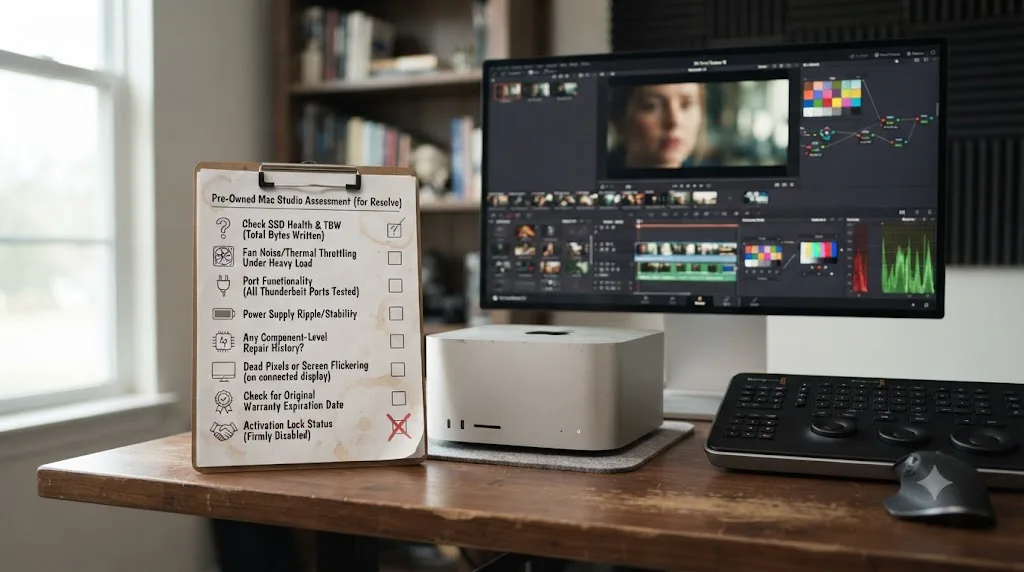
Confirm the exact chip and unified memory in About This Mac before you commit to a listing, since chip names alone don't tell you the GPU core count or memory configuration the way this guide's tables above break them down. This is the single most common way used Mac Studio buyers end up with less machine than they thought they were getting, not a hardware defect, just a mismatch between what the listing implied and what the specific unit actually has.
A practical pre-purchase checklist, in the order that actually matters:
- Ask for a screenshot of About This Mac, not just the listing title. "M1 Max Mac Studio" doesn't say whether it's the 24-core or 32-core GPU configuration, or whether it carries 32GB or the maximum 64GB of memory. The listing title is marketing; About This Mac is the actual spec sheet.
- Check it isn't Activation Locked to the previous owner's Apple ID. This is standard advice for any used Apple hardware, not Resolve-specific, but a Mac Studio locked to someone else's account is functionally a paperweight until they remove it, and sellers occasionally forget this step exists.
- Run Apple Diagnostics before finalizing the purchase, if the seller allows it. Hold the power button at startup and follow the on-screen diagnostic tool; it flags hardware-level problems, including thermal and storage issues, that a quick visual inspection or even a short test session won't reveal.
- Confirm which product you're actually buying. The Mac Studio is a computer. The Studio Display, announced alongside it in March 2022, is a separate 27-inch monitor with no computing power of its own. Both products share "Studio" in their name and launched together, and casual or new sellers occasionally list one while describing the other, or bundle a description that makes it unclear which item is actually for sale.
- Verify the storage capacity matches the listing, not just the memory. Storage and unified memory are two entirely separate numbers on any Apple Silicon Mac, and a seller who's precise about RAM isn't automatically precise about SSD capacity.
- Ask whether any AppleCare coverage is still active and transferable. Not every Mac Studio was purchased with AppleCare, but for units still within the original three-year AppleCare+ window, Apple does support ownership transfer, and it's worth confirming before you pay rather than after.
- Confirm macOS 26 Tahoe compatibility if you want the newest OS, though this one's essentially automatic. Apple's own compatibility list confirms every Mac Studio generation, 2022, 2023, and 2025, runs macOS 26 Tahoe, so this step is more about confirming the seller hasn't done anything unusual to the software than worrying about a real compatibility gap.
None of this checklist is specific to DaVinci Resolve, and that's exactly the point: a used Mac Studio's suitability for Resolve depends entirely on ordinary used-electronics diligence, not on any Resolve-specific compatibility risk, since the hardware and software compatibility questions this guide already answered above are settled. Skip the checklist and you're gambling on the seller's accuracy. Follow it and you've verified the actual machine, not the listing's description of it.
How much should a used Mac Studio cost in 2026?
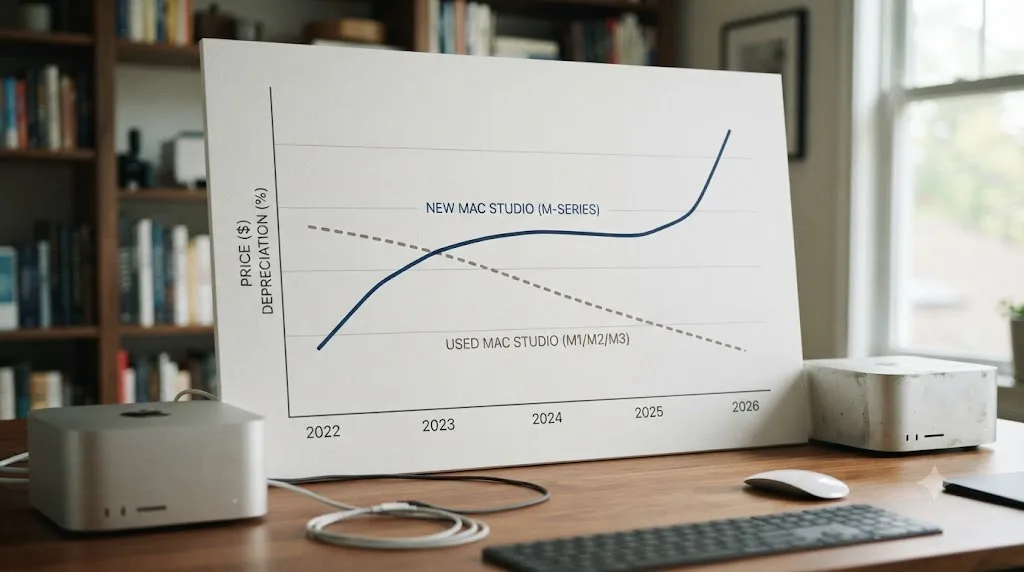
Expect real depreciation from original launch pricing, though exact used prices move constantly with the broader 2026 memory shortage pushing new prices upward, which makes this an area where tracking a live price guide matters more than trusting a fixed number in an article. AppleInsider's Mac Studio price tracker monitors current new pricing across authorized retailers, and its per-configuration pages for older models, including a base M1 Ultra configuration and a higher-tier M2 Ultra configuration, are a more reliable starting point for gauging fair value than any single number this guide could print and have stay accurate.
A few structural facts worth knowing before you negotiate on a used listing:
New Mac Studio prices went up in 2026, which changes the used-versus-new math in the used buyer's favor. The current M4 Max rose from its $1,999 launch price and the M3 Ultra rose from $3,999 to $5,299 as part of Apple's broader June 2026 price increases across Mac and iPad lines, driven by the same memory shortage covered earlier in this guide. A used Mac Studio from an earlier generation, priced against 2022 or 2023 launch figures rather than 2026's inflated ones, is depreciating from a lower starting point than this year's buyers are paying new.
Ultra-tier chips hold value less predictably than Max-tier chips, because their original buyers were disproportionately professionals who used them hard. A used M1 Ultra or M2 Ultra has statistically spent more hours under sustained GPU load than a used base M1 Max bought by a hobbyist, even though nothing about that usage history shows up in a listing photo. This isn't a reason to avoid Ultra-tier used units, since Apple Silicon has no moving parts to wear out the way a spinning hard drive or laptop keyboard does, but it's a reason to weight the diagnostic check in the previous section more heavily on an Ultra-tier purchase than a Max-tier one.
A Mac Studio nearing the end of its product cycle typically sees sellers price to move before a refresh, and that's exactly where the current M4 Max/M3 Ultra generation sits. With an M5 Mac Studio expected around October 2026 according to Macworld's coverage, current-generation owners looking to upgrade are a real source of used-market supply heading into late 2026, worth watching if you're not in a hurry to buy.
Do you need DaVinci Resolve Studio on a used Mac Studio?
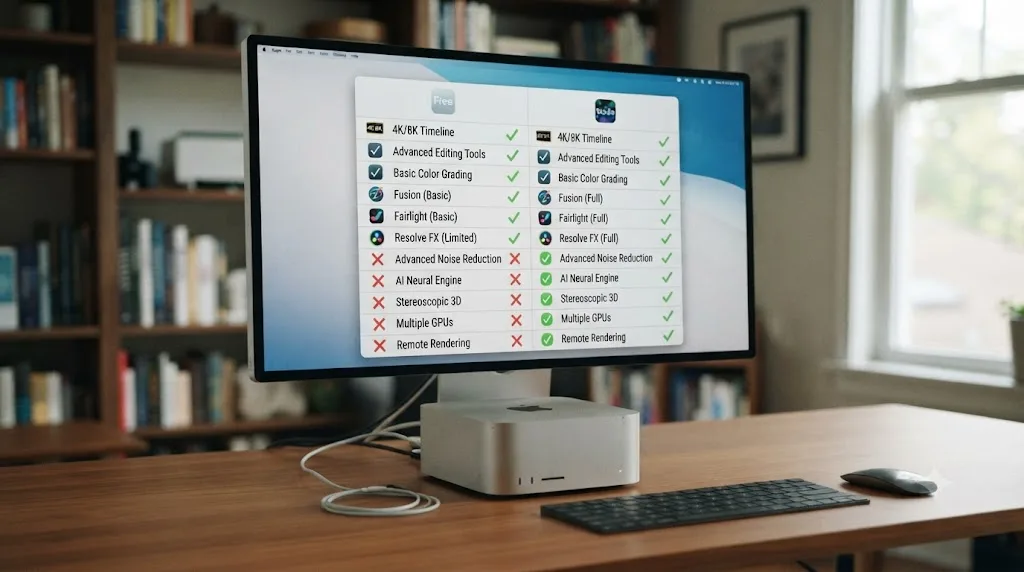
Not for export or playback speed, and this calculation is identical on a used Mac Studio to what this site has already documented on every other Apple Silicon Mac it's reviewed, regardless of chip generation or how many previous owners the machine has had. Every Mac Studio chip, from the base M1 Max through the current M4 Max and M3 Ultra, decodes and encodes H.264, HEVC, and ProRes in dedicated hardware in the free version of Resolve, the same fast path Windows and Linux users have to pay for Studio specifically to unlock.
| Feature | Free version on a used Mac Studio | Studio on a used Mac Studio |
|---|---|---|
| Hardware H.264/H.265 decode and encode | Yes | Yes, no speed difference |
| ProRes hardware decode and encode | Yes | Yes, no speed difference |
| Timeline resolution ceiling | Up to 4K | Unlimited, HD through 8K+ |
| AI noise reduction | No | Yes |
| Magic Mask | No | Yes |
| Voice Isolation | No | Yes |
| Advanced HDR grading tools | No | Yes |
Source: DaVinci Resolve Studio product page and our own free vs Studio pricing breakdown.
The honest framing, regardless of which Mac Studio generation you bought used: buy Studio for the features you'll actually use, Magic Mask, noise reduction, resolutions past 4K, HDR tools, not because you expect it to make a used Mac Studio faster. There usually isn't a speed problem for it to fix on any Apple Silicon Mac, new or used, because the hardware decode path is baked into the chip itself rather than gated behind a software license.
Do you need an eGPU with a Mac Studio for DaVinci Resolve?
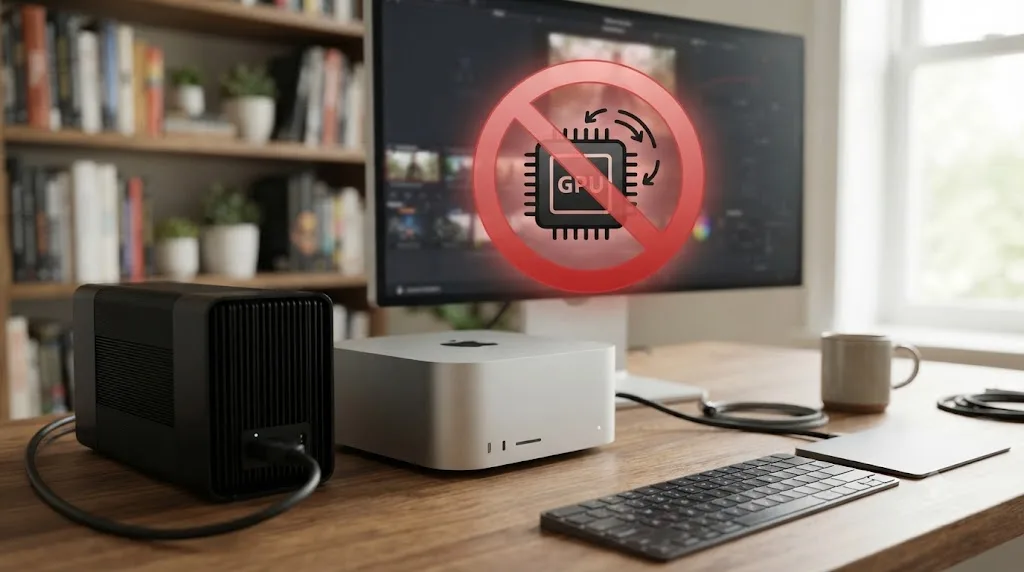
No, and buying one specifically to speed up Resolve on a used Mac Studio, at any chip generation, would be a wasted purchase. This trips up editors coming from an Intel Mac Pro background, where external GPUs over Thunderbolt provided real graphics acceleration going back to macOS High Sierra.
Apple's own support documentation on external graphics processors describes eGPU support as available on Intel-based Macs with Thunderbolt 3, with no equivalent path for Apple Silicon. Since a used Mac Studio, by definition, has never been anything but Apple Silicon, this limitation applies to every unit you'd find on the used market without exception, from the oldest base M1 Max to the newest M3 Ultra.
There's one narrow exception, and it's not the one eGPU shoppers are hoping for. As of April 2026, Apple authorized third-party drivers, built by Tiny Corp, that let AMD and Nvidia eGPUs function on Apple Silicon Macs for general compute tasks, things like local AI model inference or developer testing against real GPU hardware, according to AppleInsider's coverage. That's compute access, not graphics acceleration, and none of it routes through Resolve's rendering pipeline on any Mac Studio.
If you need more GPU power on a used Mac Studio for Resolve, the only real lever is the one this guide has already covered at length: buy a used unit with more GPU cores built into the chip itself, whether that means stepping up from Max to Ultra within a generation or shopping a newer generation entirely. There's no add-a-card upgrade path around that on Apple Silicon.
Used Mac Studio vs Mac mini M4 vs MacBook Pro M5: which is the smartest buy for DaVinci Resolve?
It depends on portability needs and GPU cores per dollar, not on which product line sounds more current. This site's own reviews of the Mac mini M4 and M5 MacBook Pro both found the identical pattern this guide has documented throughout: GPU core count predicts Resolve performance far better than release year, and that holds true comparing across product lines, not just within the Mac Studio's own generations.
| Situation | Used Mac Studio | New Mac mini M4 | New M5 MacBook Pro |
|---|---|---|---|
| Need to edit away from a desk | Not portable | Not portable | The only option here |
| Tightest possible budget, single-camera 4K | A used base M1 Max is competitive | Base M4 at $799 is the cheapest new option | Starts at $1,599, the most expensive entry point |
| Regular Fusion compositing, Magic Mask on multiple subjects | An Ultra-tier used unit wins decisively | M4 Pro handles it, at a real premium | M5 Pro handles it, at a real premium |
| 6K/8K RAW, 4+ camera multicam | M2 Ultra or M3 Ultra territory | Outside the Mac mini's realistic ceiling | M5 Max, with real thermal limits under sustained load |
| Want a warranty and known usage history | New Mac mini or MacBook Pro win here | Full AppleCare eligibility | Full AppleCare eligibility |
| Maximum GPU cores per dollar spent | Frequently the best value on this metric | Fewest GPU cores of the three options at entry tier | Mid-range GPU cores at a laptop premium |
A used M1 Ultra Mac Studio, priced well below its $3,999 launch cost, routinely delivers more GPU cores per dollar than either a new base Mac mini M4 or a new base M5 MacBook Pro, simply because Apple's entry-tier chips on both current product lines carry only 10 GPU cores against the M1 Ultra's 48 to 64. That's not a knock against either new machine, since portability and warranty coverage are real, valuable things a used desktop can't offer. It's a reminder that "used" and "outdated" aren't the same claim on Apple Silicon, and a shopper fixated on buying new because it feels safer may be leaving real GPU performance on the table for the same money.
If your honest answer to "do I need to edit somewhere other than a desk" is rarely, a used Mac Studio at the right chip and memory configuration is very likely the better dollar-for-dollar Resolve machine among these three options. If the honest answer is regularly, portability is the actual product you're buying with a MacBook Pro, and it's reasonable to pay the premium for it.
A worked example: a colorist buying a used M1 Ultra Mac Studio on a tight budget
Concrete beats abstract, so here's a realistic case: a freelance colorist grading wedding and corporate video, mostly single and dual-camera 4K delivery with a real, non-trivial grade on every job, occasional noise reduction on low-light footage, and a budget that's already stretched by a calibrated reference monitor and color panel.
- Prioritize a used M1 Ultra over a used M1 Max or M2 Max at a similar price, since color-heavy work is exactly the compute-bound workload where the Ultra tier's doubled GPU core count and memory bandwidth pay off over Max-tier chips, per this guide's earlier comparison of chip generations.
- Confirm at least 64GB of unified memory before buying, using the About This Mac verification step from this guide's buyer checklist, since color grading with noise reduction stacked on top sits squarely in this guide's 64GB workload tier.
- Run Apple Diagnostics before finalizing the purchase, since a colorist's daily workflow puts sustained GPU load on the machine for hours at a stretch, and a pre-purchase hardware check matters more here than it would for occasional light editing.
- Budget separately for a fast external SSD, following the same storage guidance this site's Mac mini and MacBook Pro reviews have already covered, since a used Mac Studio's internal storage capacity is just as fixed at purchase as its memory.
- Skip DaVinci Resolve Studio only if 4K delivery and standard grading tools cover the whole job. If HDR grading or resolutions above 4K show up in client work, Studio's feature gates, not speed, are the actual reason to buy it, per this guide's free-versus-Studio breakdown above.
On this hardware, for this workload, a used M1 Ultra at a fraction of its original $3,999 launch price, configured with real memory headroom, is a legitimately professional grading machine in 2026, not a compromise. Buying a four-year-old GPU-heavy Mac for color work isn't settling; it's recognizing that Resolve's grading tools scale with GPU cores Apple built in 2022 that still exist, unchanged, in that same used chip today.
A worked example: a small studio choosing between a used M2 Ultra and a new M4 Max
A different case, where the decision genuinely gets harder: a two-person production studio shooting three to four-camera 4K to 6K multicam events in a mix of Blackmagic RAW and standard codecs, delivering HDR masters regularly, and running Fusion titles on most projects, with a real budget but real deadline pressure too.
- Price a used M2 Ultra, configured to at least 96GB, against a new M4 Max at current 2026 pricing. This is exactly the workload profile where this guide's spec history table matters most: the M2 Ultra's 60 to 76 GPU cores and 800GB/s bandwidth beat the new M4 Max's 32 to 40 cores and 410 to 546GB/s bandwidth on raw compute, even though the M4 Max is the newer chip and, as of the June 2026 price increase, costs $2,499 new against a meaningfully lower used M2 Ultra price.
- Weigh AppleCare and warranty coverage explicitly, not as an afterthought. A studio running paid client deadlines has a real cost if hardware fails mid-project, and a new M4 Max's full warranty coverage is worth something a used M2 Ultra, even a well-diagnosed one, structurally can't match unless separately covered.
- If the studio's typical event runs three cameras with moderate RAW and a standard Fusion titles package, the used M2 Ultra is a defensible, genuinely faster choice for the compute-heavy parts of the job, provided the warranty tradeoff is acceptable.
- If deadline risk from a hardware failure would be catastrophic to the business, the new M4 Max's warranty coverage may be worth paying a real premium for, even at a GPU core disadvantage, since a documented AppleCare replacement path has genuine business value beyond raw Resolve speed.
- Either way, buy DaVinci Resolve Studio. HDR grading tools and resolutions above 4K are both Studio-gated features this workflow genuinely needs, regardless of which machine wins the hardware decision.
This is the case where "used or new" doesn't have a universal answer. It has an answer tied to how much a studio's specific deadline risk is worth in dollars, weighed honestly against the real, measurable GPU core advantage a used Ultra-tier chip carries over a new Max-tier one at current 2026 pricing.
What are the honest risks of buying a used Mac Studio?
Every guide that only lists reasons to buy is selling something. Here's what actually goes wrong, or simply doesn't apply the same way, buying a Mac Studio used instead of new.
No standard warranty beyond whatever AppleCare window, if any, transfers with the unit. A used Mac Studio outside its original coverage window is running on Apple's baseline one-year limited warranty at best, and that clock started at original purchase, not at your purchase date. If a logic board fails two years into your ownership of a five-year-old unit, you're paying full repair cost, not a covered claim.
Unified memory and GPU core count are permanently fixed at whatever the original buyer configured, and you can't verify usage history the way you can verify a car's mileage. Apple Silicon has no moving parts to wear the way a mechanical hard drive or laptop battery does, which genuinely limits how much used wear matters here compared to other used electronics, but it's not zero risk, which is exactly why this guide's diagnostic check exists as a real, worthwhile step rather than a formality.
Chip generation confusion is a real, ongoing risk in used listings, not a hypothetical one. This guide has already covered that no M3 Max or M4 Ultra Mac Studio configuration ever existed; a listing claiming either one is either an honest mistake by a seller who doesn't know Apple's actual lineup, or a sign the listing deserves closer scrutiny before you trust anything else in its description.
The current generation's memory ceiling cut, covered earlier in this guide, cuts both ways for used buyers. It makes pre-cut used units with higher memory configurations more valuable, but it also means the newest Mac Studio generation, bought used from someone who ordered after May 2026, carries the same reduced ceiling as buying new, without the warranty benefit new purchasing would carry.
A Mac Studio nearing an M5 refresh, expected around October 2026, means current-generation resale value is likely to soften once that refresh actually ships. That's not a reason to avoid buying now if you need the machine now, but it's worth knowing if you're specifically trying to time a used purchase for maximum resale value later.
None of these are reasons to avoid buying used. They're reasons to weight the diagnostic checklist and warranty question honestly against the real GPU-cores-per-dollar advantage a used Mac Studio consistently offers, rather than assuming used automatically means riskier or new automatically means safer.
Getting the most out of a used Mac Studio once you own it
Buying the right used configuration solves half the problem. The other half, especially on a machine with an unknown configuration history, is confirming Resolve's own settings are actually tuned for the hardware you bought rather than left however the previous owner configured them. Our DaVinci Resolve settings guide for Apple Silicon M4 covers the exact Preferences, Project Settings, and export configuration worth checking on day one, and its guidance about GPU cores mattering more than unified memory once you clear a real memory floor applies just as directly to a used M1 Ultra as it does to a brand-new M4 Max.
A used Mac Studio's Cache Files Location and Optimized Media settings are especially worth verifying rather than assuming, since a previous owner's project workflow, and the external drives they had connected, won't be your workflow or your drives. Check Project Settings, Master Settings, and point both explicitly at your fastest available storage before your first real editing session, rather than discovering a misconfigured cache location mid-project.
There's a different kind of friction worth naming here too, separate from hardware configuration. A used Mac often means relearning where a previous owner's macOS and Resolve preferences left things, on top of the usual learning curve of new-to-you hardware. TryUncle is the on-screen assistant for DaVinci Resolve on macOS — ask in plain words and Uncle points at the exact control on your screen, which is useful specifically in the first weeks with a used Mac Studio, when you know what you want to do in Resolve but can't tell whether a menu is missing because the previous owner changed a setting or because you simply haven't found it yet. It's a separate, paid purchase from the Mac Studio or Resolve itself, currently in founder pricing for its first 100 seats, and TryUncle is worth checking for its current rate rather than treating any number here as fixed. It doesn't change anything this guide has covered about which used Mac Studio configuration to buy; it's a separate answer to a separate problem, learning the software on hardware that's new to you, not choosing the hardware itself.
Verdict: should you buy a used Mac Studio for DaVinci Resolve in 2026?
Buy a used Mac Studio, at any chip generation from M1 Max through M3 Ultra, if you're editing single-camera or light multicam 4K footage and it's configured with at least 32GB of unified memory. That's a comfortable, professional editing experience on a machine that carries none of the Intel-compatibility risk DaVinci Resolve 21's June 2026 support cutoff introduced for other used Apple desktops, full stop, because no Intel Mac Studio was ever built.
Step up to an Ultra-tier chip, at whichever generation fits your budget, if multicam, RAW debayering, Magic Mask, or Fusion compositing shows up in your typical project. GPU core count, not chip generation label, is the number that actually predicts how a used Mac Studio performs in Resolve, and this guide's own spec history table shows a used M1 Ultra frequently outperforming a brand-new base machine on exactly those workloads, for meaningfully less money.
Do the ordinary used-electronics diligence this guide laid out, chip and memory verification through About This Mac, an Activation Lock check, Apple Diagnostics, and confirming you're actually buying a computer and not the separately sold Studio Display. None of that is Resolve-specific risk. It's the same checklist any used Apple Silicon purchase deserves, and a used Mac Studio that clears it is a legitimately capable, professional-grade Resolve machine in 2026, not a compromise you're settling for while you save up for something newer.
Frequently asked questions
- Is a used Mac Studio good for DaVinci Resolve in 2026?
- Yes, as long as it's at least an M1 Max with 32GB of unified memory. Every Mac Studio, from the original 2022 M1 Max/Ultra through the current M4 Max/M3 Ultra, is Apple Silicon and runs DaVinci Resolve 21 and macOS 26 Tahoe without issue. The real question isn't chip generation, it's whether the specific used unit has enough unified memory and GPU cores for your footage.
- Does DaVinci Resolve 21 still work on Intel Macs?
- No. DaVinci Resolve 21 became the stable release on June 2, 2026, and it requires an Apple Silicon Mac running macOS 15 Sequoia or later. Intel Macs, including a maxed-out Intel Mac Pro, are stuck on DaVinci Resolve 20, the last version Blackmagic Design will update for Intel hardware. This doesn't affect the Mac Studio specifically, since no Intel Mac Studio was ever made.
- What's the minimum Mac Studio chip for DaVinci Resolve in 2026?
- The base M1 Max, Apple's original 2022 chip, is the practical floor. It has a 24-core or 32-core GPU and a hardware media engine that decodes H.264, HEVC, and ProRes natively, the same baseline capability every later Mac Studio chip carries forward. Below that, you're outside the Mac Studio lineup entirely and looking at a Mac mini or MacBook Pro instead.
- How much RAM do I need on a used Mac Studio for DaVinci Resolve?
- Treat 32GB as your real floor for single-camera 4K editing with a standard grade, even though Blackmagic's own stated minimum is lower. For 4K multicam, noise reduction, or moderate Fusion work, budget 64GB. Heavy RAW, HDR grading, or complex Fusion comps want 96GB or more, which means an M2 Ultra, M3 Ultra, or a heavily configured M1 Ultra.
- Should I buy a used M1 Ultra Mac Studio or a new Mac mini M4 for DaVinci Resolve?
- It depends on GPU cores and budget, not release year. A used M1 Ultra's 48 or 64 GPU cores will outrun a new base Mac mini M4's 10 GPU cores on Fusion, Magic Mask, and RAW debayering, the same generation-doesn't-guarantee-speed pattern that shows up across every Apple Silicon Resolve benchmark. If your budget is tight and your projects are simple single-camera 4K, the new Mac mini is the safer, warrantied buy.
- Is the M1 Max Mac Studio still fast enough for DaVinci Resolve in 2026?
- For single-camera 4K editing with a standard grade, yes, without much qualification. Its hardware media engine decodes H.264, HEVC, and ProRes exactly like every chip generation after it. Where it shows its age is heavy Fusion compositing, multicam RAW, and Magic Mask on multiple subjects, workloads where the M1 Ultra's or M2 generation's extra GPU cores buy real, felt speed.
- What should I check before buying a used Mac Studio for DaVinci Resolve?
- Confirm the exact chip and unified memory in About This Mac rather than trusting the listing title, since GPU core count varies within the same chip name. Check it isn't Activation Locked, run Apple Diagnostics, and verify the seller isn't confusing it with the separate Studio Display monitor. None of this is Resolve-specific; it's the same due diligence any used Apple Silicon purchase needs.
- Is there an app that helps you while using DaVinci Resolve on a used Mac Studio?
- Yes. TryUncle watches your actual Resolve window on macOS and points at the exact control you're asking about, which helps specifically when a used Mac's prior owner left Preferences configured differently than you expect. It's a paid app, currently in founder pricing for its first 100 seats, and it's a separate purchase from the Mac Studio or Resolve itself.
Sources
- Mac Studio - Technical Specifications (Apple)
- Apple unveils new Mac Studio, the most powerful Mac ever (Apple Newsroom, March 2025)
- Apple unveils all-new Mac Studio and Studio Display (Apple Newsroom, March 2022)
- Apple introduces M2 Ultra (Apple Newsroom, June 2023)
- Should you buy a Mac Studio now or wait? Best models, prices & buying advice, by Karen Haslam (Macworld)
- M5 Mac Studio 2026: Release date, M5 Ultra rumors, specs, price, & RAM delay news, by Karen Haslam (Macworld)
- Apple Cuts More Mac Studio and Mac Mini RAM Options as Memory Shortage Worsens (MacRumors)
- Apple pulls $4,000 512GB Mac Studio upgrade option as AI RAM squeeze continues (Tom's Hardware)
- Mac Studio: Should You Buy? Or Wait? (MacRumors)
- Configure a New Mac Studio for Video Editing, by Larry Jordan
- Configuring an M4 Mac for Video Editing, by Larry Jordan
- DaVinci Resolve - Tech Specs (Blackmagic Design)
- DaVinci Resolve - Studio (Blackmagic Design)
- DaVinci Resolve 21 System Requirements: Windows, Mac & Linux (DaVinci Resolve Club)
- DaVinci Resolve 21 final release (Newsshooter)
- macOS Tahoe 26 is compatible with these computers (Apple Support)
- Identify your Mac Studio model (Apple Support)
- Use an External Graphics Processor with Your Mac (Apple Support)
- AMD or Nvidia eGPUs Can Work on Apple Silicon Macs, but Not for Graphic Acceleration (AppleInsider)
- Mac Studio M4 Max, M3 Ultra Prices (AppleInsider Price Guide)
- Best Mac Studio M1 Ultra Price (AppleInsider Price Guide)
- Best Mac Studio M2 Ultra Price (AppleInsider Price Guide)
- Mac mini - Technical Specifications (Apple)
- Apple Stops Selling Mac Mini With 256GB of Storage, Starting Price Rises to $799 (MacRumors)
- DaVinci Resolve Update 21.0.2 Adds Faster Image Bypass Switching, Improved H.265 Playback, and More (No Film School)
Put this guide to work with TryUncle.
Ask about the step you’re on. TryUncle sees your screen and points at the control you need, so you can keep learning in your own project.
Get TryUncle for Mac or WindowsKeep reading
Reviews · Jul 22, 2026 · 30 min
Is the Mac Mini M4 Enough for DaVinci Resolve?
A buyer's review of the Mac mini M4 for DaVinci Resolve in 2026: real benchmarks, unified memory needs, the May price hike, and when M4 Pro is worth it.
Reviews · Jul 29, 2026 · 39 min
Is the M5 MacBook Pro Good for DaVinci Resolve?
Is the M5 MacBook Pro good for DaVinci Resolve? Real specs, benchmarks, and buying guidance for the base M5, M5 Pro, and M5 Max MacBook Pro in 2026.
Guides · Jul 13, 2026 · 40 min
DaVinci Resolve Best Settings for Apple Silicon M4
The best DaVinci Resolve 21 settings for Apple Silicon M4 Macs: unified memory, storage, export, and Resolve preferences for M4, M4 Pro, and M4 Max.