Articles / Reviewsupdated for DaVinci Resolve 21.0.3 (August 2026)
Is Artlist Worth It for YouTube Creators? 2026 Review
Quick answer
Is Artlist worth it for YouTube creators? Yes, if you publish regularly and need licensed music, sound effects, footage, or templates in one subscription. It is less compelling for occasional uploaders, audio-only users, or creators who do not want to manage Clearlist and active-subscription rules.

Artlist can be a smart subscription for a YouTube channel. It can also be an expensive folder of assets you barely use.
As of August 2026, DaVinci Resolve 21.0.3 is the current release listed in Blackmagic Design's support notes. The real buying question is not whether Artlist has good-looking assets. It is whether your publishing rhythm and licensing needs justify another recurring bill.
Is Artlist worth it for YouTube creators in 2026?
Artlist is worth it for YouTube creators who publish consistently and use more than one asset category. It is usually not worth it for a channel that uploads a few times a year or only needs one song for an occasional video.
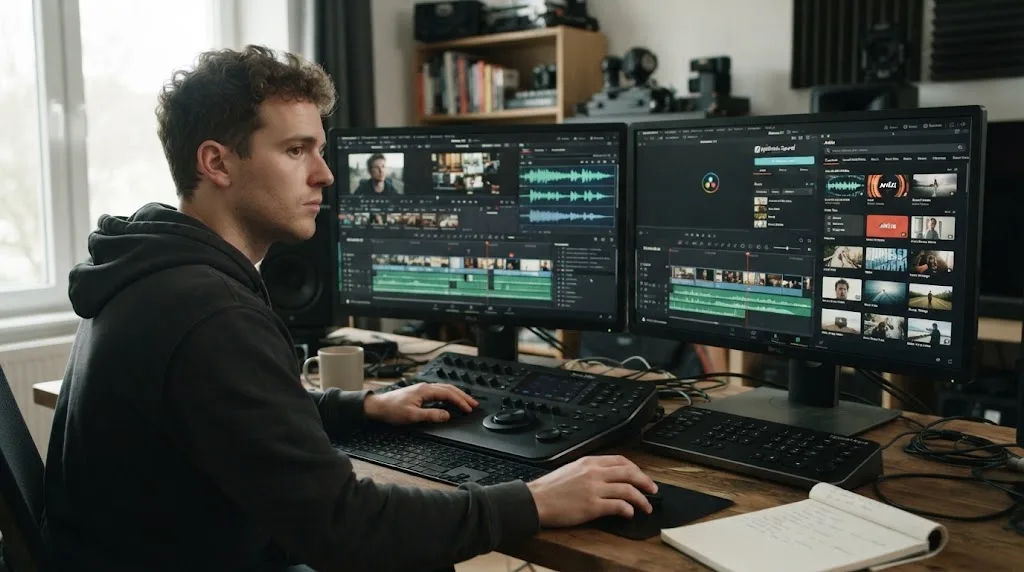
Artlist is a subscription-based production-asset library. Depending on the plan, it combines music, sound effects, footage, video templates, LUTs, plugins, and generative AI tools. That breadth matters in DaVinci Resolve because a creator can pull music, a whoosh, a title treatment, and a bit of b-roll into the same edit. It does not replace Resolve. It supplies ingredients for a Resolve project.
We run a 100,000+ member professional video-editing community, and the practical risk is clear: you pay for a bundle whose license you do not understand or whose extra categories you never touch.
Artlist is worth the subscription when recurring production needs matter more than occasional access.
Blackmagic Design lists DaVinci Resolve 21 as a free editor for Mac, Windows, and Linux, with Studio 21 as the paid edition. Artlist is a separate purchase, so it should earn its place by saving repeated asset searches or covering repeated licensing work. It should not be treated as a requirement for editing in Resolve.
What does Artlist give a YouTube creator?
Artlist gives a YouTube creator a broader production bundle than an audio-only library, but the exact asset mix depends on the selected plan. The current plan structure separates stock assets, AI tools, and combined Max options.
The useful categories are:
| YouTube need | Artlist fit | What to check before buying |
|---|---|---|
| Background music | Strong | Choose a plan with music and set up Clearlist |
| Sound effects | Strong | Confirm SFX are included in your plan |
| B-roll and stock footage | Useful for channels that need visual variety | Check whether your chosen plan includes footage |
| Titles, transitions, and intros | Useful inside a template-led workflow | Check Resolve version, Studio needs, fonts, and media |
| LUTs and plugins | Helpful for creators who want finishing tools | Confirm compatibility with your Resolve setup |
| AI image, video, music, or voiceover | Optional | Treat credits and plan allowances as a separate calculation |
Artlist's current plan guidance says Music and SFX or Max are the relevant families when a buyer wants music, sound effects, footage, templates, LUTs, and plugins. AI plans add credit-based generation, while Max combines stock assets and AI tools. That makes Max attractive only when you will use both sides of the bundle.
Disclosure: this post contains an affiliate link. If you buy through the Artlist link below, we may earn a commission at no extra cost to you. That relationship does not decide the verdict.
Check Artlist's current plans for your YouTube channel before you subscribe.
For DaVinci Resolve users, template compatibility needs a separate check. Artlist's template guidance identifies Resolve 18 or newer as the baseline, but the company's troubleshooting guidance warns that individual templates can have stricter version or Studio requirements. The free edition of Resolve is not a blanket compatibility guarantee.
For Resolve 21, filter for DaVinci Resolve and read each template's requirements. Our Artlist templates guide for the free version of DaVinci Resolve covers that narrower decision.
How does Artlist Clearlist work for YouTube monetization?
Artlist Clearlist connects a YouTube channel or video to your Artlist account so YouTube can recognize licensed Artlist music. You must add the channel or video while your subscription is active.
The current Artlist Clearlist guidance gives Social users one YouTube channel. Pro users can add 3 YouTube channels, Team users can add 5 channels, and Enterprise plans can add unlimited channels. Pro, Team, and Business users can also clear individual video links for additional channels, subject to the license terms.
YouTube's Content ID system can flag a track even when you downloaded it legally. Clearlist is not a promise that no claim will ever appear. It is the registration step that lets Artlist identify your licensed use and clear an eligible claim. Before publishing, choose the right plan, add your channel ID or video URL while active, confirm the registration, and keep the download record.
If a claim arrives, check that the track was downloaded under an active subscription, the use fits the license, and the relevant channel or video was added to Clearlist. Artlist's claim guidance says it cannot clear a claim when the use falls outside the license or the music was not downloaded during an active subscription.
For the exact claim workflow, use our Artlist Clearlist guide for YouTube claims. The short version is simple: licensing and registration are separate jobs.
Clearlist reduces avoidable YouTube claims, but it does not remove the need to choose the correct license.
What happens to Artlist assets after cancellation?
Projects published while an eligible Artlist subscription is active can remain covered after cancellation, but you cannot treat the downloaded library as permanent ownership. New projects published after the subscription ends are the danger zone.
Artlist's license terms distinguish between an existing published project and a new use. The published project must have been completed and released during the active subscription, with the required Clearlist setup for YouTube monetization. After expiry, you cannot add new channels or videos to Clearlist, and Artlist says its assets cannot be used in new projects.
You also cannot hand a client the raw music, footage, sound effects, or templates as standalone files. A creator can deliver a completed project when the relevant license allows it, but the assets are not transferred for independent reuse.
This is the biggest reason I would not buy Artlist for a single future video unless the timing is clear. If your plan is to download a library today and publish the videos next year, the subscription rule works against that plan.
Artlist licenses projects, not a creator's permanent ownership of the downloaded assets.
Is Artlist better than Epidemic Sound for YouTube creators?
Artlist is better for a multi-asset YouTube workflow, while Epidemic Sound is better when recurring music and sound effects are the center of the job. Neither is automatically the better subscription.
| Choose this option | Best fit | Trade-off |
|---|---|---|
| Artlist | Music plus footage, templates, LUTs, plugins, or AI tools | Broader bundle means more plan and license details to check |
| Epidemic Sound | Music and SFX first, especially for frequent uploads | Its DaVinci Resolve integration requires paid Resolve Studio, not the free edition |
| Envato Elements | A broad creative subscription with per-project registration | You still need to understand project registration and asset terms |
| Free or one-off sources | Occasional uploads or a tightly controlled budget | More searching, fewer bundled assets, and separate license tracking |
Epidemic Sound documents unlimited music and sound-effects downloads within the applicable plan, plus a DaVinci Resolve Studio plugin. Its plugin requires the paid Studio edition downloaded from Blackmagic Design, and the service describes plan-specific channel and publishing rights. That makes it a serious alternative for an audio-first creator, but not a reason to pay for Studio if you otherwise use Resolve Free.
Envato Elements emphasizes unlimited downloads and project registration. Storyblocks offers video, templates, images, audio, and AI tools. Either can win when footage matters more than Artlist's particular bundle.
Our Epidemic Sound versus Artlist comparison for DaVinci Resolve goes deeper on the audio-first choice. The decision is not about which logo has the bigger catalog. It is about whether your next twelve uploads need a soundtracking service or a broader asset shelf.
Who should choose Artlist, and who should skip it?
Choose Artlist when you publish on a repeatable schedule, regularly need licensed music, and will use at least one additional category such as SFX, footage, or templates. Choose it with more confidence if you understand Clearlist and expect to publish projects during an active subscription.
Artlist is a good fit for:
- A weekly or biweekly YouTube channel using music in most uploads.
- A creator who wants music, SFX, b-roll, and titles in one research session.
- A Resolve editor who will check each template's version and Studio requirements.
- A channel with one or more clear publishing destinations that fit the selected plan.
Artlist is a poor fit for:
- A creator who uploads only a few times per year.
- Someone who needs one track for one video and does not want a subscription.
- An audio-only creator who would use only a small part of a broad bundle.
- A creator who expects downloaded assets to support new projects after cancellation.
After seven years of professional, commercial video editing, our advice is deliberately boring: start with your next ten videos. Write down how many will need music, SFX, footage, and templates. Then compare that list with the plan's license, not just its asset thumbnails.
Blackmagic Design CEO Grant Petty said, “Our customers love the incredible cinematic look of the Blackmagic Pocket Cinema Cameras, especially when creating content for streaming platforms like YouTube.” That supports the role of a capable editor in a creator workflow. It does not make Artlist necessary, and it does not promise channel growth.

What is the final verdict on Artlist for YouTube creators?
Artlist is worth it for a consistent YouTube creator who will use its music and at least one other asset category, publish during an active subscription, and complete the Clearlist step. It is not the best default for occasional uploads or creators who mainly need audio.
The best Artlist buyer is a recurring YouTube producer, not an occasional uploader.
Before paying, choose the narrowest plan that covers your actual channel, confirm the Resolve requirements for any templates, and decide whether Epidemic Sound or a one-off license better matches your workflow. If the broader bundle will sit unused, keep the money and buy only what the next project needs.
Frequently asked questions
- Is Artlist worth it for YouTube creators who upload every week?
- Usually, yes. Weekly creators can get more value from a recurring library of music, sound effects, footage, and templates, provided they select the right license and keep publishing projects during an active subscription.
- How does Artlist Clearlist work for YouTube?
- Clearlist connects your YouTube channel or individual video to your Artlist account so YouTube can recognize licensed Artlist music. Add the channel or video while the subscription is active.
- Can I use Artlist music after cancelling?
- Projects published and cleared during an active subscription remain covered, but you cannot use Artlist assets in new projects or publish new projects with them after the subscription ends.
- Is Artlist better than Epidemic Sound for YouTube creators?
- Artlist is better when you need several asset types beyond audio. Epidemic Sound is the stronger fit when your main need is recurring music and sound effects with an audio-first workflow.
- Does Artlist work with DaVinci Resolve 21?
- Artlist supports DaVinci Resolve templates with official guidance starting at Resolve 18 or newer, but individual templates can have stricter version or Studio requirements.
Sources
- Artlist license and YouTube Clearlist rules
- Artlist plans and pricing
- Artlist templates and DaVinci Resolve compatibility
- Artlist copyright and Content ID claims
- DaVinci Resolve 21.0.3 support notes
- DaVinci Resolve 21 official product page
- Grant Petty on YouTube video creation
- Epidemic Sound pricing and licensing
- Epidemic Sound DaVinci Resolve Studio plugin
- Envato Elements video creator plans
- Storyblocks pricing and asset plans
Put this guide to work with TryUncle.
Ask about the step you’re on. TryUncle sees your screen and points at the control you need, so you can keep learning in your own project.
Get TryUncle for Mac or WindowsKeep reading

Guides · Aug 28, 2026 · 8 min
Artlist Clearlist YouTube Claims: Fix Them in Resolve 21
A practical guide to Artlist Clearlist YouTube claims from DaVinci Resolve 21: prevent claims, dispute them, and choose the right license.
Comparisons · Aug 24, 2026 · 40 min
Epidemic Sound vs Artlist for DaVinci Resolve (2026)
Epidemic Sound vs Artlist for DaVinci Resolve 21: compare plugins, music, SFX, licensing, templates, pricing, and the right plan for your edit.
Comparisons · Aug 30, 2026 · 8 min
Artlist Footage and Templates vs Music and SFX in Resolve 21
Compare Artlist Footage and Templates vs Music and SFX for DaVinci Resolve 21, including assets, licensing, templates, workflow, and alternatives.