Articles / Reviewsupdated for DaVinci Resolve 21 and course information available as of November 2026
Is Darren Mostyn's Color Grading Course Worth It?
Quick answer
Darren Mostyn’s course may be worth it if you already know basic Resolve controls and want a concentrated, live color-grading masterclass with recordings. The 2026 edition was four four-hour Zoom sessions, but it has passed, and I can’t verify a next date or current price. Try Blackmagic Design’s free color training first if you’re a beginner or want a self-paced option.
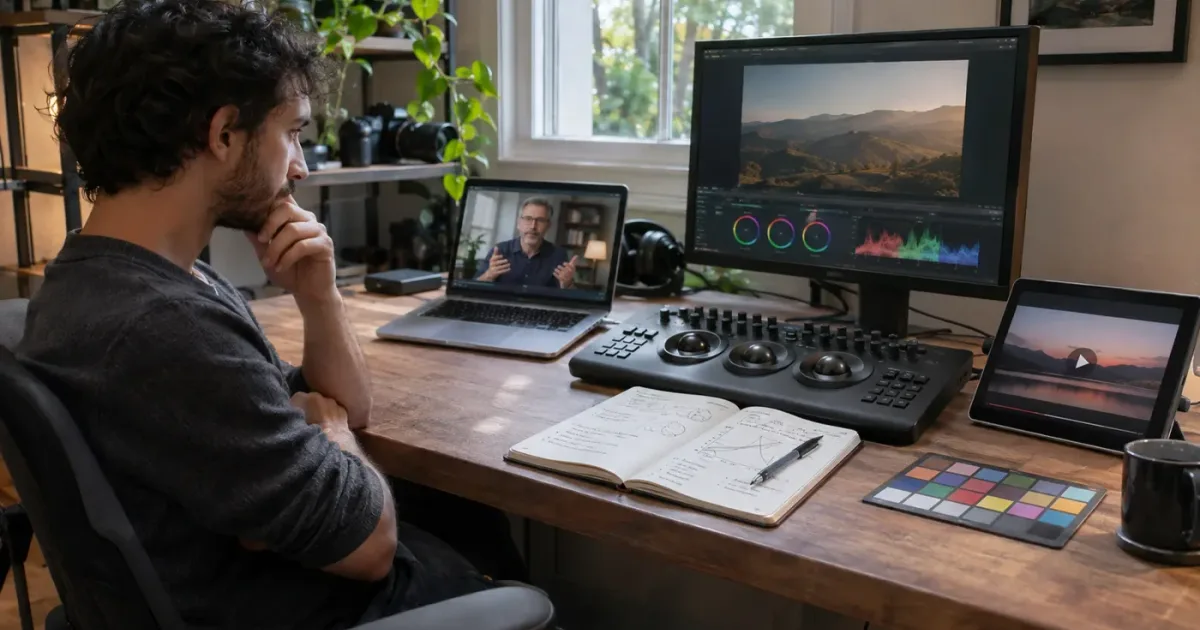
As of November 2026, Darren Mostyn’s advertised 2026 masterclass has already taken place. I haven’t attended it, so this review separates what the organizer published from what a prospective student can reasonably expect. The central question is less “Is Darren a good colorist?” and more “Does this particular live course suit the way I need to learn?”
Is Darren Mostyn’s color grading course worth it?
Darren Mostyn’s course could be worth paying for if you want a focused, instructor-led color-grading intensive and can make good use of four long live sessions. It is harder to justify if you are brand new to Resolve, need flexible pacing, or haven’t yet tried the free official training.
The course usually meant by this search is The Art of Professional Colour Grading, a live online masterclass promoted by Mostyn. In 2026, he described it as four consecutive four-hour sessions on Zoom, aimed at taking beginners toward a confident, high-intermediate level. He also said recordings would be available for students who could not attend a session. Those are the organizer’s claims about the event, not a promise that every student will reach a particular skill level. The 2026 dates have passed, and I can’t verify a new session or current enrollment price from the available information. (youtube.com)
That distinction matters. A clear course format is useful evidence about what you are buying. It is not evidence that every learner will finish with professional-level judgment, a portfolio, or paid work. Color grading takes repeated decisions on varied footage; a short intensive can organize practice, but it cannot substitute for that practice.
The course is most compelling when you want structure and live teaching, not when you merely want another collection of grading videos.
The most defensible verdict is conditional:
- Consider it if you already use DaVinci Resolve, can follow a Color-page demonstration without stopping at every control, and want a scheduled learning event.
- Wait for confirmed details if you would be purchasing a future edition. Verify dates, schedule, price, currency, recording access, lesson files, support, and cancellation terms first.
- Start elsewhere if you have not yet tried the free Blackmagic Design Colorist Guide and its training materials.
- Do not buy it based only on the instructor’s reputation. A respected working colorist can be an excellent teacher, but the fit of the syllabus, delivery, and practice time still determines the value to you.
This is not a claim that the masterclass is poor value. It is a reminder that the available evidence supports a format-based decision, not a guarantee of outcomes. The public 2026 promotion establishes the broad setup, not the full terms of any future class. In particular, don’t treat a mention of recordings as proof of lifetime access, a promise of private critique, or a substitute for asking what feedback participants actually receive.
What does “worth it” mean for this course?
For a training purchase, value is not the same as low cost. A course can be reasonably priced and still be the wrong format for a learner who needs individual critique. A more expensive class can still be a poor decision if its teaching schedule is impossible to attend or if its material duplicates what the learner already knows.
For Darren Mostyn’s masterclass, judge value across these five questions:
| Decision | What to check | Why it changes the verdict |
|---|---|---|
| Learning goal | Do you want Resolve controls, grading principles, workflow, or career preparation? | A focused color class may not address editing, delivery, client work, or a full colorist career path. |
| Starting point | Can you navigate the Color page and follow nodes, scopes, and basic corrections? | A learner unfamiliar with the interface may spend class time catching up instead of applying concepts. |
| Teaching format | Is the new edition live, recorded, or a mix? | A live schedule gives structure; self-paced access gives control over timing and repetition. |
| Practice | Are you ready to grade alongside the demonstrations and then repeat the work later? | Watching instruction without attempting the decisions can make a course feel clearer than the learner’s independent work really is. |
| Terms | What are the price, currency, included files, recording window, refund conditions, and support? | A past event’s details do not establish the terms of a new enrollment. |
The organizer’s 2026 announcement is the best primary source for the schedule it described. It says four consecutive live days, four hours per day, and session recordings for people who could not attend. It does not, by itself, answer every purchasing question you should ask about another edition. (youtube.com)
A four-day class is an intensive, not a shortcut around deliberate practice.
A useful way to think about the time commitment is to separate the advertised sessions from the work you will need to do around them. The live instruction totals sixteen scheduled hours, based on four four-hour sessions. But that number is not the total time needed to learn. You will likely need additional time to set up media, repeat the demonstrations, make notes, compare shots, and revisit concepts that did not stick.
That additional practice is not a criticism of this course. It is true of any craft class where the learner must build visual judgment. You can understand an explanation while watching and still struggle to decide, alone, whether a shot needs an exposure correction, a color balance adjustment, a local change, or no further manipulation. The course can demonstrate a way to think. It cannot make those choices for you outside class.
What do we know about the 2026 Darren Mostyn masterclass?
The published 2026 information describes a live Zoom masterclass, not simply a self-paced video library. Darren Mostyn’s announcement gives the schedule as four consecutive days with four-hour sessions, and it says recordings would be available when a participant missed a session. (youtube.com)
That is a useful starting point, but it leaves buyer questions unanswered. A buyer should not infer details that were not stated in the material available here. For example, the general mention of recordings does not settle how long students can access them, whether the recordings include the full question-and-answer sections, or whether a new event will offer the same arrangement.
The course’s 2026 launch video also has a title that directly asks whether the masterclass is worth it. Its description says Mostyn asked previous students what they thought. That establishes that he published a discussion including student feedback; it does not independently verify those students’ experience or establish that their outcomes will match yours. Treat it as useful promotional context, not as an audited review. (youtube.com)
What was the course format?
The advertised format was four live Zoom sessions, each four hours long, over four consecutive days. Recordings were offered for people who could not attend a session. The course was positioned for beginners seeking to move toward a confident high-intermediate level. (youtube.com)
That intensive format has real strengths. A fixed schedule makes it harder to leave a course untouched in a library. The instructor can build a sequence across sessions, and live questions can surface confusion while the lesson is happening. Students can also hear questions other learners ask, which sometimes reveals a gap they had not identified themselves.
But a schedule that is an advantage to one person can be a barrier to another. Four consecutive four-hour sessions demand concentration and availability. If your time zone makes the session difficult, your work schedule is unpredictable, or you learn best in short blocks with breaks between concepts, the live format may not suit you. A recording helps with missed attendance, but it does not necessarily provide the same interaction as being present.
Before buying a future edition, ask for the exact schedule in your local time zone. Ask whether a recording is included for each session, how long it remains accessible, whether the course materials are downloadable, and how questions are handled if you watch later. These are not minor details. They define whether “live course with recordings” means a truly flexible learning option or mostly a live event with a limited catch-up option.
What is the likely learning experience?
A four-day masterclass is likely to feel different from a long, self-paced course. It puts the instructor and topic in front of you over a concentrated period, while a self-paced curriculum lets you pause, rewind, and practice before moving on. The first style can create momentum; the second can give a learner more room to digest difficult concepts.
Mostyn’s 2026 announcement states the course’s intended progression broadly: beginners toward confident high-intermediate grading. It does not provide, in the information I could verify, a full lesson-by-lesson syllabus detailed enough to promise a particular tool or technique in a particular session. I would not buy based on an assumed list of topics. Ask to see the current outline for the edition you are considering.
That is especially important if you have a specific need. Someone trying to understand node structure may benefit from an intensive that teaches a repeatable node workflow. Someone who already has a reliable node tree but struggles to make skin tones feel natural needs different instruction. A learner seeking basic Resolve navigation may need a different course entirely. “Color grading” covers a wide range of problems, and a course title alone doesn’t tell you which ones receive the most time.
A sound pre-purchase test is to write down three concrete things you want to do better, in plain language. For example:
- “I want to balance shots from the same scene so they feel consistent.”
- “I want to understand which corrections belong in which nodes.”
- “I want to make a restrained look without crushing shadows or pushing saturation too far.”
Then compare those goals with the published outline for the current class. If the syllabus speaks directly to them, the course may fit. If it mainly focuses on topics you already understand, or if you cannot find evidence that it covers your specific problem, wait and ask questions.
Does the course teach a repeatable workflow or a look?
That is a reasonable question to put to any grading instructor, including Mostyn. A specific “cinematic look” can be appealing, but transferable skill is usually a better reason to pay for a course. A look can be copied once; a workflow helps you make choices when the footage, lighting, camera, or creative brief changes.
The 2026 promotional material available here establishes a broad color-grading masterclass and a beginner-to-high-intermediate aim. It does not establish that a particular fixed node tree, visual style, camera workflow, or specific feature is included in every edition. Avoid buying on assumptions drawn from individual YouTube tutorials or a free node-tree download. Those are separate materials unless the enrollment page explicitly says they are part of the paid course.
A strong class should help you distinguish the problem from the tool. If an image looks flat, the useful question is not automatically “Which look LUT should I add?” It may be a transform issue, exposure, contrast, a display mismatch, or footage that simply does not support the intended treatment. Good teaching helps you diagnose the image and choose an intervention, rather than handing you one recipe to repeat blindly.
Who should buy Darren Mostyn’s course?
Darren Mostyn’s course is a stronger fit for learners who want an organized, live color-grading intensive than for people seeking a broad DaVinci Resolve introduction. The 2026 course was promoted for beginners moving toward high-intermediate grading, but that description does not mean that someone with no software experience will be equally comfortable in the sessions. (youtube.com)
A buyer can use the table below to test their fit. It is a decision aid, not a claim about student outcomes.
| Your situation | Fit | Reason |
|---|---|---|
| You already know where the main Color-page controls are and want guided grading instruction | Stronger | You can spend more of the session thinking about the grade and less time finding interface controls. |
| You learn well in scheduled, long sessions and will attend or watch the recordings promptly | Stronger | The event format gives you a calendar and an intensive block of attention. |
| You want to ask questions while an instructor teaches | Potentially strong | A live class offers a question opportunity that a standard video library does not automatically provide. Confirm the amount and format of interaction for the next edition. |
| You are new to video editing and have never opened the Color page | Uncertain | The promotion’s beginner language is encouraging, but the intensive pace may be difficult before you know basic Resolve operations. |
| You need personalized critique of your own shots | Uncertain until confirmed | Do not assume a group masterclass includes one-to-one feedback. Ask the organizer exactly how student work is reviewed. |
| You can only study in brief, irregular sessions | Weaker | Four consecutive four-hour live sessions may clash with your schedule, even if recordings are available. |
| You want a certificate or formal qualification | Weaker unless specified | The public information cited here does not establish a formal credential or certification for this class. |
| You want to become a working colorist | Not enough by itself | A short intensive can be one part of learning, but career preparation also needs practice, judgment, networking, and work that demonstrates skill. |
A beginner is not automatically the wrong student. The key is what “beginner” means. A new colorist who can already use Resolve may be ready for color instruction. A new video editor who is still learning project setup, media management, and the interface may spend a lot of class time simply keeping up.
If you are in the second group, first complete a basic walkthrough and try Blackmagic Design’s own color-training resources. Then watch a Mostyn tutorial and attempt the demonstrated work yourself. If you can follow the core steps but still want an instructor to explain the decisions behind them, the intensive may be a more informed next step.
Is Darren Mostyn’s course good for a beginner?
It could suit a beginner who means “new to grading,” not necessarily a person who is new to DaVinci Resolve altogether. The 2026 announcement says the masterclass was aimed at beginners and described an intended progression toward confident high-intermediate work. That is useful positioning, but it is not a guarantee that a brand-new user will finish at that level. (youtube.com)
A beginner should check three things before enrolling:
- Interface readiness. Can you open a project, move between the timeline and Color page, select a clip, and find the main grading controls?
- Pacing. Can you stay focused through long sessions, or would you need to pause often and practice between lessons?
- Course support. Are questions welcome? Are lesson files supplied? Are assignments included? Can students submit work for comments? Verify each point rather than assuming.
There is no shame in taking a slower path first. If you need someone to explain every interface label, a structured beginner course can save frustration. If you can already move around Resolve, a live color class may be a more direct way to learn grading judgment. For a wider learning plan, our best DaVinci Resolve courses comparison lays out different course types rather than treating a single instructor as the answer for everyone.
Is it suitable for editors who already know the basics?
It may be a more natural fit for an editor who can operate Resolve but wants to improve the quality and consistency of grades. That student can focus on choices: what to adjust, in what order, how to judge the image, and when to stop.
Still, “intermediate” can mean different things. One editor may be comfortable with primary correction but not color management. Another may know nodes yet struggle with shot matching. A third may have made many stylized grades but lacks a reliable way to evaluate exposure and balance. Those are distinct training needs.
Before paying, compare your gaps with the current syllabus. Do not rely on the assumption that the course covers every grading topic because its title says “professional.” Ask about the level of the demonstrations and whether the instructor explains why a change works, not only which control to move. The distinction matters when you later work with different footage.
Is it useful if I want a colorist career?
A masterclass can be useful as one training experience, but it cannot by itself establish that you are ready for professional work. Career readiness means making dependable decisions on material you have not seen before, following a brief, communicating with collaborators, handling revisions, and delivering consistently. Those abilities grow through repeated practice and feedback.
The 2026 event description does not promise job placement, a credential, or a route to employment. I would therefore treat it as instruction, not a career qualification. Anyone considering a professional path should also build a practice portfolio, learn how to receive and act on notes, and seek feedback from people who can explain what is and is not working in the grade.
Our guide to becoming a colorist with DaVinci Resolve covers the wider path. The course could fit into that path if it fills a specific learning gap. It should not be expected to replace that path.
What are the reasons to choose Darren Mostyn as an instructor?
The strongest reason to consider Mostyn is his reported professional background, combined with a public body of Resolve teaching. A 2026 conference speaker profile says he has worked in the industry for over 30 years and specialized as a colorist for the past two decades, grading broadcast documentaries, commercials, and music videos. That supports the view that he brings substantial professional experience; it does not prove that every student will benefit equally from his teaching style. (flirtconference.com)
A professional instructor can show more than button sequences. A working colorist may explain how the grade serves the footage, where a technical correction ends and a creative decision begins, and why the same technique does not fit every shot. Those distinctions can be hard to learn from isolated short tutorials.
Mostyn also publishes Resolve instruction on YouTube. His free videos let prospective students sample his explanations before paying. That is a meaningful advantage: you can test whether his pacing and approach work for you without relying only on course marketing. But a channel of public tutorials and a paid live class are different products. The free videos do not establish exactly what the class teaches or what live interaction it includes.
Does a professional colorist make a course worth the price?
Professional experience is a reason to pay attention, not a complete value calculation. The course also needs to match your level and learning goal, and the price must make sense against the alternatives available to you.
Here is the difference between the instructor question and the purchase question:
- Instructor question: Does this person have relevant experience and explain color work in a way I can follow?
- Course question: Is the material organized around the problems I need to solve?
- Value question: Does the live format, available support, and practice structure justify the price to me?
- Timing question: Can I attend the current edition or use its recordings within their access window?
- Evidence question: Are the details on the current enrollment page clear enough to make a decision?
The answers can differ. You might conclude that Mostyn is worth following, that the free videos are useful, and that you still do not need to buy the course. Or you may decide that the live structure is exactly what you need, even though you could find some of the same techniques elsewhere.
That is a better decision than treating a well-known instructor’s name as a guarantee. A course purchase is not a vote on the instructor’s talent. It is a choice about the next useful learning experience for you.
What does Darren Mostyn say about the craft?
In an interview with RedShark News, Mostyn said: “Knowing which tools to use to improve a shot to the best it can be, comes with experience.” (redsharknews.com)
That is a concise description of why a course can help and why a course cannot do all the work. Instruction can expose you to tools and demonstrate a decision process. Experience comes from applying that process across different shots and learning what the footage needs.
The same interview discusses the importance of color management and the variation in real-world footage. Mostyn notes that documentary interviews may be shot in difficult locations and mixed with archive material. That perspective is relevant to students who want practical grading judgment, not just a stylized demonstration. But an interview about his work is not a syllabus for the masterclass. Use it to understand his professional perspective, then ask the course organizer for the current class outline.
A good color-grading lesson explains the decision, not just the control that changes the image.
This is also why a short course can feel powerful without being comprehensive. It may show a useful way to think, give a memorable workflow, or help you see a problem you had missed. The real test comes later, when you work on different footage without the instructor’s example in front of you.
What could be less valuable about the course?
The biggest risks are not unique to Mostyn’s class. They are ordinary risks of short, intensive training: an ambitious scope, an overwhelming pace, unclear feedback expectations, and limited time to practice before moving to the next topic.
The 2026 promotion described a beginner-to-high-intermediate aim and a total of sixteen scheduled live hours. That is a concentrated amount of instruction, but it is also a reason to ask how the teaching is paced and what students should already know. If the class moves quickly, a student who is still learning the interface may fall behind. If it moves slowly, an experienced editor may find some material familiar. (youtube.com)
There are other limits to keep in view:
- A live group class is not automatically personal coaching. Confirm whether anyone reviews your own work and whether feedback is individual, group-based, or limited to questions during class.
- A recording is not automatically permanent access. Ask how long recordings remain available and whether they include all live discussion.
- An instructor’s workflow is not a universal rule. You need to understand the reasoning so you can adapt it to your own projects.
- A course certificate should not be assumed. The sources available here do not verify a certification for this masterclass.
- A future edition may differ. Dates, lesson structure, resources, and terms can change. Recheck the current enrollment page instead of relying on a past announcement.
- A price cannot be judged without current terms. I can’t verify a current November 2026 price for a future edition. Do not rely on old event prices or third-party listings.
What should I verify before paying?
Treat the purchase page as a contract for the specific edition, not as an extension of a past promotion. Before checkout, make sure you can answer these questions:
| Question to ask | What a clear answer should specify |
|---|---|
| When does the class happen? | Dates, session start and end times, time zone, and any breaks. |
| What is the course price? | Amount, currency, taxes or fees, payment method, and whether the price is for one seat. |
| What is taught? | A current agenda or syllabus detailed enough to compare with your learning goals. |
| What files are included? | Lesson media, project files, notes, downloadable resources, or other stated materials. |
| What happens if I miss a session? | Whether recordings are provided, when they become available, and for how long. |
| Can I ask questions? | Whether questions are live, submitted in advance, or handled through another channel. |
| Is my work reviewed? | Whether student submissions receive feedback, and whether that feedback is individual or shared. |
| Can I cancel or get a refund? | The policy, deadline, and any differences after accessing materials or attending. |
| What setup do I need? | Supported Resolve version, operating-system requirements, media, equipment, and internet expectations. |
If a detail affects your decision and the offer does not state it clearly, ask before you buy. Don’t assume the answer based on a previous event, a social post, or someone else’s account of an older class.
This matters particularly when the class is presented as both live and recorded. Some students need recordings because of time-zone or work conflicts. Others need them because they want to pause after each concept. Those are different use cases. A short replay window may be enough for the first student and frustrating for the second.
How does Darren Mostyn’s course compare with free training?
Blackmagic Design’s official training is the strongest free alternative to check before paying. Its training page offers Resolve-specific video lessons and training guides, including color instruction and downloadable lesson files. The official Colorist Guide provides a structured way to practice rather than relying only on disconnected tips. (blackmagicdesign.com)
Here is the practical comparison:
| Option | Cost | Structure | Best for | Main limitation |
|---|---|---|---|---|
| Darren Mostyn’s 2026 masterclass | A paid event; current price for a future edition not verified here | Four live four-hour Zoom sessions were advertised, with recordings for missed sessions | Learners who value scheduled instruction and want to learn from Mostyn in a concentrated format | The 2026 dates have passed; future terms, syllabus, price, and feedback must be checked. |
| Blackmagic Design official training | Free training materials are offered by Blackmagic Design | Official training videos, guides, lesson files, and exams are available through its training site | Learners who want a vendor-authored, Resolve-centered foundation at no course cost | Self-directed study may not provide live instructor interaction or personal review of your work. |
| Darren Mostyn’s public YouTube channel | Free to watch | Individual tutorials and demonstrations | Learners who want to sample his teaching and find specific explanations | Videos are not necessarily a complete, linear curriculum. |
| Casey Faris tutorials | Free and paid offerings may vary; check the current provider page | Tutorials and demonstrations for Resolve users | Learners who prefer his presentation style or need a different explanation | A video does not automatically give structured grading feedback or an organized course path. |
| Reddit and community discussions | Generally free to read | Peer recommendations, troubleshooting, and critique threads | Learners who want to see how users frame real problems and compare advice | Advice varies in quality and may not be reviewed or tailored to your footage. |
| Paid course platforms such as Udemy or Coursera | Prices and access terms depend on the current listing and plan | Often asynchronous, module-based lessons | Learners who want to pause, repeat, and schedule study independently | Course quality, currency, depth, and instructor support vary; verify the specific listing. |
Blackmagic’s training catalog is particularly useful because its lessons are tied to DaVinci Resolve rather than general editing. Its current public training page includes videos and official training books. The Resolve 20 training page lists a Colorist Guide with lesson files and an online exam. The current version of each book and the precise feature behavior in your installed Resolve version should be checked on Blackmagic’s own page. (blackmagicdesign.com)
This comparison does not imply that a free book is always better than a paid class. It means free resources change the purchase decision. You can use them to test your interest, build basic familiarity, and find out whether your main obstacle is missing information or lack of feedback.
What does Blackmagic Design’s free training include?
Blackmagic Design’s training site presents video training and guides for different parts of Resolve. The color material includes an Introduction to Color video, listed as 1 hour and 33 minutes on the official training page, and an Advanced Color video listed as 57 minutes. The site also lists color-management training of 31 minutes. These are concrete examples of the available official material, not a promise that those durations remain unchanged or that the material exactly matches the newest Resolve build. (blackmagicdesign.com)
The Resolve 20 training page lists a Colorist Guide with downloadable PDFs, lesson files, and an online exam. This makes the official option more than a handful of quick tips. A learner can work through a written guide and its exercises, then use the videos to revisit particular tools or workflows. (blackmagicdesign.com)
The main trade-off is self-direction. You need to decide when to study, when to repeat an exercise, and how to diagnose a result that does not look right. There is no reason to pay for a live course before you know whether you can work productively with the free material.
Try a small evaluation before buying:
- Choose one lesson from Blackmagic’s official color training.
- Download the associated lesson material if it is provided for that lesson.
- Follow the exercise in Resolve rather than watching passively.
- Close the lesson and repeat the important steps without looking.
- Write down the point where you get stuck.
- Decide whether the problem is missing information, missing feedback, or simply too little practice.
If you can follow the exercise but cannot repeat it, you may need repetition more than another course. If you can repeat it but do not understand why the instructor made a decision, a more explanatory lesson may help. If you can grade the exercise but want someone to review your own work, look specifically for a course with explicit feedback, not just a live broadcast.
Our color-grading basics guide provides another starting point for understanding the foundational task before choosing paid specialization.
Are YouTube and Reddit enough to learn?
They can be enough for many specific questions and can be a useful part of a learning plan. Darren Mostyn’s free videos let you sample his teaching, while a community thread can show what learners ask, where advice differs, and which parts of a workflow people find confusing. Some Reddit discussions about DaVinci Resolve point readers toward Blackmagic’s official training, and one course-specific discussion recommends trying free official training and Mostyn’s public videos when the paid ticket is too expensive. That is a community opinion, not a guarantee that free resources will meet every student’s needs. (reddit.com)
The limitation is organization. A collection of videos may leave a student with many techniques but no clear sequence. A forum post can be helpful and still contain incomplete advice. You need to evaluate whether you can turn what you watch into deliberate practice.
A practical free learning loop looks like this:
- Choose one clearly defined skill rather than searching for a general “cinematic look.”
- Find one reputable lesson focused on that skill.
- Use the lesson files or a clip you understand well.
- Recreate the steps, then repeat them without the video.
- Compare the result with the source and ask what changed.
- Seek critique when you cannot tell whether your own choice improved the image.
That process is not a promise of a particular learning speed. It is a way to make online material more useful than background viewing. The paid class has an advantage if its schedule, instructor access, and structure address a problem you actually have.
Is Darren Mostyn’s course the best way to learn DaVinci Resolve fast?
Not for everyone. A live masterclass can help you focus on color grading for a concentrated period, but “learn DaVinci Resolve fast” is too broad to be a reliable promise for a course dedicated to color. DaVinci Resolve includes editing, color, audio, visual effects, and delivery workflows; an intensive centered on grading is not a full software course.
If you are trying to finish a first video, it may be more useful to learn the project steps you need now: import media, assemble a timeline, adjust the picture and sound, and export. If you already edit comfortably and your bottleneck is grading, Mostyn’s masterclass may be more relevant. Match the purchase to the task.
A sensible sequence for a beginner might be:
- Learn enough of the interface to open a project and find the relevant page.
- Use Blackmagic Design’s official beginner or color training for the basic controls.
- Practice a short exercise with actual footage.
- Identify a specific gap, such as shot matching or color management.
- Choose a course that expressly addresses that gap.
- Repeat the work independently after the lesson.
That sequence prevents a common mistake: buying advanced instruction before knowing what is confusing. It also gives you a comparison point. If a free lesson is easy to follow but your grades still feel inconsistent, you may need deeper explanation or outside feedback. If every step is unfamiliar, start with foundational instruction rather than assuming a four-day intensive will cover all prerequisites.
Does a course make learning faster than YouTube?
A course may reduce the time you spend searching for a coherent sequence, but no source here establishes that this course makes every student learn faster than they would through free lessons. Time saved from searching can be valuable. So can the structure of a live schedule. But learning depends on whether you practice, remember, and apply the material after the event.
YouTube has different strengths:
- You can watch at a convenient time.
- You can compare teachers and explanations.
- You can repeat short sections as needed.
- You can test a teacher’s style before paying.
A live course has other potential strengths:
- It organizes attention around a schedule.
- It can present material in a planned order.
- It may let you ask questions while the instructor is present.
- It can give you a shared event that encourages you to complete the sessions.
These are format differences, not measured outcomes. One student may thrive in a four-day intensive; another may need one concept at a time, with practice between lessons. “Fast” is not the same as “effective,” and a dense schedule can create the illusion of progress if you understand the demonstration but cannot repeat it.
How should I prepare if I decide to take the course?
Prepare by removing basic setup friction and defining the questions you want answered. The goal is not to learn the entire Color page in advance. It is to make sure the class time is spent on grading concepts rather than avoidable navigation problems.
A useful preparation checklist:
- Confirm the current software version. The course announcement and your installed version may not match. Ask which Resolve version the instructor will demonstrate and whether the main concepts apply to your version.
- Check your computer and media before class. Open a project and make sure you can play the lesson footage if it is supplied.
- Test Zoom and audio. Resolve lessons are visual, but missing spoken explanation is also a problem.
- Download course files early. If the next edition provides lesson media, verify that it is accessible before the first session.
- Keep a question list. Write specific questions about decisions you cannot make, not only control names.
- Plan breaks and notes. Four hours is a long session. Decide how you will mark sections to revisit.
- Set an after-class practice block. Reserve time soon after the live sessions to repeat the exercises.
- Avoid grading-critical display assumptions. If you do not have a calibrated reference display, be cautious about interpreting tiny color differences as objective truth. Ask what display setup the course assumes, rather than treating your screen as a broadcast reference.
That final point is general advice, not a claim about the class’s equipment requirements. If the instructor expects a particular monitoring setup, verify it from the current class information. Do not buy expensive hardware just because a course demonstrates it. First understand what the course actually requires and what your current work demands.
During the class, note three different things separately:
- The operation: which control or node changed.
- The reason: what visual problem the change was meant to solve.
- The boundary: when that technique would not be appropriate.
This note-taking method helps prevent copying a grade as a recipe. If you only record settings, you may remember the numbers but miss the judgment. If you record the reason, you have something you can test on another shot.
Afterward, repeat the exercise without the instructor video playing. Then test the same principle on a different clip. If you cannot explain what you are trying to improve, you have more learning to do before the technique becomes yours.
What if the tutorial doesn’t match my DaVinci Resolve screen?
A mismatch does not automatically mean the course is outdated or that you are doing something wrong. Resolve’s interface and features can vary by version, page, workspace, and selected tool. First check the course’s stated Resolve version and then compare the visible context around the control, not only the control’s name.
DaVinci Resolve 21 is the publication’s current topic, but the evidence for the 2026 course announcements does not establish that the masterclass was specifically updated for Resolve 21. The public course description should be treated as a 2026 event description, not a version-specific Resolve 21 syllabus. Before enrolling in a future course, ask which version the instructor uses and whether the demonstrations address version changes relevant to you.
When a tutorial screen and your screen differ, use this order:
- Confirm the Resolve version shown in the application and the tutorial.
- Confirm that you are on the same page and have selected the same type of clip.
- Check whether the instructor is using a particular workspace layout or panel.
- Search the official Blackmagic training or manual for the current name of the control.
- Ask the instructor or course support if the difference blocks the exercise.
That is a general troubleshooting path, not a claim that this course includes software support. A course with live instructor access may help you resolve a mismatch, but verify that questions are allowed and how they are handled. If the only included resource is a recording, your ability to ask about a changed interface may be limited.
For a learner who often gets stuck because the screen does not match a lesson, on-screen guidance can be useful after the course or alongside it. TryUncle is an on-screen assistant for Mac and Windows that can use your current screen to point you toward a relevant Resolve control; you still make and perform the grading decisions.
What are the best alternatives to Darren Mostyn’s course?
The best alternative depends on what you need from the purchase. If cost is the main concern, use Blackmagic Design’s official free training. If you need a live teacher, look for a class with a schedule and question policy you can verify. If you need feedback, prioritize an offering that explicitly reviews your own work.
Should I start with Blackmagic Design’s official training?
Yes, if you have not tried it. Blackmagic Design is the maker of Resolve, and its official training page includes color-training videos and books. Its Resolve 20 Colorist Guide listing includes lesson files and an online exam, while the training page also lists beginner and advanced color material. This is a strong no-cost first step, especially if your goal is learning Resolve’s own tools. (blackmagicdesign.com)
The official course material does not have to compete with Mostyn’s class. You could use the Blackmagic guide to learn the basics, then decide whether you want to pay for a concentrated class. You might also use official exercises to identify what you still need from an instructor.
Use the course when you need ordered material and practice files. Use the training videos when you want to revisit a topic. Use a paid live class when its interaction and schedule solve a problem that self-paced resources do not. There is no need to choose one source as a permanent winner.
Should I watch Casey Faris or Darren Mostyn on YouTube?
Watch whichever instructor helps you understand the problem, and compare explanations rather than treating channels as rival teams. Casey Faris is specifically named in the editorial learning landscape because viewers may encounter his tutorials while looking for Resolve instruction. Darren Mostyn’s public videos are useful for sampling his approach before you consider his paid class.
A good test is to pick one concept you want to understand and watch one lesson from each teacher, if both have relevant material. Ask:
- Does the instructor explain why the adjustment is being made?
- Can you follow the screen and audio?
- Does the lesson identify a useful stopping point?
- Can you reproduce the result without copying blindly?
- Does the technique make sense on another shot?
One YouTube tutorial may be clearer for a beginner. Another may make more sense to an editor who already knows the interface. You are choosing an explanation, not a permanent teacher.
Are paid courses on Udemy or Coursera a better deal?
They may be a better fit if you prefer asynchronous modules or want a broad course platform, but the answer depends on the specific listing. Course availability, prices, discounts, curriculum, update dates, and support terms can change. I can’t responsibly give a current price or claim that a particular platform course is better without verifying the exact course listing.
Before buying any platform course, inspect:
- Course publication and update dates.
- The software version used in its lessons.
- Whether the instructor teaches color decisions or mainly software controls.
- Whether lesson media or practice files are included.
- Whether there is a refund or cancellation option.
- Whether student questions are answered and how.
- Whether the course focuses on the type of footage you grade.
A low listed price does not make a course a bargain if it does not address your problem. A higher price does not make a course more rigorous. Read the syllabus and sample lessons, then compare them with your own learning goals.
Is a live instructor better than a recorded course?
A live instructor is better when asking questions and keeping a schedule matter to you. A recorded course is better when you need to pause, repeat, study at an unusual time, or move through material at your own pace. Neither format guarantees effective teaching.
The 2026 Mostyn event was advertised as live with recordings for missed sessions. A future edition’s replay access should be confirmed independently. The fact that the old promotion offered recordings does not prove that every future edition will have identical terms. (youtube.com)
If you know you will miss part of a live event, ask whether the recording includes the chat and questions, how long access lasts, and whether course materials remain available. If you need direct feedback, ask whether the instructor will review student work. A live broadcast can still be one-way teaching; the word “live” alone does not promise personalized critique.
When does a mentor or feedback course make more sense?
A feedback-based course may make more sense if you can already follow tutorials but cannot tell whether your own work is improving. Color grading is a visual judgment task. An instructor can help identify why a grade feels off, but only if the course actually includes a mechanism for reviewing your work.
Do not assume that a live class includes critique. Ask how feedback works:
- Do students submit clips or stills?
- Is feedback delivered in class or privately?
- Can every student receive comments?
- Is feedback limited to a particular assignment?
- Are resubmissions included?
- Can the instructor discuss feedback after the live sessions?
If the answer is no, that does not make the course worthless. It means you should buy it for instruction and structure, not for individual review. If feedback is your primary need, compare other courses based on that feature rather than simply looking for a famous instructor.
How can I tell whether a course is teaching grading or just software controls?
A course teaches grading when it helps you make and evaluate image decisions, not only operate Resolve. Software-control lessons answer questions such as where a tool lives and how to change a setting. Grading instruction also explores why the image needs a change, how to judge whether it worked, and how to adapt the approach when footage differs.
Mostyn’s interview underscores that distinction. He says experience informs which tools will improve a shot, and he discusses the different challenges of grading real-world material such as interviews and archive footage. That is a professional perspective on the craft, but it does not establish the exact content of a particular course edition. (redsharknews.com)
Look for evidence in the course outline:
- Does it name the visual problems students will learn to diagnose?
- Does it show how the instructor evaluates a result?
- Does it explain what happens when a technique fails?
- Does it include matching, balance, or color-management concepts?
- Does it discuss creative intent and restraint, not only effects?
- Does it offer exercises on more than one kind of image?
A course may teach both software and judgment, which is useful. But if the syllabus lists only features, do not assume you will receive a deeper color-theory or workflow curriculum. Ask for a sample lesson or more detail before enrolling.
One sign of useful instruction is that you can describe the purpose of a step after you close the lesson. If you only remember “move this slider until the image looks like the instructor’s,” the concept has not yet transferred. That is not necessarily a course failure; you may need more practice, a slower explanation, or feedback.
A transferable grade is built from reasons you can explain, not settings you can copy.
Is the course a good value if I already watch Darren Mostyn for free?
That depends on what the paid event adds for you. If you already learn well from his public videos, can build your own practice schedule, and do not need live interaction, you may not need to pay. The paid course is easier to justify if its structure, concentrated sequence, or access to live questions makes you practice in ways that free videos do not.
Use this simple comparison:
| What you already get for free | What a paid live class might add | What to verify |
|---|---|---|
| Individual demonstrations and tips | A planned sequence across several sessions | Is the current course outline available? |
| Ability to replay public videos | Live instruction at set times | Are sessions recorded, and for how long? |
| A way to sample the instructor’s teaching style | Opportunity to ask questions during class | Are questions accepted from all participants? |
| Examples of specific workflows | A concentrated period devoted to grading | Is the pace suitable for your starting level? |
| Advice you can revisit | Possible course files and structured exercises | Which resources are actually included? |
Do not pay just because free material feels incomplete. Free lessons are often designed to answer a narrow question, not to be a full curriculum. That is a format choice. If you want a complete sequence, a structured paid class can help. If you only want to learn one concept, a single lesson or official guide may be enough.
What is the sensible verdict for Resolve 21 users?
For DaVinci Resolve 21 users, the available evidence supports a cautious, conditional answer. The 2026 edition was promoted as a four-day live Zoom masterclass with recordings for missed sessions. I cannot verify that it was designed specifically for Resolve 21, nor can I verify a future edition’s syllabus, terms, or price. (youtube.com)
If you are using Resolve 21, ask whether the next course will demonstrate your version and whether its teaching relies on controls or features that have changed since the lessons were recorded. Most color principles and decision-making practice can outlast a specific interface version, but screenshots, panel locations, and feature availability can differ. Do not assume the course has been revised for every release unless its organizer confirms that.
The course may be a good choice if:
- You want live instruction from an experienced colorist.
- You can attend or use recordings within the stated access period.
- You have enough familiarity with Resolve to focus on color work.
- The current syllabus addresses your actual gaps.
- The next enrollment terms clearly state what is included.
- The price is acceptable to you after comparing free options.
It may be a poor choice right now if:
- You are looking for a course that is currently open for enrollment, because the 2026 dates have passed.
- You do not know whether the next edition is planned.
- You need individualized feedback but cannot verify that it is included.
- You have not tried the official free Colorist Guide.
- You expect a short class to make you job-ready without continued practice.
- You are relying on an old price, old access terms, or a third-party download listing.
Resolve 21 does not change that buying logic. A newer software version can affect navigation and feature names, but it cannot make a course a better fit if the format, goals, or terms are wrong for you.
How do I decide whether to enroll when the next class is announced?
Use a short decision process instead of deciding from promotional urgency. The course has been advertised as a limited live event, and the 2026 announcement described it as a once-a-year opportunity. That claim concerned the 2026 offering; it should not be read as a confirmed promise about future dates. Wait for the next official announcement. (youtube.com)
When a new enrollment page appears, take these steps:
- Write down your learning problem. Be specific: shot matching, color management, node organization, or another issue.
- Check your level. Try an official lesson and see whether you can follow the software steps.
- Read the new syllabus. Confirm that your problem is part of the actual program.
- Check the schedule. Convert the posted time to your local zone and consider the full session length.
- Read the access terms. Confirm recording availability, material downloads, and duration.
- Ask about interaction. Make sure the live course offers the kind of Q&A or critique you expect.
- Compare alternatives. Check the relevant Blackmagic training and other courses before paying.
- Verify current price and refund terms. Do not make the decision based on a past event or a temporary discount.
- Decide whether you will practice. Block time after class to repeat the lessons and apply them to other footage.
If the class sells out before you have answers, that is not a reason to ignore your due diligence. A course that is right for you should still be explainable in terms of curriculum, schedule, support, and fit. If you miss a live cohort, use the wait to practice and see whether the next offering better matches your needs.
What should you do next?
If you have not used Blackmagic Design’s free color training, start there. Work through a lesson, repeat the exercise without the video, and note the exact point where your understanding breaks down. Then sample Darren Mostyn’s free teaching and compare its explanation style with your own learning needs.
If the next official masterclass is announced, buy only after checking the current syllabus, schedule, price, recording window, lesson resources, feedback policy, and refund terms. The 2026 edition’s advertised format gives you a useful reference point, but it does not establish the terms of a future class.
Darren Mostyn’s course is worth considering when its live structure solves a learning problem that free, self-paced training has not solved for you.
Frequently asked questions
Is Darren Mostyn’s color grading course worth it for beginners?
It may be worth it for beginners who already know the basic Resolve interface and want concentrated color instruction, but it is not the safest first purchase for someone entirely new to the software. Start with Blackmagic Design’s official free training, then decide whether you need a live class, a structured course, or feedback.
How much does Darren Mostyn’s color grading course cost?
I can’t verify a current price for a future edition as of November 2026. The 2026 masterclass is over, so check the next official enrollment offer and verify its price, currency, taxes, recording access, refund terms, and included materials before paying.
Is Darren Mostyn’s course live or pre-recorded?
The 2026 edition was advertised as four consecutive four-hour live Zoom sessions, with recordings available for people who missed sessions. That does not confirm the format or replay terms for a future edition.
What is the best free alternative to Darren Mostyn’s course?
Blackmagic Design’s official DaVinci Resolve training is the best free starting point to compare. It includes color-training videos and a Colorist Guide with lesson materials. Darren Mostyn’s public videos can supplement the official curriculum.
Can I learn color grading faster with a course than with YouTube?
A course may save time searching for an organized sequence, and a live class may provide a schedule and a chance to ask questions. Neither format guarantees faster learning. Practice and the ability to apply ideas to footage that differs from the demonstration remain essential.
Frequently asked questions
- Is Darren Mostyn’s color grading course worth it for beginners?
- It may suit beginners who already know the DaVinci Resolve Color page and can set aside four long live sessions, but it is not the lowest-risk first step. Start with Blackmagic Design’s free training and lesson files, then buy a live class only if you need its instruction, structure, and interaction.
- How much does Darren Mostyn’s color grading course cost?
- I can’t verify a current price as of November 2026. The official 2026 event is over, so check Darren Mostyn’s next enrollment announcement and confirm the price, currency, taxes, recording access, and refund terms before paying.
- Is Darren Mostyn’s course live or pre-recorded?
- The 2026 edition was advertised as four consecutive four-hour live Zoom sessions, with recordings for people who could not attend a session. The available details do not establish the format or replay terms of a future edition.
- What is the best free alternative to Darren Mostyn’s course?
- Blackmagic Design’s official Resolve training is the strongest starting alternative: it provides color-training videos, a Colorist Guide, downloadable lesson materials, and an online exam. Darren Mostyn’s public YouTube tutorials can supplement that curriculum.
- Can I learn color grading faster with a course than with YouTube?
- A live course can organize practice and let you ask questions, while YouTube gives you flexible, free demonstrations. Neither guarantees faster progress; your practice time, feedback, footage, and ability to diagnose your own grades matter more than the format alone.
Sources
- Darren Mostyn, 2026 Masterclass LIVE Q&A and Ticket Details
- Darren Mostyn, Is this Color Grading Masterclass REALLY worth it?
- Blackmagic Design, DaVinci Resolve Training
- Blackmagic Design, DaVinci Resolve 20 Training
- Darren Mostyn interview, RedShark News
- FLIRT 2026 speaker profile, Darren Mostyn
- DaVinci Resolve Colorist Guide 17, Blackmagic Design
- Reddit discussion about the Darren Mostyn 4-day course
Put this guide to work with TryUncle.
Ask about the step you’re on. TryUncle sees your screen and points at the control you need, so you can keep learning in your own project.
Get TryUncle for Mac or WindowsKeep reading

Comparisons · Jul 13, 2026 · 34 min
Best DaVinci Resolve Courses in 2026: 6 Real Options Compared
We compared six real DaVinci Resolve courses for 2026, from Blackmagic's free certification to color grading and Udemy bootcamps, to find the best fit.

Guides · Jul 7, 2026 · 35 min
How to Color Grade in DaVinci Resolve: The Basics
Learn how to color grade in DaVinci Resolve: build a node chain, balance shadows and highlights with Lift, Gamma, and Gain, and read the scopes.
Guides · Jul 15, 2026 · 29 min
How to Become a Colorist Using DaVinci Resolve
The real path to becoming a colorist with DaVinci Resolve: skills, free certification, demo reels, entry jobs, realistic pay, and how long it takes.