Articles / Reviewsupdated for DaVinci Resolve 21.0.2 (July 2026)
Lumynora AI DaVinci Resolve Review: Does This Tool Exist?
Quick answer
Lumynora AI has no working website, app store listing, GitHub repo, press coverage, or user review anywhere as of July 2026. It isn't a verifiable product we can review, honestly or otherwise. Real AI tools that work with DaVinci Resolve today include Sottocut, CutAgent, Eddie AI, and TryUncle, the on-screen assistant that points at controls instead of editing for you.

I went looking for Lumynora AI so I could review it honestly, the same way I've reviewed CutAgent, Sottocut, and TryUncle on this site. I couldn't find it. Not a thin website, not a one-star app listing, not even a dead Twitter account. Nothing.
So this isn't the review you were expecting. It's the review that actually matches what's out there: an honest account of what I checked, why a search like this happens even when the product it's asking about doesn't seem to, and which AI tools for DaVinci Resolve are real, working, and worth your money right now instead.

Does Lumynora AI exist for DaVinci Resolve?
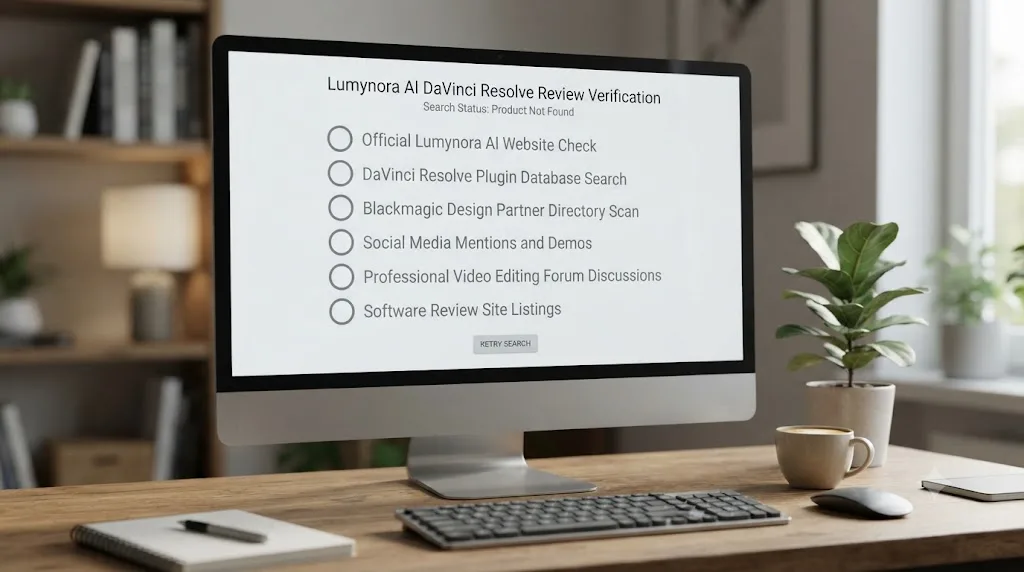
Based on everything checkable as of July 2026, no, not as a verifiable product. I searched directly for "Lumynora AI," "Lumynora DaVinci Resolve," and "Lumynora app review" across general web search. Every result that came back was either an unrelated brand with a similar name, a Wikipedia entry for a different word entirely, or a generic AI editing tool with no mention of "Lumynora" anywhere in it. Nothing in those results named a Lumynora product, a Lumynora company, or a Lumynora feature list.
That's a genuinely unusual result. Even a brand-new, poorly-funded, single-founder AI tool for DaVinci Resolve tends to leave some trace: a Product Hunt launch post, a Reddit thread asking if anyone's tried it, a one-line mention in a roundup article, a GitHub repo with three stars and a README. Sottocut, covered elsewhere on this site, had exactly that kind of thin-but-real footprint within its first month of shipping. Lumynora has none of it.
A search returning zero results for a specific product name is itself a finding, not an absence of one. I'm reporting that finding directly instead of padding it out with speculation dressed up as a feature list.

What happens when you actually try to find Lumynora AI online?
Here's every specific check I ran, in the order I ran them, so you can repeat any of this yourself rather than take my word for it.
General web search for "Lumynora AI DaVinci Resolve." Returned unrelated results: a Toolfarm article about an HDR tool called Lumagic, a Blackmagic forum thread about AI terminology in Resolve generally, and Frame.io and Larry Jordan articles about Resolve's own built-in AI. Nothing named Lumynora.
General web search for "Lumynora AI editing assistant DaVinci." Returned real competing products, Eddie AI, a GitHub project called resolve-ai-assistant, and coverage of Resolve's own Neural Engine tools, none of which mention Lumynora at all.
General web search for "Lumynora app review." Returned entirely unrelated apps with similar-sounding names: Lumenate (a meditation app), Lumary (smart LED lighting), Lumy (a sun-tracking app). None of them are Lumynora, and none of them touch video editing.
Search restricted to Product Hunt, Reddit, and Trustpilot for "Lumynora." Returned a YouTube music video, a Wikipedia name-origin page, and an unrelated itch.io game project. No launch post, no user thread, no review page.
Direct visit to lumynora.com. The domain returns an HTTP 403 error to a direct, unauthenticated request; no page content loads. That could mean a handful of different things, an active site behind aggressive bot protection, a parked domain, or a server configured to block automated visitors, and I can't tell you which from a 403 alone. What I can tell you is that no reviewable content came back.
Direct visit to lumynora.ai. The connection didn't complete at all.
Search restricted to the lumynora.com domain itself. Returned nothing from that domain; every result was an unrelated brand with a similar name.
| Check | What I found |
|---|---|
| General search: "Lumynora AI DaVinci Resolve" | No matching product anywhere in results |
| General search: "Lumynora app review" | Only unrelated apps with similar names (Lumenate, Lumary, Lumy) |
| Product Hunt / Reddit / Trustpilot search | No launch post, no user thread, no review |
| lumynora.com direct visit | HTTP 403, no content accessible |
| lumynora.ai direct visit | Connection did not complete |
| Site-restricted search of lumynora.com | No indexed content from that domain |
Six separate checks, six separate dead ends. That's not proof a product called Lumynora can never exist somewhere, under some name, in some corner of the internet I didn't reach. It's proof that nothing about it is currently verifiable enough to responsibly recommend, warn against by name, or walk through feature by feature the way this site does for every other tool it reviews.
What other real apps get mistaken for "Lumynora AI"?
Here's something I didn't expect going in: "Lumynora" isn't just a name that sounds like it could belong to a real AI company. It sounds like it could belong to several real AI companies at once, and a couple of them are close enough to explain a fair amount of the confusion on their own.
LumoraAI is a real, published app on Google Play, an AI-powered journaling tool that turns written thoughts and feelings into generated images and mood analytics. Lumora: AI Travel Photos is a real app on Apple's App Store that places you inside AI-generated travel photos at famous destinations. Luminar AI is a genuinely established name in this space, a real photo-editing product from Skylum with its own public GitHub organization and an active App Store listing for its mobile app. None of the three touches video editing. None of them mentions DaVinci Resolve anywhere in their own descriptions. And none of them is spelled "Lumynora."
That's the pattern worth naming plainly: swap one or two letters, drop a syllable, add "AI" to the end, and you can walk from a real product name to one that returns nothing. "Lumora" becomes "Lumynora" with a single inserted "yn." "Luminar" becomes "Lumynora" if you're recalling the shape of the word more than the spelling of it, the kind of thing that happens easily when you heard a name once in a video or skimmed it in an article instead of reading it carefully. None of this proves Lumynora is simply a misremembering of one of these three. It does mean a misremembered name is a plausible, ordinary explanation that doesn't require inventing fraud or an AI hallucination to make sense of the gap between "I'm sure I saw this somewhere" and "there's nothing here."
A name search returning real products with almost-the-same name is more informative than a search returning nothing at all. It tells you the general shape of what you were probably looking for, even when the exact name you typed doesn't exist.

Could "Lumynora AI" be a hallucinated product name rather than a real one?
It's a real possibility worth naming honestly, because a documented, growing phenomenon explains exactly this shape of search: an AI system generating a plausible-sounding product name that was never attached to a real product in the first place.
The clearest documented version of this happens in software development, where it has its own name: slopsquatting. Security researchers have found that AI coding assistants regularly invent software package names that sound completely real but don't exist, per Wikipedia's entry on the phenomenon. Researchers from the University of Texas at San Antonio, Virginia Tech, and the University of Oklahoma found that roughly 19.7 percent of packages generated across tested large language models were hallucinated outright, meaning they didn't exist anywhere before the AI suggested them, per CSO Online's coverage of that research.
Feross Aboukhadijeh, CEO of the security firm Socket, described exactly why this keeps happening in practice, quoted verbatim from The Register's reporting: "The problem is, these code suggestions often include hallucinated package names that sound real but don't exist." Attackers now watch for these hallucinated names and register the real package under that exact name, waiting for developers who trust an AI's suggestion to install it, and one such package, a fake "huggingface-cli," was downloaded more than 30,000 times before anyone caught it, per the same reporting.
That mechanism isn't confined to code, either. Two documented court cases show what happens when a hallucinated fact gets treated as fact. In Mata v. Avianca, an attorney used ChatGPT for legal research and filed a brief citing six court cases, complete with invented quotations and internal citations, none of which existed anywhere; a federal judge fined the lawyers $5,000 once opposing counsel and the court itself came up empty trying to locate any of them, per Wikipedia's account of the case. Air Canada ran into the mirror image of that problem: its own customer service chatbot invented a bereavement-fare refund policy the airline never actually offered, a grieving customer relied on it, and Canada's Civil Resolution Tribunal ruled that Air Canada, not the chatbot, was responsible for the fabrication, ordering the airline to pay roughly CAN$812 in damages, per CBC News's coverage of the ruling. Neither case involves a product name. Both involve the identical failure: a language model generated something that sounded completely reasonable and had nothing behind it, and the person who trusted it paid a real price for skipping the check.
That's package names and legal citations, not video editing product names, but the underlying mechanism doesn't care about the category. A large language model asked "what's a good AI tool for editing in DaVinci Resolve" is doing the same kind of pattern completion that produces a plausible-sounding but nonexistent package name or a plausible-sounding but nonexistent court case. "Lumynora" scans exactly like a real AI startup brand: it has the soft, luminous-sounding syllables that dozens of real companies (Luma, Lumen, Lumina, LumoraAI, Luminar) already use, plus the word "AI" tacked on the way hundreds of genuinely real tools name themselves. That's precisely what makes it plausible enough to search for, and precisely why it's worth checking rather than assuming.
A name that sounds exactly like a real AI product is not the same thing as a real AI product. I can't prove this specific search originated from an AI hallucination rather than a rebrand, a bad listicle, or someone half-remembering an ad. What I can tell you is that the mechanism for exactly this kind of false-positive search is real, documented, and growing, not a hypothetical I'm reaching for to fill space.

Is Lumynora AI a scam, a rebrand, or just too obscure to have a footprint?
Here's the honest breakdown of the real possibilities, since "it doesn't exist" isn't quite the same claim as any of these, and conflating them would be its own kind of dishonesty.
It could be a rebrand. Small AI tooling companies rename themselves constantly, chasing a less-crowded trademark or a cleaner domain. If Lumynora was a real, small project that renamed itself before gaining any search visibility under its old name, that would produce exactly this result: a name with zero footprint, because the footprint attached itself to whatever the product is called now.
It could be pre-launch. A landing page that's not yet built, sitting behind a coming-soon splash or a waitlist form, wouldn't necessarily show up in a general search yet, especially if it launched only days or weeks ago and hasn't been crawled.
It could be a listicle invention. Low-effort, AI-generated "best AI tools for DaVinci Resolve" roundup articles are a real, documented problem across this entire category, and some of them include tool names that were never checked against a live product before publishing. If Lumynora first appeared in one of those, the article itself is the only "source," and the product behind the name may never have existed at all.
It could be a scam in early setup, meaning a checkout page or download link exists somewhere this search didn't reach, built to collect a payment or a credential rather than deliver working software. I found no evidence of this specifically, no live checkout, no download link, no phishing report naming Lumynora, but the absence of evidence from a handful of searches isn't a clean bill of health either.
It could be a misremembered name, borrowed from one of the real, similarly-named products covered above, LumoraAI, Lumora, or Luminar AI, none of which have anything to do with video editing but all of which sound close enough to explain the confusion on their own.
It could simply be too new or too small to register anywhere yet, a genuine one-person side project with a working build and zero marketing, among the least alarming explanations given how thoroughly video-editing-AI tool names tend to circulate once even a small community starts using them.
Kaspersky's own consumer security guidance lists the practical tells worth checking for any of these scenarios: mismatched or generic branding, vague or error-filled descriptions, a developer name that doesn't check out, suspiciously low or absent download and review counts, and permission requests that don't match what the app claims to do, per Kaspersky's guide to spotting fake apps. Lumynora fails the most basic of those checks before you even get to the more detailed ones: there's no description to read for red flags, because there's no page to read it on.
None of the six explanations above can be confirmed from where I'm sitting, and I'm not going to pretend one of them is more likely than the others just to give this section a tidier ending. What's actually true, and the only thing worth building a decision around, is that nothing here clears the lowest bar for "safe or worthwhile to pay for": a working product a real person can point to.

Has an app scam like this actually hit video editors before?
Yes, and naming the specific precedent matters more than just gesturing at "these things happen." In 2020, mobile security firm Secure-D and its distribution partner Upstream identified more than 20 million fraudulent transaction attempts, worth an estimated $27 million in unauthorized premium charges, all originating from VivaVideo, a genuinely popular Android video editing app with millions of real installs, per Upstream's own research writeup. The app had been quietly enrolling users in premium subscriptions while serving invisible ads built to generate fake clicks, per TechRadar's coverage of the findings, with the bulk of the fraudulent traffic traced back to more than a million infected devices spread across 19 countries.
Two things about that case are worth holding next to Lumynora. First, VivaVideo wasn't an unknown app with zero footprint, which is the exact opposite of what's true here. It had a real listing, real installs, and real reviews, and the fraud still ran quietly for a stretch before researchers caught it. A large install base and a page full of reviews don't prove an app is safe, but they're a fundamentally different risk profile than a name with no page, no installs, and no reviews at all. Second, VivaVideo's fraud didn't need you to consciously type in a card number on a suspicious checkout page. It ran through mobile carrier billing and invisible ad clicks in the background, which means "I never agreed to anything" isn't automatically the same thing as "nothing happened to my account."
That's a different failure mode than anything turned up while checking Lumynora, since there's no live Lumynora app to install, scan for hidden permissions, or watch for invisible ad traffic in the first place. But it's the honest answer to "has this general category of harm actually hit people editing video," and the answer is yes, documented, at real scale, from a named security research firm, not a hypothetical raised just to sound cautious.
A separate, older piece of research adds useful context for how common counterfeit apps are as a category, independent of any single incident. A 2019 study from the University of Sydney and CSIRO's Data61 scanned more than a million Google Play apps with a neural network trained to spot near-identical app icons and copied descriptions, shortlisted close to 50,000 potential counterfeits, and confirmed 2,040 of them as genuinely malicious clones of popular apps, per the University of Sydney's own summary of the research. Counterfeiting a real app's name and icon is common enough that researchers built dedicated detection tooling just to find it at scale. Lumynora doesn't quite fit that exact pattern, since there's no real product with this specific name to copy, but it sits in the same neighborhood: a name convincing enough to search for, attached to nothing a reader can actually check.

How do you actually verify whether an AI tool for DaVinci Resolve is real?
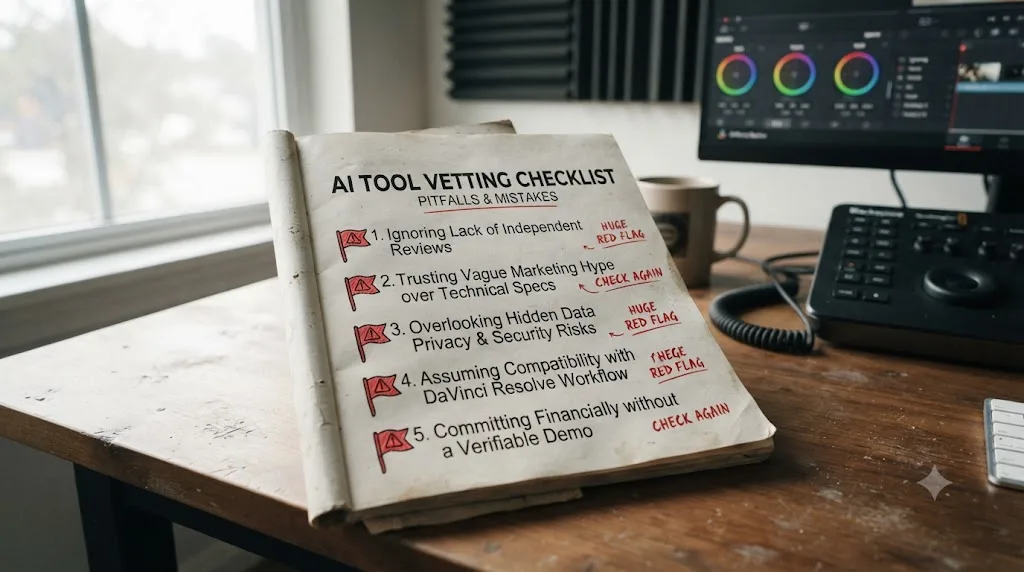
Since Lumynora fails this exact test, it's worth turning the failure into a checklist you can reuse on the next unfamiliar name that shows up in a search, an ad, or a friend's recommendation.
- Search the exact name plus "reddit" or "pricing." A real product, even one that launched three weeks ago, tends to surface a pricing page, a Product Hunt post, or at minimum one forum comment from someone who tried it. Sottocut, a genuinely new tool covered elsewhere on this site, had that thin footprint within its first month. Lumynora has none.
- Look for a company, founder, or legal entity named anywhere. Check the About page, the footer, the terms of service. CutAgent, Sottocut, and TryUncle all name a real product structure, pricing tiers, a support contact, terms of service, even where they don't name individual founders publicly. A site with no name attached to it anywhere is a real red flag on its own.
- Check for a changelog or version history. Sottocut's own changelog lists three specific released versions in its first month alone, each with dated, specific fixes. Real, actively developed software leaves that kind of trail. A static page with no version number and no dated updates is either brand new enough to not have one yet, or isn't actually shipping anything.
- Try the domain directly and read what actually loads, rather than trusting a screenshot, a listicle's description, or an AI chatbot's summary of what a tool supposedly does. A parked page, an error, or a coming-soon splash tells you the real current state in a way no secondhand description can.
- Run a WHOIS or ICANN lookup on the domain itself. A WHOIS or ICANN Lookup query shows a domain's creation date, its registrar, and how long it's stayed under the same registration, independent of whatever content the site itself does or doesn't load, a technique investigators use for exactly this reason, per Bellingcat's own toolkit entry on ICANN Lookup. A domain registered days before you found it, especially one hiding behind full registrar privacy with no other public trace of a company anywhere else, is a meaningfully different signal than a domain that's been registered and renewed for a couple of years. Privacy protection on a WHOIS record isn't a red flag by itself, plenty of legitimate small companies use it too, but a brand-new registration date stacked on top of every other check in this list coming up empty adds real weight to the case.
- Check the domain's history on the Wayback Machine. Punch the domain into web.archive.org and look at how far back the snapshots go and how much the site has actually changed. A domain that's been crawled every few months for a year, with a pricing page that's grown and changed, looks nothing like a domain with one snapshot from last week showing a single coming-soon splash. Neither result proves fraud on its own, but it tells you how much of the product's history you can actually see versus how much you're taking on faith.
- Confirm the price before you type in a card number. A real pricing page states a number, even a wide one like CutAgent's 29-to-299-euro range. Vague language like "contact us" or "request access" on something already being reviewed and recommended elsewhere is worth treating as unfinished, not launched.
A worked example, run on a real company: I ran this exact checklist against Wideframe, an AI tool that comes up constantly in the same searches as Lumynora and CutAgent, to show what a pass actually looks like. Searching "Wideframe pricing" surfaces a real pricing page. Wideframe is a Y Combinator-backed company with a public founders page, and its blog posts are bylined to a named person, Daniel Pearson, not an anonymous "the team." The blog itself functions as a changelog of sorts, dated posts tracking what the product does and doesn't support yet. The domain loads a real, working site with real content, not a parked page or an error. And Wideframe's own blog states plainly, in writing, that it doesn't do everything you might want yet: native DaVinci Resolve export is only "on the 2026 roadmap," with today's product limited to Premiere Pro's .prproj format.
That last point matters more than it looks like it should. Wideframe passes every check in this list and still might not be the right tool for a Resolve editor today, which is a completely different problem from Lumynora failing every check in this list. One is a real company that hasn't built the specific feature you want yet. The other is a name with nothing behind it at all. Our full breakdown of whether Wideframe actually works with DaVinci Resolve covers the current workaround if you want to use it anyway.
None of these seven checks require special tools or technical skill. They require about ten minutes and a willingness to actually look before you trust a name a search engine, an ad, or an AI chatbot handed you. Run all seven on Lumynora yourself and you'll land in the same place this review did.

What does the real AI-for-DaVinci-Resolve market actually look like right now?
Here's the honest version of the category Lumynora supposedly belongs to, built from tools that pass every check in the section above.
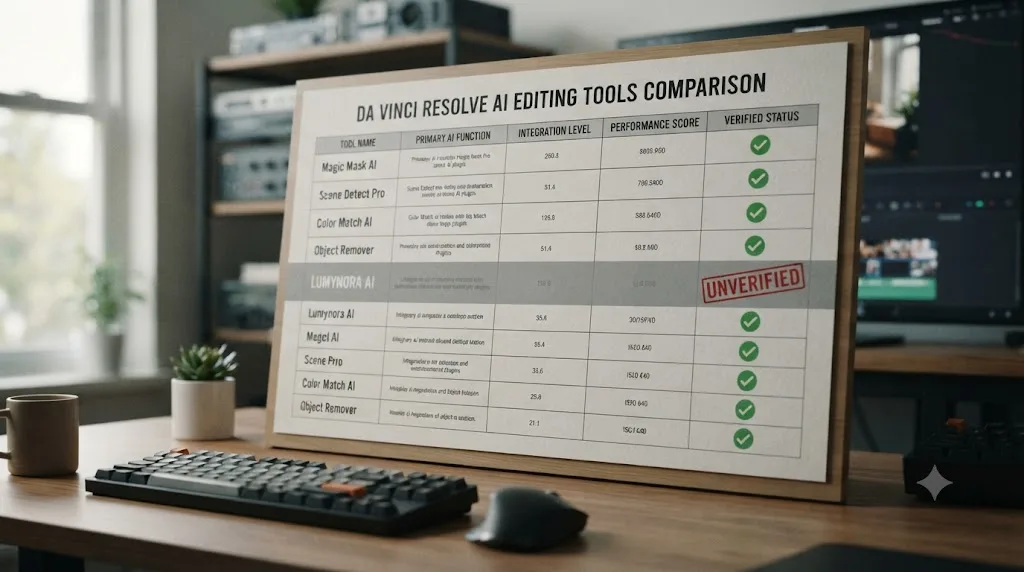
| Tool | Lives inside Resolve? | Starting price | Platform | What it actually does |
|---|---|---|---|---|
| Sottocut | Yes, native extension | $15/month (bring your own key), $129 lifetime option | macOS (Apple Silicon), Resolve Studio 21 | Transcribes and scores footage on-device, proposes cuts and captions you approve |
| CutAgent | Yes, native extension | 29 euros/month | macOS, Resolve Free or Studio 20+ | Turns typed instructions into timeline edits across edit, color, Fairlight, and Fusion |
| DavinciClaude | Yes, native extension | Free (with daily limits) | macOS and Windows, Resolve 18+ | Silence removal, captions, subtitles, and a paid chat interface tier |
| Eddie AI | Partial, separate app plus Resolve extension | Free (2 exports/month), $167/month Pro | macOS and Windows | Rough-cut assembly, multicam sync, footage organization |
| DaVinci Resolve's own Neural Engine | Yes, built in | Included in the one-time $295 Studio license | Mac, Windows, Linux | IntelliSearch, Magic Mask, CineFocus, and six more built-in AI tools |
| Wideframe | No, Premiere Pro only today (Resolve on its 2026 roadmap) | Real pricing page, 7-day free trial | macOS, Apple Silicon required | AI agent that searches, organizes, and assembles a rough sequence from raw footage upstream of any NLE |
| PremiereCopilot | No, Premiere Pro only | Check current pricing on its own site | Adobe Premiere Pro | Chat-based AI editing inside Premiere; no Resolve integration at all |
| TryUncle | Yes, watches your screen; never edits | $29.99/month founder rate | macOS only | Points at the exact control you need; teaches instead of automating |
| Lumynora | Unverified | Unknown | Unknown | Unknown |
That last row belongs on the table for one reason: it's the honest place a name with no verifiable footprint actually sits, next to real products instead of pretending the comparison doesn't need to include it.
DaVinci Resolve 21 itself shipped nine built-in Neural Engine AI tools in a single release, IntelliSearch, CineFocus, AI Speech Generator, AI UltraSharpen, AI Motion Deblur, AI Face Age Transformer, AI Face Reshaper, AI Blemish Removal, and AI Slate ID, per Blackmagic's own What's New page, all included in the one-time $295 Studio license rather than a separate monthly subscription. PremiereCopilot, worth naming here because it shows up constantly in the same general search category, describes itself on its own site as the native AI plugin for Adobe Premiere Pro specifically, per PremiereCopilot's homepage; neither its homepage nor its pricing page mentions DaVinci Resolve anywhere, so if you edit in Resolve, it has nothing to plug into regardless of how it ranks.
A real, honest comparison table has room for a row that says "unverified." Marketing copy never does. That's the single clearest tell separating a genuine review from a listicle that padded its word count with a name nobody checked.
What do DaVinci Resolve 21's own built-in AI tools actually do?
Worth a closer look, since this row of the table above is the one option on it that costs nothing beyond software you may already own. DaVinci Resolve 21's Neural Engine ships nine AI tools directly inside the app, no plugin, no subscription, no separate download, per Blackmagic's own What's New page.
IntelliSearch lets you search your own footage the way you'd search text: type a description of what's in a shot, a person, an object, a spoken word, and it surfaces the matching clips from your media pool instead of you scrubbing through hours of footage by eye. Magic Mask turns object or person selection into a single click, then keeps that selection tracked through the shot so you can grade the subject separately from the background without hand-drawing a power window or rotoscoping a mask frame by frame. CineFocus works after the shoot rather than during it: click on a part of the frame and adjust the simulated aperture and focal range to shift where the depth of field falls, with keyframe-able controls for a rack-focus effect you never actually shot on set.
The rest of the Neural Engine tools solve narrower, specific problems. AI Speech Generator builds a voiceover from typed text, using either Blackmagic's own voice models or a custom voice sample. AI UltraSharpen and AI Motion Deblur clean up soft or motion-blurred footage after the fact. AI Face Age Transformer and AI Face Reshaper adjust apparent age and facial structure on moving footage. AI Blemish Removal smooths skin imperfections while trying to preserve real texture instead of flattening it into plastic. AI Slate ID auto-detects clapperboard metadata so multi-camera footage organizes itself instead of you typing scene and take numbers by hand.
Every one of these tools ships inside software you can verify exists right now, with a real company's name on it, included in a one-time license rather than billed as a recurring subscription to an unfamiliar company. That's the honest baseline "AI in DaVinci Resolve" already clears before you consider a single third-party name, real or not. It won't replace an editing agent that reads a full timeline and proposes cuts, or an on-screen assistant that watches your specific project and points at a control, since these are narrower, single-purpose tools you invoke deliberately rather than a conversational layer sitting on top of your whole edit. But it's worth knowing what's already included before paying anyone else for a capability Resolve might already have built in.

AI editing agent vs AI tutor: which job would Lumynora even have been doing?
It's worth asking this even about a tool that may not exist, because "Lumynora AI DaVinci Resolve review" as a search phrase doesn't tell you which job the searcher actually wants solved, and the category splits cleanly into two very different answers.
Editing agents read your footage or your timeline and act on it. Sottocut transcribes and scores your footage, then proposes cuts and captions you approve or reject. CutAgent turns a typed sentence into real timeline operations across multiple Resolve pages. Eddie AI assembles rough cuts and syncs multicam footage. If Lumynora is real somewhere, and it's positioned the way its name suggests (soft, luminous, "smart assistant" branding common across this category), it most likely would have been pitched as this kind of agent, automating some slice of the edit itself. Our own side-by-side comparison of the AI editing agents that actually work with Resolve covers what that job looks like when a tool genuinely does it.
On-screen assistants do the opposite job on purpose. They watch what you're doing and tell you the next move, without ever touching your project. TryUncle is the clearest example of this category: it reads your live screen and draws a circle around the control you need, and you make the click yourself.
Neither category is a lesser version of the other, and neither is automatically the right pick for every editor. An agent saves real hours on repetitive work, provided you actually review what it proposes rather than rubber-stamping it. A pointer can't damage a timeline by definition, since it never executes anything, but it also can't save you the manual labor of the click itself.
Whichever job a phantom name like Lumynora was supposedly built for, the job itself is real and worth naming, even when the specific tool claiming to do it isn't. That distinction, between the category and any one brand inside it, is exactly what a search for a single unverifiable name obscures.
Is there a free AI assistant for DaVinci Resolve, if Lumynora isn't real?
Yes, and this is worth answering directly since a search for one unverifiable tool often means the actual goal is "something, anything, that helps with AI in Resolve without costing money." Our own deeper look at whether a genuinely free AI assistant for DaVinci Resolve exists goes further into this, but here's the short version.
AutoSubs is a genuinely free, MIT-licensed, open-source transcription and subtitle tool that runs locally on your machine, no cloud upload, no subscription, no account required, per its own GitHub project. It connects directly to DaVinci Resolve and works on macOS, Windows, and Linux. DavinciClaude's free tier covers Smart Silences, Smart Captions, Smart Subtitles, and Smart Virals with no time limit, per its own product page, reserving only its chat-based Claude Cut interface for a paid tier.
Neither of those is Lumynora, obviously. But both are checkable in exactly the ways Lumynora isn't: a real GitHub repository with commit history, a real company with a named pricing page, a real feature list you can read before installing anything. If your actual goal typing this search was "something free that uses AI in Resolve," these two clear every bar Lumynora fails.
A tool being free doesn't excuse it from the same verification checklist a paid one deserves. Both AutoSubs and DavinciClaude pass that checklist easily. That's the difference between "free and real" and "a name with nothing behind it."

What is TryUncle, and how does it compare to the tools that actually exist?
TryUncle is the on-screen assistant for DaVinci Resolve on macOS, ask in plain words and Uncle points at the exact control on your screen. It's a real, working, currently maintained macOS app, checkable in every way Lumynora isn't: a live pricing page, a public FAQ describing exactly what permissions it needs and why, and a specific, narrow scope it doesn't overclaim past.
Where Sottocut and CutAgent read your footage or timeline and propose changes to it, Uncle never touches your project at all. You ask a question, by typing, speaking, or a generic "what's next" shortcut when you don't have the vocabulary to describe the actual problem, and Uncle reads your live screen through the same screen-recording permission any capture app uses, then draws a circle or box around the control you need, per TryUncle's own FAQ page. It runs on the Edit, Color, and Fusion pages today, and it doesn't yet cover Fairlight or detailed Deliver-page workflows.
TryUncle Access is $29.99 a month at founder pricing, a paid subscription from the first day with no free tier, per its own FAQ. That's worth stating plainly: it's not free, it's not "free during early access," and it's not something you're meant to outgrow once you've learned enough. Founder pricing and seat counts change, so check TryUncle directly for the current rate before subscribing, since a static review can't keep that number live for you.
Set next to a name like Lumynora with no verifiable footprint at all, the contrast is the entire point of this section. A real product publishes a price, a scope, and a way to check its claims. An unverifiable one publishes nothing you can check at all. That gap, not a feature comparison, is the actual difference between a tool worth your money and a name worth a ten-minute search before you go anywhere near a checkout page.
Is there an app that helps you while you're actually using DaVinci Resolve?
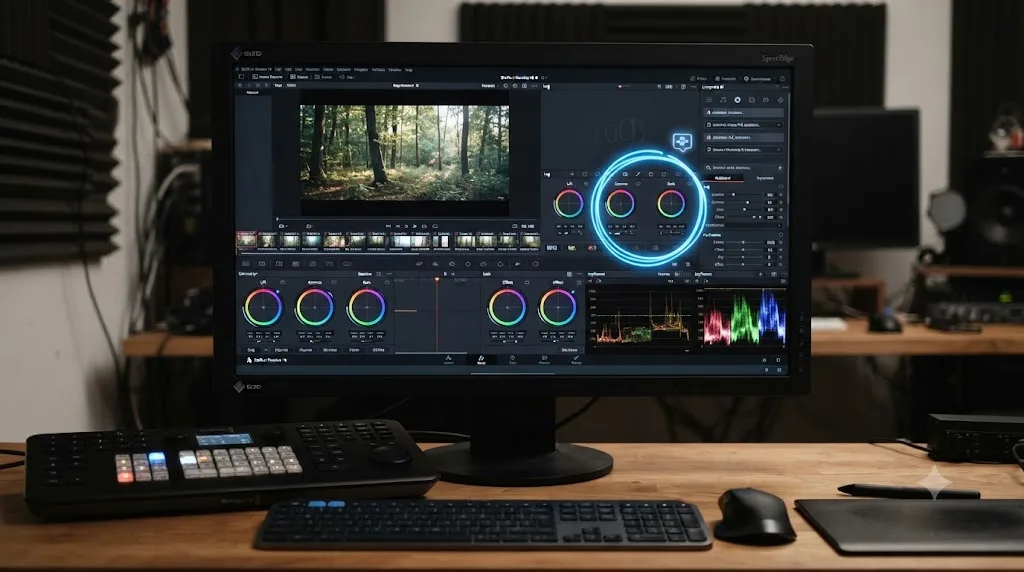
Yes, and this phrase is worth answering directly since it's how a lot of people searching for a name like Lumynora actually think about the problem, even when they don't type it this way. What they usually mean isn't "a specific brand," it's "something that reacts to my actual screen instead of a tutorial recorded on someone else's project months ago."
Two real, different answers exist. Editing agents like Sottocut, CutAgent, and Eddie AI help by doing work inside your project for you, transcribing, scoring, cutting, captioning, based on an instruction you give them. TryUncle helps by watching what you're doing and telling you the next move without doing it itself. Both genuinely qualify as "an app that helps you while using DaVinci Resolve." Neither is Lumynora, and neither needs an unverifiable brand name to already exist and work today.
Resolve's own built-in AI tools are a third, narrower answer worth naming here too. IntelliSearch finds clips by describing them in plain language; Magic Mask isolates a subject from a single brush stroke. Both are real, native, and mostly Studio-only, but neither is conversational or screen-aware the way an editing agent's chat interface or Uncle's live pointer are. They're task-specific tools you invoke deliberately, not an assistant reacting to whatever you're stuck on in the moment.
"An app that helps you while using DaVinci Resolve" already has several real, checkable answers. It just doesn't have one called Lumynora, at least not one anyone can currently find.
What's the best way to learn DaVinci Resolve fast, since Lumynora can't help you?
If the underlying goal behind this search was really "help me learn Resolve fast" rather than a specific brand name, it's worth answering that question honestly instead of leaving you with only a "the tool you searched for doesn't exist" dead end.
The consensus that already works, and has for years, starts with sources that need no verification checklist at all because Blackmagic and established creators stand behind them directly. Blackmagic Design's own free training program includes downloadable training books and free certification exams, the closest thing to an official baseline for how the company itself expects new editors to learn the app. Community YouTube channels, Casey Faris chief among them, publish ongoing, free, structured tutorials covering fundamentals and new features as they ship. Reddit's r/davinciresolve is where real editors troubleshoot real problems in public, a useful gut check against any single tool's marketing claims. Structured paid courses on Udemy and Coursera round out a middle tier between free scattered tutorials and one-on-one mentoring, for anyone who prefers a syllabus to a YouTube search.
None of those are AI tools. All of them are real, checkable, and have been helping editors learn Resolve long before "AI tool to learn DaVinci Resolve" became a search phrase at all. Once you've built real fundamentals from sources like these, that's the point where a genuinely AI-driven tool starts to add something a static tutorial structurally can't. TryUncle's whole design targets the exact moment you're stuck on your own project, a node tree that's grading the whole frame instead of an isolated area, a power window that won't track, watching your specific screen rather than a video recorded on someone else's footage.
Guided repetition inside your own project, backed by real free training and a real community, teaches you faster than chasing whichever new AI brand name shows up in a search this week. That's true whether the brand name in question turns out to be real, like Sottocut, or unverifiable, like Lumynora.

What should you do if you already paid for or downloaded something called Lumynora?
Everything above assumes you're checking before you commit. If you're reading this after you already entered a card number, downloaded a file, or granted permissions to something called Lumynora, the situation is different and the clock matters more than the research does. Here's the practical sequence, in order.
- Stop entering information anywhere else. Don't log back in "to check on something," don't enter a second payment method because the first one "didn't seem to work," and don't grant any additional permission a prompt asks for. Whatever happens next, it doesn't need more of your data than it already has.
- Screenshot everything before you close the tab. The checkout page, the confirmation email, the download link, the price shown, the company name if any appeared. If this turns into a dispute with your card issuer or a report to a regulator, having the original page beats trying to describe it from memory.
- Cancel the recurring subscription itself, separately from requesting a refund. A refund covers money already charged; it doesn't stop the next charge from happening. On iPhone or iPad, that's Settings, your name, Subscriptions. On Android, that's the Google Play Store app, your profile icon, Payments & subscriptions, Subscriptions. If you paid directly on a website with a saved card, check whether the site has its own cancellation page before relying on a card dispute alone to stop future billing, since a dispute contests a past charge and doesn't reliably prevent the next one from being attempted.
- Request a refund through the official channel for how you paid, not through the product itself. If you bought it through the App Store, Apple's own refund request page walks you through choosing the purchase and the reason, per Apple's support documentation. If you bought it through Google Play, Google's refund request flow works the same way, per Google Play's own help page. If you paid directly by card on a website, contact your card issuer and start a dispute; you generally don't need the company's cooperation for a card dispute to work.
- Change any password you reused on that checkout or signup page. If the same email and password combination unlocks anything else you actually care about, that's now the more urgent problem, independent of whether Lumynora itself turns out to be harmless.
- Watch your statement for anything else that shows up. A single unexpected charge from an unfamiliar name is worth a closer look at every charge around it, not just that one line.
- Delete the app or files and run a security scan if you downloaded something rather than just paying for a subscription. Don't reopen it "one more time to see what it does." An unverifiable download has already told you everything you need to know by being unverifiable.
- File a report even if the amount was small. ReportFraud.ftc.gov exists specifically to track patterns across many small reports that wouldn't be worth investigating individually. Your one report might be the piece that connects a pattern an investigator is already looking at.
None of this requires you to have proof it was a scam. A canceled subscription, a refund request, and a fraud report are all reasonable actions to take on an unverifiable product regardless of whether it turns out to have been malicious, the same way you'd double-check a lock on a door you weren't sure you'd closed, not because you're certain someone tried it, but because checking costs you almost nothing and not checking might cost you a lot.

What should you do if you saw Lumynora AI recommended somewhere specific?
If you're reading this because a specific ad, forum comment, or AI chatbot pointed you at "Lumynora" by name, here's the practical next step rather than just a shrug.
If it was an ad or a sponsored post, check whether it links to an actual, loadable product page, not just a brand name and a screenshot. An ad that never lands you on a working checkout or download page is worth reporting to whatever platform served it, since that's exactly the pattern a scam-in-early-setup would follow.
If it was a forum comment or a social post, check the account that posted it. A brand-new account with one post promoting a single unfamiliar tool is a well-documented pattern for both scam promotion and low-effort affiliate spam, neither of which requires the product behind it to actually work as described.
If it was an AI chatbot, including one you asked directly "what's a good AI tool for DaVinci Resolve," treat that recommendation the exact same way security researchers now treat an AI-suggested software package name: as a plausible-sounding guess, not a verified fact, per the documented pattern of AI-hallucinated names covered earlier in this piece. Ask the chatbot directly for a link, and if it can't produce one that actually resolves to a real, loadable page, that's your answer. If the chatbot insists the tool is real and simply "hard to find," push it to name a specific source, a company, a press mention, anything checkable. A model that can't produce one and keeps asserting the product exists anyway is showing you the same overconfident pattern behind hallucinated package names and invented court cases, just in a conversation instead of a code suggestion or a legal brief.
If you genuinely can't remember where you saw it, that's actually the most common and least alarming version of this. Names blur together after scrolling through a dozen "best AI tools" articles in one sitting, and "Lumynora" is close enough in sound to LumoraAI, Luminar, Lumen, and half a dozen other real AI brands that a misremembered name is a perfectly ordinary explanation, no scam or hallucination required.
Whatever pointed you here, the fix is the same checklist from earlier in this piece, not a leap of faith in either direction. Verify before you pay, and don't assume malice where a misremembered brand name explains the whole thing just as well.
Common mistakes people make chasing a tool that doesn't show up anywhere
A handful of avoidable mistakes account for most of the wasted time, and occasional real money, lost chasing an unverifiable name in this exact category.
Assuming a specific-sounding name must be real because it sounds like other real products. "Lumynora" sounds exactly like the LumoraAI, Luminar, and Lumina brands that genuinely exist in adjacent spaces. That resemblance is the entire reason a hallucinated or misremembered name feels trustworthy, and it's exactly why resemblance alone isn't evidence.
Entering payment information on a page you found through a single ad or forum link, without checking for a company name, a changelog, or a public pricing page first. Every real tool covered in this piece, Sottocut, CutAgent, Eddie AI, Wideframe, TryUncle, publishes all three. A checkout page with none of them is a reason to stop, not proceed.
Trusting an AI chatbot's tool recommendation as a verified fact rather than a plausible guess. The same pattern-completion behavior that produces a hallucinated software package name or an invented legal citation produces a hallucinated product recommendation. Ask for a working link, and check that it loads, before treating any AI-suggested tool name as real.
Assuming a subscription cancels itself once you stop opening the app. Deleting an app from your phone removes the icon, not the billing agreement behind it. Both Apple and Google keep charging a recurring subscription until you cancel it through their own subscription settings, not through uninstalling whatever charged you in the first place.
Giving up on the idea of AI help for DaVinci Resolve entirely because one specific name turned out to be a dead end. The category itself is real and growing. Sottocut, CutAgent, Eddie AI, DavinciClaude's free tier, and TryUncle all exist, all publish real pricing, and all pass the verification checklist a name like Lumynora fails outright.
Treating "I couldn't find it" as proof of a scam rather than proof of nothing confirmable either way. The honest position on an unverifiable name is exactly that: unverifiable. Overclaiming fraud without evidence is its own kind of dishonesty, even when the underlying caution, don't pay for what you can't check, is correct.
Skipping the refund and fraud-reporting steps because the amount felt too small to bother with. A ten-dollar charge you shrug off is exactly the amount scam operations count on people not reporting. It costs a few minutes to request a refund and file a report; it costs nothing to skip it, until the pattern it was part of catches someone else for more.
Who should actually do what, given all of this?
Match yourself to a row instead of guessing based on how confident the search results felt.
| You are | What to do |
|---|---|
| Trying to confirm whether Lumynora AI is real before you consider it | Run the seven-step checklist above yourself. As of this writing, it fails every step. |
| Looking for any working AI editing agent for DaVinci Resolve | Start with Sottocut or CutAgent, both of which edit natively inside a live Resolve project and show you the change before it lands |
| Looking for a free option specifically | AutoSubs (transcription and subtitles) or DavinciClaude's free tier (silence cuts, captions) are real, checkable, and cost nothing |
| Stuck on understanding Resolve itself, not on repetitive tasks | TryUncle is built for exactly that moment, watching your live screen and pointing at the control you need |
| Editing on Windows, not a Mac | Sottocut, CutAgent, Wideframe, and TryUncle are all Mac-only today; Eddie AI, DavinciClaude, and Resolve's own Neural Engine tools all run on Windows |
| Trying to learn Resolve from zero, with no budget yet | Blackmagic's own free training, Casey Faris on YouTube, and r/davinciresolve cover the fundamentals for free, with no AI tool required |
| Already paid for or downloaded something called Lumynora | Cancel the subscription through Apple or Google's own settings, request a refund through Apple, Google Play, or your card issuer, change any reused password, and file a report at ReportFraud.ftc.gov |
| Considering paying for something called Lumynora specifically | Don't, not until it publishes an actual price, a company name, and a working page you can load yourself |
Notice that "wait for Lumynora" isn't a row here. Nothing about today's evidence supports that specific plan when real, working, verifiable alternatives already exist and do the same class of job.
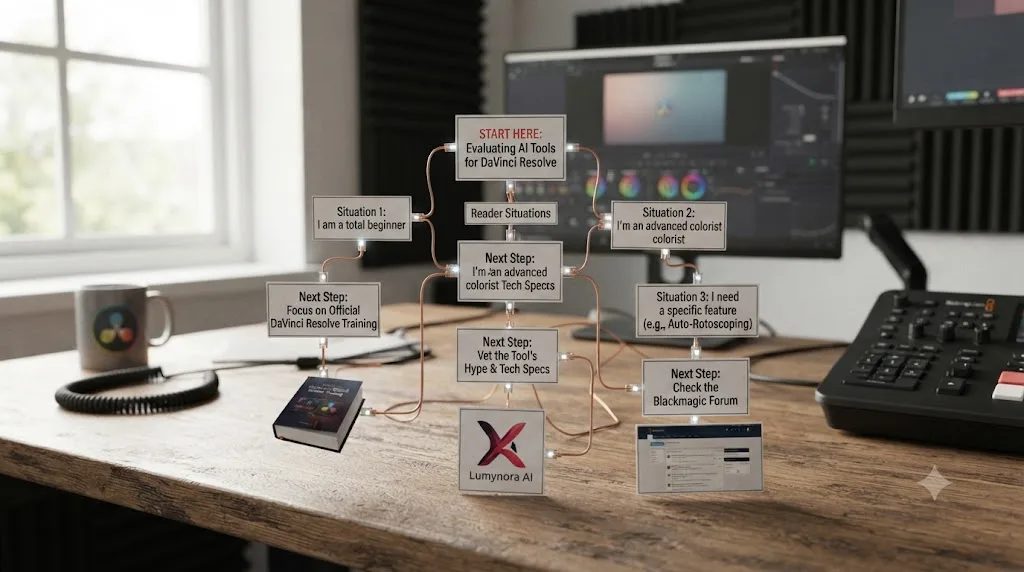
Verdict: should you use Lumynora AI for DaVinci Resolve?
There's nothing to use. As of July 2026, Lumynora AI has no working website, no app listing, no GitHub repository, no changelog, no pricing page, no press coverage, and no user review anywhere I could find, across six separate, specific checks, plus a broader search that turned up real, similarly-named products (LumoraAI, Lumora AI Travel Photos, Luminar AI) that aren't it either. That's not the same claim as "it's a scam," which requires evidence of someone actively taking your money or data, and I found none of that either. The honest label is unverifiable, and unverifiable is reason enough to keep your card number away from it until that changes. If you already paid or downloaded something under that name, the canceled subscription, the refund, and the password steps above matter more right now than any of the research that got you here.
What is real, and worth your actual attention, is the category this search was reaching for. Sottocut and CutAgent edit inside your Resolve project directly and show you the change before it commits. Eddie AI assembles rough cuts and syncs multicam footage. Wideframe does real, useful pre-edit organizing work today, just not for Resolve yet. DaVinci Resolve 21's own Neural Engine ships nine AI tools built in, no subscription required beyond the one-time Studio license. AutoSubs and DavinciClaude's free tier cover real ground for zero dollars. And TryUncle is the on-screen assistant for DaVinci Resolve on macOS, ask in plain words and Uncle points at the exact control on your screen, the tool built for the moment you're stuck on your own project, not for automating an edit you already know how to make.
A name with no verifiable footprint doesn't deserve your money, and a real, checkable category of tools already covers whatever job you were hoping Lumynora would do. Run the ten-minute checklist on the next unfamiliar name a search hands you, and spend your actual budget on something that publishes a price you can read before you pay it.
Frequently asked questions
- Does Lumynora AI exist for DaVinci Resolve?
- Not as any product we could locate or verify. As of July 2026 there is no working Lumynora website with content, no App Store or Mac listing, no GitHub repository, no Product Hunt page, no press coverage, and no user review of it anywhere. That's not the same as proving it can never exist, but there's nothing today to review.
- Is Lumynora AI a scam?
- We can't confirm that, and we won't accuse a name of fraud without evidence either way. A scam requires someone actively taking money or data from you, and we found no live storefront, checkout page, or download doing that. The honest label is unverifiable, not confirmed-scam. Treat any surprise Lumynora checkout page or download link you encounter with real suspicion.
- Why does "Lumynora AI DaVinci Resolve review" show up as something people search for, if there's no product to review?
- A few real patterns explain a search like this: a low-quality AI-generated listicle inventing a plausible-sounding tool, an AI chatbot hallucinating a product name the way LLMs are documented to hallucinate software package names, a rebrand or renamed product under a different name now, or a reader half-remembering a name from an ad, possibly one of several real apps (LumoraAI, Lumora AI Travel Photos, Luminar AI) with a similar sound. We can't tell you which one caused this specific search, only that all of these happen regularly in this exact category.
- What real AI tools actually work with DaVinci Resolve right now?
- Sottocut and CutAgent both edit natively inside a live Resolve project and show you the change before it lands. Eddie AI has a real Resolve extension for rough cuts and multicam sync. DaVinci Resolve 21 itself ships nine built-in Neural Engine AI tools, including IntelliSearch and Magic Mask, with no plugin required. TryUncle takes a different job entirely: it watches your screen and points at the control you need instead of editing anything.
- How do I check whether a new AI tool for DaVinci Resolve is real before I pay for it?
- Look for an actual pricing page with real numbers, not just a waitlist. Check for a changelog or version history showing ongoing development. Search for the name plus "reddit" or "review" and see if any real person has used it. Check whether its own site names a company, a founder, or a legal entity anywhere, run a WHOIS or ICANN lookup on the domain's registration date, and check the domain's history on the Wayback Machine. If all of that comes back empty, don't send it a payment method yet.
- Has a scam like this actually happened with a real video editing app before?
- Yes. In 2020, security researchers at Secure-D and Upstream traced more than 20 million fraudulent transaction attempts, an estimated $27 million in unauthorized premium charges, to VivaVideo, a popular Android video editing app that was quietly signing users up for subscriptions and serving invisible ads. That's a different failure mode than anything found while checking Lumynora, since there's no live app here to inspect, but it's real evidence that this category of harm has hit video editors before, not a hypothetical raised just to sound cautious.
- Is there a free AI assistant for DaVinci Resolve?
- Yes, genuinely. AutoSubs is a free, open-source, MIT-licensed transcription and subtitle tool that runs locally with no account. DavinciClaude's free tier covers silence cuts, captions, and subtitles with no time limit. Neither is Lumynora, and neither is a trial dressed up as free. Both are real, checkable, and currently maintained.
- Is there an app that helps you while you're actually using DaVinci Resolve?
- Yes. TryUncle is the on-screen assistant for DaVinci Resolve on macOS, ask in plain words and Uncle points at the exact control on your screen. It doesn't edit your timeline the way Sottocut or CutAgent do; it watches what you're doing and shows you the move, live, inside your own project.
- What should I do if I already paid for or downloaded something called Lumynora?
- Stop before you enter any more information anywhere, then cancel the recurring subscription itself through Apple or Google's own subscription settings, since a refund alone doesn't stop the next charge. Screenshot the checkout page or download link for your records, then request a refund through the official channel: reportaproblem.apple.com if you bought it through the App Store, Google Play's refund request flow if you bought it through Google Play, or your card issuer's dispute process if you paid directly. Change any password you reused on that checkout page, watch your statements for unrecognized charges, and file a report at ReportFraud.ftc.gov so the pattern gets tracked even if your individual case is small.
Sources
- Lumynora (domain checked directly, July 2026: no accessible content returned)
- Wikipedia: Slopsquatting
- CSO Online: AI hallucinations lead to a new cyber threat, slopsquatting
- The Register: AI code suggestions sabotage software supply chain (Feross Aboukhadijeh quote)
- Wikipedia: Mata v. Avianca, Inc.
- CBC News: Air Canada found liable for chatbot's bad advice on bereavement rates
- Kaspersky: How to Spot and Avoid Fake Apps
- Bellingcat's Online Investigation Toolkit: ICANN Lookup
- Upstream: $27 Million Premium Subscription Fraud and Invisible Ads Within VivaVideo Identified by Secure-D
- TechRadar: This popular Android video editing app turned out to be a scam
- The University of Sydney: Over 2,000 fake Android apps discovered
- DaVinci Resolve - What's New (Blackmagic Design, Resolve 21)
- DaVinci Resolve Studio product page (Blackmagic Design)
- DaVinci Resolve product page (free version)
- Blackmagic Design Announces DaVinci Resolve 21 (Business Wire)
- CutAgent (product site: features, pricing, FAQ)
- Sottocut (product site: how it works, pricing)
- Sottocut Pricing
- Eddie AI (product site)
- Eddie AI Pricing
- CineD: Eddie AI Extension for DaVinci Resolve Released, Virtual Editing Assistant
- DavinciClaude (product site: the AI plugin for DaVinci Resolve)
- PremiereCopilot (product site: plugin overview for Premiere Pro)
- PremiereCopilot Pricing
- AutoSubs (GitHub: local-first AI subtitle generator for DaVinci Resolve)
- ProVideo Coalition: NAB 2026, Eddie AI, Quickture, Selects, the AI editing assistants (Scott Simmons)
- TryUncle (product site: how Uncle works, pricing, and setup)
- TryUncle FAQ
- LumoraAI (Google Play listing)
- Lumora: AI Travel Photos (Apple App Store listing)
- Luminar AI (Skylum, GitHub organization)
- Wideframe: "AI Editing Tools That Work with DaVinci Resolve in 2026" (Daniel Pearson, Wideframe blog)
- Wideframe (product site: homepage, platform requirements, pricing)
- Wideframe on Y Combinator (batch, founders)
- Apple Support: Request a refund for apps or content that you bought from Apple
- Google Play Help: Request a refund on Google Play
- FTC: Report Fraud
Put this guide to work with TryUncle.
Ask about the step you’re on. TryUncle sees your screen and points at the control you need, so you can keep learning in your own project.
Get TryUncle for Mac or WindowsKeep reading
Comparisons · Jul 15, 2026 · 36 min
Best AI Video Editing Assistant for DaVinci Resolve, Compared
Sottocut, CutAgent, DavinciClaude, Eddie AI, and Wideframe compared for DaVinci Resolve: pricing, privacy, and what each actually automates.

Comparisons · Jul 16, 2026 · 39 min
Free AI Assistant for DaVinci Resolve? The Honest Answer
Real free AI tools for DaVinci Resolve exist: DavinciClaude's free tier, and open-source plugins like AutoSubs and BadWords. Here's what each does.
Reviews · Jul 15, 2026 · 29 min
CutAgent AI Review: Does It Actually Work in DaVinci Resolve?
An honest CutAgent review for DaVinci Resolve: what the AI editing agent actually does, its 29-299 euro pricing, and where it isn't proven yet.