Articles / Guidesupdated for DaVinci Resolve 21.0.3 (August 2026)
How to Make Sound Effects Realistic in DaVinci Resolve 21
Quick answer
To make sound effects realistic in DaVinci Resolve 21, layer a body sound, a sync detail, and quiet room tone. Then shape each layer with clip EQ and level, add short room-matched reverb, pan it to the action, and automate the result against dialogue and music.
Sound effects feel fake when they arrive as isolated, full-band files. Make them believable by matching the action, layering a body sound with a detail and room tone, then shaping each layer with EQ, level, reverb, and pan.
As of August 2026, this workflow is for the final DaVinci Resolve 21 release and the 21.0.3 update. We run a 100,000+ member professional video-editing community, where editors regularly ask how to make a soundtrack sit inside the picture.
How do I make sound effects realistic in DaVinci Resolve 21?
Make sound effects realistic in DaVinci Resolve 21 by building a small sonic environment, not by searching for one magical clip. Fairlight gives you clip volume, pan, pitch, and six-band parametric EQ controls, so the essential work can happen inside the timeline. Blackmagic Design documents those clip controls here.
Use this five-step workflow:
- Make the sound belong to the action. Watch the shot without sound. Mark the contact, acceleration, impact, release, and reaction. A footstep begins at contact, not when the actor's leg starts moving. A door needs the handle, latch, and body movement, not just a generic slam.
- Build three layers. Start with a body layer for weight, a sync detail for the visible action, and room tone for the location. Keep them separate so you can change one without damaging the others.
- Shape the tone. Remove rumble and harshness before boosting anything. Make the effect sound as if it was recorded from the camera's distance.
- Place it in space. Use pan and short reverb to match the shot's point of view. An off-camera sound should not feel recorded with a microphone pressed against the object.
- Automate and check the mix. Fade entrances and tails, follow movement with small pan changes, and listen with dialogue and music. If the effect wins your attention before the action does, it is probably too loud or too bright.
Realistic sound effects come from relationships between layers, not from a single perfect file.
Why do my sound effects sound fake in DaVinci Resolve?
Sound effects sound fake in DaVinci Resolve when the recording perspective contradicts the image. A close, bright, dry clip under a wide shot feels pasted on. A loud impact with no movement feels like a cartoon accent.
Listen for four mismatches:
- Timing: Put the transient at the physical event. Keep a tiny lead-in if the object visibly travels, then let the impact arrive on contact.
- Scale: A large room needs a different tail from a small room. Use the acoustic space the picture implies.
- Distance: Lower level, reduce high-frequency detail, and add more early room information as the source moves away. These are starting moves, not laws.
- Texture: Two identical layers create a repeated pattern. Offset one, vary its level, or replace one recording.
Peter Albrechtsen, a Danish sound designer, describes the purpose plainly: “Sound effects for sure are good at grounding things in the real world.” Does the effect make the pixels feel attached to a place and an object?
How do I layer sound effects in DaVinci Resolve?
Layer sound effects in DaVinci Resolve by assigning each clip a job: body, detail, movement, or environment. Blackmagic describes Fairlight audio layers as a non-destructive way to try combinations. See the official Fairlight workflow, then use our focused guide to layer sound effects in DaVinci Resolve 21.
For a phone placed on a table, the stack might look like this:
| Layer | What it contributes | What to change first |
|---|---|---|
| Body | Low and mid weight from the object or surface | Trim rumble, then set level |
| Contact | The small tap, click, or scrape that matches the frame | Align the transient to the action |
| Movement | Cloth, hand, cable, or air around the action | Reduce repetition and brighten carefully |
| Room tone | The acoustic glue around every layer | Keep it quiet and continuous |
Do not make every layer equally audible. The body may sit under the contact, while movement appears only before and after the event. Room tone should feel like continuity rather than a featured sound. For a practical room-tone pass, see how to add room tone in DaVinci Resolve.
When one file almost works, split it. Keep the transient, lower the tail, and add an environmental layer. Fairlight's clip tools adjust volume, pan, pitch, and EQ per clip, while the mixer provides shared track processing.
A room tone bed makes isolated Foley feel attached to the picture.
How should I EQ sound effects in DaVinci Resolve?
EQ sound effects in DaVinci Resolve by removing what fights the scene, then preserving the frequencies that explain the object. Fairlight provides a six-band parametric EQ on clips and channel strips, plus dynamics processing and effect inserts. Blackmagic lists the Fairlight mixer controls and six-band EQ here.
Use this restrained starting pass:
- High-pass only the low rumble that does not belong to the object, camera, or room.
- Sweep a narrow band to find boxiness or a nasal ring, then cut a little rather than scooping a hole.
- If the effect competes with speech, reduce the competing midrange before raising the effect's volume.
- Roll off brittle high end when the sound should feel distant, soft, enclosed, or muffled.
- Compare EQ bypassed at matched loudness. A louder version often sounds better for the wrong reason.
These are starting points, not universal numbers. A metal click, leather bag, and distant car need different decisions. If the sound needs a large boost, find a better recording or layer.
Blackmagic says every track includes real-time equalization and dynamics, with five built-in track FX and six real-time track effect inserts. That makes it practical to keep a clean original clip and experiment with processing on a track or duplicate layer. The Fairlight feature guide explains the signal-processing options.
How do I use reverb to place sound effects in a room?
Use reverb to place sound effects by matching the room before increasing the tail. Fairlight Reverb exposes room dimensions, pre-delay, reverb time, distance, brightness, early-reflection tone, and wet-versus-direct output controls. Blackmagic's reverb reference describes those controls.
Try this order:
- Start with the direct sound clear and the reverb return low.
- Set a short pre-delay that keeps the transient readable.
- Choose a decay that fits the room. Shorter usually feels closer; longer can suggest a large space but exposes repetition.
- Darken the reverb when the source is distant, behind a wall, or in a soft room.
- Stop when bypassing the reverb makes the sound feel disconnected, not when the reverb becomes obvious.
For a hallway, let early reflections do more work than a long, shiny tail. For an outdoor close-up, use little reverb and let room tone provide continuity. For voiceover, check the effect against dialogue before adding ambience.
Short reverb and early reflections place a sound; long reverb announces a plug-in.

How do I pan sound effects so they follow the shot?
Pan sound effects in DaVinci Resolve with small, motivated moves that follow the visible source. Fairlight channel strips include stereo and 3D panners, while clip controls also include pan, so you can make a simple left-right move without building a complex mix. Blackmagic lists Fairlight panning and automation controls.
Keep movement slower and narrower than your first instinct. A car can travel across the stereo field without sweeping hard from speaker to speaker. If an object stays centered, leave it centered. Let a camera cut reset the perspective.
Automation is useful for entrances, exits, and changing perspective. Blackmagic documents automation for recording changes to controls and effects over time. Use it to make a pan or level move that you can hear, then reduce the move until it supports the image.
Which sound-effects source should I choose for DaVinci Resolve 21?
Choose custom Foley or a local recording when the sound must match a specific object, surface, performer, or location. Choose a library when you need speed, breadth, or a licensed asset for recurring work. Fairlight can search an external sound library, audition a clip, and sync a selected waveform part to the playhead. Blackmagic explains that library workflow. You can also compare the workflow with the best ambient sound effects for video editing.
Disclosure: this post contains one affiliate link. If you subscribe through it, we may earn a commission, at no extra cost to you. The link does not change the recommendation.
Check Epidemic Sound's current licensed sound-effects options if you regularly need music and sound effects for online video and want a subscription-based licensing workflow. Check the current plan before publishing: creator, client, advertising, broadcast, channel, and organizational uses can require different coverage. Custom Foley, Soundly, and local recordings may be better when specificity matters more than catalog breadth.
Do not treat a library download as the finished mix. Find the right physical character, then make it belong to the shot with five moves: trim, layer, EQ, reverb, and pan.
How do I check realistic sound effects before exporting?
Check realistic sound effects in context, at a lower monitoring level, and on more than one playback system. Resolve 21's Fairlight page includes loudness meters and a loudness graph for the main bus, while the Deliver page can render audio-only files for review. Blackmagic describes Fairlight monitoring and delivery options.
Use this final pass:
- Watch with sound effects muted, then bring each group in one at a time.
- Listen once with dialogue and music, not just soloed effects.
- Check every effect for clicks, abrupt cuts, or tails that outlive the shot.
- Lower your monitoring level. If the effect still reads quietly, its timing and texture are probably doing useful work.
- Check headphones and speakers. Extreme stereo movement or sub-heavy impacts may not translate.
If the effect sounds impressive in solo but wrong in context, remove processing before adding more. The fix is often a quieter layer, a shorter tail, a narrower pan, or a better room tone bed.
The loudest sound is rarely the most believable sound.
The best next step is simple: pick one ten-second shot, build the layers, and compare them with the original file. If the action feels more physical without making you notice the sound design, you are finished.
Frequently asked questions
- How do I make sound effects realistic in DaVinci Resolve?
- Use three layers where possible: a body sound, a sync detail, and room tone. Match the timing, trim unnecessary low and high frequencies, use short room-matched reverb, pan with the action, and automate the level so the effect supports the scene instead of calling attention to itself.
- Why do my sound effects sound fake in DaVinci Resolve?
- They usually sound fake because a single isolated clip is too clean, too loud, too dry, or disconnected from the room. Add quiet ambience, vary the layers, soften the top end when appropriate, and use only enough reverb to place the sound.
- What EQ should I use for sound effects in DaVinci Resolve?
- Start with the smallest useful change. High-pass rumble that does not belong, reduce a harsh or boxy band, and protect the frequencies needed for speech. Use the six-band parametric EQ as a shaping tool, not a preset you apply to every clip.
- How much reverb should sound effects have in DaVinci Resolve?
- Use less reverb than you think you need. Match the room first, keep the direct sound clear, and raise the wet signal only until the effect stops sounding pasted onto the picture.
- Can I use a sound-effects library with DaVinci Resolve 21?
- Yes. Fairlight can audition clips from an external sound library on the timeline and sync a selected part of a waveform to the playhead. For a paid catalog, check the license tier and intended publishing use before you download or publish.
Sources
Put this guide to work with TryUncle.
Ask about the step you’re on. TryUncle sees your screen and points at the control you need, so you can keep learning in your own project.
Get TryUncle for Mac or WindowsKeep reading
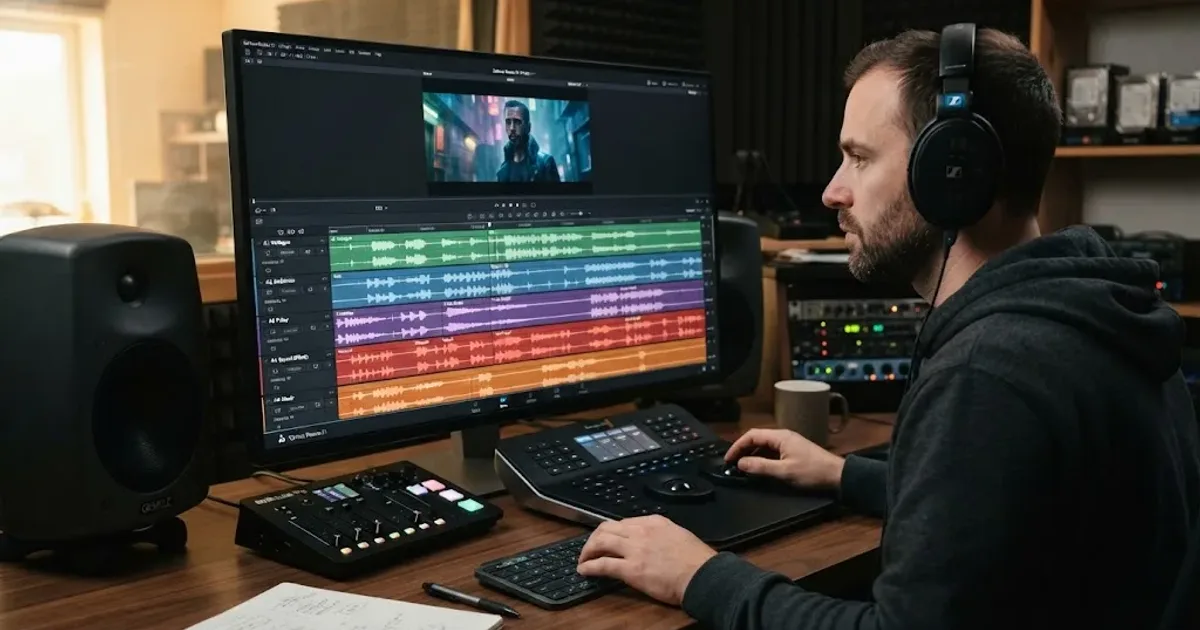
Guides · Aug 24, 2026 · 8 min
How to Layer Sound Effects in DaVinci Resolve 21
Learn how to layer sound effects in DaVinci Resolve 21 with a clean Fairlight track layout, precise sync, volume shaping, and practical mix checks.
Guides · Aug 26, 2026 · 8 min
How to Add Room Tone in DaVinci Resolve 21
Learn how to add room tone in DaVinci Resolve 21 by recording, looping, patching, fading, and blending ambience under dialogue.

Guides · Aug 26, 2026 · 8 min
Best Ambient Sound Effects for Video Editing in Resolve 21
Find the best ambient sound effects for video editing with a license-safe buying guide and a practical DaVinci Resolve 21 Fairlight workflow.