Articles / Comparisonsupdated for DaVinci Resolve 21.0.1 (June 2026)
ProRes vs DNxHR in DaVinci Resolve: Which Should You Use?
Quick answer
Use ProRes 422 HQ if you're on a Mac or don't need cross-platform guarantees; use DNxHR HQX if your pipeline touches Windows, Linux, Avid, or broadcast delivery. Since DaVinci Resolve 19.1.4, both encode natively on every OS, and colorists can't reliably tell the difference in a blind test. Match flavor to bit depth and delivery, not brand loyalty.
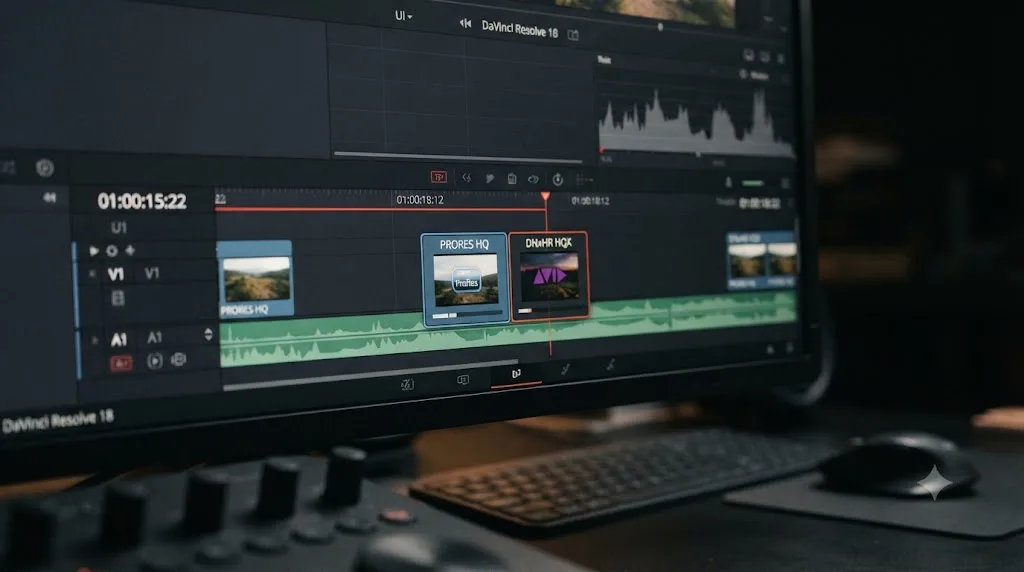
You don't need ProRes or DNxHR to finish a video. You need one of them the moment your project involves more than one pass through DaVinci Resolve, because every trip through a compressed delivery codec throws information away, and you can't grade, re-edit, or hand off a file that's already lost the data you need.
That's the whole reason this argument exists. Both codec families do the same job. Both are good at it. And most of what gets written about "which one wins" either repeats a Windows limitation that stopped being true in 2025, or treats a genuinely close call like it has an obvious right answer. It doesn't, not universally. It has a right answer for your specific platform, your specific delivery target, and your specific team, and this guide is built to get you to that answer instead of a general one.
What's the quick verdict on ProRes vs DNxHR?
If you only read one section, read this one.
| Your situation | Use this | Why |
|---|---|---|
| Editing entirely on Mac hardware | ProRes 422 HQ | Native to macOS, hardware-accelerated on Apple Silicon |
| Editing entirely on Windows or Linux | DNxHR HQX | Never depended on a workaround to exist on your OS |
| Mixed Mac and Windows team | DNxHR HQX | One codec, identical behavior, no platform asterisk |
| Delivering to a broadcast facility | DNxHR HQX in MXF | Broadcast ingest systems are built around MXF first |
| Delivering to an Avid Media Composer editor | DNxHR HQX | Avid's native codec, no import conversion needed |
| Delivering to a Final Cut Pro editor | ProRes 422 HQ | Apple's native codec, same logic in reverse |
| HDR or VFX work needing an alpha channel | ProRes 4444 or DNxHR 444 | Only the 4:4:4 tiers of either family carry alpha |
| Long-term archive, undecided future pipeline | Either, 10-bit minimum | The image quality is a wash; pick by what plays back easiest for you in ten years |
Neither codec is better. The platform and the recipient are what decide, not the pixels. If you take one thing from this entire comparison, take that. Everything below explains why, and covers the branches this table can't: mixed teams, HDR masters, storage math, and the Windows caveat that used to make this an easy call and doesn't anymore.
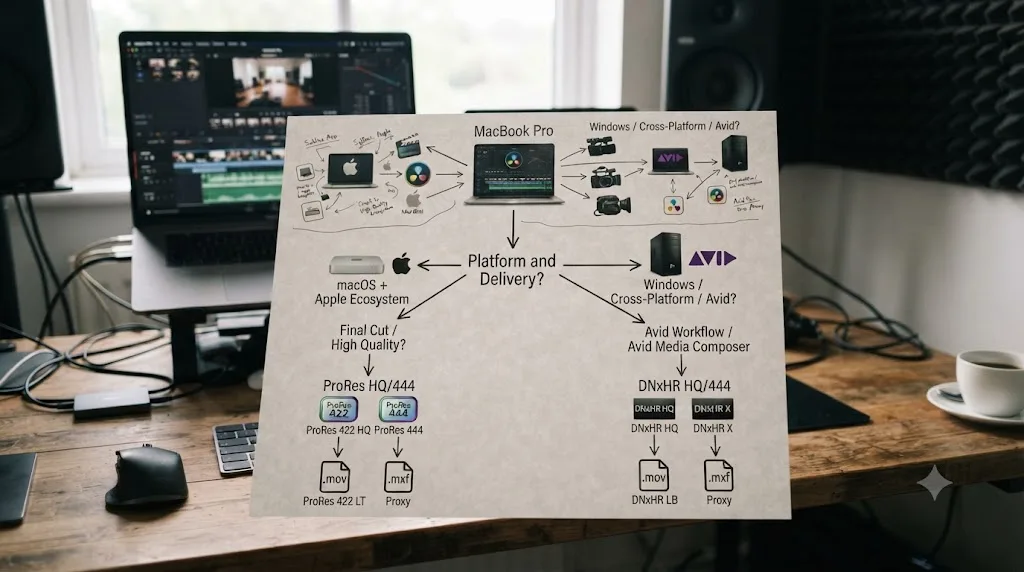
What actually are ProRes and DNxHR, and why can't you just use H.264 instead?
Both are intermediate codecs, sometimes called mezzanine codecs, and they exist to solve a problem H.264 and H.265 were never designed to solve: editing and grading footage without it falling apart under repeated re-encoding.
H.264 and H.265 are interframe codecs. They store a handful of complete frames and describe everything between them as differences from their neighbors, which is a brilliant trick for streaming a file over a slow connection but a genuinely bad one for editing, because your software has to reconstruct most frames from data scattered across nearby ones before it can even show you a single frame. Scrub quickly through an H.265 timeline and you'll feel that reconstruction cost directly, in stutter and lag.
ProRes and DNxHR are intraframe codecs instead. Every single frame is stored as a complete, self-contained image, compressed on its own with no reference to the frames around it. That makes files bigger for the same visual quality, sometimes dramatically bigger, but it also means your NLE can jump to any frame instantly, scrub at full speed, and re-encode the file repeatedly without each pass degrading the image further the way a chain of H.264 re-exports would.
Apple built ProRes. Avid built DNxHR, as the resolution-independent successor to the older, HD-only DNxHD, extending the format up to and past 4K and formally standardizing it as SMPTE ST 2019-1, also known as VC-3, in a 2016 revision, according to the codec's own history on Wikipedia. Both families ship in multiple quality tiers, from lightweight offline flavors meant for scrubbing proxies up to heavyweight 4:4:4 tiers meant for VFX and mastering, and DaVinci Resolve reads and writes essentially the entire range of both, on every platform it runs on.
An intermediate codec's entire job is to survive being touched again, which is exactly the one thing a streaming codec is engineered to sacrifice. That's the trade you're actually making every time you pick ProRes or DNxHR over H.264 for a master file: bigger files, in exchange for an image that doesn't get worse the next time someone opens it.

What's the real technical difference between the two codec families?
Structurally, they're closer than most comparisons make them sound. Both ladder from a low-bandwidth offline tier up through a high-quality mastering tier, and both cap out with a 4:4:4, alpha-capable tier for finishing and compositing work.
| Tier | ProRes flavor | Bit depth | DNxHR flavor | Bit depth | Typical use |
|---|---|---|---|---|---|
| Offline/proxy | ProRes 422 Proxy | 10-bit | DNxHR LB | 8-bit | Scrubbing proxies, never final delivery |
| Editorial | ProRes 422 LT | 10-bit | DNxHR SQ | 8-bit | Space-constrained edits |
| General editing | ProRes 422 | 10-bit | DNxHR SQ | 8-bit | Solid everyday editing codec |
| Mastering/grading | ProRes 422 HQ | 10-bit | DNxHR HQX | 10-bit (12-bit option) | Client masters, grading handoffs, archives |
| Finishing/VFX | ProRes 4444 | 12-bit + alpha | DNxHR 444 | 10 or 12-bit + alpha | Titles, VFX, transparency, HDR mastering |
| High-end finishing | ProRes 4444 XQ | 12-bit + alpha | (no direct equivalent) | Top-end finishing where nothing may be lost |
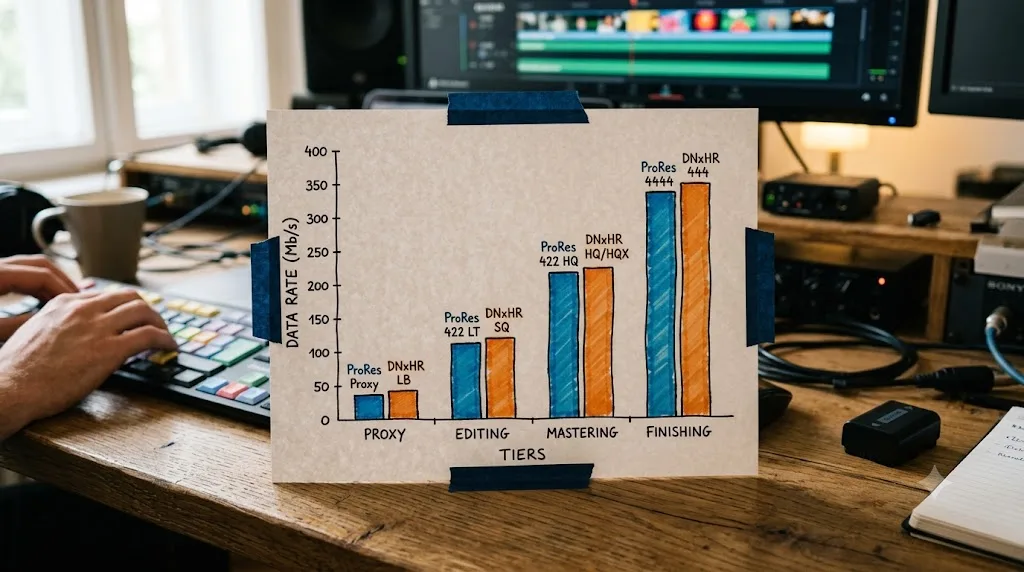
Now the actual numbers, not the marketing tiers. Apple publishes target data rates for 1920x1080 at 29.97fps in its own ProRes documentation, and Avid publishes the equivalent HD bandwidth figures for DNxHR in its Codec Bandwidth Specifications whitepaper. Lined up side by side, at the same resolution and frame rate:
| Rough tier | ProRes flavor | Data rate | DNxHR flavor | Data rate |
|---|---|---|---|---|
| Lightest | ProRes 422 Proxy | 45 Mbps | DNxHR LB | ~43 Mbps |
| Editorial | ProRes 422 LT | 102 Mbps | DNxHR SQ | ~138 Mbps |
| General edit | ProRes 422 | 147 Mbps | DNxHR SQ | ~138 Mbps |
| Mastering | ProRes 422 HQ | 220 Mbps | DNxHR HQX | ~208 Mbps |
| Finishing | ProRes 4444 | 330 Mbps | DNxHR 444 | ~417 Mbps |
ProRes 422 HQ and DNxHR HQX land within about 6% of each other at 1080p, which is close enough that neither one wins a storage argument against the other. The ladders don't map perfectly rung for rung, since each company built five tiers to their own internal logic rather than to match a competitor, but the mastering tier, the one that actually matters for a grading handoff, comes out close enough that picking one over the other for file size reasons is chasing a rounding error.
One number worth sitting with: Avid's own whitepaper lists DNxHR HQX and DNxHR HQ at the identical data rate at 1080p, 25.99 MB/s at 29.97fps. That's not a typo in this table. HQX buys you 10-bit (or optionally 12-bit) depth over HQ's 8-bit at the same nominal bitrate at HD resolutions, which is a genuinely good deal if your footage or your grade needs the extra bit depth and you're deciding between those two specific tiers.
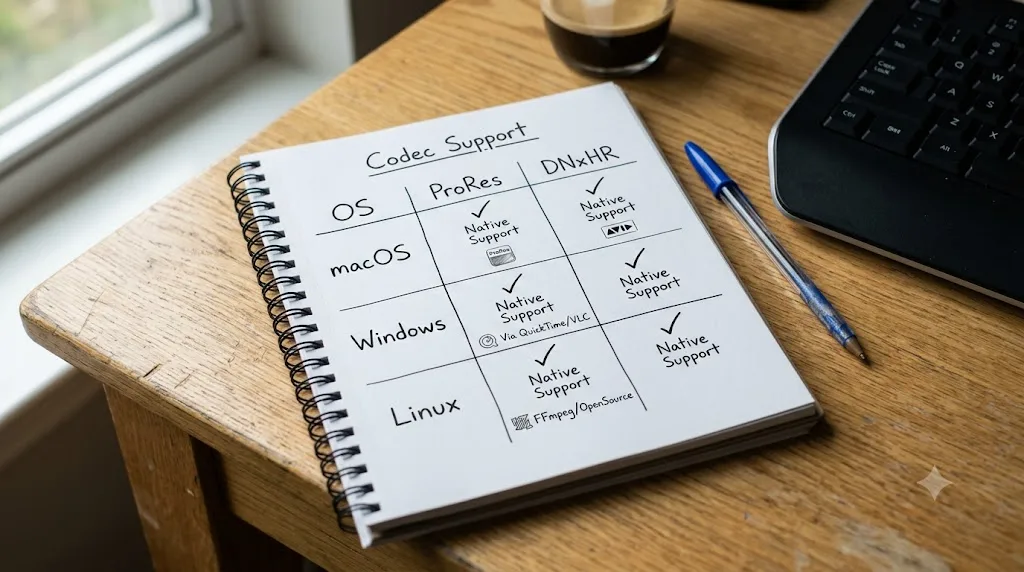
Is it still true that Windows can't export ProRes?
No, and this is the single most out-of-date piece of advice still circulating in forum threads and older blog posts about this exact comparison.
For years, this was real. Windows could decode ProRes files just fine, because Apple published the format's decode specification, but it couldn't encode them without a workaround, since ProRes encoding was licensed and gated to Apple's own platforms. Editors on Windows facing a client who wanted a ProRes master had two real options: render to DNxHR and transcode the result to ProRes with a separate tool like Shutter Encoder, or install a plugin such as Voukoder to bolt on ProRes export inside their NLE. Neither was elegant, and both added a step that Mac editors never had to think about.
That changed with DaVinci Resolve 19.1.4, released in March 2025, which added native Apple ProRes encoding on Windows and Linux, according to coverage from Newsshooter and Digital Production at the time. Blackmagic's own current Supported Formats and Codecs documentation, published July 2025, confirms it directly: the Apple ProRes row for the Windows platform lists encode support for 422, 422 HQ, 422 LT, 422 Proxy, 4444, and 4444 XQ, the identical list published for macOS, with no Studio-only restriction attached. It's also available in the free version, not gated behind the $295 Studio license, and nothing about DaVinci Resolve 21's release changed any of this, since the feature had already been stable for over a year by the time Resolve 21 shipped.
Here's the caveat that survives, and it's the one worth actually planning around. DaVinci Resolve on Windows and Linux encodes ProRes on the CPU, because there's no dedicated ProRes hardware encoder chip outside Apple Silicon, while a Mac with an M-series processor runs that same encode through a hardware media engine built specifically for it. Puget Systems' own testing of the feature confirms ProRes relies on CPU processing on Windows, and their separate piece on hardware acceleration in Resolve lays out why: Apple's Unified Memory architecture on M-series chips lets the CPU and GPU share the same high-bandwidth memory pool, which is part of what makes ProRes such a comfortable native fit there. So the feature parity is real, but the speed parity isn't. If you're rendering long ProRes masters on a beefy Windows workstation, budget more render time than the equivalent job would take on an M-series Mac, especially at 4K and above.
One more practical wrinkle that ProRes carries and DNxHR simply doesn't: ProRes lives in a QuickTime MOV wrapper, and Apple ended official support for QuickTime for Windows all the way back in 2016, after security researchers disclosed unpatched remote-code-execution vulnerabilities in it, prompting US-CERT to recommend Windows users uninstall it entirely, as reported at the time by Krebs on Security. That doesn't stop DaVinci Resolve from reading or writing ProRes MOV files on Windows today, since Resolve handles the codec natively without needing Apple's actual QuickTime framework installed. But it does mean a colleague on Windows who wants to open your ProRes file in some other, older piece of software, one that still expects a system-level QuickTime component, is checking a box that Apple hasn't maintained in a decade. DNxHR never had that dependency to begin with.
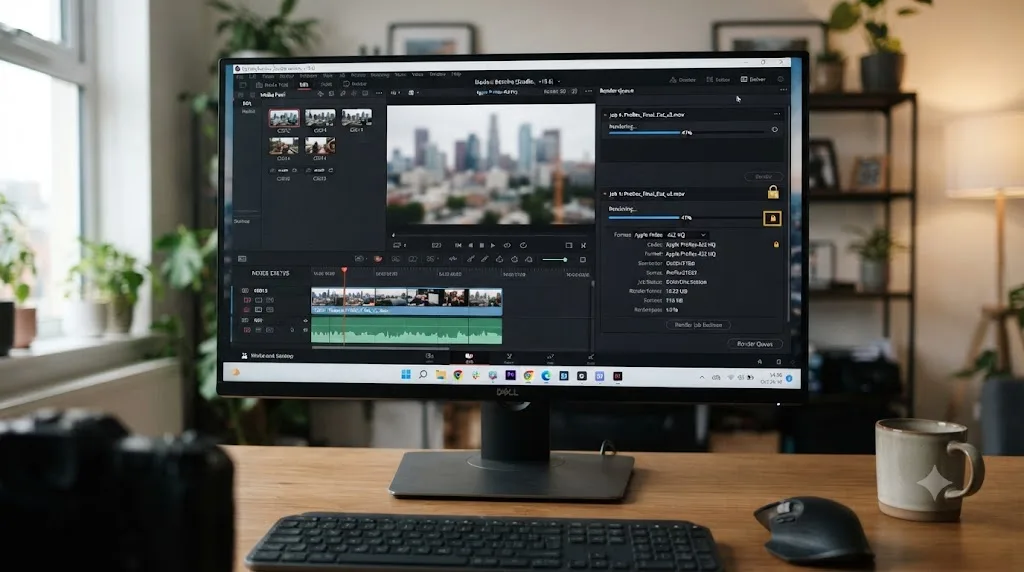
Does DaVinci Resolve treat ProRes and DNxHR any differently under the hood?
Barely, and where it does differ, it's consistent, not favoring one codec over the other by platform.
Pulling directly from Blackmagic's own codec documentation, the DNxHR row is identical, word for word, across the macOS, Windows, and Rocky Linux sections of the same PDF: full decode and encode support for 444 (10-bit and 12-bit), HQX (10-bit and 12-bit), HQ, LB, and SQ, with no platform-specific asterisk anywhere in the row. ProRes carries the same full encode and decode list on macOS and Windows, per the same document, with the CPU-versus-hardware speed difference covered above being a hardware reality rather than something Resolve's software artificially restricts.
| Question | Answer, per Blackmagic's own codec documentation |
|---|---|
| Does the free version encode ProRes? | Yes, on macOS, Windows, and Linux |
| Does the free version encode DNxHR? | Yes, on macOS, Windows, and Linux |
| Is either codec gated to Studio? | No, neither is Studio-only for encode or decode |
| What is Studio actually gating here? | Resolutions of 4K and above generally, not either codec specifically |
| Is either codec's decode restricted anywhere? | No, both decode fully on all three platforms |
The one general rule that applies regardless of which codec you pick: encoding at resolutions of 4K and above requires DaVinci Resolve Studio, per the notes in Blackmagic's own documentation and consistent with the resolution ceiling covered in our export settings guide. That's a resolution rule, not a codec rule, and it applies identically whether you're rendering a ProRes or a DNxHR master. If your project lives at Ultra HD 3840x2160 or below, the free version handles either codec at full quality with no restriction attached.
Blackmagic built DaVinci Resolve to treat ProRes and DNxHR as functionally equivalent citizens on every platform it ships for, which is a deliberate choice, not an accident of engineering effort. Where other software still plays favorites between these two codecs by platform, Resolve doesn't, and that neutrality is part of why this comparison genuinely comes down to your workflow rather than a hidden software preference.
Do ProRes and DNxHR actually look different after grading?
Not in any way that survives a fair test, and this is one of the more settled questions in the entire comparison.
Both codecs, at their mastering tiers, are designed to be visually lossless against the source they were transcoded from, meaning a trained eye shouldn't be able to spot compression artifacts introduced by the codec itself under normal viewing conditions. That's a design goal both Apple and Avid engineered toward deliberately, not a coincidence of two competing formats happening to land in the same place.
A colorist named Marc Wielage, responding in a long-running forum thread comparing the two codecs for grading work, put the practical reliability of both plainly:
"95% of the time, ProRes or DNxHD/HR should be fine."
That's from a REDUSER.NET thread specifically comparing DNxHR and ProRes for color work, where Wielage went on to note that both ProRes 4444 and DNxHD 4444 hold up fine on chroma key pulls, a genuinely demanding test for any codec since keying traces the fine edge detail between a subject and a background, exactly the kind of information a weaker codec would smear first. His point wasn't that the two are interchangeable in every situation. It's that for the overwhelming majority of grading work, neither one is the thing that will go wrong on your project.
Where a difference does turn up, it's subtle enough that editors need to A/B test footage side by side to catch it at all, and even then it's not a quality gap so much as a color science nuance: some editors report a very slight cyan lean in DNxHR media and a very slight magenta lean in ProRes media at matched settings, according to discussion summarized by Lowepost's breakdown of the two codecs. That's a calibration and monitoring conversation, not a "one codec is objectively sharper" conversation, and it shows up in careful side-by-side comparisons, not in ordinary client review.
If your test for choosing a codec is "which one looks better," you're testing the wrong variable, because at matched quality tiers, professional colorists in blind comparisons routinely can't tell ProRes 422 HQ apart from DNxHR HQX. Spend your decision-making energy on platform, delivery target, and container format instead, all covered in the sections below, because that's where the real difference actually lives.
Which is better for HDR and VFX work with alpha channels?
Both families have an answer here, and the answer is the same shape on each side: step up to the 4:4:4 tier.
ProRes 4444 and ProRes 4444 XQ are the only ProRes flavors that carry an embedded alpha channel, at 12-bit depth, which is what makes them the right pick for titles with transparency, green screen composites headed to a VFX pipeline, and any graphic overlay that needs to sit cleanly on top of other footage without a hard matte. DNxHR 444 is the equivalent on Avid's side, also supporting 10-bit or 12-bit depth with alpha, and per Blackmagic's own codec documentation, DaVinci Resolve's DNxHR alpha export support actually extends slightly further than the 4:4:4 tier alone, covering HQX, HQ, and SQ as well, with only the lightest LB tier excluded.
For HDR mastering specifically, the case for stepping up to 4:4:4 gets stronger, not weaker. Standard delivery uses 4:2:0 or 4:2:2 chroma subsampling, which throws away color resolution relative to brightness resolution because human vision is far more sensitive to brightness detail than color detail in ordinary footage. HDR content pushes a wider dynamic range through that same color pipeline, and a heavier grade, layered corrections, power windows, and secondary work stacked on an HDR image, benefits from the extra headroom 4:4:4 color sampling provides before you round-trip through export. Our HDR grading guide covers the Resolve Color Management side of that workflow in full, including where Studio's Dolby Vision metadata authoring and Content Mapping Unit fit into an HDR master once your intermediate codec choice is settled.
| Need | ProRes pick | DNxHR pick |
|---|---|---|
| Alpha channel for titles/composites | ProRes 4444 (12-bit) | DNxHR 444 (10 or 12-bit) |
| HDR master, standard grading load | ProRes 422 HQ (10-bit, 4:2:2) | DNxHR HQX (10-bit, 4:2:2) |
| HDR master, heavy layered grade | ProRes 4444 | DNxHR 444 |
| Highest-end finishing, nothing may be lost | ProRes 4444 XQ | (no direct DNxHR equivalent) |
The 4:4:4 tier of either codec family exists for exactly two jobs: carrying an alpha channel and holding up under a grade heavy enough to stress 4:2:2 color sampling, and reaching for it for any other reason just burns disk space you didn't need to spend. If your project is a straightforward SDR cut with a standard color pass, HQ or HQX is the right tier, full stop, and 4444 is overkill you'll regret when the render times and storage bill arrive.

Which is faster to edit and scrub through, and does hardware acceleration matter?
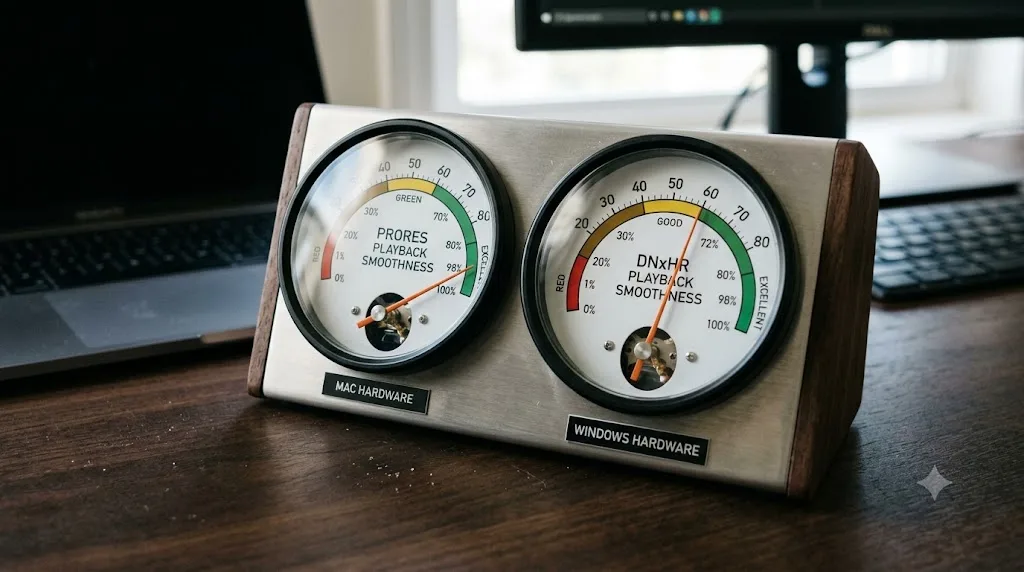
For everyday timeline work, the answer depends almost entirely on your hardware, not on which codec family you picked.
Both ProRes and DNxHR are intraframe, so scrubbing performance across either one is fundamentally similar: your system decodes one complete frame at a time with no dependency chain to unwind, which is why editors reach for either family instead of a camera's native H.265 in the first place when timelines start to feel sluggish. Where the two genuinely diverge is hardware acceleration, and it comes back to the same Apple-Silicon-versus-everyone-else divide covered in the Windows ProRes section above. On a Mac with an M-series chip, ProRes decode and encode both run through a dedicated hardware media engine, which is part of why 8K ProRes timelines are genuinely usable on recent Apple Silicon hardware with enough Unified Memory, per Puget Systems' testing. DNxHR doesn't get that same dedicated silicon treatment on any platform, Mac included, and instead relies on CPU decode paired with whatever GPU acceleration Resolve's general playback pipeline provides.
Practically, here's how that plays out for real project sizes:
| Scenario | Likely smoother experience | Why |
|---|---|---|
| 4K ProRes timeline on M-series Mac | ProRes | Hardware media engine decode |
| 4K DNxHR timeline on M-series Mac | Still solid, CPU-decoded | No dedicated silicon, but modern CPUs handle it fine |
| 4K ProRes timeline on Windows workstation | Comparable to DNxHR, CPU-bound | No ProRes hardware path on Windows |
| 4K DNxHR timeline on Windows workstation | Comparable to ProRes, CPU-bound | Same CPU decode path either way |
| 8K or heavier timelines on Windows | Depends on CPU core count and storage speed more than codec choice | Neither codec gets hardware acceleration here |
On a Mac, ProRes has a genuine hardware speed advantage baked into the chip. On Windows, that advantage evaporates entirely, and the two codecs land on roughly equal footing, both leaning on the CPU. If your team edits exclusively on M-series Macs and doesn't hand footage to anyone else, that hardware edge is a real reason to default to ProRes for editorial proxies specifically, on top of every other reason covered elsewhere in this guide. If any part of your pipeline touches Windows or Linux, that specific advantage simply doesn't apply, and the decision reverts to the platform and delivery questions covered in the sections ahead.
Which container format should you actually use, MOV or MXF?
The codec and the container are two separate decisions, and conflating them is where a lot of confusion in this comparison actually comes from.
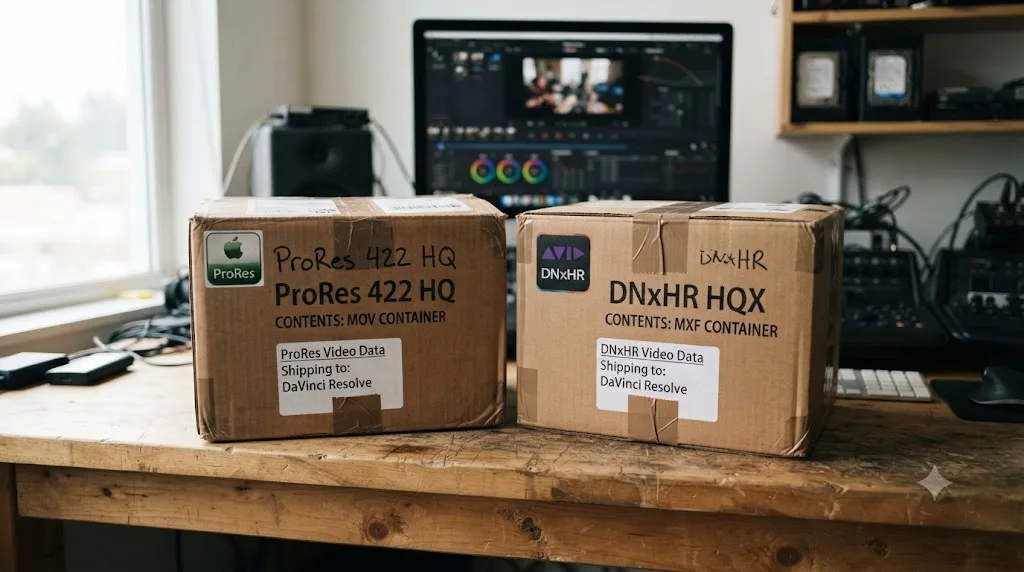
ProRes almost always ships inside a QuickTime MOV wrapper. That's not a hard technical requirement of the codec itself, since Blackmagic's own documentation shows ProRes can also live inside an MXF Op1A or Op-Atom container for decode purposes, but MOV is the overwhelmingly standard, expected wrapper for ProRes in the real world, and it's what DaVinci Resolve's ProRes Master export preset builds by default. DNxHR is more flexible in practice: it ships comfortably in MOV, MXF Op1A, or MXF Op-Atom, and MXF specifically is the wrapper broadcast facilities, playout servers, and Avid Media Composer expect as their default assumption, per the same codec documentation.
| Container | Native home for | Who expects it |
|---|---|---|
| MOV (QuickTime) | ProRes | Final Cut Pro, most post houses, general client delivery |
| MXF Op1A / Op-Atom | DNxHR | Avid Media Composer, broadcast ingest, playout servers |
| Either | DNxHR | DNxHR is comfortable in both, unlike ProRes |
The practical rule that saves you a failed delivery: when a client or facility's spec sheet names both a codec and a container, like "DNxHR HQX in MXF Op1A" or "ProRes 422 HQ in MOV," match both exactly, not just the codec. A technically correct DNxHR file wrapped in the wrong flavor of MXF, or a ProRes file handed over as an MXF instead of the expected MOV, has caused more failed broadcast deliveries than a genuine codec mismatch ever has, because ingest systems at that level are often validating container structure as strictly as the video stream inside it.
The codec decides how your frames are compressed. The container decides who's willing to open the file at all, and treating the two as interchangeable is how a technically perfect render gets bounced by a delivery portal for the wrong reason. If a spec sheet is silent on the container and only names a codec, default to MOV for ProRes and MXF for DNxHR, since that's the assumption almost every receiving system on the other end is quietly making even when it isn't spelled out.
Which is the safer choice for long-term archiving?
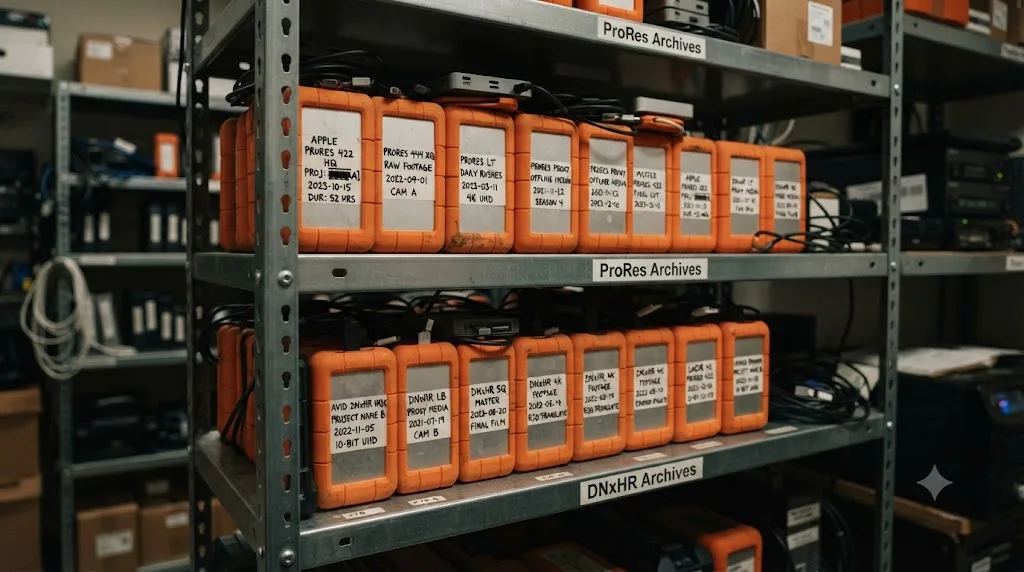
Neither codec has a meaningful image-quality edge for archiving, since both are intraframe and both hold up fine over years of shelf life as a bitstream. The real archiving risk isn't the pixels degrading. It's whether something on the receiving end, ten or twenty years from now, still knows how to open the file.
ProRes carries a soft dependency on Apple's ecosystem for that long-term readability, since it's Apple's format and its most native home remains Apple's own software and QuickTime's container conventions, a framework Apple itself walked away from maintaining on Windows back in 2016. That doesn't put your archive at any near-term risk. DaVinci Resolve, Premiere Pro, Final Cut Pro, and Avid Media Composer all read ProRes natively today, on every platform they run on, and that's unlikely to change soon given how deeply the format is embedded across the industry. But it is a dependency worth naming honestly rather than pretending it doesn't exist.
DNxHR carries the equivalent dependency on Avid, and Avid built the format from day one to be genuinely platform-agnostic, publishing a free Avid Codecs package for both Windows and Mac specifically so non-Avid software could decode and encode DNxHR without friction. Its SMPTE standardization as VC-3 in 2016 adds a layer of institutional durability that a proprietary format without that standardization doesn't automatically get, since a SMPTE standard is documented and versioned independently of any one company's continued goodwill.
| Archiving consideration | ProRes | DNxHR |
|---|---|---|
| Owning company | Apple | Avid |
| SMPTE standardized | No | Yes (ST 2019-1 / VC-3, 2016) |
| Free codec package for non-native platforms | Not applicable, native on all major NLEs now | Yes, Avid Codecs / DNxHD package |
| Current NLE support | Universal across major NLEs | Universal across major NLEs |
| Container | MOV, tied to QuickTime conventions | MOV or MXF, more container flexibility |
If your honest answer to "who will open this file in fifteen years" is "I have no idea," that uncertainty is itself a reason to lean toward DNxHR's SMPTE standardization and platform-agnostic design, not because ProRes is fragile today, but because a format with no single corporate owner has one less way to become inconvenient later. That's a genuinely close call and not one worth losing sleep over either way; both formats are safe archiving choices for any realistic planning horizon. But if you're building an archive with zero information about future playback environments, DNxHR's structural independence from any one platform is the marginally safer default.
Which should you use if you're editing entirely on Windows?
DNxHR, as your default, even though ProRes is now a genuinely usable option too.
The old, hard blocker is gone. As covered above, DaVinci Resolve 19.1.4 gave Windows native ProRes encode, and nothing about that has regressed since. But two smaller frictions still tilt the recommendation toward DNxHR for a Windows-first shop. First, speed: ProRes encoding on Windows is CPU-bound with no hardware media engine to lean on, while DNxHR was never expecting hardware acceleration on any platform in the first place, so you're not giving anything up by choosing it, whereas choosing ProRes on Windows means accepting a render time you'd avoid on a Mac. Second, the QuickTime dependency: while Resolve itself needs nothing extra installed to read or write ProRes on Windows, any other software in your pipeline, a client's review tool, an older transcoder, a plugin that expects a system QuickTime component, is a small unknown risk that simply doesn't exist with DNxHR.
Where ProRes still makes sense even on a Windows-primary workflow: if your deliverable spec explicitly names ProRes, because a client, a Final Cut Pro editor downstream, or a specific facility asked for it by name. In that case, DaVinci Resolve on Windows now genuinely delivers it, no transcode detour required, which simply wasn't true before March 2025.
A Windows editing shop no longer needs to avoid ProRes, but it also has no remaining reason to prefer it over DNxHR by default, since DNxHR carries zero of the hardware-speed or container-dependency asterisks that still quietly attach to ProRes on that platform. Default to DNxHR HQX for your working masters, and reach for ProRes specifically and only when someone downstream has asked for it by name.
Which should you use if you're editing entirely on a Mac?
ProRes, and this one is a closer call to defend than "just use the Apple format," because it earns the recommendation on more than brand loyalty.
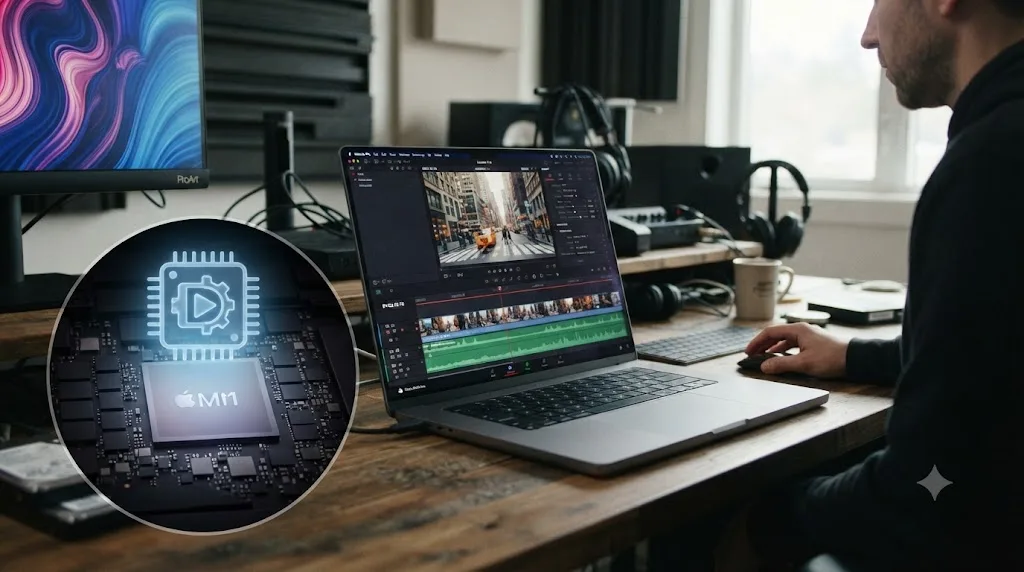
Apple Silicon's hardware media engine genuinely accelerates ProRes encode and decode in a way DNxHR simply never gets on any platform, and combined with Apple's Unified Memory architecture sharing a single high-bandwidth pool between CPU and GPU, that's real, measurable smoothness on heavy timelines, not a marketing claim. ProRes is also the format Final Cut Pro treats as a true first-class citizen, so a Mac shop that occasionally hands footage to a Final Cut editor, or receives ProRes camera-original files already, stays inside one consistent codec family from ingest through delivery without an unnecessary transcode step anywhere in the chain.
That said, "entirely on a Mac" is doing real work in this recommendation, because the moment any part of your delivery chain leaves Apple hardware, that hardware advantage stops mattering and the platform-agnostic case for DNxHR reasserts itself. A Mac-based colorist finishing a project that ultimately delivers to a broadcast facility, or hands off to an editor on a Windows Avid seat, should reach for DNxHR at that specific handoff point regardless of what ran comfortably on their own machine during the edit.
| Your Mac workflow | Recommendation |
|---|---|
| Edit, grade, and deliver, all on Mac, no external handoffs | ProRes 422 HQ |
| Deliver to a Final Cut Pro editor | ProRes 422 HQ |
| Deliver to a broadcast facility or Avid editor | DNxHR HQX, even though you edited on a Mac |
| Deliver to a mixed team with unknown future software | DNxHR HQX |
Apple Silicon's hardware acceleration is a real, legitimate reason to default to ProRes on a Mac-only pipeline, but it's a reason about your own machine's editing speed, not a reason that follows the file once it leaves your hands. Pick the codec for the leg of the pipeline you're actually responsible for, and don't assume the hardware advantage that made your own timeline smooth is a reason the next person in the chain should inherit the same choice.
Which should you use for a mixed Mac and Windows team, or handing off to a client?
DNxHR, as the practical default, precisely because it's the one codec in this comparison that was engineered from its first release to not care which OS opened it.
A mixed team's real risk isn't image quality, it's someone on the other platform hitting a genuine friction point at the worst possible moment: a slower render because they're on Windows encoding ProRes without hardware acceleration, a QuickTime-dependent tool choking on an old machine, or a container mismatch because half the team assumes MOV and half assumes MXF. DNxHR sidesteps most of that by design. Since March 2025 it's no longer the only codec that "just works" on Windows, ProRes does too now, but DNxHR remains the one with zero platform-specific asterisks anywhere in its story, on any of the three operating systems DaVinci Resolve supports.
For client handoffs specifically, the calculus shifts slightly, because the client's own software stack, not your team's, becomes the deciding variable. Ask directly what they're opening the file in before defaulting to either codec:
| Client's tool | Recommended codec | Why |
|---|---|---|
| Final Cut Pro | ProRes 422 HQ | Native format, no conversion on their end |
| Avid Media Composer | DNxHR HQX | Native format, no conversion on their end |
| Premiere Pro (Mac or Windows) | Either, DNxHR slightly safer on Windows | Premiere reads both natively on either OS |
| DaVinci Resolve (any platform) | Either | Full native support across macOS, Windows, Linux |
| Unknown, or a broadcast facility | DNxHR HQX in MXF | Broadcast-standard container and codec pairing |
The single question that resolves most mixed-team codec arguments before they start is "what does the person receiving this file actually open it in," and that answer, not a general preference for either codec, should decide it every time. A five-minute email or Slack message asking a client or collaborator which codec and container they expect saves far more time than guessing wrong and re-rendering a multi-hour export after the fact.

How much storage does each one actually cost you over a real project?
Enough that it's worth doing the math before you commit a whole shoot to either codec's heaviest tier, and this is where a lot of editors get surprised well after the fact.
Take a realistic example: a 90-minute documentary, shot and finished at 1080p 23.976fps, graded in full. Using Apple's and Avid's own published data rates from earlier in this guide, here's what the finished master alone costs in storage, before accounting for proxies, camera originals, or project backups:
| Codec | Data rate (1080p, 23.976fps) | Storage for a 90-minute master |
|---|---|---|
| ProRes 422 Proxy | 45 Mbps | ~30.4 GB |
| ProRes 422 LT | 102 Mbps | ~68.9 GB |
| ProRes 422 HQ | 220 Mbps | ~148.5 GB |
| ProRes 4444 | 330 Mbps | ~222.8 GB |
| DNxHR LB | ~41.7 Mbps | ~28.1 GB |
| DNxHR SQ | ~133 Mbps | ~89.8 GB |
| DNxHR HQX | ~200 Mbps | ~135 GB |
| DNxHR 444 | ~417 Mbps | ~281.5 GB |
Scale that to a 4K project instead of 1080p, and every one of those numbers roughly quadruples, since data rate scales with pixel count. A 90-minute 4K documentary mastered in ProRes 422 HQ is pushing well past half a terabyte for the master file alone, before proxies, before camera originals, before a single backup copy exists anywhere.
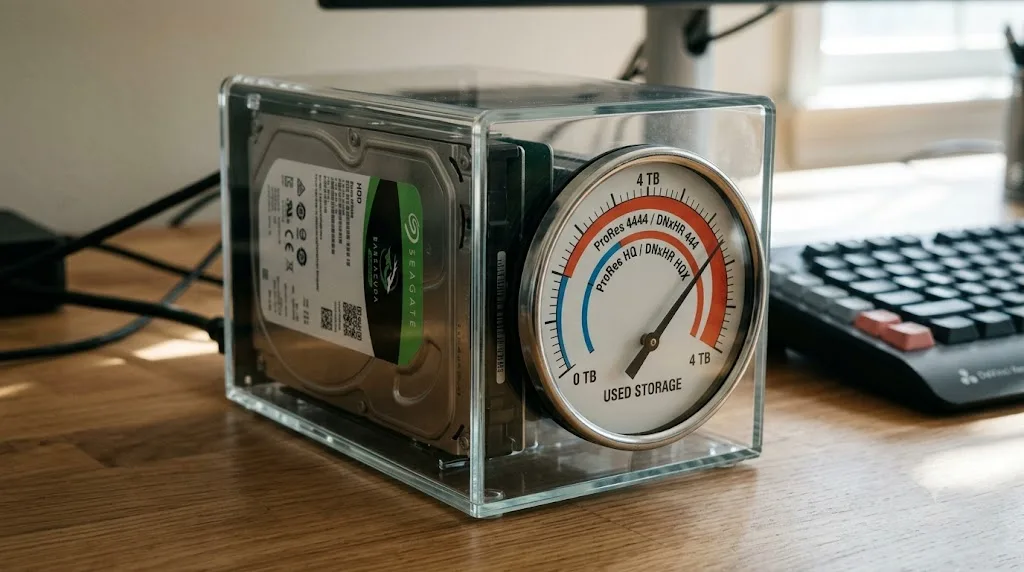
A feature-length project mastered in either codec's 4:4:4 tier at 4K can comfortably exceed a terabyte before you've backed it up even once, which is why almost nobody actually needs 4444 or 444 for a standard color-corrected delivery. That's the real, practical argument for defaulting to HQ or HQX tiers rather than reaching for the heaviest option "just in case." Reserve the 4:4:4 tiers specifically for the alpha-channel and heavy-HDR-grade scenarios covered earlier in this guide, where the extra storage cost is buying you something you'd otherwise genuinely lose, not insurance against a problem you don't actually have.
What do real editors and colorists say when this argument comes up?
Mostly, that it's a smaller deal than the forum thread title suggests, and that the real decision points are the platform and delivery ones covered throughout this guide, not raw image quality.
That REDUSER.NET thread quoted earlier collected exactly the range of opinions you'd expect from working professionals who've actually had to make this call on paid projects, not just debate it theoretically. Some pointed to DNxHR's genuine cross-platform advantage as the deciding factor for their setup. Others noted the two codecs perform similarly enough for grading and keying work that the choice came down to whichever their delivery pipeline already expected. None of the working colorists in that thread argued that one codec produces a visibly worse image than the other at matched quality tiers, which lines up exactly with the blind-comparison consensus covered earlier in this guide.
That pattern holds outside forum threads too. Lowepost's breakdown of the two codecs, aimed at working editors rather than a general audience, frames the decision the same way this guide does: pick based on platform, delivery target, and studio convention, not a search for a hidden quality gap that professional testing hasn't actually found.
When the people who grade footage for a living argue about ProRes versus DNxHR, they're arguing about workflow friction, not about which one looks better on a calibrated monitor, and that's the most reliable signal in this entire comparison. If professionals doing this work daily, on real client deadlines, treat the image-quality question as settled and move straight to platform and delivery logistics, that's exactly where your decision-making energy belongs too.

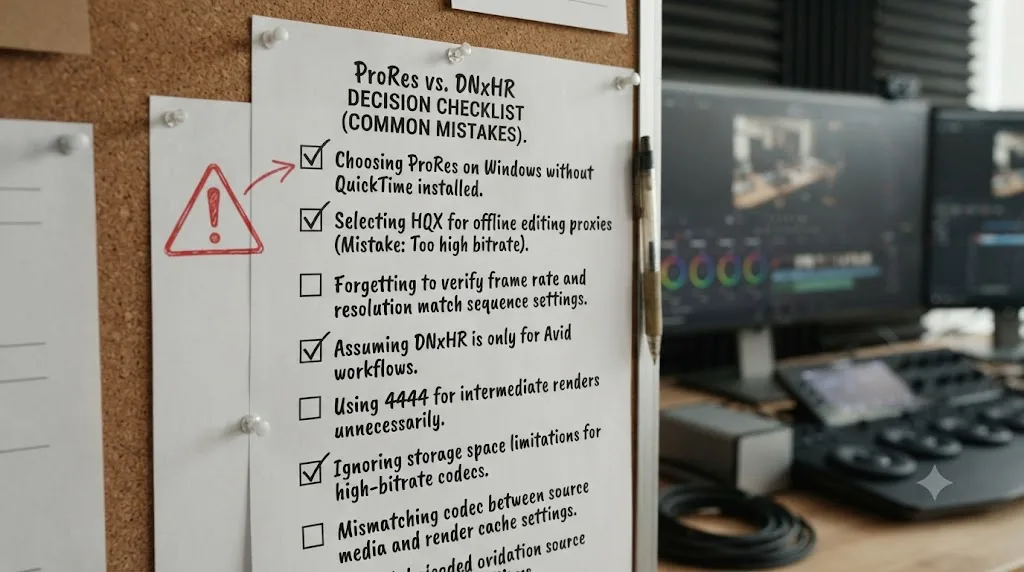
What are the most common mistakes people make choosing between ProRes and DNxHR?
A handful of avoidable missteps account for most of the regret editors report after picking a side too fast.
Choosing based on outdated "Windows can't do ProRes" advice. That limitation ended with DaVinci Resolve 19.1.4 in March 2025. If you're avoiding ProRes on Windows specifically because of that old blocker, you're solving a problem that no longer exists, and you may be picking the wrong codec for reasons that stopped applying over a year before this was written.
Defaulting to the 4:4:4 tier "to be safe." ProRes 4444 and DNxHR 444 cost roughly 50% more storage than the HQ/HQX tier directly below them, for a quality benefit that only matters if you need an embedded alpha channel or you're mastering a heavily-graded HDR project. For a standard SDR delivery with a normal color pass, that extra storage is buying you nothing you'll actually use.
Ignoring the container format entirely. A perfectly encoded DNxHR file wrapped in the wrong MXF variant, or a ProRes file delivered as MXF when a MOV was expected, fails at the recipient's end for a reason that has nothing to do with the codec itself. Confirm both codec and container whenever a spec sheet names either one.
Assuming your own hardware's speed advantage applies to everyone downstream. ProRes renders fast on an Apple Silicon Mac because of a hardware media engine that simply doesn't exist on the Windows machine your colorist or client might be using. Don't let your own machine's smooth experience convince you the next person in the pipeline will have the same one.
Picking a codec instead of asking the recipient what they actually expect. Whether it's a broadcast facility, an Avid editor, a Final Cut Pro collaborator, or a client with an unstated preference, one direct question saves far more time than a confident guess that turns out wrong after a multi-hour render.
Forgetting that resolutions of 4K and above require DaVinci Resolve Studio, regardless of codec. If your export is stuck or capped unexpectedly, check your resolution and Studio license status before assuming the codec itself is the problem; neither ProRes nor DNxHR is gated to Studio on its own, per Blackmagic's own documentation, but the resolution ceiling is real for both. If a render is stalling rather than simply capped, our render failed troubleshooting guide covers the wider export checklist, including where hardware versus software encoding fits into slow render times.
So which one should you actually use?
If you've made it this far without a clear pull toward one codec, here's the tiebreaker question worth asking: who else touches this file besides you, and what do they open it in?
If the honest answer is "nobody, this stays on my own Mac from ingest to delivery," use ProRes 422 HQ and take advantage of the Apple Silicon hardware acceleration that makes it the genuinely faster choice on that specific hardware. If any part of your pipeline touches Windows, Linux, Avid Media Composer, or a broadcast facility, default to DNxHR HQX, because it carries none of the platform-specific asterisks ProRes still quietly attaches, even now that the Windows export limitation itself is fixed. Step up to the 4:4:4 tier of either family only when you specifically need an alpha channel or you're mastering a heavily graded HDR project, and reach for the lighter LB, SQ, Proxy, or LT tiers only for genuine offline and proxy work, never for a final master.
None of this is a permanent commitment. Both codecs decode natively in DaVinci Resolve on every platform it runs on, so a project that started in one can be transcoded to the other at any handoff point without drama, and doing that occasionally, at the one moment a project actually crosses from a Mac-only team to a Windows-based facility, is completely normal professional practice rather than a sign you chose wrong at the start. Pick the codec that matches this project's actual delivery chain, not a permanent allegiance to either company, and revisit the choice the day your pipeline genuinely changes, not before.
If you're still hunting through the Deliver page trying to find exactly where these codec dropdowns live, or you get to a specific setting and freeze because the menu doesn't match what a tutorial showed, that's a narrower, more solvable problem than this whole comparison: TryUncle is an AI tutor built specifically for DaVinci Resolve that watches your actual screen and points at the exact control you're stuck on, live, instead of sending you hunting through a ten-minute video for a setting you needed twenty seconds ago.
Frequently asked questions
- Should I use ProRes or DNxHR in DaVinci Resolve?
- Use ProRes if you're editing on a Mac, delivering to a client who works in Final Cut Pro, or your whole pipeline is Apple hardware. Use DNxHR if your project touches Windows, Linux, Avid Media Composer, or a broadcast facility that names MXF in its delivery spec. Since DaVinci Resolve 19.1.4 (March 2025), both encode natively on macOS, Windows, and Linux, so the old 'DNxHR is more cross-platform' argument matters far less than it used to, though DNxHR still edges it out on raw platform-agnosticism.
- Can DaVinci Resolve export ProRes on Windows now?
- Yes. DaVinci Resolve 19.1.4, released in March 2025, added native Apple ProRes encoding on Windows and Linux in both the free and Studio versions. Before that update, Windows users had to transcode through DNxHR and a third-party tool, or use a plugin like Voukoder, to get a ProRes file. The one remaining gap is speed: ProRes encoding on Windows runs on the CPU, since there's no dedicated ProRes hardware encoder outside Apple Silicon, so it's typically slower than on a Mac with an M-series chip.
- Is DNxHR better than ProRes for color grading?
- Not in any way you'd see on screen. Both are intraframe, visually-lossless-at-high-bitrate codecs built for exactly this job, and professional colorists doing blind comparisons between ProRes 422 HQ and DNxHR HQX routinely can't tell them apart. The practical differences are about platform support, container format, and studio conventions, not image quality.
- Which ProRes or DNxHR flavor should I use for a grading master?
- ProRes 422 HQ or DNxHR HQX for standard dynamic range finishing; step up to ProRes 4444 or DNxHR 444 only if you need an alpha channel or are mastering HDR content that benefits from 4:4:4 color sampling. Both HQ-tier codecs sit around 200 to 220 Mbps at 1080p, which is enough headroom to survive a real color grade without banding.
- Do I need DaVinci Resolve Studio to export ProRes or DNxHR?
- No. Both codec families encode and decode in the free version of DaVinci Resolve on macOS, Windows, and Linux, per Blackmagic's own supported codec documentation. Studio is only required if your export resolution needs to go beyond 4K, or if you need Studio-gated extras like Dolby Vision metadata layered on top of your HDR master.
- Which codec should I use to hand off a project to an Avid editor or a broadcast facility?
- DNxHR, almost every time. It's Avid's native codec, it decodes without any extra installs inside Media Composer, and it typically lives inside an MXF wrapper, which is the format most broadcast ingest systems and playout servers expect by default. Ask the receiving facility directly if their spec sheet doesn't already say so.
- Does ProRes or DNxHR take up more hard drive space?
- Roughly the same, flavor for flavor. At 1080p and 29.97fps, Apple's own numbers put ProRes 422 HQ at about 220 Mbps and Avid's own numbers put DNxHR HQX at about 208 Mbps, a difference of under 10%. Neither codec is the one to reach for if storage budget is the deciding factor. That's what the LB and Proxy tiers of each family exist to solve.
Sources
- About Apple ProRes (Apple Support)
- DNxHR Codec Bandwidth Specifications (Avid Knowledge Base)
- DaVinci Resolve Supported Formats and Codecs, July 2025 (Blackmagic Design)
- DaVinci Resolve - Tech Specs (Blackmagic Design)
- DaVinci Resolve Studio product page (Blackmagic Design)
- DaVinci Resolve 19.1.4 Update (Newsshooter)
- DaVinci Resolve 19.1.4: ProRes Support Now on Windows and Linux (Digital Production)
- ProRes Encoding in DaVinci Resolve 19.1.4 (Puget Systems)
- Is Your Footage Hardware Accelerated in DaVinci Resolve? (Puget Systems)
- The difference between DNxHR and ProRes codecs (Lowepost)
- DAvinci DNxHr vs Prores! - forum thread with colorist Marc Wielage's reply (REDUSER.NET)
- DNxHR codec (Wikipedia, SMPTE ST 2019-1 standardization)
- US-CERT to Windows Users: Dump Apple QuickTime (Krebs on Security)
Put this guide to work with TryUncle.
Ask about the step you’re on. TryUncle sees your screen and points at the control you need, so you can keep learning in your own project.
Get TryUncle for Mac or WindowsKeep reading

Guides · Jul 7, 2026 · 23 min
DaVinci Resolve Export Settings: Numbers That Actually Work
The exact DaVinci Resolve export settings for YouTube, client handoffs, and ProRes archives, plus what changed with Resolve 21's H.265 encoder.
Comparisons · Jul 7, 2026 · 28 min
DaVinci Resolve Studio Price: Free vs. Studio Cost, Explained
DaVinci Resolve Studio costs $295, paid once, not monthly. Here's exactly what that buys, how it stacks up against Premiere Pro and Final Cut Pro, and who needs it.

Guides · Jul 11, 2026 · 36 min
How to Grade HDR Video in DaVinci Resolve (PQ and HLG)
Set up Resolve Color Management for HDR, grade with the HDR palette, and export correct PQ or HLG settings for HDR10, Dolby Vision, and YouTube.