Articles / Comparisonsupdated for DaVinci Resolve 21 (August 2026)
QNAP vs Synology for Video Editing: Which Is Better?
Quick answer
For QNAP vs Synology for video editing, QNAP is the better fit when you need Thunderbolt 4, broad 10/25GbE expansion, and aggressive hardware scaling. Synology is the better fit when you prioritize DSM, Btrfs data protection, and a more standardized storage appliance. For DaVinci Resolve 21, the specific model, array, and network matter more than the brand.
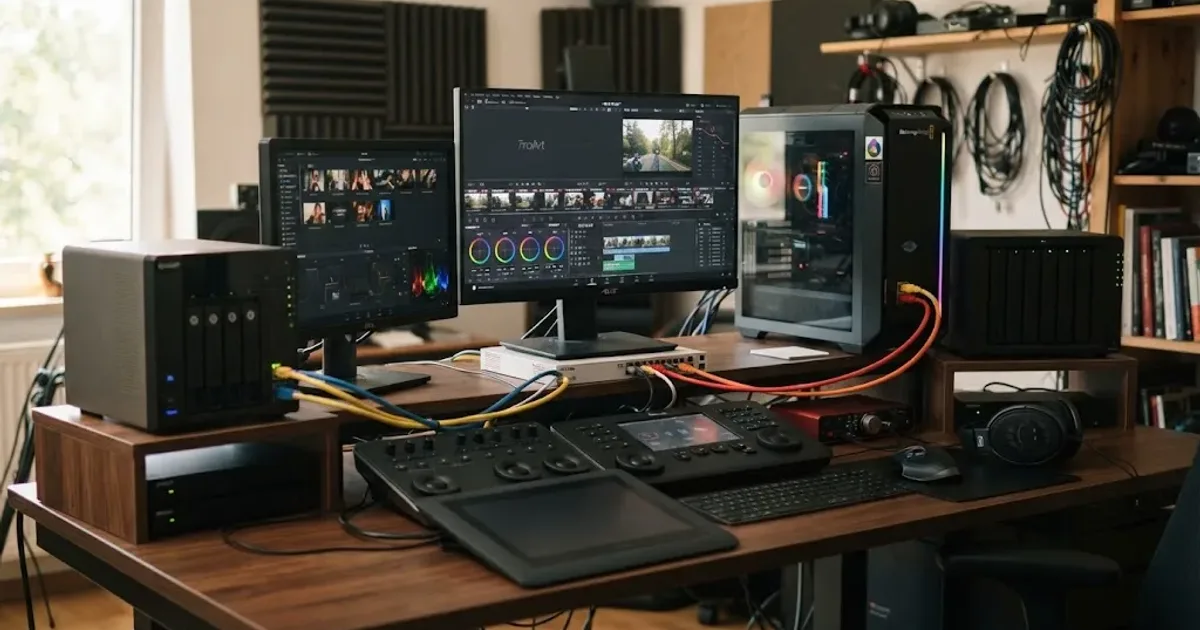
We built and run a 100,000+ member professional video-editing community, and QNAP versus Synology is one of the recurring storage questions. After 7+ years of commercial video editing, we care less about the badge on the enclosure than the path from camera codec to disks to Ethernet to DaVinci Resolve. As of August 2026, both brands can anchor a serious DaVinci Resolve 21 workstation, but they make different trade-offs.
QNAP vs Synology for video editing: which is better in 2026?
QNAP is the better fit when high-speed connectivity and hardware expansion are the deciding factors, especially for Thunderbolt 4 or a path toward 10/25GbE. Synology is the better fit when you want an Ethernet-first appliance built around DSM, Btrfs, snapshots, and a comparatively standardized hardware path.
That is the useful answer. The less useful answer is "QNAP is faster" or "Synology is easier," because those claims collapse dozens of models into two logos.
A QNAP TS-464 and a QNAP TVS-h874T do not belong in the same performance class. The TS-464 has four SATA bays, two 2.5GbE ports, two M.2 slots, and one PCIe slot that can take an optional 10GbE adapter (QNAP hardware specs). The TVS-h874T moves to eight SATA bays, two PCIe Gen 4 slots, two M.2 PCIe Gen 4 x4 slots, two 2.5GbE ports, and two Thunderbolt 4 ports, with 10/25GbE available through expansion (QNAP TVS-h874T specs).
Synology spans a similar range. The DS925+ is a four-bay system with two 2.5GbE ports and two M.2 2280 NVMe slots (Synology manual). The DS1825+ has eight bays, dual 2.5GbE, two M.2 slots, and a PCIe 3.0 slot that Synology supports with 10GBASE-T or 10/25Gb SFP+/SFP28 adapters (Synology announcement).
So compare architectures, not mascots.
| Decision | QNAP edge | Synology edge | What matters for Resolve |
|---|---|---|---|
| Direct Thunderbolt workstation | TVS-h874T includes 2 Thunderbolt 4 ports | No equivalent on the Synology models compared here | Useful for a Mac or Windows workstation that needs a direct high-bandwidth path |
| Entry 2.5GbE | TS-464 has 2 x 2.5GbE | DS925+ has 2 x 2.5GbE | Fine for proxies and many single-stream 4K jobs |
| 10GbE upgrade | Broad PCIe options across creator models | DS1525+ offers optional 10GbE; DS1825+ offers 10/25GbE | 10GbE is the sensible target for high-bitrate or multicam editing |
| 25GbE path | TVS-h874T can be expanded to 25GbE | DS1825+ supports optional 25GbE | More useful for several editors than for one modest codec stream |
| File system | QuTS hero is ZFS-based on applicable models | Btrfs is central to many DiskStation workflows | Both provide checksumming and snapshot-oriented data protection |
| SMB Multichannel | Supported from QTS 5.1 / QuTS hero h5.1 | Supported on qualifying x86 models from DSM 7.1.1 with SMB Service 4.15 | Can combine multiple same-speed paths for one compatible client |
| Backup tooling | Hybrid Backup Sync targets local, remote, and cloud destinations | Hyper Backup targets local, remote, and cloud destinations | Neither turns RAID into a backup |
| Resolve collaboration | Shared media works over the NAS | Shared media works over the NAS | Project collaboration is a separate Resolve layer, not a NAS brand feature |
The current software matters too. Synology released DSM 7.4 on June 16, 2026 (Synology release). QNAP's QuTS hero h5.3 line is current on creator systems such as the TVS-h874T, with h5.3.4.3500 published May 26, 2026 for that model family (QNAP release notes).
For DaVinci Resolve editing, the network path and storage pool matter more than the logo on the NAS.
That principle drives every recommendation below.
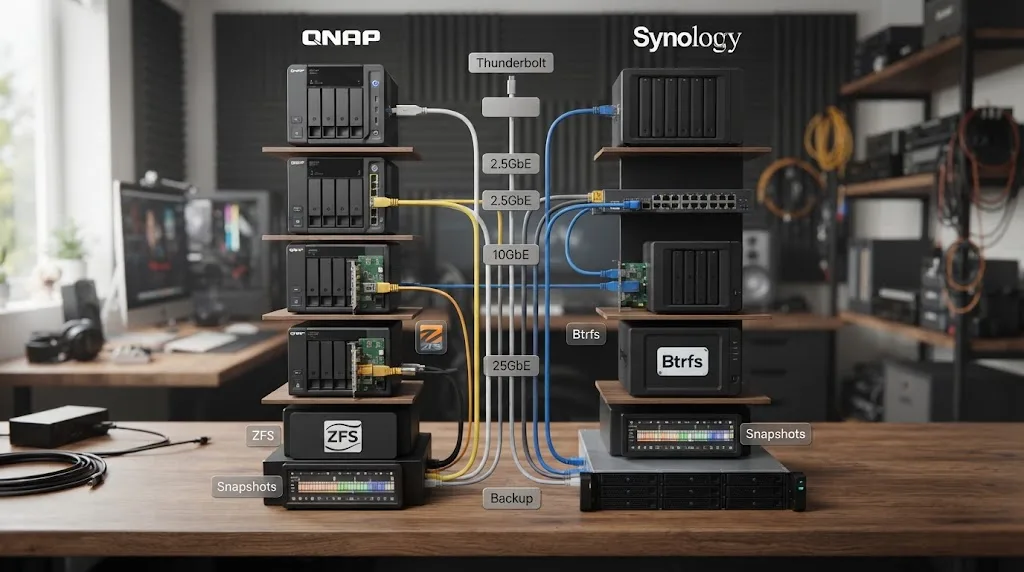
Is QNAP or Synology better for DaVinci Resolve 21?
QNAP has the stronger hardware-first story for DaVinci Resolve 21 when you want direct Thunderbolt or unusually flexible networking. Synology has the stronger fit when you are happy with Ethernet and want to build the editing system around DSM, Btrfs, Snapshot Replication, and Hyper Backup.
DaVinci Resolve 21 itself does not care whether a mounted SMB share came from QNAP or Synology. Blackmagic lists DaVinci Resolve 21 for Mac, Windows, and Linux, and Blackmagic Cloud collaboration is available in the current product line (Blackmagic product page). Blackmagic announced Resolve 21 on April 13, 2026, so this comparison is anchored to the current 21 generation rather than older Resolve 18 or 19 advice (Blackmagic announcement).
The storage decision sits beneath Resolve. Resolve asks the operating system for media. The operating system talks SMB to the NAS, or in QNAP's Thunderbolt case, uses Thunderbolt networking. The NAS then has to fetch those blocks from HDDs, SSDs, cache, or an all-flash pool quickly enough to keep the playhead fed.
That is why a "fast NAS" can still stutter. One part of the chain can be fast while another is not.
Think of the path in this order:
- Source codec data rate.
- Number of simultaneous streams.
- Workstation decode capacity.
- Client network interface.
- Switch and cabling.
- NAS network interface.
- Storage-pool read behavior.
- Other users hitting the same pool.
- Background jobs competing for disks.
- Resolve's own proxy, cache, and optimized-media choices.
A NAS purchase only controls some of those items.
QNAP deserves extra attention if one workstation is physically near the NAS. The TVS-h874T includes two Thunderbolt 4 ports, and QNAP says its Thunderbolt networking path provides up to 20 Gbps of bandwidth. QNAP also states a macOS 13.5 or later system requirement on the product page and lists Thunderbolt host support for Windows and Mac in the hardware specification (QNAP product page, hardware specs).
Synology deserves extra attention when the NAS will live as a conventional network service for several machines. Its creator page specifically positions the DS1825+ for "1-3 direct video editors" and lists dual 2.5GbE plus optional 10/25GbE (Synology creator page). That is vendor positioning, not an independent guarantee, but it tells you the intended workload.
I would not buy either brand on those marketing labels. I would calculate the stream load first.
Do I need 10GbE for DaVinci Resolve video editing?
You do not need 10GbE for every Resolve job, but 10GbE is the safest practical baseline once you edit high-bitrate 4K originals, multicam timelines, or several users from one NAS. A 2.5GbE link can be excellent for proxies and lighter single-stream work, but its margin disappears quickly as streams multiply.
Start with line rate. Ethernet is quoted in gigabits per second, while camera storage rates are often quoted in megabytes per second. Divide gigabits by eight to get the ideal megabyte-per-second ceiling before protocol overhead and real hardware behavior.
That gives ideal ceilings of 125 MB/s for 1GbE, 312.5 MB/s for 2.5GbE, 1,250 MB/s for 10GbE, and 3,125 MB/s for 25GbE.
Real transfers are lower. Video-editing trainer Larry Jordan reports roughly 110 MB/s over 1GbE, about 250 MB/s over 2.5GbE, and about 1 GB/s over 10GbE in his storage guidance (Larry Jordan). Those are useful planning figures, not guarantees for your switch, disks, SMB settings, or workstation.
| Network | Ideal line-rate ceiling | Larry Jordan planning figure | Resolve use that usually fits |
|---|---|---|---|
| 1GbE | 125 MB/s | about 110 MB/s | Proxies, compressed HD, some light single-stream work |
| 2.5GbE | 312.5 MB/s | about 250 MB/s | Many single-stream 4K jobs, proxies, modest multicam |
| 10GbE | 1,250 MB/s | about 1,000 MB/s | High-bitrate 4K, heavier multicam, one demanding editor |
| 25GbE | 3,125 MB/s | Not given in Jordan's cited table | Several demanding clients or very fast flash-based pools |
There is a trap in that last row. Installing a 25GbE adapter does not make an eight-disk HDD pool produce 3,125 MB/s. The network ceiling and the array ceiling are separate. The lower one wins.
The same applies to two 2.5GbE ports. Two ports do not automatically mean one workstation gets 5GbE. Both QNAP and Synology support SMB Multichannel on qualifying configurations, but the client, NAS, operating-system version, and network topology all have to support it. Port aggregation designed for many clients is not the same thing as single-client SMB Multichannel.
10GbE is not a luxury feature when the timeline can ask for several hundred megabytes per second.
For a new Resolve-centered NAS that you expect to keep through several camera upgrades, 10GbE gives you a useful middle ground. It is much less likely than 2.5GbE to become the first bottleneck, while 25GbE is often unnecessary for one editor unless the storage pool itself is exceptionally fast.
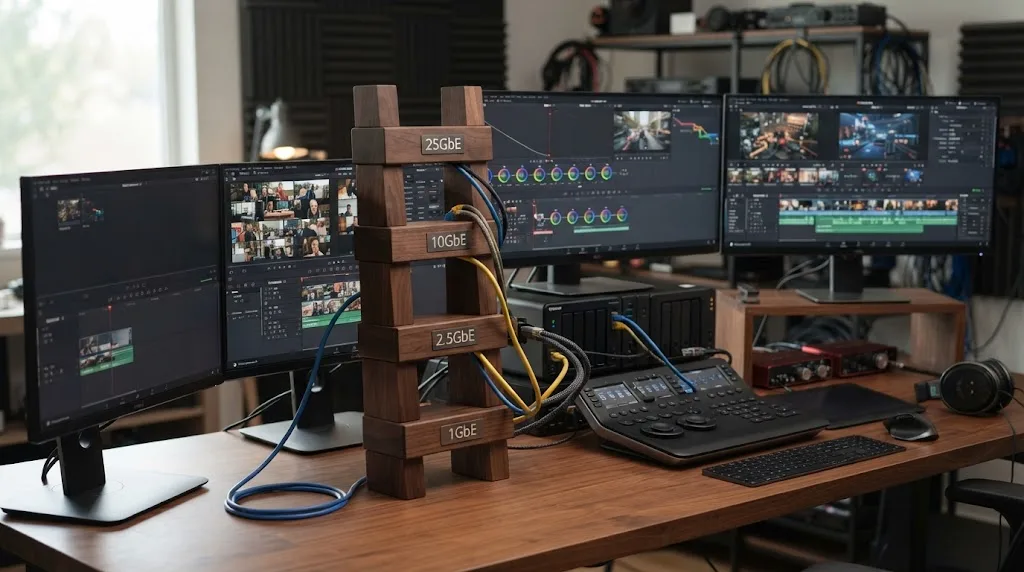
Can I edit 4K video from a Synology or QNAP NAS?
Yes, you can edit 4K video directly from either a properly configured Synology or QNAP NAS. The meaningful question is not "4K or not," but how many streams of which codec, at which frame rate and compression setting, have to arrive at the workstation at once.
Blackmagic gives us unusually useful real numbers. For Ultra HD 3840 x 2160 at 30 fps, its Micro Studio Camera 4K G2 documentation lists Blackmagic RAW constant-bitrate storage rates of 127 MB/s at 3:1, 77 MB/s at 5:1, 48 MB/s at 8:1, and 32 MB/s at 12:1 (Blackmagic tech specs).
Those values let us calculate a storage budget without inventing a benchmark.
| UHD30 Blackmagic RAW | 1 stream | 2 streams | 4 streams | 8 streams |
|---|---|---|---|---|
| 3:1 | 127 MB/s | 254 MB/s | 508 MB/s | 1,016 MB/s |
| 5:1 | 77 MB/s | 154 MB/s | 308 MB/s | 616 MB/s |
| 8:1 | 48 MB/s | 96 MB/s | 192 MB/s | 384 MB/s |
| 12:1 | 32 MB/s | 64 MB/s | 128 MB/s | 256 MB/s |
These totals are simple multiplication of Blackmagic's published per-stream rates. They are media payload figures, not a promise of network performance. SMB overhead, waveform generation, audio, background access, and other traffic still need room.
Now the 2.5GbE question becomes concrete. Using Jordan's roughly 250 MB/s planning figure, one UHD30 BRAW 3:1 stream fits. Two total 254 MB/s before overhead, so that workload is already too close to the edge for comfort. Four BRAW 5:1 angles total 308 MB/s, which exceeds that practical 2.5GbE figure. Four BRAW 8:1 angles total 192 MB/s and leave much more breathing room.
ProRes tells the same story. Blackmagic's URSA Broadcast G2 specifications list Apple ProRes 422 HQ at 110 MB/s for 3840 x 2160, along with ProRes 422 at 73.6 MB/s for that Ultra HD mode (Blackmagic specification). Apple's own ProRes overview explains that ProRes 422 HQ is a 10-bit 4:2:2 codec and gives a target of approximately 220 Mbps at 1920 x 1080 and 29.97 fps (Apple Support).
Four 110 MB/s UHD ProRes 422 HQ streams are 440 MB/s. That is a 10GbE problem, not a 2.5GbE problem.
This is why "4K editing" is too vague for NAS shopping. A highly compressed camera file can be tiny on the network and hard on the decoder. An intraframe mezzanine codec can be easier to decode but far heavier on storage. A multicam timeline multiplies whatever you started with.
Codec data rate, stream count, and concurrency determine NAS bandwidth far more precisely than resolution alone.
If you only edit one camera at a time, 2.5GbE may be all you need. If you routinely stack four, six, or eight cameras, buy the network for the sum, not the average.
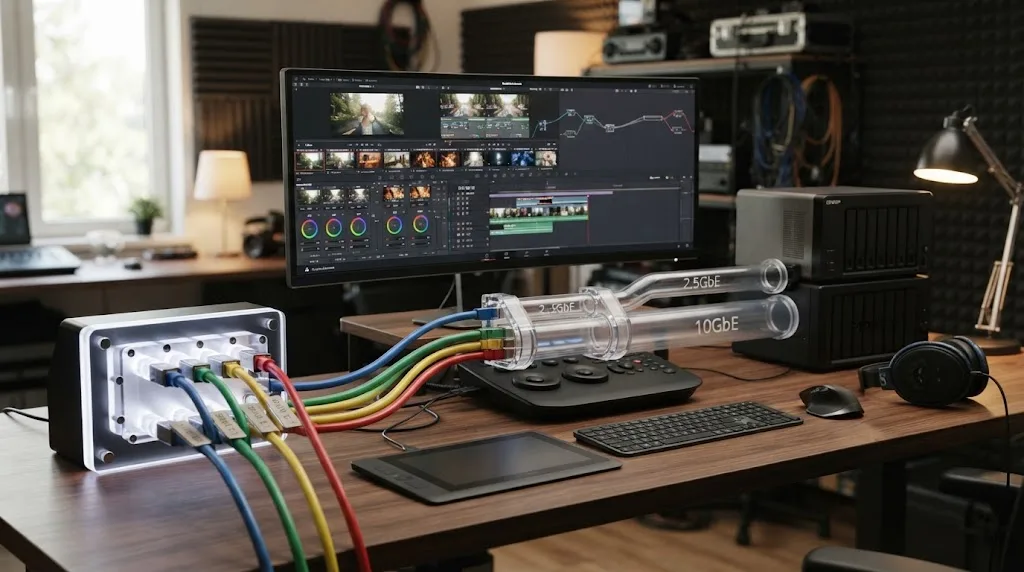
Why is my DaVinci Resolve timeline stuttering from a NAS?
A stuttering Resolve timeline does not automatically mean the NAS is too slow. First separate a network bottleneck from a storage-pool bottleneck and a codec-decoding bottleneck, because replacing a NAS will not fix the wrong problem.
I use a simple elimination order.
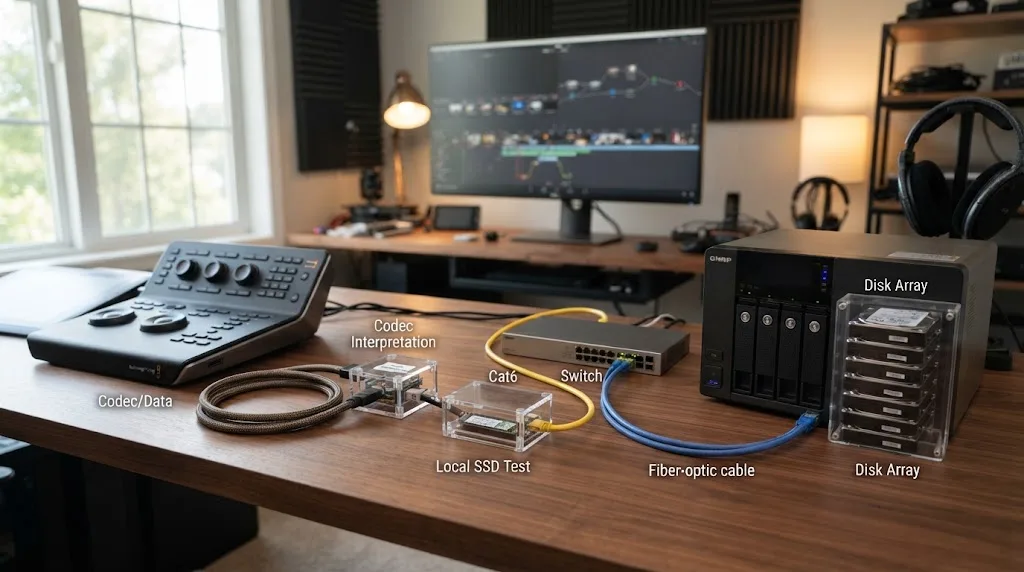
1. Test the same clip from local fast storage
Copy a representative problem clip to a fast local SSD and relink a test timeline, or create a tiny duplicate project that uses the local copy. Do not change the timeline resolution, grade, effects, or codec.
If the same clip still stutters locally, the NAS is not your first suspect. Look at decode load, GPU memory, temporal effects, noise reduction, Fusion, or other processing. If the local copy becomes smooth, the storage path deserves attention.
That distinction matters with highly compressed codecs. A low-bitrate file may barely touch the network while making the workstation work hard to decode it. Conversely, a high-bitrate intraframe codec can be easy for the CPU or GPU but heavy on the network.
2. Measure one large sequential copy
Copy one large media file from the NAS to the workstation and observe sustained transfer speed. Compare the result with the rough planning numbers above, not the marketing number printed next to the Ethernet port.
If a 10GbE workstation only sees performance close to 1GbE, inspect the negotiated link speed, switch port, adapter, cable, SMB configuration, and NAS interface before touching Resolve. If the network copy is fast but timeline playback is not, the problem may lie elsewhere.
3. Compare one stream with several streams
A one-camera timeline that plays smoothly while a four-camera multicam view collapses is a strong clue. Blackmagic's own BRAW rates show why. Four UHD30 BRAW 5:1 streams total 308 MB/s. Eight total 616 MB/s. A network path or HDD array that looks generous for one 77 MB/s stream can run out of room once every angle stays live.
4. Check whether the pool or the link is the ceiling
A fast network adapter cannot make slow disks faster. QNAP demonstrates this in the opposite direction with its TVS-h874T lab numbers. In a vendor test using eight Samsung 860 EVO 1TB SSDs in RAID 5, QNAP reports 590 MB/s write and 591 MB/s read over two 2.5GbE paths, then 3,838 MB/s write and 5,908 MB/s read over two 25GbE paths (QNAP test details).
Those are not HDD numbers, not DaVinci Resolve playback numbers, and not a fair Synology comparison. They are QNAP lab sequential-throughput results from an SSD-filled array. Their value here is to show how much the storage media and network configuration can change the result inside one chassis.
Synology publishes the same kind of vendor result for its creator lineup. Its current creator page lists DS1825+ sequential performance at 935 MB/s read and 1,370 MB/s write and DS1525+ at 696 MB/s read and 862 MB/s write (Synology creator page). Treat those as vendor test figures, not as guaranteed Resolve frame rates.
I have not run a matched-drive, matched-switch, same-client lab race between QNAP and Synology, so I will not invent one. A chart that puts unrelated vendor tests side by side and calls one brand "37 percent faster" would look precise and tell you very little.
5. Use proxies as a diagnostic, not as surrender
If the originals are near the edge of your network, a proxy workflow can immediately reduce media traffic. That does not mean the NAS purchase failed. It means you are choosing to move fewer bytes while cutting.
Our DaVinci Resolve proxy media setup for a slow laptop explains the Resolve side. For NAS troubleshooting, the important experiment is simple: if local or NAS-hosted proxies play smoothly while originals do not, you have narrowed the problem.
TryUncle is the on-screen assistant for DaVinci Resolve on macOS - ask in plain words and Uncle points at the exact control on your screen.
Is QNAP better than Synology for multicam editing?
QNAP gets the edge for multicam when its wider high-bandwidth hardware options match your workflow, especially Thunderbolt 4 on the TVS-h874T or expandable 25GbE. Synology's DS1825+ can also be a strong multicam box with optional 10/25GbE, so this is not a brand-level knockout.
Multicam is where vague storage advice fails fastest.
Larry Jordan puts the problem plainly: “Performance becomes critical as frames sizes increase or you start editing multicam projects.” (source)
The wording has a small grammatical rough edge, but that is the sentence as published. More important, the claim matches the codec arithmetic.
Take BRAW 8:1 at UHD30. Blackmagic lists 48 MB/s per stream. Four angles are 192 MB/s. Six angles are 288 MB/s. Eight are 384 MB/s. A single 2.5GbE path that performs around 250 MB/s can look perfect on four angles and fall apart when the director adds two more cameras.
At BRAW 5:1, the step is steeper: 77 MB/s per stream. Three angles total 231 MB/s. Four total 308 MB/s. Eight total 616 MB/s. A 10GbE path with roughly 1 GB/s practical transfer room, using Jordan's planning figure, has far more margin.
At BRAW 3:1, eight UHD30 streams total 1,016 MB/s. That is almost Jordan's entire practical 10GbE figure before you allow for protocol overhead or any other traffic. In that workload, 25GbE or a proxy strategy starts making sense, but the storage pool must also be able to sustain the demand.
Multicam turns modest per-camera data rates into a storage problem fast.
This is where QNAP's creator hardware becomes attractive. The TVS-h874T gives a nearby Mac or Windows workstation two Thunderbolt 4 ports, and QNAP states a maximum 20 Gbps bandwidth for its Thunderbolt networking implementation (QNAP TVS-h874T). It can also take 10/25GbE network expansion. If you prefer conventional Ethernet, the TVS-h874 family includes configurations with two 10GBASE-T ports, while other configurations make 10GbE an optional PCIe addition (QNAP TVS-h874 specs).
Synology's DS1825+ is more conventional but not slow by design. Synology equips it with dual 2.5GbE and a PCIe 3.0 slot for 10GBASE-T or 10/25Gb SFP+/SFP28 cards (Synology DS1825+ announcement). Synology itself positions the DS1825+ for one to three direct video editors on its creator page.
For one editor, the practical choice is often simple. If you want the shortest possible high-speed connection between a nearby workstation and storage, QNAP's Thunderbolt model has a unique advantage in this comparison. If your edit room is already wired around 10GbE or 25GbE, Synology loses much of that disadvantage.
For several editors, I care more about aggregate Ethernet bandwidth than Thunderbolt. A direct Thunderbolt link helps the workstation connected to it. It does not magically create bandwidth for every other person on the network.
Is 2.5GbE enough for a one-editor Resolve workstation?
Yes, 2.5GbE is enough for a surprising amount of one-editor Resolve work, especially proxies, compressed camera originals, and single-stream 4K. It becomes a poor place to save money when you already know you cut high-bitrate intraframe media, heavy BRAW, or multicam.
The useful planning figure is around 250 MB/s, based on Larry Jordan's cited server-transfer guidance. That is more than twice the roughly 110 MB/s he gives for 1GbE. For a solo editor coming from a gigabit NAS, 2.5GbE can feel like a meaningful step.
But "one editor" does not mean "one stream."
A single timeline can ask for multiple source streams because of multicam, picture-in-picture, optical-flow reference reads, compound work, or simply jumping rapidly between clips. Resolve can also generate cache and proxy writes while other jobs touch the array. You do not need to model every operation perfectly. You need enough margin that ordinary spikes do not sit on the ceiling.
The entry-level comparison is revealing.
The QNAP TS-464 has four SATA bays, dual 2.5GbE, two M.2 2280 PCIe Gen 3 x1 slots, and one PCIe Gen 3 x2 expansion slot. QNAP explicitly lists 10GbE as an optional PCIe expansion (QNAP TS-464 hardware specs). That gives a solo editor a cheap starting point with a future network upgrade path.
The Synology DS925+ has four SATA bays, two M.2 NVMe slots, and two 2.5GbE ports according to its current product manual (Synology DS925+ manual). There is no general PCIe expansion slot listed in that manual. For a buyer who knows 10GbE is coming soon, that difference matters more than the operating-system preference.
SMB Multichannel can also change the 2.5GbE calculation. QNAP says QTS 5.1.0 and QuTS hero h5.1.0 added SMB Multichannel, and its current guidance allows same-speed paths to be combined between supported NAS and clients (QNAP SMB Multichannel). Synology supports SMB3 Multichannel on qualifying x86 models with DSM 7.1.1 or later and SMB Service 4.15, with supported clients including Windows 8 or later, Windows Server 2012 or later, and macOS 11.3 or later (DSM 7.4 specs).
That does not turn every dual-2.5GbE box into a clean 5GbE workstation. It means you have a supported way to use multiple connections when both ends and the configuration qualify.
If I were buying for one editor with no multicam ambitions, I would not reject 2.5GbE. If I were buying the NAS once and expecting the camera package to grow for five years, I would favor a chassis with a clear 10GbE upgrade path.
Should I buy QNAP for Thunderbolt 4 video editing on a Mac?
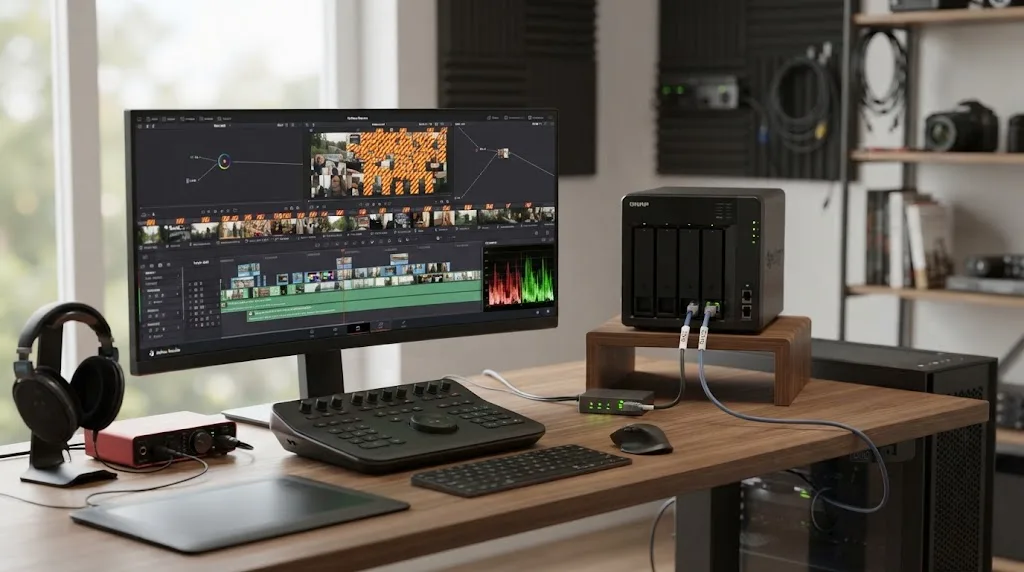
Buy QNAP for Thunderbolt 4 if your NAS will sit near a Mac and you want a direct high-bandwidth path without building the workstation around a 10GbE adapter and switch. The TVS-h874T is the clearest QNAP advantage in this comparison because the Synology models discussed here do not offer an equivalent direct Thunderbolt editing path.
QNAP ships the TVS-h874T with two Thunderbolt 4 Type-C ports. Its product page states that Thunderbolt networking has a maximum bandwidth of 20 Gbps, and QNAP lists macOS 13.5 or later as the system requirement on that creator page (QNAP TVS-h874T). The hardware specification says those Thunderbolt connections are supported for Windows and Mac hosts (QNAP hardware specs).
There are three reasons that can be attractive on a Mac editing desk.
First, it can reduce network shopping. You do not need to start with a 10GbE switch just to give one nearby workstation a fast path to the NAS. You may still want Ethernet for the rest of the studio, backups, laptops, or additional editors.
Second, it keeps a strong Ethernet upgrade path. The same TVS-h874T has dual 2.5GbE and can be expanded to 10/25GbE through PCIe. You are not choosing Thunderbolt instead of a network forever.
Third, it fits mobile Mac hardware that may not have native 10GbE. A Thunderbolt connection can be more direct than adding a separate high-speed Ethernet adapter, though exact topology and port availability depend on the Mac.
Do not read "Thunderbolt 4" as a guaranteed video throughput number. QNAP's stated 20 Gbps is the maximum bandwidth of its Thunderbolt networking implementation, not the transfer rate your eight HDDs will necessarily sustain. The array, ZFS configuration, client, cable, and current load remain part of the path.
There is also an OS boundary. QNAP explicitly documents Windows and Mac hosts for the TVS-h874T Thunderbolt connection. If your Resolve workstation is Linux, use Ethernet rather than assuming the Thunderbolt workflow is supported.
That matters because DaVinci Resolve 21 itself supports Mac, Windows, and Linux (Blackmagic product page). A mixed-OS studio should design around the common denominator, which is network storage over supported file services, not one proprietary desk connection.
My buying rule is simple. Choose the Thunderbolt model because you specifically want Thunderbolt. Do not pay for it merely because the number "40 Gbps" appears on generic Thunderbolt 4 marketing elsewhere. QNAP's own NAS implementation is the relevant specification here, and QNAP states 20 Gbps maximum for Thunderbolt networking.
Should I buy Synology for 10GbE or 25GbE video editing?
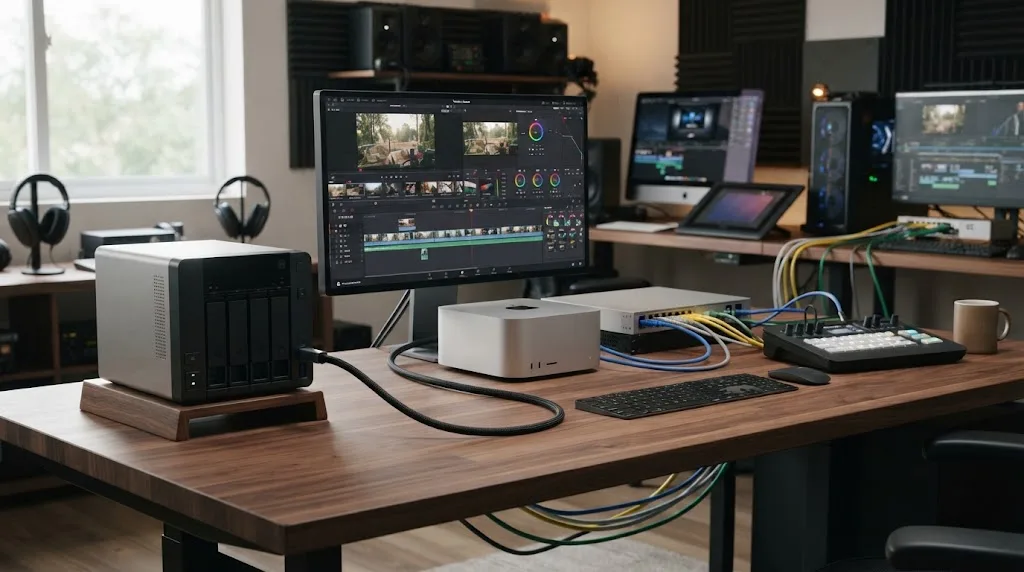
Yes, Synology is a strong choice for 10GbE or 25GbE video editing when you choose a model designed to accept those interfaces. The DS1825+ is the important example because it can move beyond its built-in dual 2.5GbE ports to optional 10GBASE-T or 10/25Gb SFP+/SFP28.
Synology announced the DS1825+ on July 8, 2025 with eight drive bays, dual 2.5GbE, two M.2 slots, and that PCIe networking path (Synology DS1825+ announcement). Its current creator page lists the model with optional 10/25GbE and calls it suitable for one to three direct video editors (Synology creator page).
That makes the lazy claim "Synology is only for backups" wrong.
The DS1825+ also gives you more drive spindles than a four-bay system. More bays can matter for both capacity and aggregate storage performance, though the exact result depends on drive type, RAID layout, file system, fill level, workload, and controller behavior. I would not convert the bay count into an invented MB/s prediction.
Synology does publish its own sequential figures. The creator page lists 935 MB/s sequential read and 1,370 MB/s sequential write for the DS1825+, and 696 MB/s read with 862 MB/s write for the DS1525+. Those are Synology figures under its test conditions, not independent Resolve measurements. Use them to see that the product line is designed for high-throughput file service, not to predict your multicam frame count.
The key difference from QNAP is route, not destination. QNAP offers more creator-specific connectivity combinations, including the TVS-h874T's Thunderbolt 4. Synology pushes you toward Ethernet. If your room is already wired with 10GbE, that is not a drawback. Ethernet is exactly what you want for a NAS serving several machines through a switch.
For a small team, I would often rather have one strong 10/25GbE uplink from the NAS into a proper switch than several improvised direct links. The switch makes bandwidth, access control, workstation moves, and expansion easier to reason about. That is a network design preference, not a Synology-exclusive feature.
A 25GbE adapter also only helps if the rest of the path can use it. If three editors each pull around 110 MB/s of UHD ProRes 422 HQ, using Blackmagic's published 4K30 rate, the combined media payload is about 330 MB/s. That already exceeds Jordan's rough 2.5GbE practical figure but sits comfortably below his roughly 1 GB/s 10GbE figure. The team may need 10GbE long before it needs 25GbE.
Buy 25GbE when aggregate demand, fast pools, or future expansion justify it. Do not buy it to make a single light H.264 timeline feel more professional.
Which has better SMB Multichannel for video editing, QNAP or Synology?
Neither brand wins SMB Multichannel by existence alone because both support it on current qualifying systems. QNAP offers broader creator-oriented examples and network expansion, while Synology documents a clear set of DSM and client requirements that work well when the chosen DiskStation is on a supported x86 platform.
SMB Multichannel matters because one SMB session can use more than one network connection. That is different from classic link aggregation, which can improve aggregate service to multiple clients without necessarily making one workstation's file copy use the sum of all links.
QNAP says SMB Multichannel is supported from QTS 5.1.0 and QuTS hero h5.1.0. Its current guidance says the NAS and client need SMB 3.0, and it lists Windows Server 2012 or later and macOS Big Sur 11.3.1 or later among supported clients. QNAP also says its current implementation combines Ethernet ports of the same speed and type, such as 2.5GbE plus 2.5GbE (QNAP SMB Multichannel).
Synology's DSM 7.4 technical specification says SMB3 Multichannel is available on supported x86 models running DSM 7.1.1 or later with SMB Service 4.15. Supported clients include Windows Server 2012 or later, Windows 8 or later, and macOS 11.3 or later. Synology also states that SMB3 Multichannel and Link Aggregation cannot be enabled at the same time on that configuration, and its current SMB help says Link Aggregation is not supported while SMB3 Multichannel is enabled (DSM 7.4 specs, SMB help).
That gives you a decision.
Use SMB Multichannel when one compatible workstation needs more bandwidth and both ends have the right interfaces. Use conventional aggregation or a faster single link when your bigger problem is several users sharing the NAS, especially if your switch and NAS are already designed around 10GbE or 25GbE uplinks.
There is another practical limit. Two 2.5GbE paths can raise the network ceiling, but they do not change the storage pool. A four-disk HDD array may hit its own workload limit before the combined network does. And two 10GbE links will not turn a pool that sustains 700 MB/s into a 2 GB/s array.
So I would not choose QNAP over Synology merely because someone showed a dual-port speed test. Choose the chassis that gives you the interfaces you need, then verify that the storage pool can feed them.
Which is better for DaVinci Resolve collaboration, QNAP or Synology?
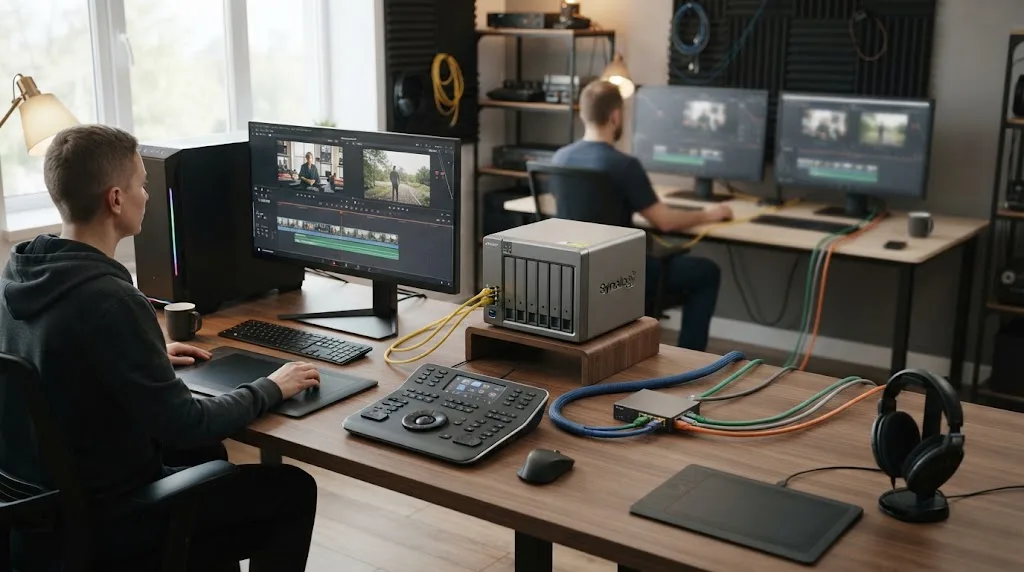
Neither NAS brand owns DaVinci Resolve collaboration. QNAP and Synology are shared-media platforms, while Resolve's project collaboration is handled by DaVinci Resolve Project Server or Blackmagic Cloud.
Blackmagic's current collaboration documentation for DaVinci Resolve 21 says Blackmagic Cloud can host project libraries, assign multiple users to projects, and allow numerous people to work in the same timeline at the same time (Blackmagic collaboration). That project layer is separate from the storage that holds camera originals.
This separation is useful.
Put media on the NAS because every editor needs access to the same source files. Put the collaborative project in the supported Resolve project system because that is what manages project state, locks, changes, and timeline collaboration. Do not treat a Resolve project database as just another folder that should be dragged onto a generic SMB share.
Once you separate those jobs, the QNAP versus Synology choice gets clearer.
For one editor, size the NAS for that workstation's peak stream load. For three editors, add their likely simultaneous media traffic. If each editor is pulling one 110 MB/s UHD ProRes 422 HQ stream, using Blackmagic's published 4K rate, the aggregate media payload is roughly 330 MB/s. A 2.5GbE uplink with roughly 250 MB/s practical transfer in Jordan's guidance is no longer enough, even though each workstation on its own might be fine.
At that point, a 10GbE uplink from the NAS becomes the obvious floor. If each workstation also has 10GbE and the team regularly cuts multicam or several high-bitrate streams at once, 25GbE on the NAS side can provide more aggregate room, assuming the array can sustain it.
QNAP makes that scale-up easy to imagine because the TVS-h874T can move from dual 2.5GbE to 10/25GbE, while more enterprise QNAP systems go further. Synology's DS1825+ also supports optional 10/25GbE, and Synology explicitly positions it for one to three direct video editors.
For a broader model-by-model buying framework, see our best NAS for DaVinci Resolve editing. The important point here is that shared storage and shared projects are two systems that must cooperate.
Shared media belongs on the NAS; Resolve collaboration belongs in Resolve's supported project layer.
That sentence can save you from designing the whole studio around the wrong problem.
Which protects active video projects better, QNAP or Synology?
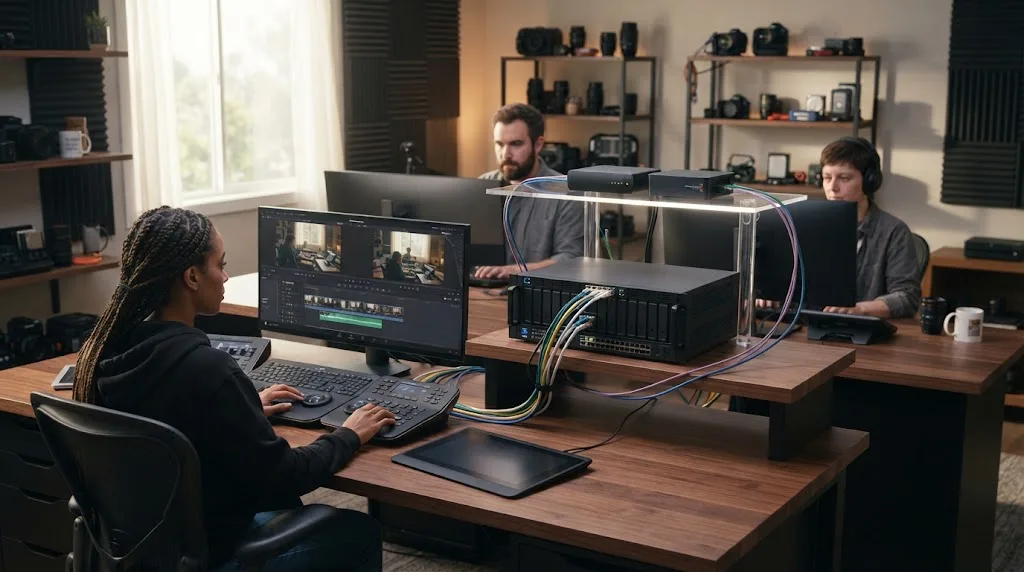
Both QNAP and Synology offer strong snapshot and backup tools, so there is no honest blanket winner for project protection. QNAP's QuTS hero brings ZFS-based storage and current immutable-snapshot options, while Synology combines Btrfs, Snapshot Replication, and Hyper Backup.
QNAP's current QuTS hero h5.3 release line supports immutable snapshot protection policies. Its h5.3 documentation lists a maximum of 65,536 snapshots per NAS and 65,536 per shared folder or LUN, with a rule that a new snapshot cannot be created when the relevant storage pool has less than 32 GB free (QuTS hero snapshot limits). QuTS hero is ZFS-based, and QNAP describes features such as self-healing and inline data reduction in that platform (QuTS hero release).
Synology's Btrfs implementation uses checksums for data and metadata, keeps two copies of metadata, and can use supported RAID redundancy for file self-healing when data checksums are enabled for the shared folder (Synology Btrfs). Its Snapshot Replication specification supports immutable snapshots on supported models, snapshot schedules as often as every five minutes, and up to 65,536 snapshots per system (Snapshot Replication specs).
Those are useful recovery tools. They are not the same as an independent backup.
QNAP's Hybrid Backup Sync can back up, restore, and synchronize data across local storage, remote systems, and cloud services, and current HBS versions can target immutable WORM folders on compatible QuTS hero systems (QNAP Hybrid Backup Sync). Synology's Hyper Backup supports local shared folders, external devices, remote Synology systems, rsync servers, and several public cloud destinations in DSM 7.4 (Hyper Backup specs).
For active edit projects, I want three layers with different jobs:
- RAID or another redundant pool arrangement to keep working through a drive problem that the chosen RAID level can tolerate.
- Snapshots to recover from accidental deletion, unwanted changes, or a bad application action without waiting for a full restore.
- A separate backup destination so the only copy is not inside the same chassis.
The exact RAID choice is its own decision. Our RAID 5 vs RAID 6 for DaVinci Resolve video editing comparison goes deeper on capacity, fault tolerance, and rebuild trade-offs.
A NAS RAID protects availability, while a separate backup protects the project.
That remains true whether the front panel says QNAP or Synology.
Does Synology still block third-party drives in 2026?
No, the old blanket claim that current Synology Plus systems simply block all third-party drives is outdated. Synology's May 27, 2026 compatibility FAQ says DSM 7.3 gave 2025 DiskStation Plus models more flexibility to create storage pools with third-party HDDs and 2.5-inch SATA SSDs, while compatibility rules still differ by series and drive type.
This deserves its own section because stale drive-policy advice can distort a QNAP versus Synology purchase.
Synology changed its policy during the 2025 model cycle. The current FAQ says that for 2025 DiskStation Plus models under DSM 7.3 and above, users retain flexibility to install third-party HDDs and 2.5-inch SATA SSDs when creating storage pools, even though Synology still recommends drives from its compatibility list (Synology compatibility FAQ).
That does not mean every Synology model accepts every drive with full support. Higher-end product series have different policies, and M.2 storage or cache compatibility can have separate restrictions. The only safe buying move is to check the exact NAS model, DSM version, drive type, and current compatibility list before purchasing a full set.
QNAP also maintains a drive compatibility list for its models. The TS-464 and TVS-h874T hardware pages explicitly point buyers to QNAP's compatibility database for supported drives (TS-464 specs, TVS-h874T specs).
For video editors, drive policy is not a side issue. Eight drives can cost as much as or more than the empty NAS chassis. A small change in which HDD or SSD families you can buy affects the total build, replacement strategy, and what happens when one model disappears from retail.
So compare the actual approved or supported drive options before comparing chassis prices. A cheaper NAS with a drive constraint you dislike can be the more expensive system by the time it is populated.
Which QNAP and Synology models make sense for a Resolve editor?
Start with the network you need, then choose the smallest chassis that can sustain that network and hold enough drives for capacity and performance. For most Resolve buyers, the useful comparison is not one QNAP against one Synology, but a ladder from four-bay 2.5GbE to eight-bay 10/25GbE.
Here is the practical model map based on current official specifications.
| Editing scenario | QNAP candidate | Synology candidate | Why |
|---|---|---|---|
| Solo editor, proxies, modest 4K | TS-464 | DS925+ | Both have 4 SATA bays and 2 x 2.5GbE; QNAP adds a PCIe path to optional 10GbE |
| Solo editor planning 10GbE | TS-464 with 10GbE expansion or TVS-h874 family | DS1525+ with optional 10GbE | Buy around the planned network, not today's router |
| Mac desk with direct high-speed storage | TVS-h874T | No direct Thunderbolt peer in this set | QNAP includes 2 x Thunderbolt 4 and supports Thunderbolt networking |
| High-bitrate multicam | TVS-h874T or TVS-h874 with 10/25GbE path | DS1825+ with optional 10/25GbE | Eight bays plus faster networking give more headroom |
| 1-3 direct editors | TVS-h874T / TVS-h874 class | DS1825+ | Synology explicitly positions DS1825+ for 1-3 direct video editors |
| Team expected to grow | QNAP model with 25GbE path and adequate pool | DS1825+ or larger model with 25GbE path | Aggregate bandwidth matters more than one-client speed |
The TS-464 deserves attention because it gives you a clean entry point. QNAP lists two 2.5GbE ports and optional 10GbE through PCIe. That means you can start with existing 2.5GbE infrastructure and upgrade the NAS later.
The DS925+ is also a sensible four-bay starting point if 2.5GbE matches the life of the system. Synology's manual lists four SATA bays, two M.2 slots, and two 2.5GbE ports. Because it does not list a general PCIe network expansion slot, I would not buy it with the assumption that you will add a conventional 10GbE card later.
The TVS-h874T is the QNAP model that most clearly targets this query. It has eight bays, two M.2 Gen 4 x4 slots, two Thunderbolt 4 ports, dual 2.5GbE, and PCIe expansion for 10/25GbE. QNAP also explicitly says it supports DaVinci Resolve editing environments on the product page (QNAP TVS-h874T).
The DS1825+ is the strongest direct Synology counterpoint here. It has eight bays, dual 2.5GbE, two M.2 slots, and optional 10/25GbE through PCIe. It lacks QNAP's direct Thunderbolt angle, but in a normal switched Ethernet studio that may not matter at all.
I am deliberately leaving street prices out. NAS prices, drive bundles, memory configurations, and regional availability change faster than the architecture. Compare total build cost with drives, RAM, NICs, adapters, and switches on the day you buy.
How should I configure a QNAP or Synology NAS for DaVinci Resolve?
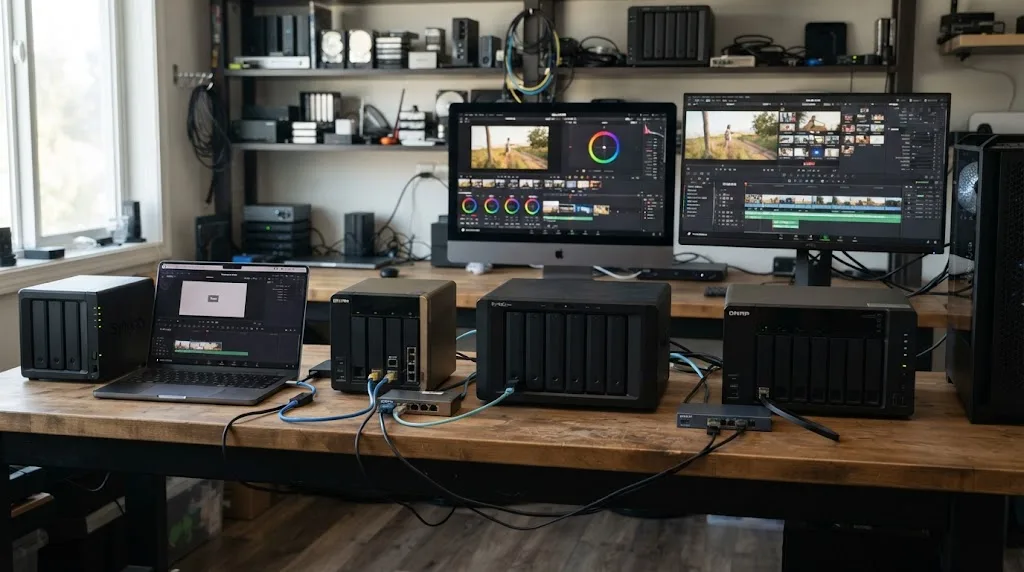
Configure the NAS so source media has a predictable high-bandwidth path, generated cache has room to breathe, and project protection does not compete unnecessarily with active editing. The same architecture works on QNAP and Synology, with different menu names and file-system choices underneath.
I would build the workflow in this order.
Put camera originals in a dedicated shared-media structure
Keep source footage, synced audio, graphics, and other shared assets under a predictable project root. The point is not a clever folder hierarchy. The point is that every workstation sees the same project media through a stable mount and nobody has to relink because one editor stored a card dump on a desktop.
Use permissions to separate active project shares from archives and personal home folders. Both DSM 7.4 and current QNAP operating systems support SMB file sharing and access control. Synology's DSM 7.4 specification explicitly lists SMB, NFS, and other file services across Windows, macOS, and Linux (DSM 7.4 specs). QNAP's QuTS hero SMB configuration likewise exposes Microsoft Networking and SMB Multichannel controls (QNAP SMB configuration).
Decide whether cache belongs locally or on the NAS
For one editor, I usually prefer generated render cache and similar disposable working files on a fast local SSD. That is a workflow recommendation, not a requirement from Blackmagic. It keeps reusable camera media on shared storage while letting the workstation handle temporary writes without adding them to the same network path.
For a team, proxies may need to be shared if several editors must see the same generated media. If so, budget their reads and writes as part of the NAS traffic rather than pretending the only workload is camera originals.
The test is practical. If moving generated media local makes the timeline responsive, you have learned something about contention. If nothing changes, look elsewhere.
Give active editing its own wired path
Do not design a professional NAS edit around Wi-Fi if you can run Ethernet. QNAP and Synology both build their creator offerings around wired 2.5GbE, 10GbE, and higher-speed networking. The throughput tables and Multichannel features cited throughout this guide are Ethernet features.
For one demanding workstation, a single 10GbE link is refreshingly easy to reason about. For a small team, give the NAS a fast uplink to the switch and size each client link for that editor's workload. For a direct Mac desk, QNAP Thunderbolt networking is another option.
Keep free space for snapshots and operations
Do not run the storage pool to the last usable gigabyte. Snapshot systems need room to preserve changed blocks, and QNAP's QuTS hero h5.3 documentation is explicit that it cannot create a new snapshot when the storage pool for the shared folder or LUN has less than 32 GB free (QNAP snapshot limits).
The right free-space target for your studio depends on project churn, snapshot retention, and the pool, so I am not going to invent a percentage. Monitor actual use and leave a deliberate margin.
Schedule protection work around editing peaks
Snapshots are lightweight compared with full backup transfers, but backups, scrubs, replication, cloud sync, and large ingest jobs can still compete for storage or network resources. Both QNAP HBS and Synology Hyper Backup support scheduled backup tasks (QNAP HBS, Synology Hyper Backup).
Put heavy backup windows where they make sense for your team. If editors work overnight, "run it at midnight" is not a strategy. Schedule around real use.
Separate performance testing from brand loyalty
After setup, test three things: one large sequential file, the actual codec you edit most, and your worst normal multicam timeline. That gives you a network number, a real playback check, and a concurrency check.
Do the test again after a major topology change. Adding a switch, enabling SMB Multichannel, changing NICs, replacing the disk pool, or moving from 2.5GbE to 10GbE changes the path enough that old assumptions may stop applying.
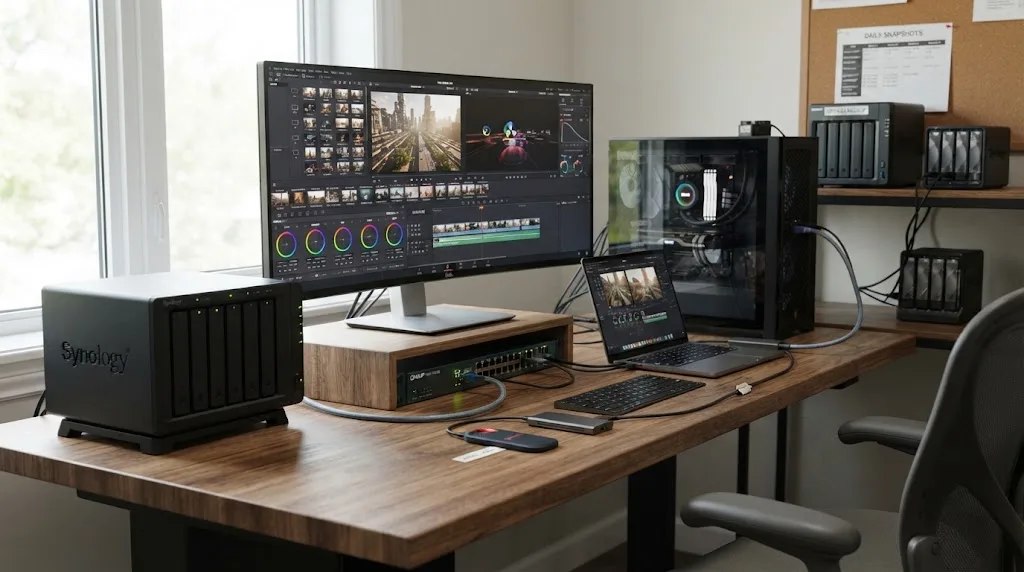
What changes between macOS, Windows, and Linux for QNAP vs Synology?
The core storage math does not change by operating system, but connection options do. macOS and Windows have the clearest documented SMB Multichannel support from both vendors, while Linux is best approached as a standard Ethernet SMB or NFS client unless the exact NAS feature documentation explicitly includes your distribution and configuration.
DaVinci Resolve 21 is available for Mac, Windows, and Linux according to Blackmagic (Blackmagic product page). That makes mixed-OS studios normal enough that the NAS should be designed around shared protocols, not one workstation trick.
| Client OS | QNAP considerations | Synology considerations | Buying implication |
|---|---|---|---|
| macOS | QNAP lists macOS 13.5+ for TVS-h874T and supports its Thunderbolt host connection on Mac; SMB Multichannel guidance includes macOS Big Sur 11.3.1+ | DSM SMB3 Multichannel supports macOS 11.3+ on qualifying NAS models | QNAP has the direct Thunderbolt option; both can work well over Ethernet |
| Windows | TVS-h874T Thunderbolt host support includes Windows; QNAP SMB Multichannel supports current Windows families listed in its docs | DSM SMB3 Multichannel supports Windows 8+ and Windows Server 2012+ | Both are straightforward Ethernet choices |
| Linux | Resolve 21 runs on Linux, but QNAP's TVS-h874T Thunderbolt host spec names Windows and Mac, not Linux | DSM file services include Linux access, but Synology's SMB3 Multichannel client list in the cited DSM spec names Windows and macOS | Plan standard wired networking and verify client-specific behavior before relying on Multichannel |
There is a subtle point here. "The NAS supports SMB" and "this vendor supports SMB Multichannel on my exact Linux client" are not the same claim.
Synology's DSM 7.4 page says its file services provide sharing across Windows, macOS, and Linux, but the SMB3 Multichannel limitations section names Windows Server 2012+, Windows 8+, and macOS 11.3+ as supported clients. So I would not promise a Linux editor the same Multichannel behavior without checking the current client and Samba implementation.
QNAP's public SMB Multichannel page similarly lists Windows Server 2012 or later and macOS Big Sur 11.3.1 or later in its requirements. Its TVS-h874T hardware page limits documented Thunderbolt host connections to Windows and Mac.
For a studio with one MacBook Pro today and Linux finishing workstations tomorrow, Ethernet is the durable common path. Thunderbolt can still be a useful fast lane for the Mac. Just do not make it the only lane.
What if my footage is H.264 or H.265 and the NAS still feels slow?
If low-bitrate H.264 or H.265 footage stutters, do not assume that buying a faster NAS will solve it. First compare the same files from local SSD and test a proxy or optimized-media workflow, because compressed codecs can shift the bottleneck from storage bandwidth to decoding.
This is one of the easiest traps in NAS shopping.
A file can be small enough that 1GbE or 2.5GbE delivers it comfortably and still play badly because the workstation has to decode a complex long-GOP stream, several frames depend on each other, effects are active, or hardware decoding is not being used as expected. The NAS only sees bytes. Resolve has to turn those bytes into pictures.
The reverse can also happen. ProRes 422 HQ and Blackmagic RAW may be relatively editing-friendly in some workstation configurations, yet their storage rates are high enough that the network becomes the visible ceiling first. Blackmagic lists UHD ProRes 422 HQ at 110 MB/s and BRAW 3:1 at 127 MB/s in the cited camera specifications. Those are meaningful fractions of a practical 1GbE link.
The local-SSD A/B test is powerful because it changes one major variable. If the exact same timeline plays badly from local storage, moving from a DS925+ to a TVS-h874T is unlikely to be the first fix. If it becomes instantly smooth, then the network, SMB path, or storage pool is back under suspicion.
Proxies let you split the difference. You can keep camera originals on the NAS for conform and finishing while cutting lighter media. That can extend the useful life of a 2.5GbE system and make remote or laptop editing far less sensitive to network peaks.
Do not confuse that with lowering quality. Resolve can reconnect or render from the camera originals for finishing. The editing copy is a workflow choice.
What if I have two or three editors instead of one?
For two or three editors, prioritize aggregate NAS bandwidth, a proper switch, and predictable project organization over a direct one-workstation connection. Both QNAP and Synology can work, but 10GbE at the NAS side becomes much easier to justify and 25GbE starts to make sense when several demanding streams overlap.
Use arithmetic before hardware.
Suppose three editors each play one UHD30 ProRes 422 HQ stream at Blackmagic's published 110 MB/s rate. The media payload is about 330 MB/s. That is already beyond Jordan's roughly 250 MB/s planning figure for 2.5GbE.
Now suppose each editor opens a two-camera sequence. Six total streams at 110 MB/s equal 660 MB/s. That still fits inside Jordan's rough 1 GB/s 10GbE planning number in pure payload terms, but the margin is no longer enormous after overhead and other work.
If the team uses four-angle BRAW 5:1 multicam, one editor can ask for 308 MB/s from the published Blackmagic rates. Two such editors could ask for 616 MB/s. Three could ask for 924 MB/s. Suddenly a 10GbE uplink looks like a real working limit rather than an extravagant specification.
That is when 25GbE on the NAS can be rational. The DS1825+ supports optional 25GbE. The TVS-h874T can also be expanded to 25GbE. The choice becomes less about whether the port exists and more about which platform, chassis, storage pool, backup system, and management style you want around it.
You also need to budget for non-edit traffic. Ingest may be copying cards to the NAS while two editors play. A backup may start. A producer may copy review exports. The storage system sees all of it.
I would rather buy a little network headroom than design the whole studio so every normal background task has to stop whenever someone opens multicam.
Should I choose QNAP or Synology if I edit alone?
Choose QNAP if you edit alone and want the widest path to faster connectivity, especially an eventual 10GbE upgrade on a lower-tier chassis or direct Thunderbolt 4 on the TVS-h874T. Choose Synology if 2.5GbE or planned Ethernet expansion already matches your workload and DSM's Btrfs, snapshot, and backup stack is the stronger fit for how you want to administer storage.
A solo editor gets to optimize for one workstation.
That makes direct-attached-style convenience more valuable. If the NAS will sit on the same desk as a Mac, the QNAP TVS-h874T's Thunderbolt networking can remove a switch from the high-speed path for that machine. If the NAS is in a closet and your office already has 10GbE, that advantage disappears.
A solo editor can also be more tolerant of scheduled maintenance. You know when the system is idle. You can run heavy backups or pool work outside your own edit window without coordinating with three other people.
The biggest mistake is buying for your current camera but not your current editing pattern. One 6K camera may generate less simultaneous storage load than four 4K cameras. A documentary editor with one angle and lots of hours may care more about capacity. A concert editor with eight angles may care more about sustained read throughput. A colorist who keeps source media but renders cache locally has yet another profile.
Write down your worst ordinary timeline. Count streams. Look up the codec rate. Multiply. Then add room.
If the answer is well below 250 MB/s and you are not planning a team, a well-built 2.5GbE system can be sensible. If the answer already lands in the 300 to 700 MB/s region, buy 10GbE rather than hoping that proxies will always rescue the hardware choice. If you routinely approach 1 GB/s of source payload or expect several users, look seriously at 25GbE and faster storage pools.
Those thresholds are planning ranges built from the cited network and codec numbers, not guarantees. Your real system still needs testing.
Should I choose QNAP or Synology for a small post-production team?
Choose QNAP for a small post team when hardware flexibility, direct creator connectivity, and multiple upgrade paths carry more weight. Choose Synology when the team wants a conventional Ethernet storage service with DSM and can meet the required bandwidth through models such as the DS1825+.
For a team, I would stop thinking about "my NAS" and start thinking about a small storage service.
That means naming projects consistently. It means permissions. It means knowing where backups go. It means deciding whether the NAS has one 10GbE or 25GbE uplink to a switch. It means not letting one editor's desktop become the unofficial copy of record.
The DS1825+ is easy to understand in that role. Synology offers eight internal bays, two 2.5GbE ports, M.2 slots, and optional 10/25GbE. Its creator page specifically points to one to three direct video editors. If those capabilities cover the team, you do not need a more exotic box just because QNAP exposes more expansion options.
QNAP becomes more compelling when the team's topology is unusual. Perhaps one Mac needs Thunderbolt while two other workstations use Ethernet. Perhaps you want to move from dual 2.5GbE today to 25GbE later. Perhaps the storage role may expand beyond a simple eight-bay archive-and-edit box.
Neither brand removes the need to benchmark the actual pool after you install drives. Neither brand removes the need for an independent backup. And neither brand replaces Resolve's own collaboration layer.
That is the boring answer. It is also the one that prevents expensive surprises.
QNAP or Synology: which should you buy for video editing?
Buy QNAP for video editing if your decision is driven by Thunderbolt 4, broader network expansion, or a desire to push one chassis through several connectivity stages. Buy Synology if you want an Ethernet-first NAS and the DSM, Btrfs, Snapshot Replication, and Hyper Backup stack matches how you prefer to manage shared storage.
Here is the final decision rule.
Choose QNAP when:
- A nearby Mac or Windows workstation will benefit from the TVS-h874T's documented Thunderbolt 4 networking.
- You want a four-bay starting point such as the TS-464 that can take an optional 10GbE card.
- You expect to grow into 10/25GbE and want several hardware routes to get there.
- You are comfortable choosing between QTS and QuTS hero model families and spending time on network and storage configuration.
Choose Synology when:
- You want a conventional Ethernet NAS and do not need direct Thunderbolt.
- The DS925+ class is enough for a 2.5GbE life cycle, or the DS1825+ class gives you the 10/25GbE expansion you need.
- Btrfs, Snapshot Replication, and Hyper Backup fit your preferred protection workflow.
- You want to standardize a small team's shared storage around DSM and a narrower set of connection choices.
Choose neither yet when:
- You cannot name your source codec data rate.
- You do not know how many streams your worst normal timeline plays at once.
- You have not decided whether the NAS serves one editor or several.
- Your current switch cannot support the network speed you are about to pay for.
- You have no separate backup destination in the budget.
For DaVinci Resolve 21, I would make one calculation before ordering anything: multiply the documented data rate of your heaviest common codec by the maximum number of simultaneous streams you expect, then compare that payload with the practical network figures in this guide. That number tells you whether you are shopping for 2.5GbE, 10GbE, or 25GbE. Once you know the pipe, the QNAP versus Synology choice gets much easier.
Frequently asked questions
- Is QNAP or Synology better for DaVinci Resolve video editing?
- QNAP is usually the stronger choice when a Resolve workstation needs Thunderbolt 4 or unusually flexible 10/25GbE expansion. Synology is strong when you want an Ethernet-first NAS with DSM, Btrfs, snapshots, and straightforward backup tooling. Either can edit directly if the chosen model, disks, and network sustain the codec workload.
- Is 2.5GbE enough for 4K video editing in DaVinci Resolve?
- It can be. A practical 2.5GbE path is often around 250 MB/s, which can handle many single-stream 4K codecs and proxy workflows. High-bitrate Blackmagic RAW, several ProRes streams, multicam, or multiple editors can exceed that headroom, so 10GbE is the safer target for demanding work.
- Do I need 10GbE for multicam editing from a NAS?
- For serious multicam work, 10GbE is usually the sensible baseline. Four UHD30 Blackmagic RAW 5:1 streams total about 308 MB/s before overhead, already beyond the roughly 250 MB/s practical figure Larry Jordan cites for 2.5GbE. Lower-bitrate proxies can reduce the requirement.
- Can DaVinci Resolve edit directly from a Synology NAS?
- Yes. DaVinci Resolve can use media mounted from a Synology SMB share, and current Synology creator systems such as the DS1825+ offer optional 10/25GbE. Keep the Resolve project collaboration layer separate from the shared-media layer, and size the network for the total codec data rate.
- Can DaVinci Resolve edit directly from a QNAP NAS?
- Yes. QNAP explicitly positions systems such as the TVS-h874T for direct media editing and DaVinci Resolve environments, with Thunderbolt 4 plus expandable 10/25GbE. The same rule applies: the connection, array, and codec load determine whether playback is smooth.
- Does Synology still require Synology drives in 2026?
- Not across the board. Synology's May 2026 compatibility FAQ says DSM 7.3 gave 2025 DiskStation Plus models more flexibility to create storage pools with third-party HDDs and 2.5-inch SATA SSDs. Compatibility rules still vary by product series and drive type, so check the current list before buying.
Sources
- Blackmagic Design Announces DaVinci Resolve 21
- DaVinci Resolve Collaboration
- Blackmagic Micro Studio Camera 4K G2 Tech Specs
- Blackmagic URSA Broadcast G2 Store Specifications
- DaVinci Resolve Product Page
- About Apple ProRes
- How to Configure Video Editing Storage for Maximum Speed or Capacity
- QNAP TVS-h874T
- QNAP TVS-h874T Hardware Specs
- QNAP TVS-h874 Hardware Specs
- QNAP TS-464 Hardware Specs
- QNAP SMB 3.0 Multichannel
- QuTS hero h5.3 Series Release Notes
- QuTS hero h5.3.4.3500 Release Notes
- QuTS hero Snapshot Storage Limitations
- QNAP Hybrid Backup Sync
- Synology DSM 7.4 Release
- Synology Storage for Content Creators
- Synology DS925+ Product Manual
- Synology DS1825+ Announcement
- DSM 7.4 Technical Specifications
- Synology SMB Settings
- Synology Btrfs
- Synology Snapshot Replication Technical Specifications
- Synology Hyper Backup Technical Specifications
- Synology Drive Compatibility Policies for 2025 Models
- QNAP QuTS hero SMB Configuration
- QNAP Releases ZFS-based QuTS hero h5.1.0
Put this guide to work with TryUncle.
Ask about the step you’re on. TryUncle sees your screen and points at the control you need, so you can keep learning in your own project.
Get TryUncle for Mac or WindowsKeep reading
Guides · Jul 30, 2026 · 29 min
Best NAS for DaVinci Resolve Editing in 2026
The best NAS options for DaVinci Resolve editing in 2026, compared on network speed, RAID, and real prices, plus when a NAS is the wrong answer entirely.
Comparisons · Jul 30, 2026 · 42 min
RAID 5 vs RAID 6 for DaVinci Resolve Video Editing
RAID 5 vs RAID 6 for DaVinci Resolve editing: rebuild risk on big drives, real throughput needs, and which to pick for solo or shared NAS storage.
Fixes · Jul 15, 2026 · 25 min
DaVinci Resolve Proxy Media Setup for a Slow Laptop
Set up proxy media in DaVinci Resolve on a slow laptop: resolution, codec, the Blackmagic Proxy Generator, and the exact settings that stop the stutter.