Articles / Comparisonsupdated for DaVinci Resolve 21.0.2 (July 2026); Sottocut v1.3.3 (July 2026)
Sottocut vs TryUncle for DaVinci Resolve: Which One Fits You?
Quick answer
Sottocut is a paid AI agent that edits your DaVinci Resolve timeline directly, requires Studio 21 on Apple Silicon, and starts at $15 a month. TryUncle is a paid on-screen assistant that watches your screen and points at the control you need, works with Resolve Free or Studio, and costs $19.97 a month founder pricing. One edits, the other teaches.
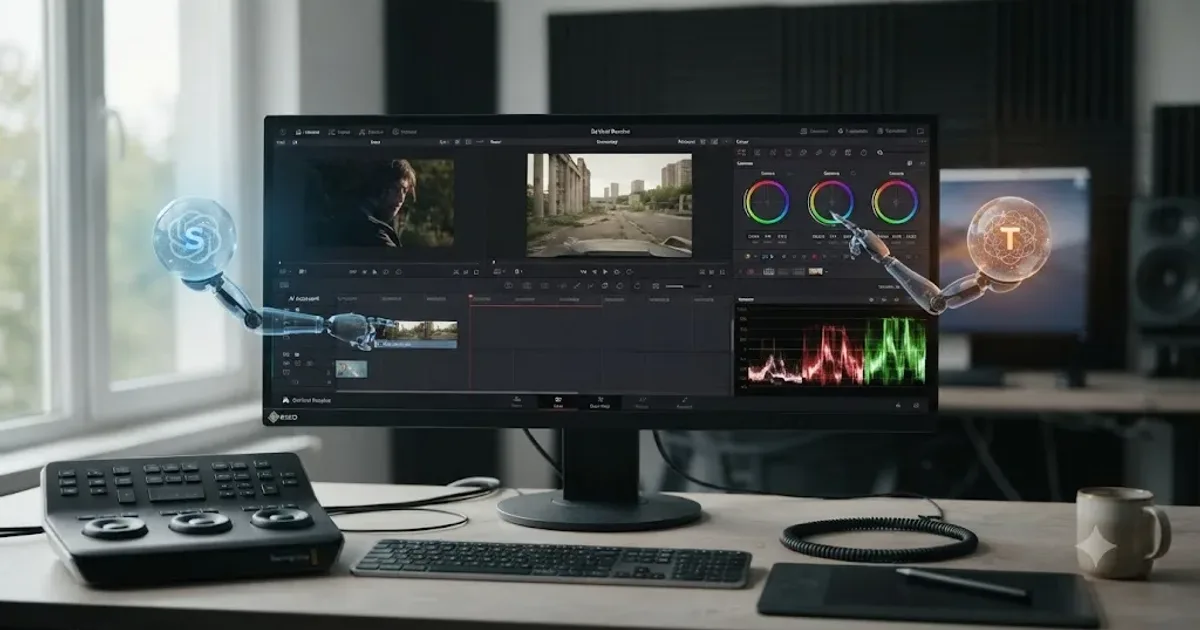
Two names keep surfacing together in searches about AI and DaVinci Resolve this month, and almost nobody has put them side by side honestly. Sottocut is a brand-new AI agent that edits your timeline for you. TryUncle is an on-screen assistant that never touches your timeline at all. Confuse the two and you'll buy the wrong subscription for what you actually need.
So here's the straight comparison, built from what each product says about itself, since Sottocut launched its first public version in July 2026 and no independent reviewer has published hands-on results for either tool yet. I'll tell you what each one actually does, what it costs, what it requires from your Mac, and which editors each one genuinely fits. Then I'll tell you when the honest answer is neither, or both.
What is Sottocut, exactly?
Sottocut describes itself, on its own site, as "an AI assistant editor that lives inside your open Resolve project" that "scores your footage, proposes the cut, and verifies every change it makes." That's a specific, narrower claim than "AI for video editing" in general. It's not a standalone app you export from and reimport into Resolve. It's built to sit inside a live project and act on it directly, the same category of tool as CutAgent, which our CutAgent review covers in depth as a separate product.
Mechanically, Sottocut transcribes your footage on-device using your Mac's Neural Engine, then scores individual moments by identifying narratively important content, things a human editor would flag as a strong soundbite or a clean take. From there it can propose story reordering through what it calls "Story Mode," generate styled captions, batch-render deliverables, sync dual-system audio, and export stills, all inside the same Resolve project you already have open.
Sottocut is one of the newest AI agents built specifically for DaVinci Resolve, with its first public version shipping in July 2026. Its own changelog lists three released versions in that single month: v0.4.1 as the initial public release with a full "Organize, Moments, Story Mode, Captions, Cover, Deliver" pipeline, v1.3.0 adding a unified project workspace with a B-roll library, and v1.3.3 adding update prompts and expanded native Mac app support. That's an unusually fast release cadence for a brand-new product, and it's worth knowing both that the tool is genuinely new and that its maker is iterating on it quickly rather than shipping once and going quiet.
How does a Sottocut session actually work?
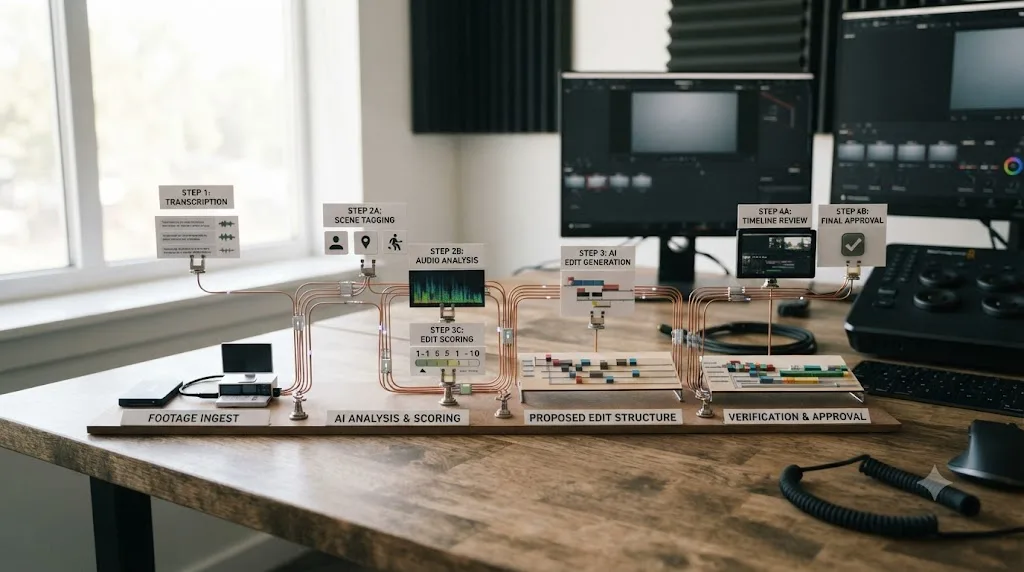
Here's the mechanical flow, reconstructed entirely from Sottocut's own published description, since there's no independent hands-on account yet to check it against.
- You open a DaVinci Resolve Studio 21 project on an Apple Silicon Mac, with Sottocut's companion app running alongside it.
- Sottocut transcribes your footage on-device, using the Mac's Neural Engine rather than sending raw audio to a cloud service.
- It scores moments across your footage, flagging clips it judges narratively strong, and can place markers on your timeline reflecting that scoring.
- You chat with what Sottocut calls the "Co-Editor," a conversational interface, describing what you want: a Story Mode reorder around a narrative arc, styled captions in a specific look, a batch of deliverables in specific formats. You can also paste a screenshot into that chat for the Co-Editor to analyze directly.
- The Co-Editor proposes changes through what Sottocut describes as roughly 40 validated tools, rather than freeform, unverifiable actions.
- Before or alongside execution, Sottocut reads back the actual state of your timeline to verify the change landed as intended, what its own site calls "verifies every change it makes."
- You review the result, and Sottocut can carry the same session forward for up to 24 hours before a new project session starts, per its own project-based pricing definition.
That verification step, reading the timeline back after a change to confirm what actually happened, is the same category of safety design CutAgent uses with its pre-export review markers. Both approaches exist because an AI agent that silently rewrites a timeline without a way to check its own work is a liability nobody should trust with paying client footage. Sottocut's own site doesn't publish a worked example of what a failed verification looks like in practice, or what happens when the read-back doesn't match the intended change, so treat the design intent as real and disclosed, and treat its reliability under real editorial pressure as unverified until an independent editor has put it through a genuine deadline.
What would turning raw footage into a cut with Sottocut actually look like?
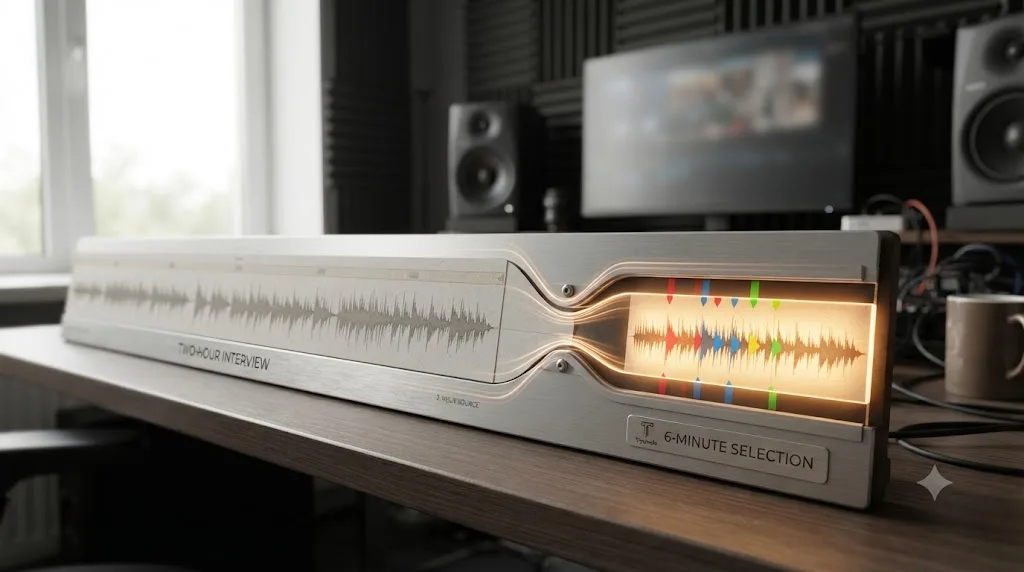
Picture a documentary editor who just wrapped a two-hour sit-down interview and has three hours before a producer wants a rough assembly. Sottocut's own site frames exactly this scenario as its core use case, stating plainly: "A two-hour interview holds maybe six minutes that matter." That's not a hands-on result from this site; it's Sottocut's own framing of the problem it's built to solve, and it's worth reading literally rather than as marketing color.
Here's how that scenario maps onto the seven-step session flow described above, based entirely on Sottocut's published description, not on any test run of this site's own.
- The editor opens the two-hour interview inside a Resolve Studio 21 project on an Apple Silicon Mac, with the Sottocut companion app running alongside it.
- Sottocut transcribes the full two hours on-device, which per its own site happens without sending the audio anywhere.
- The moment-scoring pass flags candidate soundbites across the full transcript, the same six minutes worth watching that the interview reportedly holds, though no automated scoring pass is a perfect substitute for a director who was actually in the room.
- The editor tells the Co-Editor, in plain language, something like "build a rough assembly around the three strongest answers about the founding story," rather than manually scrubbing two hours of footage looking for them.
- The Co-Editor proposes a Story Mode reorder built from the flagged moments, using its documented set of roughly 40 validated tools rather than freeform edits.
- Sottocut reads the resulting timeline back to confirm the proposed cuts landed as described, the verification step covered above.
- The editor reviews the assembly, trims it further by hand, and either keeps working inside that same 24-hour project session or starts a fresh one for a different reel.
What this walkthrough can't tell you is whether the moment-scoring actually catches the right six minutes out of two hours of unscripted conversation, because that's a judgment call no vendor's own site can settle for you. An interview about a product launch and an interview about a personal loss don't share the same definition of "narratively strong," and Sottocut's own materials don't publish worked examples showing where its scoring gets that judgment wrong.
So what do you do if the first pass misses the take you actually wanted? Sottocut's documented flow gives you two ways back in: refine the same request in the Co-Editor with more specific language ("no, the answer about the second attempt, not the first"), which its conversational design is built to handle, or scrub the transcript yourself and manually flag the moment before asking the Co-Editor to build around it. Either path still ends with the read-back verification step, so a corrected instruction gets the same check a first-pass one does. Until an independent editor runs this exact scenario on a real deadline and reports back, treat the walkthrough as a description of the mechanism, not a guarantee of the result.
What does Sottocut actually cost?
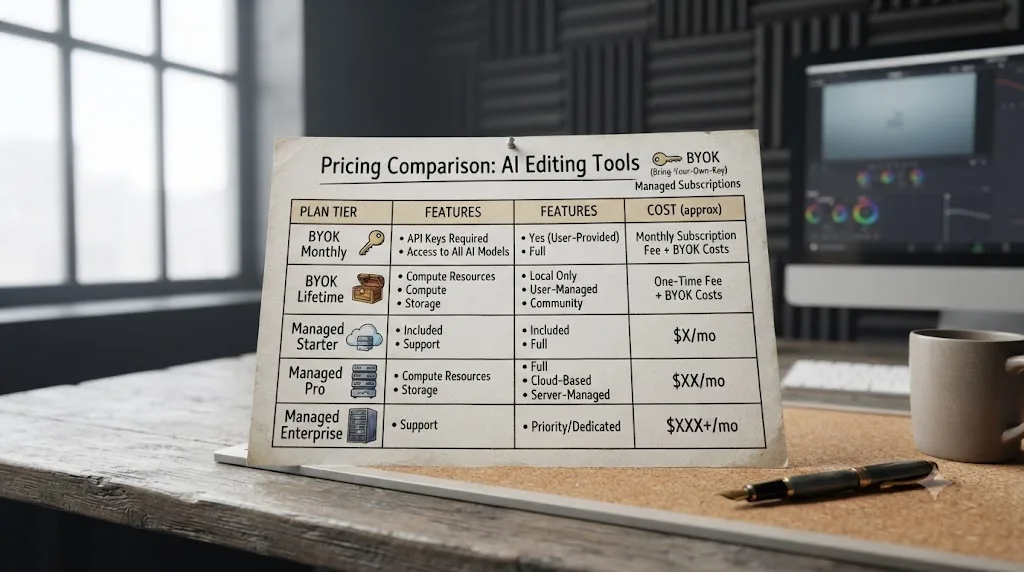
Sottocut runs five pricing tiers, split into two families, per its own pricing page.
| Plan family | Tier | Price | What you get |
|---|---|---|---|
| Bring your own key | Monthly | $15/month | Unlimited projects, billed to your own Anthropic API key at cost |
| Bring your own key | Lifetime | $129 one-time | Unlimited projects, same bring-your-own-key model, paid once |
| Managed (no key needed) | Starter | $29/month | 8 projects a month |
| Managed (no key needed) | Pro | $59/month | 18 projects a month |
| Managed (no key needed) | Studio | $119/month | 35 projects a month |
Sottocut's own pricing page defines a "project" as one 24-hour Co-Editor session, not a number of exports, minutes of footage, or clips processed. That's a genuinely different metering unit than most subscription software uses, and it's worth understanding before you pick a tier. If you open a session and work inside it, on and off, across a full day, that entire window counts as a single project. Start a new session after that 24-hour window closes and it counts as a second one, even if you've barely touched the footage.
The bring-your-own-key path is the more unusual choice here, and it matters for anyone comparing prices across this category. Instead of Sottocut billing you a markup on top of the underlying AI model, you connect your own Anthropic API key and Sottocut charges Anthropic's rates directly, plus its own flat $15 monthly fee, or a single $129 lifetime payment, for unlimited projects on either plan. That's a meaningfully lower ceiling than any of the managed tiers if your usage is high, since "unlimited projects" has no monthly cap, though you're now separately responsible for your own Anthropic billing and API key management, a task most editors have never had to think about before.
Sottocut's own refund page states plainly: "The free trial is the refund policy." Purchases are otherwise non-refundable except where local law requires it. Monthly plans can be cancelled anytime and stay active through the current billing period, with unused project allowances not carrying over. If a renewal payment fails, Sottocut states it keeps your access active for roughly seven days while it retries the charge, before pausing access until you update your payment method.
What happens if you exceed your Sottocut project limit, or want to switch tiers?
Sottocut's own pricing page doesn't spell out what happens the moment you hit your 8th, 18th, or 35th project on a managed tier partway through a billing cycle, whether the app blocks a new session outright, prompts an upgrade, or lets you finish the month over the stated cap. That's a real gap in the published terms, and the safest assumption until Sottocut clarifies it is that you should upgrade a tier proactively if you're consistently close to your limit, rather than count on graceful overage handling that isn't documented anywhere.
The bring-your-own-key plans exist as the uncapped fallback for exactly this situation. If your managed-tier project count keeps creeping toward the ceiling, moving to the $15-a-month or $129-lifetime bring-your-own-key tier removes the cap entirely, in exchange for taking on your own Anthropic billing and API key management. For an editor who occasionally spikes past their tier's limit in a busy month, that trade is probably worth it even with the added account-management overhead.
Changing or cancelling a plan altogether is simpler than most subscription software makes it. Sottocut's own pricing page states you can "manage or cancel anytime via the receipt link in your purchase email, no account needed." There's no separate login, no support ticket, no retention flow to navigate, just the link Sottocut already emailed you when you paid. Cancelling a monthly plan keeps your access live through the rest of the current billing period, and unused project allowances don't roll over into the next one, so timing a cancellation for the end of a cycle gets you the most value out of what you already paid for.
One practical edge case worth knowing before you pick a tier: since a project is defined by a 24-hour window rather than a calendar day, starting a session late at night and finishing it the next afternoon still counts as one project, but starting two separate short sessions on two different days, even if each lasts twenty minutes, counts as two. If your work pattern is a lot of short check-ins spread across a week rather than a few long sessions, you'll burn through a managed tier's project count faster than the tier's name might suggest, and the uncapped bring-your-own-key tier becomes the more predictable choice.
Does Sottocut work with the free version of DaVinci Resolve, or only Studio?
Only Studio, and specifically Studio 21, installed from Blackmagic's own site rather than an App Store build, per Sottocut's own published requirements.
That's a real barrier to entry, and a meaningfully narrower gate than at least one of Sottocut's direct competitors. CutAgent, covered in full in our CutAgent review, works with DaVinci Resolve 20 or later on both the Free and Studio editions, according to CutAgent's own FAQ. If you're editing on Resolve's free tier specifically because you haven't yet committed to the $295 Studio license, Sottocut isn't an option for you today, full stop, no workaround exists short of buying Studio first.
Studio itself costs $295 once, not a subscription, per Blackmagic's own Studio product page. That purchase unlocks the DaVinci Neural Engine, which powers most of Resolve 21's nine built-in AI tools including Magic Mask and IntelliSearch, along with 10-bit color, multi-GPU rendering, and the rest of Studio's feature list, according to Blackmagic's What's New page. If you're already running Studio for those reasons, Sottocut's requirement costs you nothing extra. If you're not, the real price of trying Sottocut is $295 plus whichever Sottocut tier you pick, not just the subscription line item on its own pricing page.
Sottocut requires DaVinci Resolve Studio 21 specifically, not the free version and not an earlier Studio release. That's the single biggest access gate in this comparison, and it applies before you even reach the question of which pricing tier fits your workload.

Does Sottocut require a specific Mac, or does it run on any machine?
Apple Silicon specifically, M1 or later, running macOS 14 or newer. Intel Macs are unsupported, per Sottocut's own published platform requirements, and there's no Windows build, no Windows roadmap mentioned anywhere on its site.
That Apple Silicon requirement isn't arbitrary. Sottocut's transcription runs on-device using the Mac's Neural Engine, the same dedicated chip Apple uses for on-device machine learning tasks across macOS. Intel Macs simply don't have that hardware, which is almost certainly why Sottocut draws the line there rather than at a software compatibility issue it could patch around. If you're editing on an older Intel iMac Pro or Mac Pro, still common in some post houses that haven't refreshed their edit bays yet, Sottocut isn't reachable for you regardless of which Resolve version or subscription tier you'd otherwise pick.
TryUncle, covered in detail later in this piece, doesn't publish an Apple Silicon requirement the same way. Its own FAQ describes running on macOS without singling out chip architecture, which makes it the more accessible option of the two if your Mac predates Apple's own silicon transition.
What is TryUncle, exactly?
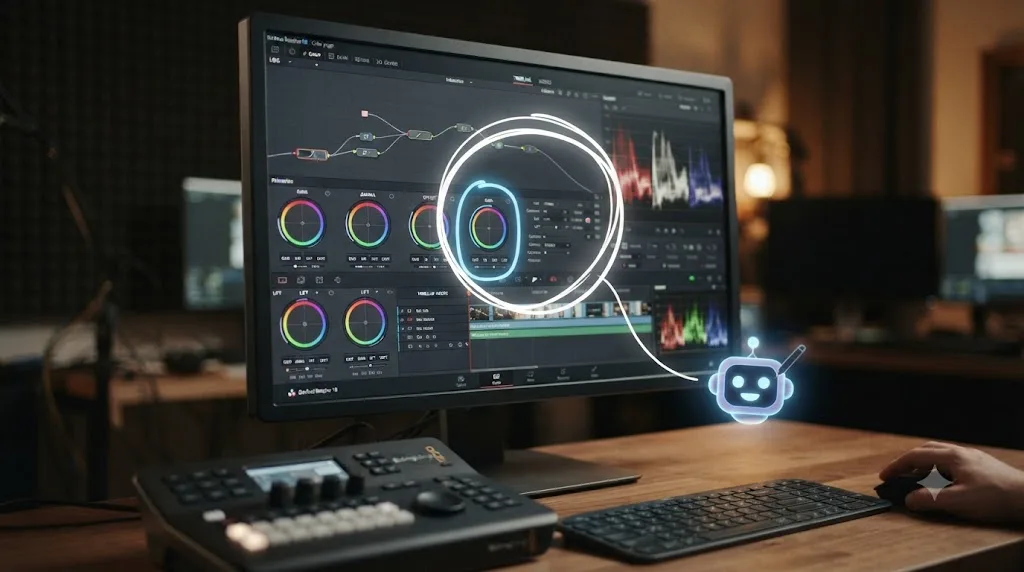
TryUncle is the on-screen assistant for DaVinci Resolve on macOS, ask in plain words and Uncle points at the exact control on your screen. It's a completely different job from Sottocut's. Where Sottocut reads your footage and proposes changes to your timeline, Uncle reads your screen and tells you where to click, then gets out of the way while you make the move yourself. Our full TryUncle review covers its pricing, its learning-theory backing, and its limitations in far more depth than fits in a comparison piece, but here's the summary relevant to this specific matchup.
You ask Uncle a question by holding Shift and Fn to talk, Shift and Option to type silently, or Shift and Control for a generic "what's next" when you don't have the vocabulary to phrase the actual problem, per TryUncle's own FAQ. Uncle reads your live screen through the same screen-recording permission any capture app uses, figures out what you're stuck on, and draws a hand-drawn circle or box around the control you need, live on your actual project. It runs on the Edit, Color, and Fusion pages today. It doesn't cover Fairlight or detailed Deliver-page workflows yet, according to its own FAQ's page list.
Uncle never touches your timeline, your nodes, or your export settings. It points, it explains, and it waits for you to act. That single sentence is the entire difference between this product and Sottocut, and it decides which tool actually solves your problem better than any feature list could.
What does TryUncle actually cost?
TryUncle Access is $19.97 a month at founder pricing, locked in for the first 20 members, rising to $34.99 a month afterward, per TryUncle's own FAQ. There's no free tier and no published free trial. You can cancel anytime, and as of this writing TryUncle doesn't publish a separate refund policy beyond that, so the practical safety net is cancelling before your next billing date rather than a guaranteed refund. Founder pricing and seat counts change, so check TryUncle directly for the current rate before you subscribe, since a static comparison post can't keep that number live for you.
Set next to Sottocut's cheapest bring-your-own-key tier at $15 a month, TryUncle's $19.97 looks like the pricier option on paper, though the gap is narrower than it might first appear. But the two aren't buying the same thing, and comparing the sticker price alone misses the point. Sottocut's $15 tier requires you to separately manage an Anthropic API key and pay Anthropic's usage rates on top, a real cost that doesn't show up on Sottocut's own pricing page, plus the $295 one-time Studio license Sottocut requires that TryUncle doesn't. TryUncle's $19.97 is the entire cost, with no separate API key to manage and no Studio requirement, since it works on Resolve's free version too.
One more detail worth understanding before you decide whether to join now or wait: TryUncle's own pricing language describes the post-founder rate as "locked while you stay." Read plainly, that suggests whatever rate you join at, founder or standard, holds for as long as you remain subscribed without a gap, rather than TryUncle repricing existing members upward every time it raises the number for new signups. If that reading is right, joining during the founder window isn't just a short-term discount, it's a rate you keep for the life of your subscription. That's a real incentive to lock in now if you're already leaning toward TryUncle, though it's worth confirming the exact terms on TryUncle's own site before you treat it as a guarantee.
| Sottocut | TryUncle | |
|---|---|---|
| Cheapest entry price | $15/month (bring your own key, plus your own Anthropic usage costs) | $19.97/month founder rate, all-inclusive |
| Highest published tier | $119/month (Studio managed plan, 35 projects) | Single price point, no tiers |
| One-time option | $129 lifetime, bring your own key | None published |
| Free trial | 7 days, 3 projects, no card required | None published |
| Requires Resolve Studio | Yes, Studio 21 specifically | No, works with Free or Studio |
What does installing and opening each tool actually involve?
Neither tool asks for much before you can start testing it, but the two setup paths look different enough to mention, since one requires more upfront trust than the other.
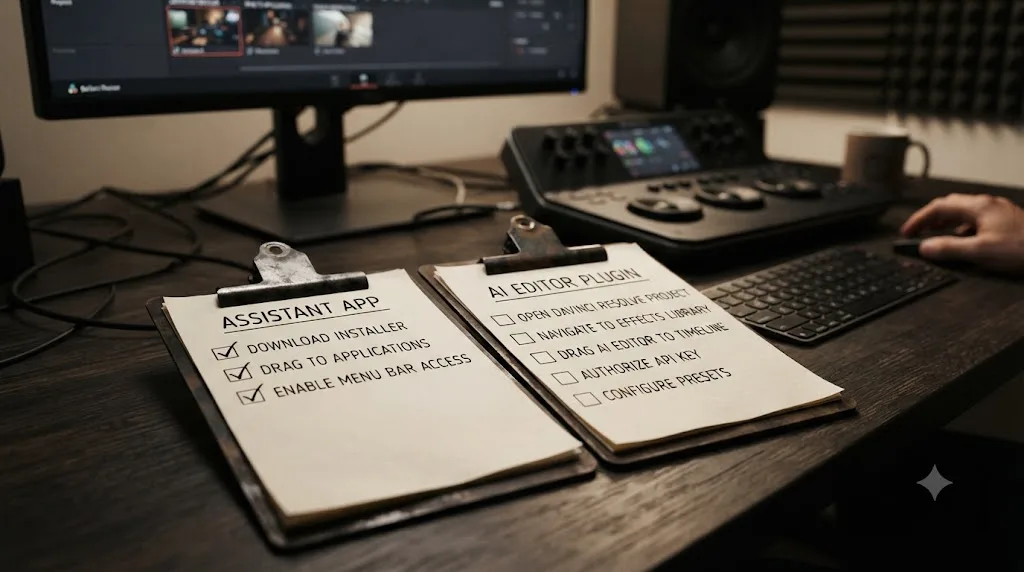
TryUncle's install is the simpler of the two, closer to installing any ordinary Mac app. Per its own FAQ, you download it, drag it into your Applications folder, and open it. From there it asks for three permissions: Screen Recording and Accessibility are required for Uncle to see your screen and point at controls, and Microphone is optional, needed only if you plan to talk to Uncle out loud rather than typing silently.
- Download the app from TryUncle's site.
- Drag it into Applications.
- Open it and grant Screen Recording access.
- Grant Accessibility access.
- Grant Microphone access, only if you want to talk to Uncle instead of typing.
Sottocut's setup is shorter to describe but assumes more context going in, since it works inside an already-open Resolve project rather than as a standalone window you check in on. Per its own site, the flow is to open Resolve, then add Sottocut as an assistant editor inside that project. On first launch, Sottocut has you acknowledge your own backup practices before it touches anything, a small but telling detail: it's explicitly asking you to confirm you have a way to undo its work before it starts proposing changes.
That acknowledgment step is worth pausing on. An on-screen assistant like Uncle can't damage a project by definition, since it never executes anything, so it has nothing to warn you about at setup. An agent that edits your timeline directly does have something to warn you about, and Sottocut's own onboarding reflects that difference in what it asks you to confirm before you start.
Sottocut vs TryUncle: what happens to your footage and data?
This is the question that matters more than either pricing page once client work or an NDA enters the picture, and both companies make specific, checkable claims worth reading closely rather than taking on faith.
Sottocut's own site states: "Your footage never leaves your machine," with transcription running on the Mac's Neural Engine locally. What does leave your Mac, per Sottocut's own description, is narrower: "the Co-Editor's text, your prompts, plus any screenshot you paste in." On the bring-your-own-key plans, that text goes "straight to Anthropic on your key, at cost." On managed plans, it "routes through us to Anthropic for a flat subscription." Sottocut's site adds that it "sends no analytics, no telemetry, and never your footage."
TryUncle makes a closely parallel claim about a different product shape. Per TryUncle's own FAQ: "Your media never leaves your Mac... it does not upload, store or share your footage or your project files." What leaves your Mac is a screenshot of your screen and your typed or spoken question, sent to AI providers solely to generate an answer, described by TryUncle as "not sold, and not used to train our own models."
Both Sottocut and TryUncle make the identical core privacy claim: your actual footage stays local, and only a narrower slice of data, a screenshot or a text prompt, leaves your Mac to reach an AI provider. That's a meaningfully different architecture from a tool that uploads raw media for cloud processing, and it's worth taking seriously as a real design choice both companies made independently. Neither claim has been independently audited as of this writing, so the honest standard is the same one our TryUncle review applied on its own: read each company's privacy language yourself, and if you're editing under a strict NDA, ask the specific client-facing question directly. Does a screenshot-and-prompt model, rather than raw footage, satisfy your confidentiality agreement, or does the agreement forbid any third-party tool from seeing your screen or footage-adjacent context at all? Only your contract answers that, not a blog post.
One meaningful difference: Sottocut's bring-your-own-key plans name the exact downstream provider, Anthropic, explicitly. TryUncle's FAQ describes sending data to "AI providers" without naming a specific one. If knowing precisely which company processes your prompts matters for a client's confidentiality requirements, Sottocut's bring-your-own-key disclosure is the more specific of the two as of this writing.
Do Sottocut or TryUncle support languages other than English?
Neither company publishes a language list for its core AI features, which is worth flagging plainly rather than assuming English-only support is a safe default.
Sottocut's own site describes its transcription as running locally through the Mac's Neural Engine but doesn't state which languages that transcription model supports, or how it behaves on footage recorded in anything other than English. TryUncle's FAQ has the same gap: it describes how Uncle listens and reads your screen but never names a supported-language list for either the voice input or the text Uncle generates back to you.
CutAgent, by contrast, publishes a specific answer to this exact question. Its own site lists twelve supported languages: English, Spanish, French, German, Italian, Brazilian Portuguese, Russian, Japanese, Korean, Simplified Chinese, and Traditional Chinese, covered in more depth in our CutAgent review.
If you're editing footage or working with a team in a language other than English, that gap is a real decision factor, not a footnote. An interview shot in Spanish or a team that thinks and talks about a cut in Japanese has no published guarantee that Sottocut's moment-scoring or TryUncle's pointer will work as described outside English. Until either company publishes a language list of its own, the honest move is to test with a short, low-stakes non-English clip before trusting either tool on paid work in another language, or to default to CutAgent if multi-language support is a hard requirement rather than a nice-to-have.
Does either tool help with audio work in Fairlight or audio-heavy projects?
Not much, and both tools disclose that gap rather than hide it.
TryUncle's own FAQ lists the pages it currently covers as Edit, Color, and Fusion, explicitly leaving Fairlight and detailed Deliver-page workflows off that list. If you're stuck inside Fairlight's mixer, deciphering bus routing or a stubborn EQ curve, Uncle has nothing to point at yet.
Sottocut sits closer to the problem without fully solving it either. Its published feature list includes syncing dual-system audio, lining up separately recorded sound with picture, which is a real audio-adjacent task. But that's a narrow slice of what Fairlight actually does. Nothing in Sottocut's own materials describes mixing, noise reduction, loudness normalization, or any of the deeper audio-post work Fairlight is built for.
If your bottleneck genuinely lives inside Fairlight rather than the Edit or Color page, neither Sottocut nor TryUncle is built to meet you there today. That's a real, disclosed limitation for both products, not a hidden one, and it's worth checking against your own workflow before assuming either tool covers your whole post-production pipeline rather than just the assembly and color stages.
Which one actually edits your timeline, and why does that matter?
Sottocut edits your timeline. TryUncle only points at it. That's the single sentence that decides which tool fits your actual problem, and everything else in this comparison is detail underneath it.
An AI tool that executes changes to your project carries a different category of risk than one that only highlights a control. If TryUncle points at the wrong button, nothing happens until you click it yourself, so a wrong answer costs you a moment of confusion at worst. If Sottocut proposes a change and it's wrong, that change can land on your timeline before you notice, which is exactly why its read-back verification step matters so much more for this category of tool than it would for a passive assistant.
That distinction maps onto a broader shift the industry is already naming. a16z general partner Justine Moore, writing about the wider trend of AI agents moving from suggestion to execution across creative software, put it bluntly, quoted verbatim: "2025 was the year of video. 2026 is the year we let agents edit it," from her a16z piece on agentic video editing. Sottocut fits squarely inside the category Moore describes: an agent that reads context, plans a sequence of actions, and executes them inside a real project rather than generating a standalone file you reassemble by hand. TryUncle deliberately sits outside that category. It's built to never take the action, only to identify it.
Neither approach is automatically the safer or the better one in the abstract. An agent that executes changes saves real time on repetitive work, provided its verification step actually catches mistakes and you actually read what it flags rather than rubber-stamping it. A pointer that never acts can't damage a timeline, but it also can't save you the manual labor of the click itself, which is a real cost if your bottleneck is hours, not knowledge.
| If your problem is... | The better fit is... | Because... |
|---|---|---|
| Not knowing where a control lives or what it does | TryUncle | It answers exactly that question, live, on your own screen, without touching anything |
| Having too much footage and too little time to assemble a rough cut | Sottocut | Its whole design targets exactly that bottleneck: scoring, cutting, and captioning faster than you could by hand |
| Wanting to build real fluency in Resolve before delegating anything | TryUncle | Learning where things are and why they work is the actual skill; an agent editing for you skips that step entirely |
| Already fluent in Resolve, drowning in repetitive assembly work | Sottocut | The bottleneck isn't knowledge anymore, it's hours, and that's what delegation buys back |
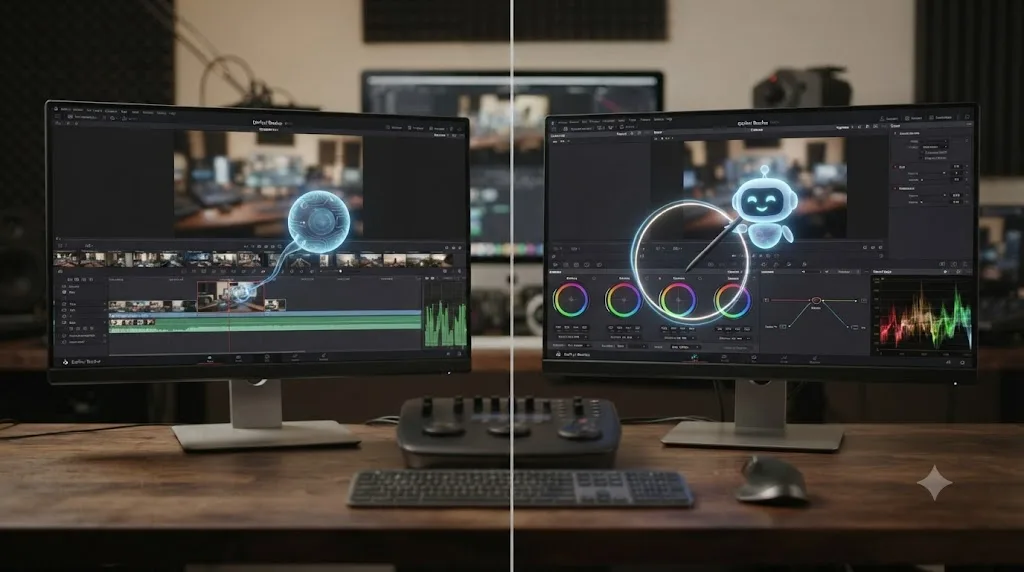
Is there an AI tool that helps while you're actually using DaVinci Resolve?
Yes, and this comparison is really about two different answers to that same question. Sottocut helps by doing the work for you inside your open project. TryUncle helps by watching what you're doing and telling you the next move without doing it itself. Both qualify as "an app that helps you while using DaVinci Resolve," a phrase that shows up constantly in searches from editors who've outgrown static tutorials and want something that reacts to their actual screen, not a video recorded on someone else's timeline months ago.
Resolve's own built-in AI tools are a third, narrower answer worth naming here too. DaVinci Resolve 21 shipped nine Neural Engine AI tools, including IntelliSearch, which finds clips by describing them in plain language, and Magic Mask, which isolates a subject from a single brush stroke, per Blackmagic's own What's New page. Those are real, native, and mostly Studio-only, but none of them is conversational or screen-aware the way Sottocut's Co-Editor or Uncle's pointer are. They're task-specific tools you invoke deliberately, not an assistant that reads your context and reacts to it.
If your actual goal is learning DaVinci Resolve fast rather than automating it, neither Sottocut nor Resolve's built-in AI tools are built for that job the way TryUncle is. TryUncle's whole design targets the exact moment you're stuck on your own project, which is a genuinely different thing from a search tool or a mask generator, however useful those are for their own narrower jobs.
Is agentic AI editing a real trend, or is Sottocut riding a hype wave?
Real, by the evidence of who's actually building and shipping in this space, though the honest caveat is that the category is still young enough that "real" doesn't yet mean "battle-tested."
At NAB 2026, the industry's biggest annual production and post-production trade show, AI editing assistants had enough of a presence that ProVideo Coalition's Scott Simmons spent time talking specifically to the founders behind three of them. Quickture's CEO, Irad Eyal, described the actual problem this whole category targets in blunt, practical terms, quoted verbatim: "what do you do when you have...100 hours of footage, and you need to find the story in the edit for a 44-minute episode," per ProVideo Coalition's NAB 2026 coverage. That's not a hypothetical. It's the exact bottleneck documentary and reality-TV editors describe constantly, footage volume outpacing the hours available to log it by hand, and it's the same bottleneck Sottocut's moment-scoring feature is built to address.
Eyal named the real adoption risk honestly in the same piece, quoted verbatim: "editors won't let you change the color of a menu, let alone require you to learn a whole new system." That's the exact reason a tool like Sottocut, built to operate inside your existing Resolve project rather than replacing it with a separate app, is a more defensible architecture than one that demands you abandon Resolve's own interface entirely.
Scott Simmons himself, the article's author and a longtime post-production journalist, offered the most balanced framing of what these tools are actually trying to solve, quoted verbatim: "the logging, the searching, and the organizing, is what leads editors to their first love: the story." Read in full, his point isn't that AI should tell the story. It's that these tools are trying to reduce the cost of the tedious front-end work, footage logging and rough assembly, so editors reach the creative decisions faster, which is exactly the language Sottocut's own site uses to describe its moment-scoring and Story Mode features.
No independent reviewer has published hands-on results for Sottocut yet. This comparison, like every review this site has written of a brand-new AI tool, is built from its own public claims, not the hundredth confirmation of what everyone already knows. Weigh that honestly against every confident-sounding line on Sottocut's marketing pages, including the ones quoted directly in this piece.
How does Sottocut compare to CutAgent, its closest direct rival?
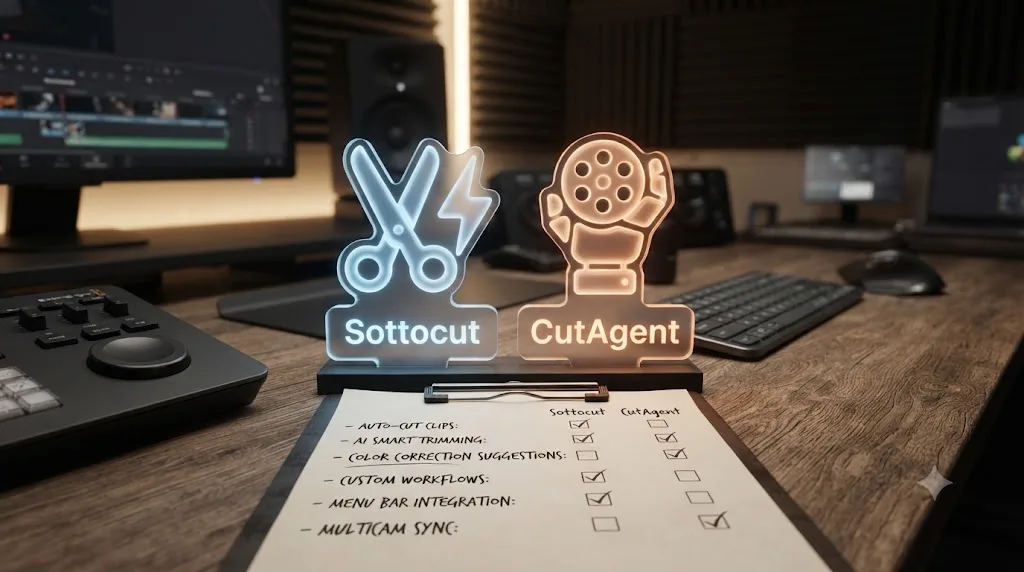
Sottocut and CutAgent are the two products in this exact category, an AI agent that edits natively inside a DaVinci Resolve project, and they split the market in an interesting way, mostly on which version of Resolve they'll accept and how they price access.
| Sottocut | CutAgent | |
|---|---|---|
| Platform | Apple Silicon Mac only, macOS 14+ | macOS only, Windows planned with no date |
| Resolve support | Studio 21 only | Resolve 20+, both Free and Studio |
| Cheapest price | $15/month bring-your-own-key, or $129 lifetime | 29 euros/month |
| Highest tier | $119/month managed (35 projects) | 299 euros/month |
| Team/business plan | None published | Enterprise tier, custom pricing |
| Languages supported | Not published | 12 languages named |
| Free trial | 7 days, 3 projects, no card | None published |
| Data model | On-device transcription; only prompts and screenshots leave the Mac | Doesn't publicly name its underlying AI model or provider |
CutAgent's willingness to run on Resolve's free version is a genuine accessibility advantage Sottocut doesn't match, a distinction our CutAgent review covers directly. Sottocut's counter-advantage is its published free trial and its transparent, named downstream AI provider on the bring-your-own-key plans, something CutAgent's own materials don't disclose about either of its two internal model tiers. Neither tool is objectively better across every dimension. If you're on the free version of Resolve and want to try an AI agent without buying Studio first, CutAgent is your only option between the two. If a published, no-obligation trial and a transparent data pipeline matter more to you than free-version access, Sottocut's the stronger pick.
Can a team or agency license either tool for multiple editors?
Not as a bundled team plan, no, at least not yet. Both Sottocut's pricing page and TryUncle's FAQ describe individual subscriptions only, priced and structured around one editor working on one Mac. Neither publishes a multi-seat discount, a shared team dashboard, or a business tier of any kind as of this writing.
That's a real gap for a post house or agency comparing these tools against CutAgent, which does publish a dedicated Enterprise tier described on its own site as "tailored to your team," with custom usage limits, dedicated onboarding, and what CutAgent calls "done-for-you custom skills and automations," priced individually per organization rather than off the public tier list.
For now, licensing either Sottocut or TryUncle for a five-person edit bay means buying five separate individual subscriptions, not one team plan split five ways. At Sottocut's cheapest bring-your-own-key rate, that's $75 a month for five editors, each managing their own Anthropic key. At TryUncle's founder rate, it's roughly $100 a month for five seats, assuming all five squeeze into the same 20-member founder window before the rate rises. Neither number is a business-plan discount; it's just five individual receipts. If your studio's actual requirement is centralized billing, shared usage reporting, or a single point of contact for support, that requirement currently points toward CutAgent's Enterprise tier, or toward waiting to see whether Sottocut or TryUncle add a team offering as they mature.

Who should actually pick Sottocut?
Match yourself against this table honestly, because the requirements alone rule out a large share of Resolve editors before you even get to whether the features fit.
| You are | Sottocut fit |
|---|---|
| Already running DaVinci Resolve Studio 21 on an Apple Silicon Mac | Eligible. This is the only audience Sottocut currently serves at all. |
| A documentary or interview-heavy editor drowning in hours of transcript-backed footage | Strong fit, assuming you meet the platform requirement. Moment scoring and Story Mode target exactly this bottleneck. |
| Comfortable reviewing an AI's proposed edits before trusting them on a real deliverable | Good fit. The whole safety case rests on you actually reading what Sottocut proposes, not batch-approving it. |
| On Resolve's free version, or on an Intel Mac | No fit today, full stop. Studio 21 on Apple Silicon is a hard requirement, not a recommendation. |
| Editing under a strict client NDA | Caution. Sottocut's on-device footage claim is real and disclosed, but prompts and screenshots still reach Anthropic. Confirm that satisfies your specific agreement before relying on it for confidential work. |
| Someone who wants predictable, capped monthly spending | Good fit via a managed tier (Starter, Pro, or Studio), since those have a fixed project ceiling instead of open-ended API usage billing. |
| Comfortable managing your own Anthropic API key and billing | Strong fit for the bring-your-own-key tier, the cheapest entry point in this entire comparison at $15/month or $129 for a lifetime license. |
Who should actually pick TryUncle?
Same exercise, different tool, and the fit criteria barely overlap with Sottocut's, which is itself the clearest evidence these are two different products solving two different problems.
| You are | TryUncle fit |
|---|---|
| Still learning Resolve's fundamentals, node structure, or Fusion's compositing model | Strong fit. You need to build the mental model first; an agent editing for you skips the exact skill you're trying to develop. |
| A freelance editor billing client hours, stuck moments costing you real money | Strong fit. That's explicitly the audience TryUncle's own FAQ names as its target user. |
| Running Resolve's free version, not ready to buy Studio | Good fit. TryUncle works with Free and Studio alike, per its own FAQ, unlike Sottocut's Studio-21-only requirement. |
| An editor switching from Premiere Pro or Final Cut Pro, hitting Resolve's node-based color model for the first time | Strong fit for the transition period specifically, since navigation and node confusion are exactly what a live pointer resolves fastest. |
| Someone who wants a rough cut assembled without doing the trimming yourself | Weak fit. TryUncle never edits. That job belongs to Sottocut or CutAgent, not to Uncle. |
| Editing on Windows or Linux | No fit. TryUncle is macOS only, full stop, same limitation Sottocut shares. |
| A hobbyist cutting a few family videos a year | Weak fit. TryUncle's own FAQ points hobbyists toward its free community instead. |
Can you realistically use Sottocut and TryUncle together?
Yes, and unlike two tools that both want to edit your timeline, these two don't step on each other, because only one of them ever touches your project.
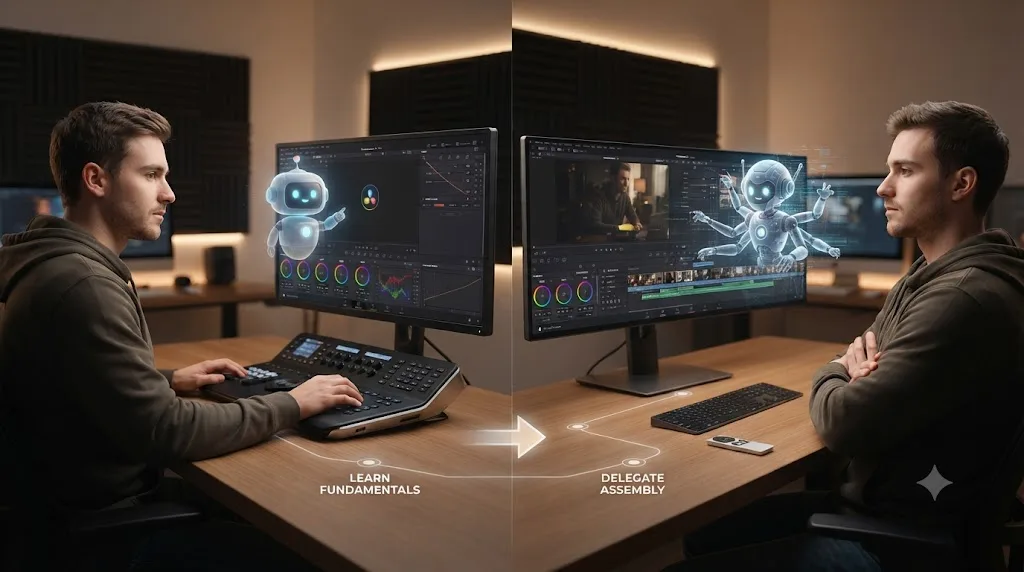
A realistic sequence looks like this. You're new to Resolve, or new to a specific page like Fusion's node tree, and you use TryUncle to get unstuck on the fundamentals: which control does what, why your power window won't track, why your composite renders behind the footage instead of on top of it. That's the exact learning-in-the-moment gap TryUncle is built to close, covered in far more depth in our TryUncle review. Once you're fluent enough in Resolve to catch a bad editorial decision on sight, meeting Sottocut's platform requirements (Studio 21, Apple Silicon), you add Sottocut to handle the repetitive assembly work, moment scoring across hours of footage, caption generation, batch delivery, that no longer teaches you anything new but does cost you real hours every week.
A tool built to edit your project for you can produce a good cut without teaching you why that cut works, and you'll need that judgment eventually regardless of how good the AI gets. That's the actual argument for sequencing rather than picking one and ignoring the other. Skipping straight to Sottocut before you've built the fundamentals to review its proposals critically is the one mistake this comparison would actively warn against, and it's the same warning our CutAgent review gives about that product for exactly the same reason.
The combined monthly cost, if you run both at their cheapest published tiers, lands around $35 a month: TryUncle's $19.97 founder rate plus Sottocut's $15 bring-your-own-key tier, on top of your own Anthropic usage costs and the $295 one-time Studio license Sottocut requires. Weigh that against what an hour of your own stuck time, or an hour of manual footage logging, actually costs you before deciding both subscriptions are worth carrying at once.
What happens when DaVinci Resolve or macOS update out from under either tool?
Neither company publishes a forward-compatibility promise, and that's worth naming plainly before you build a workflow around either one.
Sottocut ships fast, three released versions in its first month alone, which is a genuine strength when a new macOS or Resolve point release breaks something and the team can patch quickly. It's also a real dependency: Sottocut's own requirement is specifically Resolve Studio 21, and its site doesn't state what happens to that requirement, or to project compatibility, once Blackmagic ships a future major version. Tools that hook into Resolve's own project structure carry a real risk of a lag between a new Resolve release and an update that keeps working against it, though neither this post nor Sottocut's own materials can tell you how long that lag would run.
TryUncle carries a lighter version of the same risk. Since Uncle reads your screen rather than hooking into Resolve's project files directly, a Resolve interface redesign, moving a button, renaming a menu, could throw off its pointer accuracy until TryUncle ships an update to match the new layout. That's a lower-stakes failure mode than Sottocut's, since a wrong point costs you a moment of confusion rather than a bad timeline edit, but it's still a real dependency on TryUncle keeping pace with Blackmagic's own release cadence.
Both tools are built on top of software neither company controls, and both are honest about being new enough that this exact scenario, a major Resolve or macOS update landing before the AI tool catches up, hasn't happened yet to either of them. If you're building a workflow you can't afford to have break mid-project, keep Resolve's manual controls as your fallback rather than assuming either assistant will always be current with whatever Blackmagic ships next.
What are the honest limitations of each tool right now?
Every review and comparison on this site names the gaps plainly, and two brand-new products in an unproven category deserve an especially careful list.
Sottocut's limitations: it's Apple Silicon and Studio-21-only, ruling out free-tier editors and anyone on an Intel Mac entirely. It's genuinely new, first shipped in July 2026, with no independent third-party review anywhere as of this writing. Its bring-your-own-key tier requires managing a separate Anthropic API key and billing relationship most editors have never had to think about before. Its "project" pricing unit, one 24-hour Co-Editor session, is a metering model unlike most software subscriptions, worth understanding fully before you pick a managed tier. It doesn't publish a language list, a team plan, or clear overage handling for managed tiers. And its refund policy is explicit that the trial substitutes for a refund; once you're past the 7 days, purchases are generally non-refundable.
TryUncle's limitations: it's macOS only, with no Windows or Linux version. It doesn't cover Fairlight or detailed Deliver-page export workflows yet, per its own FAQ. It requires an internet connection every time you ask a question, since its reasoning runs in the cloud rather than locally. It has no free tier or published trial, so the only way to test it is to pay for at least one month, sight unseen by any independent reviewer including this one. It doesn't publish a language list or a team plan either. And it explicitly cannot do what Sottocut does; if your actual bottleneck is hours spent assembling a rough cut, TryUncle was never built to solve that problem, no matter how well it explains where the trim tool lives.
Every honest limitation in both lists traces back to the same root cause: this entire category, AI tools built specifically for DaVinci Resolve, is only a few months old industry-wide, and the evidence needed to fully trust any single product in it hasn't had time to accumulate yet. That's a fair, disclosed state for new products to be in. It's also a real reason to test cautiously before you rely on either one for anything billable.
How do you test either tool without risking a real project?
If you've read this far and you're curious enough to try one or both, here's how to do it without exposing paying work to an unproven product.
- For Sottocut, start on the 7-day free trial rather than paying for a tier first. You get 3 projects to test against, per Sottocut's own published trial terms, no card required. Use one of those three projects on a real editorial task, not a throwaway clip, so you can judge the moment-scoring and Story Mode output against your own editorial judgment.
- For TryUncle, since there's no free trial, budget one month at the founder rate as a deliberate experiment rather than a long-term commitment, and set a calendar reminder before the next billing date in case you decide to cancel.
- Duplicate an existing project, or build a fresh one from footage you're allowed to lose entirely, before pointing either tool at anything with real transcript-worthy dialogue.
- If testing Sottocut, give it one deliberately specific instruction first, "reorder these three interview clips around the strongest soundbite," rather than a broad, vague goal, so you can actually judge whether its interpretation matches what you meant. Read every proposed change individually before approving it.
- If testing TryUncle, deliberately create a stuck moment you don't already know how to solve, like tracking a power window or fixing a swapped Merge node input, and see whether Uncle's pointer actually gets you unstuck faster than searching a tutorial would have.
- Only after that comparison, on a low-stakes deliverable, decide whether either tool earns a place in your actual paid workflow, and start with the cheapest tier of whichever one you keep.
That's the same disciplined-skepticism approach our best AI video editing assistant comparison recommends across this entire emerging category: try it small, on something you can afford to redo, before it touches anything that actually matters to a client or a deadline.
Common mistakes to avoid when choosing between them
A handful of avoidable mistakes account for most of the regret editors report after picking the wrong tool in this category, or the right tool used the wrong way.
Treating Sottocut and TryUncle as interchangeable because they both involve AI and DaVinci Resolve. One edits your timeline. The other only points at it. Picking the wrong one for your actual goal, delegating assembly work versus learning where things are, wastes the subscription regardless of how well either product executes on its own stated job.
Buying Sottocut before confirming you're on an Apple Silicon Mac running Resolve Studio 21. This isn't a soft recommendation on Sottocut's part; it's a hard platform requirement. Check your Mac's chip and your Resolve edition before you subscribe to any tier, bring-your-own-key or managed.
Approving every Sottocut proposal without reading the verification read-back first. The entire safety case for an editing agent rests on a human actually reviewing what changed. A verification step you click through by habit provides zero real protection, no matter how well the underlying feature is designed.
Subscribing to TryUncle expecting it to assemble a rough cut for you. It won't, and it was never built to. If your actual bottleneck is hours of manual trimming and captioning, Sottocut or CutAgent solve that problem; TryUncle solves a different one entirely.
Skipping straight to an AI agent before building the fundamentals to review its editorial judgment. Sottocut can produce a technically clean cut you don't actually understand the reasoning behind. That's fine for a rough assembly you'll polish yourself, and a real risk if you're relying on it to make final creative calls you couldn't make yourself yet.
Assuming either tool's privacy claims have been independently audited. Both Sottocut and TryUncle make specific, disclosed claims about what leaves your Mac. Neither has a third-party audit published as of this writing. Read the claims yourself, and check them against your specific client agreement before trusting either one with confidential footage.
What if you're not sure which problem you actually have?
Some editors reach this comparison without a clear read on whether their real bottleneck is knowledge or hours, and that's worth untangling before you spend money on either subscription.
Ask yourself honestly: when you last lost significant time in Resolve, was it because you didn't know which control to use, or because you knew exactly what to do and simply didn't have enough hours to do it across all your footage? The first is a TryUncle problem. The second is a Sottocut problem. Most editors have both at different points in a project, early confusion about the tool giving way to later time pressure once the fundamentals click, which is exactly why the sequencing suggested earlier in this piece, TryUncle first, Sottocut once you're fluent, tends to match how the actual bottleneck shifts over a career rather than staying fixed.
If you genuinely can't tell which bottleneck describes you, default to the cheaper, lower-commitment experiment first. TryUncle's monthly, no-lock-in subscription and Sottocut's 7-day free trial are both low-risk ways to find out empirically rather than guessing from a comparison table alone. Whichever one solves a real, specific stuck moment for you in the first week is the one worth keeping.
Verdict: Sottocut or TryUncle?
If you're already running DaVinci Resolve Studio 21 on an Apple Silicon Mac, you're fluent enough in Resolve to review an AI's editorial judgment, and your actual bottleneck is hours spent logging and assembling footage, Sottocut's core pitch is credible, its on-device transcription and named downstream provider are genuine privacy advantages, and its 7-day trial is the lowest-risk way in this entire category to test whether its proposals match your own judgment before you commit real money.
If you're still building your fundamentals in Resolve, on the free version, on an Intel Mac, or your actual bottleneck is not knowing where things are rather than not having enough hours, TryUncle is the better fit, and it costs less than Sottocut's managed tiers while teaching you the skill instead of quietly working around your need for it.
Sottocut edits your timeline. TryUncle only points at it. Neither claim has been independently verified by a hands-on reviewer as of this writing, this piece included, so test whichever one matches your actual bottleneck on a throwaway project first, read every proposed change or every circled control with real skepticism, and only then decide if it earns a permanent line in your monthly budget. Read our TryUncle review if learning Resolve faster is the actual job you need done, and read Sottocut's own site with the same healthy skepticism this comparison just walked through if delegating the assembly work is what you're really after.
Frequently asked questions
- Is Sottocut or TryUncle better for DaVinci Resolve?
- It depends on the job. Sottocut edits your timeline directly, proposing cuts, captions, and story reordering you approve or reject. TryUncle never touches your timeline; it watches your screen and points at the control you need so you make the move yourself. Pick Sottocut to delegate assembly work, TryUncle to get better at Resolve yourself.
- Does Sottocut work with the free version of DaVinci Resolve?
- No. Sottocut's own site states it requires DaVinci Resolve Studio 21 specifically, the paid license, installed from Blackmagic's site rather than the App Store. It also requires an Apple Silicon Mac running macOS 14 or later, so Intel Macs and free-tier Resolve are both ruled out.
- Does TryUncle edit my timeline the way Sottocut does?
- No, and that's the core difference between them. TryUncle's own FAQ describes Uncle as pointing at the exact control you need on your live screen. It never makes the click, trims a clip, or writes anything to your project. Sottocut is built to do the opposite: propose and execute timeline changes you approve.
- Is there a free trial for Sottocut or TryUncle?
- Sottocut publishes a 7-day free trial covering 3 projects with no card required, per its own site. TryUncle doesn't publish a free trial or free tier anywhere in its FAQ; it's a paid subscription from the first day, currently at founder pricing.
- What's the best AI tool to learn DaVinci Resolve fast?
- Neither of these two is built primarily to teach in the classroom sense, but TryUncle is the closer fit. It points at the exact control you're stuck on inside your own project, live, which shortens the loop between confusion and understanding. Sottocut edits for you, which gets a cut done faster without necessarily teaching you why it works.
- Is Sottocut safe to use on client footage under an NDA?
- Sottocut's own site states footage stays on-device and only your typed prompts (plus any screenshot you paste in) leave your Mac, routed to Anthropic either on your own API key or through Sottocut's managed billing. That's a real privacy design, but it's still an outside model provider processing your prompts, so confirm it satisfies your specific NDA language before relying on it for confidential work.
- Can I use Sottocut and TryUncle together?
- Yes, and they don't conflict, since one edits and the other only points. A realistic workflow is learning Resolve's fundamentals with TryUncle circling controls as you go, then once you're fluent enough to review an AI's editorial judgment, adding Sottocut to handle repetitive assembly work like moment scoring or caption generation.
- Does either Sottocut or TryUncle work on Windows?
- No. Both are macOS only. Sottocut additionally requires Apple Silicon specifically, so even an Intel Mac is ruled out, while TryUncle runs on any Mac capable of running current macOS, per each product's own published requirements.
Sources
- Sottocut (product site: how it works, local-first design, pricing)
- Sottocut Pricing
- Sottocut Refund Policy
- Sottocut Changelog
- TryUncle (product site: how Uncle works, pricing, and setup)
- TryUncle FAQ (privacy, permissions, compatibility, pricing)
- DaVinci Resolve Studio product page (Blackmagic Design)
- DaVinci Resolve - What's New (Blackmagic Design, Resolve 21)
- DaVinci Resolve - Tech Specs (Blackmagic Design)
- PetaPixel: DaVinci Resolve 21 officially released with new photo editing, AI tools, and much more
- a16z: It's time for agentic video editing (Justine Moore)
- ProVideo Coalition: NAB 2026, Eddie AI, Quickture, Selects, the AI editing assistants (Scott Simmons)
- CutAgent (product site: features, pricing, FAQ)
Put this guide to work with TryUncle.
Ask about the step you’re on. TryUncle sees your screen and points at the control you need, so you can keep learning in your own project.
Get TryUncle for Mac or WindowsKeep reading
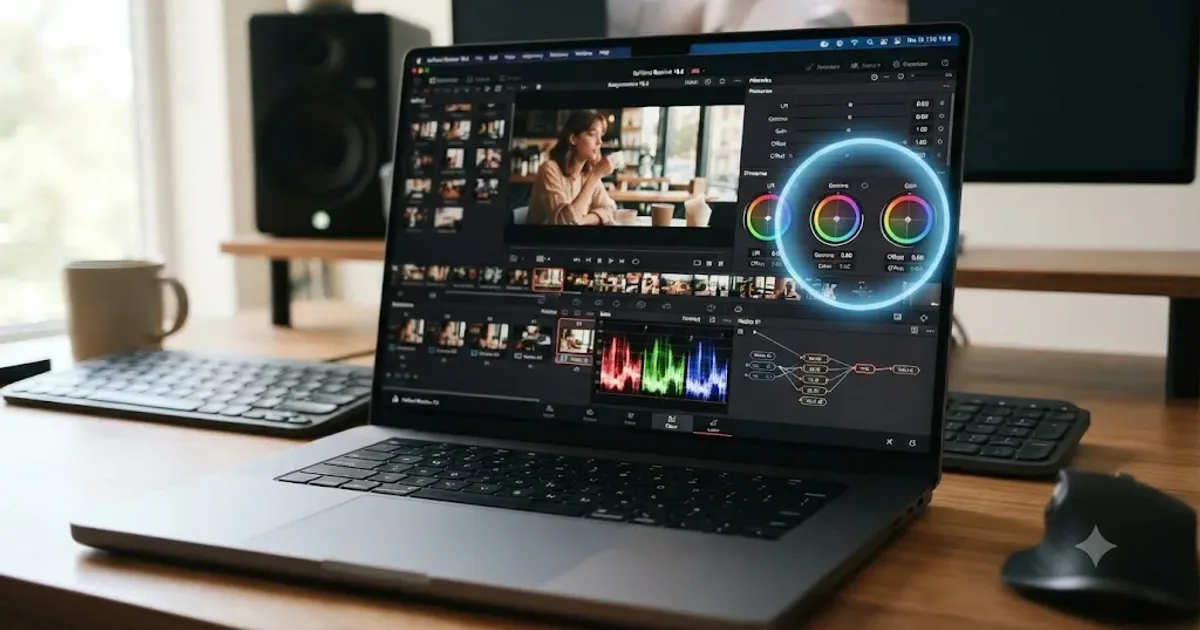
Reviews · Jul 19, 2026 · 39 min
TryUncle Review: An AI Tutor for DaVinci Resolve
An honest review of TryUncle: the macOS AI tutor that watches your DaVinci Resolve screen, its founder pricing, and where it actually falls short.
Reviews · Jul 15, 2026 · 29 min
CutAgent AI Review: Does It Actually Work in DaVinci Resolve?
An honest CutAgent review for DaVinci Resolve: what the AI editing agent actually does, its 29-299 euro pricing, and where it isn't proven yet.
Comparisons · Jul 15, 2026 · 36 min
Best AI Video Editing Assistant for DaVinci Resolve, Compared
Sottocut, CutAgent, DavinciClaude, Eddie AI, and Wideframe compared for DaVinci Resolve: pricing, privacy, and what each actually automates.