Articles / Comparisonsupdated for DaVinci Resolve 21.0.2 (July 2026)
Rec.709 vs Rec.2020 in DaVinci Resolve, Explained
Quick answer
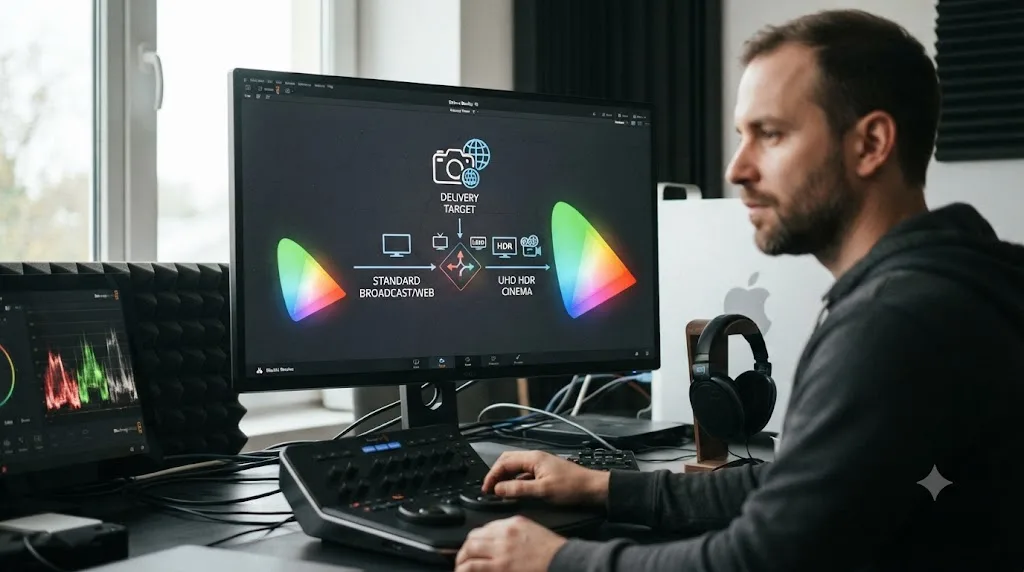
Rec.709 is DaVinci Resolve's default SDR color space, covering about 36% of visible color, used for standard HD and web delivery. Rec.2020 is a much wider gamut, about 76% coverage, built for UHD and HDR: Resolve exposes it as the SDR Rec.2020, HDR Rec.2020, and Rec.2100 PQ/HLG presets. Use Rec.709 for SDR, Rec.2020 for wide-gamut or HDR delivery.
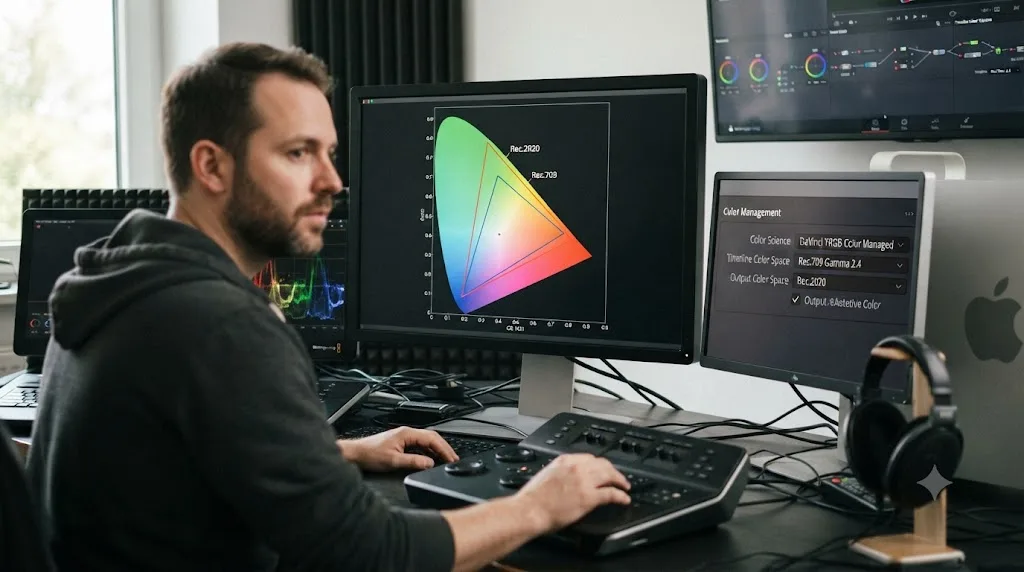
I've watched editors stare at Resolve's Output Color Space dropdown, see "Rec.709" and "Rec.2020" sitting next to each other, and just pick whichever one sounds more advanced. After 7+ years of professional commercial editing between us, I can tell you that's exactly backwards. The right answer isn't the fancier-sounding option, it's whichever one matches what your delivery actually needs.
This guide explains what Rec.709 and Rec.2020 actually are, where DaVinci Resolve uses each one, and how to pick correctly without guessing.
What's the quick answer: Rec.709 or Rec.2020 for your DaVinci Resolve project?
Match the color space to your delivery target, not to which one sounds newer. Rec.709 is the safe default for SDR; Rec.2020 is the gamut behind Resolve's wide-gamut SDR and HDR presets.
| Your delivery | Choose | Where in Resolve |
|---|---|---|
| Standard SDR upload (YouTube, Instagram, TikTok, client review) | Rec.709 Gamma 2.4 | Output Color Space, default preset |
| Broadcast TV or web delivery with no HDR involved | Rec.709 Gamma 2.4 | Output Color Space |
| Wide-gamut SDR streaming or broadcast spec | SDR Rec.2020 | Output Color Space preset |
| HDR delivery (HDR10, Dolby Vision, HLG broadcast) | HDR Rec.2020 or Rec.2100 PQ/HLG | Output Color Space preset |
| Grading source footage before any output decision | DaVinci Wide Gamut Intermediate | Timeline Color Space |
Rec.709 is not an old, outdated setting you should upgrade away from. It's the correct answer for the overwhelming majority of deliveries, because most screens your video will actually play on were built for it. Rec.2020 earns its place only when the delivery spec in front of you specifically asks for wide gamut or HDR. Everything below explains why, and where each setting actually lives inside Resolve.
What is Rec.709?
Rec.709 is the color space standard built for high-definition television, formally Recommendation ITU-R BT.709, published by the International Telecommunication Union and now in its sixth revision as of June 2015. It defines the exact red, green, and blue primary colors, and the white point, that an HD signal is allowed to describe.
Rec.709 has been the working assumption behind nearly every HD screen made since the format arrived: television broadcast, Blu-ray, YouTube's standard SDR pipeline, and the vast majority of laptop and phone displays all target it. That's not a coincidence. Rec.709 was designed to match what display technology of its era could actually reproduce, and consumer display technology has largely stayed inside that same target range ever since.
Rec.709 covers roughly 36% of the visible color spectrum humans can perceive, and it's the default Timeline and Output Color Space in nearly every fresh DaVinci Resolve project for exactly that reason. It's not a limitation baked in by accident. It's the color space that matches what the largest possible share of your audience's screens can show correctly, which is the entire point of a delivery standard.
What is Rec.2020?
Rec.2020 is the color space standard built for ultra-high-definition television, formally Recommendation ITU-R BT.2020, standardized by the ITU in 2012 and currently at its second revision from October 2015. It defines a much wider set of red, green, and blue primaries than Rec.709, positioned closer to the outer edge of the visible spectrum itself.
Rec.2020 was built for 4K and 8K UHDTV production and international program exchange, anticipating that display technology would eventually catch up to a wider gamut even though most screens at the time couldn't reproduce it yet. That's exactly what's played out since: Rec.2020 is now the color primaries behind HDR10, Dolby Vision, HDR10+, and UHD Blu-ray, all of which need the extra headroom to hold the richer, more saturated colors those formats are built to carry.
Inside DaVinci Resolve, Rec.2020 isn't one single setting. It's the underlying gamut behind three separate Output Color Space presets: SDR Rec.2020 for wide-gamut SDR delivery, HDR Rec.2020 for straightforward HDR mastering, and Rec.2100 PQ or HLG for standards-based HDR10 and broadcast HDR delivery, since Rec.2100 reuses Rec.2020's own color primaries and adds an HDR transfer function on top.
How much wider is Rec.2020 than Rec.709?
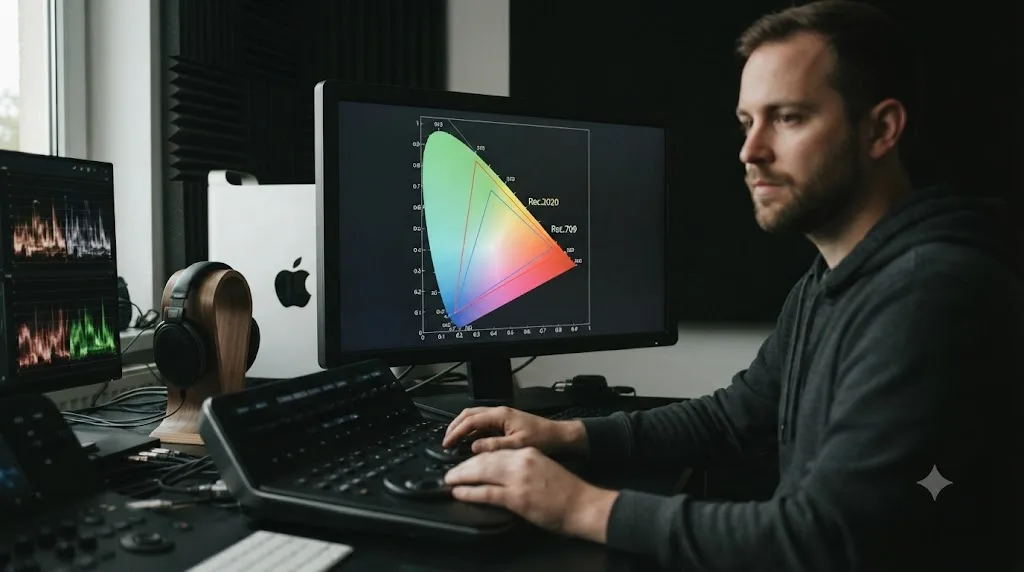
Rec.2020's gamut covers roughly 75.8% of the CIE 1931 visible color space, more than double Rec.709's roughly 35.9% coverage of the same space, a gap wide enough that the two triangles plotted on a chromaticity diagram barely overlap at their outer edges.
Sareesh Sudhakaran, a working cinematographer, film director, and the founder of the cinematography education site wolfcrow, put the visual comparison plainly when writing about the standard: "The bigger triangle is Rec. 2020, while the smaller one is Rec. 709. Clearly, there's a huge difference."
Source: Say Hello to Rec. 2020, the Color Space of the "Future," wolfcrow
That fourfold-sounding jump in gamut coverage isn't a marketing number, it's a direct measurement of how much more of the visible spectrum Rec.2020's primaries can reach compared to Rec.709's. In practice, it means Rec.2020 can hold deeper reds, more saturated greens, and richer blues than Rec.709 ever could, colors that exist in the real world and that some modern cameras can capture, but that a Rec.709 delivery simply has no way to represent.
Is Rec.2020 the same thing as HDR?
No, and this is the single most common mix-up in this whole topic. Rec.2020 is a color gamut, a definition of which colors a signal can contain. HDR is a dynamic range standard, a definition of how bright the highlights and how dark the shadows in that signal can get. They're related, but they're not the same axis.
The standard that actually connects Rec.2020 to HDR is Rec.2100, formally Recommendation ITU-R BT.2100, first published by the ITU in 2016 and now at its third revision from February 2025. Rec.2100 reuses Rec.2020's wide color primaries wholesale and layers one of two transfer functions on top, PQ (Perceptual Quantizer) or HLG (Hybrid Log-Gamma), which is what actually defines the extended brightness range that makes a signal HDR instead of SDR.
That layering is exactly why DaVinci Resolve gives you an SDR Rec.2020 preset that has nothing to do with HDR at all. It's a wide color gamut, standard dynamic range signal, useful for a broadcast or streaming spec that wants Rec.2020's richer color without the added complexity, monitoring requirements, and metadata that come with HDR delivery.
Wide gamut and high dynamic range are two separate technical decisions that happen to share a standards lineage, not two names for the same upgrade. You can grade Rec.2020 color with a completely ordinary SDR brightness range, and you can grade Rec.709-equivalent color depth wrapped in an HDR transfer function, though in practice nearly every real HDR format chooses Rec.2020 primaries specifically because HDR's extended highlights benefit from the extra color headroom. Our HDR grading guide covers the PQ versus HLG decision and the full Resolve HDR workflow in depth if that's your actual delivery target.
Where do you choose Rec.709 vs Rec.2020 in DaVinci Resolve?
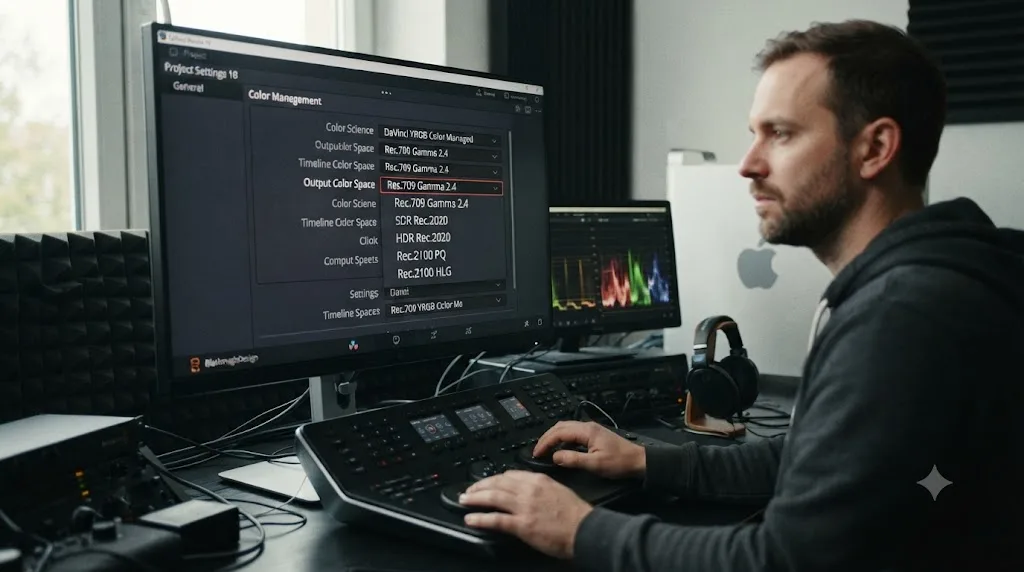
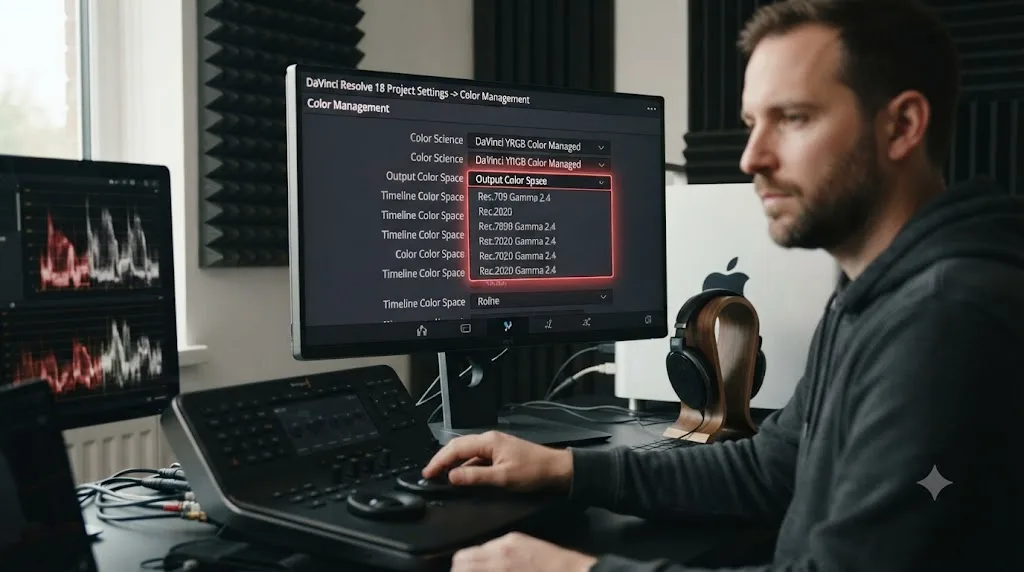
Open Project Settings, go to Color Management, and set Color Science to Resolve Color Management (RCM). That single switch unlocks the preset dropdowns this whole comparison lives inside.
- Open Project Settings (the gear icon, bottom right of the interface) and go to the Color Management tab.
- Set Color Science to Resolve Color Management if it isn't already selected. This is what makes the Output Color Space presets, including every Rec.709 and Rec.2020 option, available at all.
- Set Timeline Color Space, typically DaVinci Wide Gamut Intermediate for modern camera footage, which is Blackmagic's own oversized working space designed to hold color data from nearly any source without clipping before you've graded a single frame.
- Set Output Color Space to your actual delivery target: Rec.709 Gamma 2.4 for standard SDR, SDR Rec.2020 for wide-gamut SDR, or HDR Rec.2020 / Rec.2100 PQ or HLG for HDR.
- Confirm your source clips are tagged with the correct Input Color Space in the Media Pool. RAW footage generally self-tags; log-encoded footage from mirrorless and cinema cameras often needs a manual check against your camera's actual profile name.
| Output Color Space preset | Gamut | Dynamic range | Per Blackmagic's manual |
|---|---|---|---|
| Rec.709 Gamma 2.4 | Rec.709 | SDR | Resolve's default Timeline Color Space for most projects |
| SDR Rec.2020 | Rec.2020 | SDR | "Good for wide gamut streaming and broadcast" |
| HDR Rec.2020 | Rec.2020 | HDR, up to 1000 nits | Appropriate for wide-gamut HDR deliverables |
| Rec.2100 PQ / HLG | Rec.2020 primaries | HDR | Standards-based HDR10, Dolby Vision base layer, and broadcast HDR |
| DaVinci Wide Gamut | Wider than Rec.2020 | SDR or HDR | "Suitable for grading either SDR or HDR," preserves highlight detail to 10,000 nits |
Resolve Color Management handles the actual math of converting your camera's native color space into whichever output you pick, which is the entire reason to leave RCM switched on instead of grading unmanaged. Without it, every color space conversion between input, timeline, and output is your own manual responsibility, node by node, exactly the kind of bookkeeping error that produces a mismatched Rec.709-versus-Rec.2020 delivery nobody caught until after export.
Has DaVinci Resolve's handling of Rec.2020 changed across versions?
Yes, and it changed enough that a project built in an older version of Resolve can behave differently from one you start fresh in Resolve 21 today.
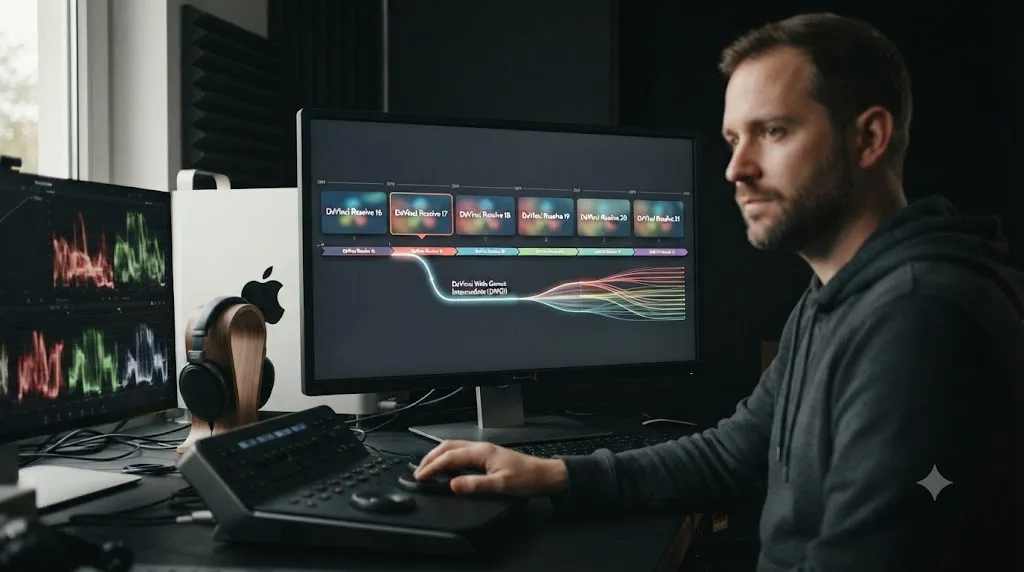
DaVinci Wide Gamut Intermediate, the oversized working space this guide keeps pointing you toward, didn't always exist. Blackmagic Design introduced it as a project setting with DaVinci Resolve 17, documented in the company's own Wide Gamut Intermediate technical note. Before that release, colorists working in Resolve Color Management picked a Timeline Color Space closer to a named standard, often Rec.2020 itself or a camera's specific gamut, because Resolve didn't yet offer its own purpose-built container roomy enough to hold virtually any camera's color data without clipping.
That matters today for one practical reason: a project file created before DaVinci Resolve 17 may still have its Timeline Color Space set to something other than DaVinci Wide Gamut Intermediate, even after you open and re-save it in Resolve 21. Resolve doesn't force old projects onto the new default. If you inherit a project archive from a few years back, or you're troubleshooting a color mismatch on a legacy job, check Project Settings > Color Management before assuming it's using the same working space a brand-new project would.
Since Resolve 17, the Output Color Space presets covered throughout this guide, Rec.709 Gamma 2.4, SDR Rec.2020, HDR Rec.2020, and Rec.2100 PQ/HLG, have stayed consistent through Resolve 18, 19, 20, and the current Resolve 21 release. What's changed release to release has mostly been refinement underneath the presets: better automatic gamut mapping, more camera-specific Input Color Space profiles added to the dropdown as new cameras ship, and expanded HDR10+ and Dolby Vision tooling layered on top of the same underlying Rec.2020 and Rec.2100 color math. The core decision this guide walks through, Rec.709 for SDR or Rec.2020 for wide gamut and HDR, hasn't shifted in years and isn't likely to.
Why does DaVinci Resolve default to Rec.709 Gamma 2.4?
Because it's the color space nearly every screen your video will actually play on was built to reproduce correctly, not because it's a beginner setting Resolve expects you to eventually outgrow.
A brand new project in DaVinci Resolve opens with Rec.709 Gamma 2.4 as both its Timeline and Output Color Space. That default exists because most consumer displays, television sets, laptop panels, and phone screens included, target Rec.709 or something close to it, and a project graded against a color space the viewing display can't show produces exactly the kind of "why does this look wrong everywhere else" problem that's harder to diagnose after delivery than before it.
Defaulting to Rec.709 isn't Resolve being conservative. It's Resolve matching the color space to the screens your audience is statistically most likely to actually own. Switching to Rec.2020 is a deliberate choice you make because a specific delivery target asks for it, not a setting you flip because a wider number sounds like an upgrade on principle.
Do you need Rec.2020 if you're not delivering HDR?
Sometimes, yes. Rec.2020 isn't exclusively an HDR setting inside DaVinci Resolve, which is exactly what the SDR Rec.2020 preset exists to prove.
Some broadcast specs and streaming platforms ask for wide-gamut SDR delivery: standard brightness range, but with Rec.2020's fuller color set rather than Rec.709's narrower one. Per Blackmagic's own reference manual, the SDR Rec.2020 preset "sets up a Rec. 2020 SDR grading environment" and is specifically described as "good for wide gamut streaming and broadcast," entirely separate from anything HDR-related.
That's a narrower case than most editors run into. If your delivery brief doesn't specifically name a wide-gamut or Rec.2020 requirement, you're very likely delivering standard Rec.709, and reaching for SDR Rec.2020 without a spec that asks for it just adds a color space your downstream player or platform may not be built to display correctly. Check the actual delivery document before choosing this preset; don't guess based on which platform sounds modern.
What if you need to deliver both an SDR and an HDR version from the same grade?
Very often, and it's a different workflow question than picking a single Output Color Space preset.
A lot of real jobs need two masters from one timeline: an HDR Rec.2100 PQ or HLG file for the platforms and devices that support it, and a Rec.709 SDR file for everything that doesn't, older smart TVs, some ad-insertion pipelines, and any viewer whose display simply can't do HDR. Resolve's own manual recommends grading the HDR version first and treating it as the hero grade, then doing a shot-by-shot trim pass to build the SDR version from it, rather than grading the two versions independently from scratch.
For straightforward HDR10 projects, that trim pass is manual: you review each shot in both the HDR and SDR output and adjust nodes until the SDR version reads correctly on its own terms. For HDR10+ projects specifically, Resolve adds an Analyze All Shots command under the Color menu that generates starting-point downconversion metadata automatically, which speeds up the trim pass considerably, though it's still a starting point you review rather than a finished result you can skip checking. If you're monitoring both versions at once during that pass, Resolve's Master Settings include a "Use dual outputs on SDI" option that lets you send the HDR and SDR signals to separate reference monitors simultaneously instead of toggling the Output Color Space back and forth.
Grading HDR first and trimming down to SDR generally produces a better SDR master than grading SDR first and trying to extend it up into HDR, because HDR's extra dynamic range gives you real highlight and shadow detail to compress down, while an SDR-first grade has no equivalent extra data to expand back out when you go the other direction. If your delivery brief asks for both, plan the HDR grade as the starting point from day one rather than treating the SDR version as the "real" master and HDR as an afterthought.
This is a deep enough workflow that it deserves its own walkthrough; our HDR grading guide covers the PQ-versus-HLG choice and the trim pass in more detail than fits here.
Can you actually see the difference between Rec.709 and Rec.2020 on your monitor?
Only if your monitor can physically reproduce Rec.2020's wider primaries, and most displays, including plenty that market themselves as wide-gamut, can't fully.
ARRI's own color FAQ addresses this directly: "Rec 2020 is a wider color space than Rec 709, which is the current industry standard for HD," and crucially, "a TV or display may not support the full gamut. Nevertheless, it will correctly display the colors within its physical gamut." A standard consumer monitor built for Rec.709 shows a Rec.709 signal accurately. Feed that same monitor a Rec.2020 signal and it can only show the portion of Rec.2020's gamut that overlaps with what the panel physically supports, which for most consumer and even many professional displays is nowhere near the full standard.
Source: What is Rec 2020? Color FAQ, ARRI
Grading against a Rec.2020 or HDR target on a monitor that can't actually reproduce that gamut means you're making color decisions based on an approximation, not the real signal. That's the same reason our HDR grading guide insists on a real HDR-capable reference display connected through supported hardware for judging PQ and HLG grades: a laptop screen showing "roughly similar colors" isn't the same as a display actually decoding the gamut you graded.
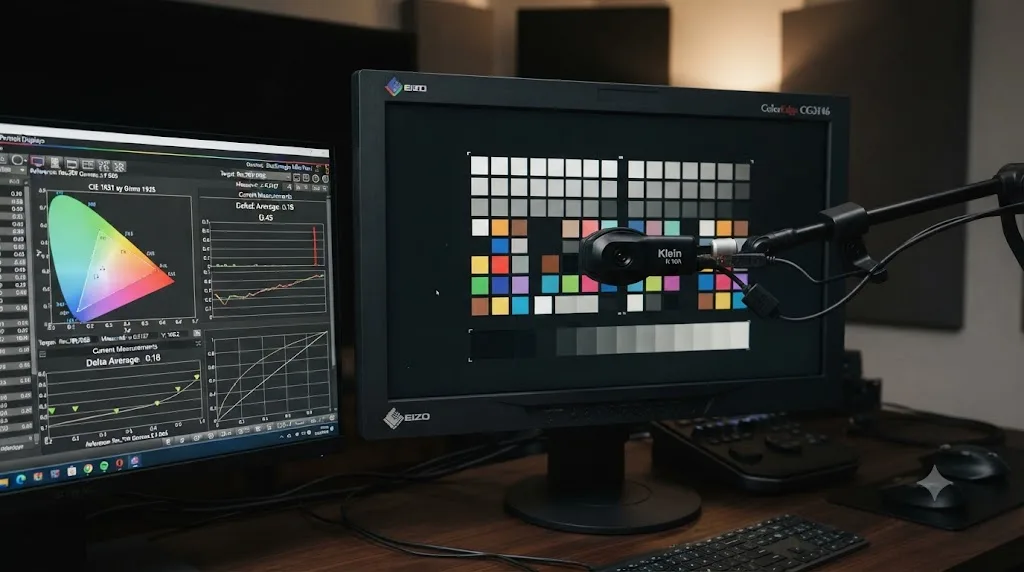
How do you calibrate a monitor to actually judge a Rec.2020 or Rec.2100 grade?
With a reference-grade display and dedicated calibration hardware and software, not with your eyes and a hunch, and not with the panel your laptop shipped with.
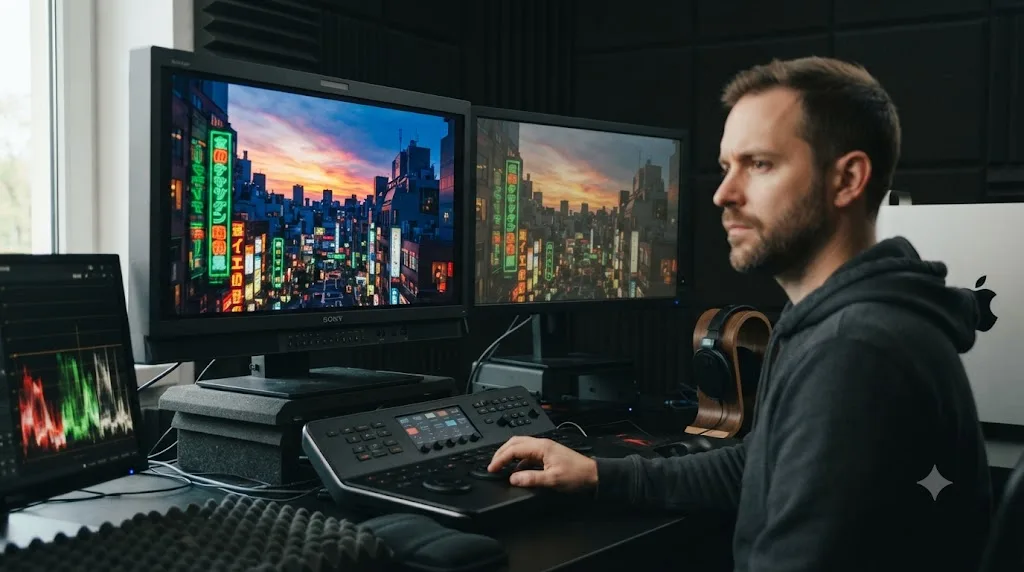
Judging a wide-gamut or HDR grade accurately starts with a monitor built to reproduce the gamut and brightness range you're grading in, something like a Flanders Scientific or Sony BVM-series reference display rather than a consumer TV or a standard editing monitor. Those reference monitors pair with third-party calibration software, CalMAN and Portrait Displays' LightSpace among the most common in post-production, which measure the display's actual output with a colorimeter or spectroradiometer and build a correction LUT against a target standard, Rec.709, DCI-P3, or Rec.2020, along with the right transfer function for HDR work.
For an HDR calibration pass specifically, the calibration software asks you to pick a target up front, SDR, HDR PQ, or HDR HLG, along with the video's black and white level range, before generating the correction. Feed that same monitor a Rec.2020 signal without going through this process and you're back to the same problem covered above: the display shows you its best approximation, not a properly corrected signal.
Here's a detail worth knowing before you assume you need a full Rec.2020-capable reference monitor for every HDR job: Netflix's own partner documentation asks colorists to calibrate mastering monitors to P3-D65, not the full Rec.2020 space, because P3 is currently the widest gamut most mastering reference displays can actually reproduce. Rec.2020 remains the color space named in the delivery spec and the container Rec.2100's PQ or HLG transfer function sits inside, but the practical monitoring target for most working colorists tops out at P3-D65 because that's what the hardware in the room can actually show. That's not a shortcut or a compromise unique to smaller studios: it's the standard most professional HDR mastering suites work within today, Netflix included.
Inside DaVinci Resolve, the calibration itself happens outside the app, in the monitor's own calibration software or a third-party tool like CalMAN or DisplayCAL, and the resulting correction typically loads back into Resolve as a 3D LUT applied on your monitoring output rather than the grade itself, so your actual node tree stays untouched no matter how the reference display gets corrected.
How does Rec.2020 relate to DaVinci Wide Gamut and DCI-P3?
Rec.2020, DCI-P3, and DaVinci Wide Gamut are three different-sized color containers, and mixing them up is a common source of "I thought I already picked the wide gamut" confusion.
DCI-P3 is the color space built for digital cinema projection, wider than Rec.709 but narrower than Rec.2020, and it's the gamut most Apple devices and many modern consumer displays actually target when they advertise "wide color." DaVinci Wide Gamut is Blackmagic's own working space, deliberately built larger than Rec.2020 itself, per the cinapex breakdown of Blackmagic's color science choices, specifically so it can hold color data from essentially any camera, RAW or log, without clipping before a single grading decision gets made.
| Color space | Relative size | Typical role |
|---|---|---|
| Rec.709 | Narrowest of the four | SDR delivery target |
| DCI-P3 | Wider than Rec.709, narrower than Rec.2020 | Cinema projection, some HDR broadcast (HDR P3 Broadcast preset) |
| Rec.2020 | Wider than DCI-P3 | UHD and HDR delivery target (SDR Rec.2020, HDR Rec.2020, Rec.2100) |
| DaVinci Wide Gamut | Wider than Rec.2020 | Grading and working space, not a delivery format |
DaVinci Wide Gamut is not a delivery color space you should ever pick as your Output Color Space; it's the working space you grade inside before converting down to whichever standard, Rec.709 or Rec.2020, your actual delivery target requires. Treating it as a finished deliverable format is a mistake that shows up the moment a client's player or platform tries to interpret a file tagged with a color space it was never built to decode.
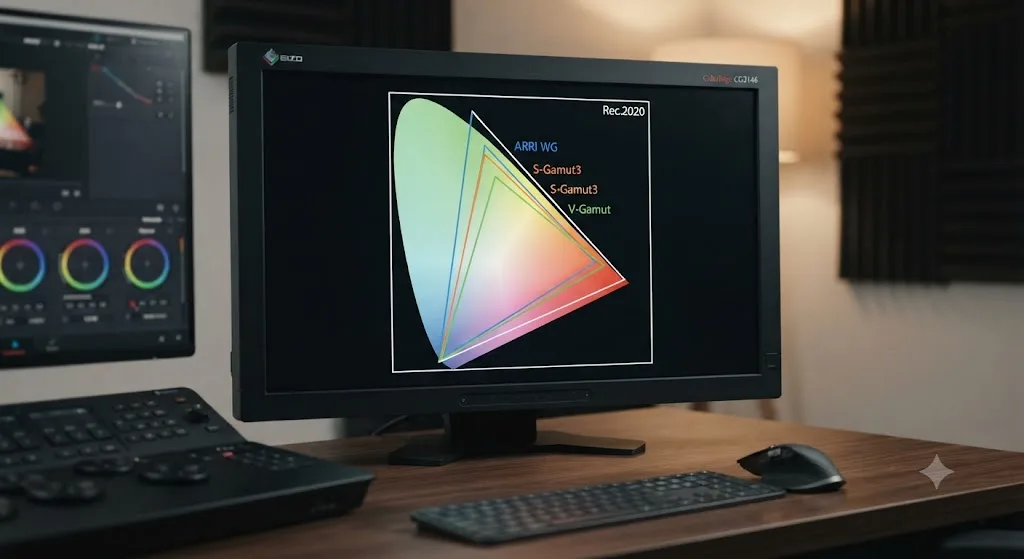
How do camera log gamuts like S-Gamut3, V-Gamut, and ARRI Wide Gamut compare to Rec.2020?
They're a different category of color space entirely, camera-specific capture gamuts rather than delivery standards, and that distinction is exactly why DaVinci Wide Gamut needs to exist.
Nearly every modern mirrorless and cinema camera records log or RAW footage in its own manufacturer-defined color gamut, built to capture as much of the color the sensor can see as possible before any grading decisions get made. Sony uses S-Gamut3 and S-Gamut3.Cine, Panasonic uses V-Gamut, Canon uses Cinema Gamut, RED uses REDWideGamutRGB, and ARRI uses ARRI Wide Gamut 3 and 4. ARRI's own color FAQ describes the category plainly: "wide gamut" is a generic term for color gamuts that are larger than Rec. 709, i.e. P3 or Rec. 2020, and every camera-native gamut in this list fits that description.
None of these camera gamuts are delivery formats. You never set your Output Color Space to S-Gamut3 or ARRI Wide Gamut, because no television, phone, or streaming platform decodes signals in those spaces. They exist purely to get color out of the sensor and into your grading software without throwing any of it away, which is also precisely the design goal behind Blackmagic's own DaVinci Wide Gamut: built deliberately larger than Rec.2020 itself so that it can act as a common home for footage shot in any of these manufacturer-specific gamuts, without clipping color data before you've made a single grading choice of your own.
That's the practical reason Resolve's Input Color Space dropdown exists as a separate step from your Output Color Space. You tell Resolve what gamut the source footage was actually recorded in, RCM converts it into your Timeline Color Space (DaVinci Wide Gamut Intermediate in almost every modern project), and then RCM converts again on the way out to whatever Rec.709 or Rec.2020 preset your delivery target needs. Get the Input Color Space wrong, tag Sony log footage as if it were shot in a different camera's gamut, for instance, and every downstream conversion inherits that error no matter how correctly you've set the output.
| Camera / log format | Native color gamut | Recommended Resolve Input Color Space |
|---|---|---|
| Sony cameras shooting S-Log3 | S-Gamut3 or S-Gamut3.Cine | Sony S-Gamut3.Cine / S-Log3 (or matching preset) |
| Panasonic cameras shooting V-Log | V-Gamut | Panasonic V-Gamut / V-Log |
| Canon cameras shooting C-Log | Cinema Gamut | Canon Cinema Gamut / Canon Log |
| ARRI Alexa shooting Log C | ARRI Wide Gamut 3 or 4 | ARRI LogC3 or LogC4, matching Wide Gamut version |
| RED cameras shooting RedWideGamut | REDWideGamutRGB | RED Wide Gamut RGB / Log3G10 |
| DJI drones shooting D-Log | D-Gamut | DJI D-Gamut / D-Log |
| Blackmagic cameras shooting Blackmagic RAW | Blackmagic Design Gen 5 (or 4) Color Space | Blackmagic Design Film / matching Gen preset |
Getting the Input Color Space tag right matters more than the Output Color Space choice this entire guide is about, because an Output Color Space preset only converts correctly-tagged source data. If you shoot on a camera not covered above, check that camera's own documentation for its log profile's exact gamut name, then match it to the closest preset in Resolve's Input Color Space dropdown rather than guessing from a similar-sounding camera. Our camera color matching guide covers getting this right across footage mixed from multiple camera brands on the same timeline.
What export settings do YouTube, Vimeo, and other platforms need?
It depends entirely on whether your delivery is SDR or HDR, not on which color space sounds more current.
For ordinary SDR uploads, YouTube's own recommended encoding settings are built around Rec.709, the same color space nearly every consumer screen the platform serves content to actually targets. Our YouTube export settings guide covers those specifics in full. For HDR uploads specifically, YouTube's HDR documentation is direct: "If you're grading your video, grade in Rec. 2020 with PQ or HLG. Using a different configuration, including DCI P3, will produce incorrect results." That's an explicit rule ruling out a color space some HDR productions default to for other deliverables, straight from the platform's own documentation.
Vimeo's HDR path narrows further still, requiring HEVC 10-bit at Dolby Vision Profile 8.4 for its Dolby Vision delivery track, while its ordinary SDR uploads run through the same standard pipeline every other platform uses. Our 8-bit vs 10-bit export guide covers the bit depth half of this same delivery decision, since Rec.2020 and Rec.2100 HDR delivery both require at least 10-bit color, a requirement Rec.709 SDR delivery doesn't share.
A platform's delivery spec always overrides general habit, and HDR metadata or color space errors are exactly the kind of problem that looks fine on your own monitor and fails automated ingest on the platform's end. Check the actual current spec sheet for wherever you're delivering before assuming last year's settings still apply.
What do Netflix, Apple TV+, and broadcast specs like ATSC 3.0 and DVB require?
It varies by platform more than most editors expect, and "just use Rec.2020 for anything HDR" isn't quite the full story once you look at the actual partner documentation.
Netflix's own delivery guidelines list Rec.709 or DCI-P3 as the minimum acceptable color space and Rec.2020 as the recommended one, but Netflix's internal guidance also notes that Rec.2020 isn't actually used for Netflix deliveries at this time. That's less contradictory than it sounds once you separate mastering from the delivery container: Netflix Originals delivering in HDR are required to master in Dolby Vision and deliver through Netflix's IMF package specification for Dolby Vision, and Netflix then derives the Dolby Vision, HDR10, and SDR streams viewers actually receive from that single Dolby Vision master. Dolby Vision itself uses Rec.2020's color primaries under the hood, so the gamut is present in the pipeline even when "Rec.2020" isn't the literal label on the delivery spec sheet.
Apple doesn't publish partner delivery documentation as detailed as Netflix's, but the consumer-facing picture is consistent with the rest of the industry: Apple TV 4K supports both Dolby Vision and HDR10 playback, and Dolby Vision content generally reaches viewers in the source BT.2020 color space regardless of which platform delivers it, since that's how the Dolby Vision format itself is built. If you're delivering to Apple TV+ or any Dolby Vision-supporting platform, the Rec.2100 PQ workflow covered earlier in this guide is the relevant starting point.
Broadcast has its own separate specs, and they name Rec.2020 explicitly. The ATSC, which sets the standard for over-the-air television in the United States, built Wide Color Gamut support directly into ATSC 3.0 using BT.2020 primaries as part of its HDR and UHD feature set. In Europe, DVB's UHD-1 Phase 2 specification, formally TS 101 154 v2.6.1, bundles wide color gamut BT.2020 together with HDR (HLG10 or PQ10) and higher frame rates as part of the same UHD broadcast package.
| Platform / standard | Color space named in spec | Practical note |
|---|---|---|
| YouTube (HDR uploads) | Rec.2020 with PQ or HLG | Explicitly rules out DCI-P3 as a substitute |
| Netflix (HDR Originals) | Dolby Vision (Rec.2020 primaries under the hood) | Recommended container names Rec.2020, but delivery runs through Dolby Vision IMF |
| Apple TV+ / Dolby Vision platforms generally | Source BT.2020 | Follows the Dolby Vision format's own standard, not a platform-specific variant |
| ATSC 3.0 (US broadcast) | BT.2020 (Wide Color Gamut) | Part of the standard's HDR and UHD feature set |
| DVB UHD-1 Phase 2 (European broadcast) | BT.2020 | Bundled with HLG10 or PQ10 HDR in TS 101 154 v2.6.1 |
A delivery spec that names "Rec.2020" and one that names "Dolby Vision" or "HDR10" are often asking for the same underlying color primaries described two different ways, since Dolby Vision, HDR10, and Rec.2100 all build on Rec.2020's gamut even when the paperwork in front of you doesn't spell that out directly. When a spec sheet uses format names instead of color space names, Rec.2100 PQ is still the right Output Color Space preset to reach for in Resolve; the format name just tells you which metadata and encoding wrapper goes around it.
What's the difference between static and dynamic HDR metadata?
Static metadata describes one brightness ceiling for an entire program. Dynamic metadata updates that ceiling scene by scene or frame by frame, and the difference matters more to how your grade actually displays than the color space preset alone does.
HDR10, the baseline HDR format most platforms support, carries static metadata defined by SMPTE ST 2086, formally titled Mastering Display Color Volume. That metadata records the CIE chromaticity coordinates of the mastering display's RGB primaries and white point, along with the display's minimum and maximum luminance, plus two additional values encoded per title: MaxCLL, the maximum content light level, the brightest single pixel anywhere in the entire program, and MaxFALL, the maximum frame-average light level, the brightest any single frame gets on average across all its pixels. A display reads those static values once and holds its tone-mapping decisions steady for the whole file, which is exactly why HDR10 is called static: a program with one blindingly bright sunrise shot and 90 minutes of dim interior scenes still tone-maps every frame against the same MaxCLL ceiling set by that one bright shot.
HDR10+ and Dolby Vision both add dynamic metadata on top of that same Rec.2100 PQ foundation, adjusting the tone-mapping target scene by scene or even frame by frame instead of locking the whole program to one static ceiling. That's a meaningfully different viewing result on a display capable of reading the dynamic metadata: the dim interior scenes in that same hypothetical program get tone-mapped against their own actual brightness range instead of being held back by a ceiling set by one unrelated sunrise shot elsewhere in the file.
Choosing Rec.2100 PQ as your Output Color Space in DaVinci Resolve sets up the color primaries and gamma curve HDR10, HDR10+, and Dolby Vision all share, but it doesn't by itself decide which of those three metadata formats you're actually mastering for. HDR10's static metadata is close to automatic, Resolve calculates MaxCLL and MaxFALL from your finished grade at export time. HDR10+ needs the shot-by-shot analysis pass covered in the dual-delivery section above. Dolby Vision needs Resolve Studio's dedicated Dolby Vision panel and, for wide theatrical or streaming releases, a Dolby-certified mastering pass, a workflow detailed enough that it's outside the scope of a color space comparison like this one; our HDR grading guide picks up that thread.
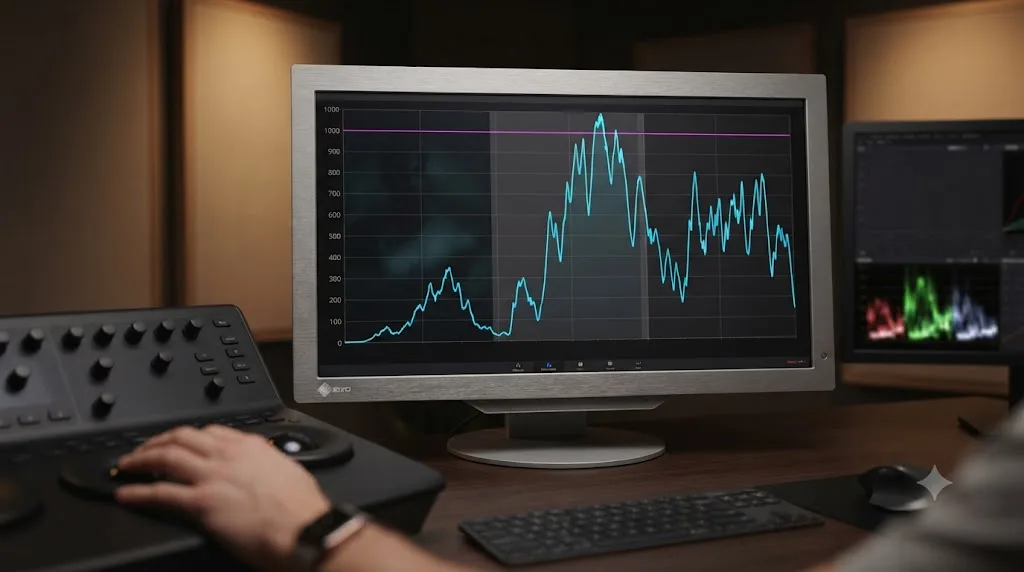
What codec and container pair correctly with each color space in DaVinci Resolve?
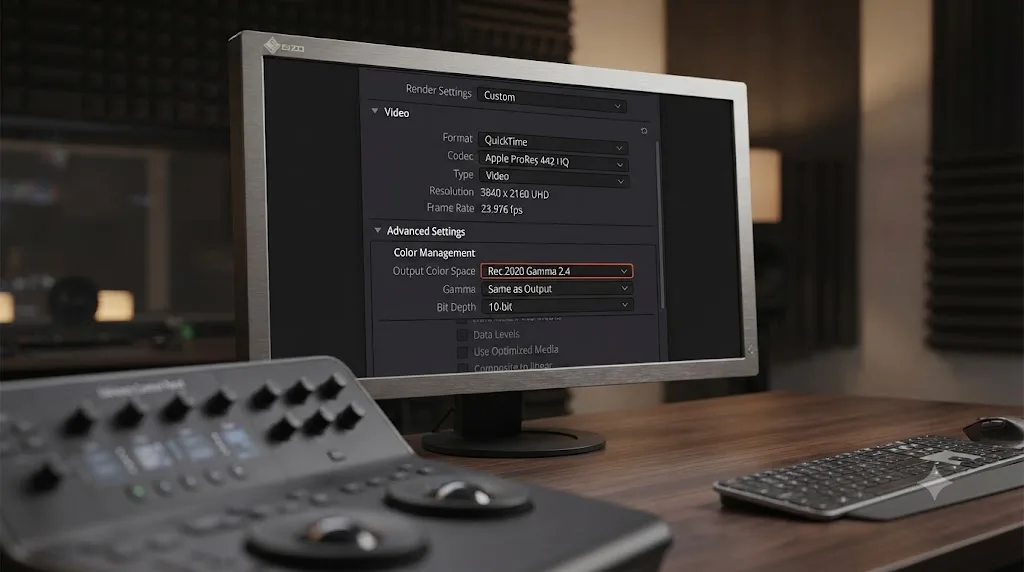
Color space picks the primaries and gamma curve; codec and bit depth decide whether that signal survives compression without banding, clipping, or a corrupted metadata flag on delivery. Get the color space right and the wrong codec pairing can still wreck the result.
Rec.709 SDR delivery has the most forgiving codec options, because 8-bit color has always been considered acceptable for Rec.709's narrower gamut: H.264 in an MP4 container covers the overwhelming majority of web and social delivery, and it's what YouTube, Instagram, and TikTok all expect for standard SDR uploads. Rec.2020 and Rec.2100 HDR delivery removes that flexibility. Every HDR format in mainstream use, HDR10, HDR10+, Dolby Vision, and HLG broadcast alike, requires at least 10-bit color, because HDR's extended brightness range needs more steps between values to avoid visible banding in the same way Rec.2020's wider gamut does. H.265 (HEVC) Main10 profile is the near-universal delivery codec for HDR10 and HLG streaming, carrying both the 10-bit depth and the HDR metadata the format needs.
For mastering rather than final delivery, the calculus changes again. A ProRes 4444 or ProRes 4444 XQ master preserves the full 12-bit-equivalent precision Resolve grades in internally, which matters when a single master file needs to survive multiple downstream conversions, an SDR trim, an HDR10 pass, and a Dolby Vision pass, without accumulating generation loss at each step. DNxHR 444 serves a similar mastering role on Avid-adjacent pipelines. Neither of those codecs is what you hand to YouTube or a streaming platform directly; they're the archival and intermediate format you convert from, not the file you actually upload.
| Color space / delivery target | Minimum bit depth | Common mastering codec | Common delivery codec |
|---|---|---|---|
| Rec.709 SDR (web, social) | 8-bit | ProRes 422 HQ | H.264 (MP4) |
| Rec.709 SDR (broadcast) | 10-bit | ProRes 422 HQ or DNxHR HQ | XDCAM or broadcast-house codec per spec |
| SDR Rec.2020 (wide-gamut SDR) | 10-bit | ProRes 4444 | H.265 Main10 |
| HDR Rec.2020 / Rec.2100 PQ (HDR10) | 10-bit | ProRes 4444 or 4444 XQ | H.265 Main10 with HDR10 static metadata |
| Rec.2100 HLG (broadcast HDR) | 10-bit | ProRes 4444 or DNxHR 444 | H.265 Main10 or broadcast-specific codec per spec |
| Dolby Vision master | 12-bit equivalent | ProRes 4444 XQ | Dolby Vision IMF package (platform-specific) |
A color space preset set correctly and a bit depth left at 8-bit for an HDR or wide-gamut delivery is one of the most common ways this whole comparison quietly breaks on export. Resolve won't always stop you from rendering an 8-bit HDR file; it'll just hand you a file that bands and clips in ways that look like a grading mistake but are actually a codec setting one node deeper in the Deliver page than the Output Color Space dropdown this guide has focused on. Our 8-bit vs 10-bit export guide covers that decision on its own.
Should you ever convert between Rec.709 and Rec.2020 with a LUT instead of Resolve Color Management?
Generally, no, and understanding why exposes a mistake that looks like a shortcut but actually throws away the thing RCM was built to protect.
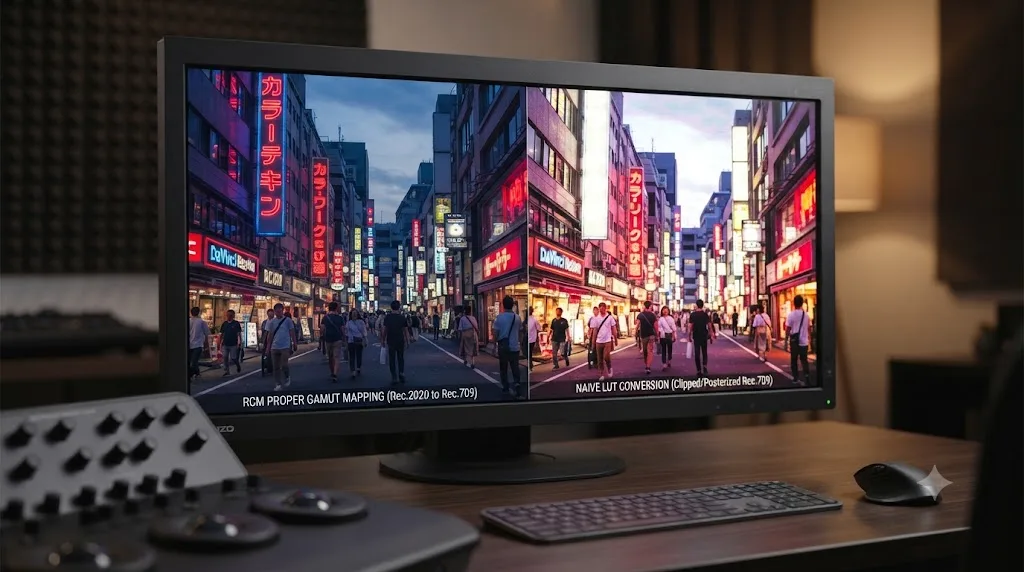
A LUT-based gamut conversion, dragging a generic "Rec.709 to Rec.2020" LUT onto a node instead of setting Output Color Space through Resolve Color Management, applies a fixed mathematical remap without any actual awareness of your source footage's real gamut boundaries. RCM, by contrast, knows exactly what Input Color Space your clip was tagged with, what Timeline Color Space it's living in, and what Output Color Space you're targeting, and it performs the conversion with proper gamut mapping between those three known points, compressing out-of-range colors intelligently rather than simply clipping them.
That difference shows up most obviously going the wrong direction: converting Rec.709 footage up to Rec.2020 with a LUT doesn't add any color information that wasn't already in the original narrower-gamut file. Rec.709 source video only ever contained Rec.709's roughly 36% of visible color to begin with; wrapping it in a wider container after the fact just stretches the same limited data across more numerical range. It doesn't retroactively capture colors the camera never recorded. The file will report itself as Rec.2020, and technically decode as Rec.2020, without looking any more colorful than it did as Rec.709, because there's nothing more to show.
Going the other direction, Rec.2020 or wide-gamut source down to Rec.709 delivery, a naive LUT conversion risks the opposite problem: hard-clipping any color in the source that falls outside Rec.709's narrower triangle instead of compressing it gracefully back into range, which produces visible posterization or flat, blocked-out color in exactly the saturated reds and greens Rec.2020 was capturing that Rec.709 can't hold. RCM's output conversion handles that compression as part of setting the Output Color Space preset, which is the entire reason this guide keeps pointing back to Project Settings rather than a node-based LUT as the correct place to make this decision.
There is one legitimate use for a Rec.709-to-Rec.2020 LUT: previewing what a Rec.2020 grade will approximately look like on a Rec.709 reference, for client review purposes, never as an actual delivery conversion. Some studios build "safe preview" LUTs for exactly that reason, letting a client watch an HDR grade on a standard SDR monitor and get a rough sense of the color intent, clearly labeled as an approximation. That's a monitoring tool, not a substitute for setting your real Output Color Space correctly when you actually render the deliverable.
What goes wrong when you mix up Rec.709 and Rec.2020 in DaVinci Resolve?
A handful of specific mistakes account for nearly every "my colors look wrong" report tied to this setting, roughly in the order they actually come up.
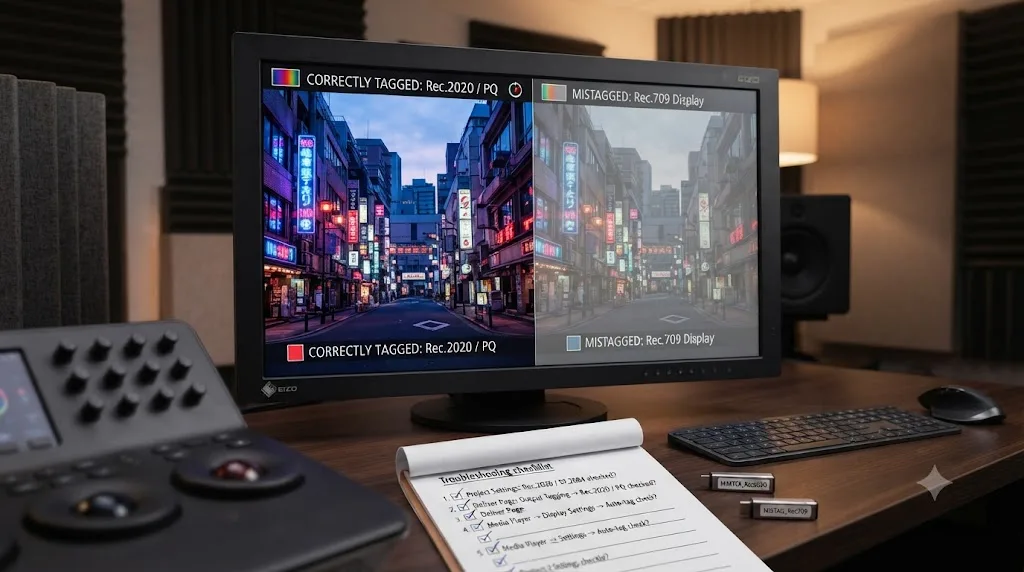
Colors look washed out or oversaturated after export. Almost always a mismatch between your Output Color Space setting and what the receiving screen or platform actually expects, not a flaw in the grade itself. Confirm your Output Color Space matches your actual delivery target before assuming the grade needs rework.
A Rec.2020 grade looks identical to Rec.709 on your monitor. Your display likely can't reproduce Rec.2020's full gamut, so it's showing you an approximation clipped down to whatever the panel actually supports. Judge a real Rec.2020 or HDR grade on hardware built to display that gamut, not a standard consumer screen.
A client asks for "wide gamut" and you're not sure which preset that means. Ask whether HDR is also required. If it isn't, SDR Rec.2020 is almost always the answer. If it is, you're looking at HDR Rec.2020 or Rec.2100 PQ/HLG instead, and the difference between those two options is covered in full in our HDR grading guide.
Footage shot in a camera's log or RAW profile looks wrong regardless of your output setting. Check the Input Color Space tag on the clip itself in the Media Pool. An untagged or mistagged source breaks every downstream color transform no matter how correctly you've set your Output Color Space. Our color match guide covers getting Input Color Space right across footage from multiple camera brands.
A file that looked correct in Resolve looks wrong once played back elsewhere. Play the actual exported file, not the Resolve timeline, on the device or platform you're actually delivering to. A codec or metadata mismatch between your project settings and your render settings can shift what a viewer sees away from what you approved in the grade.
A Rec.2100 HDR export plays back correctly on your reference monitor but looks too dark on a viewer's phone. This usually isn't a Rec.709-versus-Rec.2020 mix-up at all, it's a device that's either misreading the HDR metadata or falling back to an SDR tone-mapping curve it wasn't built to handle well. Our guide to exports that play too dark on iPhone walks through the specific causes, separate from anything covered in this comparison.
Banding or posterization shows up in a Rec.2020 gradient that looked smooth in Rec.709. Rec.2020's wider primaries spread the same number of bit-depth steps across a bigger range of color, which makes banding more visible at 8-bit than the identical gradient would show in the narrower Rec.709 gamut. This is a bit-depth problem wearing a color-space costume: bump your delivery to 10-bit, per the 8-bit vs 10-bit export guide, before assuming the grade itself is broken.
You genuinely can't tell if a preset labeled "Rec.2020" in a third-party plugin or LUT matches Resolve's own Rec.2020 preset. Confirm the transfer function, not just the primaries: a LUT built for Rec.2020 with a straight gamma curve won't match Resolve's HDR Rec.2020 or Rec.2100 PQ/HLG presets, which use PQ or HLG transfer functions, not standard gamma. Matching primaries with a mismatched transfer function produces a grade that looks wrong in ways that are easy to mistake for a color space error instead of a gamma error.
Three real delivery jobs, walked through
The fastest way to see this decision in practice is to walk through how it actually plays out on three common jobs, rather than staying abstract.
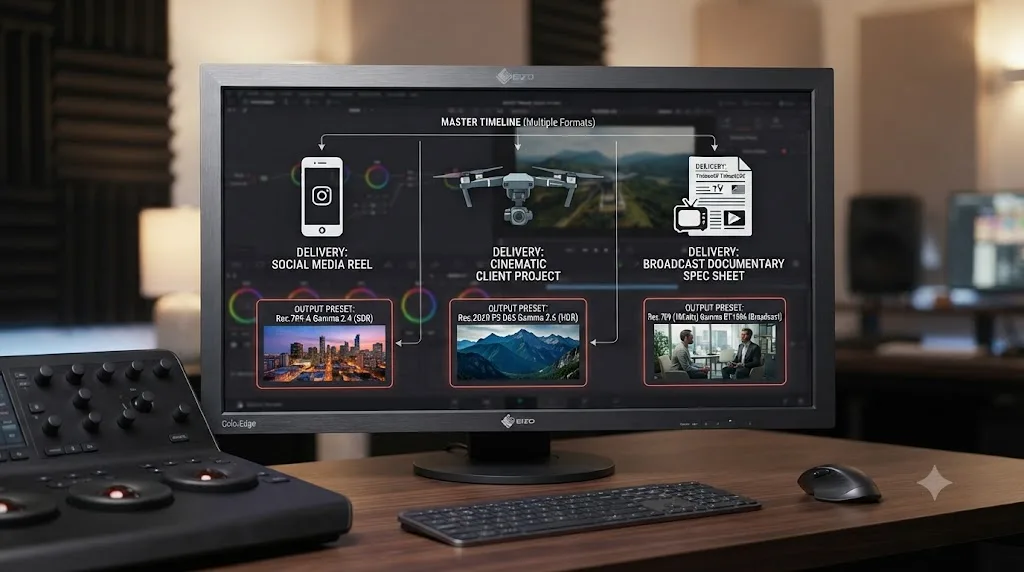
Job one: a 60-second Instagram Reel cut from iPhone footage, no delivery brief beyond "make it look good." There's no HDR or wide-gamut requirement named anywhere, and Instagram's own delivery pipeline is built around standard SDR video. Rec.709 Gamma 2.4 is the entire decision here; there's nothing in this brief that points toward Rec.2020 in any of its three Resolve presets. If the client later asks why the video doesn't look "extra vivid" compared to what they see scrolling the app, that's almost always a saturation and contrast grading question, not a color space one.
Job two: a client project shot on a DJI drone in D-Log, with a brief that says "make it cinematic and wide gamut" but doesn't name a platform, a codec, or an HDR requirement. This is the ambiguous case that trips people up. The instinct is to reach for SDR Rec.2020 because the client used the words "wide gamut," but "wide gamut" in a casual creative brief usually describes a look the client wants, rich, saturated color, not a technical delivery spec. The right move is to ask what platform or device the final file needs to play on before picking an Output Color Space at all. If the answer comes back "just needs to look good on Instagram and in a client review," that's Rec.709 again, graded from a properly tagged D-Log/D-Gamut source through DaVinci Wide Gamut Intermediate. If the answer comes back "we're delivering to a streaming platform's HDR track," now SDR Rec.2020 or one of the HDR presets is genuinely on the table, but only because the follow-up question surfaced an actual technical requirement the original brief didn't state.
Job three: a broadcast documentary delivering to a European network whose spec sheet says "BT.2020 HLG10, TS 101 154 compliant." Here the decision is already made for you in writing. BT.2020 is Rec.2020 by its formal ITU name, HLG10 tells you the transfer function is Hybrid Log-Gamma at 10-bit, and TS 101 154 compliance points at the DVB UHD-1 Phase 2 spec covered earlier in this guide. In Resolve, that maps directly to the Rec.2100 HLG Output Color Space preset, at 10-bit minimum, with your Timeline Color Space left on DaVinci Wide Gamut Intermediate as usual. The only real judgment call left is confirming the container and codec requirements elsewhere in the same spec sheet, since color space is only one line item in a full broadcast delivery document.
Across all three jobs, the pattern repeats: read the actual requirement in front of you, and if there isn't one written down, ask rather than guess from vague language like "cinematic" or "wide gamut." A spec sheet with a named standard removes the guesswork entirely. A creative brief without one almost always means Rec.709, because that's still what the overwhelming majority of screens and platforms expect by default.
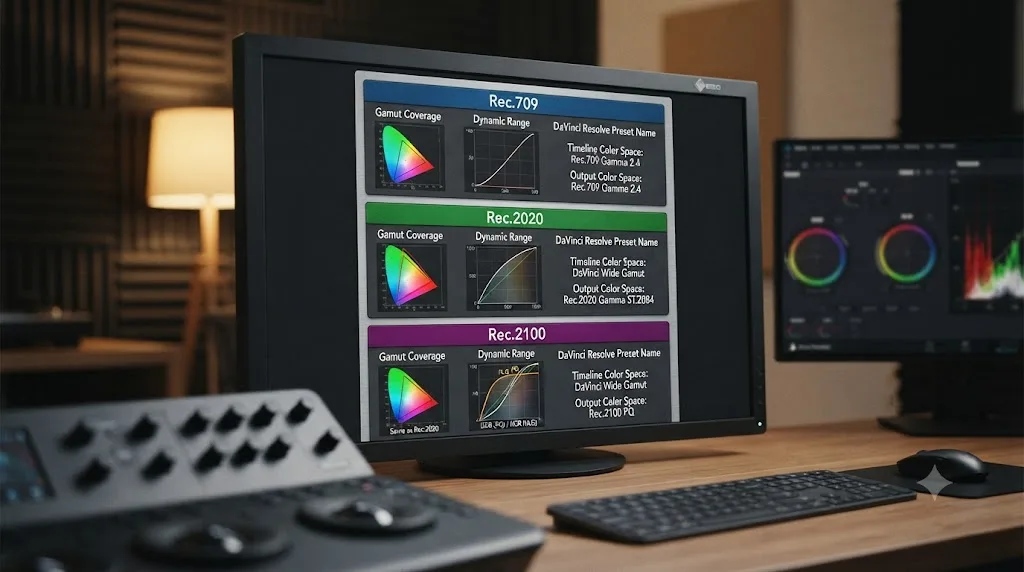
Rec.709 vs Rec.2020 vs Rec.2100: the reference table
Here's the full comparison in one place, since the fastest way to settle this decision on a real project is a single table rather than re-reading the sections above.
| Rec.709 | Rec.2020 | Rec.2100 | |
|---|---|---|---|
| ITU designation | BT.709-6 (2015) | BT.2020-2 (2015) | BT.2100-3 (2025) |
| Gamut coverage (CIE 1931) | ~35.9% | ~75.8% | Same primaries as Rec.2020 |
| Dynamic range | SDR only | SDR (as a wide-gamut option) or the base gamut for HDR | HDR (PQ or HLG transfer function) |
| Built for | HDTV | UHDTV (4K/8K) | HDR television and streaming |
| DaVinci Resolve preset | Rec.709 Gamma 2.4 (default) | SDR Rec.2020 | HDR Rec.2020 or Rec.2100 PQ/HLG |
| Minimum bit depth | 8-bit acceptable | 8-bit for SDR use | 10-bit or higher, per spec |
| Typical delivery | YouTube SDR, broadcast TV, client review | Wide-gamut streaming or broadcast spec | HDR10, Dolby Vision base layer, HLG broadcast |
| Display support | Nearly universal | Partial on most consumer and many professional displays | Needs an HDR-capable reference monitor to judge accurately |
Choose Rec.709 if your delivery brief doesn't mention wide gamut or HDR anywhere in it. Choose Rec.2020, in whichever of Resolve's three presets matches your actual dynamic range target, only when the spec in front of you specifically asks for it by name. That single rule resolves this decision correctly on nearly every real project, before you've even opened the Output Color Space dropdown.
Where do you go from here?
Rec.709 and Rec.2020 aren't a beginner setting and an advanced one. They're two different tools built for two different jobs, and the delivery spec sitting in front of you, not a general sense of which one sounds more current, is what actually decides which one you pick. Rec.709 covers the overwhelming majority of real deliveries because it covers the overwhelming majority of screens your work will actually be watched on.
In our 100,000+ member video-editing community, this exact question comes up constantly, almost always framed as "why does my export look different from what I graded," and the answer is nearly always one of the mix-ups covered above: a mismatched Output Color Space, a mistagged source clip, or a monitor that simply can't show the gamut being judged. Once you know which of those you're looking at, the fix is a dropdown, not a re-grade.
Set Resolve Color Management up correctly before you touch a single node, match your Output Color Space to what the delivery spec actually asks for, and Rec.709 versus Rec.2020 stops being a guessing game and becomes a five-second decision. That's the whole comparison, distilled to the one habit worth keeping.
If you're mid-project and can't remember which menu holds the Output Color Space dropdown, TryUncle is the on-screen assistant for DaVinci Resolve on macOS: ask in plain words and Uncle points at the exact control on your screen, instead of you hunting back through a guide like this one for the setting you half-remember.
Frequently asked questions
- What is the difference between Rec.709 and Rec.2020?
- Rec.709 is the color space built for standard HD television, covering roughly 36% of the visible color spectrum. Rec.2020 is the color space built for ultra-high-definition (4K and 8K) television, covering roughly 76% of the same spectrum, more than double Rec.709's range. Rec.709 is DaVinci Resolve's default SDR working space; Rec.2020 is the gamut behind Resolve's SDR Rec.2020, HDR Rec.2020, and Rec.2100 (PQ/HLG) presets.
- Should I grade in Rec.709 or Rec.2020 in DaVinci Resolve?
- Grade in Rec.709 Gamma 2.4 if your delivery is standard SDR video for YouTube, social platforms, broadcast TV, or a client review. Grade in Rec.2020, through Resolve's SDR Rec.2020, HDR Rec.2020, or Rec.2100 PQ/HLG output presets, if your delivery is HDR, a wide-gamut streaming spec, or a UHD broadcast that specifically asks for it. When a delivery brief doesn't mention HDR or wide gamut by name, Rec.709 is the safe default.
- Is Rec.2020 the same thing as HDR?
- No. Rec.2020 is a color gamut, a definition of which colors exist in the signal. HDR is a dynamic range standard, a definition of how bright highlights and how dark shadows can get. Rec.2100, standardized by the ITU in 2016, is what actually adds HDR to the picture: it reuses Rec.2020's wide color primaries and layers the PQ or HLG transfer function on top. You can grade SDR Rec.2020 with no HDR involved at all, which is exactly what Resolve's SDR Rec.2020 preset is for.
- Why does DaVinci Resolve default to Rec.709 Gamma 2.4?
- Because Rec.709 Gamma 2.4 is the color space nearly every consumer display, from phones to laptops to most television sets, was actually built to reproduce accurately. Defaulting new projects to a color space every monitor can show correctly avoids the far more common failure mode: a colorist grading in a wide gamut on a screen that can't display it, then wondering why the delivered file looks wrong everywhere else.
- Can I actually see the difference between Rec.709 and Rec.2020 on my monitor?
- Only if your monitor can reproduce Rec.2020's primaries, and most consumer and even professional displays can't fully. According to ARRI's own color FAQ, a TV or display that doesn't support the full gamut will still correctly display the colors within its physical gamut, meaning the extra range Rec.2020 carries simply doesn't show up on hardware that can't reach it. Judging a Rec.2020 or HDR grade needs a reference display built for that gamut, not a standard consumer monitor.
- Does YouTube need Rec.2020 for uploads?
- Only for HDR uploads. YouTube's own HDR upload documentation states plainly that if you're grading your video, grade in Rec. 2020 with PQ or HLG, and that using a different configuration, including DCI-P3, will produce incorrect results. For ordinary SDR uploads, Rec.709 remains the correct color space; YouTube's SDR pipeline is built around it, not Rec.2020.
- What's the difference between Rec.2020 and DaVinci Wide Gamut?
- Rec.2020 is an ITU broadcast standard with fixed, defined primaries. DaVinci Wide Gamut is Blackmagic Design's own working color space, built deliberately larger than Rec.2020 so it can hold footage from virtually any camera, RAW or log, without clipping color data before you've made a single grading decision. You typically grade inside DaVinci Wide Gamut and then output to Rec.709 or Rec.2020 as your actual delivery target, rather than treating Wide Gamut itself as a delivery format.
- Does Netflix or broadcast TV actually require Rec.2020?
- It depends on the platform's paperwork, not just the color. Netflix lists Rec.2020 as its recommended color space but notes Rec.2020 isn't literally used for delivery today, since HDR Originals master through Dolby Vision instead, which carries Rec.2020's primaries under a different name. Broadcast is more direct: ATSC 3.0 in the US and DVB's UHD-1 Phase 2 spec in Europe both name BT.2020 explicitly as part of their wide color gamut and HDR requirements.
Sources
- Recommendation ITU-R BT.709-6 (06/2015)
- Recommendation ITU-R BT.2020-2 (10/2015)
- Recommendation ITU-R BT.2100-3 (02/2025)
- DaVinci Resolve (Blackmagic Design)
- DaVinci Resolve - Studio (Blackmagic Design)
- DaVinci Resolve 18.6 Reference Manual: Output Color Space (Blackmagic Design, mirrored)
- DaVinci Resolve 18.6 Reference Manual: The Input, Timeline, and Output Color Space (Blackmagic Design, mirrored)
- YouTube Help: Upload High Dynamic Range (HDR) videos
- YouTube Help: Recommended upload encoding settings
- Say Hello to Rec. 2020, the Color Space of the 'Future', by Sareesh Sudhakaran (wolfcrow)
- What is Rec 2020? Color FAQ (ARRI)
- DaVinci Wide Gamut and DaVinci Intermediate: Why Blackmagic Built Its Own Color Space (cinapex)
- HDR On-Set Monitoring: Considerations & Best Practices (Netflix Partner Help Center)
- Dolby Vision HDR Mastering Guidelines (Netflix Partner Help Center)
- About 4K, HDR, HDR10+, and Dolby Vision on your Apple TV 4K (Apple Support)
- High Dynamic Range Planned for ATSC 3.0 (ATSC)
- DVB's UHD Specifications for Broadcast and Broadband, Jason Power (DVB Project)
- What is ARRI/ALEXA Wide Gamut? (ARRI)
- DaVinci Resolve 17 Wide Gamut Intermediate (Blackmagic Design)
- DaVinci Resolve 18.6 Reference Manual: HDR10+ Grading Workflow (Blackmagic Design, mirrored)
- HDR10+ System Whitepaper (HDR10+ Technologies)
- Flanders Scientific XMP Monitor AutoCal Guide (Portrait Displays)
Put this guide to work with TryUncle.
Ask about the step you’re on. TryUncle sees your screen and points at the control you need, so you can keep learning in your own project.
Get TryUncle for Mac or WindowsKeep reading
Guides · Jul 11, 2026 · 36 min
How to Grade HDR Video in DaVinci Resolve (PQ and HLG)
Set up Resolve Color Management for HDR, grade with the HDR palette, and export correct PQ or HLG settings for HDR10, Dolby Vision, and YouTube.
Comparisons · Jul 29, 2026 · 39 min
DaVinci Resolve 8-Bit vs 10-Bit Export: Which to Choose?
8-bit vs 10-bit export in DaVinci Resolve 21: when each matters, the free version's 8-bit cap, HDR needs, file size myths, and a clear decision table.
Guides · Jul 12, 2026 · 39 min
How to Color Match Different Cameras in DaVinci Resolve
Match footage shot on different cameras in DaVinci Resolve with Color Space Transform, Color Match, and Shot Match, plus settings by camera brand.