Articles / Guidesupdated for DaVinci Resolve 21.0.2 (July 2026)
Best Way to Learn DaVinci Resolve for a Career Change at 40
Quick answer
The best way to learn DaVinci Resolve for a career change at 40 is to use Blackmagic's free training or a paid course for mechanics, build a portfolio from real footage while still employed, and lean on your existing work experience and an AI tutor for the stuck moments. Expect three to six months to a first paid job.

I didn't learn to edit at 22 with nothing to lose. Most people reading this didn't either. You've got a mortgage, maybe kids, a retirement account you can't afford to gut, and a career's worth of skills that have nothing to do with nodes or waveforms, at least on the surface.
This post is the honest version of "how do I learn DaVinci Resolve for a career change at 40": what actually transfers from your current job, how long it really takes, what it costs, where a career changer has a real edge over a 22-year-old, and where the doubts about your age are worth taking seriously and where they're just noise.
Is 40 too old to learn DaVinci Resolve and start a video editing career?
No, and the data backs that up better than the doubt does. According to career statistics compiled by Zippia, citing Washington Post survey data, 21% of people between 40 and 49 have considered making a career change, and career transitions in that age band have become common enough that they're not a fringe decision anymore. The same data shows people aged 45 to 52 average around 1.9 job changes across their careers, per the U.S. Bureau of Labor Statistics figures cited in that report, a number that confirms career movement in your 40s and 50s is normal, not rare.
The software itself doesn't care how old you are. DaVinci Resolve's interface, its node graph, its keyboard shortcuts, respond the same way to a 24-year-old's hands as a 44-year-old's. What changes with age isn't your capacity to learn a piece of software. It's the shape of your life around the learning: less unstructured free time, more financial responsibility, and a nagging voice that says you should already know this by now. That voice is wrong. It's measuring you against a 22-year-old's clean slate, not against your actual advantages.
Research on adult learning backs this up more directly than most self-help advice does. Rachel Wu, a psychology professor at UC Riverside who studies learning across the lifespan, has researched how adults can learn new skills using methods closer to how children learn, and her findings suggest the difficulty people associate with learning later in life often comes from a lack of encouraging environment and practice, not from some hard biological ceiling, according to UC Riverside's coverage of her research. Middle-aged and older adults, in study after study her work draws on, can be just as capable of learning new skills as younger adults are, given the same structured practice.
George Rebok, Ph.D., a professor emeritus at the Johns Hopkins Bloomberg School of Public Health who has spent his career studying cognitive aging, put the underlying point about as plainly as it can be put, in an interview covered by SilverSneakers:
"The quickest way to become an old dog is not to learn new tricks."
Forty is not the obstacle. The story you're telling yourself about forty is the obstacle. Everything in the rest of this guide is built around the real obstacles, time and money, because those are the ones actually worth planning around.

Is there a real difference between doing this at 40 versus 50?
Some, but less than people assume, and the differences are practical rather than about capacity to learn. The same Zippia data already cited in this guide, drawn from Bureau of Labor Statistics figures, shows adults aged 45 to 52 average roughly 1.9 job changes across their careers, which means the workforce data doesn't treat 40 and 50 as meaningfully different bands for career movement. Nothing in the underlying research suggests a cliff at any specific age past 40.
What does shift between 40 and 50 is the shape of the constraints, not their existence. Financial runway tends to matter more at 50, since retirement timelines are closer and the cost of a slow ramp-up eats into fewer remaining working years. Stamina for long color-grading or editing sessions can matter more too, though this varies enormously by individual and has nothing to do with the software itself, which doesn't care how many hours you can sit at a desk before your back objects.
The advantage side also tends to compound with age rather than shrink. A 50-year-old career changer usually has a deeper professional network, more savings discipline, and more practice weathering a difficult stretch of work than a 40-year-old does, all of which transfer directly to freelance client work. The gap between 40 and 50 matters far less than the gap between having a plan and not having one, at either age.
If you're on the older edge of this range, the practical adjustment isn't a different learning method. It's a tighter safety net calculation, covered later in this guide, and a bias toward the gradual, still-employed path over any version of a dramatic leap, since the margin for a stumble is genuinely smaller with fewer working years left to recover from one.
What makes learning DaVinci Resolve at 40 different from learning it at 22?
Three real differences, and none of them are about ability. Naming them accurately matters more than pretending they don't exist, because a plan built on the wrong assumption about your own situation fails quietly, months in.
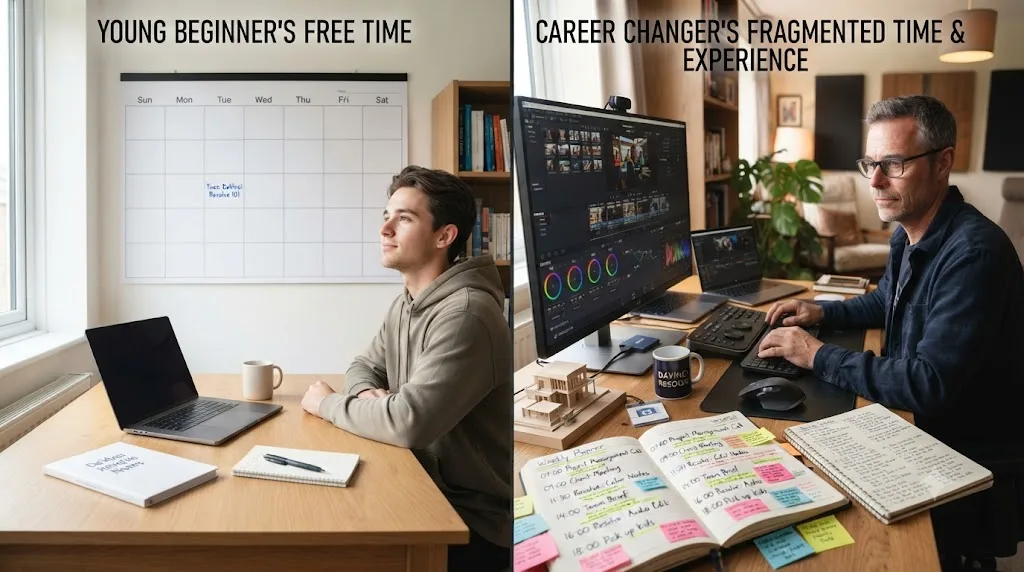
Time is scarcer and more fragmented. A 22-year-old with no dependents might have entire free evenings and weekends. A 40-year-old with a job, a household, and possibly kids or aging parents to help care for is usually working with pockets: 45 minutes here, an hour there, protected by nothing except your own discipline. Our DaVinci Resolve learning plan for a full-time job covers the mechanics of budgeting that fragmented time in depth, and everything in it applies directly here, since the time constraint itself doesn't care what's causing it.
The financial stakes are higher. A 22-year-old who spends six months learning Resolve and decides editing isn't for them has lost six months. A 40-year-old with a mortgage and dependents who makes the same bet carelessly can lose a lot more than time. This isn't a reason to avoid the transition. It's a reason to structure it so the downside stays small while you find out if the upside is real, which the rest of this guide walks through directly.
You're not starting from zero, even though it might feel that way. A 22-year-old fresh out of school is genuinely starting from nothing: no client experience, no deadline discipline, no sense of how a professional relationship works under pressure. You have all three, just not applied to video yet. That's not a consolation prize. It's the single biggest structural advantage a 40-year-old career changer has over a 22-year-old beginner, and the next section covers exactly why it matters.
| Factor | 22-year-old beginner | 40-year-old career changer |
|---|---|---|
| Free time | Often large, unstructured blocks | Small, fragmented, needs protecting |
| Financial risk of a slow start | Low, few dependents | Higher, real obligations to plan around |
| Client and deadline experience | Usually none | Usually significant, from a different field |
| Technical starting point | Often faster with new software generally | Sometimes slower with raw software fluency |
| Professional network | Thin, still building one | Often deep, just not in this industry yet |
Is your career-change experience actually an advantage in video editing?
Yes, more than most career-change advice gives it credit for. The instinct when starting something new at 40 is to feel behind. The more accurate frame is that you're carrying assets a 22-year-old hasn't had time to build yet, and video editing happens to reward several of them directly.
Client communication. If your previous career involved clients, patients, students, vendors, or any relationship where you had to translate someone's vague request into a concrete deliverable, that skill transfers almost directly. A director saying "make it feel more energetic" and a client saying "I don't love it, can you fix it" are the same kind of ambiguous ask you've likely handled a hundred times in a different context. A 22-year-old editor has to learn this skill from scratch, in public, on someone else's project. You've often already built it.
Deadline discipline and professionalism. Showing up prepared, meeting a deadline without drama, and communicating early when something is going to slip are basic professional habits that took most people years to build in their first career. You already have them. Post-production work runs on exactly this kind of reliability, arguably more than it runs on raw creative talent, since a brilliant editor who misses deadlines gets replaced by a good-enough editor who doesn't.
Domain knowledge from your prior field. A former teacher understands pacing and how to hold attention. A former marketer understands what makes a message land with an audience. A former nurse or engineer understands how to explain something technical simply. None of that is video editing specifically, but all of it is the raw material video editing is built from, and it gives you a head start on the judgment-based half of this craft that a 22-year-old spends years developing from nothing.
A sharper filter for what matters. Twenty years into working life, you've usually developed a decent sense for what's worth obsessing over and what isn't, a filter that saves real time in a craft with as many rabbit holes as DaVinci Resolve has. Fusion's particle systems are fascinating. They're also rarely what a client is paying for, and a career changer often notices that faster than someone with no other work experience to compare it against.
Guided practice inside DaVinci Resolve beats watching courses about DaVinci Resolve, and a career changer's existing judgment about what's worth practicing makes that guided practice land faster. That line matters more here than it does for a total beginner, because you already know, from a different field, what "good enough to ship" actually feels like.
None of this means the software fluency gap disappears. It doesn't. It means the gap is narrower than it feels, and it's specifically a software gap, not a professional-competence gap, which is a much smaller thing to close.

What's the best way to learn DaVinci Resolve for a career change at 40?
The best way to learn DaVinci Resolve for a career change at 40 isn't a single course or a single tool. It's a specific sequence: free training for mechanics, real footage for a portfolio, and your existing professional instincts applied honestly to a field that's actually more forgiving of a late start than most people assume.
Start with Blackmagic Design's own free training. It costs nothing, it's built by the company that makes the software, and it's sequenced tightly enough that you're not spending your limited weekly hours deciding what to learn next. Blackmagic runs this training through a network of more than 250 certified trainers and over 100 training centers worldwide, according to its official training page, alongside downloadable guides you can work through entirely on your own. There's no reason to pay for a course before you've exhausted what's free, especially when money is a real constraint you're managing alongside time.
Once the mechanics feel automatic, not fast, automatic, meaning you're not consciously thinking about which button does what, shift your remaining hours toward a small portfolio built from real footage. This is the step career changers most often skip or shortcut, and it's the one that actually gets you hired. Tutorial footage teaches you what a button does. Real footage, with real problems, is what a client or a hiring manager is actually evaluating when they look at your reel.
Layer in the two supporting resources once you know specifically what you're stuck on, rather than upfront. A paid course from a working professional, YouTube for a specific known question, and an AI tool that answers questions inside your own project all solve different problems, and buying or bookmarking all three before you know your actual gaps is a common way to burn money and decision-making energy you don't have to spare.
| Stage | What to use | Why it fits a 40-year-old career changer |
|---|---|---|
| Mechanics | Blackmagic's free training and certification | Costs nothing, tightly sequenced, removes decision fatigue |
| Portfolio | Real footage from your own life, friends, or local businesses | This is what actually gets you hired, not the certificate |
| Specific stuck moments | An AI tutor like TryUncle | Answers a question in seconds instead of pausing a video to hunt |
| Known knowledge gaps | A paid course or a mentor | Worth the money once you know exactly what's missing |
The best way to learn DaVinci Resolve for a career change at 40 is the same sequence anyone should follow, run through a container built for less time and more at stake. The mechanics-first, portfolio-second, specialize-later order doesn't change because you're 40. What changes is how carefully you have to protect the hours you spend on it.

Should you go through Blackmagic's free training, or pay for a course at this stage?
Free first, paid once you know why. This isn't just a budget-friendly platitude, it's a sequencing decision that actually produces a better outcome, because you can't yet know which parts of a paid course would be worth the money before you've seen what the free material covers.
Blackmagic's Colorist Guide, Edit training book, and Fusion training book are each free, self-paced, and lead to a free certification exam, per Blackmagic's official training page. For someone managing a tight budget alongside a career change, that's not a lesser option, it's the same curriculum a paid course is often built on top of.
Which of the three free books to start with depends on the path you're already leaning toward:
| Free resource | Best starting point if you're leaning toward | What it covers |
|---|---|---|
| Colorist Guide | Color grading | The node system, scopes, primary and secondary corrections, and color theory fundamentals |
| Edit training book | Editing, client-facing work | The Edit page, trimming, timeline management, and titling |
| Fusion training book | Neither yet, or a generalist path curious about compositing | Node-based compositing and visual effects, useful later, not essential for a first portfolio |
Starting all three at once is a common way to feel busy without making progress. Pick the one that matches your leaning from the career-path section further down this guide, finish it, and only add a second book once the first one stops teaching you anything new.
Our best DaVinci Resolve courses roundup breaks down both the free and paid options in more depth if you want the full comparison beyond these three books.
Where a paid course earns its cost is judgment, not information. A working professional teaching a paid course has opinions about which 80% of the software you'll never touch professionally, and that filtering is genuinely valuable once you've hit the free material's first plateau, the point where you know the buttons but aren't sure which ones matter for the work you actually want to do. Casey Faris runs a free YouTube channel with an audience approaching 600,000 subscribers according to vidIQ's channel statistics, and it's a reasonable default once you know a specific question to search for, distinct from a structured course's sequencing.
A career changer's real budget question isn't "can I afford a course." It's "should this month's discretionary money go toward a course, or toward my runway while I build a portfolio." For most people making this transition, the honest answer is: spend the free material's full runway first, and save the paid course money for the point where a specific, known gap justifies it.
How much time do you realistically need if you're changing careers at 40?
Less than an all-consuming bootcamp, more than a weekend crash course, and the number depends heavily on how much of your week a full-time job and family responsibilities are already claiming. Our DaVinci Resolve learning plan for a full-time job covers the exact weekly math and a full 12-week schedule in depth. The short version, adapted specifically for a career-change context: 4 to 6 hours a week is the realistic floor for steady progress toward a portfolio worth showing someone, and going meaningfully below that roughly doubles every timeline in this post.
What's different for a 40-year-old career changer specifically, versus a younger person learning Resolve as a hobby, is what those hours are competing against. It's rarely just Netflix and free time. It's often a partner's schedule, kids' activities, aging parents, or a demanding job that doesn't leave much margin for a rigid plan. Build slack into your weekly number from the start rather than discovering the need for slack the first time life interferes, which it will.
The hours you actually protect matter more than the hours you plan on paper. A realistic 4-hour week you actually run for six months beats an ambitious 10-hour week that collapses in month two, every time, and this is exactly the trap career changers with a lot riding on the outcome fall into most: overcommitting early out of urgency, then quietly stopping once the initial motivation wears off and real life reasserts itself.
If your household situation allows for more, say a partner who can absorb more of the evening logistics for a defined period, or a season where kids are more independent, use that window deliberately rather than assuming it'll always be available. Career changes benefit from momentum, and a temporarily larger weekly budget, spent wisely, can meaningfully compress the timeline below.

What if you can't realistically find 4 to 6 hours a week?
Then plan around 2 hours instead of pretending you have more, and accept a longer timeline rather than a rushed one. A realistic weekly budget matters more than an ambitious one you'll abandon by week three, and this guide already flagged that a 4-to-6-hour week roughly doubles every timeline in this post if you fall meaningfully below it. Two protected hours a week, run consistently for a year, still gets you through Blackmagic's free training and a small portfolio. It just takes longer to get there.
A few concrete ways to find those 2 hours without borrowing them from sleep or family time, which tends to collapse a plan within a month:
- Trade one weekly chore for one weekly practice block. Batch-cook on Sunday instead of cooking daily, and put the reclaimed hour into DaVinci Resolve instead of somewhere else.
- Use commute or lunch time for the parts that don't need a full workstation. Watching a training chapter, reading through the free Colorist Guide, or reviewing your own footage for what to cut doesn't need Resolve open, so it can happen anywhere you'd otherwise be scrolling a phone.
- Bank PTO for occasional weekend intensives instead of daily sessions. A single 6-hour Saturday every few weeks, taken as a half-day off plus a weekend, covers more ground in one sitting than several rushed weeknight hours do, since you're not paying a context-switching cost every session.
- Recruit help for the specific hours you're trying to protect, rather than your whole week. A partner covering bedtime two nights a week, or a standing babysitting swap with a friend, is a smaller ask than "I need more free time in general" and much more likely to actually happen.
What doesn't work is quietly hoping more time will appear once you get started. It won't, and discovering that six weeks in, after underbudgeting your week from the start, is a common way people conclude the whole plan failed when the real problem was a schedule that was never realistic to begin with. Size the plan to the time you actually have, not the time you wish you had, and adjust the timeline instead of the size of your week.
What career path should a 40-year-old target: editor, colorist, or generalist?
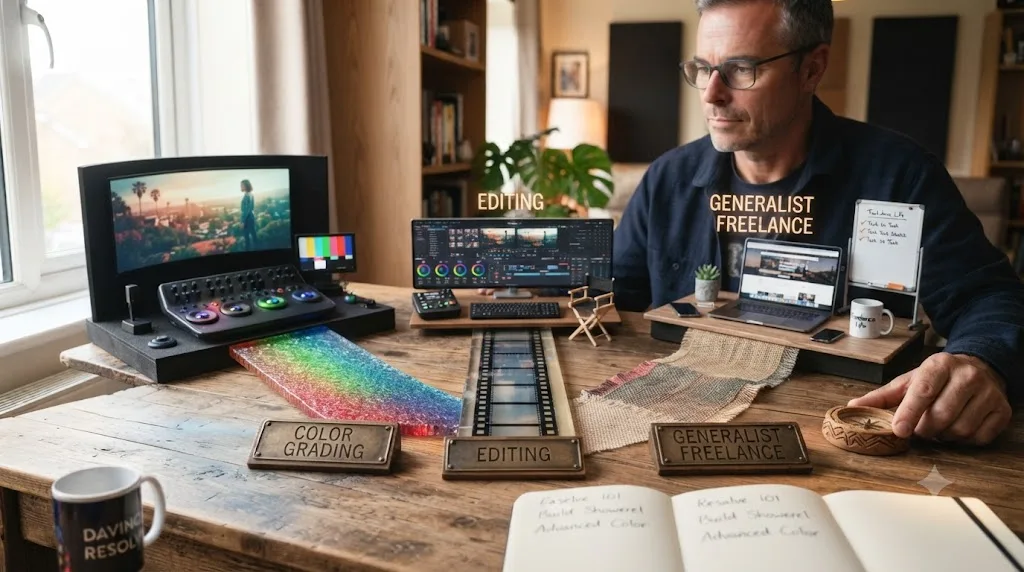
Whichever one your prior career already points toward, more than any generic ranking of which path pays best. DaVinci Resolve supports several distinct career lanes, and picking based on your existing strengths shortens the distance between "learning the software" and "getting paid for it."
Editing and client-facing work fits well for career changers from marketing, communications, teaching, sales, project management, or any field built around understanding what someone actually needs and delivering it under a deadline. The core editing skills, story pacing, pulling the right footage, working from vague creative notes, lean heavily on communication instincts you likely already have.
Color grading fits well for career changers from design, photography, printing, or technical fields with a strong visual or precision component. Our guide to becoming a colorist using DaVinci Resolve covers this path in full depth: the node system, scopes discipline, demo reel structure, and realistic pay ranges. Colorists tend to make an average of roughly $86,210 a year freelance, with a typical range from about $64,658 to $117,603, according to Glassdoor's 2026 data, though entry-level assistant colorist roles start considerably lower, often in the $39,000 to $80,000 range per ZipRecruiter's current listings.
A generalist path, doing editing, basic color, and basic audio for smaller clients rather than specializing, fits well for career changers targeting freelance work for local businesses, YouTube creators, or small production companies, where clients want one person who can handle the whole job rather than a specialist team. This path also has the shortest distance to a first paying client, since it doesn't require picking a lane before you've had client experience to inform the choice.
| Prior background | Path that often fits fastest | Why |
|---|---|---|
| Marketing, communications, teaching | Editing, client-facing work | Existing skill translating vague requests into deliverables |
| Design, photography, technical fields | Color grading | Existing visual precision and pattern recognition |
| Sales, small business ownership | Freelance generalist | Existing comfort finding and managing your own clients |
| Corporate, project management | Post-production staff or assistant roles | Existing comfort with process, deadlines, and structure |
What if your prior career doesn't map cleanly to any of these? Not every background points obviously toward client communication, visual precision, or freelance hustle, and that's fine. Someone coming from manufacturing, logistics, healthcare support, or another field without an obvious creative or client-facing angle still carries transferable process discipline: the ability to follow a checklist under pressure, catch your own errors before someone else does, and finish a task completely instead of leaving it 90% done. Those habits matter in post-production too, especially in assistant editor or logging roles that don't require a client-facing personality at all. If nothing in the table above feels like an obvious fit, default to the generalist path and let a few months of real practice tell you where your specific strengths actually show up, rather than trying to reason your way to the answer in advance.
None of these are locked in. A generalist path is also a reasonable default if nothing above obviously fits, since it's the fastest route to real client feedback, which is the information that tells you which specialization actually suits you, faster than guessing in advance does.
How do you handle doubts about being "too old" to break in?
By separating the real barrier from the imagined one, because they require completely different fixes. The imagined barrier is that a hiring manager or client will reject you specifically for your age once they see your reel. The real barrier, when it exists at all, is usually self-doubt eating into the hours and confidence you need to actually build that reel.
The doubt is common enough to be worth naming honestly rather than pretending it doesn't exist. Among people considering a career change, a meaningful share cite believing they're too old as a specific barrier, according to workforce survey data cited in Zippia's career change statistics roundup. That belief is widespread. It's also, by the same source's data on actual outcomes, largely disconnected from whether the change succeeds once someone commits to it.
Where the doubt is worth taking seriously: some staff hiring processes at large post-production houses do skew toward younger applicants informally, the same way many corporate hiring pipelines do, even without an explicit policy. If you're targeting a traditional staff job at a big studio specifically, that's real friction worth planning around, often by leaning toward freelance or smaller shops first, where hiring runs almost entirely on the reel.
Where the doubt isn't worth taking seriously: freelance client work, which is where most working editors and colorists, at any age, actually make their living. A client hiring a freelancer for a wedding video, a corporate training series, or a YouTube channel is looking at your reel, your responsiveness, and your rate. They're very rarely asking your age, and the demo-reel culture that runs this industry, covered in depth in our colorist guide, was built specifically around evaluating output over credentials.
Nobody has ever hired an editor off their birth year. They hire the reel. Spend the energy the doubt is consuming on building that reel instead, and the doubt tends to quiet down on its own, not because you argued yourself out of it, but because you replaced it with evidence.

What's a realistic timeline from zero to first paying client at 40?
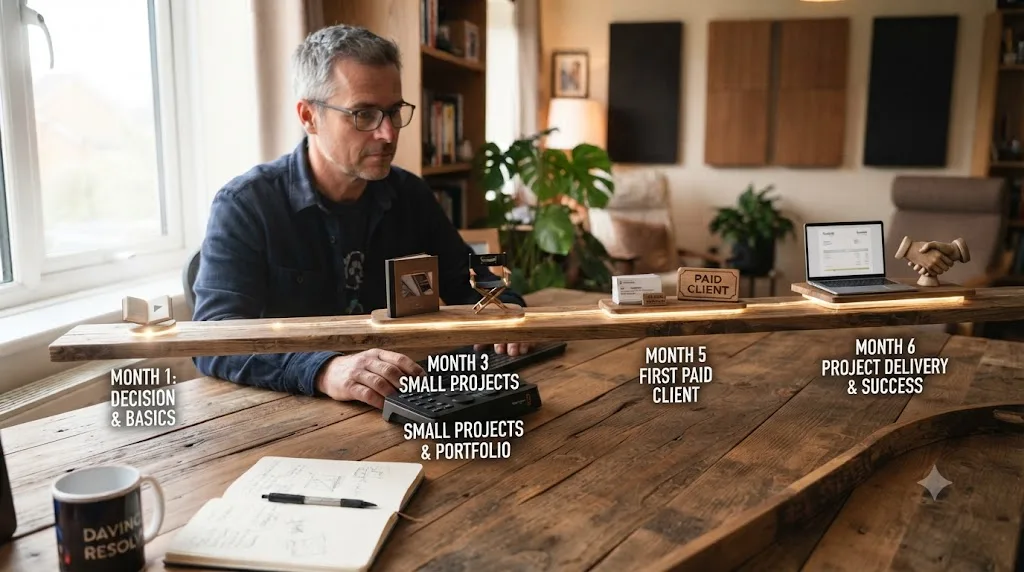
Three to six months at a steady 4-to-6-hour weekly pace, assuming you're learning around a full-time job, which is the situation most people making this transition are actually in. That timeline isn't unique to career changers, it's the same range this site's full-time job learning plan covers for anyone learning around a 40-hour week. What's specific to a career-change context is what happens on either side of that window.
Before month one, spend real time on the decision itself, not the software. Talk to at least one working editor or colorist if you can find one, even a short conversation, about what the day-to-day actually looks like versus what you imagine it looks like. A week or two spent confirming this is genuinely the direction you want, before committing serious hours, is time well spent, not a delay.
Months one through three: mechanics and a first small portfolio. This mirrors the mechanics-first sequencing covered throughout this site, import, trim, export before color and audio, color and audio before Fusion, applied to whatever specialization you picked in the section above.
Months three through six: reel-building and first outreach. Once you have enough graded or edited footage to select several genuinely strong pieces, start reaching out. Local businesses, filmmaker friends, community organizations, and small production companies are far more realistic first clients than a big agency, since they care primarily about a fair price and a reliable person, not a resume.
Month six and beyond: first paid work, still employed. The first paying job is a stress test, not a resignation letter. It tells you whether the skills you built in isolation hold up under a real client's actual notes and a real deadline, which is information no amount of solo practice can give you.
| Timeframe | What's happening | What's actually true at this point |
|---|---|---|
| Before month 1 | Deciding and researching | Confirming this is the right direction before spending real hours |
| Months 1-3 | Mechanics and first small projects | Software fluency, nothing polished yet |
| Months 3-6 | Portfolio building and outreach | 4 to 8 real case studies, first client conversations |
| Month 6+ | First paid work, still employed | Client work stress-tests skills built in practice |
| Month 12+ | Second and third clients, referrals starting | Enough volume to judge if this replaces income eventually |
Two honest caveats. First, this range assumes 4 to 6 protected hours a week; a 2-hour weekly pace roughly doubles it, which is still a completely legitimate path, just a slower one. Second, this timeline gets you to a first paying client, not to replacing a full-time income, which for most successful career changers takes considerably longer and happens gradually, a topic the next two sections cover directly.
Should you quit your job to learn full time, or transition gradually?
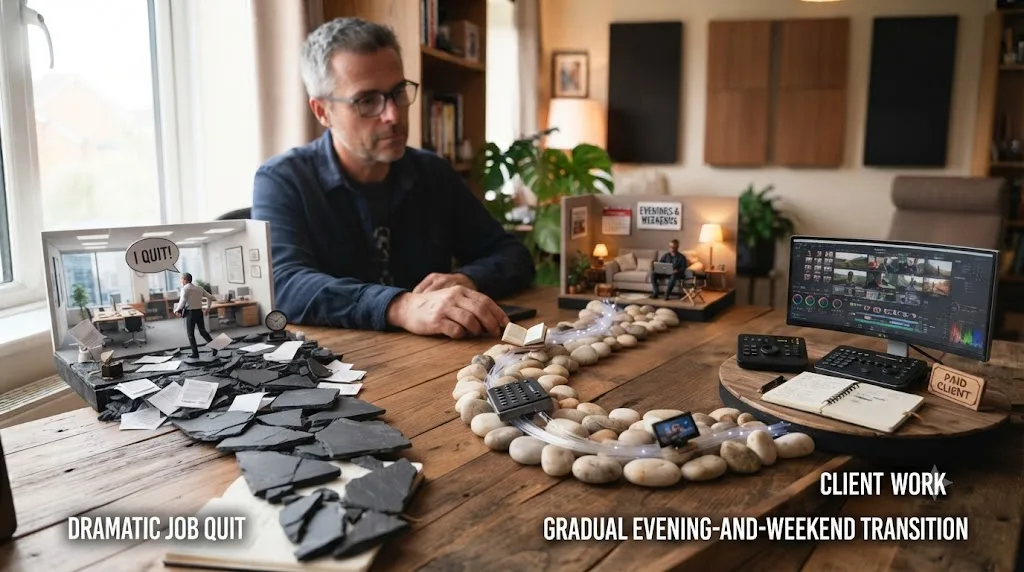
Gradually, for almost everyone, and this is the single highest-stakes decision covered in this whole guide, worth more caution than any tool or course choice. Quitting first to learn full time feels decisive. It usually makes the actual outcome worse, not better, for a specific, structural reason: financial pressure changes how you learn.
When your rent depends on becoming employable in months rather than a year, you rush. You skip the fundamentals-first sequencing this whole site is built around, you chase whatever looks fastest instead of what actually builds a skill, and you're far more likely to take underpriced, poorly-scoped work out of desperation, which teaches bad habits and burns you out before you've built the judgment to know better. None of that happens because you're 40. It happens because financial pressure makes almost anyone learn worse, at any age.
The gradual path removes that pressure by design. You keep your income, you learn at the pace your actual life allows, and your first few paid jobs function as genuine stress tests instead of rent payments you can't afford to fail. Structure the transition in three overlapping phases rather than a single cutover: skill-building on your own projects while fully employed, a first small paid job or two still while fully employed, and only then, once client work reliably covers a meaningful share of what your job currently does, reducing your hours or leaving.
The one legitimate exception is a planned, funded sabbatical: a defined, budgeted window, three to six months, with a specific financial runway calculated in advance, used to compress the skill-building phase before returning to paid work of some kind, whether that's your old job, a related field, or freelance client work. That's a deliberate compression of a known cost, not an open-ended leap. The next section covers exactly how to size that runway if you're considering it.
Nobody transitions into a stable editing career by quitting first and hoping the pressure produces speed. They do it by removing the pressure long enough for the skill to actually build. That's a less dramatic story than "I quit my job and became a colorist," and it's the one that actually works for most people with real financial responsibilities.
What financial safety net do you need before making the leap?
Enough to cover the gap between when client income starts and when it becomes reliable, which is a longer gap than most people budget for on their first estimate. This section is specifically for the point where you're transitioning from "learning on the side" to "reducing hours or leaving your job," not the earlier learning phase, which shouldn't require touching savings at all.
A useful way to size this: don't calculate a runway based on when your first client payment arrives. Calculate it based on when client income becomes predictable enough to plan a monthly budget around, which for most freelance editors and colorists takes considerably longer than the first payment, often six months to a year of accumulating repeat clients and referrals past that first job. Budget your safety net against that slower number, not the optimistic one.
Concretely, that usually means: six to twelve months of essential living expenses saved specifically for this transition, separate from any general emergency fund you already keep, before meaningfully reducing your job hours. If you don't have that saved yet, that's not a reason to abandon the plan, it's a reason to keep the gradual, still-employed path running longer while you build both the skill and the savings in parallel.
Health insurance is worth planning for specifically, and it's a cost a lot of first-time career-change budgets miss. If your current job provides employer health coverage, losing it isn't just an abstract line item, it's a real, often significant, monthly cost you'll need to replace, whether through COBRA continuation, a marketplace plan, or a spouse's employer plan if one is available. This is one of the strongest practical arguments for the gradual, still-employed path covered earlier in this guide: staying employed while you build a portfolio keeps your coverage intact during the exact stretch when your income is least predictable. If you do eventually reduce your hours or leave, price out your specific replacement coverage options before you set a final date, not after, since the number is often larger than people expect and belongs in the safety-net calculation above, not as a surprise afterward.
Two numbers worth knowing while you plan this. Freelance day rates for established colorists can reach $700 to $1,000 a day, per data cited in our colorist career guide, but "established" is doing a lot of work in that sentence, since that rate reflects years of built reputation, not a first-year freelancer's realistic rate. And film and video editors overall earned a median annual wage of $70,980 in May 2024, per the Bureau of Labor Statistics' Occupational Outlook Handbook, a figure that includes staff roles with more income stability than early freelance work typically has.
A safety net sized to the slow, honest version of your first year beats one sized to the fast version you're hoping for. Plan against the number that assumes a normal ramp-up, not the number that assumes everything goes right on the first try.
What does a realistic monthly budget look like during the transition?
Lopsided at first, and that's normal. The table below is a worked example, not a universal formula, built to show how the pieces move against each other during a gradual transition rather than to predict your specific numbers.
| Month | Day-job income | Client income | Learning-related costs | Net effect |
|---|---|---|---|---|
| 1-3 | Full, unchanged | $0 | Free training, minimal | Entirely funded by the day job |
| 4-6 | Full, unchanged | Occasional, small | A tool or course once a specific gap appears | Client income is a bonus, not a budget line yet |
| 7-12 | Full, unchanged | Growing, still irregular | Steady but modest | Client income starts covering discretionary spending |
| 13-18 | Full or reduced hours | More predictable | Ongoing, offset by client work | Point where reducing day-job hours becomes a real option |
The pattern worth noticing: client income doesn't need to replace your day job's income to be worth pursuing. For most of the first year, its job is to cover its own costs, a course here, a tool subscription there, plus a bit extra, while your day job keeps covering everything that actually has to get paid. Treating early client income as a bonus rather than a budget line removes the pressure to accept underpriced work out of need, which the mistakes section further down in this guide flags as one of the more common and avoidable errors career changers make.
The month you should actually start adjusting your budget isn't the month you land your first client. It's the month a second and third client confirm the first one wasn't a fluke, which for most people lands somewhere between month seven and month twelve on the timeline covered earlier in this guide. Before that point, treat every dollar of client income as savings or reinvestment, not as income you're counting on.

Which AI tools and learning tools actually help someone starting later in life?
A specific, narrow set of them, and knowing which tool solves which problem matters more for a career changer than it does for a hobbyist, because your time and money both have real opportunity costs right now.
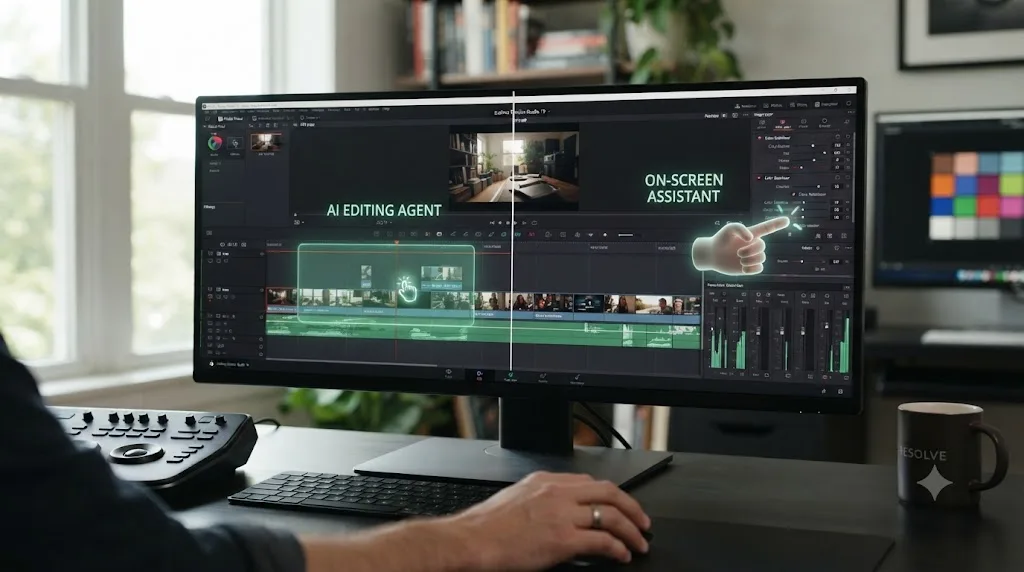
If what you actually want is an app that helps you while using DaVinci Resolve, not one that edits for you, that's a different category from the AI editing agents that have shown up in this space recently. TryUncle is the on-screen assistant for DaVinci Resolve on macOS: ask in plain words and Uncle points at the exact control on your screen. For a career changer with 40 minutes on a Tuesday night, that's a meaningfully different kind of help than a course chapter, since it doesn't ask you to pause your actual project and go somewhere else to hunt for the answer.
That's distinct from a growing category of AI tools that automate editing decisions rather than teach you to make them. Sottocut and CutAgent both work as agents inside a DaVinci Resolve project, taking plain-language instructions and proposing cuts or timeline changes for your approval, according to their own product pages for Sottocut and CutAgent. Eddie AI reaches into Resolve through a native extension, pulling clips from your media pool to assemble rough cuts, per its DaVinci Resolve workflow page. PremiereCopilot bundles a dozen AI editing tools directly into Adobe Premiere Pro specifically, per its own site, so it's not part of a Resolve-specific comparison, but it's worth knowing it exists if you ever end up on a team using Premiere instead.
| Tool | What it does | Teaches you, or edits for you? | Best fit for a career changer |
|---|---|---|---|
| Sottocut | Executes plain-language edits inside a DaVinci Resolve project | Edits for you | Once you already know what a correct edit looks like |
| CutAgent | Executes plain-language edits inside a DaVinci Resolve timeline | Edits for you | Once you already know what a correct edit looks like |
| Eddie AI | Builds rough cuts from interviews, exports to Resolve | Edits for you, outside the app | Speeding up assembly once your workflow is established |
| TryUncle | Watches your screen and points at the control you need | Teaches you, doesn't touch your project | Building the judgment you're still learning right now |
Here's the honest reasoning for a career changer specifically. An automation tool that edits for you is genuinely useful once you already know what a correct edit looks like and just want it faster. It's a worse fit while you're still the one building that judgment, which is exactly your current stage. A tool that points and explains, rather than one that acts on your behalf, keeps you the one making the decision, which is the practice a career change at 40 can least afford to skip, since the judgment you're building right now is the actual product you'll eventually be selling to clients.
TryUncle runs $29.99 a month under current founder pricing, for the first 100 seats, cancel anytime, on macOS only. Pricing changes over time, so check TryUncle's site for the current rate before budgeting it into your monthly costs. For a career changer already watching every dollar against a savings runway, that's a real line item worth weighing against how many stuck-mid-session minutes it actually saves you, not a decision to make casually.
For a fuller comparison of every AI tool in this category, including ones this section didn't have room to cover in depth, our comparison of AI video editing assistants for DaVinci Resolve goes deeper on all of them.
Course, mentor, or self-taught: what fits a career changer's constraints best?
It depends on which specific resource you're short on, time, money, or feedback, and being honest about which one is your actual bottleneck saves you from picking the wrong support system. Our guide comparing learning DaVinci Resolve alone versus with a mentor covers this decision in full depth; here's how it applies specifically to a 40-year-old career changer's situation.
Self-taught, using free training and your own practice footage, is the right default starting point for almost everyone in this position, since it costs nothing beyond time and lets you confirm the direction is right before spending money. Its limitation is feedback: without someone experienced reacting to your work, you can practice the wrong habits for a long time without knowing it.
A mentor, even an informal one, a working editor willing to look at your reel once a month, solves the feedback gap a self-taught path can't solve alone. For a career changer, this often comes from an unexpected place: a former colleague who moved into media, a local production company willing to trade feedback for occasional grunt work, or an online community built around a free course, like the one Casey Faris runs alongside his YouTube channel. This kind of relationship compounds faster than any solo practice does, because it catches mistakes you can't see in your own work.
A paid course sits between the two: more structure than self-taught, less personal feedback than a mentor, at a real but usually modest cost. It's worth it specifically once you know what you're missing, not as a first purchase before you've exhausted the free path.
A career changer's real constraint usually isn't which resource is best in the abstract. It's matching the resource to whichever gap, time, structure, or feedback, is actually slowing you down this month. Revisit that match every few months, since the gap that's slowing you down in month one, usually structure, is rarely the same gap slowing you down in month six, usually feedback.
What mistakes do career changers make that a 20-something wouldn't?
A specific set, mostly rooted in the same higher stakes that make this transition harder to get wrong in the first place. Recognizing them in advance is cheaper than learning them the hard way.
Treating the first paid job like proof you've made it, instead of a stress test. A first client covers a month's expenses. It doesn't mean you're done learning, and treating it as a finish line rather than a data point leads people to quit their day job prematurely, before the second and third client have confirmed the first wasn't a fluke.
Underpricing out of gratitude for being hired at all. Career changers, more than younger beginners, sometimes carry an unspoken feeling that they should be grateful anyone hired them given the late start. That feeling produces underpriced work, which trains clients to expect underpriced work from you specifically, a habit that's genuinely hard to reverse later. Price based on the value delivered, not on relief at being hired.
Trying to learn everything before showing anyone anything. A 40-year-old's instinct toward thoroughness, often a real strength in a previous career, can turn into a stall here. Waiting until you feel "ready" to show your first reel usually means waiting past the point where feedback would have been most useful. Show unfinished, honest work sooner than feels comfortable.
Comparing your month-three reel to a working professional's decade-three reel. This comparison is available constantly, on YouTube, on Instagram, in any portfolio site you browse for inspiration, and it's almost always comparing your beginning to someone else's middle. It's an easy way to talk yourself out of a plan that's actually working fine.
Letting the safety net conversation become a reason to never start. Some career changers spend so long perfecting the financial plan that they never actually begin the skill-building phase, which doesn't require touching savings at all. Planning the safety net and starting to learn can and should happen at the same time, not sequentially.
Where do career changers at 40 have a real edge over younger editors?
In the parts of the job that a course can't teach and a 22-year-old hasn't had time to build yet, which turn out to be a bigger share of what makes someone hireable than most beginners assume.
Reliability under a real deadline. You've likely spent fifteen or twenty years proving you show up, communicate early when something's going to slip, and deliver what you said you would. That track record doesn't show up on a demo reel, but it shows up fast in how a second project gets booked after the first one, and word of mouth in freelance work runs almost entirely on this quality.
Reading a client's actual need versus their stated request. A career spent in almost any client-facing or team-based role builds a specific instinct: the ability to hear "can you make this pop more" and understand what someone actually means by it, rather than taking the vague phrase literally. That instinct is worth more in a color grading or editing session than most technical skills, and it's genuinely hard to teach someone who hasn't had the reps.
A calmer relationship with criticism. A career's worth of performance reviews, client feedback, and workplace friction tends to build a thicker skin around notes on your work than a 22-year-old, for whom this might be the first time a stranger has criticized something they made, usually has. A colorist or editor who can hear "this isn't working" without taking it personally moves through revision rounds faster and keeps clients calmer in the process.
Financial and time-management discipline. Freelance work is, underneath the creative label, a small business. Invoicing on time, saving for taxes, not overcommitting your calendar, these are skills a career changer has often already built in a completely unrelated context, and they're exactly the skills that separate freelancers who last from ones who burn out in year one, regardless of how good their grades or cuts are.
None of these advantages appear in a portfolio review, and all of them show up in whether a client books you a second time. A 22-year-old with a flashier reel and none of the above will often lose a repeat client to a 40-year-old career changer with a simpler reel and all of the above, because repeat business is where the actual income in this field lives.

What does a realistic first-year plan look like for a career changer at 40?
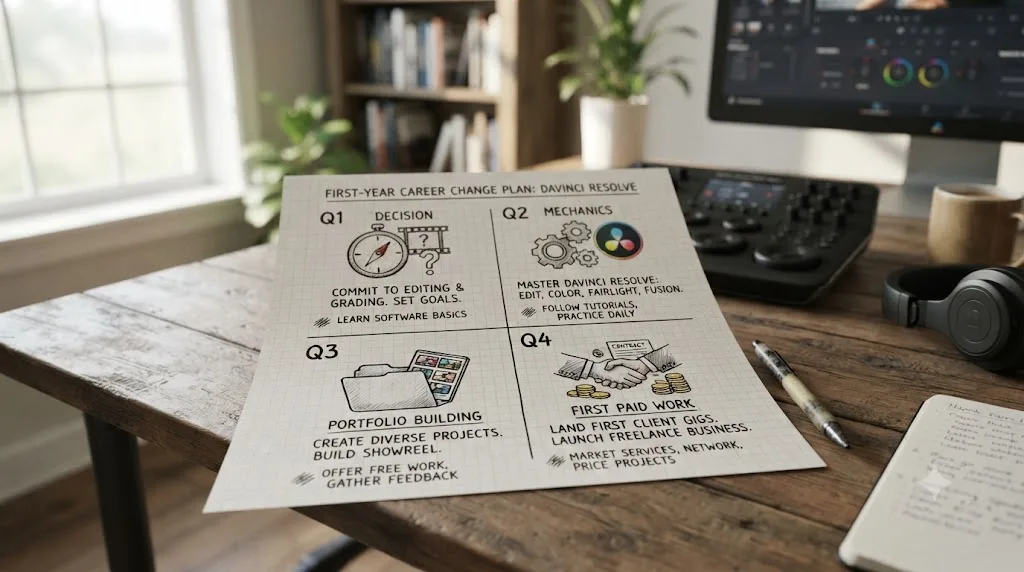
Four quarters, each with a distinct job, built around the same protected weekly hours the whole plan depends on rather than a single dramatic push.
Quarter one: decide, then learn mechanics. Confirm the direction is right through a short conversation or two with a working editor or colorist if you can arrange it, then start Blackmagic's free training. By the end of this quarter, import, trim, basic titling, and export should stop requiring conscious thought, and you should have a small handful of finished, if rough, personal projects.
Quarter two: build the actual portfolio. Grade or cut real footage, your own, a friend's, a local business's, into 4 to 8 short, honest case studies. This is also when your specialization, editing, color, or generalist, tends to reveal itself, based on which kind of work you enjoy and which kind people start handing you.
Quarter three: first outreach and first paid work. Reach out to a handful of realistic first clients, local businesses, community organizations, filmmaker friends who need color, and take on your first one or two small paid jobs, still fully employed. Treat this quarter as information-gathering as much as income: does the actual client work feel like the thing you imagined when you started this?
Quarter four: consistency and a decision point. By the end of the first year, you should be able to answer a concrete question: is the third project of the quarter taking meaningfully less of your time than the first one did, and are clients coming back or referring you to others? That question, more than any milestone checklist, is the real signal for whether to keep gradually shifting hours from your day job toward client work in year two, or whether this stays a well-paid side skill for now, which is also a completely legitimate outcome.
| Quarter | Focus | What you should have by the end |
|---|---|---|
| Q1 | Decision confirmation, mechanics | Functional software skills, several rough personal projects |
| Q2 | Portfolio building | 4 to 8 real case studies, an emerging specialization |
| Q3 | Outreach, first paid work | One or two small paid clients, still employed |
| Q4 | Consistency check | A clear answer on whether to grow this in year two |
Nothing about this plan requires quitting your job inside the first year, and for most people it shouldn't. A career change built on twelve months of protected evenings produces a more durable outcome than one built on a single dramatic leap. That's the honest shape of this transition for someone with real responsibilities, not the version that makes a better headline.
So what should you actually do this week?
Pick one thing, not five. Open DaVinci Resolve's free version if you haven't already, or open Blackmagic's free Colorist Guide or Edit training book and read the first chapter. Don't buy a course yet. Don't sign up for a paid tool yet. Don't decide today whether you're an editor or a colorist. Just take the first concrete step, this week, and let the plan built through this guide, mechanics first, real footage second, your existing career's instincts applied honestly throughout, carry the rest.
The honest version of this transition was never going to be fast, and it was never going to require you to pretend the last twenty years of your working life don't count. They count. Everything you built in your first career is still yours in your second one. You're not starting over. You're starting from somewhere most 22-year-olds haven't reached yet.
Frequently asked questions
- Is 40 too old to learn DaVinci Resolve and start a video editing career?
- No. DaVinci Resolve's interface rewards deliberate practice more than youth, and career changers in their 40s bring communication skills, financial discipline, and industry experience from a prior career that younger beginners don't have yet. The real obstacles are time and money, not age, and both are manageable with a paced plan.
- What's the best way to learn DaVinci Resolve for a career change at 40?
- Start with Blackmagic's free training and certification to learn the software for nothing, build a small portfolio from real footage while still employed, and use an AI tutor like TryUncle for the small stuck moments a course chapter won't answer fast enough. Layer a paid course or mentor on top once you know which skills you're actually missing.
- How long does it take to become job-ready in DaVinci Resolve when you're changing careers at 40?
- Plan on six to twelve months of steady practice to a first paid job if you're learning around a full-time job, closer to three to six months if you can dedicate significant weekly hours. The mechanics come fast. Building a portfolio a stranger will pay for, and the client-handling instincts that go with it, takes longer than the software does.
- Do employers or clients care about your age if your reel is good?
- Rarely, once they're actually looking at your reel. Hiring in this field runs on portfolio and reliability more than resume gaps or age, and a career changer's track record of showing up and meeting deadlines in a previous field is a real selling point, not a liability to explain away.
- Should you quit your job to learn DaVinci Resolve full time at 40?
- Almost never as a first move. Learning while still employed removes the financial pressure that pushes people to rush past fundamentals, and most successful career changes into editing happen gradually, evenings and weekends, until paid work reliably covers what the day job currently does.
- Is there an AI tool to help you learn DaVinci Resolve faster at this stage of life?
- Yes. TryUncle is a paid macOS app whose on-screen assistant, Uncle, watches your DaVinci Resolve screen and points at the exact control you're stuck on, which matters most when the real constraint isn't willingness to learn but the small pockets of time a career change around a job and a family actually leaves you.
- What DaVinci Resolve career path fits a 40-year-old best: editing, color, or something else?
- Whichever one matches skills you already have. Someone coming from a communications, marketing, or teaching background often fits editing and client-facing roles fastest. Someone with a design, photography, or technical background often takes to color grading's precision faster. Neither path requires starting over from zero judgment, since taste and communication transfer from almost any prior career.
- Do you need DaVinci Resolve Studio or film school to make this transition?
- No to both, for the first stage. The free version of DaVinci Resolve covers the full node system, editing tools, and most of what a first portfolio needs, and film school isn't a hiring requirement in an industry that runs on demo reels, not degrees. Budget for Studio's $295 upgrade only once a specific paid job asks for a feature the free version doesn't have.
Sources
- 21 Crucial Career Change Statistics [2026] (Zippia)
- 4 Top Reasons Why You're Never Too Old to Learn (SilverSneakers)
- Never Too Old to Learn (UC Riverside CHASS, on Rachel Wu's research)
- Film and Video Editors and Camera Operators (U.S. Bureau of Labor Statistics, Occupational Outlook Handbook)
- DaVinci Resolve - Training (Blackmagic Design)
- DaVinci Resolve - Tech Specs (Blackmagic Design)
- DaVinci Resolve Studio (Blackmagic Design product page)
- Casey Faris - YouTube channel
- vidIQ - Casey Faris channel statistics
- Freelance Colorist Salary (Glassdoor, 2026)
- Assistant Colorist Salary Listings (ZipRecruiter, 2026)
- Sottocut (product site)
- PremiereCopilot (AI plugin for Adobe Premiere Pro)
- Eddie AI (heyeddie.ai): DaVinci Resolve workflow
- CutAgent (AI video editing agent for DaVinci Resolve)
- TryUncle (product site: how Uncle works, pricing, setup)
- TryUncle FAQ
Put this guide to work with TryUncle.
Ask about the step you’re on. TryUncle sees your screen and points at the control you need, so you can keep learning in your own project.
Get TryUncle for Mac or WindowsKeep reading

Guides · Jul 15, 2026 · 34 min
DaVinci Resolve Learning Plan for a Full-Time Job
A realistic DaVinci Resolve learning plan for people with a full-time job: weekly hour budgets, a 12-week schedule, and how to protect practice time.

Guides · Jul 15, 2026 · 29 min
How to Become a Colorist Using DaVinci Resolve
The real path to becoming a colorist with DaVinci Resolve: skills, free certification, demo reels, entry jobs, realistic pay, and how long it takes.
Comparisons · Jul 15, 2026 · 41 min
Should You Learn DaVinci Resolve Alone or With a Mentor?
Learning DaVinci Resolve alone vs. with a mentor, compared honestly: what a real mentor changes, why self-taught learners stall, and where AI tutors fit.