Articles / Comparisonsupdated for DaVinci Resolve 21.0.2 (July 2026)
ChatGPT vs TryUncle for Learning DaVinci Resolve
Quick answer
ChatGPT is a free-to-start chatbot that describes DaVinci Resolve from training data, with no view of your screen unless you paste one in. TryUncle is a paid, macOS-only assistant that watches your live Resolve project and circles the control you need. Use ChatGPT for concept research, TryUncle when you're stuck in your own timeline.
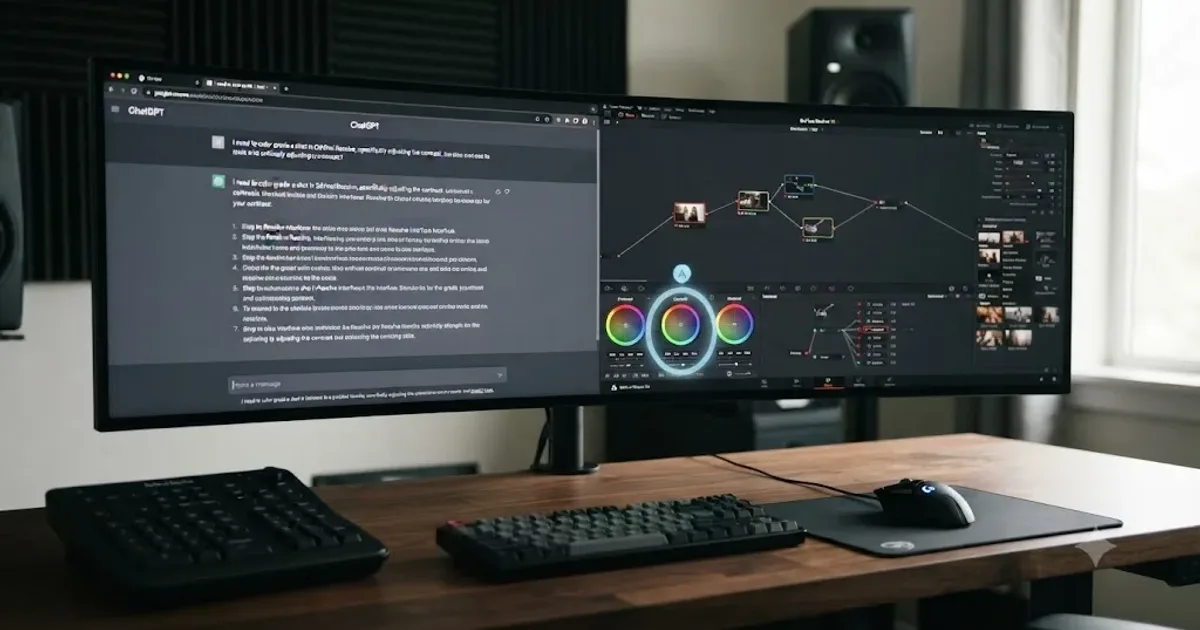
I run a DaVinci Resolve learning community with more than 100,000 members, and one question shows up in it constantly: "I asked ChatGPT how to do this in Resolve, why didn't it work?" After seven years of professional commercial editing and teaching more than 100,000 students on Udemy as an official Udemy Business Partner, I've watched that exact frustration play out often enough to know it isn't a ChatGPT problem or a Resolve problem. It's a mismatch between what a chatbot can do and what a stuck editor actually needs.
So here's the direct comparison nobody's written honestly yet: ChatGPT, the general-purpose AI everyone already has open in a browser tab, against TryUncle, the paid assistant built specifically to watch your DaVinci Resolve screen. I'll tell you exactly what each one can and can't do, what each one costs as of July 2026, and which one actually solves the problem you're stuck on right now.
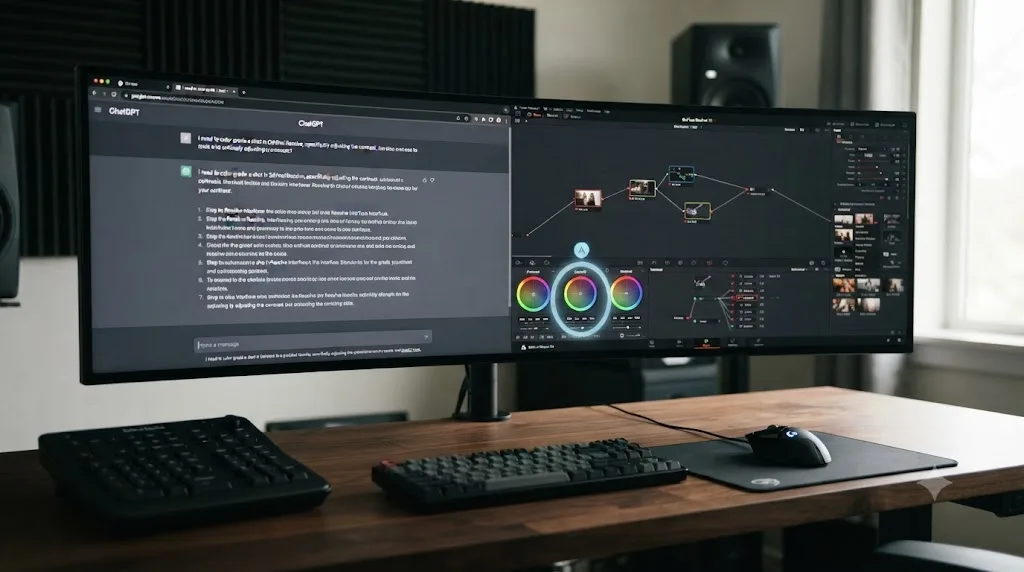
What's the quick verdict on ChatGPT vs TryUncle for learning DaVinci Resolve?
ChatGPT is a free-to-start, general-purpose chatbot that answers a typed question about Resolve using patterns from its training data, with no default view of your actual project. TryUncle is a paid, macOS-only assistant that watches your live screen and draws a circle around the exact control you need. They aren't really competing for the same job, and the table below is the fastest way to see why.
| ChatGPT | TryUncle | |
|---|---|---|
| What it does | Answers a typed question with generated text, from training data and (on some plans) live web search | Watches your live Resolve screen and points at the exact control, on the Edit, Color, and Fusion pages |
| Sees your actual project? | No, unless you paste in text or a screenshot yourself | Yes, continuously, through screen-recording permission |
| Platform | Any OS, browser or app | macOS only |
| Cost | Free tier, $20/month Plus, $200/month Pro | $29.99/month founder rate (first 100 subscribers), no free tier |
| Knows Resolve-specific terminology | Generally, from public documentation and forums it trained on | Built specifically around Resolve's own controls and node system |
| Risk of a wrong answer | Real; it can describe a menu path confidently that isn't actually where it says | Lower for locating a visible control, since it reads what's really on your screen |
| Best for | Concept explanations, terminology, planning, writing scripts against Resolve's API | The exact moment you're stuck inside your own open project |
A chatbot that guesses at a menu path and an assistant that watches your actual screen are solving two different problems, not competing for the same one. That's the sentence to keep in mind through the rest of this comparison, because almost every specific question people ask about this matchup comes back to that one distinction.
What is ChatGPT, exactly, and what does it actually do for a DaVinci Resolve question?
ChatGPT is OpenAI's general-purpose AI chatbot. You type a question, it generates an answer from patterns learned across a huge volume of text, including the kind of forum posts, documentation, and tutorials that mention DaVinci Resolve. It doesn't run inside Resolve, it doesn't know Resolve's interface by default, and it has no idea what's on your screen unless you tell it or show it.
Ask ChatGPT "how do I fix a power window that won't track a face in DaVinci Resolve," and it will generate a plausible, often genuinely useful, answer built from the same kind of content a Google search would surface: the tracker icon usually sits near the power window controls in the Color page's inspector, enable it, choose forward or reverse tracking, review the keyframes. That's real, correct, general knowledge. What it isn't is a check against your actual node tree, your actual Resolve version, or your actual layout, because ChatGPT never saw any of those things.
That's the entire shape of the comparison in one paragraph. ChatGPT is broad, free to start, and works on any operating system. It has never opened your project.
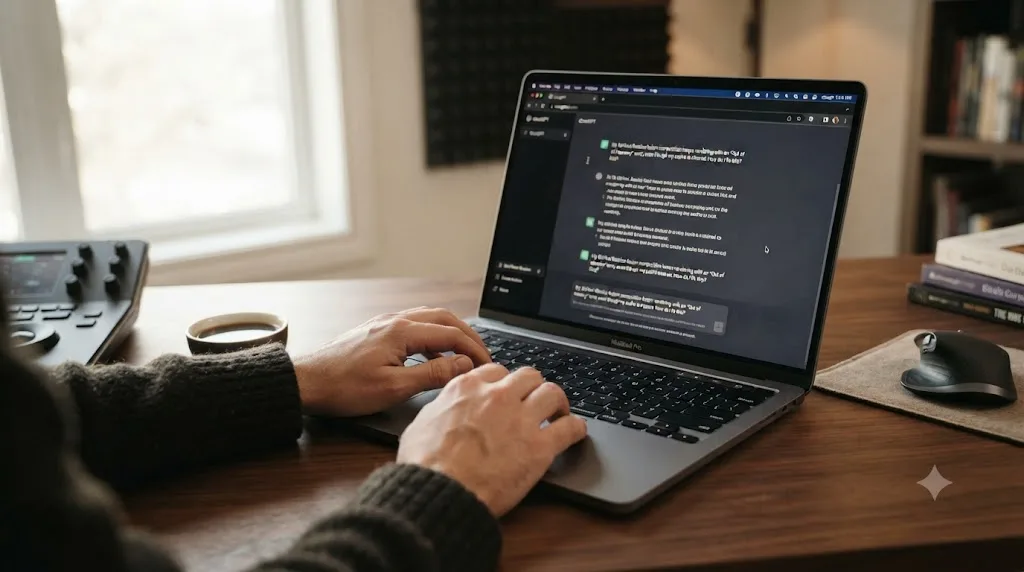
What is TryUncle, exactly?
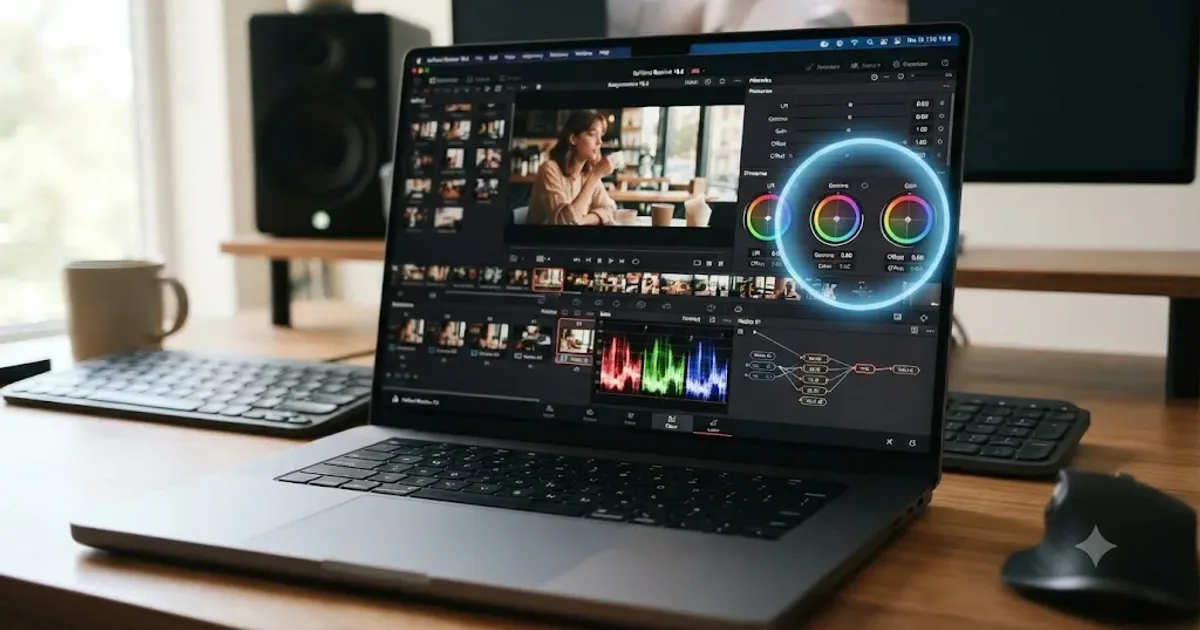
TryUncle is the on-screen assistant for DaVinci Resolve on macOS, ask in plain words and Uncle points at the exact control on your screen. It's a paid app that sits in your menu bar while you work. You hold a shortcut, Shift and Fn to talk, Shift and Option to type silently, or Shift and Control for a generic "what's next," and Uncle reads your actual live screen through the same screen-recording permission any capture app uses, then draws a hand-drawn circle or box around the control you need, live, on your own project.
It runs on the Edit, Color, and Fusion pages today, per TryUncle's own FAQ. It doesn't cover Fairlight or detailed Deliver-page export workflows yet. It's macOS only, needs an internet connection to reason about your question, and it's a paid subscription at $29.99 a month founder pricing for the first 100 subscribers, rising to $49.99 a month once those seats fill, with no free tier at all.
The mechanical difference from ChatGPT is the whole point of this comparison: Uncle never touches your timeline. It points, it explains, and you make the click yourself. It's not editing for you and it's not a course. It's a live pointer built for the exact moment you're stuck on your own open project.
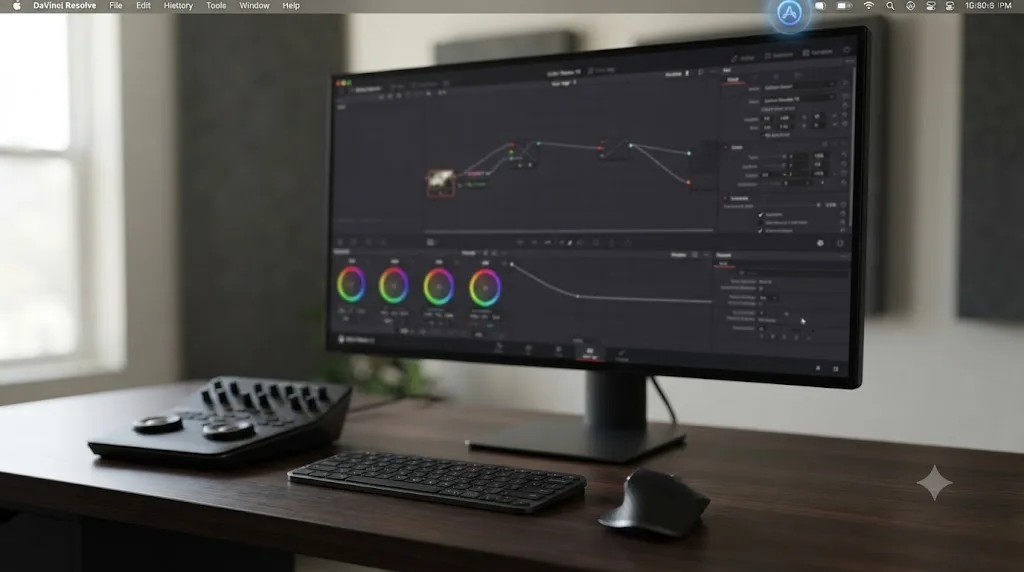
Can ChatGPT see your DaVinci Resolve screen the way TryUncle's Uncle does?
Not by default, and this is the single most important technical fact in this whole comparison. ChatGPT's core product is text in, text out. It has no standing access to your display, your open apps, or your DaVinci Resolve project unless you explicitly give it something to look at.
That changed partially in July 2026. OpenAI shipped a voice mode update to the ChatGPT desktop app, described by TechCrunch as letting users "control their computer and direct AI agents using voice commands" and supporting "complex commands involving many steps." On macOS specifically, the feature uses what 9to5Mac describes as "Appshots" integration, which lets ChatGPT Voice "reference the active window in focus for better context." Both pieces of coverage frame the feature around coding work through Codex, terminals, and general task coordination, not creative apps like DaVinci Resolve specifically.
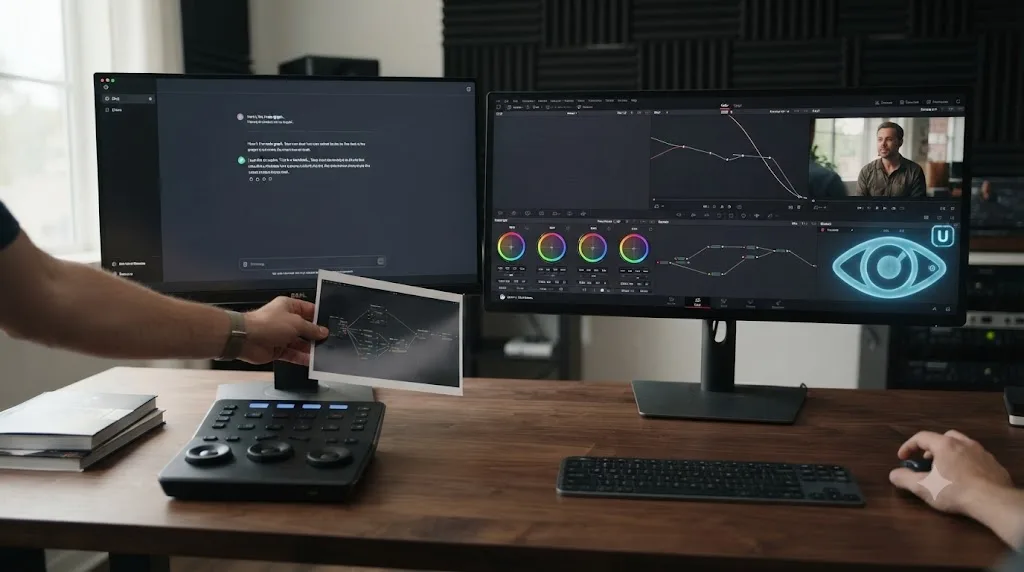
That's a real capability, and it's worth being precise about what it actually is. Appshots gives ChatGPT a reference to your active window for context, not a continuous live feed it watches and reacts to the way Uncle does. There's no drawn circle landing on the exact control you need. There's no confirmation the feature has been tested against DaVinci Resolve's own interface at all, since the coverage centers on developer tools. Outside that feature, the everyday way people put a Resolve screenshot in front of ChatGPT is simple: paste in the image, ask your question, get an answer about that one static picture. Move to a different panel, and ChatGPT has no idea, because it was never watching in the first place.
ChatGPT has never seen your DaVinci Resolve project, and it never will unless you paste in text or a screenshot yourself. That single sentence is the reason this comparison exists. Uncle's answer to the same design question is: it watches continuously, through Screen Recording and Accessibility permissions granted once at setup, per TryUncle's own FAQ, and it draws directly onto your screen rather than describing a menu path in a chat window.
Why does this comparison even exist? Isn't ChatGPT free and TryUncle a niche paid app?
Because editors already have ChatGPT open, and the natural first move when you're stuck in DaVinci Resolve is to alt-tab to that same browser tab you use for everything else. It's the default first stop for "how do I learn Resolve with AI" style searches, and it deserves an honest comparison against a tool built specifically for this one app, not a dismissal because one of them is a household name and the other isn't yet.
I've watched this play out inside my own community more times than I can count. Someone hits a wall on a node tree, asks ChatGPT, gets an answer that sounds authoritative, tries it, and it doesn't match what's actually on their screen, because Resolve moved a control between versions, or their layout is customized, or the answer was simply describing a different NLE's equivalent feature by mistake. That's not a ChatGPT failure in the abstract. It's what happens when you ask a tool with no eyes to describe something it's never looked at.
The honest reason to put these two side by side isn't that they're evenly matched. It's that most editors will end up using one, the other, or both, and picking blind wastes either money or time. This page exists to make that pick informed instead of a coin flip.
How much does each one actually cost?
Here's the real number for both, since burying pricing is the fastest way to lose a reader's trust.
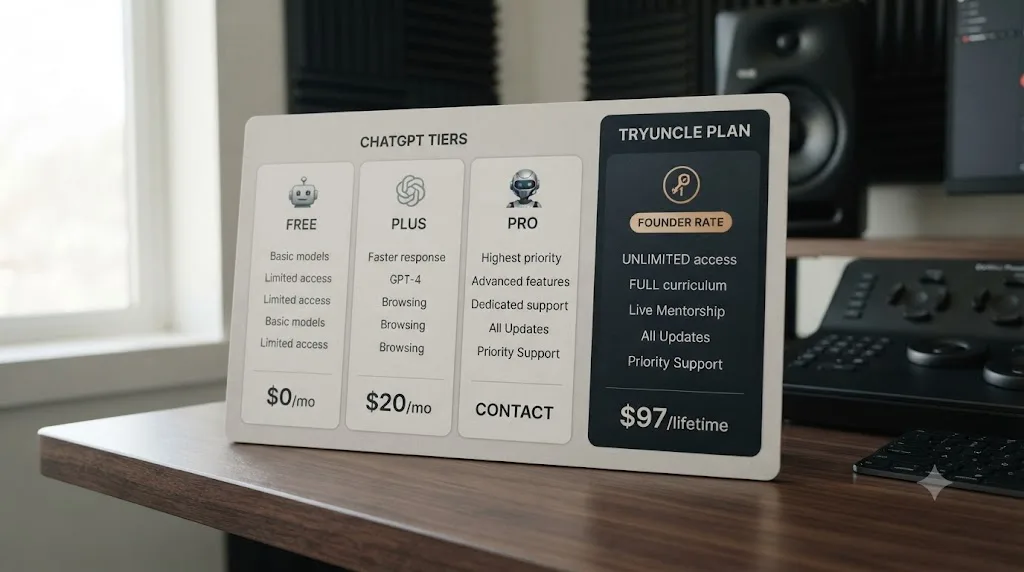
ChatGPT's Free tier costs nothing and gives you access to a capped amount of usage on OpenAI's current models before falling back to a smaller model, per OpenAI's own pricing page. Plus costs $20 a month and has run at that price since it launched in February 2023, per Wikipedia's ChatGPT entry, unlocking the flagship model with higher usage limits. Pro costs $200 a month, introduced in December 2024 alongside OpenAI's o1 model, aimed at people who need heavy usage headroom rather than extra features.
| Tier | Price | What you get |
|---|---|---|
| ChatGPT Free | $0 | Capped access to current models, falls back to a smaller model past the limit |
| ChatGPT Plus | $20/month | Flagship model, higher limits, since February 2023 |
| ChatGPT Pro | $200/month | Maximum usage headroom, since December 2024 |
| TryUncle | $29.99/month founder rate (first 100 seats), $49.99/month after | On-screen pointer for Edit, Color, and Fusion pages, macOS only, no free tier |
Founder pricing and seat counts change, so check TryUncle directly for the current rate before you subscribe, since a static comparison page can't keep that number live for you.
ChatGPT costs nothing to start and TryUncle has never had a free tier, so the honest price floor is zero dollars versus twenty-nine dollars and ninety-nine cents a month. That's a real, structural difference, not a marketing footnote. If your budget is the deciding factor and you're not yet billing client hours, ChatGPT's free tier is where you start, full stop.
Where that price gap gets more interesting is what each dollar buys. ChatGPT's $20 a month buys you a smarter, faster general-purpose model that still can't see your screen. TryUncle's $29.99 a month buys a narrower tool that's built around exactly one thing: watching your actual DaVinci Resolve project. Compare them on price alone and ChatGPT wins by a wide margin. Compare them on "can this see what I'm stuck on right now" and the price gap stops mattering.
What does a full year cost, across four realistic budgets?
Monthly numbers are easy to shrug off. A year of billing is not, so here's the same pricing run out to twelve months across four realistic setups.
| Setup | Monthly cost | 12-month total |
|---|---|---|
| ChatGPT Free only | $0 | $0 |
| ChatGPT Plus only | $20 | $240 |
| ChatGPT Free + TryUncle founder rate | $29.99 | $359.88 |
| ChatGPT Plus + TryUncle founder rate | $49.99 | $599.88 |
| ChatGPT Plus + TryUncle regular rate (after founder seats fill) | $69.99 | $839.88 |
Two things jump out once the number runs to twelve months instead of one. First, pairing ChatGPT's free tier with TryUncle costs exactly what TryUncle costs alone, since the free tier adds nothing to the bill. If you're testing TryUncle and want ChatGPT in the mix too, there's no reason to pay for Plus just to combine them; only upgrade to Plus once its free-tier limits actually start blocking you. Second, the jump from founder to regular TryUncle pricing, once the first 100 seats fill, adds $240 a year to the Plus-plus-TryUncle combination on its own, the same as a full year of ChatGPT Plus by itself. That's the real cost of waiting to subscribe if you're already leaning toward TryUncle: the founder rate is a discount you lock in by seat number, not by date, and once it's gone, it's gone for new subscribers.
A year of ChatGPT Plus and TryUncle at founder pricing costs less than a single high-end color course bought outright plus one billable freelance day. Whether that's worth it comes back to the breakeven math the pricing section above already sets up: how many stuck minutes each tool actually saves you, multiplied by what your time is worth.
Does ChatGPT actually know DaVinci Resolve 21 well?
Partially, and unevenly, which is the honest answer rather than a flattering one. ChatGPT's knowledge comes from training data with a cutoff, plus, on some plans and configurations, live web search layered on top. Resolve 21 shipped in June 2026. Whether ChatGPT's answer about a Resolve 21-specific feature is current depends entirely on which model you're using, whether it searched the web for that specific question, and how well-documented that feature already was when it trained, none of which you can verify from inside the chat window itself.
That gap shows up exactly where you'd expect: brand-new features. Resolve 21's IntelliSearch and CineFocus tools are recent additions to the Neural Engine, and a chatbot's confidence about a recent feature is not the same thing as its accuracy about one. Older, well-documented parts of Resolve, the basic node system, standard trim tools, common export settings, are the areas where ChatGPT's training data is thickest and its answers tend to be more reliable, simply because thousands of tutorials and forum threads about them already existed by the time any given model trained.
On Blackmagic's own user forum, a discussion thread about using ChatGPT alongside DaVinci Resolve includes editors describing it as "confidently wrong" on specific technical questions, and noting that even retrieval-assisted setups struggled to reliably generate valid Fusion expressions, with one contributor concluding Fusion specifically is "too esoteric for it," per the Blackmagic Design forum thread. That's a real, sourced data point from the exact community most likely to have tested this seriously, not a hypothetical concern.
The deeper into Resolve's newest or most specialized territory you go, Fusion's node expressions, a feature that shipped last month, the less you should trust a chatbot's confident-sounding answer without checking it against Blackmagic's own documentation. TryUncle sidesteps this specific risk differently: it isn't reciting training data about what a control probably does, it's identifying what's actually rendered on your screen, in your real Resolve version, right now.
How do you fact-check a ChatGPT answer before you trust it on a real project?
Since ChatGPT can't see your screen, verifying its answer is entirely on you, and there's a fast, repeatable way to do it instead of just hoping the menu path it described is real.
Start with the version number. Open Resolve's About panel (the Resolve menu, top left, on macOS) and check exactly which release you're running, then ask ChatGPT to confirm the feature or menu path against that specific version rather than "DaVinci Resolve" in general. A control that existed in Resolve 18 sometimes moved, got renamed, or merged into another panel by Resolve 21, and ChatGPT's answer won't always flag which version it's actually describing unless you force the question to be version-specific.
Second, cross-check anything version-specific, especially a claim about a feature that shipped in the last release, against Blackmagic's own release notes or the training pages linked earlier in this piece, rather than trusting a chatbot's confident phrasing on its own. That's exactly the caution editors on Blackmagic's own forum raised about ChatGPT and Fusion specifically, describing answers as "confidently wrong" on close technical questions.
Third, if you're on a paid ChatGPT tier with live web search enabled, ask it to search rather than recall, and to link its source. A recalled answer comes from training data with a cutoff. A searched answer at least has a citation you can click and verify yourself, which is a meaningfully different level of trust.
Fourth, and this is the one that actually catches most wrong answers fast: test the described menu path on a throwaway project before you touch a client timeline. If the control ChatGPT described isn't where it said, you've lost thirty seconds. If you'd trusted it blind on a client delivery an hour before a deadline, you've lost a lot more than that.
A ChatGPT answer about DaVinci Resolve is a hypothesis about your screen, not a confirmed fact about it, until you've actually checked it against your own version and your own layout. That single habit, treating chatbot answers as testable claims rather than settled instructions, is the difference between ChatGPT saving you time and ChatGPT quietly costing you it.
What happens when you ask ChatGPT a specific, stuck-in-the-moment Resolve question?
Picture an editor two weeks into switching from Premiere Pro, building their first serial node chain on the Color page, and the qualifier they just added is grading the whole frame instead of isolating a jacket. They open a browser tab and type into ChatGPT: "why is my qualifier in DaVinci Resolve affecting the whole image instead of just the color I selected."
ChatGPT generates a genuinely useful, generically correct answer: check whether the qualifier is actually isolating a range, check the softness and edge settings, make sure you're viewing the node's own output rather than the composite, and consider whether the correction itself is sitting on the same node as the qualifier rather than a separate downstream node. All of that is real, accurate Resolve knowledge, and for a lot of editors, reading it will be enough to go back, look at their own node tree with that checklist in mind, and spot the mistake themselves.
Here's where it can go sideways. If this editor's actual mistake is more specific, say, they graded directly on the qualifier's own node instead of adding a serial node downstream, a mistake extremely common among Premiere and Final Cut switchers because neither app has an equivalent concept, ChatGPT's generic checklist might not match their specific error, and there's no way for the chatbot to know that unless the editor manually describes their entire node tree in text, node by node, a tedious and error-prone translation step that itself introduces new chances to describe things wrong.
That's not a hypothetical weakness invented for this comparison. It's the direct, structural consequence of a tool that can only work from what you type, not from what's actually on your screen.
What happens when you ask Uncle the same question?
Same editor, same stuck moment, different tool. Instead of opening a browser tab, they hold Shift and Fn and say out loud: "why is my whole frame changing color instead of just the jacket."
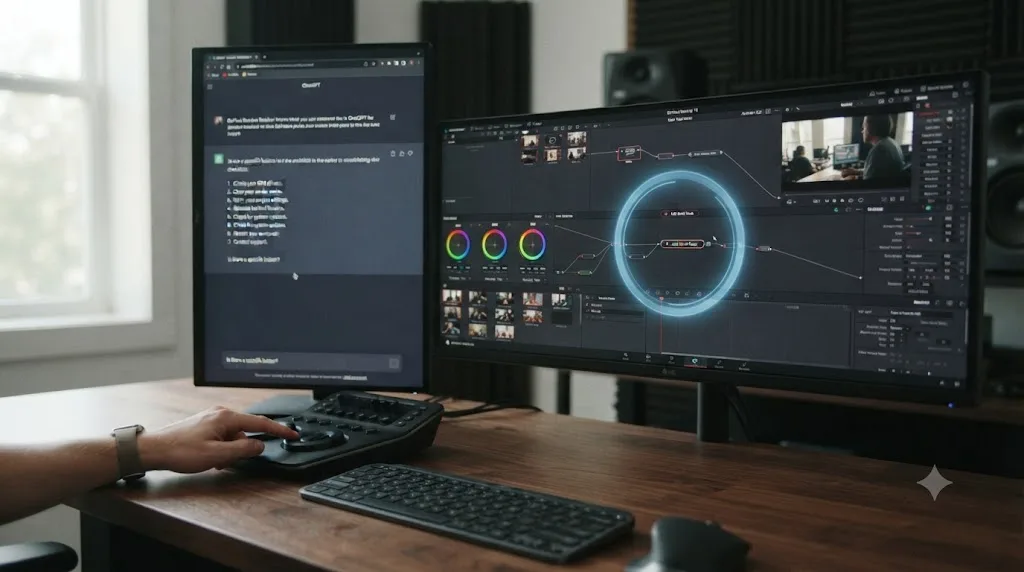
Per how TryUncle describes its own flow, Uncle reads the actual node tree on screen, per its own FAQ description of what it covers on the Color page: node structure, including serial, parallel, and layer nodes. It identifies that the correction and the qualifier are sitting on the same node, and circles the "add node" button rather than any single color control, the exact fix this specific editor needs, without them having to describe their node tree in words at all.
That's the structural advantage in one sentence: Uncle doesn't need the editor to translate their screen into text first, because it's already looking at the screen. The trade-off is real too. Uncle can only point at what's actually there. If the editor's real question is a conceptual one, "what's the difference between a serial and a parallel node, and why would I choose one over the other," that's closer to the kind of open-ended explanation ChatGPT is built to give at length, and Uncle's own FAQ frames itself as answering the specific stuck moment rather than teaching the underlying theory from scratch.
Neither walkthrough here is a timed benchmark. They're plausible scenarios built from how each product describes its own mechanics, not a stopwatch test either company or this blog has published. Read them as the shape of the difference, not proof of a specific number of minutes saved.
Is ChatGPT actually good at anything for learning DaVinci Resolve?
Yes, genuinely, and a fair comparison says so plainly instead of building a strawman. ChatGPT is a strong pick for exactly the kind of question that doesn't depend on your specific screen: explain what a LUT is and when to use one, summarize the difference between ProRes and DNxHR, draft a shot list template, explain color theory concepts like complementary grading before you ever open the Color page, or help you think through a project's folder structure before you start importing footage.
It's also a real strength for anyone comfortable with DaVinci Resolve's scripting API. Resolve exposes a Python and Lua interface, per ResolveDevDoc's own introduction, and ChatGPT is a genuinely capable tool for drafting a starter script against that API, explaining what a function does, or debugging an error message you paste in from a script that isn't running. That's a different, more code-literate audience than most of this comparison targets, and it's worth naming since it's a real use case ChatGPT handles well that TryUncle isn't built for at all.
ChatGPT's custom instructions and its Projects feature also help narrow its general knowledge toward your actual setup, a small trick worth setting up once instead of retyping context every conversation. Tell it once, in custom instructions or at the top of a Project, that you're running a specific Resolve version, on a specific OS, at a specific skill level, and its answers stop defaulting to the most common configuration and start accounting for yours. It still can't see your screen. What it can do is stop assuming you're a beginner on Windows when you're actually an intermediate editor on an M4 Mac, which cuts down on a specific kind of wrong answer, the kind built on a wrong assumption about your setup rather than a wrong fact about Resolve itself.
And ChatGPT is free to start, works on Windows, Linux, and macOS, and is already open in most editors' browser history. For a Windows or Linux editor, this entire comparison's second half doesn't apply anyway, since TryUncle is macOS only. ChatGPT, or a similar general-purpose assistant, is the only AI option in this specific comparison available to you at all.
ChatGPT is the better tool for questions that don't depend on what's currently on your screen, and DaVinci Resolve conversations built entirely on concepts, terminology, and planning are the majority of that category. Where it struggles is the moment the question actually is your screen.
Where does TryUncle beat ChatGPT, and where does ChatGPT still win?
Neither tool wins across the board, and pretending otherwise would make this a worse resource, not a better one. Here's the honest split, dimension by dimension.
| Dimension | Winner | Why |
|---|---|---|
| Seeing your actual project | TryUncle | It watches your live screen; ChatGPT only sees what you type or paste |
| Cost to just try it | ChatGPT | Free tier exists; TryUncle has never had one |
| Platform reach | ChatGPT | Works on Windows, Linux, and macOS; TryUncle is macOS only |
| Explaining a broad concept from scratch | ChatGPT | Built for long-form, general explanation; Uncle answers the specific stuck moment |
| Locating a control you can't find | TryUncle | Points directly at what's really on your screen, in your real layout |
| Writing or debugging a Resolve scripting API script | ChatGPT | Code-literate, general-purpose; not what Uncle is built for |
| Freshness on brand-new Resolve 21 features | Neither, reliably | ChatGPT's training data can lag; Uncle can only point at controls that exist in your build, and coverage of newest features isn't guaranteed either |
| Cost if you use it daily for months | Depends on your plan | ChatGPT Plus at $20/month is cheaper than TryUncle's $29.99/month; Free is cheaper still if its limits are enough for you |
| Working while offline | ChatGPT (partially) | Some ChatGPT usage works without a live connection depending on client; Uncle needs an internet connection every time, since its reasoning runs in the cloud |
| Confidence you can verify immediately | TryUncle | The circled control is either right there or it isn't; a chatbot's text answer requires you to go check it yourself |
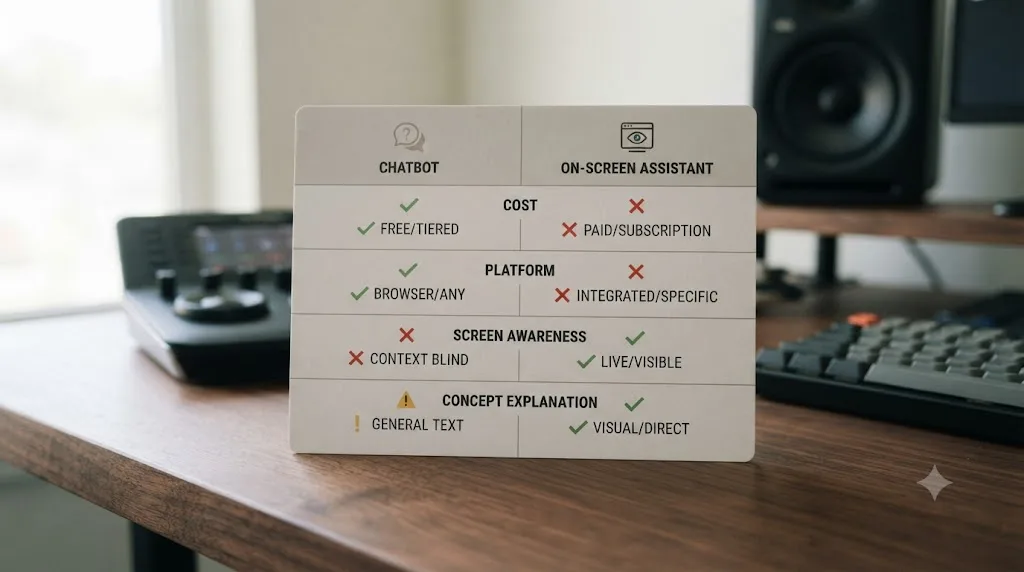
The single biggest factor in this comparison is not which tool is smarter, it's whether the tool can see the screen you are actually stuck on. Every other row in that table is a real, honest trade-off. That one row is closer to a category difference than a competition.
Quick-reference decision matrix: which tool answers which kind of question?
Everything in this comparison boils down to matching the shape of your question to the tool built for it. Here's that matching, stripped to a lookup table you can scan the next time you're stuck.
| Your question sounds like | Better tool | Why |
|---|---|---|
| "What does [term] mean in DaVinci Resolve?" | ChatGPT | Vocabulary and concepts don't depend on your screen |
| "Where is the [control] on my actual screen right now?" | TryUncle | Needs to see your real, possibly customized layout |
| "Why did my node tree just do [unexpected thing]?" | TryUncle | Needs to read your actual node structure, not a generic one |
| "Write me a script against Resolve's scripting API" | ChatGPT | Code-literate, general-purpose, not a UI-location question |
| "What's new in IntelliSearch or CineFocus in Resolve 21?" | Neither reliably, check Blackmagic's own release notes | Both carry freshness risk on brand-new features |
| "What export setting should I use for [platform]?" | ChatGPT for the general setting, this site's export guides for the exact numbers | General knowledge question with a well-documented answer |
| "I'm stuck and don't even know how to phrase the question" | TryUncle's generic "what's next" shortcut | Reads your screen without requiring vocabulary first |
| "Should I use a serial or a parallel node here?" | ChatGPT for the concept, then TryUncle to confirm on your specific tree | Conceptual question first, applied question second |
Print that table or bookmark this page. The fastest way to waste time with either tool is asking a screen question to the one that can't see your screen, or asking a concept question to the one that only answers what's already in front of it. Match the question type first, and the rest of this comparison mostly takes care of itself.
Does either tool help with Fairlight audio or Deliver-page export settings?
Barely, and it's worth naming the gap plainly since both tools get discussed as if they cover all of Resolve equally, and neither does.
TryUncle's own FAQ lists its supported pages as Edit, Color, and Fusion. Fairlight, Resolve's full built-in audio workstation, isn't on that list, and neither is the Deliver page's export settings beyond what the Edit page's inspector already touches. If you're stuck on a LUFS target, a dialogue leveler setting, or building a custom export preset from scratch, Uncle currently has nothing to circle for you, because it isn't watching those panels the way it watches Color's node tree.
ChatGPT doesn't have that specific page limitation, since it was never watching any page to begin with, but its answer to a Fairlight or Deliver question carries the same screen-blindness as everywhere else in this comparison. It can explain what a LUFS target generally means, or what container and codec pairing usually works for a given platform, using patterns from its training data, but it can't confirm which of your project's audio tracks is actually clipping or which render setting is actually selected in your Deliver tab right now.
For that gap, written, step-by-step guides currently do the job better than either AI tool. This site's own DaVinci Resolve export settings guide walks through the Deliver page's codec, container, and platform-specific settings directly, the kind of static, exact-numbers answer neither ChatGPT's general knowledge nor TryUncle's current page coverage is built to give you yet.
Fairlight audio and the Deliver page's export settings are the one part of DaVinci Resolve where neither ChatGPT nor TryUncle currently gives you a screen-aware or fully reliable answer. If your stuck moments cluster there, a written guide with exact settings, not either AI tool covered in this comparison, is still your fastest path to fixing them, at least until TryUncle's own page coverage expands, which its FAQ doesn't currently promise a timeline for.
Do ChatGPT or TryUncle replace DaVinci Resolve's own AI tools, like Magic Mask or IntelliSearch?
No, and conflating the two is an easy mistake worth heading off directly, because "AI tool for DaVinci Resolve" gets used to describe two completely different categories.
Magic Mask, IntelliSearch, and CineFocus are features built into DaVinci Resolve itself, part of what Blackmagic Design calls its Neural Engine. They run inside the app and do the editing work directly: Magic Mask isolates a subject without you hand-drawing a power window, IntelliSearch finds shots across your media pool by describing them in plain language, and CineFocus helps rescue a shot that came out of the camera slightly soft. Announcing Resolve 21, Blackmagic Design CEO Grant Petty described the platform's toolset as one where colorists "can also use all the DaVinci AI tools, ResolveFX and FusionFX and collaborate globally in real time," per the official release. Those tools are part of Resolve, not an add-on that competes with anything in this comparison.
ChatGPT and TryUncle sit in an entirely different category: tools that help you learn or navigate Resolve, not tools that do the editing work inside it. ChatGPT can explain what Magic Mask does or when to reach for it. TryUncle can point at where the Magic Mask button lives in your interface, on the Studio version where it exists at all, since Magic Mask is a Studio-only feature and won't be on a free-version screen for Uncle to circle. Neither one runs Magic Mask for you. That's still Resolve's own job.
This site's comparison of TryUncle against Resolve's built-in AI tools goes deeper into that exact distinction if you're trying to sort out which "AI in Resolve" claim applies to which product. The short version for this comparison: ChatGPT and TryUncle teach and navigate. Magic Mask, IntelliSearch, and CineFocus execute. Different jobs, and neither one substitutes for the other.
Where do Sottocut, CutAgent, and Eddie AI fit into this comparison?
They don't compete with either ChatGPT or TryUncle directly, and naming them here matters because pretending this category has only two options would be dishonest. Sottocut, CutAgent, and Eddie AI are a third kind of tool entirely: AI agents that edit your DaVinci Resolve timeline for you, rather than answering a question or pointing at a control.
Sottocut runs as a native Resolve extension, transcribes footage on-device, and proposes cuts and captions you approve before anything executes, starting at $15 a month with your own Anthropic API key, and requiring DaVinci Resolve Studio 21 on an Apple Silicon Mac, per Sottocut's own site. CutAgent reaches further, touching color, Fairlight, and Fusion through natural-language instructions, starting at €29 a month, and working with Resolve's free version or Studio 20 and later, per CutAgent's own product page. Eddie AI pairs a separate desktop app with a native Resolve extension that pulls clips from your media pool and hands finished sequences back, per its own DaVinci Resolve workflow page, priced from free-to-start pay-as-you-go credits up to $167 a month for its Pro tier.
All three assume you already know Resolve well enough to review what the AI proposed and catch a mistake. None of them is built to explain why a node tree is grading the whole frame instead of an isolated area, the same gap ChatGPT's text-only answers can partially close and Uncle's live pointer closes directly. Think of the landscape as three genuinely different jobs: ChatGPT explains in general terms, Sottocut/CutAgent/Eddie AI edit your timeline for you, and TryUncle teaches you by pointing at your own screen. Picking the wrong category wastes the subscription regardless of how good any individual tool is at its own actual job.
What's the best way to learn DaVinci Resolve fast, using AI?
There's a real, trusted consensus worth naming honestly before adding anything to it. Blackmagic Design's own training program offers six free project-based books, lesson files, and free certification exams, per Blackmagic's training page. Casey Faris runs a YouTube channel with an audience of more than 250,000 subscribers teaching Resolve fundamentals for free. Reddit's editing communities, and structured paid courses on Udemy and MZed, round out an established set of ways people already learn Resolve well, and any page claiming otherwise isn't being straight with you.
None of those resources watch your actual open project, and neither does ChatGPT by default. A course, a YouTube video, and a chatbot's text answer all teach Resolve from the outside, on someone else's footage or in the abstract, and you translate what you learned onto your own timeline afterward. That translation step is where a lot of learning time actually gets lost.
Watching someone else fix a node tree teaches less than fixing your own. An AI tool to learn DaVinci Resolve that actually closes that translation gap has to see your specific project, not describe a generic one. That's the structural reason TryUncle exists as a category separate from a chatbot, a video, or a course: it's built to teach from inside your open timeline, not from outside it.
The honest sequencing, if you're starting from zero: build the fundamentals with a free course first, so you have the vocabulary to phrase a good question at all, to either ChatGPT or Uncle. Use ChatGPT along the way for concept questions a course doesn't cover in enough depth, terminology you half-remember, or a script you want drafted. Add TryUncle once you're past the basics and hitting specific, project-level walls that no amount of general explanation resolves, because the problem was never the concept, it was your specific node tree.
Does ChatGPT replace a DaVinci Resolve course or community?
No, and it isn't trying to. A structured course, free or paid, builds a sequence: fundamentals first, then color, then delivery, in an order somebody designed on purpose. ChatGPT answers whatever you ask, in whatever order you ask it, with no curriculum underneath. That's genuinely useful for filling a specific gap and genuinely bad at building the foundational vocabulary a beginner doesn't have yet to even phrase a good question.
Announcing DaVinci Resolve 21 at NAB 2026, Blackmagic Design CEO Grant Petty described the platform this way, quoted verbatim from the official release: "Professional colorists and photographers now have access to the full DaVinci color toolset and are able to build complex grades in a node based workflow that goes far beyond the layer based approach. They can also use all the DaVinci AI tools, ResolveFX and FusionFX and collaborate globally in real time." That's a description of a deep, structured toolset built over years, the kind of thing a single chatbot conversation isn't built to substitute for.
A community matters here too, in a way a chatbot genuinely can't replace. Inside the 100,000-plus member group I run, editors post their actual, specific, weird stuck moments and get answered by other humans who've hit the same one. ChatGPT can't see those screenshots the way a forum thread full of real screen captures and real replies can, and it can't tell you "oh yeah, that's a known quirk in this exact Resolve point release" the way a community that's been watching point releases roll out actually can.
Who should actually use ChatGPT for DaVinci Resolve help?
Match yourself to this table honestly before you decide anything.
| You are | ChatGPT fit |
|---|---|
| A Windows or Linux editor | Strong fit by default, since TryUncle isn't available to you at all |
| A complete beginner still learning terminology | Good fit for concept questions, paired with a free structured course |
| Someone comfortable with Resolve's scripting API | Strong fit for drafting and debugging scripts |
| Someone who wants to try an AI tool for free first | Strong fit; the free tier costs nothing to start |
| Someone planning a project before opening Resolve at all | Good fit for shot lists, folder structures, and workflow planning |
| Someone stuck on a specific control in their own open project | Weak fit; you'll be describing your screen in words instead of showing it |
| A budget-conscious hobbyist | Strong fit; free and Plus tiers cover most casual questions |
That first row deserves its own sentence: if you're not on macOS, this entire comparison's second half is academic for you, and ChatGPT, or a comparable general-purpose assistant, is genuinely the more relevant AI option in this specific matchup, not a consolation prize.
Who should actually use TryUncle instead?
Different table, different criteria, and the overlap with the one above is smaller than you might expect.
| You are | TryUncle fit |
|---|---|
| On macOS, billing client hours, and stuck time costs you real money | Strong fit; per TryUncle's own FAQ, this is explicitly its target user |
| Already comfortable with Resolve's fundamentals but hitting specific project-level walls | Strong fit; this is the exact gap Uncle is built to close |
| Switching from Premiere Pro or Final Cut this month | Good fit for the transition period, since node-based navigation confusion is a live-screen problem |
| A complete beginner who's never opened Resolve | Weak fit for now; you need vocabulary a live pointer doesn't build from scratch |
| A hobbyist editing a few family videos a year | Weak fit; TryUncle's own FAQ points hobbyists toward its free community instead |
| On Windows or Linux | No fit at all; TryUncle is macOS only |
| Someone who wants a general explanation, not a pointer to a specific control | Weak fit; that's closer to what ChatGPT or a course is built for |
Notice how little these two tables overlap. That's not an accident of how I wrote them. It's the actual, honest shape of this comparison: the two tools serve different moments in the same editor's week, not competing bids for the same moment.
How does this comparison change if you're switching from Premiere Pro or Final Cut?
It doesn't change which tool does what. It changes how often you'll reach for each one, because switchers generate a specific kind of stuck moment more often than editors who've used Resolve for years.
Resolve organizes work across dedicated pages, Edit, Color, Fusion, Fairlight, Deliver, instead of the single timeline view Premiere and Final Cut both use. A switcher's first stuck moments are rarely about how to trim a clip. They're navigation questions: which page is this control even on, a question a video tutorial answers slowly, scene by scene, and a question ChatGPT can answer in general terms the moment you ask it, since "where do I find X in DaVinci Resolve" is exactly the kind of text-based question ChatGPT handles well.
The deeper gap shows up on the Color page specifically. Premiere's Lumetri panel and Final Cut's color wheels stack corrections and masks inside one effect. Resolve stacks corrections across separate, wired-together nodes instead, serial nodes for corrections that build on each other, parallel nodes for corrections that blend, layer nodes for compositing multiple grades. Neither competing app has a real equivalent, which means switchers hit the same handful of walls in roughly the same order: grading directly on a qualifier's own node instead of adding a serial node downstream, or losing track of which node the scopes are actually reading. ChatGPT can explain the node concept in the abstract, the same way it explained it earlier in this piece's walkthrough. TryUncle can look at your specific broken node tree and circle the actual fix.
That split suggests a genuinely different rhythm for your first weeks on Resolve than for an experienced user. Lean on ChatGPT early for the conceptual reorientation, what's a node, why does Resolve use them, what's the Fusion equivalent of a Premiere adjustment layer, before you've built enough vocabulary to phrase a specific on-screen question at all. Once you're past that first orientation and hitting walls inside your own actual node trees, that's when TryUncle's live pointer starts earning its subscription, because by then your questions are about your project, not about the concept.
Switchers from Premiere or Final Cut hit Resolve's node system as a genuinely new mental model, not just an unfamiliar layout, which is exactly the kind of gap a concept-first chatbot and a screen-aware pointer are built to close from two different directions. Expect to lean on both more heavily in your first month than you will once Resolve's page layout and node thinking stop feeling foreign.
Can you realistically use ChatGPT and TryUncle together?
Yes, and unlike two tools competing for the same job, these two don't get in each other's way, because they answer different kinds of questions. A realistic week looks like this: you're planning tomorrow's edit session, so you ask ChatGPT to help you think through a rough shot list and a delivery spec before you even open Resolve. Once you're inside the app and hit a wall on a specific control, you switch to Uncle instead of tabbing back to a browser, because the question is now about your actual screen, not a general concept.
The combined monthly cost, at each tool's cheapest useful tier, runs about $50 a month: TryUncle's $29.99 founder rate plus ChatGPT Plus at $20, assuming you want the flagship model's higher limits rather than staying on the free tier. If ChatGPT's free tier already covers your general questions, that combined cost drops to just TryUncle's $29.99. Weigh that against what an hour of your own stuck time, or an hour spent poorly translating a chatbot's generic answer onto your specific node tree, actually costs you as a freelancer before deciding whether either or both earn a permanent line in your monthly budget.
Pairing a general-purpose chatbot with a screen-aware pointer covers more ground than either tool alone, because one explains and the other shows. That's the honest single-sentence case for running both, and it's a genuinely different recommendation than "buy the more expensive one because it's newer."
What are the honest limitations of both tools right now?
Every comparison on this site names the gaps plainly, and two very different products deserve two very different lists.
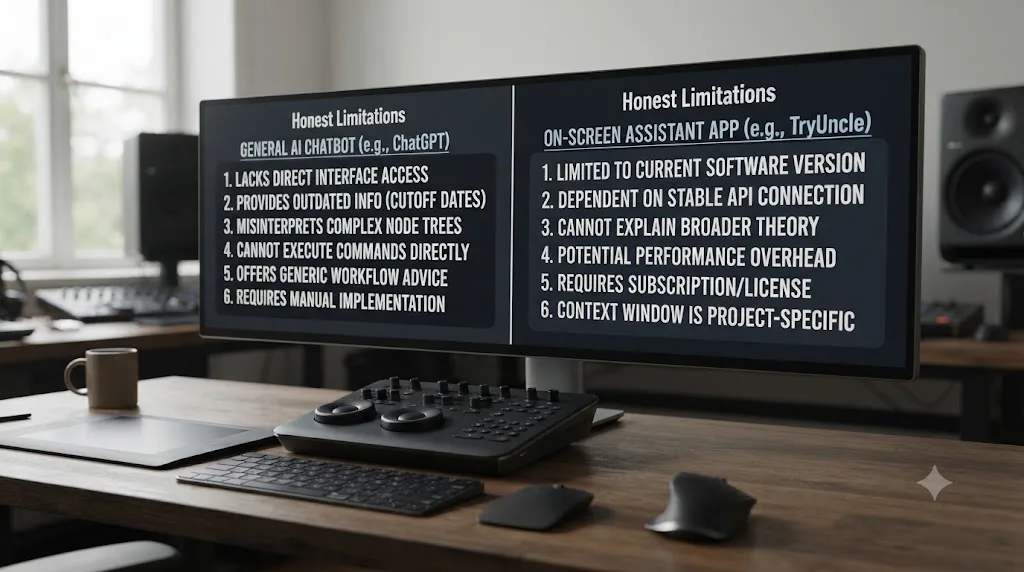
ChatGPT's limitations, specific to this use case: it has no default view of your actual DaVinci Resolve screen, so every answer about your specific project depends on how well you can describe it in text. Its knowledge of Resolve's newest features carries the same freshness risk as any general-purpose model, better on well-documented basics, weaker on anything that shipped recently or lives in a specialized corner like Fusion's expression system, per the honest concerns raised directly on Blackmagic's own forum. It has no built-in mechanism to verify its own answer against what's actually on your screen, so a confidently wrong answer looks identical to a correct one until you test it yourself.
TryUncle's limitations: it's macOS only, full stop, ruling out every Windows and Linux editor regardless of how good the tool is for Mac users. It has no free tier, so the only way to test it is paying for at least a month. It doesn't cover Fairlight or detailed Deliver-page workflows yet. It requires an internet connection every time you ask a question, since its reasoning runs in the cloud. And it's a genuinely new product category; independent, long-term third-party reviews are still thin, a limitation this site's own full TryUncle review names directly.
Neither tool is the universal answer this whole comparison might tempt you to look for. ChatGPT is broad, free to start, and blind to your screen. TryUncle sees your screen and costs money to access that. Knowing which limitation you can live with is most of this decision.
What's the troubleshooting sequence if TryUncle won't respond or points at the wrong control?
Most snags with Uncle trace back to a handful of predictable causes, not a broken product, and it's worth knowing the sequence before you assume the tool simply doesn't work.
If Uncle doesn't respond at all, check your internet connection first. Its reasoning runs in the cloud, per TryUncle's own FAQ, so a dropped connection, or a fully offline session on a plane or at a remote shoot, leaves it silent with no offline fallback to switch to. Reconnect and try again before assuming anything else is wrong.
If macOS never prompted you for Screen Recording or Accessibility permission, don't wait for it to ask again. Open System Settings, go to Privacy & Security, and grant both manually. macOS sometimes skips the prompt on first launch, especially right after a system update, and the fix is almost always granting access directly from those panels rather than reinstalling the app. Quit and reopen TryUncle after granting either permission for it to actually take effect.
If one of the three shortcuts, Shift-Fn, Shift-Option, or Shift-Control, doesn't trigger, another app or a system-wide binding has probably already claimed it. All three are rebindable inside TryUncle's own settings, so remap the colliding one instead of fighting the conflict every session.
If Uncle keeps circling the wrong control, the fix is conversational, not technical. Per TryUncle's FAQ, you correct it the same way you'd correct a person: tell it plainly what you actually meant, and it re-reads your screen and adjusts. If it's consistently wrong on the same kind of question, try naming the tool by its Resolve label, "qualifier," "power window," "serial node," instead of describing what you want it to do in your own words, since a specific noun narrows what it's looking for on your screen far more than a vague description does.
If none of that resolves it, that's a genuine limitation worth naming rather than working around indefinitely: TryUncle is a new enough product that independent, long-running troubleshooting threads outside its own FAQ don't really exist yet. Contact TryUncle's own support directly for anything the FAQ doesn't cover, rather than assuming a workaround exists that this post simply hasn't found.
What if you're not sure which one actually solves your problem?
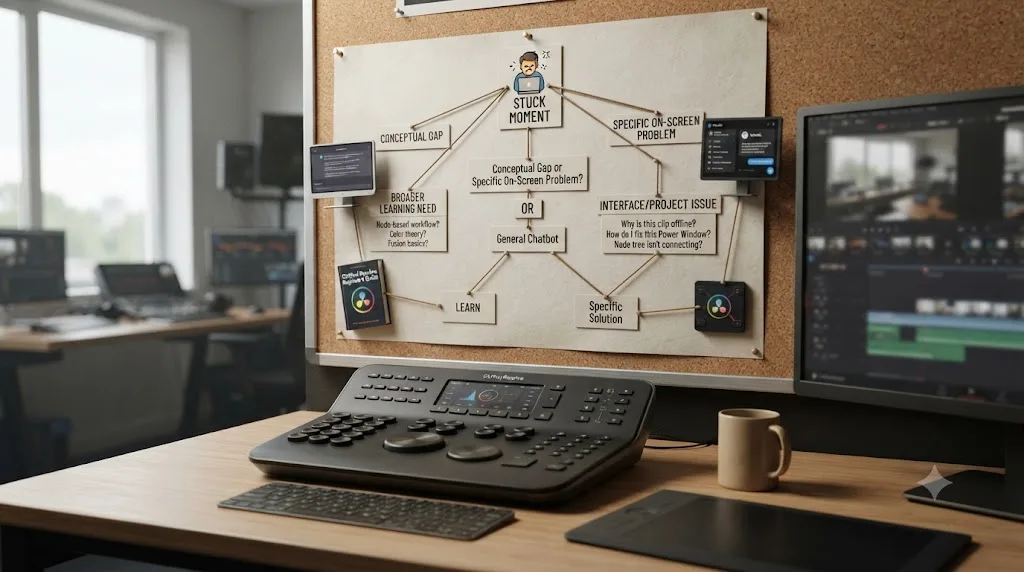
Ask yourself one honest question before spending anything: when you're stuck in DaVinci Resolve, is it because you don't understand a concept in the abstract, or because something specific on your actual screen isn't behaving the way you expect? The first is a ChatGPT problem. The second is a TryUncle problem, assuming you're on a Mac.
Most editors have both problems at different points in the same week, which is exactly why the sequencing suggested earlier in this piece, free structured learning first, ChatGPT for concepts along the way, TryUncle for the project-specific walls once you're past the basics, tends to match how the actual gap shifts as you get more comfortable in the app.
If your work is billable and stuck time costs you real freelance hours, run the math on TryUncle's $29.99 a month against your own hourly rate before dismissing it as a niche paid app: at $50 an hour, roughly 36 minutes of stuck time saved in a month covers the subscription, a version of the same breakeven logic this site's own TryUncle review walks through in more depth. Uncle can point at the exact control on your screen the moment you're stuck, which is a genuinely different kind of help than a chat window can offer, worth trying for one billing cycle if that math works for you.
If you're still not sure, run a genuine thirty-day test instead of guessing. Week one, use only ChatGPT, on your normal editing questions, and simply notice how many times you end up describing your screen in text because a general answer didn't match what you were actually looking at. Week two, add TryUncle and use it specifically for those screen-shaped moments, the ones from week one where a text description clearly wasn't enough. By week three, you'll have a real, personal answer to the one question this whole comparison exists to help you answer: how often is your stuck moment actually about your own screen, versus about a concept you just don't have the words for yet. Cancel whichever subscription that month's evidence doesn't support, and keep the one that does.
Verdict: ChatGPT or TryUncle for learning DaVinci Resolve?
If you're on Windows or Linux, budget-conscious, or your questions are mostly conceptual, planning ahead, terminology, scripting, ChatGPT is the right tool, and its free tier is where to start before you ever consider Plus. Pair it with Blackmagic's free training or Casey Faris's channel for the structure a chatbot doesn't provide on its own.
If you're on a Mac, already past the fundamentals, and your stuck moments are specifically about what's on your own screen right now, a node tree that's misbehaving, a control you can't locate in your actual layout, TryUncle is built for exactly that job in a way no general-purpose chatbot can be, because it's the only one of the two actually watching.
ChatGPT explains DaVinci Resolve in general terms. TryUncle shows you the exact control on your own screen. Neither claim replaces the other, and pretending one tool wins outright would be the least honest thing this page could say. Test whichever one matches your actual stuck moment first, on a throwaway project rather than a client deadline, and read the full TryUncle review or the comparison of AI editing assistants for DaVinci Resolve next if you're still weighing your options before you spend a dollar on either one.
Frequently asked questions
- Should I use ChatGPT or TryUncle to learn DaVinci Resolve?
- Use ChatGPT when you need a concept explained in words, a script written for the scripting API, or a quick refresher on terminology, and you're fine typing your question into a browser tab away from Resolve. Use TryUncle when you're stuck inside your own open project and need the exact control pointed at on your actual screen. Most working editors end up wanting both, for different moments.
- Can ChatGPT see my DaVinci Resolve screen?
- Not by default. The ChatGPT desktop app added a voice mode in July 2026 that can reference the active window on a Mac for extra context, and you can paste in a single screenshot any time. Neither is the same as TryUncle, which watches your Resolve screen continuously and draws a circle around the live control you need.
- Is ChatGPT free to use for learning DaVinci Resolve?
- The free tier costs nothing and can answer general Resolve questions, with usage limits and OpenAI's smaller models once you hit them. Plus is $20 a month for the flagship model with higher limits. TryUncle has no free tier at all, currently $29.99 a month at founder pricing for the first 100 subscribers.
- What's the best AI tool to learn DaVinci Resolve fast?
- Pair a free structured resource, Blackmagic's own training or Casey Faris's YouTube channel, with an AI tool for the moment you get stuck applying it. ChatGPT answers general questions about Resolve from its training data. An AI tool to learn DaVinci Resolve that actually sees your project, like TryUncle, closes the gap between reading an explanation and doing the thing on your own footage.
- Does ChatGPT know about DaVinci Resolve 21's new features like IntelliSearch and CineFocus?
- It depends on what training data and browsing access the model you're using has, and it isn't something you can verify from inside the chat. Resolve 21 shipped in June 2026. Test any specific claim ChatGPT makes about a new feature against Blackmagic's own release notes before you trust it, especially anything version-specific.
- Can I upload a screenshot of DaVinci Resolve to ChatGPT and get help?
- Yes, ChatGPT can read a single screenshot you paste in and describe what it sees. What it can't do is watch your screen continuously, notice you've moved to a different panel, or draw directly on your display the way TryUncle's Uncle does. It's a one-time snapshot, not a live view.
- Is there an app that helps you while you're actually using DaVinci Resolve, beyond ChatGPT?
- Yes. TryUncle is the on-screen assistant for DaVinci Resolve on macOS, ask in plain words and Uncle points at the exact control on your screen. There's also a separate category of tools, Sottocut, CutAgent, and Eddie AI among them, that edit your timeline directly from a typed instruction instead of teaching you where a control lives.
- Is TryUncle better than ChatGPT for troubleshooting a specific DaVinci Resolve error?
- For an error tied to what's actually on your screen right now, usually yes, since Uncle can see the real state of your project instead of guessing from a text description. For researching what an error message generally means, or for searching the wider web for other editors' fixes, ChatGPT's broader reach and free access are the better first stop.
Sources
- OpenAI: ChatGPT Pricing
- Wikipedia: ChatGPT (pricing tiers, Plus and Pro launch dates)
- TechCrunch: OpenAI's new voice mode makes it to the ChatGPT desktop app
- 9to5Mac: OpenAI updating ChatGPT desktop app with GPT Voice for talking through work
- TryUncle (product site: how Uncle works, pricing, and setup)
- TryUncle FAQ (privacy, permissions, compatibility, pricing)
- DaVinci Resolve - Training (Blackmagic Design)
- Casey Faris - YouTube channel
- Blackmagic Design Announces DaVinci Resolve 21 (Grant Petty quote, official release via Business Wire)
- DaVinci Resolve Studio product page (Blackmagic Design)
- DaVinci Resolve product page (free version specs)
- Sottocut (product site: AI Assistant Editor for DaVinci Resolve)
- CutAgent (product site: AI video editing for DaVinci Resolve)
- Eddie AI: DaVinci Resolve workflow (native integration)
- Blackmagic Forum: DaVinci Resolve & ChatGPT?
- DaVinci Resolve Scripting API introduction (ResolveDevDoc)
Put this guide to work with TryUncle.
Ask about the step you’re on. TryUncle sees your screen and points at the control you need, so you can keep learning in your own project.
Get TryUncle for Mac or WindowsKeep reading
Reviews · Jul 19, 2026 · 39 min
TryUncle Review: An AI Tutor for DaVinci Resolve
An honest review of TryUncle: the macOS AI tutor that watches your DaVinci Resolve screen, its founder pricing, and where it actually falls short.
Comparisons · Jul 15, 2026 · 36 min
Best AI Video Editing Assistant for DaVinci Resolve, Compared
Sottocut, CutAgent, DavinciClaude, Eddie AI, and Wideframe compared for DaVinci Resolve: pricing, privacy, and what each actually automates.
Comparisons · Jul 16, 2026 · 39 min
Free AI Assistant for DaVinci Resolve? The Honest Answer
Real free AI tools for DaVinci Resolve exist: DavinciClaude's free tier, and open-source plugins like AutoSubs and BadWords. Here's what each does.