Articles / Newsupdated for DaVinci Resolve 21.0.3 (July 2026)
Did DaVinci Resolve 21 Drop Windows 10 Support?
Quick answer
No. DaVinci Resolve 21 still supports Windows 10 (64-bit, Creators Update or later), the same floor as previous versions. What Blackmagic actually cut is Intel Mac support: Resolve 21 requires Apple Silicon and macOS 15 Sequoia or later.
Short version: no, and the confusion is understandable. DaVinci Resolve 21 kept Windows 10 on its supported list. What it actually cut was Intel Mac support, and somewhere between a forum thread and a search snippet, "Mac" turned into "10." I'm going to untangle exactly what changed, what didn't, and what each answer means for the machine you're actually sitting in front of.
Did DaVinci Resolve 21 drop Windows 10 support?
No. DaVinci Resolve 21 requires Windows 10, 64-bit, Creators Update or later, exactly the same floor Blackmagic has published for several prior versions. Per CG Channel's coverage of the Resolve 21.0 release, Resolve 21.0 and Resolve Studio 21.0 are compatible with "Windows 10+, Rocky Linux 8.6, and macOS 15.0+." Windows 10 is right there on the list, not missing from it.
DaVinci Resolve 21 still runs on Windows 10, the same as every version before it. If you installed Resolve 20 on a Windows 10 machine last year, that same machine installs and runs Resolve 21 today, assuming the rest of your hardware clears the GPU and RAM floor covered below.
That doesn't mean nothing changed on the Windows side of this release. Windows 11 is what Blackmagic now recommends for new installs, and that recommendation is really about Microsoft's own support calendar, not about Resolve. I'll get to exactly why that distinction matters in a few sections.
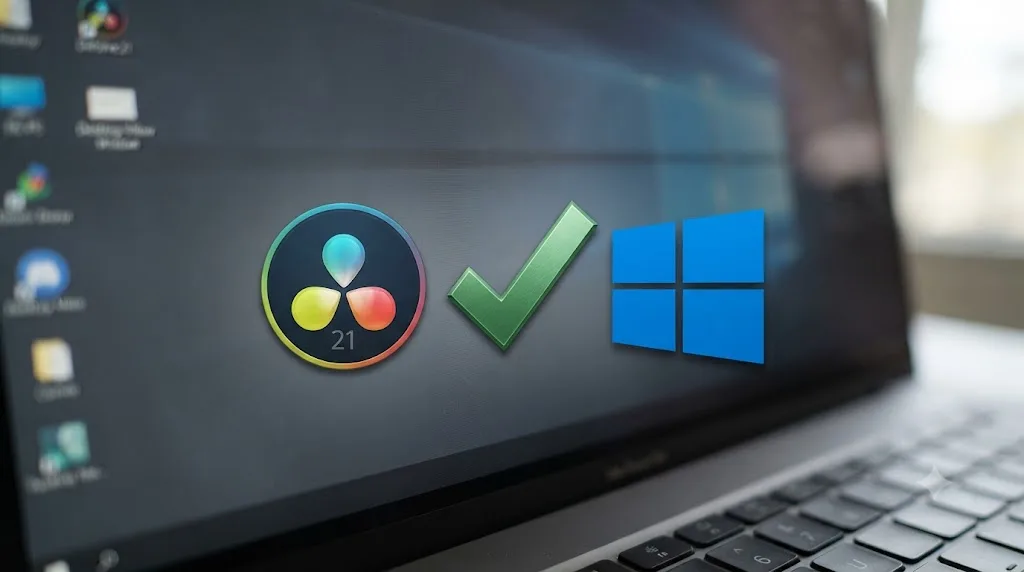
What are DaVinci Resolve 21's actual Windows system requirements?
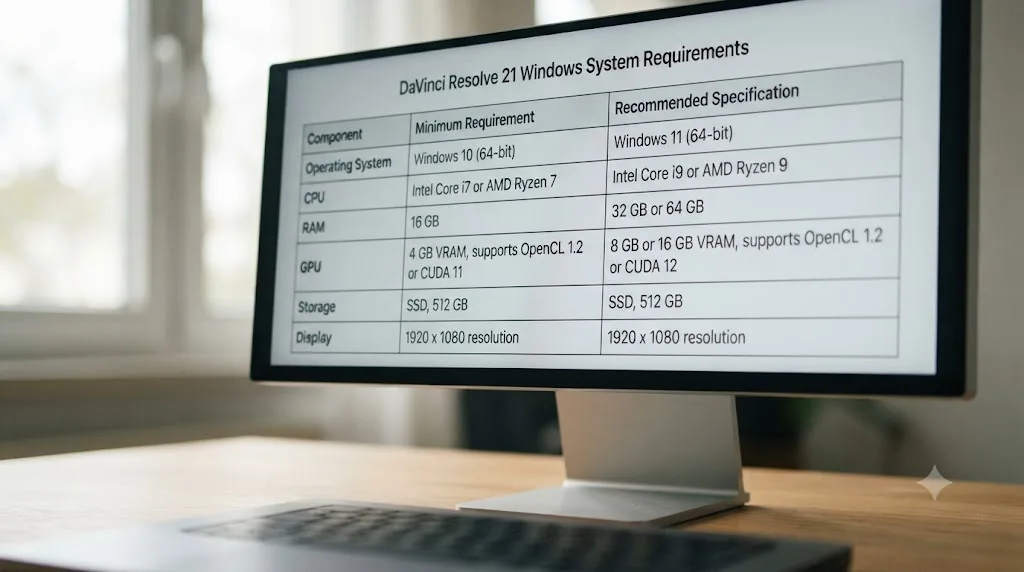
Here's every documented Windows requirement in one table, compiled from Blackmagic's own tech specs page and the detailed spec breakdown at DaVinci Resolve Club, which our own installation troubleshooting guide already draws on for the Mac side of this same release.
| Requirement | Minimum | Notes |
|---|---|---|
| Operating system | Windows 10, 64-bit, Creators Update or later | Windows 11 recommended for new installs |
| System memory | 16 GB | 32 GB if you're using Fusion |
| GPU | Discrete GPU, 4 GB VRAM minimum | 12 to 16 GB VRAM recommended for 4K work |
| GPU API | CUDA 12.8 or OpenCL 1.2 | NVIDIA cards need a current driver; Blackmagic recommends the Studio Driver branch over Game Ready for stability, though a recent Game Ready driver will run Resolve too |
| Storage | SSD strongly recommended | Cache and render files eat far more space than the install itself |
None of those five rows changed in a way that excludes a Windows 10 machine. The GPU and RAM floors are demanding on their own, and a decade-old graphics card will struggle regardless of which Windows version sits underneath it, but that's a hardware conversation, not a Windows 10 conversation. Windows 7 and 8.1 are a different story: neither has been on Blackmagic's supported list for several versions now, so if you're troubleshooting an install on genuinely old Windows, that's the real floor to check against, not Windows 10.
A Windows 10 PC with a supported GPU installs and runs DaVinci Resolve 21 exactly like a Windows 11 PC does. The operating system version isn't the bottleneck for anyone on real hardware from the last several years.
Does DaVinci Resolve 21 run on Windows on ARM (Copilot+ PCs)?
Yes, and this is where the Windows 10 story gets a genuinely useful wrinkle instead of a rumor. DaVinci Resolve added native Windows on ARM support back in version 19, when Qualcomm's Snapdragon X Elite chips first shipped inside Copilot+ PCs, and that support carried through into Resolve 21.
Here's the detail worth knowing if you're shopping for one of those laptops: Windows on ARM support in Resolve 21 requires Windows 11 for ARM, not Windows 10 for ARM. Per the spec breakdown at DaVinci Resolve Club, a Snapdragon X Elite or X Plus machine needs Windows 11 specifically to run Resolve natively on that architecture. A Windows 10 ARM build exists technically, but Blackmagic never certified Resolve against it, so the honest answer to "does Resolve 21 support Windows 10" gets one layer more specific once you're on ARM hardware instead of traditional x86.
| Architecture | Minimum Windows required |
|---|---|
| x86 (Intel/AMD) | Windows 10, 64-bit, Creators Update or later |
| ARM64 (Snapdragon X Elite/X Plus) | Windows 11 for ARM |
Per Windows Central's coverage of the Resolve 19 ARM release, Blackmagic states the DaVinci Neural AI Engine taps the Snapdragon X Elite's NPU to run tools like Magic Mask and Smart Reframe faster than comparable x86 hardware without a dedicated NPU. That's a vendor performance claim from Blackmagic, not something I've benchmarked myself, so treat the specific speedup as their number rather than an independently verified one.
It's worth sitting with the contrast for a second. Blackmagic built brand-new native support for a tiny, months-old hardware category (ARM Copilot+ PCs) in the same release cycle where it walked away from a fifteen-year-old, enormous installed base (Intel Macs). That's not a contradiction once you separate the two decisions by what each one costs to maintain. ARM support is forward-looking engineering on a platform Qualcomm and Microsoft are actively pushing, with Blackmagic's own NPU optimization work as the payoff. Dropping Intel Mac is backward-looking cleanup: one less GPU code path to keep testing on hardware Apple itself stopped selling in 2023. Both decisions are about where Blackmagic wants to spend engineering time, not about which install base is bigger today.
If you're not on a Copilot+ PC, none of this changes anything for you. It's a narrow edge case, but it's the one place where "Windows 10" and "unsupported" actually do overlap in Resolve 21, just not for the reason the rumor claims.
Why won't DaVinci Resolve 21 install on my Windows 10 PC?
If Resolve 21 is refusing to install or run on a specific Windows 10 machine, the Windows 10 vs. Windows 11 question almost never turns out to be the actual cause. Windows 10 itself is supported. Something else on that machine usually isn't. Before you assume the worst, press Win+R, type winver, and confirm you're on a build from the Creators Update era or later. Then open System Information (msinfo32) and confirm it reports "x64-based PC," since a 32-bit install of Windows 10 doesn't qualify no matter how recent the build is.
| Symptom | Likely cause | What to do |
|---|---|---|
| "This app can't run on your PC" at install | Windows 10 build older than the Creators Update, or a 32-bit install | Check winver and msinfo32 as above; a clean 64-bit install may be needed on very old builds |
| Install finishes, but Resolve won't open or crashes instantly | GPU driver is outdated or the wrong branch | Update to a current driver; NVIDIA owners should grab the Studio Driver from NVIDIA's site directly |
| Resolve opens, but renders show red frames or GPU acceleration is grayed out | GPU has less than 4 GB VRAM, or doesn't support CUDA 12.8 / OpenCL 1.2 | Check your exact GPU model against Blackmagic's tech specs page before assuming it's a software bug |
| Installer won't even launch, no error message at all | Windows 10 is running in S Mode | Switch out of S Mode for free in Settings > System > Activation. It's one-way, but doesn't require a reinstall |
| Install hangs indefinitely on "checking system requirements" | Antivirus or a corporate group policy is blocking the installer | Temporarily disable third-party antivirus, or check with IT if it's a managed machine |
A worked example makes this concrete. Say Resolve 21 installs fine on a Windows 10 desktop, but every render comes back with a red "insufficient GPU memory" banner across the frame. That error has nothing to do with Windows 10 being unsupported; it's Resolve reporting that your GPU's VRAM sits under the 4 GB floor, or that your timeline resolution and node count are asking for more than your card can hold. The fix is checking your GPU model against the table above, then either dropping the timeline's optimized media resolution or, if the card itself is the ceiling, treating this as a hardware upgrade decision rather than a software support question.
None of these failure modes are Blackmagic dropping Windows 10 support. They're the same install friction every piece of GPU-heavy software runs into on Windows, and every one of them has a fix that doesn't involve reinstalling the operating system. S Mode is the one worth double-checking first if you got a budget laptop with Windows preinstalled, since the error it throws doesn't mention S Mode by name. It just refuses to run the installer, full stop, which looks a lot like an OS-support wall until you know what to look for.
Does it matter which edition of Windows 10 I'm running?
Mostly no, with one real exception. Blackmagic's tech specs only ever reference the Windows version number and the 64-bit requirement. Nothing about Resolve depends on edition-specific features like BitLocker, Hyper-V, or the Group Policy editor that separate Home from Pro, so a Windows 10 Home machine and a Windows 10 Pro machine install and run Resolve 21 identically.
Windows 10 Enterprise and Windows 10 LTSC (the Long-Term Servicing Channel some IT departments run on locked-down edit-bay workstations) also run Resolve 21 fine, since both are full Windows 10 installs under the hood. The thing worth checking on an LTSC machine specifically is GPU driver freshness. LTSC images sometimes ship on older baselines, and IT teams provisioning render nodes don't always keep GPU drivers as current as a workstation set up for creative work would.
Windows Server isn't part of Blackmagic's tested configurations at all. If you're setting up a render-only machine for Resolve's render manager rather than an interactive edit bay, stick to the same Windows 10 or 11 desktop editions covered in this post rather than a Server SKU, even if the hardware underneath is server-grade.
The one edition variant that genuinely blocks Resolve 21 outright is Windows 10 in S Mode, covered in the troubleshooting table above. S Mode isn't a separate SKU, it's a restriction layered on top of Home or Pro that limits installs to the Microsoft Store. Resolve isn't in the Store, so S Mode has to come off before the installer runs at all.
Where did the "Windows 10 support dropped" rumor come from?
The honest answer is that we don't have one specific source article to point at and say "there, that's the mistake." What we do have is a much better-documented, much more real story sitting right next to it: Resolve 21 genuinely did drop support for an entire platform, just not that one.
We've watched version-confusion rumors like this spread through our 100,000+ member editing community before, usually the same way: a real, specific platform change gets summarized down to "Resolve dropped support," the qualifying noun falls off somewhere in a retelling or an AI-generated summary, and the claim that's left behind is close enough to true that nobody stops to check it against Blackmagic's own tech specs page.
That's almost certainly what happened here. Resolve 21 did drop support for a platform. It just wasn't Windows 10.
What did DaVinci Resolve 21 actually drop support for?
Intel Macs. That's the real platform casualty of this release, and it's a much bigger deal for the people it hits than a Windows 10 rumor would have been, because there's no update path around it.
DaVinci Resolve 21 requires an Apple Silicon Mac, M1 or later, running macOS 15 Sequoia or later. Our own guide to fixing DaVinci Resolve install problems on Mac covers this directly: Resolve 21 will not install on an Intel Mac at all, full stop, regardless of how much RAM or how many GPU cores that Mac has. A maxed-out 2019 Mac Pro with dual GPUs hits the same wall as a base-model 2017 iMac.
That's not a small population of users. Intel Macs shipped for the better part of fifteen years, and plenty of them, especially the higher-end Mac Pro and iMac Pro models, are still genuinely capable editing machines. The reaction from people who own that hardware was immediate and public. VFX supervisor and director Hugo Guerra, whose credits include work for The Mill and clients like Audi and Sony, posted directly at Blackmagic when the change became clear: "Dear @Blackmagic_News, Please don't remove support for Intel Mac. The Mac Pro 2019 with dual GPU works flawlessly with DaVinci in 6K and 8K. If you support AMD on Windows and Linux, there's no good reason not to support it on Mac. Don't brick perfectly good machines!", posted on X.
That quote captures the actual frustration behind this release better than any rumor about Windows 10 does. The Intel Mac cutoff is real, it affects working professionals with capable hardware, and it happened with this exact version.
Why did Blackmagic drop Intel Mac support instead of Windows 10?
Because the two platforms are in genuinely different positions, and treating them the same was never accurate to begin with.
Apple stopped selling Intel Macs in 2023 and has been steadily narrowing which Intel models even qualify for new macOS versions. Microsoft, by contrast, still has hundreds of millions of Windows 10 machines in active use worldwide, most of them perfectly capable of running professional software, just running an operating system Microsoft itself no longer patches for free. Cutting Windows 10 would have locked out a far larger, far more active slice of Resolve's user base than cutting Intel Macs did.
There's a nuance worth naming directly here too: DaVinci Resolve 21's Intel Mac exclusion is Blackmagic's own decision, not a side effect of Apple's macOS requirements. Per Apple's own compatibility page for macOS Sequoia, Sequoia still installs on several Intel Mac models from 2018 onward, including the iMac, MacBook Pro, Mac mini, and Mac Pro lines. Blackmagic could have kept building Resolve 21 for Intel Macs running Sequoia if it wanted to. It chose not to, almost certainly to simplify its GPU acceleration code around Apple Silicon's unified memory architecture instead of maintaining two very different Mac code paths.
Windows never presented that same fork. Every supported Windows GPU path, whether NVIDIA CUDA or AMD OpenCL, already runs through the same driver model regardless of which Windows version sits on top. There was no equivalent engineering incentive to raise the Windows floor in this release.
Can Intel Mac owners Boot Camp into Windows to run DaVinci Resolve 21?
Yes, and this is genuinely the most useful workaround for anyone sitting on capable Intel Mac hardware that Resolve 21 shut out. It doesn't get Resolve 21 running in macOS. It gets the same physical machine running Windows, where the Intel Mac exclusion simply doesn't apply.
Boot Camp Assistant, built into macOS, partitions an Intel Mac's drive and installs Windows natively alongside macOS, no virtualization overhead, running directly on the hardware. Once Windows is on that partition, it's just a Windows PC as far as Resolve 21 is concerned. The Windows build of Resolve has no idea, and no reason to care, that it's running on hardware Apple once sold as a Mac.
Here's the detail that ties this whole post back together. Apple's own support documentation for this process is literally titled "Install Windows 10 on your Mac with Boot Camp Assistant." Boot Camp's official support tops out at Windows 10. Windows 11 requires TPM 2.0 and Secure Boot as hard installation checks, and Intel Macs don't expose a TPM device the way Windows 11's installer looks for one, so Apple never extended official Boot Camp support to it. Some Intel Mac owners bypass that check to force Windows 11 onto a Boot Camp partition anyway, but that's unsupported by both Apple and Microsoft, and I wouldn't build a production editing workflow on an unsupported install.
That means the exact Windows version this entire rumor was about, Windows 10, is precisely the version Boot Camp officially supports on Intel Macs. An Intel Mac that can't run Resolve 21 in macOS can very plausibly run it in Windows 10 through Boot Camp, provided the rest of the hardware clears Resolve's Windows floor from the table earlier in this post: 16 GB of RAM, a GPU with at least 4 GB of VRAM, and CUDA 12.8 or OpenCL 1.2 support. The 2019 Mac Pro with dual GPUs that Hugo Guerra referenced in his post to Blackmagic almost certainly clears that bar. A base 2017 iMac with integrated graphics might not.
Virtualizing Windows with Parallels or VMware Fusion instead of partitioning with Boot Camp is not the same option, worth flagging before you try it. Virtual machines typically can't pass a discrete GPU through to guest Windows with the full compute access Resolve's CUDA and OpenCL paths need, which is exactly why Boot Camp, not a VM, is the route that actually clears Resolve's GPU floor on Intel Mac hardware.
It's not a free lunch either way. You're maintaining a second operating system, and a Boot Camp partition eats real disk space on top of whatever Resolve's own cache and render files already need. But for an editor with a capable Intel Mac and no budget yet for new Apple Silicon hardware, it's a genuinely workable bridge, not a hack held together with hope.
Is it safe to keep running DaVinci Resolve 21 on Windows 10?
Resolve 21 installs and runs on Windows 10 without complaint. Whether Windows 10 itself is a safe operating system to keep running is a separate question, and the honest answer is that it depends on what you're doing to that machine outside of Resolve.
Microsoft ended free security updates and technical support for Windows 10 on October 14, 2025. As of this writing in July 2026, that's been the case for nine months. Windows 10 has been out of Microsoft's official support since October 14, 2025, but DaVinci Resolve 21 doesn't check for that status before it installs. The two systems don't talk to each other. Resolve looks at your Windows version number and your hardware; it has no awareness of, and no opinion about, your patch level.
What that means practically: an unpatched Windows 10 machine is more exposed to security vulnerabilities than a currently-supported Windows 11 machine, and that exposure exists whether you're running Resolve, a browser, or nothing at all. If your editing workstation is airgapped from the internet, only ever touches local media, and never opens email or a browser, the practical risk is low. If it's a general-use machine that also browses the web and opens client-sent files, an unpatched OS is a real liability, and Resolve running fine on top of it doesn't change that.
Microsoft does offer Extended Security Updates (ESU) for Windows 10 machines that need more time before moving to Windows 11. For consumer PCs, Microsoft's own ESU page lists enrollment as either free, if you back up your settings to a Microsoft account through Windows Backup or redeem Microsoft Rewards points, or a one-time purchase of around $30, with either path covering eligible Windows 10 devices with security patches through October 13, 2026. One consumer license covers up to ten devices tied to the same Microsoft account. Businesses go through a separate commercial ESU program with its own per-device annual pricing. Either way, that's a Windows decision to make with your IT setup and budget in mind, not a Resolve one. Resolve 21 doesn't check ESU enrollment status any more than it checks your Windows edition.
DaVinci Resolve 21 requirements across Windows, macOS, and Linux
Seeing all three platforms side by side makes it obvious how differently this release actually treated each one.
| Platform | Minimum OS | What changed in Resolve 21 |
|---|---|---|
| Windows | Windows 10, 64-bit, Creators Update or later | Nothing. Same floor as previous versions |
| macOS | macOS 15 Sequoia, Apple Silicon only | Intel Macs excluded entirely, even ones that can run Sequoia |
| Linux | Rocky Linux 8.6 | Nothing. Same distribution requirement as previous versions |
Windows and Linux users carried this release forward on the exact same hardware and OS floor they had before. Mac users on Apple Silicon carried forward too, with a new OS floor of Sequoia. Mac users on Intel hardware are the only group this release actually shut out. The one sub-exception to the Windows row above is Windows on ARM: Snapdragon Copilot+ PCs need Windows 11 for ARM specifically, not Windows 10, which is covered in more depth earlier in this post.
If you're on Windows 10 today: keep using Resolve 21, and treat a Windows 11 upgrade as a security and support decision on its own timeline, not something Resolve is forcing on you. If you're on an Apple Silicon Mac running Sequoia or later: nothing changed for you either. If you're on an Intel Mac, even a recent, well-specced one: Resolve 21 is not available to you on that hardware in macOS, and the fix is either new hardware or a Windows partition, not a workaround inside macOS itself.
Our Linux compatibility guide covers the Rocky Linux requirement and its own set of platform quirks in more depth, if that's the operating system you're weighing.
What should Intel Mac owners do now?
Three real options, not one, and none of them is "wait for Blackmagic to change its mind," because nothing in Resolve 21's release notes suggests that's coming.
The first option is to stay on DaVinci Resolve 20. It keeps receiving point updates and bug fixes on Intel hardware; it just won't ever get Resolve 21's new features, like the Photo page, IntelliSearch, or CineFocus, covered in full in our rundown of everything new in Resolve 21. For a lot of working editors on a deadline, staying on 20 for now is the sane, boring answer.
The second option is Boot Camp, covered in detail earlier in this post. If your Intel Mac's GPU and RAM clear Resolve's Windows floor, partitioning it to run Windows 10 gets you Resolve 21 on the exact same physical machine, no new hardware required.
The third option is replacing the hardware. If your work genuinely needs Resolve 21's new tools and you'd rather stay in macOS full time, an Apple Silicon Mac is the only path there, and our guide to configuring an Apple Silicon M4 Mac for Resolve covers what that upgrade should actually look like once you make it, including memory and GPU tradeoffs specific to the M4 generation.
An aging but still-supported Windows 10 PC runs DaVinci Resolve 21 without issue. An unsupported Intel Mac, no matter how powerful, does not run it at all in macOS. That asymmetry is the whole story of this rumor. One platform kept working exactly as it always did. The other one hit a wall in macOS, with Boot Camp as the one real detour around it.

Will DaVinci Resolve 22 drop Windows 10 support?
Nobody outside Blackmagic knows yet, and anyone telling you a specific version number is guessing. What's true is that Windows 10 sits in exactly the kind of position software vendors eventually stop supporting: out of its vendor's own mainstream support window since October 2025, with an increasingly large gap between it and the currently supported release.
Blackmagic hasn't signaled a Windows 10 cutoff anywhere in Resolve 21's tech specs or release notes. Software vendors generally don't drop an OS floor without warning, and Blackmagic has historically kept older Windows versions supported for years after Microsoft itself moved on; Resolve supported Windows 10 for the entire stretch Windows 11 has existed. If a cutoff comes, expect it to show up the same way the Intel Mac change did: quietly, in a tech specs page update, alongside a major version bump rather than a point release.
If you're planning hardware purchases years out, moving to Windows 11 on your own timeline is the more future-proof choice regardless of what Resolve does next. If you're asking whether your current Windows 10 machine is about to stop working with Resolve tomorrow, the answer is no, nothing in this release or the point releases since it points that direction.
Should you upgrade to Resolve 21 if you're still on Windows 10?
Yes, the operating system isn't a reason to hold back. If you're currently running Resolve 20 on a Windows 10 machine and your GPU clears the 4 GB VRAM floor with CUDA 12.8 or OpenCL 1.2 support, Resolve 21 installs the same way it always has. Our full DaVinci Resolve 21 review covers the actual feature-by-feature case for upgrading, along with the one real gotcha that applies to every platform: project conversion to 21 is one-way, so archive anything you care about before you install.
Before you click install, run through this short checklist regardless of platform: back up or duplicate any project database you can't afford to lose, since there's no downgrade path once a project converts to 21; confirm your GPU driver is current, not whatever version shipped with the machine; and check free disk space, since Resolve's cache and render files can outgrow the install itself many times over on a long project. None of that is Windows 10 specific. It's the same pre-upgrade hygiene that applies whether you're on Windows 10, Windows 11, or Apple Silicon.
Where Windows 10 does matter is everything downstream of Resolve: whether your machine is exposed to the security gaps an unpatched OS carries, whether your IT department requires a supported OS for compliance reasons, and whether you're planning a hardware refresh in the next year or two anyway. None of those are Resolve questions. They're Windows questions that happen to sit next to a video editor you already trust.
If you land on a fresh Windows 11 machine as part of that upgrade and find yourself hunting through a rearranged menu for a control you used to know by muscle memory, TryUncle is the on-screen assistant for DaVinci Resolve on macOS: ask in plain words and Uncle points at the exact control on your screen. It's TryUncle, and it's macOS-only for now, so Windows editors won't get that particular assist, but it's worth knowing about if part of your workflow already lives on a Mac.
What should you actually do, by situation?
Everything above collapses into a handful of real scenarios. Here's the short version for each one.
| Your situation | What to do |
|---|---|
| Windows 10 PC, hardware clears the GPU/RAM floor | Upgrade to Resolve 21 now. The OS isn't holding you back |
| Windows 10 PC, unpatched, also used for browsing/email | Enroll in ESU or move to Windows 11 for security reasons, separately from any Resolve decision |
| Windows 10 in S Mode | Switch out of S Mode first (free, one-time); Resolve won't install otherwise |
| Snapdragon Copilot+ PC on Windows 10 | Update to Windows 11 for ARM before expecting native Resolve 21 support |
| Intel Mac, capable GPU, willing to dual-boot | Boot Camp Windows 10 on the same machine and run Resolve 21 there |
| Intel Mac, deadline pressure, no time to reconfigure | Stay on Resolve 20 for now |
| Intel Mac, budget for new hardware | Move to Apple Silicon and stay in macOS full time |
The bottom line
Windows 10 support was never on the chopping block in DaVinci Resolve 21. It's right there in Blackmagic's own tech specs, unchanged from prior versions, and it'll likely keep working for at least another release or two before Microsoft's own end-of-support clock forces the industry's hand. The platform that actually got cut was Intel Mac, and that cut was real, deliberate, and permanent for anyone still running Resolve inside macOS on that hardware, Boot Camp workaround aside.
If a headline told you Resolve 21 dropped Windows 10 support, it either confused the platform or repeated something that was already confused upstream. Check Blackmagic's tech specs page directly the next time a claim like this crosses your feed, on this topic or the next one. It takes less time than reading the rumor did.
Frequently asked questions
- Did DaVinci Resolve 21 drop Windows 10 support?
- No. DaVinci Resolve 21 lists Windows 10 (64-bit) or later as its minimum supported version, the same floor it's used for several releases. Windows 10 support was not removed in Resolve 21, and Blackmagic has made no announcement that it plans to remove it in a near-term point release either.
- What version of Windows do I need to run DaVinci Resolve 21?
- Windows 10, 64-bit, Creators Update or later, is the documented minimum. Windows 11 is what Blackmagic recommends for new installs, mainly because Microsoft itself stopped supporting Windows 10 in October 2025, not because Resolve 21 requires it.
- Does DaVinci Resolve 21 still work on Intel Macs?
- No. This is the platform change that actually happened. Resolve 21 requires an Apple Silicon Mac (M1 or later) running macOS 15 Sequoia or later. Intel Macs, including recent, powerful ones like a 2019 Mac Pro, cannot install or run Resolve 21 at all. Resolve 20 remains the newest version available to Intel Mac owners.
- Why do people think DaVinci Resolve 21 dropped Windows 10 support?
- The most likely explanation is that the real platform story, Intel Mac support ending, got summarized carelessly and the word 'Mac' dropped out somewhere between a forum post and a search snippet. Once a claim like that starts circulating, AI summaries and thin SEO pages tend to repeat it without checking Blackmagic's own tech specs page.
- Is it risky to run DaVinci Resolve 21 on Windows 10 now that Microsoft ended support?
- It's a real security consideration, but it's about Windows, not about Resolve. Microsoft ended free security updates for Windows 10 on October 14, 2025. Resolve 21 will still install and run on an unpatched Windows 10 machine, but you're carrying operating-system risk that has nothing to do with which video editor you run on top of it.
- What macOS version does DaVinci Resolve 21 actually need?
- macOS 15 Sequoia or later, on Apple Silicon hardware. Sequoia itself still installs on several Intel Macs from 2018 onward, per Apple's own compatibility list, so the Intel exclusion is a decision Blackmagic made for Resolve specifically, not a side effect of Apple's own OS requirements.
- Will DaVinci Resolve 22 drop Windows 10 support too?
- Blackmagic hasn't said. Windows 10 has been out of Microsoft's mainstream support since October 2025, which is exactly the kind of aging floor software vendors eventually raise. Nothing in Resolve 21's release notes or tech specs page signals a Windows 10 cutoff is coming, but treat that as the honest unknown it is rather than a confirmed date.
- What should Intel Mac owners do if they can't run DaVinci Resolve 21?
- Stay on DaVinci Resolve 20, which keeps receiving point updates and bug fixes, just not Resolve 21's new features like the Photo page or IntelliSearch. Some Intel Mac owners install Windows 10 via Boot Camp and run Resolve 21 there instead; there's no way to run Resolve 21 in macOS itself on Intel hardware.
Sources
- CG Channel: Blackmagic Design releases DaVinci Resolve 21.0
- Blackmagic Design: DaVinci Resolve - Tech Specs
- Blackmagic Design: DaVinci Resolve product page
- DaVinci Resolve Club: DaVinci Resolve 21 System Requirements
- Microsoft Support: Windows 10 support has ended on October 14, 2025
- Microsoft: Windows 10 Consumer Extended Security Updates (ESU)
- Apple Support: macOS Sequoia is compatible with these computers
- Apple Support: Install Windows 10 on your Mac with Boot Camp Assistant
- Windows Central: DaVinci Resolve 19 exits beta and becomes compatible with Snapdragon X Elite PCs
- Hugo Guerra on X, reacting to Resolve dropping Intel Mac support
- Newsshooter: DaVinci Resolve 21 final release
- PetaPixel: DaVinci Resolve 21 officially released with new photo editing, AI tools, and much more
Put this guide to work with TryUncle.
Ask about the step you’re on. TryUncle sees your screen and points at the control you need, so you can keep learning in your own project.
Get TryUncle for Mac or WindowsKeep reading
News · Jul 8, 2026 · 21 min
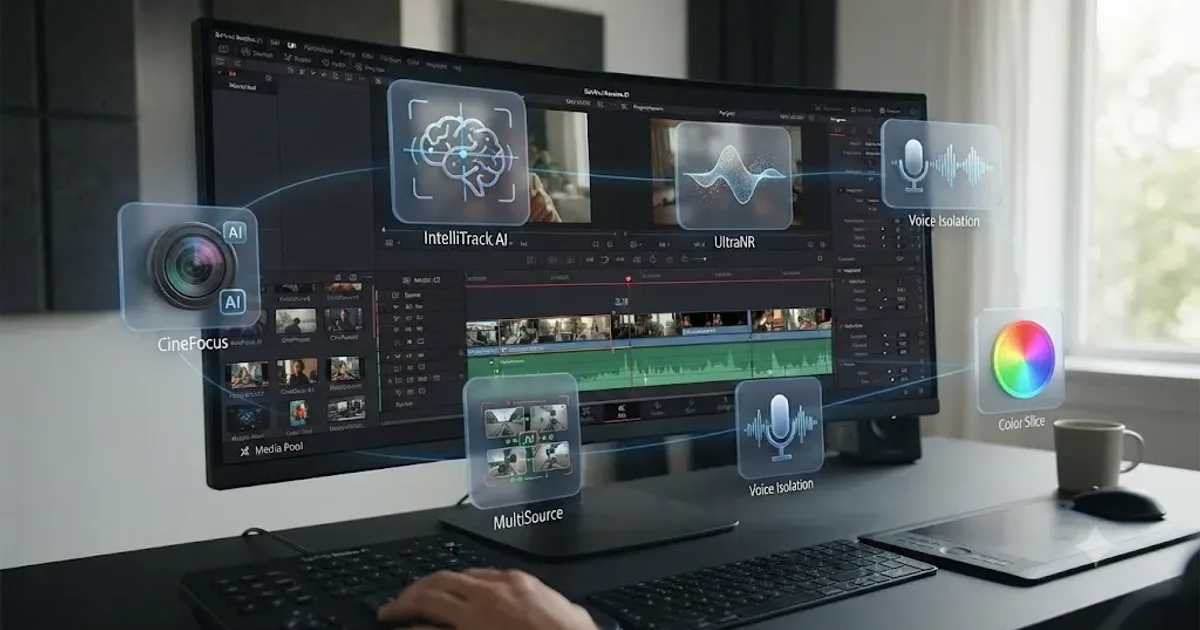
DaVinci Resolve 21 New Features: The Complete List
Every new feature in DaVinci Resolve 21, page by page: Photo page, nine AI tools, Krokodove, MultiMaster, and Fairlight updates, all sourced.
Fixes · Jul 13, 2026 · 23 min
DaVinci Resolve Won't Install or Stuck on Mac: Every Fix
DaVinci Resolve installer stuck on Mac? Real causes: corrupted downloads, Gatekeeper, Rosetta prompts, leftover files. Here's the fix for each.
Reviews · Jul 7, 2026 · 22 min
DaVinci Resolve 21 Review: What's New and Is It Worth Upgrading?
A close look at DaVinci Resolve 21: the new Photo page, IntelliSearch, CineFocus, Krokodove, what Blackmagic actually shipped, and who should upgrade now.