Articles / Fixesupdated for DaVinci Resolve 21.0.2 (July 2026)
Does DaVinci Resolve's Free Version Expire or Time Out?
Quick answer
No. DaVinci Resolve's free version has never had a trial period, countdown, or expiration date, and Resolve 21 hasn't changed that. What does time out is the newer Blackmagic Cloud monthly rental of DaVinci Resolve Studio, launched in September 2025, a separate paid option that's easy to confuse with the free version.
Somebody told you DaVinci Resolve's free version stops working after a while. Maybe a friend mentioned a 30-day limit. Maybe you saw a watermark pop up on an export and assumed your time was up. You're here to find out if any of that is true before you commit a project to software that might quit on you.
It won't. But there's a real, time-limited product hiding one page over on Blackmagic's site that people confuse with the free version constantly, and knowing the difference will save you from either a false scare or a genuine surprise.
Does DaVinci Resolve's free version actually expire or time out?
No. Not after 30 days, not after a year, not ever. There's no countdown clock built into the free version of DaVinci Resolve, no license server that quietly disables it once a window closes, and no forced upgrade prompt that blocks you from opening your project.
DaVinci Resolve's free version has no trial period, no countdown, and no expiration date, and that has been true since long before Resolve 21 shipped. Blackmagic's own product page describes the free tier's feature ceiling in detail, resolution, frame rate, bit depth, but nowhere does it attach a time window to any of that. You install it once, and it keeps running.
That claim isn't just a vendor's marketing line taken on faith. Subhan Mahmood, writing for VizEdits, answered the exact question "Is DaVinci Resolve really free forever?" with a direct verdict: "Yes. There's no trial period, no watermark, and no feature expiration," adding that Blackmagic Design has offered it free "since 2014 as a way to grow its user base and hardware ecosystem, not as a limited-time promotion," per VizEdits' free-vs-Studio breakdown. That's a specific claim from someone who went looking for a catch and didn't find one.
The confusion is understandable, though. Almost every other "free" creative tool you've used really is a countdown wearing a friendly name. So before dismissing the question, it's worth looking at what those actual timed products look like, because the contrast is where the myth falls apart.
How long has the free version actually been free, and has it ever gotten more limited?
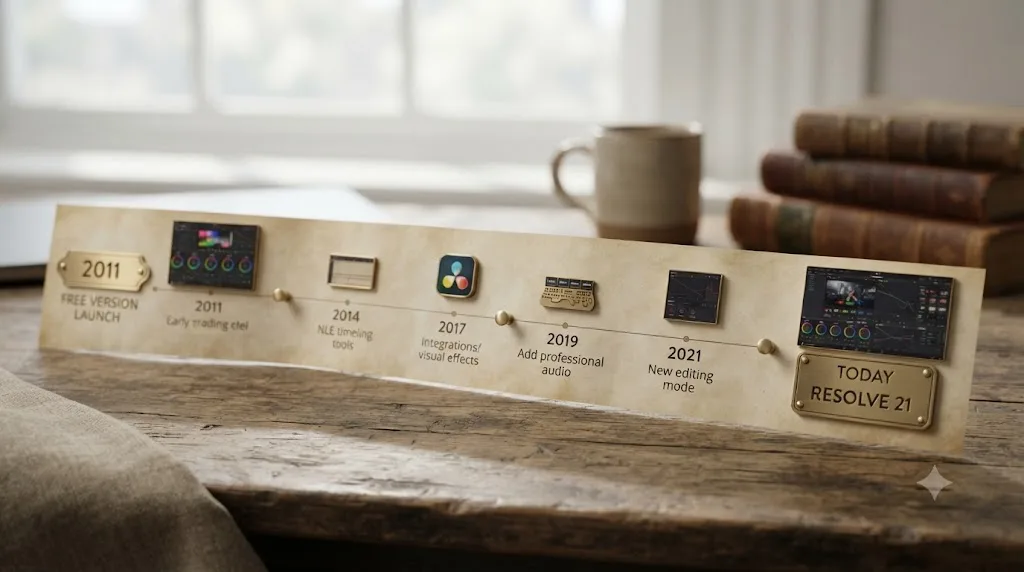
This is a question you can check against a real timeline instead of taking anyone's word for it. Blackmagic Design acquired the daVinci Systems color-grading business in 2009. Two years later, in June 2011, it shipped the first free edition of the software, then called "DaVinci Resolve 8 Lite," alongside the paid version, according to the version history recorded on Wikipedia's DaVinci Resolve entry. Do the math and that's roughly fifteen years of an uninterrupted free tier as of this Resolve 21 update, not a promise Blackmagic made recently and hasn't been tested on yet.
A free tier that has run continuously for fifteen years without ever adding a time limit is a track record, not a marketing claim you have to take on faith. That's the kind of history that's hard to fake and easy to verify.
The rollout wasn't identical across every platform, either, and that's worth knowing if you've read old forum threads that don't match what you see today. Windows and Mac got the free tier from the start. Linux users waited years longer: a mainstream, no-dongle free build for standard Linux distributions didn't arrive until 2017, with version 12.5.5, because earlier Linux releases required a custom build and a paid hardware dongle, per the same Wikipedia history. If you're on Linux today and stumble on a decade-old thread complaining about dongles, that's describing a version of the free tier that no longer exists. The modern free version behaves identically across Windows, Mac, and Linux: same lack of expiration, same activation-free install, same feature ceiling.
That feature ceiling is the other half of the story, and it's worth separating clearly from the expiration question, because the two get confused constantly. The free version has always had limits. It has never had a clock.
| What the free version limits | Has this changed since 2011? |
|---|---|
| Maximum resolution and frame rate (capped below Studio's ceiling) | No, this ceiling has stayed a permanent feature line, not a temporary one |
| 10-bit color processing | No, still Studio-only |
| Multi-GPU rendering | No, free version has always been single-GPU |
| Multi-user collaborative workflows | Yes, moved down from Studio into the free version in a past release |
| HDR grading | Yes, moved down from Studio into the free version in a past release |
| DaVinci Neural Engine AI tools | Partially, the AI tools introduced in Resolve 16 didn't exist at all in "8 Lite," and free-tier access to them has expanded since |
Every change to what the free version can do has moved in one direction: more capability, not a shorter runway. Nothing that shipped free in an earlier version has ever been pulled back out and made time-limited or Studio-only again. That pattern matters more than any single quote when you're deciding whether to trust a copy you plan to depend on for years.
Is the free version secretly a trial in disguise?
No, and this is the distinction that actually matters. A trial and a free tier are two different business models, and DaVinci Resolve has never used the first one for its base version.
| Product | What "free" means | What happens when the window ends |
|---|---|---|
| DaVinci Resolve (free) | A permanent, separate tier of the full application | Nothing. There is no window. |
| Adobe Premiere Pro | A 7-day full-feature trial | The application stops working until you subscribe |
| Final Cut Pro (pre-2026) | A 90-day full-feature trial | The application stopped working until you bought a license |
| Apple Creator Studio (current Final Cut Pro path) | A subscription trial, one month standard, up to 90 days on a new device | Reverts to requiring the paid subscription |
Adobe's Premiere Pro trial runs 7 days before it locks, according to Enchanted Media's trial breakdown, and it asks for payment details up front. Apple's Final Cut Pro used to offer a 90-day free trial outright, one of the longest in the professional software world, but that changed when Apple folded Final Cut Pro into its Creator Studio subscription bundle in January 2026, replacing the standalone trial with a subscription trial instead, per Cult of Mac's coverage of the change. Both of those are real countdowns. Neither one describes DaVinci Resolve's free tier.
A trial gives you the whole product for a limited window and then takes it away. DaVinci Resolve's free version gives you a permanent slice of the product and never takes anything away that it already gave you. Those are opposite shapes, even though both get called "free" in casual conversation.
That difference isn't an accident of naming. It reflects why Blackmagic built the free version in the first place, and understanding that motive is the fastest way to trust that it isn't going to quietly become a trial later.
Where did the "it expires" myth actually come from?
Myths like this one rarely appear out of nowhere. Something real usually sits underneath them, misread or overgeneralized until it turns into a flat falsehood. A few things stack together here.
Pattern-matching to every other "free" app. Adobe, Apple, and a dozen smaller editors have spent years training people to expect a catch behind the word "free." When someone hears "DaVinci Resolve has a free version," the reflex is to assume it works like Premiere Pro's 7-day trial, because that's the shape free creative software usually takes. Checking the actual terms is a second step most people skip.
A watermark that looks like an expired trial. This is the biggest single driver, and it's a genuinely reasonable thing to misread. DaVinci Resolve Studio-only effects, Magic Mask, film grain, noise reduction, the Neural Engine tools, render with a watermark burned into the preview when you don't have an active Studio license. A user updates their software, tries a new effect out of curiosity, sees a watermark appear where there wasn't one before, and concludes their free copy just "timed out." A real Blackmagic Forum thread, titled plainly "DaVinci Resolve 20.2 Adds Davinci Watermark to all my clips," shows exactly this kind of report landing in the wild. The watermark is real. The expiration story attached to it isn't.
Confusion with the new Blackmagic Cloud rental of Studio. Since September 2025, Blackmagic genuinely does sell a time-based license, a monthly rental of DaVinci Resolve Studio through Blackmagic Cloud. It's a real product with a real recurring charge, and it gets talked about in the same forums and comment sections as "the free version," which blurs the two together for anyone skimming instead of reading closely. The next section untangles that one in full, because it's the one part of this myth that has a genuine grain of truth in it.
Old, stale complaints treated as current fact. DaVinci Resolve's free tier has looked slightly different in past versions, gaining features like multi-user collaboration and HDR grading over time. A years-old forum post griping about some other limitation gets read today as if it's describing an expiration, when it never was one to begin with.
None of those explanations make anyone gullible for believing the myth. They're just how a specific, narrow fact, a watermark on one effect, or a subscription on one specific product, gets flattened into "the whole thing expires" by the time it reaches a comment three people removed from anyone who actually checked.
Does the Blackmagic Cloud rental of DaVinci Resolve Studio actually time out?
Yes, and this is worth understanding clearly, because it's the one real product in this whole conversation that behaves the way the myth describes.
Starting in September 2025, Blackmagic Design opened up a monthly rental license for DaVinci Resolve Studio through Blackmagic Cloud, a mechanism previously reserved for larger organizations. Individuals can now activate rented Studio access tied to their Blackmagic Cloud ID, no dongle and no 25-digit key required, and manage which machine holds the license directly inside Blackmagic Cloud, according to Newsshooter's coverage of the launch. Pricing lands around £25 a month in the UK, roughly $30 a month in the US, per RedShark News' report on the same launch.
Blackmagic Cloud's rental license for DaVinci Resolve Studio is a genuine subscription, and it's the only Resolve product in this entire conversation that is actually built around a recurring, time-limited payment. That's exactly the shape people assume the free version has. It just isn't the free version.
Neither of the two trade outlets that covered the launch could confirm what specifically happens the moment a rental lapses, whether Studio features simply lock, whether the software drops you back to the free tier's feature set, or whether something else occurs. Blackmagic hasn't published that detail on its own product pages as of this writing. What is confirmed is the shape of the deal: pay monthly, keep Studio access; stop paying, and you're renting something you're no longer renting.
That uncertainty is itself useful information. It tells you the rental is a genuinely different product with genuinely different mechanics from the free version you already understand, not a variant of it. If you're weighing whether to rent Studio instead of buying the $295 one-time license, our free-vs-Studio price breakdown walks through when the math favors renting versus buying outright, and when it doesn't.
Does the Studio license bundled with a Blackmagic camera also expire?
This is a third kind of DaVinci Resolve license that people run into and rarely think to ask about, and it's worth clearing up so you're not left guessing.
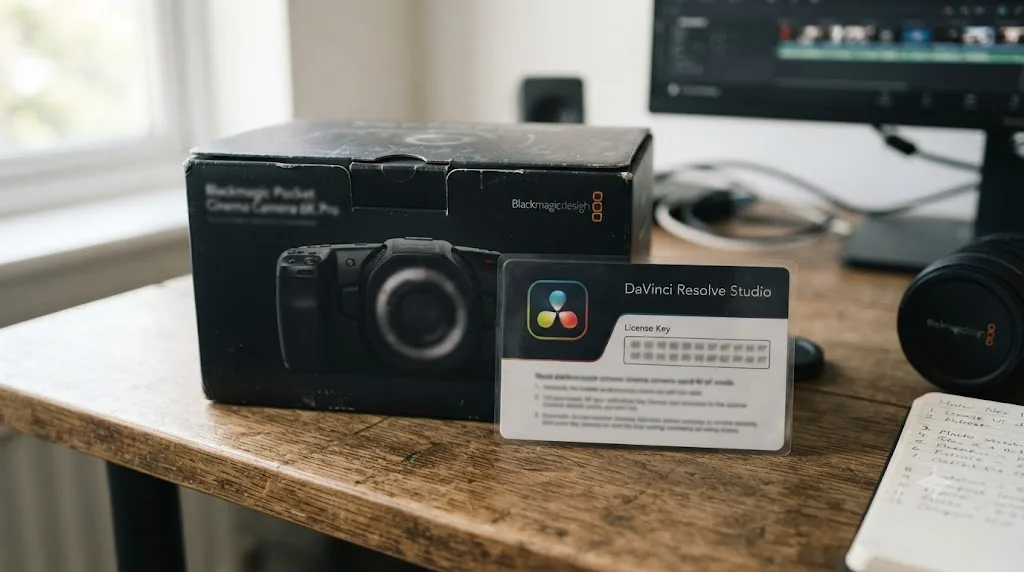
Some Blackmagic cameras, including the Pocket Cinema Camera 6K Pro, ship with a full DaVinci Resolve Studio license included in the box, delivered as a printed activation card rather than a purchase through Blackmagic's Studio product page, per Blackmagic's own Pocket Cinema Camera product page. You buy the camera, you get a Studio key, and that key unlocks the same full Studio application as the $295 standalone purchase, not a separate cut-down version.
That's the same standalone activation model Blackmagic has used for Studio since long before the September 2025 Cloud rental existed: a one-time activation tied to a key, checked in at points like install and machine transfer, not a subscription that quietly lapses if you stop paying, because there's nothing recurring to stop paying. A camera-bundled Studio license behaves like any other Studio key Blackmagic has ever sold, a one-time activation with no built-in expiration, not a taste of Studio that runs out.
Where this can get confusing is troubleshooting. Because it's still a Studio activation key under the hood, a camera-bundled license can run into the same named, fixable problems any Studio key can, "license already in use" if you've activated it on too many machines already, or "license file not found" if the local activation file goes missing after a reinstall. Neither of those is the license expiring. They're the same Studio-licensing issues covered in our guides to license already in use and license file not found, and they apply whether your Studio key came in a camera box or a receipt from Blackmagic's own store.
Why would DaVinci Resolve suddenly ask you to activate or register something?
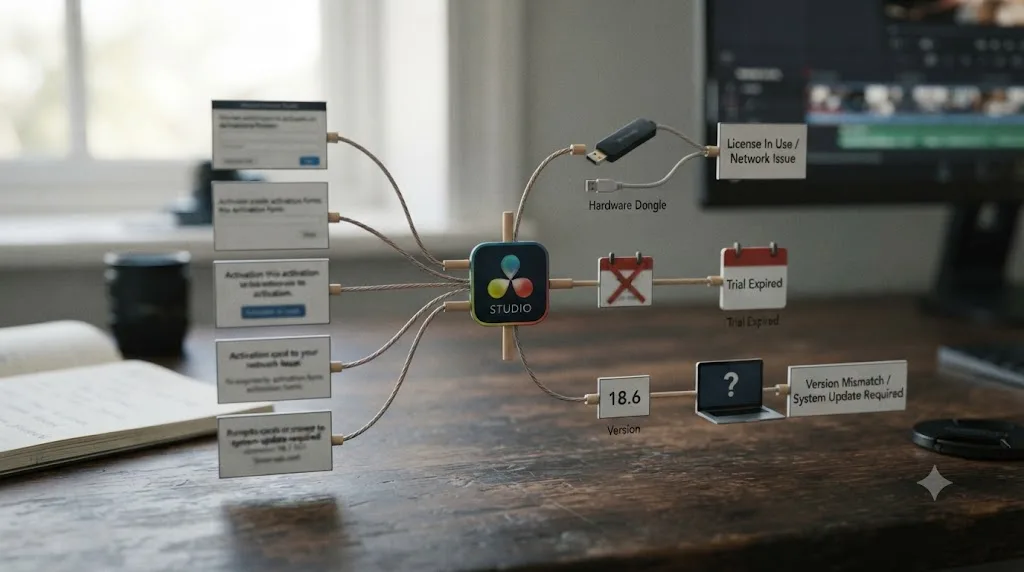
If Resolve has never prompted you for anything and suddenly does, it's worth knowing which prompt you're actually looking at, because a few different dialogs get lumped together as "it's asking me to reactivate, so my free copy must be expiring."
| What you see | What it actually means | Where to look next |
|---|---|---|
| A watermark on a specific effect's preview | You're using a Studio-only tool without a Studio license | Not an error. Buy Studio if you want that effect, or skip it |
| "License already in use" | A Studio activation key already fills its slots elsewhere | Our license already in use guide |
| "License file not found" | Resolve Studio's local activation file is missing or unreadable on this machine | Our license file not found guide |
| A prompt to enter an activation code you don't have | You lost a Studio key, or the software was reinstalled without one | Our lost activation code recovery guide |
| A request to sign in to Blackmagic Cloud | Something in your setup is using the Cloud rental path, not a standalone key | Confirm whether you actually opted into the rental option |
Every one of those prompts is about DaVinci Resolve Studio, in one form or another, and none of them are the free version timing out. If you never bought or rented Studio and you're not trying to use a Studio-only effect, you should never see any of these dialogs at all. Seeing one is a signal about Studio's licensing state, not a signal that your free copy has an internal clock.
This matters because the instinct when something unexpected pops up is to assume the worst case, software breaking on its own, when the far more common cause is a specific, named, fixable condition with its own separate explanation.
Is the free version only free for personal projects, or does commercial use run into a limit too?
Fair question, and it's a different worry than the countdown-clock myth. Plenty of free creative tools split the deal in two: free for hobby work, but the moment money changes hands on something you made with it, the license wants payment or stops applying. That's a reasonable thing to check before you build a client's paid project inside software you haven't licensed for business use.
DaVinci Resolve's free version doesn't work that way. A Blackmagic Forum thread that addressed this question directly, titled "Commercial use of Davinci Resolve (free version) 2024," confirmed that commercial use is permitted under the free version's license, the same as it is under Studio. There's no separate hobbyist tier hiding inside the free download, and no clock that starts ticking the moment you invoice a client.
DaVinci Resolve's free version carries no personal-use-only restriction, so a paid client edit doesn't run into a different set of rules than a hobby project cut on a weekend. That's worth knowing if you're a freelancer weighing whether you need to buy Studio before you can legally deliver paid work, because the free tier's feature ceiling, not its licensing terms, is the actual thing that might push you toward Studio. If your delivery specs stay within the free version's resolution, frame rate, and bit-depth limits, there's no licensing reason to upgrade just because the work is paid.
Will an old copy of the free version eventually stop working?
Possibly, but not because of licensing, and that distinction matters more than it sounds like it should.
Software doesn't exist independent of the operating system underneath it. A version of DaVinci Resolve released years ago was built and tested against the macOS, Windows, and GPU drivers available at the time. As those platforms move forward, an old build can eventually fail to launch, crash on newer hardware, or lose access to a graphics driver it was never written to expect. When that happens, it looks like the software "gave out." It didn't. The ground underneath it moved.
Nothing about DaVinci Resolve's free-version license carries a shutoff date, but the operating systems and GPU drivers it depends on keep evolving, and that's the actual thing that can eventually stop an old copy from launching. The fix in that situation is the same one you'd expect: download the current free version from Blackmagic's own DaVinci Resolve product page rather than hunting for a way to resurrect a years-old installer.
If you actually need an older build, say your GPU or plugin chain only behaves on a specific past version, Blackmagic keeps installers for previous releases of both the free version and Studio available directly through its own support site, not just the current release. That's a meaningfully different situation from software that only ever distributes its latest build and leaves you hunting third-party mirrors for anything older.
There's a second version of this worth naming honestly, because it's a choice, not a failure. If you never update your copy of the free version, you also never get new features Blackmagic ships in later releases, the Photo page, expanded AI tools, whatever headlines the next version's release notes. Staying on an old build costs you upgrades. It doesn't cost you your license, and it doesn't put a clock on the version you already have.

Do you need to stay online for the free version to keep working?
No, not for ongoing use. This is the last piece of the "it might time out" worry, and it's worth closing directly because subscription software has trained people to expect a background check-in that can fail silently.
The free version doesn't run a periodic license validation against a Blackmagic server while you edit. You install it, and normal day-to-day use, cutting, grading, mixing, exporting, doesn't depend on a live connection to prove you're still allowed to use it.
That's a genuinely different model from the two paid paths. DaVinci Resolve Studio's traditional activation key does check in with Blackmagic's servers at points like activation and deactivation, which is exactly the mechanism behind errors like "license already in use." And the newer Blackmagic Cloud rental is explicitly account-based by design, tied to your Blackmagic Cloud ID rather than a local file, which makes an internet connection part of how that specific product works, not an inconvenience bolted onto it.
Losing your internet connection can interrupt a Studio license activation or a Blackmagic Cloud rental check, but it has no equivalent failure mode in the free version, because the free version has no online check to interrupt. If you edit somewhere with unreliable internet, that's one more quiet reason the free tier behaves more predictably than either paid path, not less capable, just less dependent on something outside your control.
Why did Blackmagic make the free version permanent instead of a trial?
Because the free version isn't selling you software. It's selling you into an ecosystem, and a countdown clock would work against that goal.
DaVinci Resolve wasn't originally built as consumer software at all. Blackmagic Design acquired the daVinci Systems color-grading business in 2009, when the hardware-and-software systems it sold to Hollywood post houses cost "$350,000 to $850,000 per unit," according to Forbes' profile of founder Grant Petty. Petty turned the software into a standalone product priced at "just $995," then made a base version free within about a year, per the same profile. Making that base tier free wasn't charity. It was a deliberate move to put the software in front of as many editors as possible.
That logic only works if the free tier never expires. Blackmagic's actual business runs on cameras, monitors, and the Studio license, not on selling the entry-level editor itself. A free version that quietly turned into a trial after a month would undercut the entire strategy: it would train editors to distrust the free tier instead of building their skills inside it, and every hour spent inside DaVinci Resolve, free or paid, is an hour that makes a future Blackmagic camera purchase or Studio upgrade more likely, not less.
DaVinci Resolve's free version stays free because it feeds Blackmagic's camera and hardware business, not because the company is running a countdown it just hasn't triggered yet. That's also why the free tier has only ever gained capability over time, multi-user collaboration and HDR grading both moved down from Studio into the free version in past releases, and never had a limitation added that wasn't already there.
It helps to test that claim against a real competitor instead of taking it on faith, because "free forever" is a promise other companies have made and broken. HitFilm Express launched years ago as FXhome's own free-forever video editor, built on the same logic Blackmagic uses: hook people young, sell upgrades later. Artlist acquired FXhome in 2021, and by January 2025 it discontinued the original HitFilm Express tier entirely, replacing it with a more limited free edition capped at 1080p exports, according to CG Channel's coverage of the shutdown. That's a real example of a "free forever" editor's promise actually breaking.
But look closely at what broke and what didn't. Even when HitFilm Express was discontinued in January 2025, existing installations kept running exactly as before; what ended was new downloads and future updates for that tier, not a retroactive shutdown of copies people already had. Nobody who'd already installed HitFilm Express woke up to a countdown or a locked application. That's the realistic worst case for a company changing its free-tier strategy, and it still isn't the scenario the "DaVinci Resolve expires" myth describes. If Blackmagic ever did change course on the free version, the HitFilm precedent suggests your existing copy would likely keep working. What you'd lose is future updates, not the software already on your drive.
None of this is a promise about the future. Blackmagic hasn't published any statement ruling out changes to the free tier forever, and nothing here should be read as one. But the pattern, the motive behind it, and the one real comparable case all point the same direction: permanent for what you've already installed, even in the scenario where a company's strategy shifts.
Does downloading from the Mac App Store instead of Blackmagic's site change any of this?
No, but it introduces its own small wrinkle worth knowing about before you pick a download source.
Both the free version and DaVinci Resolve Studio are listed on Apple's Mac App Store, as a separate distribution channel alongside Blackmagic's own direct download. That's a legitimate way to install Resolve, and Studio's App Store listing is a one-time purchase through Apple's payment system, not a subscription, matching the same non-expiring activation model as buying directly from Blackmagic. The catch is technical, not financial: the Mac App Store build runs inside Apple's sandboxing rules, and it doesn't support some external control panels and may not work with every third-party OpenFX or VST plugin, according to Mixing Light's breakdown of the App Store version's limitations. If you're using a Blackmagic control surface or plugin-heavy workflow, the direct download from Blackmagic's own site avoids that friction entirely.
There's a mobile version of this worth a quick mention too, since it comes up in the same searches. DaVinci Resolve for iPad ships free, with a separate $94.99 one-time in-app purchase to unlock Studio features on the tablet, a price confirmed when the app first launched according to AppleInsider's coverage of the iPad release. That iPad Studio purchase is its own separate license from the desktop Studio key; buying one doesn't unlock the other, and neither one is a subscription that lapses.
Whether you install DaVinci Resolve from Blackmagic's own site, the Mac App Store, or the iPad App Store, every legitimate channel uses the same non-expiring model: the free tier stays free indefinitely, and any Studio purchase is a one-time unlock, not a countdown. The only real differences between those channels are technical compatibility, not licensing risk.
What if you're downloading the free version from somewhere other than Blackmagic?
Don't, and this deserves a direct answer because it's the one scenario where "free version" and "risk" genuinely belong in the same sentence, just not the risk the myth describes.
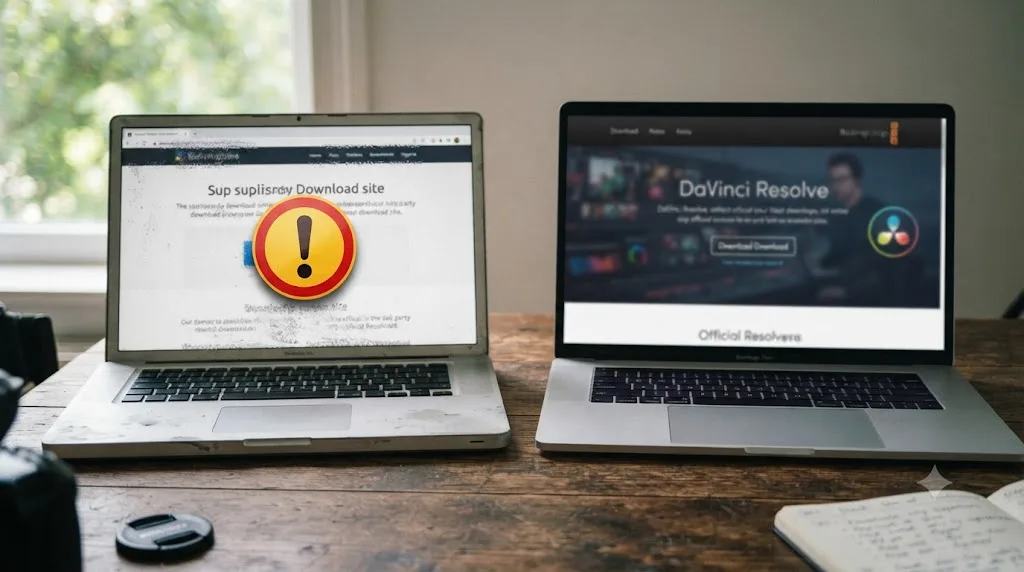
The free version's legitimacy is tied to where it comes from, not how long you've had it. Blackmagic's own DaVinci Resolve product page and its How to Buy page are the only sources guaranteed to hand you the real, unmodified application, and the Mac App Store and iPad App Store covered above are the only other legitimate channels. A file mirror advertising a "pre-cracked," "no registration," or "permanently unlocked" copy of DaVinci Resolve isn't offering you anything the real free version doesn't already give you for nothing, since the genuine free tier has no registration wall worth cracking in the first place. What it is offering is an unknown binary from an unverified source, which is a far more common way to end up with malware on an editing workstation than any licensing quirk in Blackmagic's actual software.
A DaVinci Resolve download from anywhere other than Blackmagic Design's own site, or its official Mac and iPad App Store listings, can't be verified as the real, safe application, regardless of what the file claims to unlock or extend. If a download page's entire pitch is convincing you the free version needs to be "unlocked," that pitch is the red flag, not the software it's describing.
What should you actually check if you think your copy "expired"?
Run through this before assuming the worst.
Picture the actual scenario first, because it's almost always the same one. You open a project you haven't touched in a while, drop noise reduction or Magic Mask onto a clip out of curiosity, export a quick preview, and see a watermark stamped across the frame where there wasn't one last time you exported. Your first instinct is that something changed on its own. Nothing did. You touched a Studio-only tool without a Studio license, and the watermark is doing exactly what it's designed to do: let you audition the effect, not hide the fact that you don't own it yet. That single scenario accounts for most "did my free version expire" reports that actually reach a forum.
- Look at what triggered the message. Did it happen when you clicked a specific effect, like Magic Mask or noise reduction? That's a Studio-license watermark, not an expiration.
- Check whether you ever entered a Studio activation key or set up a Blackmagic Cloud rental. If you never did either, you've only ever been running the free version, which has no expiration mechanism to trigger.
- Check the actual error text. "License already in use" and "license file not found" are both specific, fixable Studio-licensing problems, not evidence of a free-version time limit. Our guides to license already in use and license file not found cover each one directly.
- Confirm you're on a current build. If the software won't launch at all, check whether your operating system has moved past what your installed version supports, and grab the current installer from Blackmagic's product page if so, or an older archived build from Blackmagic's support site if you specifically need one.
- If you're deciding whether to pay for Studio access instead of troubleshooting the free version, know your real options first. A one-time $295 license and a roughly $30-a-month Blackmagic Cloud rental behave very differently over time, and our free-vs-Studio guide breaks down which one actually makes sense for how often you edit.
If you go through that list and you're still stuck figuring out which menu or setting is actually behind a message on your own screen, that's a common place to lose an afternoon, since Resolve's licensing dialogs don't always explain themselves clearly. TryUncle is the on-screen assistant for DaVinci Resolve on macOS, ask in plain words and Uncle points at the exact control on your screen, which is a faster way to confirm what a specific prompt actually means than searching forums while a deadline sits in the background. It's a paid app at founder pricing, so check TryUncle directly for the current rate, and it's macOS only.
The verdict
DaVinci Resolve's free version does not expire and does not time out. It never has, not in 2011 as "8 Lite," not in any of the fifteen years since, and not in Resolve 21. No trial window, no countdown, no license server waiting to shut you off after a set number of days, no personal-use-only carve-out that suddenly applies once you get paid for the work. What actually carries a clock is the Blackmagic Cloud rental of DaVinci Resolve Studio, a separate product launched in September 2025 that charges monthly and is easy to mistake for the free tier if you only half-read where it came from. If something in Resolve is asking you to activate, reactivate, or pay, it's talking about Studio, or a Studio key that happened to arrive in a camera box, not about the free version you've been quietly running the whole time. Keep editing. Nothing here is coming due.
Frequently asked questions
- Does DaVinci Resolve's free version ever expire?
- No. It has no trial period, no countdown, and no expiration date. You can install it today and keep using the same copy indefinitely, with no license check that shuts it off after 30 days, 90 days, or any other window.
- Is DaVinci Resolve's free version secretly a trial?
- No. A trial unlocks the full product for a limited window and then locks you out or drops features, the way Premiere Pro's 7-day trial or Final Cut Pro's old 90-day trial worked. The free version of DaVinci Resolve is a permanent, separate tier of the same application, not a countdown clock.
- Why did a watermark suddenly show up on my export if the free version doesn't expire?
- You almost certainly previewed a DaVinci Resolve Studio-only effect, like Magic Mask, film grain, or noise reduction, without an active Studio license. Blackmagic burns a watermark into that specific effect's preview so you can audition it before buying, and it has nothing to do with your free version timing out.
- Does the new Blackmagic Cloud rental of DaVinci Resolve Studio expire?
- Yes, and this is the real source of a lot of the confusion. Launched in September 2025, it's a monthly subscription, roughly $30 a month, that unlocks Studio features tied to your Blackmagic Cloud ID for as long as you keep paying. It's a genuinely different product from the always-free base version.
- Will an old copy of DaVinci Resolve's free version eventually stop working?
- Not because of licensing. A version can eventually lose macOS, Windows, or GPU driver compatibility as operating systems move forward, which can stop it from launching. That's an operating-system problem, not a timed shutdown built into the software.
- Do I need an internet connection to keep the free version running?
- No ongoing connection is required. The free version doesn't phone home to revalidate a license during normal use, unlike DaVinci Resolve Studio, which checks in periodically and unlike the Blackmagic Cloud rental, which is tied to an online account by design.
- Is a free DaVinci Resolve download from a site other than Blackmagic's legitimate?
- Don't risk it. The only version guaranteed to be the real, unmodified, genuinely free application is the one from Blackmagic Design's own DaVinci Resolve product page. Third-party mirrors offering a 'full unlocked' or 'pre-cracked' free version are a common way to distribute malware, and they teach you nothing true about how licensing actually works.
Sources
- DaVinci Resolve product page (free version specs)
- DaVinci Resolve Studio product page (price and features)
- DaVinci Resolve - How to Buy (Blackmagic Design)
- VizEdits: DaVinci Resolve's Free Version Is Genuinely Professional, Here's What's Missing (Subhan Mahmood)
- Blackmagic Forum: Time limit: free version
- Blackmagic Forum: DaVinci Resolve 20.2 Adds Davinci Watermark to all my clips
- Newsshooter (Matthew Allard ACS): Blackmagic Design introduces a new way for individuals to rent DaVinci Resolve Studio
- RedShark News (Andy Stout): Blackmagic Adds Monthly License Option for DaVinci Resolve Studio
- Enchanted Media: Free Adobe Premiere Pro Trial (7 Days)
- Cult of Mac: Apple kills free 90-day Final Cut Pro and Logic Pro trial
- Forbes: How An Aussie From The Housing Projects Became A Billionaire Making Gear For Next-Gen Spielbergs
- Blackmagic Pocket Cinema Camera (includes DaVinci Resolve Studio)
- Wikipedia: DaVinci Resolve (version and feature history)
- Blackmagic Forum: Commercial use of Davinci Resolve (free version) 2024
- CG Channel: Artlist discontinues the FXhome apps, HitFilm and Imerge dead
- Mixing Light: What You Need To Know About DaVinci Resolve Studio On The Mac App Store
- AppleInsider: DaVinci Resolve for iPad Pro will have a free & $95 premium version
- Blackmagic Design Support (DaVinci Resolve software downloads)
Put this guide to work with TryUncle.
Ask about the step you’re on. TryUncle sees your screen and points at the control you need, so you can keep learning in your own project.
Get TryUncle for Mac or WindowsKeep reading
Comparisons · Jul 7, 2026 · 28 min
DaVinci Resolve Studio Price: Free vs. Studio Cost, Explained
DaVinci Resolve Studio costs $295, paid once, not monthly. Here's exactly what that buys, how it stacks up against Premiere Pro and Final Cut Pro, and who needs it.
Fixes · Jul 20, 2026 · 26 min
DaVinci Resolve Free Version's 4K Export Limit: Myth vs. Fact
Does DaVinci Resolve's free version really block 4K export? No. Here's the real UHD vs. DCI 4K limit, what's Studio-only, and why the myth persists.
Guides · Jul 10, 2026 · 14 min
DaVinci Resolve Student Discount: Does One Exist in 2026?
Blackmagic Design offers no official DaVinci Resolve student discount. Here's what students get instead: a free full editor, campus lab licenses, and a rental option.