Articles / Guidesupdated for DaVinci Resolve 21.0.2 (July 2026)
Does DaVinci Resolve Support Intel Arc GPUs? The Real Answer
Quick answer
Yes, DaVinci Resolve supports Intel Arc GPUs on Windows and Linux through OpenCL, not CUDA. Support is real but rougher than Nvidia's: Arc A770 and A750 now perform close to Nvidia's RTX 3060 and 4060, but Battlemage's B580 has shipped with driver bugs that crash Resolve outright and, as of Puget Systems' 2025 testing, can't even complete Resolve's own benchmark.
You're pricing out a new GPU, the Nvidia cards are sold out or overpriced again, and an Intel Arc card is sitting in the cart at half the price. Before you check out, you want one straight answer: will DaVinci Resolve actually run on it.
It will. That's the short version. After seven years of cutting commercial video professionally, and fielding hardware questions in a 100,000+ member editing community, this exact question keeps resurfacing every time Arc prices dip: does the cheap GPU actually work, or does it just install and then fight you for a year. As of July 2026, on DaVinci Resolve 21.0.2, the honest answer sits between those two extremes, and which side you land on depends on which Arc card you buy and how current you keep its driver.
Does DaVinci Resolve support Intel Arc GPUs?
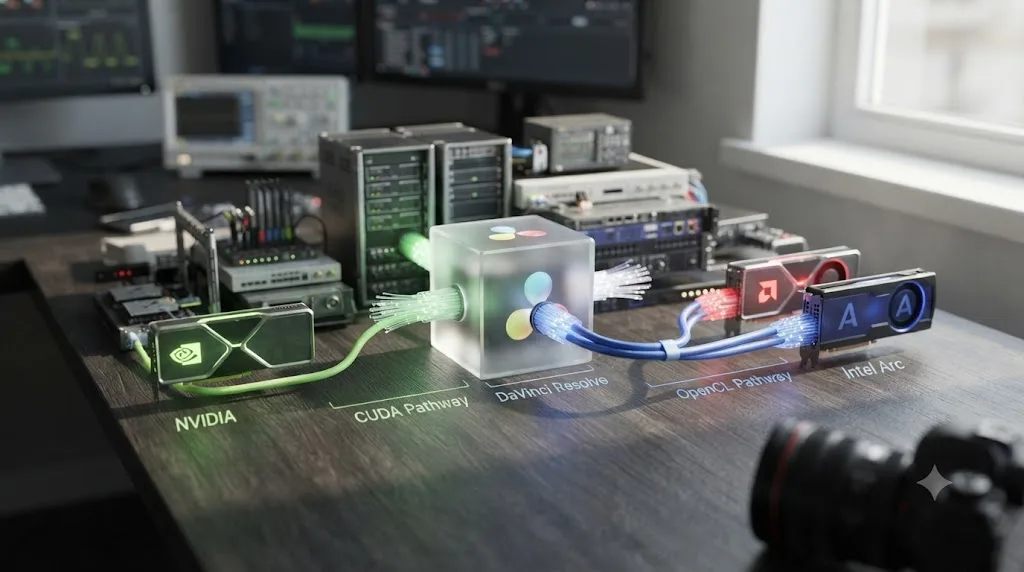
Yes, DaVinci Resolve supports Intel Arc GPUs on Windows and Linux, and it has since Arc's first Alchemist cards launched. Support runs through OpenCL, the same API AMD cards use in Resolve, not through Nvidia's CUDA, which Blackmagic builds and optimizes around first.
That distinction matters more than it sounds like. Blackmagic's own tech specs page lists GPU requirements generically, a discrete or integrated card capable of CUDA 12.8 or OpenCL 1.2, without singling out Intel Arc by name the way it names Nvidia's Studio Driver branch for its officially tested Linux configuration, per Blackmagic's own tech specs page. Arc qualifies under that generic OpenCL line. It just doesn't get its own certified compatibility list the way Nvidia does.
DaVinci Resolve talks to Intel Arc through OpenCL, not CUDA, and Blackmagic engineers and certifies against Nvidia's API first. That single fact explains almost everything else in this article: why Arc performance took years to catch up, why driver bugs hit Arc harder than Nvidia, and why the honest recommendation still leans Nvidia for anyone who can't afford downtime.
What GPU API does Intel Arc use inside DaVinci Resolve?
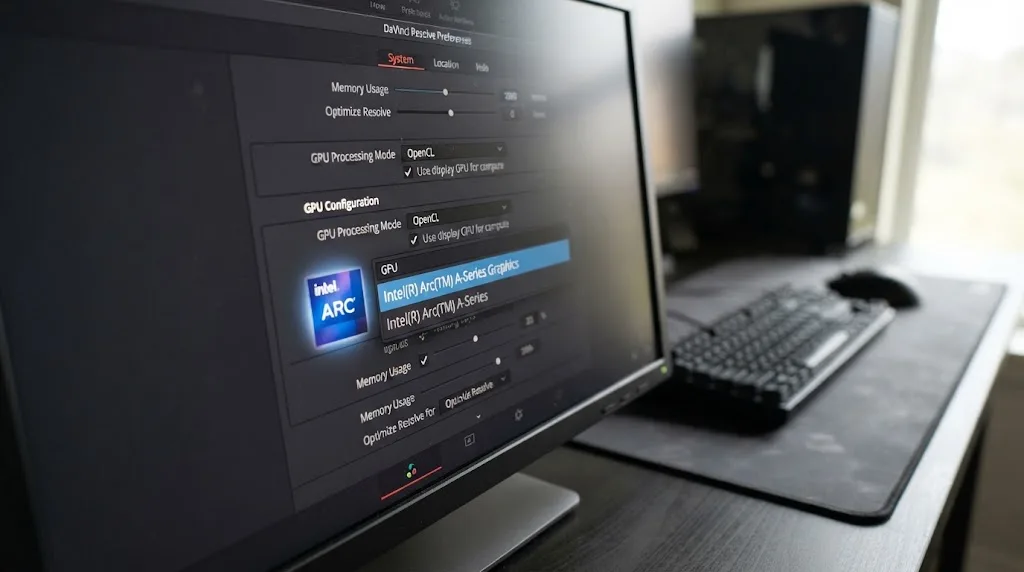
Intel Arc runs DaVinci Resolve's GPU pipeline through OpenCL 1.2, the same compatibility floor AMD cards use, set manually in Preferences rather than assumed by Resolve automatically.
Open Preferences > System > Memory and GPU, and under GPU Processing Mode you'll see CUDA, Metal (Mac only), and OpenCL as the options Resolve chooses between. Arc cards need OpenCL selected, and Auto occasionally guesses wrong, especially on a machine that used to have an Nvidia card in it. This is the identical failure mode covered in our AMD GPU not detected guide, and the fix is the same: uncheck Auto, pick OpenCL by hand, restart Resolve completely since the setting doesn't apply live.
On Linux, Arc's OpenCL support comes through Intel's compute-runtime package, a community and Intel-maintained driver stack that's a completely separate code path from the proprietary Nvidia Studio Driver Blackmagic actually tests against on Rocky Linux 8.6. Windows drivers ship Arc's OpenCL and media engine support bundled together through Intel's own driver downloads, updated on a schedule Intel controls, not Blackmagic. That same Windows driver package also carries Intel's oneAPI Level Zero runtime and Vulkan support, which Resolve doesn't touch directly, but which explains why a single Arc driver download is so much larger than the equivalent Nvidia Studio Driver.
There's no version of DaVinci Resolve, on any platform, where an Intel Arc card talks to Resolve through CUDA. It's OpenCL or nothing, and that's worth knowing before you spend an evening hunting for a CUDA option that will never appear for this hardware.
What does Blackmagic actually say about Intel Arc?
Not much, by name, and that silence is itself the answer worth noting.
Blackmagic's tech specs page describes GPU requirements by API and VRAM, not by brand: a minimum of 4GB of VRAM, integrated or discrete, and CUDA 12.8 or OpenCL 1.2 support, according to a breakdown of Resolve 21's requirements published by DaVinci Resolve Club, which also notes that "AMD/Intel official drivers from your GPU manufacturer are supported for OpenCL 1.2 acceleration." That's the extent of Blackmagic's Intel-specific language on discrete Arc hardware: a generic nod inside a generic OpenCL requirement, no certified driver version, no tested configuration list.
The same source is more specific about Intel's integrated graphics, noting that "Intel Arc integrated graphics handle Resolve better than older Intel HD/UHD options," a comment about laptop and desktop chips with Arc-branded graphics built into the CPU package, not the discrete A- or B-series cards this article is really about. Don't confuse the two when you're shopping. An Intel Core Ultra laptop with Arc graphics baked into the chip is a genuinely different compatibility story than adding a discrete Arc A750 or B580 to a desktop.
Intel itself runs a separate certification track that's easy to mistake for Blackmagic's blessing. Intel's own certified graphics hardware and drivers by ISV page lists DaVinci Resolve among the applications it validates its Arc Pro workstation drivers against, alongside Adobe Premiere Pro, Blender, and Autodesk Maya. That's Intel confirming its own driver behaves correctly with Resolve installed. It isn't Blackmagic adding Arc to its own tested-configuration list, and the two are worth keeping separate when you read GPU marketing that leans on the word "certified." More on what that Arc Pro certification actually buys you later in this article.
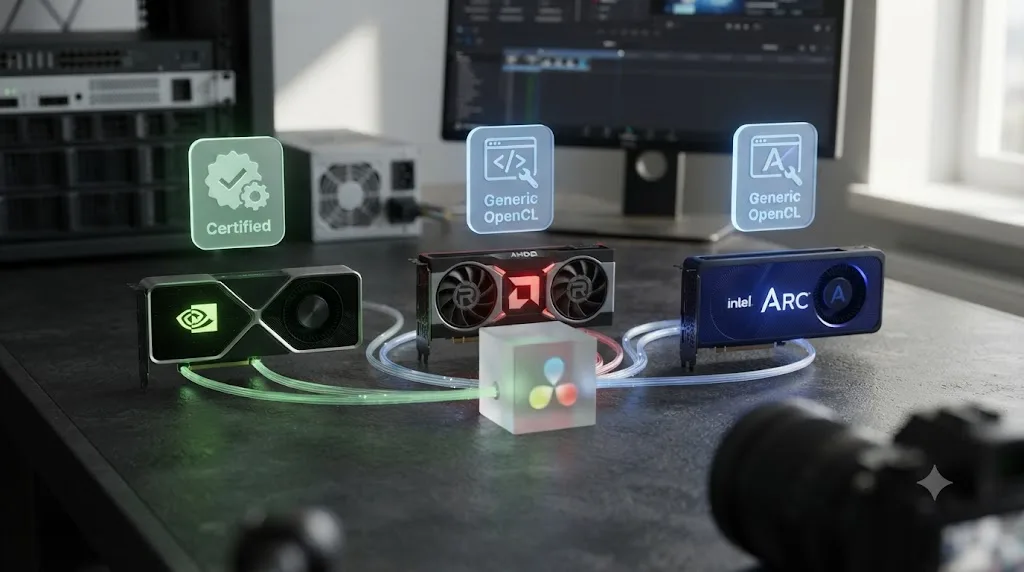
Blackmagic Design doesn't publish an Intel Arc compatibility list the way it does for Nvidia's CUDA line. Nvidia gets a named Studio Driver branch and a specific tested Linux path. AMD gets acknowledged support through OpenCL with community-documented rough edges, covered in full in our AMD GPU not detected guide. Intel Arc gets folded into the same generic OpenCL line as AMD, with no separate driver certification at all from Blackmagic's side. It works. It's just not a first-class citizen the way CUDA hardware is.
How fast is Intel Arc actually in DaVinci Resolve?
Meaningfully faster than it was at launch, and in some specific tests, faster than Nvidia's competing cards, once the driver behind it is current.
Puget Systems, which builds Resolve workstations and benchmarks GPUs for a living, tracked Arc's improvement directly. Author Evan Lagergren found that a driver update produced "a performance uplift greater than 40%" for the A770 and A750 in Resolve testing, and after that update, "the A770 is now within the margin of error" of an RTX 3060, per Puget's Arc A770/A750 content creation review. Against newer Nvidia cards, the same testing found "the A770 beating the RTX 4060 and 4060 Ti and the A750 only being 5% slower."
The newer Battlemage-generation B580 pushed further in some categories. Lagergren's B580 review found it "30% ahead of the 4060 and 18% ahead of the A750" on GPU effects, only "slightly ahead of the A770," according to Puget's Intel Arc B580 content creation review. The B580 also delivered "the best performance of any video card we tested" on LongGOP footage, though its decode performance still trailed a Quick Sync-equipped Intel iGPU specifically. Nvidia kept its edge on RAW codec handling, where the B580 ran 16% slower than the RTX 4060.
Intel's cheaper Battlemage sibling, the B570, launched at $219 against the B580's $249, Tom's Hardware reported at launch, trading 2GB of VRAM and roughly 10% of the shading cores for $30 in savings. TechSpot's independent review summed up the B570 bluntly as decent performance without a great value story next to its own sibling, in TechSpot's Intel Arc B570 review, since the B580 usually beats it by more than the price gap justifies. If you're choosing between the two specifically for Resolve, the B580's extra VRAM and shader count make it the better buy almost every time.
| GPU | VRAM | API in Resolve | GPU effects vs RTX 4060 | Known caveat |
|---|---|---|---|---|
| Intel Arc A750 | 8GB | OpenCL | About 5% slower (current drivers) | Cheapest current Arc option; needs a current driver to hit this number |
| Intel Arc A770 | 8GB or 16GB | OpenCL | Beats the 4060 (current drivers) | 16GB variant helps VRAM-heavy grades |
| Intel Arc B570 | 10GB | OpenCL | Behind the B580 by more than the price gap | Weaker value than the B580 for Resolve work |
| Intel Arc B580 | 12GB | OpenCL | 30% faster (Dec 2024 driver) | Documented driver crash bugs, see below |
| Nvidia RTX 4060 | 8GB | CUDA | Baseline | Blackmagic's officially tested API path |
| AMD Radeon (RDNA2/3) | Varies | OpenCL | Competitive, mature stack | See our AMD GPU guide |
The Arc B580 delivers desktop-class DaVinci Resolve performance for a fraction of an RTX card's price, when the driver behind it is behaving. That qualifier isn't a throwaway line. It's the entire next section, and the one after it.
How much VRAM does DaVinci Resolve actually need on an Intel Arc GPU?
More than Blackmagic's own minimum suggests, and the gap matters more on Arc than on Nvidia because Arc's driver already has less margin for error.
Blackmagic's tech specs list 4GB of VRAM as the floor, integrated or discrete, per Blackmagic's own tech specs page. That number gets Resolve to launch. It doesn't get you through a real edit. A workstation-building guide that specializes in Resolve configurations puts the practical floor much higher, recommending you "plan for 12GB VRAM minimum before enabling AI tools on a real timeline" and to "target at least 16GB of VRAM" if you lean on Magic Mask, temporal noise reduction, or Fusion compositing regularly, according to COREMICRO's GPU guide for DaVinci Resolve Studio. Puget Systems, which builds and sizes Resolve machines professionally, sizes VRAM the same way: by resolution and effects load, not by the boot minimum, per Puget's hardware recommendations for DaVinci Resolve.
Map that against actual Arc VRAM configurations and the picture gets specific fast:
| Workload | Practical VRAM target | Arc cards that clear it |
|---|---|---|
| HD or light 4K cut, minimal effects | 8GB | A750, A770 (8GB), B570, B580 |
| 4K color grade with moderate node trees | 8-12GB | A770 (16GB), B580, B570 (tighter) |
| Magic Mask, Super Scale, temporal noise reduction, regular Fusion comps | 16GB+ | A770 (16GB variant only) |
| 6K/8K RAW or heavy multicam grading | 16-24GB | None in the consumer Arc line; Arc Pro B60 or B70, see below |
That table has a gap worth naming plainly: the entire consumer Arc lineup tops out at 16GB, on the A770's higher-VRAM SKU, and every other card in the range sits at 8, 10, or 12GB. If your work regularly runs low on VRAM, you'll feel it faster on an 8GB A750 or a 12GB B580 than on an equivalent Nvidia card with more headroom, because Arc's OpenCL driver already runs with a thinner performance margin. Running out of VRAM produces symptoms our GPU memory full guide covers in detail, mostly stutters, dropped frames on playback, and render failures rather than a clean warning, and those symptoms show up at a lower resolution and node count on an 8GB card than on a 16GB one.
On Arc, running short on VRAM and running into a driver bug can look identical from the timeline, so ruling out VRAM first saves you from chasing a driver update you didn't need. Before assuming any Arc-specific crash is a driver problem, check the VRAM meter in Resolve's status bar. If it's pinned near the card's total, the fix is a lighter node tree or Optimized Media, not a driver reinstall.
Is the Arc B580 stable in DaVinci Resolve right now?
Not consistently, and Intel itself has published an official support article confirming it.
An Intel support page titled "DaVinci Resolve Studio Freezes or Crashes on Intel Arc B580" documents exactly the failure mode B580 owners have reported: the application locking up or crashing during real use, per Intel's own support article on the issue. A parallel thread on Intel's community forum, titled "B580 Stability Issues with DaVinci Resolve (Missing OpenGL Entry Points & CL_OUT_OF_RESOURCES Error)," describes the same class of problem from the user side, logged on Intel's community forum. Reports across that thread and related ones on the same forum describe the issue surviving a full Windows reset and a BIOS reset, which rules out a one-off corrupted install and points squarely at the graphics driver stack itself.
Puget Systems' own benchmark testing ran into a version of this directly. In its most recent published roundup, Lagergren wrote that "there is a known bug with Intel Battlemage cards that prevents them from properly completing the PugetBench for DaVinci Resolve benchmark," reported in Puget's 2025 consumer GPU content creation roundup. The B580 didn't score low in that test. It didn't finish at all, marked "did not complete" on Puget's own charts, from one of the most methodical GPU testing operations in this industry.
That's not the same finding as the B580 review published a year earlier, where the card ran the same benchmark cleanly and posted strong numbers. Something regressed between those two testing rounds, and Puget's own review from earlier in the B580's life describes a related VRAM problem worth knowing about regardless: "there also appears to be an issue in the benchmark where the B580 maxes out available VRAM (despite being a 12 GB card) and crashes during some combinations of our tests," per Puget's original Intel Arc B580 content creation review.
An Intel Arc card that passes every OpenCL detection test can still crash DaVinci Resolve outright, because detection and stability are not the same guarantee. Community reports on Intel's forum point at driver rollbacks as a working temporary fix, older builds sidestepping a regression a newer driver introduced, the same rollback pattern covered in our AMD GPU not detected guide for Radeon hardware. If you already own a B580 and Resolve is crashing, check Intel's Arc driver download page for the current release before assuming the card itself is faulty. If you're shopping and stability matters more than a spec sheet number, weigh that against the B580's price advantage honestly before you buy.
What other Intel Arc driver bugs have hit DaVinci Resolve users?
The B580 freeze isn't a one-off. Intel has published, and fixed, at least three other Resolve-specific bugs across the Arc lineup, and a fourth is still open as of this month.
The oldest of the group produces a distinctive symptom: a green cast across the frame. Intel's support article on it is direct about the trigger, noting that "when using Noise Reduction or any settings that use Optical Flow on DaVinci Resolve, graphics corruption will appear on the frame looking like a green filter," across 14 different Arc products including the A380, A750, A770, B570, and B580, per Intel's support article on the corruption bug. Intel shipped a fix in driver release 31.0.101.4314, and a user thread on Intel's community forum, "A750 Enabling Temporary NR in DaVinci Resolve results in frame corruption," documents the exact same failure from the reporting side, on Intel's community forum. If you're on any driver older than that release and lean on temporal noise reduction, that's your first suspect for green-tinted frames, not a corrupted project file.
A second, separate bug hit Fusion's Camera Tracker specifically. Intel's support article for it describes the system hanging hard enough to force a restart when using Camera Tracker in DaVinci Resolve Studio 18.6.6 on Arc hardware, per Intel's own support article on the issue, fixed in driver 101.6913 or newer, and affecting a long list of Arc products spanning both the A- and B-series. If your Fusion tracking work locks the whole machine rather than just Resolve, this is the specific, documented cause, and the fix is a driver update, not a project rebuild.
A third bug is stranger and worth knowing exists even though it's not really about the GPU. Intel's support article describes DaVinci Resolve failing to launch at all on some Arc systems, no error message, the splash screen simply never opening, traced to a conflict with Cloudflare's WARP client running in the background, per Intel's support article on the launch failure. Closing WARP, or disconnecting it, lets Resolve launch normally again. It's an edge case, but it's the kind of thing that costs a frustrated hour if you don't know background networking software can be the actual culprit behind a "GPU driver" launch failure.
The most current issue is still open. Intel's own release notes for driver 32.0.101.8860 WHQL, dated June 30, 2026, list a known issue affecting both A-Series and B-Series Arc products: "PugetBench for Davinci Resolve Studio may experience an intermittent application crash while running the benchmark," with the stated workaround being to "change the timeout slider to 1500 seconds or higher" in the benchmark's own settings, per Intel's driver 32.0.101.8860 release notes. The following non-WHQL driver, released three weeks later, carried the identical known issue forward unresolved. Whatever's causing Puget's benchmark to time out under load, Intel hadn't closed it out as of the driver current at the time this article was written.
| Bug | Symptom | Affected Arc cards | Status |
|---|---|---|---|
| Green filter corruption | Frame turns green with Noise Reduction or Optical Flow | A380, A750, A770, B570, B580, and mobile variants | Fixed in driver 31.0.101.4314 or newer |
| Camera Tracker hang | Full system freeze, forced restart | A- and B-series, listed in Intel's article | Fixed in driver 101.6913 or newer |
| Resolve won't launch | No error, splash screen never opens | A750, A770 | Workaround: close Cloudflare WARP |
| PugetBench crash | Benchmark run crashes intermittently | A-Series and B-Series | Open as of driver 32.0.101.8860 (June 2026); raise timeout slider to 1500s+ |
| B580 freeze/crash | Application locks up during real editing | Arc B580 | Documented, update driver, still reported in community threads |
Separate from Intel's own bug tracker, two Intel Community threads describe broader, less specific pain. One titled "Critical DaVinci Resolve Issues After Upgrading to Intel Arc B580" and another titled "Serious Concerns About Intel Arc GPU Compatibility for Professional Video Editors" both describe editors hitting instability that persisted through a full Windows reset and a BIOS reset, reported on Intel's community forum and in a separate thread. Neither thread points at a single root cause the way Intel's own bug articles do. Read together, they're the honest picture: documented, fixed bugs exist alongside a steady drip of less-diagnosed reports that never quite resolve into "here's the exact fix," which is what a driver stack still maturing looks like from the outside.
Five different Intel-documented DaVinci Resolve bugs across two Arc generations is not a coincidence of bad luck. It's what happens when a GPU vendor builds its own OpenCL and media driver stack from scratch against an application it doesn't co-engineer with. None of this means Arc doesn't work. It means "does it work" and "does it work without surprises" are two different questions, and this section answers the second one.
Does Resizable BAR actually matter for Intel Arc in DaVinci Resolve?
Yes, and it's not optional the way it is on most Nvidia or AMD cards.
Intel built its Arc architecture around Resizable BAR from the start, letting the CPU address a GPU's full VRAM instead of the small default window older PCIe designs use. Intel's own support documentation states plainly that Resizable BAR "is required for optimal performance with Intel Arc A-Series Graphics," per Intel's support article on the topic, and its Driver & Support Assistant tool actively flags systems where the BIOS setting isn't enabled. Unlike Nvidia's Resizable BAR support, which mostly nets a modest few-percent gain, Arc cards were designed with this feature assumed present, and running without it can cost far more performance on Arc than the same missing setting costs on a competing card.
Turning it on is a BIOS change, not a Resolve preference: reboot into your motherboard's firmware settings, find Resizable BAR (sometimes listed as Smart Access Memory or Above 4G Decoding, which usually needs to be enabled first), switch it on, save, and reboot again. Most boards built in the last five years support it; check your motherboard manufacturer's site if the option isn't visible.
Here's the honest caveat, though, and it's the reason this section exists instead of a single line saying "just enable it." One of the Intel Community threads already cited in this article, the one raising serious concerns about Arc's compatibility for professional editors, describes exactly this troubleshooting step being tried and failing to fully resolve the problem: users who confirmed Resizable BAR was enabled in BIOS still reported Fusion crashes and unresponsiveness with effects like the Time Stretcher, per that Intel Community thread. Resizable BAR is necessary for Arc to perform the way its architecture intends. It isn't sufficient to guarantee Resolve stability on its own, which loops back to the driver bugs covered in the previous section.
Work through it in this order if you're chasing poor Arc performance in Resolve: confirm Resizable BAR is enabled in BIOS first, since that's the cheapest check and Intel explicitly designed around it, then move on to the driver-version troubleshooting above if performance still lags after confirming it's on.
Why does DaVinci Resolve say no OpenCL capable GPU found with an Intel Arc card installed?
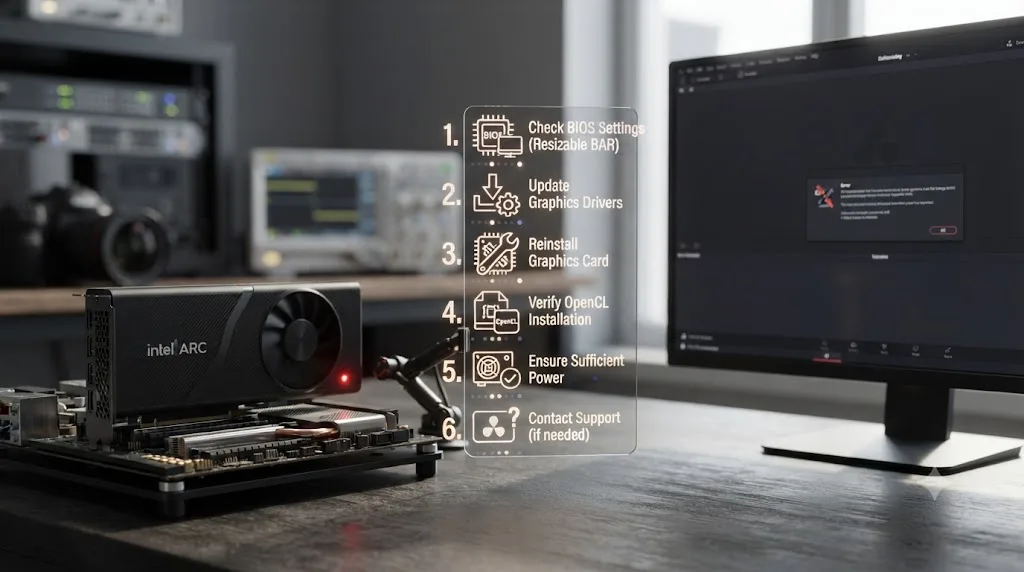
Almost always one of three things: GPU Processing Mode set to Auto and guessing wrong, an Arc driver that's out of date, or GPU Selection pointing Resolve at a different chip entirely.
That third cause has a specific, documented Arc wrinkle. A Blackmagic forum thread titled "Unable to use Dedicated Intel Arc A770 Graphics Card" describes DaVinci Resolve mistaking an integrated AMD chip for the machine's real dedicated card, blocking the actual Arc A770 from being selected at all, reported on Blackmagic's own forum. The reporter found that uninstalling AMD's ROCm OpenCL driver let Resolve see the Arc card correctly, a workaround that's inconvenient rather than a real fix, since it has to be repeated any time both OpenCL stacks need to coexist on the same machine.
The generic version of this error, "no OpenCL capable GPU found," isn't unique to Arc at all. It's a standard Resolve error whenever the app can't open an OpenCL context on any card, and PC Guide's breakdown of that exact message covers the general troubleshooting steps that apply across Nvidia, AMD, and Intel hardware alike, per PC Guide's fix for Resolve's OpenCL error.
Work through it in this order:
- Open Preferences > System > Memory and GPU and set GPU Processing Mode to OpenCL manually, unchecking Auto.
- Check GPU Selection and confirm your discrete Arc card is ticked, not an integrated chip or a second GPU vendor's card sitting in the same machine.
- If a second GPU vendor's OpenCL runtime is installed alongside Intel's, expect possible conflicts, and try removing the unused one if Resolve keeps defaulting to the wrong card.
- Update Intel's Arc driver directly from Intel's own download page rather than through Windows Update, which can lag behind Intel's release schedule.
- Restart DaVinci Resolve completely, since none of these settings apply to an already-open session.
A GPU that Windows lists as present and a GPU that DaVinci Resolve accepts as stable are two different claims, and Intel Arc cards fail the second test more often than Nvidia or even AMD cards do. That's not a knock on Arc's silicon. It's a description of a younger driver stack still catching up to two much older, better-resourced competitors.
Does DaVinci Resolve support Intel Arc GPUs on Linux?
Yes, through the same community-adjacent path AMD cards take on Linux, and outside the one configuration Blackmagic actually tests.
Blackmagic officially supports exactly one Linux distribution, Rocky Linux 8.6, built around a discrete Nvidia GPU running Nvidia's proprietary driver, a fact covered in full in our guide to whether DaVinci Resolve works on Linux. Intel Arc cards on Linux run through Mesa's open-source graphics stack and Intel's compute-runtime package for OpenCL, the same category of driver AMD relies on, not the tested Nvidia path.
That means an Arc card on Rocky Linux, or on Ubuntu, Fedora, or Arch running Resolve through community packaging, is working correctly when it works, but it's not a configuration Blackmagic's own support engineers test against or will necessarily help you debug the same way they'll debug a supported Nvidia setup. Expect the identical library-version sensitivity that makes AMD's Linux story rockier than its Windows one, since Resolve's binary and the Mesa or compute-runtime stack it's talking to both move independently of each other outside Rocky's frozen library versions.
If you're building a Linux Resolve box specifically and stability matters more than saving money on the GPU, Nvidia on Rocky Linux remains the only combination Blackmagic actually stands behind. An Arc card on Linux is a real, working option for anyone comfortable troubleshooting a driver stack Blackmagic doesn't officially test, not a drop-in replacement for that tested path.
Can you pair an Intel Arc GPU with an Nvidia or AMD card for hybrid decode and encode?
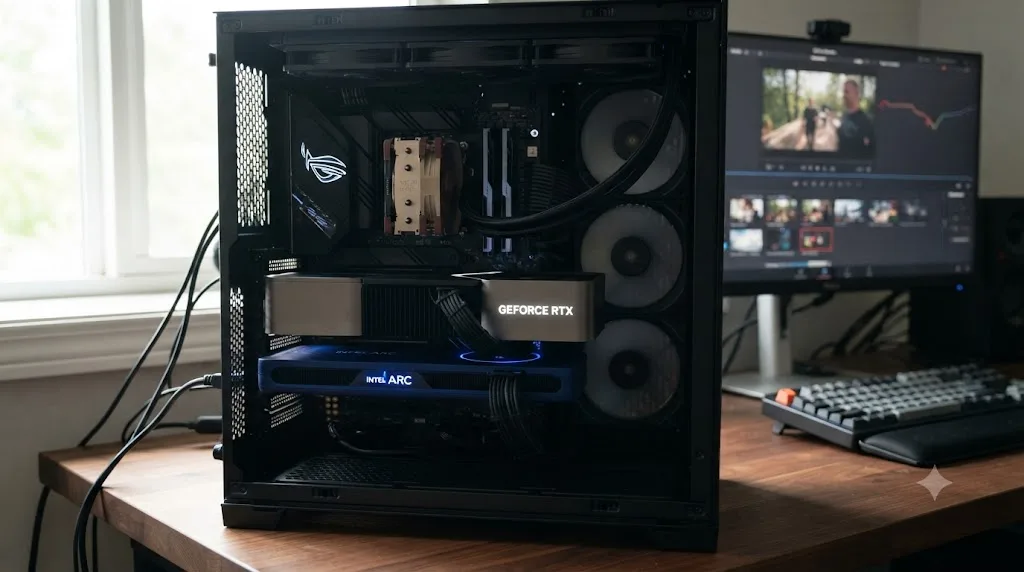
You can install both cards in one machine, and Resolve will use each one's separate hardware encode and decode engines, but it won't combine their compute power into a single bigger GPU.
This is a real, discussed configuration among editors trying to squeeze value out of hardware they already own: keep an Nvidia or AMD card as the primary GPU Resolve uses for color and effects processing, and let an Arc card's media engine handle specific encode or decode work on the side. Resolve doesn't pool VRAM across GPUs from different vendors, and it doesn't split one processing task across mismatched cards the way it can split work across two identical GPUs of the same model. Each card keeps its own copy of frame data and does its own job, not a shared one.
Where this pays off is codec-specific. DaVinci Resolve added broader AV1 decoding support in version 17.2, extending acceleration to Nvidia, AMD, and Intel hardware alike on Windows, according to Notebookcheck's coverage of that release. Intel's Arc line carries strong AV1 hardware encode and decode blocks in its media engine, which is exactly the kind of narrow, codec-specific task a second GPU can genuinely offload without needing to touch your main color pipeline at all.
Treat a second Arc card as an extra decode or encode engine, not as added compute. That framing keeps expectations honest. It won't make your color grading twice as fast. It can take AV1 or H.265 decode load off your primary GPU during a busy multicam edit, which is a real, if narrower, benefit.
Does Intel Arc support AV1 encoding in DaVinci Resolve?
Yes, Arc's media engine includes dedicated AV1 hardware encode and decode blocks, and DaVinci Resolve has supported AV1 acceleration across Nvidia, AMD, and Intel hardware since it broadened AV1 decoding support in version 17.2.
AV1 matters more every year because it delivers better compression than H.264 or H.265 at the same visual quality, which is exactly why YouTube and other streaming platforms have pushed it as a delivery target. A GPU with a dedicated AV1 encoder turns what used to be a slow, CPU-heavy export into a fast, hardware-accelerated one, the same relationship covered in our GPU utilization during export guide for H.264 and H.265 specifically.
Where Intel Arc's AV1 support is genuinely useful, beyond a primary GPU swap, is exactly the hybrid setup covered above. An editor delivering AV1 masters who already owns an Nvidia card for grading can add a budget Arc card purely to accelerate that one export codec, without touching the GPU Resolve uses for everything else. It's a narrow use case, but a real one, and it's one of the more legitimate reasons to add Arc hardware to an otherwise Nvidia or AMD machine rather than replacing anything.
That media engine isn't limited to discrete cards anymore, either. Intel's current driver release notes list built-in Arc GPUs on Panther Lake-generation Core Ultra Series 3 laptop chips alongside the discrete B570 and B580, per Intel's Arc driver release notes, meaning the same AV1 hardware blocks that live on a discrete Arc card now ship inside ordinary Intel laptop silicon, no separate purchase required, for anyone editing on a thin-and-light rather than a desktop tower.
Does DaVinci Resolve support Intel Arc on Mac?
No, and the reason is simple: Intel never built an Arc graphics driver for macOS, so the question doesn't come up on any Mac capable of running current Resolve.
Apple Silicon Macs, which is what DaVinci Resolve 21 requires, carry Apple's own GPU design built into the same chip package as the CPU. There's no discrete card slot for an Arc GPU to occupy, and Apple removed external GPU support for graphics acceleration entirely when it moved away from Intel processors, a restriction covered in more depth in our AMD GPU not detected guide, which walks through the same eGPU dead end for AMD cards.
Older Intel Macs did ship with Intel integrated graphics alongside AMD discrete cards, but DaVinci Resolve 21 doesn't run on Intel Macs at all regardless of GPU. If you're troubleshooting an Arc-related question on a Mac, you're troubleshooting the wrong hardware question entirely. The real one is whether that Mac can run Resolve 21 in the first place, and for any Intel Mac, the answer is no.
Are Intel's Arc Pro workstation GPUs a better fit for DaVinci Resolve?
For VRAM-hungry work, potentially yes. For raw speed, not really, and Puget's own testing shows exactly why.
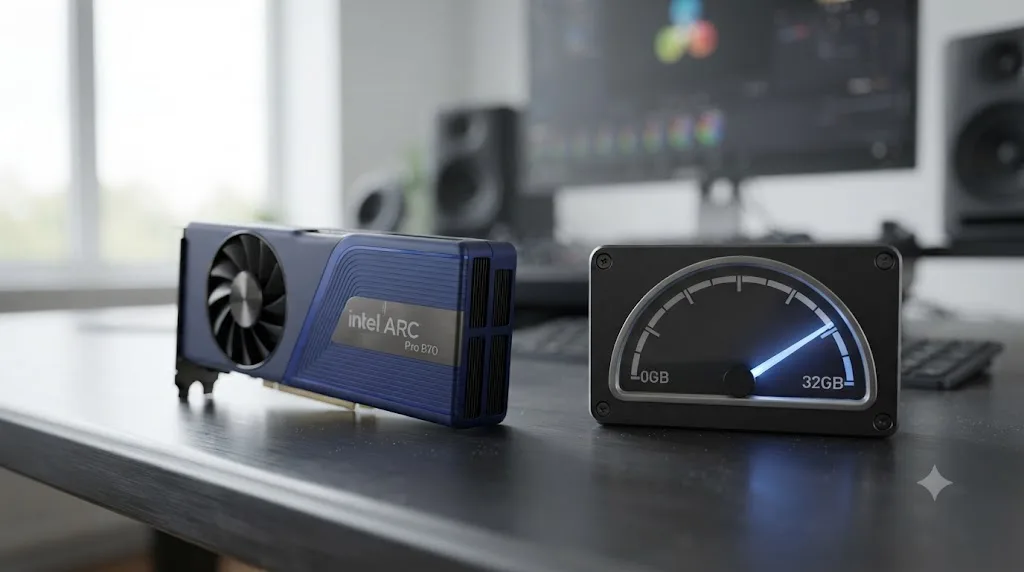
Intel's Arc Pro line sits above the consumer A- and B-series cards and targets workstations directly. The lineup now runs from the Arc Pro B50 at $299 with 16GB of memory up through the Arc Pro B60 at 24GB and the Arc Pro B70 at 32GB for $949, as Tom's Hardware reported at launch. Every card in that range carries more VRAM than the entire consumer Arc lineup tops out at, which matters directly given the VRAM ceiling this article already covered above. The B60 in particular shows up on Intel's own certified graphics hardware and drivers by ISV page as validated against DaVinci Resolve specifically, alongside Adobe Premiere Pro, Blender, and Autodesk Maya, per Intel's ISV certification page, which is a meaningfully stronger endorsement than anything the consumer Arc line gets.
Speed is a different story. Puget Systems tested the flagship Arc Pro B70 directly against workstation-class competition from Nvidia and AMD, and the results were mixed rather than dominant. Lagergren's review found the B70 "performed acceptably, with a 27% performance advantage over the 2000 Blackwell but 8% slower than the R9700" overall, referring to Nvidia's RTX PRO 2000 Blackwell and AMD's Radeon AI PRO R9700 workstation cards, per Puget's Intel Arc Pro B70 review. Broken down by workload, the B70 actually beat the R9700 on LongGOP footage "by 5-10%," but ran "up to 24% slower than the R9700" on RAW media, and scored lower than AMD's card on GPU effects as well. Fusion was the weakest category by far. Lagergren reported the B70 performing "fairly poorly" in Fusion testing, underperforming even Nvidia's entry-level 2000 Blackwell card.
The cheaper Arc Pro B50 didn't even make it into Puget's comparison charts cleanly. The review noted "an ongoing issue where it repeatedly failed to successfully complete an extended run" of Puget's own DaVinci Resolve benchmark, which is the same pattern of benchmark instability already documented for the consumer B580 earlier in this article, now showing up on the Arc Pro side of the lineup too.
Editors discussing the announcement on Blackmagic's own forum reacted with measured interest rather than excitement, describing the boards as "cheap and low power" with the top card carrying 24GB of memory at an initially reported roughly $500 list price, and noting the cards were only sold in prebuilt workstations before an expected retail launch, per that Blackmagic forum thread. The consensus in that thread lines up with Puget's numbers: buy Arc Pro for VRAM headroom on a budget, not for outright speed, and expect the low power draw to mean a quieter, cooler machine rather than a faster one.
| Arc Pro card | VRAM | Price at launch | Best for | Weakest category |
|---|---|---|---|---|
| Arc Pro B50 | 16GB | $299 | Budget VRAM headroom | Benchmark stability, per Puget's own testing |
| Arc Pro B60 | 24GB | Reported around $500 | VRAM-heavy grades on a budget; Intel ISV-certified for Resolve | Raw speed against Nvidia/AMD workstation cards |
| Arc Pro B70 | 32GB | $949 | LongGOP-heavy workflows, maximum Arc VRAM | Fusion compositing |
Intel's Arc Pro cards solve the VRAM ceiling that limits every consumer Arc card in DaVinci Resolve, but they don't solve the speed or the benchmark stability questions this article keeps circling back to. If your bottleneck genuinely is VRAM (heavy multicam, high-resolution RAW, or Fusion comps with a lot of layers) and you can live with mid-pack speed, an Arc Pro card is a legitimate, better-documented alternative to a consumer A- or B-series card. If your bottleneck is speed, the numbers above say to look at AMD's or Nvidia's workstation lines instead.
Should you buy an Intel Arc GPU for DaVinci Resolve in 2026?
Depends on what you're optimizing for: price and raw performance-per-dollar, VRAM headroom on a budget, or a driver stack you'll never have to think about mid-deadline.
| Choose this | If |
|---|---|
| Intel Arc A750, A770, or B580 | Budget is the top priority, you're comfortable checking Intel's driver page before big projects, and you can tolerate the occasional crash while a fix ships |
| Intel Arc Pro B60 or B70 | You need more VRAM than any consumer GPU offers at the price and can accept mid-pack speed and the same benchmark instability seen on consumer Arc |
| Nvidia (RTX 40 or 50 series) | You bill clients on deadlines, want the officially tested CUDA path, and value driver reliability over saving money on the card |
| AMD (Radeon RX) | You want OpenCL performance with a more mature, longer-tested driver history than Arc, and don't need Nvidia-specific features |
Puget Systems, which builds and supports Resolve workstations professionally, put its own Nvidia preference in blunt terms: "Dollar-for-dollar, we have found that NVIDIA cards currently give better performance in Resolve. We have also found that NVIDIA cards tend to be slightly more reliable (both from a hardware and driver standpoint), which is why we typically use NVIDIA over AMD unless there is a clear benefit to using an AMD card," writes Matt Bach in Puget's hardware recommendations for DaVinci Resolve. That reasoning applies with even more force against Arc, which trails both Nvidia and AMD on driver maturity specifically, whatever its price-to-performance numbers say on a good driver day, and whatever extra VRAM its Pro cards carry.
None of that means skip Arc entirely. It means go in knowing the tradeoff you're actually making. A B580 running a current driver does real Resolve work at a price no RTX card matches. The same card, one bad driver release later, can freeze an export you were counting on finishing tonight, and Intel's own release notes from as recently as this summer still list a DaVinci Resolve benchmark crash as an open, unresolved issue. If working through preference panels and driver rollback checklists mid-project isn't how you want to spend your evening, that's part of the broader gap TryUncle exists to close. TryUncle is the on-screen assistant for DaVinci Resolve on macOS, ask in plain words and Uncle points at the exact control on your screen. It's a paid app at founder pricing, not a free tool, and macOS only, so it won't fix a Windows GPU driver for you, but if a confusing setting anywhere else in Resolve, on the Edit, Color, or Fusion page, is what's actually slowing you down, TryUncle is built to point at it directly. Founder pricing changes over time, so check TryUncle's own site for the current rate before assuming it fits your setup.
Buy Arc if the price gap, or the VRAM-per-dollar math on the Pro line, is worth managing a rougher driver story. Buy Nvidia if you can't afford the afternoon that rougher story sometimes costs you. Either way, you're not choosing between "supported" and "unsupported." You're choosing how much driver risk you're willing to carry for how much money, or how much VRAM, you get in return.
Frequently asked questions
- Does DaVinci Resolve support Intel Arc GPUs?
- Yes. DaVinci Resolve runs on Intel Arc GPUs through OpenCL on Windows and Linux, and Blackmagic's own spec sheet lists OpenCL 1.2 as an accepted GPU API alongside CUDA. Support is real and has improved a lot since Arc launched, but Blackmagic doesn't test or certify Arc hardware the specific way it does Nvidia's CUDA line.
- Does DaVinci Resolve support the Intel Arc B580?
- It runs, and performs well in Puget Systems' benchmarks, but the B580 has shipped with a documented driver bug that causes DaVinci Resolve Studio to freeze or crash, confirmed in Intel's own support article on the issue. Puget Systems also reported that as of its September 2025 testing, a known Battlemage bug prevented the B580 from completing Resolve's benchmark at all. Update your Arc driver before trusting the card for paid work.
- Why does DaVinci Resolve say no OpenCL capable GPU found with an Intel Arc card installed?
- Usually a GPU Processing Mode set to Auto guessing wrong, an outdated Arc driver, or GPU Selection pointing at integrated graphics instead of your discrete Arc card. Open Preferences > System > Memory and GPU, set Processing Mode to OpenCL manually, and confirm the Arc card, not an integrated chip, is selected.
- Can I use an Intel Arc GPU with DaVinci Resolve on Linux?
- Yes, through Mesa's open-source stack and Intel's compute-runtime package for OpenCL, the same community-maintained path AMD cards use on Linux. Blackmagic officially tests only Rocky Linux 8.6 with a discrete Nvidia card, so an Arc card on Linux runs outside that tested configuration entirely.
- Can you pair an Intel Arc GPU with an Nvidia or AMD card in DaVinci Resolve?
- You can install both, and Resolve can draw on each card's separate hardware encode and decode engines, but it doesn't pool their VRAM into one total and it doesn't split one GPU processing task across mismatched vendors the way it can across two identical cards. Treat a second Arc card as an extra decode or encode engine, not as added compute.
- Is Intel Arc as fast as Nvidia or AMD in DaVinci Resolve?
- Closer than it used to be. Puget Systems found the Arc A770 landed within margin of error of an RTX 3060 after a driver update, and the newer B580 beat the RTX 4060 by 30 percent on GPU effects when its driver was behaving. Nvidia still wins on RAW codec performance and on driver reliability, which is a separate question from raw speed.
- Does DaVinci Resolve support Intel Arc on Mac?
- There's no Arc option to support. Macs run either Apple Silicon's built-in GPU or, on older Intel Macs that DaVinci Resolve 21 no longer runs on at all, AMD graphics. Intel never shipped an Arc driver for macOS, so the question doesn't apply to any Mac capable of running current Resolve.
- Should I buy an Intel Arc GPU for DaVinci Resolve in 2026?
- If your budget is tight and you're willing to keep the driver current, an Arc A750, A770, or B580 does real editing and color work in Resolve today. If you bill clients on a deadline and can't afford a driver-related crash mid-export, Nvidia remains the safer, better-tested choice, and even AMD has a more mature OpenCL story than Arc does right now.
Sources
- DaVinci Resolve - Tech Specs (Blackmagic Design)
- DaVinci Resolve Club: DaVinci Resolve 21 System Requirements
- Puget Systems: Intel Arc A770 and A750 Content Creation Review, Sept 2023 Update (Evan Lagergren)
- Puget Systems: Intel Arc B580 Content Creation Review (Evan Lagergren)
- Puget Systems: 2025 Consumer GPU Content Creation Roundup (Evan Lagergren)
- Puget Systems: Intel Arc Pro B70 Review (Evan Lagergren)
- Puget Systems: Hardware Recommendations for DaVinci Resolve (Matt Bach)
- Notebookcheck: Blackmagic updates DaVinci Resolve 17 with support for AV1 decoding in Windows
- Blackmagic Forum: Getting a PC with an Intel ARC GPU; Will Resolve be ok?
- Blackmagic Forum: Unable to use Dedicated Intel Arc A770 Graphics Card
- Blackmagic Forum: FWIW Intel announced two new workstation GPUs
- Intel Support: DaVinci Resolve Studio Freezes or Crashes on Intel Arc B580
- Intel Support: Graphics Corruption When Using DaVinci Resolve with Intel Arc Graphics
- Intel Support: System Hangs When Using DaVinci Resolve's Camera Tracker with Intel Arc Graphics
- Intel Support: Can't Launch DaVinci Resolve on System with Intel Arc
- Intel Support: Do You Need a Resizable BAR to Use Intel Arc A-Series Graphics?
- Intel: Arc & Iris Xe Graphics - Release Notes, Driver 32.0.101.8860 WHQL (June 30, 2026)
- Intel: Certified Graphics Hardware and Drivers by ISV
- Tom's Hardware: Intel announces the Arc B580 and Arc B570 GPUs priced at $249 and $219
- Tom's Hardware: Intel launches $299 Arc Pro B50, 24GB Arc Pro B60 GPUs
- TechSpot: Intel Arc B570 Review, Decent Performance, Not Great Value
- COREMICRO.COM: Best GPUs for DaVinci Resolve Studio (2025-2026 Guide)
- Intel Community: A750 Enabling Temporary NR in DaVinci Resolve results in frame corruption
- Intel Community: Critical DaVinci Resolve Issues After Upgrading to Intel Arc B580
- Intel Community: Serious Concerns About Intel Arc GPU Compatibility for Professional Video Editors
- Intel Community: B580 Stability Issues with DaVinci Resolve (Missing OpenGL Entry Points & CL_OUT_OF_RESOURCES Error)
- PC Guide: How to fix DaVinci Resolve 'no OpenCL capable GPU found' error
Keep reading
Fixes · Jul 17, 2026 · 23 min
DaVinci Resolve AMD GPU Not Detected: Every Real Fix
DaVinci Resolve not seeing your AMD GPU? Here's why it happens on Windows, Mac, and Linux, and the exact driver, preference, and Windows fixes that work.
Guides · Jul 12, 2026 · 13 min
Does DaVinci Resolve Work on Linux? The Real Answer
DaVinci Resolve runs natively on Linux, but only Rocky Linux 8.6 is officially supported. Here's the GPU, driver, and codec limits you'll actually hit.
Fixes · Jul 7, 2026 · 25 min
DaVinci Resolve GPU Memory Is Full: Every Real Fix
Why DaVinci Resolve throws 'GPU memory is full,' and which fixes actually work: timeline resolution, drivers, effects, and how much VRAM you need.