Articles / Comparisonsupdated for DaVinci Resolve 21.0.2 (July 2026)
Is There an AI Copilot for DaVinci Resolve Like Cursor for Code?
Quick answer
Yes, technically. Free, open-source MCP servers such as samuelgursky/davinci-resolve-mcp and hiteshK03/davinci-resolve-mcp connect Cursor, Claude Code, and Windsurf directly to DaVinci Resolve's scripting API, giving an AI agent read and write control over your project the same way Cursor controls your codebase. They're built for developers, not the guided-learning experience most editors actually want.
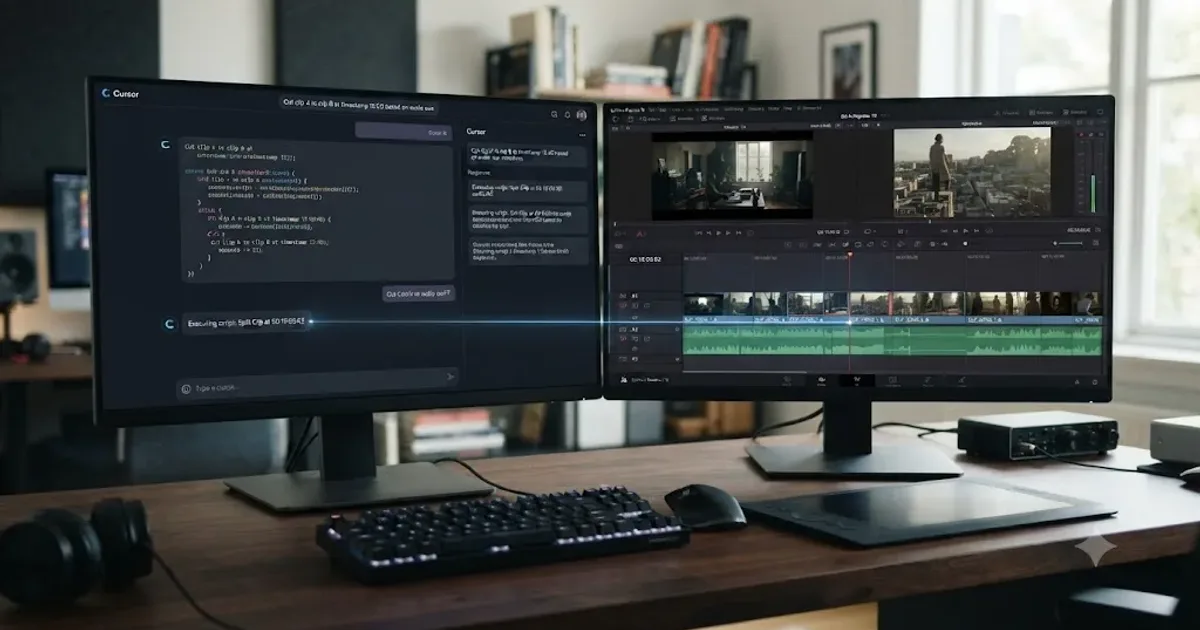
You already use Cursor, or Claude Code, or Windsurf, and you're wondering why nothing like it exists for the app where you actually finish your videos. It does exist. It's just not a product you buy. It's a handful of free, open-source projects that connect the AI coding assistant already open on your other monitor directly to DaVinci Resolve's scripting API, and let it read and write your project the same way Cursor reads and writes your code.
That answer probably raises more questions than it settles. Who built these. Do they actually work. What happens when the AI gets something wrong on a timeline instead of in a pull request. This post walks through every real project in this category, what each one requires, and the specific risk you're taking on that Cursor users already learned to manage in a different domain.
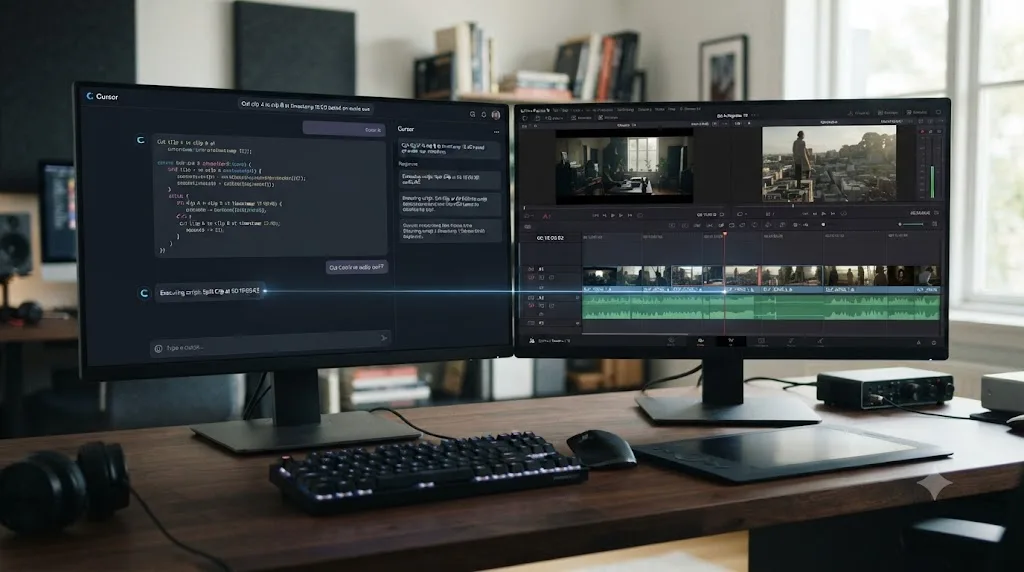
What does "a Cursor for DaVinci Resolve" actually mean?
Before comparing tools, it's worth being precise about what the question is actually asking, because "AI copilot for DaVinci Resolve" gets used loosely and it isn't one thing.
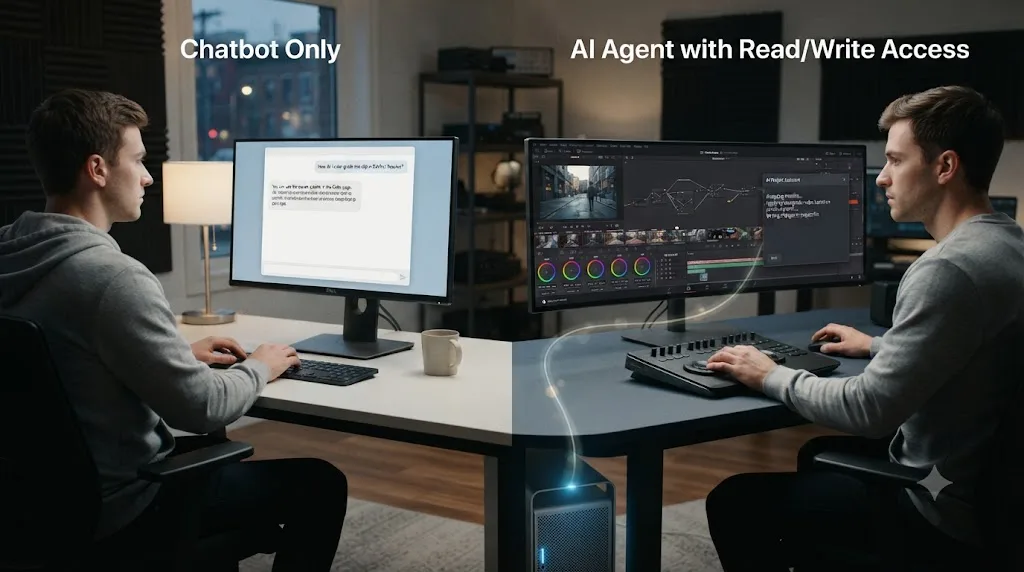
Cursor's core trick isn't that it's a chatbot bolted onto a text editor. It's that the AI has direct, structured read and write access to your entire codebase, through the filesystem and through git, and it can propose or make changes across multiple files in one instruction. You review the diff, you accept or reject it, and either way the change is tracked. That's a fundamentally different relationship than typing a question into ChatGPT and copy-pasting the answer back into your editor by hand.
Applied to DaVinci Resolve, "a Cursor for Resolve" means the same structural relationship: an AI that can read your actual open project (your timeline, your clips, your color nodes, your Fairlight tracks) and write changes directly into it, not a tool that just answers questions about editing in the abstract. Several tools already covered on this site automate parts of an edit: our comparison of the best AI video editing assistants for DaVinci Resolve covers Sottocut, DavinciClaude, Eddie AI, and Wideframe, all of which take a natural-language instruction and turn it into an editing action. What separates this post's question from that comparison is the specific analogy to Cursor: not "does an AI touch my timeline," but "can the same AI coding assistant I already use for software also directly control my Resolve project."
Cursor's defining trait isn't chat. It's direct, structured read and write access to your actual project, with a review step in between. That's the bar this post is measuring against, and it turns out DaVinci Resolve clears it through a specific, technical mechanism: the Model Context Protocol.
Is there an AI copilot for DaVinci Resolve like Cursor for code?
Yes, and the honest surprise is how directly the analogy holds up once you know where to look. A category of free, open-source software called MCP servers exists specifically to give AI coding assistants, Cursor included by name, direct control over a running DaVinci Resolve project.
The two most complete examples are samuelgursky/davinci-resolve-mcp and hiteshK03/davinci-resolve-mcp, two separate, unaffiliated projects that happen to share a name. Both let you type an instruction into Cursor, Claude Code, Claude Desktop, or Windsurf, something like "add a red marker at the current playhead position" or "cut every clip on track 2 shorter than half a second," and have that instruction executed as a real operation against your open Resolve project, not a suggestion you then have to manually apply yourself.
That's not a hypothetical or a roadmap promise. Both projects are shipping, MIT-licensed, and installable today. Neither is a Blackmagic product, a funded startup, or anything you'd find advertised on a "best AI tools" landing page. They're community projects, built the way a lot of developer tooling gets built: because someone wanted the thing to exist and had the scripting knowledge to build it.
A Cursor-equivalent for DaVinci Resolve already exists. It's just distributed as a GitHub repository, not a product with a marketing site. That distinction matters more than it sounds like it should, and the rest of this post is about exactly what that distinction costs you.
What is MCP, and why is it the mechanism that makes this possible?
MCP stands for Model Context Protocol, an open standard for connecting AI assistants to external tools, files, and data sources. It's the same underlying idea that lets Claude Code read your project's files or run your test suite: a small local server exposes a defined set of capabilities, and any MCP-compatible AI client (Cursor, Claude Desktop, Claude Code, Windsurf, and others) can call into those capabilities during a conversation.
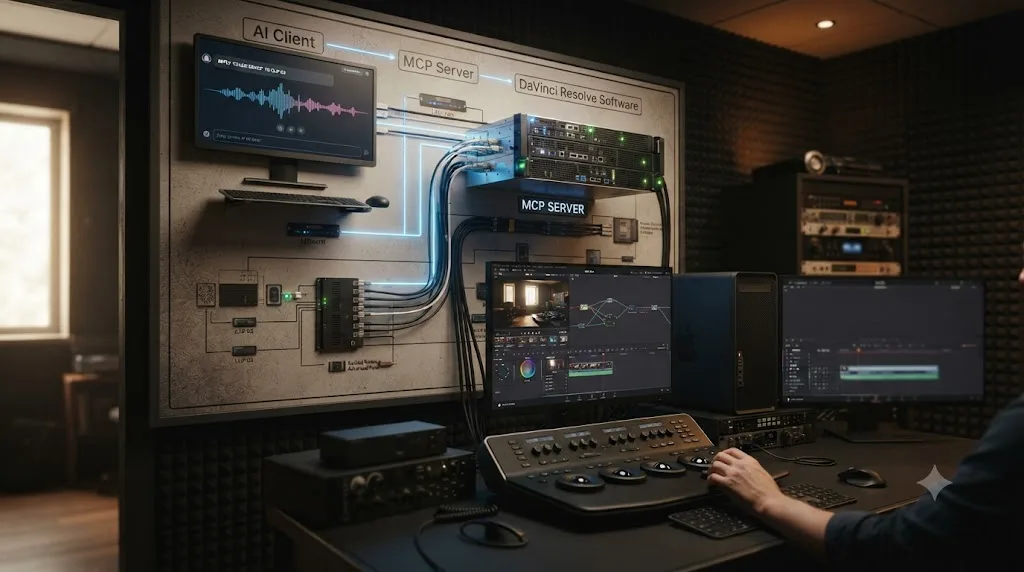
A DaVinci Resolve MCP server is a piece of software that sits between your AI client and Resolve itself. It doesn't reinvent anything about how Resolve works. It translates requests from the AI, structured as MCP tool calls, into calls against DaVinci Resolve's own official scripting API, the same Python and Lua interface community developers have used for over a decade to automate repetitive tasks. The AI never touches Resolve's application code, its file format, or anything below the API surface. It calls a documented function, the same one you'd call yourself if you wrote a script by hand, and gets a documented result back.
That's mechanically identical to what happens when Cursor edits a file in your codebase: the AI doesn't have some magical direct line into your operating system. It calls a tool (read this file, write these lines, run this command) through a structured interface, gets a result, and decides what to do next based on that result. Swap "filesystem and git" for "Resolve's scripting API" and you have the exact same architecture, just pointed at a different kind of project.
| Cursor concept | DaVinci Resolve MCP equivalent |
|---|---|
| Reads your codebase's files | Reads your Resolve project's timeline, clips, and markers via the scripting API |
| Writes changes to files | Writes changes to the timeline, color nodes, or Fairlight tracks via the scripting API |
| Shows a diff before you commit | No native equivalent; depends entirely on the MCP client's own review behavior |
| Git history as an undo mechanism | Resolve's own undo history, or a manually duplicated project |
| Runs your test suite to verify a change | No equivalent; there's no automated way to "test" whether a color grade or cut is correct |
MCP is the plumbing, not the product. It's what lets an AI coding assistant reach into DaVinci Resolve at all, the same way it lets that same assistant reach into your terminal or your test runner. Once you see it as plumbing rather than magic, it becomes obvious why this category showed up first as developer tooling on GitHub, not as a polished app in an app store.
Which DaVinci Resolve MCP servers actually exist right now?
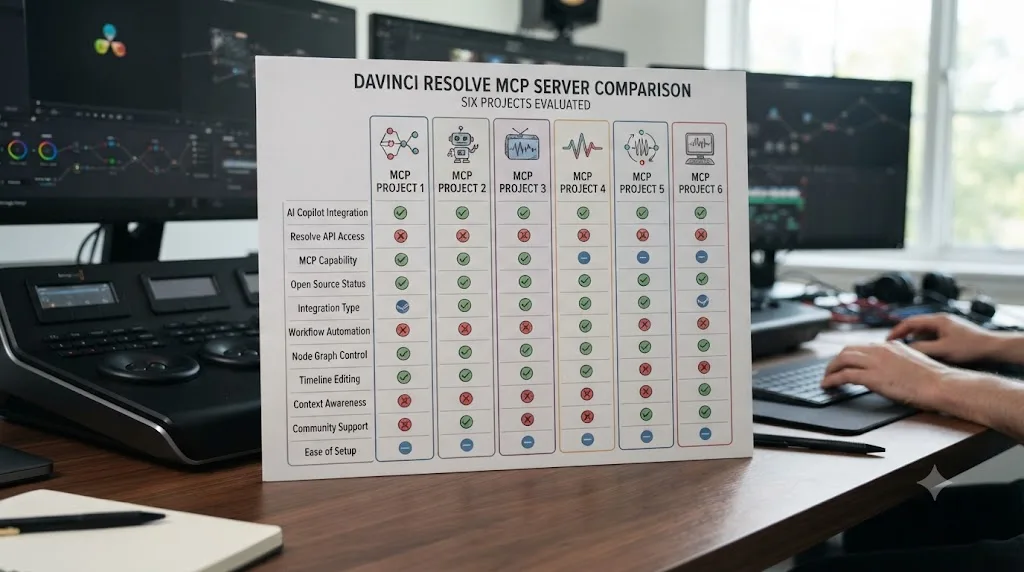
Six real, independently verifiable projects exist as of this writing, ranging from comprehensive and actively maintained to small and narrowly scoped. Here's every one worth knowing about, side by side.
| Project | Built by | Tool count | Resolve version required | AI clients supported | License |
|---|---|---|---|---|---|
| samuelgursky/davinci-resolve-mcp | Samuel Gursky | 34 compound tools, or 341 granular tools in full mode | Studio 18.5+ | Cursor, Claude Desktop, Claude Code, VS Code, Windsurf, Zed, Continue, Cline, Roo Code, OpenCode, JetBrains IDEs | MIT |
| hiteshK03/davinci-resolve-mcp | Hitesh Kandala | 162 tools | Free or Studio, 18+ | Cursor, Claude Desktop, Windsurf, any MCP-compatible client | MIT |
| apvlv/davinci-resolve-mcp | apvlv | Covers project, timeline, media pool, Fusion, and Resolve page navigation | Not specified as Studio-exclusive in its own docs | Claude Desktop and other MCP clients | Open source |
| barckley75/resolve-claude-mcp | barckley75 | Editing, color grading, Fusion compositing, and more via natural language | Studio | Claude AI | Open source |
| Tooflex/davinci-resolve-mcp | Tooflex | Project management, timeline, media, Fusion, color, audio, playback, rendering, advanced scripting | Studio 18.0+ | Claude Desktop | MIT |
| davidboyf/resolve-claude | davidboyf | Standalone app, not a general MCP server: timeline, color, audio, markers, Fusion VFX, render, via a browser UI | Studio (free version's scripting is disabled) | Claude only (Sonnet, Opus, or Haiku, via your own Anthropic API key) | MIT |
Two of these deserve a closer look, because they represent the two real strategies in this category: go deep and comprehensive on Studio, or find a workaround that also serves the free version.
How does samuelgursky/davinci-resolve-mcp work, and why is it the most complete option?
Samuel Gursky's project is the most actively developed and broadly compatible entry in this category, per its own README. It exposes DaVinci Resolve's scripting API as 34 compound tools by default, a design choice meant to keep the AI's context window efficient rather than flooding it with 341 individual granular functions, though a full mode exposing all 341 is available if you need finer control.
The coverage spans nearly every page of Resolve: project and media pool management, timeline editing and conform operations, color grading and node graph control, Fusion composition authoring, Fairlight audio mixing, render queue and delivery setup, and even extension installation. A separate, optional offline server adds 18 more tools that read and edit Resolve project files directly, without Resolve running at all, useful for batch operations across many projects at once.
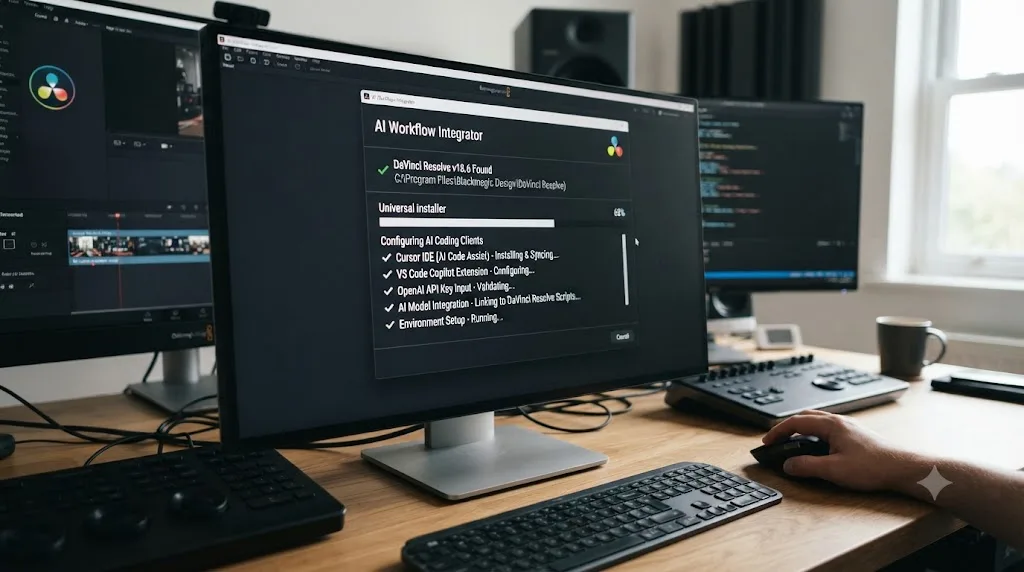
The installer is the other reason this project stands out. Rather than manually setting environment variables and editing a JSON config file by hand, a universal installer auto-detects your platform, locates your Resolve installation, sets up a Python virtual environment, and configures whichever AI client you're using, in one pass. That installer supports macOS, Windows, and Linux, and configures nine different MCP clients including Cursor, Claude Desktop, Claude Code, VS Code, Windsurf, Zed, Continue, Cline, Roo Code, OpenCode, and JetBrains IDEs by name.
Of every project in this comparison, samuelgursky/davinci-resolve-mcp is the one built explicitly, by name, to work with Cursor. If the specific question that brought you here is "does Cursor itself connect to DaVinci Resolve," this is the direct, confirmed answer.
The real limitation: it requires DaVinci Resolve Studio 18.5 or later. The free version isn't supported, for reasons covered in detail two sections down. Python 3.10 or later is also required, and Resolve's own preference for external scripting has to be set to "Local" before anything connects.
How does hiteshK03/davinci-resolve-mcp work with the free version of Resolve?
Hitesh Kandala's project takes a genuinely different approach, and it's worth understanding the mechanism, not just the headline claim, because the trick is a real technical workaround, not a marketing exaggeration.
DaVinci Resolve's own documentation and long-standing community reports confirm that external scripting, meaning a script running as a separate process outside Resolve calling into it, is a Studio-only capability. The free version restricts scripts to running from inside Resolve itself, through its Console window in the Fusion page or its Scripts menu, per DaVinci Resolve's own scripting documentation and confirmed by long-running discussion on the Blackmagic Design forum about exactly this restriction.
hiteshK03's project works around that limitation rather than requiring Studio: it installs a small bridge script that you launch from inside Resolve's own Scripts menu, which the free version genuinely allows, and that bridge script then talks to the external MCP server your AI client is connected to. Mechanically, the AI still isn't reaching directly into Resolve from outside; it's reaching a bridge that you launched from the inside, which is exactly the loophole the free version's own restriction leaves open.
This is the one project in this comparison that gets an AI coding assistant into DaVinci Resolve without requiring the $295 Studio license first. That's a meaningful accessibility difference if you're testing this category before deciding whether to spend anything on Resolve itself.
The project covers 162 tools spanning timeline editing, clip manipulation, color grading, rendering, and media management, and it bundles something no other project in this comparison does: free, local, open-source AI replacements for several Studio-exclusive features, voice isolation using Demucs, background removal using rembg and BiRefNet, and automatic transcription using faster-whisper. If part of what draws you to Studio is its AI feature set specifically, this project gives you AI-adjacent capability on the free version through entirely separate open-source models, not Resolve's own Neural Engine tools.
| Requirement | samuelgursky/davinci-resolve-mcp | hiteshK03/davinci-resolve-mcp |
|---|---|---|
| Resolve edition | Studio only | Free or Studio |
| Minimum version | 18.5 | 18 |
| How the AI reaches Resolve | External process, Resolve preference set to "Local" scripting | Internal bridge script launched from Resolve's own Scripts menu |
| Extra AI features on top of Resolve's own | None beyond scripting access | Free local voice isolation, background removal, transcription |
Do these tools work with the free version of DaVinci Resolve, or only Studio?
Mostly Studio only, and the reason is architectural, not a business decision any of these individual developers could work around by writing better code. DaVinci Resolve's own preferences panel offers external scripting as None, Local, or Network, and that setting is itself gated to Studio. The free version simply doesn't expose the toggle that lets an outside process, which is what an MCP server fundamentally is, talk to a running Resolve instance.
Of the six projects in this comparison, only hiteshK03's explicitly targets the free version, through the internal bridge-script workaround described above. apvlv's documentation doesn't explicitly state a Studio requirement, which is worth a specific caution: absence of a stated restriction in a community project's README isn't the same as confirmed free-version support, and it's worth testing on a throwaway project before assuming it works on your setup. The other four (samuelgursky's, barckley75's, Tooflex's, and davidboyf's) all require Studio, either stated explicitly in their documentation or implied by their reliance on the same external-scripting mechanism the free version blocks.
If you're running Resolve's free version and you want to try this category without spending $295 on Studio first, hiteshK03/davinci-resolve-mcp is currently the only project built specifically to make that possible. Every other option in this comparison assumes you already own, or are willing to buy, the Studio license.
Our free vs Studio breakdown covers the full cost and feature gap between the two editions if the $295 question is one you haven't settled yet independent of any AI tooling.
What does actually setting one of these up look like?
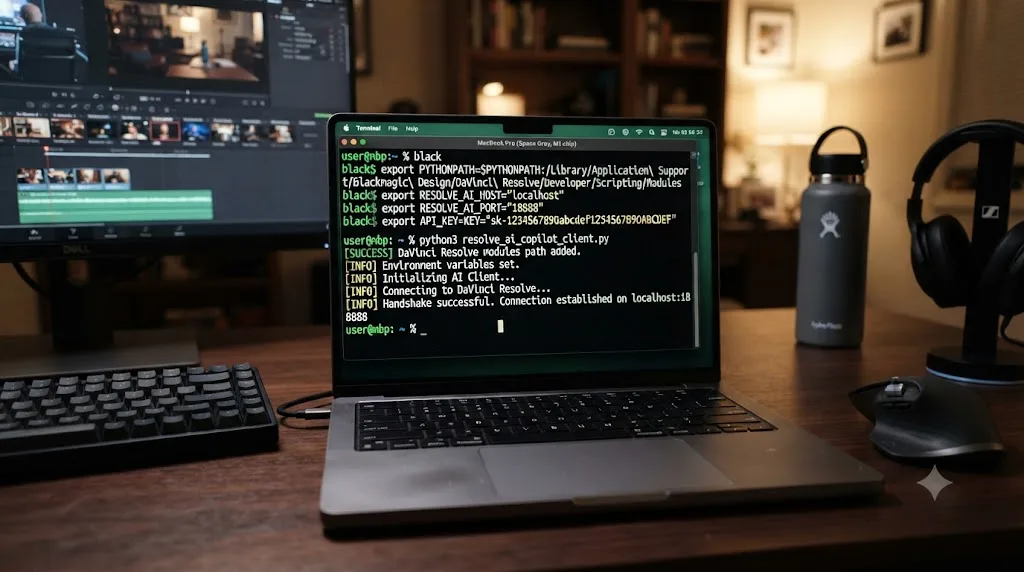
Every project in this comparison follows roughly the same sequence, though the exact commands differ. Here's the general shape, reconstructed from each project's own setup documentation, so you know what you're actually signing up for before you open a terminal.
- Install Python 3.9 or 3.10 or later, depending on the specific project, if it isn't already on your machine. This is the runtime the MCP server itself runs on.
- Set DaVinci Resolve's external scripting preference. In Resolve's preferences, under the System tab, find the External Scripting Using option and set it to Local (or Network, if you're connecting from a different machine on the same network). This step doesn't exist at all in the free version; the option itself is Studio-only.
- Clone or download the MCP server project from its GitHub repository, or run its provided installer script if one exists.
- Set the required environment variables, typically
RESOLVE_SCRIPT_APIandPYTHONPATH, pointing to Resolve's own scripting API location on your specific operating system. Every platform (macOS, Windows, Linux) uses a different path, and getting this wrong is the single most common setup failure across every project in this category. - Edit your AI client's own MCP configuration file (a JSON file for Cursor, Claude Desktop, or Windsurf) to register the new MCP server, pointing at the script or executable the installer produced.
- Launch DaVinci Resolve first, then your AI client. Every project in this comparison requires Resolve to already be running with a project open before the AI can do anything; none of them can launch Resolve on your behalf.
- Test with something harmless. Ask the AI to report your current timeline's name or list the clips in your media pool before you ask it to change anything. If that read-only request fails, nothing downstream will work either, and it's a much smaller problem to diagnose before you've asked for a write operation.
None of these projects ship a one-click installer the way a consumer Mac or Windows app does, even the ones that advertise a "universal installer." That installer still assumes you're comfortable running it from a terminal and troubleshooting a failed environment variable if something doesn't connect on the first try. This is real developer tooling, not a downloadable app with a familiar install wizard, and that's true even of the most polished project in this comparison.
What can these agents actually do inside DaVinci Resolve, and where do they hit a wall?
The honest ceiling here isn't any individual project's ambition, it's the DaVinci Resolve scripting API itself, the same interface every project in this comparison, and every commercial tool covered in our CutAgent review, is ultimately built on top of.
One detailed community guide to the scripting interface estimates its coverage at roughly 30 to 40 percent of everything DaVinci Resolve can do, per Wild Lion Media's complete guide to the Python scripting API, which recommends building automation "around the API's proven strengths, delivery, project management, media operations, metadata, and markers, and treat its limitations as fixed constraints rather than temporary gaps." That's not a criticism of any one MCP project; it's the same underlying ceiling every tool in this category runs into, whether it's a free GitHub repository or a paid commercial product.
In practice, that means an MCP-connected AI agent is genuinely strong at tasks the API was built to expose well: adding and moving markers, renaming and organizing clips in the media pool, adjusting timeline cuts and trims, setting up render jobs and delivery settings, and reading back metadata. It gets shakier, and less reliably tested across these community projects, the deeper it reaches into Fusion's node graph or Fairlight's mixing decisions, areas of Resolve that are documented as thinner and less battle-tested parts of the same API surface.
| Task category | How well MCP agents typically handle it |
|---|---|
| Markers, clip metadata, media pool organization | Strong; this is the API's most mature, well-documented surface |
| Timeline cuts, trims, basic assembly | Strong; the operations most projects demonstrate in their own examples |
| Render queue setup and delivery presets | Strong; a common automation use case predating AI entirely |
| Color node adjustments | Moderate; possible, but less consistently demonstrated across projects |
| Fairlight audio mixing | Moderate; supported by name in several projects, less deeply proven |
| Fusion node graph composition | Weakest; the API's own documented coverage is thinnest here |
An AI agent connected through MCP is only as capable as the 30 to 40 percent of DaVinci Resolve's own feature set that its scripting API actually exposes. Anyone marketing "full control of Resolve" from any tool in this category, commercial or open source, is describing an aspiration against that same ceiling, not a capability that's been proven end to end.
Is it safe to let an AI agent edit your DaVinci Resolve project directly?
This is the question that matters more than any feature list, and the honest comparison to Cursor is exactly where the risk profile diverges, not where it matches.
a16z partner Justine Moore made the direct comparison explicit in her own writing on the shift toward agentic video tools, quoted verbatim: "What Cursor did for coding, these agents will do for video production," per her a16z piece on agentic video editing. She frames the timing bluntly too: "2025 was the year of video. 2026 is the year we let agents edit it." That's a real, on-the-record framing of exactly the analogy this post is answering, from someone whose job is tracking this category professionally, not a comparison this post invented to sound clever.
The coding industry learned the underlying lesson the hard way before video editing had the chance to. Letting an AI agent directly modify a codebase with no review step produces bugs that are hard to trace back to their source, which is exactly why Cursor and every serious coding agent show you a diff before anything merges, and why git itself gives you a full, granular undo history regardless of what any specific tool does.
DaVinci Resolve has neither of those safety nets built in. There's no diff view showing what an MCP-driven edit is about to change before it changes it, unless your specific AI client happens to surface one on its own. There's no git-equivalent version control tracking every change to a project with the ability to roll back to any prior state. What you have is Resolve's own standard undo history (Cmd+Z on Mac, Ctrl+Z on Windows), which works exactly the same way it would for a manual mistake, meaning an AI agent that makes twenty changes in one instruction leaves you twenty undo steps to fully reverse, not one clean rollback.
Cursor edits your codebase through a diff you can reject before it commits. A DaVinci Resolve MCP server edits your project directly, and nothing in Resolve's own scripting API works like a diff. That single structural gap is the real answer to "is this safe," and it's a gap none of the six projects in this comparison can close on their own, because it's not a feature any of them are missing by oversight. It's a capability DaVinci Resolve itself doesn't expose to third-party scripts at all.
The practical mitigation is the same one this site recommends for every AI tool that touches a real project: duplicate your project or timeline before pointing any MCP-connected agent at it, the same discipline our comparison of AI editing assistants for DaVinci Resolve recommends for commercial tools in this space. Resolve's own Save As and Project Server duplication features protect you independent of anything any MCP server claims about its own safety.
How does this compare to CutAgent, Sottocut, and the other commercial AI editing tools?
Worth separating clearly, because these two categories look similar from a distance (both let you type an instruction and have it turn into a real Resolve edit) and are genuinely different products once you look at who built them and how they're supported.
CutAgent, Sottocut, DavinciClaude, and Eddie AI, all covered in depth in our comparison of the best AI video editing assistants for DaVinci Resolve, are funded or bootstrapped commercial products with their own polished apps, their own pricing pages, and in several cases a review step built directly into the product before changes commit. Sottocut and CutAgent both gate changes behind a proposal or summary screen you approve before anything lands on your timeline, a safety layer none of the six MCP projects in this post publish as a built-in feature of their own.
CutAgent specifically deserves a second look here, because it's the one commercial product in that comparison that already leans toward this exact category. Per our full CutAgent review, it's "compatible with Claude Code and other coding agents via a command-line interface," a positioning signal that CutAgent is explicitly courting the same developer-comfortable audience these MCP projects serve, while still offering the polish, pricing structure, and review step of a commercial product.
| Dimension | Open-source MCP servers (this post) | Commercial AI editing tools (CutAgent, Sottocut, etc.) |
|---|---|---|
| Cost | Free, MIT licensed; you bring your own Cursor, Claude Code, or Anthropic API subscription | 15 to 299 euros or dollars a month, depending on the tool |
| Built-in review step before changes commit | No, unless your AI client surfaces one on its own | Yes, in Sottocut and CutAgent specifically |
| Support | A GitHub issues page and whoever maintains the repo in their spare time | A company with a support channel and a business incentive to keep the product working |
| Setup | Terminal, Python, environment variables, JSON config | Install an app, log in, done |
| Audience | Developers already comfortable with AI coding tools | Editors who want an assistant, not a developer tool |
| AI client flexibility | Works with whichever MCP client you already use (Cursor, Claude Code, Windsurf) | Locked to the tool's own app or a specific model provider |
The MCP category and the commercial AI editing category solve the same underlying problem with opposite tradeoffs: free and flexible versus paid and supported. Neither is strictly better. A developer who already lives in Cursor and doesn't mind a config file gets more control and zero recurring cost from the MCP route. An editor who wants something that just works, with a company behind it if something breaks, is better served by CutAgent, Sottocut, or one of their commercial siblings.
Is "Cursor for video editing" a real trend beyond DaVinci Resolve specifically?
Yes, and it's bigger than any one NLE. The Cursor analogy for video didn't start with DaVinci Resolve tooling specifically; it's been circulating in developer and startup communities as its own idea for over a year.
On the Cursor community's own forum, a poster going by "afoot" opened a thread in March 2025 pitching exactly this concept, framing it directly: it would be "dumb to not take after the most successful AI product on the market," per the thread itself, explicitly describing the goal as building "the cursor of video editing." That thread predates most of the specific DaVinci Resolve MCP projects covered in this post, and it shows the idea was already circulating as a named ambition among developers before the tooling existed to build it against Resolve specifically.
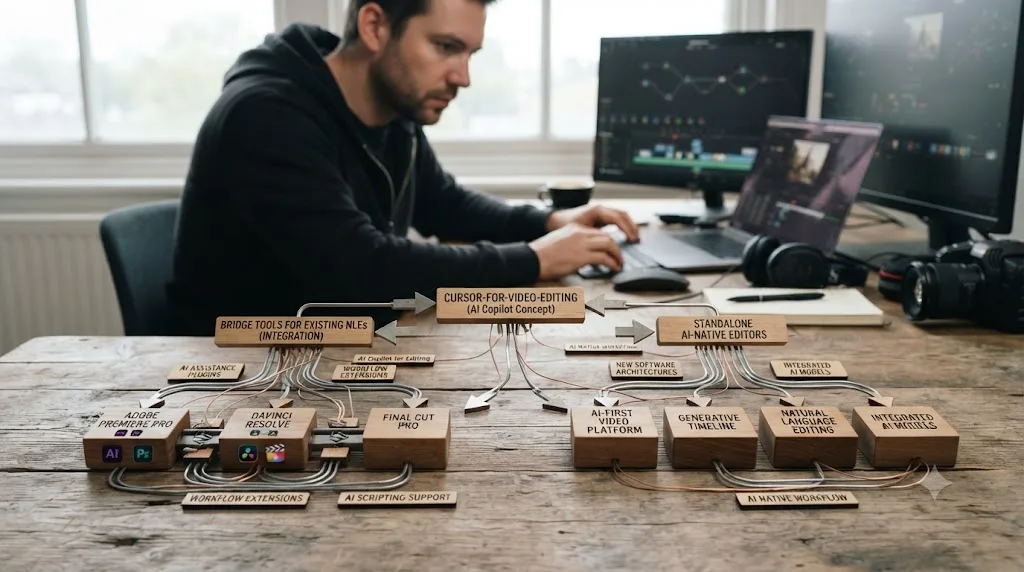
A separate, standalone product called Frame AI took the analogy in a different direction entirely: rather than connecting to an existing NLE like Resolve, it built its own video editor from scratch with an AI chat panel embedded from day one, explicitly pitched as "a Cursor for video editing" in its own Hacker News launch post. One commenter's reaction captures why the analogy resonates in the first place: "A cursor for video editing is a super cool concept. Tons of video editors today are super complex with a ton of features, and I have a hard time actually building what I'm envisioning," per the Hacker News discussion. Frame AI's own framing addresses the same complexity complaint directly, describing existing editors like DaVinci Resolve as hiding functionality "behind menus, buttons, icons."
That's a genuinely different bet than the MCP servers covered in this post. Frame AI is a replacement for DaVinci Resolve, an AI-native app you'd use instead of Resolve, not a bridge that connects an AI coding assistant to a Resolve project you already have open. If you're committed to DaVinci Resolve specifically, and this post's whole premise is that you are, Frame AI isn't a fit; it's evidence the broader "Cursor for X" pattern is spreading across video tooling generally, not a Resolve-specific answer.
"Cursor for video editing" is a phrase multiple, unconnected teams reached for independently, which is a stronger signal of a real pattern than any single product's marketing claim would be on its own. Some of those teams are building bridges into existing tools like Resolve. Others are building an AI-native editor to replace them. Both are real, and they're solving different problems for different people.
Is agentic video editing a real shift in the industry, or just a startup pitch?
Real, and the evidence is who's actually building toward it, not just who's writing about it. At NAB 2026, the industry's largest annual production and post-production trade show, AI editing agents had enough real presence that ProVideo Coalition's Scott Simmons spent time specifically interviewing the founders behind several of them. Quickture CEO Irad Eyal described the core adoption barrier facing every tool in this space, MCP-driven or commercial, bluntly, quoted verbatim: "editors won't let you change the color of a menu, let alone require you to learn a whole new system," per ProVideo Coalition's NAB 2026 coverage.
That resistance to change is exactly why the MCP-driven approach to this problem, connecting an existing AI coding assistant to your existing DaVinci Resolve project rather than asking you to learn a new app, is a more defensible design than building a replacement editor from scratch. You keep Resolve. You keep your existing project structure, your existing muscle memory for the parts you already know. The AI only touches what you ask it to touch, through the same scripting interface Resolve has exposed to developers for over a decade.
Scott Simmons himself, the article's author, offered the clearest framing of what this entire wave of tooling is actually trying to solve, quoted verbatim: "Editors have always been storytellers first. The technical side, the logging, the searching, and the organizing, is what leads editors to their first love: the story… I think these tools are trying to reduce that cost. Not so the machine can tell the story, but so the editor can get to it faster." That's the honest framing this entire category, MCP servers included, should be measured against: reducing the tedious front-end cost of editing, not replacing the editorial judgment that comes after it.
Agentic video editing showed up at a major industry trade show in 2026 with real founders demoing real products, not just a wave of speculative blog posts. That's meaningfully different evidence than a trend piece; it's people building toward a specific, named shift and showing up in person to defend it to a room of working, skeptical editors.
Who is this actually built for, and who should stay away from it entirely?
This is the section worth reading most carefully if you found this post because "Cursor for DaVinci Resolve" sounded like exactly the tool you've been looking for, because the honest answer is that this category is built for a narrower audience than the search phrase implies.
Every project in this comparison assumes you're already comfortable with a terminal, installing Python, editing a JSON config file, and troubleshooting an environment variable that isn't pointing where it should. That's not a value judgment; it's a description of the actual skill floor. If you're already running Cursor or Claude Code for software work and you edit video in DaVinci Resolve on the side, this category is a genuinely natural extension of tooling you already trust and already know how to configure.
If you're a working video editor who has never opened a terminal, and "Cursor for DaVinci Resolve" caught your attention because you assumed it meant a polished app like the AI copilot you've heard about for code, this category will frustrate you before it helps you. None of these six projects is designed for that audience. They're written by developers, documented like developer tools, and supported the way open-source developer tools typically are, which is to say inconsistently, by whoever maintains the repository in whatever time they have.
| You are | This category fits you | Why |
|---|---|---|
| A developer who already uses Cursor or Claude Code daily and also edits in Resolve | Yes | You already have the exact skills this setup assumes, and the cost is $0 beyond the AI subscription you already pay for |
| A working editor comfortable with scripting, macros, or DaVinci Resolve's own console | Possibly | The learning curve is real but not unreasonable if you've automated anything in Resolve before |
| An editor who wants an AI assistant but has never used a terminal | No | Look at CutAgent, Sottocut, or DavinciClaude instead, all covered in our AI editing assistant comparison, which install like normal apps |
| Someone still learning DaVinci Resolve's fundamentals | No | An agent that edits for you, through any mechanism, skips the exact repetition that teaches you the tool |
The strategic honesty worth naming directly: search interest in "AI copilot for DaVinci Resolve like Cursor for code" is currently dominated by exactly this developer-facing MCP category, people mapping a coding-tool concept they already trust onto a video app they also use. That's a real, specific audience, and it's a genuinely different reader than someone searching "best way to learn DaVinci Resolve" or "AI tool to learn DaVinci Resolve fast." If you're the second kind of reader and you clicked through hoping for something that teaches rather than automates, the section near the end of this post is built specifically for you instead.
This entire category has one real prerequisite that no installer removes: comfort with a terminal. Everything else, the tool count, the AI client compatibility, the Studio requirement, is a secondary detail once that first filter is applied honestly.
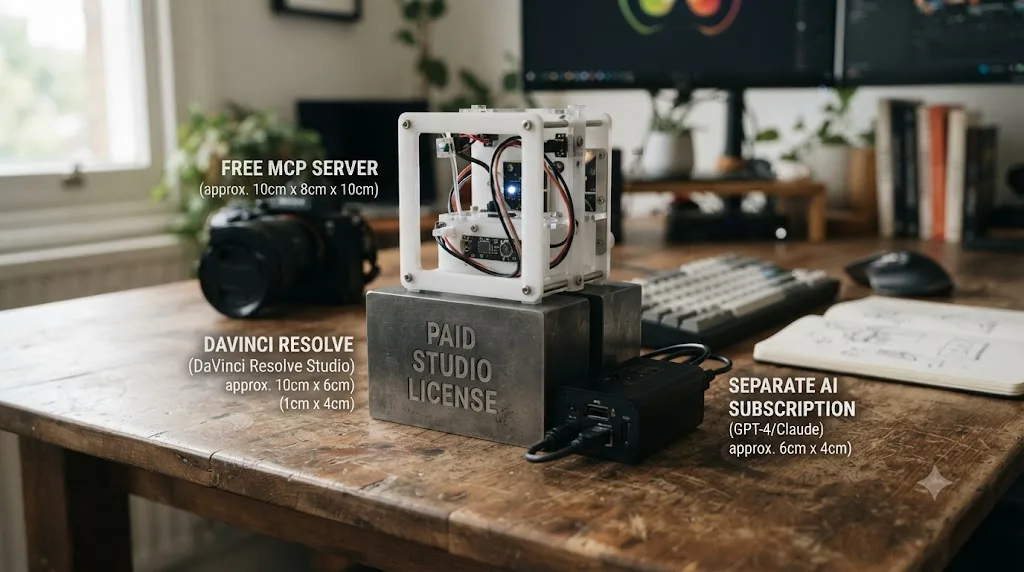
What does this actually cost, all in?
None of the six MCP projects in this comparison charge a license fee. Every one is free and open source, MIT licensed in five of the six cases. But "free" undersells the real cost stack, because you're not paying for the MCP server itself, you're paying for everything around it.
| Cost component | What it actually runs |
|---|---|
| The MCP server software itself | $0, free and open source across all six projects |
| DaVinci Resolve Studio (required by five of six projects) | $295 once, per Blackmagic's own Studio product page |
| Your AI client subscription (Cursor, Claude Code, or Claude Desktop) | Varies by plan; this is a cost you likely already carry if you're the target audience for this category |
| davidboyf/resolve-claude specifically | Requires your own Anthropic API key, billed separately by usage, on top of everything else |
| Your own time setting it up and troubleshooting | Real, and harder to estimate than any dollar figure in this table |
Set against the commercial alternatives, the honest comparison is this: CutAgent's cheapest tier starts at 29 euros a month, and Sottocut's cheapest bring-your-own-key tier starts at $15 a month, both covered in depth in our full AI editing assistant comparison. The MCP route removes that specific recurring fee entirely, assuming you already pay for Cursor, Claude Code, or a Claude subscription for reasons unrelated to video editing. If you don't already carry one of those subscriptions, and you'd be starting one solely to try this category, the "free" framing gets a lot less compelling once you price in a coding-tool subscription you weren't otherwise going to buy.
"Free and open source" describes the MCP server. It doesn't describe the total cost of the setup, which still includes Resolve Studio's $295 license in almost every case and an AI coding subscription most non-developers don't already have a reason to pay for. Do that full math before deciding this route is cheaper than a commercial alternative for your specific situation.
What are the common mistakes people make trying this?
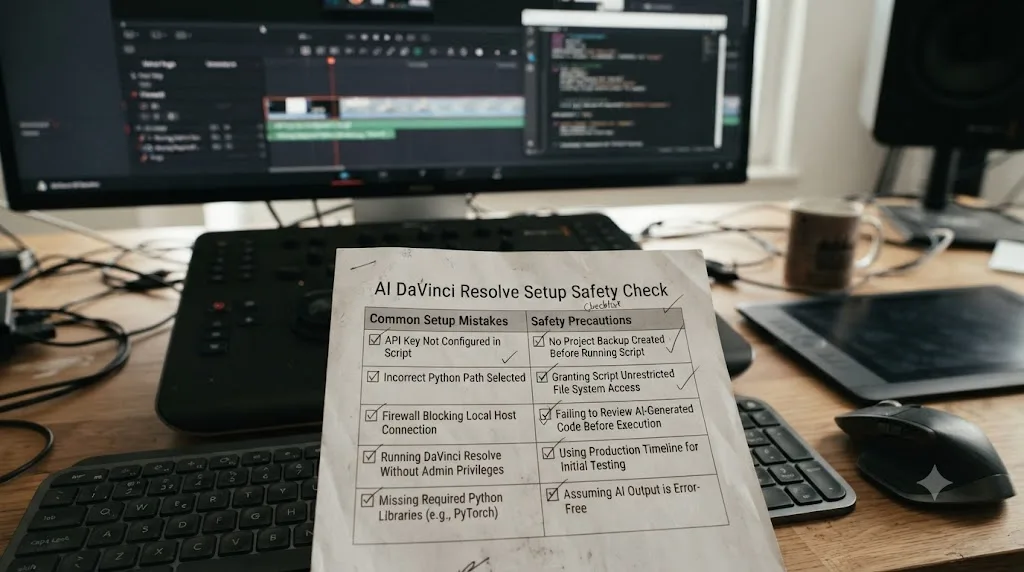
A handful of avoidable mistakes account for most of the frustration anyone's likely to report after trying this category for the first time.
Assuming "free and open source" means "supported." None of these six projects comes with a company behind it fielding support tickets. If something breaks after a DaVinci Resolve point release changes internal behavior the scripting API depends on, you're waiting on a volunteer maintainer to notice and fix it, not a paid support team with an SLA.
Skipping the environment variable setup step and assuming the installer handled everything. Even the most polished installer in this comparison, samuelgursky's universal installer, still depends on RESOLVE_SCRIPT_API and PYTHONPATH pointing to the right location for your specific operating system. A misconfigured path is the single most common reason a first connection attempt fails silently.
Pointing an untested MCP server at a real, billable project on the first try. Every mistake an AI agent makes through a scripting API lands directly on your timeline, with no diff to reject beforehand. Test on a duplicate project or throwaway footage first, the same discipline this site recommends for every AI editing tool, commercial or open source.
Buying DaVinci Resolve Studio specifically to try one of these tools, without checking whether hiteshK03's free-version workaround covers your actual need first. If your interest is casual curiosity rather than a confirmed workflow need, test the free-version-compatible option before spending $295.
Expecting these tools to reach as deep into Fusion and Fairlight as they do into markers and timeline cuts. The scripting API's own documented coverage is thinner in those areas, a limitation of Resolve's own interface, not any individual project's ambition.
Treating an MCP-driven agent and a teaching tool as interchangeable because both involve AI and DaVinci Resolve. One gives an AI direct control over your project. The other teaches you to control it yourself. Picking the wrong category for your actual goal wastes both the setup time and the underlying subscription, regardless of how well either one executes on its own job.
Is there an AI tool that teaches DaVinci Resolve instead of controlling it like Cursor does?
Yes, and it's worth naming directly here, because every tool covered so far in this post, MCP server or commercial product, automates work rather than building the skill to do it yourself. That leaves a completely different question unanswered: what do you do the moment you're the one who's stuck, not the project?
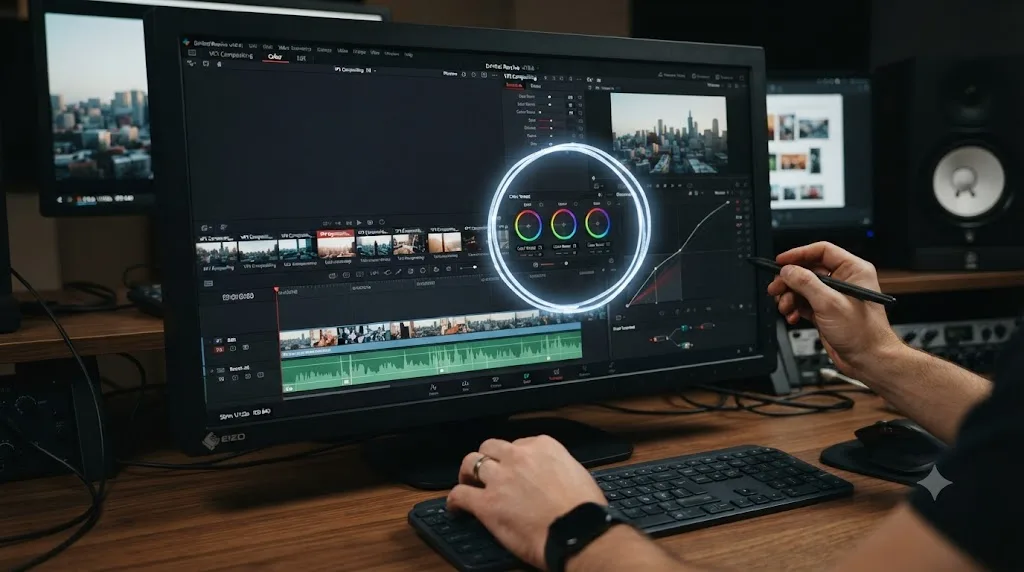
TryUncle is an AI tutor for DaVinci Resolve on macOS, ask in plain words and Uncle points at the exact control on your screen. That's a structurally different job than anything covered above. It doesn't have read or write access to your project at all, and it was never built to. It watches your actual open project on the Edit, Color, and Fusion pages, and when you ask a question, by voice, by typing, or with a generic "what's next" shortcut, it draws a circle around the exact control you need, live, on your own screen. You still make the click. Uncle doesn't touch your timeline the way an MCP-connected agent or a commercial editing assistant does.
The distinction matters more than it might sound like at first, and it maps directly onto the audience question from earlier in this post. If you already know exactly what you're doing and you just want an AI to execute a specific instruction faster than you'd do it by hand, an MCP server or a tool like CutAgent saves you real time, provided you're comfortable with the setup and the risk of unreviewed direct edits. If you're staring at a node tree that's grading the whole frame instead of just a face, and you don't yet know why, none of the tools covered above teaches you the mistake, they'd just make a different mistake for you, or hand the decision to an AI you have to trust without fully understanding what it changed. TryUncle is built for exactly that second moment, the one where the problem isn't the project, it's the gap in what you know.
TryUncle runs on macOS only, at founder pricing of $29.99 a month for the first 100 subscribers, and it's a paid subscription from day one, not a free tool with a paid upsell. It works with both the free and Studio editions of DaVinci Resolve, per TryUncle's own FAQ, which is a real advantage over five of the six MCP projects in this comparison that require Studio specifically. Check TryUncle directly for the current founder-rate seat count before subscribing, and read our full TryUncle review for the pricing, permissions, and honest limitations in depth.
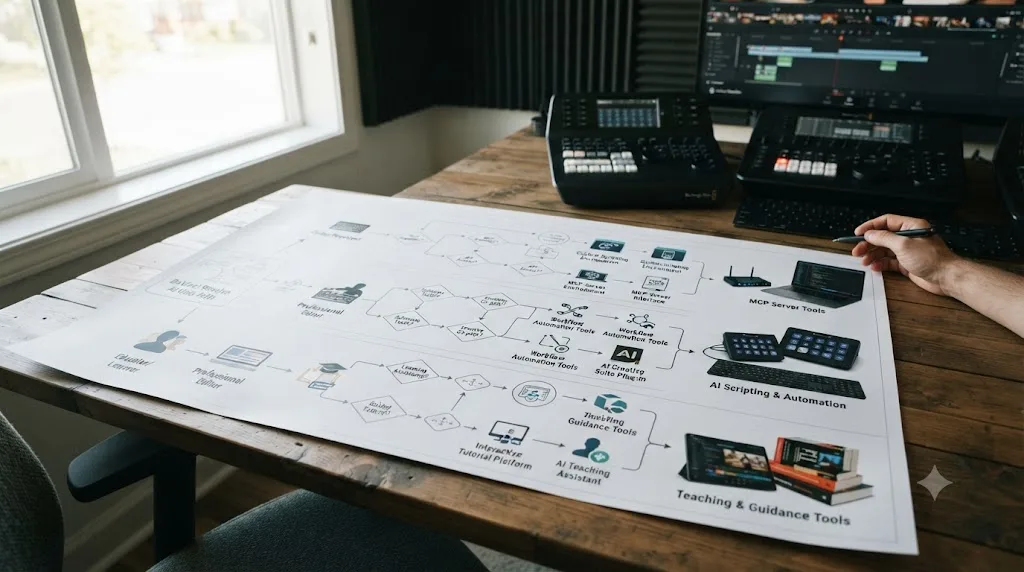
| Category | What it optimizes for | Setup floor |
|---|---|---|
| MCP servers (samuelgursky, hiteshK03, and others) | Direct control, at zero license cost, for developers already comfortable with Cursor or Claude Code | Terminal, Python, environment variables |
| CutAgent, Sottocut, DavinciClaude, Eddie AI | Direct control through a polished, paid, supported app | Install like a normal app |
| TryUncle | Understanding, in the moment you're stuck on something you don't yet know how to do | Install like a normal app; no scripting knowledge needed |
Guided practice inside your own DaVinci Resolve project beats handing the click to an agent, when the actual goal is learning to edit, not just shipping the next video. An AI that executes an instruction, whether through MCP or a polished plugin, teaches you nothing about why the resulting edit works, and you'll need that judgment eventually regardless of how capable your tools get.
Which one should you actually pick?
Match yourself to a row before you open a terminal or subscribe to anything.
| You are | Pick | Why |
|---|---|---|
| A developer who already uses Cursor and owns DaVinci Resolve Studio | samuelgursky/davinci-resolve-mcp | The most complete API coverage, the widest AI client support, and it's built explicitly to work with Cursor by name |
| A developer on Resolve's free version who doesn't want to buy Studio yet | hiteshK03/davinci-resolve-mcp | The only project in this comparison built specifically to work around the free version's external-scripting restriction |
| Someone who wants this category's capability with a review step and a support team behind it | CutAgent | Covered in depth in our CutAgent review; it's the commercial product closest to this same job, including Claude Code compatibility |
| An editor who wants an AI assistant but has never used a terminal | Sottocut, DavinciClaude, or Eddie AI | All covered in our AI editing assistant comparison; they install like normal apps |
| Someone stuck on understanding DaVinci Resolve itself, not on repetitive tasks | TryUncle | The only tool across every comparison on this site built to teach, not automate or execute |
| A total beginner who's never opened DaVinci Resolve | None of the above yet | Every tool in this post assumes baseline competence with the app first |
That last row matters as much as any other. None of the six MCP projects, and none of the commercial tools they sit alongside, are a substitute for actually learning what a node does, why a serial node differs from a parallel one, or where the qualifier panel lives on the Color page. They automate or execute tasks you already understand. Building that understanding in the first place is a different job, done by different tools, at a different moment in an editor's growth.
Verdict: so is there actually a Cursor for DaVinci Resolve?
Yes, and it's a more direct answer than most "is there an AI tool for X" questions get. Six real, working, open-source MCP servers connect Cursor, Claude Code, Claude Desktop, and Windsurf directly to DaVinci Resolve's scripting API today, with samuelgursky/davinci-resolve-mcp offering the deepest coverage and the widest AI client support, and hiteshK03/davinci-resolve-mcp offering the only path that doesn't require Resolve Studio first.
What none of them offer is the safety net Cursor users already take for granted: a diff to review before a change commits, and a git history to fall back on if it's wrong. That gap is structural, not a missing feature any of these projects overlooked, and it's the single most important thing to understand before pointing any of them at a real, billable project. Duplicate first. Test small. Read every result before you trust the next instruction.
If the terminal, the environment variables, and the unreviewed risk sound like exactly the kind of tool you already trust for code and you're happy to extend that trust to video, this category is real, free, and ready today. If what actually brought you here is the sense that DaVinci Resolve is hard to learn and you were hoping an AI copilot would make that easier the way Cursor supposedly makes coding easier, that's a different problem than direct project control solves, and it's worth reading our full TryUncle review before you open a single terminal window.
Frequently asked questions
- Is there an AI copilot for DaVinci Resolve like Cursor for code?
- Yes. Model Context Protocol (MCP) servers, most notably samuelgursky/davinci-resolve-mcp and hiteshK03/davinci-resolve-mcp, connect AI coding assistants like Cursor, Claude Code, and Windsurf directly to DaVinci Resolve's scripting API. You type an instruction in your coding tool's chat panel, and the AI reads and writes to your actual Resolve project, the same relationship Cursor has to your codebase. They're free, open source, and require a technical setup, not a polished consumer product.
- What is MCP, and how does it connect Cursor or Claude to DaVinci Resolve?
- MCP, short for Model Context Protocol, is an open standard Anthropic published for connecting AI assistants to external tools and data. A DaVinci Resolve MCP server is a small local program that translates MCP requests from Cursor or Claude into calls against Resolve's own Python and Lua scripting API, then returns the result. The AI never touches Resolve directly; the MCP server is the only thing that does.
- Do these Resolve MCP tools work with the free version of DaVinci Resolve?
- Mostly no. External scripting, meaning a separate process outside Resolve calling into it, is a DaVinci Resolve Studio feature. The free version only lets scripts run from Resolve's own internal console or Scripts menu. Most MCP servers, including samuelgursky's, require Studio. hiteshK03's project is the exception: it works around the limitation with a bridge script that launches from inside Resolve's Scripts menu, which the free version does allow.
- Is it safe to let an AI agent edit my DaVinci Resolve project directly?
- It's the same category of risk Cursor users already manage in code, minus the safety net. Cursor's changes show up as a diff you can reject before committing. Resolve has no equivalent; an MCP-driven edit lands directly on your timeline, and your only rollback is Resolve's own undo history or a project duplicate you made beforehand. Treat every session on a real project like an unreviewed pull request and duplicate the project first.
- What's the difference between CutAgent and a DaVinci Resolve MCP server?
- CutAgent is a paid, polished product built specifically for this job, with a review step before changes commit. An MCP server is free, open source, and built by an individual developer or small team; you connect your own Cursor, Claude Code, or Windsurf subscription to it, and there's no built-in review screen unless the AI client you're using provides one. CutAgent is also compatible with Claude Code and other coding agents through its own command-line interface, which sits closer to this same MCP-driven category than its consumer-facing plugin siblings.
- Do I need to know how to code to set up an MCP server for DaVinci Resolve?
- You need to be comfortable with a terminal, installing Python, and editing a JSON configuration file, even with the friendliest installer. None of these projects ship a one-click Mac or Windows installer the way a consumer app does. If that setup sounds like a chore rather than familiar territory, this entire category isn't built for you yet.
- Is there an AI tool that teaches DaVinci Resolve instead of controlling it like Cursor does?
- Yes. TryUncle is an AI tutor for DaVinci Resolve on macOS, ask in plain words and Uncle points at the exact control on your screen, rather than touching your project at all. It's a different job than every tool in this comparison: MCP servers and CutAgent hand the keyboard to the AI, Uncle keeps the keyboard in your hands and just tells you where to reach.
- Which DaVinci Resolve MCP server should I use?
- If you own Resolve Studio and want the deepest, most actively maintained coverage of the scripting API, samuelgursky/davinci-resolve-mcp is the most complete option and supports the widest range of AI clients, including Cursor. If you're on the free version of Resolve and don't want to buy Studio just to try this, hiteshK03/davinci-resolve-mcp is built specifically to work around that restriction.
Sources
- samuelgursky/davinci-resolve-mcp (GitHub): MCP server integration for DaVinci Resolve Studio
- hiteshK03/davinci-resolve-mcp (GitHub): Control DaVinci Resolve from AI assistants via MCP
- apvlv/davinci-resolve-mcp (GitHub): MCP server for DaVinci Resolve and Fusion
- barckley75/resolve-claude-mcp (GitHub): Connect DaVinci Resolve Studio to Claude AI through MCP
- Tooflex/davinci-resolve-mcp (GitHub)
- davidboyf/resolve-claude (GitHub): AI video editor, Claude with full DaVinci Resolve control
- Cursor Community Forum: "Cursor for video editing" (afoot, March 2025)
- Hacker News: Show HN, A Cursor for Video Editing (Frame AI)
- a16z: It's time for agentic video editing (Justine Moore)
- ProVideo Coalition: NAB 2026, Eddie AI, Quickture, Selects, the AI editing assistants (Scott Simmons)
- DaVinci Resolve Scripting API introduction (ResolveDevDoc)
- Blackmagic Forum: Scripts only run from the console (external scripting restriction)
- Wild Lion Media: DaVinci Resolve Python Scripting, the Complete Guide to the API
- CutAgent (product site: AI video editing for DaVinci Resolve)
- DaVinci Resolve Studio product page (Blackmagic Design)
- DaVinci Resolve product page (free version)
- DaVinci Resolve - What's New (Blackmagic Design, Resolve 21)
- TryUncle (product site: how Uncle works, pricing, and setup)
- TryUncle FAQ
Put this guide to work with TryUncle.
Ask about the step you’re on. TryUncle sees your screen and points at the control you need, so you can keep learning in your own project.
Get TryUncle for Mac or WindowsKeep reading
Comparisons · Jul 15, 2026 · 36 min
Best AI Video Editing Assistant for DaVinci Resolve, Compared
Sottocut, CutAgent, DavinciClaude, Eddie AI, and Wideframe compared for DaVinci Resolve: pricing, privacy, and what each actually automates.
Reviews · Jul 15, 2026 · 29 min
CutAgent AI Review: Does It Actually Work in DaVinci Resolve?
An honest CutAgent review for DaVinci Resolve: what the AI editing agent actually does, its 29-299 euro pricing, and where it isn't proven yet.
Comparisons · Jul 16, 2026 · 26 min
Does Wideframe Work with DaVinci Resolve? The Honest Answer
Wideframe's own blog says native DaVinci Resolve support is only on its 2026 roadmap. Here's the workaround, the honest timeline, and better options now.