Articles / Reviewsupdated for DaVinci Resolve 21.0.2 (July 2026)
Is MZed's Color Grading Central Course Worth It in 2026?
Quick answer
No 'MZed Color Grading Central' course exists. MZed and Color Grading Central are separate, unrelated companies: MZed sells Ollie Kenchington's certified DaVinci Resolve courses from $149, Color Grading Central sells Denver Riddle's $797 DaVinci Resolve Academy. Pick based on budget and whether Blackmagic certification eligibility matters to you.

Somebody types "is MZed's Color Grading Central course worth it" into a search bar expecting one answer about one product. There isn't one. I went looking for a course by that exact name and found two entirely separate companies instead, each with its own DaVinci Resolve training, its own instructor, and its own price tag nowhere near the other's. Here's what actually exists, what each one teaches, and which one, if either, is worth your money.
Is there an MZed course called "Color Grading Central"?
No. I checked MZed's own course catalog directly, and nothing on the platform is titled, branded, or sold as "Color Grading Central." MZed is one company. Color Grading Central is a different, unrelated one. Neither owns, licenses, or resells the other's product, and there's no course anywhere that combines the two names into a single thing you can buy.
What does exist is two separate DaVinci Resolve training operations that happen to compete for the same searches. MZed sells Ollie Kenchington's Color Correction with DaVinci Resolve course, $149 outright or bundled into its MZed Pro subscription. Color Grading Central sells Denver Riddle's Color Grading Academy for DaVinci Resolve, $797 as a one-time payment. MZed and Color Grading Central are two different companies selling two different DaVinci Resolve courses, and nothing on either platform merges the two into one product. If you landed here expecting a single review of a single course, that expectation was set by a search engine, not by either company.
Why do people confuse MZed with Color Grading Central?
Because both names describe the same narrow niche, color grading education for filmmakers, and both have spent close to a decade building an audience around exactly that phrase. That overlap is coincidental, not corporate. MZed's own history has nothing to do with Denver Riddle's company: MZed traces back to Monte Zucker Photographic Education, a photography workshop business founded in the 1960s (the "MZ" is literally Monte Zucker's initials), which pivoted toward filmmaking education around 2013 and was acquired by Cinema5D GmbH, the company behind CineD, on October 13, 2021, per CineD's own acquisition announcement. Color Grading Central has a completely separate origin story: colorist Denver Riddle built it from scratch after noticing the industry lacked accessible tools and community for people learning to grade, according to a 2017 interview with No Film School. Riddle put it plainly in that interview:
"When I discovered color grading, I felt like it was a powerful extension of what I was capturing on camera."
That's a founder describing why he started a company, not a description of any relationship between the two platforms, because there isn't one. Reddit threads, forum posts, and course-aggregator sites occasionally list both names in the same "best DaVinci Resolve color courses" roundup, which is likely where the mash-up query comes from. Being listed next to each other in a roundup isn't the same as being the same product, and this piece exists specifically because that distinction matters before you spend three or four figures on either one.
What is MZed, and what does it actually teach?
MZed is an online filmmaking education platform, part of CineD's stable of properties since the 2021 acquisition, selling a library of courses across directing, cinematography, lighting, and color rather than color alone. Its color-specific catalog runs through one instructor: Ollie Kenchington, who teaches three separate MZed courses.
Only one of Kenchington's three courses is explicitly built around DaVinci Resolve. Color Correction with DaVinci Resolve is the Resolve-specific, advanced-level course, 10 modules and 7 hours 19 minutes covering footage balancing, shot matching, secondary grading, XML conform, node pipeline structure, RAW workflows, and delivery formats including DCP, per the course's own MZed listing. His other two MZed courses, Mastering Color (8 modules, 7 hours 30 minutes, covering grading theory, contrast, skin tones, creative looks, film emulation, and HDR/RAW) and Directing Color (8 modules, 1 hour 25 minutes, on using color as a storytelling tool during pre-production), are software-agnostic. They teach color theory and grading judgment that applies whether you're working in DaVinci Resolve, Baselight, or anything else, without walking through Resolve's specific menus.
That distinction matters for anyone who typed this search hoping specifically for a Resolve tutorial. If Resolve's interface, node structure, and export settings are what you need shown on screen, Kenchington's Color Correction with DaVinci Resolve course is the one MZed product built for that. The other two teach the eye behind the software, not the software itself.
What is Color Grading Central, and how is it different from MZed?
Color Grading Central is an independent company built by colorist Denver Riddle around a narrower focus than MZed: color grading specifically, and DaVinci Resolve is one of several software platforms it teaches, alongside Adobe Premiere Pro, Color Finale, and its own grading tools. Where MZed sells access to a broad filmmaking curriculum with color as one slice, Color Grading Central sells color education as its entire business, plus the software and LUTs that go with it.
The company's footprint is real and checkable. Per Color Grading Central's own homepage, it reports 23.5 million total video views, 415,000 YouTube subscribers, a 66,800-member Facebook group, 25,600 Academy members, and 176,000 Instagram followers. Its free entry point is a one-hour masterclass that, per the company's own tutorials page, it says has been taken by more than 300,000 filmmakers, teaching the difference between color correction and color grading using a scene from the short film Anomaly. Beyond courses, Color Grading Central also sells its own grading plugin, currently branded CineDream, and pre-built LUT packs, which is a meaningfully different business than MZed's, which sells course access and nothing else.
Color Grading Central is a single-founder color education business with its own software products attached. MZed is a broader filmmaking school owned by a media company, with color as one department among several. Neither structure is inherently better. They're just different companies solving different scopes of the same general problem, which is exactly why treating them as one course was always going to lead you astray.

Who are Ollie Kenchington and Denver Riddle?
Two working colorists with real, checkable professional histories, not academy-only instructors invented for a course platform. Both are worth knowing about before you hand either one $150 to $800.
Ollie Kenchington is a Blackmagic Certified Trainer and the lead colorist behind Korro Films and Korro Academy, with more than a decade of professional color grading work and a contributing-writer credit at CineD, according to a CineD interview about his path into the craft. His interest in color grading traces back to a 2002 documentary about The Lord of the Rings: The Fellowship of the Ring featuring senior colorist Peter Doyle, which led to an early job offer as Doyle's assistant on Return of the King, an offer Kenchington ultimately turned down. In that same interview, he described what separates a working colorist from someone who just knows the software:
"a colorist, more than possibly anyone else, has to straddle that divide. They must be able to create depth in an image and richness and vibrance and support a narrative and all those creative things, but also understand the tools and the mechanics of it all."
A colorist's job is to straddle the line between technical operator and creative collaborator, not to master one and ignore the other. That's Kenchington's own framing of the craft, and it's a genuinely different promise than a pure button-by-button walkthrough. He also stayed notably humble about his own ceiling in the same interview: "I'm acutely aware that I know a small percentage of what there is to know and there are other people out there who know a hell of a lot more than I do."
Denver Riddle's path ran through the camera first, not the color panel. Per No Film School's 2017 profile, Riddle started out shooting extreme sports videos in high school before discovering color grading as, in his own words, "a powerful extension of what I was capturing on camera." He built Color Grading Central specifically because he felt the industry lacked the tools, resources, and community a newer colorist needed to get started quickly, a founder-market-fit story that shows up directly in how the company operates today: courses, software, and a large community layer, rather than courses alone.
How much does each platform actually cost?
Very differently, and the gap is the single biggest thing to understand before comparing anything else. Here's every real number, pulled directly from each company's own pricing pages.
| Platform | Course | Price | Access model |
|---|---|---|---|
| MZed | Color Correction with DaVinci Resolve (Kenchington) | $149 one-time | Lifetime, or bundled into MZed Pro |
| MZed | Mastering Color (Kenchington) | $199 one-time | Lifetime, or bundled into MZed Pro |
| MZed | Directing Color (Kenchington) | $99 one-time | Lifetime, or bundled into MZed Pro |
| MZed | MZed Pro (all courses, 255+ hours) | $29/mo annual ($348/yr) or $49/mo monthly | Subscription, 7-day money-back guarantee on annual |
| Color Grading Central | Color Grading Academy for DaVinci Resolve (Riddle) | $797 one-time | Lifetime, no subscription option |
That last row is the number that should stop you before you check out anywhere. A single MZed course purchase costs $99 to $199. Color Grading Central's DaVinci Resolve Academy costs $797, four to eight times as much, for a single course with no subscription alternative. Per Color Grading Central's own sales page, that price includes lifetime access to four modules built from roughly 195 lessons and 70 downloadable exercises, about 10 hours of on-demand video in total, plus bonus content: a LUT bundle the company values at $348, a "Look Hacking System" it values at $297, and access to a private Facebook group for peer feedback. The company backs the purchase with a "60 DAY MONEY BACK GUARANTEE," promising a full refund by email if you're not satisfied after going through the entire program, though the exact window differs between its own live sales page, which currently states 60 days, and a Podia-hosted mirror of the same course listing, which shows 30 days. Confirm the current window directly on Color Grading Central's own checkout page before you buy, since a guarantee's length is exactly the kind of detail worth getting right rather than trusting a cached listing for.
MZed's math works differently because of the subscription option. Buy Kenchington's Resolve course alone for $149 and you own it forever. Pay $29 a month on MZed Pro's annual plan instead, and for $348 a year, roughly $58 more than the single-course price, you get every one of Kenchington's courses plus 255-plus hours of the rest of MZed's catalog: directing, cinematography, lighting, and more, per MZed's own FAQ page. If you'd only ever use the one Resolve course, buy it outright. If you're genuinely curious about the broader filmmaking library too, the subscription's math favors it almost immediately. That outright purchase carries a real tradeoff worth knowing before you click buy, though: MZed's own FAQ is explicit that single-course purchases don't come with a refund window at all, only the Pro subscription does. The next section spells out exactly what recourse you have on either platform if a course turns out to be the wrong fit.

What's your recourse if either course turns out to be the wrong fit?
Less than you'd expect on MZed, and more than you'd expect on Color Grading Central, once you read each company's own policy instead of assuming a big purchase automatically comes with a safety net. Here's how the two actually compare.
| Platform | Purchase | Refund window | Conditions |
|---|---|---|---|
| MZed | Single course (e.g. Kenchington's $149 Resolve course) | None | MZed's FAQ states plainly: "We do not offer refunds on outright course purchases, as this policy could be easily abused by downloading the course and requesting a refund." |
| MZed | MZed Pro subscription ($29-$49/mo) | 7 days | Must not have viewed more than 10 modules total, or more than half the modules in any one course, and must request the refund through MZed's contact form within 7 days of signing up |
| Color Grading Central | Color Grading Academy ($797) | 60 days (per the live sales page), 30 days on a Podia mirror of the same listing | Refund offered by email "after going through the entire program," per Color Grading Central's own wording |
Buying Kenchington's Resolve course outright at $149 carries zero refund protection; only the $29-a-month subscription MZed sells alongside it does. That's a genuine surprise given how routine refund windows are on paid courses elsewhere, and it's worth weighing against the subscription's roughly $58-a-year premium over the single-course price. If there's any chance you'll want your money back, the subscription buys you that option; the outright purchase doesn't.
Color Grading Central's guarantee runs the opposite direction: a genuinely long window, at least on paper, but one that asks you to finish the entire four-module program before requesting a refund, per its own sales copy. That's a meaningfully different bar than "cancel any time in the first 60 days," and the 30-versus-60-day discrepancy between its own live page and its Podia mirror means you should screenshot whichever page you buy from, in case you ever need to point back to the exact terms you agreed to.
What's actually inside MZed's Ollie Kenchington courses?
A tight, module-based curriculum built around real footage, not a padded runtime. Here's what each of the three courses actually walks through, pulled from each course's own MZed listing.
Color Correction with DaVinci Resolve (10 modules, 7h 19m, advanced level):
| What it covers |
|---|
| Footage balancing and shot matching for continuity |
| Secondary grading and targeted corrections |
| XML timeline conforming across software |
| Node pipeline structure and grade management |
| Group workflows for multi-clip consistency |
| Image property adjustments and RAW video handling |
| Project delivery in industry formats, including DCP |
That syllabus assumes you already know your way around a Color page. There's no primaries-101 module here, which tracks with MZed's own "advanced" label and its 4.9-out-of-5 rating built from reviewers who describe Kenchington's teaching depth and structured progression, per the course's own review section.
Mastering Color (8 modules, 7h 30m, beginner to professional) runs software-agnostic across Grading Suite Setup, Contrast, Color Balancing, Continuity, Skin Tones, Creative Looks, Film Emulation, and HDR & Raw, with individual modules ranging from 34 minutes to 1 hour 28 minutes. It's rated 4.8 out of 5 and, unlike the DaVinci Resolve-specific course, offers a certificate of completion to MZed Pro subscribers, though not the Blackmagic exam eligibility the Resolve course carries.
Directing Color (8 modules, 1h 25m, beginner) is the shortest of the three by a wide margin, built around thinking about color during pre-production rather than fixing it afterward: building color palettes, calibrating monitors on set, and using contrast and saturation to direct a viewer's attention, illustrated with examples from The Crown, Blade Runner 2049, and Whiplash.
None of Kenchington's three MZed courses teach DaVinci Resolve from zero. All three assume you already know how to move around a color-grading interface before you press play. If you're a total beginner who's never opened the Color page, none of these three is your starting point, a gap worth naming clearly given this piece's focus on honest fit over sales copy.
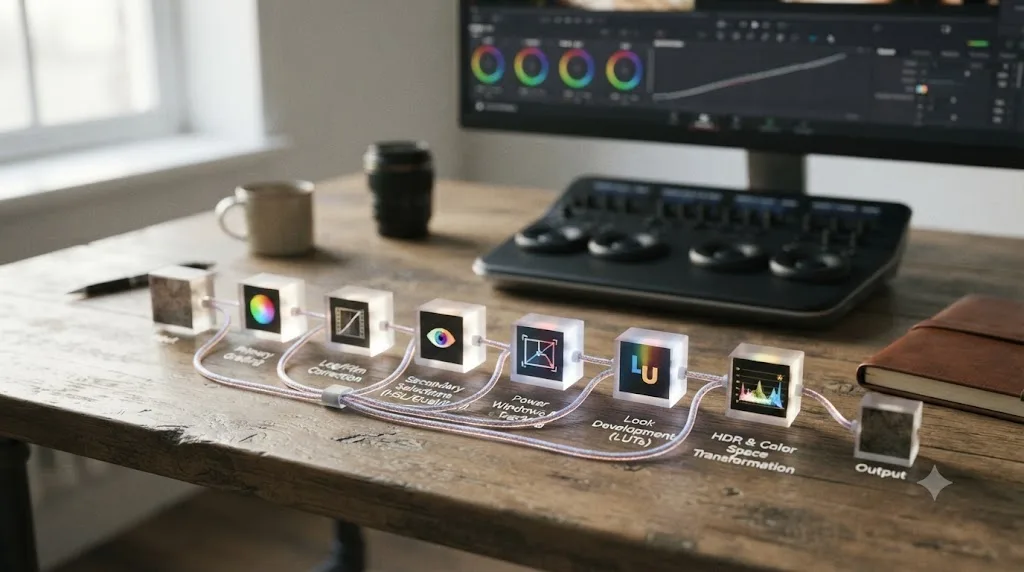
What's actually inside Color Grading Central's DaVinci Resolve Academy?
A longer, more exercise-heavy curriculum than any single MZed course, built across four modules that run beginner through advanced in one continuous program rather than three separate purchases. Per Color Grading Central's own sales page, the roughly 195 lessons break down like this:
| Module | What it covers |
|---|---|
| 1. Base Correction | Project setup, database and interface fundamentals, scope reading, Log and RAW processing, core color grading workflow |
| 2. Secondary Corrections | Targeted fixes, HSL qualifiers, motion tracking, power windows, skin tone grading, noise reduction |
| 3. Grouping and Shot Matching | Grade management across clips, scene matching, remote grades, shared nodes, multicam grading, automated workflow features |
| 4. Final Grading and Finishing | Color theory, mood and time-of-day looks, palette development, specific creative looks including bleach bypass, vintage, and cross-process |
That structure covers more ground in a single purchase than Kenchington's Resolve-specific course does, because it starts at fundamentals in Module 1 rather than assuming them, and it ends at the same advanced creative-look territory Module 4 shares with MZed's more expensive Mastering Color course. Color Grading Central's Academy is the only one of the two platforms' DaVinci Resolve offerings that takes a true beginner through Resolve fundamentals and advanced creative grading inside a single purchase. That breadth is a real part of what the $797 buys, even if the price itself is the piece worth thinking hardest about.
Beyond the four modules, the purchase bundles a LUT collection the company values at $348 and a "Look Hacking System" valued at $297, plus access to a private Facebook group where Riddle and other students weigh in on posted grades, a community layer closer to Domestika's student gallery than to MZed's course-and-quiz format. Total runtime lands around 10 hours of video, shorter on paper than the combined runtime of Kenchington's three MZed courses (about 16 hours), but with far more downloadable exercises attached, 70 versus what MZed's course pages don't total up as a comparable figure. It's also worth noting the sales page's own fine print that runtime and lesson counts "can vary depending on software, e.g. DaVinci, Premiere and FCP," since the Academy's curriculum gets reused and re-cut across Riddle's Premiere and Final Cut Pro editions of the same program.
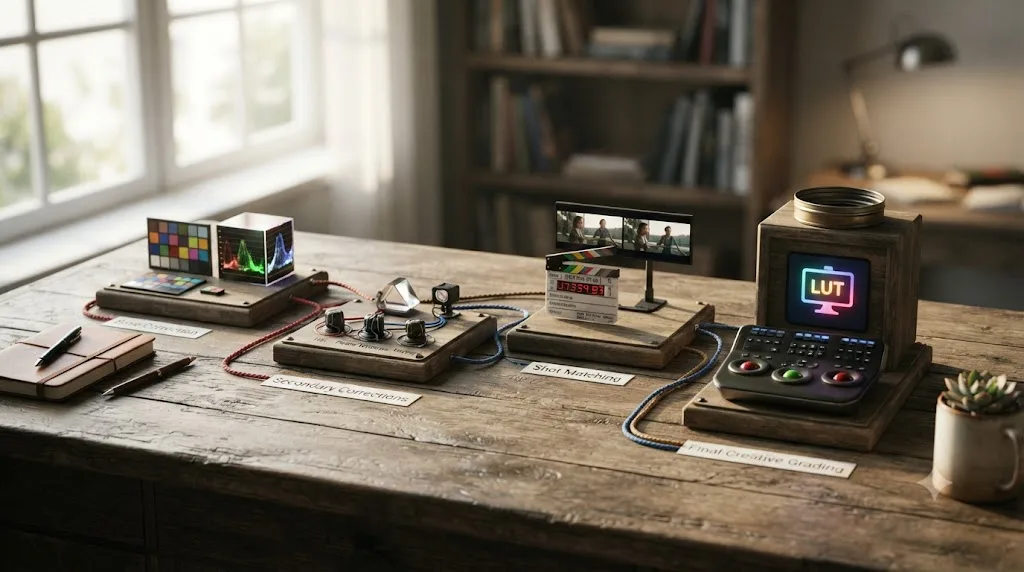
Does either course require DaVinci Resolve Studio?
No, and that's true across both platforms. Kenchington's Color Correction with DaVinci Resolve course doesn't list DaVinci Resolve Studio as a requirement anywhere in its own listing, and the techniques it teaches, node structure, secondary grading, qualifiers, RAW handling, and delivery, all work in the free version. Color Grading Central's Academy doesn't require Studio either, and its module breakdown reads the same way: everything through Module 4's creative looks is achievable with primary and secondary correction tools that ship free.
Where that changes is DaVinci Resolve 21 itself, not either course. Studio unlocks the Neural Engine tools the free tier doesn't have, Magic Mask and Speed Warp retiming among them, plus the new Photo page's AI features added in the June 2026 release, per Blackmagic's own Studio product page. Neither course was built around those specific tools, so following along in the free version won't hit a wall in either curriculum. You'd only hit one trying to reproduce a Studio-only workflow you picked up somewhere else, since neither the $149 course nor the $797 one leans on Resolve 21's newest AI features to make its point.
Does either course lead to a real certification?
Only MZed's, and this is the single clearest differentiator between the two platforms once price stops dominating the comparison. Kenchington's Color Correction with DaVinci Resolve course page states directly: "Following completion you will be eligible to sit the official Blackmagic Design exam to become a certified color professional." That's eligibility to sit an exam, not automatic certification on finishing the video, the same careful wording our best DaVinci Resolve courses roundup flagged when covering this exact course. The exam itself is still Blackmagic's to pass, but it's a real, industry-recognized credential written by the company that makes the software, the same certification path Blackmagic's own free training leads to.
Color Grading Central's Academy carries no equivalent claim anywhere on its sales page. Finishing the four modules gets you completion of the program itself, access to the bonus LUTs and Facebook community, and presumably some form of internal completion acknowledgment, but nothing that connects to Blackmagic's certification exam or any other outside credential body. Only one of these two DaVinci Resolve courses leads to an industry-recognized certification, and it's the $149 one, not the $797 one. If a checkable credential specifically matters to your hiring prospects, that fact alone should weigh heavily in which purchase makes sense, independent of everything else in this comparison.
That doesn't make Riddle's course worthless without a certificate attached, the same way a Domestika or LinkedIn Learning course without a Blackmagic tie-in isn't worthless either. It just means you're paying for curriculum, exercises, and community, not a piece of paper an employer's HR system recognizes on its own.

Is the Blackmagic Design certification exam itself free?
Yes, and that changes the math on Kenchington's course more than it first appears to. Miracamp's own DaVinci Resolve certification page states plainly that "the certification exam itself is also free of charge." Blackmagic doesn't charge you to sit the exam, only your time and preparation are the cost, and that preparation can come from Blackmagic's own free training materials just as easily as from a paid course.
That matters because Kenchington's $149 course is selling you eligibility framing and a structured, guided path to a test that costs nothing on its own. If certification is genuinely your only goal, Blackmagic's own free training leads to the identical exam, and you can walk in having spent nothing but hours. Where the $149 buys something real is structure and a working colorist's curated path through that material, footage balancing, shot matching, node pipeline design, delivered by someone who's done the job professionally, rather than a self-guided read of Blackmagic's documentation. Sitting Blackmagic's own certification exam costs nothing; what you pay for in Kenchington's course is the guided path there, not the test itself.
One honest gap worth naming here, in keeping with this piece's habit of flagging what a sales page doesn't say: neither Blackmagic's own training page nor Kenchington's course listing publishes the exam's exact question count, time limit, or passing threshold. If you want that level of procedural detail before you sit down to test, you'll need to start the registration process directly through Blackmagic's own training portal rather than relying on a course provider's marketing copy to describe it for you.
Is Color Grading Central's Academy up to date for DaVinci Resolve 21?
Unclear, and the not-knowing is itself worth flagging plainly before you spend $797. DaVinci Resolve 21.0 shipped on June 4, 2026, adding a new Photo page, IntelliSearch clip search, CineFocus, and a batch of AI tools, per CG Channel's release coverage. Neither Color Grading Central's live academy sales page nor its Podia-hosted mirror states which DaVinci Resolve version the Academy's screen recordings show or when the course content was last refreshed. That's a real gap in disclosure, and it's the same gap our Domestika review found across most paid course platforms, just with a bigger price tag attached here.
Kenchington's MZed course pages carry the same silence on recording date, though MZed's smaller, more frequently updated catalog and its explicit Blackmagic-certification link give slightly more reason to expect currency, without either page stating a version number outright.
Here's the practical read: node structure, primary and secondary correction theory, shot matching logic, and why you'd reach for a qualifier instead of a power window haven't changed in years and won't be affected by whatever version either course was filmed on. Grading theory doesn't expire between DaVinci Resolve versions. Menu locations do, and neither course states plainly how old its menu locations actually are. What did move since most course recordings predating 2026: the Color page's toolbar layout, several menu positions, and everything Resolve added through 21, including the Neural Engine AI tools. If a specific button doesn't match what either course shows on screen, that's very likely the version gap talking, not a mistake on your part, and it's worth searching "[the setting you're looking for] DaVinci Resolve 21" the moment a menu doesn't line up.
What do real students and independent reviewers say about each platform?
A genuinely mixed picture worth reading past the marketing copy on both sides, because both companies publish their own testimonials, and neither is a neutral source for its own quality.
Color Grading Central's homepage carries three named testimonials directly attributed to real people. Brett Lyon of Michigan writes: "For the past year or more I had searched tirelessly for a well-rounded course that would educate and arm me with the tools to know what I am doing. I can save you trouble of months of searching. The only course that worked for me and left me fully satisfied was CGC's Color Grading Academy!" Cory Wright of Virginia credits the program directly with a career shift: "Being super poor I could never afford college and I dropped out of high school with everyone thinking I was crazy for trying to run a business. But your story, your work and platform have been crucial for my growth and because of you I have been able to go full time with video the last 3 years!" Scott Ackerlund of Illinois attributes a job promotion to the training: "Thanks to Denver Riddle and the Academy, I got a new job as the Lead Creative Finisher... I really wouldn't be here without your awesome guidance." All three quotes appear verbatim on Color Grading Central's own homepage.
Independent forum discussion tells a more textured story than a company's own homepage ever will. On a DVXuser thread specifically asking whether Riddle's course is worth it, user joema wrote: "I have it and would recommend it. The class is vastly more detailed than his free on line tutorials." User unomas gave a similar recommendation with a real caveat attached: "I'm about 25% of the way through and it's very good. Well worth the $$$ for anyone looking to really up their color game," followed by a specific critique that "you feel like he's speed reading through the videos, literally turbo speed. Also, sometimes what he's saying doesn't match up with what's happening on the screen." A third user, hyalinejim, pushed back on the purchase entirely: "Just buy the Alexis Van Hurkman book and save yourself a bunch of cash... Don't fall for sales tactics." All three posts are visible on the same public DVXuser thread.
Actual journalism, not a company's testimonial page or an anonymous forum post, gives a third angle worth weighing. CineD reviewer Bato Prosic reviewed Kenchington's Mastering Color course directly and called it "incredibly well put together," recommending it "whole-heartedly" in CineD's published review. But the same review names real weaknesses: limited coverage of tricky real-world scenarios like blown highlights and shadow noise, a persistent background music bed the reviewer found more distracting than immersive, and a creative-looks module the reviewer wished ran longer with more advanced workflows. Prosic's verdict on fit tracks with what this piece has already found looking at the course's own syllabus: best for DPs, editors, or directors who already grade and want to go deeper, or early-to-intermediate colorists, not complete beginners and not advanced professionals who already know color theory cold.
On the Color Grading Central side, independent site FixThePhoto reviewed the company's LUTs and Academy program together, describing the Academy courses as "carefully-designed" and noting they cover "the whole theoretic part of color grading," while separately praising the company's LUT packs as producing a "stylish, cinematic" look. FixThePhoto's review also surfaces a detail neither Color Grading Central's sales page nor Podia mirror states as clearly: the DaVinci Resolve Academy is built as roughly a 4-week program, distinct from the 6-month timelines the company's Premiere and Final Cut Pro editions carry, per FixThePhoto's own review. That's useful context if you were assuming all three software editions of the Academy take the same time to work through; they don't.
A company's own testimonials will never show you the specific, checkable complaints a forum thread or an independent review will, and a $797 purchase deserves all three kinds of evidence before you commit. MZed's Color Correction with DaVinci Resolve course carries a 4.9-out-of-5 rating on its own listing, with reviewers highlighting Kenchington's teaching depth and progression structure, though MZed's course pages don't surface named, detailed reviews the way Domestika's or LinkedIn Learning's do, making Kenchington's Resolve-specific course harder to independently verify past the star average and the Mastering Color review alone.

How does MZed compare to Color Grading Central, Domestika, and free training?
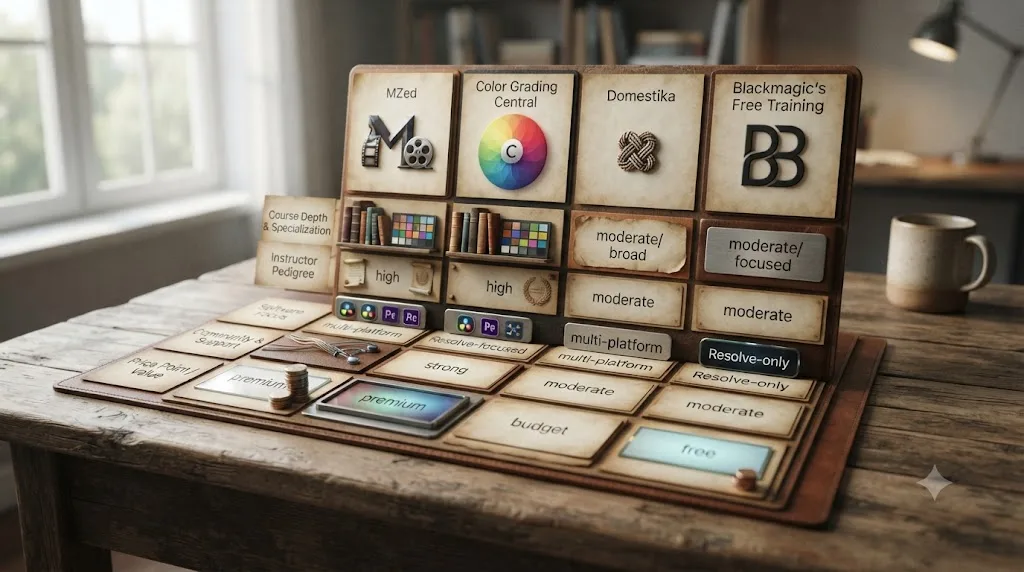
Strong on instructor credentials on both sides, weakest on price transparency at Color Grading Central and weakest on beginner accessibility at MZed. Here's the honest breakdown, lining up the same metrics our Domestika review and best DaVinci Resolve courses roundup used, so the numbers stay comparable across this site's course coverage.
| Platform | Price | DaVinci Resolve specific | Beginner-friendly | Leads to certification |
|---|---|---|---|---|
| MZed (Kenchington's DaVinci Resolve course) | $149 one-time, or $29/mo MZed Pro | Yes, 1 of 3 Kenchington courses | No, advanced level | Yes, eligibility for Blackmagic's exam |
| Color Grading Central (Riddle's Academy) | $797 one-time | Yes, dedicated Resolve program | Yes, starts at fundamentals | No |
| Domestika (single course) | $26.99-$36.99 one-time | Yes, 5 dedicated courses | Yes, two beginner options | None unless bought via Domestika Plus |
| Blackmagic Design free training | Free | Yes, official | Yes, ground-up | Official Blackmagic certification |
| Casey Faris (YouTube) | Free | Yes, ongoing | Yes, but unstructured | None |
Two things stand out reading that table left to right. First, on pure price-to-value, Domestika and Blackmagic's own free training both undercut MZed and Color Grading Central by a wide margin, which is worth knowing before you spend $149 or $797 on either platform without first checking what's free. Second, Color Grading Central's $797 program is the single most expensive DaVinci Resolve-specific course covered anywhere on this site, and it's the only one in this table with no certification tie to Blackmagic to show for that price.
Where MZed and Color Grading Central both genuinely earn their price over Domestika or free training: instructor access and depth from a single, credentialed working colorist, rather than a bundle of general tutorials. Kenchington's decade-plus career and Blackmagic Certified Trainer status, and Riddle's founder-built curriculum with a 25,600-member Academy community behind it, are real, checkable credentials that a free YouTube playlist can't replicate at the same depth. Casey Faris' free YouTube channel, with a subscriber base approaching 600,000, per vidIQ's channel statistics, publishes continuously against whatever version currently ships, at the cost of the structure and community both paid platforms provide.
Choose MZed if a Blackmagic-recognized certification and a lower price point matter more to you than starting from zero. Choose Color Grading Central's Academy if you want one continuous beginner-to-advanced curriculum with a large community attached and certification isn't the goal. Choose Domestika or Blackmagic's free training first if $149 to $797 is more than you're ready to spend before you know whether structured video courses even work for how you learn.
Which one should you actually buy?
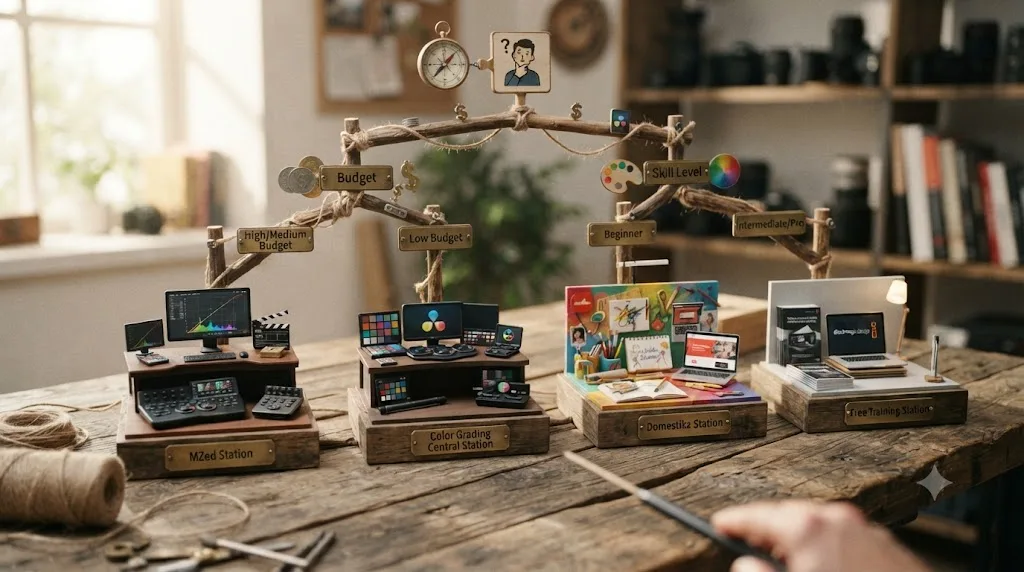
Match the purchase to your actual gap, not to whichever name you searched first. Here's how the real situations sort out.
| Your situation | Best option | Why |
|---|---|---|
| You want a Blackmagic-recognized credential | MZed, Kenchington's Color Correction with DaVinci Resolve | $149, leads directly to exam eligibility, and the exam itself is free |
| You're a total beginner who's never opened the Color page | Color Grading Central's Academy, or Domestika/Blackmagic first | Kenchington's course assumes prior comfort with the interface |
| You want the cheapest real structured path | Blackmagic's free training, then a $27-$37 Domestika course | Free certification path exists before either paid option |
| You want one long program covering beginner through advanced grading | Color Grading Central's Academy | Four modules span fundamentals through creative finishing in one purchase |
| You're curious about MZed's broader filmmaking library too | MZed Pro annual, $29/mo | 255+ hours across directing, cinematography, and color for roughly $58 more than one course, plus a 7-day refund window the outright course doesn't carry |
| You're unsure you'll finish a paid course at all | Start with Blackmagic's free Colorist Guide | Confirms whether structured video courses work for you before risking $150 to $800 |
That last row deserves its own weight, because it's the cheapest mistake to avoid on this whole page. A $797 purchase you never finish is a genuinely worse outcome than a free training book you work through slowly, and neither MZed nor Color Grading Central can refund your unused motivation the way they can refund your money, and on MZed's outright course purchase, they won't even refund that.
Three worked examples make the table concrete. Say you're a hobbyist grading weekend travel footage for YouTube and you've never touched a scope. Neither $149 nor $797 makes sense yet; Domestika's beginner course or Blackmagic's own free training teaches the same fundamentals both paid programs assume you already have, at a fraction of the cost, and you can always trade up once you know grading is something you'll stick with. Say instead you're a freelance video editor who already grades client work reasonably well and wants a Blackmagic-recognized line on a résumé to compete for higher-paying gigs: Kenchington's $149 course is the direct path, since it's the one product in this comparison that ends in exam eligibility for a credential that costs nothing to sit. Say you're weighing a genuine career pivot into color grading full time, want one deep, continuous curriculum, and a large community of other students to compare notes with, and a certificate isn't the point: Color Grading Central's Academy is built for exactly that brief, though its lack of a refund on an unfinished course and the version-currency question above are real costs of that choice, not just line items.
Runtime gives you a rough sense of the time commitment too, since both companies publish their own hours. Kenchington's Resolve-specific course alone runs 7 hours 19 minutes; all three of his MZed courses combined run about 16 hours. Color Grading Central's Academy runs about 10 hours of video across its four modules. Run the math yourself against your own schedule: at two focused hours a week, Kenchington's single Resolve course finishes in a little under a month, and the Academy's 10 hours finishes in about five weeks, before you factor in time spent on the Academy's 70 downloadable exercises, which the video runtime alone doesn't capture.
Does finishing either course actually help you get hired as a colorist?
Partly, and the part that matters most is the part neither $149 nor $797 buys you directly: real footage on a real deadline. An assistant colorist's day-to-day work is narrower and less glamorous than the creative grading both courses spend most of their runtime on. Per Saturation's career guide to the role, an assistant colorist "supports the lead colorist in film, television, and commercial post-production by preparing footage, applying initial color corrections, and managing project files," with conforming, exporting, and media organization as the core of the job, not final creative looks. The same guide is specific about what actually gets a newcomer hired: "the most important skill is learning DaVinci Resolve conform workflows, EDL/XML/AAF import, media management, and delivery export setup, because those are the tasks an assistant is expected to perform on day one."
That's worth holding up against what each course actually teaches. Kenchington's Color Correction with DaVinci Resolve course lists "XML timeline conforming across software" and "project delivery in industry formats, including DCP" as named modules, both of which map directly onto the day-one tasks Saturation describes. Color Grading Central's Academy covers adjacent ground in Module 3, remote grades, shared nodes, and multicam workflows, but its own module list doesn't name conform or delivery-format work as explicitly. Neither course is a substitute for actually assisting on a real project, but if hiring-relevant skill overlap is what you're optimizing for, Kenchington's course names the assistant-colorist workflow directly; Riddle's Academy leans more toward the creative grading a lead colorist does once conform and delivery aren't their problem anymore.
Mixing Light's guide to essential assistant-colorist skills backs up the same point from a different angle: beyond software fluency, the job wants "a solid understanding of color theory, image processing, and fundamental editing techniques," paired with soft skills like attention to detail and clear communication within a creative team, since an assistant's corrections and organization directly affect whether the lead colorist's day runs smoothly. Saturation names three realistic ways into the role: interning at a color facility and converting to staff, building strong DaVinci Resolve skills through self-study plus Blackmagic's own certification program, or attending a film school program with a post-production track, and calls Blackmagic's certified-operator credential "the most recognized technical qualification in color grading" for validating exactly this workflow knowledge. An assistant colorist's day-one tasks are conforming and exporting footage, not creative grading, and only one of these two courses names that skill as its own module. Whichever course you buy, plan on pairing it with real, unpaid or low-paid assist work before you expect either a $149 or a $797 purchase to open a hiring conversation on its own.
What do these courses skip that a working colorist eventually needs?
Editing, Fusion, and Fairlight, almost entirely, on both platforms. Every module in both Kenchington's Resolve course and Riddle's Academy lives on the Color page. Neither touches the Cut or Edit pages, neither ventures into Fusion's node-based compositing, and neither covers Fairlight's mixing console beyond whatever a single delivery lesson mentions in passing. That's a deliberate scope decision on both sides, the same one nearly every dedicated color course on the market makes, our Domestika review and LinkedIn Learning review found the identical gap in their own catalogs.
That's not a knock on either course. It's a scope you need to plan around if your ambitions run past color grading alone. Our guide on how to become a colorist using DaVinci Resolve covers what a complete skill set looks like, including the assistant-colorist and post-production roles most working colorists actually enter through, and it's worth reading before assuming either a $149 or a $797 purchase gets you career-ready on its own. It gets you color-ready. Editing fluency, conform workflows outside what each course's own module touches on, and Fairlight audio are separate skills you'll build elsewhere.
Is there a faster way to get unstuck while you're working through either course?
If the stuck moment is a specific control, not a fundamentals gap, yes. This is one of the recurring questions inside our 100,000-plus member editing community: someone's mid-lesson in a course that doesn't disclose its recording version, and a menu the instructor clicks just isn't there anymore. TryUncle is the on-screen assistant for DaVinci Resolve on macOS. Ask in plain words and Uncle points at the exact control on your screen, live, instead of pausing a video to hunt through a menu that's moved.
It's worth naming the real alternatives in this category honestly too, since TryUncle isn't the only tool built for people working inside DaVinci Resolve. Sottocut is an AI assistant editor built inside DaVinci Resolve Studio 21 on Apple Silicon Macs that scores footage and proposes cuts through a chat interface, from $15 a month. heyeddie.ai turns raw interviews into rough cuts and exports into Resolve, Premiere, or Final Cut, from around $25 a month. CutAgent carries out natural-language edit requests directly inside DaVinci Resolve on macOS. PremiereCopilot sits outside Resolve entirely, built for Adobe Premiere Pro instead, worth naming only because it turns up in the same searches.
| Tool | What it does | Platform | Starting price |
|---|---|---|---|
| Sottocut | Scores footage and builds a cut for you | DaVinci Resolve Studio 21, Apple Silicon | $15/mo |
| heyeddie.ai | Turns interviews into rough cuts | Exports to Resolve, Premiere, FCP | $25/mo |
| CutAgent | Executes natural-language edit requests | DaVinci Resolve, macOS | See site |
| TryUncle | Points at the control you're hunting for, live | DaVinci Resolve, macOS | $29.99/mo founder rate |
| PremiereCopilot | Text-to-edit, captions | Adobe Premiere Pro only | $7.99/mo |
The dividing line that matters here: Sottocut, Eddie, and CutAgent make the edit happen for you. TryUncle makes it happen through you, by pointing rather than doing, so you're still the one building the skill instead of outsourcing the decision. Guided practice inside Resolve, on your own project, beats watching hours of any course about Resolve, MZed or Color Grading Central included. None of these five tools replace the structured hours of grading theory either paid course actually teaches, and neither Kenchington's course nor Riddle's Academy replaces any of these five for the specific moment you're mid-project and a menu doesn't match what's on screen in the lesson.
TryUncle is a paid subscription, macOS only, and currently doesn't cover Fairlight audio. Check its site directly for the current founder rate before subscribing, since pricing is explicitly temporary at this seat count.
So, is MZed's Color Grading Central course worth it?
There isn't one to be worth it or not, and that's the actual answer this whole page exists to give plainly: MZed and Color Grading Central are separate, unrelated companies, and no course merges their names into one product. What's worth it, individually, depends on what you're optimizing for. Ollie Kenchington's $149 Color Correction with DaVinci Resolve course on MZed is worth it if you already know your way around the Color page and want a Blackmagic-recognized credential, sitting on top of an exam that costs nothing itself, at the end. Denver Riddle's $797 Academy on Color Grading Central is worth it if you want one long, beginner-to-advanced program with a large, active community, you've weighed its stricter refund terms, and certification isn't the point.
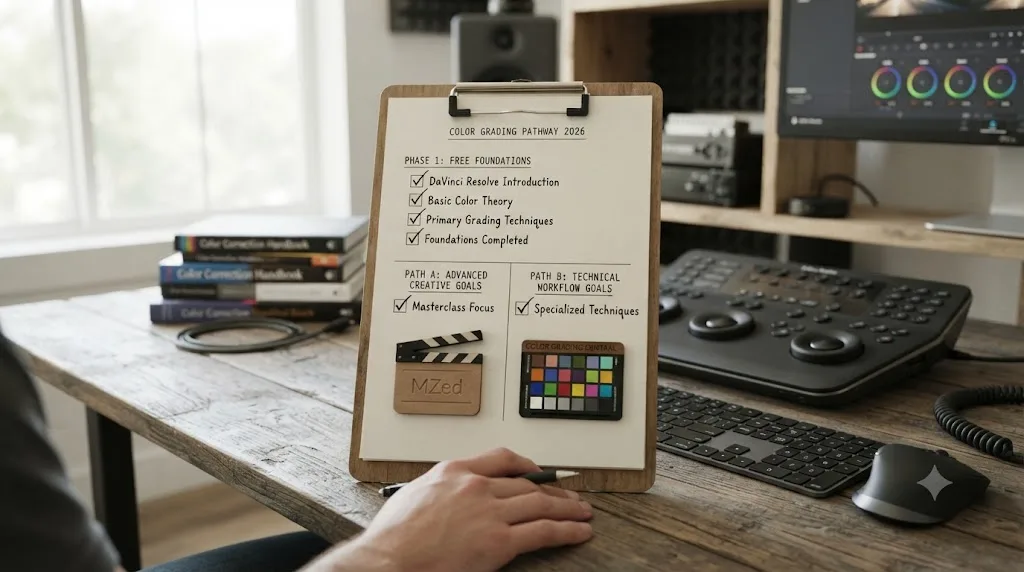
Neither is worth it as a first purchase if you haven't yet worked through Blackmagic Design's own free training, which teaches the same fundamentals both paid courses build on, costs nothing, and leads to the identical certification exam Kenchington's course does. Start there. Add Casey Faris' free YouTube channel for demonstration against whatever version currently ships. Spend $149 or $797 only once you know exactly which gap free training didn't close, and pick the platform whose price, refund terms, depth, and certification claim actually match that specific gap, not the one whose name you happened to type into a search bar first.
Frequently asked questions
- Does MZed have a course called Color Grading Central?
- No. MZed and Color Grading Central are two separate, unrelated companies with no shared ownership, no partnership, and no joint product. MZed sells Ollie Kenchington's color courses. Color Grading Central is Denver Riddle's independent business, built around its own DaVinci Resolve Academy and grading software. The two names just happen to collide in search.
- What's the actual difference between MZed and Color Grading Central?
- MZed is an online filmmaking school (part of CineD since 2021) selling a library of courses across directing, cinematography, and color, including Ollie Kenchington's Blackmagic-certified DaVinci Resolve course. Color Grading Central is a standalone company founded by colorist Denver Riddle that sells LUTs, grading software, and its own $797 DaVinci Resolve Academy, with no certification tie to Blackmagic.
- How much does MZed's DaVinci Resolve course cost?
- Ollie Kenchington's Color Correction with DaVinci Resolve course costs $149 as a one-time purchase, or you can access it plus MZed's full library through MZed Pro at $29 a month billed annually ($348 a year) or $49 a month month-to-month, per MZed's own FAQ.
- How much does Color Grading Central's DaVinci Resolve Academy cost?
- $797 as a one-time payment for lifetime access, per Color Grading Central's own sales page. That includes four modules, roughly 195 lessons and 70 downloadable exercises, plus bonus LUT packs and a private Facebook group. There's no subscription tier and no per-module option.
- Does either course lead to a real certification?
- Only MZed's. Ollie Kenchington's Color Correction with DaVinci Resolve course states plainly that finishing it makes you eligible to sit Blackmagic Design's own certification exam, the same credential Blackmagic's free training leads to. Color Grading Central's Academy doesn't lead to any outside certification; it's a completion-only program.
- Is Color Grading Central's course up to date for DaVinci Resolve 21?
- Unclear, and that's itself a red flag worth knowing before you pay $797. Neither Color Grading Central's sales page nor its Podia mirror lists which DaVinci Resolve version the Academy was recorded on or when it was last refreshed, unlike Blackmagic's own training, which dates its editions plainly.
- Is there an AI tool to learn DaVinci Resolve instead of paying $797 for a course?
- TryUncle is the on-screen assistant for DaVinci Resolve on macOS. Ask in plain words and Uncle points at the exact control on your screen, live, instead of pausing a pre-recorded lesson. It costs $29.99 a month at founder pricing and isn't a course. It answers the moment you're stuck; a structured course still teaches the hours of theory around that moment.
- What's the best way to learn DaVinci Resolve fast if you don't want to spend $797?
- Start with Blackmagic Design's free training and certification exam, add Casey Faris' free YouTube channel for demonstration, then spend money only on the specific gap free training doesn't close, whether that's Kenchington's $149 certified course, Riddle's Academy, or Domestika's cheaper single-topic courses.
Sources
- MZed - Color Correction with DaVinci Resolve (Ollie Kenchington)
- MZed - Mastering Color (Ollie Kenchington)
- MZed - Directing Color (Ollie Kenchington)
- MZed - FAQs (Pro pricing, trial, and refund policy)
- MZed - MZed Joins CineD
- CineD - CineD Acquires MZed
- CineD - "How to Become a Colorist": Interview with Colorist and Educator Ollie Kenchington
- CineD - Mastering Color: Full Course on Color Grading by Ollie Kenchington Reviewed
- Zacuto - The Legacy of a Photography Pioneer, Monte Zucker
- Color Grading Central - homepage (community stats and testimonials)
- Color Grading Central - DaVinci Resolve tutorials and free masterclass
- Color Grading Central - Color Grading Academy for DaVinci Resolve (sales page)
- Podia - Color Grading Academy for DaVinci Resolve (course listing mirror)
- FixThePhoto - Color Grading Central LUTs: Complete Review
- No Film School - What's the One Thing Holding You Back in Your Color Grading?
- DVXuser - Color grading central masterclass by Denver riddle, any thoughts? Experience?
- DaVinci Resolve - Training (Blackmagic Design)
- DaVinci Resolve Studio product page (price and features)
- Miracamp - DaVinci Resolve Certification (Blackmagic exam cost)
- Saturation - Assistant Colorist: Post-Production Salary & Career Path
- Mixing Light - Essential Skills For Assistant Colorists: Introduction
- CG Channel - Blackmagic Design releases DaVinci Resolve 21.0
- Casey Faris - YouTube channel
- vidIQ - Casey Faris channel statistics
- Domestika - Introduction to DaVinci Resolve for Video Editing (Leo Fallas)
- TryUncle (product site)
- TryUncle FAQ
- Sottocut (product site)
- PremiereCopilot (product site)
- Eddie AI (heyeddie.ai product site)
- CutAgent (cutagent.ai product site)
Put this guide to work with TryUncle.
Ask about the step you’re on. TryUncle sees your screen and points at the control you need, so you can keep learning in your own project.
Get TryUncle for Mac or WindowsKeep reading

Reviews · Jul 23, 2026 · 35 min
Is Domestika's DaVinci Resolve Course Worth It in 2026?
Domestika sells five DaVinci Resolve courses from $27. We checked student counts, refund rules, version currency, and real Trustpilot data before buying.

Comparisons · Jul 13, 2026 · 34 min
Best DaVinci Resolve Courses in 2026: 6 Real Options Compared
We compared six real DaVinci Resolve courses for 2026, from Blackmagic's free certification to color grading and Udemy bootcamps, to find the best fit.
Guides · Jul 23, 2026 · 24 min
Is There a MasterClass.com Course for DaVinci Resolve?
No, MasterClass.com has no DaVinci Resolve course. Here's what its film category actually teaches, and where to learn Resolve for real, free and paid.