Articles / Reviewsupdated for DaVinci Resolve 21.0.2 (July 2026)
Is LinkedIn Learning's DaVinci Resolve Course Worth It in 2026?
Quick answer
No single 'LinkedIn Learning DaVinci Resolve course' exists, it's seven separate courses, six taught by Blackmagic Certified Trainer Patrick Inhofer, rated 4.5 to 4.8 out of 5. Worth it if you already pay for LinkedIn Premium Career; skip a dedicated subscription otherwise, since the newest course dates to May 2022, four years before Resolve 21.

Somebody types "linkedin learning davinci resolve course worth it" into a search bar, usually while staring at a 30-day free trial banner and a "Continue" button they haven't clicked yet. I went through every DaVinci Resolve course on the platform, checked who teaches them, how current they actually are, what real named reviewers say past the star average, and what the subscription costs once the trial ends. Here's what you're actually signing up for.
Wait, does LinkedIn Learning have more than one DaVinci Resolve course?
Yes, seven, and treating "the LinkedIn Learning DaVinci Resolve course" as a single product is the first mistake this search tends to make. LinkedIn Learning splits its DaVinci Resolve training into seven separate, purchasable-by-subscription courses, six of them taught by the same instructor, covering different pages of the app at different depths and different points in Resolve's version history.
Here's every one of them, pulled directly from each course's own LinkedIn Learning listing page.
| Course | Instructor | Duration | Level | Viewers | Rating |
|---|---|---|---|---|---|
| DaVinci Resolve Fundamentals | Patrick Inhofer | 6h 50m | Beginner | 29,787 | 4.7/5 (722 ratings) |
| Learning DaVinci Resolve 16 | Patrick Inhofer | 4h 33m | Beginner | 27,555 | 4.7/5 (359 ratings) |
| DaVinci Resolve 12 Essential Training | Patrick Inhofer | 15h 43m | Beginner + Intermediate | 11,923 | 4.5/5 (22 ratings) |
| DaVinci Resolve: Color Page | Patrick Inhofer | 3h 26m | Beginner | 4,882 | 4.8/5 (105 ratings) |
| DaVinci Resolve: Software Features and Workflows | Patrick Inhofer | 3h 10m | Beginner | 5,026 | 4.6/5 (47 ratings) |
| DaVinci Resolve: How to Fix Common Image Problems | Patrick Inhofer | 3h 48m | Beginner + Intermediate | 2,892 | 4.7/5 (38 ratings) |
| DaVinci Resolve: Editing in the Cut Page | Patrick Inhofer | 3h 23m | Beginner | 2,837 | 4.8/5 (36 ratings) |
Add those seven together and you get roughly 84,900 combined viewers, per each course's own LinkedIn Learning listing. One instructor teaches every single one. LinkedIn Learning's DaVinci Resolve catalog isn't seven different perspectives on the software, it's one colorist's curriculum split into seven purchasable chunks. That's a meaningfully different shape than Domestika's five DaVinci Resolve courses from five different working professionals, which we reviewed separately, and it changes how you should shop here: you're not picking a teacher, you already have one. You're picking which slice of Resolve you actually need from him.
An eighth course, Robbie Carman's Color for Video Editors, sits on the same topic page and shows up in this search's results too. It isn't DaVinci Resolve-specific, it's general color theory and grading workflow aimed at any NLE, running 2 hours 57 minutes at an intermediate level with a 4.7 rating across 174 ratings. Worth knowing about, not worth confusing with the seven Resolve-branded courses above it.
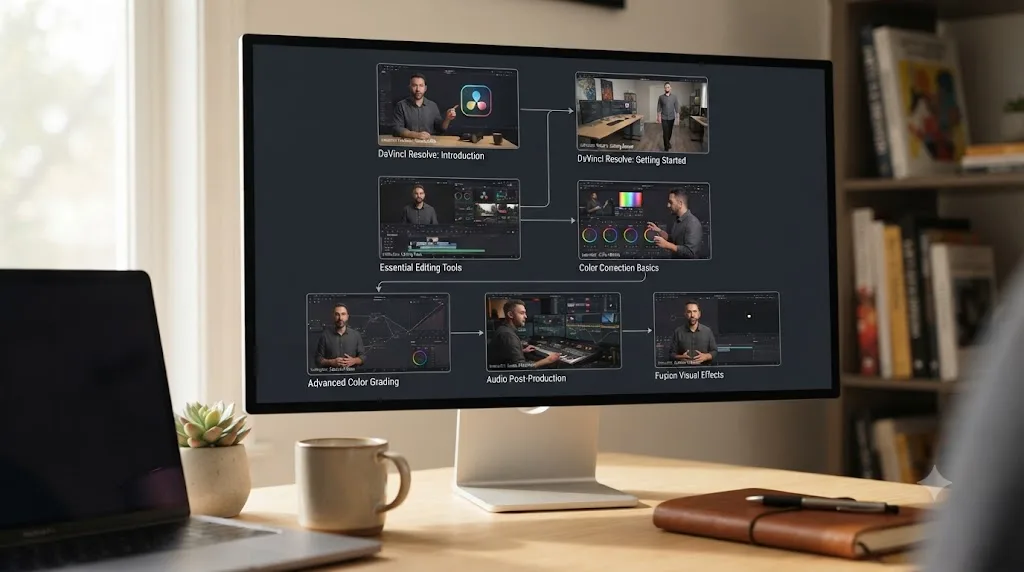
Who is Patrick Inhofer, and should you trust him to teach you Resolve?
Yes, on the strength of real, checkable credentials rather than a LinkedIn Learning job title alone. Patrick Inhofer is an independent colorist with more than 30 years in post-production and 18-plus years specifically in color correction, working on indie features, long-form broadcast, and documentaries, according to his own LinkedIn profile. He's a Blackmagic Certified Trainer, the same certification tier behind the certified-trainer networks that in-person training companies rely on, and he's been teaching DaVinci Resolve since version 8, per Mixing Light's own training page. He co-founded Mixing Light alongside colorists Dan Moran and Robbie Carman, the same Robbie Carman who teaches the eighth, non-Resolve-specific course on LinkedIn Learning's topic page.
That's a genuine working-professional credential stack, not an "academy instructor" title invented for a course platform. It also explains why all seven Resolve courses share one voice and one teaching philosophy rather than reading like seven disconnected products. In a 2023 interview with writer Kevin Bourke, Inhofer described what he actually emphasizes when he teaches software, and it's worth reading in full before you decide whether his approach fits how you learn:
"While I teach them the software, I also teach them how I think as a colorist, and that has a big impact on how you actually use software."
That's from Bourke's full interview, and it's a genuinely different promise than a button-by-button screen recording. Patrick Inhofer doesn't just show you where DaVinci Resolve puts a slider, he teaches the judgment behind why you'd move it. Whether that lands for you depends on what you actually came for. If you want the fastest possible path to exporting your first video, that philosophy-first approach can feel slower than a pure click-along tutorial. If you're trying to actually get good at color correction, not just operate the software, it's exactly the difference this review recommends you pay for.
Which LinkedIn Learning DaVinci Resolve course should you actually start with?
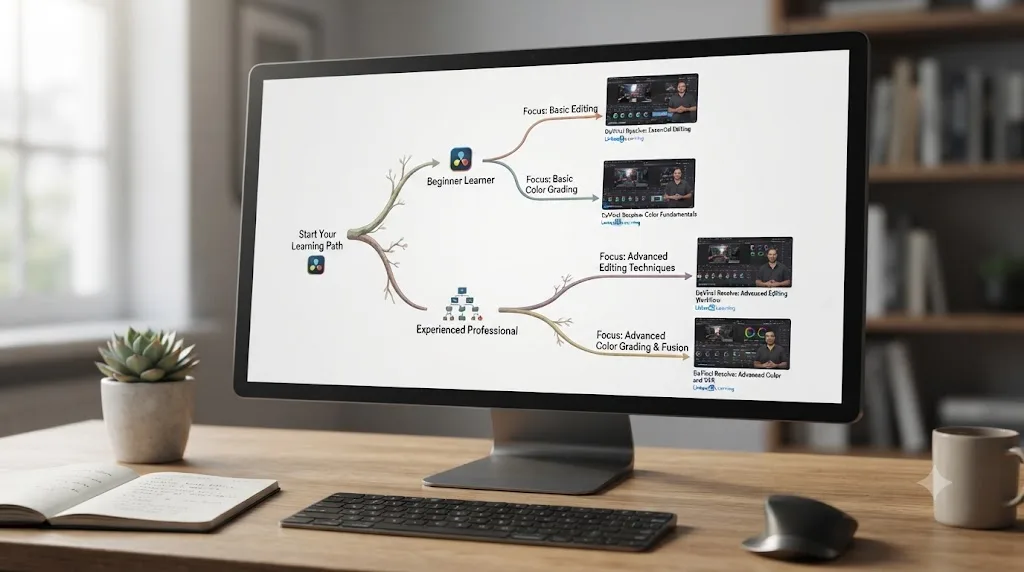
Match the course to your actual gap, not to whichever one has the most ratings. The seven split cleanly by three questions: are you a total beginner or already comfortable with the interface, are you stuck on editing or color, and do you need a specific fix or a full curriculum.
If you've never opened DaVinci Resolve, start with DaVinci Resolve Fundamentals. It's the widest single course on the list, moving through importing media, building a rough cut, trim tools, titles and transitions, color correction, audio mixing, and export, using a 60-second commercial as a running exercise file across roughly 60 lessons in seven sections. At 722 ratings, it's also by far the most-reviewed DaVinci Resolve course on the platform, more than double the combined total of every other course in this table. That volume matters: a 4.7 average built on 722 independent ratings is a far steadier signal than a 4.8 average built on 36.
If editing specifically, not color, is where you're stuck and you already know the basics, DaVinci Resolve: Editing in the Cut Page goes deep on Resolve's speed-editing workspace across four sections, Cut Page mechanics, nonlinear editing fundamentals, trimming and moving clips, and the Blackmagic Speed Editor hardware controller, 48 lessons in total across 3 hours 23 minutes, per its own course listing.
If color is the wall, DaVinci Resolve: Color Page is the highest-rated course in the entire catalog at 4.8 out of 5, covering settings and preferences for color work, primary corrections, secondary corrections for isolating problem areas, and combining the two for shot matching, across 28 lessons.
Once you're past basics on both fronts, DaVinci Resolve: Software Features and Workflows covers the administrative layer working editors actually live in day to day: database and project file management, interface customization, Render Cache and proxy optimization, cross-platform project transfer with Premiere Pro and Final Cut Pro, and hardware integration. DaVinci Resolve: How to Fix Common Image Problems is the most troubleshooting-shaped course of the seven, walking through tracking, zooming, masking, speed effects, and saturation and shadow adjustments for specific problem shots rather than a general curriculum.
The two oldest courses deserve a separate note, covered in full in the version-currency section below. Learning DaVinci Resolve 16 and DaVinci Resolve 12 Essential Training are both still live, still rated well, and both teach on interfaces that predate the current release by five to ten years.
What's actually inside DaVinci Resolve Fundamentals, lesson by lesson?
A full beginner-to-export curriculum built around one practice project, and it's worth walking through in detail since it's the course most people searching this query will actually take. DaVinci Resolve Fundamentals organizes its 6 hours 50 minutes across seven sections, moving through importing media both manually and via automated methods, building a rough cut, refining that cut with trim tools, adding titles and transitions, color correcting, organizing and mixing audio, and completing the export process, per the course's own LinkedIn Learning listing.
The course ships with one exercise file, a 60-second commercial, that you work alongside for the duration of the training, plus seven quizzes to check retention section by section. It also covers both using Resolve's preset render templates and building your own reusable custom templates, a detail that matters more once you're delivering the same project to five different platforms and don't want to reconfigure export settings from scratch every time.
That single-project structure is a real trade-off worth naming honestly. A 60-second commercial gives you one consistent throughline to practice on, which helps a beginner see how each stage connects to the next. It also means you never see how Inhofer's editing or grading choices would change on a different kind of footage, a wedding, a documentary interview, a narrative short. Reviewer Abdallah Kuraitem, whose full review appears later in this piece, specifically flagged wanting a project file for every individual lesson rather than one running project for the whole course. That's a fair, specific critique, and it's the clearest gap between this course and a longer, multi-project curriculum like Domestika's Leo Fallas course, which spreads 33 separate practice exercises across its own editing-focused training.
What's actually inside DaVinci Resolve: Color Page, lesson by lesson?
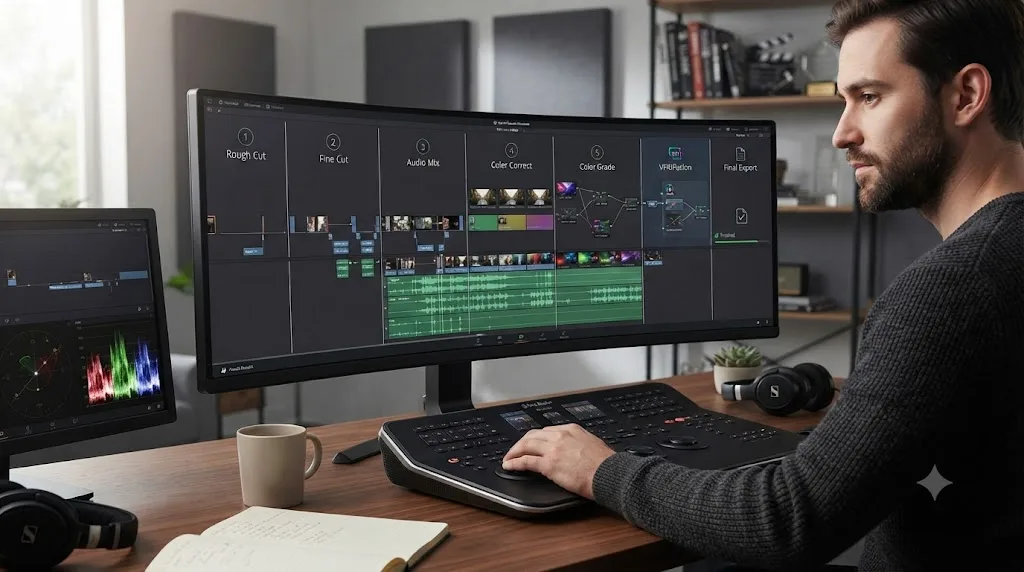
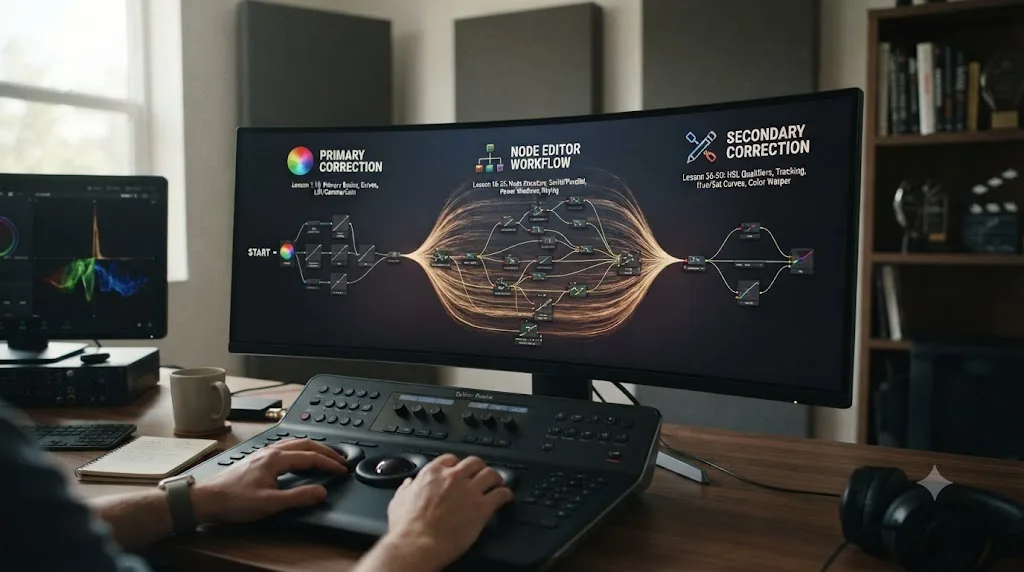
The most technically dense of the seven, and the one most likely to reward a second watch. DaVinci Resolve: Color Page is the highest-rated course in the whole catalog at 4.8 out of 5, and pulling apart its actual structure shows why: it's built less like a single walkthrough and more like four stacked mini-courses, per the course's own LinkedIn Learning listing.
Four introductory lessons cover the Color page layout, viewer manipulation, and Resolve's YRGB image processing model, the plumbing you need before any grading advice makes sense. From there, a nine-lesson section on primary color correction fundamentals covers global adjustments, HDR palette work, custom curves, the RGB Mixer, and camera RAW settings, followed by a seven-lesson section dedicated entirely to the node editor: layer mixers, parallel mixers, keyframing nodes, and how to structure a node tree so it stays readable six months later. A nine-lesson secondary correction section closes out the technique, covering qualifiers, Power Windows, and tracker frame mode for isolating a specific part of the frame, with three closing lessons tying primaries and secondaries back together into a shot-matching workflow.
That's 46 lessons across 3 hours 26 minutes, well under five minutes per lesson on average. Color Page moves in short, focused bursts rather than long unbroken demonstrations, which makes it easy to rewatch the ten minutes on Power Windows without sitting through the whole node-editor section again. That structure is also why this piece already recommended rewatching the primary and secondary sections separately: node structure and color theory are genuinely separate skills taught in genuinely separate blocks here, not one continuous lecture you either follow start to finish or lose the thread on.
How much time should you actually budget for these courses?
More than the runtime column suggests, the same trap every video course sets. DaVinci Resolve Fundamentals lists 6 hours 50 minutes of video, but that number is watch time, not do time. Budget roughly equal hands-on time working through the exercise file yourself, on top of the runtime, and a beginner moving at a comfortable pace should plan on two full weekends for that course alone, not a single evening after work.
The shorter, single-page courses compress faster but resist speed-watching more than their runtime implies. DaVinci Resolve: Color Page runs 3 hours 26 minutes, but color grading judgment builds through repetition on your own footage, not from watching someone else grade theirs. Plan to rewatch the primary-correction sections at least once before the secondary-correction material fully clicks, the same pattern our Domestika review found true of every color-grading course we've checked, not just this one.
None of the seven LinkedIn Learning DaVinci Resolve courses enforce a schedule, but your subscription does. That's the real difference from a one-time course purchase. Domestika and Udemy sell you the video forever for a flat fee; LinkedIn Learning rents you access to the video for as long as you keep paying. Fall behind on a $29.99-a-month standalone subscription and the meter keeps running whether you open the app that week or not. Budget accordingly: know roughly how many weekends you'll actually give this before you start the clock, not after.

How long would it take to actually finish all seven courses back to back?
Longer than a single weekend, and the number is worth doing the math on before "the whole Inhofer catalog" becomes your goal. Add up the runtime column from the very first table in this piece, Fundamentals' 6 hours 50 minutes, Learning DaVinci Resolve 16's 4 hours 33 minutes, DaVinci Resolve 12 Essential Training's 15 hours 43 minutes, Color Page's 3 hours 26 minutes, Software Features and Workflows' 3 hours 10 minutes, How to Fix Common Image Problems' 3 hours 48 minutes, and Editing in the Cut Page's 3 hours 23 minutes, and you land on roughly 40 hours 53 minutes of video across all seven, per each course's own runtime listing.
That's watch time only. Apply the same rough one-to-one ratio of hands-on practice to runtime this piece already recommends for Fundamentals alone, and finishing every DaVinci Resolve course in the catalog is closer to an 80-hour project than a weekend binge, roughly two full work weeks if you treated it like a job.
Nobody needs to do that, and this review isn't recommending it. Two of those seven courses, Learning DaVinci Resolve 16 and DaVinci Resolve 12 Essential Training, teach interfaces so far behind Resolve 21 that watching them back to back with the other five mostly means learning the same node and color-correction logic three separate times through three different sets of menus.
| Your goal | Recommended combo | Combined runtime |
|---|---|---|
| Get through your first edit | Fundamentals alone | 6h 50m |
| Edit and grade one real project, start to finish | Fundamentals + Color Page | 10h 16m |
| Fix a specific problem shot fast | How to Fix Common Image Problems alone | 3h 48m |
| Full editing-and-color arc across both pages | Fundamentals + Cut Page + Color Page | 13h 39m |
| Everything on the topic page, redundancy included | All seven, plus Robbie Carman's Color for Video Editors | 43h 50m |
A realistic path through this catalog is two to three courses, not all seven, picked by whichever gap this piece's decision guide above actually points you toward. Fundamentals plus Color Page alone covers a beginner's full arc, editing through grading, in exactly 10 hours 16 minutes of video, a far more honest weekend-and-a-bit target than the full 40-hour catalog.
How does a LinkedIn Learning course actually work day to day?
Every LinkedIn Learning course, these seven included, follows the same shape regardless of topic. You get a subscription, then a library of pre-recorded video lessons organized into sections, ranging from 25 lessons on the shortest course here to 60-plus on Fundamentals, each with attached exercise files and periodic quizzes to check retention. There's no live component, no instructor office hours, and no cohort of classmates working the same material alongside you.
The mobile experience is a real strength worth naming plainly. LinkedIn Learning's iOS and Android apps let you download lessons for offline viewing and continue where you left off across devices, which matters if you're working through a course during a commute rather than at a desk with Resolve open. That's a genuine advantage over platforms that lock playback to the browser.
What LinkedIn Learning doesn't have is any equivalent to Domestika's student gallery, where learners upload finished projects and get comments from classmates and the instructor. There's no community layer here at all. Skillshare, a subscription competitor with its own scattered DaVinci Resolve courses from independent creators rather than one credentialed instructor, does build that project-gallery layer in, per its own course listings. LinkedIn Learning trades that community layer for instructor consistency instead: one Blackmagic Certified Trainer across nearly all seven Resolve courses, rather than Skillshare's mix of independent creators of varying, unverified skill levels. You watch, you practice on your own exercise file, you take the quiz, you move to the next lesson. That's a fair trade for a subscription that also gets you 22,000-plus courses outside DaVinci Resolve entirely, per LinkedIn Learning's own subscription page, but if peer feedback or instructor interaction on your specific project is part of what you're paying for, it isn't here.
Are LinkedIn Learning's 4.5 to 4.8 star ratings actually trustworthy?
Mostly, and reading past the aggregate number is where the useful detail lives. LinkedIn Learning displays a star rating and star-by-star breakdown directly on each course page, built from ratings left by learners who've completed at least 40% of the course, per LinkedIn's own review policy. That's a real completion threshold, not a rating open to anyone who's merely enrolled, which pushes these numbers a bit closer to earned trust than an open App Store review box would.
Here's what those ratings look like once you read the individual reviews behind the percentage. On DaVinci Resolve Fundamentals, reviewer Thando Matlhage, listed as a Video Editor at CNBC Africa, left a five-star rating in April 2026:
"Great easily to understand, Yes will recommend it"
That's a real, named, checkable job title attached to the review, not an anonymous handle. A more detailed review on the same course, from Abdallah Kuraitem, a Social Media Manager at Mad Catz Global Limited, rated three stars in September 2025 and did something more useful than a simple thumbs-up: it named specific, checkable gaps.
"This course is amazing for learning more about the world of color grading in DaVinci Resolve. However, to be honest, it feels more suitable for people who already have experience in video editing with Adobe Premiere Pro rather than complete beginners. Still, it offers great tips, and I had hoped to see more information about the 20th version of DaVinci Resolve. I also wish each session included its own project file within the exercise files."
That review is doing real work for you as a buyer. It flags that Fundamentals, despite being labeled "Beginner," assumes more prior editing familiarity than a total newcomer might have. It independently confirms the version-currency gap this piece covers in full below, calling out wanting Resolve 20 coverage specifically. And it names the single-exercise-file structure as a real limitation, not a style preference. A three-star review that names three specific, checkable gaps is worth more to a buyer than a five-star review that says nothing at all. The Cut Page course carries shorter but similarly positive reviews too: Daniel Garnier called it "excellent, yes would recommend to friends," Arun Mittal called it "a very engaging tutorial," and Panayiotis Dimakogiannis simply wrote "great, love Patrick Inhofer," all per each course's own LinkedIn Learning review section.
Is LinkedIn Learning's DaVinci Resolve content actually current for Resolve 21?
No, and this is the single most important honest caveat in this whole review. DaVinci Resolve 21.0 shipped on June 4, 2026, adding a new Photo page, IntelliSearch clip search, CineFocus, and a batch of AI tools, per CG Channel's release coverage. The newest DaVinci Resolve-specific course in LinkedIn Learning's entire catalog, DaVinci Resolve: How to Fix Common Image Problems, was released May 25, 2022, per its own course listing. That's four years between the newest lesson on the platform and the version currently shipping, and it only gets wider from there.
Here's the full version-currency spread across all seven courses, because "the newest one is from 2022" undersells how far back the catalog actually reaches:
| Course | Released | Years behind Resolve 21 (as of July 2026) |
|---|---|---|
| DaVinci Resolve: How to Fix Common Image Problems | May 2022 | ~4 years |
| DaVinci Resolve: Editing in the Cut Page | March 2022 | ~4 years |
| DaVinci Resolve: Color Page | October 2021 | ~5 years |
| DaVinci Resolve: Software Features and Workflows | October 2021 | ~5 years |
| DaVinci Resolve Fundamentals | July 2021 | ~5 years |
| Learning DaVinci Resolve 16 | December 2019 | ~7 years, and named for a version four majors behind |
| DaVinci Resolve 12 Essential Training | February 2016 | ~10 years, and named for a version nine majors behind |
Not one of LinkedIn Learning's seven DaVinci Resolve courses has been updated, re-recorded, or refreshed since Resolve 21 shipped, and the newest one predates it by four years. Node structure, primary and secondary color correction theory, and the logic behind why you'd reach for a Power Window instead of a qualifier haven't changed since 2016. What has changed: the Color page's toolbar layout, dozens of menu locations across seven releases, the entire Cut page workflow refinements since Resolve 17, and everything Resolve added since, including every Neural Engine AI tool from Magic Mask through the newest Photo page features in 21. Our own DaVinci Resolve 21 review breaks down what's actually new since the versions these courses were filmed on, if you want the full list of what none of the seven can show you.
This isn't a LinkedIn Learning-specific failing, for what it's worth, it's the same pattern our Domestika review found across the entire paid course market: even Blackmagic Design's own free training books were still on their Resolve 20 editions as of July 2026, a full month after 21 shipped. What's specific to LinkedIn Learning is the gap's size and its silence. Neither the Fundamentals course page nor any of its six siblings mentions which Resolve version they were recorded on anywhere in the listing copy. You only find out by checking the release date and doing the subtraction yourself, or by reading a review like Abdallah Kuraitem's that flags it from the learner's side.
Does LinkedIn Learning's DaVinci Resolve course require the paid Studio version?
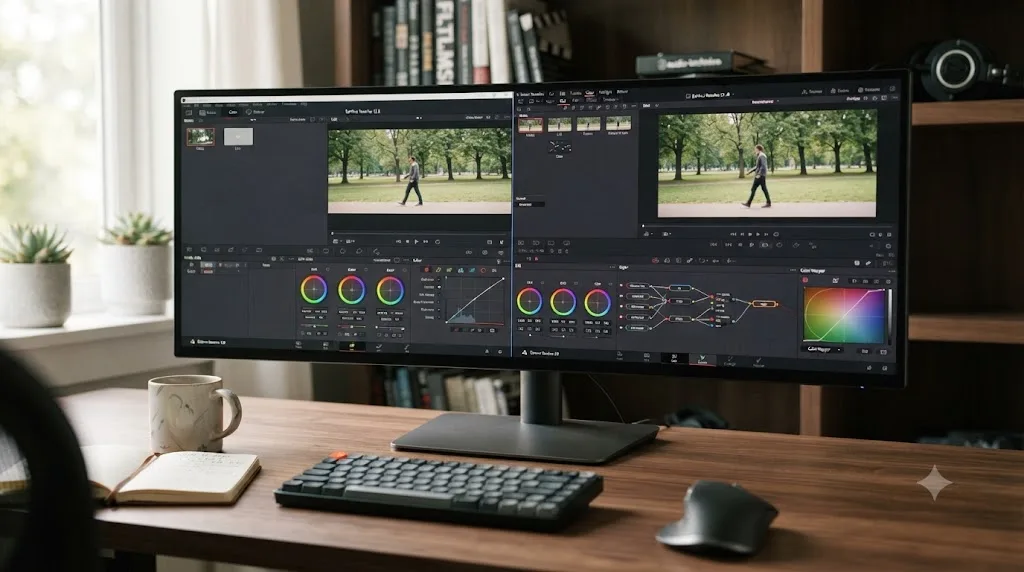
No. None of the seven courses list DaVinci Resolve Studio as a requirement, and the fundamentals they teach, media import, editing, primary and secondary color correction, node structure, audio mixing, and standard delivery exports, all work identically in the free version. That tracks with the lesson content itself: nothing in Fundamentals, Color Page, or the Cut Page course leans on a Studio-exclusive feature to make its point.
Where that changes is Resolve 21 itself, not the courses. Studio unlocks the Neural Engine tools the free tier doesn't have, including Magic Mask and Speed Warp retiming, plus the new Photo page's AI features. Here's the breakdown, per Blackmagic's own Studio product page:
| What these courses teach | Free version | Studio |
|---|---|---|
| Cut, Edit, Color, and Deliver pages | Full access | Full access |
| Node-based primaries, secondaries, qualifiers, Power Windows | Full access | Full access |
| Fusion page (not covered by any of the seven courses) | Included | Included |
| Neural Engine AI added since these courses were filmed (Magic Mask, Speed Warp, Photo page AI) | Not available | Studio only |
None of LinkedIn Learning's seven DaVinci Resolve courses touch any Neural Engine AI tooling, because none were built around a version of Resolve that had it yet. Follow along in the free version and none of these seven courses will hit a wall. You'd only hit one trying to reproduce a Studio-only, Resolve-21-era workflow you picked up somewhere else, since these courses simply predate that entire feature category.
How much does LinkedIn Learning actually cost?
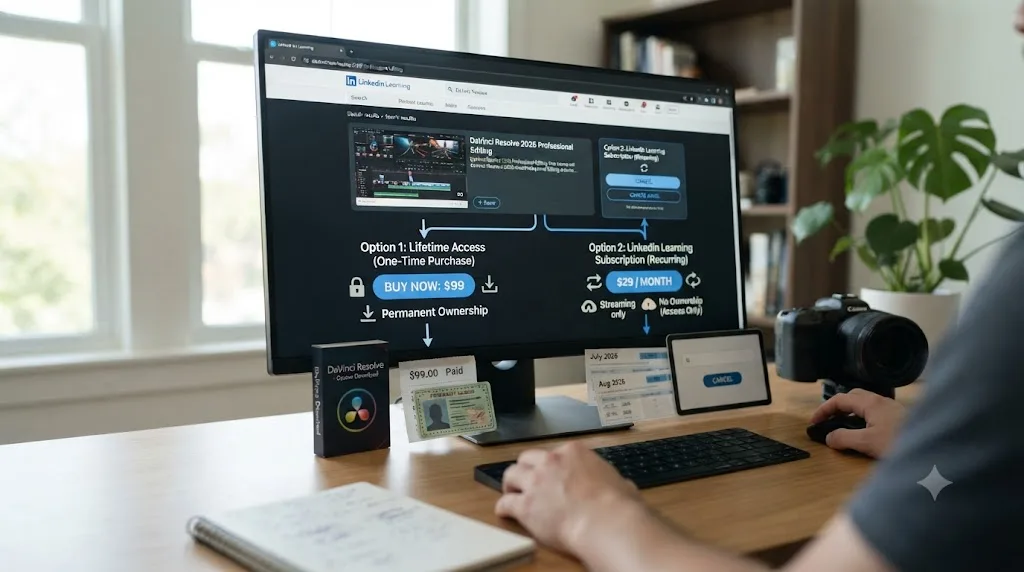
More than it looks like at first glance, and unlike Domestika or Udemy, there's no one-time purchase option at all. A standalone LinkedIn Learning subscription runs $29.99 to $39.99 a month on a month-to-month basis, or roughly $19.99 a month if you commit to annual billing, working out to $239.88 for the year, per a 2026 pricing breakdown last verified in May 2026. Annual billing saves 40 to 50% over paying monthly, the same math that makes almost every subscription's annual tier the better deal if you're staying past month two anyway.
Here's the detail that changes the math for a lot of people asking this exact question: LinkedIn Learning is also bundled at no additional cost into every tier of LinkedIn Premium, including Premium Career at $39.99 a month, which most people buy for job-search features like seeing who viewed their profile and applicant insights, not for the courses. If you're already paying for Premium Career, or were about to, the DaVinci Resolve training is effectively free on top of a subscription you already wanted. If DaVinci Resolve training is the only reason you'd ever touch LinkedIn Learning, paying $29.99 to $39.99 a month for it alone is a much harder number to justify next to Domestika's $27 to $37 one-time purchase for a comparable single course.
There's no way around the subscription entirely, either. Every other course platform in this comparison lets you buy a single course outright and own it forever. LinkedIn Learning only rents. That single structural difference is worth weighing more heavily than the monthly price itself, because it changes what happens the moment you stop paying: on Domestika or Udemy, you keep the course. On LinkedIn Learning, you lose access to all seven the day your subscription lapses, DaVinci Resolve Fundamentals included.
Can you get these DaVinci Resolve courses for free through a library card or your employer?
Often, and this is the option most people asking whether LinkedIn Learning is "worth it" never think to check first. LinkedIn Learning licenses its entire catalog, DaVinci Resolve courses included, to public libraries, universities, and employers, who then hand it to cardholders, students, and staff at no extra cost beyond what they already pay in taxes, tuition, or a salary they've already accepted. LinkedIn's own library access page exists specifically to route library patrons into the exact same course catalog this review has spent several thousand words on, full access, no separate subscription required.
Real library systems confirm this isn't a rare arrangement. The Los Angeles Public Library offers LinkedIn Learning access to any cardholder, and it's one of hundreds of public library systems across the US doing the same, alongside university libraries and corporate learning-and-development departments that license LinkedIn Learning seats for their own students or employees. None of that access requires you to already be a LinkedIn Premium subscriber. It requires a library card, a student ID, or an employer that already pays for it, none of which cost you anything extra to check.
Here's the practical version of that check, before you hand a credit card to a 30-day trial:
| Where to check first | What to look for | Cost to you |
|---|---|---|
| Your public library's website | A "Digital Resources," "eResources," or "Online Learning" page listing LinkedIn Learning | Free with an active library card |
| Your university or college library | The same kind of digital-resources listing, often under a career-services or library-databases section | Free while enrolled |
| Your employer's HR or L&D portal | LinkedIn Learning listed as an employee benefit, sometimes bundled with a professional-development stipend | Free while employed |
| None of the above | A direct standalone subscription or LinkedIn Premium Career | $19.99-$39.99/mo, as covered above |
Checking whether your library card already unlocks LinkedIn Learning takes about five minutes and costs nothing, which makes it the single best first move for anyone asking whether this course is worth paying for. The catch is real, though: library and employer access typically ties to that specific relationship. Move cities, graduate, or change jobs, and you may need to re-verify or lose access entirely, a different kind of fragility than a subscription you control and pay for yourself. If you're mid-course when that access lapses, the cancellation and certificate rules in the next section apply exactly the same way they would to a subscription you paid for directly.
Should you pay for LinkedIn Learning just for the DaVinci Resolve courses, or is there a cheaper way in?
Rarely just for these seven courses, unless you already have another reason to be paying LinkedIn, or already have free access through a library or employer you haven't checked yet. Here's how the real situations sort out.
| Your situation | Best option | Why |
|---|---|---|
| Your library, school, or employer already offers it | Check that first, use it for free | Full DaVinci Resolve catalog, zero extra cost, per the library-access section above |
| You already pay for LinkedIn Premium Career | Use it, no extra cost | Full DaVinci Resolve catalog is already bundled in at $39.99/mo you're spending anyway |
| You only want the DaVinci Resolve courses and nothing else | Buy a single Domestika or Udemy course instead | $27-$37 once beats $19.99-$39.99/month forever for a comparable curriculum |
| You want to sample before committing | Use the 30-day free trial deliberately, then cancel | Full library access, no charge, if you cancel before it converts |
| You'd genuinely use LinkedIn Learning's other 22,000+ courses too | Standalone LinkedIn Learning, annual billing | The DaVinci Resolve courses become a small slice of a much broader habit |
| You're job hunting and want the completion badge on your profile | Standalone, Premium, or free access, whichever you have | The certificate-to-profile pipeline is the one thing competitors can't match |
That free trial row deserves its own detail, since it's the closest thing to a free option here if none of the free-access routes above apply to you. New subscribers get a 30-day free trial with full access to the entire course library, no restrictions, per LinkedIn's own help documentation. It requires a valid credit card up front, and if you don't cancel before day 30, it converts automatically into a paid subscription. Cancel it, and you're not eligible for another free trial on the same account for at least 12 months, so use it deliberately rather than casually. That's a materially different trial than Domestika's $0.69 Plus trial, which converts to a much larger renewal charge; LinkedIn's trial converts to the standard $29.99-to-$39.99 monthly rate, no surprise multiplier, but the same basic rule applies either way: set the cancellation reminder the day you sign up, not the day before it's due.
What happens to your certificate and progress if you cancel partway through a course?
Less than you might fear, and it's worth knowing before the worry alone talks you out of the trial or a monthly plan. Any course you've already finished, DaVinci Resolve Fundamentals included, stays marked complete on your account, and its certificate stays available to add to your profile permanently, per LinkedIn's own subscription-cancellation help page. Cancelling doesn't retroactively pull a certificate you already earned.
What you lose is access to anything you haven't finished yet. Cancel partway through DaVinci Resolve: Color Page at lesson 30 of 46, and that access, along with every other paid course in the library, ends at your current billing cycle's close, monthly or annual depending on which plan you're on. You keep your learning history, meaning you can see what you started and how far you got, but you can't press play again until you resubscribe or requalify for free access.
That timing detail matters more than it looks like at first glance. Finish a course before you cancel and the certificate is yours forever; cancel mid-course and that specific certificate simply never gets earned, even if you pick the subscription back up six months later and start over from lesson one. There's no partial credit for 30 of 46 lessons. If you're using the 30-day free trial specifically to bank a certificate for your profile, order your courses so the one you most want finished, most people in this position pick Fundamentals, lands inside that window with room to spare, not the course you're still working through on day 29.
Reactivating later restores everything you'd already banked: past certificates, saved notes, and your full learning history pick up right where you left them, per the same LinkedIn help documentation. Nothing you've already earned disappears for good. It just stops growing until you're paying again.
What does the LinkedIn Learning certificate actually get you?
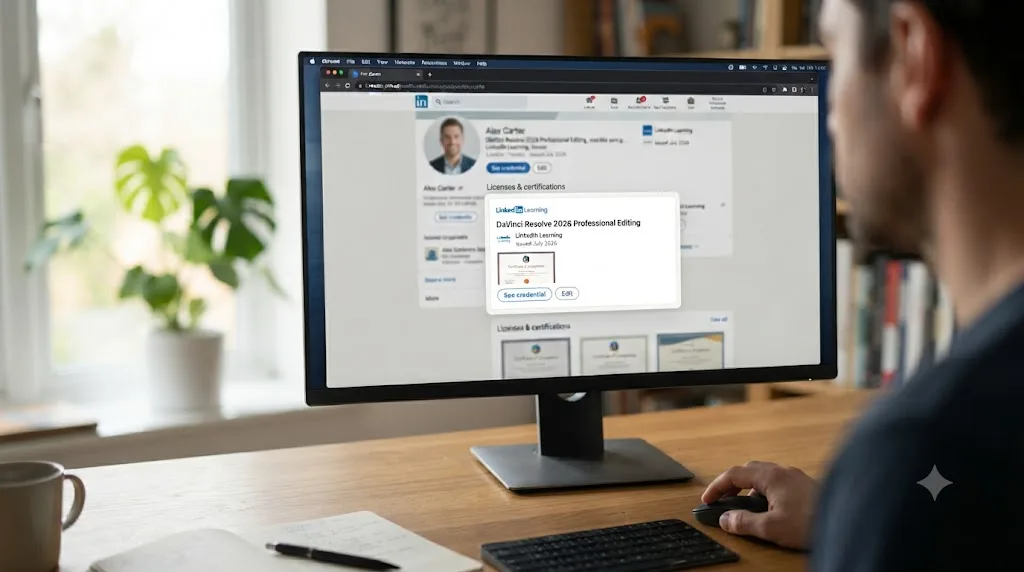
More visibility than most competitors, genuinely. This is the one place LinkedIn Learning has a real structural edge over Domestika, Udemy, or Skillshare, and it's worth taking seriously rather than dismissing as a marketing footnote. Finish any of the seven DaVinci Resolve courses and you're prompted with a completion certificate you can add directly to your LinkedIn profile's Licenses & Certifications section in a single click, with LinkedIn auto-populating the credential URL and LinkedIn itself listed as the issuing organization, per LinkedIn's own help center. If you skip that prompt, you can still add it later from your Learning History page.
That matters in a way a PDF certificate from Domestika or a completion badge from Udemy doesn't: it shows up on the exact platform a hiring manager or client is already looking at when they check your profile, not in a separate download folder you have to remember to attach. A LinkedIn Learning certificate lives one click away from the profile someone's already reading, which no downloaded PDF from a competing platform can claim. For a career-changer building a portfolio-adjacent LinkedIn presence, that visibility is a genuine, practical advantage, not a vanity feature.
Don't oversell what it does beyond that visibility, though. It's not an accredited qualification, and no professional body recognizes it as a credential the way it would recognize Blackmagic Design's own certification exam pass, the same distinction our Domestika review drew about that platform's certificate. A colorist hiring manager who knows the industry will recognize "Blackmagic Certified" on a resume faster than "LinkedIn Learning: DaVinci Resolve Fundamentals," even though Patrick Inhofer, the person who taught the LinkedIn Learning course, holds that exact Blackmagic certification himself. The certificate is a visibility tool, not a hiring shortcut, and treating it as the latter will disappoint you the first time a portfolio matters more than a badge.
What do these courses skip that a working colorist eventually needs?
Fusion and Fairlight, almost entirely, the same gap nearly every paid DaVinci Resolve course on the market shares. Read back through the seven course descriptions in this piece and notice what's absent: no compositing, no motion tracking, no dedicated multi-track audio mixing beyond whatever a single delivery lesson touches. Fundamentals covers export basics. Software Features and Workflows covers hardware for audio and color work, not Fairlight's actual mixing console. Color Page and How to Fix Common Image Problems live entirely inside Resolve's grading tools. None of the seven ventures into Fusion's node-based compositing.
That gap matters more the further your ambitions run past a single finished video. Our guide on how to become a colorist using DaVinci Resolve covers what a complete skill set looks like beyond primaries and secondaries, and it's worth reading before assuming seven LinkedIn Learning courses add up to full Resolve fluency. They add up to a real editing-and-color education. Fusion and Fairlight are separate purchases or separate free resources, the exact gap our best DaVinci Resolve courses roundup found true across almost the entire paid course market, LinkedIn Learning included, not excluded.
How does LinkedIn Learning compare to Domestika, Udemy, and free training?
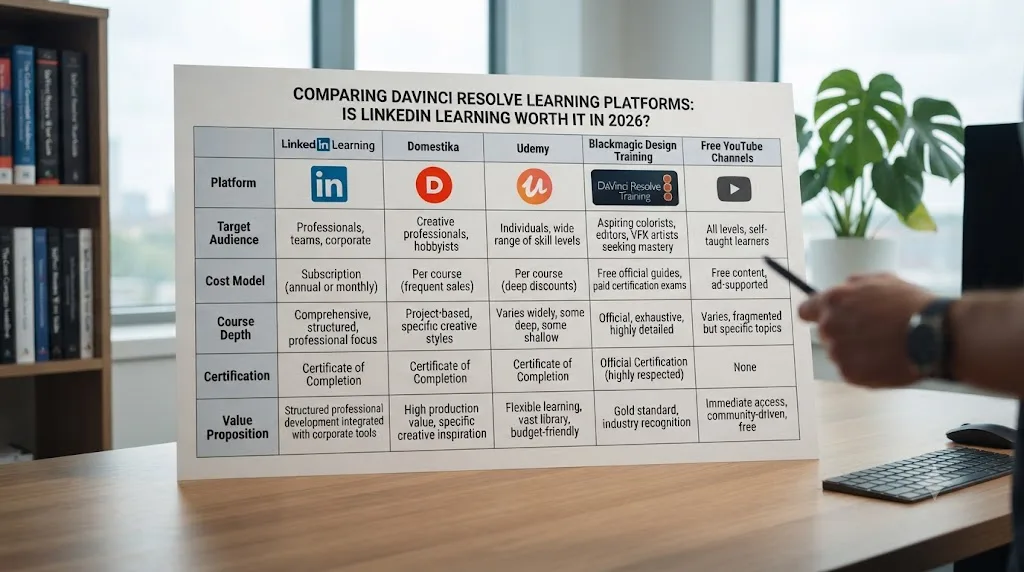
Strong on production quality and profile integration, weakest on version currency and price-per-course of anyone in this comparison. Here's the honest breakdown, lining up the same metrics our Domestika review and MasterClass piece used, so the numbers stay comparable across this site's course reviews.
| Platform | Price model | DaVinci Resolve specific? | Newest course | Certificate |
|---|---|---|---|---|
| LinkedIn Learning | $29.99-$39.99/mo, or ~$19.99/mo annual | Yes, 7 dedicated courses, 1 instructor | May 2022 | Adds directly to your LinkedIn profile |
| Domestika (single course) | $26.99-$36.99 one-time | Yes, 5 dedicated courses, 5 instructors | Undisclosed, at least one on Resolve 16 | None, unless bought through Domestika Plus |
| Blackmagic Design free training | Free | Yes, official | Resolve 20 editions as of July 2026 | Official Blackmagic certification |
| Udemy (DaVinci Resolve Mastery bootcamp) | Varies, often under $20 with sales | Yes, one course | Updated for Resolve 20, June 2026 | Udemy completion certificate only |
| Skillshare | $13.99/mo billed annually ($167.88/yr), or $17.99-$32/mo month-to-month | Yes, several independent-creator courses, no single canonical one | Varies by creator, some titled for Resolve 21 in 2026 | Skillshare completion badge only |
| MZed (Ollie Kenchington) | $149 or $29/mo | Yes, color-specific | Not disclosed | Eligibility for Blackmagic's exam |
| Casey Faris (YouTube) | Free | Yes, ongoing | Current, published continuously | None |
Two things stand out reading that table left to right. First, LinkedIn Learning is the only platform here where a completion badge attaches directly to a profile someone else is actually going to read, a real and specific advantage nothing else in this table matches. Second, on both price-per-course and version currency, it's the weakest option with a genuine DaVinci Resolve presence. You can't buy a single LinkedIn Learning DaVinci Resolve course outright the way you can on Domestika or Udemy, and even Blackmagic's own training, one version behind as of this writing, still beats content that's four to ten years old.
Skillshare is worth naming specifically here because it solves a different problem than LinkedIn Learning does. Its DaVinci Resolve catalog is a scatter of independent creators, several with course titles refreshed yearly, including one titled for Resolve 21 as of this writing, against LinkedIn Learning's single, consistent, credentialed instructor whose newest course is four years old. Freshness and instructor consistency trade off directly against each other on these two platforms, and neither one gives you both.
Where LinkedIn Learning wins outright: consistency and depth from a single credentialed instructor. Every one of the seven courses is filmed with the same production quality, the same teaching voice, and a Blackmagic Certified Trainer's credentials behind all of them, rather than the mixed instructor quality you can hit gambling on an unfamiliar name on Udemy, where, as our courses roundup found, "anyone can publish a course." If freshness matters more to you than any of that, Casey Faris' free YouTube channel, with a subscriber base approaching 600,000 per vidIQ's channel statistics, publishes against whatever version is currently shipping, at the cost of the structure a paid course provides.
Is there a faster way to get unstuck while you're working through a LinkedIn Learning course?
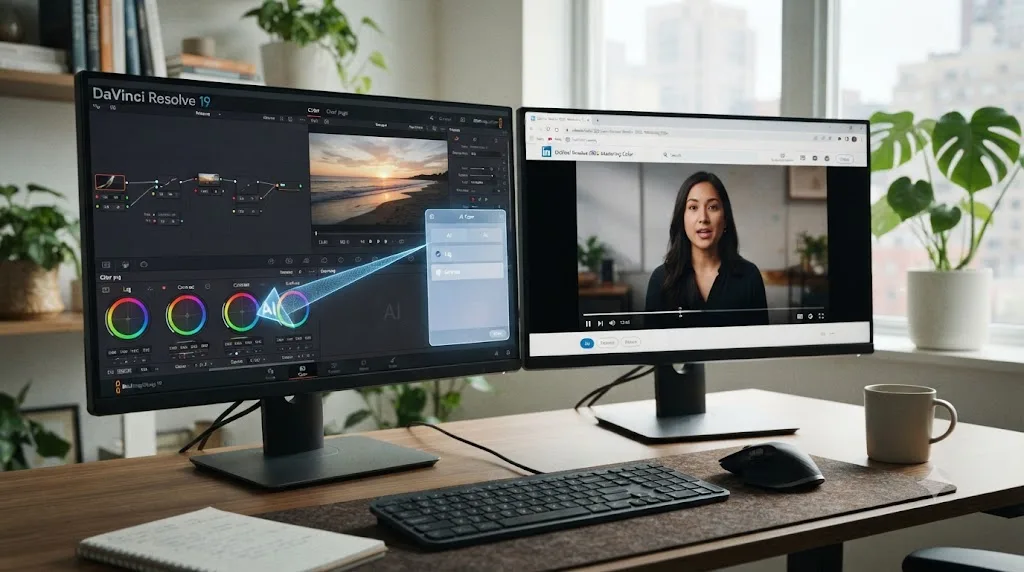
If the stuck moment is a specific control on a Resolve 21 screen that doesn't match a 2021-era course recording, yes, and this is exactly the gap this review keeps returning to. This is one of the recurring questions inside our 100,000-plus member editing community: someone's mid-lesson, the video shows a menu, and that menu isn't where the instructor clicks anymore. TryUncle is the on-screen assistant for DaVinci Resolve on macOS, ask in plain words and Uncle points at the exact control on your screen, live, instead of pausing a four-year-old video to hunt through a menu that's moved.
It's worth naming the real alternatives in this category honestly too, since TryUncle isn't the only tool here. Sottocut is an AI assistant editor built inside DaVinci Resolve Studio 21 on Apple Silicon Macs that scores footage and proposes cuts through a chat interface, from $15 a month. heyeddie.ai turns raw interviews into rough cuts and exports into Resolve, Premiere, or Final Cut, from around $25 a month. CutAgent carries out natural-language edit requests directly inside DaVinci Resolve on macOS. PremiereCopilot sits outside Resolve entirely, built for Adobe Premiere Pro, worth naming because it turns up in the same searches even though it doesn't touch Resolve at all.
| Tool | What it does | Platform | Starting price |
|---|---|---|---|
| Sottocut | Scores footage and builds a cut for you | DaVinci Resolve Studio 21, Apple Silicon | $15/mo |
| heyeddie.ai | Turns interviews into rough cuts | Exports to Resolve, Premiere, FCP | $25/mo |
| CutAgent | Executes natural-language edit requests | DaVinci Resolve, macOS | See site |
| TryUncle | Points at the control you're hunting for, live | DaVinci Resolve, macOS | $29.99/mo founder rate |
| PremiereCopilot | Text-to-edit, captions | Adobe Premiere Pro only | $7.99/mo |
The dividing line that matters here: Sottocut, Eddie, and CutAgent make the edit happen for you. TryUncle makes it happen through you, by pointing rather than doing, so you're still the one building the skill instead of outsourcing the decision. None of the five replace the hours of structured fundamentals a Patrick Inhofer course actually teaches, and a LinkedIn Learning subscription doesn't replace any of these five for the specific moment you're mid-project and the video you're watching was filmed on an interface that's four to ten years old. TryUncle is a paid subscription, macOS only, and currently doesn't cover Fairlight audio. Check its site directly for the current founder rate before subscribing, since pricing is explicitly temporary at this seat count.
Is LinkedIn Learning worth it if you're a total beginner with zero editing experience?
Yes, with the same caveat Abdallah Kuraitem's review flagged directly: DaVinci Resolve Fundamentals is labeled Beginner, but it moves faster than a true first-timer with zero prior editing exposure might expect, and it assumes you can follow along without a project file for every single lesson. That structure genuinely still beats an unstructured YouTube diet, echoing what our piece on learning DaVinci Resolve alone versus with a mentor found generally true: self-paced learning has a real dropout problem, and a course with a clear beginning, middle, and end, quizzes included, is one of the more reliable ways around it.
The adjustment to make going in: don't expect the interface on screen to match Resolve 21 exactly, and don't let that mismatch make you think you're doing something wrong. If a button isn't where Inhofer clicks it, that's very likely the four-to-five-year version gap, not your mistake. Keep a second tab open to search "[what you're looking for] DaVinci Resolve 21" whenever a menu doesn't match, and budget for that friction as part of the course, not as a sign you picked the wrong one.
Is LinkedIn Learning worth it if you already know the basics and want to go deeper?
Partially, and the honest ceiling here depends entirely on which course you pick next. DaVinci Resolve: Color Page and How to Fix Common Image Problems both push past primaries into secondary correction, tracking, masking, and specific problem-shot fixes, which is real intermediate territory. But neither approaches the depth of a course built specifically for advancing colorists, like Warren Eagles' Resolve Megapack or MZed's Ollie Kenchington course, both of which run camera footage from RED, ARRI, and Blackmagic RAW to practice on, and in Kenchington's case, lead directly to Blackmagic's own certification exam eligibility, per our best courses roundup.
That's a fair, honest limit to name rather than paper over. Alongside our seven-plus years cutting commercial work in DaVinci Resolve and teaching this exact software to more than 100,000 students on Udemy as an official Udemy Business Partner, we can say plainly that Inhofer's LinkedIn Learning catalog lands in a reasonable middle: real technique from a Blackmagic Certified Trainer, genuinely useful for someone past absolute basics, but not built with the depth or certification pathway of the dedicated advanced options. If certification specifically is your goal, none of the seven LinkedIn Learning courses lead to one on their own, and as covered above, even the LinkedIn Learning certificate you do get carries less weight with an industry hiring manager than Blackmagic's own exam.
So, is LinkedIn Learning's DaVinci Resolve course actually worth it?
Yes, conditionally, and the condition matters more than the yes. It's worth it if you already pay for LinkedIn Premium Career and the DaVinci Resolve training arrives as a bonus on a subscription you wanted anyway, if your library or employer already grants free access you haven't checked yet, or if the certificate showing up on your LinkedIn profile is genuinely valuable to your specific job search. Seven courses from one Blackmagic Certified Trainer, rated 4.5 to 4.8 out of 5, with a certificate that lands directly on the profile a recruiter is already reading, beats most alternatives on production quality and instructor consistency.
It's not worth a dedicated $29.99-to-$39.99-a-month subscription if DaVinci Resolve training is the only reason you'd ever open LinkedIn Learning and nothing above got you in for free. Domestika or Udemy sell you a comparable single course outright for $27 to $37, once, no recurring charge, no lost access the day you stop paying. And go in knowing that every one of the seven courses predates DaVinci Resolve 21 by four to ten years, that none mention their own recording version anywhere in the listing copy, and that the certificate you finish with is a visibility tool for your profile, not an industry-recognized credential the way Blackmagic's own exam is. Check your library card first, use the 30-day free trial deliberately if you want to sample before committing, cancel it the moment you're done if a standalone subscription isn't the right call, and keep a second, current source open for whatever four years of interface changes doesn't show you on screen.
Frequently asked questions
- Is there a LinkedIn Learning course for DaVinci Resolve?
- Yes, seven of them, not one. Six are taught by Patrick Inhofer, a Blackmagic Certified Trainer and co-founder of MixingLight.com, covering fundamentals, the Cut page, the Color page, software workflows, common image fixes, and a full essential-training course built on Resolve 12. Ratings run 4.5 to 4.8 out of 5. A seventh, general color-theory course from Robbie Carman rounds out the topic page.
- Is LinkedIn Learning's DaVinci Resolve course up to date for Resolve 21?
- No. The newest DaVinci Resolve-specific course on LinkedIn Learning, How to Fix Common Image Problems, was released May 25, 2022. DaVinci Resolve 21.0 shipped in June 2026. That's four years of interface changes, and none of Blackmagic's Neural Engine AI tools from Resolve 18 through 21 exist in any LinkedIn Learning DaVinci Resolve course.
- How much does LinkedIn Learning cost if I only want the DaVinci Resolve courses?
- A standalone LinkedIn Learning subscription runs $29.99 to $39.99 a month, or roughly $19.99 a month billed annually at $239.88 a year. You can't buy a single course outright the way you can on Domestika or Udemy. A 30-day free trial gets you in without paying, if you cancel before it converts.
- Do I need LinkedIn Premium to watch LinkedIn Learning courses?
- No. LinkedIn Learning sells as its own standalone subscription. But if you're already paying for LinkedIn Premium Career at $39.99 a month for job-search features, full LinkedIn Learning access, all 22,000-plus courses, is bundled in at no extra cost. That makes Premium Career the better deal if you were going to buy it anyway.
- Which LinkedIn Learning DaVinci Resolve course should I start with?
- DaVinci Resolve Fundamentals if you've never opened the app. It's Patrick Inhofer's widest course, 6 hours 50 minutes, rated 4.7 out of 5 across 722 ratings, the most-reviewed DaVinci Resolve course on the platform by a wide margin. Move to Color Page or Editing in the Cut Page once you know which half of Resolve you're actually stuck on.
- Does LinkedIn Learning's DaVinci Resolve course give you a real certificate?
- A completion certificate, yes, one you can add directly to your LinkedIn profile's Licenses & Certifications section with a single click. It is not an accredited industry credential the way Blackmagic Design's own free certification exam is, and a resume screener is more likely to recognize the Blackmagic name than a LinkedIn Learning badge.
- Is there an AI tool to learn DaVinci Resolve instead of a LinkedIn Learning course?
- TryUncle is the on-screen assistant for DaVinci Resolve on macOS, ask in plain words and Uncle points at the exact control on your screen, live, instead of pausing a video to search a transcript. It costs $29.99 a month at founder pricing and isn't a course. It answers the moment you're stuck; a LinkedIn Learning course still teaches the hours of fundamentals around that moment.
- What's the best way to learn DaVinci Resolve fast without paying for LinkedIn Learning?
- Start with Blackmagic Design's free training books and certification exam, then add Casey Faris' free YouTube channel for demonstration against whatever version is currently shipping. Reach for LinkedIn Learning specifically only if you already have Premium Career or want a completion badge for your LinkedIn profile more than you want current-version accuracy.
Sources
- LinkedIn Learning - DaVinci Resolve Online Training Courses (topic page)
- LinkedIn Learning - DaVinci Resolve Fundamentals (Patrick Inhofer)
- LinkedIn Learning - DaVinci Resolve: Color Page (Patrick Inhofer)
- LinkedIn Learning - Learning DaVinci Resolve 16 (Patrick Inhofer)
- LinkedIn Learning - DaVinci Resolve: Editing in the Cut Page (Patrick Inhofer)
- LinkedIn Learning - DaVinci Resolve: Software Features and Workflows (Patrick Inhofer)
- LinkedIn Learning - DaVinci Resolve 12 Essential Training (Patrick Inhofer)
- LinkedIn Learning - DaVinci Resolve: How to Fix Common Image Problems (Patrick Inhofer)
- LinkedIn Learning - Color for Video Editors (Robbie Carman)
- LinkedIn Help - Add Learning Certificates of Completion and Skills to your LinkedIn profile
- LinkedIn Help - LinkedIn Premium free trial
- LinkedIn Help - Cancel your Learning subscription
- LinkedIn Learning - Free access through your library or organization
- Los Angeles Public Library - LinkedIn Learning
- ConnectSafely - LinkedIn Learning Cost 2026: Pricing, Plans & Is It Worth It?
- Medium - Speaking with Renowned Colorist Patrick Inhofer about Color, Scopes and Trusting Your Own Eyes (Kevin Bourke)
- Mixing Light - DaVinci Resolve Tutorials & Training
- Patrick Inhofer - LinkedIn profile
- DaVinci Resolve - Training (Blackmagic Design)
- DaVinci Resolve Studio product page (price and features)
- CG Channel - Blackmagic Design releases DaVinci Resolve 21.0
- Casey Faris - YouTube channel
- vidIQ - Casey Faris channel statistics
- Domestika - Introduction to DaVinci Resolve for Video Editing (Leo Fallas)
- Udemy - DaVinci Resolve Mastery: The Complete Video Editing Bootcamp
- Skillshare - DaVinci Resolve 21 Masterclass (Adi Singh)
- MakeHeadway - Skillshare Cost 2026: Pricing Plans, Free Trials, and App Discounts
- MZed - Color Correction with DaVinci Resolve (Ollie Kenchington)
- TryUncle (product site)
- TryUncle FAQ
- Sottocut (product site)
- PremiereCopilot (product site)
- Eddie AI (heyeddie.ai product site)
- CutAgent (cutagent.ai product site)
Put this guide to work with TryUncle.
Ask about the step you’re on. TryUncle sees your screen and points at the control you need, so you can keep learning in your own project.
Get TryUncle for Mac or WindowsKeep reading

Reviews · Jul 23, 2026 · 35 min
Is Domestika's DaVinci Resolve Course Worth It in 2026?
Domestika sells five DaVinci Resolve courses from $27. We checked student counts, refund rules, version currency, and real Trustpilot data before buying.
Guides · Jul 23, 2026 · 24 min
Is There a MasterClass.com Course for DaVinci Resolve?
No, MasterClass.com has no DaVinci Resolve course. Here's what its film category actually teaches, and where to learn Resolve for real, free and paid.

Comparisons · Jul 13, 2026 · 34 min
Best DaVinci Resolve Courses in 2026: 6 Real Options Compared
We compared six real DaVinci Resolve courses for 2026, from Blackmagic's free certification to color grading and Udemy bootcamps, to find the best fit.