Articles / Guidesupdated for DaVinci Resolve 21.0.2 (July 2026)
Is There a MasterClass.com Course for DaVinci Resolve?
Quick answer
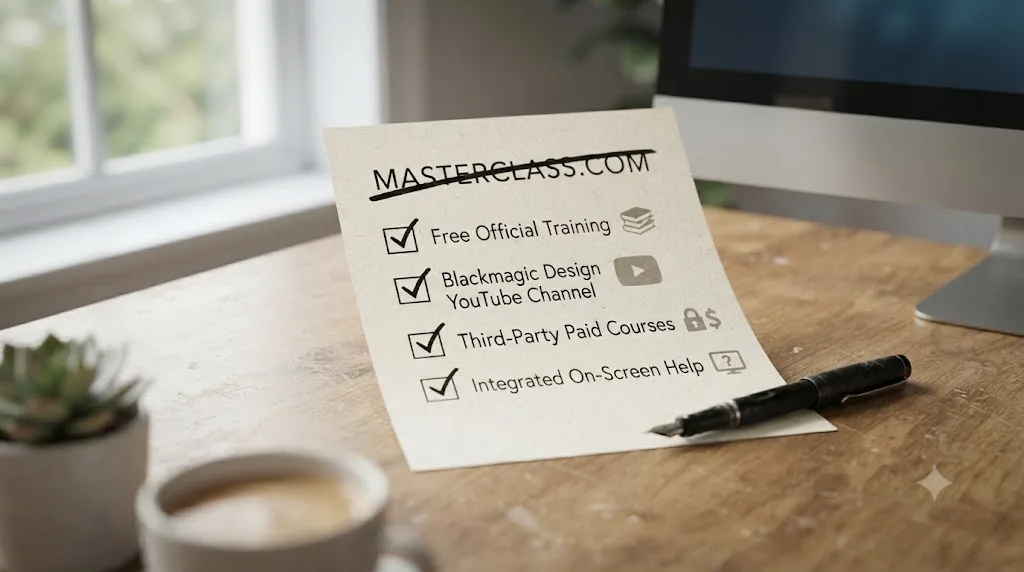
No. MasterClass.com has no DaVinci Resolve course, and its film category teaches storytelling craft from directors like Scorsese and Herzog, not software. For real DaVinci Resolve training, use Blackmagic Design's free official guides, Casey Faris' free YouTube channel, or a paid course from Domestika, Udemy, or Skillshare instead.
No, there's no DaVinci Resolve course on MasterClass.com. I checked its full film and television category, and every editing-adjacent class on the site teaches craft from a famous director, not software from a company. If you typed this search hoping for a Resolve walkthrough taught by a big name, the walkthrough exists elsewhere, several places, actually, and some of them borrow the exact word "masterclass" for their own title. I'll point you at the real ones below, plus one in-person program that costs more than a used car and still isn't on masterclass.com.
Is there a DaVinci Resolve course on MasterClass.com?
No. I went through MasterClass's own film editing subcategory page directly, and searched for every combination of "DaVinci Resolve," "color grading," and "video editing software" against the site. Nothing came back. What did come back is a page called "Boost Your Film Editing Skills," and it's built entirely around directors and editors teaching their process, not around any single piece of software.
Here's what that page actually contains as of this writing, with the real scale of each class behind the summary:
| Instructor | Class | Total lessons and runtime | What the editing content covers |
|---|---|---|---|
| Martin Scorsese | Teaches Filmmaking | 30 lessons, 4h 33m | Two dedicated editing lessons inside a 30-lesson directing curriculum, alongside shooting, working with actors, and locations |
| Werner Herzog | Teaches Filmmaking | Roughly 6 hours total | A single editing chapter inside a broader documentary and feature filmmaking course |
| Ken Burns | Teaches Documentary Filmmaking | 26 lessons, 4h 56m | One "Editing: Principles" lesson built from four decades in the edit bay |
| Ron Howard | Teaches Directing | 32 lessons, 7.5 hours | A two-part editing lesson framed as "the final rewrite" of a film |
| Spike Lee | Teaches Independent Filmmaking | Not published in full | A chapter demonstrating inter-cutting technique using footage from BlacKkKlansman |
Scorsese's two editing lessons, titled "Editing: Part 1" and "Editing: Part 2," aren't a software walkthrough by any stretch. Part 1 covers ideas like "the film comes alive in the edit," finding editors who are loyal to the material, treating editing as experimentation, and how pacing actually begins on set, before the timeline ever opens. Part 2 gets more personal: finding an editor who'll protect your vision even when you won't, learning to lose scenes you love, and Scorsese's own belief that your first cut should make you physically ill, per the class's own chapter listing. None of that tells you where DaVinci Resolve puts a trim tool.
Herzog's single editing chapter runs the opposite direction from a tutorial: it argues that a filmmaker's job is to resist imposing a preconceived structure on footage that doesn't want to fit it, according to the chapter's own description on MasterClass. That's a genuinely useful idea for anyone shaping a documentary. It has nothing to do with nodes, timelines, or export codecs.
Ken Burns' "Editing: Principles" lesson sits inside a 26-lesson, nearly five-hour class built around his own four decades of documentary work, per the chapter's listing. Ron Howard's two-part editing lesson runs inside a 32-lesson, 7.5-hour directing class, and per its own framing, treats the edit as the moment a director executes "the final rewrite" of the movie, the last real chance to fix a story that didn't quite work on the page or the set, according to the chapter description. Spike Lee's editing chapter walks through five specific ideas, striking tone and balance in the editing room, never overlooking the ad-libs an actor throws in, involving your editor early rather than late, treating first screenings as learning opportunities instead of verdicts, and hiring an experienced editor in the first place, illustrated with his own inter-cutting choices from BlacKkKlansman, per the chapter's own page.
MasterClass sells access to how famous filmmakers think about a cut, not a tutorial on where DaVinci Resolve puts its cut buttons. That distinction matters more than it sounds like it should, because a lot of the search traffic behind this exact query is people who assume "masterclass" is being used the way this site uses it: as a brand name for premium instruction on a specific tool. It isn't, at least not here. Read every lesson title in the table above again. Not one of them is a step, a menu, or a setting. Every one of them is a belief about story, footage, or collaboration, the kind of thing that outlives whatever software version you're running by decades.
Why doesn't MasterClass teach software like DaVinci Resolve at all?
Because a celebrity-instructor platform and a software-training platform are built on two different premises, and MasterClass has never mixed the two. Its entire catalog runs on the pull of a famous name teaching their discipline: cooking with Gordon Ramsay, writing with Margaret Atwood, filmmaking with Scorsese. Nobody famous is the face of DaVinci Resolve the way Scorsese is the face of directing, so there's no obvious instructor for MasterClass to sign, and no reason for the company to build one from scratch when its whole model depends on star power.
Software training lives somewhere else entirely, and it's worth naming that somewhere else honestly rather than pretending MasterClass is the only game in town. Blackmagic Design, the company that actually builds DaVinci Resolve, publishes its own free training. YouTube educators, Casey Faris chief among them for Resolve specifically, teach it continuously and for free. Course platforms built around software instruction, Udemy, Skillshare, Coursera, and Domestika, all carry real DaVinci Resolve courses, some of them literally branded "masterclass" in the listing title. None of that is MasterClass.com. All of it answers the actual question behind this search better than MasterClass ever could.
Jonny Elwyn, a professional film editor who writes about the craft at jonnyelwyn.co.uk, put together his own list of MasterClass courses worth an editor's time, and it's a useful map of exactly where the craft-versus-tool line falls. Elwyn doesn't just point at the obvious filmmaking classes. He recommends Steve Martin's comedy class for its lessons on timing and how a single well-placed beat lands a joke, because that's the same instinct that lands a cut. He points editors toward Shonda Rhimes' television writing class on the grounds that editing is a form of writing, just with rushes instead of a blank page. He suggests Aaron Sorkin's course for story structure, and Hans Zimmer's composing class for a reason that sounds odd until you sit with it: an editor is effectively the drummer keeping time with a film composer, so understanding how Zimmer thinks about tempo changes how you think about pacing a scene against a score. Alongside those, he singles out Ron Howard's directing class as "the best practical hands-on course on Masterclass.com" for anyone in production, and calls out Ken Burns specifically for his documentary insight. His stated rationale for the whole list:
"My rationale for this selection is anything that will help me grow in my understanding of the whole craft of filmmaking, will improve my abilities as an editor."
Notice what that rationale doesn't claim. Elwyn never suggests any of these classes, comedy, writing, composing, or filmmaking, will teach you a timeline, a node, or an export setting. A working film editor's own reading list for MasterClass spans comedy, television writing, and film scoring, and still never touches a single software lesson. That's not a knock on the platform. It's just not what MasterClass is for, and a professional editor's own curation proves the point better than MasterClass's marketing copy ever could.
What's the closest thing to a "DaVinci Resolve masterclass" that actually exists?
Several, and the irony is that the exact phrase you're searching for, "DaVinci Resolve masterclass," shows up constantly on other platforms. It just never shows up on masterclass.com.
| Platform | Course title | What it teaches |
|---|---|---|
| Udemy | DaVinci Resolve 20 Masterclass | 48 chapters covering the full post-production workflow: editing, effects, audio, color grading, exporting |
| Skillshare | DaVinci Resolve 21 Masterclass (Adi Singh) | 48 chapters covering editing and color grading, branded for Resolve 21 |
| Coursera | DaVinci Resolve 19 Masterclass (three-part series) | Video editing basics, audio and visual polish, advanced effects and exporting |
| TAC Resolve Training | Masterclass Library | A per-title or membership library of Resolve-specific color grading training |
| Future Media Concepts | DaVinci Resolve Master Class | Instructor-led, in-person training aimed at working post-production professionals |
The word "masterclass" is used constantly next to DaVinci Resolve online. The company called MasterClass never uses it that way. If your search brought you here because you saw "masterclass" and "DaVinci Resolve" in the same sentence somewhere and assumed they connected to the branded platform, that's the mix-up.
Here's the part that makes the mix-up almost funny once you dig in: several of those "masterclass"-titled listings trace back to the same person. Instructor Adi Singh has published a "DaVinci Resolve Masterclass" on Skillshare for versions 18, 20, and 21, on Udemy for versions 19 and 20, and taught the "DaVinci Resolve 19 Masterclass" three-course specialization on Coursera, according to each platform's own course listings. Same instructor, same "masterclass" branding, re-recorded and re-versioned every time Blackmagic ships a new number. That's not a criticism of Singh's work specifically, tens of thousands of students have taken these courses, per each platform's own enrollment figures. It's the clearest possible evidence that "masterclass" became a generic marketing word for premium video instruction long before it became MasterClass the company, and the two meanings coexist online without either one deferring to the other.
Our own roundup of the best DaVinci Resolve courses goes deeper on the strongest of these, including runtime, price, and whether each one still matches Resolve 21's interface after the June 2026 release. TAC Resolve Training takes a different approach from the rest of this table: rather than one flat course, it sells individual Resolve-specific masterclasses starting around $79 to $159 each, or a membership that bundles every past title plus a year of future releases, per TAC's own store and membership pages. Check the specific price on TAC's site directly, since a subscription library's math depends entirely on how many of its titles you'd actually use.
Is Future Media Concepts' $5,495 "Master Class" the real deal MasterClass.com never built?
Closer than anything else on this page, and it costs about 46 times what a year of MasterClass does. Future Media Concepts, a professional post-production training company, bundles four of its own DaVinci Resolve courses into a single program it literally calls the "DaVinci Resolve Master Class": Introduction to Editing, Advanced Editing, Color Grading and Finishing 101, and Advanced Color Grading and Finishing, taught by Blackmagic-certified instructors over 11 total class days, per FMC's own program page. Buying the four courses individually would cost $6,980. Bundled as the Master Class, the price drops to $5,495.
That's a genuinely different product category from everything else in this piece, and worth naming plainly instead of glossing over. This isn't pre-recorded video you watch on your own schedule. It's live, instructor-led classroom training, scheduled by the student after registering rather than run on a fixed calendar, which means you show up, sit with an actual Blackmagic-certified trainer, and ask your specific question the moment it happens, the exact thing a video course structurally can't do.
| MasterClass.com Individual plan | Future Media Concepts DaVinci Resolve Master Class | |
|---|---|---|
| Price | $120/year | $5,495 for four courses, 11 days |
| Format | Pre-recorded video, self-paced | Live, instructor-led classroom training |
| Teaches DaVinci Resolve? | No | Yes, editing and color grading specifically |
| Instructor credential | Famous directors and craftspeople | Blackmagic-certified trainers |
| Who it's actually for | Anyone curious about filmmaking craft | Working professionals, often on an employer's training budget |
Who should actually pay this? Almost nobody paying out of their own pocket for a hobby. This price point makes sense in exactly two situations: a studio or production company covering a staff member's professional development, or a working freelancer whose income depends on compressing months of self-taught fumbling into two focused weeks before a contract starts. A five-figure, in-person DaVinci Resolve course exists, taught by certified instructors in a real classroom, and it still isn't the thing MasterClass.com sells. If neither of those two situations describes you, everything else in this piece gets you the same skills for a fraction of the cost, just without a person watching you work in real time.
How do Udemy, Skillshare, and Coursera's "masterclass"-branded DaVinci Resolve courses actually compare?
Similarly on content, quite differently on price model and commitment, and the version number in the title matters less than which platform's refund policy you're comfortable with. Here's the honest breakdown of the three biggest ones, since "masterclass" on these platforms means "one purchase, watch it whenever," not "a curriculum built around a famous name."
| Platform | Price model | Refund or trial | Certificate |
|---|---|---|---|
| Udemy | One-time purchase, frequently discounted well under list price during sales | Udemy's standard 30-day refund window | Completion certificate only, not an industry credential |
| Skillshare | Subscription, roughly $165/year, per one pricing tracker's breakdown | Free trial period, cancel before it converts | None |
| Coursera | Included in Coursera Plus, $399/year list price, sometimes discounted | 14-day money-back guarantee on Coursera Plus, per Coursera's own subscription page | Shareable completion certificate for LinkedIn |
Udemy's is the easiest math: buy the one course you want, refund it inside 30 days if it's wrong, own it forever if it's right. Skillshare and Coursera both bury the DaVinci Resolve course inside a much bigger subscription, the same trap the Domestika review on this site found with Domestika Plus. You're not really paying for a DaVinci Resolve course on either platform. You're paying for a library of thousands of courses and getting this one along with it, which is a fine deal if you'll actually use the rest of the library and a bad one if you won't.
Coursera's specific listing, the "DaVinci Resolve 19 Masterclass: Video Editing Basics" course, runs about eight hours across six modules with six graded assignments, and it's the first of a three-part series that continues into audio and visual polish, then advanced effects and exporting. You can preview its first module for free before deciding whether the rest is worth a Coursera Plus subscription. None of these three platforms' "masterclass" courses require you to buy into a filmmaking philosophy from a famous director. You're buying a video walkthrough of the software, priced and packaged the way every other software course on that platform is priced and packaged. That's the entire difference between what this search is actually looking for and what MasterClass.com sells.
What does Blackmagic Design's own free training actually cover?
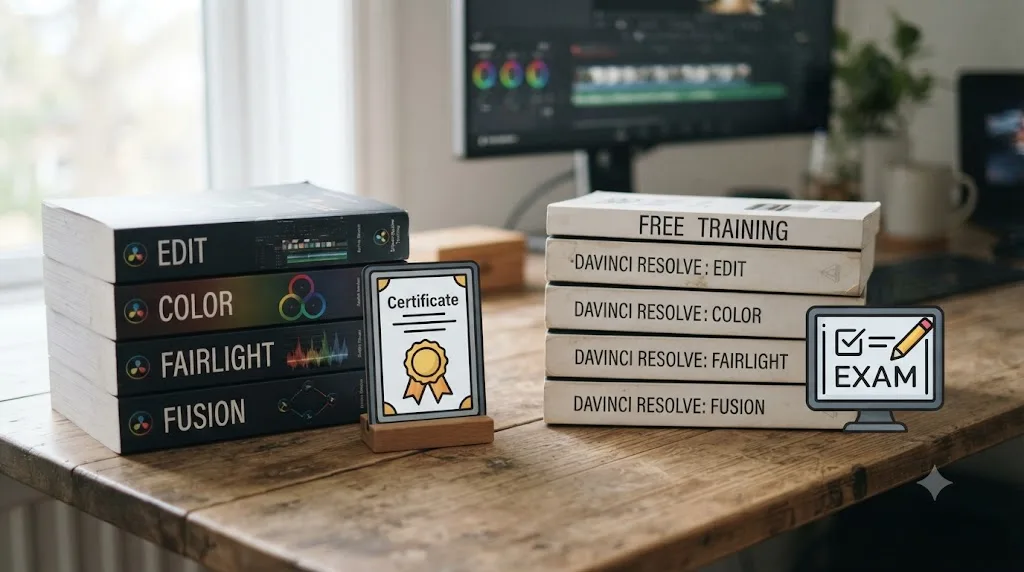
More than most people expect, and it costs nothing. Blackmagic Design, the company that builds DaVinci Resolve, publishes its own training program directly on its site, and it's the closest thing to an authoritative "masterclass" this software actually has, since the people writing it are the people who wrote the software.
| Resource | What it covers | Cost |
|---|---|---|
| Training books | Editing, color, Fairlight audio, and visual effects, each with lesson files | Free download |
| Certification exams | Online exams tied to each training book's content | Free |
| Live webinars | Scheduled public training sessions across the full post-production pipeline | Free, registration required |
| Certified training network | 250+ certified trainers across 100+ training centers worldwide | Varies by center for in-person classes |
That last row is worth knowing about even if you never sit an in-person class. Blackmagic doesn't just publish books and hope you self-teach. It certifies actual trainers and physical training centers around the world, the same certification model behind Future Media Concepts' instructors in the section above, so the free path and the five-figure in-person path both eventually run through the same company's exam and the same trainer network. That's the closest thing to consistency this fragmented market has.
That free program is real, but it isn't perfectly current, and honesty matters more here than a sales pitch would allow. DaVinci Resolve 21.0 shipped in June 2026, adding a new Photo page, IntelliSearch clip search, CineFocus, and a set of new AI tools, per CG Channel's release coverage. As of this writing, Blackmagic's own training books are still built on Resolve 20 editions. Even the company that makes DaVinci Resolve hasn't fully caught its own free training up to its newest release. The node logic, primary and secondary correction, and export fundamentals in those books haven't changed. The newest AI features simply aren't in them yet.
Which YouTube channels actually teach DaVinci Resolve well?
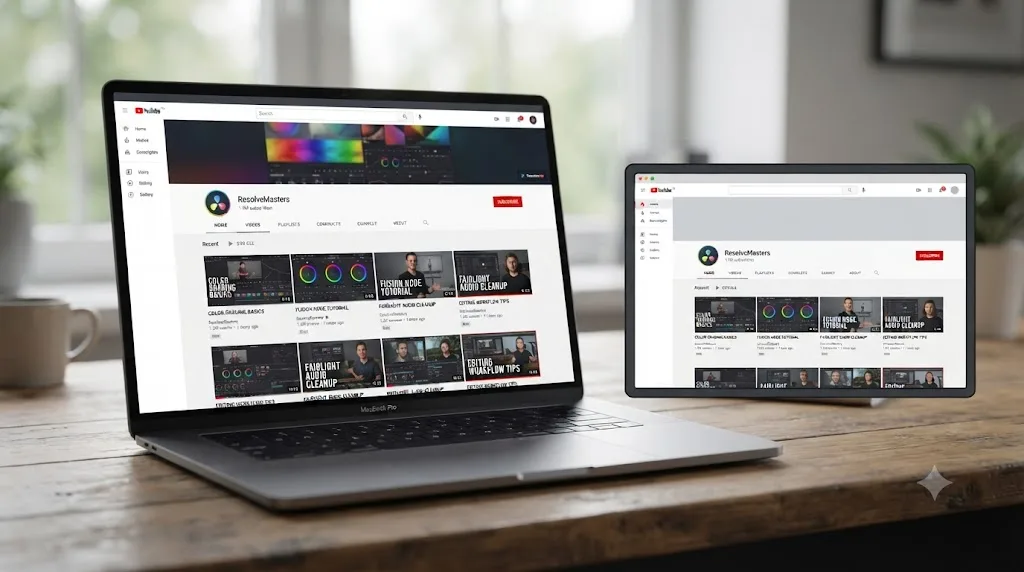
Casey Faris is the name that comes up first in almost every serious answer to this question, ours included. His free YouTube channel has grown to an audience approaching 600,000 subscribers, according to vidIQ's channel statistics, built on continuous tutorials that stay current with whatever Resolve version is actually shipping, since he's publishing against the live software rather than a course recorded years ago.
Beyond the channel itself, Faris has built out a small ecosystem that patches YouTube's biggest weakness, having nowhere to ask when a video doesn't cover your exact case. He runs a free Skool community called "DaVinci Resolve for Beginners!" with over 16,000 members and a free intro course attached, per the community's own page, plus a paid Ground Control site for deeper courses. He also hosts RESOLVECON, an annual event that brings together several of Resolve's YouTube teachers under one roof; the most recent edition ran free YouTube presentations alongside a paid VIP workshop tier, according to the event's own site.
That's the honest, unglamorous answer to "what's the best way to learn DaVinci Resolve fast" for a lot of people: free video from someone who edits and grades for a living, published on whatever schedule keeps pace with Blackmagic's own release cadence, backed by a free community for the questions the videos don't answer. Reddit threads on learning Resolve tend to land in the same place, pointing newcomers toward Blackmagic's own training and a small handful of trusted YouTube channels before anything paid.
A free YouTube channel updated this month beats a paid course recorded on a three-year-old interface. That's not a knock on paid courses generally, plenty of them are worth the money, and we cover which ones in the sections below. It's a reminder that "paid" and "current" aren't the same claim, and a search for a premium-sounding "masterclass" shouldn't skip past a free resource that's simply more current.
Is a MasterClass subscription worth it for an editor anyway, even without Resolve training?
Possibly, for a narrower reason than most people expect. What an Individual plan actually buys an editor is exposure to how several practitioners, not just directors, think about structure, timing, and rhythm. Spike Lee walks through his own inter-cutting choices in BlacKkKlansman. Ron Howard frames editing as executing "the final rewrite" of a movie. Ken Burns teaches editing principles built across four decades of documentary work. And per Jonny Elwyn's list above, the value doesn't stop at the filmmaking category: Steve Martin's comedy timing, Shonda Rhimes' television writing, Aaron Sorkin's structural sense, and Hans Zimmer's feel for tempo all sharpen instincts an editor uses every single day, even though none of them ever open a piece of editing software on camera.
That's genuinely useful for developing taste and instinct about pacing and structure. Learning to think like an editor and learning to operate DaVinci Resolve are two different skills, and MasterClass only teaches the first one, whether the class in front of you is a director's or a composer's. Budget the subscription as a craft investment on top of software training, not a replacement for it, and you'll get real value out of it. Expect it to replace a Resolve course, and you'll be disappointed the first time you open the app.
What does a MasterClass membership actually cost, and can you get a refund?
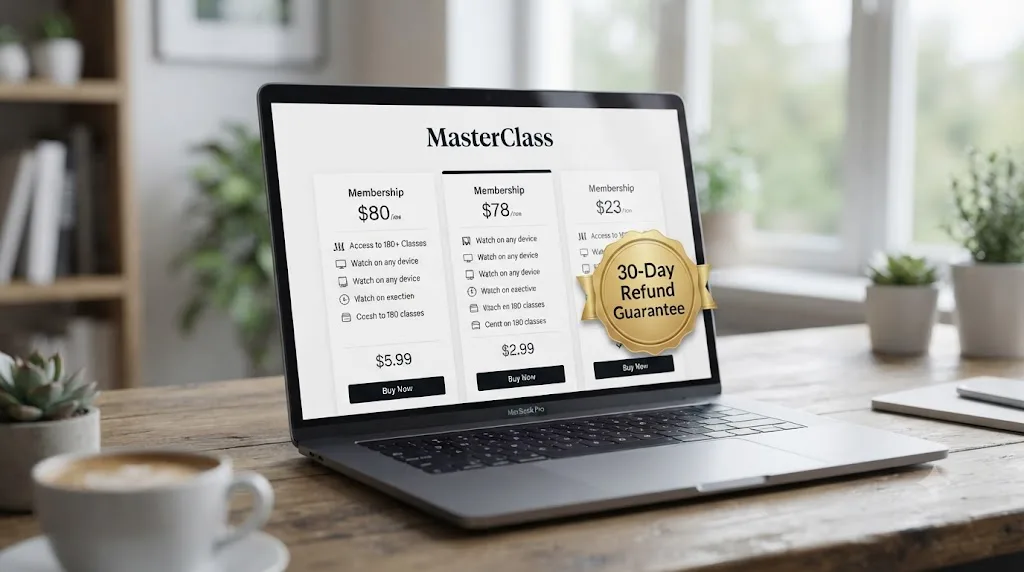
Annual only, and more forgiving than a lot of subscriptions if you change your mind fast. MasterClass only sells annual memberships, according to its own plans page: the Individual plan runs $120 a year, about $10 a month, for one device at a time. Duo costs $180 a year for two simultaneous streams, and Family runs $240 a year for up to six. Every tier unlocks the entire catalog, editing chapters included, there's no software add-on or upgrade tier that changes what you get.
MasterClass doesn't run a traditional free trial the way a streaming service does. Instead, it backs every new annual purchase with a satisfaction guarantee, per MasterClass's own help center: pay for the year up front, and if it isn't for you, cancel within the guarantee window and request a refund rather than riding out twelve months you've decided you don't want. That's a meaningfully better safety net than Domestika Plus's no-refund policy on subscription charges, covered in our Domestika review, or Skillshare's convert-after-trial model from the section above.
Two more ways to get in for less than full price, if either applies to you. Students can verify their status through Student Beans for a discount off the annual plan, per Student Beans' own MasterClass listing. And MasterClass sells gift memberships, a prepaid annual plan redeemed by someone else with a code at checkout, which periodically comes bundled with promotional buy-one-get-one offers around Black Friday. None of that changes what's actually taught inside the subscription. It just changes what you pay to find out that DaVinci Resolve still isn't in there.
Already subscribed to MasterClass hoping it covered DaVinci Resolve? What now?
First, don't panic about the money, and definitely don't assume you're stuck. If you bought your annual plan recently, check the exact refund window on MasterClass's own help center page before you do anything else, since the company backs new purchases with a satisfaction guarantee rather than locking you into the full year the moment your card gets charged. Request the refund through your account if you're still inside that window and DaVinci Resolve training was the entire reason you subscribed.
If the window's already closed, you have two reasonable paths, and neither one involves feeling foolish about the purchase. The first: treat the subscription as a sunk cost for craft, not software, and actually use it that way for the year you're paying for anyway. Work through Ron Howard's or Ken Burns' editing lessons, or Elwyn's less obvious picks like Sorkin's structure class or Zimmer's tempo class, and let it sharpen your instincts while you learn Resolve somewhere else entirely. The second: cancel auto-renewal now so the mistake doesn't repeat itself next year, keep access through the end of your current term, and start your real DaVinci Resolve education today rather than waiting for the subscription to lapse.
Either way, the fix for the actual problem, needing to learn DaVinci Resolve, doesn't live inside your MasterClass account and never will. A MasterClass subscription and a DaVinci Resolve education are two separate purchases, and no amount of waiting for MasterClass to add Resolve content will merge them. Start the free path below today; it costs nothing and doesn't care whether your MasterClass renewal date is next week or next year.
What's the best way to learn DaVinci Resolve fast, if not MasterClass?
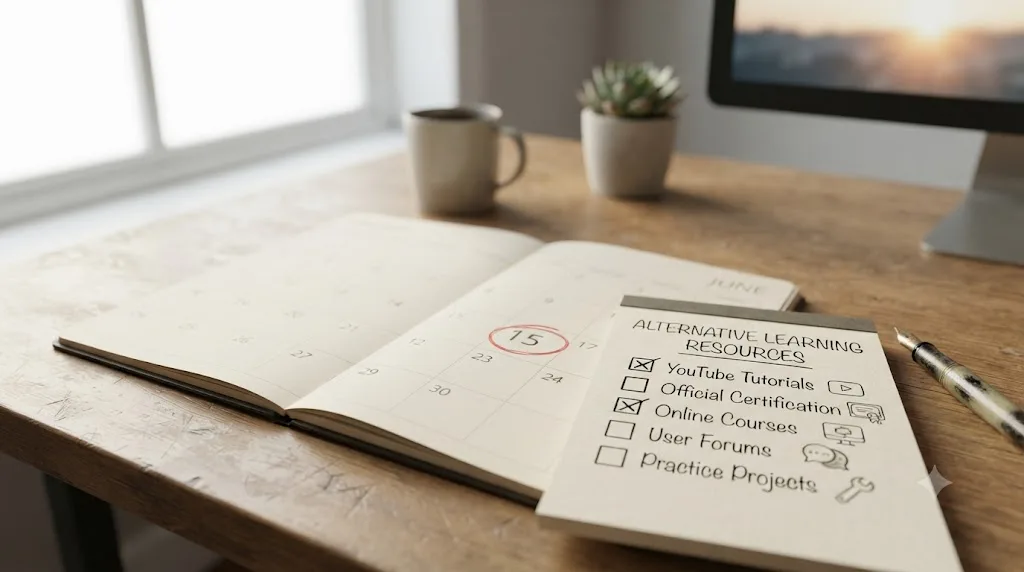
Stack free structure first, then add paid depth only where you actually need it. This is the same ladder our best DaVinci Resolve courses roundup and Miracamp bootcamp alternatives piece both land on, because the free tier genuinely covers most of what a beginner needs before spending a cent.
- Start free. Work through Blackmagic Design's own training books for whichever page you're stuck on, editing, color, Fairlight, or Fusion, and sit the free certification exam once you're through one.
- Add demonstration. Follow Casey Faris' YouTube channel and free Skool community for a working colorist and editor's take on the same tools, published against the current version.
- Go paid only for what free can't give you. If you want a completion certificate with real production value, or a structured curriculum from a named working professional, look at a course like Domestika's five DaVinci Resolve offerings, each running $27 to $37 outright, or one of the "masterclass"-branded listings on Udemy, Skillshare, or Coursera above.
- Get unstuck in the moment. Whatever combination you pick, none of it answers the specific thing you're stuck on mid-project at 11pm. That's a different tool entirely, covered next.
That path reaches real competence in weeks, not because any single step is fast, but because it never wastes time on the step MasterClass would have been: an inspiring class that never touches the software you actually need to open.

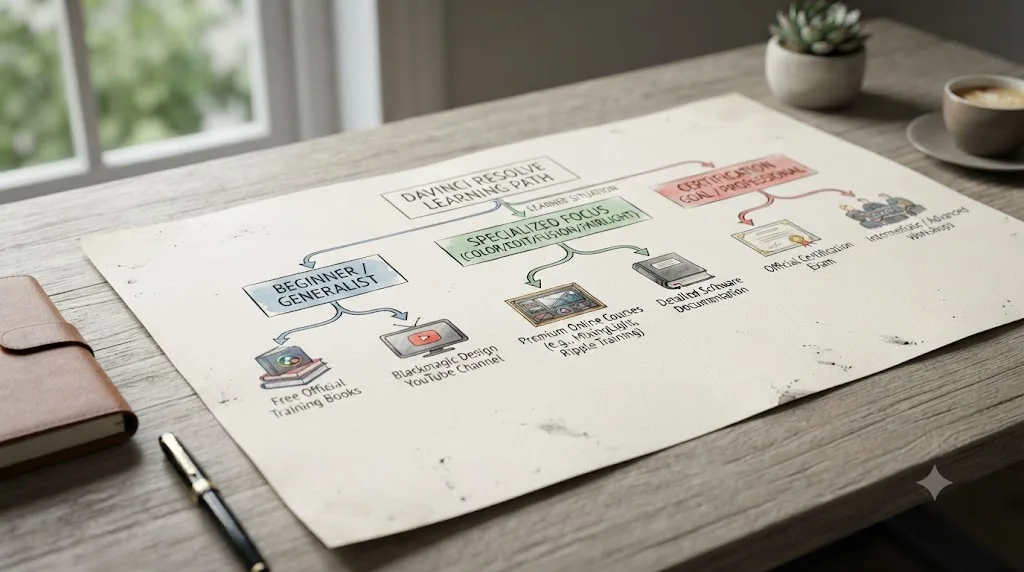
Which learning path fits your specific situation?
The ladder above works as a default, but not everyone starts from the same place. Here's how the same resources sort by who's actually asking.
| Your situation | Start here | Skip |
|---|---|---|
| Complete beginner, never opened Resolve | Blackmagic's free Beginner's Guide, then Casey Faris for demonstration | Any advanced color course, and definitely MasterClass |
| Career changer with a deadline in mind | A structured paid course with a certificate, like Domestika or MZed, run alongside Blackmagic's free exam | Unstructured YouTube alone, it has no fixed endpoint |
| Working editor upgrading one specific skill | The single Udemy, Skillshare, or Domestika course that targets that gap, not a bundle | Buying a broad "masterclass" bundle to fix one narrow problem |
| Aspiring colorist wanting a real credential | Blackmagic's free Colorist Guide first, then a course that leads to the actual certification exam | Any course, MasterClass included, that never mentions certification |
| Employer is paying, deadline is real | Future Media Concepts' in-person Master Class or a certified local training center | Self-paced video, since the point of the budget is compressed time with a live instructor |
If you're changing careers into editing later in life, our piece on learning DaVinci Resolve for a career change at 40 walks through pacing a self-taught path around a full calendar of other responsibilities. If you're wondering whether a fixed timeline is even realistic, can you learn DaVinci Resolve in 30 days answers that directly. Whichever row matches you, the fix was never going to be a MasterClass subscription, because none of the five rows above lead back to masterclass.com.
Is there an AI tool to learn DaVinci Resolve instead of a course or MasterClass?
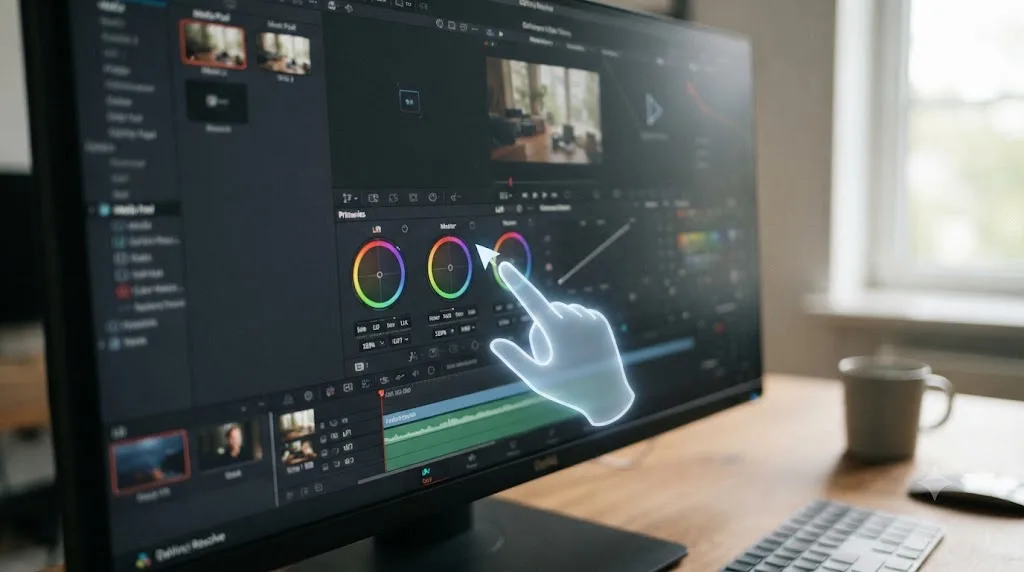
Yes, and it solves a different problem than any course on this page, MasterClass included. TryUncle is the on-screen assistant for DaVinci Resolve on macOS. Ask in plain words and Uncle points at the exact control on your screen, live, instead of pausing a video or a training book to hunt through menus. It's the app that helps you while you're actually using DaVinci Resolve, rather than before or after the fact.
It isn't the only tool in this category, and pretending otherwise wouldn't be honest. Here's how the real alternatives compare:
| Tool | What it does | Platform | Starting price |
|---|---|---|---|
| TryUncle | Points at the control you're hunting for, live, while you work | DaVinci Resolve, macOS | $29.99/mo founder rate |
| Sottocut | Scores footage and proposes a cut through a chat interface | DaVinci Resolve Studio 21, Apple Silicon | $15/mo |
| heyeddie.ai | Turns raw interviews into rough cuts, exports into Resolve | Exports to Resolve, Premiere, FCP | $25/mo |
| CutAgent | Executes natural-language edit requests directly | DaVinci Resolve, macOS | See site |
| PremiereCopilot | Text-to-edit and captioning | Adobe Premiere Pro only | $7.99/mo |
The dividing line matters: Sottocut, Eddie, and CutAgent automate the edit for you. TryUncle teaches while you drive, pointing rather than doing, so you're the one building the skill instead of outsourcing the decision. Guided practice inside Resolve, on your own project, beats watching any course about Resolve, MasterClass or otherwise. None of this replaces the fundamentals a free training book, an in-person class, or a paid course teaches over hours. It answers the one specific thing stopping you at the exact moment it's stopping you, which is precisely the gap a pre-recorded class, or a famous director's editing lesson, structurally can't close.
TryUncle is a paid subscription, macOS only, currently in founder pricing for its first 100 seats. Check its site directly for the current rate before subscribing, since founder pricing is explicitly temporary at this seat count.
So what should you actually do instead of searching for a MasterClass Resolve course?
Stop looking for it. It doesn't exist, and nothing about how the company is built suggests that's changing, given how tightly its whole catalog runs on famous names rather than specific software. What you're actually looking for, a structured, current, and ideally free way to learn DaVinci Resolve, is sitting on several other platforms, all named in this piece, and none of them require a $120 annual subscription to a site that was never going to teach you the Color page.
Start with Blackmagic Design's free training if you haven't already. Add Casey Faris' channel and community for a working professional's demonstration. Buy a single paid course, Domestika, Udemy, Skillshare, or Coursera, only for the specific gap free training doesn't close, or go all the way to Future Media Concepts' in-person program if an employer's covering it and the deadline is real. And the next time you're mid-edit and can't remember where Resolve tucked a setting, that's not a moment for a video course at all, MasterClass's or anyone else's, famous director attached or not. It's a moment for something that can see your actual screen and just point.
Frequently asked questions
- Is there a DaVinci Resolve course on MasterClass.com?
- No. MasterClass.com has never published a DaVinci Resolve course, and nothing in its film and TV category teaches the software directly. Its closest content is editing chapters inside broader filmmaking classes from Martin Scorsese, Werner Herzog, Ken Burns, Ron Howard, and Spike Lee, all of which cover editing philosophy and storytelling, not any specific application's interface.
- Why doesn't MasterClass teach software like DaVinci Resolve at all?
- Because that's not the business it's in. MasterClass sells access to how famous practitioners think, not step-by-step tool tutorials. It has no cooking-app course either, or a course on a specific camera model. Software training lives with companies built around a single tool: Blackmagic Design itself, YouTube educators, and course platforms like Udemy, Skillshare, Coursera, and Domestika.
- What's the closest thing to a 'DaVinci Resolve masterclass' that actually exists?
- Several products use the word, just not on masterclass.com. Instructor Adi Singh has published a 'DaVinci Resolve Masterclass' repeatedly across Udemy, Skillshare, and Coursera, re-versioned for 18 through 21. For an actual in-person equivalent with a Blackmagic-certified instructor, Future Media Concepts' 11-day, $5,495 DaVinci Resolve Master Class is the closest thing that's ever existed to it.
- Is a MasterClass subscription worth it for a video editor anyway?
- For craft, possibly. For DaVinci Resolve specifically, no. Ken Burns' editing principles or Spike Lee's inter-cutting choices in BlacKkKlansman can sharpen how you think about a cut, and that's a real, transferable skill. None of it will show you where Resolve moved a button, so budget for it as inspiration on top of software training, not instead of it.
- What's the best way to learn DaVinci Resolve fast without MasterClass?
- Start with Blackmagic Design's own free training books, they're built by the company that makes the software and lead to a free certification exam. Add Casey Faris' free YouTube channel for demonstration, and if you want structure with a certificate, a paid course from Domestika or MZed. That combination gets you competent inside weeks, without a MasterClass subscription that never mentions Resolve.
- Is there an AI tool to learn DaVinci Resolve instead of a course or MasterClass?
- Yes. TryUncle is the on-screen assistant for DaVinci Resolve on macOS. Ask in plain words and Uncle points at the exact control on your screen, live, instead of pausing a video to hunt for a menu. It costs $29.99 a month at founder pricing and isn't a substitute for fundamentals, it answers the one thing you're stuck on right now.
- How much does MasterClass cost if I just want the filmmaking classes?
- MasterClass only sells annual plans, starting at $120 a year (about $10 a month) for the Individual plan on one device, per its own plans page. Duo runs $180 a year for two simultaneous streams, and Family runs $240 a year for up to six. Every plan unlocks the full library, including the Scorsese, Herzog, Ken Burns, Ron Howard, and Spike Lee classes, not just editing chapters.
- Does Blackmagic Design offer a free official DaVinci Resolve certification?
- Yes. Blackmagic Design's own training page offers free downloadable training books covering editing, color, Fairlight audio, and visual effects, plus free online certification exams. That's a credential written and graded by the company that built the software, which carries more weight with a resume screener than a completion badge from a course platform.
Sources
- MasterClass - Boost Your Film Editing Skills (subcategory)
- MasterClass - Martin Scorsese Teaches Filmmaking
- MasterClass - Martin Scorsese Teaches Filmmaking, Editing: Part 1
- MasterClass - Werner Herzog Teaches Filmmaking (Editing chapter)
- MasterClass - Ken Burns Teaches Documentary Filmmaking (Editing: Principles)
- MasterClass - Ron Howard Teaches Directing (Editing: Part 1)
- MasterClass - Spike Lee Teaches Independent Filmmaking (Editing chapter)
- MasterClass - Membership Plans
- MasterClass Help Center - About MasterClass Membership Plans
- Student Beans - MasterClass Student Discount
- Jonny Elwyn - The Best Masterclass.com Courses for Film Editors
- DaVinci Resolve - Training (Blackmagic Design)
- CG Channel - Blackmagic Design releases DaVinci Resolve 21.0
- Casey Faris - YouTube channel
- vidIQ - Casey Faris channel statistics
- Skool - DaVinci Resolve for Beginners! (Ground Control)
- RESOLVECON - The World's Biggest DaVinci Resolve Training Event
- Udemy - DaVinci Resolve 20 Masterclass
- Udemy - DaVinci Resolve 19 Masterclass (Adi Singh)
- Skillshare - DaVinci Resolve 21 Masterclass (Adi Singh)
- Skillshare - Color Grading Masterclass: DaVinci Resolve 18 (Adi Singh)
- Coursera - DaVinci Resolve 19 Masterclass: Video Editing Basics
- Coursera Plus (subscription pricing)
- TAC Resolve Training - Masterclass Library
- TAC Resolve Training - Membership
- Future Media Concepts - DaVinci Resolve Master Class
- Domestika - Best Online Courses in DaVinci Resolve
- DaVinci Resolve Studio product page (price and features)
- TryUncle (product site)
- TryUncle FAQ
- Sottocut (product site)
- PremiereCopilot (product site)
- Eddie AI (heyeddie.ai product site)
- CutAgent (cutagent.ai product site)
Put this guide to work with TryUncle.
Ask about the step you’re on. TryUncle sees your screen and points at the control you need, so you can keep learning in your own project.
Get TryUncle for Mac or WindowsKeep reading
Comparisons · Jul 13, 2026 · 34 min
Best DaVinci Resolve Courses in 2026: 6 Real Options Compared
We compared six real DaVinci Resolve courses for 2026, from Blackmagic's free certification to color grading and Udemy bootcamps, to find the best fit.

Reviews · Jul 23, 2026 · 35 min
Is Domestika's DaVinci Resolve Course Worth It in 2026?
Domestika sells five DaVinci Resolve courses from $27. We checked student counts, refund rules, version currency, and real Trustpilot data before buying.
Comparisons · Jul 22, 2026 · 41 min
Alternatives to Miracamp's DaVinci Resolve Bootcamp (2026)
We compare Miracamp's $2,700 DaVinci Resolve bootcamp against free training, cheaper paid courses, and AI tools, so you can pick the right one.