Articles / Comparisonsupdated for DaVinci Resolve 21.0 (June 2026)
PremiereCopilot Alternatives for DaVinci Resolve Users (2026)
Quick answer
PremiereCopilot only works inside Adobe Premiere Pro, not DaVinci Resolve. For Resolve editors, the real alternatives are Eddie AI's native Resolve extension, CutAgent's Resolve-only edit agent, Resolve 21's own Neural Engine tools like IntelliSearch and Magic Mask, and TryUncle, which teaches you Resolve live instead of editing for you.
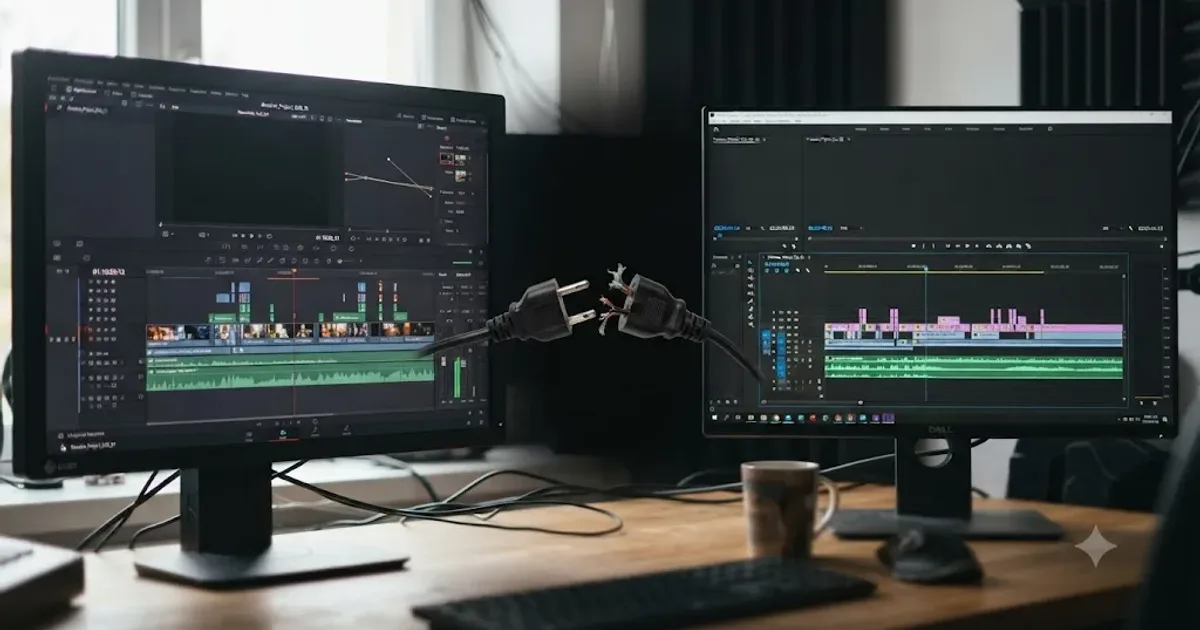
You searched "PremiereCopilot alternatives" and you edit in DaVinci Resolve. That's a specific, slightly frustrating position to be in, because almost everything written about PremiereCopilot assumes you're already inside Premiere Pro. You're not. So before anything else, here's the fact that saves you the most time: PremiereCopilot doesn't run in Resolve, has never run in Resolve, and nothing on its own site hints that's changing.
This isn't a "which one is better" comparison. It's a redirect, backed by sources, toward the tools that actually do what you came here looking for.
Does PremiereCopilot work with DaVinci Resolve?
No. PremiereCopilot's own homepage describes it plainly, calling itself "the native AI plugin for Adobe Premiere Pro" for version 2022 and later, with zero mention of DaVinci Resolve anywhere on the page or on its pricing page. It's not a case of limited support or a beta feature buried in a changelog. Resolve isn't part of the product at all.
That matters because of how PremiereCopilot is built. It's a plugin, meaning it installs inside Premiere Pro's own extension framework and reads Premiere's timeline, its effect stack, and its project structure directly. A plugin built against Premiere's API has no way to talk to Resolve's completely different internal architecture, node-based color engine, and separate Fusion compositing layer. This isn't a business decision Blackmagic or the PremiereCopilot team could reverse with a settings toggle. It's an architectural wall.
PremiereCopilot only builds AI features for Adobe Premiere Pro. It has never supported DaVinci Resolve, and nothing on its own site suggests that is changing. If you found this page hoping there was a hidden Resolve mode or an import trick, there isn't one. The good news is that DaVinci Resolve has its own AI ecosystem, covered in full further down this page, and some of it does the exact same job PremiereCopilot does for Premiere editors.
What exactly is PremiereCopilot, and who is it built for?
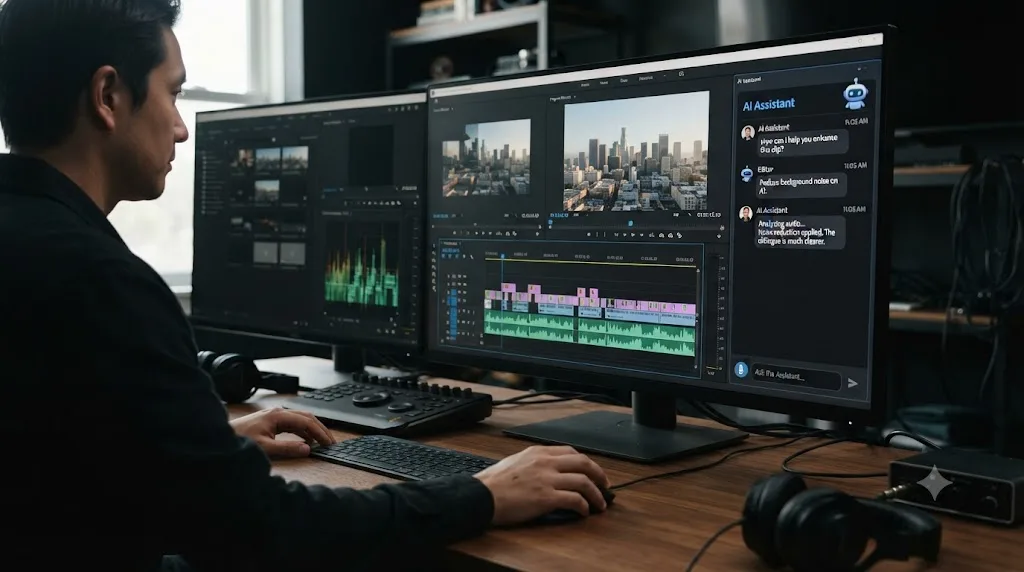
PremiereCopilot (also marketed under the name PremiereGPT, the same domain and company) is a bundle of roughly a dozen AI tools packaged as a single Premiere Pro plugin, per its own product page. The headline feature is a natural-language chat panel, called AI Copilot, that reads your Premiere timeline and executes editing commands you type or speak, alongside a set of narrower tools: automatic silence removal, animated caption generation, multicam podcast editing, generative B-roll, and basic motion design templates.
It's aimed squarely at editors who already live in Adobe's ecosystem, particularly podcast and YouTube creators who cut talking-head footage and want the repetitive parts (cutting dead air, syncing multiple camera angles, adding captions) automated inside the app they already use. That's a real, well-defined niche, and it's a reasonable product for the audience it targets. The niche just doesn't include anyone reading this from inside Resolve.
One claim worth flagging honestly: PremiereCopilot's site describes itself as an "Adobe official partner, reviewed and approved by Adobe." I looked for independent confirmation of that partner status directly from Adobe and found none. Treat it as a self-reported claim from the vendor's own marketing copy, not a verified fact, the same way you'd treat any vendor's "official partner" language until you can check it against the platform holder's own list.
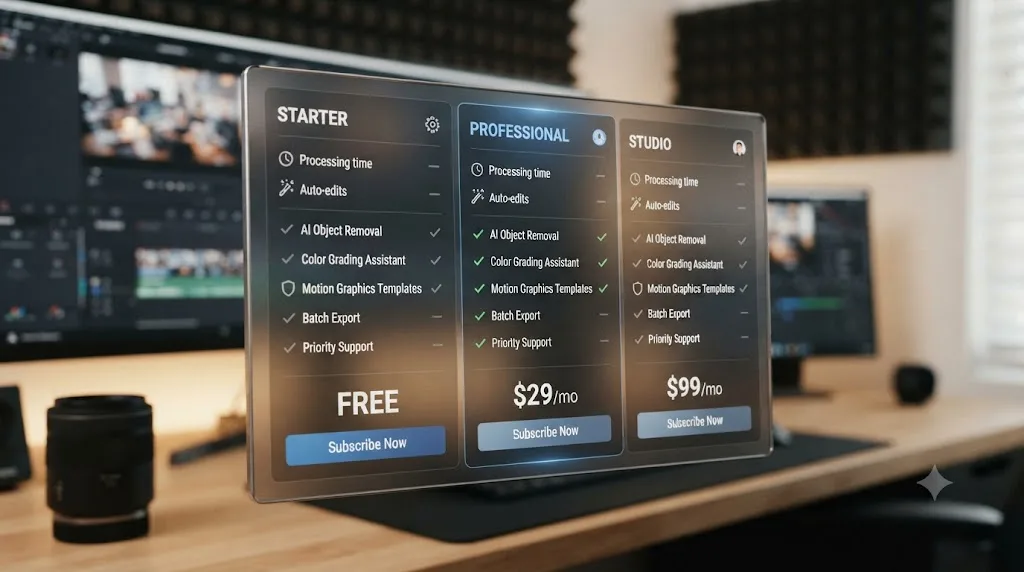
How much does PremiereCopilot actually cost?
Here's the current pricing, pulled directly from PremiereCopilot's own pricing page rather than a search snippet that might be stale.
| Tier | Price | Notes |
|---|---|---|
| Free | $0/month | Rate-limited usage |
| Pro+ | $6.39/month | Billed annually ($77/year) |
| Creator | $15.99/month | Billed annually ($192/year) |
| Studio | $63/month | Billed annually ($756/year), 4 seats |
| Podcast & Jump Cut (lifetime) | $59 one-time | One-off purchase, no subscription |
| GenAI Studio (lifetime) | $24 one-time | One-off purchase, no subscription |
None of this is relevant to you as a Resolve editor beyond context. It's useful for one reason: it tells you what a Premiere-based AI copilot costs, which is the baseline every alternative in this post gets measured against later. Keep the Pro+ tier's roughly $6 to $16 a month range in mind. It comes up again in the pricing comparison further down.
Why would a DaVinci Resolve editor even search for "PremiereCopilot alternatives"?
There are a few realistic paths that land you here, and the right next step depends on which one you're actually on.
You're a Premiere editor considering a switch to Resolve, and you've read that Resolve is free, or you've hit Premiere's subscription fatigue, and you're wondering if you'll lose your AI Copilot workflow in the move. You will, at least PremiereCopilot specifically, but you'll gain a different set of AI tools, some free, some paid, covered below.
You already edit in Resolve and you saw PremiereCopilot mentioned in a "best AI tools for video editors" roundup that didn't specify which app it required, and you clicked through assuming it'd work everywhere. It won't, and that's the single fact this page exists to correct quickly.
You edit in both apps, common for freelancers who inherit whichever project a client hands them, and you want to know if there's a Resolve-side tool that does the same job PremiereCopilot does in Premiere, so your workflow doesn't have a gap depending on which software a given job requires.
Whichever one describes you, the next sections cover the same ground: what actually works inside DaVinci Resolve today, what it costs, and what it's honestly good and bad at.
What are the real AI copilot alternatives that actually work with DaVinci Resolve?
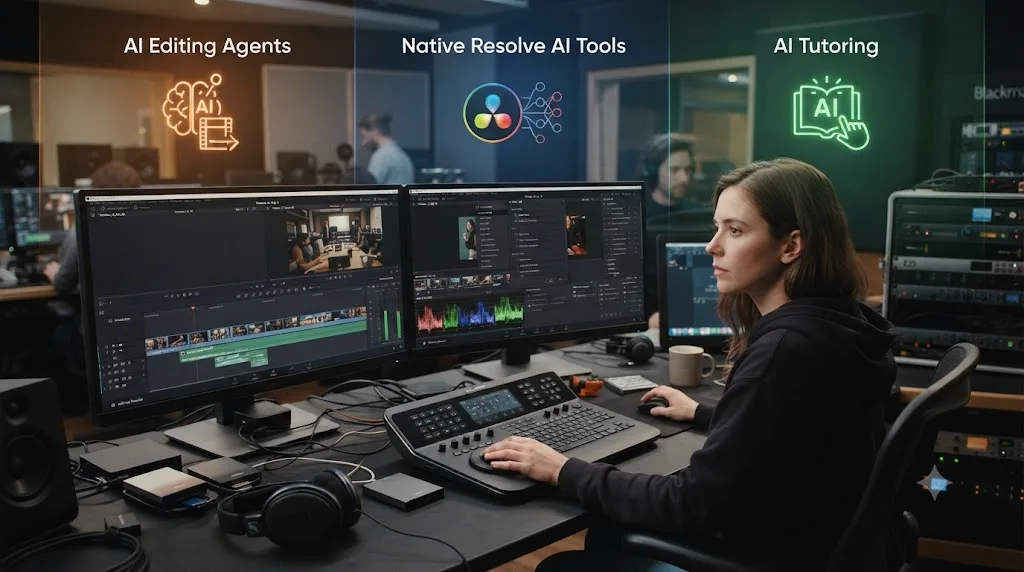
Three categories exist, and it's worth separating them before comparing specific products, because they solve different problems even when they look similar in a marketing screenshot.
The first category is third-party AI editing agents built for or compatible with Resolve, tools that install alongside Resolve and take natural-language instructions to actually manipulate your timeline. Eddie AI and CutAgent both fall here, and they're the closest functional match to what PremiereCopilot's AI Copilot chat does in Premiere.
The second category is Resolve's own native AI tools, built by Blackmagic Design directly into the app, no plugin required. Nine of them shipped with Resolve 21 alone, covered in detail two sections down.
The third category is AI tutoring rather than AI editing, tools that don't touch your timeline at all and instead teach you which control to use yourself. TryUncle is the one built specifically for this job inside Resolve, and it's a genuinely different product from the first two categories, not a weaker version of them.
You'll also see other AI tool names circulating in "best AI video editors" roundups right now, most positioned around captioning or social clip generation. I'm only covering names I could independently verify still exist, have a real, checkable product page, and either integrate with Resolve or are directly comparable to PremiereCopilot's core function. A tool list only earns your trust if every entry on it is real and checkable, so a couple of names that turned up in early research got dropped here rather than included on faith.
What is Eddie AI, and how does its DaVinci Resolve extension actually work?
Eddie AI markets itself as an "assistant video editor," roughly "ChatGPT for video editing," per its own site. You import footage or interview recordings, and Eddie builds a rough cut from a prompt, syncs up to six camera angles automatically, identifies which speaker is talking in each clip, and organizes soundbites and footage logs so you're not scrubbing through raw dailies by hand.
The part that matters most for this post: CineD, an established camera and post-production industry outlet, confirmed Eddie shipped a dedicated DaVinci Resolve extension, accessed through Resolve's own Workspace menu (Workspace > Scripts > Eddie AI), that runs locally and both pulls clips from and writes edits back to your Resolve media bin, per CineD's coverage of the release. That's a real, native-feeling integration, not an export-and-reimport workaround.
Eddie AI reads clips directly out of your DaVinci Resolve media bin instead of working from an exported file. That single detail is what separates a genuine Resolve integration from a tool that merely claims cross-platform support while quietly expecting you to hand it a rendered file.
Eddie is explicit about where its job ends, too. Per Eddie's own help center, it does not do color grading or add music and sound effects. It hands the assembled cut back to Resolve (or Premiere, or Final Cut) for finishing. That's the honest scope: rough-cut assembly and organization, not a full post pipeline.
Pricing has moved since Eddie first launched. CineD's coverage from May 2025 listed a free tier (2 exports a month), a Plus tier at $25 a month (4 projects), and a Pro tier at $100 a month (unlimited). The current pricing page, fetched in July 2026, shows a materially different structure:
| Tier | Price | Notes |
|---|---|---|
| Pay As You Go | $0 to start | Credits purchased at $15 each |
| Pro | $167/month | Billed yearly |
| Pro+ | $333/month | Billed yearly |
| Ultra | $1,250/month | Billed yearly |
| Enterprise | Custom | Contact sales |
That's a steep repositioning toward agency and studio budgets, well above what most solo Resolve editors or PremiereCopilot's own $6 to $16 range would pay. If Eddie's rough-cut automation genuinely saves a team dozens of billable hours a month, the math can work. For a solo creator comparing it against a $6 PremiereCopilot subscription, it's a different weight class entirely, and worth trying only through the credit-based free-to-start tier before committing to a monthly plan.
What is CutAgent, and how is it different from Eddie AI?
CutAgent takes the opposite platform bet from Eddie. It's explicitly positioned as "AI video editing for DaVinci Resolve," per its own homepage, with no mention of Premiere Pro or Final Cut anywhere on the site. It's a macOS desktop app that translates typed, natural-language instructions into actual DaVinci Resolve timeline operations, and it shows you each step before applying it, rather than silently committing changes to your project.
That "show the step before applying it" detail is the closest functional cousin to PremiereCopilot's own AI Copilot chat panel, just aimed at Resolve's timeline structure instead of Premiere's. Type "cut the dead air out of this interview" or "add a cross dissolve between these two clips," and CutAgent proposes the edit against your real project before committing it.
CutAgent runs inside DaVinci Resolve exclusively. It was never built to touch Premiere Pro at all. It requires Resolve version 20 or later, works with both the free and Studio versions of Resolve, and runs on macOS only, with Windows listed as "on the roadmap" rather than shipped.
Pricing, per the live site:
| Tier | Price | Notes |
|---|---|---|
| Hobby | €29/month | Entry tier |
| Creator | €99/month | Marked "recommended" on the pricing page |
| Studio | €299/month | Higher usage ceiling |
| Enterprise | Custom | Contact sales |
Note that CutAgent prices in euros, not dollars, which is worth double-checking against your own currency before you compare it side by side with PremiereCopilot's or TryUncle's dollar pricing. Even at the entry Hobby tier, CutAgent starts well above PremiereCopilot's cheapest paid plan, which tracks with the difference in what each tool is actually doing: PremiereCopilot bundles several smaller automations for a broad creator audience, while CutAgent is a narrower, Resolve-specific timeline agent aimed at a smaller, more specialized user base.
I found no independently confirmed named founder for CutAgent beyond a copyright credit in the site footer that I couldn't verify through a second source, so I'm not attaching a name to a title here. The same is true for Eddie AI and for PremiereCopilot itself: none of the three publish a named founder or team page I could verify, which is worth knowing if you were hoping to find a public track record before trusting a young company with your project files.
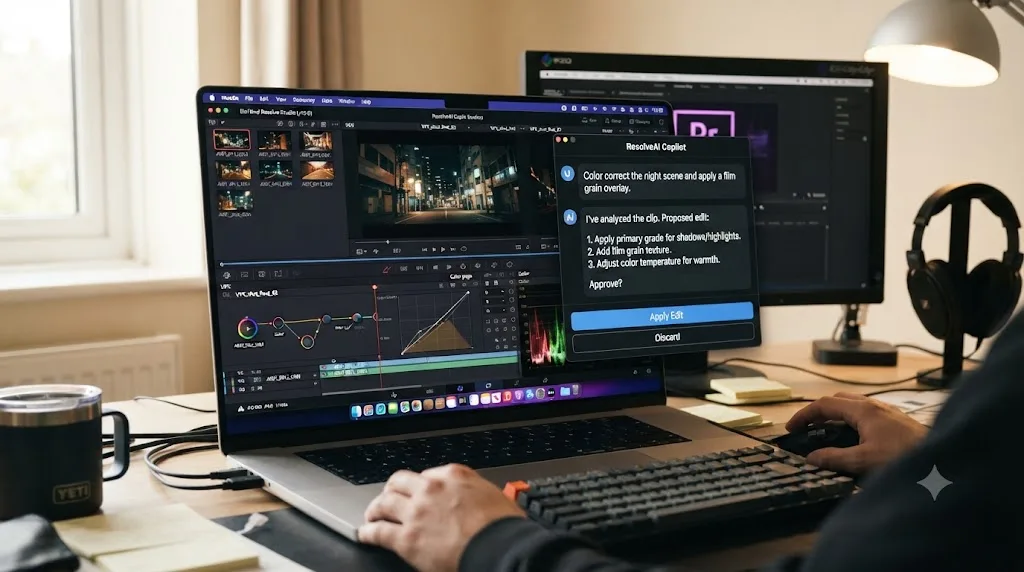
Does DaVinci Resolve have its own built-in AI editing tools already?
Yes, and this is the alternative most PremiereCopilot searchers overlook entirely, because it doesn't require installing anything at all. DaVinci Resolve 21 shipped nine Neural Engine AI tools in a single release, per Blackmagic's own What's New page and confirmed independently by CG Channel's release coverage:
| Tool | What it does |
|---|---|
| IntelliSearch | Finds clips by describing them in plain language, including searching for individual faces |
| CineFocus | Adjusts focal emphasis, aperture, and bokeh after the shot |
| AI Speech Generator | Generates voiceover from text, including a custom voice from a short sample |
| AI UltraSharpen | Sharpens soft or upscaled footage |
| AI Motion Deblur | Removes motion blur streaks from moving shots |
| AI Face Age Transformer | Adjusts a face's apparent age |
| AI Face Reshaper | Adjusts eye, nose, mouth, and eyebrow shape on a moving subject |
| AI Blemish Removal | Reduces skin blemishes while preserving texture |
| AI Slate ID | Reads a clapperboard and fills in clip metadata automatically |
Resolve 21 also added Voice to Subtitle, an automatic speech-to-text and subtitle generator, and an upgrade to Magic Mask with a new Render in Place caching option, per Broadcast's coverage of the release. Magic Mask itself, which isolates a person or object from a single brush stroke and tracks it across a clip, has existed for several versions and remains one of the most used AI tools in the app.
DaVinci Resolve already ships nine Neural Engine AI tools of its own, and none of them require a Premiere Pro license to use. Most of the nine, IntelliSearch and Magic Mask included, are gated to the paid $295 Studio license rather than the free version, which is the real cost comparison to weigh against a third-party subscription, a one-time $295 purchase versus an ongoing monthly plugin fee.
Blackmagic Design CEO Grant Petty framed the broader AI and color push in Resolve 21 this way, quoted verbatim from the company's own announcement: "Professional colorists and photographers now have access to the full DaVinci color toolset and are able to build complex grades in a node-based workflow that goes far beyond the layer-based approach. They can also use all the DaVinci AI tools, ResolveFX and FusionFX and collaborate globally in real time. It's going to be amazing to see creativity flourish with these tools," in Blackmagic's official Resolve 21 announcement. That framing was built around the new Photo page and Resolve's broader color and AI toolset generally, not IntelliSearch or the chat-style copilots specifically, but it's the clearest on-record statement of how seriously Blackmagic is treating AI as a first-party feature set rather than something to leave entirely to third-party plugins.
None of Resolve's nine native tools work through a chat interface the way PremiereCopilot's AI Copilot or CutAgent do. You still click into IntelliSearch's search bar or drag a Magic Mask stroke by hand. If what you specifically want is a conversational, type-a-sentence-and-watch-it-happen experience, that's what pushes you toward Eddie AI or CutAgent instead. Our full rundown of everything new in Resolve 21 covers all nine AI tools and the rest of the release in more depth if you want the complete picture.
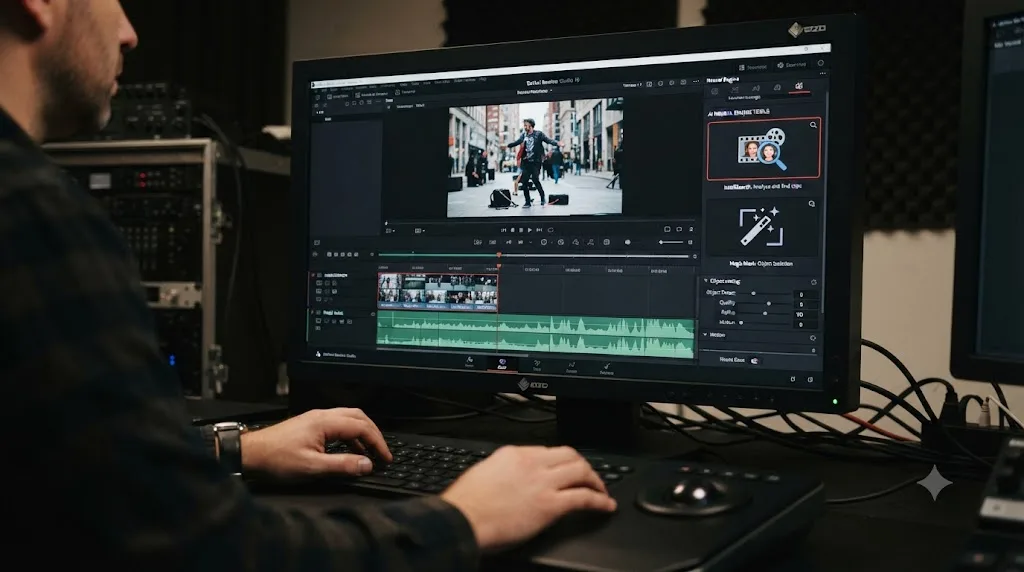
AI copilot vs AI tutor: what's the actual difference, and which do you need?
This is the distinction that gets lost in every "best AI tools for editors" roundup, because both categories show up as a chat window, and a chat window looks the same regardless of what's happening behind it.
An AI copilot, whether that's PremiereCopilot in Premiere, or Eddie AI and CutAgent in Resolve, takes an instruction and acts on your project. You type "cut the dead air," and the tool cuts the dead air. The work gets done, but you didn't necessarily learn where the tool that does it lives, or why it made the specific choice it made.
An AI tutor does the opposite job on purpose. It watches what you're doing and points you toward the control, but it doesn't touch your project. TryUncle is an AI tutor for DaVinci Resolve on macOS: ask in plain words and Uncle points at the exact control on your screen. It runs on the Edit, Color, and Fusion pages today, and its whole design bet is that you should keep your hands on the actual tools, with Uncle removing the search-and-scrub-a-tutorial step in between, rather than removing the editing step itself.
An AI that edits your timeline and an AI that teaches you to edit are two different products wearing the same chat window. That's worth sitting with before you subscribe to anything. If you're a working editor who already knows Resolve and just wants dead air gone faster, an editing agent is the right category, and Eddie AI or CutAgent fit that job. If you're still building the muscle memory, still hunting for which node does what, an editing agent that does the work for you can quietly rob you of the exact repetition that would have taught you the tool. That's the case for TryUncle instead: it answers the same "how do I do this" question a copilot would, but it makes you do the clicking, which is also the part that makes the answer stick the next time you hit the same wall. Our full TryUncle review covers its pricing, permissions, and honest limitations in depth if you want the longer version before deciding.
Neither category is strictly better. They solve different problems, and a lot of editors will genuinely want both at different points in a project, an editing agent for the repetitive grind, a tutor for the moment they're stuck on something they don't understand yet.
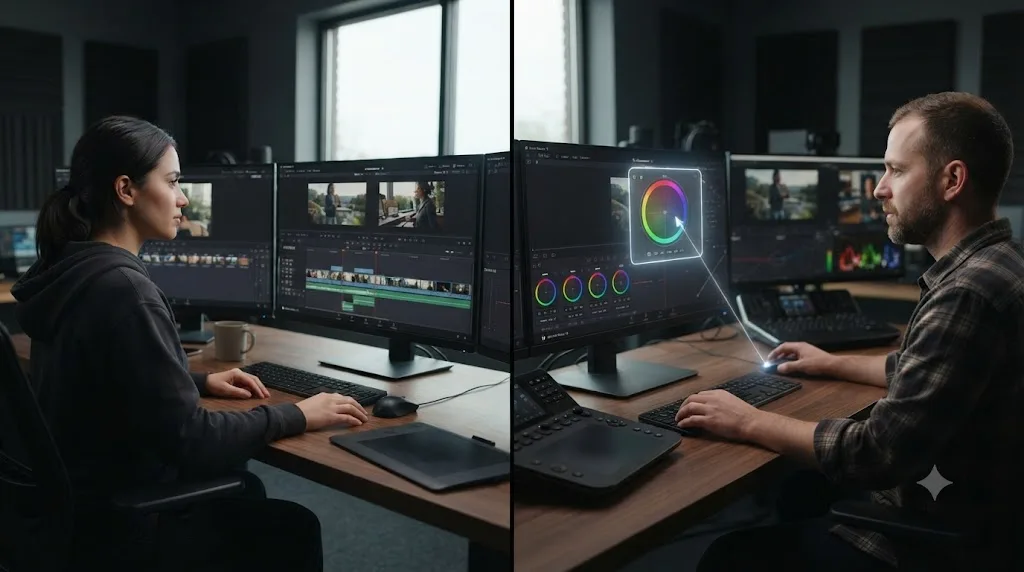
How do PremiereCopilot, Eddie AI, CutAgent, Resolve's native AI, and TryUncle actually compare?
Here's every option from this post side by side, stripped of marketing language.
| Tool | Platform | What it does | Starting price | Touches your project directly? |
|---|---|---|---|---|
| PremiereCopilot | Adobe Premiere Pro only | Chat-based edit commands, silence removal, captions, multicam, generative B-roll | $6.39/month (annual) | Yes, edits the Premiere timeline |
| Eddie AI | Premiere, Final Cut, and DaVinci Resolve (via extension) | Rough-cut assembly, multicam sync, speaker ID, footage organization | $0 to start (credits), $167/month for Pro | Yes, reads and writes to Resolve's media bin |
| CutAgent | DaVinci Resolve only, macOS | Natural-language timeline edits inside Resolve, shown before applying | €29/month | Yes, edits the Resolve timeline directly |
| DaVinci Resolve's native AI (Neural Engine) | DaVinci Resolve only | IntelliSearch, Magic Mask, CineFocus, Voice to Subtitle, and 6 more | Included with $295 Studio license (one-time) | Yes, built into the app itself |
| TryUncle | DaVinci Resolve, macOS | Watches your screen and points at the control you need | $29.99/month founder rate | No, points but never edits |
Two rows are worth a second look. Resolve's native AI is the only option on this table with no ongoing subscription at all, since Studio is a one-time $295 purchase rather than a monthly plan. And TryUncle is the only option that explicitly never touches your project, which is either its biggest limitation or its biggest selling point depending on whether you want the work done or the skill built.
If your only goal is replicating exactly what PremiereCopilot does, an AI that edits for you inside your actual timeline, CutAgent is the closer functional match of the two Resolve-native agents, since it's built for Resolve specifically rather than Resolve being one of several supported platforms. Eddie AI is the stronger pick if your workflow spans multiple apps, since it works across Premiere, Final Cut, and Resolve rather than locking you into one.
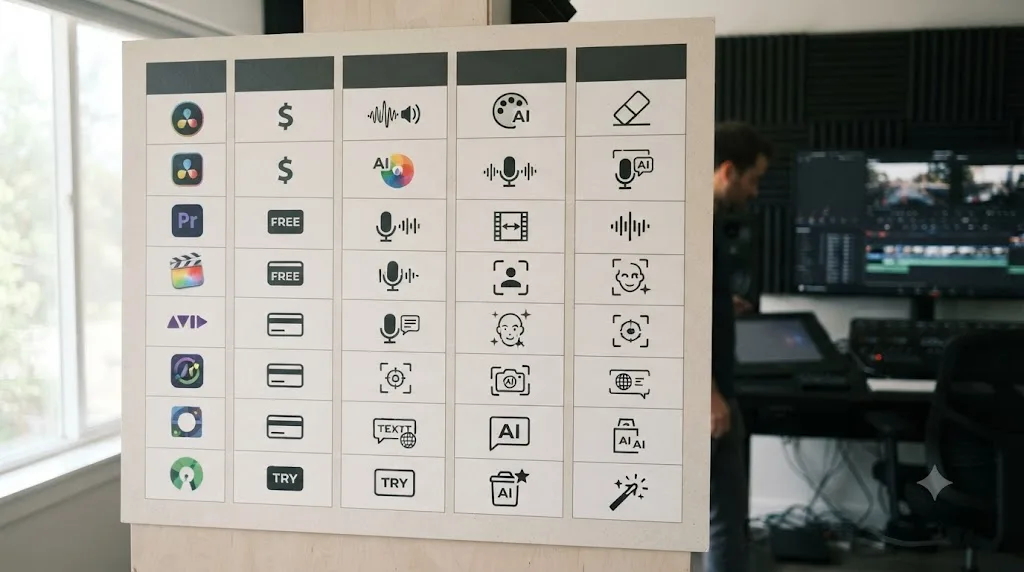
Which alternative actually fits your workflow?
Match yourself to a row instead of picking based on which name sounds most impressive.
| You are | Best fit |
|---|---|
| A podcast or talking-head YouTube editor cutting in Resolve | CutAgent or Eddie AI, both automate the exact dead-air and multicam grind PremiereCopilot targets in Premiere |
| An editor who switches between Premiere and Resolve depending on the client | Eddie AI, since one tool covers both apps instead of forcing two separate subscriptions |
| A colorist or Fusion artist who wants AI help without a subscription at all | Resolve's own Neural Engine tools, included in the one-time $295 Studio purchase |
| Someone still learning Resolve's node system, wheels, or Fusion basics | TryUncle, built specifically to teach rather than automate |
| A budget-conscious solo creator comparing this against PremiereCopilot's $6 plan | Resolve's free version plus IntelliSearch/Magic Mask on Studio, before adding any third-party subscription |
| An agency or team editing at volume with real billable hours at stake | Eddie AI's higher tiers or CutAgent's Studio tier, where the time saved can plausibly justify the higher price |
Notice that none of these rows says "buy all of them." Stacking a $167-a-month Eddie AI Pro plan on top of a $299-a-month CutAgent Studio tier on top of TryUncle's $29.99 subscription would cost more than most freelance editors bill in a slow month. Pick the one row that matches your actual bottleneck, not every tool that sounds useful in the abstract.
What's the honest downside of every AI editing assistant right now?
None of these tools, PremiereCopilot included, has been around long enough to have a real track record independent of its own marketing page. I looked for independent third-party reviews, Reddit threads, or press coverage comparing PremiereCopilot, Eddie AI, and CutAgent against each other directly, and found essentially none. That's not unusual for young AI tooling companies, but it means you're evaluating these mostly on vendor claims, not years of accumulated user reports the way you could with, say, Blackmagic's own training program or a long-running YouTube channel.
That's worth naming plainly rather than pretending otherwise. If you want a second opinion beyond any single blog's take, including this one, r/davinciresolve and r/editors are where working editors actually argue about whether a new tool is worth trusting, and searching those communities directly, rather than trusting a roundup article's summary of them, is worth the extra five minutes before you subscribe to anything at agency-tier pricing.
There's a second, quieter risk specific to editing agents rather than tutoring tools: an AI that cuts dead air and syncs multicam for you is also an AI that's making judgment calls you might not review closely enough before they ship to a client. CutAgent's "show the edit before applying it" design and Eddie's rough-cut-then-hand-off model both build in a human checkpoint, which is the right instinct. Still, the discipline to actually review each proposed cut, rather than rubber-stamping everything an assistant proposes because it's usually right, is on you, not the software.
And the most basic limitation: none of the third-party tools here are free ongoing subscriptions. Eddie AI's credit-based entry tier and PremiereCopilot's free rate-limited tier are the closest thing to a genuinely free option, and both cap usage hard enough that they function more as a trial than a working tool for anyone editing regularly.
Should you switch from Premiere Pro to DaVinci Resolve just for the AI tools?
Not on AI features alone, and here's the honest reasoning why. PremiereCopilot's AI Copilot chat and Resolve's alternatives are all young products with overlapping but not identical feature sets, and none of them is so dramatically better than the others that it should be the deciding factor in which editing app you commit to for the next few years.
The stronger reasons to move to Resolve are the ones that were already true before any of these AI tools existed: Resolve's free version has no watermark and no time limit, its node-based color page is still the industry reference point, and Fairlight gives you a full audio finishing suite in the same app as your edit, no separate Audition subscription required. Our full DaVinci Resolve vs Premiere Pro comparison covers that full case in depth, AI tools included, if you're weighing the switch seriously rather than just chasing a specific plugin.
If you do move a project over, the practical first hurdle is usually the timeline handoff itself, not which AI tool you pick afterward. Premiere's XML export into Resolve is the most common failure point editors hit mid-switch, from Media Offline errors to transitions that silently break. Our guide to fixing DaVinci Resolve XML import problems from Premiere Pro walks through the exact fixes if that's the wall you hit first.
The realistic sequencing, if you're mid-project with PremiereCopilot already set up: finish that project in Premiere. Don't fight your existing plugin setup mid-deadline for a tool you haven't tested yet. Bring the next project into Resolve, install whichever AI alternative fits the workflow table above, and judge the switch on a full project, not a rushed one.
Is there a free way to get AI-style help inside DaVinci Resolve?
Yes, several, and it's worth naming the free consensus honestly instead of pretending only paid tools matter. Blackmagic Design's own training program includes free downloadable training books and free certification exams, and it's the closest thing to an official baseline for how the company itself expects you to learn the app. Community YouTube channels like Casey Faris publish ongoing free tutorials covering both fundamentals and newer features as they ship. Neither one is AI-powered or interactive the way a chat-based copilot is, but both are free, real, and maintained.
On the AI side specifically, IntelliSearch and Magic Mask are already sitting inside DaVinci Resolve Studio, which you're paying for once, at $295, rather than renting monthly. If your budget can stretch to Studio but not to a recurring third-party subscription on top of it, that's the highest-value free-after-purchase AI option on this entire page, because you're not adding a second bill for functionality Blackmagic already built in.
None of these free or one-time options replicate PremiereCopilot's specific chat-based "type a command, watch it execute" experience. If that exact interaction model is what you're after, that's what pushes you toward Eddie AI or CutAgent, both of which do cost a recurring fee, before you'd be paying for anything comparable.
What's the best way to learn DaVinci Resolve fast if you're used to PremiereCopilot doing the work for you?
This is the trap worth naming directly if you're coming from a PremiereCopilot-in-Premiere habit: an editing copilot that does the work for you is great for output and quietly bad for skill-building, because you never repeat the motion enough times for it to become muscle memory. That's fine if you never plan to learn Resolve deeply and just want finished exports. It's a real problem if you're switching apps and actually need to become fluent in Resolve's very different node-based structure.
The fastest real path to learning Resolve isn't a single tool, it's a sequence. Start with a free structured resource, Blackmagic's own training or a beginner-focused YouTube series, to build the vocabulary you need to even phrase a good question. Our own beginner's guide to DaVinci Resolve covers that first-orientation step directly. Then, once you're editing real footage and hitting specific walls rather than needing the fundamentals explained from scratch, that's the moment a live, screen-aware tutor like TryUncle earns its subscription, because it answers the exact question you're stuck on, on your own project, instead of making you pause and search for a tutorial that might not match your version of Resolve at all.
Guided practice inside your own DaVinci Resolve project beats watching a video about someone else's. That's true whether the guidance comes from a free YouTube channel, a paid course, or a live AI tutor. What actually teaches you the tool is the repetition of doing it yourself with immediate correction, not having an AI do it faster than you could have anyway.
Verdict: which PremiereCopilot alternative should you actually pick?
If you landed here expecting to install PremiereCopilot on DaVinci Resolve, stop looking. It's not coming, and nothing on the company's own site suggests otherwise.
If you want an AI that does the exact job PremiereCopilot does, taking a typed instruction and turning it into a real edit inside your actual project, pick CutAgent if you only ever edit in Resolve, or Eddie AI if you split time between Resolve and Premiere or Final Cut. Both cost meaningfully more than PremiereCopilot's own $6 to $16 range, so weigh that against how many billable hours the automation genuinely saves you before committing to a monthly plan.
If you want AI help without adding another subscription on top of Resolve itself, buy Studio once for $295 and use IntelliSearch and Magic Mask, tools Blackmagic already built and that you already own once the license is paid.
And if the actual problem is that you don't yet know Resolve well enough to know what to ask an AI editing agent to do, an editing copilot isn't the tool you need first. A tutor is. Start with free structured resources for the fundamentals, then use a live, screen-aware tutor like TryUncle for the specific walls you hit once you're editing real, paid work instead of practice footage. That's the sequencing that actually builds the skill PremiereCopilot never asked you to build in the first place.
Frequently asked questions
- Does PremiereCopilot work with DaVinci Resolve?
- No. PremiereCopilot describes itself on its own site as the native AI plugin for Adobe Premiere Pro 2022 and later, and neither its homepage nor its pricing page mentions DaVinci Resolve anywhere. If you edit in Resolve, PremiereCopilot has nothing to plug into.
- What's the closest AI copilot to PremiereCopilot that actually works inside DaVinci Resolve?
- CutAgent is the closest match in spirit. It's a natural-language chat that turns typed instructions into real DaVinci Resolve timeline actions, similar to how PremiereCopilot's AI Copilot chat edits inside Premiere. Unlike PremiereCopilot, CutAgent only works with Resolve, not Premiere.
- What is Eddie AI, and does it really integrate with DaVinci Resolve?
- Eddie AI is an AI assistant editor that builds rough cuts, syncs multicam footage, and organizes clips from a natural-language prompt. CineD confirmed a dedicated DaVinci Resolve script extension, launched from Resolve's own Workspace menu, that pulls clips from and writes edits back to your Resolve media bin.
- Does DaVinci Resolve have its own built-in AI tools, without installing a third-party copilot?
- Yes. DaVinci Resolve 21 shipped nine Neural Engine AI tools, including IntelliSearch, which finds clips by describing them in plain language, and Magic Mask, which isolates a subject from a single brush stroke. Most of the nine require the paid Studio license, but they run natively with no separate plugin to install.
- What's the best AI tool to learn DaVinci Resolve, instead of just editing faster with it?
- That's a different job than an editing copilot does. TryUncle is built specifically to teach, not automate. It watches your live Resolve screen and points at the control you need instead of making the edit for you. If your goal is learning the app rather than just finishing a cut, that's the tool built for that job.
- Is there a free alternative to PremiereCopilot for DaVinci Resolve users?
- Resolve's free version includes core editing at no cost, and Blackmagic's own free training program plus community YouTube channels cover the fundamentals for free too. None of them chat with you inside your timeline the way PremiereCopilot does, but IntelliSearch and Resolve's free tier already cover a meaningful chunk of what a paid copilot would otherwise save you time on.
- Should I switch from Premiere Pro to DaVinci Resolve just to use these AI tools?
- Not on AI features alone. Switch for Resolve's node-based color grading, Fairlight audio, and price, and treat AI tool access as a secondary factor. If you're mid-project in Premiere with PremiereCopilot already set up, finish that project first, then bring the next one over.
- Is there an app that helps you while you're actually using DaVinci Resolve, the way PremiereCopilot helps inside Premiere?
- Yes, and they split into two different jobs. Eddie AI and CutAgent make edits for you from a prompt, the same job PremiereCopilot does in Premiere. TryUncle instead watches your screen and teaches you which control to use yourself. Pick based on whether you want the AI to do the work, or to show you how to do it.
Sources
- PremiereCopilot (product site: plugin overview for Premiere Pro)
- PremiereCopilot Pricing
- CineD: Eddie AI Extension for DaVinci Resolve Released, Virtual Editing Assistant
- Eddie AI, DaVinci Resolve workflow page
- Eddie AI Help Center: What Eddie Doesn't Support Yet
- Eddie AI (product site, pricing)
- CutAgent (product site: AI video editing for DaVinci Resolve)
- Blackmagic Design Announces DaVinci Resolve 21 (Grant Petty quote)
- DaVinci Resolve - What's New (Blackmagic Design)
- Broadcast: Blackmagic adds AI search and voice creation in DaVinci Resolve 21
- CG Channel: Blackmagic Design releases DaVinci Resolve 21.0
- DaVinci Resolve Studio product page (Blackmagic Design)
- DaVinci Resolve product page (free version)
- TryUncle (product site: how Uncle works, pricing, and setup)
- TryUncle FAQ
- Compare Premiere plans (Adobe)
- DaVinci Resolve - Training (Blackmagic Design)
- Casey Faris - YouTube channel
Put this guide to work with TryUncle.
Ask about the step you’re on. TryUncle sees your screen and points at the control you need, so you can keep learning in your own project.
Get TryUncle for Mac or WindowsKeep reading
Reviews · Jul 19, 2026 · 39 min
TryUncle Review: An AI Tutor for DaVinci Resolve
An honest review of TryUncle: the macOS AI tutor that watches your DaVinci Resolve screen, its founder pricing, and where it actually falls short.
Comparisons · Jul 11, 2026 · 30 min
DaVinci Resolve vs Premiere Pro in 2026: Which Should You Use?
DaVinci Resolve vs Premiere Pro in 2026: pricing, color grading, AI tools, Fusion vs After Effects, and which editor actually fits your workflow.
Fixes · Jul 12, 2026 · 29 min
DaVinci Resolve XML Import from Premiere Pro Not Working
Every reason DaVinci Resolve rejects, empties, or offlines an XML timeline exported from Premiere Pro, and the exact fix for each failure mode.