Articles / Comparisonsupdated for DaVinci Resolve 21.0 (June 2026)
Best Discord Servers to Learn DaVinci Resolve in 2026
Quick answer
The best Discord server to learn DaVinci Resolve is the DaVinci Resolve Community server, with more than 32,000 members giving free help on editing, color, and Fusion. Blackmagic Design's own Community Discord, the colorist-focused Art of Color server, and Resolve AMVs for anime editors round out the strongest options, each suited to a different kind of question.
Somebody in the comments always asks the same thing after a tutorial: "is there a Discord for this?" For DaVinci Resolve, the honest answer is yes, several, and they're not interchangeable. One is a 32,000-member general help desk. Another is a professional colorists' clubhouse with a monthly competition judged by working colorists. A third exists purely for anime music video editors who happen to cut in Resolve instead of Premiere.
After running a 100,000-plus member professional video-editing community ourselves and cutting commercial work in Resolve for seven-plus years, we've watched which corners of the internet actually answer a stuck editor's question and which ones just recycle it back at you. Here's what's real, as of July 2026, with DaVinci Resolve 21.0 as the current release, including the forums, subreddits, and Skool communities that sit alongside Discord in this landscape, not just the servers themselves.
What's the best Discord server to learn DaVinci Resolve right now?
The DaVinci Resolve Community server is the single best general-purpose option, and it's not close. It has more than 32,000 members as of mid-2026, according to Discord Bot List's tracked stats, which puts it well ahead of every other Resolve-specific server by raw size. It was created in May 2020, it's free, and it covers all four of Resolve's pages, Edit, Color, Fusion, and Fairlight, in one server instead of splitting them across separate communities.
Size matters here for a specific reason: at 4,000 to 5,000 members online at any given moment, a beginner question about a missing toolbar gets answered in minutes, not days. A niche server with 300 members might sit on your question for a week. That's the whole tradeoff this post walks through, and it's worth stating early because it applies to every server below.
A Discord server is only as useful as the number of people awake in it right now. That single fact explains almost every recommendation in this post.
Is there an official DaVinci Resolve Discord run by Blackmagic Design?
Yes, and it's a different server from the one above. The Blackmagic Design Community server has just over 6,000 members, according to its own tracked listing, and it covers DaVinci Resolve and Fusion support alongside Blackmagic's camera lineup, the Pocket and URSA ranges, and its broadcast hardware. It's not officially operated by Blackmagic Design's staff so much as it's the recognized hub for people using the whole Blackmagic ecosystem, not just the software.
That broader scope changes who you'll find there. Members skew toward people with a production background, documentary, commercials, short films, VFX, camera work, because the server exists for the hardware too, not editing alone. If your question involves a camera feeding footage into Resolve (a BRAW import problem, a monitoring setup, a capture workflow), this is the better room to ask in. If your question is purely about a node tree or a timeline setting, the DaVinci Resolve Community server above has more editors specifically, faster.
Neither server is "the" official Blackmagic Design support channel in the sense of guaranteed staff replies. For that, Blackmagic's own free training program and certification path is the actual company-run resource. Both Discords are community-run, member-to-member help, which is exactly what makes them fast and exactly why you shouldn't treat an answer there as gospel the way you would a certified trainer's.
Is there a Discord server built specifically for Blackmagic Fusion?
Not one that's both dedicated to Fusion and big enough to recommend with confidence. That's the honest answer, and it's worth sitting with for a second, because Fusion is the page inside Resolve that intimidates editors the most, the node-based compositor that looks like Nuke wearing a different hat. You'd expect a server just for it. There isn't a clear one.
What exists instead is coverage split two ways. The DaVinci Resolve Community server, the 32,000-plus-member general server from the last section, has an active Fusion channel, busy enough that a stuck compositing question gets real replies, just not from a Fusion-only crowd. The other half of the coverage comes from outside Resolve entirely: general VFX and compositing communities that treat Fusion as one tool among several. Keep Calm, I'm in VFX, a Discord started by Ludovic Lochem, head of CG at the VFX studio DNEG, runs over 2,800 members and hosts live streams and feedback sessions for compositors regardless of which software they cut in, according to ActionVFX's roundup of digital VFX communities. Members there use Nuke, After Effects, and Fusion side by side, and nobody blinks at a Fusion-specific question. They answer it the way a compositor answers any compositing question, by node logic rather than by brand loyalty.
A missing dedicated server isn't a gap in this list, it's a gap in the ecosystem. Fusion has always been the quieter page of Resolve, adopted by fewer editors than Edit or Color, and its community has settled into these two homes instead of building a third. If you're learning Fusion, that split actually works in your favor: ask interface questions ("where did my Merge node go, and why does my flow only show MediaIn and MediaOut") in the Resolve server's Fusion channel, where everyone is looking at the same software you are. Ask compositing-theory questions ("how do I key without a clean green screen," "what's the right order for a degrain and a grain match") in a generalist VFX server, where the answer doesn't assume Resolve at all and often comes from someone who's solved the same problem in three different tools.
One caution worth naming plainly. A search for "Fusion Discord" surfaces servers with promising-sounding names that turn out to be about something else entirely, Autodesk's unrelated Fusion 360 CAD software chief among them, or servers whose invite pages return a dead link. We checked several of these before writing this section and couldn't verify any of them as a live, active, Blackmagic-Fusion-specific community worth naming here. If one exists that we missed, it's small enough that it wasn't turning up in the places a beginner would actually look, which is itself useful information: don't spend time hunting for a server that isn't there, and use the two real options above instead.
If Fusion itself is what's slowing you down rather than the community around it, our Fusion page tutorial for beginners walks the interface before you ever need to ask a stranger where a panel went, and our piece on why Fusion renders slowly covers the single most common Fusion complaint we see repeated across every server in this section.
How do the real DaVinci Resolve Discord servers compare side by side?
Here's every server from this post on one screen, so you can pick by need instead of by whichever one you found first.
| Server | Members (2026) | Best for | Cost |
|---|---|---|---|
| DaVinci Resolve Community | 32,000+ | General editing, color, Fusion, and Fairlight help | Free |
| Blackmagic Design Community | 6,000+ | Resolve plus Blackmagic camera and hardware questions | Free |
| Art of Color (Colourlab.ai) | Not published | Colorists, cinematographers, look development | Free |
| Colorist Society International Discord | Members-only | Working professional colorists, industry networking | Requires paid CSI membership |
| Resolve AMVs | 9,000 (just under) | Anime music video editors cutting in Resolve | Free |
| Keep Calm, I'm in VFX | 2,800+ | Fusion and compositing theory, not Resolve-specific | Free |
| video editors (general) | 134,000+ | Freelance jobs, commissions, cross-app editing help | Free |
| The Video Editing Hub (general) | 61,000+ | General editing tutorials and feedback, cross-app | Free |
Two rows need a footnote before you pick from them. Art of Color doesn't publish a member count on its own invite page, so treat "not published" as honest rather than as a red flag, it's an active, running community, just not one that advertises its size. And three of the eight rows, Keep Calm I'm in VFX, "video editors," and The Video Editing Hub, aren't Resolve-specific at all. They're useful, but you'll be sharing the room with Premiere Pro, CapCut, and Nuke users, which matters for the sections that follow.
We built this table to be skimmed in ten seconds, not studied. If you only read one part of this post, this table and the decision table further down are the two worth bookmarking.
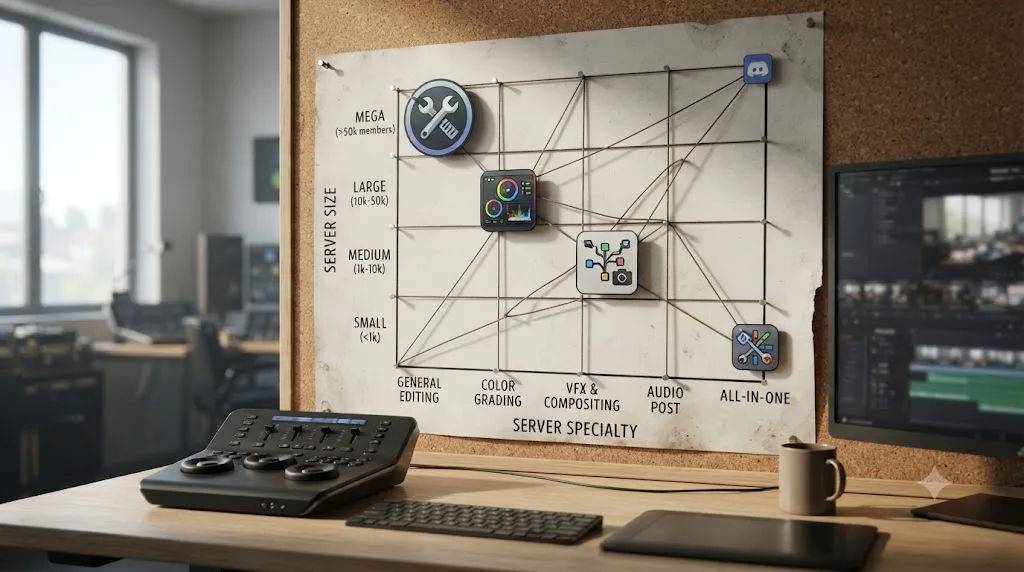
Is there a Discord server specifically for DaVinci Resolve color grading?
Yes, and it's built by a color tool company rather than by Blackmagic. Art of Color, run by the team behind Colourlab AI, describes itself as a community "of directors, cinematographers, colorists, color scientists, filmmakers, editors, and content creators" who share one thing, according to its own invite page: a passion for beautiful pictures. It's free to join, and it runs a "Color Master of the Month" competition judged by a panel with Hollywood credits, plus a Look Exchange channel where members trade reference stills to recreate in their own grades.
That's a meaningfully different room than the general DaVinci Resolve Community server. Fewer total members, but a higher ratio of people who grade for a living, which changes the quality of feedback on a submitted still far more than raw headcount does.
There's a second, higher-bar option worth knowing about even though most readers won't qualify yet. The Colorist Society International, co-founded by Jim Wicks and Kevin Shaw, positions itself the way a trade body would. Wicks put it plainly in an interview with RedShark News:
"CSI is more like the ASC for Cinematographers or ACE for editors. It's the first professional society to represent motion picture and television colorists in the film and digital entertainment industry, and aims to promote the creative art and science of color grading, restoration, and finishing."
CSI runs a Discord too, per its own site, but access sits behind paid professional membership, not open registration. That's not a knock, a trade society charging dues to fund itself is normal. It just means CSI's Discord belongs on a "graduate to this later" list, not a "join tonight" list, for anyone still learning the Color page. If you're not sure whether you're close to that stage yet, our guide on how to become a colorist using DaVinci Resolve lays out the realistic timeline, usually one to three years of paid or freelance work before a trade-body membership makes financial sense.
Color-specific communities trade raw size for a room full of people who already know what a bad key looks like. That trade is worth making the moment you're posting a grade for critique instead of asking where a button lives.
Is there a Discord server for AMV editors who use DaVinci Resolve?
Yes, and it's more specific than most people expect a Resolve community to get. Resolve AMVs has just under 9,000 members, built entirely for anime music video editors who cut in DaVinci Resolve rather than the AMV scene's older default, Sony Vegas or Premiere. It hosts MEP collabs, multi-editor projects where several people each cut a section and hand it off, plus AMV-specific technique talk that a general editing server has no reason to cover: syncing cuts to beat drops, sourcing clean fansub-free footage, and the specific export settings AMV contests expect.
If AMVs aren't your genre, skip this one entirely, its value is entirely in how narrow it is. If they are, it's a better fit than the 32,000-member general server for the exact same reason color grading has its own room: a smaller community that shares your specific problem beats a bigger one that mostly doesn't.
Are the general video editing Discord servers worth joining for DaVinci Resolve help too?
Sometimes, mostly for two things a Resolve-only server won't give you: freelance job leads and cross-app perspective. The "video editors" server, over 134,000 members, bills itself as a commission hub for paid editing jobs alongside general editing help, per its own invite listing. The Video Editing Hub runs a similar model at just over 61,000 members and was created in July 2020, according to Discord Bot List's tracked stats, leaning more toward tutorials, feedback, and community challenges than paid commissions.
Neither server is built around Resolve specifically, so a Resolve question competes for attention against Premiere, After Effects, and CapCut questions in the same channels. That's a real cost. What you get back is scale and a different kind of value entirely, if you're trying to get hired or find your first paid gig, a 134,000-member commission board reaches more potential clients than any software-specific server ever will. Join one of these for the job board, not as your primary place to learn Resolve's interface.
Is Reddit's r/davinciresolve better than any of these Discord servers?
For a different job, yes, often. The subreddit r/davinciresolve runs around 221,000 members, according to subreddit analysis from GummySearch, nearly seven times the size of the largest Resolve Discord. That size gap isn't the interesting part. The interesting part is what happens to a question after it's answered.
A Discord answer lives in a scrolling chat log that's effectively unsearchable within a day. A Reddit thread is indexed by Google and sits there for years, so someone typing your exact error message into a search engine in 2028 can still land on a 2026 answer. That's the core tradeoff: Discord wins on speed, Reddit wins on permanence. Ask a live question in real time on Discord. Search a problem you already have on Reddit first, because somebody probably already asked it, and you'll get an answer without waiting on anyone.
One of the recurring questions we see inside our own 100,000-plus member editing community is exactly this one: which platform should I even be posting in? The honest answer never changes. Use both, and pick the one that matches whether your question is urgent or just unanswered.
Is r/videoediting or another general subreddit worth joining too?
Yes, for the same reason the general Discord servers earn a place on this list: reach beyond Resolve specifically. r/VideoEditing runs about 521,000 members and grew by roughly 59,000 members, a 12.8% jump, over the past year, according to subreddit analysis from GummySearch. That's more than double r/davinciresolve's roughly 221,000 members, and it's growing faster in relative terms too.
Bigger isn't automatically better here, and the tradeoff is the same one the general Discord servers force on you. r/VideoEditing skews toward hobbyist and amateur editors asking software-agnostic questions, "how do I make this transition work," "why does my export look worse than my timeline," the kind of question that doesn't care whether you're in Resolve, Premiere, or CapCut. That's exactly what makes it useful for anything that isn't Resolve-specific: a pacing question, a color-theory question, a "does this cut even work" question. It's also exactly what makes r/davinciresolve the better first stop for anything that touches Resolve's interface, because a search there filters out every answer written for a different piece of software before you even start reading.
Post the interface question where the interface lives, and post the craft question wherever the craft gets discussed. A question about why the Node Editor panel vanished belongs in r/davinciresolve, where every reply assumes you're looking at the same software you are. A question about whether a jump cut works belongs in r/VideoEditing, where five times as many eyes will see it and half of them cut in a different app entirely, which is exactly the outside perspective a craft question benefits from and an interface question doesn't need.
There's a third option worth a one-line mention: r/editors, a smaller, more professionally skewed subreddit that leans toward people editing for a living rather than learning as a hobby. It's not Resolve-specific either, and its member count is modest next to r/VideoEditing, but the signal-to-noise on professional workflow questions, how a real post house structures a project, how a union job differs from a non-union one, tends to run higher there than in a hobbyist-heavy space. Treat it as a bonus stop once you're asking career questions rather than software questions, not a replacement for either of the two above.
How does DaVinci Resolve's Discord scene compare to Premiere Pro's, Final Cut's, and CapCut's?
Comparing app quality is one conversation. Comparing how loud each app's help community actually is, is a different one, and it's worth running the numbers since this whole post is arguing that Resolve's Discord scene is unusually strong for a piece of software that isn't owned by a trillion-dollar company.
Adobe runs its own official server, and it's a genuinely different model from anything covered so far in this post. Adobe Video has 26,160 members, according to Adobe's own page describing its Discord servers, and Adobe itself, not volunteer moderators, keeps it running as the home for Premiere Pro, After Effects, and motion design questions together, the same broad-scope approach the Blackmagic Design Community server takes by bundling Resolve in with cameras and broadcast hardware.
Line the numbers up and the volunteer-run DaVinci Resolve Community server is bigger than Adobe's own official video-editing Discord. That's worth sitting with for a second. Adobe is a public company with a marketing budget and an in-house community team behind its server. Blackmagic doesn't run an official Discord for Resolve at all, the biggest Resolve server exists purely because editors built it themselves, with no company behind it, and it still clears 32,000-plus members against Adobe's 26,160.
Final Cut Pro's Discord scene looks nothing like either one. FCP Cafe, run by developer Chris Hocking of LateNite, best known for Final Cut scripting tools, has 661 members according to its own site. That's a fraction of Resolve's or Adobe's numbers, and it tracks with two real facts about Final Cut: it's Mac-only, which caps its total addressable audience against a cross-platform app like Resolve or Premiere, and Apple has never run an official community channel for it the way Adobe does for Premiere. Editors who cut in Final Cut skew toward smaller, tighter, more specialist gathering spots instead of one large general server, a tradeoff covered from the app-choice side, not the community side, in our DaVinci Resolve versus Premiere Pro comparison.
CapCut is the strangest case of the three, and the most counterintuitive. It's arguably the single most-used video editor on the planet by raw install count, built into a phone app hundreds of millions of people have opened at least once. Its Discord-recognized server, CapCut (Explorer), has 3,575 members according to Discord Bot List's tracked stats, smaller than Resolve AMVs, the niche anime-editing server covered earlier in this post. That gap makes sense once you think about what CapCut users actually need help with. CapCut's core workflow is template-driven, tap a trending effect, drop your clips in, export, which generates far less "how do I do X" text traffic than a node-based color page or a Fusion compositor does. Our switching from CapCut to DaVinci Resolve guide covers that workflow-philosophy gap in more depth if you're making that jump yourself.
| App | Discord server | Members (2026) | Run by |
|---|---|---|---|
| DaVinci Resolve | DaVinci Resolve Community | 32,000+ | Volunteers |
| Adobe Premiere Pro / After Effects | Adobe Video | 26,160 | Adobe (official) |
| Final Cut Pro | FCP Cafe | 661 | Chris Hocking / LateNite |
| CapCut | CapCut (Explorer) | 3,575 | CapCut-recognized |
A dedicated-editor Discord's size tracks the complexity of the questions its app generates, not the size of the app's total user base. CapCut has more total users than Resolve by an order of magnitude and a fraction of the Discord activity, because a template rarely needs a paragraph of explanation and a sixteen-node Fusion tree usually does.
None of this means Premiere or Final Cut editors are worse served, they lean harder on other channels this post already covers: r/VideoEditing's roughly 521,000 members skew Premiere-heavy, and Adobe runs its own official community forum the same way Blackmagic runs forum.blackmagicdesign.com. It does mean that if community size is one factor in your choice of editor, and this post's own FAQ already argues that a live human answering your question fast is worth something, Resolve's numbers hold up well against apps backed by far bigger marketing budgets.
Are there DaVinci Resolve forums that beat Discord and Reddit both?
For a narrow use case, yes: a forum sits in the gap between Discord's speed and Reddit's reach, and it's worth knowing these options exist even though neither is the first stop for most readers of this post.
Blackmagic Design runs its own official forum at forum.blackmagicdesign.com, a traditional threaded forum rather than a Discord server, covering DaVinci Resolve alongside every other Blackmagic product line, cameras, switchers, and the rest. It's old-school in structure, no live chat, no @-mentions, just threads and replies, which is exactly why it holds up for a certain kind of question. A thread there gets indexed by Google the same way a Reddit thread does, so a specific, unusual error message you paste into a search engine two years from now can still surface a forum thread that already solved it. The forum's own tracked stats page shows a peak of 9,261 users online at once in November 2025, which tells you it's far from dead, even if its day-to-day traffic runs quieter than a Discord server's.
There's also an independent, community-run option: DaVinci Resolve Forum, unaffiliated with Blackmagic Design, built as a smaller, dedicated space for Resolve questions specifically. Its own front page lists 253 members, 180 threads, and 399 messages, small next to any server in this post, and worth naming honestly as small rather than talking it up. What it offers instead of scale is focus: no camera hardware threads to wade through, no confusion with unrelated software that happens to share the word "resolve" in its name, just Resolve. If you'd rather search a small, quiet archive than post into a fast-moving channel of 32,000 strangers, it's there.
A third, older forum is still worth a mention for anyone who's been editing longer than Discord has existed: Creative COW runs a dedicated DaVinci Resolve subforum that predates most of the servers in this post and remains active. It's a legacy platform in the best sense, threads there go back years, which means a search for an old, specific problem sometimes turns up an answer nowhere else has archived.
Neither forum replaces Discord's core advantage, someone answering within minutes because thousands of people are online right now, and neither replaces Reddit's scale. A forum earns its place in this list for exactly one job: finding an answer somebody already gave, without waiting for anybody to give it again. Use Discord to ask. Use Reddit to search widely. Use a forum to search narrowly, on the official or long-archived record, for a Resolve-specific problem that's specific enough a general subreddit's search wouldn't surface it.
Should you use a Discord server, a course, or an AI tool to learn DaVinci Resolve fast?
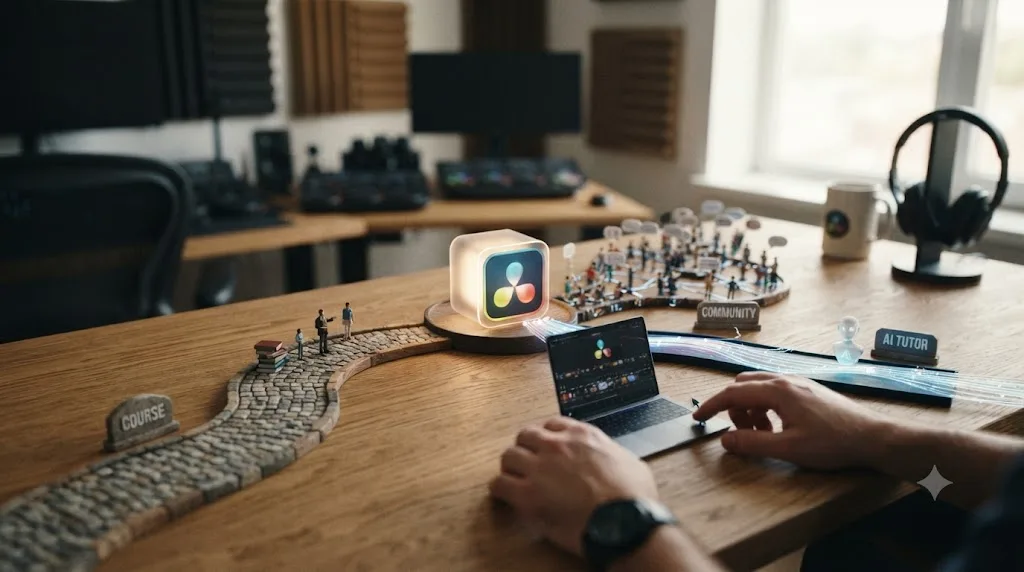
None of the three replaces the other two, and the fastest path to learning DaVinci Resolve fast almost always mixes them. A course gives you order: a beginning, a middle, and an end, the kind of structure our best DaVinci Resolve courses comparison breaks down option by option. A Discord server gives you people, feedback on a finished cut, a place to ask why something looks wrong that a course can't predict you'll ask. Neither one answers the specific question you have at 11pm when nobody in the server is awake.
That's the gap an AI tool actually fills, and it's worth being precise about what kind of gap it is. TryUncle is the on-screen assistant for DaVinci Resolve on macOS, ask in plain words and Uncle points at the exact control on your screen. It doesn't replace the community, and it isn't trying to teach you taste the way a working colorist's feedback would. It answers the narrow, mechanical question, where's this button, why won't this export, right now, instead of making you wait for someone in a Discord server to see your message. If you want to see how that compares to a full course rather than a chat server, our piece on learning DaVinci Resolve alone versus with a mentor covers that tradeoff in more depth.
Combine them by role instead of by preference. Structure and certification from a course. Feedback, critique, and a sense of what's normal from a Discord server. The instant, specific unstick from TryUncle when you're mid-project and nobody's around to ask.
How do you actually get useful answers out of a DaVinci Resolve Discord server?
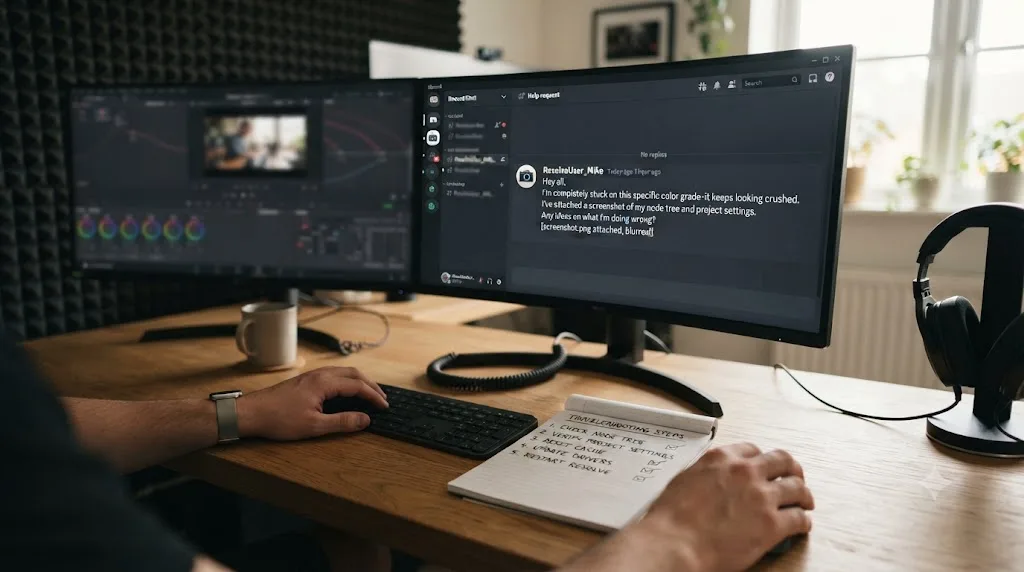
By asking the way a working editor would answer a stranger, which is to say, with enough context that a reply doesn't need three follow-up questions first. A message that says "color page broken help" gets ignored in a 32,000-member server, because nobody can act on it. A message that says "Resolve 21, free version, on macOS: my Color page shows scopes but the node graph panel is missing, and it was there yesterday" gets answered, because it names the version, the edition, the platform, and the exact symptom.
The single biggest reason a Discord question goes unanswered is that it can't be acted on as written. Fix that one habit and every server on this page gets dramatically more useful, before you change anything else about how you use them.
Here's the difference in practice, using the same real problem stated two ways.
Bad version: "color page broken help???"
Good version: "Resolve 21, free version, macOS 15: my Color page shows scopes but the node graph panel is missing, and it was there yesterday. I tried View > Reset UI Layout and it didn't bring it back. Screenshot attached."
The second version answers, before anyone even replies, the four questions every helper silently asks before they can help at all: which version, which edition, which OS, and what have you already tried. Strip any one of those four out and watch how much slower the same server answers the same problem. That pattern holds whether you're posting in a 32,000-member general server or a 9,000-member AMV server, and it holds for Fusion questions too: "my node flow renders black on Loader nodes but plays fine in the viewer, Resolve 21 Studio, RTX GPU" gets a real answer in minutes, while "fusion node broken" gets silence.
The same pattern holds for a Fairlight audio question. "no audio please help" gets nothing, because it could mean the whole timeline, one clip, or one output device, and nobody wants to ask three clarifying questions before they can even start. "Resolve 21, Fairlight page, my dialogue track shows waveform and the meters move but no sound comes out of my monitor, other tracks play fine" gets a real answer fast, because it already isolates the problem to one track and rules out the whole app being broken.
It holds for a Deliver-page export question too, and this is the one beginners get wrong most often. "export not working" is unactionable on its own. "Resolve 21 Studio, exporting H.265 to the same render settings I used last week, the bar fills to 100% but the output file won't play in QuickTime, VLC plays the same file fine" tells a helper exactly which codec, which player, and which step broke, instead of making them guess at all three before they can even suggest a first fix.
A few more habits that consistently work across every server in this post. Search the channel first, most beginner questions have already been asked, and the search function exists specifically so you don't have to wait on a repeat answer. Post a screenshot, not just a description, since half of Resolve's problems are one misclicked panel that's obvious the second someone sees it. And say what you've already tried, because "I restarted Resolve and reimported the clip" saves a helper from suggesting the first two things everyone suggests by reflex.
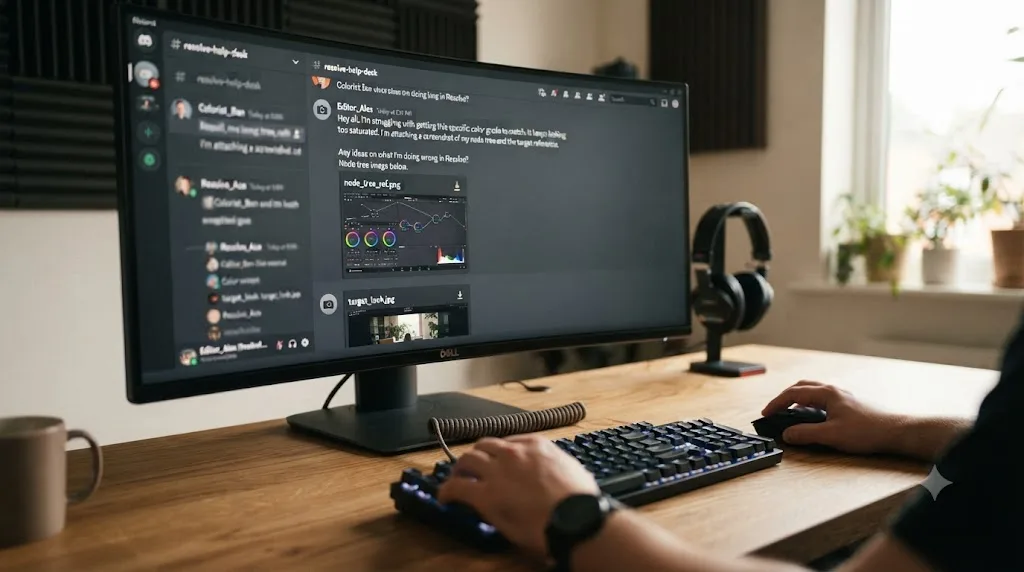
What's the safe way to share a project, a still, or footage when asking for feedback?
A Discord help channel usually needs to see what you're seeing, and DaVinci Resolve gives you several ways to show it, each suited to a different kind of question. Get this part wrong and you either share nothing useful or share more than you meant to.
For an interface or settings question, a screenshot beats a description every time, which is already the advice above. Crop it to the relevant panel rather than pasting your whole multi-monitor desktop, a server full of strangers doesn't need your wallpaper or your browser tabs to help you find a missing toolbar.
For a color question, a still frame does more work than a screenshot. Export a single frame at full resolution from the Deliver page, or grab one straight off the Color page's gallery, rather than a screen-capture of your scopes, since a compressed screenshot crushes exactly the shadow and highlight detail a colorist needs to judge your grade. Art of Color's Look Exchange, covered earlier in this post, exists specifically for this kind of still-based feedback, and the same habit works in the DaVinci Resolve Community server's color channel.
For a node-tree or Fusion question, a screenshot of the graph plus a still of the result usually beats sending the whole project. If a server does want the project itself, a DaVinci Resolve .drp file is small and portable and doesn't carry your source media with it, which is exactly what most helpers actually want: they can open your node tree without downloading gigabytes of footage they don't need. Never attach a full project folder with cached renders, proxies, or original camera files to a Discord message, both because Discord's file-size limits will reject it and because nobody asked for eighty gigabytes of B-roll.
Two things worth being careful about before you share anything in a public server. First, a .drp file or a project folder can carry metadata, camera filenames, embedded audio, timestamps, that says more about a client's shoot than you meant to publish, so strip or rename anything that would identify a paying client's project without their permission. Second, if you're sharing footage or a still from client work at all, check your contract before you post it anywhere public, a Discord server included, since "I was just asking for help" isn't a defense a client's lawyer cares about. When in doubt, recreate the problem on a throwaway clip instead of your actual paid project, most rendering, node, and settings bugs reproduce on any footage.
A .drp file without its source media answers a node or settings question just as well as the full project, and it doesn't leak a client's camera files to a public server. That one habit solves most of the oversharing risk in this section by itself.
Is it okay to post the same DaVinci Resolve question in more than one Discord server?
Sometimes, but there's a right way and a wrong way, and getting it backwards is the second most common reason a question goes unanswered, right after the vague-question problem covered above.
The wrong way is pasting the identical message into five servers within the same two minutes. Regulars in overlapping servers, and there's real overlap between the DaVinci Resolve Community server, the Blackmagic Design Community server, and the general editing servers, recognize copy-pasted spam fast, and it reads as low-effort even when the question itself is a good one. It also wastes the time of anyone who answers in one server without knowing you already got an answer somewhere else.
The right way is sequential, not simultaneous, and matched to what kind of question you're asking.
- Post once, in the single most relevant server for the question. A Fusion node question goes in the DaVinci Resolve Community server's Fusion channel, not the general channel of three different servers at once.
- Give it real time before trying anywhere else. An hour during that server's peak hours, longer overnight. Most well-formed questions, the kind built with the four-question checklist above, get answered inside that window in a server with thousands of concurrent members.
- If nothing comes back, move to a second server rather than duplicating in place, and say so if you reference the first attempt. "Asked this in [server] too, no luck yet" is honest and costs you nothing.
- Reserve genuinely simultaneous posting for the cases where it's expected. A freelance commission post on "video editors" and The Video Editing Hub isn't a help question, it's a job listing, and posting the same listing in both job-board servers at once is completely normal, expected practice.
There's one more shortcut worth knowing. AMV-specific and color-specific questions almost never benefit from cross-posting into a general server, because the general server's larger population doesn't include more people who know AMV beat-sync conventions or grading theory, just more people in total. Depth beats reach for a specialist question. Reach beats depth for "has anyone else seen this exact bug," where more eyeballs really does raise the odds someone's hit the same thing.
Cross-posting isn't rude by itself, posting the identical message everywhere at once without waiting is what reads as spam. Space it out, be upfront when you do it, and nobody minds.
What do you do if nobody answers, or the server looks dead?
It happens, and it's not always a sign you asked badly. A few specific, common failure modes, and what actually fixes each one.
The server requires phone verification or a captcha before you can post. Large Discord servers, and every server named in this post crosses that threshold, often turn on Discord's built-in verification levels to cut down on spam and bot accounts. Discord runs five such tiers in total, from None up to Highest, according to Discord's own support documentation, and the strictest tier requires a verified phone number on your account, on top of a verified email and enough time in the server, before you're allowed to post at all. That single account-level fix, verifying a phone number once in Discord's own settings, satisfies every server's verification tier at once, which is faster than solving each server's onboarding flow one at a time. If you can read channels but your first message won't send, check the server's onboarding or rules channel for a "verify" step too, sometimes a reaction to a message, sometimes a bot DM you have to answer. It's a one-time friction, not a wall, and skipping it is the single most common reason a new member's question never posts at all.
You asked in the wrong channel. A 32,000-member server organizes into dozens of channels, and a Color-page question posted in a general #chat channel gets buried under unrelated conversation within minutes. Scroll the channel list before you type anything. Most Resolve-specific servers split at minimum into edit, color, Fusion, and Fairlight channels, sometimes finer than that, and posting in the right one is worth more than the wording of the question itself.
Nobody's online in your timezone. Check the member list's online count against the time you're posting. A server showing 400 of 32,000 members online at 3am your time is going to answer slower than the same server at 3pm US Eastern, when North American and European members overlap. This isn't a flaw in the server, it's just physics. If your question isn't urgent, post it before you go to sleep and check back after you wake up rather than waiting live for a reply that might take eight hours to arrive on its own schedule.
You got three different answers and they contradict each other. This is common on any large, unmoderated-for-accuracy server, and it's worth resisting the urge to just pick whichever answer came first. Ask a simple follow-up: "which of these did you actually test on Resolve 21?" A helper who tested their answer will say so. One who's repeating something they read once will usually go quiet or hedge, which is itself the answer you needed.
The answer you got is outdated. Resolve's interface moves between versions, a panel that lived under one menu in Resolve 18 can live somewhere else in Resolve 21, and a two-year-old Discord message or forum thread won't say which version it was written for. If a suggested fix references a menu path that doesn't exist on your screen, that's usually why. Ask specifically, "does this still apply in Resolve 21," rather than assuming either you or the advice is wrong.
The invite link is dead. Discord invite links expire, and a server that was active two years ago when a blog post linked it can be gone, renamed, or merged into another community by the time you click through. If a link in this post or anywhere else 404s, search the server's name directly on DISBOARD or Discord's own server discovery page rather than assuming the community itself vanished, invite links break far more often than the communities behind them do.
Nobody answers at all, even after a day. At that point, stop waiting and change tools instead of channels. Post the same well-formed question on r/davinciresolve, where it sits searchably instead of scrolling away. And if it's a "where is this control" question rather than an "is this normal" question, an instant on-screen assistant answers that faster than any community ever will, since it doesn't need anyone else to be awake. We cover exactly that tradeoff, and the tool we use for it, in the course-versus-community-versus-AI section above.
What should you watch out for in these communities?
The same handful of problems show up in every large, open Discord server, Resolve-specific or not. Unsolicited DMs offering "editing gigs" or "free LUTs" almost always lead to a scam link or a paid course pitch dressed as a favor, and no legitimate helper needs to move a public question into your DMs. Self-promotion floods the biggest servers fastest, so expect a channel or two dedicated to plugging someone's own YouTube channel or course, and treat anything posted there as an ad, not a recommendation.
Advice quality also varies more than server size suggests. A 32,000-member server has more total helpers, but also more confidently wrong ones, since nobody moderates for accuracy, only for behavior. Cross-check anything that changes your workflow (a render setting, a color management claim) against Blackmagic's own documentation and training before you build a habit around a stranger's tip. Free advice is still worth exactly what you paid for it until you've verified it once.
One more check costs nothing and takes a second. Discord runs its own official Verified Server program for accounts that represent a real, registered business or public figure, per Discord's own comparison of Partnered and Verified servers, and a verified server carries a distinct badge next to its name. None of the volunteer-run communities in this post claim to be Blackmagic Design's official support channel, which is honest rather than a red flag, but the badge itself is worth knowing how to spot on any server, Resolve-related or not, before you trust a DM claiming to be "official support."
Are there other places besides Discord where DaVinci Resolve learners gather?
A couple worth knowing, since a fair comparison names the whole landscape, not just Discord's slice of it. Casey Faris runs a free Skool community, "DaVinci Resolve for Beginners!", with around 19,500 members according to its own about page, built around his free beginner course and attached directly to his YouTube channel rather than sitting on Discord's infrastructure. Skool's format leans more toward structured posts and a linked course than Discord's real-time chat, so it splits the difference between a forum and a server.
For a different kind of alternative entirely, live human instruction rather than any chat community, Blackmagic Design runs its own certified training network directly. It's over 250 certified trainers and more than 100 training centers worldwide, according to Blackmagic's own training page, with partner locations listed across more than 30 countries, Argentina, Australia, Brazil, Germany, India, Japan, South Africa, and the UK among them. That's a genuinely different tool than anything else in this post: a paid, structured, in-person or live-online class working toward an actual Blackmagic certification, not a free chat room. It solves a problem none of the servers above can, a verifiable credential and a live instructor accountable for your progress, at a cost none of the free options carry either. If a training center exists in your country, and that list suggests one might, it's worth checking before assuming a Discord server is your only structured option outside a paid online course.
If English isn't your first language, know that none of the servers above are English-only by rule, Discord itself auto-translates for many users now, but a same-language server is still easier to learn in. DISBOARD's own tag page for "davinci-resolve" lists servers filterable by language, including Spanish, German, Portuguese, and French listings alongside the English-language ones covered in this post. We're not naming a specific non-English server here, member counts and activity on that tag swing too widely and too quickly to rank with the same confidence as the servers above, but the discovery tool itself is real and free to use. Filter by your language, then apply the same test as any server on this page: check how many members are online right now, not just how many have joined ever. And if no local server or training center turns up at all, Blackmagic's own training page linked above is searchable by country, which is a better first stop than an empty Discord search.
None of these replace Discord's real-time speed, and Discord doesn't replace their searchability, credential, or structure. The right community for a DaVinci Resolve question depends on whether you need an answer in the next five minutes or a good one you can find again next year. Pick accordingly, and don't feel obligated to settle on just one.
Which server fits the kind of editor you actually are?
Everything above is true at once, which doesn't help you pick tonight. Here's the shortcut, organized by who's asking instead of by server size.
| You are... | Join first | Why |
|---|---|---|
| A total beginner, first week in Resolve | DaVinci Resolve Community | Broadest coverage, fastest replies, every page of the app in one place |
| A colorist or aspiring colorist | Art of Color | Feedback quality from working colorists beats raw headcount for a graded still |
| An AMV or fan-edit editor | Resolve AMVs | MEP collabs and beat-sync technique talk a general server won't cover |
| A compositor working the Fusion page | DaVinci Resolve Community's Fusion channel, or Keep Calm, I'm in VFX | Interface questions and compositing-theory questions need different rooms |
| Chasing paid freelance work | "video editors" or The Video Editing Hub | Job boards and commission postings a software-specific server doesn't run |
| Coming from camera or hardware work | Blackmagic Design Community | Production-background members, BRAW and monitoring questions land well |
| A working professional networking with peers | Colorist Society International (once eligible) | Trade-body structure instead of open chat, for people already earning from color |
| Switching over from Premiere, Final Cut, or CapCut | DaVinci Resolve Community, then a specialty server once you know your gap | The general server answers "how do I do the thing I already know how to do in my old app" fastest |
| Searching for a problem you already have | r/davinciresolve, or a forum | Searchable, permanent, no need to wait on anyone |
| Not a native English speaker | DISBOARD's language-filtered listings, or a local Blackmagic training partner | Same-language help, live or async, is easier to learn from than translated chat |
Pick the first row that matches you, join it tonight, and add a second server only once you've hit a wall the first one can't answer. Every server on this page is free to try except CSI's, so there's no cost to being wrong about your first pick, only time.
How were these member counts and servers verified?
Every membership figure in this post came from a server's own public, tracked stats, Discord Bot List, DISBOARD, or a server's own invite, about, or official vendor page, checked in July 2026, the same month DaVinci Resolve 21.0 was current. Where a number wasn't published anywhere public, like Art of Color's, we said so instead of guessing. Where a community exists but is too small or unverifiable to rank with confidence, like the language-filtered Discord servers on DISBOARD's tag page or the search results for a dedicated Fusion server, we named the honest limitation instead of inventing a headcount to make the list look more complete.
That matters because Discord member counts drift fast and in both directions. A server can gain a thousand members in a slow month, or lose active moderators and quietly go dormant while the join count keeps climbing from bot accounts and lurkers who never post. A high member count measures how many people joined once, not how many people will answer your question tonight. That's why every server recommendation in this post pairs a number with a description of what the server is actually good for, not just a ranking by size.
If you're reading this more than a few months after July 2026, treat the counts as directional rather than exact. The servers themselves and their relative order are unlikely to shift much, but the specific numbers will have moved. Check a server's own member list before joining if the exact figure matters to your decision.
Which DaVinci Resolve Discord server should you actually join tonight?
Join the DaVinci Resolve Community server first, no matter what kind of editor you are. It's the largest, it's free, and it covers every page of the app, so it's the one server that answers whatever question you show up with today. Add a second server only once you know what you're actually stuck on. Colorists add Art of Color. AMV editors add Resolve AMVs. Compositors add a generalist VFX server alongside the Fusion channel. Anyone chasing paid work adds one of the general editing servers for the job postings, not the tutorials.
Join more than one if you want, servers don't compete for your attention the way a paid course does for your money. Just don't mistake joining a server for learning the software. A Discord server answers the question you already know how to ask, it doesn't teach you which questions to ask in the first place. For that part, structured material still does the heavy lifting, and this list is only the fast lane running alongside it.
Frequently asked questions
- What is the best Discord server to learn DaVinci Resolve?
- The DaVinci Resolve Community server, with more than 32,000 members as of mid-2026. It's the largest Resolve-specific server, it's free, and it covers editing, color, Fusion, and Fairlight in one place, so a beginner question and an advanced grading question both get answered without hunting across multiple servers.
- Does Blackmagic Design run its own official DaVinci Resolve Discord?
- Yes. The Blackmagic Design Community server, just over 6,000 members, covers DaVinci Resolve and Fusion alongside Blackmagic's camera and broadcast hardware. It's smaller than the dedicated DaVinci Resolve Community server but skews toward members with production backgrounds, so hardware and workflow questions land well there.
- Is there a Discord server just for DaVinci Resolve color grading?
- Art of Color, run by the makers of Colourlab AI, is free and built around colorists, cinematographers, and colour scientists rather than editors in general. It runs a monthly Hollywood-judged grading competition and a Look Exchange where members share reference stills to recreate. The Colorist Society International also runs a members-only Discord, but that one sits behind its professional membership, not open registration.
- Is there a Discord server for editing AMVs or fan edits in DaVinci Resolve?
- Resolve AMVs, with just under 9,000 members, is built specifically for anime music video editors who cut in DaVinci Resolve. It hosts MEP collabs (multi-editor projects) and AMV-specific editing tips that a general Resolve server won't have any reason to cover.
- Is Reddit's r/davinciresolve better than a Discord server for learning?
- For different jobs, not a straight upgrade. The subreddit has around 221,000 members and its threads are searchable forever, so a question asked in 2023 still surfaces in a Google search today. Discord's chat answers questions faster in real time but scrolls away, so use Reddit to search for a problem you already have and Discord to ask one live.
- Can an AI tool replace a Discord community for learning DaVinci Resolve?
- No, and it's solving a different problem. A Discord server gives you a person and, eventually, a reply. TryUncle is the on-screen assistant for DaVinci Resolve on macOS, ask in plain words and Uncle points at the exact control on your screen, instantly, without waiting on anyone to be online. Use a server for opinions, feedback, and community. Use an instant tool for the moment you're stuck on one control right now.
- Are these DaVinci Resolve Discord servers actually free to join?
- Every server named in this post is free to join and free to use, including the colorist-focused Art of Color server. The one exception is the Colorist Society International's Discord, which requires a paid professional membership to access, not a fee for the Discord itself.
- Is there an app that helps you while you're actually inside DaVinci Resolve, not just a chat server?
- Yes. TryUncle is a paid macOS app, not a Discord server or a course, whose AI tutor watches your live Resolve screen and points at the control you're asking about. It works alongside Discord communities rather than replacing them: the app answers the specific question, the community is still where you'd post a finished grade for feedback.
Sources
- DaVinci Resolve Community - Discord Bot List
- Blackmagic Design Community - Discord Bot List
- Resolve AMVs - DISBOARD
- Discord - Colourlab.ai (Art of Color community)
- Colorist Society International aims to provide a voice for professional colorists - RedShark News
- The Colorist Society International
- video editors - Discord invite
- The Video Editing Hub - Discord Bot List
- r/davinciresolve - Subreddit Stats & Analysis (GummySearch)
- r/VideoEditing - Subreddit Stats & Analysis (GummySearch)
- DaVinci Resolve for Beginners! - Skool community (Casey Faris)
- DaVinci Resolve - Training (Blackmagic Design)
- Join These Digital VFX Communities To Stay Connected - ActionVFX
- Blackmagic Forum - Index page
- DaVinci Resolve Forum (independent community)
- DaVinci Resolve - Creative COW forum
- Discord servers tagged with davinci-resolve - DISBOARD
- Connect with creatives through Adobe Discord Servers - Adobe Creative Cloud Help
- FCP Cafe (Final Cut Pro community, run by Chris Hocking / LateNite)
- CapCut (Explorer) - Discord Bot List
- Verification Levels - Discord Support
- Partnered vs Verified Servers - Discord Support
Put this guide to work with TryUncle.
Ask about the step you’re on. TryUncle sees your screen and points at the control you need, so you can keep learning in your own project.
Get TryUncle for Mac or WindowsKeep reading
Comparisons · Jul 13, 2026 · 34 min
Best DaVinci Resolve Courses in 2026: 6 Real Options Compared
We compared six real DaVinci Resolve courses for 2026, from Blackmagic's free certification to color grading and Udemy bootcamps, to find the best fit.
Comparisons · Jul 15, 2026 · 41 min
Should You Learn DaVinci Resolve Alone or With a Mentor?
Learning DaVinci Resolve alone vs. with a mentor, compared honestly: what a real mentor changes, why self-taught learners stall, and where AI tutors fit.
Guides · Jul 7, 2026 · 32 min
DaVinci Resolve for Beginners: The Complete Starter Guide
Learn DaVinci Resolve from zero: what it costs, what it needs to run, the seven pages you'll actually use, and the steps to cut your first project.